Awards Website Blueprint: Publish Winners Online (Accessible & Searchable)
A practical blueprint to build an awards website that publishes winners online with categories, years, media, and WCAG-minded accessibility. Includes templates and FAQs.

Intent: plan — Build an awards website that publishes winners online, stays searchable, and remains accessible to the public.
Program Snapshot
- Audience: students, alumni, families, donors, fans, staff, community partners
- Primary outcomes: public recognition, shareable winner links, sponsor value, year-round engagement
- Cadence: annual awards + mid-year updates (new media, nominations, sponsor rotations)
- Featured honorees: award winners, finalists, teams, departments, sponsors
Fast start: the simplest data model that still ranks
- Category → Year → Winner (page)
- Each winner page includes: bio, achievements, media, tags, and share links
- Optional: finalists, sponsors, nomination criteria, judging rubric
Content Architecture (what to publish)
Core modules (high-ROI for SEO + usability)
- Awards index: a directory of categories with short descriptions (“what this award recognizes”).
- Year archive: a browseable list by year/season/edition.
- Winner pages: one page per winner with consistent fields (bio, achievements, photos, videos).
- Search + filters: category, year, department/team, tags (decade, sport, role, sponsor tier).
Optional modules (add once the core is stable)
- Nomination portal (public or gated) + eligibility criteria
- Sponsor suite: sponsor tiers, rotation schedule, recognition placements
- Galleries: ceremony photos, press clippings, highlight reels
- Record boards / stats if the awards are sports-focused

Execution Timeline (Plan → Build → Launch → Refresh)
Plan (1–2 weeks)
- Define categories and eligibility language.
- Write the winner-page template (fields, tags, media requirements).
- Set accessibility requirements (contrast, keyboard, alt text, touch targets).
Build (2–6 weeks)
- Collect legacy winners (CSV or spreadsheet) and standardize names, years, categories.
- Build navigation (category index + year archive + search).
- Prepare sponsor placements and publishing schedule.
Launch (week of ceremony)
- Publish “launch collection”: newest winners + a “greatest hits” set for history.
- Add share links and a short “how winners are selected” explainer.
Refresh (monthly/seasonal)
- Rotate galleries, add new media, and publish new winners on schedule.
- Review analytics: what people search for, what they click, what they abandon.
Display Integration (web + touchscreen)
An awards website can also run on touchscreens by reusing the same structure:
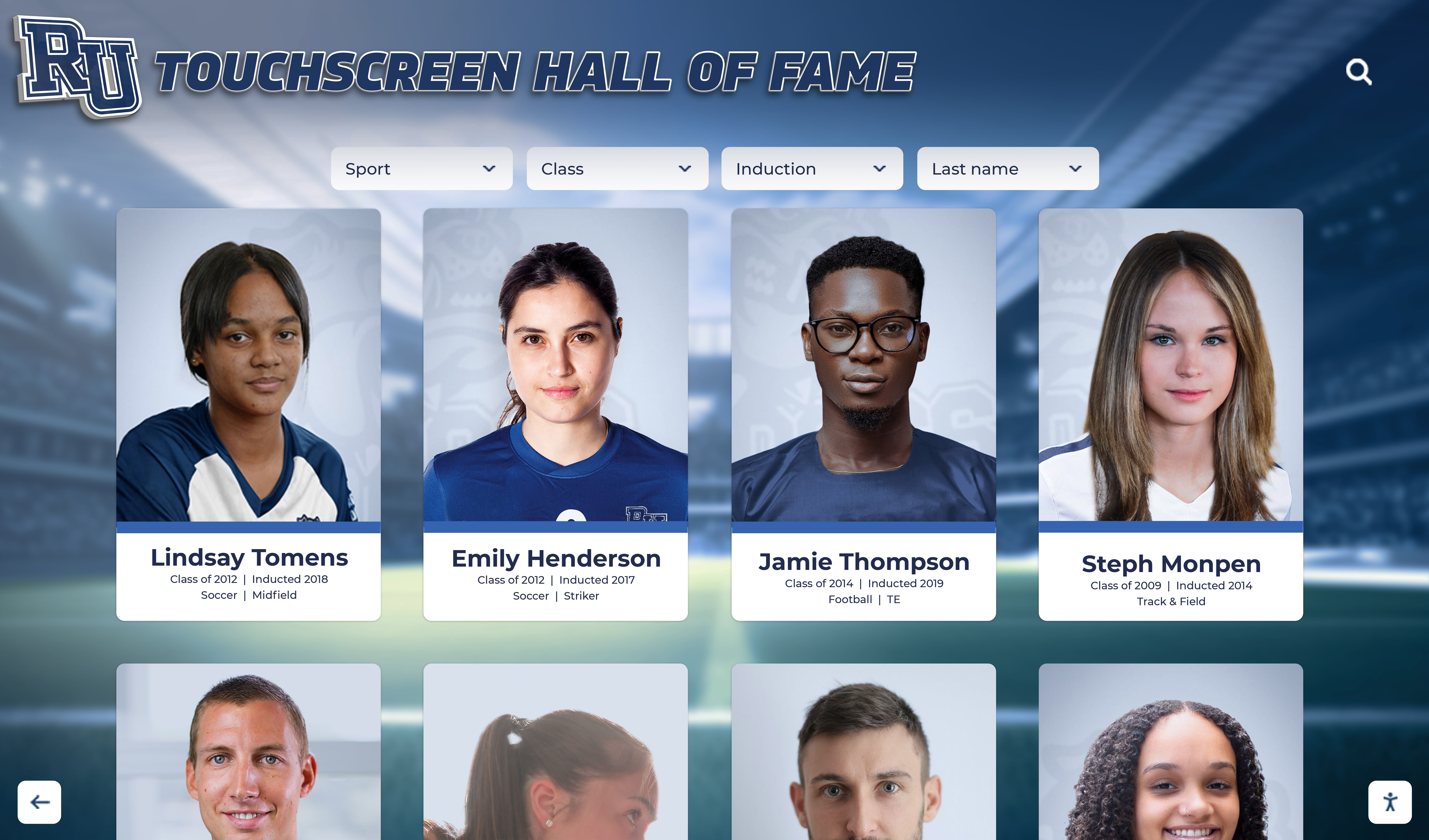
- Touchscreen: browse categories, search winners, tap into profiles.
- Online: shareable winner links, mobile-friendly browsing, external traffic from search/social.
- Remote updates: scheduled publishing, cloud backups, and contributor permissions.
Measurement (what success looks like)
- Engagement: directory-to-profile click-through, average time on winner pages, search usage rate
- Operational: time-to-publish new winners, number of contributors onboarded
- Sponsor value: sponsor tile impressions, CTA clicks, QR/UTM scans
Directional benchmarks (varies by audience size): teams often aim for sub-30-minute publish cycles for new winners once templates and bulk upload are established.
Copy/Paste Asset: Winner Intake Form (use every year)
- Winner name + preferred display name
- Award category + year/edition
- 75–125 word short bio + 250–400 word long bio
- 3–7 achievement bullets (include dates and stats when possible)
- 3–10 photos + 1–3 videos (with captions)
- Tags: decade, team/department, role, sponsor tier (if applicable)
- Accessibility: alt text for each photo (1–2 sentences)
Next step
- Primary CTA: Request Your Free Custom Demo (
?demo=demo) - Secondary CTA: Schedule a custom mock-up call
FAQ
Frequently Asked Questions
Answers for teams building an online hall of fame or awards website.
What should an awards website include?
At minimum: award categories, a winners directory by year, individual winner pages with photos/video, and clear navigation (filters + search). Add sponsors and nomination details as needed.
How do we make an awards website accessible online?
Follow WCAG 2.1 AA basics: contrast, keyboard navigation + visible focus, descriptive links, alt text for images, readable headings, and large touch targets for mobile and kiosk use.
How do we keep the awards site updated each year?
Use a repeatable workflow: intake form → review → publish. Standardize templates, allow bulk upload, and schedule publishing so new winners go live without manual page building.





























