Athletic Hall of Fame Website: Online Inductees, Records, and Team History
Build an athletic hall of fame website that’s searchable online: inductees, records, teams, championships, and media—designed for accessibility and touchscreen use.

Intent: plan — Build an athletic hall of fame website that people can browse online and enjoy on a touchscreen at games, banquets, and alumni events.
Program Snapshot
- Audience: alumni, families, fans, current athletes, boosters, media
- Primary outcomes: preserve legacy, drive alumni engagement, support fundraising/sponsorships
- Cadence: annual induction + seasonal updates (records, teams, highlight reels)
- Featured honorees: inductees, teams, coaches, contributors, champions

Content Architecture (the modules that make it feel complete)
1) Inductees (the heart of the program)
Each inductee profile should include:
- Full name + preferred display name
- Sport(s) / role (athlete, coach, contributor)
- Era/decade + graduation year (if relevant)
- Achievements (bulleted, scannable)
- Stats and awards (when available)
- Photos + videos + captions
- Cross-links to teams/seasons and record boards
2) Team history and seasons
- Season pages (year → record → roster → highlights)
- Championship pages (title, year, photos/video)
- Coach pages (tenure, milestones, teams)
3) Record boards
Build record boards as “living pages”:
- Sport → category (points, wins, time, etc.) → rankings
- Filters: year/era, level, gender, team
- Clear sourcing notes (where the data comes from)
Execution Timeline (Plan → Build → Launch → Refresh)
Plan (1–2 weeks)
- Decide inductee categories and season/record taxonomy.
- Choose the profile template fields and tagging rules (sport, decade, award type).
- Define accessibility requirements: WCAG-minded contrast, focus states, keyboard navigation.
Build (2–8 weeks)
- Import inductees (spreadsheet → standardized profiles).
- Create team-season skeleton pages and record board templates.
- Add media galleries and sponsor placements (if applicable).
Launch (week of induction)
- Publish the new induction class plus “featured history” (top teams, biggest records).
- Add shareable profile links for social and email.
Refresh (seasonal)
- Update record boards and add new highlights.
- Rotate hero/gallery content and publish on a schedule.
Display Integration (stadiums, hallways, alumni centers)
Online-first + touchscreen-ready:
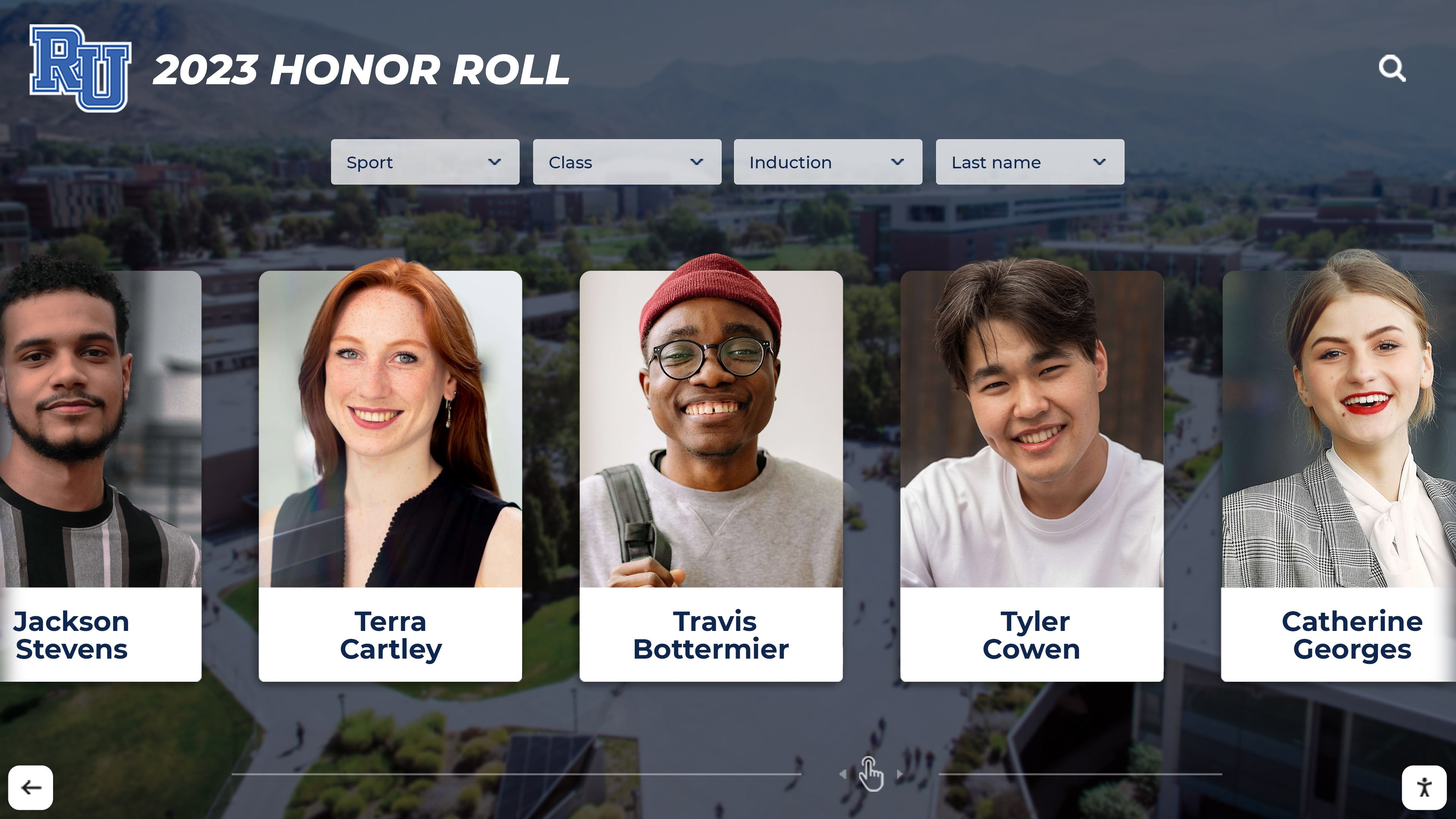
- Touchscreen: big buttons, fast filters, “browse by sport/decade” shortcuts.
- Online: shareable pages, search indexing, mobile browsing.
- Remote management: publish updates without taking the display offline.
Accessibility notes to keep the on-site experience inclusive:
- Maintain contrast for text over photos.
- Keep touch targets large enough for kiosk reach ranges.
- Ensure all actions are keyboard-usable for accessibility testing.
Measurement (KPIs you can actually track)
- Engagement: visits to inductee pages, search usage, gallery dwell time
- Operational: time-to-add new inductees/records, number of contributors onboarded
- Sponsor value: sponsor impressions + clicks (UTM/QR)
Copy/Paste Asset: Athletic Hall of Fame Content Checklist
- Inductee data: name, sport, role, era, achievements, stats
- Team/season data: year, record, roster, highlights
- Media: 3–10 photos per inductee/team + 1–3 videos
- Tags: sport, decade, award type, team/season links
- Accessibility: alt text for photos + captions for videos where possible
Next step
Request a working layout (with your categories and an example inductee import): Request Your Free Custom Demo (?demo=demo).
FAQ
Frequently Asked Questions
Answers for teams building an online hall of fame or awards website.
What pages should an athletic hall of fame website have?
Start with inductees, teams/seasons, championships, and record boards. Add photo/video galleries and a timeline once the core directory is stable.
How do we structure inductee profiles for search?
Use one consistent template: name, sport, graduation year/era, achievements, stats, awards, media, and tags. Then interlink profiles to teams, seasons, and record boards.
Can we run the same hall of fame online and on a touchscreen?
Yes—build an online-first directory and reuse the same content model for touchscreen browsing and on-site engagement.





























