Athletic Hall of Fame Nomination Form Constraint Validation: Test Browser Checks and Server Rules Separately
An athletic hall of fame nomination form constraint validation audit examines every HTML constraint rule on a school nomination form—verifying that checkValidity() and reportValidity() behave as expected for each field, that ValidityState flags correctly identify which constraint has failed, that setCustomValidity() custom errors clear when the empty string is passed, and that the submission path the form’s code uses determines whether any browser validation runs at all. The constraint validation system is documented in the MDN Constraint Validation guide, which also establishes what the system cannot do: it is not a security layer, it does not prove nomination eligibility, and it does not replace server-side rules that the server must enforce independently. The HTMLFormElement.requestSubmit() reference documents how requestSubmit() differs from form.submit() in its relationship to browser validation. This guide gives nomination coordinators, athletic directors, and school IT reviewers the test steps, decision table, and checklist to verify browser and server validation separately—so that an incomplete or ineligible nomination does not silently enter the selection committee’s review workflow.
Read More
Athletic Hall of Fame Hidden Until Found Biography Audit
An athletic hall of fame hidden until found biography audit is the process of examining every inductee biography page that uses hidden="until-found" to collapse expanded career narratives—verifying that the biography text is revealed correctly by the browser’s Find in Page feature and by fragment navigation, that the beforematch event is wired so that reveal synchronizes with any surrounding UI, that unsupported browsers do not silently lose critical inductee content, and that the technique is not misapplied as an access-control mechanism for private records. The hidden global attribute, including its until-found value, is documented in the MDN Web Docs reference for the hidden attribute: when set to until-found, an element’s content remains in the HTML document and is searchable by the browser’s built-in Find in Page, but is not rendered visibly until the browser locates a match or navigates a fragment to it. This audit guide is for athletic directors, recognition-program owners, and the IT and archival staff who maintain or commission digital hall of fame platforms built on browser-based biography directories.
Read More
Digital Hall of Fame Details and Summary Audit for Expandable Inductee Biographies
A digital hall of fame details summary audit is the process of examining every native <details> and <summary> element used as an expandable biography disclosure on your school’s recognition site—verifying that each <summary> carries a label that tells a visitor what biography will expand before they open it, that Enter and Space toggle the disclosure correctly, that the browser and assistive technology announce the expanded or collapsed state, that the open attribute reflects actual visibility, and that any use of the name grouping attribute behaves as intended when multiple bios appear on the same page. The <details> element—described in the MDN HTML Reference for the details element—is the browser’s native disclosure widget: no custom JavaScript is required for basic toggle behavior, and no ARIA accordion roles should be layered on top of it redundantly. This guide gives athletic directors, recognition-program owners, and the IT and archival staff responsible for school hall of fame platforms a step-by-step workflow, an acceptance evidence table, and a focused FAQ for auditing expandable inductee biography disclosures before each recognition season.
Read More
Digital Hall of Fame Same-Name Inductee Disambiguation Guide
Hall of fame same name inductee disambiguation is the practice of assigning and documenting distinguishing attributes — graduation year, sport, team, position, or era — so that two inductees who share a name are stored as separate, uniquely identifiable records in the recognition platform’s CMS, returned as distinct search results, and displayed to visitors without ambiguity or confusion. When a school’s athletic hall of fame grows across decades, the likelihood of two honorees sharing a first and last name increases substantially. Without a documented disambiguation policy, editors risk merging achievements across two separate individuals, creating search results that return the wrong profile, or inadvertently attributing one inductee’s records to another. This guide gives athletic directors, recognition coordinators, school registrars, and platform administrators a complete framework for identifying name conflicts before they become data errors, choosing the correct disambiguation strategy for each scenario, and encoding the distinguishing information in a form that persists reliably across profile updates, platform migrations, and future inductee additions.
Read More
Digital Hall of Fame Hyphenated Surname Search Rules for Inductee Profiles
Establishing digital hall of fame hyphenated surname search rules is the process of documenting how editors enter compound family names in the recognition platform’s CMS, verifying that the search index surfaces an inductee’s profile when a visitor searches either the full hyphenated form or either surname element alone, and defining how hyphenated names appear in display labels and alphabetical sort order. When a school’s athletic hall of fame adds its first inductee named “Garcia-Lopez,” “Smith-Johnson,” or “Rivera-Castillo,” editors face two immediate practical questions: exactly how should that name be typed into the CMS, and what search queries should reliably return the profile? Without a documented rule set, the same inductee can appear as “Garcia-Lopez” in one CMS record and “Garcia Lopez” in a season roster export — a mismatch that causes one search query to return the profile and another to return nothing. This guide gives athletic directors, IT staff, school registrars, and alumni recognition program managers a complete framework for defining, testing, and enforcing hyphenated surname search rules across a school’s digital hall of fame web directory and touchscreen kiosk.
Read MoreDigital Hall of Fame ARIA-ColIndex Audit for Virtualized Inductee Tables
A digital hall of fame ARIA-colindex audit for virtualized inductee tables is the process of examining every wide inductee data table on your school’s recognition website and touchscreen kiosk—career-statistics tables, season-by-season record grids, multi-sport comparison panels, and year-range award summary tables—to verify that aria-colcount and aria-colindex are correctly applied whenever the platform renders only a portion of a table’s full column set in the DOM at one time. When a career-statistics table for a track-and-field inductee spans 28 statistical columns (event categories, personal records, and season placements across multiple seasons) and the display renders only the 8 columns currently visible in the horizontal scroll window, a screen reader examining the rendered table sees 8 columns, announces the table as having 8 columns, and has no information that 20 additional stat columns exist beyond the visible viewport. aria-colcount on the table element and aria-colindex on each rendered column header and data cell close this gap: aria-colcount="28" tells assistive technology that the full table spans 28 columns, and aria-colindex="9" on the first rendered cell in a shifted view tells it that the first visible column is actually the ninth column in the complete data structure. A digital hall of fame ARIA-colindex audit maps every wide inductee table on the recognition platform to a clear pass, remediate, or not-applicable decision, so that blind alumni, parents with visual impairments, and keyboard-only visitors receive accurate column-position context within every inductee statistical record—regardless of which columns are scrolled into view.
Read More
Digital Hall of Fame ARIA-Disabled Audit for Unavailable Filters
A digital hall of fame ARIA-disabled audit for unavailable filters is the process of examining every filter control on your school’s recognition website and touchscreen kiosk—sport-category filters, class-year selectors, award-type pickers, and any inductee-roster refinement widget—to verify that filter options which are temporarily unavailable (because no inductees match the current selection context) are marked with aria-disabled="true" rather than removed from the DOM, hidden with CSS, or left without any state declaration at all. The aria-disabled attribute, defined in the WAI-ARIA 1.2 specification published by the W3C Web Accessibility Initiative, tells supporting screen readers (NVDA, JAWS, VoiceOver, TalkBack) that a specific interactive element exists and is currently inactive—without removing that element from the accessibility tree or from keyboard focus order the way the native HTML disabled attribute does on form controls. When a sport filter option such as “Swimming” is removed from the DOM because no swimming inductees exist for the selected class year, a screen-reader user navigating the filter list receives no signal that a swimming filter category ever existed. When the same option carries aria-disabled="true", the screen reader announces it as “dimmed” or “unavailable,” preserving the user’s understanding of the full filter set and communicating that the option is inactive for this context—not absent from the platform. A digital hall of fame ARIA-disabled audit maps every filter widget on the recognition platform to a clear pass, remediate, or not-applicable decision, ensuring that blind alumni, parents with visual impairments, and keyboard-only visitors receive an accurate, complete picture of available filtering choices regardless of the current inductee data context.
Read MoreDigital Hall of Fame ARIA-Orientation Audit for Tabbed Inductee Navigation
A digital hall of fame ARIA-orientation audit is the process of examining every tabbed navigation component on your school’s recognition website and touchscreen kiosk—sport-category tab strips, inductee-profile section tabs, award-type tab selectors, and any composite widget that groups inductee content behind a row or column of tabs—to verify that each tablist element correctly declares aria-orientation="horizontal" or aria-orientation="vertical" and that the keyboard arrow-key behavior implemented in JavaScript matches the declared orientation. The aria-orientation attribute tells supporting screen readers (NVDA, JAWS, VoiceOver, TalkBack) and keyboard handlers which axis the widget operates along: a horizontal tablist expects Left Arrow and Right Arrow to move between tabs; a vertical tablist expects Up Arrow and Down Arrow. When the declared orientation does not match the actual keyboard behavior—or when aria-orientation is missing and the default assumption conflicts with the visual layout—a keyboard-only visitor may press arrow keys in the expected direction and receive no response, while a screen-reader user receives incorrect directional guidance about how to navigate the tab strip. A digital hall of fame ARIA-orientation audit maps every tabbed navigation component on the recognition platform to a clear pass, remediate, or not-applicable decision, so that blind alumni, parents with visual impairments, and community members who rely on keyboard navigation or assistive technology receive the same efficient, predictable tab-switching experience as every other visitor.
Read More
Digital Hall of Fame ARIA-Rowcount and ARIA-Rowindex Audit for Virtualized Inductee Tables
A digital hall of fame ARIA-rowcount ARIA-rowindex audit is the process of examining every large inductee table on your school’s recognition website and touchscreen kiosk to verify that aria-rowcount and aria-rowindex are correctly applied whenever the platform renders only a portion of a large inductee collection rather than every row in the DOM simultaneously. When a roster of 400 inducted athletes is too large to render as 400 table rows without degrading page performance, the display platform typically uses virtualization—rendering only the 20–30 rows currently visible in the viewport and swapping new rows into the DOM as the visitor scrolls, while removing rows that have scrolled out of view. Without aria-rowcount and aria-rowindex, a screen reader examining the rendered table sees only the 20–30 DOM-resident rows, announces the table as having 20–30 rows, and has no indication that 370–380 additional inductees exist. A digital hall of fame ARIA-rowcount ARIA-rowindex audit verifies that the rendering platform supplies the correct total row count on the table element and the correct position index on each rendered row, so that assistive technology can communicate both “this inductee is row 47 of 400” and “the full inductee archive contains 400 entries”—giving screen-reader users the same spatial orientation within the recognition collection that a sighted visitor derives from a scrollbar position indicator.
Read More
Digital Hall of Fame ARIA-Owns Audit for Composite Widgets
A digital hall of fame ARIA-owns audit is the process of examining every composite widget on your school’s recognition website and touchscreen kiosk—inductee search autocomplete dropdowns, sport and year filter panels, comparison tools, and tabbed inductee profile viewers—to verify that each widget correctly uses the aria-owns attribute whenever a widget’s associated content is rendered in a separate location in the DOM from the controlling element. The aria-owns attribute tells a screen reader’s accessibility tree that a specific element is the logical owner of one or more other elements that are not its DOM descendants—establishing the parent-child ownership relationship in the accessibility tree even when the HTML structure places those elements in a different branch of the document. Without aria-owns, a dropdown listbox that a JavaScript framework appends to the document body to avoid CSS clipping issues is invisible to the accessibility tree as a child of the combobox input that controls it; a screen-reader user who navigates by widget structure cannot find the suggestion list because, from the accessibility tree’s perspective, the input and the listbox are siblings in the body element rather than a combobox and its controlled popup. A digital hall of fame ARIA-owns audit maps every composite widget on the recognition platform to a clear pass, remediate, or remove decision, ensuring that blind alumni, parents with visual impairments, and community members who rely on assistive technology receive an accurate, navigable picture of the recognition interface regardless of where JavaScript frameworks choose to render widget content in the DOM.
Read More
Digital Hall of Fame ARIA-Modal Audit for Inductee Dialogs
A digital hall of fame ARIA-modal audit is the process of examining every dialog element on your school’s recognition website and touchscreen kiosk—inductee biography overlays, fullscreen media viewers, award-detail panels, and records pop-ups—to verify that each dialog correctly declares aria-modal="true", exposes an accessible name through aria-labelledby, manages keyboard focus on open and close, and traps focus within the dialog boundary while it is visible. The aria-modal="true" attribute tells supporting screen readers (NVDA, JAWS, VoiceOver, TalkBack) to hide background page content from their virtual buffers while a dialog is open, so that a visitor who relies on assistive technology cannot accidentally read or navigate content outside the modal boundary. Without this attribute, a screen-reader user may browse past the inductee biography overlay and into the underlying roster, sponsor ribbon, or site navigation—experiencing the modal as a transparent layer rather than a confined interaction context. A digital hall of fame ARIA-modal audit maps every dialog on the recognition platform to a clear pass, remediate, or remove decision, so that blind alumni, parents with visual impairments, and community members who use assistive technology receive the same focused, unambiguous inductee experience as every other visitor.
Read MoreDigital Hall of Fame ARIA-Roledescription Audit for Custom Touchscreen Controls
A digital hall of fame ARIA-roledescription audit is the process of examining every custom widget on your school’s recognition touchscreen and web directory to determine whether the aria-roledescription attribute has been applied appropriately—and, where it has been applied, whether it preserves the base ARIA semantics that screen-reader users depend on to navigate and operate the interface. The aria-roledescription attribute allows developers to replace the default role announcement (such as “button,” “slider,” or “tab”) with a human-readable description that better reflects the widget’s purpose in context. On a digital hall of fame platform, a sport-filter carousel might carry aria-roledescription="inductee category selector" instead of the default “group” announcement, or a decade-range draggable control might carry aria-roledescription="era selector" instead of “slider.” The WAI-ARIA specification is explicit: aria-roledescription must be used sparingly, only when the native or mapped role description is genuinely inadequate for the widget’s context, and never in a way that removes the behavioral cues—“press Space to activate,” “use Arrow keys to navigate”—that screen readers derive from the base role. A digital hall of fame ARIA-roledescription audit is the structured workflow that maps every custom touchscreen widget to a clear “use,” “revise,” or “remove” decision for its role description, so that visitors who rely on NVDA, JAWS, VoiceOver, or TalkBack can understand what each control does and how to operate it.
Read MoreDigital Hall of Fame ARIA-Relevant Audit for Useful Search Announcements
A digital hall of fame ARIA-relevant audit is the process of examining every live-region announcement your school’s recognition platform produces during search and filter interactions—and deciding, event by event, whether each announcement is genuinely useful or whether it is creating noise that overwhelms screen-reader users or silence that leaves them uninformed. A live region marked aria-live="polite" or role="status" announces any text change inside it to connected assistive technology automatically. On a hall of fame web directory with real-time inductee search and multi-dimensional sport, decade, and award filters, the same mechanism that keeps blind or low-vision visitors informed can—if misconfigured—fire a screen-reader announcement on every keystroke, announce outdated result counts before the new results have rendered, or stay completely silent during a filter reset that removes all active criteria. The digital hall of fame ARIA-relevant audit is the structured workflow that maps each dynamic event on the recognition platform to an explicit announcement decision—announce, suppress, or delay—so that assistive technology users receive the right information at the right moment, every time they interact with the search and filter interface. This guide gives school administrators, athletic directors, IT staff, and recognition-program managers a step-by-step audit protocol, an event-to-announcement decision matrix, corrected code patterns, and a reusable checklist for pre-launch and post-update verification.
Read MoreDigital Hall of Fame Phonetic Name Search Audit for Misspelled Inductee Queries
A digital hall of fame phonetic name search audit is the process of systematically testing whether a school’s recognition platform can retrieve inductee records when a visitor enters a plausible but misspelled version of an honoree’s name—because the visitor heard the name spoken at a ceremony, read it on a jersey banner, or recalled it from memory without ever seeing it written down. Phonetic name search uses algorithms such as Soundex, Double Metaphone, or NYSIIS to group surnames and given names that sound alike into the same search bucket, so that a visitor who types “Kowalsky” finds a record stored as “Kowalski,” a visitor who types “Smyth” returns results for every inductee named “Smith,” and a visitor who types “McKinnon” surfaces profiles filed under “MacKinnon.” A digital hall of fame phonetic name search audit is not a spelling-correction feature test—it is a systematic workflow that verifies every search entry point on the recognition platform routes phonetically equivalent queries to the correct inductee records, displays a meaningful near-miss message when no results exist, and surfaces a “did you mean?” suggestion when edit distance is small enough to indicate a plausible alternative. This guide gives school administrators, athletic directors, IT staff, and recognition-program owners a step-by-step audit protocol, a misspelling-pattern test table, and a reusable issue log to complete the audit in under two hours.
Read MoreDigital Hall of Fame Identify Input Purpose Accessibility Audit
A digital hall of fame identify input purpose accessibility audit is the process of systematically verifying that every form field on a school recognition platform—across nomination forms, admin sign-in pages, and visitor inquiry screens—carries an HTML autocomplete attribute whose value matches a token defined in the WHATWG HTML specification, so that any browser, password manager, or assistive technology can programmatically determine the field’s purpose without reading its visible label. WCAG 2.1 Success Criterion 1.3.5 Identify Input Purpose (Level AA) requires this for all input fields that collect information about the user: the nominator’s name, email address, phone number, and school affiliation on a nomination form; the administrator’s username and current password on the CMS sign-in screen; and the visitor’s contact details on an inquiry or event-registration form. When autocomplete tokens are absent, incorrect, or explicitly suppressed with autocomplete="off", users who rely on browser autofill cannot populate fields automatically—a significant barrier for nominators with motor impairments who cannot type efficiently, for users with cognitive disabilities who use browser-based symbol augmentation tools that replace text labels with icons, and for any visitor whose assistive device depends on the browser’s knowledge of what a field is asking for to offer meaningful predictive assistance. For school administrators, athletic directors, IT staff, and recognition-program owners, this audit provides a targeted checklist, a complete field-mapping reference, and a step-by-step workflow to bring every form on the recognition platform into WCAG 1.3.5 compliance before the next induction season or community recognition event.
Read MoreDigital Hall of Fame ARIA Activedescendant Audit for Search Suggestions
A digital hall of fame ARIA activedescendant audit is the process of verifying that when a visitor types into your school recognition site’s inductee search box and a list of name suggestions appears, the browser’s accessibility API correctly communicates which suggestion is currently highlighted to any connected screen reader—without ever moving keyboard focus away from the input field the visitor is typing in. The mechanism that enables this communication is the aria-activedescendant attribute: a property placed on the combobox input that points to the id of whichever suggestion option the user has navigated to with the Arrow Down or Arrow Up key. When aria-activedescendant is absent, misconfigured, or not updated by JavaScript as arrow-key navigation moves through the suggestion list, screen-reader users receive no announcement of the highlighted item—they press the Down Arrow and hear silence, with no way to know whether suggestions appeared or which one would be selected if they pressed Enter. For school administrators, athletic directors, IT staff, and recognition-program managers, this failure means that any visitor relying on NVDA, JAWS, VoiceOver, or TalkBack to search your inductee archive—by athlete name, sport, or graduation year—cannot use the search suggestion feature at all. This guide provides a complete audit workflow, pass and fail markup patterns for every common implementation scenario, an assistive-technology compatibility test table, and a reusable checklist for pre-launch and post-update verification.
Read MoreDigital Hall of Fame Accessible Authentication Audit: A WCAG 2.2 Checklist for Admin Sign-In
A digital hall of fame accessible authentication audit is the process of systematically verifying that every step of the admin sign-in experience for a school recognition platform—username and password fields, CAPTCHA challenges, multi-step verification screens, and session-timeout re-authentication prompts—does not require a cognitive function test as the sole means of access, and that all authentication controls support password manager autofill, clipboard paste, and assistive input methods. WCAG 2.2 introduced Success Criterion 3.3.8 Accessible Authentication (Minimum) at Level AA, which prohibits recognition platforms from requiring users to solve puzzles, memorize distorted text sequences, or perform other purely cognitive challenges during sign-in without also providing an accessible alternative or a mechanism to assist the user—such as password manager compatibility or a copy-paste–enabled input field. For school administrators, athletic directors, IT staff, and recognition-program owners, this criterion has a direct operational consequence: every person authorized to update inductee records, publish video tributes, manage donor recognition modules, or push content to a wall-mounted kiosk must be able to sign into the CMS. If any one of those users relies on a password manager, a keyboard-only workflow, or assistive technology that performs automated field completion, an authentication barrier that a sighted mouse user never encounters becomes a complete block to content management. This guide provides a complete audit workflow, detailed pass and fail examples for each relevant WCAG 2.2 criterion, a test matrix covering password managers, paste support, and cognitive-function challenges, and a reusable checklist that schools can attach to their annual accessibility review.
Read MoreDigital Hall of Fame Focus Appearance Audit: A WCAG 2.2 Checklist
A digital hall of fame focus appearance audit is the process of systematically verifying that every interactive element on a school’s recognition platform—inductee card links, sport-category filter controls, search input fields, video tribute player controls, modal dialog buttons, and kiosk navigation arrows—displays a keyboard focus indicator that meets the minimum area and contrast requirements introduced by WCAG 2.2 Success Criterion 2.4.11 Focus Appearance (Level AA). Prior to WCAG 2.2, SC 2.4.7 Focus Visible required only that a keyboard focus indicator be present; it imposed no measurable size or contrast threshold, which left room for nearly invisible outlines—a 1-pixel dotted ring on a white background, or a blue glow suppressed by a global outline: none in the site’s stylesheet—to pass the criterion technically while remaining impossible to perceive in practice. WCAG 2.2 closes that gap by requiring the focus indicator to meet a minimum enclosed area (at least the perimeter of the unfocused component at one CSS pixel wide) and a contrast ratio of at least 3:1 between the focused and unfocused states, and a separate 3:1 contrast ratio between the indicator and adjacent colors. This guide gives school administrators, athletic directors, IT staff, and recognition-program managers a complete audit workflow, a reusable WCAG 2.2 checklist, and numbered remediation steps to bring every interactive component on a hall of fame platform into compliance with SC 2.4.11 before the next nomination season opens or a new recognition display launches.
Read MoreDigital Hall of Fame Redundant Entry Accessibility Audit for Nomination Forms
A digital hall of fame redundant entry accessibility audit is the process of identifying every field in a school recognition platform’s nomination form where a nominator is asked to supply information they already provided earlier in the same session—and then applying WCAG 2.2 Success Criterion 3.3.7 Redundant Entry (Level A) compliant fixes so that previously entered data is auto-populated or selectable rather than requiring manual re-entry. On a multi-step hall of fame nomination form, redundant entry typically appears when the nominator’s name and email appear on step one and again on step three’s confirmation screen, when the nominee’s full name must be typed separately into a subject line, a letter salutation, and a supporting-document description field, or when a coach’s contact details entered for one nominee reference are requested again for a second reference in the same submission. Each repeated entry is a barrier: for nominators who use voice input, switch access, or keyboard-only navigation, re-typing information increases effort, introduces inconsistency between instances of the same value, and raises the risk of abandoning the form before submission. This guide gives school administrators, athletic directors, recognition-program owners, and school IT staff a complete audit workflow, a prioritized remediation sequence, and a reusable checklist to eliminate redundant entry from every hall of fame nomination form template.
Read More
Digital Hall of Fame Skip Link Testing for Keyboard Navigation: Step-by-Step Verification Guide
Digital hall of fame skip link testing is the process of verifying that keyboard-only visitors to your recognition website or kiosk interface can press Tab and then Enter at the top of the page to jump directly into inductee profiles, sport rosters, or decade archives—bypassing the full navigation header on every page load. A working skip link satisfies WCAG 2.1 Success Criterion 2.4.1 (Bypass Blocks), a Level A requirement that applies to any publicly accessible digital recognition site. Without it, a keyboard user navigating your football hall of fame must tab through every site-wide menu link on every page before reaching a single inductee name. This guide gives athletic directors, administrators, IT staff, and archive stewards a repeatable testing workflow they can complete in under 30 minutes, with no specialist tools required.
Read MoreDigital Hall of Fame Breadcrumb Navigation Checklist: Help Visitors Find Teams, Eras, and Inductees
A digital hall of fame breadcrumb navigation checklist is a structured set of taxonomy, URL, markup, and testing decisions that guide administrators in building visible trail links—Home > Sport > Era > Team > Inductee—so that a returning alumnus, first-time visitor, or search engine crawler can move through a recognition archive at any depth without losing their place or arriving at a dead end.
Read More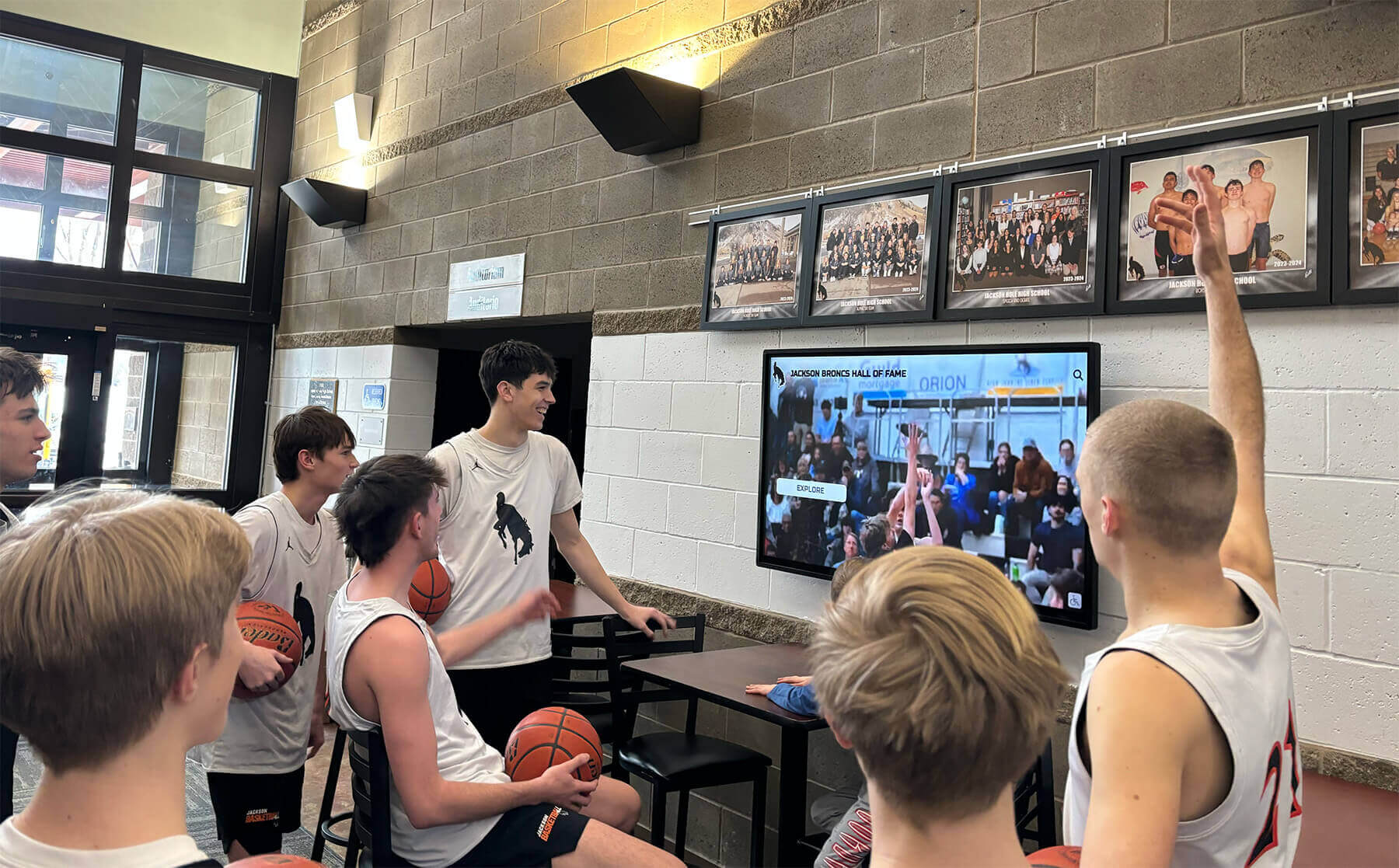
Hall of Fame Website Media Transcoding Settings Checklist for Inductee Video
A hall of fame website media transcoding settings checklist is a structured set of codec, resolution, bitrate, audio, and caption decisions that ensures every inductee video file plays correctly on your school’s touchscreen kiosk, recognition website, and lobby streaming display—without buffering, format errors, or silent audio tracks.
Read MoreHall of Fame Web Analytics Dashboard: Measure Profile Searches, Engagement, and Content Gaps
Intent: define — A hall of fame web analytics dashboard tells school administrators whether the inductee profiles, championship records, and historical archives they published are actually reaching alumni, families, and visitors — or sitting undiscovered.
Read More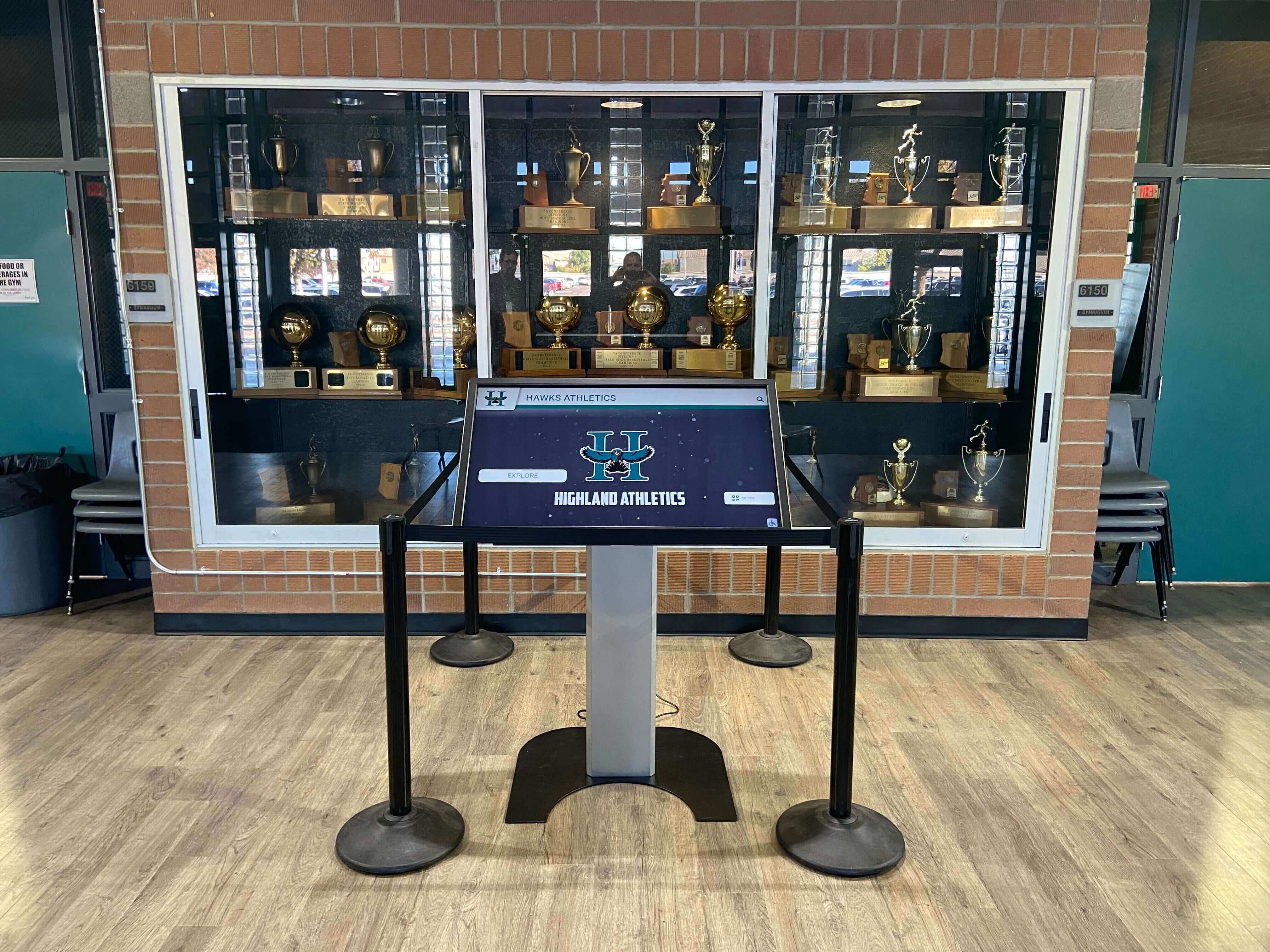
Athletic Memorabilia Provenance Form: Document Ownership, History, and Display Rights
An athletic memorabilia provenance form is the document a school uses to record where an artifact came from, who has owned it, why it matters to the program’s history, and under what conditions it may be displayed, digitized, or loaned. Without that record, a jersey in a trophy case is fabric—with it, the same jersey becomes a documented piece of institutional heritage with a clear ownership chain and defensible display authorization.
Read More
Swim Coach Gift Ideas: Recognition Picks for Pool-Deck Mentors and Aquatic Programs
Swim coaches occupy a unique space in athletic mentorship—spending countless early mornings and late evenings on pool decks, mastering the delicate balance between technique refinement and character development while managing the distinct challenges of aquatic athletics. Unlike field or court sports where coaches can easily demonstrate from the sidelines, swim coaches guide athletes through a sport where seconds matter, individual discipline determines success, and the physical environment creates communication barriers that demand exceptional teaching skills.
Read MoreAthletic Director Cover Letter: How to Write One That Lands the Interview
Athletic director positions represent some of the most competitive appointments in educational administration—requiring candidates to demonstrate not just coaching expertise or athletic background, but comprehensive leadership abilities spanning budget management, compliance oversight, technology integration, and community relations. Yet even highly qualified candidates frequently undermine their applications with generic, template-driven cover letters that fail to distinguish them from dozens of other applicants competing for the same position.
Read More
Spring Sports Awards Night: A Planning Guide for Athletic Directors
Spring sports awards night represents one of the busiest—and most rewarding—events on an athletic director’s calendar. As baseball, softball, track and field, lacrosse, soccer, tennis, and golf seasons culminate simultaneously, the challenge becomes orchestrating comprehensive recognition that honors diverse achievements across multiple programs while managing compressed timelines, limited budgets, and facility constraints that make spring uniquely demanding.
Read MoreAthletic Director Salary Guide: What School Sports Leaders Earn in 2026 and Factors That Influence Compensation
Athletic directors occupy one of the most demanding yet rewarding positions in educational athletics—balancing competitive excellence with budget constraints, managing complex scheduling logistics while ensuring Title IX compliance, and championing student-athlete development while navigating parent expectations and community pressures. Yet despite shouldering these multifaceted responsibilities, many aspiring ADs struggle to find transparent salary information helping them evaluate career paths or negotiate competitive compensation.
Read More
How to Become an Athletic Director: Career Path and Responsibilities in 2026
Athletic directors serve as the architects of school sports programs, balancing educational mission with competitive excellence while managing budgets, personnel, compliance, facilities, and community relationships. These dynamic leaders shape student-athlete experiences, guide coaching staffs, ensure regulatory adherence, and create athletic cultures that complement and enhance educational objectives.
Read More