




Small schools evaluating digital recognition displays frequently encounter a familiar objection: “A platform like Rocket seems like overkill for our needs—we just want to show photos and schedules, maybe recognize a few teams. Why not stick with Google Slides or a basic digital signage player?” The concern sounds reasonable. Why invest in database-backed recognition platforms with analytics, donor tracking, searchable archives, and sophisticated content management when your immediate need involves displaying championship teams and a calendar?
Yet this “overkill” assessment rests on a fundamental misunderstanding about what creates value in recognition technology—and what actually becomes burdensome for small schools with limited staff and volunteer committees. The real challenge small schools face isn’t “too many features”—it’s too much ongoing maintenance, frequent manual updates, inflexibility when needs change, and ultimately hitting growth ceilings requiring expensive system rebuilds just as recognition programs gain momentum.
This guide examines why dismissing comprehensive recognition platforms as “overkill” for small schools represents false economy—and how the database structure, optional feature depth, and maintenance efficiency that seem excessive upfront actually solve the exact problems small schools cannot afford: volunteer time waste, brittle static content, and painful migration costs when simple slideshows no longer serve evolving recognition needs.
The “overkill for small schools” objection assumes deeper platforms create unnecessary complexity. In reality, the opposite proves true: purpose-built recognition systems reduce ongoing labor, prevent future rework, and provide scalable paths from basic displays to comprehensive community engagement—all while maintaining the simplicity schools need for daily operations.

Professional recognition systems serve schools of all sizes—from simple photo rotations to comprehensive interactive archives
The Core Misunderstanding: Depth vs. Required Complexity
The “overkill” label typically stems from confusing feature availability with forced implementation. When small schools see platforms offering analytics dashboards, donor tracking modules, multi-site management, and sophisticated content architecture, they assume these capabilities create complexity they must navigate regardless of actual usage.
What “Overkill” Usually Means
When administrators say a platform feels like overkill, they typically express concerns about:
Perceived Forced Complexity
- Mandatory configuration of features they don’t need or want
- Complex workflows requiring extensive training for simple tasks
- Administrative interfaces cluttered with irrelevant options
- Pricing tied to capabilities they’ll never use
- Setup processes demanding decisions about unused modules
- Ongoing maintenance burden for sophisticated features
Schools imagine purchasing enterprise software designed for large institutions, discovering every simple task requires navigating complexity designed for use cases they don’t have.
Appropriate Alternative Concerns
- Questioning whether basic slideshow tools adequately serve current needs
- Weighing immediate budget constraints against future flexibility
- Assessing whether volunteer administrators can manage sophisticated systems
- Evaluating whether modest recognition scope justifies platform investment
- Considering whether simpler alternatives reduce technical support burden
These concerns deserve serious consideration—not dismissal. Small schools operating with tight budgets, volunteer labor, and focused recognition missions should carefully evaluate whether investments align with actual needs rather than aspirational futures.
The Reality of Optional Depth
Purpose-built recognition platforms designed for educational institutions typically operate on fundamentally different principles than enterprise software:
Core Platform Architecture
- Simple interfaces hiding sophisticated backend capabilities
- Progressive disclosure showing only relevant features based on usage patterns
- Template-based content creation requiring minimal decisions
- Default configurations working immediately for basic use cases
- Feature activation when needed rather than mandatory setup
- Scalable pricing reflecting actual feature usage rather than availability
Schools can implement Rocket-class platforms exactly like enhanced slideshow systems—uploading photos, adding captions, scheduling rotations—while keeping analytics, searchability, interactive features, and advanced content management completely dormant until (or unless) they provide value.
The presence of comprehensive digital recognition capabilities doesn’t force schools to implement them—but their availability prevents painful limitations when needs evolve.
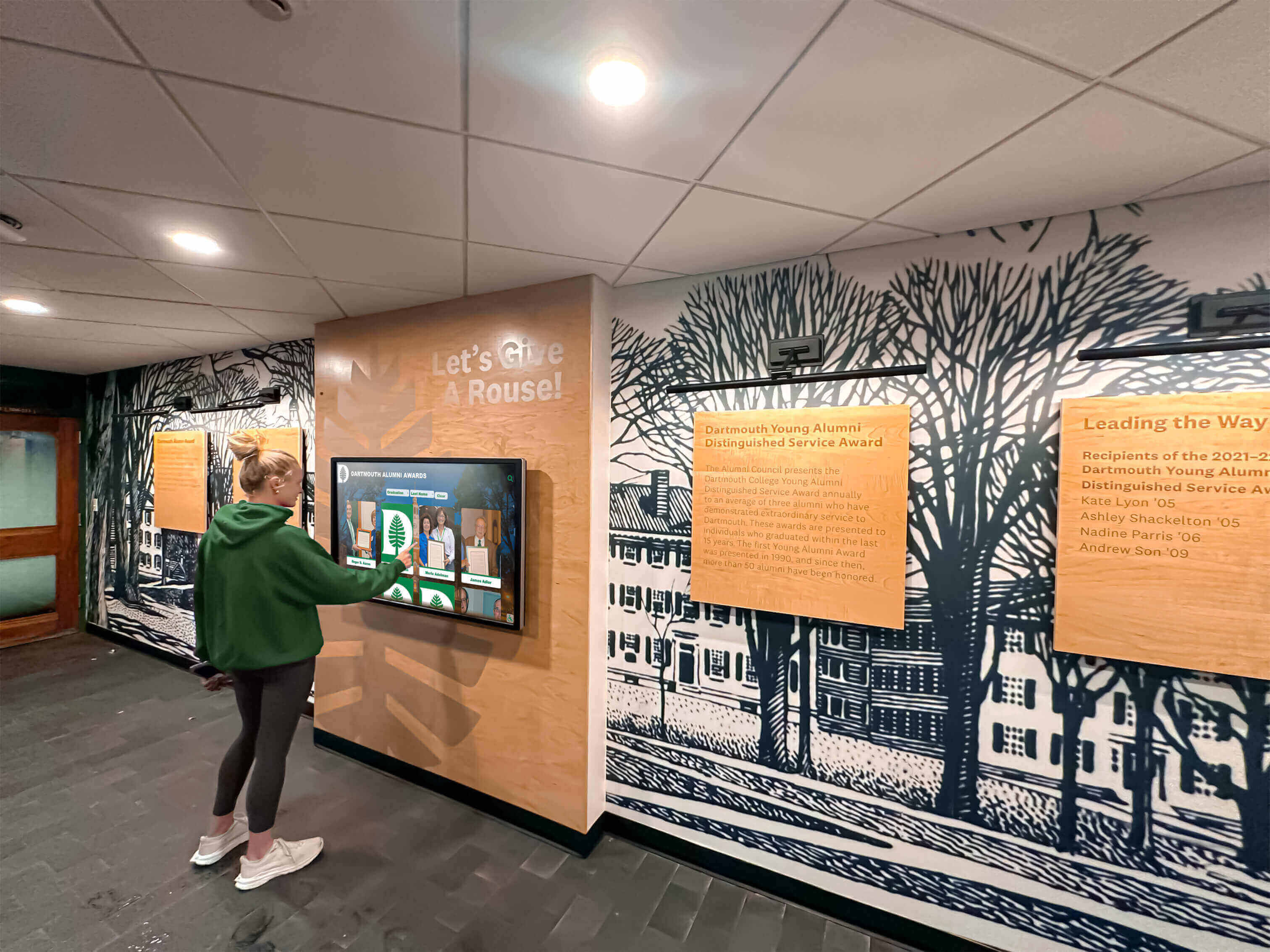
Simple interfaces enable immediate value while keeping advanced capabilities available as needs grow
The Real Problem for Small Schools: Maintenance Burden, Not Features
Schools dismissing comprehensive platforms as overkill frequently misidentify their actual constraint. The challenge small schools face isn’t “too many features”—it’s too little time. When recognition management becomes a recurring manual burden consuming volunteer hours every week, even simple systems become unsustainable regardless of their feature simplicity.
The True Cost of “Simple” Solutions
Google Slides, PDF exports, or basic slideshow systems certainly minimize upfront complexity and cost. But they create maintenance patterns that become increasingly expensive as measured in the currency small schools can least afford: human time and sustained volunteer attention.
The Weekly Maintenance Cycle
Consider the actual workflow for maintaining slideshow-based recognition:
Content Update Process
- Locate the master presentation file (checking which version is current)
- Download or open the file in editing software
- Navigate to specific slides needing updates
- Manually adjust photos, text, layouts maintaining visual consistency
- Fix inevitable formatting breaks from text changes or image swaps
- Export updated version in appropriate format
- Transfer file to playback device via USB drive, network share, or cloud service
- Verify display shows updated content correctly
- Repeat process when errors appear or information changes
A single roster update requires fifteen to thirty minutes. Championship team additions demand forty-five minutes finding photos, creating layouts, writing text, and ensuring style consistency. Schedule changes necessitate immediate turnaround during busy periods when volunteers have least available time.
The Chase and Coordination Tax
Gathering content creates additional burden:
- Emailing coaches requesting photos and rosters
- Following up when coaches forget or delay responses
- Tracking down missing information from previous years
- Coordinating with multiple contributors across different sports and activities
- Maintaining photo quality standards when receiving low-resolution images
- Preventing duplicate or contradictory information from different sources
Small schools typically assign recognition responsibilities to volunteers already managing full teaching loads, coaching duties, or administrative positions. The “simple” slideshow becomes one more recurring task consuming hours they don’t have.
The Reliability Challenge
Manual processes create failure points:
- Playback devices freezing or disconnecting requiring physical intervention
- File corruption from transfers or storage device failures
- Display timing misconfiguration showing outdated content
- Network connectivity issues interrupting cloud-based playback
- Physical device management when displays remain inaccessible without ladders or facilities access
- Version control confusion when multiple people make updates
Schools discover that slideshow “simplicity” doesn’t extend to operational reliability—and troubleshooting technical problems adds unexpected burdens to already stretched volunteers.
Explore how database-backed recognition systems fundamentally reduce maintenance overhead through centralized content management and automatic synchronization.
How Structure Reduces Labor
Database-backed recognition platforms solve maintenance problems through architectural advantages rather than feature complexity:
Single-Update Propagation
When recognition content lives in centralized databases rather than static files:
- Update an athlete’s graduation year once—displays update automatically everywhere it appears
- Add a championship photo—system automatically includes it in team pages, year views, and sport-specific displays
- Correct spelling errors—changes propagate to all references instantly
- Add new inductees—they immediately appear in appropriate categories, search results, and rotations
- Schedule announcements—automated publishing handles timing without manual intervention
Schools invest effort once per content change rather than repeatedly updating multiple slides, locations, or file versions.
Template-Based Consistency
Purpose-built platforms enforce visual consistency automatically:
- Profiles follow standardized layouts without manual formatting
- Photo placement remains consistent across all honorees
- Text hierarchies maintain readability without designer attention
- Brand colors and fonts apply automatically across all content
- Layout adjustments cascade through entire archives instantly
Volunteers can’t accidentally break visual consistency because templates prevent formatting variations.
Elimination of File Management
Cloud-based systems remove entire categories of maintenance:
- No file transfers between computers and displays
- No version confusion about which file is current
- No corrupted files from failed transfers
- No storage device failures losing content
- No export and re-import cycles for every change
- No physical device visits for software updates
Recognition management shifts from file juggling to simple data entry through web interfaces accessible from any device.
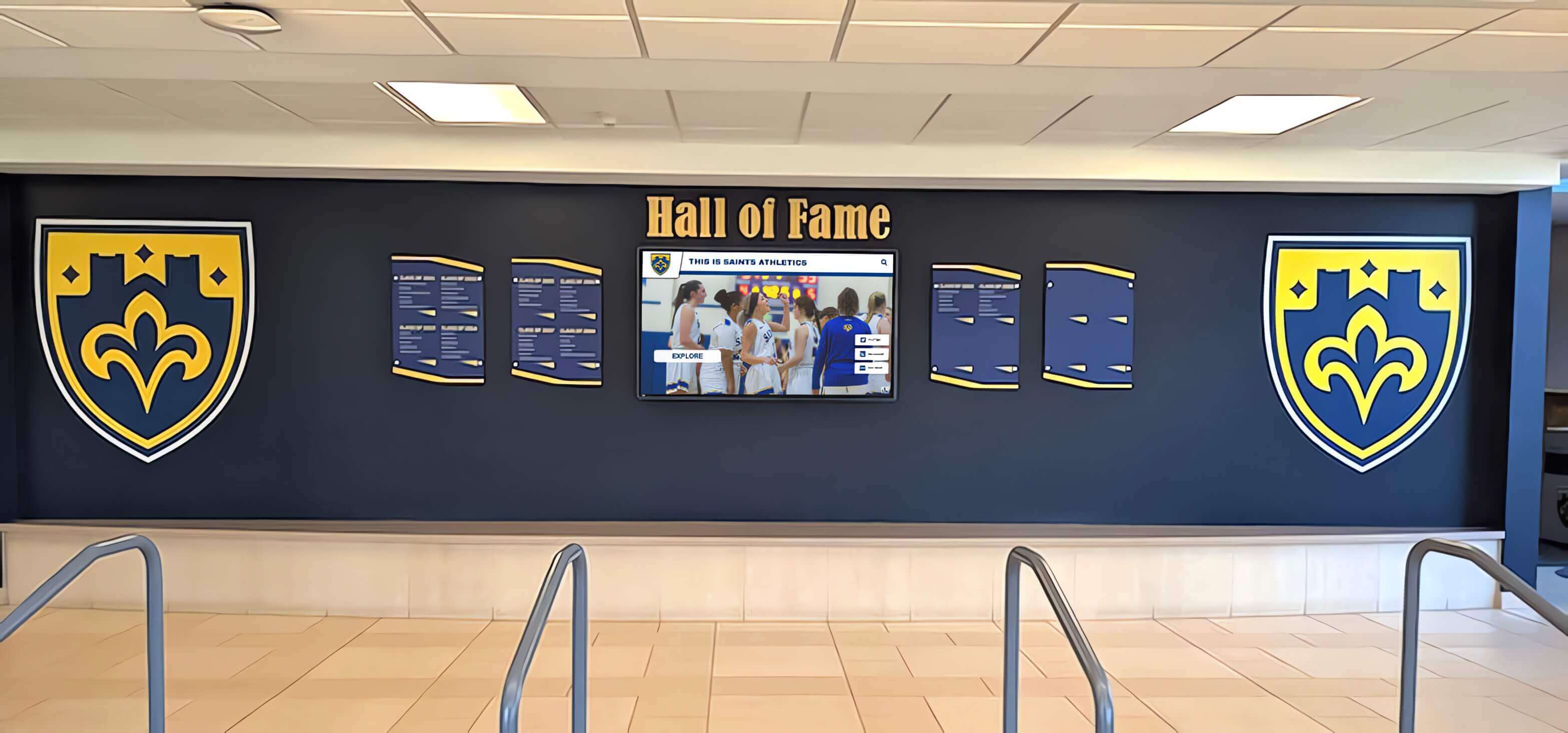
Consistent presentation happens automatically when systems enforce templates rather than relying on manual formatting
Program Snapshot: Maintenance Time Comparison
Real operational costs become clear when comparing actual time investment across different recognition approaches:
| Activity | Slideshow Systems | Database Platforms | Time Savings |
|---|---|---|---|
| Add Championship Team | 45-60 minutes (create slide, format, export, transfer) | 10-15 minutes (enter data, upload photos) | 30-45 minutes |
| Update Schedule | 20-30 minutes (edit slides, re-export, deploy) | 3-5 minutes (update calendar entries) | 15-25 minutes |
| Fix Photo Caption Error | 15-20 minutes (locate slide, edit, re-export, deploy) | 2-3 minutes (edit caption field) | 12-17 minutes |
| Add Donor Recognition | 30-45 minutes (create new slides, match formatting) | 5-10 minutes (create donor profile) | 20-35 minutes |
| Annual Archive Migration | 2-4 hours (reorganize slides, maintain histories) | Automatic (historical data remains accessible) | 2-4 hours |
| Content Search | Not available (must browse all slides) | Instant (search across entire database) | N/A |
| Multi-Location Updates | Time × locations (update each display separately) | Single update (propagates automatically) | Scales dramatically |
The time difference compounds across years. Schools making weekly updates invest 15-20 additional hours annually with slideshow systems—time volunteer administrators don’t have.
The “Just a Few Photos” Myth: Scope Creep is Universal
Schools initially envisioning minimal recognition scope consistently discover their needs expand once displays become established institutional features. The trajectory follows predictable patterns regardless of initial intentions or current constraints.
How Recognition Programs Evolve
Phase 1: Initial Launch (Year 1)
- Display 1984 state championship team
- Show current season schedule
- Rotate handful of historical photos
- Basic announcements for upcoming events
Schools successfully implement simple content meeting initial goals. Displays work fine. No complaints emerge. Everyone declares success.
Phase 2: Adjacent Additions (Years 1-2)
- Add last year’s championship team (can’t show 1984 without recent success)
- Include all sports, not just original one (equity concerns arise quickly)
- Add coaching staff recognition (coaches ask why they’re excluded)
- Display senior night photos (parents request recognition)
- Include academic honors (administration points out athletics-only focus)
Scope expands through reasonable, incremental requests impossible to refuse. Each addition seems minor. Collective impact accumulates rapidly.
Phase 3: Depth and Context (Years 2-3)
- Add detailed rosters with player positions and statistics
- Create coach profiles with career records
- Include historical context about program traditions
- Display record progressions showing improvement over time
- Add decade-by-decade retrospectives for anniversary celebrations
- Create tribute sections for retired coaches or deceased athletes
Schools discover basic “just photos” presentations feel incomplete without context. Audiences want stories, statistics, and historical depth connecting current achievements to institutional heritage.
Phase 4: Adjacent Programs (Years 3-4)
- Expand to fine arts recognition (theatre, band, choir achievements)
- Add academic honors (valedictorians, National Merit, scholarship winners)
- Include community service awards (student leadership, volunteer hours)
- Display career and technical education accomplishments
- Show military service recognition for alumni veterans
- Add donor acknowledgment for capital campaigns or major gifts
Initial athletic focus expands to comprehensive school-wide recognition. Single-purpose displays evolve into central community celebration hubs.
Phase 5: Infrastructure and Governance (Years 4-5)
- Establish formal Hall of Fame selection committees
- Create nomination and induction processes
- Develop criteria and eligibility standards
- Add multiple displays across campus (cafeteria, entrance, athletic wing)
- Integrate web access enabling remote exploration
- Build social sharing features connecting school to broader community
Recognition matures from simple display to formal program with procedures, expansion needs, and integration requirements.
Learn about scaling recognition programs from initial implementations to comprehensive institutional systems.
The Re-Platform Moment
Schools implementing simple solutions discover painful transition points when growth demands exceed original system capabilities:
The Technical Limitation Wall
Slideshow systems hit hard constraints:
- Photo capacity limits when archives exceed slideshow file sizes
- Rotation time problems when content volume creates hours-long loops
- Search impossibility forcing browsing through hundreds of slides
- Update complexity when every change requires finding specific slides in massive decks
- Multi-location coordination when displays across campus need different content
Schools reach moments where simple systems physically cannot deliver what recognition programs require.
The Rebuild Tax
Migrating from simple slideshow systems to purpose-built platforms demands:
- Complete content recreation in new system architectures
- Photo re-export and re-upload for proper database organization
- Text re-entry from slides into structured profile fields
- Staff retraining on entirely different management approaches
- Parallel operation during transition maintaining old and new systems simultaneously
- Risk of content loss when migration encounters compatibility problems
Schools investing two to four years building recognition archives in slide decks discover they must essentially rebuild everything when outgrowing original choices. Historical investment provides minimal value during platform transitions.
The Knowledge Loss Problem
Volunteer turnover creates additional complications:
- Original implementer graduates, moves, or steps down from volunteer role
- New volunteers inherit systems without documentation or training
- Institutional knowledge about file locations, update procedures, and troubleshooting disappears
- Re-learning curves repeat with each volunteer transition
- File organization logic makes sense only to creator
Slideshow systems managed by single knowledgeable volunteers become opaque mysteries to successors—creating restart rather than continuation scenarios.
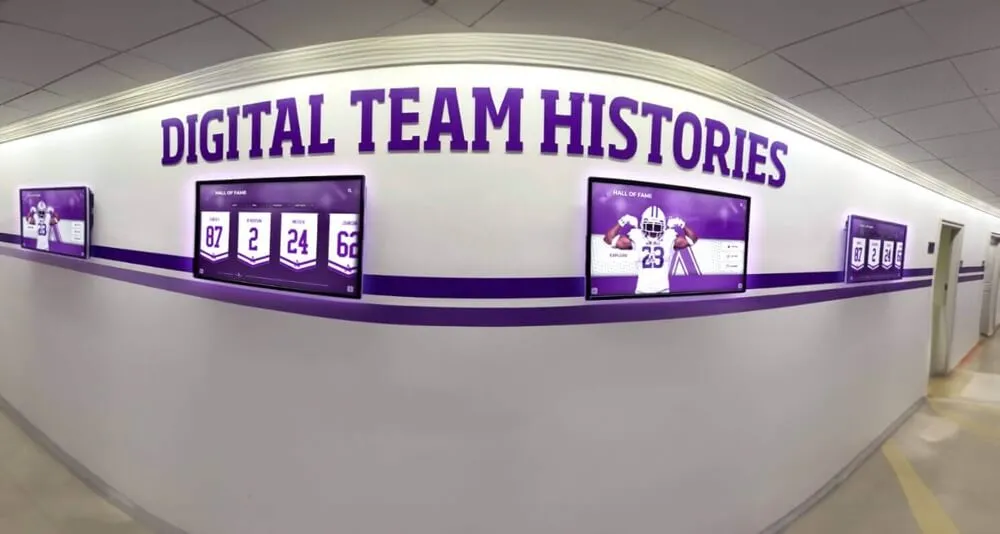
Display expansion follows predictable patterns—systems should accommodate growth without requiring rebuilds
Content Architecture: Preventing the Re-Platform Moment
Purpose-built recognition platforms address scope creep not by limiting growth but by accommodating expansion within existing architectures. Schools avoid re-platform moments because systems already provide capabilities that emerge organically as programs mature.
Built-In Scalability Without Additional Complexity
Database-backed platforms inherently support evolution:
Unlimited Content Capacity
- Add five honorees or five thousand—system performance remains consistent
- Include single sport or comprehensive school recognition—interface scales automatically
- Display current year only or century of archives—navigation adapts to content depth
- Manage one display or twenty across district—centralized administration handles any scale
Capacity constraints don’t force system migrations because architectural foundations support growth from day one.
Progressive Feature Adoption
Schools activate capabilities as needs develop:
- Start with simple photo rotations—activate search when archives grow large
- Begin with basic profiles—add statistics and multimedia as content matures
- Launch read-only displays—enable interactive features if touch capabilities add value
- Implement single site—expand to web access when remote audiences request it
- Use automatic rotations—add curated featured content when engagement matters
Feature availability doesn’t create complexity because dormant capabilities remain invisible until deliberately activated.
Consistent Administration Across Scope
Management complexity stays flat despite growing content:
- Adding fiftieth profile uses identical process as adding fifth profile
- Creating tenth sport category mirrors creating first sport category
- Expanding to third display replicates setup from first display
- Publishing hundredth team photo matches workflow for tenth team photo
Growth doesn’t compound administrative burden because consistent patterns apply regardless of scale.
Discover how purpose-built recognition platforms accommodate program evolution without requiring system replacements.
The Migration Prevention Value
Avoiding re-platform moments provides specific benefits often overlooked in initial cost comparisons:
Content Investment Protection
- Historical archives remain accessible and usable indefinitely
- Time invested in profile creation never becomes wasted through system migrations
- Photo libraries stay organized and tagged across institutional memory
- Statistical databases preserve complete records without re-entry requirements
- Institutional knowledge embedded in content persists through volunteer transitions
Initial content development represents significant investment. Systems protecting that investment deliver value far beyond feature lists.
Continuity of Service
- Recognition displays continue operating during expansion without interruption
- Stakeholders experience consistent interfaces regardless of capability growth
- Learning curves flatten because foundational skills remain relevant as features activate
- Institutional documentation stays current without complete rewrites for new systems
Small schools can’t afford disruptive recognition shutdowns while rebuilding on new platforms. Systems supporting continuous operation eliminate transition risks.
Volunteer Knowledge Retention
- Administrative skills learned initially remain applicable throughout program evolution
- Volunteer transitions involve teaching additional features rather than complete retraining
- Documentation and training materials accumulate value instead of becoming obsolete
- Institutional memory persists in system configurations and content organization
Volunteer time represents schools’ scarcest resource. Protecting knowledge investment provides compounding returns across years.
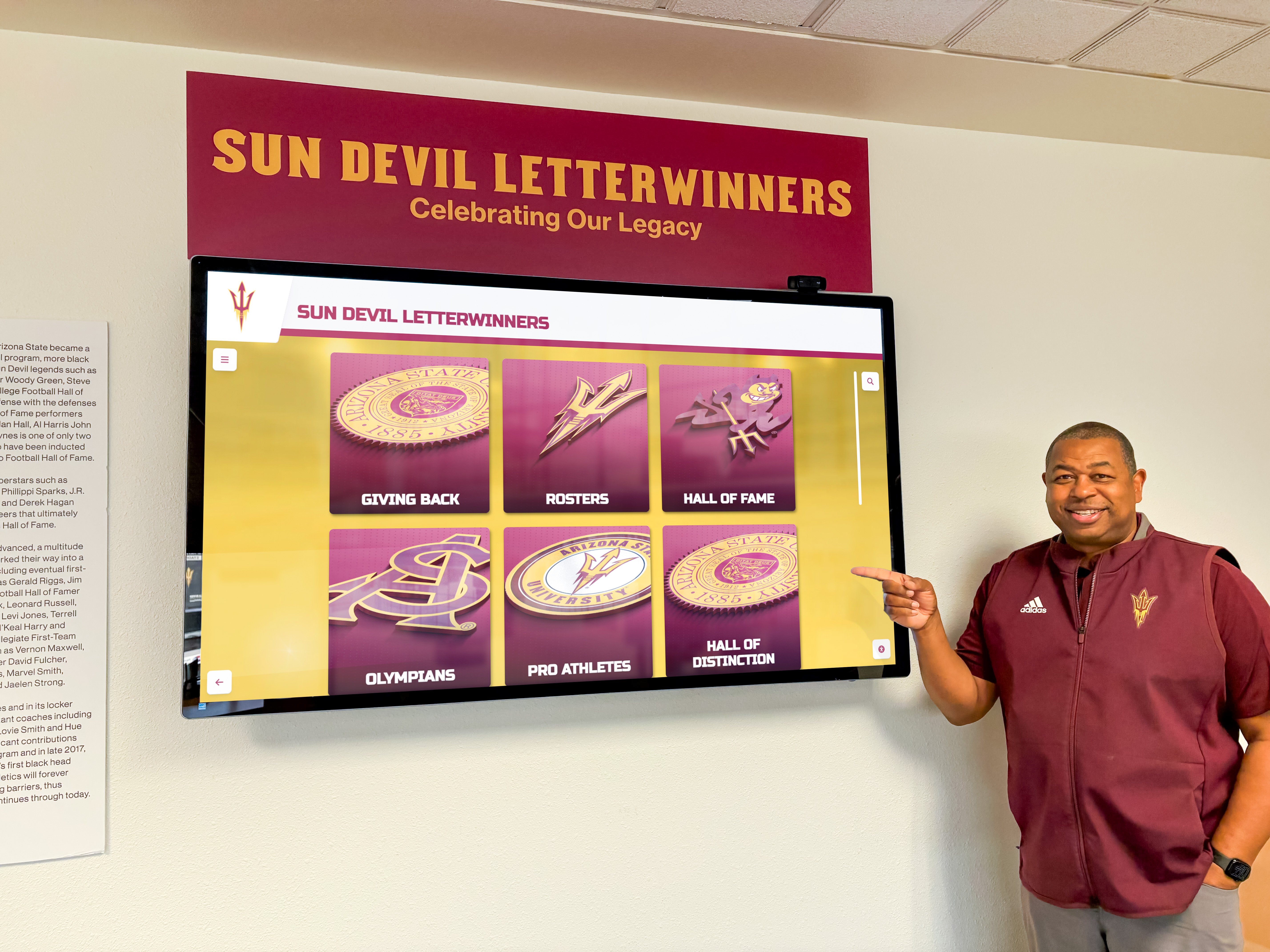
Professional displays serve immediate needs while providing runway for natural program growth and feature adoption
The True Cost Comparison: Apples to Oranges vs. Total Ownership
Schools comparing slideshow systems to comprehensive platforms frequently focus on misleading cost metrics—resulting in “90% cheaper” claims that ignore actual total investment required for equivalent functionality and sustainability.
What “Cheap” Solutions Actually Include
Basic digital signage tools and slideshow systems provide:
- Display playback capability showing static content rotations
- Basic scheduling for timed content changes
- File upload and transfer functionality
- Simple remote access for content updates
- Technical support for playback device functionality
These capabilities suffice for straightforward communication purposes—announcements, menus, wayfinding, temporary promotional content. Schools paying $200-500 annually for these capabilities get appropriate value for communication-focused applications.
What “Cheap” Solutions Exclude
Comprehensive recognition programs require additional capabilities often ignored in initial cost comparisons:
Content Development and Onboarding
- Historical research identifying and documenting all qualifying honorees
- Photo digitization from yearbooks, archives, and personal collections
- Profile creation writing biographical content and achievement descriptions
- Statistics compilation from record books, newspapers, and historical sources
- Quality assurance ensuring accuracy and consistency across content
- Initial archive population creating launch-ready recognition libraries
Schools implementing slideshow recognition invest 100-300 hours developing content regardless of chosen playback system. This labor represents actual cost whether explicitly recognized or absorbed by volunteers without compensation awareness.
Structured Experience Design
- Interface design creating intuitive navigation and visual hierarchies
- Template development ensuring consistent professional presentation
- User experience optimization balancing information density and readability
- Accessibility compliance meeting ADA requirements for public displays
- Visual design matching institutional branding and aesthetic standards
Slideshow systems require slide design expertise producing professional results. Schools either invest volunteer time learning design principles or accept amateur-appearing presentations diminishing perceived program value.
Governance and Workflow Development
- Selection criteria defining eligibility and recognition standards
- Nomination processes enabling community participation and transparency
- Approval workflows ensuring appropriate content review before publication
- Update procedures establishing who can modify content and how
- Change management tracking content evolution and revision history
- Backup and recovery plans protecting institutional archives
Recognition programs require policies and procedures regardless of technology choices. Purpose-built platforms often include workflow tools reducing custom process development burden.
Ongoing Content Management and Maintenance
- Regular content updates adding new honorees and current information
- Schedule management reflecting changing events and seasons
- Error correction when mistakes appear or information updates
- Technology troubleshooting when displays malfunction or connectivity fails
- Software updates maintaining security and compatibility
- Hardware replacement as devices reach end-of-life
Slideshow operational costs scale with content complexity and update frequency. Simple five-slide loops require minimal maintenance. Comprehensive recognition with weekly updates consumes substantial ongoing time.
Future Expansion and Enhancement
- System migrations when outgrowing initial solution capabilities
- Complete content recreation during platform transitions
- Staff retraining on new administrative interfaces and workflows
- Integration development connecting displays to institutional data sources
- Feature addition implementing capabilities missing from basic systems
“Cheap” initial systems frequently necessitate expensive later replacements. Total cost of ownership includes eventual migration expenses.
Explore complete cost considerations through guides on recognition program planning addressing both technology and operational expenses.
The Complete Cost Picture
Comprehensive platforms typically bundle capabilities basic systems exclude:
| Component | Slideshow Systems | Recognition Platforms | True Cost Difference |
|---|---|---|---|
| Playback Software | $200-500/year | Included in platform subscription | Platform cost higher |
| Content Development | School labor (100-300 hours) | Often includes professional services option | Similar if self-managed, platform advantage if supported |
| Experience Design | School creates templates | Professional templates included | Platform advantage |
| Administrative Training | Self-taught or external training | Included comprehensive training | Platform advantage |
| Ongoing Support | Generic device support only | Recognition-specific assistance | Platform advantage |
| Future Migration | $2,000-8,000 when outgrowing | Not required (scales with needs) | Significant platform advantage |
| 5-Year Total Cost | $1,000-2,500 software + $5,000-15,000 labor + $2,000-8,000 migration = $8,000-25,500 | $3,000-8,000 all-inclusive | Platform often cheaper when including labor |
The “90% cheaper” comparison evaporates when pricing staff time, content development, support needs, and migration costs realistically.

Total ownership costs include ongoing maintenance and future expansion—not just initial software licensing
Small Schools Care About Community Perception and Donor Confidence
Budget constraints don’t eliminate stakeholder expectations for professional, comprehensive recognition. Small schools operate in competitive environments where community perception, family satisfaction, and donor confidence directly impact enrollment, fundraising, and institutional support.
The Visible Hallway Installation
Recognition displays typically occupy prime institutional real estate:
- Main entrance lobbies greeting every visitor, prospective family, and community member
- Athletic facility entrances where alumni, opponents, and tournament attendees gather
- Cafeterias and common areas with sustained student and family viewing opportunities
- Development offices where donors evaluate stewardship and recognition practices
Display quality creates immediate impressions about institutional priorities, resource stewardship, and recognition seriousness. Professional polished presentations signal that achievement matters. Amateur slideshow loops suggest recognition receives leftover attention and minimal investment.
Family and Alumni Expectations
Stakeholder audiences increasingly expect modern interactive experiences:
- Prospective families touring facilities compare schools based on visible technology and recognition prominence
- Current families evaluate whether their students will receive appropriate future honor
- Alumni returning for reunions or events assess whether institutions value their legacy contributions
- Donors considering major gifts evaluate recognition transparency and stewardship quality
Small school status doesn’t reduce these expectations. Communities judge recognition quality against absolute standards—not size-adjusted curves. Displays appearing outdated, difficult to navigate, or unprofessional undermine institutional credibility regardless of budget constraints.
The Competitive Context
Schools exist in comparison environments:
- Neighboring districts showcase modern recognition creating pressure to match
- Conference opponents with professional displays make non-adopters appear behind
- Social media sharing spreads images of impressive recognition installations
- Prospective athlete families evaluate program prestige through visible celebration quality
Small schools compete for students, athletes, donations, and community support. Recognition quality contributes to competitive positioning—particularly in athletic recruitment where athletes select programs based partly on visible prestige indicators.
Discover how professional recognition systems enhance institutional credibility and stakeholder confidence.
The ROI Beyond the Screen
Recognition display value extends beyond immediate functionality:
Enrollment and Recruitment Impact
- Prospective families remember impressive recognition during tours
- Athlete recruits perceive programs valuing achievement through visible celebration
- Transfer students attracted to schools demonstrating community pride
- Staff recruitment benefits when institutions project professional modern image
Recognition displays contribute to enrollment funnels—particularly in competitive markets where families compare multiple school options.
Fundraising and Development Benefits
- Donors see evidence their gifts receive appropriate acknowledgment
- Recognition transparency builds confidence in stewardship practices
- Interactive displays provide immediate feedback showing donor impact
- Modern technology suggests institutional competence managing resources effectively
Small schools conducting capital campaigns or building endowments benefit from professional recognition creating donor confidence in institutional capability and commitment.
Community Pride and Engagement
- Alumni feel stronger connection when achievements receive prominent celebration
- Community members develop institutional pride through visible excellence
- Students internalize achievement expectations seeing peer success prominently displayed
- Families share recognition experiences through social media extending institutional reach
Recognition serves community-building functions generating value beyond simple information display. Professional systems amplify these benefits through engaging experiences encouraging exploration and sharing.
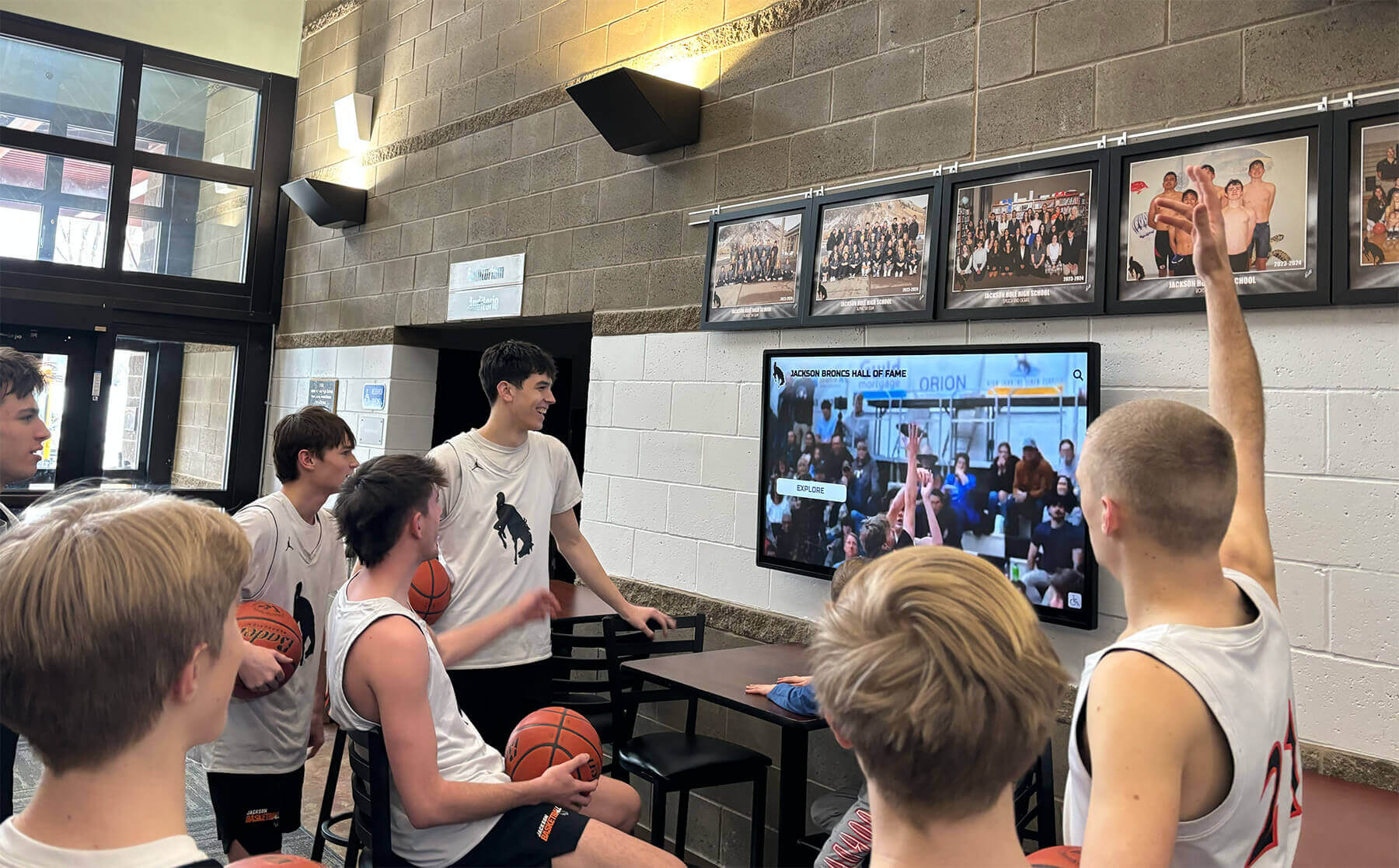
Recognition displays become social gathering points creating community experiences extending beyond individual viewing
Touch Isn’t Everything: Recognition Value Without Interaction
Schools dismissing comprehensive platforms sometimes argue touch capability represents unnecessary expense for non-interactive display strategies. This reasoning conflates single feature with entire platform value—missing benefits comprehensive systems provide regardless of touch deployment.
Non-Touch Recognition Applications
Database-backed platforms deliver value even for passive display-only implementations:
Automatic Content Rotation
- Display featured profiles cycling through honorees automatically
- Show seasonal content highlighting relevant achievements and programs
- Rotate between different recognition categories maintaining variety
- Highlight anniversaries and historical milestones tied to current dates
Purpose-built platforms manage sophisticated rotation rules simple slideshow systems handle awkwardly. Schools display appropriate timely content without manual scheduling adjustments.
Centralized Management Benefits
- Update displays remotely from any internet-connected device
- Change content instantly across multiple campus locations simultaneously
- Maintain consistent branding and presentation automatically through templates
- Prevent unauthorized modifications through permission-based access control
Cloud-based administration provides operational advantages whether displays support touch interaction or function as passive signage.
Content Depth Without Navigation
- Cycle through detailed profiles showing information impossible in static signage
- Display comprehensive statistics and achievement documentation
- Show high-resolution photo collections and historical images
- Include video content and multimedia recognition experiences
Database content richness enhances passive displays—audiences see more meaningful recognition than simple slideshow systems support even without interactive control.
Structured Data Advantages
- Automatically generate “this day in history” content from dated archives
- Show “featured class of” rotations highlighting different graduating years
- Display sport-specific content during relevant seasons
- Filter content by achievement type maintaining focused messaging
Structured data enables dynamic passive presentations impossible with static slides—without requiring touch interaction.
Learn about passive display optimization strategies maximizing recognition impact in non-interactive applications.
The Touch Option When Ready
Schools implementing platforms supporting both passive and interactive modes preserve valuable flexibility:
Deferred Touch Deployment
- Launch displays in passive rotation mode minimizing initial cost
- Add touch capability later when budgets allow or value becomes apparent
- Activate interactive features gradually testing community response
- Maintain option for future expansion without system replacement
Platform capability doesn’t force immediate implementation—but availability prevents future constraints.
Selective Touch Locations
- Deploy passive displays in high-traffic flow areas where audiences pass quickly
- Install interactive displays in gathering spaces with extended dwell time
- Match interaction models to specific location usage patterns and audience behaviors
- Optimize investment by applying touch selectively where it delivers most value
Comprehensive platforms support mixed deployment strategies—not all-or-nothing decisions.
Web-Based Interaction Alternative
- Provide online access enabling exploration without physical touch displays
- Publish recognition content through institutional websites reaching broader audiences
- Enable mobile viewing and social sharing extending recognition beyond campus
- Offer search and navigation capabilities through web interfaces instead of touch screens
Touch interaction represents one access method—not sole reason comprehensive platforms deliver value. Schools can provide interactive experiences through web publishing even with passive physical displays.
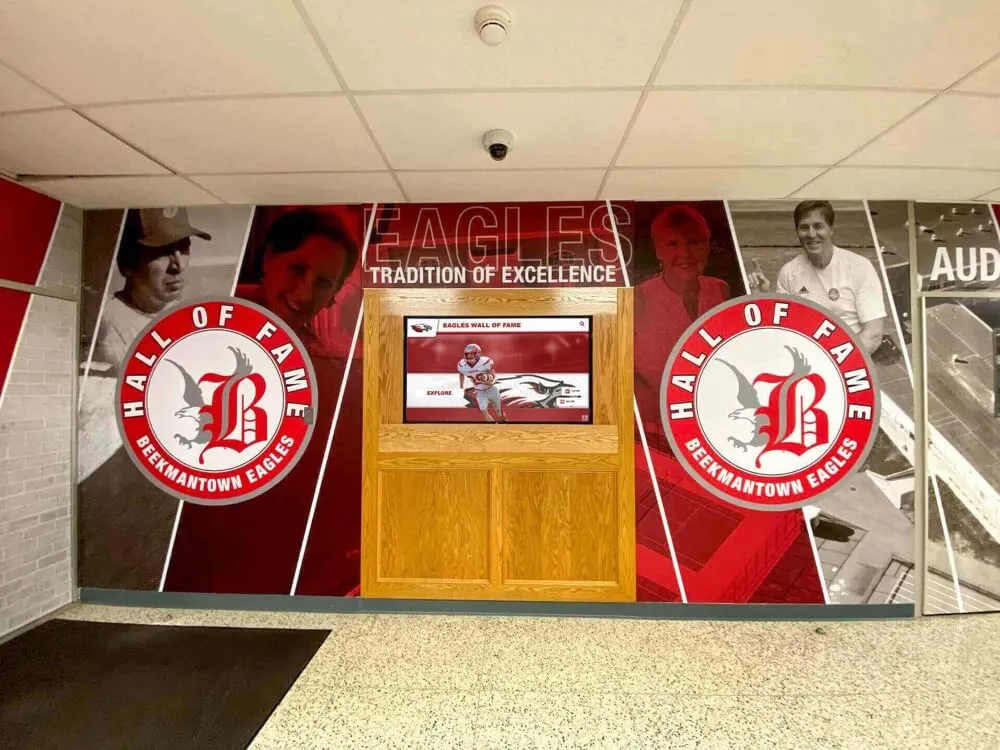
Comprehensive installations serve schools whether deploying interactive or passive display strategies
When “Simple” Solutions Actually Make Sense
Honest evaluation requires acknowledging situations where slideshow systems or basic digital signage genuinely represents better choices than comprehensive recognition platforms. Recognizing these scenarios prevents over-selling inappropriate solutions.
Legitimate “Simple is Better” Scenarios
Basic slideshow systems appropriately serve schools when:
One Screen, Zero Expansion Plans
Small schools with:
- Single display location meeting all recognition needs indefinitely
- No adjacent programs requiring recognition beyond initial scope
- Firm commitment to limited focused messaging without future growth
- Physical or budget constraints preventing any expansion consideration
If recognition scope will genuinely never extend beyond current definition, platform scalability provides no value. Simple systems suffice when growth potential doesn’t exist.
One Person Owns Updates Forever
Schools where:
- Single dedicated volunteer enjoys manual content management
- That volunteer commits indefinitely to ongoing maintenance responsibilities
- Succession planning isn’t needed because volunteer role remains permanently filled
- Administrative burden doesn’t matter because volunteer has unlimited available time
When volunteer time costs nothing (from school perspective) and single person ensures continuity, maintenance efficiency advantages disappear. Simple systems work fine if labor isn’t actually scarce.
No Search, Structure, or Reuse Needed
Recognition programs where:
- Audiences never want to find specific honorees or information
- Browsing through rotations provides perfectly adequate discovery
- Content reuse across different displays or views doesn’t occur
- Structured organization provides no benefit over slide sequences
If nobody will ever search archives, organizational structure merely adds unused complexity. Slideshow linear presentation matches usage patterns when passive consumption fully serves needs.
Display Isn’t Strategic Touchpoint
Schools where recognition displays:
- Don’t influence prospective family perceptions or enrollment decisions
- Aren’t evaluated by donors assessing stewardship quality
- Don’t affect alumni engagement or community pride
- Serve purely internal communication rather than stakeholder impression management
When recognition displays carry no strategic weight beyond showing information, presentation quality and capability sophistication matter less. Simple approaches suffice for purely utilitarian applications.
Budget Constrains Every Decision
Financial situations where:
- Even minimal additional cost creates genuine hardship
- Budget absolutely cannot accommodate any premium over cheapest possible option
- Financial constraints override all other considerations completely
- No flexibility exists regardless of long-term value or efficiency arguments
If budget represents sole decision variable with zero flexibility, cheapest option wins by definition. No amount of value justification overcomes absolute financial constraints.
The Honesty Threshold
If any of these scenarios feel false for a particular school, the “overkill” claim weakens quickly:
- Will the school likely expand recognition eventually? Platform scalability matters.
- Will volunteers change over time? Maintenance efficiency and knowledge transfer matter.
- Will anybody want to search archives or find specific information? Structure and searchability matter.
- Do displays affect how stakeholders perceive the institution? Professional quality and capability matter.
- Does the school have some budget flexibility considering multi-year value? Total cost of ownership matters.
Most small schools discover that upon honest evaluation, they actually match typical recognition evolution patterns—making comprehensive platforms appropriate investments rather than excessive overkill.
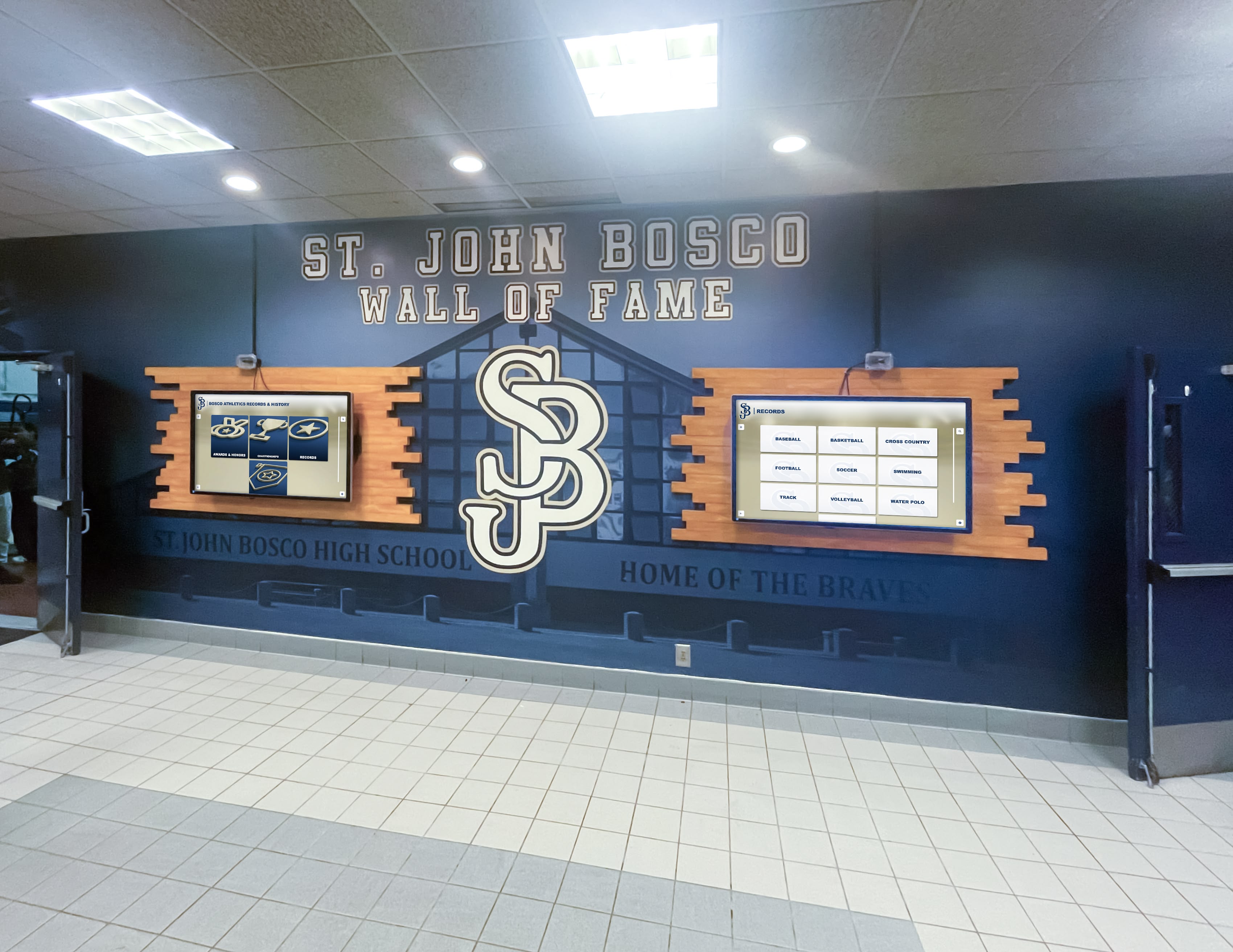
Growth potential and volunteer constraints affect most schools—making platform choice more nuanced than simple vs. sophisticated
The Counter-Argument in Practice: Small School Success Stories
Real small school implementations demonstrate how comprehensive platforms serve limited budgets and modest initial scope through intelligent deployment strategies.
Starting Simple While Preserving Options
Schools implement Rocket-class platforms exactly like enhanced slideshow systems:
Initial Launch Configuration
- Display championship teams with photos and basic information
- Show current athletic schedules for all sports
- Rotate through 15-20 historical photos with captions
- Include simple text announcements for upcoming events
Administrative workflow mirrors slideshow management:
- Upload photos through intuitive web interface
- Enter basic text captions and dates
- Select photos for rotation display
- Schedule content changes for season transitions
Volunteers experience similar simplicity to slideshow systems—but content lives in structured database enabling future expansion without migration.
Organic Growth Over Time
As recognition needs evolve naturally:
- Add complete team rosters when coaches request inclusion (using same profile creation process learned initially)
- Include statistics when audiences ask questions about records (entering numbers in provided fields)
- Enable search when archives grow large enough to benefit from discovery tools (activating feature through simple toggle)
- Expand to additional screens when budget allows (using existing content across new displays automatically)
Feature adoption happens incrementally through familiar administrative workflows—not through complex new procedures requiring retraining.
Volunteer Transition Continuity
When original implementers move on:
- Successors inherit organized database rather than cryptic slide files
- Training focuses on simple data entry using same skills predecessors developed
- Documentation remains relevant because platform stays consistent
- Institutional knowledge persists in system structure rather than residing exclusively in human memory
Platform architecture protects small schools from knowledge loss during inevitable volunteer transitions.
Explore implementation strategies enabling small schools to leverage comprehensive platforms through simple initial deployments.
The Maintenance Time Recovery
Schools switching from slideshow to database systems report consistent patterns:
First Year Experience
- Comparable initial setup time as slideshow systems (100-150 hours content development)
- Learning curve for new administrative interface (10-20 hours initial training)
- Slightly higher first-year time investment overall
Schools experience modest additional upfront effort learning platform capabilities and migrating content into structured format.
Second Year Transformation
- Content updates require 50-70% less time than slideshow maintenance
- No formatting cleanup or style consistency correction needed
- Multi-location updates happen once instead of per-display
- Volunteer transition brings new person productive within days rather than months
Efficiency advantages compound. Time savings exceed initial learning investment within first year of operation.
Third Year Acceleration
- Administrative time drops further as content reuse scales
- Feature adoption happens without dedicated effort (volunteers explore capabilities organically)
- Expansion to new recognition categories takes fraction of initial launch effort
- Platform familiarity enables sophisticated presentations with minimal incremental work
Schools discover they can deliver significantly more recognition with less volunteer time investment than original slideshow approaches consumed.

Simple initial implementations preserve growth runway while delivering immediate operational benefits
Conclusion: Reframing “Overkill” as “Prepared”
The “overkill for small schools” objection rests on fundamental misunderstandings about what creates value in recognition technology and what actually burdens small schools with limited resources. Comprehensive platforms aren’t overkill because they provide excessive features schools must navigate—they’re appropriate because they solve the actual problems small schools face: maintenance burden consuming scarce volunteer time, brittle systems breaking when needs evolve, and expensive re-platform costs when simple solutions reach capacity limits.
Feature depth doesn’t create complexity when architecture provides simple interfaces hiding sophisticated capabilities until needed. Database structure doesn’t represent over-engineering when it eliminates manual processes consuming volunteer hours every week. Scalability isn’t excessive when it prevents painful content migration moments destroying years of archival investment.
The meaningful comparison isn’t “simple vs. sophisticated”—it’s “sustainable vs. unsustainable.” Slideshow systems may appear simpler initially, but they create ongoing maintenance patterns small schools cannot sustain. Purpose-built recognition platforms reduce operational burden, prevent future rebuilds, and provide scalable paths from simple displays to comprehensive community engagement—all while maintaining the simplicity schools need for daily administration.
Small schools deserve recognition technology that reduces volunteer burden rather than creating it, protects content investment rather than requiring rebuilds, and scales naturally as programs grow rather than forcing painful migrations. Modern recognition platforms achieve these objectives not through forced complexity but through thoughtful architecture making sophisticated capabilities feel simple—delivering exactly what small schools need most.
Whether managing basic photo rotations or comprehensive interactive archives, purpose-built platforms provide operational efficiency and future flexibility impossible with slideshow alternatives. The question isn’t whether comprehensive systems are “overkill”—it’s whether small schools can afford the ongoing costs and eventual migration expenses simple systems actually create.
Your school’s recognition program deserves technology that works efficiently today while supporting tomorrow’s needs—without forcing expensive rebuilds when growth inevitably exceeds initial scope. Comprehensive platforms deliver this value through intelligent design making depth optional, maintenance efficient, and expansion seamless. The real overkill isn’t sophisticated platforms—it’s choosing simple systems that become expensive burdens once recognition programs mature beyond initial minimalist vision.
Evaluate recognition technology not by feature counts but by operational sustainability, volunteer time protection, content investment preservation, and growth accommodation without migration. When assessed through these practical lenses, comprehensive platforms represent appropriate investment for schools of all sizes—particularly small institutions where volunteer time scarcity makes maintenance efficiency paramount and budget constraints make migration costs catastrophic. Book a demo to discover how purpose-built recognition platforms deliver simplicity with scalability—exactly what small schools need for sustainable recognition programs serving communities effectively across decades.































