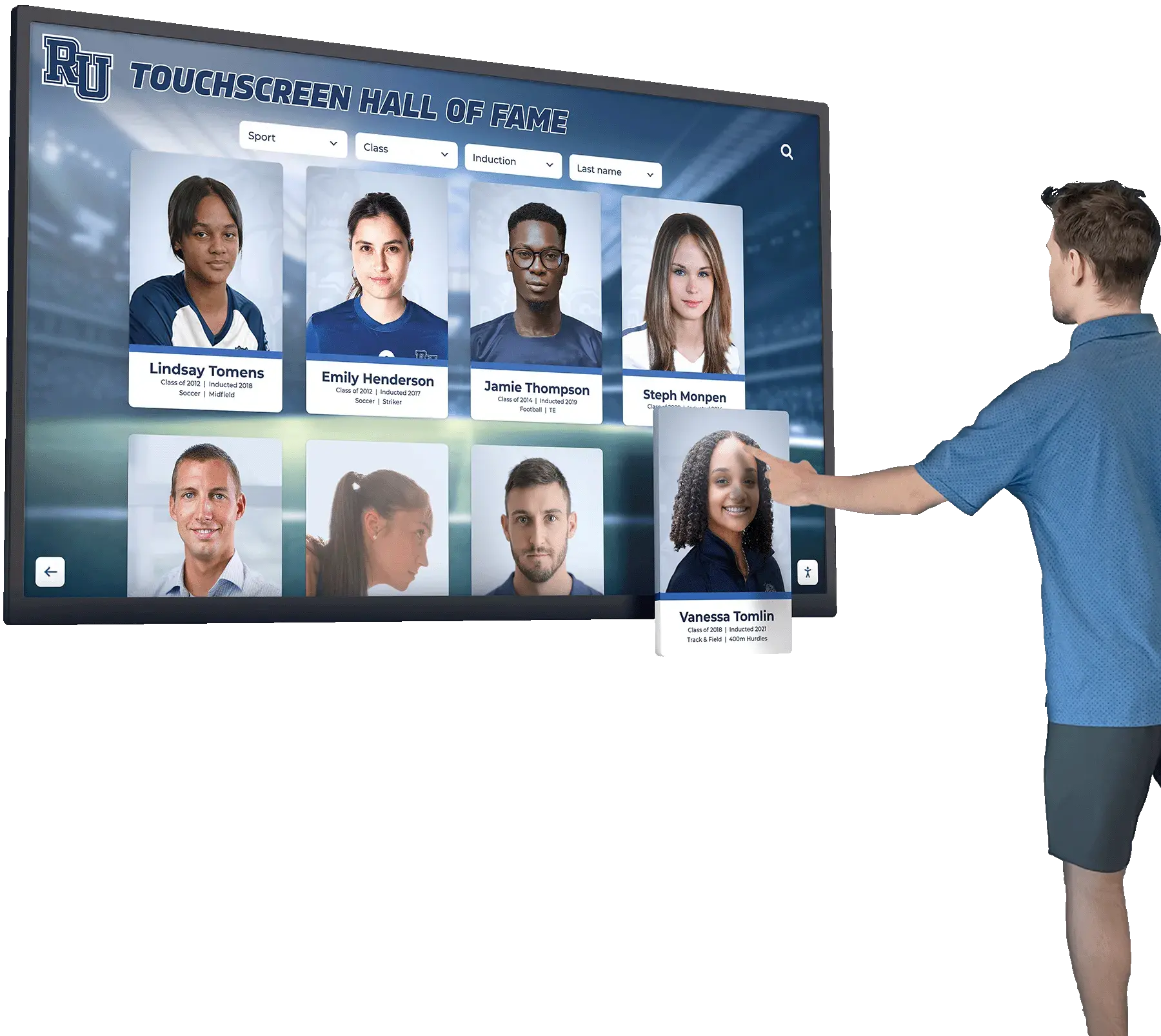




Schools, universities, museums, and organizations increasingly deploy digital recognition displays—interactive touchscreens showcasing halls of fame, donor walls, historical archives, and athletic achievements. These installations serve diverse audiences including students, visitors, alumni, elderly community members, and individuals with disabilities. When organizations implement these systems without considering accessibility standards, they create barriers preventing significant portions of their communities from engaging with important institutional content.
The Web Content Accessibility Guidelines (WCAG) 2.2 Level AA represent the internationally recognized standard for digital accessibility, establishing technical criteria ensuring content remains usable for people with visual, auditory, motor, and cognitive disabilities. For institutions implementing digital recognition systems, understanding and meeting these standards transforms from optional enhancement to fundamental requirement—ensuring legal compliance, inclusive community access, and ethical responsibility to serve all constituents equally.
This comprehensive guide examines WCAG 2.2 AA success criteria across all conformance levels, explaining the importance of each standard, implementation strategies for digital recognition displays, and practical approaches ensuring your interactive installations serve every community member effectively regardless of ability.
Digital accessibility extends beyond legal compliance—it represents institutional values regarding inclusion, equal access, and community service. Organizations implementing recognition displays that meet WCAG 2.2 AA standards demonstrate commitment to serving their entire communities while avoiding potential legal challenges under the Americans with Disabilities Act (ADA) and similar international legislation.

Accessible digital recognition systems enable all community members to explore institutional achievements independently
Understanding WCAG 2.2 AA Compliance Framework
Before examining specific success criteria, understanding the overall WCAG structure provides essential context for implementation planning.
WCAG Conformance Levels Explained
Web Content Accessibility Guidelines organize requirements into three conformance levels, each building upon the previous:
Level A: Minimum Accessibility The most basic accessibility features that must be present for some users to access content at all. Level A compliance addresses the most severe accessibility barriers but provides limited overall access.
Level AA: Recommended Standard The standard most organizations adopt, addressing the majority of accessibility barriers for most users. Level AA conformance provides good accessibility for the broadest audience and represents the legal standard in many jurisdictions. This level balances comprehensive accessibility with reasonable implementation requirements.
Level AAA: Maximum Accessibility The highest and most comprehensive conformance level, addressing specialized accessibility needs. Level AAA requirements prove impractical for many content types and aren’t generally required as baseline policy. Organizations may selectively meet AAA criteria where feasible without full conformance.
For digital recognition displays, interactive kiosks, and institutional websites, WCAG 2.2 Level AA represents the appropriate target standard—providing comprehensive accessibility while remaining achievable with proper planning and quality platforms.
WCAG 2.2 Updates and New Requirements
WCAG 2.2, released in October 2023, builds on WCAG 2.1 with nine new success criteria primarily addressing mobile accessibility, cognitive disabilities, and low vision needs:
- 2.4.11 Focus Not Obscured (Minimum) - Level AA
- 2.4.12 Focus Not Obscured (Enhanced) - Level AAA
- 2.4.13 Focus Appearance - Level AAA
- 2.5.7 Dragging Movements - Level AA
- 2.5.8 Target Size (Minimum) - Level AA
- 3.2.6 Consistent Help - Level A
- 3.3.7 Redundant Entry - Level A
- 3.3.8 Accessible Authentication (Minimum) - Level AA
- 3.3.9 Accessible Authentication (Enhanced) - Level AAA
These additions reflect evolving technology and usage patterns, particularly touchscreen interaction and mobile device prevalence. Organizations implementing digital recognition displays should ensure their solutions address both established WCAG 2.1 criteria and these 2.2 enhancements.
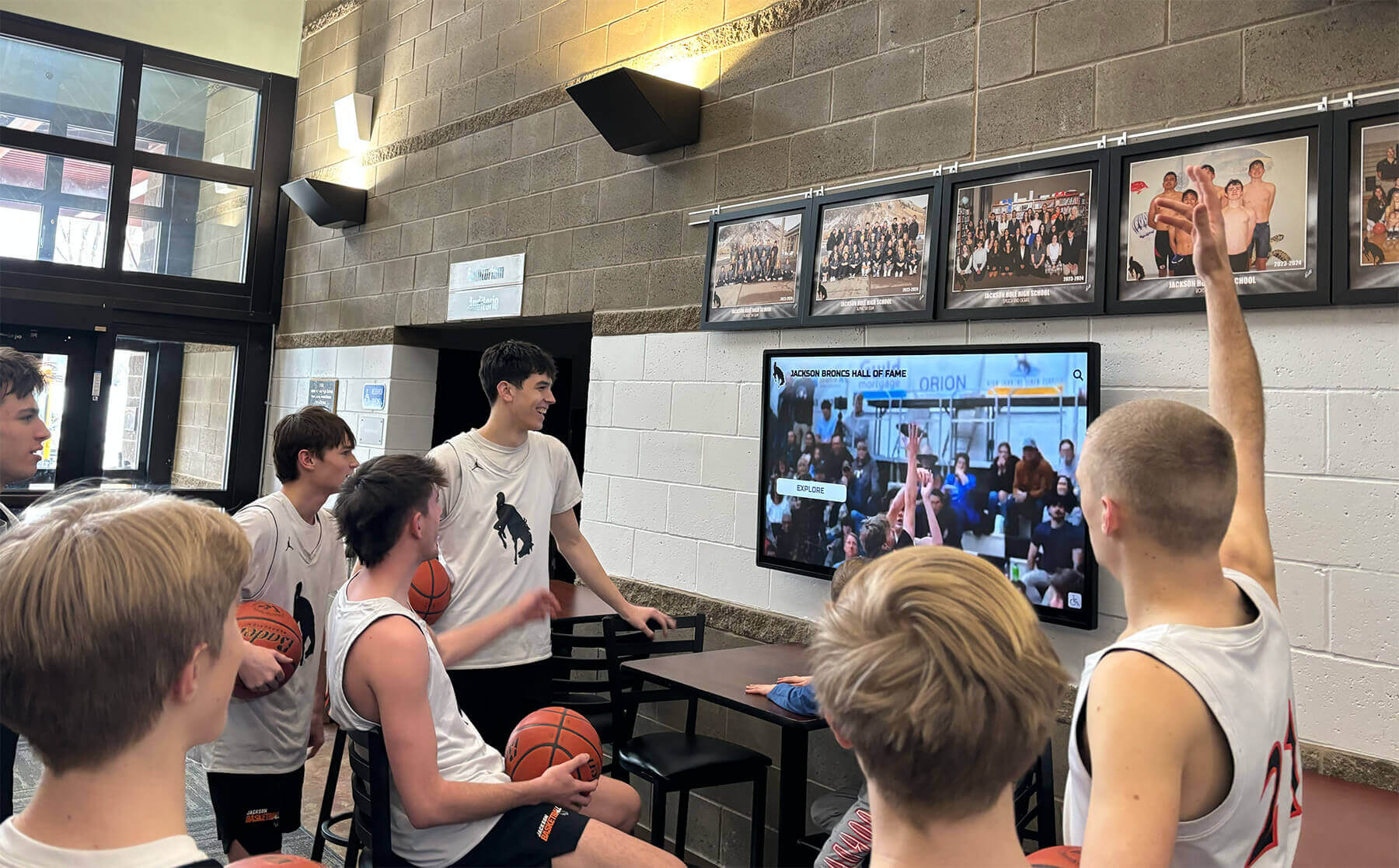
Modern recognition displays serve diverse audiences including students with varying abilities and accessibility needs
Level A Success Criteria: Foundation Accessibility Requirements
Level A criteria establish minimum accessibility baselines. Understanding the importance of each standard helps organizations prioritize implementation efforts.
Perceivable Content (Principle 1)
Information and user interface components must be presentable to users in ways they can perceive.
1.1.1 Non-text Content (Level A)
All non-text content (images, icons, graphics) must have text alternatives conveying equivalent information. For digital recognition displays, this means every inductee photo, icon, logo, and graphic requires descriptive alt text enabling screen reader users to understand visual content. Without this, visually impaired users encounter meaningless placeholders rather than information about honored individuals.
Implementation: Ensure your recognition platform requires alt text for all uploaded images and provides guidance for writing effective descriptions.
1.2.1 Audio-only and Video-only (Prerecorded) (Level A)
When recognition displays include audio interviews or video-only presentations, text alternatives must provide equivalent information. Many hall of fame installations feature video tributes or acceptance speeches—these require transcripts allowing deaf users access to spoken content.
Implementation: Provide complete transcripts for audio content and detailed descriptions for video-only presentations showcasing visual information.
1.2.2 Captions (Prerecorded) (Level A)
Synchronized captions must accompany all prerecorded video content with audio. Digital recognition displays frequently showcase highlight reels, ceremony footage, or biographical videos. Without captions, deaf and hard-of-hearing visitors cannot access this content.
Implementation: Ensure all video content includes accurate, synchronized captions before publishing to recognition displays.
1.2.3 Audio Description or Media Alternative (Prerecorded) (Level A)
Videos must provide either audio description narrating important visual information or complete text alternatives. For sports highlight videos or historical footage on recognition displays, audio description helps blind users understand visual action not conveyed through existing audio.
Implementation: Add audio description tracks to videos or provide detailed text descriptions of visual content.
1.3.1 Info and Relationships (Level A)
Information structure and relationships conveyed visually must also be available programmatically. For touchscreen interfaces, this means proper heading hierarchies, semantic HTML, and ARIA labels enabling screen readers to convey organizational structure. Users should understand that “Inductee Name” is a heading, “Sport” is a subheading, and “Career Statistics” introduces a data table.
Implementation: Use proper HTML semantic elements and ARIA landmarks in digital display interfaces.
1.3.2 Meaningful Sequence (Level A)
Content presentation order must make sense when linearized. Screen readers present content sequentially—if your recognition display shows inductee photos in a grid, the reading order should flow logically rather than jumping randomly between profiles.
Implementation: Test content reading order with screen readers and adjust DOM structure to ensure logical flow.
1.3.3 Sensory Characteristics (Level A)
Instructions cannot rely solely on sensory characteristics like shape, size, position, or sound. Instructions like “tap the round button at the top” fail for users who cannot perceive those characteristics. Instead use “tap the ‘View Profile’ button” which remains understandable regardless of ability.
Implementation: Review all instructional text in touchscreen interfaces to ensure it doesn’t rely on sensory characteristics alone.
1.4.1 Use of Color (Level A)
Color cannot be the only visual means of conveying information. If your display uses red text to indicate record-setting achievements, colorblind users cannot distinguish this information. Add icons or text labels alongside color coding.
Implementation: Supplement color coding with text labels, icons, or patterns providing equivalent information.
1.4.2 Audio Control (Level A)
If audio plays automatically for more than three seconds, users must have mechanism to pause, stop, or adjust volume. Recognition displays in lobbies often play ambient video or audio—allowing user control prevents interference with screen readers and accommodates users who cannot tolerate unexpected sound.
Implementation: Ensure autoplay audio includes visible, accessible controls and ideally defaults to muted with opt-in playback.
Learn more about accessible digital display design principles that enhance user engagement while maintaining accessibility.
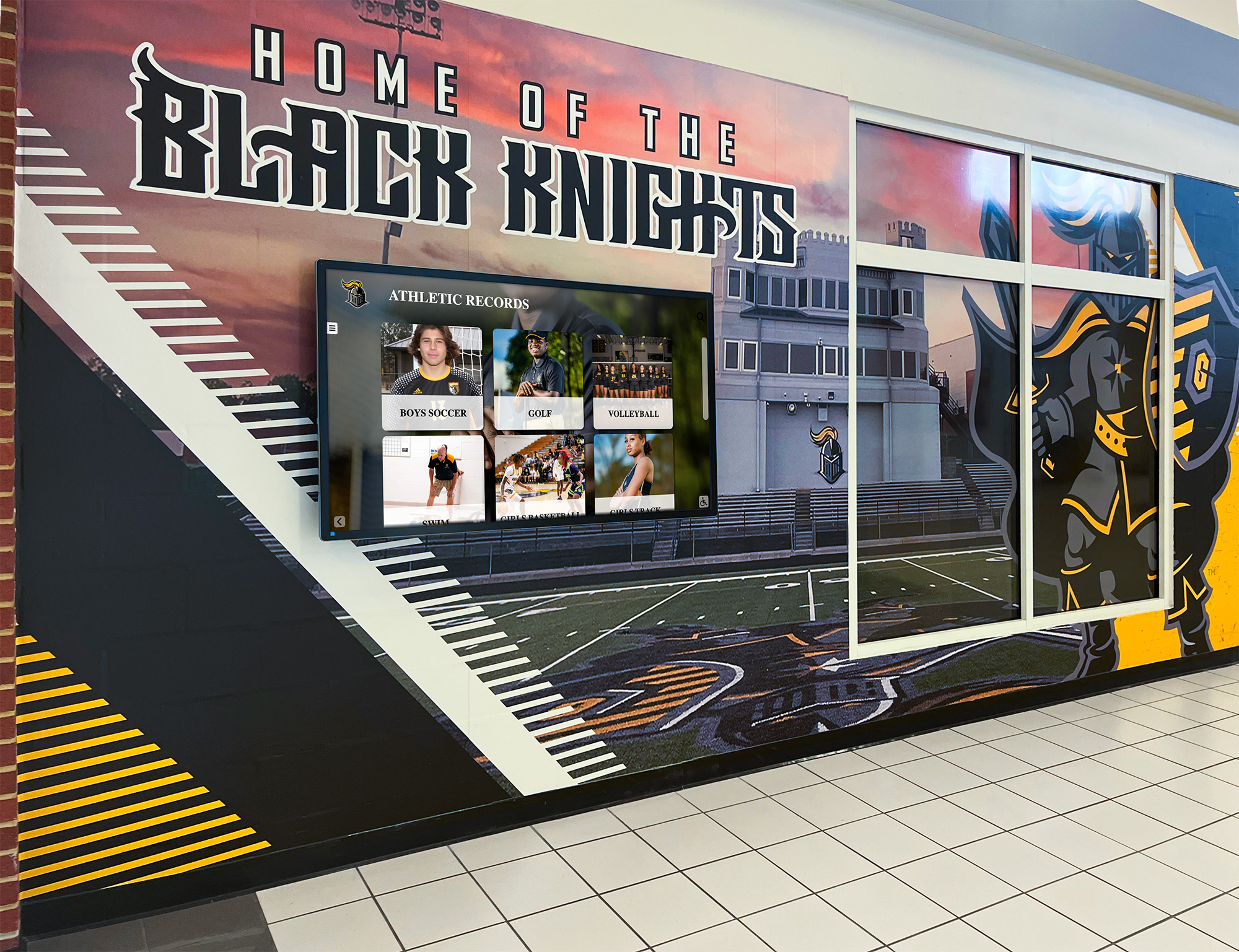
Strategic placement of accessible recognition displays ensures community-wide engagement with institutional achievements
Operable Interfaces (Principle 2)
User interface components and navigation must be operable by all users.
2.1.1 Keyboard (Level A)
All functionality must be operable through keyboard interface. Many users cannot use touchscreens due to motor disabilities, vision impairments preventing accurate targeting, or wheelchair positioning making screens inaccessible. Keyboard access enables these users to navigate recognition displays through alternative input devices.
Implementation: Ensure all interactive elements accept keyboard focus and standard keyboard commands navigate interfaces completely.
2.1.2 No Keyboard Trap (Level A)
Keyboard focus must never become trapped in interface components. Users must be able to navigate away from any element using only keyboard. For touchscreen kiosks with keyboard support, this means users can always exit dialogs, galleries, or video players without mouse/touch interaction.
Implementation: Test complete keyboard navigation paths ensuring no elements trap focus.
2.1.4 Character Key Shortcuts (Level A - WCAG 2.1 and 2.2)
If single-character keyboard shortcuts exist, users must be able to turn them off, remap them, or they should only be active when components have focus. This prevents accidental activation and conflicts with assistive technology.
Implementation: Avoid single-character shortcuts in recognition display interfaces or provide configuration options.
2.2.1 Timing Adjustable (Level A)
Users must be able to extend time limits or turn them off. Recognition displays that return to attract screens after inactivity should allow users to request additional time, particularly for visitors who read slowly or use assistive technology requiring longer interaction periods.
Implementation: Provide clear mechanisms to extend session time before automatic timeout.
2.2.2 Pause, Stop, Hide (Level A)
Moving, blinking, scrolling, or auto-updating content lasting more than five seconds must have controls to pause, stop, or hide it. Rotating inductee carousels or scrolling achievement lists require pause controls enabling users to read at their own pace.
Implementation: Add visible pause buttons to any auto-advancing content in recognition displays.
2.3.1 Three Flashes or Below Threshold (Level A)
Content must not flash more than three times per second. Flashing content can trigger seizures in users with photosensitive epilepsy. Recognition displays should avoid rapid flashing entirely in videos, transitions, or animated elements.
Implementation: Review all animation and video content for flash frequency and remove content exceeding thresholds.
2.4.1 Bypass Blocks (Level A)
Mechanisms must exist to bypass repeated content blocks. For web-based recognition platforms, this means “skip to main content” links allowing keyboard users to bypass navigation menus and move directly to inductee information.
Implementation: Add skip navigation links at the beginning of pages in web-based recognition platforms.
2.4.2 Page Titled (Level A)
Web pages must have descriptive, informative titles. Each section of digital recognition displays should have clear titles helping users understand current context. “Basketball Hall of Fame - Michael Johnson” proves more useful than “Profile Page.”
Implementation: Ensure every page/screen in recognition platforms has unique, descriptive titles.
2.4.3 Focus Order (Level A)
Navigation order must be logical and intuitive. When users tab through touchscreen interfaces, focus should move in predictable patterns matching visual layout—left to right, top to bottom—rather than jumping randomly.
Implementation: Test tab order throughout recognition display interfaces ensuring logical progression.
2.4.4 Link Purpose (In Context) (Level A)
Link purpose must be determinable from link text or its context. “Click here” links fail this criterion. Instead use “View Sarah Martinez’s complete profile” providing clear destination information even out of visual context.
Implementation: Review all link text ensuring clarity without requiring surrounding visual context.
2.5.1 Pointer Gestures (Level A - WCAG 2.1 and 2.2)
All functionality using multipoint or path-based gestures must also be operable with single-point activation. Pinch-to-zoom or swipe gestures on recognition displays should have button alternatives enabling single-tap operation.
Implementation: Provide button-based alternatives to gesture controls in touchscreen interfaces.
2.5.2 Pointer Cancellation (Level A - WCAG 2.1 and 2.2)
For single-pointer functionality, down-event alone should not trigger functions. Actions should complete on pointer release, allowing users to move away before release to cancel accidental activations. This helps users with motor disabilities who may accidentally trigger buttons while navigating touchscreens.
Implementation: Ensure touch controls activate on release rather than initial press.
2.5.3 Label in Name (Level A - WCAG 2.1 and 2.2)
For user interface components with visible text labels, the accessible name must contain that visible text. A button labeled “Search Athletes” should have an accessible name including “Search Athletes,” enabling voice control users to activate it by speaking the visible label.
Implementation: Ensure programmatic names match or include visible labels for all interactive elements.
2.5.4 Motion Actuation (Level A - WCAG 2.1 and 2.2)
Functionality triggered by device motion (shaking, tilting) must also be operable through user interface components. Motion-triggered features on digital displays should have button alternatives accommodating users who cannot perform motion gestures.
Implementation: Provide button-based alternatives to any motion-activated features.
Explore comprehensive interactive touchscreen implementation strategies that prioritize accessibility from initial design.
Understandable Content (Principle 3)
Information and user interface operation must be understandable.
3.1.1 Language of Page (Level A)
The default human language of web pages must be programmatically determinable. Recognition platforms should declare language in HTML enabling screen readers to use appropriate pronunciation and translation tools to function correctly.
Implementation: Set lang attribute on HTML elements declaring content language.
3.2.1 On Focus (Level A)
When components receive focus, they must not initiate context changes. Focus alone should not automatically open dialogs, submit forms, or navigate to different pages. Users need control over when actions occur.
Implementation: Ensure focusing on elements alone does not trigger navigation or major context changes.
3.2.2 On Input (Level A)
Changing component settings must not automatically cause context changes unless users receive advance warning. Selecting sport filter should not automatically apply filters and reload content without user confirmation.
Implementation: Require explicit action (clicking “Apply” button) before implementing input changes.
3.2.6 Consistent Help (Level A - WCAG 2.2 only)
When help mechanisms appear on multiple pages, they must appear in consistent locations. If recognition displays include help buttons, they should occupy the same position throughout the interface.
Implementation: Standardize help mechanism placement across all screens in touchscreen interfaces.
3.3.1 Error Identification (Level A)
Input errors must be identified and described to users in text. If search functions return no results or filters produce empty sets, clear messages should explain the situation.
Implementation: Provide specific error messages when user actions produce unexpected results.
3.3.2 Labels or Instructions (Level A)
Labels or instructions must be provided when content requires user input. Search fields should include labels like “Search inductees by name” clarifying expected input.
Implementation: Provide clear labels for all input fields in recognition display interfaces.
3.3.7 Redundant Entry (Level A - WCAG 2.2 only)
Information previously entered or provided to the user should not require re-entry unless necessary for security or when previous information is no longer valid. For recognition platforms requiring user login or registration, previously provided information should persist appropriately.
Implementation: Remember user-provided information across sessions when appropriate.
4.1.2 Name, Role, Value (Level A)
For all user interface components, name and role can be programmatically determined; states, properties, and values can be programmatically set and user agents (including assistive technologies) can be notified of changes. Custom controls in touchscreen interfaces need proper ARIA attributes declaring their purpose and state to assistive technologies.
Implementation: Use semantic HTML or add appropriate ARIA attributes to custom interactive elements.
Note: 4.1.1 Parsing was removed from WCAG 2.2 as modern browsers have improved HTML parsing to the point where this criterion became obsolete.

Accessible touchscreen kiosks enable independent exploration of institutional history for all visitors
Level AA Success Criteria: Standard Accessibility Compliance
Level AA criteria provide comprehensive accessibility addressing the needs of most users with disabilities. This level represents the standard for institutional compliance.
Enhanced Perceivable Content
1.2.4 Captions (Live) (Level AA)
Live captions must be provided for all live audio content. While most recognition displays show prerecorded content, institutions streaming live induction ceremonies or events through touchscreen displays must provide real-time captioning.
Implementation: Use professional live captioning services for streamed events accessible through recognition displays.
1.2.5 Audio Description (Prerecorded) (Level AA)
Audio description must be provided for all prerecorded video content. At Level AA, audio description becomes required (not just an alternative to text descriptions). Sports highlights, historical footage, and biographical videos need descriptive audio tracks explaining visual content.
Implementation: Add professional audio description to all video content in recognition displays.
1.3.4 Orientation (Level AA - WCAG 2.1 and 2.2)
Content must not restrict viewing to single display orientation (portrait or landscape) unless specific orientation is essential. Touchscreen recognition displays should function in multiple orientations accommodating wheelchair users approaching from different angles or users with devices mounted in specific positions.
Implementation: Design recognition interfaces that adapt to multiple screen orientations.
1.3.5 Identify Input Purpose (Level AA - WCAG 2.1 and 2.2)
Input field purpose must be programmatically identifiable when the field collects information about the user. For recognition platforms with user accounts or guest book features, proper input autocomplete attributes help users with cognitive disabilities complete forms using browser auto-fill.
Implementation: Add autocomplete attributes to user information input fields.
1.4.3 Contrast (Minimum) (Level AA)
Text and images of text must have contrast ratio of at least 4.5:1 (or 3:1 for large text). This ensures text remains readable for users with low vision or color perception deficiencies. Many digital displays fail this criterion using light text on light backgrounds or insufficient color contrast for visual appeal prioritizing aesthetics over accessibility.
Implementation: Test all text/background combinations ensuring minimum 4.5:1 contrast ratios.
1.4.4 Resize Text (Level AA)
Text must be resizable up to 200% without loss of content or functionality. Users with low vision need ability to enlarge text. Recognition displays should support text scaling without breaking layouts or hiding content.
Implementation: Use relative units (em, rem) for text sizing and test interfaces at 200% zoom.
1.4.5 Images of Text (Level AA)
Images of text should be avoided except when customizable or essential (like logos). Text content should be actual text rather than text embedded in images, allowing users to adjust presentation and enabling screen readers to access content.
Implementation: Use web fonts and CSS styling rather than text images for recognition display content.
1.4.10 Reflow (Level AA - WCAG 2.1 and 2.2)
Content must reflow without horizontal scrolling at 320 CSS pixels width (equivalent to 400% zoom). Users with low vision magnifying content should not need to scroll horizontally to read lines of text.
Implementation: Design responsive layouts that stack vertically at narrow widths without horizontal overflow.
1.4.11 Non-text Contrast (Level AA - WCAG 2.1 and 2.2)
User interface components and graphical objects must have contrast ratio of at least 3:1 against adjacent colors. Buttons, form fields, icons, and interactive elements need sufficient contrast to remain perceivable for users with low vision.
Implementation: Ensure all interactive elements meet 3:1 minimum contrast against backgrounds.
1.4.12 Text Spacing (Level AA - WCAG 2.1 and 2.2)
Content must not lose information or functionality when users adjust text spacing (line height 1.5x font size, paragraph spacing 2x font size, letter spacing 0.12x font size, word spacing 0.16x font size). This accommodates users with dyslexia or other reading difficulties who adjust text spacing for improved comprehension.
Implementation: Test interfaces with modified text spacing settings ensuring no content becomes hidden.
1.4.13 Content on Hover or Focus (Level AA - WCAG 2.1 and 2.2)
Additional content appearing on hover or focus must be dismissible, hoverable, and persistent. Tooltip information or expandable content should remain visible long enough for users to read, not disappear when mouse moves slightly, and provide way to dismiss without moving focus.
Implementation: Ensure hover/focus content remains visible, is dismissible, and persists appropriately.
Discover approaches for implementing accessible donor recognition systems that serve all constituents effectively.
Enhanced Navigation and Interaction
2.4.5 Multiple Ways (Level AA)
Multiple ways must be provided to locate pages within a set. Recognition platforms should offer navigation menus, search functionality, site maps, or indexes enabling users to find specific inductees through multiple pathways accommodating different user preferences and abilities.
Implementation: Provide search, categorical navigation, and alphabetical indexes in recognition platforms.
2.4.6 Headings and Labels (Level AA)
Headings and labels must be descriptive. “Inductee Information” proves more helpful than “Details.” Clear headings and labels help all users, particularly those with cognitive disabilities, understand content organization and purpose.
Implementation: Use specific, descriptive headings and labels throughout recognition displays.
2.4.7 Focus Visible (Level AA)
Keyboard focus must have visible indication. Users navigating recognition displays via keyboard need clear visual feedback showing which element currently has focus. This helps users with motor disabilities, low vision, or cognitive limitations track their position in interfaces.
Implementation: Ensure all interactive elements display clear, high-contrast focus indicators.
2.4.11 Focus Not Obscured (Minimum) (Level AA - WCAG 2.2 only)
When interface components receive keyboard focus, they must not be entirely hidden by author-created content. Sticky headers, footers, or overlays should not completely obscure focused elements, ensuring keyboard users can see where focus currently resides.
Implementation: Design layouts ensuring focused elements remain at least partially visible behind persistent interface elements.
2.5.7 Dragging Movements (Level AA - WCAG 2.2 only)
Functionality requiring dragging movements must have single-pointer alternative. Timeline sliders, image galleries, or sortable lists on recognition displays requiring drag interactions need button or click alternatives accommodating users unable to perform drag gestures.
Implementation: Provide click/tap alternatives to all drag-based interactions in touchscreen interfaces.
2.5.8 Target Size (Minimum) (Level AA - WCAG 2.2 only)
Target size for pointer inputs must be at least 24 by 24 CSS pixels (with exceptions for inline elements, essential presentation, or user-controlled sizing). Touch targets on recognition displays need sufficient size for users with motor disabilities to activate accurately.
Implementation: Ensure all touchscreen buttons and interactive elements meet 24x24 pixel minimum size.

Accessible displays combine visual design with technical compliance enabling all community members to engage with recognition content
Consistent and Predictable Interfaces
3.1.2 Language of Parts (Level AA)
The human language of passages or phrases must be programmatically determinable. If recognition displays include quotes in multiple languages or honor international inductees with native-language content, language changes should be marked enabling screen readers to switch pronunciation.
Implementation: Mark language changes in content using lang attributes.
3.2.3 Consistent Navigation (Level AA)
Navigation mechanisms repeated on multiple pages must occur in consistent relative order. If recognition displays include persistent navigation menus, their position and organization should remain constant throughout the interface.
Implementation: Maintain consistent navigation structure and order across all screens.
3.2.4 Consistent Identification (Level AA)
Components with same functionality must be identified consistently. If “back” buttons appear on multiple screens, they should use identical labels and icons throughout rather than varying between “Return,” “Go Back,” and “Previous.”
Implementation: Use consistent labeling for identical functionality throughout recognition platforms.
3.3.3 Error Suggestion (Level AA)
When input errors are detected, suggestions for correction should be provided unless doing so would compromise security or purpose. If search returns no results, suggest checking spelling or broadening search terms.
Implementation: Provide helpful suggestions when user actions produce errors or no results.
3.3.4 Error Prevention (Legal, Financial, Data) (Level AA)
For pages causing legal commitments, financial transactions, or data submission, submissions must be reversible, data must be checked and correctable, or confirmation mechanisms must be available. For recognition platforms with donation features or submission forms, this means confirmation screens before final submission.
Implementation: Add confirmation steps before processing significant user actions.
3.3.8 Accessible Authentication (Minimum) (Level AA - WCAG 2.2 only)
Cognitive function tests must not be required for authentication unless alternative methods are provided or mechanisms assist users. Recognition platforms requiring account login should avoid CAPTCHAs or memory tests as sole authentication, instead offering alternatives like email verification or biometric authentication.
Implementation: Provide multiple authentication methods avoiding sole reliance on cognitive function tests.
4.1.3 Status Messages (Level AA - WCAG 2.1 and 2.2)
Status messages can be programmatically determined through role or properties without receiving focus. When recognition displays show “Loading profiles” or “Search returned 15 results,” screen reader users should receive these updates without focus moving from their current position.
Implementation: Use ARIA live regions to announce dynamic status updates to assistive technology.
Learn about selecting accessible digital recognition platforms that prioritize WCAG compliance from initial design.
Level AAA Success Criteria: Enhanced Accessibility
Level AAA represents the highest conformance level with additional requirements benefiting specific user groups. While full AAA conformance isn’t expected for all content, organizations should implement AAA criteria where feasible.
Advanced Media Accessibility
1.2.6 Sign Language (Prerecorded) (Level AAA)
Sign language interpretation should be provided for prerecorded audio content. For important ceremony speeches or biographical narratives on recognition displays, sign language interpretation helps deaf users whose primary language is sign language rather than written English.
1.2.7 Extended Audio Description (Prerecorded) (Level AAA)
When audio description cannot fit during natural pauses, extended audio description should pause video to insert necessary description. For action-packed sports highlights, extended description may be necessary to convey all visual information.
1.2.8 Media Alternative (Prerecorded) (Level AAA)
Alternative for time-based media (complete text transcript including both visual and audio information) should be provided. This creates written records of all multimedia content accessible to users unable to access audio or video.
1.2.9 Audio-only (Live) (Level AAA)
Alternative for live audio-only content should be provided. If recognition displays stream live radio-style broadcasts, real-time text alternatives help deaf users access content.
1.3.6 Identify Purpose (Level AAA - WCAG 2.1 and 2.2)
The purpose of user interface components, icons, and regions can be programmatically determined. This enables personalization technologies to adapt interfaces for users with cognitive disabilities by replacing text labels with familiar symbols.
Maximum Visual Accessibility
1.4.6 Contrast (Enhanced) (Level AAA)
Text and images of text should have contrast ratio of at least 7:1 (or 4.5:1 for large text). This enhanced contrast benefits users with more significant vision impairments.
1.4.7 Low or No Background Audio (Level AAA)
For audio presentations, background sounds should be minimal or nonexistent. Audio profiles on recognition displays should avoid background music that interferes with speech comprehension for users with auditory processing difficulties.
1.4.8 Visual Presentation (Level AAA)
For text blocks, users should be able to adjust foreground/background colors, text width (no more than 80 characters), text alignment (not justified), and line spacing (at least 1.5 within paragraphs). This extensive customization helps users with reading difficulties.
1.4.9 Images of Text (No Exception) (Level AAA)
Images of text should only be used for pure decoration or where specific presentation is essential. At this level, even logo exceptions are minimized.
Advanced Keyboard Accessibility
2.1.3 Keyboard (No Exception) (Level AAA)
All functionality must be operable through keyboard interface without exception. No timing requirements for individual keystrokes exist except where underlying function requires input dependent on path of user’s movement.
2.2.3 No Timing (Level AAA)
Timing should not be essential part of events or activities except for real-time multimedia or auctions. Recognition displays should not impose any time limits on user interactions.
2.2.4 Interruptions (Level AAA)
Interruptions can be postponed or suppressed by user except for emergencies. Auto-advancing content or timed messages should be suppressible.
2.2.5 Re-authenticating (Level AAA)
When authenticated sessions expire, users should be able to continue activity without data loss after re-authenticating. For recognition platforms requiring login, expired sessions should preserve user progress.
2.2.6 Timeouts (Level AAA - WCAG 2.1 and 2.2)
Users should be warned of duration of user inactivity that could cause data loss unless data is preserved for more than 20 hours of inactivity.
2.3.2 Three Flashes (Level AAA)
Pages should not contain anything that flashes more than three times per second. This removes exceptions allowed at Level A.
2.3.3 Animation from Interactions (Level AAA - WCAG 2.1 and 2.2)
Motion animation triggered by interaction can be disabled unless animation is essential to functionality or information being conveyed. Users sensitive to motion should be able to disable decorative animations.
Advanced Navigation Enhancements
2.4.8 Location (Level AAA)
Information about user’s location within set of web pages should be available. Breadcrumb navigation helps users understand their position within recognition platform hierarchy.
2.4.9 Link Purpose (Link Only) (Level AAA)
Mechanism should be available allowing link purpose to be identified from link text alone. Links should make sense out of context without requiring surrounding content.
2.4.10 Section Headings (Level AAA)
Section headings should be used to organize content. Comprehensive heading structure helps all users navigate and understand content organization.
2.4.12 Focus Not Obscured (Enhanced) (Level AAA - WCAG 2.2 only)
When interface components receive keyboard focus, no part of component should be hidden by author-created content. At this enhanced level, focused elements must be entirely visible, not just partially visible as required at Level AA.
2.4.13 Focus Appearance (Level AAA - WCAG 2.2 only)
Keyboard focus indicators must meet specific size and contrast requirements ensuring clearly visible focus indication for users with low vision.
2.5.5 Target Size (Level AAA - WCAG 2.1 and 2.2)
Target size for pointer inputs should be at least 44 by 44 CSS pixels (more generous than 24x24 minimum at Level AA). This enhanced target size further improves accuracy for users with motor disabilities.
2.5.6 Concurrent Input Mechanisms (Level AAA - WCAG 2.1 and 2.2)
Content should not restrict use of input modalities except where restriction is essential. Recognition displays should support both touch and keyboard input simultaneously.
Enhanced Language and Reading Support
3.1.3 Unusual Words (Level AAA)
Mechanisms should be available for identifying specific definitions of words used in unusual or restricted ways. Technical terms or jargon in recognition content should link to definitions.
3.1.4 Abbreviations (Level AAA)
Mechanisms should be available for identifying expanded forms or meanings of abbreviations. First use of abbreviations should include full spelling or link to glossary.
3.1.5 Reading Level (Level AAA)
When text requires reading ability more advanced than lower secondary education level, supplemental content or alternative versions should be available. Complex biographical content should include simplified versions.
3.1.6 Pronunciation (Level AAA)
Mechanisms should be available for identifying specific pronunciation where meaning would be ambiguous without it. Proper names with non-intuitive pronunciation should include pronunciation guides.
Enhanced Consistency and Error Prevention
3.2.5 Change on Request (Level AAA)
Changes of context should be initiated only by user request or mechanism is available to turn off such changes. No automatic context changes should occur without user control.
3.3.5 Help (Level AAA)
Context-sensitive help should be available. Recognition platforms should provide assistance appropriate to each interface section.
3.3.6 Error Prevention (All) (Level AAA)
For all user submissions, submissions should be reversible, data should be checked and correctable, or confirmation mechanisms should be available—extending beyond just legal/financial/data transactions.
3.3.9 Accessible Authentication (Enhanced) (Level AAA - WCAG 2.2 only)
Cognitive function tests should not be required for authentication (no exceptions). Recognition platforms should avoid all memory tests or cognitive challenges in authentication.

Comprehensive accessibility compliance ensures recognition systems serve entire institutional communities effectively
Implementing WCAG 2.2 AA in Digital Recognition Systems
Understanding success criteria provides foundation—practical implementation requires systematic approaches ensuring compliance throughout development and content management.
Platform Selection and Procurement
Choosing accessible platforms from the outset proves far more effective than retrofitting inaccessible systems.
Essential Platform Evaluation Criteria
When selecting digital recognition platforms, require vendors to demonstrate:
- WCAG 2.2 Level AA Conformance Claims - Request Voluntary Product Accessibility Template (VPAT) or Accessibility Conformance Report (ACR) documenting compliance status
- Semantic HTML Output - Verify platforms generate proper heading hierarchies, landmarks, and semantic elements
- Keyboard Navigation Support - Test complete interface navigation using only keyboard
- Screen Reader Compatibility - Verify functionality with major screen readers (JAWS, NVDA, VoiceOver)
- Contrast Compliance - Confirm all default themes meet 4.5:1 text contrast requirements
- Responsive Design - Test content reflow at 400% zoom and various viewport sizes
- Caption Support - Verify video players support closed captions and audio description
- Focus Management - Confirm visible focus indicators and logical focus order
- Alternative Text Management - Ensure CMS requires and manages image alt text effectively
- Accessible Forms - Verify search, filter, and input interfaces meet accessibility requirements
Solutions like Rocket Alumni Solutions prioritize accessibility from initial design, offering digital recognition platforms specifically built for institutional compliance with WCAG 2.2 Level AA standards. These purpose-built systems eliminate the compliance burden from internal technology teams by providing accessible frameworks requiring only accessible content to maintain overall system compliance.
Content Creation and Management Practices
Even accessible platforms require accessible content—establishing creation standards ensures ongoing compliance.
Accessible Content Guidelines
Organizations should implement content creation standards requiring:
Image Content
- Descriptive alt text for all photos explaining who appears and what they’re doing
- Text alternatives for charts, graphs, or infographics conveying data
- Empty alt attributes (alt="") only for purely decorative images
- Avoidance of text embedded in images except logos
Video Content
- Synchronized captions for all videos with spoken audio
- Audio description tracks explaining visual information not conveyed through audio
- Transcripts providing complete text alternatives to all audio/video content
- Player controls that are keyboard accessible
Text Content
- Proper heading structure (H1, H2, H3) organizing content logically
- Sufficient color contrast (minimum 4.5:1 for normal text, 3:1 for large text)
- Avoidance of color as sole information conveyor
- Link text that makes sense out of context (“View Michael Johnson’s profile” not “Click here”)
- Plain language explanations avoiding unnecessary jargon
Interactive Elements
- Form labels clearly associated with input fields
- Instructions that don’t rely on sensory characteristics (color, position, sound)
- Error messages explaining what went wrong and how to fix it
- Visible focus indicators on all interactive elements
Discover comprehensive approaches to creating accessible digital archives that preserve institutional history for all community members.
Testing and Quality Assurance
Systematic testing verifies accessibility compliance before public deployment.
Comprehensive Testing Methodology
Effective accessibility testing includes multiple complementary approaches:
Automated Testing Tools
- WAVE Web Accessibility Evaluation Tool
- axe DevTools browser extension
- Pa11y automated testing
- Lighthouse accessibility audits
Automated tools identify many technical violations but cannot detect all accessibility issues. Complement with manual testing.
Manual Keyboard Testing
- Navigate entire interface using only keyboard (Tab, Shift+Tab, Arrow keys, Enter, Space)
- Verify all functionality remains accessible
- Confirm focus indicators remain visible
- Ensure no keyboard traps exist
Screen Reader Testing
- Test with JAWS (Windows), NVDA (Windows), VoiceOver (Mac/iOS), TalkBack (Android)
- Verify all content is announced appropriately
- Confirm navigation landmarks function correctly
- Test form labels and error messages
Contrast Analysis
- Use contrast checker tools (WebAIM Contrast Checker, Color Contrast Analyzer)
- Test all text/background combinations
- Verify interactive element contrast
- Check contrast in different display modes
Mobile and Responsive Testing
- Test content reflow at various zoom levels
- Verify touch target sizes (minimum 24x24 pixels at Level AA)
- Confirm gesture alternatives exist
- Test portrait and landscape orientations
User Testing with People with Disabilities
- Engage actual users with diverse disabilities to test systems
- Observe real-world interaction patterns
- Identify barriers automated tools miss
- Gather feedback on practical usability
Remediation and Continuous Improvement
Accessibility requires ongoing commitment rather than one-time compliance.
Establishing Accessibility Governance
Sustainable accessibility requires:
Clear Accountability
- Designated accessibility coordinator responsible for compliance oversight
- Content creator training on accessibility requirements
- Developer training on accessible coding practices
- Regular accessibility audits and progress monitoring
Documentation and Standards
- Written accessibility policy stating institutional commitment
- Content creation guidelines documenting requirements
- Procurement policies requiring vendor accessibility conformance
- Remediation timelines for identified issues
Continuous Monitoring
- Regular automated scans detecting new issues
- Periodic comprehensive manual audits
- User feedback mechanisms reporting accessibility problems
- Accessibility review in content approval workflows
Training and Support
- Initial accessibility training for all content creators and developers
- Ongoing education about new standards and best practices
- Resources and tools supporting accessible content creation
- Technical assistance for complex accessibility challenges
Learn about accessibility data privacy considerations in digital recognition systems.
Legal Compliance and Risk Management
Accessibility compliance extends beyond ethical considerations to include legal requirements organizations must address.
ADA and Section 508 Requirements
The Americans with Disabilities Act (ADA) requires places of public accommodation to provide equal access to individuals with disabilities. As digital content increasingly becomes primary or sole means of accessing institutional information, courts have extended ADA requirements to digital properties including websites, kiosks, and interactive displays.
Title II (Public Entities) Schools, universities, libraries, museums, and government organizations must ensure digital content is accessible. WCAG 2.0 Level AA has been cited as technical standard in DOJ guidance, with WCAG 2.1 and 2.2 representing current best practice.
Title III (Public Accommodations) Private institutions with physical public spaces (private schools, museums, theaters, stadiums) must provide equivalent digital access. Recognition displays in public areas must accommodate visitors with disabilities.
Section 508 (Federal Agencies and Contractors) Federal agencies and organizations contracting with federal government must meet Section 508 standards, which incorporate WCAG 2.0 Level AA with some additions. Federal grant recipients may face similar requirements.
Risk Mitigation Strategies
Organizations can reduce legal exposure through proactive accessibility initiatives:
Compliance Documentation
- Accessibility conformance reports documenting current status
- Remediation plans addressing identified gaps
- Regular audit reports demonstrating ongoing commitment
- Procurement records showing accessibility considerations
Accessibility Statements
- Public accessibility commitment statements
- Contact information for reporting accessibility problems
- Documented feedback response procedures
- Remediation timelines for reported issues
Alternative Access Provisions
- Multiple pathways to access information (digital and traditional)
- Staff assistance for users encountering barriers
- Accessible format availability (large print, braille, audio) when requested
- Reasonable accommodations procedures
Recent Legal Developments
Accessibility litigation continues increasing, with notable developments including:
- Website and digital property accessibility lawsuits reaching record levels
- Department of Justice issuing accessibility guidance for state and local governments
- Settlement agreements establishing WCAG 2.1 Level AA as baseline standard
- Increased focus on mobile application and digital kiosk accessibility
- Expansion of accessibility requirements to video content and social media
Organizations implementing digital recognition displays should treat WCAG 2.2 Level AA compliance as baseline requirement rather than aspirational goal, both for ethical service to all community members and practical risk management.
Accessibility in Physical Touchscreen Installations
Digital recognition displays present unique accessibility considerations beyond standard web content.
Physical Installation Accessibility
Reach Range and Positioning
- Maximum 48 inches from floor to highest operable control for forward reach
- Maximum 54 inches for side reach over unobstructed area
- Minimum 9 inches from floor to lowest operable control
- Knee and toe clearance for wheelchair users (27 inches high, 30 inches wide, 19 inches deep)
- Clear floor space 30 by 48 inches for wheelchair positioning
Physical Hardware Accessibility
- Tactile buttons or physical controls as alternatives to touchscreen-only operation
- Screen height and angle accommodating users of varying heights and wheelchair users
- Audio output via speakers and headphone jacks with volume controls
- Lighting considerations preventing glare on touchscreens
- Signage indicating accessibility features and alternative formats available
Alternative Access Methods
- Keyboard connection enabling standard keyboard navigation
- Alternative input devices (trackballs, switches) when feasible
- Mobile companion apps extending functionality to personal devices
- QR codes linking to web-based accessible versions
- Staff assistance procedures when direct use proves challenging
Touchscreen-Specific WCAG Considerations
Interactive kiosks and touchscreen displays face unique implementation challenges:
Touch Target Sizing WCAG 2.2 introduces minimum 24x24 pixel touch targets (Level AA) and recommends 44x44 pixels (Level AAA). Design touch interfaces with generous target sizing and spacing.
Gesture Alternatives Pinch-to-zoom, swipe, and multi-touch gestures require single-touch alternatives (buttons, links) for users unable to perform complex gestures.
Timeout Considerations Public kiosks often implement inactivity timeouts returning to attract screens. Provide mechanisms to extend sessions for users requiring additional time.
Orientation Flexibility Design interfaces functioning in multiple orientations accommodating users approaching displays from various positions.
High Contrast Modes Public displays in varied lighting conditions benefit from user-selectable high contrast modes improving visibility.

Physical placement and interface design combine to create accessible touchscreen experiences for users with varying abilities
Rocket Alumni Solutions: Purpose-Built Accessibility
Organizations implementing digital recognition displays face substantial complexity ensuring WCAG 2.2 AA compliance across technical implementation, content management, and ongoing maintenance. Purpose-built platforms designed specifically for accessibility dramatically reduce this burden.
Built-In Compliance Features
Rocket Alumni Solutions provides digital recognition platforms with WCAG 2.2 Level AA compliance as foundational design principle rather than afterthought:
Semantic HTML Structure
- Proper heading hierarchies organizing content logically
- Semantic HTML5 elements (header, nav, main, article, aside, footer)
- ARIA landmarks identifying page regions
- Programmatic relationships between labels and controls
Keyboard Navigation
- Complete functionality accessible via keyboard
- Logical tab order following visual layout
- Visible focus indicators meeting contrast requirements
- No keyboard traps in any interface components
Screen Reader Optimization
- Descriptive link text providing context
- Alternative text management for images
- Status message announcements via ARIA live regions
- Skip navigation links bypassing repeated content
- Form labels properly associated with inputs
Visual Accessibility
- Minimum 4.5:1 contrast for normal text
- Minimum 3:1 contrast for interactive components
- Responsive design supporting 400% zoom
- Text resizing without horizontal scrolling
- User control over auto-playing content
Media Accessibility
- Video player supporting closed captions
- Audio description track capability
- Transcript hosting and display
- Accessible media controls
Content Management Accessibility
Beyond technical platform compliance, sustainable accessibility requires content management systems supporting accessible practices:
Guided Content Creation
- Required alternative text fields for image uploads
- Character count guidance for alt text appropriate length
- Color contrast checkers integrated in content editors
- Heading hierarchy validation
- Link text best practice guidance
Accessibility Validation
- Automated accessibility checks during content publishing
- Alerts for common compliance issues
- Suggested fixes for detected problems
- Accessibility scoring helping content creators improve
Training and Documentation
- Comprehensive accessibility guidelines for content creators
- Video tutorials demonstrating accessible content practices
- Template libraries with pre-tested accessible layouts
- Technical support for accessibility questions
Continuous Compliance
Accessibility standards evolve—platforms require ongoing updates maintaining compliance:
Regular Platform Updates
- Updates incorporating new WCAG releases
- Browser compatibility maintenance
- Assistive technology compatibility testing
- Security patches maintaining system integrity
Compliance Monitoring
- Regular automated accessibility audits
- Manual testing with assistive technologies
- User feedback integration
- Proactive issue remediation
Documentation and Reporting
- Accessibility conformance reports (VPAT/ACR)
- Regular compliance status updates
- Remediation timelines for identified issues
- Transparency regarding conformance status
By selecting purpose-built accessible platforms like Rocket Alumni Solutions, organizations transfer complex compliance responsibility to specialized vendors while retaining control over accessible content creation—the optimal division of responsibility enabling institutional accessibility commitment without requiring deep technical accessibility expertise.
Explore comprehensive digital recognition platform features that combine accessibility with engaging presentation.
Conclusion: Accessibility as Institutional Value
WCAG 2.2 Level AA compliance represents more than technical checkbox or legal requirement—it embodies institutional commitment to serving entire communities equitably. Schools implementing digital recognition displays that meet accessibility standards demonstrate values regarding inclusion, equal access, and respect for all community members regardless of ability. These systems enable students with disabilities to explore alumni achievements, allow visually impaired visitors to engage with museum content, and ensure elderly donors can access recognition celebrating their contributions.
The success criteria examined throughout this guide—from alternative text enabling screen reader access to keyboard navigation supporting motor disability accommodation to caption requirements serving deaf users—collectively create digital experiences available to everyone. Organizations prioritizing accessibility from initial planning through platform selection, content creation, and ongoing maintenance build recognition systems genuinely serving their missions while avoiding legal exposure from inaccessible digital properties.
For institutions ready to implement accessible digital recognition displays, selecting platforms with built-in WCAG 2.2 Level AA compliance provides the most practical path toward accessibility goals. Solutions like Rocket Alumni Solutions offer purpose-built systems designed specifically for comprehensive accessibility, enabling organizations to focus on creating compelling recognition content while relying on accessible technical foundations maintained by specialized vendors.
The frameworks, criteria, and implementation strategies detailed in this guide provide comprehensive roadmaps for organizations committed to accessibility excellence. Whether launching new digital recognition programs or remediating existing installations, systematic attention to WCAG 2.2 success criteria creates inclusive experiences honoring achievements while serving all community members with dignity and equal access.
Ready to implement accessible digital recognition displays serving your entire community effectively? Comprehensive platforms combining WCAG 2.2 Level AA compliance with engaging multimedia presentation enable institutions to honor achievements while demonstrating commitment to accessibility and inclusion. Solutions like Rocket Alumni Solutions provide accessible-by-design systems with semantic HTML structure, keyboard navigation support, screen reader optimization, appropriate contrast, and content management tools supporting accessible practices—eliminating compliance complexity while creating recognition experiences every community member can access independently.
Whether showcasing athletic halls of fame, alumni achievements, donor recognition, or institutional history, accessibility ensures these important stories remain available to everyone. Begin your accessible recognition journey today by prioritizing WCAG 2.2 Level AA compliance from initial planning through implementation and ongoing content management—creating digital experiences that honor your mission while serving your entire community equitably.
Book a demo to explore how accessible digital recognition platforms transform institutional recognition while ensuring comprehensive community access.































