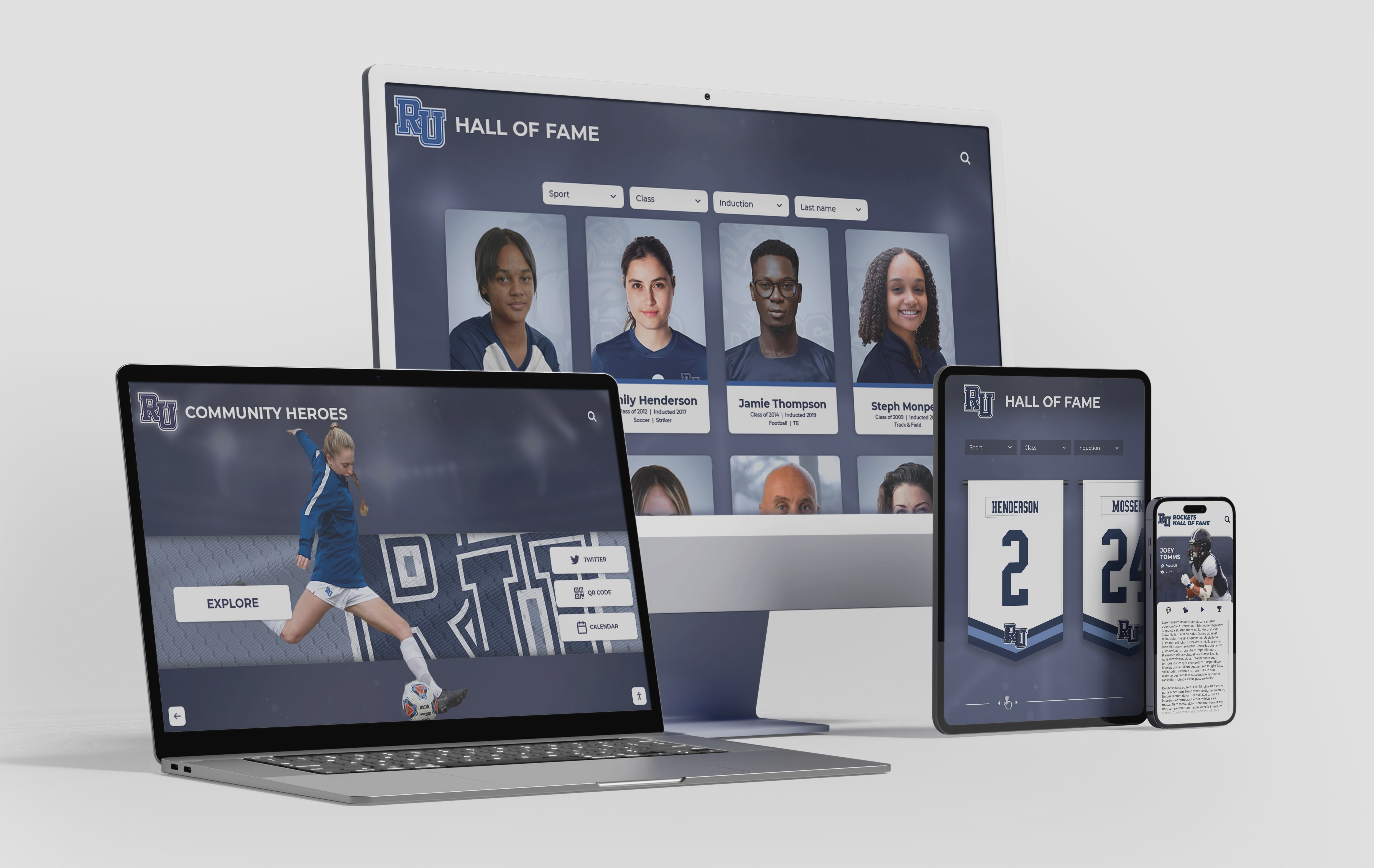




A university athlete profile is more than a statistics page or a headshot in a media guide. At its best, it is a living recognition record that documents an athlete’s contribution to the program, connects current students to institutional heritage, and follows a graduate into an alumni hall of fame that updates as their career unfolds. Yet most athletic departments build these profiles reactively—assembling whatever data is on hand when a player departs—and alumni relations offices inherit gaps that make post-graduation updates nearly impossible.
This guide provides a field-by-field university athlete profile template designed for athletic communications teams, alumni relations offices, advancement staff, and digital display administrators who want to build profiles that work on day one and remain accurate for decades. It also covers the governance decisions—who collects data, when, and who owns the update workflow—that determine whether a profile library stays current or quietly becomes a historical artifact.
University athletic departments produce tremendous amounts of athlete data across recruiting systems, compliance databases, media guides, and box scores. The challenge is rarely a shortage of information; it is that no single record exists to serve recognition, alumni engagement, and institutional storytelling at the same time. A university athlete profile page solves that by consolidating fields into one authoritative record that can feed physical hall of fame plaques, digital touchscreen displays, online alumni directories, and donor engagement campaigns from a single source.

A well-architected university athlete profile works across every display surface—from a lobby touchscreen to a mobile alumni directory—without requiring separate data entry for each.
Program Snapshot: University Athlete Profile Field Map
The table below maps every major profile field against the four audiences that use it. Use this as the architectural starting point before collecting any data.
| Profile Field | Athletic Communications | Alumni Relations | Advancement / Development | Hall of Fame Display |
|---|---|---|---|---|
| Full legal name | Primary record | Searchable alumni field | Donor matching | Engraved identifier |
| Display / preferred name | Media guide byline | Public-facing directory | Correspondence header | Plaque display name |
| Sport and position | Roster card | Category tag | Giving affinity group | Section header |
| Years of eligibility | Compliance record | Era filter | Class-year segmentation | Year range on plaque |
| Career statistics | Press releases, game notes | Alumni directory detail | Donor cultivation story | Abbreviated on display |
| Awards and honors | Season recap | Recognition spotlight | Impact report content | Plaque achievement text |
| Academic GPA / honors | Student-athlete release | Alumni profile distinction | Scholar-athlete giving tier | Optional display field |
| Head photo (current era) | Media guide | Directory portrait | Donor newsletter | Primary profile image |
| Action or archival photo | Game programs | Storytelling content | Campaign assets | Gallery images |
| Video highlight | Recruiting content | Reunion slideshows | Campaign videos | Embedded media |
| Post-graduation career | Not maintained | Core alumni data | Donor relationship record | Updatable profile section |
| Contact and privacy flags | Not typically held | Opt-in communications | Gift officer routing | Not displayed |
This matrix makes clear why collecting complete data at the point of departure—not years later during a hall of fame intake—reduces research burden across every downstream workflow.
Section 1: Identity and Biographical Fields
Full Legal Name and Display Name
Capture both. Legal name is required for compliance records, alumni database matching, and advancement gift processing. Display name is what appears on the profile page, in the media guide, and on any physical recognition surface.
Why this matters at scale: Programs that migrate to digital hall of fame systems frequently discover that records contain inconsistent name formats—some entries list “J. Martinez,” others “Juan Martinez,” and still others “Juan Carlos Martinez.” Standardizing both fields during active enrollment eliminates a remediation project that can stall digital display deployments by weeks.
Field specifications:
- Full legal first, middle (optional), last name
- Preferred display name (if different from legal name)
- Name at time of enrollment (for athletes who have since changed names through marriage or legal process)
- Pronouns (optional; required for programs committed to inclusive alumni communications)
Years of Enrollment and Eligibility
Record academic enrollment years separately from athletic eligibility years. Transfer athletes, graduate students, and medical redshirts create records where these do not align.
Field specifications:
- First semester of enrollment (term and year)
- Final semester of enrollment
- Athletic eligibility years (by academic year, e.g., 2019–20 through 2022–23)
- Graduation year and degree
- Major or field of study
Hometown and Secondary School
This field powers two use cases that many programs overlook: regional donor campaigns targeting alumni by home geography, and current-student recruitment storytelling that names specific feeder schools.

Profile cards become interactive navigation elements on touchscreen hall of fame displays—every field you collect during enrollment becomes searchable content for visitors browsing decades of program history.
Section 2: Athletic Career Fields
Position, Number, and Physical Attributes
Field specifications:
- Primary position or role
- Jersey number (uniform number)
- Physical attributes relevant to the sport (height, weight) — capture at time of enrollment, not current
- Dominant hand or side where applicable
Jersey numbers carry more institutional significance than programs typically recognize. A number retired in the 1970s, tracked in a spreadsheet that was lost in a server migration, creates exactly the kind of historical gap that athletic hall of fame tools designed for deep record preservation are built to address.
Career Statistics
Avoid proprietary formats for statistical records. Store career statistics in fields that can be exported to a standard spreadsheet and imported into any future recognition platform.
Field specifications by sport type:
Team sports (general):
- Seasons played
- Games / matches started vs. appeared in
- Core performance statistics (sport-specific; document your full stat list in a separate field taxonomy)
- Career highs (single-game and single-season records)
- Team records held
Individual sports (general):
- Seasons competed
- Individual event results with dates and venues
- Personal records (PRs) / best marks
- Conference, regional, and national competition results
Governance note: Statistics should be pulled from the official NCAA or conference record source, not self-reported by athletes. Flag the data source in the record so future administrators know which entries have been verified.
Awards, Honors, and Recognition
This is the field most likely to be incomplete at the time of profile creation, because individual-season awards are often recorded in a different system than the career record.
Field specifications:
- All-conference selections (list each year and level separately)
- All-region and All-American designations
- Conference player-of-the-week or player-of-the-year awards
- Institutional awards (team MVP, captain designation, senior recognition)
- National awards and post-season honors
- Academic awards with athletic eligibility (All-Academic team, scholar-athlete recognition)
- Community service and character awards
Programs building recognition frameworks that span both athletic achievement and community contribution can draw structure from youth sports awards frameworks that categorize honors across competitive, academic, and service dimensions.
Section 3: Academic Recognition Fields
University athlete profiles that include only athletic data miss a significant portion of institutional value—and a significant segment of the alumni donor population. Scholar-athletes who did not compete at a professional level are often highly engaged alumni contributors precisely because their athletic identity is part of a broader college narrative rather than a career identity.
Field specifications:
- Cumulative GPA (optional; some programs include, others maintain privacy)
- Academic honors (Dean’s List, President’s List, honor society membership)
- Degree and major
- Academic All-Conference or Academic All-American designations
- Scholarships and endowed awards received
- Post-graduate academic achievement (professional degrees, graduate research)
Building a comprehensive athlete profile library takes institutional commitment—and the right platform to store and display it. Rocket Alumni Solutions helps university athletic departments and alumni offices create touchscreen-powered profile systems that connect physical displays to live cloud records.
Section 4: Media and Visual Asset Fields
The single most common bottleneck in university athlete profile creation is the photo. An athletic communications team that collected high-resolution game images for four years may not have a usable headshot. An alumni relations office requesting a current portrait faces response rates well below 50 percent.
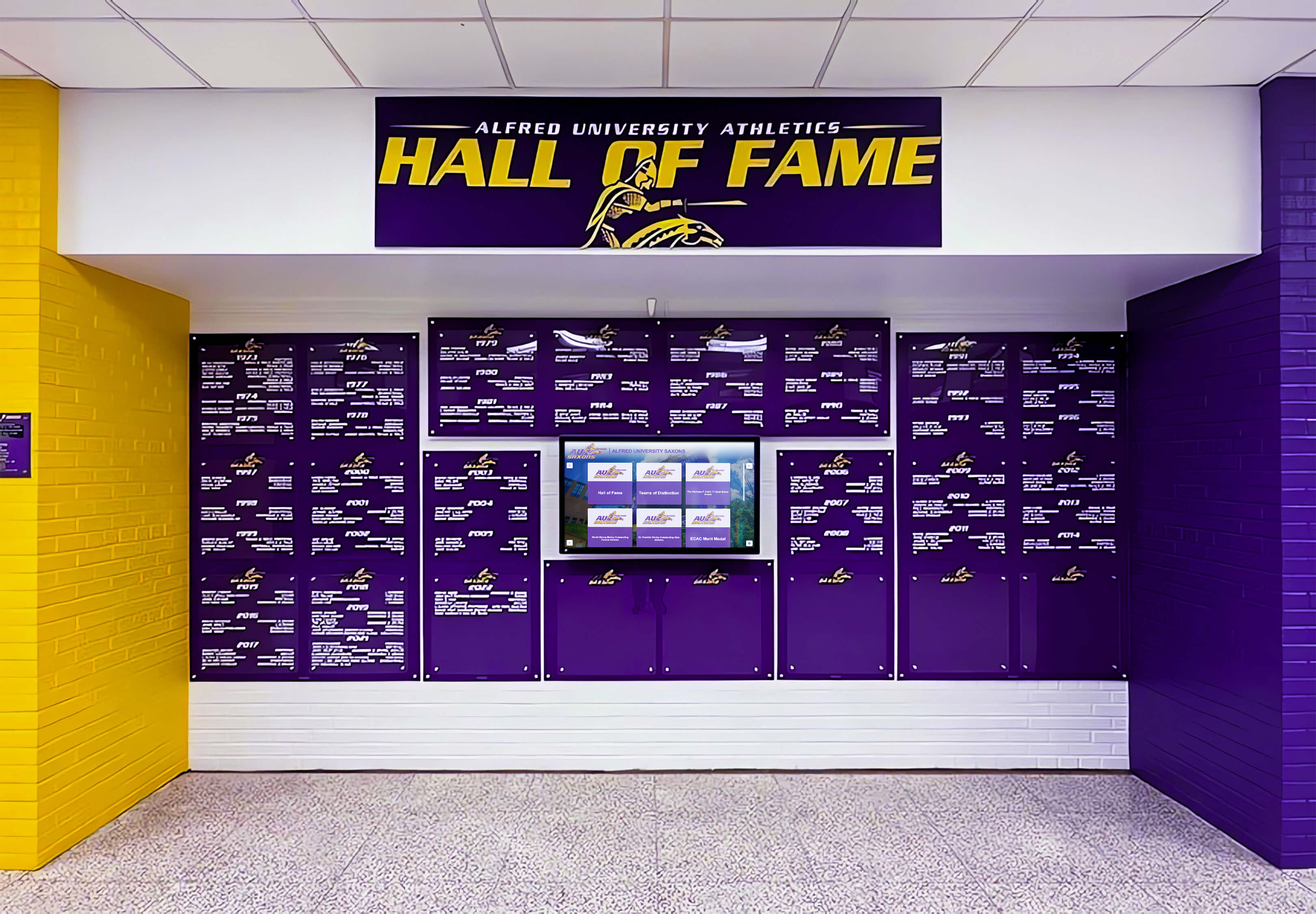
Consistent photo standards across a profile library create the visual cohesion that transforms a database of records into a professional recognition display.
Photo Field Specifications
Primary portrait:
- Minimum resolution: 1200 × 1500 pixels
- Format: JPG or PNG
- Background: Neutral or institutional (avoid informal selfies)
- Era: Captured during active enrollment (may be updated post-graduation)
- Rights: School-owned or family-released with written permission
Action or archival image:
- At least one in-competition or in-uniform image
- Caption field: date, event, photographer credit
- Rights documentation required before digital display use
Team context image:
- Optional but recommended for hall of fame displays
- Championship team photo, senior day photo, or record-setting event image
Video Fields
Field specifications:
- Highlight video URL (hosted on institutional YouTube or Vimeo preferred)
- Video rights holder
- Duration
- Caption or description
For programs evaluating digital recognition platforms, the ten best hall of fame tools spanning athletics, donors, and arts programs include platforms that natively embed video within athlete profile displays rather than linking to external sites.
Section 5: The Achievement Biography
The biography is where the profile becomes a recognition instrument rather than a database record. Two versions should be collected and maintained:
Short Biography (60–100 words)
This version appears on physical plaques, hall of fame display cards, and program introductions. Every word must be justified. Avoid statistical dumps; use statistics to anchor narrative claims.
Effective structure:
- One sentence establishing the athlete’s role and era
- One to two sentences on the defining achievement or competitive contribution
- One sentence on post-graduation accomplishment or legacy
Example (baseball): Center fielder for three conference championship teams (2019–22), Martinez anchored a defense that led the conference in outfield assists for consecutive seasons. A three-time All-Conference selection, he posted the program’s highest single-season batting average (.389) since 1997. He currently serves as a hitting coach at the Division I level.
Extended Biography (300–600 words)
The extended biography lives on the digital profile and can be updated over time. It allows full narrative development—including teammate relationships, program milestones the athlete witnessed, and the arc of their athletic career from recruitment through graduation.
Structural elements:
- Arrival context: recruiting story, program state at enrollment
- Career arc: development, key moments, competitive highlights
- Team contributions beyond individual statistics
- Academic and community involvement during enrollment
- Post-graduation life update (refreshed every two to three years for active alumni)
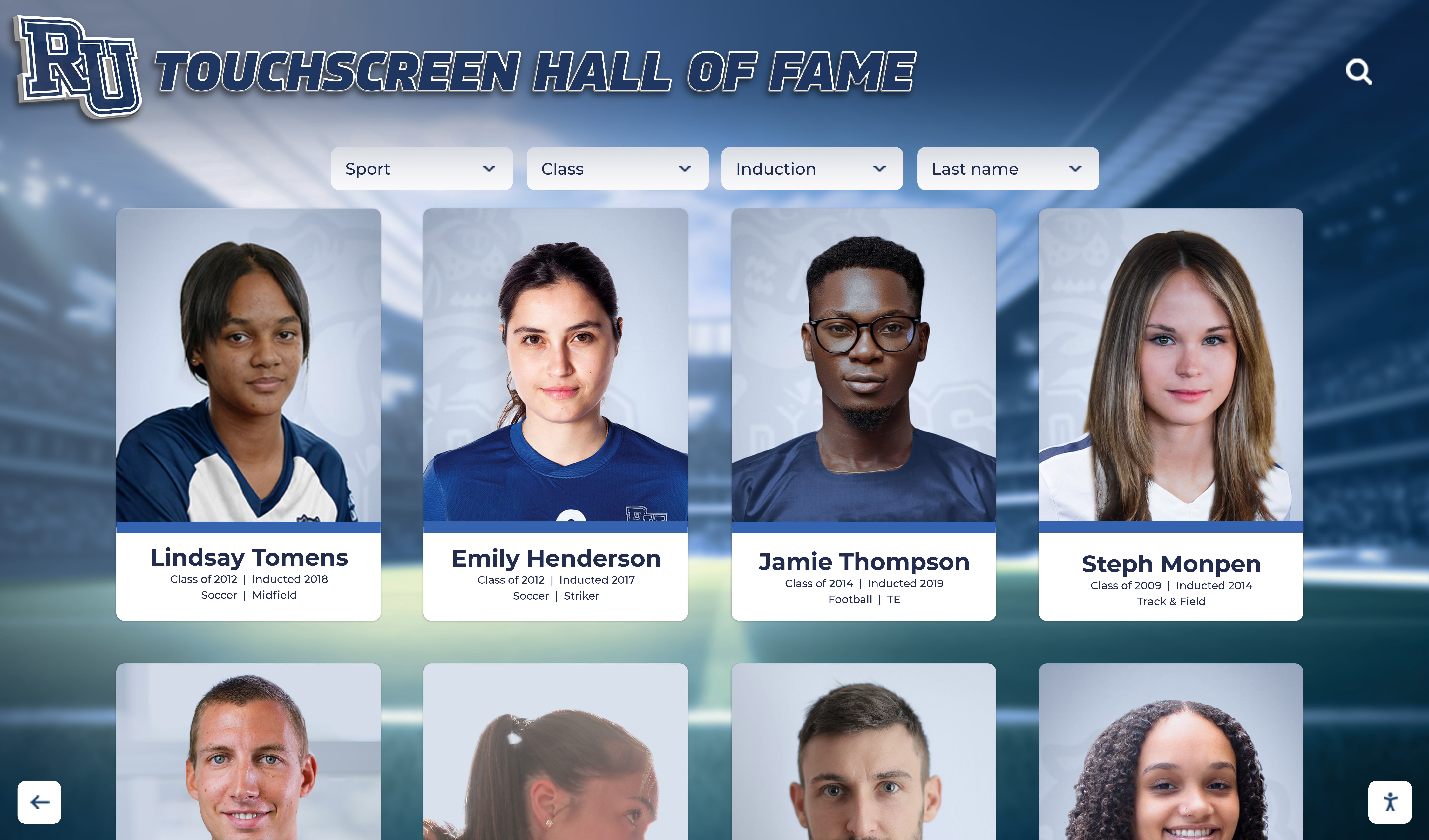
A profile library built on consistent field standards displays as a cohesive recognition system—every card carries the same data architecture even as the athletes and eras change.
Section 6: Post-Graduation and Alumni Update Fields
The most underbuilt part of every university athlete profile is the post-graduation record. Athletic communications offices rarely maintain updates after an athlete departs. Alumni relations offices often lack the athletic program context to know what was distinguished about a player’s career. The result is a recognition record that peaks at graduation and never grows.
Fields That Require Active Alumni Engagement
Career and professional data:
- Current occupation and employer
- Professional athletic career (if applicable): leagues, teams, years, notable accomplishments
- Career transition from athletics: coaching, athletic administration, sports media, business
- Professional honors and recognition
Civic and community data:
- Community service leadership
- Nonprofit board service
- Public office or civic recognition
Alumni engagement data:
- Mentorship program participation
- Reunion attendance
- Giving history (for advancement coordination — not displayed publicly)
- Willingness to be featured in storytelling campaigns
Update Cadence Governance
| Trigger | Who Initiates | Who Approves | Frequency |
|---|---|---|---|
| Graduation | Athletic communications | Athletic director | One-time baseline |
| Hall of fame nomination | Alumni relations | Selection committee | At nomination |
| Post-graduation update | Alumni via form or outreach | Alumni relations | Every 2–3 years |
| Professional milestone | Communications or alumni self-report | Department director | As reported |
| Media inquiry | Athletic communications | Department director | As needed |
Reusable Template: University Athlete Profile Intake Form
Copy and adapt this form for use at the point of graduation, nomination, or profile creation.
UNIVERSITY ATHLETE PROFILE — DATA COLLECTION FORM
Complete all sections and return to [Program Coordinator] by [Date]. Information collected here will be used for athletic hall of fame displays, alumni directory listing, and institutional recognition materials.
SECTION A — IDENTITY Full legal name: ____________________________________________ Preferred display name (if different): _______________________ Name during enrollment (if changed): _______________________ Pronouns (optional): _______________________________________
SECTION B — ENROLLMENT Sport(s) competed in: _______________________________________ Primary position: ___________________________________________ Jersey number(s): __________________________________________ Academic years enrolled: _________________ to ________________ Graduation year and degree: _________________________________ Major(s): _________________________________________________ Hometown and high school: __________________________________
SECTION C — ATHLETIC CAREER Career statistics (attach summary or link to official record): ___
Career high — single season: ________________________________ Career high — single game or event: _________________________ Team records held: _________________________________________ Team championships participated in (year and level): __________
SECTION D — AWARDS AND RECOGNITION (list all; include year for each) All-conference selections: All-region or national selections: Institutional awards (MVP, captain, senior awards): Academic honors (Dean’s List, All-Academic): Community service or character awards:
SECTION E — BIOGRAPHY Short biography for hall of fame display (60–100 words — we will edit):
Extended biography for digital profile (300–600 words preferred):
SECTION F — MEDIA ASSETS Primary portrait photo: ☐ Attached ☐ Will send by: __________ Action or in-uniform photo: ☐ Attached ☐ Not available Team context photo: ☐ Attached ☐ Not available Video highlight URL: _______________________________________ Photo rights: ☐ School-owned ☐ Family permission granted ☐ Third-party (source: _________)
SECTION G — POST-GRADUATION Current occupation and employer: ___________________________ Professional athletic career (if applicable): ___________________ Notable post-graduation accomplishments: ____________________ Willing to participate in mentorship programs: ☐ Yes ☐ No Willing to be contacted for alumni storytelling: ☐ Yes ☐ No Current email: _____________________________________________ Phone: ___________________________________________________ Preferred contact method: __________________________________
Programs designing broader athlete awards structures that complement profile pages can reference 100-plus youth and collegiate sports award ideas to build a nomination vocabulary that feeds directly into the awards field on this form.
Section 7: Governance Guide for Profile Library Management
A university athlete profile template is only as valuable as the process that populates it consistently. These governance decisions should be made before the first profile is created.
Ownership and Responsibility
Who owns the master profile record? In most university settings, athletic communications owns the athletic career data; alumni relations owns the post-graduation data; advancement owns the giving relationship. A profile library that serves all three must have a designated system of record — typically the alumni database or a purpose-built recognition platform — with defined input privileges for each department.
Who has edit authority? Establish tiered permissions: athletic communications staff can update career statistics and honors; alumni relations can update post-graduation fields; a designated administrator controls induction class designation and display visibility. Without tiered permissions, profile records degrade quickly as multiple staff members overwrite each other’s updates.
Data Collection Triggers
At roster departure: Every athlete who exhausts eligibility, transfers, or graduates should complete the intake form within 30 days of their final game. This window is when athletes are most responsive, photo assets are most current, and career data is most accurate.
At hall of fame nomination: Nomination triggers a full profile audit. Missing fields should be researched before induction, not after. Programs that skip this step regularly discover at induction ceremonies that plaques contain inconsistencies that embarrass the program publicly.
At reunion or significant alumni event: Use reunion registration as a profile update trigger. A five-question update form embedded in the registration workflow captures current career data with minimal friction.
For programs evaluating recognition tools that automate these collection workflows, hall of fame platform comparisons covering athletics and alumni programs offer benchmarks for what modern platforms handle natively versus what requires manual management.
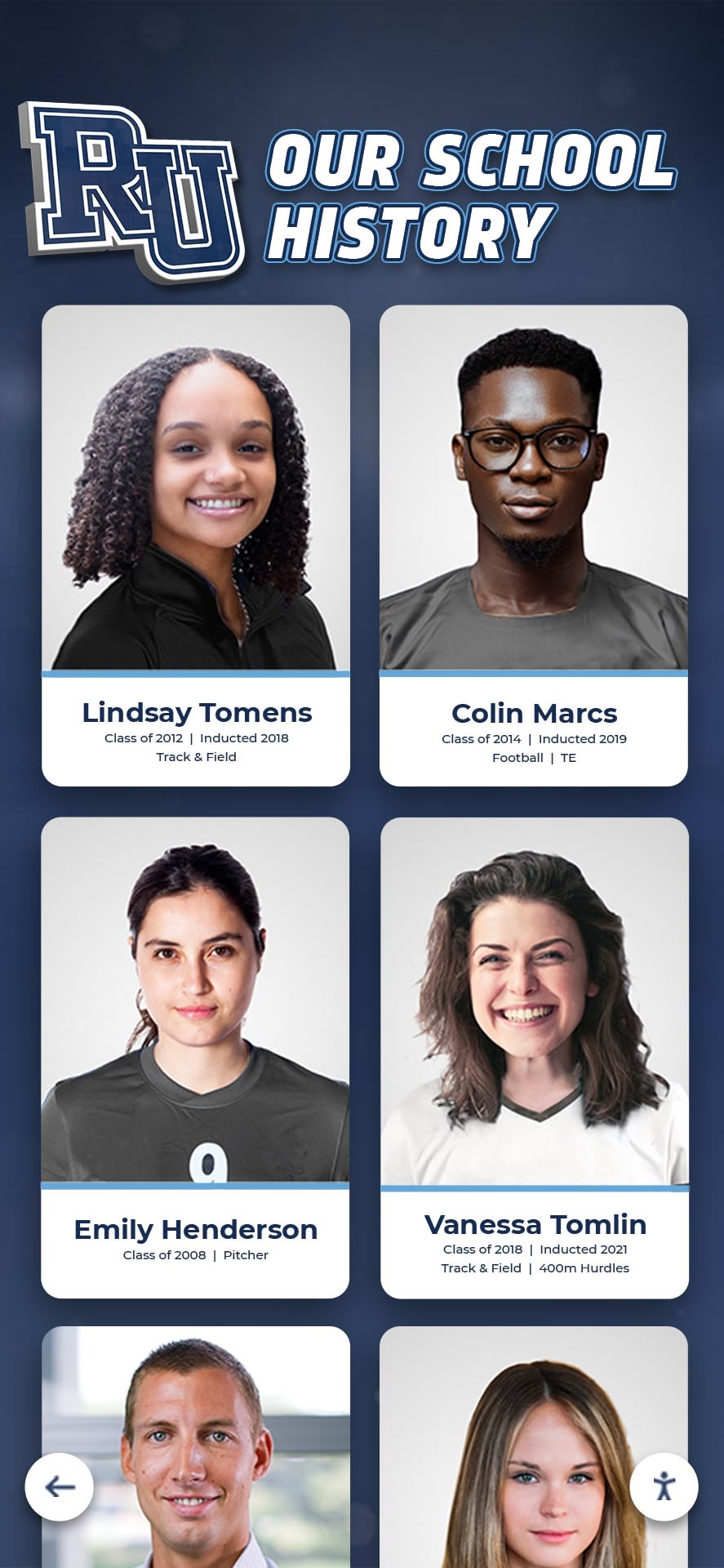
Profile card grids let visitors navigate decades of athlete recognition history—but only if every profile was built on the same field standards from the start.
Section 8: Integrating Profiles with Physical and Digital Displays
A university athlete profile page built on the template above is the source record that feeds every recognition surface downstream. Understanding those surfaces helps teams prioritize which fields to collect first when resources are limited.
Physical Hall of Fame Plaques
Physical plaques consume a small subset of profile data: display name, years of affiliation, primary achievement summary (40–80 words), and one primary photo. Programs that build complete profile records first and extract plaque content second avoid the most common plaque error—engraving data that the full record would have corrected.
Lobby and Arena Touchscreen Displays
Touchscreen hall of fame kiosks can display the full profile record, including extended biography, full statistics, photo galleries, video highlights, and post-graduation updates. The benefit of a touchscreen is that it is never space-constrained: a profile that would fill a wall of plaques fits on a single interactive card that visitors browse at their own depth.
Digital recognition tools built specifically for athletics programs typically include cloud-based content management systems that let staff update profile fields remotely and push changes to lobby displays without hardware access.
Online Alumni Directory
The same profile fields that power a hall of fame display can populate a searchable online alumni directory, allowing current students, prospective athletes, and community members to find alumni by sport, graduation year, hometown, or profession. This cross-audience utility justifies the investment in thorough data collection.
Mobile and App Experiences
Programs with mobile-accessible alumni portals can surface abbreviated profile cards—name, photo, sport, graduation year, current career—while linking to full profiles on demand. The key architectural requirement is that the mobile record pulls from the same source as the physical display, not a separately maintained data set.
For programs exploring how hall of fame tools compare across interactive display types, a guide to the best hall of fame recognition tools covers platforms that support unified content management across physical, digital, and online surfaces.
Frequently Asked Questions: University Athlete Profile Pages
What fields are required versus optional on a university athlete profile?
Required fields for any profile that will appear on a physical plaque or public digital display are: full display name, years of affiliation, sport or category, and achievement summary. All other fields are recommended but optional, with the caveat that incomplete profiles limit the profile’s usefulness for alumni engagement, advancement, and digital display depth.
Who should have editing access to an athlete’s profile after graduation?
At minimum, three parties need controlled access: athletic communications (career data), alumni relations (post-graduation data), and an administrative owner who controls induction status and display visibility. Athletes themselves may also be given a limited self-service update portal if the platform supports it—this is the most efficient way to maintain current career and contact information at scale.
How often should post-graduation profile fields be updated?
Best practice is a formal update request every two to three years, triggered by reunion cycles or annual alumni communications campaigns. Platforms that embed a short update form in reunion registration or annual alumni newsletters capture the most updates with the least staff burden.
Can a university athlete profile template be used for coaches and staff as well?
Yes, with minor field modifications. Replace sport-specific statistics fields with program record fields (win-loss record, conference championships, years of service). Biography and awards fields apply directly. Programs that use the same template architecture for athletes, coaches, and staff can build unified hall of fame displays that recognize the full program community rather than athletes alone.
What is the difference between an athlete profile page and a hall of fame inductee profile?
An athlete profile is created for every rostered athlete, regardless of recognition status. A hall of fame inductee profile is a subset of the athlete profile library, elevated to display status through a selection process. The fields overlap almost entirely—which is why building athlete profiles during enrollment creates the data foundation that makes hall of fame induction a content curation step rather than a research project.
How does a university athlete profile integrate with advancement and donor communications?
Profile data supports advancement in three ways: it identifies athletic alumni segments for sport-specific giving campaigns; it provides cultivation content (athlete’s career story, post-graduation accomplishments) for gift officer conversations; and it surfaces class-year and sport-based cohorts for annual giving outreach. Advancement staff should have read access to profile records with controlled coordination on any information that crosses into giving history.
Building award structures that complement profile pages—from seasonal team awards to multi-year recognition programs—follows the same logic as profile field design. Programs that document awards consistently in the profile record never need to reconstruct nomination history from archived PDF programs. Athletic and youth sports award frameworks offer vocabulary models that translate directly into the awards fields on a university athlete profile intake form.
For programs approaching hall of fame induction or physical display production alongside digital profile development, resources covering what schools should include before creating digital inductee profiles provide a complementary field-level checklist focused on the plaque-to-profile data flow.
Turn Your Athlete Profile Library Into a Living Recognition System
A complete university athlete profile template is the foundation. Rocket Alumni Solutions is the platform that puts those profiles in front of the athletes, alumni, students, and families who matter most—through touchscreen lobby displays, cloud-managed content, and recognition systems that stay current without constant staff intervention.
From intake form to installed display, Rocket handles the content architecture, ADA-compliant design, and ongoing CMS support that keeps your athlete profile library alive for the next generation.































