




Digital signage screens have revolutionized how organizations communicate, educate, and engage audiences. From interactive touchscreen kiosks celebrating student achievements to large-format video walls showcasing dynamic content, the right display technology can transform spaces while delivering measurable impact. Yet with numerous screen types, technologies, and specifications available, selecting appropriate displays for your specific application requires understanding fundamental differences in display technology, performance characteristics, and long-term operational considerations.
Many institutions considering digital signage face critical questions: What differentiates commercial displays from consumer televisions? How do LCD, LED, and OLED technologies compare for various applications? When should you choose interactive touchscreens versus passive displays? What specifications truly matter for recognition applications, wayfinding systems, or communication displays? How do indoor and outdoor requirements differ?
This comprehensive guide explores every major digital signage screen type, providing decision-makers with practical insights for evaluating display technologies, understanding technical specifications, comparing costs and capabilities, and selecting displays that deliver lasting value while meeting specific organizational needs effectively.
Digital signage encompasses far more than simple electronic bulletin boards—modern display systems create engaging visual experiences, facilitate interactive exploration, deliver critical information instantly, and transform how communities experience spaces. Understanding the technologies powering these systems enables organizations to make informed investment decisions aligned with communication goals, audience needs, and long-term operational sustainability.

Interactive touchscreen displays combine advanced screen technology with intuitive software for engaging user experiences
Understanding Digital Signage Display Technology Fundamentals
Before comparing specific screen types, understanding the underlying technologies and core components helps organizations evaluate options effectively.
What Makes Digital Signage Displays Different from Consumer TVs
Many organizations wonder whether consumer televisions can serve digital signage needs. While tempting due to lower initial costs, significant differences exist:
Commercial vs. Consumer Display Engineering
Commercial digital signage displays differ fundamentally from consumer televisions:
- Operating Hours: Commercial displays operate 16-24 hours daily for years, while consumer TVs expect 4-8 hours daily use
- Panel Durability: Commercial panels withstand continuous operation with 50,000-100,000 hour lifespans versus 20,000-30,000 hours for consumer TVs
- Warranty Coverage: Commercial displays provide 3-5 year warranties versus 1-2 years for consumer models
- Brightness Specifications: Commercial units deliver 300-700 nits brightness for varied lighting versus 200-400 nits in consumer TVs
- Cooling Systems: Enhanced thermal management prevents overheating during continuous operation
- Mounting Options: Commercial displays offer flexible portrait/landscape mounting with robust mounting systems
According to display industry research, commercial displays cost 2-3 times more initially but provide 3-5 times longer operational life, making total cost of ownership significantly lower for continuous-use applications.
Feature Differences
Commercial displays also provide features specifically designed for signage applications:
- Content Management Compatibility: Built-in support for digital signage media players and content management systems
- Network Management: Remote monitoring, control, and diagnostics via network connections
- Simplified Interfaces: Commercial displays eliminate consumer-focused smart TV features and interfaces
- Consistent Performance: Factory color calibration ensures consistent appearance across multiple displays
- Scheduled Operation: Automatic power scheduling without external controllers
Learn about comprehensive approaches to digital display implementation in institutional environments.
Core Display Technology Components
Digital signage displays consist of several integrated systems working together:
Display Panel Technology
The panel creates the actual visual image:
- Liquid Crystal Display (LCD): Liquid crystals manipulated by electric currents block or allow backlight passage
- Light Emitting Diode (LED): Microscopic LEDs emit light directly without requiring separate backlighting
- Organic LED (OLED): Organic compounds emit light when electrical current applied
- MicroLED: Microscopic inorganic LEDs providing extreme brightness and efficiency (emerging technology)
Backlight Systems (for LCD displays)
Illumination systems enabling LCD visibility:
- Edge-Lit LED: LEDs positioned around panel edges with light distribution across surface
- Direct-Lit LED: LED array positioned directly behind LCD panel
- Full-Array Local Dimming: Independent LED zones enabling precise brightness control and deeper blacks
- Quantum Dot Enhancement: Nanocrystal layer improving color accuracy and brightness
Control Electronics
Computing systems managing display operation:
- Built-in Media Players: Integrated systems running content without external computers
- System-on-Chip (SoC): Complete computing system integrated into display panel
- External Media Players: Separate computers connecting to displays
- Content Management Software: Cloud-based or local systems managing content scheduling and distribution
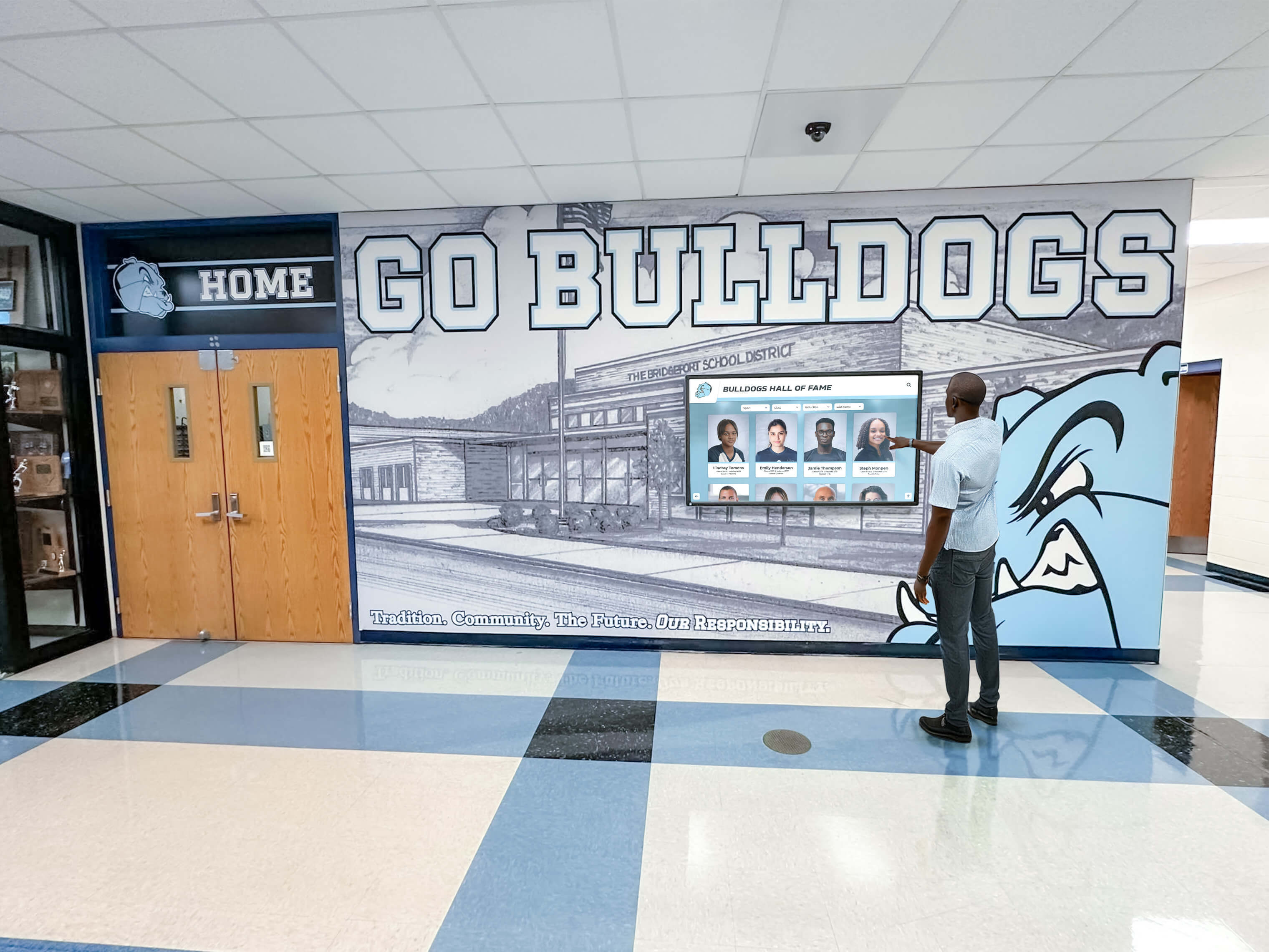
Modern digital signage displays integrate advanced technology with intuitive interfaces for public interaction
LCD Displays: The Standard for Digital Signage
Liquid Crystal Display technology remains the most common choice for digital signage applications, offering reliable performance at accessible price points.
How LCD Technology Works
Understanding LCD operation clarifies capabilities and limitations:
LCD Fundamentals
LCD displays operate through layered systems:
- Backlight Source: LED backlighting provides illumination from behind the panel
- Polarizing Filters: Control light direction through the display layers
- Liquid Crystal Layer: Molecules that twist or untwist in response to electrical current
- Color Filters: Red, green, and blue subpixel filters creating full-color images
- Front Polarizer: Final filter ensuring only desired light reaches viewers
This layered approach means LCDs don’t emit light directly—they control backlight passage to create images.
LCD Display Advantages for Digital Signage
LCD technology offers several benefits making it popular for signage applications:
Cost-Effectiveness
LCD displays provide accessible entry into digital signage:
- Lower manufacturing costs than OLED or microLED alternatives
- Wide availability from numerous manufacturers creating competitive pricing
- Economies of scale from widespread consumer and commercial production
- Reasonable total cost of ownership including initial purchase and operation
Brightness Performance
Modern LCD displays deliver excellent brightness:
- Commercial LCD panels typically provide 300-700 nits brightness
- Sufficient for most indoor applications including bright lobbies and hallways
- High-brightness models reaching 2,500-4,000 nits for outdoor or extremely bright environments
- Consistent brightness across panel surface
Size Availability
LCD panels come in extensive size ranges:
- Small format: 10-32 inches for tabletop and point-of-purchase applications
- Medium format: 32-55 inches for hallway and office installations
- Large format: 55-98 inches for lobbies and gathering spaces
- Extra-large formats exceeding 100 inches available for specialized applications
Color Accuracy and Image Quality
Professional LCD displays deliver excellent visual quality:
- Wide color gamut coverage reproducing vibrant, accurate colors
- High resolution options including 4K (3840×2160) and even 8K in large formats
- Consistent image quality over time without burn-in risks
- Excellent viewing angles (178 degrees typical for commercial IPS panels)
Explore how LCD displays enhance interactive recognition systems in educational settings.
LCD Display Limitations
Understanding LCD constraints helps set appropriate expectations:
Contrast Ratio Limitations
LCD technology faces inherent contrast challenges:
- Backlight always illuminated even when displaying black content
- Typical contrast ratios of 1000:1 to 3000:1 (lower than OLED’s infinite contrast)
- Black areas appear slightly gray, particularly in dark viewing environments
- Local dimming improves contrast but increases cost and complexity
Viewing Angle Considerations
While commercial IPS panels offer wide viewing angles, limitations exist:
- Image quality degrades when viewed from extreme angles
- Color and contrast shift slightly off-axis
- Brightness decreases at severe viewing angles
- Important consideration for displays viewed from various positions
Response Time
LCD pixels take time to change states:
- Typical response times of 5-8 milliseconds
- Can cause motion blur in fast-moving content
- Generally adequate for static or moderately dynamic signage content
- Professional displays minimize but don’t eliminate response time issues
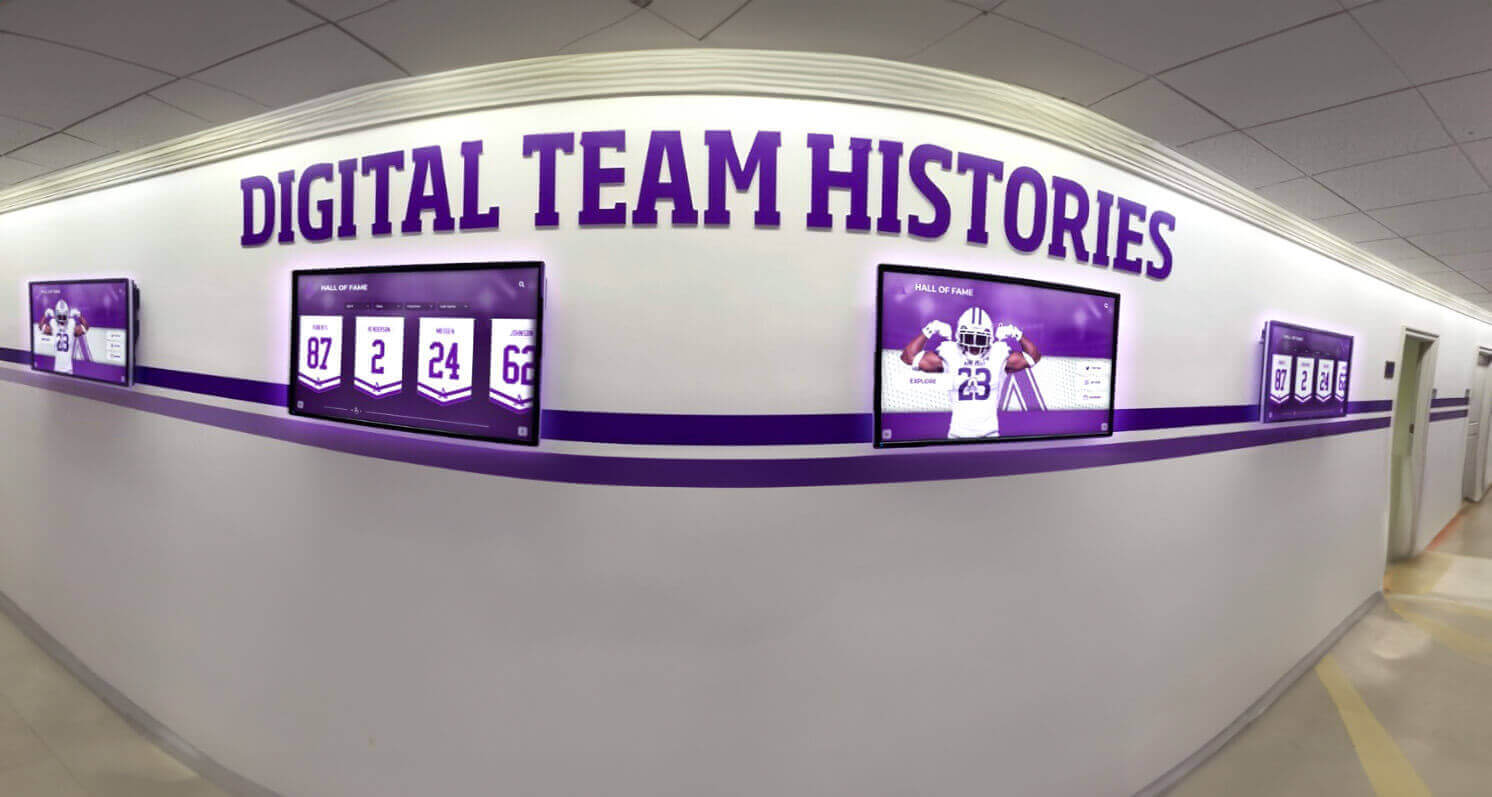
LCD displays excel in hallway installations providing reliable, bright content delivery for years of continuous operation
LED Displays: High-Impact Visual Communication
LED display technology encompasses two distinct categories: LED-backlit LCD displays (covered above) and direct-view LED displays where LEDs create images directly without LCD panels.
Direct-View LED Display Technology
Direct-view LED displays (often called “LED walls” or “LED video walls”) work fundamentally differently from LCD:
Technology Overview
Direct-view LED systems consist of:
- LED Modules: Tiles containing red, green, and blue LED arrays
- Pixel Pitch: Distance between LED pixels (measured in millimeters)
- Cabinet Structure: Metal frames holding multiple LED modules
- Control Systems: Processors managing content distribution across the display surface
Unlike LCD panels manufactured in fixed sizes, direct-view LED displays scale to virtually any size by combining modular tiles.
Pixel Pitch and Viewing Distance
Understanding pixel pitch is critical for LED display selection:
Pixel Pitch Explained
Pixel pitch determines appropriate viewing distance and image quality:
- Fine Pitch (1-3mm): Suitable for viewing from 3-10 feet, providing detailed images for close viewing
- Medium Pitch (4-6mm): Appropriate for viewing from 10-20 feet, common for indoor large-format displays
- Standard Pitch (6-10mm): Suitable for viewing from 20-40 feet, typical for large event screens
- Wide Pitch (10mm+): Designed for viewing from 40+ feet, used for outdoor billboards and stadium displays
A general rule suggests minimum viewing distance equals pixel pitch in millimeters multiplied by 10. For example, a 4mm pixel pitch display should be viewed from at least 40 feet (12 meters) for optimal experience.
Resolution Considerations
Direct-view LED resolution depends on physical size and pixel pitch:
- Smaller pixel pitch creates higher resolution in same physical size
- Large LED walls may have lower total pixel resolution than smaller LCD displays
- Content must be created appropriate to display resolution and viewing distance
- Pixel density affects both image quality and cost significantly
LED Display Advantages
Direct-view LED displays offer unique capabilities:
Seamless Large-Scale Installations
LED displays excel at very large formats:
- Modular construction enables displays of any size and shape
- No visible bezels interrupting image like LCD video walls
- Curved and irregular shapes possible with flexible modules
- Outdoor models withstand weather for permanent exterior installations
Extreme Brightness
LED displays deliver exceptional brightness:
- Indoor models typically provide 800-2,000 nits brightness
- Outdoor models deliver 5,000-10,000 nits for sunlight visibility
- No backlighting system limiting maximum brightness
- Excellent performance in extremely bright environments
Long Lifespan
Quality LED displays operate reliably for years:
- LED modules rated for 100,000+ hours operation
- Approximately 10-15 years continuous operation before significant degradation
- Individual module replacement extends display life
- Lower maintenance requirements than projection systems
Learn about video wall implementations creating dramatic recognition experiences.
LED Display Limitations
Direct-view LED technology has important constraints:
Higher Cost
LED displays require significant investment:
- Fine-pitch LED walls cost $1,000-5,000+ per square foot installed
- Total costs for medium-sized installations often reach $50,000-200,000+
- Substantially more expensive than equivalent-sized LCD video walls
- Cost increases dramatically as pixel pitch decreases
Viewing Distance Requirements
Close viewing reveals individual LEDs:
- Pixelation visible when viewing too closely
- Not suitable for applications requiring close examination of detailed content
- Works best for large-space applications with appropriate viewing distances
- Fine-pitch models required for closer viewing significantly increase costs
Content Considerations
LED displays require specialized content:
- Content resolution must match display specifications
- Standard computer displays (1080p, 4K) may not map directly to LED resolution
- Content creation requires understanding of pixel pitch and viewing distance
- Professional content management systems essential for optimal presentation
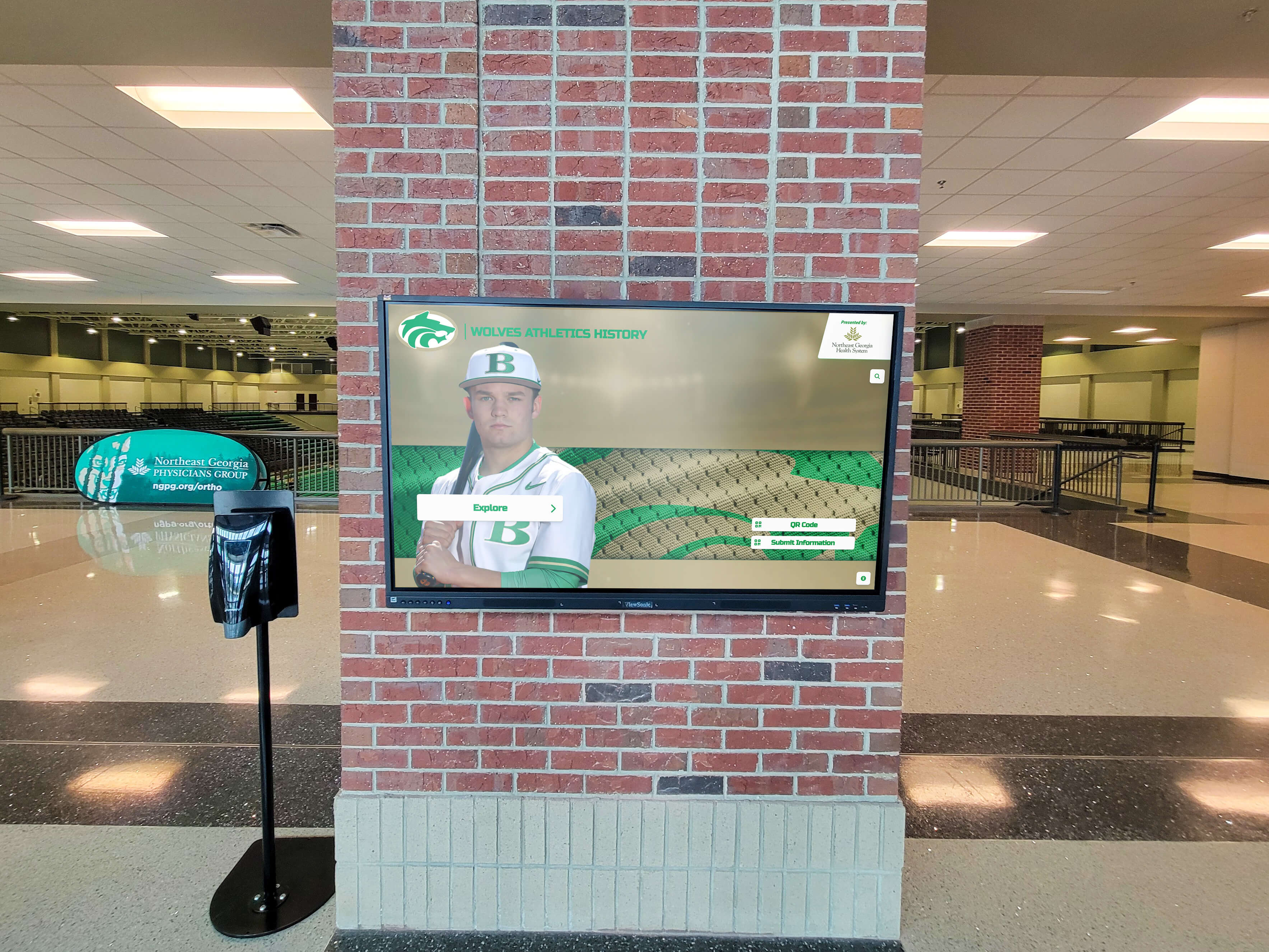
Large-format displays create dramatic impact in high-ceiling spaces like athletic facility lobbies and arenas
OLED Displays: Premium Image Quality
Organic Light Emitting Diode technology represents the premium end of display technology, offering superior image quality with some operational considerations.
OLED Technology Overview
OLED displays differ fundamentally from LCD technology:
How OLED Works
OLED operation principles:
- Self-Emissive Pixels: Each pixel generates its own light without backlighting
- Organic Compounds: Carbon-based materials emit light when electrical current applied
- True Black Levels: Pixels turn completely off for absolute black
- Thin Construction: No backlight layer enables extremely thin displays
- Flexible Potential: Organic materials enable curved and flexible displays
This self-emissive nature creates advantages impossible with backlit LCD technology.
OLED Display Advantages
OLED technology delivers exceptional visual performance:
Superior Contrast and Black Levels
OLED provides unmatched contrast:
- Infinite contrast ratio from true black capability
- Individual pixels turn completely off for black content
- No backlight bleeding or gray blacks
- Exceptional image quality in dark viewing environments
- Superior viewing experience for video and photographic content
Wide Viewing Angles
OLED maintains image quality from extreme angles:
- Minimal color and brightness shift off-axis
- Consistent image quality from virtually any viewing position
- Superior to LCD for displays viewed from various locations
- Important for high-traffic areas with varied viewer positions
Fast Response Time
OLED pixels change states instantly:
- Sub-millisecond response time
- No motion blur even with fast-moving content
- Exceptional performance for video and animation
- Smooth transitions and dynamic content display
Thin, Lightweight Design
OLED construction enables elegant installations:
- Displays as thin as 2-4mm possible
- Lightweight construction simplifies mounting
- Minimal visual impact when powered off
- Elegant aesthetics for premium environments
OLED Display Limitations
OLED technology faces important constraints for signage applications:
Burn-In Susceptibility
OLED’s most significant limitation for signage:
- Static content can cause permanent ghost images on screen
- Logos, text, and unchanging elements create highest risk
- Degradation occurs more rapidly than LCD technology
- Mitigation requires varied content and pixel-shifting features
- Problematic for applications with static interface elements
Brightness Constraints
OLED brightness lags behind LCD and LED:
- Typical OLED brightness ranges 300-500 nits
- Lower than commercial LCD displays (300-700 nits)
- Significantly lower than outdoor LED (5,000-10,000 nits)
- May struggle in very bright ambient lighting
- Not suitable for outdoor signage applications
Higher Cost
OLED commands premium pricing:
- 2-3 times cost of equivalent LCD displays
- Limited availability in large commercial formats
- Economies of scale not yet achieved for commercial signage
- Cost-prohibitive for many institutional applications
Limited Large Format Availability
OLED signage displays remain uncommon in large sizes:
- Most commercial OLED displays limited to 55-77 inches
- Larger formats extremely expensive and limited availability
- LCD remains dominant for large-format signage applications
- OLED more common in consumer TVs than commercial signage
Discover how premium display technology enhances donor recognition installations.
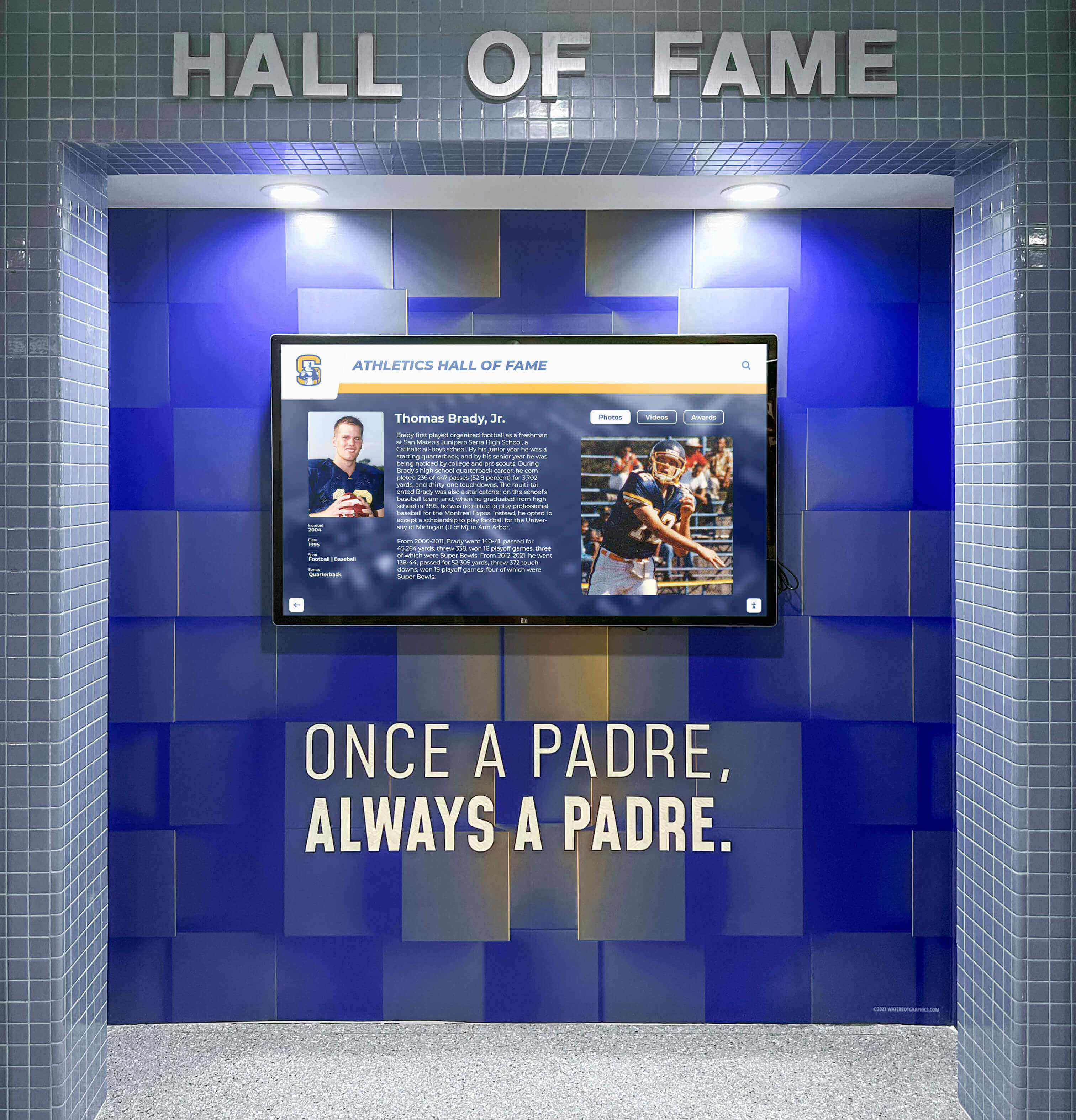
Display technology choice depends on ambient lighting, viewing distance, content type, and budget considerations
Interactive Touchscreen Displays
Interactive touchscreen technology transforms passive displays into engaging systems enabling user interaction and content exploration.
Touchscreen Technology Types
Several distinct technologies enable touch interaction:
Capacitive Touchscreens
Most common modern touchscreen technology:
- Operation: Detects electrical conductivity changes from finger contact
- Accuracy: Precise touch detection and gesture support
- Durability: Glass surface resists wear and is easy to clean
- Limitations: Requires bare finger contact (doesn’t work through gloves unless specially designed)
- Cost: Moderate to high depending on size
- Best For: Public-facing interactive displays requiring smartphone-like experience
Infrared Touchscreens
Alternative technology with different characteristics:
- Operation: Invisible infrared light grid across screen surface detects touch
- Accuracy: Good accuracy though slightly less precise than capacitive
- Durability: No overlay degradation as touch detection separate from screen
- Advantages: Works with gloves, styluses, or any object
- Cost: Moderate cost, competitive with capacitive
- Best For: Large-format displays and environments requiring glove use
Resistive Touchscreens
Older technology still used in specialized applications:
- Operation: Pressure on flexible overlay connects to conductive layer beneath
- Accuracy: Lower precision than modern alternatives
- Durability: Overlay degrades over time with heavy use
- Advantages: Works with gloves, styluses, and any contact
- Limitations: Less responsive feel than capacitive
- Best For: Industrial environments and specialized applications
According to touchscreen technology research, capacitive technology has become the standard for public-facing interactive signage due to familiar smartphone-like interaction and superior user experience.
Interactive Display Applications
Touchscreen displays excel in specific applications:
Recognition and Exploration Systems
Interactive displays transform recognition:
- Searchable databases of students, athletes, alumni, and achievements
- Detailed profiles with photos, videos, and biographical information
- Intuitive navigation enabling discovery and exploration
- Engagement times 5-10× longer than static displays
- Social gathering points where communities explore together
Solutions like Rocket Alumni Solutions provide comprehensive interactive recognition platforms specifically designed for educational and organizational achievement celebration.
Wayfinding and Directory Systems
Interactive directories enhance navigation:
- Searchable building and campus maps
- Department and personnel directories
- Real-time event schedules and room availability
- Multi-language support for diverse audiences
- Integration with mobile devices for directions
Information Kiosks
Self-service information access:
- Visitor information and attraction guides
- Facility services and amenities location
- FAQ and information resource access
- Form completion and service requests
- Reduced staff workload for routine inquiries
Learn about interactive touchscreen implementation in educational environments.
Interactive Display Considerations
Touchscreen systems require special planning:
Mounting Height and Accessibility
Physical positioning affects usability:
- ADA guidelines suggest maximum 48-inch reach height for controls
- Touchscreen centers typically positioned 42-52 inches from floor
- Tilted installations improve ergonomics and reduce glare
- Adequate clearance for wheelchair access essential
- Consider varied user heights from children to adults
Software and Content Management
Interactive systems require specialized software:
- Purpose-built content management for interactive applications
- Intuitive user interfaces designed for public use without training
- Analytics tracking usage patterns and popular content
- Remote management for content updates and troubleshooting
- Security features preventing unauthorized access or tampering
Maintenance Requirements
Interactive displays need regular attention:
- Frequent cleaning to remove fingerprints and smudges
- Anti-microbial coatings recommended for high-traffic applications
- Protective tempered glass preventing screen damage
- Vandalism-resistant enclosures for unsupervised locations
- Regular testing ensuring responsive touch operation

Freestanding interactive kiosks provide complete signage solutions without requiring wall mounting or extensive installation
Video Wall Systems
Video wall installations combine multiple displays creating large-scale visual impact and flexible configuration options.
Video Wall Configuration Types
Several approaches create video wall installations:
LCD Video Walls
Most common video wall implementation:
- Configuration: Multiple narrow-bezel LCD panels positioned adjacent to create larger display
- Bezel Width: Modern panels feature 1-3mm bezels creating minimal visual interruption
- Sizes: Typically using 46-55 inch panels as building blocks
- Layouts: Common configurations include 2×2 (four panels), 3×3 (nine panels), or custom arrangements
- Resolution: Each panel contributes its full resolution to total wall resolution
LED Video Walls
Seamless alternative using direct-view LED technology:
- Configuration: Modular LED tiles combining to create displays of any size
- Seamless Design: No bezels or gaps between modules
- Flexibility: Curved walls and irregular shapes possible
- Brightness: Superior brightness for high-ambient-light environments
- Cost: Significantly higher investment than LCD alternatives
Projection Walls
Older technology using projectors:
- Operation: Single or multiple projectors displaying content on specialized screens
- Size: Capable of very large display areas
- Limitations: Lower brightness, ongoing bulb replacement costs, physical depth requirements
- Declining Use: LCD and LED technologies have largely replaced projection for most signage applications
Video Wall Advantages
Multi-display systems offer unique capabilities:
Dramatic Scale and Impact
Large-scale displays create memorable impressions:
- Display sizes impossible with single panels
- Creates architectural focal points and destinations
- Superior visibility from distance in large spaces
- Dramatic presentations for special events and ceremonies
- Flexible aspect ratios beyond standard display proportions
Content Flexibility
Multiple panels enable varied content strategies:
- Single large image spanning entire wall
- Multiple content zones showing different information simultaneously
- Mixed layouts combining full-screen and segmented content
- Real-time content adjustment based on needs
- Special event configurations different from daily display
Redundancy and Reliability
Multiple displays provide operational advantages:
- Single panel failure doesn’t disable entire system
- Content can reflow to working displays during repair
- Higher overall reliability than single large LED wall
- Easier replacement of failed components with standard panels
Explore comprehensive video wall design approaches for institutional applications.
Video Wall Challenges
Multi-display systems present important considerations:
Bezel Interruption (LCD Video Walls)
Even narrow bezels affect viewing:
- Visual interruption where panels meet
- Content crossing bezels appears discontinuous
- Text and faces splitting across bezels problematic
- Content design must account for bezel positions
- Bezels more noticeable on light backgrounds than dark
Installation Complexity
Video walls require precise installation:
- Precise alignment ensuring uniform appearance
- Substantial weight requiring robust mounting structures
- Professional installation essential for quality results
- Power and data distribution to multiple displays
- Difficult to install after initial mounting
Higher Total Cost
Multiple displays increase investment:
- Four to sixteen panels required for typical video walls
- Professional installation costs substantial
- Video wall processors managing content distribution
- Higher energy consumption than single equivalent display
- Increased maintenance due to multiple components
Content Creation Considerations
Video walls require specialized content:
- Content resolution must match combined panel resolution
- Design accounting for bezel positions where applicable
- Video wall processors or specialized media players required
- Professional content creation ensures optimal presentation
- Standard 16:9 content may not fill non-standard aspect ratios
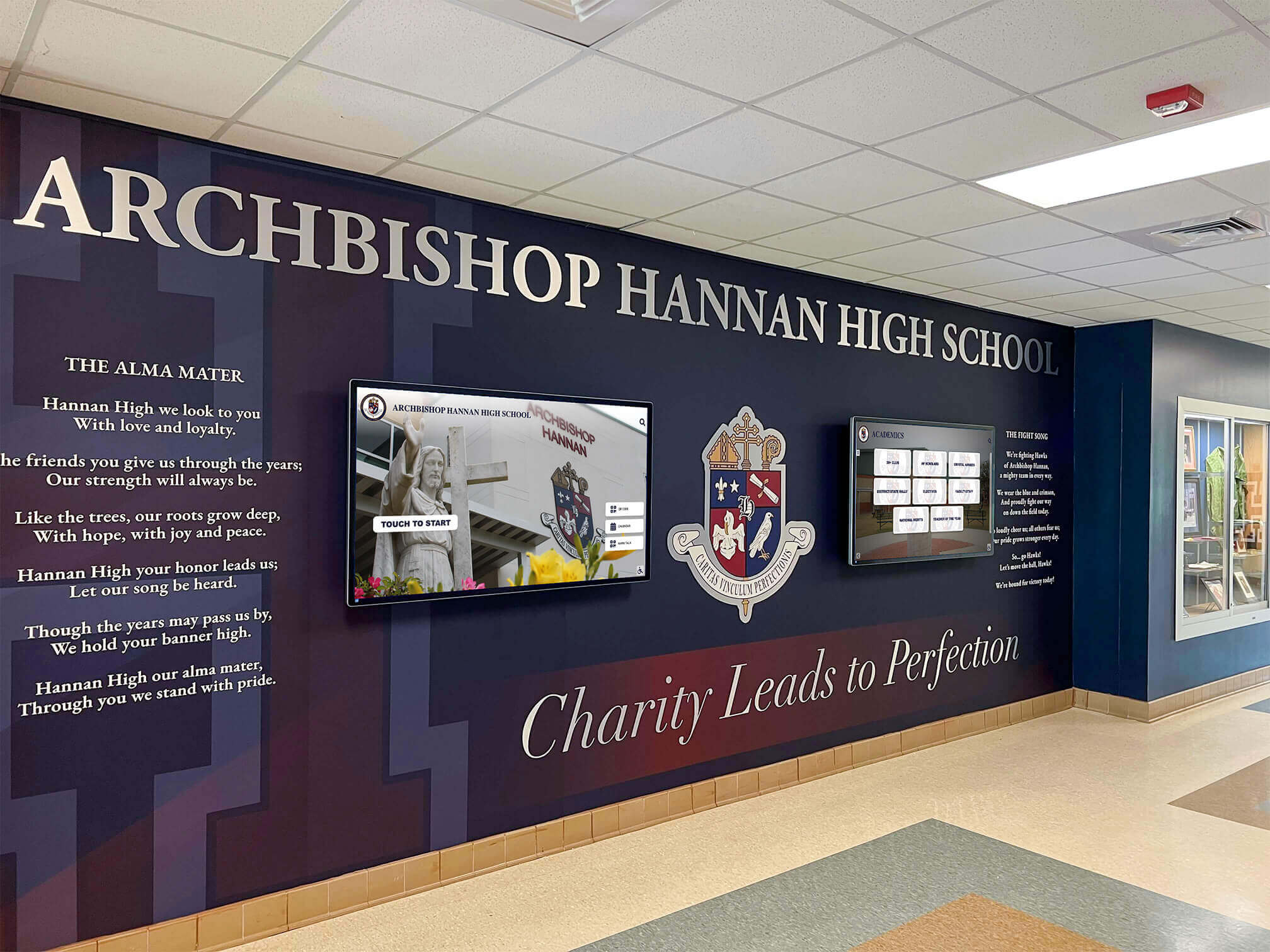
Video wall systems integrate with architectural elements creating impressive institutional focal points
Indoor vs. Outdoor Digital Signage Displays
Display requirements differ dramatically between indoor and outdoor installations, affecting technology selection and specifications.
Indoor Display Requirements
Protected environments enable optimized specifications:
Brightness Specifications
Indoor applications require moderate brightness:
- Typical Range: 300-700 nits adequate for most indoor environments
- Bright Lobbies: High-traffic areas with natural light may benefit from 500-700 nits
- Controlled Lighting: Conference rooms and theaters function well at 200-400 nits
- Hallways: Standard 300-500 nits provides good visibility
Environmental Protection
Indoor displays need minimal environmental protection:
- Standard operating temperature range 32-104°F (0-40°C)
- Normal humidity tolerance without special sealing
- No weather protection required
- Standard mounting and enclosures adequate
- Minimal dust and contaminant protection needed
Connectivity and Control
Indoor locations simplify connectivity:
- Reliable AC power readily available
- Wired network connections (Ethernet) easily accessible
- WiFi coverage typically available
- Simplified content management and remote control
- Easy physical access for maintenance and updates
Outdoor Display Requirements
Exterior installations face demanding conditions:
Extreme Brightness Requirements
Outdoor visibility demands exceptional brightness:
- Minimum Specification: 2,500 nits for sunlight visibility
- Optimal Performance: 4,000-5,000 nits for direct sun exposure
- Premium Models: Up to 10,000 nits for extreme brightness environments
- Cost Impact: Brightness dramatically affects display cost
- Technology: Often requires direct-view LED rather than LCD for highest brightness
According to outdoor display research, 2,500 nits represents the absolute minimum for outdoor readability, with 4,000-5,000 nits providing comfortable viewing in direct sunlight.
Weather Protection
Outdoor displays must withstand environmental challenges:
- Ingress Protection: IP65 or IP66 rating protecting against rain, dust, and moisture
- Temperature Range: Extended operating range from -22°F to 122°F (-30°C to 50°C) for extreme climates
- Humidity Tolerance: Sealed enclosures preventing condensation damage
- UV Resistance: Materials resisting degradation from constant sun exposure
- Vandalism Protection: Strengthened glass and secure mounting preventing damage
- Cooling Systems: Active cooling managing high temperatures and thermal load from high-brightness operation
Installation Considerations
Outdoor locations complicate installation:
- Weatherproof electrical connections and conduits
- Secure power supply with surge protection
- Reliable network connectivity potentially requiring cellular or wireless links
- Professional-grade mounting systems withstanding wind loads
- Accessibility for maintenance without building infrastructure
- Municipal permits and regulations for exterior signage
Learn about outdoor display implementations and considerations for exterior signage.
Climate-Specific Considerations
Geographic location affects display requirements:
Hot Climates
Extreme heat creates specific challenges:
- Enhanced cooling systems preventing heat damage
- Higher operating temperature specifications
- Considerations for direct sun exposure and thermal load
- Cooling system maintenance and reliability critical
- Energy costs for cooling in addition to display operation
Cold Climates
Freezing temperatures affect operation:
- Cold-weather operating specifications essential
- Heaters maintaining minimum operating temperature
- Condensation prevention when warming cold displays
- Moisture intrusion risks from freeze-thaw cycles
- Reduced battery life for backup power systems
Humid Climates
Moisture presents unique challenges:
- Superior sealing preventing moisture intrusion
- Dehumidification systems in enclosures
- Corrosion-resistant materials and components
- Regular maintenance checking seal integrity
- Condensation prevention particularly during temperature transitions
Coastal Environments
Salt air creates additional concerns:
- Corrosion-resistant enclosures and mounting hardware
- Enhanced sealing protecting electronics from salt-laden air
- Stainless steel or marine-grade materials for mounting
- Regular cleaning removing salt accumulation
- More frequent maintenance schedule recommended
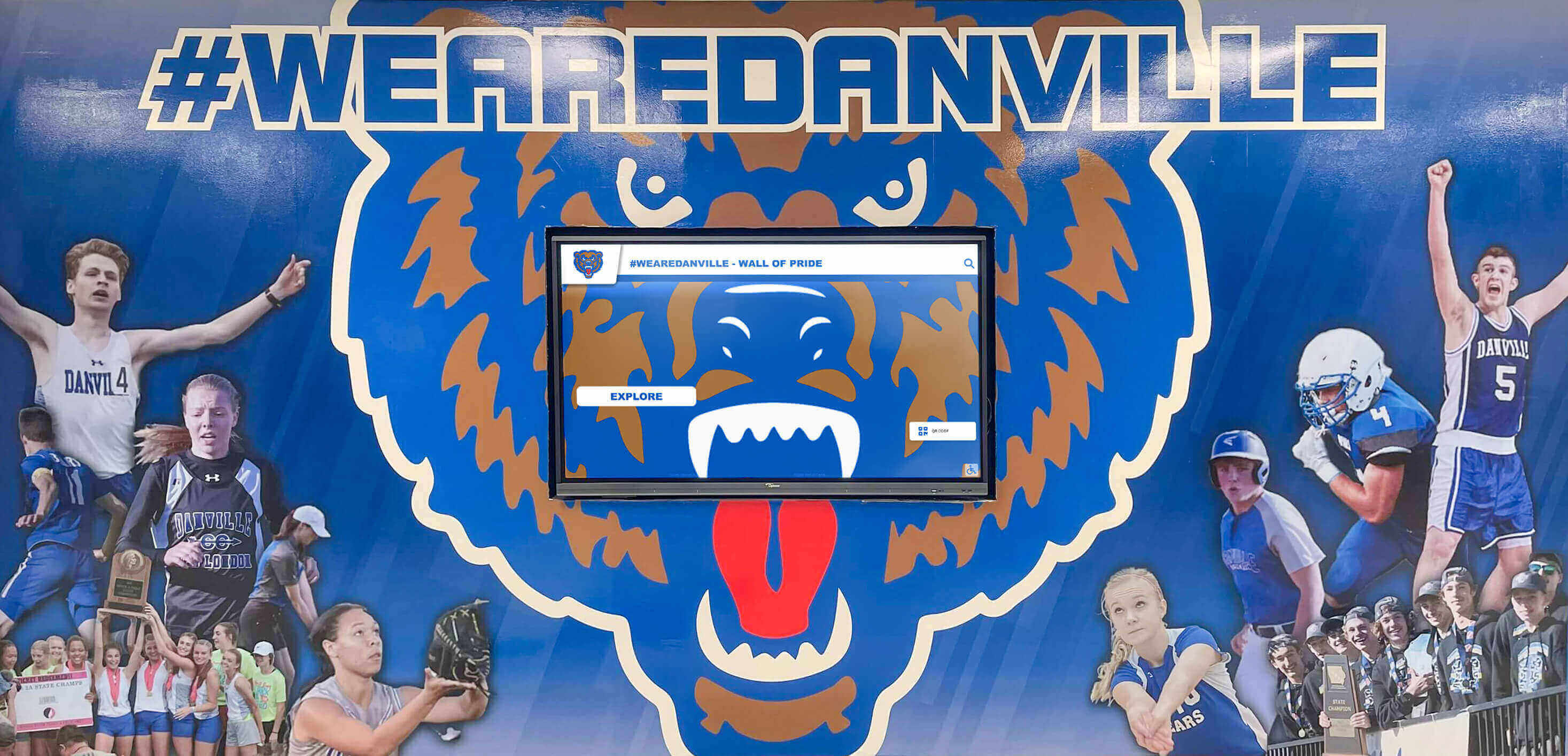
Exterior installations require weather-protected displays engineered for continuous outdoor operation
Display Specifications: What Matters Most
Understanding critical specifications enables informed display selection aligned with application requirements.
Brightness (Nits/Cd/m²)
Brightness determines visibility in various lighting conditions:
Understanding Brightness Measurements
Brightness specifications explained:
- Unit: Nits (cd/m² - candelas per square meter)
- Typical Consumer TV: 200-400 nits
- Indoor Commercial Display: 300-700 nits
- High-Brightness Indoor: 700-1,500 nits
- Outdoor Display: 2,500-10,000 nits
Application-Specific Requirements
Matching brightness to environment:
- Conference Rooms: 200-300 nits adequate with controlled lighting
- Office Hallways: 300-400 nits appropriate for standard lighting
- Bright Lobbies: 500-700 nits ensuring visibility with natural light
- Window Displays: 1,000-2,500 nits competing with sunlight through glass
- Outdoor Installations: 4,000-5,000+ nits essential for direct sun visibility
Brightness Considerations
Important brightness factors:
- Higher brightness increases display cost and energy consumption
- Brightness degrades gradually over display lifetime
- Adjustable brightness settings optimize performance and extend lifespan
- Ambient light sensors automatically adjust brightness based on conditions
- Excessive brightness in dim environments creates viewer discomfort
Resolution and Pixel Density
Resolution affects image sharpness and content capacity:
Common Resolution Standards
Understanding resolution options:
- HD (1366×768): Entry-level resolution, adequate for basic content at viewing distance
- Full HD (1920×1080): Standard resolution providing good image quality for most applications
- 4K UHD (3840×2160): Four times Full HD resolution, excellent for detailed content and close viewing
- 8K UHD (7680×4320): Emerging ultra-high resolution, rarely necessary for signage applications
Appropriate Resolution Selection
Matching resolution to application:
- Viewing Distance Under 5 Feet: 4K resolution recommended for sharp text and images
- Viewing Distance 5-10 Feet: Full HD adequate for most content types
- Viewing Distance Over 10 Feet: HD resolution often sufficient, with display size more important than resolution
- Content Type: Text-heavy content benefits from higher resolution more than video or images
Resolution Cost Trade-offs
Higher resolution increases costs:
- 4K displays cost 20-40% more than Full HD in equivalent sizes
- 4K content creation requires more sophisticated production
- Higher resolution demands more powerful media player processing
- Resolution benefits diminish at typical viewing distances beyond 10 feet
- Evaluate whether resolution increase provides perceptible benefit for your specific application
Contrast Ratio
Contrast affects image depth and black level quality:
Understanding Contrast Specifications
Contrast ratio explained:
- Definition: Ratio of maximum white brightness to minimum black brightness
- Typical LCD: 1,000:1 to 3,000:1 native contrast
- High-End LCD: 4,000:1 to 5,000:1 with advanced local dimming
- OLED: Infinite contrast (true black when pixels completely off)
- Impact: Higher contrast creates more vibrant images with better depth
Contrast in Practice
Real-world contrast considerations:
- Native contrast matters more than dynamic contrast (marketing specification)
- Contrast impact most noticeable in dark viewing environments
- Bright ambient lighting reduces perceived contrast differences
- Black content quality critical for video and photographic applications
- Less important for text and graphics-heavy content
Viewing Angle
Viewing angle affects image quality from off-center positions:
Viewing Angle Specifications
Understanding viewing angle ratings:
- Measurement: Angle from center where image quality degrades
- IPS LCD Panels: 178-degree horizontal and vertical viewing angles
- VA LCD Panels: Narrower viewing angles with more color shift
- OLED: Wide viewing angles maintaining image quality from extreme positions
Viewing Angle Importance
Application-specific considerations:
- Hallway Displays: Wide viewing angles essential as viewers approach from various directions
- Direct-Facing Displays: Viewing angle less critical when audiences position directly in front
- Group Viewing: Wide angles important for multiple simultaneous viewers
- High-Traffic Areas: Wide viewing angles maximize audience reach
Discover comprehensive guidance on display selection for recognition applications in schools and institutions.
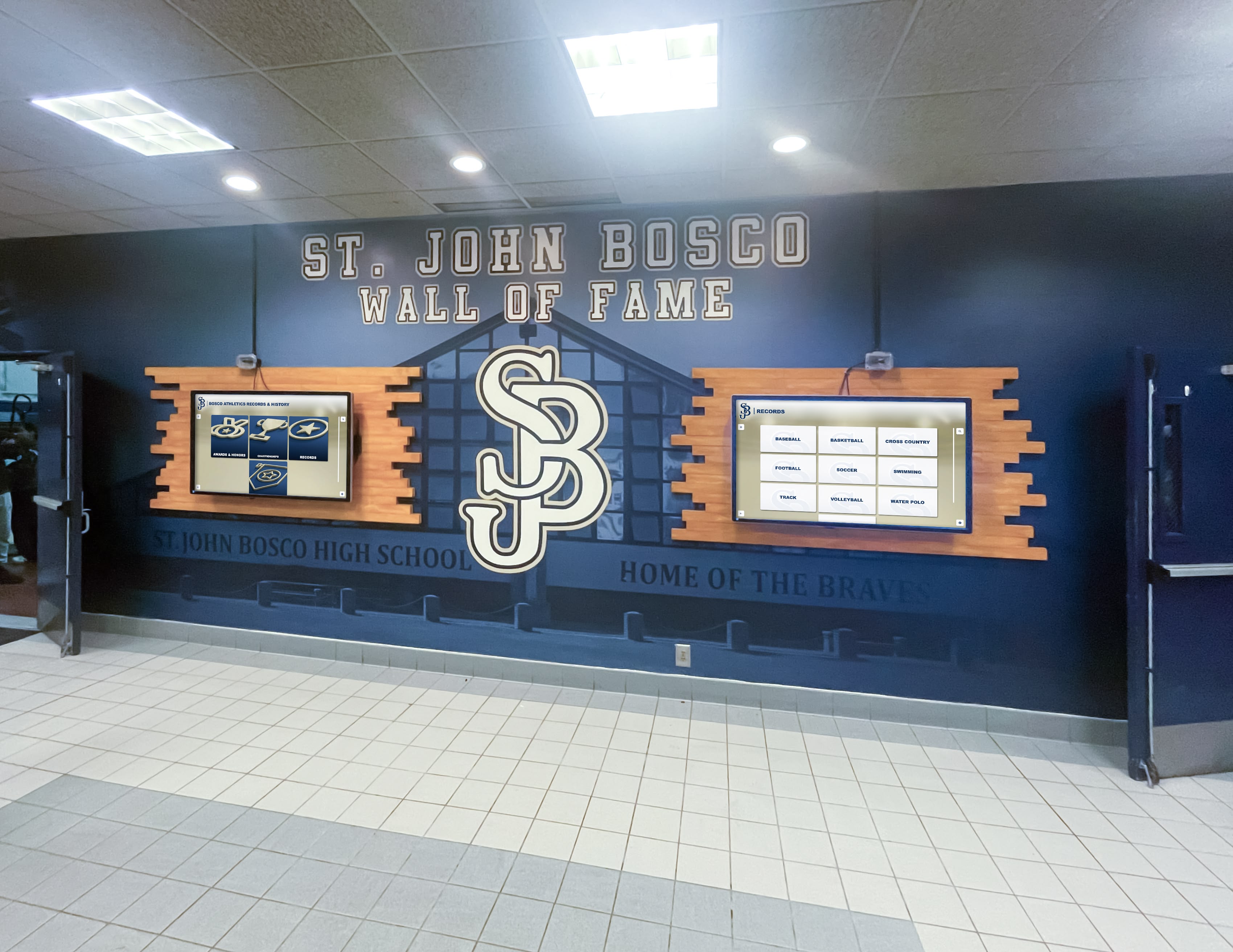
Display specifications including size, brightness, and resolution affect visibility and image quality in different viewing environments
Specialized Display Types and Emerging Technologies
Several specialized display types serve niche applications while emerging technologies preview future capabilities.
Transparent and Semi-Transparent Displays
See-through displays creating unique visual effects:
Technology Overview
Transparent displays enable viewing through the screen:
- LCD Transparent Displays: Modified LCD panels with transparent backlighting enabling 30-80% transparency
- LED Transparent Displays: LED modules with significant open space between diodes allowing viewing through display
- Applications: Retail window displays, museum exhibits, architectural installations
- Limitations: Lower brightness and contrast than conventional displays, higher cost
Use Cases
Appropriate applications for transparent displays:
- Retail windows showcasing products with digital information overlay
- Museums displaying artifacts with contextual information
- Architectural installations creating visual interest
- Trade show exhibits combining physical and digital content
Curved and Flexible Displays
Non-planar displays creating immersive experiences:
Curved Display Technology
Fixed-curve displays for specialized installations:
- Concave Curves: Wrapping around viewer for immersive effect
- Convex Curves: Outward-curving displays visible from wider areas
- Applications: Experience centers, museums, specialty retail environments
- Technology: Both LCD and OLED technologies support curves
Flexible OLED
Bendable displays enabling innovative installations:
- Technology: Plastic substrates instead of glass enabling flexibility
- Applications: Irregular surfaces, temporary installations, novel configurations
- Status: Emerging technology with limited commercial availability
- Cost: Premium pricing with limited sources
MicroLED Displays
Next-generation display technology:
MicroLED Technology
Emerging display technology combining advantages:
- Self-Emissive: Like OLED, each pixel generates light
- Inorganic Materials: Longer lifespan and no burn-in risk
- Extreme Brightness: Higher brightness potential than OLED
- Efficiency: Excellent energy efficiency
- Status: Emerging technology, limited availability, extremely high cost
Future Outlook
MicroLED represents potential future standard:
- Manufacturing challenges currently limiting availability
- Costs expected to decline with volume production
- May eventually replace both LCD and OLED for premium applications
- Timeline uncertain but likely 5-10+ years for mainstream availability
E-Paper Displays
Ultra-low-power displays for specific applications:
Electronic Paper Technology
Reflective displays mimicking printed material:
- Operation: Particles that flip to show black or white, remaining in position without power
- Advantages: Readable in direct sunlight, weeks of battery operation, paper-like appearance
- Limitations: Slow refresh rate, typically monochrome or limited color, no video capability
- Applications: Way-finding signs, shelf labels, transit displays, outdoor information panels
While unsuitable for dynamic content, e-paper excels in applications requiring always-visible information with minimal power consumption or battery operation.
Learn about emerging display technologies enhancing user experiences.
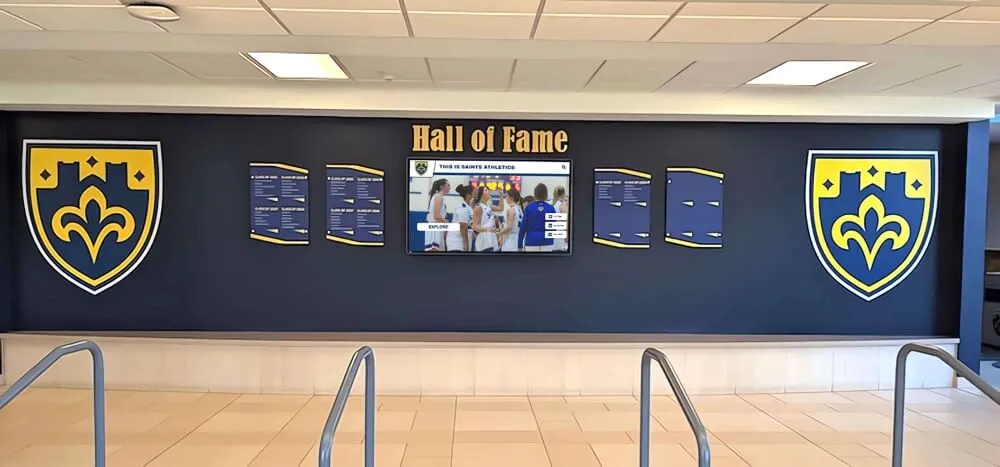
Modern installations often combine digital displays with traditional recognition elements creating comprehensive recognition walls
Selecting the Right Display Technology for Your Application
Matching display technology to specific requirements ensures optimal results and value.
Application-Based Selection Guide
Different applications prioritize different display characteristics:
Recognition and Achievement Displays
Interactive recognition systems benefit from:
- Display Type: Interactive touchscreen LCD displays
- Size Range: 43-65 inches typical for hallway installations
- Resolution: Full HD or 4K for detailed photos and text
- Brightness: 400-500 nits adequate for indoor hallways
- Key Features: Responsive capacitive touch, commercial durability, integrated computing
- Content Platform: Purpose-built recognition software like Rocket Alumni Solutions
Explore comprehensive digital recognition display solutions designed specifically for schools and organizations.
Wayfinding and Directory Systems
Navigation systems require:
- Display Type: Interactive touchscreen displays with intuitive interfaces
- Size Range: 32-55 inches suitable for corridor placement
- Resolution: Full HD providing clear maps and text
- Orientation: Portrait orientation often preferred for floor listings
- Key Features: High-contrast display, anti-glare coating, ADA-compliant mounting height
- Software: Wayfinding software with building database integration
Communication and Announcement Displays
Information displays need:
- Display Type: Non-interactive LCD displays with content management
- Size Range: 32-55 inches for hallways, 55-75 inches for lobbies
- Resolution: Full HD adequate for text and graphics
- Brightness: 400-600 nits for visibility in various lighting
- Key Features: Scheduling capability, emergency alert integration, remote content updates
- Content: Digital signage software managing schedules, announcements, emergency messages
Large-Scale Impact Displays
Dramatic installations require:
- Display Type: Video walls (LCD or LED depending on budget and requirements)
- Size Range: 2×2 to 4×4 LCD video walls, or custom LED walls
- Resolution: Aggregate resolution based on content needs and viewing distance
- Brightness: 500-700 nits for LCD video walls, higher for LED
- Key Features: Video wall processor, narrow bezels (LCD), professional installation
- Applications: Lobbies, atriums, event spaces, presentation areas
Outdoor Installations
Exterior displays demand:
- Display Type: Weather-protected high-brightness LCD or direct-view LED
- Size Range: Depends on viewing distance and budget
- Brightness: Minimum 2,500 nits, prefer 4,000-5,000+ nits for direct sun
- Protection: IP65 or IP66 rating, extended temperature range
- Key Features: Ambient light sensors, cooling/heating systems, vandal-resistant enclosures
- Maintenance: Accessible mounting for cleaning and service
Budget Considerations and Total Cost of Ownership
Display investment extends beyond initial purchase:
Initial Investment Components
Complete system costs include:
- Display Hardware: $1,500-15,000+ per display depending on size and specifications
- Mounting Systems: $200-1,500 for wall mounts or $2,000-5,000 for kiosk enclosures
- Media Players: $300-2,000 if not integrated into display
- Installation Labor: $500-3,000+ depending on complexity
- Content Management Software: $500-5,000+ annually for subscription platforms
- Initial Content Development: Variable based on requirements and internal vs. external production
Ongoing Operational Costs
Annual expenses after installation:
- Energy Consumption: $50-300 per display annually depending on size and usage
- Software Subscriptions: $500-3,000 annually for content management platforms
- Content Updates: Internal staff time or external content production services
- Maintenance: Cleaning supplies, occasional repairs, warranty coverage
- Network Costs: Internet connectivity and remote management services
Lifespan and Replacement Considerations
Commercial displays provide multi-year service:
- Commercial Display Lifespan: 5-10 years typical operation before significant degradation
- Technology Refresh: Organizations often replace displays every 7-10 years for technology updates
- Warranty Coverage: 3-5 year warranties standard for commercial displays
- Planned Obsolescence: Budget for eventual replacement rather than indefinite operation
Total cost of ownership favors quality commercial displays over cheap consumer alternatives, as longer lifespan, reliability, and lower maintenance offset higher initial costs.
Explore complete implementation planning including maintenance and support considerations.
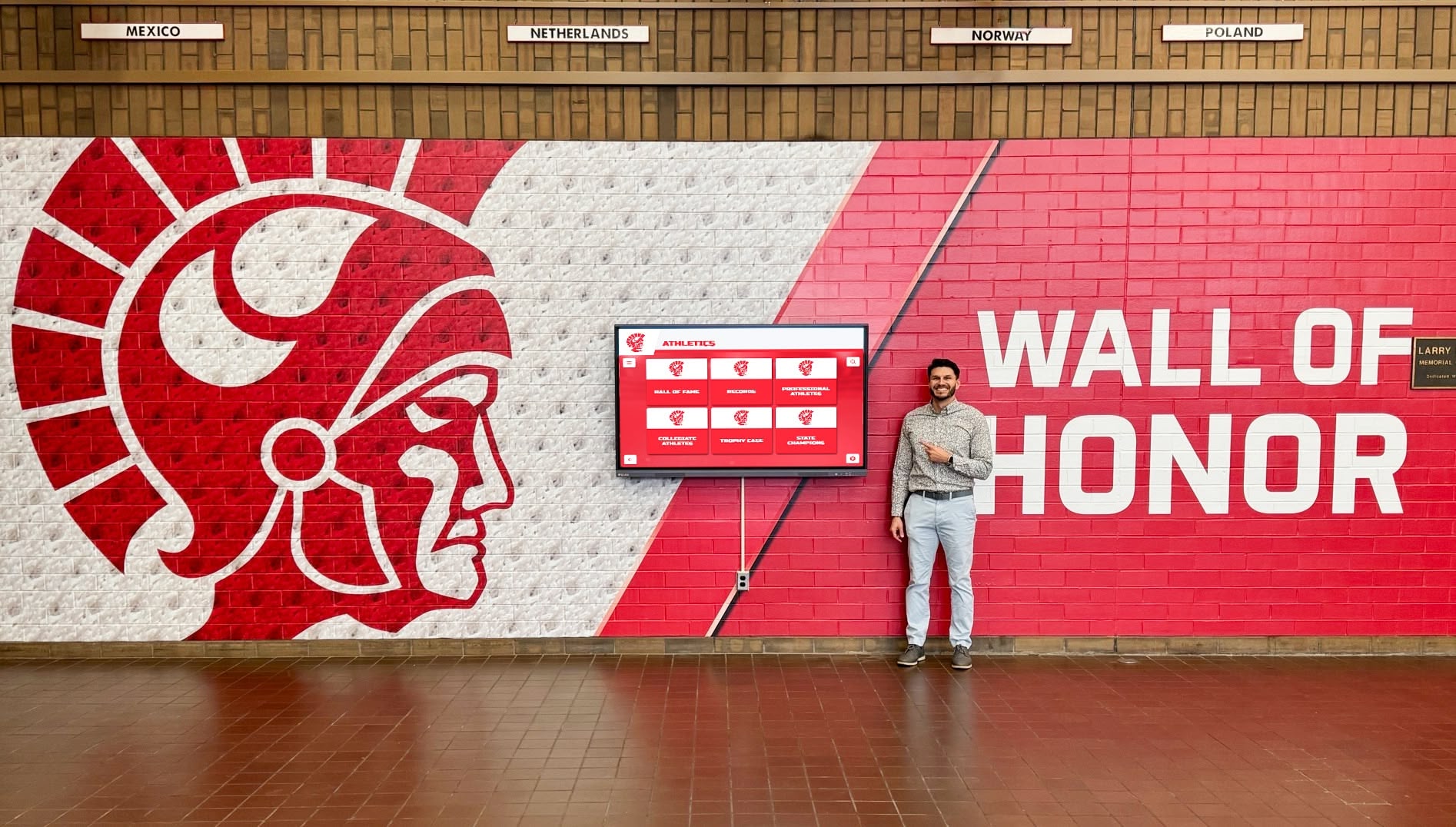
Proper display selection, installation, and content strategy ensure recognition systems deliver value for years of continuous operation
Implementation Best Practices for Digital Signage Displays
Successful digital signage extends beyond hardware selection to encompass installation, content strategy, and ongoing management.
Site Assessment and Planning
Thorough planning prevents problems after installation:
Environmental Assessment
Evaluate installation locations:
- Ambient lighting throughout day and seasons
- Viewing distances and angles from traffic patterns
- Available power sources and network connectivity
- Structural support for display mounting
- Clearance for ADA compliance and traffic flow
- Climate control for temperature and humidity
Infrastructure Preparation
Address requirements before installation:
- Dedicated electrical circuits sized for display power requirements
- Network connections (wired Ethernet preferred) to display locations
- Structural reinforcement if needed for large displays or video walls
- Cable pathways and conduit for professional appearance
- Backup power systems for critical displays
Accessibility Planning
Ensure displays serve all users:
- Interactive displays mounted 42-48 inches center height for ADA compliance
- Adequate clearance in front of interactive displays for wheelchair users
- Audio options for visually impaired users when appropriate
- Content designed for readability at intended viewing distances
- Alternative access methods for information when needed
Content Strategy and Management
Display hardware requires excellent content to deliver value:
Content Design Principles
Effective digital signage content:
- Readability: Font sizes visible from intended viewing distance (minimum 1 inch per 10 feet distance)
- Contrast: High contrast between text and backgrounds ensuring legibility
- Simplicity: Focused messaging avoiding clutter and excessive information
- Duration: Appropriate display time for content complexity and viewing context
- Consistency: Visual design reflecting organizational branding and identity
Content Types and Mix
Varied content maintains engagement:
- Static Graphics: Announcements, schedules, and informational content
- Video Content: Highlights, news, educational content, and dynamic visuals
- Interactive Content: Searchable databases, wayfinding, and user-driven exploration
- Live Data: Real-time feeds including weather, news, social media, and sensor data
- Emergency Alerts: Critical communication systems overriding regular content
Content Management Systems
Appropriate platforms enable sustainable operations:
- Cloud-based content management for remote updates from any location
- Scheduling capabilities enabling different content at different times
- Multi-display management updating multiple displays simultaneously
- User permissions controlling who can modify which content
- Analytics tracking content performance and viewer engagement
Learn about comprehensive content management strategies ensuring long-term digital signage success.
Maintenance and Support Planning
Displays require ongoing attention:
Routine Maintenance
Regular upkeep ensures optimal performance:
- Cleaning: Weekly cleaning removing dust and smudges, particularly for touchscreens
- Software Updates: Installing security patches and feature updates from manufacturers
- Content Refresh: Regular content updates maintaining relevance and engagement
- Functionality Testing: Periodic testing of interactive features and connectivity
- Physical Inspection: Checking mounting security and physical condition
Troubleshooting Resources
Prepare for problems:
- Technical support contracts with display vendors or integrators
- Documentation of system configuration and content management procedures
- Backup media players or displays for critical applications
- Trained internal staff or external support partners
- Remote monitoring detecting problems before complete failures
Lifecycle Planning
Plan for long-term sustainability:
- Budget for display replacement after 7-10 years operation
- Technology refresh strategies incorporating new capabilities
- Content archive preservation and migration planning
- Evaluation of evolving organizational needs and opportunities
- Continuous improvement based on analytics and user feedback
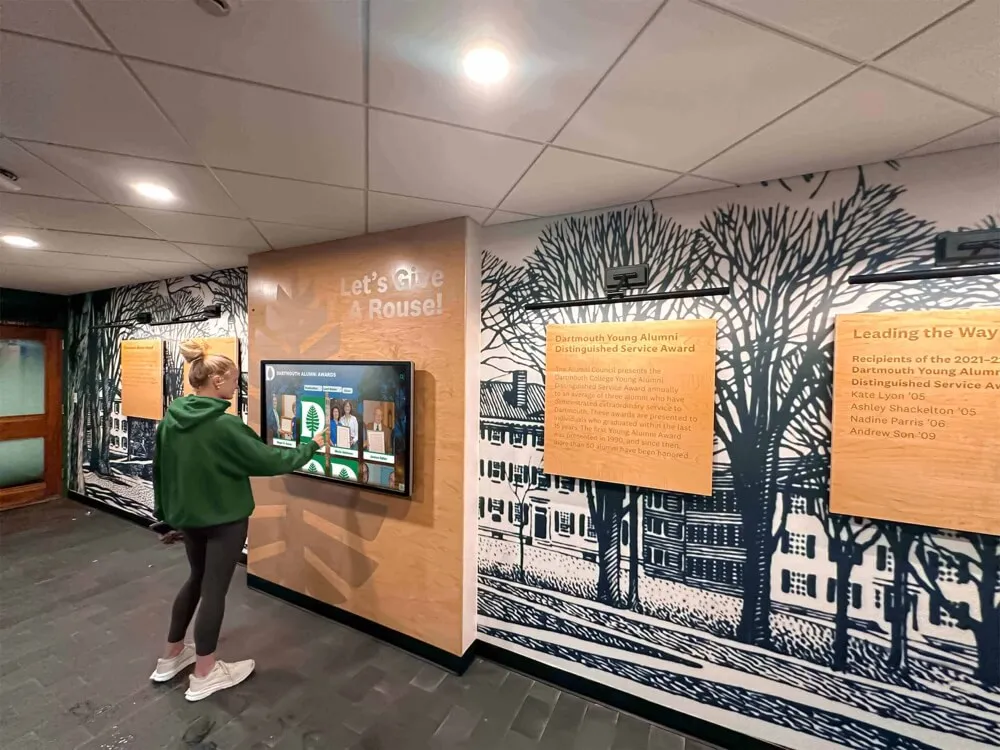
Comprehensive implementation planning ensures digital displays deliver lasting value through years of reliable operation
Conclusion: Choosing Display Technology Aligned with Your Goals
Digital signage screen selection represents a significant institutional investment with implications extending years into the future. Understanding the fundamental differences between LCD, LED, OLED, and emerging display technologies enables organizations to evaluate options based on actual requirements rather than marketing claims. Recognizing the distinctions between consumer televisions and commercial displays prevents costly mistakes from inappropriate technology choices. Appreciating how interactive touchscreens transform passive displays into engaging experiences helps organizations leverage digital signage for maximum impact.
The considerations explored throughout this guide provide frameworks for assessing your specific needs, evaluating available technologies, comparing specifications that truly matter, and making informed decisions aligned with communication goals, audience needs, budget constraints, and long-term operational sustainability. From display panel technology and brightness specifications to resolution requirements and touch technology selection, each decision affects viewer experience, content possibilities, and return on investment.
Ready to explore how the right display technology can transform communication and recognition at your institution? Modern digital signage solutions help schools, universities, and organizations deliver engaging content, celebrate achievements, facilitate wayfinding, and connect communities through thoughtfully selected display systems matched to specific applications and environments.
For recognition applications specifically, solutions like Rocket Alumni Solutions provide comprehensive platforms combining appropriate display hardware recommendations with purpose-built interactive software, content management systems, and implementation support ensuring successful long-term recognition programs that celebrate unlimited achievements while creating engaging experiences communities value.
Whether you’re implementing first-time digital signage or upgrading existing systems, the key is matching display technology to your actual requirements rather than simply selecting the newest or most expensive option. Consider your viewing environment, content types, interaction requirements, budget realities, and long-term operational capabilities when evaluating alternatives.
Your communication goals deserve display technology that delivers messages effectively while operating reliably for years. Your recognition programs deserve displays creating engaging experiences that honor achievements meaningfully. Your community deserves thoughtfully implemented digital signage that enhances spaces, facilitates information access, and creates meaningful connections.
The most important consideration isn’t selecting the highest-resolution display or brightest screen—it’s choosing technology aligned with your specific applications, sustainable within your operational capabilities, and designed to serve your particular audience needs effectively. With thoughtful evaluation, appropriate technology selection, professional implementation, and commitment to excellent content, you can deploy digital signage systems that deliver lasting value and meaningful impact for your institution and community.
Ready to begin exploring digital signage display options for your organization? Start by defining your communication objectives, assessing your facility opportunities and constraints, evaluating your content plans, and connecting with providers who understand institutional signage applications specifically rather than simply selling generic display hardware. The right display technology matched to your specific needs will serve your organization effectively for years to come.































