



Equipment manufacturers face a persistent challenge at trade shows, open houses, and functions: how to communicate complex product features clearly while capturing audience attention in busy, competitive environments. Traditional static displays and printed brochures fail to engage modern audiences, while live demonstrations demand significant staff time and limit how many prospects can learn about products simultaneously.
Interactive touchscreen kiosks solve this problem by creating self-guided technology explanation tools that work across both event environments and company websites. These systems allow manufacturers to showcase equipment features dynamically, answer common questions through multimedia content, and enable visitors to explore product capabilities at their own pace—all while collecting valuable engagement data that traditional display methods cannot capture.
This comprehensive guide explores how equipment manufacturers can develop effective touchscreen kiosk solutions for events and functions, covering technology selection, content strategy, multi-platform compatibility, and implementation approaches that turn complex products into compelling interactive experiences.
The manufacturing sector increasingly recognizes that product complexity demands explanation tools beyond static displays. Whether showcasing industrial equipment, medical devices, agricultural machinery, or specialized manufacturing systems, interactive touchscreen technology provides the dynamic, self-paced exploration that helps prospective customers understand capabilities, specifications, and applications without requiring constant staff presence.

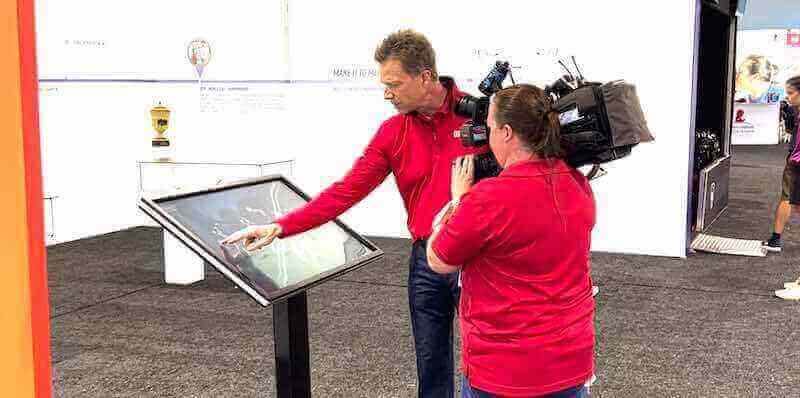
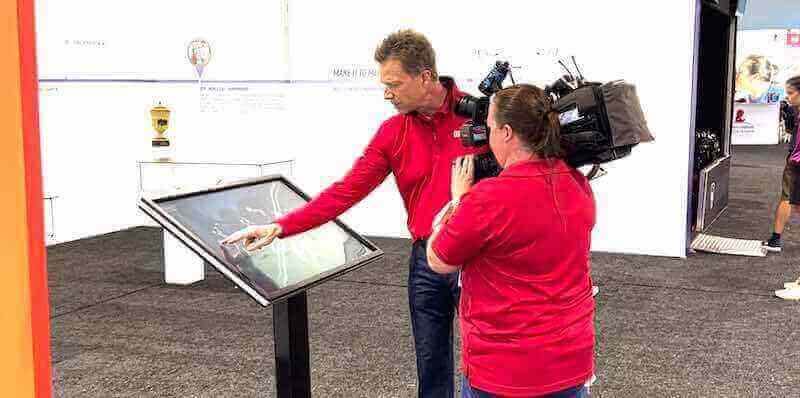
Interactive touchscreen kiosks create engaging product demonstrations that work independently or complement live presentations
Understanding Touchscreen Kiosk Technology for Equipment Manufacturers
Before developing interactive display solutions, manufacturers benefit from understanding the technology landscape and how different approaches serve various event and function scenarios.
What Defines Effective Event Touchscreen Kiosks
Purpose-built event kiosk solutions combine several integrated elements:
Hardware Components for Event Environments
Portable, professional equipment designed for trade shows and functions includes:
- Commercial-grade touchscreen displays ranging from 32 to 65 inches depending on venue size and viewing distance
- Ruggedized enclosures protecting displays during transport and setup
- Adjustable mounting systems accommodating various booth configurations
- Integrated media players ensuring reliable content delivery without external computers
- Professional cable management maintaining clean, safe installations
- Power management supporting all-day operation during extended events
- Anti-glare screen treatments ensuring visibility under varied lighting conditions
- Responsive touch technology supporting multi-touch gestures and precise interaction
Commercial displays differ substantially from consumer screens in durability specifications, with commercial units rated for 16-18 hour daily operation versus 8-10 hours for consumer displays.
Software Platform Requirements
Effective content management systems for event displays provide:
- Cross-platform compatibility working identically on touchscreen hardware and website integration
- Content management systems allowing quick updates before each event
- Analytics tracking which features and content attract most visitor attention
- Offline operation ensuring displays function without internet connectivity
- Remote monitoring enabling staff to verify display operation from anywhere
- Multi-language support serving international events and diverse audiences
- Search and navigation tools helping visitors find specific information quickly
- Integration capabilities connecting with lead capture and CRM systems
Generic presentation software lacks the specialized features required for professional event applications. Purpose-built kiosk platforms provide the reliability and functionality manufacturers need.
Content Architecture for Product Explanation
Structured information design specifically for equipment displays includes:
- Product overview modules providing quick capability summaries
- Feature exploration sections diving deep into specific capabilities
- Specification databases allowing comparison across models and configurations
- Application showcase content demonstrating use cases and customer scenarios
- Video integration showing equipment in operation and demonstrating benefits
- Document libraries providing technical specifications, compliance certificates, and supporting materials
- Interactive configurators allowing visitors to customize products for their needs
- Contact and lead capture forms connecting interested prospects with sales teams
Solutions like Rocket Alumni Solutions provide flexible content management platforms originally designed for recognition displays that equipment manufacturers have adapted for product showcase applications, offering intuitive administration and cross-platform compatibility.
How Event Kiosks Differ From Static Product Displays
Understanding the advantages helps clarify the investment value:
Traditional Display Limitations:
- Static content providing identical information to all visitors regardless of interests
- Limited space forcing decisions about which features to highlight
- No engagement measurement revealing which content attracts attention
- Requires dedicated staff explaining products to each prospect individually
- Printed materials becoming outdated when specifications or features change
- No personalization based on visitor industry, application, or specific interests
- Limited multimedia capability restricting demonstrations to static images
- No lead capture integration requiring separate systems and manual data entry
Interactive Touchscreen Advantages:
- Self-guided exploration allowing visitors to investigate areas matching their specific interests
- Unlimited content capacity showcasing comprehensive product information
- Detailed analytics showing which features generate most engagement
- Simultaneous engagement of multiple prospects without staff involvement
- Instant content updates ensuring latest specifications and features
- Personalized paths through content based on visitor selections and interests
- Rich multimedia including video demonstrations, 3D models, and interactive features
- Integrated lead capture connecting interested prospects directly with sales follow-up
Research on trade show engagement demonstrates interactive displays generate 4-6 times longer visitor engagement compared to static booths, with touchscreen features transforming brief glances into substantial exploration sessions averaging 3-8 minutes.
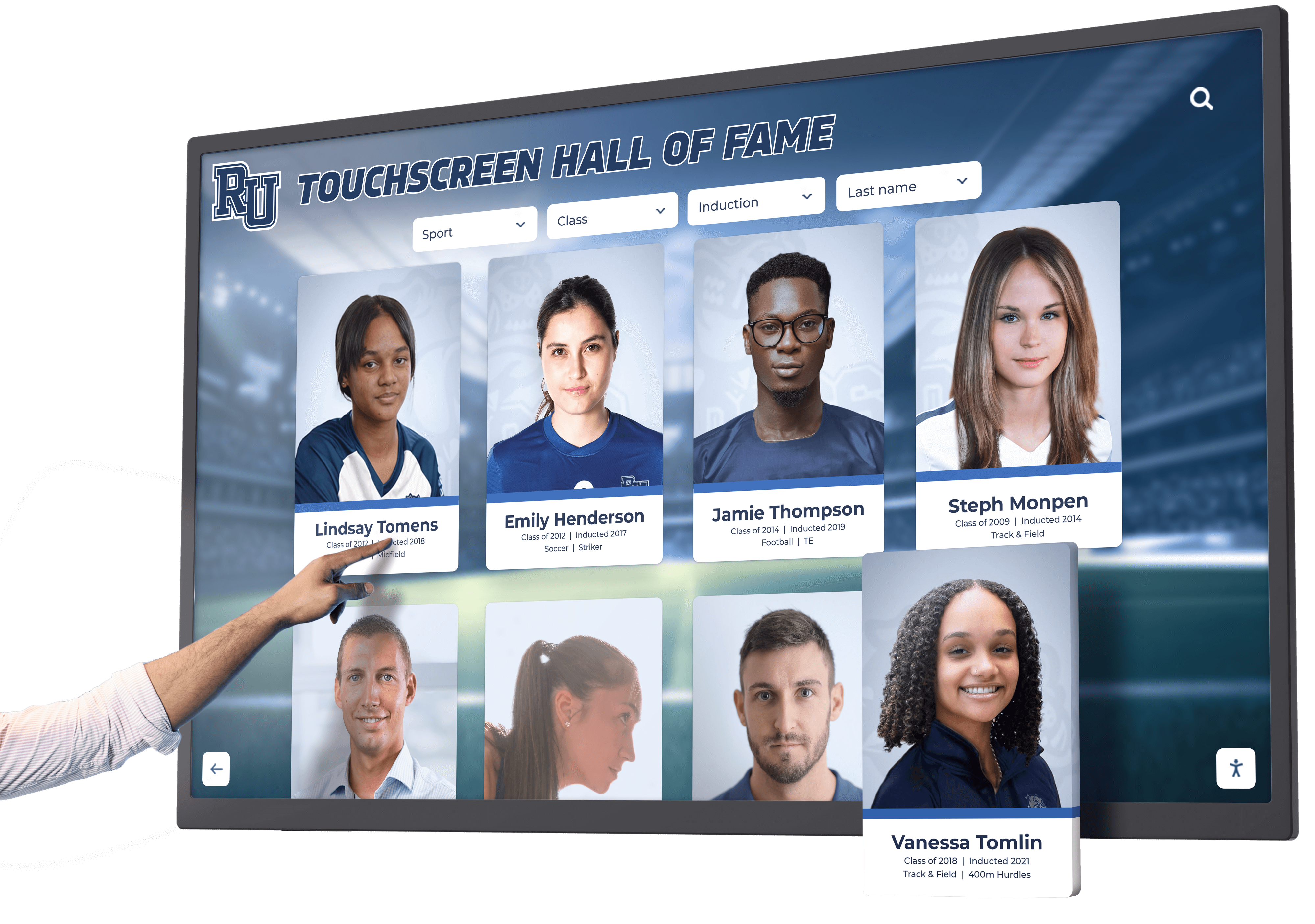
Intuitive touch interfaces enable visitors to explore product features independently without staff guidance
Strategic Benefits for Equipment Manufacturers
Interactive touchscreen kiosks deliver substantial advantages for manufacturers exhibiting at trade shows, hosting facility tours, or conducting customer events.
Consistent Product Messaging Across Events and Functions
One of the most significant challenges manufacturers face is ensuring consistent product explanation across different sales representatives, events, and customer interactions.
Standardized Product Education
Interactive kiosks eliminate variability:
- Identical feature explanations at every event ensuring consistency
- Comprehensive coverage of all product capabilities without omissions
- Accurate technical specifications updated centrally and deployed everywhere
- Professional presentation reflecting brand standards consistently
- Multilingual content serving international events with identical quality
- Documented compliance and certification information presented uniformly
- Competitor comparison data presented objectively and accurately
Organizations implementing standardized interactive displays report significantly improved customer understanding and fewer post-sale issues related to misunderstood capabilities or features.
Sales Team Support
Touchscreen displays complement rather than replace sales staff:
- Pre-qualification as visitors explore content identifying serious prospects
- Time savings allowing representatives to focus on qualified leads rather than basic education
- Enhanced presentations as staff reference specific display content during conversations
- Consistent backup when representatives are engaged with other prospects
- Training tool for new sales staff learning product features comprehensively
- Multilingual capability serving prospects when staff language skills are limited
- Accessibility ensuring every booth visitor receives complete information
This combination of self-service exploration and strategic staff intervention creates more effective event experiences than either approach alone.
Extended Reach Beyond Physical Events
Modern kiosk solutions extend value far beyond single-event deployments:
Website Integration and Online Access
Content developed for event displays serves broader purposes:
- Identical interactive experience embedded on company websites
- 24/7 accessibility allowing prospects to explore products anytime from anywhere
- Pre-event engagement as registered attendees research products before visiting booths
- Post-event follow-up providing interactive resources in sales correspondence
- Dealer and distributor access allowing channel partners to demonstrate products effectively
- Customer training tools helping existing customers understand full equipment capabilities
- Marketing content for social media, email campaigns, and digital advertising
This multi-platform approach means content investment serves ongoing marketing rather than single-event purposes, dramatically improving return on investment.
Permanent Installations
Many manufacturers discover additional applications:
- Lobby displays in manufacturing facilities educating visiting prospects and customers
- Showroom installations allowing customers to explore comprehensive product lines
- Training center resources supporting customer education programs
- Trade show loaner programs providing equipment to industry associations and partners
- Sales office installations ensuring consistent presentations across distributed sales teams
Organizations implementing touchscreen kiosk solutions typically find ongoing value far exceeding initial event-focused expectations. Learn about interactive kiosk applications for schools and organizations that demonstrate cross-industry interactive display strategies.
Interactive displays create compelling content for promotional videos and marketing materials while serving their primary educational function
Measurable Engagement and Lead Quality Data
Unlike traditional displays, interactive kiosks provide detailed analytics:
Engagement Metrics
Platform analytics reveal visitor behavior:
- Total interaction time indicating overall engagement levels
- Feature exploration patterns showing which capabilities attract most interest
- Navigation paths revealing how visitors discover product information
- Video completion rates demonstrating which content maintains attention
- Document download frequency identifying most valuable supporting materials
- Configuration tool usage showing which product variations generate interest
- Return visitor patterns indicating sustained prospect interest
This data helps manufacturers optimize both display content and broader product marketing strategies based on actual customer interest patterns.
Lead Capture and Quality Assessment
Integrated lead generation provides valuable prospect intelligence:
- Contact information collected from interested visitors
- Engagement history showing exactly which features interested each prospect
- Time investment indicating prospect seriousness and qualification level
- Specific product configurations explored revealing potential deal specifications
- Questions submitted through display interfaces identifying information gaps
- Integration with CRM systems ensuring seamless sales follow-up
- ROI measurement connecting event costs to generated sales pipeline
Organizations implementing analytics-enabled displays report 30-50% improvement in lead quality compared to traditional badge scans, with detailed engagement data enabling more effective sales follow-up conversations.
Essential Features for Equipment Manufacturer Touchscreen Kiosks
Not all interactive display solutions deliver equal value for manufacturing applications. Organizations should evaluate systems based on features critical for creating effective product education experiences.
Intuitive Navigation for Technical Content
Manufacturing products involve complex information requiring thoughtful organization:
Multi-Level Information Architecture
Effective content structure includes:
- Product category overview allowing visitors to select relevant equipment types
- Model comparison views showing specifications across product lines
- Feature deep-dives explaining specific capabilities in detail
- Application scenarios demonstrating equipment in real-world use cases
- Technical specification databases providing comprehensive engineering data
- Accessory and option exploration showing available configurations
- Service and support information including warranty details and available services
This structured approach allows visitors to start with high-level overviews and progressively drill down into areas matching their specific interests without feeling overwhelmed by comprehensive product information.
Search and Filter Capabilities
Finding relevant information quickly determines visitor experience quality:
- Keyword search across all product content and documentation
- Filter by application, industry, capacity, or other relevant criteria
- Comparison tools allowing side-by-side evaluation of multiple models
- Favorites or bookmarking enabling visitors to mark items for follow-up
- History function allowing visitors to return to previously viewed content
- Quick access to frequently requested information like pricing or availability
- Related content suggestions connecting visitors with relevant additional information
These discovery tools transform potentially overwhelming product databases into accessible resources serving diverse visitor needs efficiently.
Visual Design and Brand Consistency
Professional appearance reflects organizational quality:
- Custom design matching corporate brand guidelines and color schemes
- High-quality photography and videography showcasing products professionally
- Consistent typography and layout creating cohesive experience
- Animation and transitions adding polish without distracting from content
- Responsive design adapting to different display sizes and orientations
- Professional iconography communicating functions clearly
- Accessibility features supporting visitors with various abilities
Appearance quality significantly impacts visitor perception of product quality and organizational professionalism. Investment in professional content development pays dividends through enhanced brand perception.

Clean, professional interface design helps visitors focus on product features rather than struggling with navigation
Comprehensive Multimedia Content Support
Equipment understanding requires diverse content types:
Video Integration and Demonstration Content
Moving images communicate equipment capabilities uniquely:
- Product overview videos providing quick introduction to capabilities
- Feature demonstrations showing specific functions in operation
- Application videos displaying equipment solving real customer problems
- Customer testimonial content sharing authentic user experiences
- Installation and setup videos answering practical implementation questions
- Maintenance and service procedure videos demonstrating ongoing requirements
- Comparison videos showing performance versus competing solutions
Video content consistently generates highest engagement levels in interactive displays, with manufacturers reporting video views averaging 2-3 times longer engagement than text-based content for equivalent information.
3D Models and Interactive Product Exploration
Dimensional visualization helps visitors understand physical products:
- Rotatable 3D product models viewable from all angles
- Exploded views showing internal components and construction
- Interactive hotspots identifying specific features and components
- Cutaway views revealing internal mechanisms and design
- Scale references helping visitors understand actual product dimensions
- Configuration visualization showing how options affect appearance
- Installation space planning tools demonstrating facility requirements
These capabilities particularly benefit complex machinery where understanding physical design significantly impacts purchasing decisions.
Document Libraries and Technical Resources
Comprehensive supporting materials serve serious prospects:
- Technical specification sheets with complete engineering data
- Installation guides and facility requirement documentation
- Compliance certificates and regulatory approval information
- Case studies demonstrating successful customer deployments
- White papers explaining technology and methodology
- Comparison charts positioning products within broader markets
- Pricing information or quote request forms initiating sales conversations
Providing immediate access to comprehensive technical information serves serious prospects while reducing demands on sales staff for routine document requests. Explore digital signage content strategies applicable to equipment showcase applications.
Cross-Platform Compatibility and Deployment Flexibility
Modern solutions must work across multiple environments:
Website Integration
Identical experience across touchpoints:
- Responsive web design working on desktop, tablet, and mobile devices
- Embedded website integration matching site design and navigation
- Content management system updating both event displays and web simultaneously
- Social media sharing enabling visitors to bookmark and share product information
- Search engine optimization helping prospects discover product information organically
- Analytics integration tracking both physical display and web engagement
- Progressive web app capability enabling installation on prospect devices
This unified approach ensures prospects receive consistent experiences whether exploring products at events, on company websites, or through shared links from sales representatives.
Hardware Flexibility
Supporting various physical deployment scenarios:
- Compatibility with multiple touchscreen sizes and aspect ratios
- Portrait and landscape orientation support
- Freestanding kiosk enclosures for trade show booths
- Wall-mount installations for permanent facilities
- Tablet mode for sales representative presentations
- Large-format displays for group demonstrations
- Video wall support for dramatic visual impact
This flexibility allows manufacturers to deploy solutions across various event types, booth sizes, and permanent facility installations without requiring different content development for each scenario.

Flexible platform enables deployment in permanent showrooms and facilities beyond temporary event installations
Content Strategy for Equipment Manufacturer Interactive Displays
Technology capabilities mean nothing without compelling, well-organized content that effectively communicates product value.
Organizing Complex Product Information
Equipment manufacturers often face overwhelming amounts of potential content requiring thoughtful structure:
Information Hierarchy Development
Effective content organization includes:
- Product category taxonomy organizing equipment into logical groups
- Feature-based navigation allowing exploration by specific capabilities
- Application-focused organization grouping by industry or use case
- Problem-solution structure connecting customer challenges with product capabilities
- Specification-driven search for technical prospects knowing exact requirements
- Comparison frameworks helping prospects evaluate options systematically
- Progressive disclosure revealing increasing detail as visitors demonstrate interest
This multi-dimensional organization accommodates diverse visitor approaches—some know exactly which model they’re researching while others are exploring options for specific applications without predetermined product preferences.
Content Depth Balance
Finding appropriate detail levels serves different visitor types:
- Executive summaries providing quick capability overviews for time-limited visitors
- Marketing-focused content emphasizing benefits and value propositions
- Technical specifications serving engineering and technical decision-makers
- Financial information including pricing, ROI calculations, and financing options
- Implementation details covering installation, training, and support requirements
- Operational content explaining daily use, maintenance, and ongoing costs
- Strategic context positioning products within broader operational strategies
Effective displays accommodate both quick scans by early-stage prospects and deep investigation by serious buyers without forcing all visitors through identical content experiences.
Multimedia Content Development Best Practices
Creating effective interactive content requires different approaches than traditional marketing materials:
Video Content Strategy
Effective equipment demonstration videos include:
- Duration targeting 60-90 seconds for overview content, 2-4 minutes for detailed features
- Clear audio quality ensuring understanding in noisy event environments
- On-screen text reinforcing key points for viewing in sound-off situations
- Professional cinematography reflecting product quality and organizational capability
- Customer environment settings showing equipment in realistic application contexts
- Specific feature demonstration clearly showing capabilities rather than abstract descriptions
- Before/after comparisons demonstrating performance improvements and benefits
Manufacturers report video completion rates above 60% for videos under 2 minutes but below 30% for videos exceeding 4 minutes, suggesting shorter, focused content outperforms comprehensive single videos.
Photography and Visual Content
High-quality product imagery requires:
- Professional lighting eliminating shadows and accurately rendering colors
- Multiple angles showing products from perspectives relevant to evaluation
- Detail shots highlighting specific features and construction quality
- Scale references through human figures or recognizable objects
- Application environment settings showing products in realistic use contexts
- Clean backgrounds eliminating distractions from product features
- Consistent styling across product families creating cohesive visual language
Professional photography significantly impacts visitor perception, with research suggesting product imagery quality influences quality perception as much as actual technical specifications for many prospects.
Interactive Content Elements
Engagement-driving features include:
- Hotspot overlays on product images revealing feature information
- Before/after sliders showing performance improvements or process efficiency
- Interactive comparison tools enabling side-by-side specification evaluation
- Configuration builders allowing visitors to customize products for their needs
- Quiz or question flows guiding visitors to appropriate product recommendations
- Calculators showing ROI, capacity, or performance for visitor-specific parameters
- Polls or preference selectors personalizing content to visitor priorities
These interactive elements transform passive viewing into active engagement, significantly increasing time spent exploring products and information retention. Consider approaches from museum kiosk design applicable to equipment showcase applications.
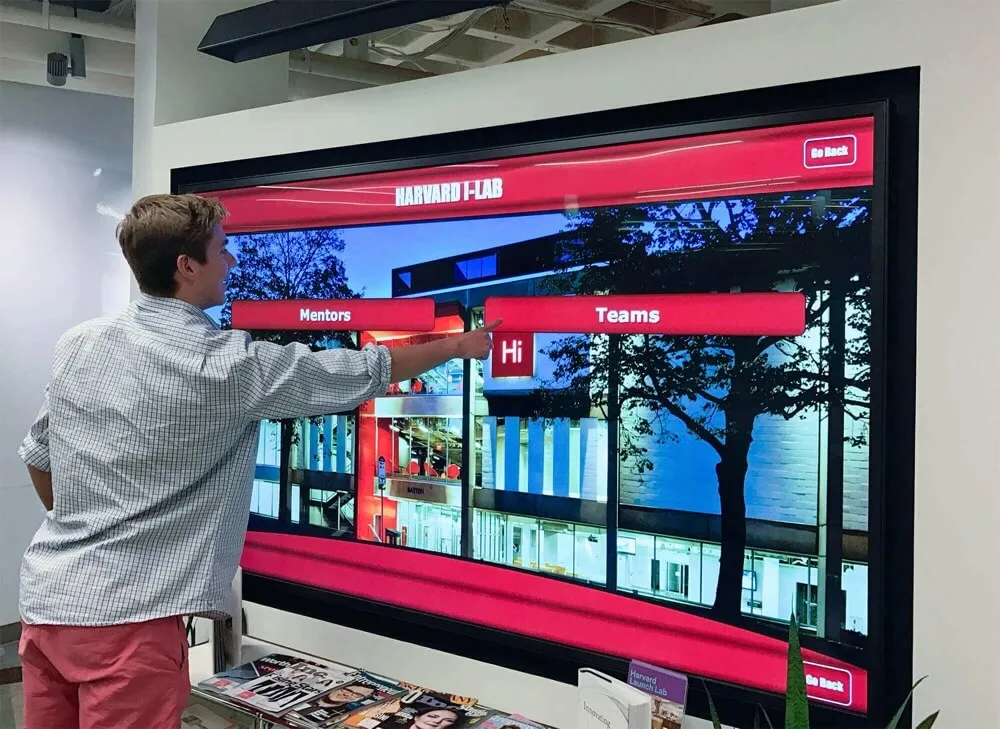
Clear menu structures and intuitive navigation enable visitors to quickly find information relevant to their specific interests
Lead Capture and Sales Integration
Converting engagement into sales opportunities requires thoughtful integration:
Progressive Lead Capture
Balancing information collection with visitor willingness:
- Initial anonymous exploration allowing visitors to investigate without commitment
- Value-gated content offering premium information in exchange for contact details
- Interest-indicating actions like configuration saves or brochure requests
- Explicit quote request or consultation scheduling forms
- Email-this-information features enabling self-service content sharing
- QR code generation allowing visitors to continue exploration on personal devices
- Booth staff notification alerting representatives when highly-engaged visitors need assistance
This progressive approach respects visitor privacy while identifying serious prospects worthy of immediate sales attention versus early-stage researchers requiring nurturing.
CRM Integration
Seamless sales process connection includes:
- Automatic lead record creation in sales management systems
- Engagement history capture showing which products and features interested prospects
- Lead scoring based on exploration depth and time investment
- Automatic follow-up email delivery with content matching displayed interests
- Sales representative notification enabling timely personal outreach
- Marketing automation integration supporting multi-touch nurturing campaigns
- Analytics integration connecting event engagement to closed sales revenue
Organizations implementing integrated lead capture report 40-60% improvement in event ROI through improved follow-up effectiveness and higher lead-to-sale conversion rates.
Implementation Roadmap for Equipment Manufacturers
Successful touchscreen kiosk programs require systematic planning and development:
Phase 1: Content Audit and Information Architecture
Before technology selection, understand what content needs displaying:
Existing Asset Inventory
Gather currently available materials:
- Product specification sheets and technical documentation
- Marketing collateral including brochures and sell sheets
- Photography library of products and applications
- Video content including demonstrations and customer testimonials
- CAD models potentially convertible to interactive 3D content
- Customer case studies and application stories
- Competitor comparison materials and positioning documents
- Frequently asked questions and common objection responses
This inventory reveals both available content and gaps requiring new development.
Organization and Prioritization
Structure content logically:
- Product category taxonomy grouping related equipment
- Feature-based organization enabling capability exploration
- Application scenarios connecting customer needs with solutions
- Visitor journey mapping showing typical exploration paths
- Content depth planning determining detail levels for each product
- Priority ranking focusing initial development on highest-value products
- Update frequency planning ensuring content remains current
Thoughtful information architecture significantly impacts visitor experience quality and content development efficiency.
Phase 2: Technology Platform Selection
With content strategy defined, evaluate platform options:
Requirements Definition
Critical capabilities for equipment manufacturers:
- Content management system features required for your product complexity
- Cross-platform compatibility supporting both events and web deployment
- Analytics depth needed for measuring engagement and ROI
- Integration requirements with existing CRM and marketing systems
- Multimedia support for video, 3D models, and interactive content
- Scalability accommodating product line growth and expansion
- Vendor support and training ensuring successful implementation
- Total cost of ownership including software, hardware, and ongoing maintenance
Prioritizing requirements helps evaluate vendors and solutions effectively.
Platform Evaluation
Assessment approaches include:
- Feature comparison matrices evaluating capabilities against requirements
- Vendor demonstrations showing actual system functionality
- Reference customer conversations revealing implementation experiences
- Trial deployments testing platforms with your specific content
- Cost modeling comparing total investment across solution lifespan
- Support evaluation understanding available training and assistance
- Technical assessment evaluating performance, reliability, and scalability
Thorough evaluation prevents expensive mistakes and ensures selected platforms serve organizational needs long-term. Examine touchscreen software options applicable to equipment showcase applications.
Phase 3: Content Development and Production
With platform selected, create compelling content:
Production Planning
Systematic development includes:
- Content outline finalizing all pages, sections, and navigation
- Writing and editing of text content matching brand voice
- Photography planning identifying required product images
- Video production scheduling demonstrations and testimonials
- 3D modeling or interactive element development
- Design and layout creating professional appearance
- Quality review ensuring accuracy and completeness
- Translation services if serving international audiences
Production represents substantial investment—thorough planning and quality control ensures resources produce effective results.
Testing and Refinement
Validation before deployment:
- Internal review by product experts ensuring accuracy
- Usability testing with target audience representatives
- Technical testing across deployment hardware and screen sizes
- Performance optimization ensuring responsive, smooth operation
- Accessibility evaluation supporting visitors with various abilities
- Analytics implementation verification ensuring tracking functions properly
- Bug fixing and content corrections addressing identified issues
Testing reveals problems while corrections remain inexpensive rather than after public deployment.
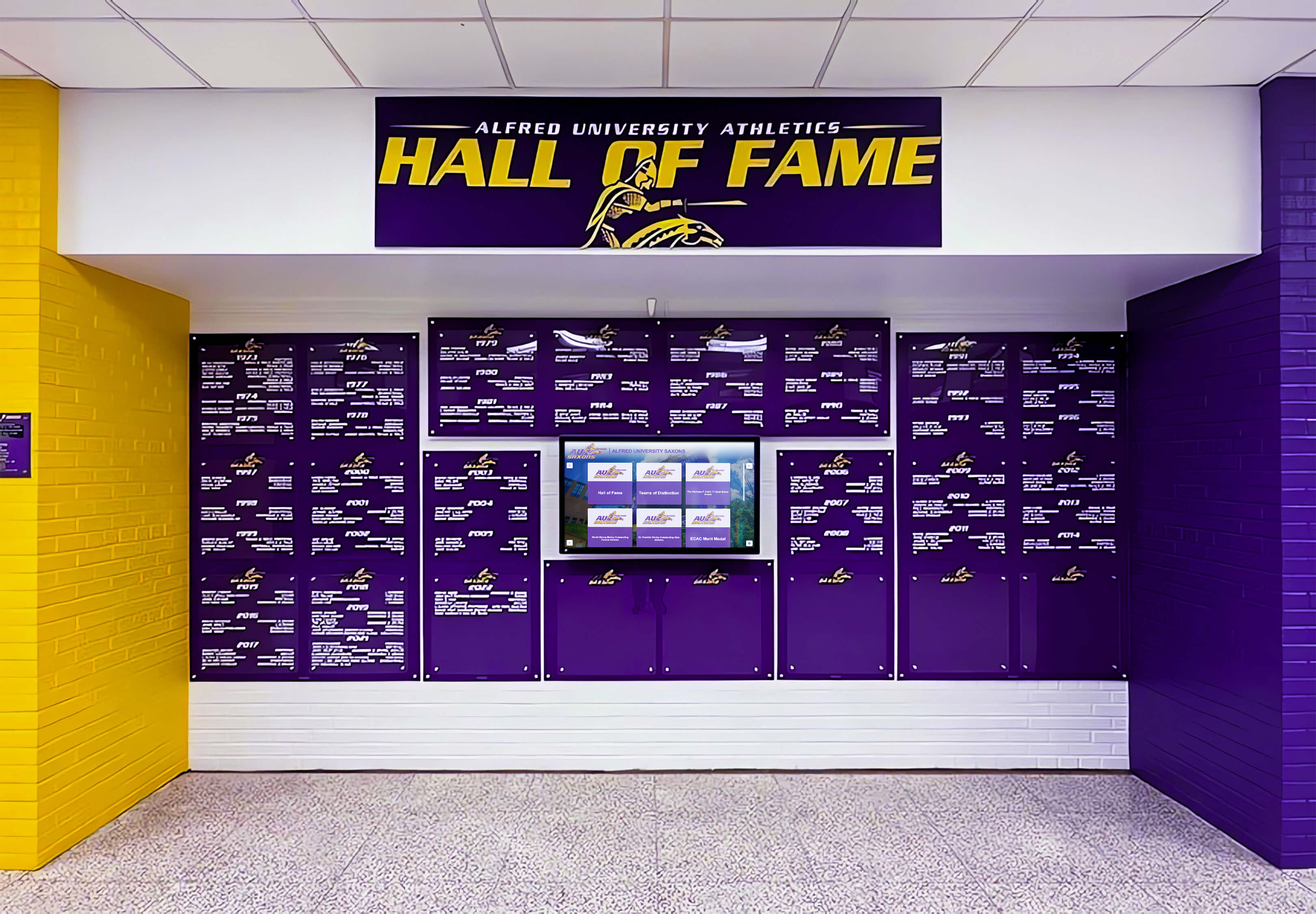
Professional installation and testing ensure displays operate reliably throughout events without technical issues
Phase 4: Event Deployment and Optimization
Launch strategy determines initial success:
Deployment Preparation
Event-ready deployment includes:
- Hardware selection and procurement for planned deployment scenarios
- Enclosure or mounting solution appropriate for booth or facility
- Network connectivity planning for locations requiring internet access
- Power requirements and backup solutions ensuring continuous operation
- Transportation and logistics planning for event shipping
- Setup procedures documenting assembly and configuration
- Staff training ensuring team can operate displays and assist visitors
- Promotional materials directing booth visitors to interactive displays
Comprehensive preparation prevents on-site problems when correction becomes difficult and expensive.
Launch and Monitoring
Active management during initial deployments:
- On-site technical support ensuring smooth operation
- Real-time analytics monitoring revealing engagement patterns
- Staff observation noting visitor behaviors and feedback
- Lead capture verification ensuring prospect information flows properly
- Quick content updates addressing identified gaps or questions
- Competitive intelligence gathering through visitor conversations
- Success metrics tracking measuring performance against goals
Active monitoring during early deployments enables rapid optimization improving results.
Continuous Improvement
Ongoing enhancement over time:
- Analytics review identifying popular and ignored content
- User feedback incorporation addressing visitor suggestions
- Content updates ensuring current products and specifications
- Feature expansion adding new capabilities based on needs
- A/B testing optimizing layouts and presentation approaches
- Staff training updates sharing best practices and new features
- Platform upgrades incorporating vendor improvements
Organizations treating displays as evolving platforms rather than one-time projects achieve substantially better long-term results and return on investment.
Measuring Success and Return on Investment
Interactive displays deliver quantifiable value justifying investment:
Engagement Metrics and Visitor Behavior
Platform analytics provide detailed usage insights:
Quantitative Engagement Data
Measurable interaction includes:
- Total visitor sessions showing overall display usage
- Average session duration indicating depth of engagement
- Content area popularity revealing which features attract attention
- Video completion rates demonstrating compelling content
- Document downloads showing serious prospect activity
- Search queries revealing information visitors seek
- Return visitor patterns indicating sustained interest
- Peak usage times informing staffing decisions
Organizations typically observe 3-8 minute average engagement times for equipment displays compared to 15-45 seconds for traditional booth materials.
Qualitative Behavioral Insights
Observation reveals visitor patterns:
- Navigation paths showing how visitors discover information
- Content sequences revealing typical exploration progressions
- Pain points where visitors abandon or struggle with interface
- Popular features attracting consistent attention across visitors
- Ignored content failing to generate interest
- Group versus individual usage patterns
- Staff intervention triggers indicating when personal assistance helps
These insights guide both display optimization and broader marketing strategy development.
Lead Quality and Sales Pipeline Impact
Connecting engagement to revenue justifies investment:
Lead Generation Metrics
Quantifying prospect capture:
- Total lead volume generated through displays
- Lead capture rate showing percentage of visitors providing information
- Lead quality scores based on engagement depth and behaviors
- Qualification rate showing percentage meeting ideal customer criteria
- Cost per lead compared to other marketing and event tactics
- Geographic and demographic distribution of captured prospects
- Product interest patterns revealing opportunities and trends
Organizations implementing interactive displays report 2-4 times higher lead volume compared to traditional trade show badge scans, with significantly better lead quality based on demonstrated product interest.
Sales Conversion Analysis
Revenue impact measurement:
- Lead-to-opportunity conversion rates from display-generated prospects
- Sales cycle length for display-engaged versus other prospects
- Close rates comparing display-generated opportunities to other sources
- Average deal size from prospects initially engaged through displays
- Customer lifetime value of display-acquired customers
- Return on investment calculations comparing revenue to display costs
- Multi-touch attribution showing display role within broader sales processes
Many manufacturers discover interactive displays generate ROI within 2-4 major trade shows, with ongoing deployment delivering substantial positive returns subsequently. Examine digital recognition measurement approaches applicable to equipment showcase analytics.

Intuitive interfaces encourage exploration and generate measurable engagement data revealing visitor interests and behaviors
Special Considerations for Equipment Types
Implementation approaches vary by product category:
Complex Industrial Machinery
Heavy equipment and industrial systems have unique requirements:
Technical Content Emphasis
Engineering-focused visitors need:
- Detailed specification databases with comprehensive technical data
- Engineering drawings and dimensional information
- Capacity calculators for specific applications and parameters
- Compliance and certification documentation for regulatory requirements
- Installation requirement details including facility needs and utility demands
- Integration information for existing systems and infrastructure
- Maintenance and service requirement documentation
- Total cost of ownership analysis tools
Industrial buyers prioritize technical depth and accuracy over marketing messaging.
Application-Specific Demonstrations
Showing equipment in context:
- Industry-specific video content demonstrating relevant applications
- Case studies from similar operations and facilities
- Performance data from comparable installations
- Productivity and efficiency improvement quantification
- Safety feature demonstrations addressing industry concerns
- Environmental impact and sustainability information
- Customization examples showing configuration flexibility
This contextual content helps prospects envision equipment within their specific operations.
Medical and Healthcare Equipment
Regulated medical devices require specialized approaches:
Compliance and Regulatory Content
Healthcare procurement demands:
- FDA clearance and regulatory approval documentation
- Clinical evidence and study results supporting efficacy claims
- Safety information and adverse event reporting
- Sterilization and infection control procedures
- Warranty and service agreement details
- Training requirements and available resources
- Interoperability and integration with existing systems
Medical professionals require comprehensive regulatory information before serious consideration.
Clinical Application Focus
Healthcare buyer priorities:
- Patient outcome evidence demonstrating clinical benefits
- Workflow integration showing impact on departmental efficiency
- Reimbursement information including CPT codes and coverage
- Training requirements for clinical staff
- Comparison with current standard of care or competing solutions
- Return on investment analysis incorporating both revenue and quality factors
- Risk management and safety feature demonstrations
Healthcare buyers evaluate equipment through clinical efficacy and operational impact lenses requiring specialized content approaches.
Agricultural Equipment and Machinery
Farm equipment presentations emphasize different factors:
Operational Efficiency Focus
Agricultural buyers prioritize:
- Productivity metrics showing acres per hour or other capacity measures
- Fuel efficiency and operating cost information
- Weather and soil condition performance capabilities
- Maintenance requirements and service intervals
- Seasonal capacity planning tools
- Used equipment trade-in and financing options
- Dealer service network and parts availability
Farmers evaluate equipment primarily through operational economics and reliability.
Technology Integration
Modern agricultural equipment involves sophisticated technology:
- Precision agriculture and GPS guidance system capabilities
- Data management and field mapping integration
- Telematics and remote monitoring features
- Automation and autonomous operation capabilities
- Connectivity with existing equipment and farm management systems
- Software updates and technology roadmap
- Training and technical support resources
This technology complexity demands clear explanation through interactive displays serving both traditional farmers and tech-forward operations. Explore equipment display strategies applicable across product categories.

Professional kiosk enclosures create polished installations suitable for both trade shows and permanent showroom applications
Emerging Technology Trends
Interactive display capabilities continue advancing:
Augmented and Virtual Reality Integration
Immersive technologies enhance equipment visualization:
Augmented Reality Applications
AR capabilities include:
- Smartphone or tablet AR showing full-scale equipment in customer facilities
- Interactive 3D models overlaid on physical spaces for placement planning
- X-ray vision revealing internal components and mechanisms
- Assembly and maintenance procedure overlays guiding service tasks
- Performance simulation showing equipment operation under various conditions
- Safety training applications demonstrating proper operation procedures
- Remote expert support connecting customers with technical assistance visually
AR technology particularly benefits large equipment where physical display proves impractical.
Virtual Reality Demonstrations
VR experiences provide:
- Immersive equipment operation allowing visitors to experience controls and capabilities
- Virtual facility tours showing manufacturing processes and quality systems
- Scale visualization helping visitors understand physical equipment dimensions
- Multi-user experiences enabling group equipment exploration simultaneously
- Dangerous environment simulation demonstrating safety features safely
- Training applications supporting customer operator preparation
- Customization preview showing configured equipment before manufacturing
While VR requires dedicated hardware, the immersive experiences generate memorable impressions differentiating manufacturers in competitive markets.
Artificial Intelligence and Personalization
AI technologies enhance visitor experiences:
Intelligent Content Recommendations
AI-powered features include:
- Natural language question answering understanding conversational queries
- Personalized content flows adapting to demonstrated visitor interests
- Product recommendations based on application requirements and priorities
- Predictive lead scoring identifying high-value prospects automatically
- Chatbot assistance answering questions outside prepared content
- Voice interaction enabling hands-free display control
- Automatic language detection serving international visitors appropriately
These capabilities create more natural, conversational product exploration experiences.
Advanced Analytics and Insights
Machine learning enables:
- Pattern recognition identifying visitor behavior trends
- Predictive modeling forecasting which content generates sales
- Sentiment analysis evaluating visitor feedback and comments
- Competitive intelligence revealing market positioning opportunities
- Content optimization automatically testing variations for effectiveness
- Audience segmentation grouping visitors by behavior and interests
- ROI prediction estimating sales pipeline from engagement patterns
AI-powered analytics help manufacturers continuously improve display effectiveness and understand customer priorities more deeply.
Connected and IoT Equipment Integration
Digital connectivity enables new possibilities:
Live Equipment Data Display
Connected equipment supports:
- Real-time operational data from customer installations showing actual performance
- Remote monitoring demonstrations displaying equipment status and conditions
- Predictive maintenance visualization showing how systems prevent failures
- Fleet management dashboards demonstrating multi-machine oversight capabilities
- Performance benchmarking comparing customer results across installations
- Telematics and GPS tracking showing equipment location and usage
- Alerts and notification systems demonstrating proactive customer support
This live data brings equipment capabilities to life far more compellingly than marketing claims and specifications. Consider digital display services and integration approaches applicable to equipment showcases.
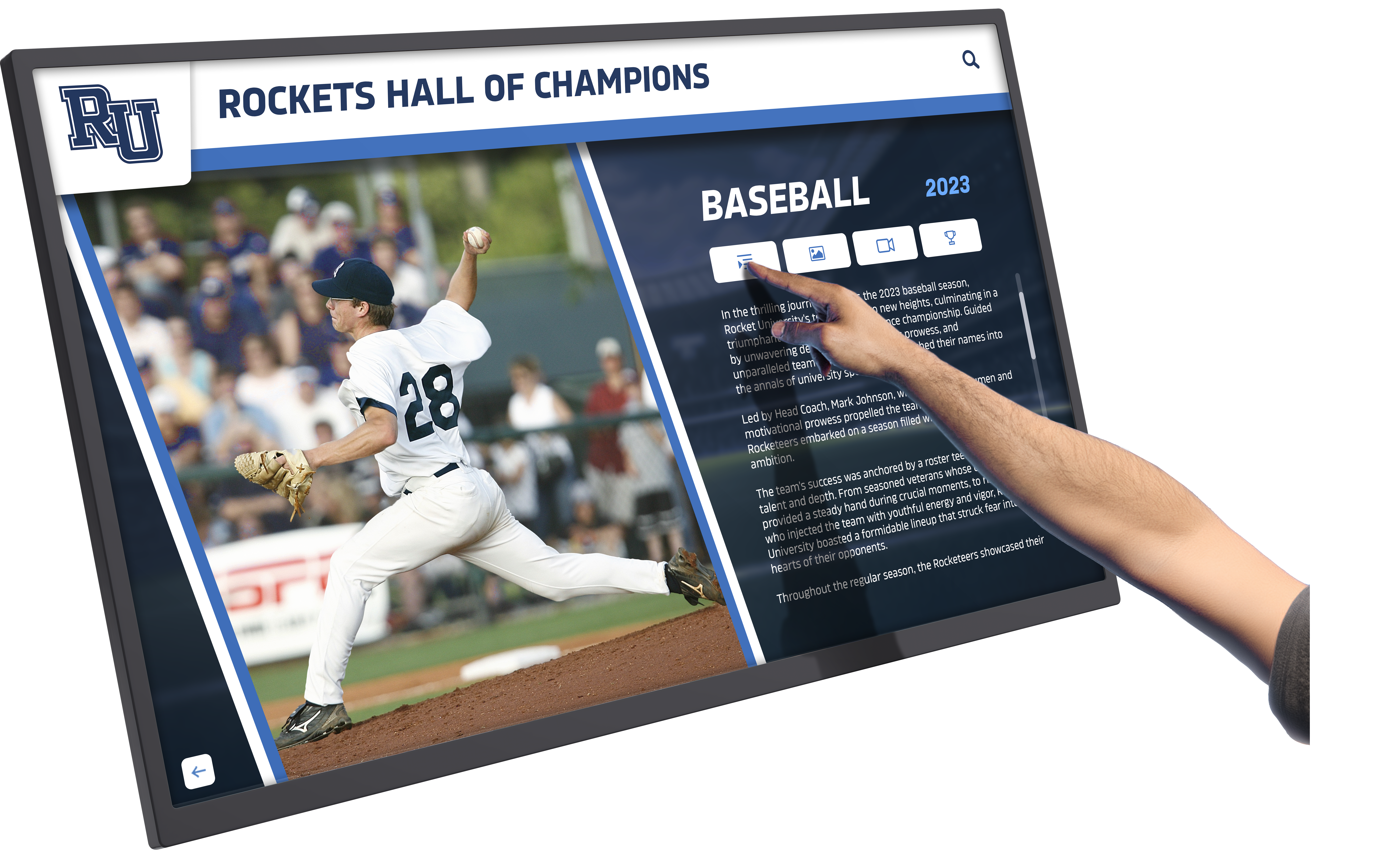
Responsive touch interfaces create engaging experiences that encourage extended exploration of product features and capabilities
Conclusion: Transforming Equipment Marketing Through Interactive Technology
Touchscreen kiosks represent far more than modern alternatives to printed brochures—they enable fundamentally different approaches to product education that serve diverse visitor interests simultaneously, generate measurable engagement data, and extend valuable content beyond single-event deployments to ongoing marketing and sales support. When equipment manufacturers thoughtfully plan content strategies, select appropriate technology platforms, and develop compelling multimedia experiences, interactive displays transform from expensive novelties to strategic marketing investments delivering measurable returns through improved lead generation, enhanced sales effectiveness, and differentiated positioning.
The considerations explored throughout this guide provide frameworks for evaluating options, making informed decisions, and implementing display systems serving manufacturing marketing goals effectively. From content architecture and multimedia development to platform selection and analytics implementation, each decision affects long-term program success and marketing impact.
Ready to explore how interactive touchscreen kiosk technology can transform your equipment marketing at events and functions? Modern interactive display solutions help manufacturers communicate complex product features effectively while generating measurable lead generation and sales results. Solutions like Rocket Alumni Solutions provide flexible platforms originally designed for recognition displays that equipment manufacturers have successfully adapted for product showcase applications, combining intuitive content management with cross-platform compatibility ensuring identical experiences across event displays and website integration.
Whether you’re developing your first interactive product display or enhancing existing trade show presentations, the key is creating content that serves diverse visitor interests, ensuring platforms provide cross-platform compatibility your deployment scenarios require, and implementing solutions sustainable within your marketing resources and capabilities.
Your equipment deserves explanation technology that communicates capabilities clearly while creating engaging experiences and generating measurable marketing results. With thoughtful planning, appropriate technology selection, compelling multimedia content development, and systematic analytics implementation, you can deploy touchscreen kiosk solutions that differentiate your organization, improve event ROI, and support sales teams with effective product education tools serving prospects throughout their evaluation journeys.
The most important consideration isn’t selecting the most expensive hardware or most sophisticated software—it’s creating content that genuinely helps prospects understand your equipment capabilities, choosing platforms that deploy flexibly across your marketing touchpoints, and implementing solutions that generate measurable improvements in lead quality and sales effectiveness. Your products deserve marketing technology that communicates their value compellingly. Interactive touchscreen kiosks make that dynamic, measurable product education achievable and sustainable across events, facilities, and digital channels simultaneously.
Book a demo to explore how interactive touchscreen technology can enhance your equipment marketing at trade shows, customer events, and permanent showroom installations while extending valuable content to your website and sales team presentations.































