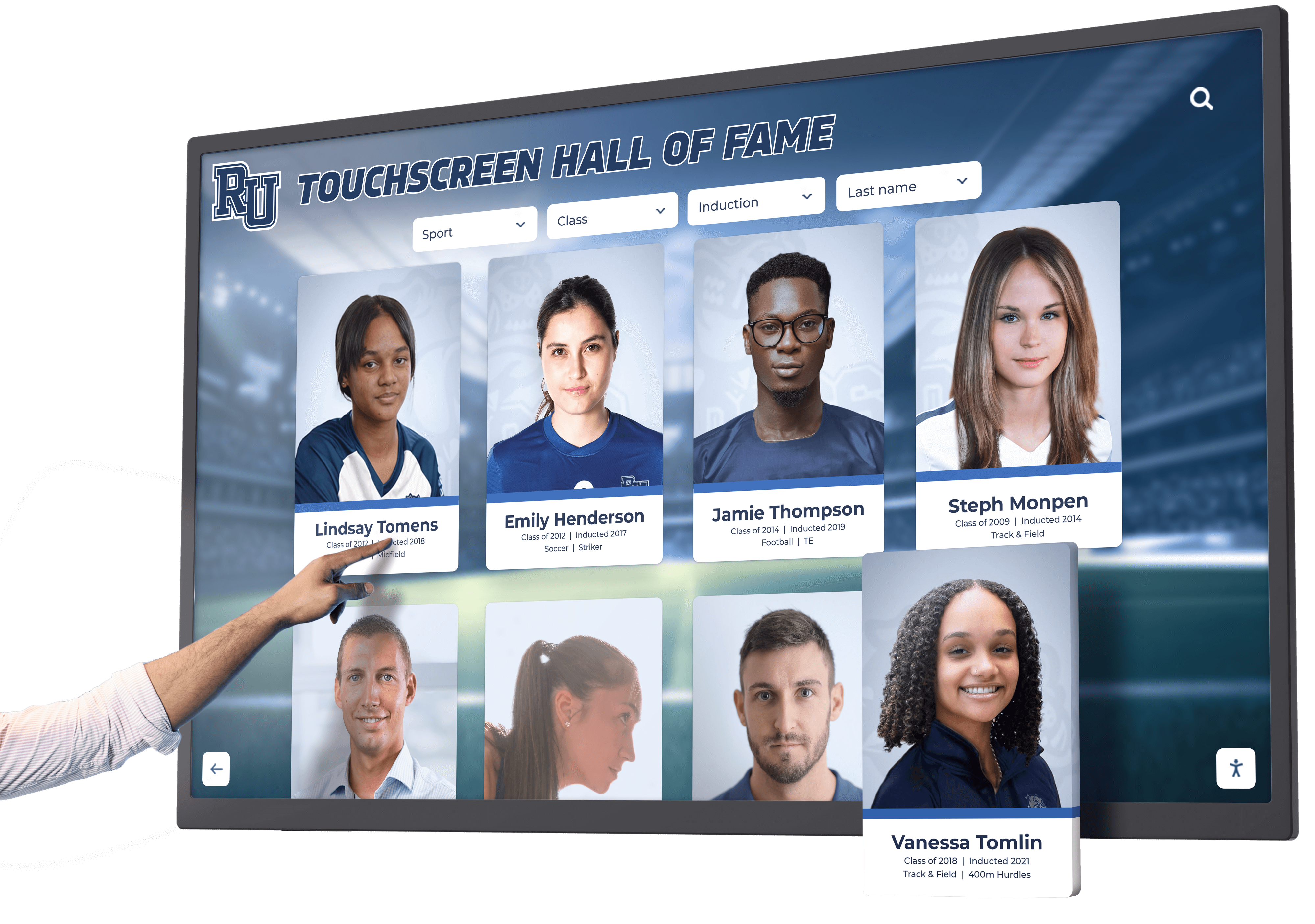




Touchscreen augmented reality displays combine physical touchscreen interfaces with digital content layers that extend beyond the screen itself, creating recognition experiences where digital information appears integrated with physical environments. These systems overlay biographical profiles, achievement statistics, video highlights, and historical context onto real-world spaces through mobile devices or specialized AR glasses, while interactive touchscreens serve as anchored discovery points connecting communities with comprehensive digital archives accessible anywhere.
Organizations implementing recognition programs increasingly explore how augmented reality features enhance traditional touchscreen displays, creating hybrid experiences that blend physical installations, interactive digital interfaces, and mobile AR extensions. Schools, universities, athletic programs, and cultural institutions face practical questions: How does AR technology integrate with existing touchscreen recognition systems? What content strategies support both touchscreen and AR experiences? How do organizations implement AR features without overwhelming budgets or technical capabilities? Which approaches deliver measurable engagement improvements?
This comprehensive guide explores touchscreen augmented reality display implementation for recognition programs, providing decision-makers with practical frameworks for evaluating AR-enhanced interactive systems, developing content that serves both touchscreen and mobile experiences, and creating recognition programs that honor achievements through accessible technology aligned with organizational capabilities and community needs.
Augmented reality transforms how audiences discover and engage with recognition content by extending information beyond physical display boundaries. When visitors scan markers near touchscreen installations using smartphones, AR applications overlay additional content—360-degree views of trophies, animated achievement timelines, audio interviews with honorees, or location-specific historical context—creating layered storytelling experiences that complement touchscreen interaction while enabling extended exploration through personal devices community members already carry.

Touchscreen displays serve as primary discovery points that connect to extended AR experiences accessible through mobile devices
Understanding Touchscreen Augmented Reality Technology
Before evaluating specific AR approaches for recognition programs, understanding the technology components and how they integrate with existing touchscreen systems helps organizations make informed implementation decisions.
What Defines AR-Enhanced Touchscreen Displays
Touchscreen augmented reality displays combine multiple integrated technology layers:
Physical Touchscreen Foundation
The anchored interactive display provides:
- Large-format commercial touchscreen serving as primary discovery interface
- Comprehensive content database accessible through intuitive touch navigation
- High-resolution display showing profiles, photos, videos, and achievement documentation
- Placement in high-traffic institutional areas maximizing daily exposure
- Professional installation creating impressive focal points celebrating excellence
- Continuous operation enabling exploration whenever facilities remain open
- Web accessibility extending same content globally through responsive websites
These physical installations create the foundation upon which AR features layer additional capabilities rather than replacing core touchscreen functionality. Organizations implement touchscreen recognition first, then selectively add AR features enhancing specific storytelling opportunities.
Augmented Reality Extension Layer
AR features overlay digital content onto physical environments:
- Mobile device cameras recognizing markers, objects, or locations near displays
- AR applications rendering digital content appearing integrated with real spaces
- Spatial anchoring ensuring virtual elements remain positioned correctly as users move
- Multiple content types including 3D models, videos, audio, animations, and text overlays
- Personal device interaction enabling private exploration without queuing at shared screens
- Take-home experiences extending engagement beyond facility visits through smartphone access
- Social sharing capabilities encouraging audience amplification and broader reach
This AR layer complements rather than replaces touchscreen interaction, providing additional storytelling depth for audiences seeking extended engagement while maintaining accessible touchscreen experiences for all visitors.
Content Management Infrastructure
Unified platforms support both touchscreen and AR delivery:
- Cloud-based CMS enabling content creation serving multiple delivery formats
- Asset management organizing photos, videos, 3D models, and audio files
- Relationship mapping connecting honorees, teams, achievements, and historical events
- Publishing workflows coordinating content releases across touchscreen and mobile platforms
- Analytics tracking engagement patterns across both physical and AR touchpoints
- Update procedures ensuring content consistency regardless of access method
- Template systems maintaining professional presentation across delivery channels
Solutions like Rocket Alumni Solutions provide integrated platforms combining touchscreen displays with web accessibility, positioning organizations for future AR enhancement when budgets and community readiness align with advanced features.
How AR Features Enhance Recognition Programs
Augmented reality capabilities address specific engagement opportunities:
Extended Content Depth
AR enables sharing information beyond touchscreen display capacity:
- Detailed achievement documentation accessible through personal devices without cluttering shared displays
- Multi-language content serving diverse communities through mobile translation features
- Accessibility accommodations including audio descriptions and text-to-speech options
- Comprehensive historical archives providing depth for interested audiences while maintaining simple touchscreen navigation
- Family photographs and personal memorabilia contributed by community members
- Video oral histories capturing first-person achievement narratives
- Interactive timelines showing career progression and accomplishment context
This extended content depth honors achievements comprehensively while maintaining intuitive touchscreen interfaces serving casual browsers alongside deep researchers accessing extensive documentation through AR applications.
Location-Based Storytelling
AR applications respond to physical context:
- Recognition appearing where achievements occurred—courts, fields, stages, or classrooms
- Historical photographs overlaid onto current spaces showing facility evolution
- Achievement markers appearing at specific locations during facility tours
- Wayfinding assistance guiding visitors to related physical recognition elements
- Context-aware content displaying information relevant to viewer locations
- Campus or facility tours integrating recognition into broader institutional storytelling
- Virtual museum experiences accessible anywhere while maintaining place-based connections
Location awareness transforms entire facilities into recognition environments rather than limiting celebration to single display installations, enabling comprehensive storytelling throughout spaces where achievements occurred. Explore approaches through resources about interactive campus storytelling that integrate physical and digital touchpoints.
Social and Collaborative Features
AR applications enable interaction impossible through shared displays:
- Personal photo opportunities with virtual representations of trophies or honorees
- Social media sharing creating authentic promotional content from satisfied visitors
- Collaborative experiences where groups simultaneously explore different content aspects
- Personal collections allowing visitors to favorite profiles and achievements for later review
- Family connections enabling alumni to share their recognition with distant relatives
- Student projects incorporating recognition into research or creative assignments
- Community contribution portals where participants submit content enhancing archives
These social features transform recognition from one-way institutional communication into collaborative community celebration, increasing engagement while generating authentic promotional content and building participatory culture around achievement acknowledgment.
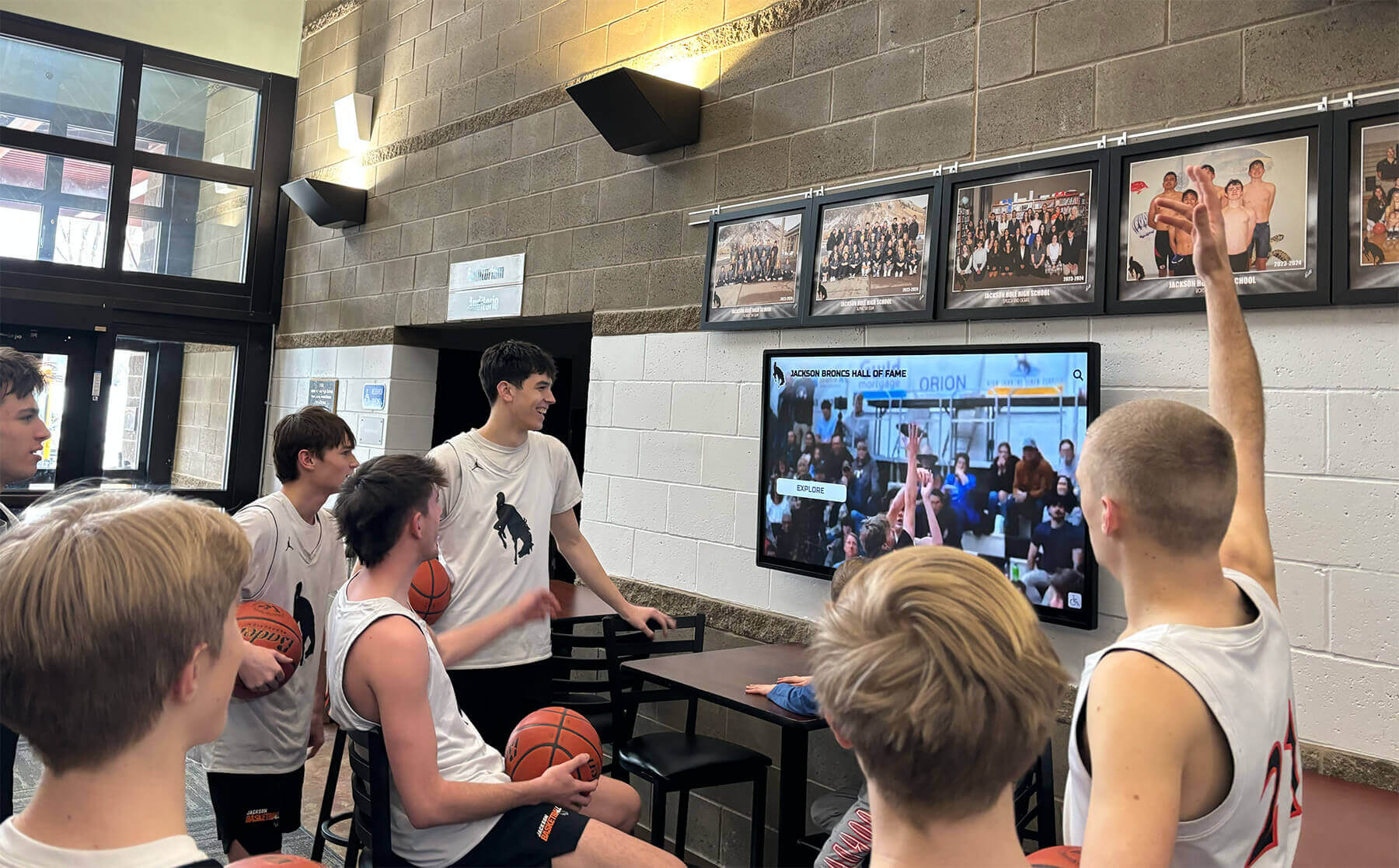
Group interaction around touchscreen displays creates social experiences complemented by individual AR exploration through personal devices
Content Architecture for AR-Enhanced Recognition Programs
Effective AR implementations require thoughtful content structure supporting both touchscreen and mobile experiences.
Program Snapshot: Hybrid Recognition System
Audience and Outcomes
| Aspect | Details |
|---|---|
| Primary Users | Students, alumni, family members, facility visitors, prospective members |
| Touchscreen Goals | Immediate discovery, group exploration, casual browsing, institutional storytelling |
| AR Enhancement Goals | Extended content depth, personal exploration, social sharing, take-home experiences |
| Content Timing | Real-time updates for current achievements, comprehensive historical archives |
| Featured Elements | Honoree profiles, achievement documentation, multimedia highlights, interactive statistics |
Technology Components
Touchscreen Display Installation
- 55-65 inch commercial display in high-traffic lobby
- Intuitive touch interface requiring no instruction
- Comprehensive content accessible through search and browse
- Professional design reflecting institutional branding
- Web accessibility extending reach globally
- Cloud-based content management enabling remote updates
- Analytics tracking engagement patterns and popular content
Mobile AR Application Features
- Marker recognition activating AR experiences near displays
- Extended biographical content and achievement documentation
- 3D artifact viewing and virtual trophy exploration
- Audio interviews and video oral histories
- Personal collections and favoriting capabilities
- Social sharing directly to common platforms
- Offline content availability for areas with limited connectivity
Content Structure: Layered Information Architecture
Core Content Layer (Touchscreen Primary)
Essential information accessible through physical displays:
- Honoree Profiles containing name, photograph, achievement category, years active, and headline accomplishments
- Achievement Summaries highlighting major accomplishments, records, awards, and recognition received
- Visual Media including high-quality photographs documenting individuals and their achievements
- Video Highlights showing performances, speeches, ceremonies, or achievement moments
- Search and Discovery tools enabling immediate location of specific individuals or categories
- Related Content Links connecting associated achievements, teams, or time periods
- Recognition Dates documenting when honors were awarded and ceremonies conducted
This core layer provides comprehensive recognition accessible to all visitors without requiring personal devices or technical knowledge, ensuring equitable access while maintaining professional presentation standards appropriate for shared public spaces.
Extended Content Layer (AR Enhanced)
Additional depth accessible through mobile devices:
- Comprehensive Biographies providing detailed life stories, career progressions, and contextual information
- Statistical Deep Dives showing complete performance records, comparative analysis, and historical rankings
- Multimedia Archives including complete video interviews, photo galleries, and document collections
- Interactive Timelines illustrating achievement progression and career development
- 3D Artifact Views enabling examination of trophies, uniforms, equipment, and memorabilia from all angles
- Audio Content including oral histories, commentary, and narrated achievement stories
- Community Contributions displaying content submitted by families, classmates, or participants
- Personalization Features allowing visitors to create custom collections and learning paths
This extended layer serves deeply interested audiences while maintaining simple touchscreen experiences for casual browsers, avoiding overwhelming shared displays with complexity that reduces accessibility for general visitors.
Location-Aware Content (Contextual AR)
Place-specific information appearing at relevant locations:
- Achievement Site Markers appearing where specific accomplishments occurred
- Historical Photographs overlaid onto current spaces showing facility evolution
- Record Boards displaying achievements associated with specific courts, fields, or venues
- Wayfinding Assistance guiding visitors to related physical recognition elements
- Virtual Tours connecting multiple recognition locations throughout facilities
- Event Context providing information about ceremonies or celebrations held in specific spaces
- Facility History documenting construction, renovations, and space dedications
Location-aware content transforms entire facilities into recognition environments rather than limiting celebration to single display locations, enabling storytelling throughout spaces where achievements occurred and communities gathered.

Strategic placement in gathering spaces ensures touchscreen displays reach broad audiences during daily activities
Implementation Timeline: AR-Enhanced Recognition Launch
Systematic phased implementation ensures sustainable programs aligned with organizational capabilities.
Phase 1: Foundation (Months 1-3) — Touchscreen Display Implementation
Establish core recognition infrastructure before AR enhancement:
Planning and Design
- Gather stakeholder input defining recognition categories and eligibility criteria
- Audit existing achievement documentation and identify archival content requiring digitization
- Select installation location based on traffic patterns and viewing environment
- Design visual identity and interface reflecting institutional branding
- Establish content governance defining approval workflows and update responsibilities
- Evaluate touchscreen platforms and select recognition-specific software solution
- Budget hardware, software subscriptions, and initial content development investment
Content Development
- Digitize historical photographs, documents, and existing recognition materials
- Develop initial honoree profiles for comprehensive historical representation
- Create achievement category taxonomies and organizational structure
- Gather video content including archived footage and new interviews when available
- Establish content standards ensuring consistency across all profiles
- Develop style guides maintaining professional presentation quality
- Build comprehensive initial database demonstrating program scope and value
Technology Deployment
- Procure commercial-grade touchscreen display and mounting hardware
- Install display with professional mounting ensuring stability and accessibility
- Configure content management system and establish administrative access
- Populate initial content database with historical and current recognition
- Test touchscreen responsiveness and navigation flow with diverse users
- Establish web accessibility enabling global audience reach beyond physical installation
- Train administrative staff on content management procedures and workflows
Launch and Promotion
- Conduct public unveiling ceremony celebrating new recognition capability
- Generate media coverage promoting exploration and community awareness
- Create social media campaign encouraging discovery and profile sharing
- Develop printed materials explaining features and encouraging interaction
- Establish feedback collection mechanisms informing future enhancements
- Monitor initial engagement patterns identifying popular content and navigation improvements
- Gather stakeholder reactions guiding subsequent development priorities
Understand digital hall of fame implementation best practices establishing foundation systems supporting future AR enhancement.
Phase 2: Foundation Operation (Months 4-12) — Content Growth and Community Adoption
Build sustainable content workflows and establish usage patterns:
Ongoing Content Development
- Add new achievement recognition as accomplishments occur throughout academic or fiscal year
- Expand historical archives addressing gaps identified through community feedback
- Enhance existing profiles with additional multimedia content as materials become available
- Implement regular update schedules maintaining currency and demonstrating active management
- Engage student groups or volunteers assisting with content development and research
- Solicit community contributions including photographs and historical documentation
- Conduct periodic content audits ensuring accuracy and identifying enhancement opportunities
Community Engagement
- Promote regular exploration through newsletters, social media, and institutional communications
- Feature highlighted profiles rotating focus across diverse achievement categories and eras
- Connect recognition to current events including ceremonies, anniversaries, and celebrations
- Facilitate honoree visits where individuals explore their recognition with family and friends
- Generate usage data demonstrating engagement patterns and justifying program investment
- Collect user feedback identifying desired features and content enhancements
- Build stakeholder support for potential program expansion including AR capabilities
Technical Optimization
- Monitor performance metrics identifying navigation improvements and technical issues
- Refine search and discovery tools based on actual user behavior and query patterns
- Optimize media content ensuring fast loading and smooth playback across connections
- Address accessibility gaps ensuring inclusive experiences for diverse users
- Implement requested features that align with recognition goals and platform capabilities
- Maintain hardware ensuring reliable operation and professional appearance
- Update software taking advantage of platform improvements and new features
This operational phase establishes sustainable content workflows, builds community adoption, demonstrates program value, and identifies specific opportunities where AR enhancement would strengthen engagement rather than adding complexity without clear benefit.
Phase 3: AR Enhancement (Year 2+) — Extended Capability Development
Selectively implement AR features addressing specific engagement opportunities:
AR Strategy Development
- Analyze touchscreen engagement data identifying content areas benefiting from extended depth
- Survey community members assessing mobile device ownership and AR feature interest
- Define specific AR use cases based on institutional goals and audience needs rather than technology trends
- Evaluate AR platforms considering development costs, technical requirements, and maintenance implications
- Plan content development focusing on AR-appropriate material including 3D assets and location-aware content
- Budget development investment alongside ongoing operational costs for sustainable implementation
- Establish success metrics defining what AR enhancement should accomplish beyond novelty
Content Adaptation and Enhancement
- Develop extended biographical content appropriate for personal device consumption
- Create 3D models of significant trophies, artifacts, or memorabilia enabling virtual examination
- Record audio interviews and oral histories providing first-person achievement narratives
- Photograph or scan historical documents and memorabilia for detailed examination through mobile devices
- Develop location-based content connecting achievements to specific facility areas
- Create interactive timelines and data visualizations exploiting personal device interaction
- Establish marker systems or location triggers activating AR experiences near physical installations
Application Development and Testing
- Develop mobile applications or progressive web apps delivering AR experiences
- Implement marker recognition connecting physical displays to extended digital content
- Test AR features across diverse devices ensuring broad compatibility and accessibility
- Optimize performance addressing battery consumption and data usage concerns
- Conduct user testing with community members representing diverse technical comfort levels
- Refine interfaces based on actual usage patterns and feedback
- Develop support documentation and promotion materials explaining AR features and value
Integrated Launch and Promotion
- Coordinate AR launch with relevant institutional events or celebrations
- Develop clear communication explaining how AR features complement touchscreen experiences
- Create demonstration videos showing AR interaction and content access
- Train facility staff or ambassadors who can assist visitors accessing AR features
- Monitor adoption patterns identifying successful features and underutilized capabilities
- Gather feedback informing ongoing development priorities and content investment
- Establish sustainable content workflows supporting both touchscreen and AR experiences
Learn about touchscreen kiosk software platforms providing foundation systems supporting AR enhancement.
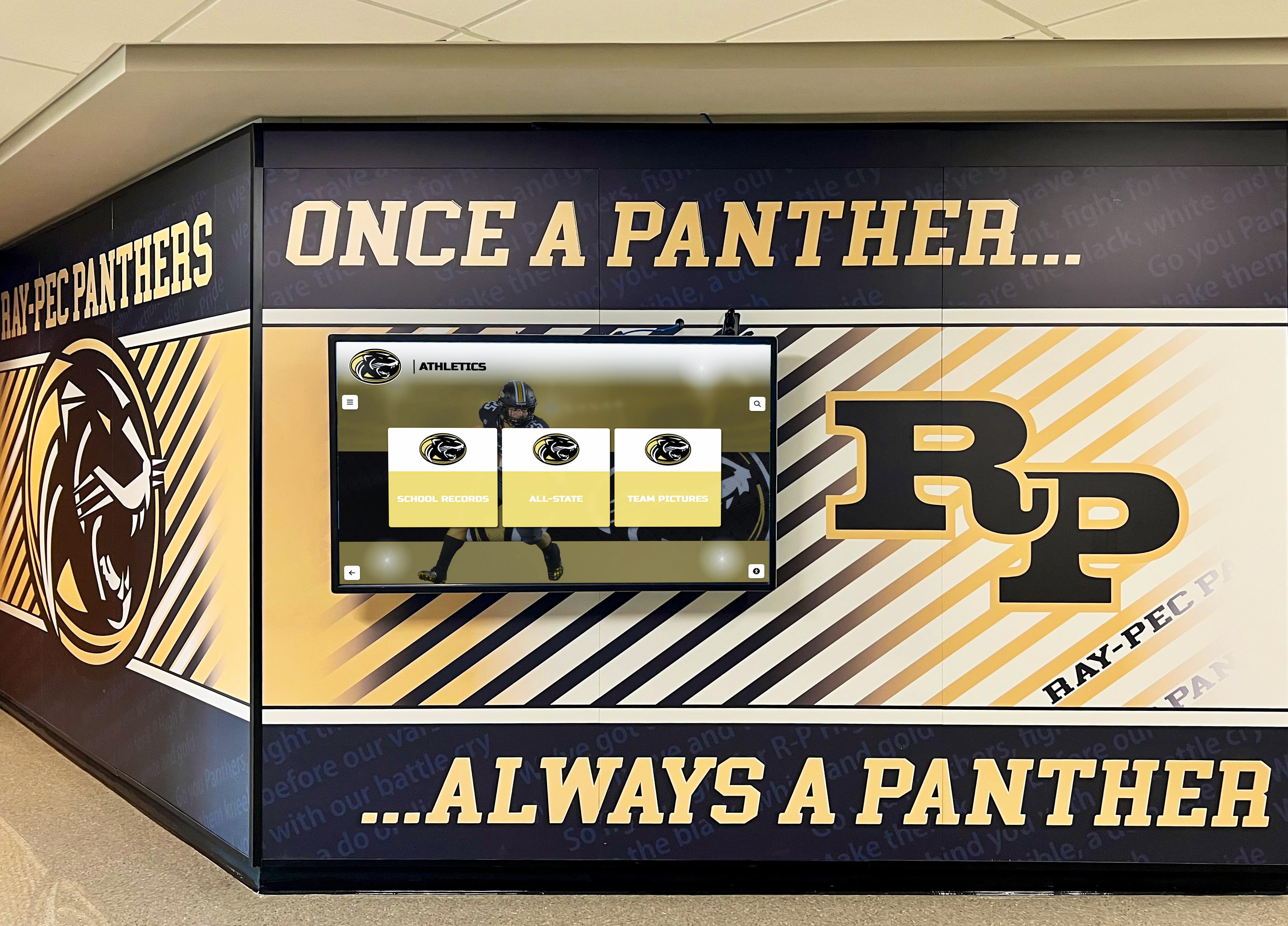
Professional installations create impressive focal points celebrating achievement while supporting future enhancement capabilities
Display Integration: Technical Considerations
Successful AR-enhanced recognition requires thoughtful technology integration.
Marker and Trigger Systems
AR applications require methods for initiating experiences:
Physical Marker Approaches
Visual triggers placed near touchscreen displays:
- QR codes providing simple smartphone camera activation without specialized applications
- AR markers recognized by mobile applications triggering specific content overlays
- NFC tags enabling tap-to-activate experiences for compatible devices
- Image recognition using display content itself as activation triggers
- Location beacons detecting proximity and activating relevant AR content automatically
- Printed signage explaining how to access AR features and download required applications
- Multiple activation methods accommodating diverse device capabilities and user preferences
Physical markers should complement rather than distract from touchscreen displays, maintaining professional appearance while enabling interested visitors to access extended AR content through clear, simple procedures requiring minimal technical knowledge.
Location-Based Activation
GPS or indoor positioning activating context-aware content:
- Geographic coordinates triggering AR experiences in specific facility areas
- Indoor positioning systems tracking visitor location throughout buildings
- Beacon technology detecting proximity to specific recognition locations
- Wi-Fi positioning providing approximate location for context-aware content
- Manual location selection through interactive facility maps for areas without precise positioning
- Outdoor campus tours integrating recognition with broader institutional storytelling
- Athletic facility experiences connecting achievements to specific courts, fields, or performance spaces
Location-based activation enables recognition throughout entire facilities rather than limiting AR to single display areas, though technical complexity and positioning accuracy vary substantially across approaches.
Content Delivery Architecture
AR systems require efficient content distribution:
Cloud-Based Content Hosting
- Centralized content management serving both touchscreen displays and mobile applications
- Real-time updates appearing across all delivery channels simultaneously
- Scalable infrastructure handling variable usage without performance degradation
- CDN distribution ensuring fast content loading regardless of visitor location
- Bandwidth optimization minimizing mobile data consumption concerns
- Offline caching enabling AR functionality in areas with limited connectivity
- Security measures protecting content while enabling appropriate access
Progressive Loading Strategies
- Initial lightweight content appearing immediately while detailed assets load in background
- Adaptive quality adjusting resolution based on device capability and connection speed
- Predictive preloading for content likely needed based on visitor behavior patterns
- Cached content reducing repeated downloads for frequently accessed information
- Fallback experiences ensuring basic functionality when network conditions limit full AR features
- Storage management preventing mobile applications from consuming excessive device space
- Update procedures balancing currency with download requirements and user patience
Technical architecture significantly affects user experience, with poor implementation causing frustration that undermines engagement despite quality content. Organizations without substantial technical expertise benefit from platforms handling content delivery complexity through managed services rather than attempting custom development requiring specialized knowledge.
Device Compatibility and Accessibility
AR implementations must serve diverse audiences:
Multi-Device Support
- iOS compatibility ensuring iPhone and iPad accessibility
- Android support across diverse manufacturer implementations
- Progressive web applications providing browser-based AR without required installations
- Responsive design adapting to various screen sizes and device capabilities
- Performance optimization preventing excessive battery drain or device heating
- Graceful degradation for older devices unable to support full AR features
- Alternative content access for visitors without compatible devices
Accessibility Accommodations
- Audio descriptions narrating visual AR content for users with vision impairments
- Captions and transcripts accompanying video and audio content
- Simplified interfaces accommodating users with limited mobility or dexterity
- Adjustable text sizes and high contrast modes supporting various visual needs
- Alternative interaction methods beyond gesture controls requiring precise manipulation
- Multi-language support serving diverse communities
- Assistance features explaining how to use AR capabilities for users unfamiliar with technology
Recognition programs serve entire communities, requiring accessible design ensuring equitable experiences regardless of technical sophistication, device ownership, or individual capabilities. Explore touchscreen software accessibility considerations that extend to AR implementations.
Content Development Strategies
Creating effective AR-enhanced recognition requires specific content approaches.
Photography and 3D Asset Development
Visual content forms recognition foundations:
Standard Photography Requirements
- High-resolution portrait photographs suitable for large touchscreen display
- Action shots documenting achievements and performances
- Group photographs showing teams, classes, or cohorts
- Ceremony images capturing recognition moments and celebrations
- Historical photographs providing context and institutional continuity
- Candid imagery humanizing accomplishments through personality
- Consistent editing maintaining professional presentation across archives
AR-Enhanced Visual Content
- 360-degree object photography enabling examination from all angles through AR
- 3D scans of significant trophies, artifacts, and memorabilia
- Photogrammetry creating 3D models from multiple standard photographs
- Virtual replicas enabling interactive exploration impossible with physical objects
- Detailed texture photography revealing craftsmanship and historical wear
- Scale references helping viewers understand actual object sizes
- Lighting optimization ensuring quality AR rendering across environments
Organizations already maintaining photo archives can selectively enhance specific items with 3D capabilities rather than attempting comprehensive 3D documentation that multiplies content development burden. Focus AR investment on unique artifacts generating most interest rather than treating all content equally.
Video Content Strategy
Video brings recognition to life through motion and sound:
Touchscreen Video Content
- Brief highlight clips (30-90 seconds) appropriate for shared display viewing
- Achievement montages showing multiple accomplishments efficiently
- Ceremony footage capturing recognition moments and celebrations
- Performance highlights demonstrating excellence and skill
- Interview clips providing brief personal perspectives
- Historical footage connecting current programs to institutional legacy
- Auto-playing previews attracting attention when displays idle
AR-Extended Video Content
- Complete performances or games accessible through personal devices
- Extended interviews providing comprehensive oral histories
- Behind-the-scenes content showing preparation and dedication
- Career retrospectives documenting progression from participation to excellence
- First-person narratives told directly by honorees when available
- Documentary-style features providing historical and cultural context
- Tutorial or instructional content demonstrating techniques and approaches
Video content requires substantial production investment, guiding strategic decisions about where video adds meaningful value versus representing expensive content that generates minimal additional engagement. Start with touchscreen video, then selectively extend to AR based on audience response and available resources.
Audio and Oral History Development
Audio content provides intimate personal connection:
Oral History Interviews
- Structured conversations capturing achievement contexts and personal perspectives
- Open-ended questions encouraging storytelling rather than brief factual responses
- Multiple sessions allowing relationship development and thoughtful reflection
- Professional audio recording ensuring quality despite non-studio environments
- Transcription providing searchable text alongside audio experiences
- Editing preserving authentic voices while removing technical problems or lengthy tangents
- Metadata enabling discovery by topic, achievement category, or time period
Environmental Audio
- Crowd sounds from historical events and competitions
- Ambient audio helping AR content feel integrated with physical spaces
- Musical performances or creative content documented in audio format
- Multilingual narration serving diverse communities
- Audio descriptions making visual content accessible to users with vision impairments
- Sound effects enhancing AR experiences without overwhelming content
- Spatial audio positioning sources appropriately within 3D environments
Audio content development proves less expensive than video while delivering intimate personal connection, making oral histories particularly valuable for comprehensive recognition programs. Learn about digital archives development strategies supporting both touchscreen and AR delivery.
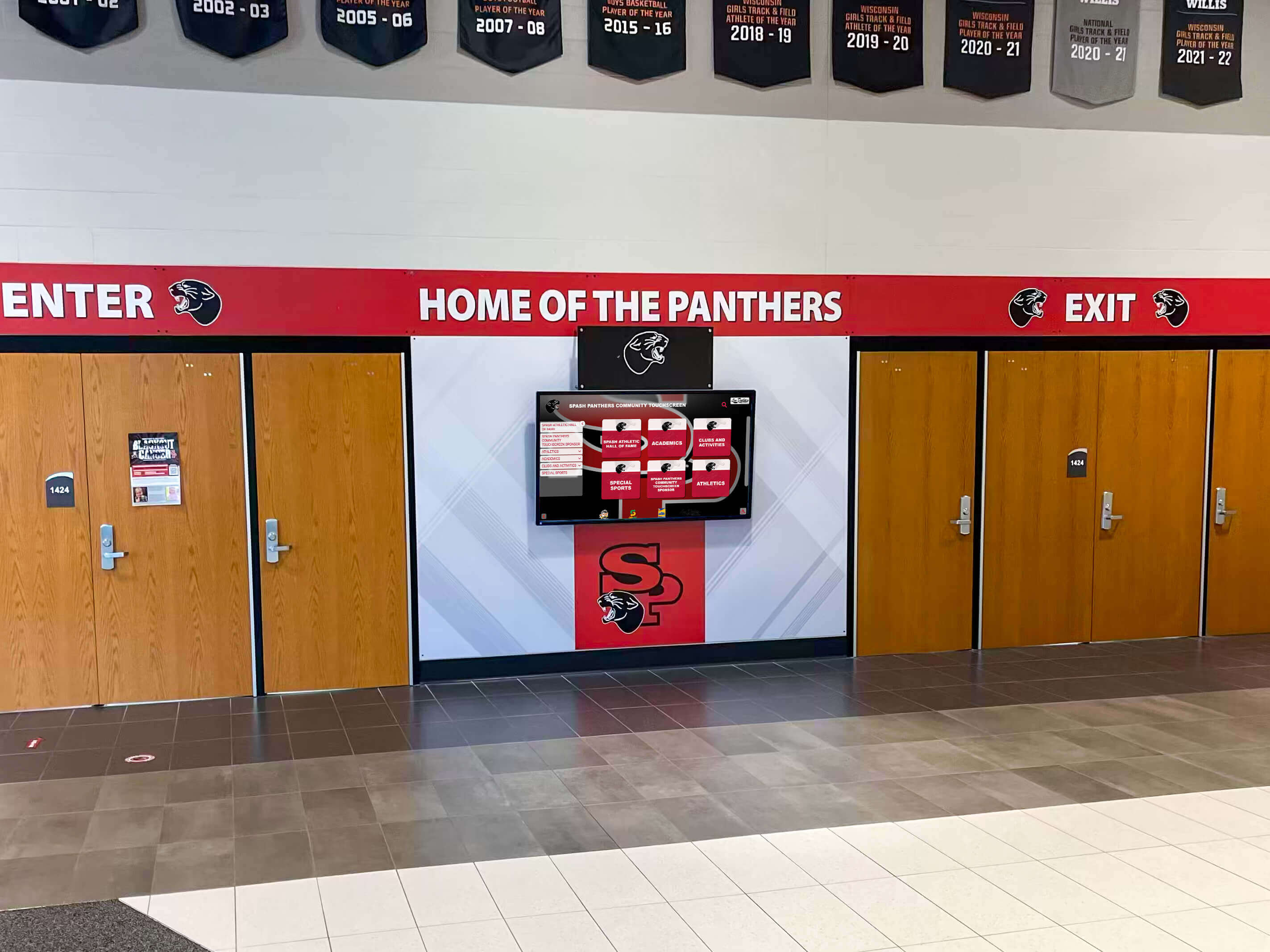
Recognition displays near entrances ensure all community members encounter achievement celebration during daily activities
Measurement and Success Evaluation
Data-driven assessment demonstrates value and guides improvement.
Engagement Metrics: Touchscreen Performance
Physical display analytics provide foundation measurements:
Usage Statistics
- Daily interaction sessions showing overall engagement levels
- Session duration indicating depth of exploration versus brief glances
- Content views identifying popular profiles and achievement categories
- Search queries revealing what visitors seek and how they navigate
- Peak usage times informing staffing and promotional strategies
- Repeat visitors demonstrating sustained interest versus one-time curiosity
- Comparison trends showing engagement growth as content expands
Navigation Patterns
- Entry points showing how visitors begin exploration
- Common pathways revealing natural discovery flows
- Abandonment points identifying confusing or problematic navigation
- Feature utilization measuring which capabilities audiences actually use
- Search versus browse balance understanding discovery preferences
- Content depth penetration showing whether visitors explore beyond headlines
- Related content clicks measuring whether connection features enhance engagement
Touchscreen analytics provide objective engagement data supporting program justification and identifying improvement opportunities based on actual behavior rather than assumptions about audience preferences.
AR Adoption and Extended Engagement
Mobile application metrics measure enhanced feature value:
Application Usage
- Download numbers indicating community interest in AR features
- Active users showing sustained engagement beyond initial curiosity
- Session frequency revealing whether AR becomes regular exploration method
- Time spent with AR content measuring extended engagement depth
- Feature utilization identifying which AR capabilities generate most value
- Content consumption patterns showing what extended material audiences access
- Social sharing measuring whether AR experiences generate organic promotion
Comparative Analysis
- Engagement depth comparing touchscreen-only versus AR-enhanced profiles
- Audience reach measuring whether AR extends beyond facility visitor demographics
- Content completeness assessing which information types benefit most from AR delivery
- Cost-benefit evaluation comparing AR development investment against engagement improvements
- User satisfaction surveying actual experiences and feature value perception
- Accessibility assessment ensuring AR enhances rather than restricts access
- Retention measurement determining whether AR features sustain long-term interest
Program Impact Indicators
Beyond technical metrics, recognition programs affect institutional outcomes:
Community Outcomes
- Participant motivation reflecting increased aspiration from visible recognition
- Alumni engagement measuring whether recognition strengthens institutional connection
- Donor support tracking fundraising linked to recognition program visibility
- Enrollment impact assessing whether recognition influences program selection
- Event attendance measuring celebration participation at induction ceremonies
- Media coverage quantifying promotional value from recognition program stories
- Community pride indicating institutional culture and identity strengthening
Operational Benefits
- Administrative efficiency comparing time requirements versus traditional recognition approaches
- Cost avoidance measuring expenses eliminated through digital versus physical expansion
- Update frequency tracking how often organizations actually refresh content
- Volunteer engagement assessing community participation in content development
- Technical support burden evaluating maintenance requirements and problem frequency
- Longevity and sustainability measuring whether programs remain active long-term
- Stakeholder satisfaction gathering feedback from administrators and recognition committees
Comprehensive measurement demonstrates value beyond technology novelty, supporting continued investment while identifying specific areas benefiting from enhancement or requiring adjustment based on actual results.
Cost Considerations and Investment Planning
Understanding complete investment requirements enables realistic budgeting.
Initial Implementation Investment
Foundation system costs before AR enhancement:
Touchscreen Display Hardware
- 55-65 inch commercial touchscreen: $5,000-8,000
- Professional mounting and installation: $500-2,000
- Network infrastructure if needed: $500-2,000
- Computing hardware if required: $500-1,500
- Protective features or security measures: $200-1,000
- Cable management and finishing: $200-500
- Total hardware investment: $6,900-15,000
Software Platform and Setup
- Recognition-specific platform subscription: $1,500-4,000 annually
- Initial configuration and setup: Often included in first year
- Content migration from legacy systems: $500-2,000 if applicable
- Custom design and branding: $500-2,000
- Training and implementation support: Often included
- Web accessibility platform: Typically included
- Total software first year: $2,500-10,000
Initial Content Development
- Historical content digitization: $2,000-8,000 depending on scope
- Photography organization and optimization: $1,000-3,000
- Initial profile creation and data entry: $2,000-5,000 or internal staff time
- Video production for featured content: $2,000-8,000 optional
- Launch promotion and materials: $500-2,000
- Total content development: $7,500-26,000
Foundation System Total: $16,900-51,000 depending on size, scope, and content investment.
AR Enhancement Additional Costs
Augmented reality features require supplementary investment:
AR Application Development
- Mobile application design and development: $15,000-50,000 depending on features
- Progressive web app alternative: $8,000-25,000 for browser-based approach
- Marker system implementation: $2,000-5,000
- Content management integration: $3,000-8,000
- Testing across device types: $2,000-5,000
- App store submissions and requirements: $1,000-2,000
- Total development: $31,000-95,000 for comprehensive features
AR-Specific Content Creation
- 3D scanning or modeling services: $500-2,000 per significant artifact
- 360-degree photography: $200-500 per object
- Extended video interviews: $1,000-3,000 per comprehensive profile
- Audio oral history production: $500-1,500 per interview
- Location-aware content development: $5,000-15,000 for comprehensive facility coverage
- Interactive feature development: $3,000-10,000 for specialized capabilities
- Total AR content: $10,200-35,000 depending on depth and quantity
AR Enhancement Total: $41,200-130,000 representing substantial additional investment beyond foundation touchscreen systems.
Organizations should implement foundation touchscreen recognition first, demonstrating value and building community adoption before considering AR enhancement requiring significantly greater investment. Many institutions successfully operate comprehensive recognition programs with touchscreen and web accessibility alone, adding AR only when specific engagement opportunities justify additional costs.
Ongoing Operational Costs
Annual expenses maintaining hybrid systems:
Foundation System Maintenance
- Platform subscription: $1,500-4,000 annually
- Routine content updates: Internal staff time, 5-10 hours monthly
- Occasional photography or video: $1,000-3,000 annually
- Hardware maintenance and cleaning: Minimal, mostly internal
- Network connectivity: Typically existing infrastructure
- Total annual foundation: $2,500-7,000 plus staff time
AR System Maintenance
- Application maintenance and updates: $5,000-15,000 annually
- Additional content development: $3,000-8,000 annually
- Platform hosting if separate from touchscreen: $1,000-3,000 annually
- Technical support for user issues: Internal staff time or contracted services
- Testing new device compatibility: $1,000-3,000 annually
- Feature enhancements based on feedback: Variable, $5,000-20,000 for major additions
- Total annual AR: $15,000-49,000
AR systems require substantially higher ongoing investment compared to touchscreen-only approaches, guiding strategic decisions about whether AR features deliver sufficient incremental value justifying operational cost increases. Examine digital recognition display implementation economics before committing to AR enhancement.
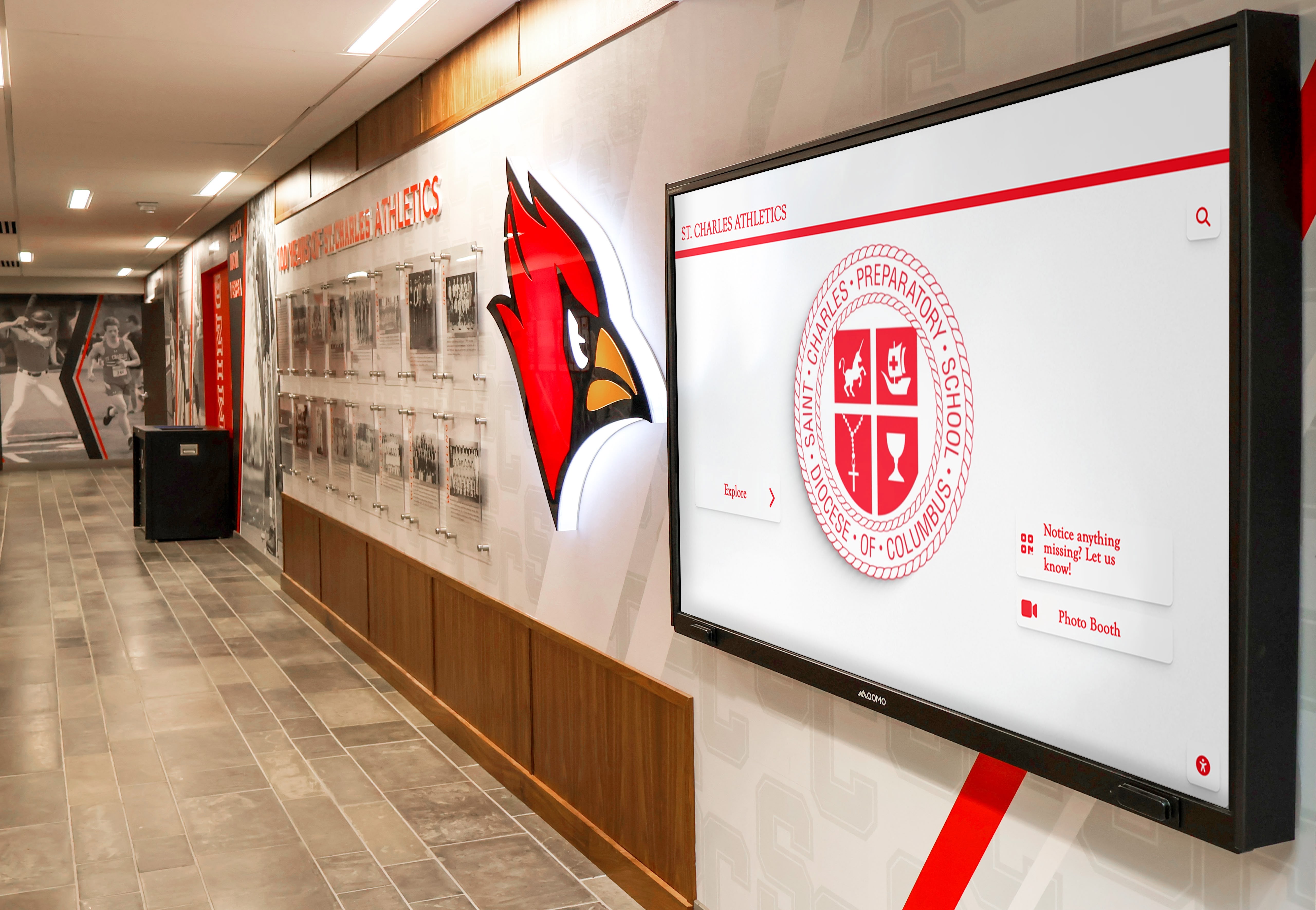
Comprehensive recognition installations create lasting value through years of community engagement and storytelling
Alternative Approaches: Achieving Similar Goals Without AR
Many organizations accomplish AR’s intended outcomes through simpler methods:
Enhanced Web Accessibility
Mobile-optimized websites provide extended content without AR complexity:
Comprehensive Mobile Experiences
- Responsive design ensuring excellent smartphone and tablet experiences
- All extended content accessible through standard web browsers without special applications
- QR codes linking directly to specific profiles or achievement categories
- Social media integration enabling sharing and discovery
- Personal collections through user accounts requiring no AR features
- Offline capability through progressive web app technology
- Search engine discovery making recognition findable through Google
Web-based approaches deliver most AR benefits—extended content depth, personal device access, social sharing—without requiring specialized application development or 3D content creation. Organizations implement touchscreen displays with companion websites serving mobile audiences effectively at fraction of AR implementation costs.
Video and Multimedia Enhancement
Rich media creates engaging experiences without AR requirements:
Comprehensive Video Archives
- Interview playlists accessible through touchscreen or web
- Performance highlights and achievement documentation
- Historical footage providing institutional context
- Narrated profiles combining visuals with storytelling
- Documentary-style features exploring achievement stories
- Live streaming of induction ceremonies creating remote participation
- Video testimonials from honorees reflecting on achievements
Quality video content often generates greater engagement than AR features while requiring less technical infrastructure and specialized development expertise, making media investment frequently more valuable than AR complexity.
Interactive Data Visualization
Sophisticated data presentation without AR technology:
Achievement Analytics and Comparisons
- Interactive charts showing records and statistics
- Filtering and sorting enabling custom analysis
- Timeline visualizations illustrating achievement progression
- Comparison tools examining performance across eras
- Leaderboards highlighting top accomplishments
- Trend analysis showing program evolution
- Searchable statistics databases enabling detailed research
Data visualization through standard web technology creates engaging exploration comparable to AR while remaining accessible through any device without specialized capabilities or applications.
Organizations should honestly assess whether AR features address specific engagement gaps or represent technology-driven investment without clear advantages over simpler, more accessible, and less expensive alternatives delivering similar value. In many cases, comprehensive touchscreen displays with excellent web experiences serve recognition goals effectively without AR complexity. Consider touchscreen display options before committing to advanced AR features.
Conclusion: Strategic Technology Selection for Recognition Programs
Touchscreen augmented reality displays represent sophisticated technology capable of creating impressive recognition experiences that extend beyond physical display boundaries, enabling storytelling depth and personal engagement impossible through traditional approaches. However, successful recognition programs depend fundamentally on quality content, thoughtful organization, and sustainable management rather than advanced technology features.
Organizations evaluating AR-enhanced recognition should begin with excellent touchscreen display implementation combined with comprehensive web accessibility—foundation systems delivering substantial value at manageable costs with sustainable operational requirements. After establishing successful touchscreen programs, demonstrating community adoption, and building content management capabilities, institutions can strategically evaluate whether AR enhancement addresses specific engagement opportunities justifying significant additional investment in development and ongoing maintenance.
Ready to implement recognition displays that celebrate achievements effectively while remaining sustainable within your capabilities? Solutions like Rocket Alumni Solutions provide comprehensive touchscreen platforms with web accessibility, creating foundation systems that honor accomplishments accessibly while positioning your organization for future enhancement when advanced features align with community readiness and budget availability.
Whether implementing your first digital recognition or enhancing existing systems, success depends on selecting technology aligned with your institutional context, ensuring platforms provide features your specific needs require, and implementing solutions sustainable within your operational capabilities and resources. For most organizations, touchscreen displays with excellent web experiences deliver recognition goals effectively without AR complexity.
Your community’s achievements deserve recognition technology that celebrates accomplishments meaningfully while remaining practical within your resources and capabilities. By focusing first on foundation touchscreen systems with quality content and intuitive experiences, you create valuable recognition programs serving communities immediately rather than delaying impact while pursuing advanced features that may not substantially improve engagement or justify increased investment and complexity.
The most important consideration isn’t implementing the most advanced technology available—it’s creating recognition programs that actually operate successfully long-term, honor achievements comprehensively, engage audiences meaningfully, and remain sustainable within real-world resource constraints and technical capabilities. Touchscreen displays accomplish these goals effectively for schools, universities, athletic programs, and organizations committed to celebrating excellence accessibly. AR enhancement becomes appropriate when foundation systems succeed and specific opportunities justify additional investment rather than representing initial implementation approaches for most recognition programs.
Start your recognition journey by implementing excellent touchscreen displays with comprehensive web accessibility. Build sustainable content workflows, demonstrate community value, and establish successful operation. Then evaluate whether AR features would meaningfully strengthen engagement rather than adding complexity without clear benefit. Your achievers deserve recognition that honors their accomplishments appropriately through accessible technology serving your entire community effectively.
Book a demo to explore how touchscreen recognition displays can transform achievement celebration at your institution.































