




Touch screen kiosk software transforms ordinary displays into powerful interactive platforms that engage visitors, deliver information, and create memorable experiences across educational institutions, museums, recognition programs, and public spaces. As organizations increasingly move away from static signage and traditional displays, the selection of appropriate kiosk software has become a critical decision affecting visitor engagement, operational efficiency, and return on technology investments.
Yet institutions considering interactive kiosk implementations face challenging questions: What distinguishes effective kiosk software from basic digital signage solutions? How do software platforms differ in their capabilities for specific applications like recognition displays, wayfinding, or educational content? What features are essential versus merely desirable for different use cases? How do hardware and software choices interact to create successful interactive experiences? What are realistic cost expectations and implementation timelines?
This comprehensive guide explores touch screen kiosk software technology, providing practical insights for evaluating platforms, understanding critical features, planning implementations, and selecting solutions that deliver engaging interactive experiences while meeting specific institutional needs and long-term operational requirements.
Interactive kiosk software bridges the gap between compelling content and engaging visitor experiences. While hardware provides the touchscreen interface, software determines what visitors can do, how intuitively they can navigate, and ultimately whether your interactive display becomes a valued destination or an underutilized investment gathering dust in your hallway.

Modern kiosk software transforms touchscreen hardware into engaging platforms for recognition, information delivery, and visitor interaction
Understanding Touch Screen Kiosk Software
Before evaluating specific platforms or solutions, understanding fundamental software categories and capabilities helps organizations make informed decisions aligned with their interactive display goals.
Kiosk Software vs. Digital Signage Software
Many organizations initially confuse kiosk software with digital signage solutions, yet these technologies serve fundamentally different purposes:
Digital Signage Software
Traditional digital signage platforms manage passive display content:
- One-way information delivery from organization to viewers
- Content scheduling and playlist management
- Multiple display coordination across locations
- Primarily static or video content that plays automatically
- No visitor interaction or engagement features
- Appropriate for announcements, menus, advertisements, and wayfinding signage
- Examples include presentations, schedules, promotional content cycling automatically
Digital signage excels at broadcasting information but provides no mechanism for visitor engagement or content exploration beyond what automatically displays.
Interactive Kiosk Software
Purpose-built kiosk platforms enable visitor interaction and content discovery:
- Two-way engagement with visitors actively exploring content
- Touchscreen interfaces designed for intuitive navigation
- Search and filtering capabilities enabling content discovery
- Database-driven systems organizing extensive information archives
- Interactive features including forms, surveys, games, and applications
- Appropriate for wayfinding, recognition displays, educational exhibits, and information delivery requiring exploration
- Examples include searchable directories, interactive recognition walls, museum exhibits, and self-service applications
Kiosk software transforms displays from passive information boards into active exploration platforms that engage visitors and provide access to comprehensive content libraries far exceeding what can fit on static screens.
According to industry research, interactive kiosks generate 5-10 times longer visitor engagement compared to passive digital signage, with average interaction sessions lasting 3-5 minutes versus 10-30 second glances at static displays.
Learn about the differences in approach through best touchscreen software comparisons examining web-based versus native application platforms.
Core Categories of Kiosk Software
Kiosk software encompasses several distinct categories serving different applications:
General-Purpose Kiosk Platforms
Flexible software providing customizable frameworks:
- Blank canvas approaches allowing custom interface design
- Template systems providing starting points for common applications
- Support for various content types including web pages, applications, and multimedia -適合 for organizations with technical resources to build custom experiences
- Requires significant development investment for sophisticated functionality
- Examples include presentation software, web browsers in kiosk mode, and general interactive platforms
Application-Specific Kiosk Software
Purpose-built platforms designed for specific use cases:
- Wayfinding and directory systems for building navigation
- Recognition display platforms for celebrating achievements
- Museum and exhibit software for educational content
- Self-service systems for check-in, ordering, or transactions
- Survey and feedback collection platforms
- Pre-configured features addressing specific application requirements
- Minimal setup and configuration compared to general-purpose platforms
Application-specific software delivers immediate value with features designed for particular needs rather than requiring extensive custom development.

Application-specific kiosk software designed for recognition delivers immediate value through purpose-built features
Content Management Systems with Kiosk Capabilities
CMS platforms extended for interactive displays:
- Website content management systems adapted for kiosk presentation
- Database-driven platforms serving both web and kiosk interfaces
- Single content repository supporting multiple presentation channels
- Unified administration for web, mobile, and kiosk experiences
- Ideal for organizations maintaining both websites and interactive displays
- Ensures content consistency across all visitor touchpoints
Solutions like Rocket Alumni Solutions provide comprehensive platforms serving both web accessibility and interactive kiosk displays from unified content repositories, eliminating duplicate content management and ensuring consistency.
Web-Based vs. Native Application Approaches
Kiosk software architectures differ fundamentally in how they deliver interactive experiences:
Web-Based Kiosk Software
Browser-based platforms running as websites:
- Operates through web browsers on kiosk hardware
- Development using standard web technologies (HTML, CSS, JavaScript)
- Content updates immediately without software installation
- Cross-platform compatibility with any browser-equipped device
- Requires reliable internet connectivity for operation
- Familiar development tools and widespread technical expertise
- Lower development and maintenance costs typically
- Easier remote management and updates
Native Application Kiosk Software
Installed applications running directly on operating systems:
- Platform-specific software for Windows, iOS, Android, or other systems
- Generally faster performance and more responsive interaction
- Can operate offline without internet connectivity
- Access to device-specific features and hardware capabilities
- Requires installation, updates, and version management
- Higher development costs due to platform-specific requirements
- More complex deployment especially across multiple locations
Most modern kiosk implementations favor web-based approaches for their flexibility, lower costs, and easier maintenance, though native applications may be appropriate for specialized requirements or environments lacking reliable connectivity.
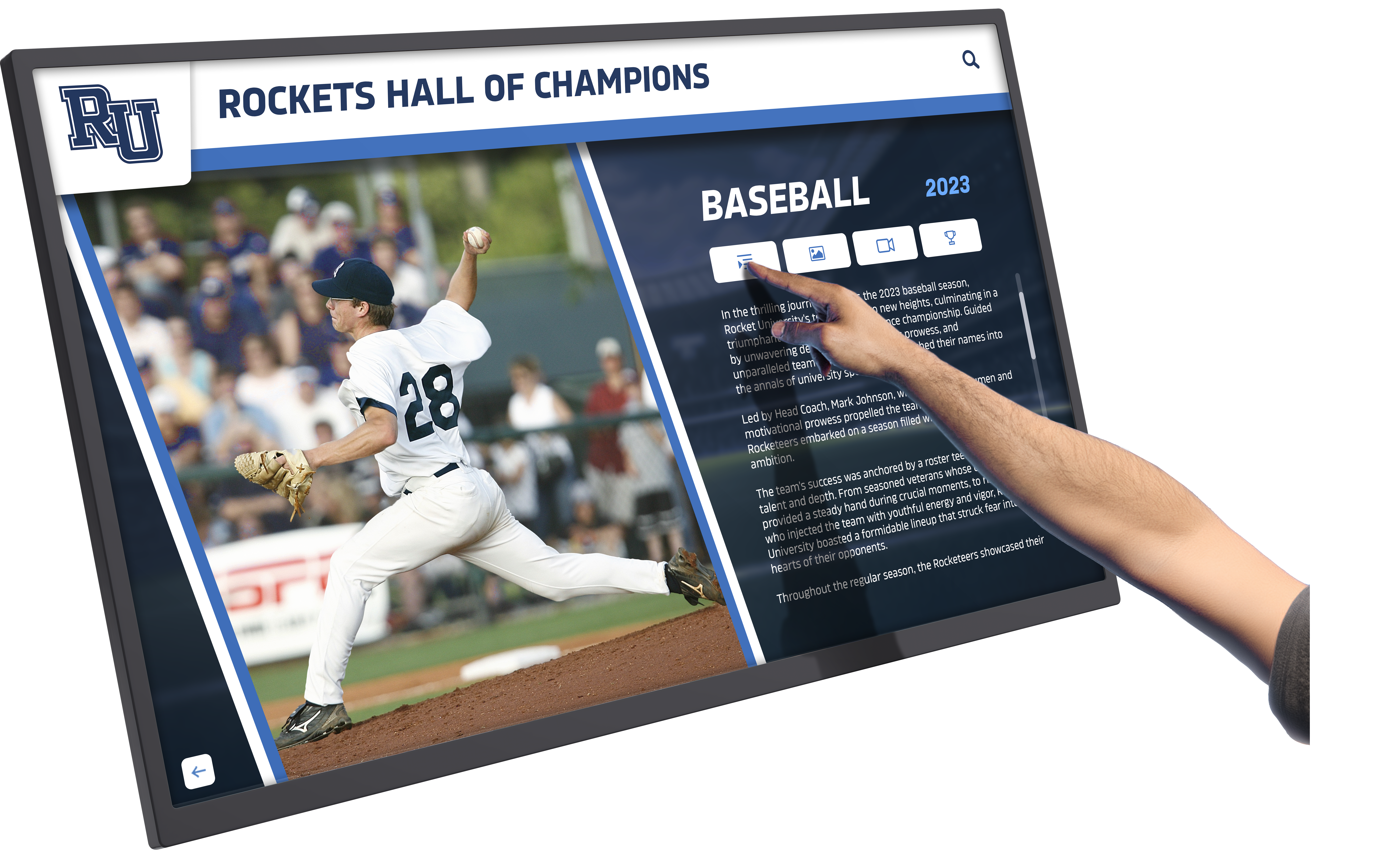
Web-based kiosk software provides familiar, intuitive interfaces that visitors can navigate without training or assistance
Essential Features of Effective Kiosk Software
Not all kiosk software delivers equal value. Organizations should evaluate platforms based on features critical for creating engaging, maintainable interactive experiences.
Intuitive Touch-Optimized User Interface
Kiosk software must provide interfaces designed specifically for touchscreen interaction:
Touch-Friendly Design Elements
Effective touch interfaces include:
- Large, clearly-labeled buttons minimum 44x44 pixels for finger interaction
- Generous spacing between interactive elements preventing accidental touches
- Visual feedback showing successful touches through highlights or animations
- Gesture support including swiping, pinching, and natural touch behaviors
- Consistent navigation patterns throughout all sections
- Clear visual hierarchy guiding attention and exploration
- Minimal text entry requirements due to touchscreen keyboard challenges
According to user experience research, touchscreen interfaces require controls at least 50% larger than mouse-optimized designs, as fingers lack the precision of cursor pointers and users need visual confirmation their touches registered successfully.
Accessible Navigation and Wayfinding
Visitors must understand how to use kiosks instantly:
- Home button always visible enabling return to starting point
- Breadcrumb navigation showing current location within content
- Clear section labels and category organization
- Search functionality with prominent placement and auto-complete suggestions
- Back and forward navigation matching familiar web browsing patterns
- Visual cues indicating interactive elements versus static content
- Instructions or hints appearing when kiosks sit idle
Effective kiosk software assumes zero training or prior experience, with interfaces intuitive enough that visitors ranging from young children to elderly adults can navigate successfully without assistance.
Attracting Idle-State Content
When not actively used, kiosks should invite engagement:
- Rotating featured content, images, or highlights
- Motion graphics attracting attention to inactive kiosks
- Clear “Touch to Begin” or “Touch to Explore” prompts
- Preview of available content tempting exploration
- Institutional branding and visual identity
- Timeout returning kiosks to attract mode after periods of inactivity
- Silent or subtle audio cues appropriate to environment
Idle-state design transforms inactive kiosks from blank screens into dynamic features actively inviting visitor engagement rather than waiting passively.
Powerful Search and Content Discovery
Interactive kiosks must help visitors find relevant content efficiently:
Comprehensive Search Capabilities
Effective search functionality includes:
- Instant search with results appearing as visitors type
- Auto-complete suggestions reducing typing requirements
- Multiple field searching across names, categories, dates, and descriptions
- Natural language understanding interpreting conversational queries
- Filters narrowing results by various criteria
- Sort options organizing results by relevance, date, name, or other fields
- Search highlighting showing matched terms within results
Research on interactive exhibit engagement shows that quality search functionality dramatically increases content discovery, with visitors finding 3-4 times more relevant content when search works intuitively versus browsing-only interfaces.
Multiple Navigation Paths
Visitors approach content with different strategies:
- Alphabetical browsing for finding specific known items
- Categorical organization grouping related content
- Chronological timelines showing historical progression
- Featured content highlighting significant or recent items
- Related content suggestions connecting associated information
- Tag-based discovery finding content by theme or subject
- Random or surprise exploration for casual browsing
Multiple navigation approaches ensure all visitor types can discover content matching their interests and exploration preferences. Explore strategies used in digital hall of fame programs that showcase effective content organization.
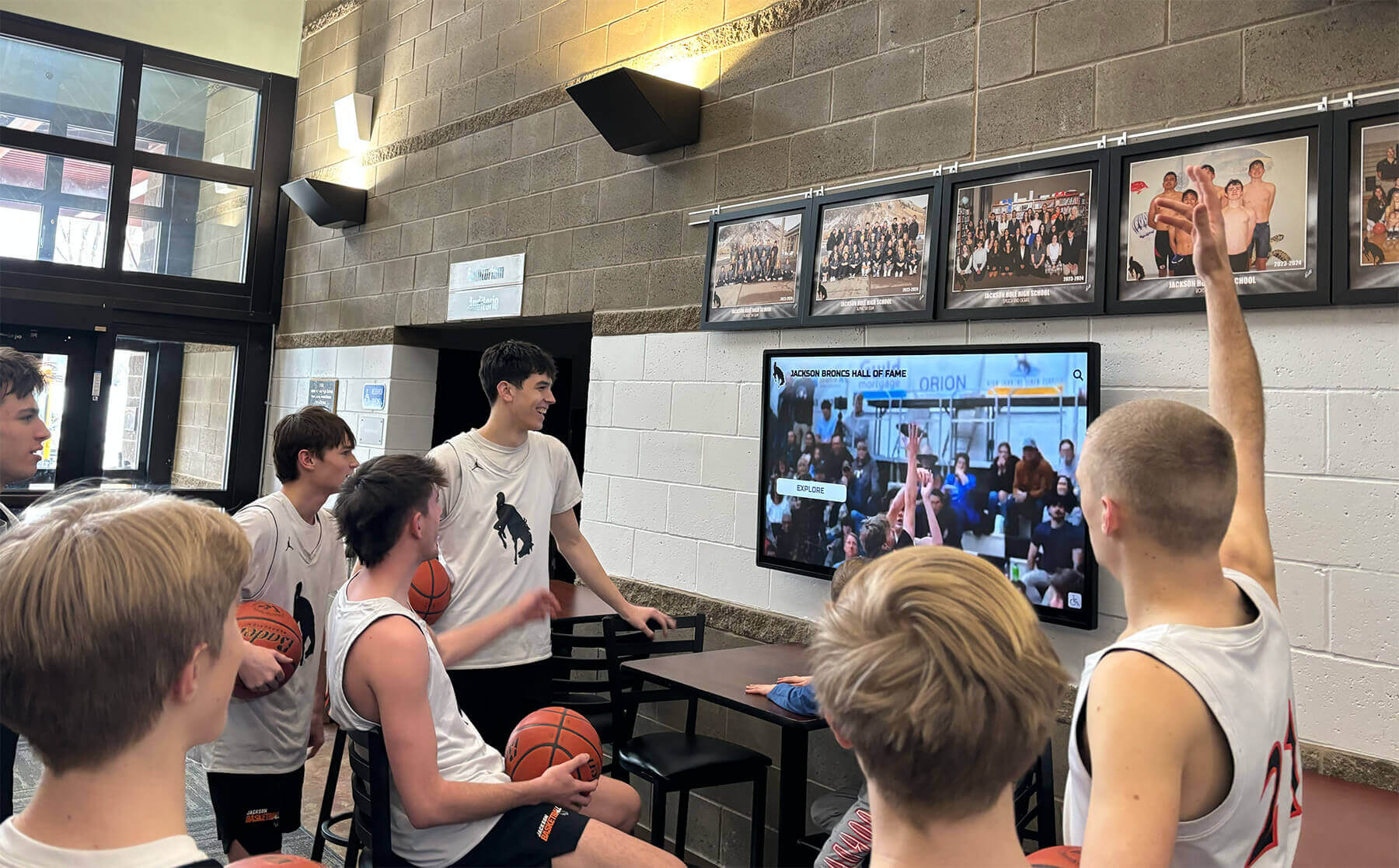
Effective search and discovery features enable visitors to find personally relevant content quickly
Robust Content Management System
Kiosk value depends fundamentally on content quality and currency, requiring capable management tools:
Intuitive Administrative Interfaces
Content administrators need accessible tools:
- Web-based administration from any internet-connected device
- Visual editors requiring minimal technical expertise
- Drag-and-drop interfaces for images and media
- Preview capabilities showing content before publication
- Bulk upload tools for efficiently adding large content collections
- Template systems ensuring consistent professional presentation
- Scheduled publishing for timed content releases
The best kiosk platforms enable content management by subject matter experts rather than requiring IT staff for every update, dramatically reducing operational burden and ensuring content remains current.
Media and Asset Management
Interactive content requires extensive multimedia:
- Photo libraries organizing thousands of images
- Video hosting and playback integrated into content
- Document management for PDFs and downloadable resources
- Image editing and cropping tools
- Automatic resizing and optimization for displays
- Cloud storage eliminating local capacity constraints
- Media tagging and organization for easy retrieval
User Permissions and Workflow
Organizations need administrative controls:
- Role-based permissions controlling content access appropriately
- Multi-user support enabling distributed content management
- Approval workflows maintaining quality before publication
- Audit trails tracking content changes and administrators
- Content locking preventing simultaneous conflicting edits
- Archiving and version history enabling content recovery
These management features ensure kiosk content remains accurate, current, and professionally presented without consuming excessive staff time. Review best kiosk interactive software platforms for comprehensive feature comparisons.
Multimedia Integration and Rich Content
Modern kiosks must support diverse content types beyond simple text and images:
Video Integration
Video dramatically increases engagement:
- Embedded video playback within content
- Support for various video formats and resolutions
- Streaming capabilities for large video libraries
- Playback controls including play, pause, volume, and full-screen
- Thumbnail previews and video galleries
- Automatic looping or stopping after playback
- Bandwidth management for reliable streaming
According to engagement analytics, kiosk content incorporating video generates 2-3 times longer interaction sessions compared to text and images alone, with visitors spending an average of 6-8 minutes exploring video-rich content versus 2-3 minutes for static content.
Audio and Multimedia Content
Additional media types enrich experiences:
- Audio narration and soundtracks
- Photo galleries and slideshows
- Document viewing for PDFs and text files
- 3D models and virtual tours for specialized applications
- Interactive maps and location-based content
- Animations and motion graphics
- Social media integration displaying feeds or enabling sharing
Accessibility Features
Inclusive kiosk design serves all visitors:
- Text size adjustment for vision impairment
- High-contrast modes improving readability
- Audio descriptions for visual content
- Closed captions for video content
- Screen reader compatibility
- Multilingual support for diverse communities
- Simplified navigation modes for cognitive accessibility
Comprehensive accessibility ensures kiosk experiences serve entire communities rather than creating barriers for visitors with disabilities. Learn about accessible design in digital recognition displays that serve diverse audiences.
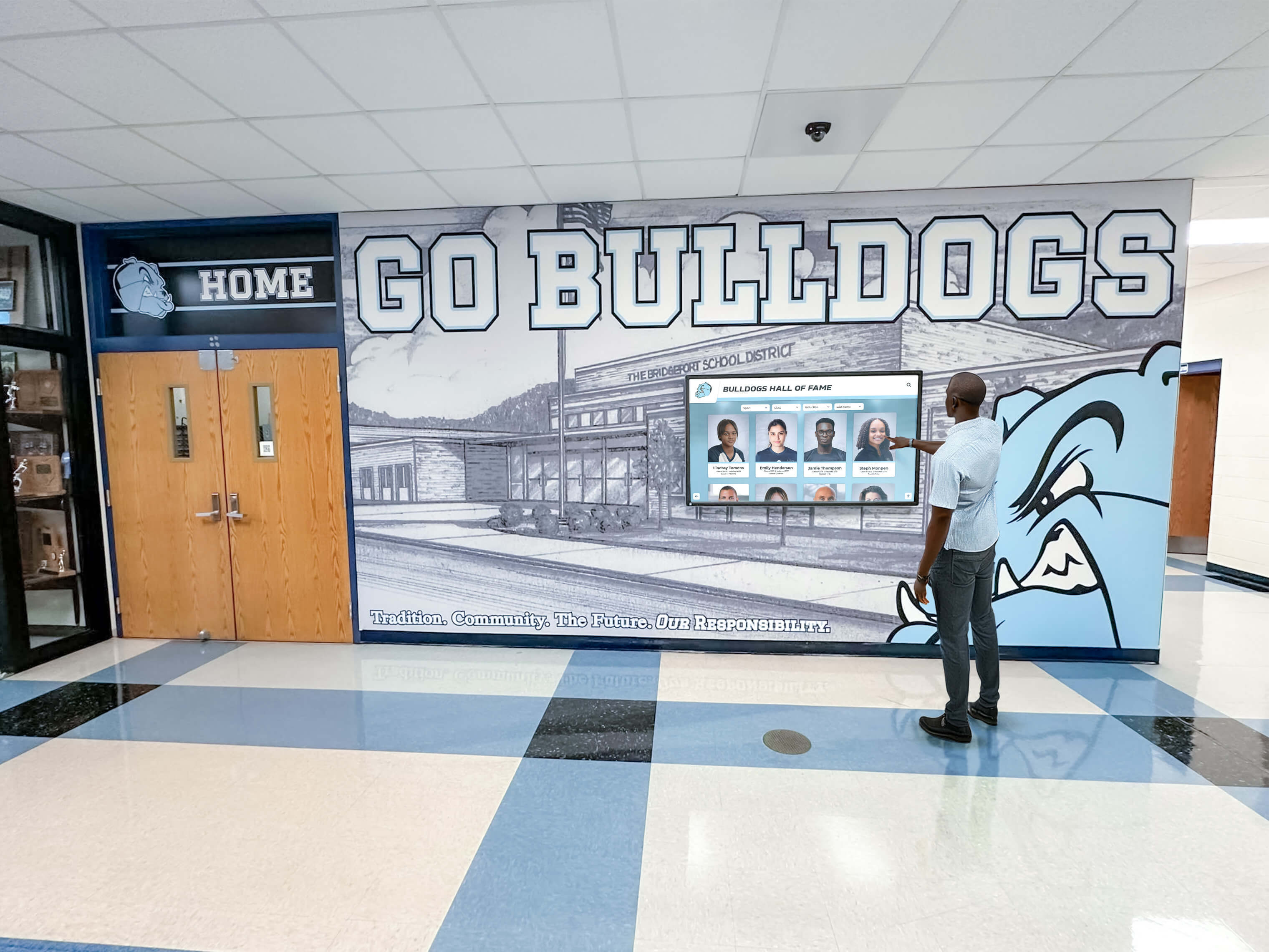
Rich multimedia content including video, photos, and interactive elements creates engaging visitor experiences
Kiosk Software for Specific Applications
Different use cases require specialized software features and capabilities.
Recognition and Hall of Fame Applications
Schools, universities, athletic programs, and organizations use kiosks to celebrate achievements:
Recognition-Specific Software Features
Purpose-built recognition platforms provide:
- Individual profile databases organizing honorees and achievements
- Team and group management connecting individuals to collective accomplishments
- Achievement categorization by sport, academic discipline, or recognition type
- Historical archive management preserving decades of recognition
- Relationship mapping connecting related individuals and achievements
- Award and honor tracking documenting recognition received
- Statistical record management for athletic or academic performance
Platforms like Rocket Alumni Solutions specialize in recognition applications, providing features specifically designed for celebrating achievements across athletic, academic, alumni, and community recognition programs.
Recognition Display Requirements
Effective recognition kiosks need:
- High-quality photo display showcasing individuals professionally
- Biographical information and achievement details
- Video highlights and performance footage
- Search by name, year, sport, or achievement type
- Chronological and alphabetical browsing
- Related content connecting teammates and contemporaries
- Web accessibility extending recognition beyond physical displays
- Social sharing enabling recognition celebration across networks
These specialized features distinguish recognition-focused platforms from general kiosk software, making purpose-built solutions significantly more effective for achievement celebration.
Wayfinding and Directory Applications
Buildings and campuses use kiosks for navigation and information:
Wayfinding Software Capabilities
Directory and navigation platforms include:
- Interactive building maps with zoom and pan
- Point-to-point directions from kiosk location to destinations
- Search by room number, person name, or department
- Building information and facility details
- Emergency exit routing and safety information
- Multilingual support for international visitors
- Integration with building databases for automatic updates
Directory-Specific Features
Building directories require:
- Organizational listings sorted alphabetically and by department
- Contact information and office locations
- Photos and biographical information for staff
- Department descriptions and service information
- Hours of operation and scheduling
- QR codes enabling mobile access to directions
- Accessibility route options for wheelchair users
Review comprehensive guides to building directory touchscreen systems for planning effective wayfinding implementations.
Educational and Museum Applications
Cultural institutions and educational environments use kiosks for engagement and learning:
Museum Kiosk Software Features
Exhibition platforms provide:
- Artifact and exhibit databases with detailed information
- Interactive timelines showing historical progression
- Audio tours and guided narrative experiences
- Multilingual content for international visitors
- Educational games and interactive learning activities
- Collection search and exploration tools
- Virtual exhibits extending beyond physical displays
According to museum technology research, interactive kiosks increase average visitor engagement time by 40-60% and improve information retention by 30-50% compared to traditional plaques and labels.
Educational Content Requirements
Learning-focused kiosks need:
- Layered information providing basic and advanced content
- Quiz and assessment capabilities for learning verification
- Age-appropriate content versions for different audiences
- Curriculum connections for school group visits
- Downloadable resources and extended learning materials
- Social media integration for sharing discoveries
- Analytics tracking popular content and visitor interests
Discover how library touchscreen interactive displays create engaging learning environments.
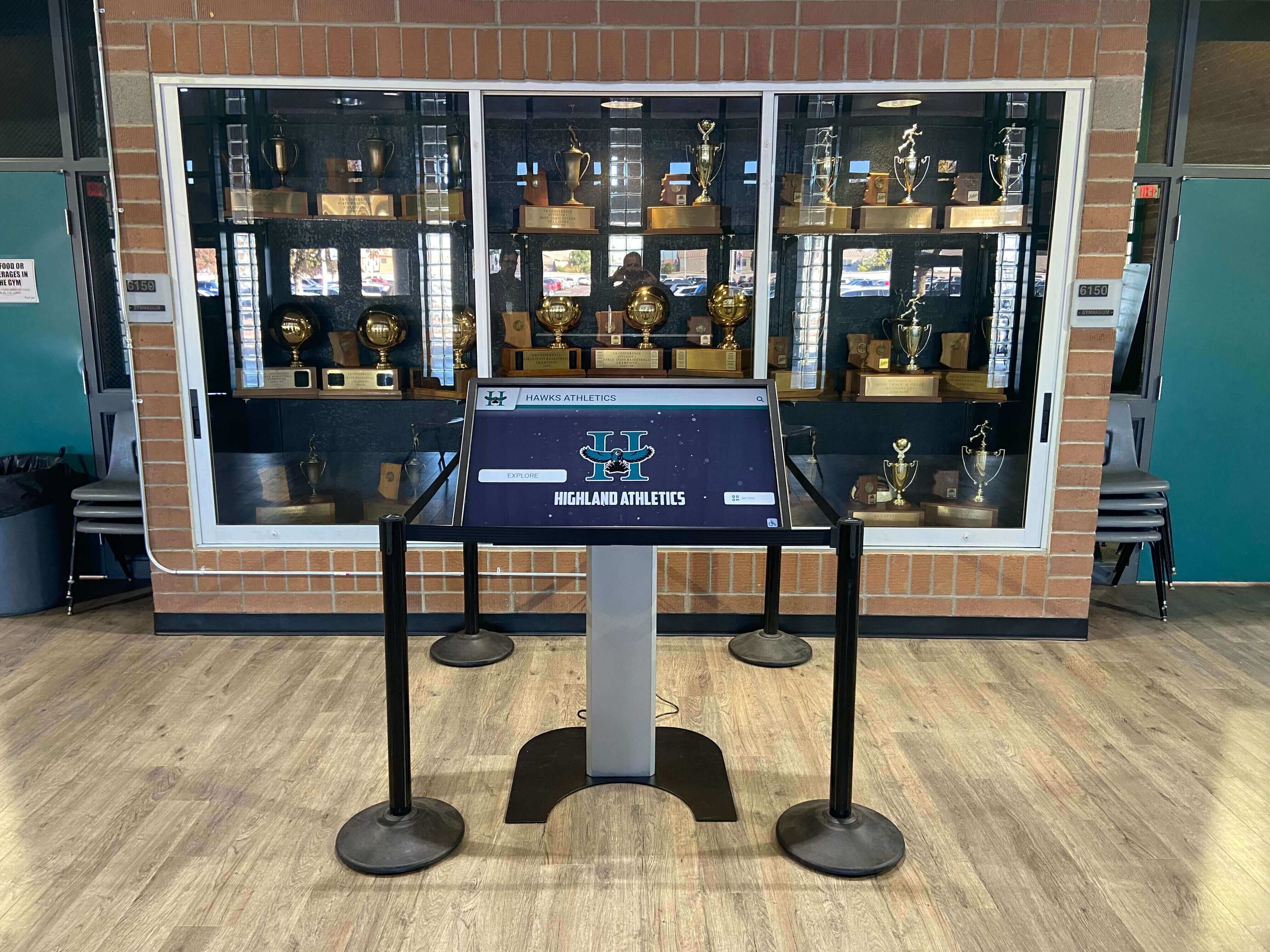
Educational kiosks deliver layered information supporting different learning levels and visitor interests
Hardware and Software Integration Considerations
Kiosk software success depends on appropriate hardware selection and integration.
Hardware Compatibility Requirements
Kiosk software must work reliably with display hardware:
Operating System Compatibility
Software platforms support different systems:
- Windows-based kiosks running on PC hardware
- Android systems using tablet or media player devices
- iOS platforms for iPad-based kiosks
- Chrome OS for web-centric implementations
- Specialized kiosk operating systems
- Cross-platform web solutions working on any browser
Organizations should evaluate hardware plans and ensure software supports chosen platforms before making commitments.
Touch Technology Support
Different touchscreen technologies require software accommodation:
- Capacitive touch with multi-touch gesture support
- Infrared touch responding to any contact
- Resistive touch using pressure detection
- Surface acoustic wave technology
- Optical imaging touch systems
Most modern kiosk software supports all major touch technologies, though specific gesture capabilities may vary.
Performance and Specifications
Software performance requirements include:
- Processor speed adequate for smooth operation
- Memory sufficient for content caching and responsiveness
- Graphics capabilities for video playback
- Storage capacity for local content and applications
- Network connectivity for cloud-based platforms
- Display resolution optimization
Web-based kiosk platforms generally have minimal hardware requirements compared to graphics-intensive native applications, making them appropriate for more affordable hardware configurations.
Display Configuration and Settings
Software must accommodate various display environments:
Screen Orientation and Resolution
Kiosk software should support:
- Portrait and landscape orientations
- Various screen resolutions and aspect ratios
- High-DPI and 4K displays
- Multi-monitor configurations
- Responsive layouts adapting to different sizes
- Custom resolutions for specialized hardware
Kiosk Mode and Lockdown Features
Interactive public displays need security:
- Full-screen operation hiding operating system elements
- Disabled keyboard shortcuts preventing exit
- USB port and peripheral access controls
- Browser controls hidden from users
- Automatic recovery from crashes or errors
- Remote restart and management capabilities
- Scheduled operating hours with automatic power management
These lockdown features ensure kiosks remain focused on intended applications without allowing visitor access to underlying systems or inappropriate content.
Cost Considerations and Budget Planning
Understanding kiosk software investment requirements helps organizations plan appropriately.
Software Pricing Models
Kiosk software follows various pricing structures:
Subscription-Based Pricing
Monthly or annual fees for cloud platforms:
- Typical range: $100-500 per kiosk per month
- Includes hosting, updates, and support typically
- Scalable pricing with volume discounts
- Predictable ongoing operational costs
- No large upfront investment required
- Automatic updates and feature additions
- Cancellable if needs change
Perpetual License Pricing
One-time purchase for software ownership:
- Typical range: $2,000-10,000 per license
- Additional costs for updates and support
- Larger upfront investment required
- Potential long-term cost savings
- May require technical resources for management
- Updates and new features may require additional purchases
Custom Development Pricing
Specialized platforms built specifically:
- Typical range: $15,000-100,000+ depending on complexity
- Complete ownership and customization
- Significant upfront investment
- Ongoing maintenance and hosting costs
- Requires technical expertise for management
- Appropriate for unique requirements or large scale
Free and Open-Source Options
No-cost software with limitations:
- Available at no license cost
- Typically require significant technical expertise
- Limited or community-only support
- May lack features of commercial platforms
- Appropriate for technically-capable organizations
- Hidden costs in customization and maintenance
Most organizations find subscription-based recognition platforms like Rocket Alumni Solutions provide the best value, combining professional features, included support, and predictable costs without large upfront investments or technical resource requirements.
Total Cost of Ownership
Beyond software licensing, kiosk implementations include:
Implementation Costs
Initial setup includes:
- Content development and digitization: $1,000-10,000
- Design customization and branding: $500-3,000
- Training and documentation: $500-2,000
- Initial launch and promotion: $500-2,000
Ongoing Operational Costs
Annual expenses include:
- Software subscription or maintenance: $1,200-6,000
- Content updates and management: Staff time
- Technical support and troubleshooting: Often included or minimal
- Hosting and infrastructure: Often included
- Updates and enhancements: Often included
Hardware Costs
Display equipment (separate from software):
- Interactive touchscreen display: $3,000-15,000
- Mounting or kiosk enclosure: $500-3,000
- Installation: $500-2,000
- Network infrastructure: $200-1,000
Total First-Year Investment: $7,000-40,000 depending on hardware, software, and implementation choices, with most single-display implementations falling in the $10,000-20,000 range.
Return on Investment Considerations
Kiosk software delivers value justifying investment:
Measurable Benefits
Quantifiable returns include:
- Reduced staff time answering questions and providing directions
- Eliminated printing costs for information materials
- Extended reach through web accessibility
- Enhanced visitor satisfaction and engagement
- Measurable dwell time and interaction increases
- Data and analytics informing decision-making
Strategic Value
Additional benefits include:
- Enhanced visitor experiences differentiating your institution
- Improved information accessibility 24/7
- Professional modern image and technology leadership
- Comprehensive recognition previously impossible
- Preserved institutional heritage in accessible formats
- Community engagement and connection
Organizations implementing comprehensive interactive kiosk systems report 40-60% increases in visitor engagement and 3-5 times longer interaction duration compared to static displays, creating measurable improvements in experience quality while reducing operational burden. Explore outlet mall interactive kiosks for ROI examples across different contexts.

Interactive kiosks deliver measurable engagement improvements and operational efficiency gains justifying technology investments
Implementation Best Practices for Kiosk Software
Successful interactive kiosk deployments require thoughtful planning and execution.
Requirements Definition and Planning
Clear requirements prevent costly mistakes:
Define Primary Use Cases
Clarify kiosk purposes:
- Recognition and achievement celebration
- Wayfinding and building directories
- Educational content and exhibits
- Information delivery and self-service
- Entertainment and engagement
- Data collection and surveys
Different applications require different software capabilities, making use case clarity essential before evaluating platforms.
Identify Essential Features
Distinguish must-have from nice-to-have:
- Search and discovery requirements
- Content management needs and administrators
- Multimedia requirements (video, audio, documents)
- Web accessibility and remote access needs
- Integration with existing systems
- Reporting and analytics requirements
- Accessibility and language support
Assess Technical Resources
Evaluate capabilities honestly:
- Available technical staff and expertise
- Content development resources
- Ongoing maintenance capacity
- Budget constraints and flexibility
- Timeline requirements
- Vendor support needs
Content Strategy and Development
Software is only valuable with compelling content:
Content Planning
Develop comprehensive strategies:
- Content types and categories
- Initial launch content volume and scope
- Ongoing content addition processes
- Responsible parties and workflows
- Quality standards and guidelines
- Update frequency and schedules
Content Creation
Develop professional materials:
- Photography standards and quality requirements
- Writing style and tone guidelines
- Video production approaches
- Document preparation and formatting
- Metadata and tagging conventions
- Rights and permissions for all materials
Content Migration
Transfer existing information:
- Digitization of physical recognition and documents
- Database imports from existing systems
- Historical archive development
- Legacy content conversion
- Quality assurance and verification
Comprehensive initial content creates immediate value rather than disappointing early users with sparse or incomplete information.
Training and Change Management
Successful adoption requires organizational preparation:
Administrator Training
Content managers need thorough preparation:
- Platform orientation and navigation
- Content creation and editing procedures
- Media upload and management
- Publishing and scheduling workflows
- Administrative tools and settings
- Troubleshooting common issues
Staff and Community Awareness
Broader constituencies need introduction:
- Kiosk purpose and capabilities
- Location and accessibility
- Content contribution opportunities
- Feedback mechanisms
- Promotion and marketing plans
Visitor Orientation
While effective kiosks need no training, promotion helps:
- Signage and wayfinding to kiosk locations
- Brief usage instructions if needed
- Featured content highlights
- QR codes linking to web versions
- Social media promotion
- Grand opening or launch events
Learn about effective implementation in guides to touch wall deployment for high schools and similar environments.
Selecting the Right Kiosk Software Platform
With understanding of features, costs, and implementation approaches, organizations can evaluate options systematically.
Key Evaluation Criteria
Assess platforms across critical dimensions:
Feature Alignment
How well does software match your needs:
- Application-specific capabilities for your use case
- Search and navigation functionality
- Content management tools and workflows
- Multimedia support requirements
- Web accessibility if needed
- Integration capabilities
- Customization flexibility
Ease of Use
Can your team operate the platform:
- Administrative interface intuitiveness
- Content creation and editing simplicity
- Technical expertise requirements
- Training and documentation quality
- Learning curve and time to productivity
Vendor Capabilities
Evaluate provider strength:
- Industry experience and expertise
- Customer references and testimonials
- Implementation support and training
- Ongoing technical support quality
- Financial stability and longevity
- Product roadmap and innovation
- Pricing structure and value
Technical Considerations
Assess technical fit:
- Hardware compatibility with your equipment
- Operating system requirements
- Network and connectivity needs
- Performance and reliability history
- Security and data protection
- Scalability for future growth
Platform Comparison Strategies
Systematically evaluate options:
Create Weighted Criteria
Prioritize evaluation factors:
- Assign importance weights to each criterion
- Score platforms objectively on each factor
- Calculate weighted total scores
- Compare platforms quantitatively
- Identify strengths and weaknesses clearly
Request Demonstrations
See platforms in action:
- Schedule vendor demonstrations
- Prepare specific use case scenarios
- Test content management workflows
- Evaluate visitor-facing interfaces
- Ask detailed technical questions
- Request trial or pilot access if available
Check References
Learn from existing customers:
- Contact similar organizations using platforms
- Ask about implementation experiences
- Inquire about ongoing satisfaction
- Discuss challenges and limitations
- Evaluate vendor responsiveness
- Understand real-world performance
For recognition applications specifically, solutions like Rocket Alumni Solutions provide purpose-built platforms designed for celebrating achievements across schools, universities, athletic programs, and organizations, with comprehensive features addressing recognition-specific requirements.
Conclusion: Choosing Touch Screen Kiosk Software That Delivers
Touch screen kiosk software transforms hardware investments into engaging, valuable interactive experiences that serve visitors, deliver information, and create lasting impact across educational, cultural, and public environments. Success requires selecting platforms aligned with your specific applications, ensuring features match your requirements, and implementing solutions sustainable within your operational capabilities and resources.
The considerations explored throughout this guide provide frameworks for evaluating kiosk software systematically, understanding critical features distinguishing effective platforms, planning comprehensive implementations, and avoiding common pitfalls that lead to underutilized technology investments. From application-specific requirements and content management capabilities to hardware integration and total cost of ownership, each decision affects long-term satisfaction and value realization.
Ready to explore touch screen kiosk software for your interactive display needs? Modern kiosk platforms help schools, museums, organizations, and institutions create engaging experiences that inform visitors, celebrate achievements, and deliver information accessibly. For recognition applications specifically, solutions like Rocket Alumni Solutions provide comprehensive platforms designed for achievement celebration, combining intuitive visitor interfaces with powerful content management and professional hardware recommendations ensuring successful long-term programs.
Whether you’re implementing first-ever interactive displays or enhancing existing systems, the key is selecting software aligned with your specific applications, ensuring platforms provide features your requirements demand, and choosing vendors who understand your industry and use cases rather than simply selling generic technology products.
Your visitors and community deserve interactive experiences that engage meaningfully, inform comprehensively, and deliver value beyond traditional static displays. With thoughtful evaluation, appropriate platform selection, and commitment to quality content and implementation, you can deploy touch screen kiosk software that transforms hardware into destinations visitors actively seek out and appreciate.
The most important consideration isn’t selecting the most expensive platform or most feature-rich software—it’s choosing solutions aligned with your goals, sustainable within your resources, and designed to serve your specific community needs effectively. Your interactive kiosks deserve software that makes implementation straightforward, content management efficient, and visitor experiences memorable. The right kiosk software makes those outcomes achievable.
Ready to begin exploring kiosk software options for your project? Start by defining your use cases clearly, identifying essential features and requirements, and connecting with vendors who specialize in your specific application rather than generalist technology providers. Request demonstrations focused on your needs, check references from similar organizations, and evaluate platforms across the criteria most important to your success. Review software guides for creating interactive touchscreen experiences to understand development options and platform capabilities for your specific requirements.































