SGA Past Presidents Wall: Honoring Student Government History at Your School
- Home /
- Digital Hall of Fame Insights & Resources /
- SGA Past Presidents Wall: Honoring Student Government History at Your School
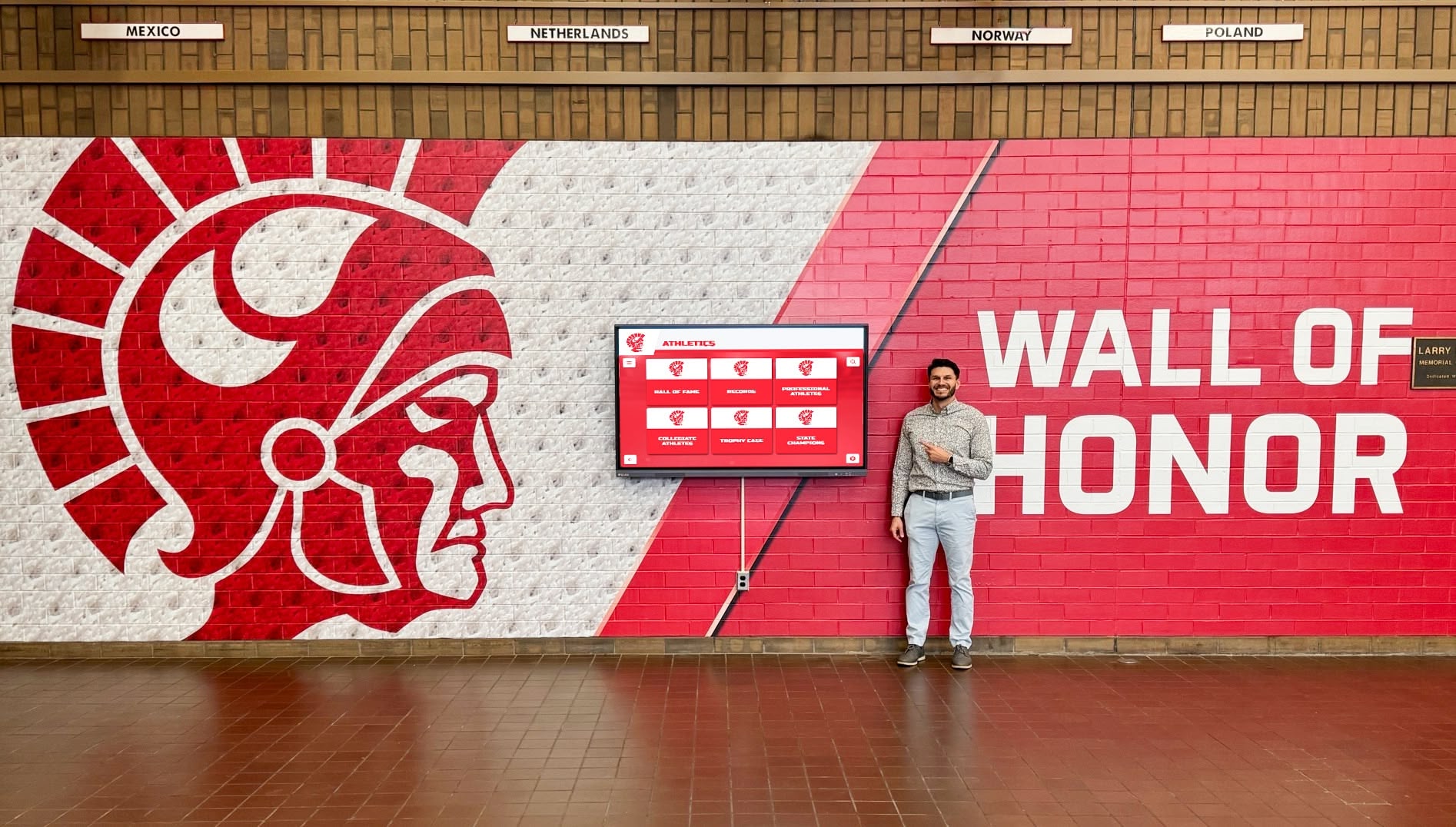
The Easiest Touchscreen Solution




Live Example: Rocket Alumni Solutions Touchscreen Display
Interact with a live example (16:9 scaled 1920x1080 display). All content is automatically responsive to all screen sizes and orientations.
Every school has a wall somewhere that tells the story of who led. Athletic directors build halls of fame for championship teams. Academic departments post honor rolls and NHS inductees. Yet in most schools, the student body presidents who ran elections, managed student budgets, represented the student voice in faculty meetings, and shaped school culture year after year receive nothing but a line in the yearbook and a fading memory.
An SGA past presidents wall changes that. It transforms the elected leaders of every graduating class into part of the school’s permanent record—visible, recognized, and connected to the tradition they helped build. This guide covers everything schools need to design, build, and maintain that wall: what information to display, how to format the layout, physical versus digital options, and how to keep the display current as each new president takes office.
Student government presidents carry more responsibility than most students realize from the outside. They facilitate town halls, advocate to administration, manage organizations with real operating budgets, and represent hundreds of classmates whose interests sometimes conflict. A dedicated SGA past presidents wall doesn’t just honor the individuals who served—it signals to current and future students that student government leadership matters at this school and that the people who take it seriously will be permanently remembered for it.

A dedicated wall of honor in the main hallway gives SGA past presidents the same institutional visibility that athletic halls of fame give championship teams
Program Snapshot: SGA Past Presidents Wall
| Element | Details |
|---|---|
| Primary audience | Current students, alumni, parents, school visitors |
| Featured honorees | Student Body Presidents, organized by year |
| Display trigger | Annual update at end of each school year |
| Core entry content | Photo, name, year served, office title, signature achievement |
| Optional content | Quote, college destination, career update for alumni |
| Physical formats | Framed portraits, engraved plaques, vinyl banner displays |
| Digital formats | Touchscreen kiosk, digital signage screen, online recognition platform |
| Ideal location | Main lobby, SGA office corridor, administrative wing |
| Update frequency | Annually; optional mid-year additions for special terms |
| Alumni engagement | Past presidents contribute updated profiles, quotes, and career notes |
Broadening the display to recognize not just the president but the entire executive team—vice president, secretary, treasurer, and class officers by year—multiplies the program’s reach significantly. For a framework covering broader academic recognition programs that extend recognition beyond athletics, the same structural principles apply directly to student government leadership archives.
What to Include on an SGA Past Presidents Wall
The information displayed for each president determines whether the wall tells a story or just lists names. Schools that build the most compelling walls treat each entry as a mini-profile rather than a nameplate.
Essential Fields for Every President Entry
Name and Year Served Display the president’s full name and the academic year of service (e.g., 2023–2024), not just the graduation year. Year of service anchors each president to a specific moment in school history rather than to a single class cohort.
Headshot Photograph A well-framed portrait photo transforms a name on a wall into a person. Schools that include photos report higher visitor engagement and stronger reactions from current students, who can see themselves in the wall when they look at recent graduates rather than just text.
Office Title Use the exact title your school uses: “Student Body President,” “Class President,” “SGA President.” If your school distinguishes between student body presidents and class presidents, clarify which each entry represents.
Signature Initiative or Achievement One or two lines describing what this president accomplished during their term: a program they launched, a policy change they advocated for, a fundraiser they organized, or a tradition they established. This element transforms the wall from a directory into a historical record. It answers the question future students will ask: what did they actually do?
Optional Fields That Deepen the Display
Quote or Mission Statement A short quote from the president about their goals, philosophy, or what student government meant to them adds voice to the entry. Alumni presidents can submit retrospective quotes when the wall launches or when they are reached for a profile update.
College or Career Destination For graduates, noting their college enrollment or career path demonstrates the outcomes of student leadership experience and provides aspirational context for current students considering whether to run for office.
Term Highlights List Rather than one achievement, some schools list three to five bullet-point highlights: major events organized, budget decisions made, initiatives launched. This format works especially well for digital displays where space is not a physical constraint.
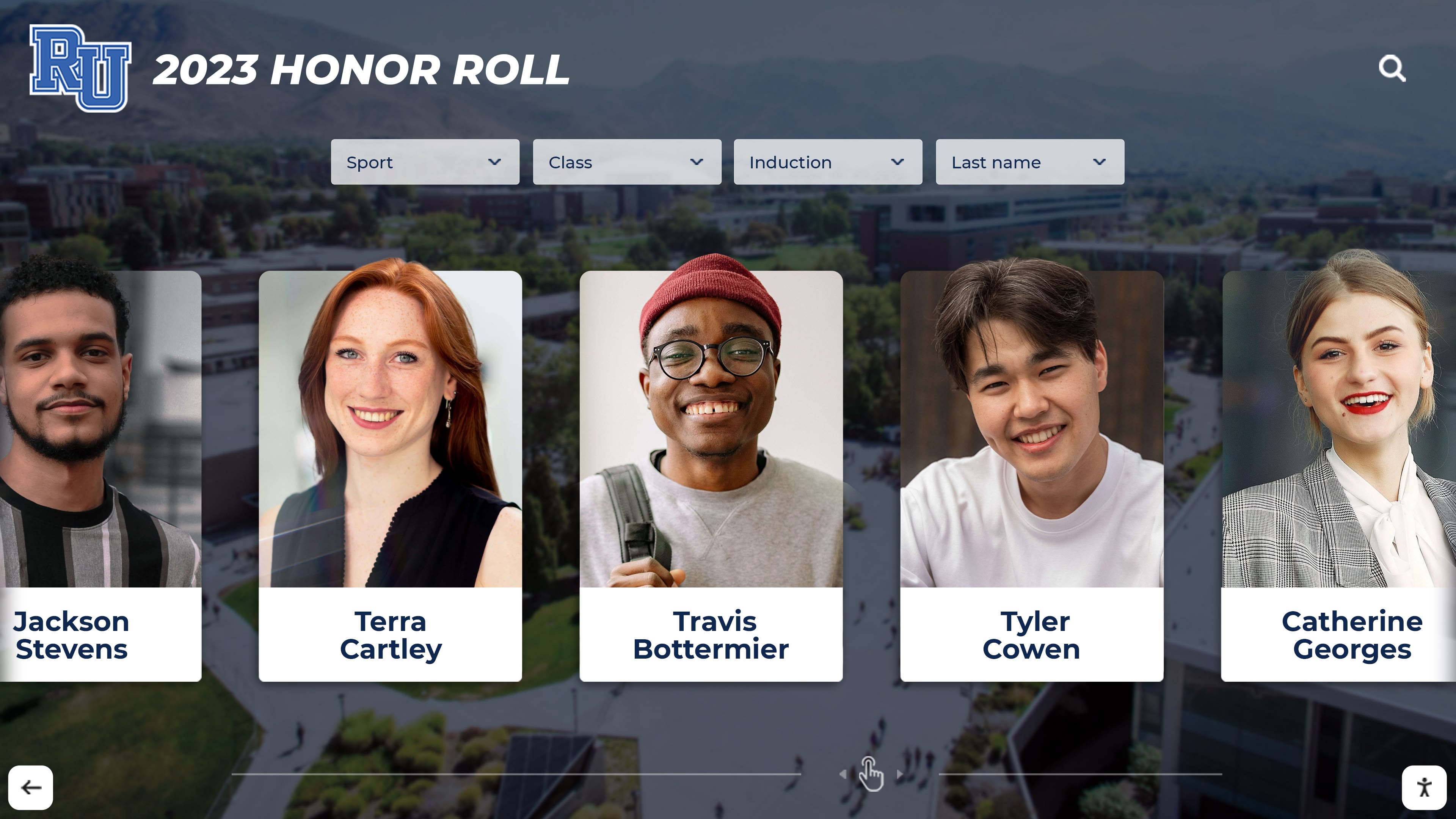
Portrait-card format—with photo, name, year, and key achievement—gives each SGA president a personal entry that visitors engage with rather than scan past
Physical Format Options for an SGA Past Presidents Wall
Schools have built effective past presidents walls using several physical formats. The right choice depends on available wall space, budget, update frequency expectations, and how far back the school’s records extend.
Framed Portrait Grid
The most common format: individual framed portraits arranged chronologically on a dedicated wall section, typically a hallway leading to the student government office or administrative suite. Each frame includes a nameplate or printed card with year, name, and key details.
Best for: Schools with strong portrait photography archives and a dedicated display wall with consistent lighting.
Limitation: Frames must be physically replaced or relabeled when new content is added. Schools with fifty or more presidents to display may exhaust wall space using full-size portrait frames.
Plaque and Engraved Tile Display
Engraved plaques—individual or combined on a shared panel—create a formal, permanent appearance well suited to administrative buildings and main lobbies. Each plaque lists name, year, and a brief notation. Some schools combine a central plaque display with a digital system that holds the deeper profile content.
Best for: Schools prioritizing a formal, dignified aesthetic with long-term institutional permanence.
Limitation: Updates require ordering new plaques, creating a lag between a president’s term ending and their name appearing on the wall. Achievement fields are constrained by engraving character limits.
Banner or Vinyl Wall Wrap Display
Printed banner displays or wall wraps allow for larger format portrait photography, more text per entry, and bolder visual design. A single large display panel can hold a decade of presidents with photographs, names, years, and achievement highlights in a visually striking format.
Best for: Schools with modern building aesthetics, strong brand color systems, and available large-wall real estate.
Limitation: Updating requires reprinting all or part of the display, which is cost-prohibitive if done annually. Better suited to periodic large-scale refreshes (every five years) with a separate updatable component for recent additions.
For a comprehensive look at planning decisions that apply to both physical and digital formats, digital wall of fame design ideas for schools covers the layout, content hierarchy, and feature planning that shapes recognition displays across formats.
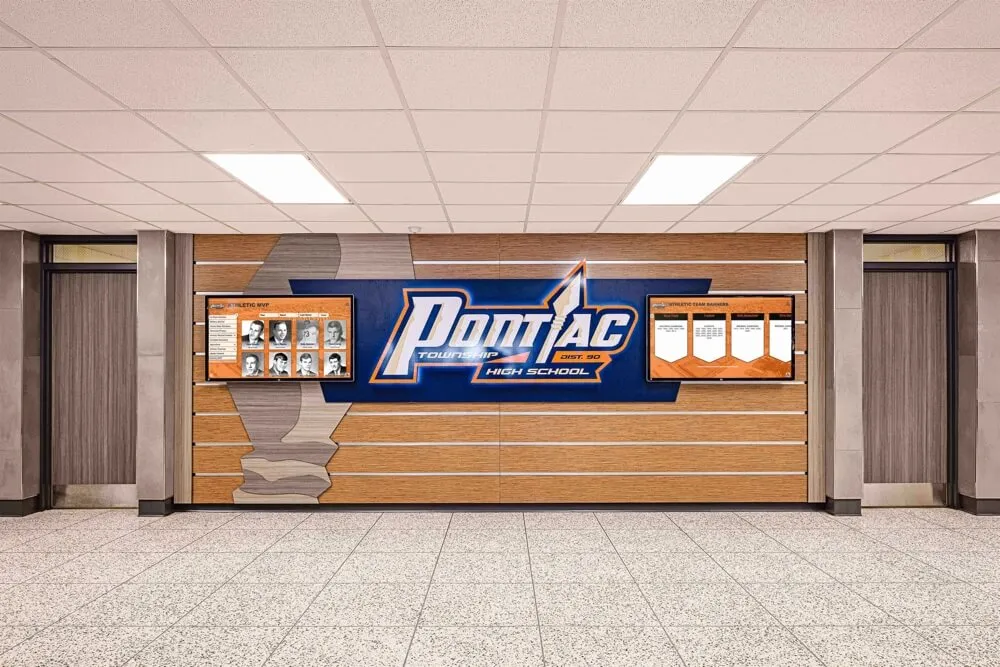
Hallway honor wall formats work equally well for SGA presidents as for athletic champions—consistent portrait size, legible text, and room for future additions are the critical requirements
Digital Options for an SGA Past Presidents Wall
Physical walls have a fixed capacity. Digital displays do not. For schools with decades of student government history—or for schools that want to display significantly richer profiles than a nameplate allows—digital recognition systems offer advantages that physical formats cannot match.
Digital Signage Screen
A mounted digital signage screen running a rotating presentation of past presidents makes the display dynamic: each entry cycles through on screen, showing portrait, name, year, and achievement highlights. The display updates through a content management system without touching the hardware.
Advantages: No physical reprinting required, rich content per entry, video capability, annual updates manageable without physical construction.
Considerations: Rotating displays mean not all presidents are visible simultaneously. Visitors who want to find a specific year must wait for that entry to appear in the rotation.
Interactive Touchscreen Kiosk
A touchscreen kiosk resolves the browsing problem: visitors navigate directly to any president by year, class, or name. The full profile—portrait, years served, achievements, quote, college destination—is accessible on demand. Historical depth becomes a feature, not a limitation.
Advantages: Complete archive browsable on demand, rich profiles per entry, video and photo gallery capability, easily updated from any device, unlimited content capacity.
Considerations: Higher upfront investment than a basic signage screen. Best suited for main lobby installations where visitor traffic justifies the hardware.
Schools that implement interactive recognition systems for student leadership programs consistently find that content depth drives engagement—visitors stay longer and explore further when they can search and navigate rather than passively observe. National Merit Scholar recognition through touchscreen displays demonstrates how the interactive format performs for academic achievement recognition in the same institutional context as student government walls.
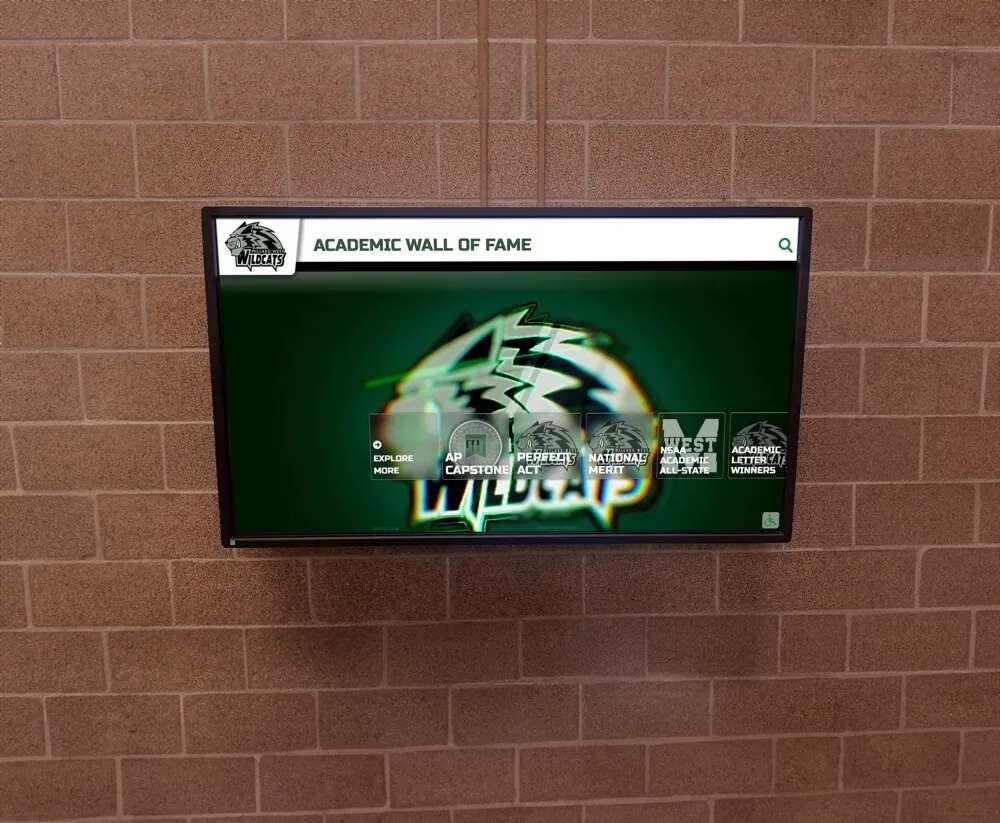
Digital recognition screens bring full archive depth and easy annual updates—no reprinting, no new hardware, just new content added through a web-based content management system
Content Architecture: How Profiles Map to the Display
For Physical Displays
A standard physical entry should contain:
- Portrait photo (consistent size across all entries; minimum 4×5 inches for readability at typical hallway viewing distance)
- Name in a legible typeface at minimum 18pt equivalent
- Year served in academic year format (2023–2024)
- Office title
- One-line achievement note (20–30 words maximum given physical space constraints)
For Digital Displays
A digital profile holds substantially more content organized in layers:
Core identification layer (visible in browsing and search views):
- Portrait photo
- Full name
- Year served
- Office title
Expanded profile layer (visible when an entry is selected):
- High-resolution portrait or multiple photos including action shots from events
- Full name and year served
- Term highlights in 3–5 bullet points
- Quote or mission statement
- Post-graduation destination (college, career)
- Video message from the president (optional and particularly powerful for recent graduates)
- Photo gallery from significant events during their term
Archive layer (accessible through year or term navigation):
- Full chronological list of all past presidents
- Search by name or year
- Historical context connecting each president’s term to major school events
This layered architecture lets schools build the display in stages—adding expanded profile content over time as information is gathered from alumni—without waiting for a complete dataset before launching. An interactive school history timeline shows how schools pair leadership archives with broader institutional history, giving each president’s term the contextual setting that makes individual recognition meaningful.
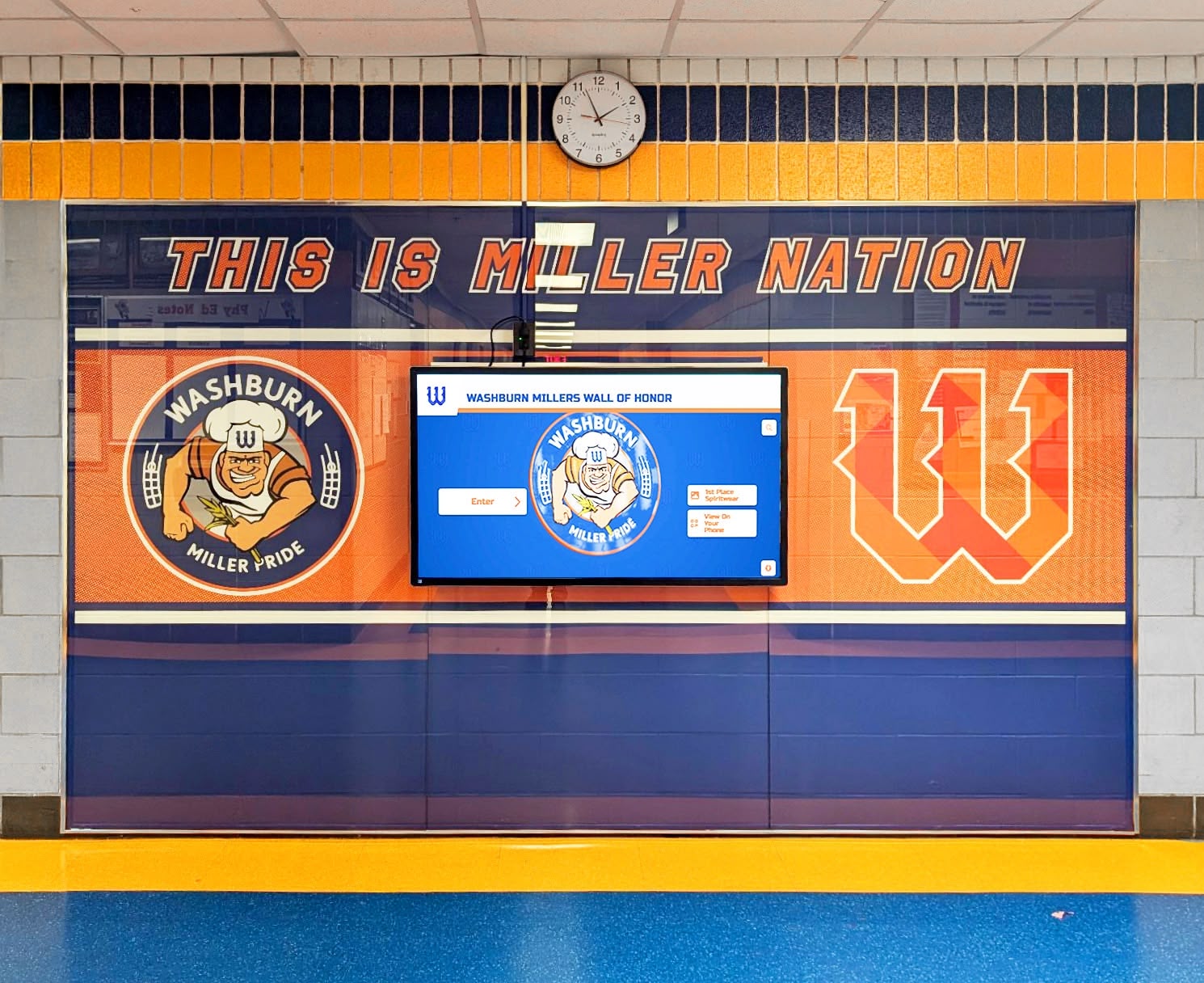
Combining physical name elements with a digital screen allows schools to maintain the formal presence of a traditional plaque wall while providing unlimited depth through the digital layer
Execution Timeline: Building Your SGA Past Presidents Wall
Phase 1: Records Inventory (Weeks 1–3)
Gather every past president your records can support before designing the display.
- Pull yearbooks year by year, recording student body president names and years served
- Check SGA adviser files, meeting minutes, and school historical records for years not covered in yearbooks
- Identify portrait photos available for each president (yearbook photos are typically the most consistent source)
- Note which years have photos available and which require research or alumni outreach
- Document each president’s listed activities and achievements in the yearbook entry as starting-point content
This inventory determines your display scope. A school with records going back thirty years has a richer historical display than one starting from scratch—and that depth is precisely what makes the wall compelling to alumni and long-tenured staff.
Phase 2: Content Development (Weeks 3–6)
Build profiles from your inventory.
- Write one-line achievement summaries for each president using available yearbook and SGA records
- Contact recent past presidents directly for quotes, updated photos, and college or career information
- For older entries where records are incomplete, acknowledge the gap honestly (e.g., “Records unavailable prior to 1995”) rather than leaving visible holes
- Standardize photo format across all entries: same orientation, similar cropping, consistent quality where possible
- Draft display copy for the wall header, section labels, and any contextual text explaining the program to visitors unfamiliar with SGA
For ideas on how schools structure recognition events that connect to ongoing display programs, high school end-of-year awards covers the programming that naturally feeds content into permanent recognition displays.
Phase 3: Design and Installation (Weeks 6–10)
Bring the display to life.
Physical displays:
- Select a consistent frame style and size for all portrait entries
- Design nameplate template standardizing font, layout, and field order across all entries
- Commission engraving or printing for plaques or vinyl elements as needed
- Install hardware at the chosen wall location with appropriate mounting and ADA reach-range compliance
- Arrange entries chronologically from most recent to oldest—or oldest to most recent—but be consistent throughout
Digital displays:
- Select display hardware and confirm mounting location (main lobby, student government corridor)
- Load initial content into the content management system and configure navigation
- Test all profiles, search functionality, and touch response
- Conduct ADA compliance check: contrast ratios, touch target size, and mounting height within the 15″–48″ reach range per WCAG 2.1 AA standards
Phase 4: Launch (Weeks 10–12)
Announce and celebrate the new display.
- Host a formal dedication event with current and recent past presidents in attendance
- Invite local media to cover the installation—a school’s first past presidents wall is a genuine news story for local outlets and alumni publications
- Feature the display in school communications, social media, and alumni newsletters
- Add a QR code on physical display components linking to the school’s digital recognition platform or an online version of the archive
Phase 5: Annual Refresh (Each May–June)
Update the display within thirty days of each school year’s end.
- Add the outgoing president’s portrait and profile entry before graduation
- Request a quote and achievement summary from the outgoing president while they are still enrolled
- Archive photo and document files in an organized folder system for future reference
- For digital systems, publish the new entry through the CMS without waiting for physical reprinting cycles
Archiving academic leadership history for schools covers the digital organization practices that make annual recognition updates sustainable long-term, including photo storage, record management, and update workflow design that prevents archives from going stale.
Display Integration: Connecting the Wall to a Digital Platform
A Rocket-powered SGA past presidents wall can be configured with display modules that align directly to how student government content is organized:
Leadership Archive Module Year-by-year navigation of all past presidents, with portrait, name, term, and achievement highlights visible at each browsing level. Visitors jump directly to any year or search by name.
Featured Profile Module The current or most recently outgoing president displayed prominently, with full profile content: photo, term highlights, quote, and links to related content about their initiatives.
Term Highlights Timeline A visual timeline connecting each presidential term to the broader school year it occurred in—homecoming, major events, policy changes, and program launches during that president’s tenure. This module integrates SGA history with school history.
Alumni Connection Module Past presidents who want to stay connected can submit updated career and bio information through a managed portal. Their entries grow richer over time without requiring staff work beyond content review.
Digital Signage Integration For schools that want to extend recognition beyond a single kiosk, digital signage mode cycles past president profiles through existing hallway screens—expanding the wall’s visibility without additional hardware installation.
For guidance on how recognition archives serve multiple audiences simultaneously, building digital archives for schools and universities covers the architectural decisions that make recognition systems valuable to current students, alumni, and administrators alike.
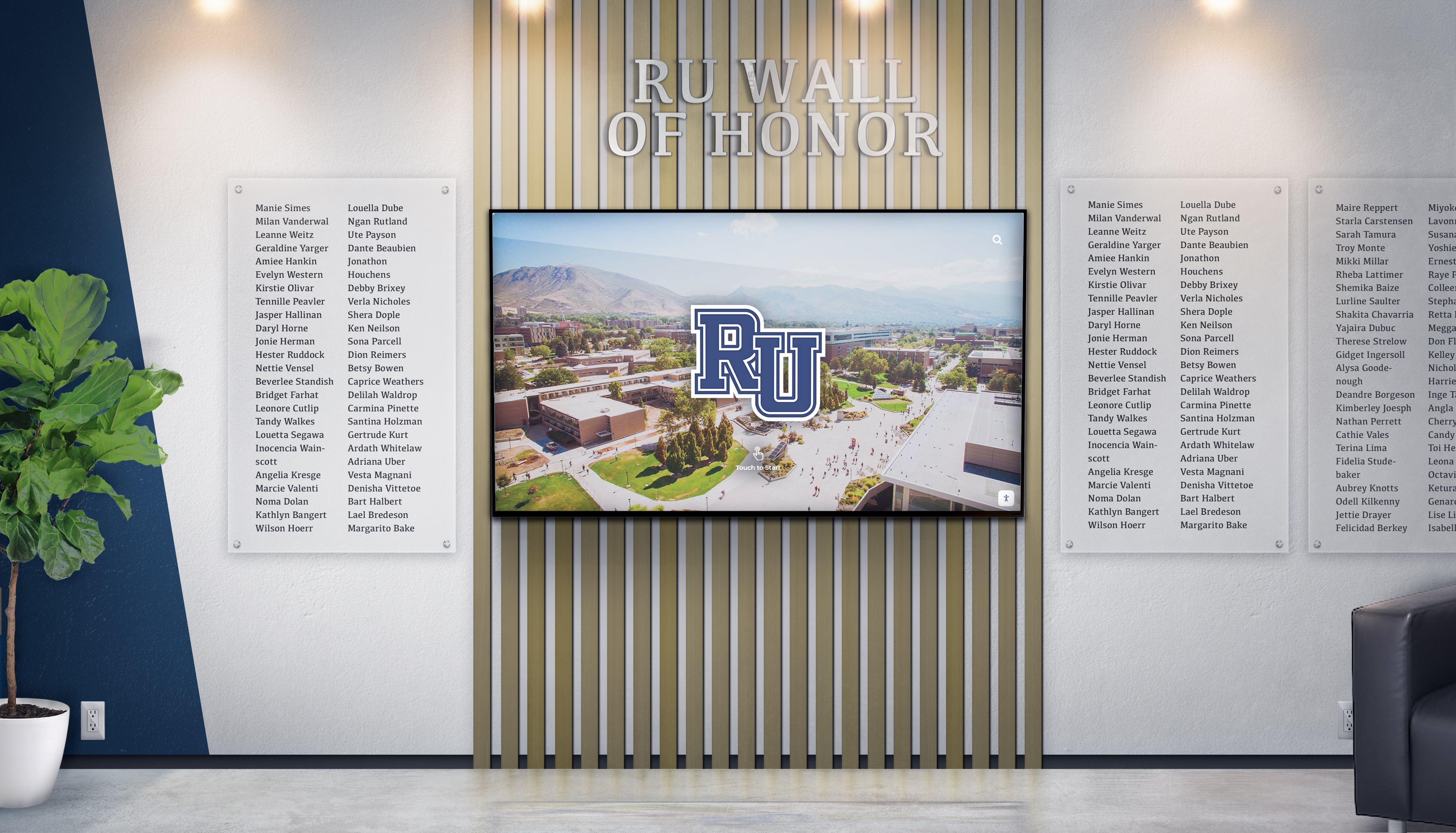
Combining name plaque elements with a digital screen layer gives alumni the formal permanence they expect while giving current students and visitors an interactive archive to explore
Expanding Recognition Beyond the President
The SGA president is the most visible student government role, but the strongest recognition programs honor the full executive team and the officers who make student government function.
Full Executive Council Recognition
Consider including these positions alongside the president:
- Vice President
- Secretary
- Treasurer
- Class Presidents (freshman, sophomore, junior, senior)
- Committee chairs for major recurring programs such as homecoming or spirit events
Expanding recognition to the full executive council increases the number of students who see themselves in the display and raises the perceived value of student government service among those considering running for office.
Alumni SGA Network
A past presidents wall naturally creates the foundation for an alumni SGA network. Former presidents who see their names on display—or receive a direct invitation to complete their digital profile—feel reconnected to the institution and to the peers who held the same position before and after them.
Schools with active alumni giving programs have found that recognition systems connecting alumni to their specific student leadership contributions strengthen engagement over time. For insights on how alumni gathering spaces and recognition programs intersect, alumni gathering area design covers the design thinking that makes alumni engagement spaces work alongside recognition displays.
Connecting Past Presidents to Current School Culture
The most compelling past presidents walls connect individual profiles to specific things the school still does because of a president’s leadership. If a president launched the current Spirit Week format, that tradition belongs in their entry. If a president negotiated extended lunch periods that current students benefit from, that context makes the display meaningful rather than merely ceremonial.
Building this connection between past presidents and current school culture requires research—but it rewards it. Students who understand that specific traditions and policies were created by predecessors visible on the wall develop a more genuine sense of institutional continuity and school pride.
Reusable Content Checklist: SGA Past Presidents Wall Entry
Use this checklist when building or updating each president’s entry:
Core fields (required for all entries):
- Full name as displayed in school records
- Academic year of service (e.g., 2023–2024)
- Office title (Student Body President / Class President / SGA President)
- Portrait photo (minimum 300 DPI for print; consistent crop orientation across all entries)
- One-line achievement summary (20–30 words)
Enhanced fields (add when available):
- Three to five term highlight bullet points
- Direct quote from the president
- College or university enrolled after graduation
- Career field or employer (for alumni five or more years post-graduation)
- Significant school event during their term (homecoming theme, major initiative, notable outcome)
Digital-only fields (for touchscreen or online displays):
- High-resolution portrait (1000×1000 px minimum)
- Secondary photos from events, ceremonies, or activities during their term
- Video message (30–90 seconds, filmed before graduation for outgoing presidents)
- Photo gallery from their term (5–10 images)
- Links to news coverage or school announcements from their term
For additional ideas on what categories and recognition tiers to build into student programs, student awards ideas offers a taxonomy of recognition formats applicable to student government as much as to academics and athletics.
Measurement: What Success Looks Like
Schools that launch an SGA past presidents wall should track engagement indicators that validate the investment and guide future updates.
Visitor engagement:
- For digital displays, track session count and average session length per week
- Note which entries receive the most profile views (typically recent presidents and long-tenured ones)
- Track whether alumni are submitting updated bio information after the initial launch
Recruitment and program impact:
- Track SGA election participation and candidate counts in the year following the launch
- Survey current SGA members about whether the wall influences their sense of the program’s significance
- Note increases in parent or community comments about the display during open house or orientation events
Alumni connection:
- Count past presidents who engage with the display digitally or through alumni outreach
- Track alumni contributions of updated content (quotes, career information, event photos)
- Note any alumni who reference the display in donor communications or school correspondence
Institutional use:
- Track how often administrators reference the display in meetings or presentations
- Note media coverage of the display installation and subsequent annual updates
Frequently Asked Questions About SGA Past Presidents Walls
How far back should an SGA past presidents wall go?
Go as far back as your records reliably support. If you have yearbooks going back thirty years, include all thirty years. If records become uncertain before a particular point, note the gap honestly and start from the earliest reliable entry. An incomplete archive with accurate data is better than a complete one padded with uncertain information.
What if we don’t have photos for older presidents?
For years where no photo is available, use a consistent placeholder that acknowledges the gap—a school crest, an era-specific graphic, or a simple “Photo unavailable” notation. Reach out to alumni networks and ask former graduates to contribute photos from their personal archives. Many alumni will respond when asked directly, particularly if the request includes an explanation of the recognition project.
Should we include vice presidents and other officers on the same wall?
Yes, if space allows—either on the same wall or on an adjacent display. Including the full executive team honors the collaborative nature of student government and recognizes more students who contributed meaningfully to the program. If budget or space requires prioritization, start with presidents and expand to the full executive team in subsequent phases.
How do we handle presidents whose terms ended under difficult circumstances?
Document the facts accurately: name, year, and term served. Historical accuracy is more important than managing any particular situation. If a term ended mid-year for any reason, note the actual duration served. Schools that omit entries create visible gaps that invite questions harder to manage than the accurate record.
Can we include student government presidents from both middle and high school in the same display?
Yes, if your school encompasses both levels and maintains records for both. A multi-level display organizes entries by building or grade division with clear section labels. If both populations share a building, a combined display with distinct labels distinguishing middle school and high school terms serves both communities.
What is the best location for an SGA past presidents wall?
The main school lobby is the highest-traffic location and makes the strongest institutional statement about the importance of student government. Secondary options include the hallway leading to the student government office, the main office corridor where administrative visitors pass through, or the student commons area. Avoid locations with limited visibility, poor lighting, or significant traffic from only one student population.
How often should the display be updated?
Once per year at minimum, within thirty days of the school year ending, adds the outgoing president’s entry while information is still fresh and the student is still accessible. Schools with digital systems can update more frequently—adding mid-year recognitions, event photos, and alumni profile updates throughout the year without physical construction.
Conclusion: Build the Wall Your Presidents Have Earned
Student government presidents step into roles that ask more of them than most students realize: they speak for their peers, negotiate with faculty and administrators, manage conflict, execute events, and build programs that outlast their terms. The best of them shape school culture in ways classmates still benefit from years later.
A well-designed SGA past presidents wall makes that contribution permanent. It gives future candidates a tradition worth continuing. It gives alumni a reason to stay connected. It gives current students a visible answer to the question of whether student leadership at this school actually matters.
Building the wall is straightforward: gather the records, standardize the content, choose a format that fits your building and budget, and commit to annual updates. The harder part—and the part that makes the difference—is ensuring the wall communicates not just who served, but what service meant and what each president left behind.
Ready to build an SGA past presidents wall that grows richer every year without reprinting or replacing physical elements? Rocket Alumni Solutions provides digital recognition platforms built for school leadership programs—with unlimited president profiles, annual update workflows manageable in minutes, touchscreen and digital signage hardware options, and cloud-based content management accessible from any device. Whether your SGA has ten years of presidents to honor or fifty, Rocket builds the display that does justice to the full history of student leadership at your school.
Live Example: Rocket Alumni Solutions Touchscreen Display
Interact with a live example (16:9 scaled 1920x1080 display). All content is automatically responsive to all screen sizes and orientations.































