



Intent: Define — Photo booth software for kiosk public use and events represents specialized applications enabling automated photography, video capture, branding customization, social sharing, and user engagement through self-service touchscreen interfaces. Whether you’re an event coordinator planning corporate gatherings and celebrations, a venue manager exploring permanent interactive installations, or an institution evaluating engagement technology for lobbies and public spaces, understanding the complete landscape of photo booth software capabilities, hardware requirements, implementation strategies, and alternative recognition solutions ensures your investment delivers meaningful results.
Yet many organizations discover that traditional photo booth software serves limited purposes—creating entertaining moments during specific events but providing minimal lasting value once celebrations conclude. Effective engagement solutions require thinking beyond temporary entertainment toward permanent recognition systems that celebrate achievements continuously, build institutional pride systematically, and create compelling destinations attracting repeat interaction throughout years rather than hours. Organizations that rush toward conventional photo booth implementations without considering strategic alternatives typically create underutilized assets delivering fleeting value—while those exploring comprehensive recognition platforms build dynamic engagement systems that strengthen community connections and organizational culture sustainably.
This comprehensive guide explores every aspect of photo booth software for kiosks and events—from understanding core functionality and technical requirements through implementation strategies, cost considerations, and how purpose-built recognition platforms like digital halls of fame deliver superior long-term value for schools, organizations, and institutions seeking lasting engagement rather than temporary entertainment. Whether implementing event-specific photo experiences or evaluating permanent interactive installations, these insights help ensure your technology investments serve organizational goals effectively.
Event coordinators and facility managers today face increasing expectations for interactive experiences that engage attendees, create memorable moments, and generate social sharing amplifying event reach and organizational visibility. Traditional static displays and passive environments no longer satisfy audiences accustomed to personalized digital experiences accessible through smartphones and interactive touchscreens. Photo booth software emerged as one solution to these engagement challenges—but understanding when conventional photo booths serve needs appropriately versus when alternative recognition technologies provide greater lasting value proves essential for informed decision-making.

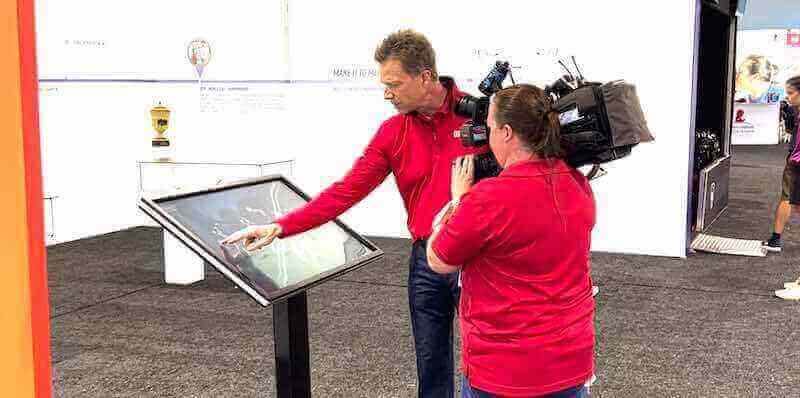
Modern interactive touchscreen technology serves diverse engagement purposes from temporary events to permanent recognition installations
Program Snapshot: Photo Booth Software for Kiosks and Events
Before exploring detailed implementation strategies, understanding the complete photo booth software landscape helps organizations assess alignment with engagement goals and resources.
| Program Element | Description | Key Considerations |
|---|---|---|
| Primary Use Cases | Corporate events, weddings, conferences, trade shows, fundraisers, public activations, permanent lobby installations | Event duration and frequency determine whether temporary rentals or permanent installations make sense |
| Core Functionality | Automated photography/video capture, background customization, filters and effects, branding overlays, instant printing, social sharing, data collection | Feature requirements vary dramatically based on specific engagement objectives |
| Hardware Components | DSLR or webcam cameras, touchscreen displays, professional lighting, enclosures or kiosks, printers, props and backdrops | Quality levels range from consumer webcams to professional photography equipment |
| Software Architecture | Windows/Mac desktop applications, cloud-based web platforms, mobile apps, or hybrid approaches | Architecture affects maintenance complexity and operational requirements |
| Initial Investment | Equipment: $500-$15,000+ | Software: $100-$3,000 |
| Implementation Timeline | Event rentals: immediate | DIY setups: 1-2 weeks |
| Ongoing Management | Hardware maintenance, software updates, supplies replenishment, content customization, technical support | Permanent installations require sustained operational planning |
Understanding Photo Booth Software for Public Kiosks
Photo booth applications provide automated photography experiences through self-service touchscreen interfaces designed for public operation without attendant supervision.
Core Photo Booth Software Capabilities
Modern photo booth platforms deliver sophisticated functionality beyond simple camera triggering:
Automated Photography Workflows
Self-service operation enables unattended public use:
- Touchscreen interfaces guiding users through capture processes step-by-step
- Countdown timers preparing subjects for photo capture moments
- Multiple shot sequences creating animated GIFs or video compilations
- Retake options allowing users to repeat captures until satisfied
- Automatic processing applying filters, effects, and branding overlays
- Review screens enabling approval before sharing or printing
- Queue management handling multiple simultaneous users systematically
According to industry analysis, the photo booth market reached $1.2 billion in valuation during 2024, with projected annual growth of 11% driven by increasing demand for interactive event experiences and social media sharing capabilities.
Customization and Branding Features
Software enables extensive visual personalization:
- Custom background replacement through green screen technology
- Branded overlay templates featuring logos, event names, hashtags, and sponsor recognition
- Filter libraries providing Instagram-style effects and artistic treatments
- Animated graphics and digital props appearing in photos
- Text additions including captions, dates, locations, and messages
- Color grading and exposure adjustment for professional appearance
- Template galleries offering seasonal, themed, or event-specific designs
Organizations hosting corporate events, fundraisers, or marketing activations leverage these customization capabilities to reinforce branding, sponsor recognition, and messaging throughout photo experiences that attendees share across social networks.
Social Sharing and Distribution
Digital distribution amplifies event reach beyond physical attendees:
- Direct social media posting to Facebook, Instagram, Twitter with pre-filled captions and hashtags
- Email delivery sending photos to addresses provided during capture
- SMS messaging transmitting photos via text message
- QR code generation enabling smartphone downloads without app installations
- Gallery websites collecting all event photos for post-event access
- Cloud storage preserving photos for future retrieval and sharing
- Analytics tracking shares, impressions, and viral distribution metrics
Research indicates that 360-degree photo booths dominate recent sales growth, accounting for 40% of units sold, with demand driven by immersive experiences and superior social media shareability compared to traditional static photography.
Learn about interactive touchscreen technology fundamentals that apply across photo booth applications and recognition display systems.

Permanent interactive installations serve ongoing engagement needs beyond temporary event-specific deployments
Hardware Requirements for Photo Booth Kiosks
Software functionality depends on appropriate hardware configurations:
Camera and Capture Equipment
Image quality reflects investment in photography components:
- Consumer webcams ($50-$300): adequate for basic applications prioritizing affordability over quality
- DSLR cameras ($500-$3,000): professional image quality with interchangeable lenses and superior low-light performance
- Mirrorless cameras ($800-$4,000): compact professional quality with advanced autofocus and video capabilities
- Professional lighting rings or softboxes ($100-$1,000): consistent illumination eliminating harsh shadows
- Tripods and mounting systems ($50-$500): stable positioning preventing blur and ensuring consistent framing
- Green screen backdrops ($100-$800): enabling background replacement and creative customization
Display and Interface Components
User interaction requires quality touchscreen displays:
- Touchscreen monitors (21"-32") ($300-$2,000): commercial-grade displays rated for continuous public operation
- All-in-one computers with integrated touchscreens ($800-$3,000): streamlined configurations reducing cable complexity
- Tablets as touchscreen controllers ($200-$1,000): compact interfaces for space-constrained installations
- Protective enclosures and kiosks ($500-$5,000): securing equipment from theft and damage while providing professional appearance
- Speakers for audio feedback ($50-$300): enhancing user experience through sound effects and instructions
- Keyboards or peripherals for administrative access ($50-$200): enabling configuration and troubleshooting
Printing and Output Systems
Physical photo delivery requires printer integration:
- Dye-sublimation printers ($500-$3,000): professional photo quality with fade-resistant output
- Instant photo printers ($100-$400): convenient compact printing with moderate quality
- Print supplies and media ($0.15-$1.50 per print): ongoing consumable costs affecting operational budgets
- Cutting and finishing tools ($100-$500): trimming prints to standard sizes professionally
- Alternative outputs like GIF creation or video files: eliminating printing costs while maintaining shareability
Understanding commercial-grade touchscreen hardware selection ensures installations withstand public use demands.
Software Architecture and Platform Considerations
Photo booth applications deploy through various technical approaches:
Desktop Applications
Traditional installed software runs on Windows or Mac computers:
- Complete offline functionality independent of internet connectivity
- Maximum performance through native operating system integration
- Local storage of all photos and session data
- Complex installation and configuration procedures
- Manual updates requiring technical intervention
- Platform-specific versions limiting hardware flexibility
- Higher learning curves for non-technical operators
Cloud-Based Web Platforms
Browser-based solutions operate through internet connections:
- Accessible from any device with compatible web browsers
- Automatic updates deploying new features without local installation
- Centralized management across multiple kiosk locations
- Cloud storage providing unlimited photo archiving capacity
- Subscription pricing models spreading costs over time
- Internet dependency affecting functionality during connectivity issues
- Simplified administration suitable for non-technical staff
Mobile Applications
Smartphone and tablet apps provide portable solutions:
- Lightweight implementations suitable for pop-up activations
- Lower hardware costs leveraging existing devices
- Built-in cameras and displays simplifying equipment needs
- Limited professional image quality compared to DSLR systems
- Fragile consumer hardware unsuitable for permanent public installations
- Smaller screens constraining group photography experiences
Explore comprehensive touchscreen software comparison frameworks evaluating architecture trade-offs across applications.

Professional installations deliver intuitive experiences requiring no instruction or technical expertise from users
Content Architecture: Photo Booth Implementation Strategies
Effective photo booth deployments require systematic planning addressing specific use contexts:
Temporary Event Deployments
Short-duration implementations serve specific occasions:
Rental Services for Single Events
Professional rental eliminates ownership complexity:
- Complete equipment packages including cameras, lighting, touchscreens, printers, and enclosures
- Professional setup and breakdown by experienced technicians
- On-site attendants managing operation and troubleshooting
- Customization services creating branded templates and overlays
- Insurance coverage protecting against equipment damage or failure
- Typical costs: $400-$2,000 for 3-4 hour events depending on features and location
- No long-term commitments or maintenance responsibilities
Rentals prove ideal for occasional events like corporate parties, weddings, fundraising galas, or trade show activations where organizations lack need or budget for permanent ownership.
DIY Event Photo Booth Setup
Organizations with technical capabilities can operate self-managed systems:
- Software subscription or purchase ($100-$500 annually or one-time)
- Equipment procurement of cameras, displays, lighting ($1,000-$5,000 initially)
- Staff training for operation and troubleshooting
- Setup and breakdown managed internally for each event
- Template customization performed in-house or through vendors
- Lower per-event costs after initial investment amortization
- Greater flexibility for frequent events throughout years
Schools hosting regular athletic events, conferences scheduling quarterly meetings, or organizations with ongoing engagement needs benefit from self-managed systems amortizing equipment investments across multiple deployments.
Permanent Public Installation Strategies
Fixed installations serve continuous engagement rather than temporary events:
Lobby and Entrance Activations
Welcome areas benefit from interactive experiences:
- Branded photo opportunities greeting visitors upon arrival
- Background customization featuring facility imagery or organizational logos
- Social sharing encouraging visitors to promote organizations through personal networks
- Sponsor recognition integrated into photo templates
- Visitor data collection through opt-in information gathering
- Analytics tracking facility traffic and engagement patterns
- Permanent installations requiring minimal operational intervention
Corporate headquarters lobbies, hotel reception areas, convention center entrances, and retail flagship stores deploy permanent photo booth installations creating memorable visitor experiences while generating user-generated content amplifying marketing reach.
Recognition and Achievement Celebration
Interactive installations celebrating accomplishments:
- Athletic achievement displays capturing team photos and individual portraits
- Academic honor recognition documenting student successes
- Employee milestone celebrations showcasing career achievements
- Alumni engagement platforms connecting graduates with institutional history
- Donor appreciation installations recognizing philanthropic contributions
- Community hero tributes honoring local leaders and volunteers
Yet traditional photo booth software proves inadequate for these recognition purposes—capturing moment-in-time photos but lacking comprehensive profile management, searchable databases, achievement documentation, historical archiving, and ongoing content management essential for effective recognition programs. Schools and organizations pursuing recognition objectives benefit from purpose-built digital recognition platforms rather than adapting photo booth software toward purposes it wasn’t designed to serve.
Discover comprehensive digital recognition system approaches specifically designed for achievement celebration and institutional heritage.
Hybrid Event-Plus-Recognition Strategies
Some organizations combine temporary event functionality with permanent recognition:
- Permanent displays showcasing achievement profiles and historical content
- Event mode capabilities enabling photo booth functionality during special occasions
- Unified branding maintaining consistent visual identity across use cases
- Content management systems organizing both recognition profiles and event photos
- Flexible software supporting multiple operational modes
- Dual-purpose investments serving ongoing recognition and periodic events
This hybrid approach maximizes technology investments but requires sophisticated platforms supporting diverse functionality rather than single-purpose photo booth or recognition-only systems.
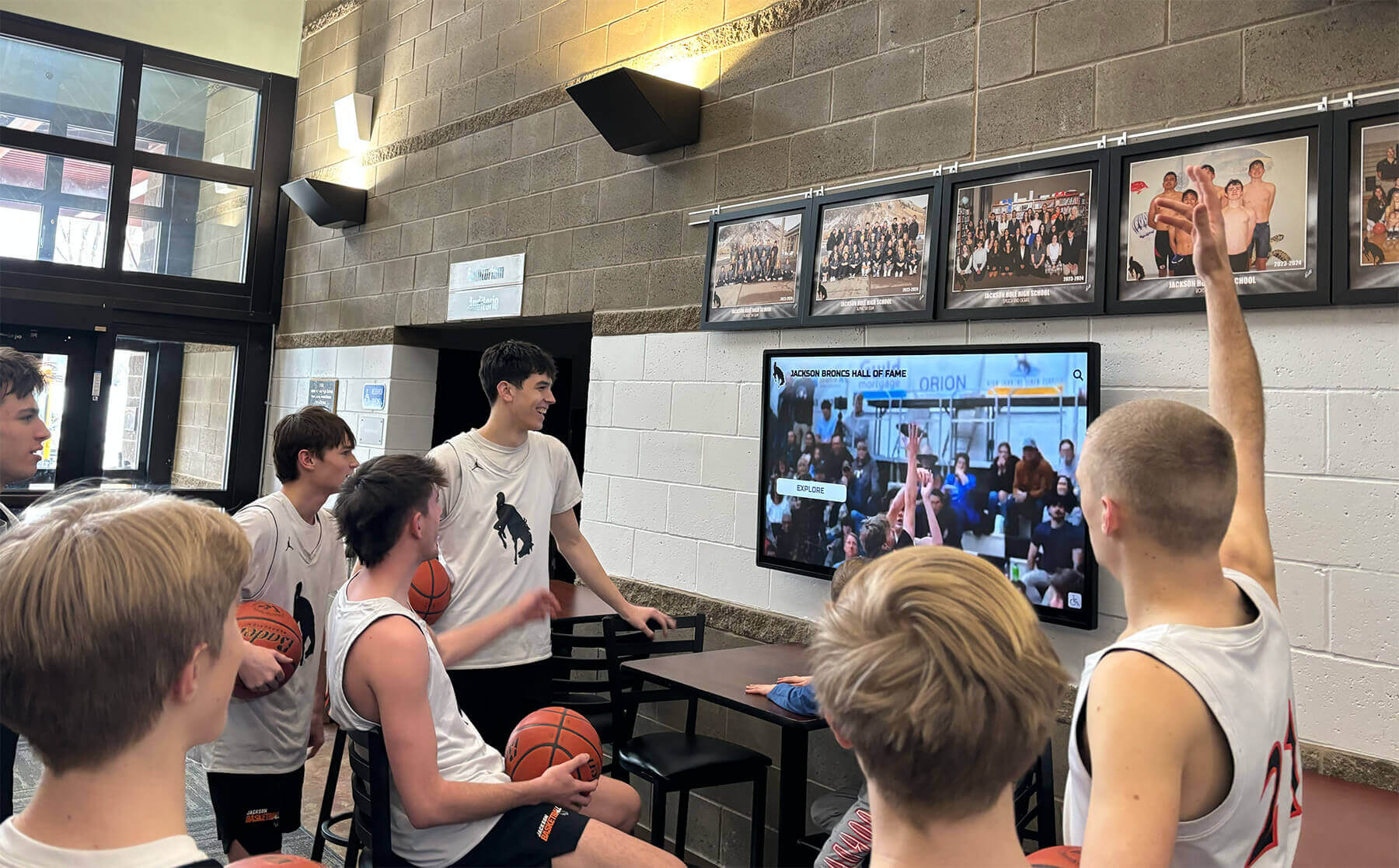
Recognition-focused displays create ongoing engagement celebrating achievements beyond temporary event entertainment
Execution Timeline: Photo Booth Implementation Phases
Successful deployments follow systematic approaches matching complexity and objectives:
Phase 1: Planning and Requirements Definition (Weeks 1-2)
Objective Clarification and Use Case Analysis
- Define primary purposes: temporary event entertainment versus permanent recognition installation
- Identify target audiences and usage contexts determining feature priorities
- Assess frequency: single events versus recurring deployments versus continuous operation
- Establish success metrics measuring engagement, social reach, or recognition impact
- Determine budget parameters for initial investment and ongoing operational expenses
- Secure stakeholder approval and authorization for implementation
Technology Landscape Research
- Distinguish event-specific photo booth software from permanent recognition platforms
- Evaluate rental services versus equipment purchase decisions based on frequency
- Compare subscription-based cloud platforms with perpetual desktop applications
- Research hardware requirements and quality levels matching budget constraints
- Understand maintenance implications and technical support availability
- Review competitor installations and peer organization implementations
Vendor Evaluation and Selection
- Request comprehensive proposals from multiple qualified providers
- Evaluate feature sets against specific organizational requirements
- Compare pricing models including all costs beyond initial purchase
- Verify customer support availability and responsiveness
- Check references from organizations with similar use cases
- Assess vendor stability and long-term viability for permanent installations
Organizations pursuing permanent recognition installations rather than temporary photo booth events should specifically evaluate digital recognition platform providers rather than conventional photo booth vendors lacking comprehensive profile management and content organization capabilities.
Phase 2: Equipment Procurement and Setup (Weeks 3-6)
Hardware Acquisition
- Purchase or lease camera equipment meeting quality requirements
- Procure touchscreen displays with appropriate size and commercial durability ratings
- Obtain lighting systems ensuring consistent professional image quality
- Acquire enclosures or kiosks protecting equipment while providing professional appearance
- Purchase printers and supplies if physical output required
- Obtain props, backdrops, or green screens supporting creative photo experiences
Software Installation and Configuration
- Install applications on selected computer or display hardware
- Configure camera settings for optimal image quality and framing
- Design custom templates incorporating branding, logos, and event information
- Test printing workflows ensuring proper output quality and sizing
- Configure social sharing with appropriate accounts and hashtag strategies
- Set up data collection forms gathering visitor information compliantly
- Create administrative procedures for content updates and troubleshooting
Physical Installation
- Position equipment in designated locations with appropriate lighting
- Ensure stable mounting preventing tipping or equipment damage
- Configure network connectivity for cloud-based platforms or social sharing
- Arrange electrical power with surge protection for valuable equipment
- Install signage explaining operation and encouraging participation
- Conduct safety assessments preventing tripping hazards or accessibility barriers
Phase 3: Testing and Refinement (Week 7)
Functional Testing
- Verify complete workflows from user arrival through photo capture to sharing or printing
- Test touchscreen responsiveness and interface clarity
- Confirm camera focus, exposure, and framing accuracy
- Validate printer output quality and consistent color reproduction
- Verify social sharing posts with correct accounts, captions, and hashtags
- Test data collection forms and storage security
- Assess queue management during simultaneous multi-user scenarios
User Experience Evaluation
- Conduct testing with diverse users representing actual audience demographics
- Observe navigation patterns identifying confusion or hesitation points
- Gather feedback about interface clarity and instruction sufficiency
- Assess physical ergonomics including screen height and interaction comfort
- Time typical sessions from start to photo delivery
- Identify and resolve usability issues before public launch
- Refine templates, instructions, or workflows based on testing insights
Contingency Planning
- Develop backup procedures for equipment failures during critical events
- Create troubleshooting guides for common issues staff can resolve independently
- Establish vendor support contacts for urgent technical assistance
- Prepare backup equipment if available for mission-critical deployments
- Document recovery procedures for data loss or corruption
- Plan staffing coverage ensuring knowledgeable personnel available during operation
Understanding touchscreen kiosk software capabilities beyond photo booth applications reveals expanded possibilities for permanent recognition installations.
Phase 4: Launch and Operational Management (Ongoing)
Deployment and Activation
- Position equipment in final operational locations
- Conduct final pre-event checks confirming all systems operational
- Staff events with knowledgeable personnel able to assist users and troubleshoot
- Monitor operation proactively addressing issues before frustrating users
- Encourage participation through announcements and staff promotion
- Collect feedback during initial operation informing improvements
- Document unexpected issues for post-event resolution
Content Management and Updates
- Refresh templates seasonally or for specific events maintaining novelty
- Update branding and sponsor recognition as partnerships evolve
- Rotate filter options preventing stale repetitive experiences
- Manage photo galleries removing inappropriate content if necessary
- Monitor social sharing analytics understanding reach and engagement
- Archive photos systematically for future reference and reporting
- Maintain compliance with privacy policies and photo usage permissions
Ongoing Maintenance and Support
- Clean touchscreens and cameras regularly maintaining appearance and functionality
- Replenish printer supplies proactively avoiding mid-event outages
- Update software regularly deploying security patches and feature improvements
- Monitor hardware health replacing failing components before complete breakdown
- Troubleshoot user-reported issues and software malfunctions
- Maintain security against unauthorized access or malicious software
- Budget for eventual hardware replacement as equipment ages

Professional permanent installations require thoughtful planning and ongoing management beyond temporary event deployments
Display Integration: Photo Booth Versus Recognition Platform Distinction
Organizations evaluating interactive touchscreen technology must distinguish between temporary entertainment and permanent recognition:
Photo Booth Software Strengths and Limitations
Conventional photo booth applications excel at specific use cases:
Appropriate Photo Booth Applications
- Temporary events emphasizing social sharing and entertainment
- Marketing activations generating user content for campaigns
- Fundraising events creating donor engagement experiences
- Trade show booths attracting attendee traffic and lead generation
- Celebrations and parties providing memorable keepsakes
- Pop-up installations in retail or hospitality environments
Photo Booth Limitations for Recognition
- Moment-in-time capture lacking comprehensive profile management
- No searchable databases organizing achievements across years or categories
- Limited historical content management and archival capabilities
- Inadequate for ongoing content updates and continuous operation
- Missing recognition-specific features like achievement tracking and categorization
- Temporary entertainment value versus lasting institutional impact
- No systematic approach to celebrating accomplishments over time
Schools attempting to use photo booth software for athletic recognition halls, academic achievement displays, or donor walls discover significant functionality gaps requiring extensive customization or workarounds that specialized recognition platforms handle natively.
Purpose-Built Recognition Platform Advantages
Digital recognition systems designed specifically for achievement celebration provide:
Comprehensive Profile Management
- Detailed inductee profiles documenting achievements, statistics, and contributions
- Biographical information contextualizing accomplishments and careers
- Photo galleries preserving multiple images across timeframes
- Video integration presenting induction speeches and highlight compilations
- Awards and honors listings documenting recognition received
- Career timelines showing progression and milestone achievements
- Personal stories and quotations providing narrative depth
Searchable Organization and Discovery
- Powerful search enabling name, year, sport, achievement, or keyword queries
- Category browsing organizing inductees by department, era, or accomplishment type
- Alphabetical listings facilitating quick navigation
- Year-based sorting showing evolution across decades
- Featured profiles highlighting notable achievers strategically
- Related content suggestions connecting similar achievements
- Filter combinations enabling sophisticated queries
Content Management and Administration
- Cloud-based CMS accessible from any internet-connected device
- Intuitive interfaces requiring no technical expertise for content updates
- Scheduled publishing enabling timed releases for induction ceremonies
- Approval workflows ensuring content review before publication
- Bulk import tools handling large historical dataset integration
- Media libraries organizing photos and videos centrally
- Version history preserving previous content states
Extended Accessibility Beyond Physical Displays
- Responsive websites making recognition accessible globally 24/7
- Mobile device compatibility enabling smartphone exploration
- Social sharing directly from individual profiles
- Search engine indexing making achievements discoverable through Google
- QR codes linking physical plaques to comprehensive digital profiles
- Embeddable widgets placing recognition on other websites
- Alumni portals integrating recognition with broader engagement platforms
Explore comprehensive digital recognition platform capabilities specifically designed for achievement celebration rather than temporary photography entertainment.
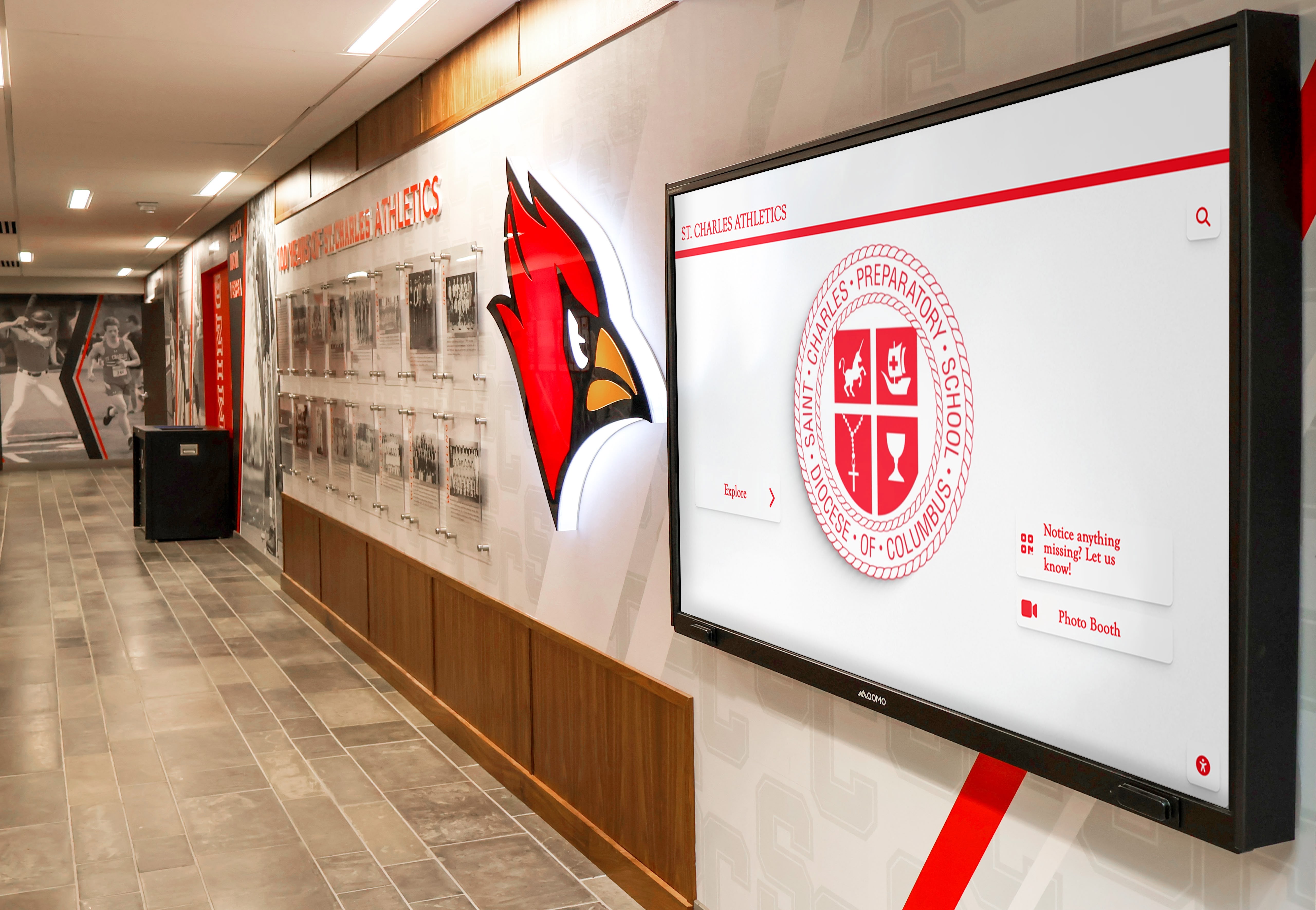
Purpose-built recognition platforms provide comprehensive profile management beyond photo booth capture capabilities
Rocket Alumni Solutions: Recognition Platform Alternative
Organizations seeking permanent interactive installations celebrating achievements benefit from purpose-built recognition platforms rather than adapting photo booth software toward incompatible purposes.
Specialized Recognition Features
- Unlimited inductee profiles with comprehensive achievement documentation
- Sophisticated search and browsing enabling instant discovery
- Cloud content management requiring no technical expertise
- ADA WCAG 2.1 AA accessibility compliance ensuring inclusive experiences
- Automatic ranking boards showing top performances across categories
- Social media integration encouraging organic community sharing
- Digital signage mode displaying recognition content passively when not actively explored
- Sponsorship recognition opportunities supporting fundraising objectives
- Unlimited content updates without per-profile or storage fees
Institutional Focus and Support
- Designed specifically for schools, universities, nonprofits, and membership organizations
- Expert guidance developing content strategies and implementation approaches
- Professional design services creating custom visual identities
- Historical content integration preserving decades of institutional heritage
- Ongoing platform evolution adding features without additional investment
- Dedicated customer success support throughout implementation and operation
- Peer community connecting recognition program administrators
Long-Term Value Proposition
- Permanent recognition serving ongoing engagement versus temporary event entertainment
- Compound value increasing as content libraries grow across years
- Alumni and community connection strengthening institutional relationships
- Fundraising integration supporting advancement objectives
- Educational applications incorporating institutional history in curriculum
- Measurable engagement analytics demonstrating program impact
- Strategic institutional asset versus temporary entertainment expense
Schools exploring interactive touchscreen technology should distinguish between photo booth event rentals serving temporary purposes and comprehensive recognition platforms delivering lasting institutional value through achievement celebration, heritage preservation, and community engagement.
Ready to explore how comprehensive digital recognition platforms serve organizational objectives more effectively than conventional photo booth adaptations? Rocket Alumni Solutions provides purpose-built systems specifically designed for schools, universities, and organizations celebrating achievements through permanent interactive installations—combining intuitive content management with professional touchscreen interfaces and extended web accessibility that traditional photo booth software cannot match.
Whether implementing athletic recognition halls, academic achievement displays, donor appreciation installations, or comprehensive halls of fame, success depends on selecting technology designed for your specific purposes. Request your free custom demo or schedule a consultation to discover how specialized recognition platforms deliver superior long-term value compared to photo booth software adaptations.
Measurement Block: Tracking Photo Booth and Recognition Success
Systematic evaluation demonstrates value while guiding continuous improvement:
Photo Booth Event Success Metrics
Temporary deployment effectiveness measured through:
Participation and Engagement Statistics
- Total sessions completed during event duration
- Unique participants photographed
- Photos captured per session on average
- Queue wait times and peak usage periods
- Completion rates versus abandonment during workflows
- Retake frequency indicating satisfaction or difficulty
- Props and features utilized most frequently
Social Sharing and Viral Reach
- Total social media posts generated
- Impressions and reach across platforms
- Hashtag usage and trending performance
- Shares, likes, and comments received
- Website traffic from social referrals
- Lead generation or contact information collected
- Brand visibility expansion beyond physical attendees
Cost-Effectiveness Analysis
- Total investment per participant photographed
- Social impressions per dollar invested
- Lead generation cost compared to alternative marketing
- Attendee satisfaction ratings attributed to photo booth presence
- Return on investment for sponsor recognition value
- Comparison with previous events without photo booth activation
Understanding comprehensive engagement technology assessment frameworks helps organizations evaluate diverse interactive solutions.
Recognition Platform Impact Measures
Permanent installation value demonstrated through:
Usage and Discovery Metrics
- Unique monthly visitors exploring recognition content
- Search queries revealing what achievements interest audiences
- Profile views identifying most celebrated individuals
- Geographic distribution showing local versus distant engagement
- Return visitor rates indicating sustained interest
- Social shares extending recognition beyond physical displays
- Mobile versus touchscreen usage patterns
Community Connection Indicators
- Alumni association membership correlations
- Event attendance among inducted versus non-inducted groups
- Volunteer recruitment success among recognized individuals
- Fundraising participation rates comparing recognition with giving
- Pride and belonging survey responses
- Prospective student or member interest generated
- Media coverage and external visibility created
Institutional Value Contributions
- Advancement department utilization for donor cultivation
- Admissions tour incorporation and prospective family feedback
- Educational integration in curriculum and student assignments
- Community relations enhancement through shared heritage
- Historical preservation ensuring institutional memory protection
- Cultural reinforcement aligning current with past excellence
Recognition platforms deliver measurable institutional value transcending temporary event entertainment, justifying permanent investment through sustained engagement and strategic organizational benefits.
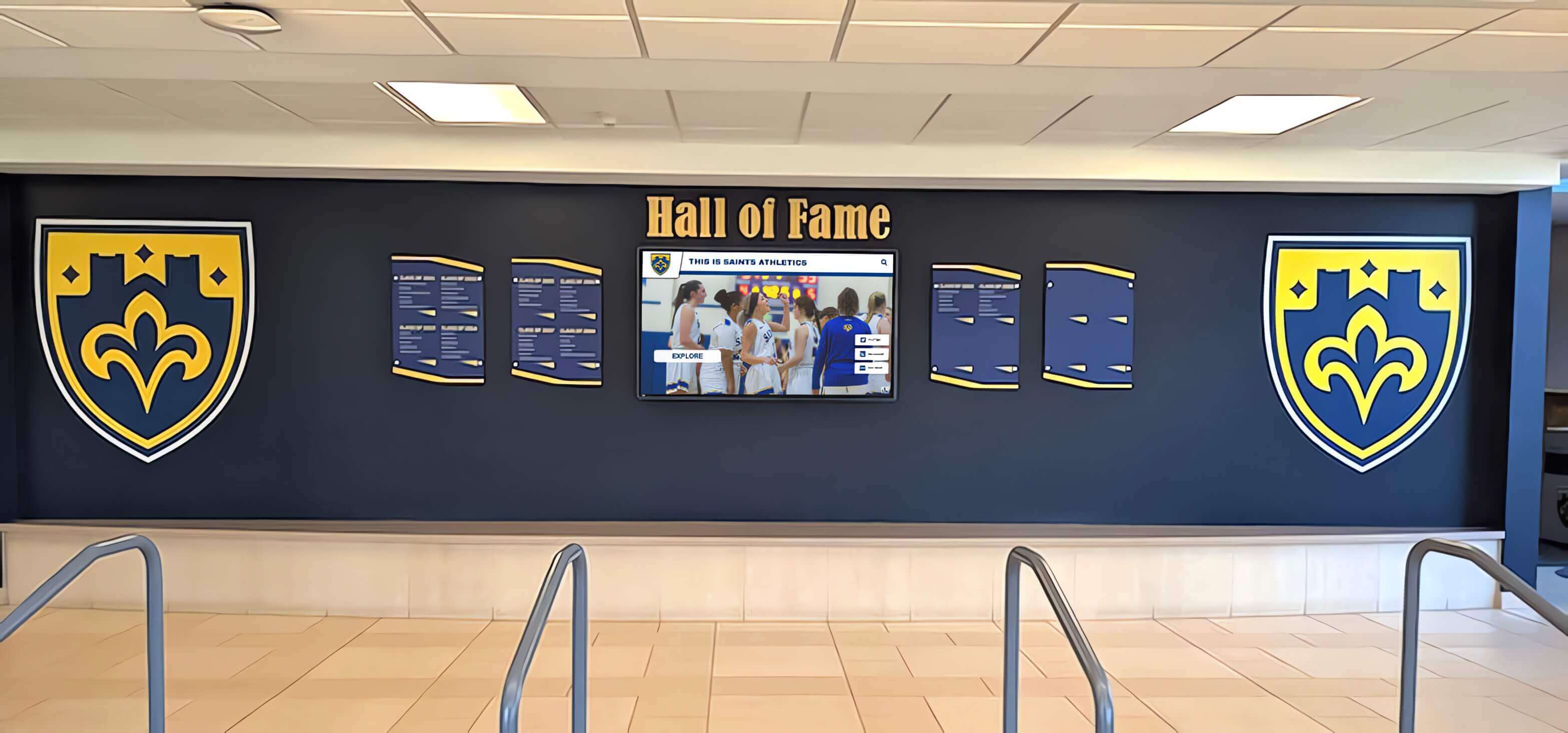
Permanent recognition installations deliver ongoing value measured across participation, community connection, and institutional impact
Cost Considerations: Photo Booth Versus Recognition Investment
Understanding complete financial requirements enables realistic planning and appropriate technology selection:
Photo Booth Cost Structures
Event-focused implementations involve specific expense patterns:
Rental Services for Occasional Events
- Basic packages: $400-$800 for 3-4 hours (standard camera, simple templates, social sharing only)
- Premium packages: $800-$1,500 (DSLR camera, custom branding, printing, attendant)
- Luxury experiences: $1,500-$3,000+ (360-degree capabilities, extensive props, professional lighting)
- Additional hours: $100-$300 per hour beyond package duration
- Travel fees for locations beyond standard service areas
- Customization charges for extensive template design
- Per-event investment with no residual value after conclusion
Purchase for Self-Managed Operation
- Software licensing: $100-$500 annually or $300-$2,000 perpetual depending on platform
- Camera equipment: $500-$3,000 for quality DSLR systems
- Touchscreen display: $300-$2,000 for commercial-grade monitors
- Lighting systems: $100-$800 for professional ring lights or softboxes
- Enclosure or kiosk: $500-$5,000 for protective professional housings
- Printer and supplies: $500-$2,000 initially plus $0.15-$1.50 per print ongoing
- Initial investment: $2,000-$10,000+ depending on quality levels
- Suitable for organizations with frequent events amortizing costs across deployments
Recognition Platform Investment Models
Permanent recognition installations involve different financial structures:
Comprehensive Recognition System Costs
- Platform subscription: $2,000-$6,000 annually for full-featured recognition systems
- Touchscreen hardware: $5,000-$15,000 per display location installed
- Professional implementation: $2,000-$8,000 for content strategy, design, and configuration
- Historical content development: $3,000-$15,000 depending on volume and complexity
- Physical installation: $1,000-$5,000 per location for mounting, cabling, and integration
- Initial investment: $15,000-$50,000 for comprehensive single-location installation
- Ongoing annual costs: $3,000-$8,000 for subscription, content updates, and maintenance
Value Comparison Framework
- Photo booths: high per-event cost with temporary entertainment value
- Recognition platforms: higher initial investment delivering permanent institutional value
- Photo booths: appropriate for occasional events and social media activation
- Recognition platforms: justified for ongoing achievement celebration and heritage preservation
- Photo booths: limited post-event utility beyond archived photos
- Recognition platforms: compound value increasing as content libraries grow across years
Organizations must distinguish between temporary event entertainment budgets and permanent institutional technology investments requiring different evaluation frameworks and financial planning approaches. Learn about recognition technology investment strategies considering long-term value delivery.
Alternative Considerations: When Photo Booths Make Sense
Despite recognition platform advantages for permanent installations, conventional photo booth software serves specific legitimate purposes:
Appropriate Photo Booth Use Cases
Organizations should implement photo booth technology when:
Temporary Event Entertainment Priority
- Corporate parties, weddings, and celebrations emphasizing fun experiences
- Marketing activations generating user content for campaigns
- Fundraising events creating donor engagement and entertainment
- Trade show booths attracting traffic and generating leads
- Seasonal or holiday celebrations with specific thematic focus
- Pop-up retail installations supporting product launches
- Community festivals and public events with rotating activities
Social Media Marketing Objectives
- Brand awareness campaigns leveraging user-generated content
- Hashtag promotion encouraging social conversation
- Influencer activations creating shareable experiences
- Viral marketing initiatives depending on organic distribution
- Product placement integrating brands into personal photos
- Sponsorship visibility displaying partner logos prominently
- Contest entries requiring social sharing for participation
Budget Constraints Preventing Permanent Investment
- Limited capital availability for comprehensive recognition systems
- Occasional recognition needs not justifying permanent platforms
- Testing interactive technology before larger commitments
- Supplementing existing recognition with event-specific activations
- Small organizations with modest engagement budgets
- Pilot programs demonstrating value before expansion
Explore diverse interactive engagement approaches serving specific organizational contexts and objectives.
When Recognition Platforms Prove Superior
Purpose-built recognition systems deliver greater value when:
Permanent Achievement Celebration
- Athletic halls of fame documenting sports excellence across decades
- Academic honor rolls recognizing student achievement systematically
- Distinguished alumni showcases celebrating career accomplishments
- Donor recognition walls appreciating philanthropic contributions
- Employee milestone celebrations honoring service and performance
- Community hero tributes preserving local leader legacies
- Heritage preservation documenting institutional evolution
Strategic Institutional Objectives
- Alumni engagement strengthening lifelong institutional connections
- Fundraising cultivation leveraging recognition for donor appreciation
- Recruitment advantages showcasing excellence to prospective members
- Culture reinforcement connecting current with historical achievement
- Pride building fostering institutional identity and belonging
- Educational integration incorporating heritage in learning experiences
- Community relations demonstrating institutional commitment and values
Long-Term Value Requirements
- Investments justified through sustained multi-year engagement
- Compound returns increasing as content libraries grow
- Permanent presence appropriate for facility aesthetics
- Ongoing content management sustainable within organizational capacity
- Strategic assets serving multiple organizational priorities simultaneously
- Professional presentation reflecting institutional quality standards
- Scalable growth accommodating expanded recognition over time
Schools and organizations pursuing these strategic objectives benefit dramatically from purpose-built recognition platforms rather than attempting to adapt photo booth software toward incompatible purposes or accepting temporary entertainment value when permanent institutional impact proves more appropriate.
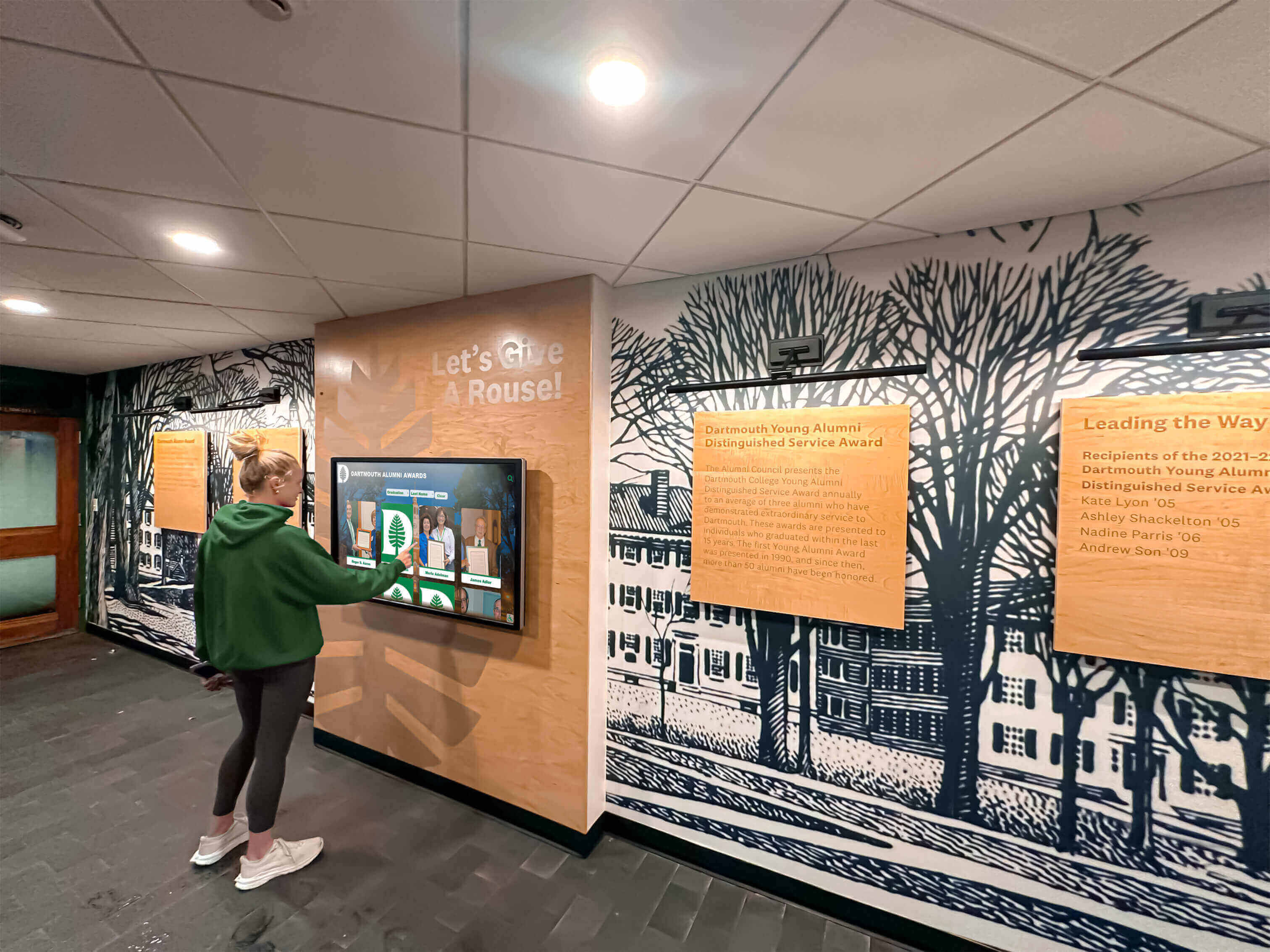
Permanent recognition installations deliver ongoing engagement value beyond temporary photo booth entertainment
Conclusion: Selecting Appropriate Interactive Technology for Your Objectives
Photo booth software for kiosk public use and events serves legitimate purposes for organizations seeking temporary entertainment, social media activation, and event-specific engagement experiences. Professional rental services, DIY implementations, and permanent lobby activations each deliver value within appropriate contexts—creating memorable moments, generating shareable content, and entertaining attendees during celebrations, conferences, and marketing events.
Yet organizations evaluating interactive touchscreen technology for permanent installations celebrating achievements, recognizing contributions, and preserving institutional heritage discover that conventional photo booth software lacks essential recognition capabilities—comprehensive profile management, searchable historical archives, sophisticated content organization, ongoing administration tools, and extended digital accessibility that purpose-built recognition platforms provide natively without extensive customization or workaround complexity.
The fundamental distinction lies in objectives: temporary entertainment versus permanent recognition, moment-in-time capture versus comprehensive achievement documentation, event-specific fun versus strategic institutional asset development, social media shareability versus heritage preservation and community connection. Understanding these purpose differences enables appropriate technology selection serving organizational goals effectively rather than forcing inappropriate solutions toward incompatible applications.
For schools implementing athletic halls of fame, universities preserving distinguished alumni accomplishments, organizations recognizing employee milestones, nonprofits appreciating donors, or institutions celebrating community heroes—purpose-built digital recognition platforms like Rocket Alumni Solutions deliver superior long-term value through specialized functionality designed specifically for achievement celebration, intuitive content management sustainable within real-world organizational capacity, and compound engagement benefits increasing as recognition libraries grow across years documenting institutional excellence.
Your community’s achievements deserve technology honoring accomplishments appropriately—whether temporary photo booth fun during celebrations or permanent recognition platforms serving strategic institutional priorities sustainably. By understanding the fundamental differences between event-specific photo booth software and comprehensive recognition systems, you can make informed decisions aligning technology investments with organizational objectives, available resources, and desired long-term outcomes.
Begin your evaluation by clarifying purposes: Do you need temporary event entertainment, or permanent achievement recognition? Occasional activation, or ongoing engagement? Social media content generation, or institutional heritage preservation? Your answers determine whether conventional photo booth software serves needs appropriately or whether specialized recognition platforms deliver greater lasting value through purpose-built functionality celebrating excellence beyond fleeting entertainment moments.
Explore how comprehensive recognition platforms serve institutional objectives effectively, discover strategies for implementing engaging interactive displays, and learn about selecting appropriate touchscreen technology matching organizational goals with sustainable long-term solutions.
Sources:































