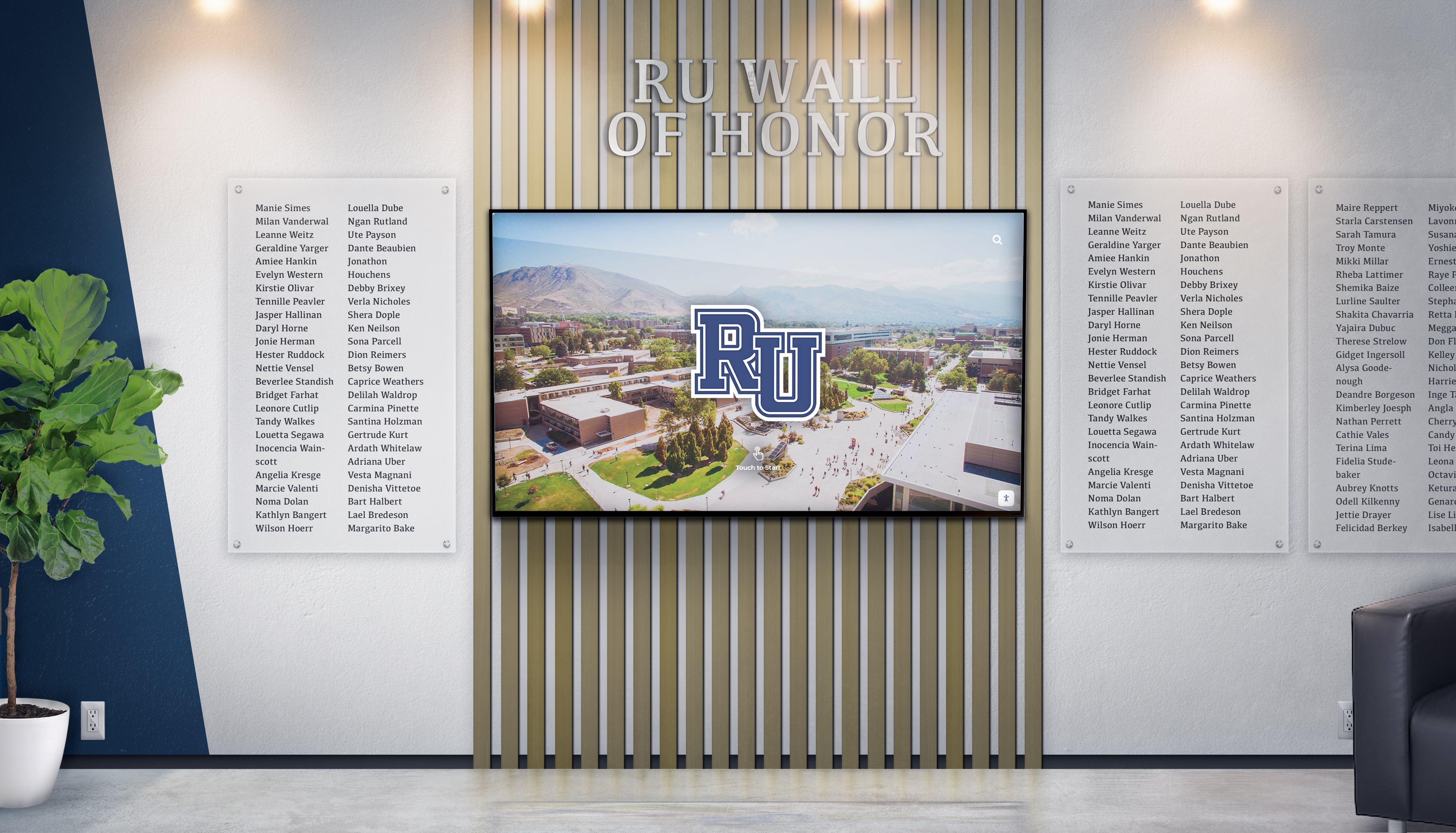




Local nonprofits face persistent challenges making community impact visible to stakeholders, donors, and the public they serve. When partnership achievements, veteran contributions, and upcoming events remain invisible or communicated through scattered flyers and outdated bulletin boards, organizations struggle demonstrating value and building community awareness that drives participation, volunteer recruitment, and donor engagement.
A mounted TV-sized digital display offers local nonprofits an accessible entry point into modern recognition technology—creating dynamic community showcases without requiring massive budgets or extensive facilities. These moderately-sized screens transform lobbies, community rooms, or reception areas into engaging recognition hubs celebrating partnerships, honoring veterans, and promoting upcoming events through content easily modified as programs evolve and community needs shift.
This comprehensive guide provides local nonprofit leaders with practical frameworks for planning, implementing, and operating digital wall mount displays showcasing community partnerships and recognition. From understanding realistic pricing expectations and content architecture to selecting appropriate hardware and establishing sustainable update workflows, this blueprint addresses the specific needs of community organizations seeking flexible recognition solutions operating within limited budgets and staff capacity.
Digital wall mount displays enable nonprofits to celebrate community partnerships, honor veteran contributions, and promote upcoming events through engaging visual presentations that can be updated instantly without reprinting costs or installation labor—creating flexible recognition that grows alongside organizational programs and community relationships.

TV-sized mounted displays create professional recognition visible to all visitors while accommodating changing content as programs evolve
Program Snapshot: Digital Display Recognition System
Understanding complete program scope helps nonprofits assess whether digital wall mount displays align with organizational needs and capabilities:
| Program Element | Description | Key Advantages |
|---|---|---|
| Primary Use Case | Community partnership recognition, veteran honor walls, upcoming event promotion | Dynamic content highlighting current initiatives and relationships |
| Target Audience | Visitors, donors, volunteers, program participants, community stakeholders | Broad engagement creating awareness across all constituencies |
| Content Types | Partner logos, veteran profiles, event calendars, photo galleries, impact metrics | Diverse recognition serving multiple organizational priorities simultaneously |
| Display Scale | TV-sized wall mount (43"-65" typical for local nonprofits) | Visible yet budget-appropriate for community organizations |
| Update Capability | Remote content management enabling instant modifications | No reprinting costs when partnerships, events, or honorees change |
| Budget Range | $2,500-$8,000 complete implementation (hardware, software, installation) | Accessible investment for local nonprofits with modest facilities budgets |
| Management Requirements | Staff member dedicating 2-4 hours monthly for content updates | Sustainable workload without requiring dedicated technology personnel |
Content Architecture: Organizing Recognition Elements for Community Impact
Effective digital displays structure content serving multiple organizational objectives while maintaining visual clarity and engagement:
Community Partnership Recognition Module
Active Partnership Showcase
- Current partner organization logos with prominent visibility
- Brief descriptions explaining partnership scope and community benefit
- Contact information or website links directing visitors to partner resources
- Partnership duration recognition celebrating sustained collaboration
- Rotating spotlight features highlighting specific partner contributions
- Success metrics demonstrating collaborative impact on community outcomes
Partnership Tier Organization
- Founding partners receiving prominent acknowledgment reflecting sustained commitment
- Program-specific partnerships connecting organizations to functional areas (food security, housing, education)
- Service providers donating professional expertise or in-kind resources
- Corporate sponsors supporting events or annual operations
- Volunteer group partnerships contributing labor and community engagement
- Government agency collaborations demonstrating public sector coordination
Organizations serving 200-1,500 individuals annually typically showcase 10-25 active partnerships, with content refreshed quarterly as relationships evolve and new collaborations develop.
Partnership Impact Storytelling
- Photo galleries showing collaborative programs in action
- Beneficiary testimonials explaining how partnerships improve services
- Quantified outcomes demonstrating program reach (meals served, families housed, veterans supported)
- Before-and-after documentation showing transformation enabled by collaboration
- Event photography celebrating partnership milestones and joint celebrations
- Future initiative previews building anticipation for upcoming collaborative programs
Discover comprehensive approaches to donor recognition for nonprofits that honor diverse contribution types.

Digital recognition platforms accommodate unlimited partners without physical space constraints, ensuring comprehensive acknowledgment
Veteran Recognition and Honor Wall Module
Individual Veteran Profiles
- High-quality portrait photography maintaining dignity and respect
- Service branch, rank, and years of service documentation
- Deployment history and theater of operations (when veterans comfortable sharing)
- Military specialties, awards, and commendations earned
- Post-service contributions to local community and nonprofit mission
- Personal statements explaining service motivation or memorable experiences (optional)
Era and Conflict Organization
- World War II veterans receiving special prominence recognizing advanced age
- Korea, Vietnam, and Cold War era service members by conflict
- Gulf War, Iraq, and Afghanistan veterans from recent operations
- Peacetime service recognition honoring all who served regardless of conflict
- Chronological timelines connecting veterans to historical periods
- Unit or battalion groupings when multiple veterans served together
Veterans organizations and community nonprofits serving military populations typically honor 25-100 veterans initially, with ongoing additions as community members learn about recognition opportunities and families nominate deceased veterans for inclusion.
Memorial and Tribute Features
- Fallen hero recognition honoring ultimate sacrifice with appropriate solemnity
- Gold star family acknowledgment supporting survivors
- Annual remembrance dates noting Veteran’s Day, Memorial Day observances
- Ceremony documentation showing community honor guard participation
- Scholarship programs supported by veteran memorial funds
- Historical context connecting individual service to broader military heritage
Explore strategies for veteran recognition displays honoring military service.
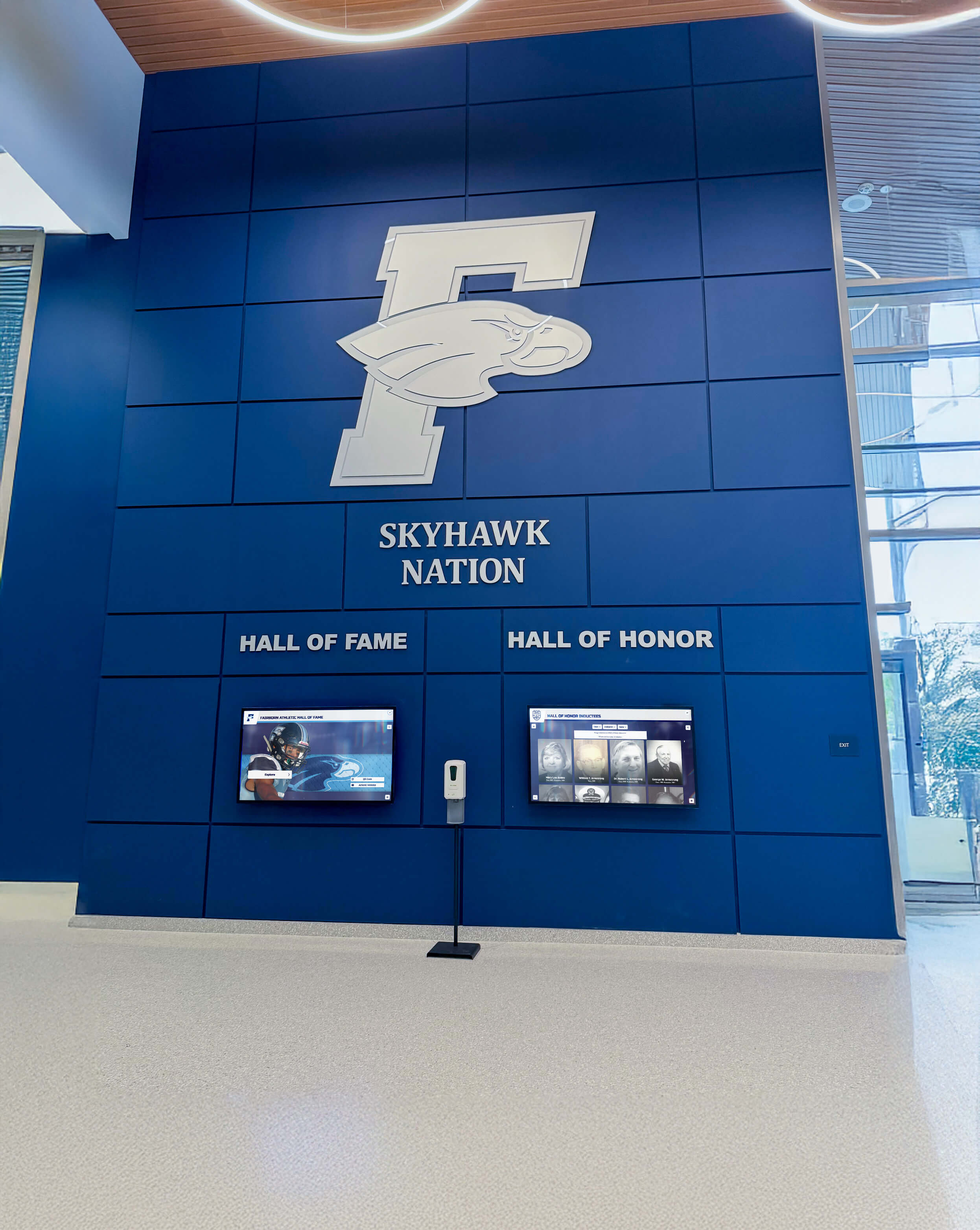
Professional installations integrate organizational branding while creating dedicated spaces celebrating military service and sacrifice
Upcoming Events and Community Calendar Module
Event Promotion Features
- High-visibility countdown timers building urgency for registration deadlines
- Eye-catching graphics showcasing featured events and special programs
- Date, time, and location information with clear visibility
- Registration instructions and QR codes enabling immediate sign-up
- Participant benefit highlights explaining why community should attend
- Sponsorship acknowledgment thanking organizations supporting events
Multi-Event Calendar Views
- Monthly calendar layouts showing complete programming schedule
- Week-ahead detailed previews with expanded event descriptions
- Recurring program indicators (weekly food distribution, support groups, classes)
- Seasonal programming highlighting summer camps, holiday initiatives, annual fundraisers
- Multi-site event coordination when nonprofit operates multiple locations
- Past event recaps maintaining engagement between major programs
Nonprofits hosting 3-8 monthly events benefit significantly from digital calendar displays, eliminating bulletin board clutter while ensuring all programs receive consistent promotion regardless of staff availability to update physical materials.
Partnership Event Recognition
- Co-hosted program promotion crediting partner organizations appropriately
- Community open house events welcoming new participants
- Volunteer appreciation gatherings celebrating contributor dedication
- Donor recognition events honoring financial supporters
- Educational workshops offered through partnership collaborations
- Fundraising galas and annual campaigns with progress tracking
Learn about volunteer recognition programs complementing digital displays.
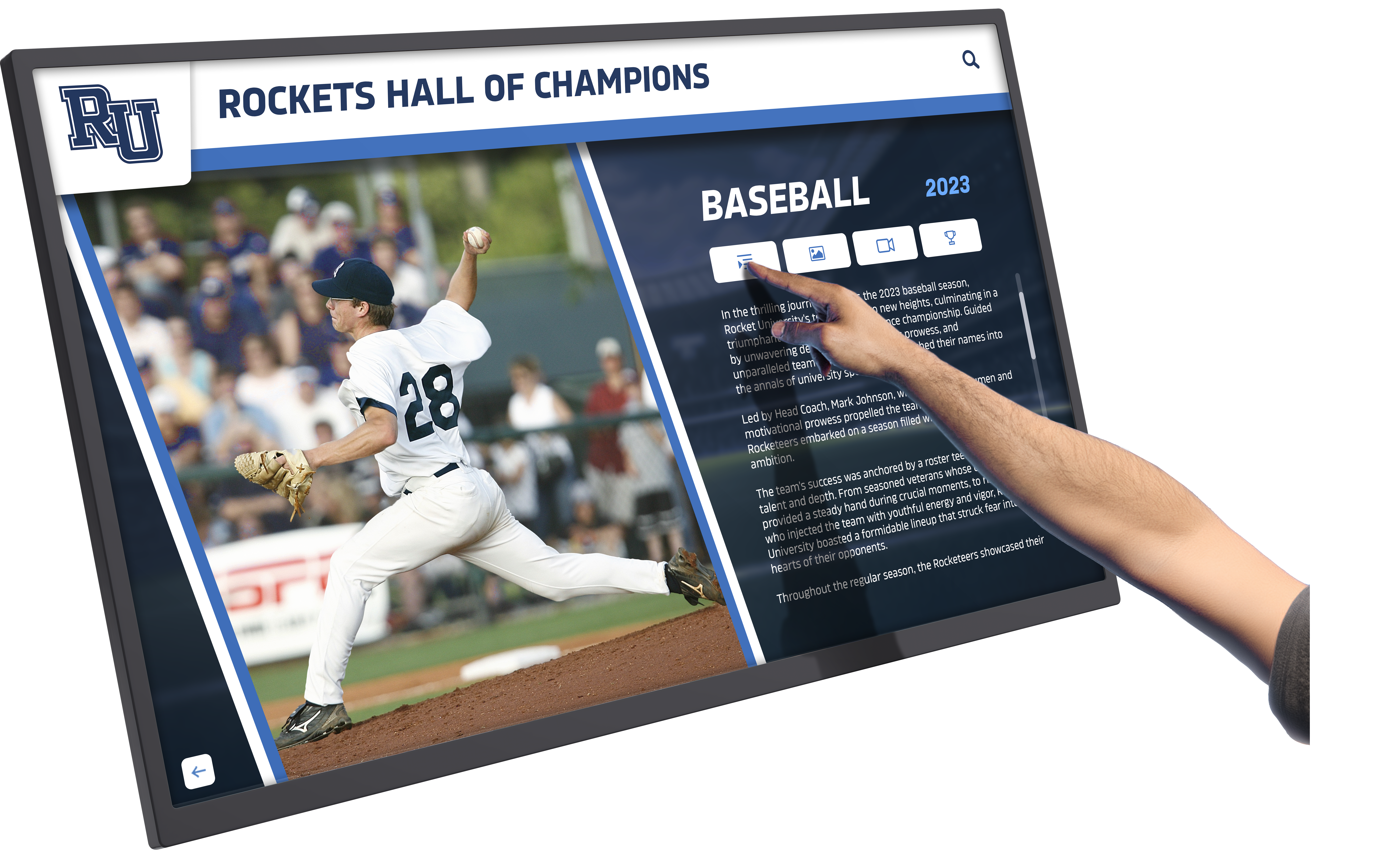
Interactive features enable visitors to explore upcoming events in detail, accessing registration information and program descriptions independently
Execution Timeline: From Planning to Launch
Systematic implementation ensures nonprofits launch digital displays successfully while avoiding common pitfalls:
Phase 1: Plan and Scope (Weeks 1-3)
Define Recognition Priorities and Objectives
Establish clear focus guiding content decisions:
- Identify primary recognition purposes (partnerships, veterans, events, donors, volunteers)
- Determine content balance between different recognition categories
- Assess which programs most benefit from increased visibility
- Establish whether display primarily celebrates past contributions or promotes future engagement
- Define success metrics showing display effectiveness (awareness, participation, volunteer recruitment)
- Secure leadership team alignment on priorities and budget allocation
Facility Assessment and Display Location Selection
Strategic placement maximizes recognition visibility:
- Inventory high-traffic areas where all visitors naturally pass (entrances, lobbies, reception areas)
- Evaluate line-of-sight considering typical viewing distances and angles
- Assess natural and artificial lighting conditions affecting screen visibility
- Verify adequate wall space for desired display size without crowding
- Confirm electrical access or plan dedicated circuit installation
- Consider furniture arrangement enabling comfortable viewing without blocking pathways
Organizations typically achieve best results mounting displays in main entrance lobbies where program participants, donors, and community visitors all enter—creating maximum exposure while maintaining professional first-impression aesthetics.
Budget Development and Funding Identification
Realistic cost planning prevents surprises:
- Research complete implementation costs (hardware, software, installation, initial content development)
- Allocate budget for professional mounting and electrical work when needed
- Reserve ongoing operational funds for software subscriptions and maintenance
- Identify potential funding sources (capital campaign, facilities budget, donor sponsorship, grant opportunities)
- Consider phased implementation if initial full-scale budget unavailable
- Document total cost of ownership over 5-year horizon for accurate planning
Explore digital signage implementation costs for nonprofit environments.
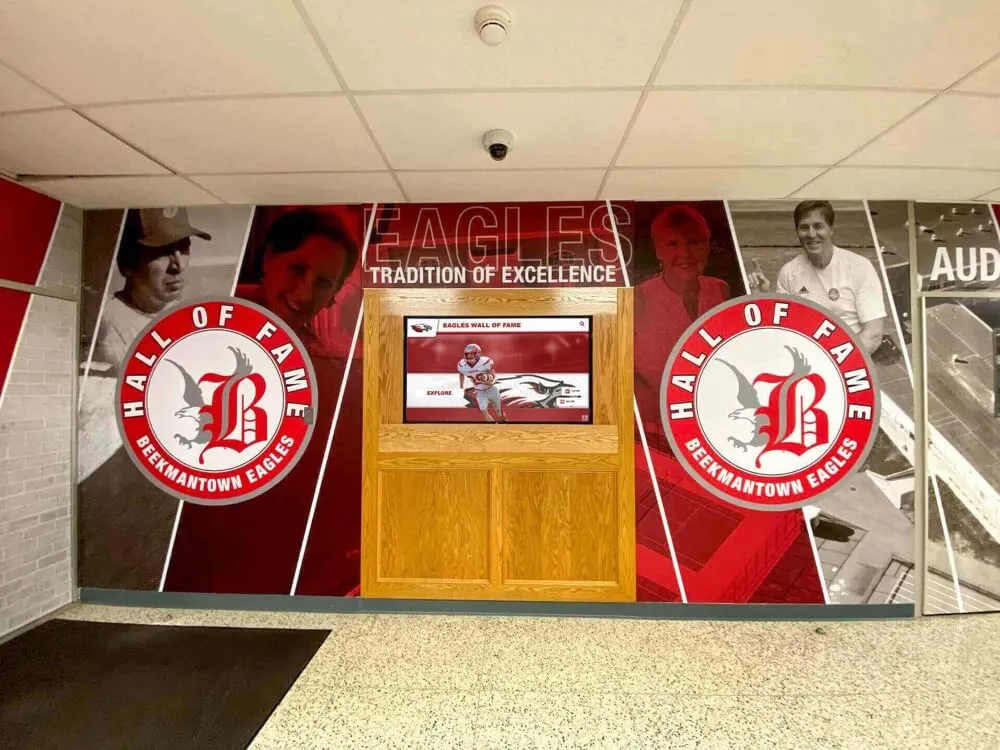
Thoughtful planning integrates digital displays with existing facility design, creating cohesive recognition environments serving organizational identity
Phase 2: Build Content and Select Technology (Weeks 4-7)
Content Development and Asset Collection
Professional presentation requires systematic preparation:
- Compile current partnership lists with accurate organization names and contact information
- Collect high-resolution partner logos in appropriate formats (vector preferred, minimum 300 DPI)
- Gather veteran information through outreach campaigns and family nominations
- Obtain military photographs and service documentation from veterans or families
- Develop event descriptions, dates, times, and registration information for upcoming programs
- Create photography library showing programs in action and community engagement
Nonprofits should expect 20-40 hours of initial content development depending on recognition scope, with shortcuts available when partnering with full-service providers offering content development assistance.
Technology Platform Selection
Choose systems addressing nonprofit-specific needs:
- Evaluate purpose-built recognition software versus generic digital signage platforms
- Verify cloud-based content management enabling remote updates from any device
- Assess interface usability ensuring non-technical staff can modify content confidently
- Confirm template systems maintaining design consistency without graphic design expertise
- Review scheduling features automating content rotation and time-sensitive displays
- Compare total cost including hardware recommendations, software subscriptions, and support
Organizations should prioritize ease of content management over feature complexity—sophisticated platforms requiring technical expertise often go unused when staff lack confidence or time to navigate complicated interfaces.
Hardware Selection and Procurement
Appropriate displays balance quality and budget:
- Commercial-grade displays rated for continuous operation (8-16 hours daily minimum)
- TV-sized screens appropriate for viewing distances (43"-55" for 8-15 foot viewing, 55"-65" for 15-25 foot viewing)
- Adequate brightness ratings overcoming ambient lighting (300-500 nits indoor environments)
- Mounting hardware supporting display weight safely with proper wall attachment
- Media players or integrated smart displays running recognition software reliably
- Warranty coverage and replacement plans ensuring long-term reliability
Budget expectations for complete hardware packages typically range $1,500-$4,000 depending on screen size and feature requirements, with most local nonprofits finding sweet spot around 50"-55" commercial displays providing excellent visibility without overwhelming modest spaces.
Solutions like Rocket Alumni Solutions provide comprehensive platforms specifically designed for nonprofit recognition applications, with intuitive content management, unlimited capacity, and professional hardware recommendations ensuring successful implementations.
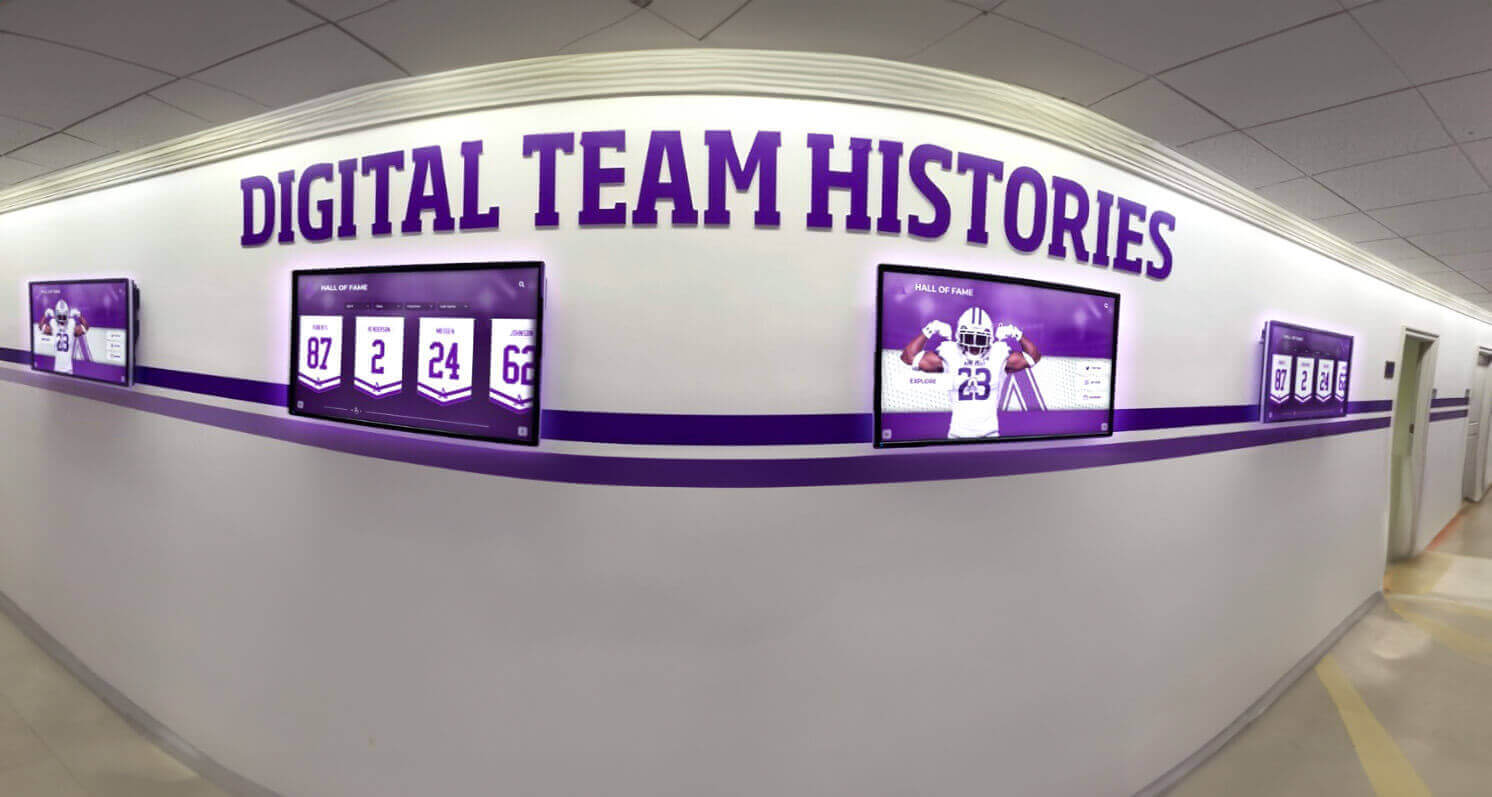
Organizations with multiple program areas benefit from multi-screen installations dedicating displays to specific recognition purposes
Phase 3: Install and Configure (Weeks 8-9)
Professional Installation and Mounting
Quality installation ensures safe reliable operation:
- Licensed electrician work for dedicated circuits when existing outlets inadequate or improperly located
- Professional mounting using appropriate wall anchors supporting display weight safely
- Clean cable management hiding power and network connections within walls or conduit
- Network connectivity verification ensuring reliable internet access for cloud software
- Display positioning at proper height (center of screen 48"-60" from floor for mixed standing/seated viewing)
- Final testing confirming display functions correctly and remains stable
Organizations should invest in professional installation rather than DIY mounting—improper installation creates liability risks, visual appearance problems, and potential display damage from inadequate support.
Software Configuration and Content Upload
Technical setup prepares systems for operation:
- User account creation and permission settings for content managers
- Initial content upload including all partnership logos, veteran profiles, and event information
- Template selection or customization matching organizational branding
- Scheduling configuration automating content rotation and display timing
- Mobile access setup enabling content updates from smartphones or tablets
- Administrator training ensuring staff can confidently manage content independently
Learn about touchscreen software configuration for recognition applications.
Quality Assurance and Testing
Thorough validation prevents launch problems:
- Content accuracy verification ensuring names, dates, and information display correctly
- Image quality assessment confirming photos appear sharp and professional at display size
- Readability testing from typical viewing distances confirming text legibility
- Content rotation confirmation verifying scheduled displays change appropriately
- Staff member trials testing update workflows and identifying usability concerns
- Stakeholder preview gathering feedback from board members or key partners before public launch
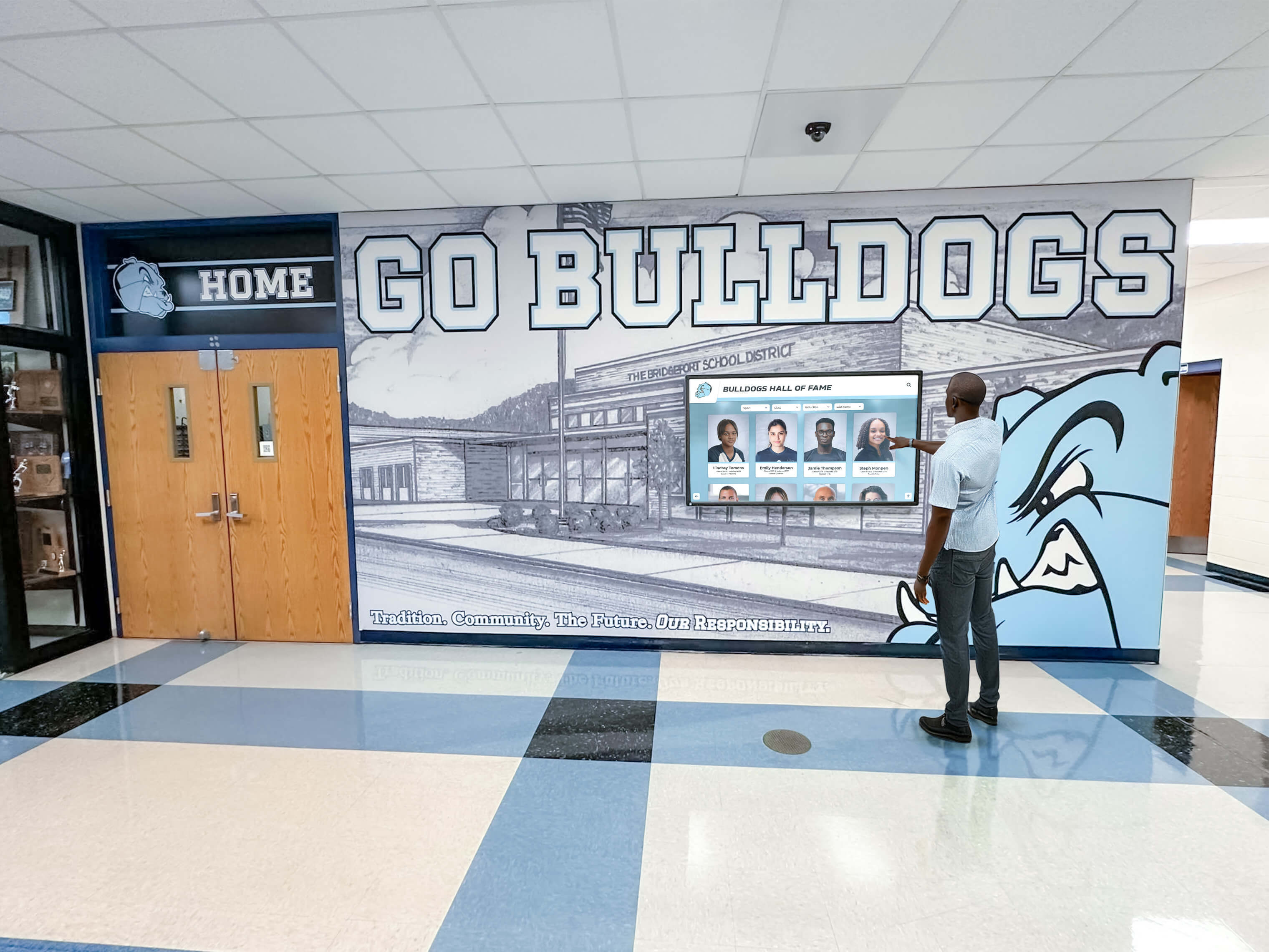
User-friendly interfaces enable community members to explore recognition content independently without staff assistance or instruction
Phase 4: Launch and Sustain (Week 10+)
Public Unveiling and Community Awareness
Launch events create initial engagement:
- Ribbon-cutting ceremony inviting partners, veterans, donors, and community supporters
- Media coverage generating awareness and demonstrating organizational investment in community recognition
- Social media promotion featuring display highlights and encouraging in-person visits
- Newsletter announcements explaining recognition purpose and encouraging participation
- Physical signage directing building visitors to recognition display location
- Stakeholder tours demonstrating features and encouraging hands-on exploration
Ongoing Content Management and Updates
Sustained relevance requires regular maintenance:
- Monthly event calendar updates adding new programs and removing past events
- Quarterly partnership review ensuring logos and descriptions remain current
- Continuous veteran profile additions as community members nominate honorees
- Annual comprehensive content audits verifying accuracy across all recognition elements
- Seasonal content rotation highlighting relevant programming and community activities
- Real-time modifications responding to scheduling changes or organizational developments
Organizations achieve best results designating specific staff members responsible for content updates with scheduled time allocated—displays falling into neglect when updates depend on whoever finds time create outdated recognition undermining credibility and wasting technology investment.
Engagement Promotion and Community Participation
Active promotion maximizes recognition value:
- Staff member training enabling team to demonstrate displays and answer questions
- Veteran nomination campaigns encouraging families to submit profiles for inclusion
- Partner appreciation communications thanking organizations for collaboration
- Event promotion integration ensuring display features all upcoming programs
- Volunteer recruitment leverage using display visibility to attract new supporters
- Donor cultivation utilizing display as stewardship demonstration in facility tours
Discover approaches to nonprofit donor engagement through recognition displays.

Accessible displays create natural stopping points where visitors explore community connections and organizational impact
Pricing Considerations: Understanding Complete Investment
Realistic budget expectations help nonprofits plan appropriately and avoid implementation surprises:
Hardware Investment Breakdown
Display and Mounting Components
- 43"-50" commercial display: $500-$1,200
- 50"-55" commercial display: $800-$1,800
- 55"-65" commercial display: $1,200-$2,500
- Wall mount bracket (fixed or tilting): $50-$200
- Media player (if display lacks integrated smart features): $150-$400
- Cabling and accessories: $50-$150
Organizations with existing suitable displays can reduce hardware investment significantly, repurposing conference room TVs or donated equipment for recognition purposes when commercial-grade options exceed budget.
Installation Services
- Professional mounting labor: $200-$500
- Electrical work (new circuit if needed): $300-$800
- Network cable installation: $150-$400
- Cable management (in-wall fishing, conduit): $200-$500
DIY installation eliminates labor costs but requires capability assessment—proper mounting in drywall versus concrete/brick, electrical code compliance, and aesthetic cable management all influence final results.
Software and Content Costs
Recognition Software Options
Budget approaches range significantly:
- Free/low-cost digital signage ($0-$20/month): Google Slides, Canva, basic slideshow apps
- Mid-tier cloud platforms ($30-$100/month): Purpose-built signage with templates and scheduling
- Purpose-built recognition systems ($100-$300/month): Nonprofit-specific features with comprehensive content management
Organizations should evaluate software based on management ease and feature alignment rather than solely pricing—complex platforms requiring graphic design expertise or technical skills often fail when staff lack capacity to navigate systems confidently.
Initial Content Development
- DIY content creation: $0 (staff time investment 20-40 hours)
- Template-based design: $500-$1,500 (semi-custom using provider templates)
- Professional content services: $1,500-$4,000 (complete custom design and implementation)
Learn about digital display content strategies for nonprofits.
Complete Implementation Scenarios
Budget-Conscious Option ($2,500-$4,000)
- 43"-50" commercial display with integrated smart features
- Fixed wall mount with DIY installation or handyperson contractor
- Mid-tier cloud software with monthly subscription
- Template-based content using organizational staff time
- Basic photography and existing logo assets
Recommended Balanced Approach ($4,000-$6,000)
- 50"-55" commercial display with appropriate brightness
- Professional mounting and electrical assessment
- Purpose-built recognition software with nonprofit features
- Semi-custom content development with provider templates
- Professional photography for key recognition elements
Comprehensive Implementation ($6,000-$8,000+)
- 55"-65" premium commercial display
- Complete professional installation with cable management
- Premium recognition platform with interactive features
- Full custom content development and design
- Comprehensive photography session and branding integration
Most local nonprofits find optimal value in the balanced approach—investing adequately in professional results without unnecessary features or premium components exceeding actual requirements.
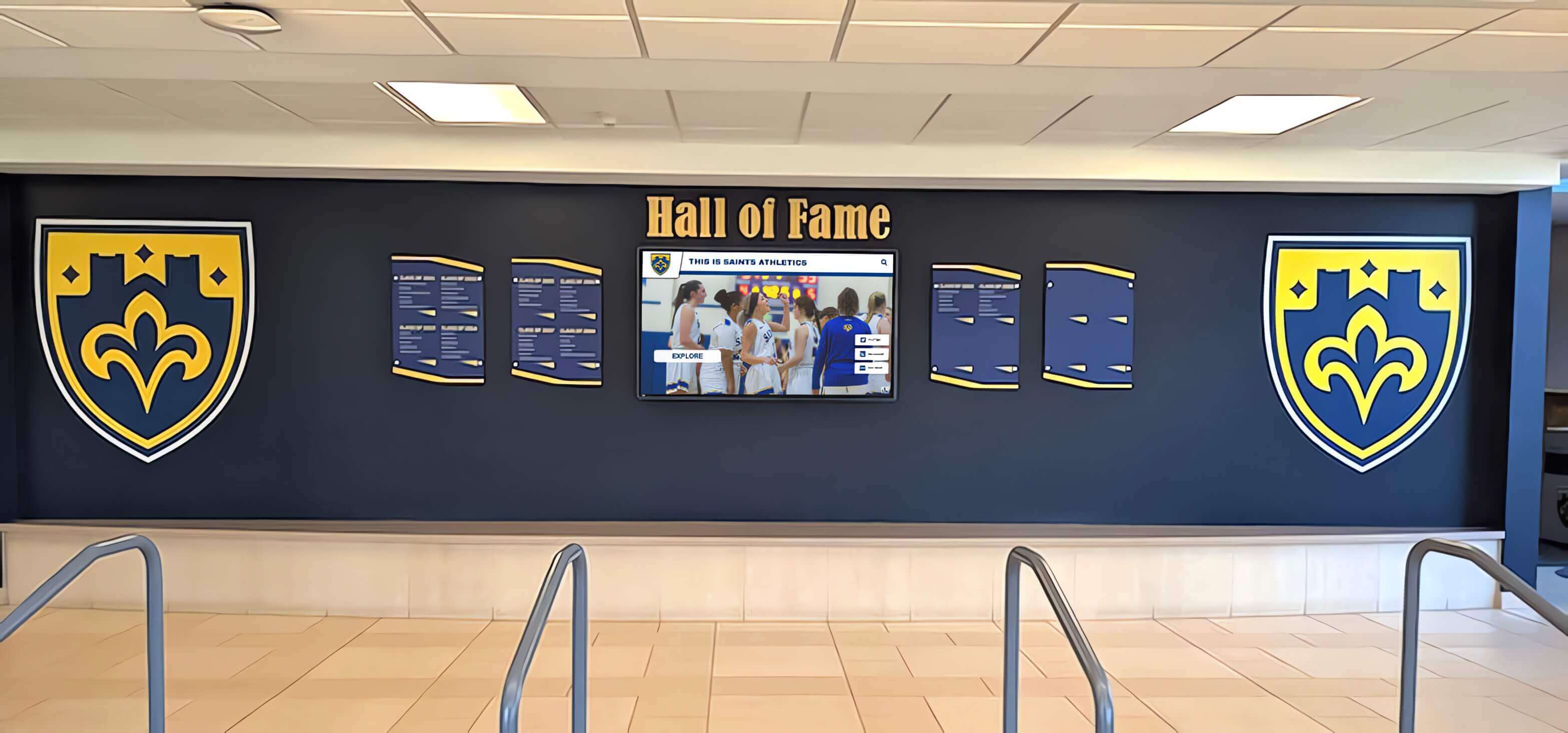
Thoughtful budgeting creates professional recognition that serves organizations effectively while respecting financial constraints
Display Integration: Creating Engaging Recognition Experiences
Effective implementation combines appropriate technology with strategic content organization:
Screen Layout and Content Organization
Multi-Zone Display Design
- Primary zone (50-60% screen area) featuring rotating hero content (featured veteran, upcoming major event, campaign progress)
- Secondary zone (25-35% screen area) showing persistent information (event calendar, partner logos)
- Tertiary zone (10-15% screen area) displaying organizational branding, current time/date, or social media feeds
Structured layouts prevent visual clutter while ensuring all content categories receive appropriate visibility without overwhelming viewers attempting to process information quickly.
Content Rotation Timing
- Static displays showing single content view: 10-15 seconds before transitioning
- Detailed information requiring reading: 20-30 seconds minimum
- Video content: Full clip duration (keep individual videos under 90 seconds)
- Event calendars: 30-45 seconds allowing viewers to note multiple upcoming dates
Organizations should avoid excessively rapid transitions creating dizzying experiences—visitors need adequate time to identify content relevance before display changes to different information.
Touchscreen Versus Passive Display Decision
Passive Display Advantages
- Lower hardware costs (standard TV rather than commercial touchscreen)
- No maintenance concerns from touch damage or calibration drift
- Simplified content creation (slideshow format versus interactive navigation)
- Suitable when recognition primarily serves awareness rather than deep exploration
Interactive Touchscreen Benefits
- Visitor engagement enabling personal exploration and discovery
- Unlimited content depth without overwhelming single-screen real estate
- Search capabilities helping visitors locate specific partners or veterans
- Enhanced dwell time as users actively navigate rather than passively view
- Data collection showing which content attracts most interest
Nonprofits showcasing 15-30 recognition elements (partners and veterans) often succeed with passive displays, while organizations honoring 50+ individuals or featuring extensive historical archives benefit from touchscreen interaction enabling navigation beyond slideshow constraints.
Explore interactive touchscreen solutions for nonprofit recognition.

Freestanding touchscreen kiosks provide alternative installation when wall mounting poses challenges or facility flexibility requires portable options
Content Management Workflow
Monthly Update Process
- Week 1: Gather new content (partner updates, veteran nominations, upcoming event information)
- Week 2: Content preparation (image editing, text writing, information verification)
- Week 3: Upload and scheduling within content management system
- Week 4: Quality review and stakeholder feedback before publication
Structured workflows prevent last-minute rushes while ensuring consistent recognition quality—displays requiring daily emergency updates due to poor planning create unsustainable staff burden.
Seasonal Content Variations
- January-March: Annual impact reporting, winter programming, volunteer recruitment
- April-June: Spring events, partnership celebrations, community outreach campaigns
- July-September: Summer programs, back-to-school initiatives, fundraising previews
- October-December: Holiday programming, year-end giving campaigns, annual awards
Emergency Update Capability
- Event cancellations or rescheduling requiring immediate communication
- Breaking news affecting organizational operations or community
- Time-sensitive opportunities requiring rapid promotion
- Crisis response messaging coordinating community support
Cloud-based management enables emergency updates from smartphones or tablets within minutes—critical capability distinguishing digital displays from static print materials requiring complete replacement when information changes unexpectedly.
Learn about content management systems for nonprofit recognition.

Intuitive management systems enable non-technical staff to update content confidently, ensuring displays remain current without requiring IT expertise
Measurement Framework: Evaluating Display Effectiveness
Systematic assessment demonstrates recognition value while guiding continuous improvement:
Engagement and Awareness Metrics
Facility Traffic Observation
- Visitor pause rate (percentage of people stopping to view display)
- Average viewing duration (how long visitors engage before moving on)
- Peak viewing times (identifying when displays receive most attention)
- Group viewing frequency (individuals versus multiple people watching together)
- Staff-guided tours (how often staff use displays in facility orientation)
Organizations typically observe 20-40% visitor engagement rates with well-positioned displays in high-traffic areas—significantly higher awareness than bulletin boards or printed materials easily overlooked.
Community Awareness Indicators
- Stakeholder surveys measuring recognition awareness (“Have you seen our community partnership display?”)
- Unprompted feedback frequency (visitors commenting positively about recognition)
- Social media mentions and shares when visitors photograph and post displays
- Partner feedback about appreciation visibility and community awareness
- Veteran family responses thanking organizations for honoring service members
Event Participation Correlation
- Attendance trends comparing pre-display versus post-display event registration
- Specific program inquiry increases (“I saw your display and want to learn more”)
- Volunteer recruitment attributing interest to display awareness
- Partnership development opportunities initiated by organizations seeing displays
- Donor interest generated through facility tours featuring recognition
Program Impact Assessment
Partnership Relationship Strength
- Partner satisfaction regarding recognition adequacy and visibility
- Collaboration expansion opportunities arising from heightened awareness
- Renewal rate of partnership agreements reflecting relationship quality
- Partner advocacy measured through referrals and public support
- Combined program outcomes showing effective collaboration
Organizations implementing recognition displays report 15-30% increases in partnership satisfaction and collaboration opportunities—evidence that visible appreciation strengthens relationships beyond basic acknowledgment.
Veteran Engagement Outcomes
- Number of veteran nominations received from families and community
- Veteran participation in organizational programs and events
- Community military family connections established through recognition
- Educational value for younger community members learning veteran contributions
- Memorial donations received honoring deceased veterans featured
Learn about measuring recognition program success through systematic evaluation.
Operational Efficiency Gains
- Staff time saved versus bulletin board updates and printed materials
- Material cost reduction eliminating poster printing and physical signage
- Communication effectiveness measured through reduced “I didn’t know about that event” feedback
- Content lifespan extension (digital materials reusable versus one-time print)
- Multi-location coordination simplified through centralized management
Nonprofits typically recover digital display investment within 18-24 months through eliminated print costs, reduced staff time, and improved program participation—demonstrating both mission and financial value.
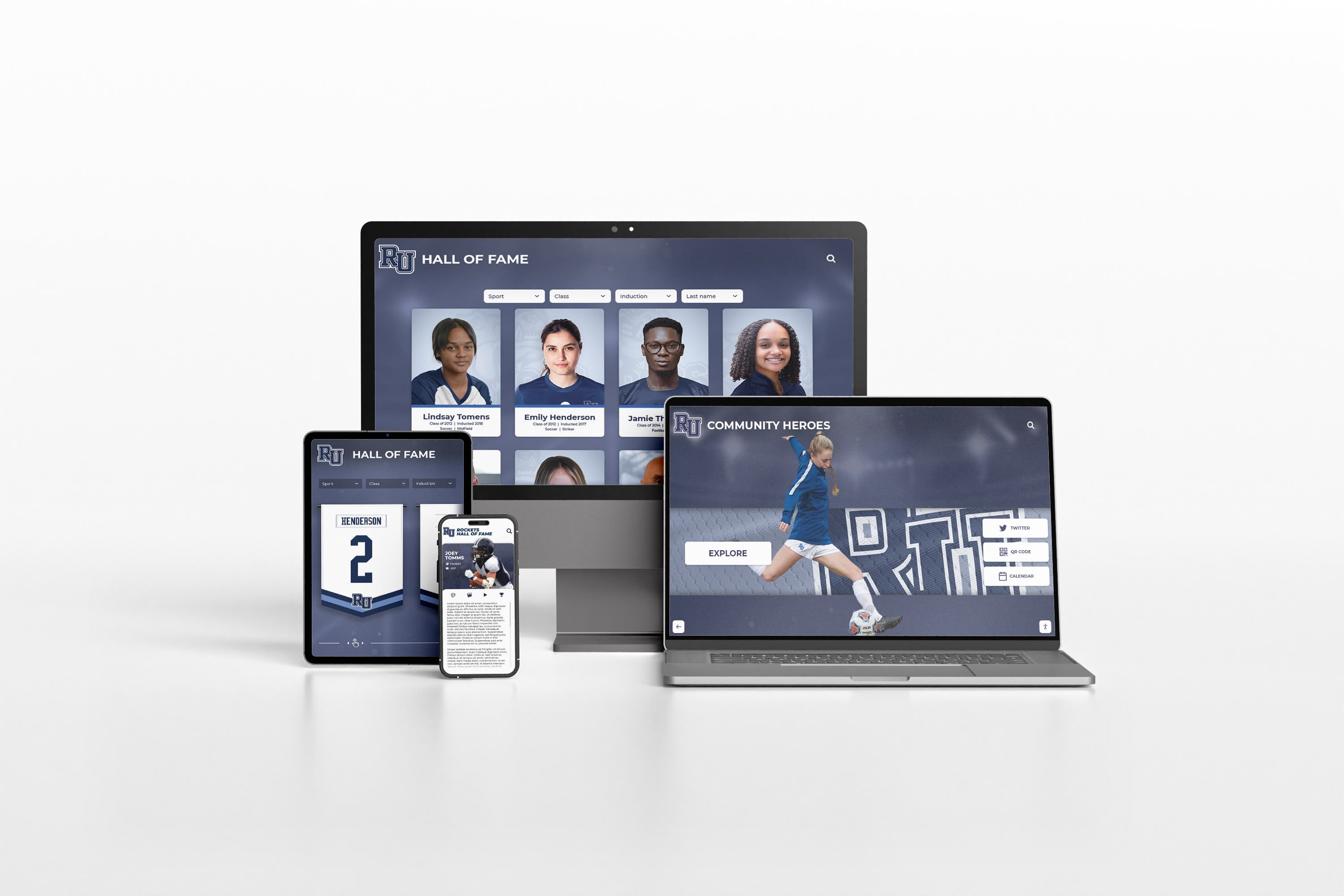
Modern platforms extend recognition beyond physical displays, enabling web and mobile access that amplifies community awareness and engagement
Special Considerations for Small Nonprofits
Organizations with limited resources benefit from focused approaches maximizing impact within constraints:
Starting Small and Scaling Gradually
Phased Implementation Strategy
- Year 1: Single display in primary location with core content (top 10-15 partners, featured veterans, major events)
- Year 2: Content expansion adding complete historical archives and all active partnerships
- Year 3: Additional display locations covering multiple buildings or program sites
- Year 4: Interactive features and advanced capabilities based on proven engagement
Progressive growth prevents budget shock while allowing organizations to learn systems and demonstrate value before expanding investment.
Volunteer and In-Kind Support
Cost Reduction Opportunities
- Technology volunteers providing installation assistance or technical configuration
- Photography professionals donating services for veteran portraits and event coverage
- Marketing volunteers developing content templates and graphic design elements
- Board member employer partnerships donating displays or software subscriptions
- Grant applications specifically targeting technology or facility improvement funding
Organizations should pursue donated services and equipment strategically—ensuring volunteer capabilities match requirements and donated materials meet minimum quality standards for professional presentation.
Multi-Purpose Display Utilization
Facility Coordination Benefits
- Recognition content during daytime public hours
- Meeting space information display during events or facility rentals
- Emergency messaging capability for weather closures or critical communications
- Board presentation support during governance meetings
- Training materials display during staff development sessions
Discover facility display strategies for multipurpose environments.
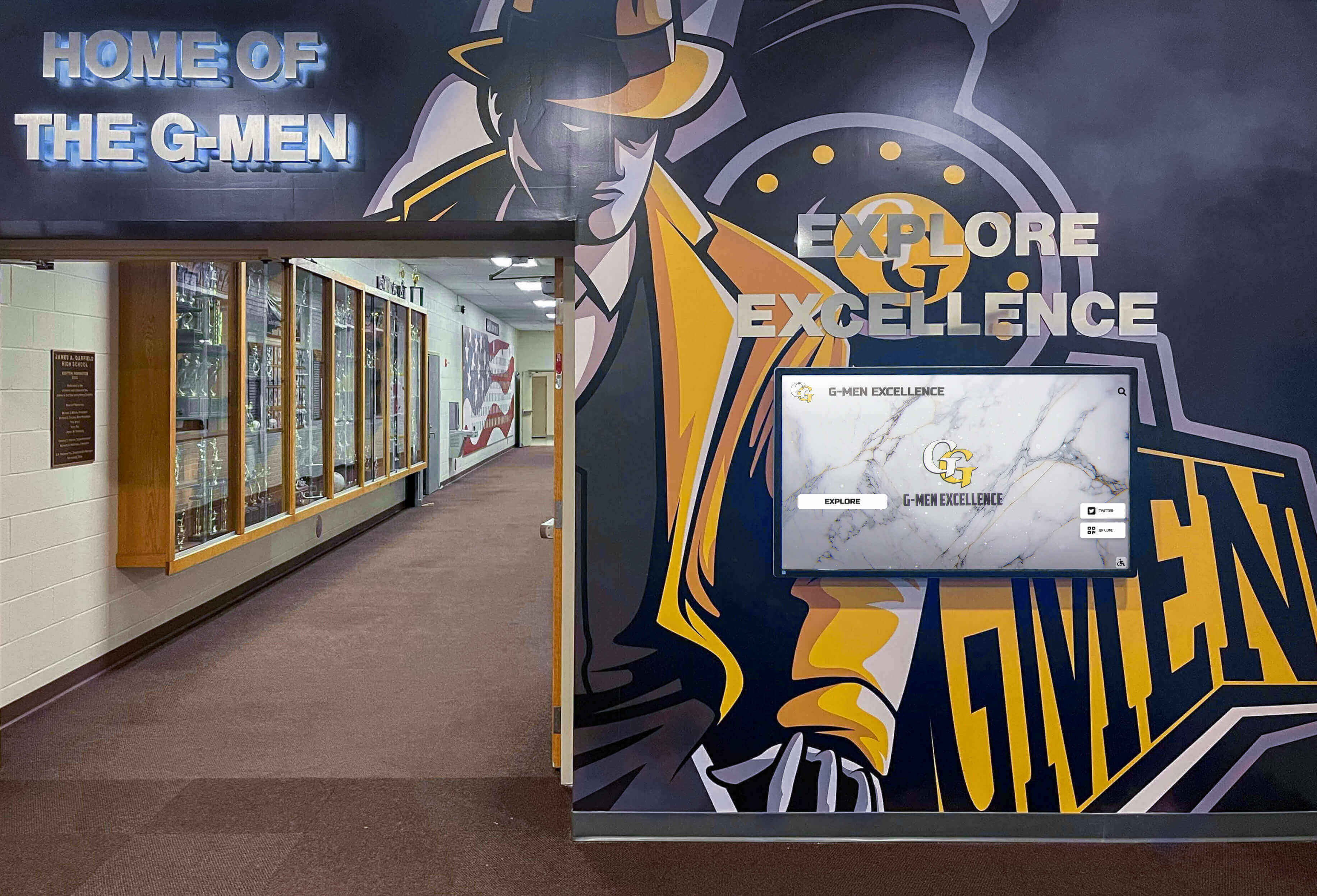
Small nonprofits achieve maximum value through thoughtful single-display implementations serving multiple communication and recognition purposes
Common Implementation Challenges and Solutions
Learning from typical obstacles helps nonprofits avoid expensive mistakes:
Challenge 1: Inadequate Content Preparation
The Problem: Organizations purchase and install display systems before developing comprehensive content, launching with sparse recognition that disappoints stakeholders and creates poor first impressions requiring extensive reputation repair even after content improves.
The Solution: Complete substantial content development before hardware installation—including partner logo collection, veteran profile creation, event calendar compilation, and photography acquisition. Launch only when recognition appears professional and comprehensive, even if installation timeline extends by 2-4 weeks ensuring quality.
Challenge 2: Unrealistic Management Expectations
The Problem: Leadership teams assume displays will “manage themselves” or require minimal attention after launch, discovering too late that outdated content undermines credibility and wastes technology investment when no staff member has designated responsibility or allocated time for updates.
The Solution: Assign specific individuals responsible for content management with protected time allocation (2-4 hours monthly minimum). Create documented update procedures specifying when and how content should change. Establish accountability through regular leadership review ensuring displays remain current and relevant to organizational programming.
Challenge 3: Software Complexity Mismatch
The Problem: Nonprofits select sophisticated platforms with extensive features but complex interfaces, discovering non-technical staff lack confidence or capability to manage content independently—resulting in displays becoming static or requiring expensive external services for basic updates.
The Solution: Prioritize management simplicity over feature breadth when evaluating software options. Test actual content update workflows during evaluation rather than focusing solely on capability demonstrations. Verify that least-technical staff member likely managing system can confidently add events, upload photos, and modify text without extensive training or ongoing support.
Challenge 4: Poor Viewing Environment
The Problem: Displays installed in locations with excessive glare, inadequate lighting, awkward viewing angles, or low traffic result in poor engagement despite quality content—wasting investment through suboptimal placement that could have been identified during planning.
The Solution: Conduct thorough site assessment at different times of day evaluating lighting conditions, traffic patterns, and viewing ergonomics. Test viewing from multiple angles and distances. Consider window positions relative to screen location. Mock up display placement using cardboard cutout before final installation commitment.
Learn about display installation best practices preventing common mistakes.
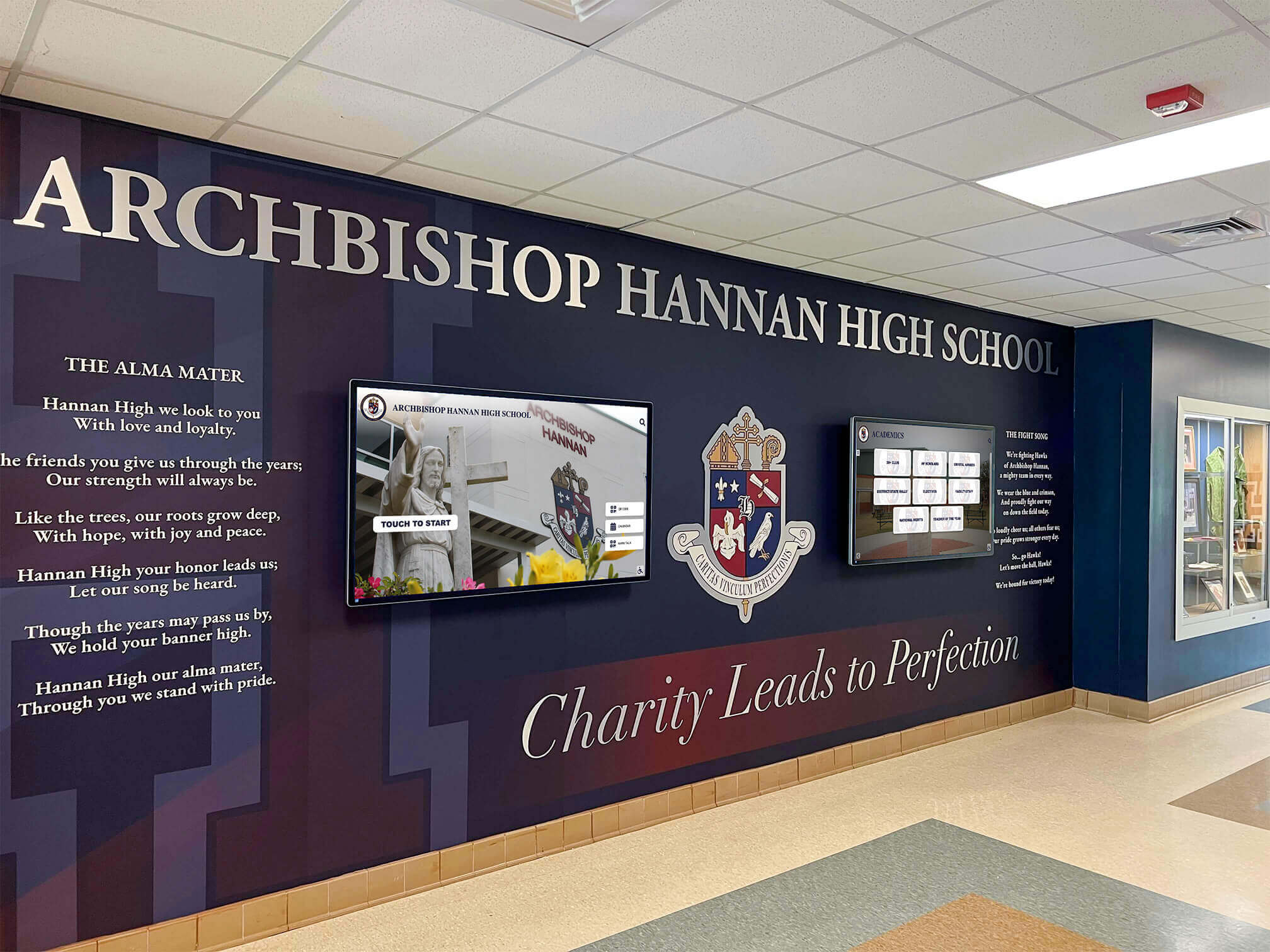
Professional assessment and installation prevent costly mistakes, creating recognition that serves organizational needs effectively for years
Building Your Display Program: Next Steps
Organizations ready to implement digital wall mount displays should follow systematic approaches:
Immediate Planning Actions (This Week)
Stakeholder Alignment
- Present concept to leadership team or board securing support and budget authorization
- Identify primary recognition priorities (partnership emphasis, veteran focus, event promotion, or balanced approach)
- Designate staff member responsible for project management and ongoing content updates
- Establish realistic timeline expectations balancing thoroughness and reasonable implementation duration
- Communicate plans to partners, veterans, and community stakeholders building anticipation
Facility Assessment
- Walk facility identifying optimal display location with high traffic and good visibility
- Photograph potential installation sites documenting lighting, viewing angles, and space availability
- Verify electrical access or identify need for dedicated circuit installation
- Measure wall space confirming adequate clearance for desired display size
- Consider furniture arrangement and traffic flow patterns affecting viewing experience
Research and Evaluation Phase (Weeks 1-2)
Technology Solution Investigation
- Request demonstrations from recognition software providers showing content management ease
- Evaluate hardware options appropriate for budget and viewing environment requirements
- Speak with peer nonprofit organizations about their display experiences and recommendations
- Compare total cost of ownership across different approaches and vendor options
- Verify customer support quality and training comprehensiveness ensuring sustainable operation
Content Planning and Asset Collection
- Compile partnership list with contact information for logo acquisition
- Launch veteran nomination campaign soliciting profiles from families and community
- Photograph facilities and programs creating visual content library
- Draft event descriptions and gather calendar information for upcoming programming
- Establish content quality standards ensuring consistent professional presentation
Implementation Execution (Weeks 3-8)
Hardware Procurement and Installation
- Purchase or secure donated display equipment meeting commercial quality standards
- Schedule professional installation coordinating with facility operations and business hours
- Complete electrical work ensuring proper power supply and code compliance
- Test display thoroughly verifying reliable operation and optimal viewing experience
Software Configuration and Content Upload
- Set up content management accounts with appropriate user permissions
- Upload initial recognition content including partnerships, veterans, and events
- Configure content rotation schedules automating display timing
- Train designated staff members on update procedures and ongoing management
- Conduct quality assurance verifying accuracy before public launch
Ready to transform community recognition at your nonprofit? Solutions like Rocket Alumni Solutions provide comprehensive platforms specifically designed for nonprofit recognition applications, combining intuitive content management with professional display recommendations and implementation support ensuring successful programs celebrating community partnerships, veteran service, and organizational impact.
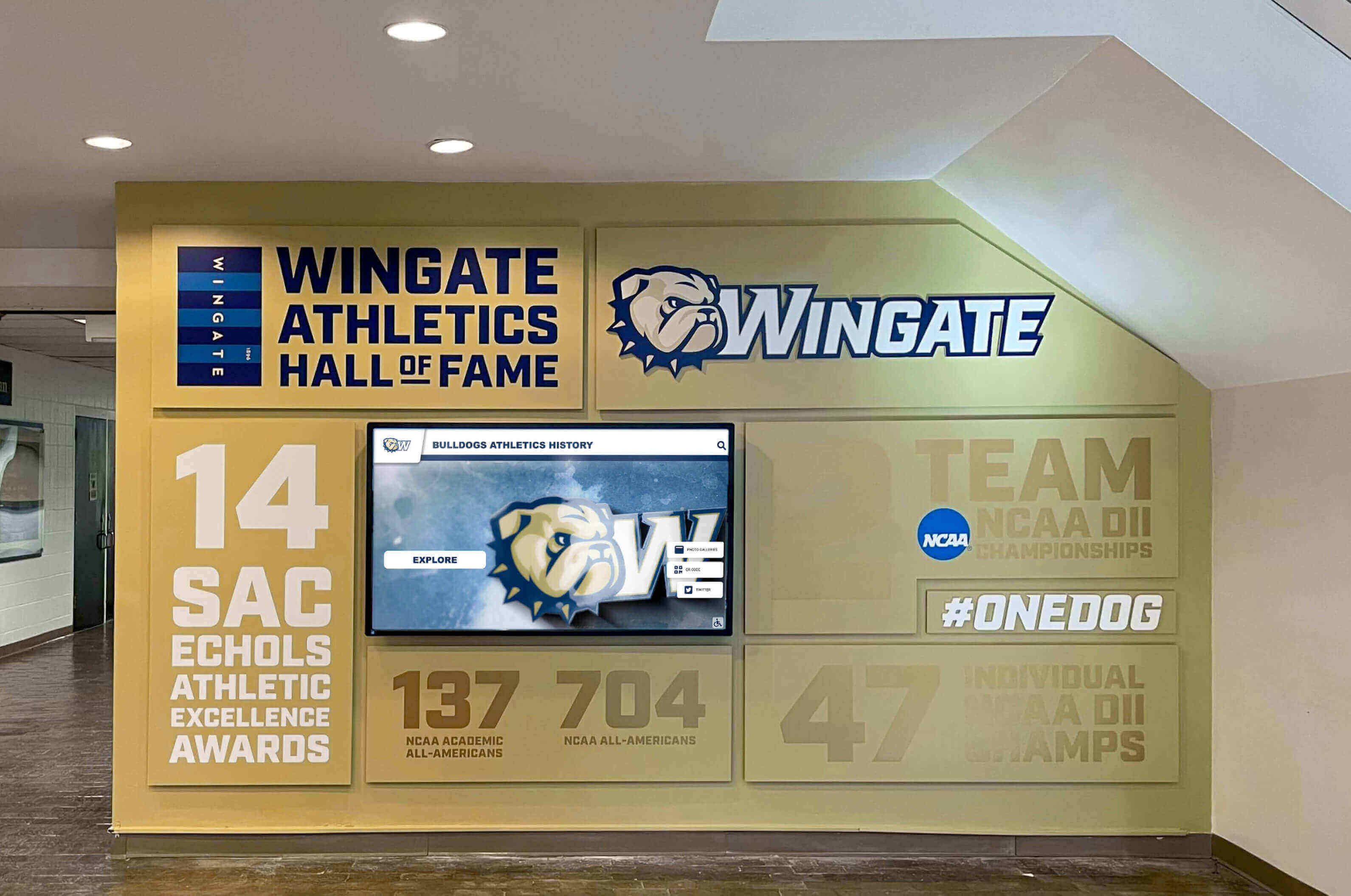
Thoughtful implementation creates recognition environments that serve multiple organizational purposes while strengthening community connections
Conclusion: Elevating Community Recognition Through Modern Displays
Digital wall mount displays provide local nonprofits with accessible technology celebrating community partnerships, honoring veteran service, and promoting upcoming events through engaging visual presentations that can be updated instantly as organizational programs and relationships evolve. These TV-sized mounted screens transform modest facility spaces into dynamic recognition hubs demonstrating organizational vitality, community collaboration, and mission impact—all without requiring extensive budgets or facilities that intimidate smaller community organizations.
The key to successful implementation lies not in purchasing the most expensive technology or most sophisticated platforms, but rather in selecting appropriate solutions matching organizational capacity while prioritizing content quality and management sustainability. Nonprofits that focus initially on developing compelling recognition content, designating clear staff responsibility for ongoing updates, and choosing user-friendly systems enabling confident independent management achieve far superior results compared to organizations that invest primarily in hardware while neglecting the content development and management workflows determining whether displays remain relevant or quickly become neglected embarrassments.
Transform your nonprofit’s community recognition from scattered bulletin boards and outdated posters to professional digital displays celebrating partnerships, honoring veterans, and promoting engagement opportunities. Modern wall mount displays provide the flexibility, visibility, and update capability that community organizations need to communicate effectively while operating within realistic nonprofit constraints.
Whether you’re showcasing 10 key partners or honoring 50 veteran community members, digital recognition platforms create professional presentation that strengthens relationships, builds awareness, and demonstrates organizational commitment to celebrating community contributions meaningfully. Explore how accessible recognition technology can elevate your nonprofit’s community engagement while respecting budget realities and staff capacity limitations.
Your community deserves recognition that honors partnerships authentically, celebrates veteran service respectfully, and communicates upcoming opportunities effectively—creating visible appreciation that validates contributions while building awareness driving continued support and participation. Digital wall mount displays make this vision achievable for nonprofits of all sizes, demonstrating that professional recognition technology serves community organizations without requiring facilities or budgets beyond typical nonprofit reach.
Begin your digital display journey by securing leadership support, identifying optimal facility locations, gathering recognition content systematically, evaluating user-friendly technology solutions appropriate for staff capabilities, and committing to sustainable management workflows ensuring displays remain current and relevant. The framework exists, accessible solutions are readily available, and nonprofits nationwide demonstrate measurable success—the only question is when your organization will transform community recognition for lasting relationship and awareness benefits.
Most importantly, digital displays demonstrate organizational values—that community partnerships deserve visible acknowledgment, that veteran service merits respectful honor, that upcoming opportunities warrant professional promotion, and that modern communication tools serve nonprofit missions effectively when implemented thoughtfully. Book a demo to discover how recognition platforms designed specifically for nonprofit environments create the community celebration your organization and stakeholders deserve—honoring contributions while building engagement that strengthens mission fulfillment for years to come.































