



Schools planning new gymnasium construction face a critical decision that significantly impacts both immediate budgets and long-term recognition capabilities: when should touchscreen displays be installed? This seemingly straightforward question carries substantial financial and functional consequences, with timing decisions affecting total project costs by 25-75% while determining whether displays achieve their full recognition potential or become expensive compromises.
Many administrators discover too late that waiting until construction completion transforms what should be a $7,000 integrated installation into a $15,000 retrofit project requiring visible conduit, wall modifications, and operational disruptions. Others find that displays installed without proper infrastructure planning suffer reliability issues, limited functionality, or placement problems that undermine recognition goals despite considerable investment.
This comprehensive guide provides school administrators, athletic directors, and facilities planners with systematic frameworks for determining optimal touchscreen display installation timing during new gymnasium construction, ensuring infrastructure requirements are met, avoiding common costly mistakes, and creating recognition systems that serve communities effectively for decades while minimizing total investment through strategic planning.
Strategic timing decisions during gymnasium construction create opportunities for cost-effective infrastructure integration that become prohibitively expensive after building completion. Schools that involve technology planning during architectural design phases consistently achieve superior results at substantially lower costs compared to those treating displays as afterthoughts requiring retrofit installations into completed facilities.

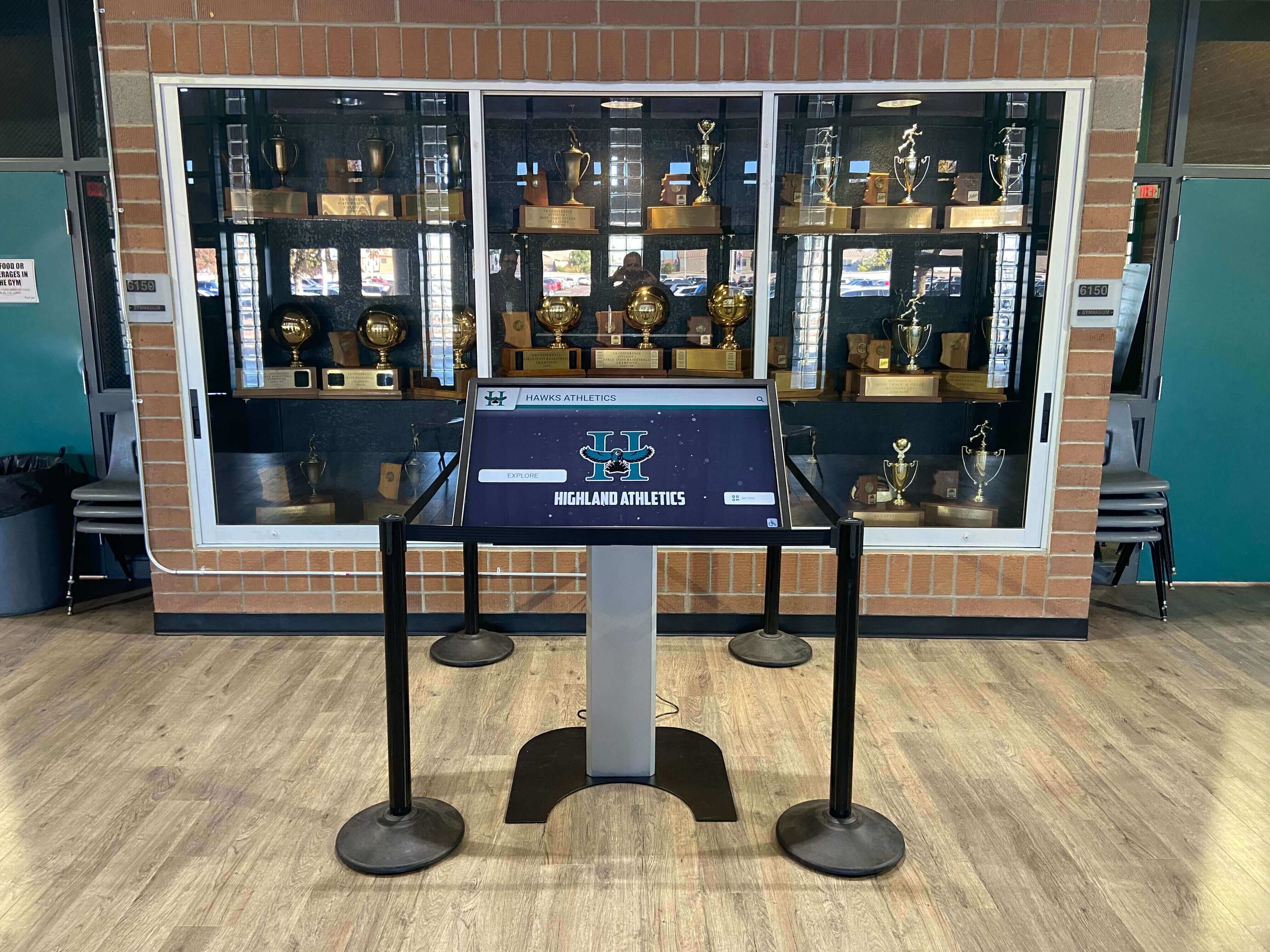
Professional touchscreen installations integrated during construction provide seamless infrastructure and optimal placement
Program Snapshot: Touchscreen Display Installation Timing Framework
Understanding the complete construction timeline and decision points helps administrators optimize technology integration while minimizing costs and maximizing long-term effectiveness.
| Timeline Phase | Optimal Activities | Cost Impact | Key Considerations |
|---|---|---|---|
| Pre-Construction (12-18 months before) | Technology needs assessment, vendor selection, infrastructure planning | Baseline costs, 25-30% savings vs. post-construction | Ideal timing for optimal placement and infrastructure integration |
| Design Development (9-12 months before) | Specifications finalized, electrical and network design, structural requirements | Standard integration costs | Last opportunity for cost-effective infrastructure planning |
| Construction - Rough-In (6-9 months before) | Electrical circuits, network cabling, structural backing installation | Minimal premium if pre-planned | Infrastructure installation while walls open |
| Construction - Finishing (3-6 months before) | Display mounting locations finalized, coordination with finishing trades | 30-40% premium for changes | Limited infrastructure modifications possible |
| Post-Construction (After occupancy) | Retrofit installations requiring wall modifications | 50-75% cost premium | Most expensive option, operational disruptions |
| Total Investment Range | Complete system per display location | $6,300-27,500 depending on timing | Proper timing creates 60-75% cost reduction opportunities |
Understanding Construction Phase Opportunities and Limitations
Different construction phases present distinct opportunities and constraints for touchscreen display integration, with early phases offering substantial advantages that disappear as projects progress.
Pre-Construction and Design Phase Integration
The architectural design phase represents the optimal window for technology planning, providing maximum flexibility and minimum costs.
Strategic Planning Advantages
Early involvement enables comprehensive planning:
- Display locations selected based on traffic patterns, sightlines, and recognition goals rather than infrastructure limitations
- Electrical systems designed with dedicated circuits positioned precisely where needed
- Network infrastructure integrated into building plans with direct pathways to display locations
- Structural reinforcement incorporated into wall and column specifications without additional costs
- Budget allocations established reflecting complete technology requirements
- Coordination with other building systems (lighting, HVAC, acoustics) optimized for technology integration
Schools that engage technology consultants or recognition platform providers during schematic design consistently achieve superior results because placement decisions drive infrastructure rather than infrastructure constraints forcing compromises in recognition effectiveness.
Infrastructure Integration Requirements
Comprehensive design-phase planning addresses:
Electrical System Design
- Dedicated 20-amp circuits from electrical panel to each planned display location
- Junction boxes positioned at appropriate mounting heights (48-60 inches above floor) directly behind displays
- Conduit pathways designed to avoid obstacles and minimize visible cable runs
- Adequate circuit capacity for current displays plus future expansion
- Emergency power considerations for displays serving wayfinding or communication functions
Network Infrastructure Specifications
- Hardwired gigabit ethernet (CAT6 minimum) to each display location from network closet
- Fiber optic connections for runs exceeding 300 feet or requiring future bandwidth expansion
- Dedicated VLAN infrastructure for digital signage systems separate from general network
- Network equipment capacity (switches, routers) accommodating display traffic plus growth
- Backup connectivity redundancy for critical recognition displays
Structural Requirements
- Horizontal blocking (2x6 or 2x8 lumber) spanning multiple wall studs at mounting heights
- Reinforced concrete anchors specified for masonry or concrete wall installations
- Weight capacity planning for commercial displays (typically 150-200 pounds including mounting hardware)
- ADA-compliant mounting heights and reach ranges for interactive touchscreen access
- Protection considerations for gymnasiums (height placement above ball trajectories, impact resistance)
Cost Implications of Design-Phase Integration
Integrated planning produces measurable savings:
- Infrastructure costs: $800-1,500 per display location (baseline)
- No premium for specialized routing or structural modifications
- Competitive bidding during general construction produces favorable pricing
- Single contractor coordination reduces project management complexity
- No building disruption or retrofit premium charges
Learn more about comprehensive digital recognition system planning that integrates technology with construction projects.
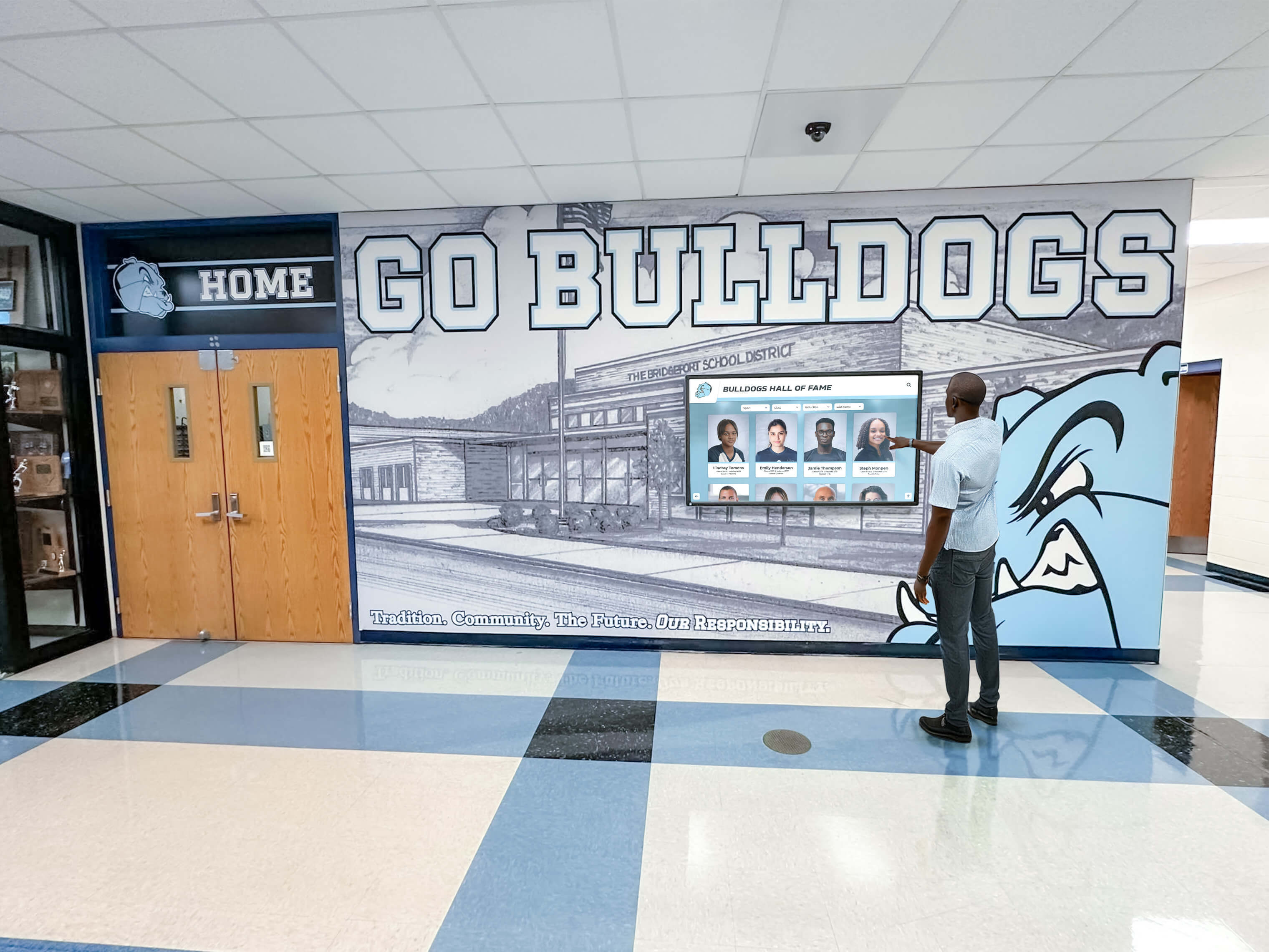
Displays integrated during construction blend seamlessly with building design and infrastructure
Construction Rough-In Phase Installation
The framing and rough-in phase represents the last cost-effective opportunity for infrastructure installation, though less optimal than design-phase planning.
Implementation Windows and Activities
During structural and systems installation:
Electrical Rough-In Coordination
- Electrical contractors install conduit and junction boxes to display locations
- Circuit breakers and panel capacity allocated for display loads
- Coordination with lighting and general power systems
- Wire pulling completed before insulation and drywall
- Testing and verification before walls close
Network Infrastructure Installation
- Low-voltage contractors run network cables through open walls
- Terminations at network closet and display locations
- Cable testing and certification before concealment
- Adequate service loops at termination points for future modifications
- Pathway labeling for future maintenance and troubleshooting
Structural Backing Installation
- Carpenters install horizontal blocking at specified mounting heights
- Backing positioned to span adequate width (minimum 32 inches) for various display sizes
- Verification of backing locations with measured distances from reference points
- Photographic documentation before drywall installation
- As-built drawings updated showing precise backing locations
Advantages of Rough-In Phase Integration
This timing provides:
- Direct infrastructure installation without cutting finished surfaces
- Standard construction labor rates without retrofit premiums
- Flexibility to adjust locations based on field conditions
- Coordination efficiency with trades already on-site
- Complete concealment of all infrastructure within building envelope
Critical Success Factors
Effective rough-in installation requires:
- Detailed specifications provided to contractors before bidding
- Technology consultant site visits during infrastructure installation
- Clear responsibility assignment (who installs electrical vs. network vs. structural)
- Quality verification before wall closing prevents expensive corrections
- Adequate lead time for display location verification with administrators and coaches
Cost Implications During Construction
Rough-in installations maintain reasonable costs:
- Infrastructure costs: $900-1,800 per display location (10-20% premium if not in original plans)
- Minimal change order costs if specified early in construction phase
- No building disruption or occupancy coordination required
- Competitive pricing through existing contractor relationships
This phase serves schools that finalized technology decisions after design completion but before building framing closes—a reasonable timeline for many projects where technology planning follows budget approval.
Finishing Phase and Near-Completion Integration
Installing displays during finishing phases (drywall, painting, flooring) presents increasing challenges and costs as construction progresses.
Limited Integration Opportunities
Late-phase installations face constraints:
Modified Infrastructure Approaches
- Cutting finished drywall to install junction boxes and run cables
- Surface-mounted conduit required if wall cavities inaccessible
- Difficult or impossible structural backing additions without major wall reconstruction
- Painter and finish contractor coordination for wall repairs
- Extended timelines due to sequential trade dependencies
Visible Compromise Solutions
- Surface-mounted electrical raceway or cable management systems
- Exposed network cables requiring decorative concealment
- Freestanding kiosk enclosures instead of wall mounting if structural backing unavailable
- Lower or higher mounting positions dictated by existing infrastructure rather than optimal placement
- Retrofit mounting solutions using specialty anchors in finished walls
Coordination Challenges
Finishing-phase installations complicate construction:
- Trade coordination as contractors demobilize from completed work
- Warranty implications from cutting into finished work
- Schedule impacts delaying building occupancy or requiring return visits
- Quality concerns with makeshift infrastructure routing
- Higher labor costs due to careful work around finished surfaces
Cost Implications of Late Integration
Finishing-phase installations carry premiums:
- Infrastructure costs: $2,000-4,000 per display location (150-200% premium)
- Wall repair and refinishing: $500-1,200 per location
- Extended labor time working around finished surfaces
- Potential general contractor markup for change orders
- Coordination delays extending project timelines
Schools facing this scenario should evaluate whether freestanding kiosk solutions provide better value than wall-mounted installations requiring extensive retrofit work.
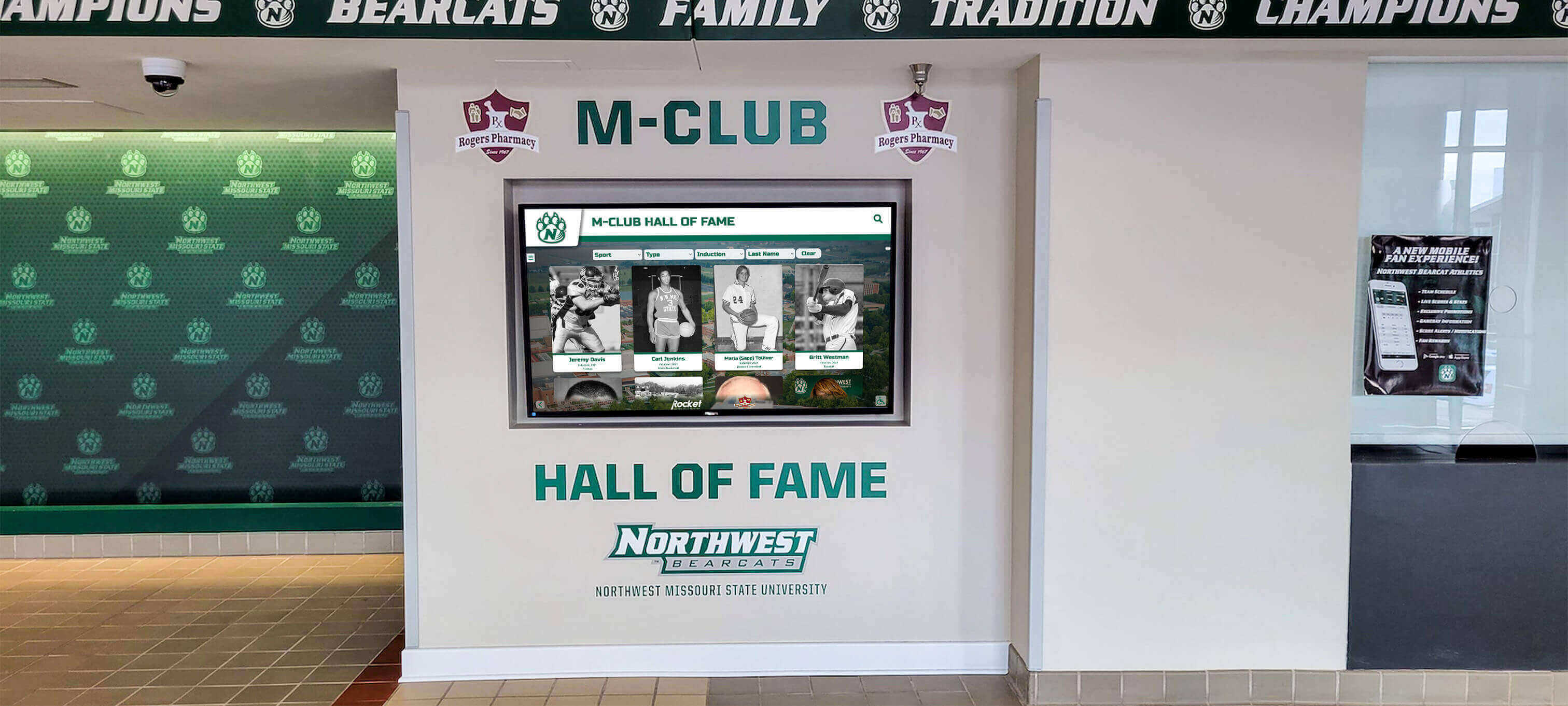
Proper mounting infrastructure enables clean professional installations in high-visibility locations
Post-Construction Installation: Understanding Retrofit Realities
Installing touchscreen displays after gymnasium completion represents the most expensive and challenging scenario, yet remains common when technology planning occurs after construction begins or budget approval comes later.
Retrofit Installation Challenges and Costs
Post-construction installations face multiple obstacles:
Infrastructure Retrofit Requirements
Creating infrastructure in completed buildings requires:
- Exploratory wall openings to locate studs and plan cable pathways
- Fishing cables through closed walls with limited access
- Surface-mounted conduit for pathways where concealed routing impossible
- Electrical panel modifications adding circuits if no spare capacity
- Network closet modifications extending infrastructure to new locations
- Structural mounting solutions without backing (toggle bolts, wall anchors, or surface-mounted rails)
Building Disruption and Operations Impact
Occupied facility installations create challenges:
- Scheduling work during low-use periods or facility closures
- Dust and debris management in active spaces
- Noise restrictions during school hours or events
- Equipment and material staging without disrupting activities
- Security concerns with contractors accessing occupied buildings
- Extended project timelines due to restricted work windows
Quality and Aesthetic Compromises
Retrofit installations often require compromises:
- Visible conduit or cable management systems
- Suboptimal display placement dictated by infrastructure accessibility
- Surface-mounted junction boxes and network outlets
- Lower mounting positions using existing electrical outlets
- Freestanding kiosks instead of preferred wall mounting
Total Retrofit Cost Analysis
Post-construction installations carry substantial premiums:
- Infrastructure installation: $3,500-7,000 per display location (300-400% premium vs. pre-construction)
- Installation labor: $1,500-3,000 per location (premium for careful work in finished spaces)
- Wall repair and refinishing: $800-2,000 per location
- Alternative solutions (kiosks): $1,000-3,500 additional per location
- Total per location: $11,800-27,500 (75-90% premium vs. integrated installation)
These substantial cost differences explain why technology planning during design phases produces dramatically superior financial outcomes.
Retrofit Mitigation Strategies
Schools facing post-construction installation can minimize costs through alternative approaches:
Freestanding Kiosk Solutions
Self-contained systems offer advantages:
- No structural wall modifications required
- Standard electrical outlets adequate for power if accessible
- Mobile positioning flexibility for optimal placement
- Professional appearance through purpose-built enclosures
- Relatively quick installation without extensive construction coordination
Freestanding solutions work well in lobby areas, hallways, or spaces with nearby existing infrastructure, though they lack the seamless integration of wall-mounted displays.
Wireless Connectivity Considerations
Network challenges can be addressed through:
- High-quality enterprise WiFi infrastructure if hardwired connections unavailable
- Network range extenders or mesh systems improving coverage
- Content management platforms optimized for intermittent connectivity
- Local content caching reducing bandwidth requirements
However, hardwired connections remain strongly preferred for reliability and consistent performance in recognition applications requiring 24/7 operation.
Phased Implementation Approaches
Budget-constrained schools might:
- Install infrastructure to multiple locations initially while installing displays at fewer priority locations
- Complete infrastructure during other renovation projects when walls are open
- Phase display purchases across multiple budget years while infrastructure remains ready
- Leverage infrastructure installations during any construction or remodeling projects
This approach amortizes infrastructure costs while providing expansion capability as budgets allow.
Explore effective athletic recognition display options accommodating various installation scenarios and budget constraints.

Freestanding kiosks provide professional recognition solutions when wall mounting is impractical
Common Installation Timing Mistakes and Prevention Strategies
Learning from frequent implementation errors helps administrators avoid expensive problems that compromise recognition effectiveness.
Mistake 1: Technology Planning as Construction Afterthought
The Problem: Administrators focus on building design and athletics program planning without considering recognition technology, discovering after construction begins that desired display locations lack necessary infrastructure for installation.
Consequences:
- Infrastructure retrofit costs 3-4 times higher than integrated installation
- Suboptimal display placement dictated by infrastructure accessibility rather than recognition goals
- Visible conduit and cable management detracting from professional presentation
- Project delays while planning and implementing retrofit solutions
- Reduced display functionality due to infrastructure limitations
Prevention Strategy:
- Include technology coordinator or consultant in architectural planning from project inception
- Conduct technology needs assessment 12-18 months before construction start
- Visit schools with successful digital recognition implementations during planning phase
- Allocate budget line items for technology infrastructure in initial construction estimates
- Specify display infrastructure requirements in architectural program documents
Recovery Approach (if already in this situation):
- Evaluate freestanding kiosk solutions requiring minimal infrastructure
- Plan infrastructure installation during construction pause points when walls remain accessible
- Prioritize fewer displays with proper infrastructure over multiple compromised installations
- Document infrastructure locations for future expansion opportunities
Mistake 2: Inadequate Electrical System Planning
The Problem: Relying on general-use circuits or standard outlet locations designed for cleaning equipment, forcing visible power cables and creating circuit overload risks that cause display shutdowns during high-load periods.
Consequences:
- Visible power cables dropping from display to low-mounted outlets
- Nuisance circuit trips during display operation
- Fire code violations from extension cords or power strips
- Professional electrician callouts for circuit modifications post-construction
- Display damage from power interruptions or inadequate electrical protection
Prevention Strategy:
- Specify dedicated 20-amp circuits for displays 55 inches and larger
- Position junction boxes at mounting heights (48-60 inches) directly behind displays
- Include surge protection and proper grounding in electrical specifications
- Calculate electrical loads including future expansion
- Coordinate outlet locations precisely with display mounting plans
Cost of Error: $800-2,500 per location for post-construction electrical upgrades requiring panel modifications, circuit additions, and wall repairs.
Mistake 3: Network Infrastructure Omission
The Problem: Assuming WiFi connectivity provides adequate performance for cloud-based displays, leading to unreliable operation, failed content updates, and frustrating user experiences that undermine recognition program credibility.
Consequences:
- Intermittent display connectivity causing blank screens or stale content
- Failed software updates leaving displays with outdated information
- Inability to stream video content or display high-resolution images
- Poor touchscreen response times frustrating users
- Network congestion affecting displays and general school connectivity
Prevention Strategy:
- Install hardwired gigabit ethernet (CAT6 minimum) to all planned display locations
- Provide dedicated VLAN for digital signage separate from student/guest WiFi
- Verify adequate network switch capacity and bandwidth
- Test network connectivity with actual display bandwidth requirements
- Install network infrastructure to potential future expansion locations
Cost of Error: $1,200-3,500 per location for post-construction network cabling requiring wall fishing, patch repairs, and certified testing.
Mistake 4: Missing Structural Backing
The Problem: Mounting heavy commercial displays (50-150 pounds) on standard drywall without proper backing, leading to mounting failures that damage walls or create safety hazards from falling displays.
Consequences:
- Wall damage from failed mounting attempts
- Safety risks from inadequately supported displays
- Costly wall reinforcement requiring extensive drywall removal
- Display positioning compromises using existing structural elements
- Liability concerns from improperly secured heavy equipment
Prevention Strategy:
- Specify 2x6 or 2x8 horizontal blocking at mounting heights spanning multiple studs
- Document blocking locations with precise measurements from reference points
- Photograph blocking installations before drywall covers infrastructure
- Verify blocking locations match actual display mounting hole patterns
- Plan weight capacity for largest anticipated displays plus mounting hardware
Cost of Error: $500-1,500 per location for structural reinforcement installation requiring significant wall opening, repair, and refinishing.
Mistake 5: Suboptimal Display Placement
The Problem: Selecting display locations without thorough analysis of viewing angles, lighting conditions, traffic patterns, or accessibility requirements, resulting in displays that are difficult to see, uncomfortable to use, or fail to achieve recognition visibility goals despite proper technical installation.
Consequences:
- Displays positioned where lighting glare obscures screen visibility
- Mounting heights inappropriate for comfortable touchscreen interaction
- Locations with insufficient viewing space for groups
- Inaccessible placements violating ADA requirements
- Low-traffic areas failing to maximize community engagement
Prevention Strategy:
- Conduct site assessments at various times evaluating natural and artificial lighting
- Observe traffic patterns during different events (games, practices, community activities)
- Consider viewing distances from bleachers, entrances, and gathering areas
- Verify ADA-compliant mounting heights (maximum 48-inch reach for controls)
- Mock up display locations with cardboard templates before finalizing placement
Recovery Approach:
- Install anti-glare screen protectors improving visibility in challenging lighting
- Add supplementary lighting or reconfigure existing fixtures reducing glare
- Consider display orientation changes (portrait vs. landscape) improving viewing
- Evaluate whether relocation to better position justifies infrastructure investment
Discover strategies for creating effective recognition displays that maximize visibility and community engagement.
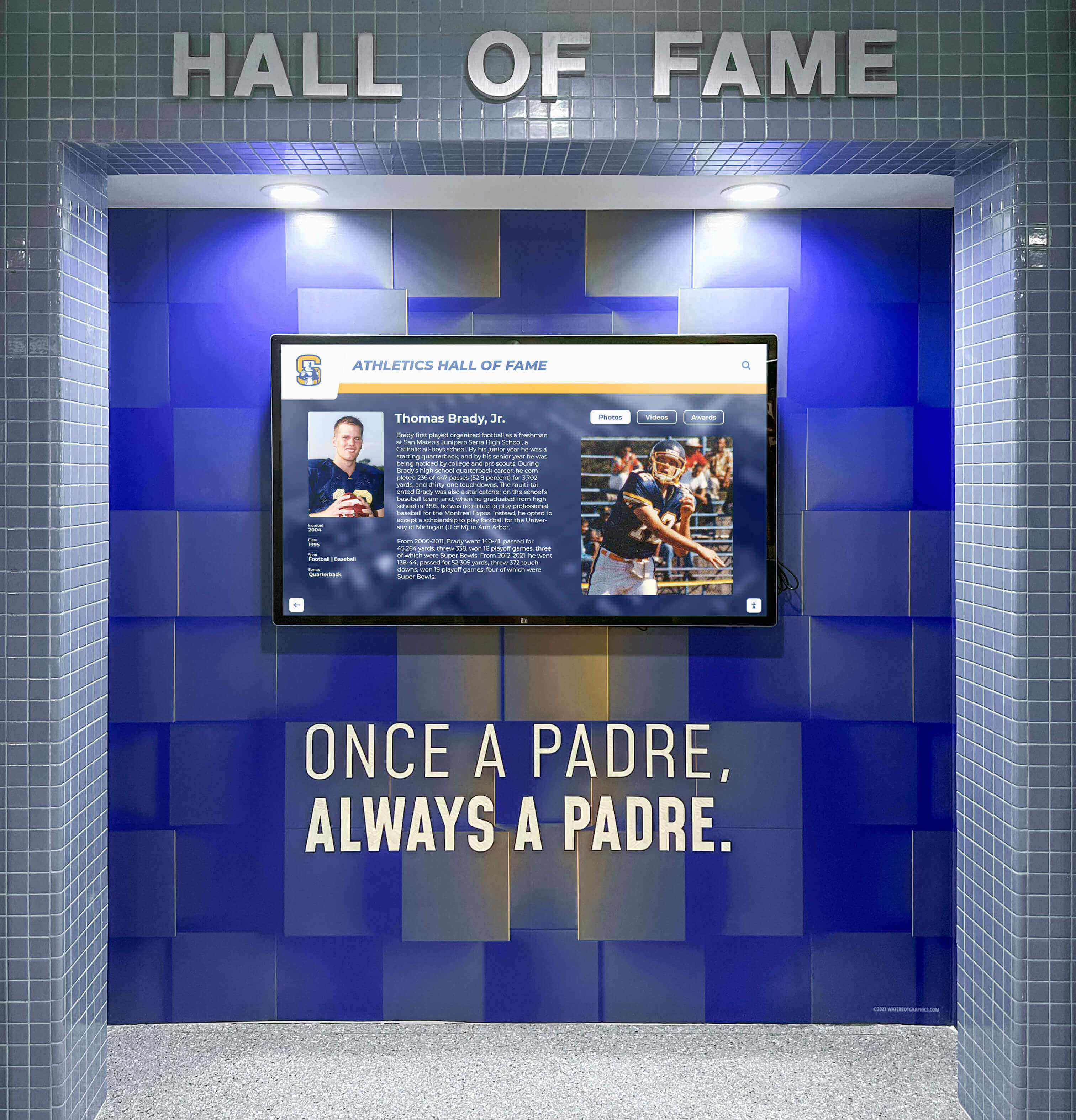
Strategic placement in high-traffic gymnasium corridors maximizes recognition visibility and community engagement
Financial Analysis: Total Cost of Ownership Across Installation Timing Scenarios
Understanding complete project costs including long-term operational expenses helps administrators make informed decisions balancing upfront investment with sustained effectiveness.
Pre-Construction Integrated Installation Analysis
Initial Investment Breakdown (Two Display Locations)
Infrastructure and installation costs:
- Display hardware (2x commercial-grade 55-65" touchscreens): $10,000-24,000
- Electrical infrastructure (dedicated circuits, junction boxes): $1,000-2,000
- Network infrastructure (CAT6 cabling, terminations): $800-1,600
- Structural backing and mounting hardware: $400-800
- Installation labor (during construction): $1,000-2,400
- Initial content development and training: $2,000-4,000
- Total Initial Investment: $15,200-34,800
10-Year Operational Costs
Ongoing expenses over system lifetime:
- Software platform subscription (recognition management system): $15,000-50,000
- Content management (internal staff time allocated): $6,000-12,000
- Maintenance and support (hardware/software): $2,000-4,000
- Display cleaning and minor repairs: $500-1,000
- Periodic content refreshes and enhancements: $2,000-4,000
- 10-Year Operational Total: $25,500-71,000
Complete 10-Year Total Cost of Ownership: $40,700-105,800
Per-Year Average Cost: $4,070-10,580
This baseline represents optimal investment through strategic timing and proper infrastructure integration during construction.
Post-Construction Retrofit Installation Analysis
Initial Investment Breakdown (Two Display Locations)
Retrofit infrastructure and installation costs:
- Display hardware (2x commercial-grade 55-65" touchscreens): $10,000-24,000
- Electrical infrastructure retrofit: $6,000-12,000
- Network infrastructure retrofit: $4,000-8,000
- Structural mounting solutions: $2,000-4,000
- Installation labor (retrofit complexity): $3,000-6,000
- Wall repair and refinishing: $1,600-4,000
- Initial content development and training: $2,000-4,000
- Total Initial Investment: $28,600-62,000
10-Year Operational Costs
Ongoing expenses remain similar:
- Software platform subscription: $15,000-50,000
- Content management: $6,000-12,000
- Maintenance and support: $2,000-4,000
- Display cleaning and repairs: $500-1,000
- Content refreshes: $2,000-4,000
- 10-Year Operational Total: $25,500-71,000
Complete 10-Year Total Cost of Ownership: $54,100-133,000
Per-Year Average Cost: $5,410-13,300
Additional Cost vs. Pre-Construction: $13,400-27,200 (33-26% premium)
Alternative Scenario: Freestanding Kiosk Installation (Post-Construction)
Initial Investment Breakdown (Two Kiosk Locations)
Self-contained system costs:
- Kiosk enclosures with integrated displays (2x units): $14,000-30,000
- Minimal electrical work (nearby outlet access): $1,000-2,000
- Network access (existing WiFi or minimal cabling): $500-2,000
- Installation and positioning: $1,000-2,000
- Initial content development and training: $2,000-4,000
- Total Initial Investment: $18,500-40,000
10-Year Operational Costs
Similar ongoing expenses:
- Software platform subscription: $15,000-50,000
- Content management: $6,000-12,000
- Maintenance and support: $2,500-5,000 (slightly higher for kiosk-specific issues)
- Cleaning and repairs: $1,000-2,000
- Content refreshes: $2,000-4,000
- 10-Year Operational Total: $26,500-73,000
Complete 10-Year Total Cost of Ownership: $45,000-113,000
Per-Year Average Cost: $4,500-11,300
Freestanding kiosks provide middle-ground option approaching integrated installation costs while avoiding expensive wall-mounting infrastructure in completed buildings.
Cost Comparison Summary
| Installation Scenario | Initial Investment | 10-Year Total | Premium vs. Optimal |
|---|---|---|---|
| Pre-Construction Integrated | $15,200-34,800 | $40,700-105,800 | Baseline (optimal) |
| Post-Construction Wall Mount | $28,600-62,000 | $54,100-133,000 | +$13,400-27,200 (33-26%) |
| Post-Construction Kiosk | $18,500-40,000 | $45,000-113,000 | +$4,300-7,200 (11-7%) |
Key Financial Insights:
- Pre-construction planning produces 26-33% lower total costs than post-construction wall mounting
- Freestanding kiosks offer reasonable compromise for post-construction scenarios
- Savings from optimal timing fund additional displays, enhanced content, or other program improvements
- 10-year operational costs remain similar across scenarios—installation timing drives total cost differences
These financial realities underscore the substantial value of technology planning during gymnasium design phases rather than treating displays as afterthought purchases requiring expensive retrofit solutions.
Learn about comprehensive recognition program planning that optimizes technology investments.
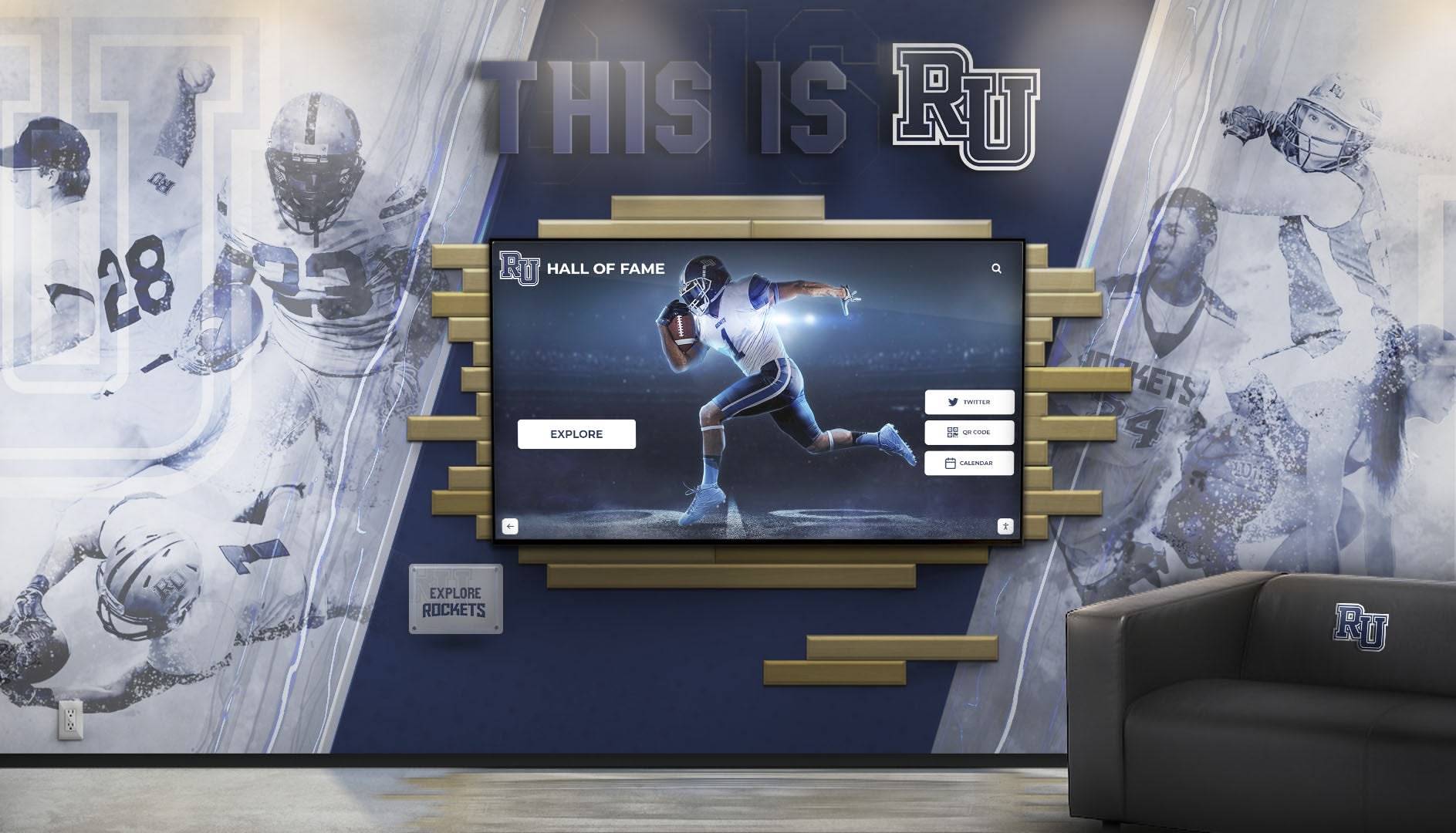
Properly planned installations integrate displays with building design for professional comprehensive recognition
Best Practices for Successful Touchscreen Display Integration
Schools achieving optimal outcomes follow systematic approaches addressing technology planning, infrastructure requirements, vendor selection, and long-term sustainability.
Pre-Construction Planning Best Practices
Technology Needs Assessment (12-18 Months Before Construction)
Comprehensive planning includes:
- Stakeholder input sessions with athletic directors, coaches, activities coordinators, and facilities staff
- Site visits to schools with successful digital recognition implementations observing actual usage
- Recognition program scope definition (sports coverage, historical depth, update frequency)
- Display quantity and placement evaluation based on building traffic patterns
- Content management responsibility assignment ensuring sustainable operations
- Budget development including hardware, software, infrastructure, and ongoing costs
Vendor Selection and Consultation
Engaging qualified providers early yields benefits:
- Evaluate recognition-specific platforms versus generic digital signage systems
- Verify K-12 education experience and reference checking with similar schools
- Assess content management usability for non-technical administrators
- Review training comprehensiveness and ongoing support availability
- Confirm hardware specifications and commercial-grade component quality
- Understand total cost of ownership including software subscriptions
Solutions like Rocket Alumni Solutions specialize in athletic recognition for schools, providing purpose-built platforms combining unlimited capacity, intuitive management, professional presentation, and proven reliability across hundreds of successful implementations nationwide.
Architectural Integration Requirements
Design-phase specifications should detail:
- Precise display locations shown on architectural drawings with mounting heights
- Electrical specifications (dedicated circuits, junction box locations, conduit routing)
- Network infrastructure requirements (cable types, pathways, termination locations)
- Structural backing specifications (dimensions, positioning, weight capacity)
- ADA compliance verification for mounting heights and interaction zones
- Lighting coordination minimizing glare while ensuring adequate visibility
Construction Phase Quality Assurance
Infrastructure Verification Protocols
Critical checkpoints during construction:
- Electrical rough-in inspection confirming circuit installation, outlet positioning, and conduit routing
- Network infrastructure testing certifying cable performance and proper terminations
- Structural backing verification measuring dimensions and photographing locations before drywall
- As-built documentation updating drawings showing actual infrastructure locations
- Coordination meetings between technology vendors and general contractor
- Punch list procedures specifically addressing technology components
Installation Coordination and Timing
Successful implementations coordinate:
- Display procurement 8-12 weeks before installation ensuring availability
- Installation scheduling coordinating with finishing trades and occupancy timeline
- Mounting hardware verification matching display specifications and structural backing
- System testing including touchscreen calibration and network connectivity
- Content loading and training before building dedication or ribbon cutting
- Administrator training (minimum 3 comprehensive sessions recommended)
Long-Term Success Factors
Sustainable Content Management
Ongoing recognition effectiveness requires:
- Designated staff responsibility for content updates (allocated 3-5 hours monthly)
- Systematic addition of new achievements (quarterly or semester-based)
- Historical content development expanding recognition depth over 1-3 years
- Professional photography standards ensuring consistent visual quality
- Regular promotion through newsletters, social media, and parent communications
- Annual program reviews assessing usage analytics and community engagement
Technical Maintenance and Support
Reliable operation depends on:
- Regular display cleaning and physical condition inspection
- Software updates and security patches maintaining platform currency
- Network connectivity monitoring ensuring consistent performance
- Hardware warranty coverage (minimum 3-5 years recommended)
- Technical support relationships with vendor and integration partners
- Replacement planning as displays approach end of useful life (typically 7-10 years)
Program Evolution and Enhancement
Mature recognition systems grow through:
- Expanded content types (video highlights, interactive timelines, alumni updates)
- Integration with other school systems (athletics management, student information)
- Web platform extensions enabling community access beyond physical displays
- Mobile app development providing permanent recognition access
- Social sharing features amplifying recognition reach through personal networks
- Analytics utilization guiding content strategy based on actual usage patterns
Discover effective approaches to school recognition programs that engage communities and celebrate achievement.
Implementation Timeline: From Planning Through Launch
Systematic phasing ensures thorough preparation while maintaining reasonable project schedules.
Phase 1: Strategic Planning and Needs Assessment (Months 1-3)
Initial Assessment Activities
Foundation development includes:
- Form technology planning committee including administrators, coaches, facilities staff
- Define recognition program scope, goals, and success metrics
- Research recognition platforms and review vendor capabilities
- Conduct site visits observing successful implementations at peer schools
- Develop preliminary budget estimates for complete system
- Establish project timeline coordinating with construction schedule
- Secure preliminary funding approval or identify budget sources
Key Deliverables:
- Technology needs assessment document
- Preliminary vendor shortlist
- Budget estimates and funding strategy
- Project timeline and milestone schedule
Phase 2: Vendor Selection and Design Integration (Months 4-6)
Design Phase Activities
Technology integration includes:
- Request proposals from qualified recognition platform vendors
- Evaluate demonstrations focusing on content management and user experience
- Check references speaking with current customers about satisfaction
- Select preferred vendor and negotiate contract terms
- Collaborate with vendor on infrastructure specifications
- Coordinate with architect integrating technology requirements into construction documents
- Finalize display locations and quantities
Key Deliverables:
- Vendor contract and service agreement
- Complete infrastructure specifications
- Architectural drawings showing display locations
- Detailed project budget
- Implementation plan
Phase 3: Infrastructure Installation During Construction (Months 7-12)
Construction Coordination Activities
Infrastructure implementation includes:
- General contractor coordination meetings establishing responsibilities
- Electrical rough-in verification confirming circuit installation
- Network infrastructure installation and certification testing
- Structural backing installation and documentation
- As-built drawing updates showing actual infrastructure locations
- Change order management for any field modifications
- Quality assurance inspections before wall closing
Key Deliverables:
- Completed electrical infrastructure
- Certified network cabling
- Structural backing documentation
- As-built drawings
- Infrastructure testing reports
Phase 4: Display Installation and Content Development (Months 13-15)
System Deployment Activities
Display implementation includes:
- Display hardware procurement and delivery coordination
- Professional installation and mounting
- System configuration and network connectivity verification
- Touchscreen calibration and performance testing
- Administrator training (minimum 3 comprehensive sessions)
- Initial content development (minimum 50-100 profiles for meaningful launch)
- System testing with actual users gathering feedback
- Documentation preparation (maintenance procedures, contact information)
Key Deliverables:
- Installed and operational displays
- Trained administrators
- Initial content library
- System documentation
- Training materials
Phase 5: Launch and Community Engagement (Month 16+)
Program Launch Activities
Recognition program debut includes:
- Public unveiling ceremony during building dedication or athletic event
- Promotional campaigns through newsletters, social media, local media
- Facility tours demonstrating features to students, alumni, community
- Integration into prospective family campus visits
- Ongoing content development expanding profile library
- Usage analytics review identifying engagement patterns
- Program refinement based on user feedback
- Sustained promotion maintaining awareness and usage
Key Deliverables:
- Successful public launch
- Community awareness and engagement
- Ongoing content development plan
- Analytics tracking and review process
- Long-term sustainability procedures
This systematic timeline balances thorough preparation with efficient project execution, ensuring recognition systems launch successfully while minimizing cost overruns or rushed implementation compromising quality.
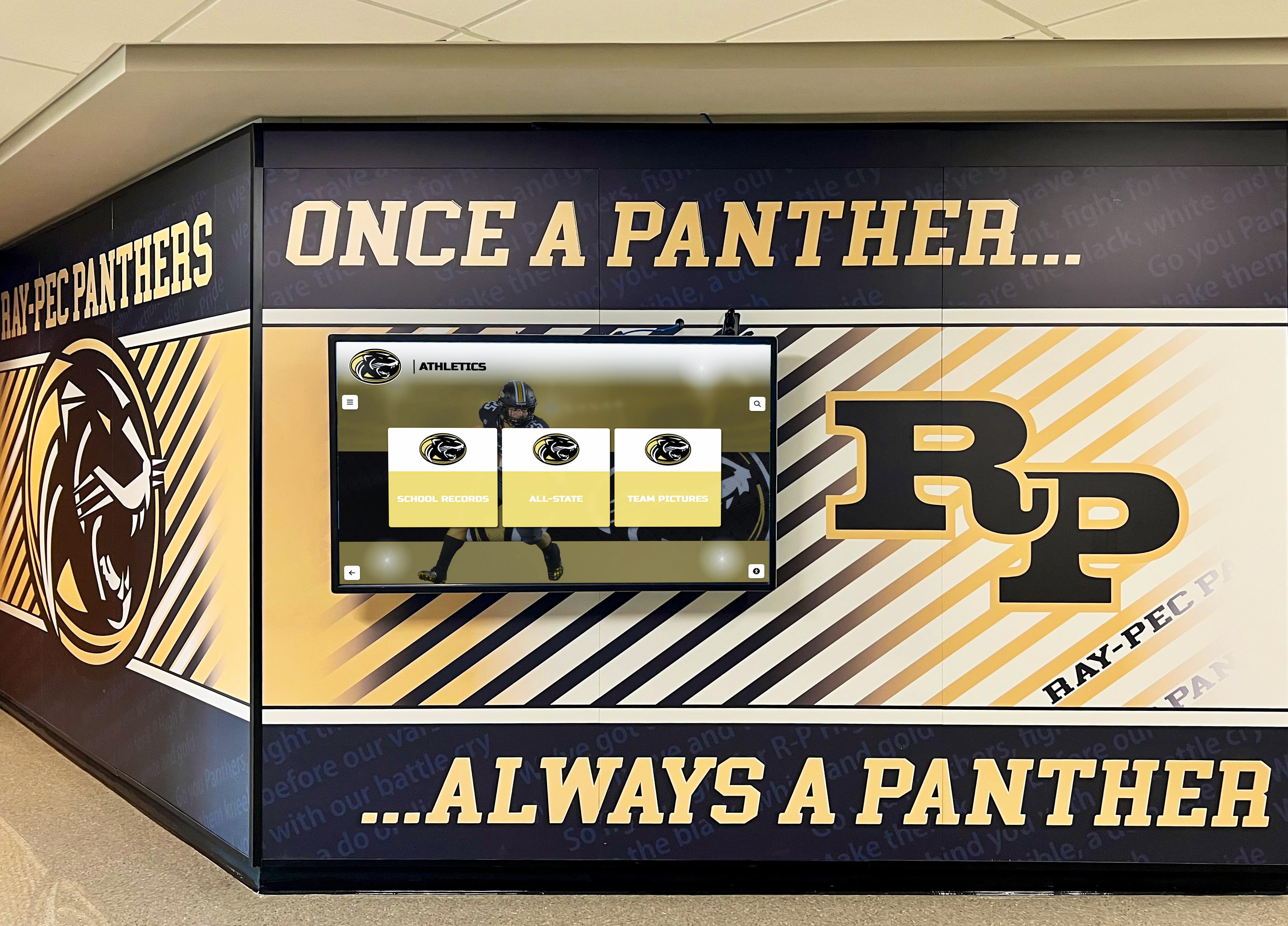
Comprehensive planning creates recognition displays that become valued institutional heritage showcases
Technology Selection Considerations for Gymnasium Recognition Displays
Choosing appropriate platforms and hardware ensures recognition systems effectively serve schools and communities for decades.
Purpose-Built Recognition Platforms vs. Generic Digital Signage
Critical Platform Capability Differences
Recognition-specific systems provide:
- Database-driven individual profiles with searchable biographical information
- Unlimited inductee capacity without physical space constraints
- Intuitive content management enabling non-technical staff updates
- Mobile-responsive web platforms extending access beyond physical displays
- Comprehensive statistics and achievement tracking
- Video integration showcasing game highlights and interviews
- Social sharing features amplifying recognition reach
- Historical timeline views showing program evolution
Generic digital signage platforms offer:
- Slideshow-only presentations with limited interactivity
- Static image display without searchable databases
- Technical expertise required for content updates
- No individual profile depth or biographical documentation
- Limited capacity constrained by practical slideshow lengths
- Passive viewing experiences without user engagement
Purpose-built recognition platforms deliver dramatically superior user experiences and administrative efficiency compared to adapted communication tools never designed for comprehensive biographical databases.
Hardware Specifications and Reliability
Commercial-Grade Display Requirements
Gymnasium installations demand:
- Commercial displays rated for continuous 24/7 operation (50,000-100,000 hour lifespans)
- Industrial touchscreen overlays supporting millions of touches
- Anti-glare screen treatments maintaining visibility in challenging lighting
- Wide viewing angles (178 degrees) enabling viewing from various positions
- Adequate brightness (350-500 nits) for well-lit gymnasium environments
- VESA mount compatibility for secure professional installation
- Extended warranties (minimum 3-5 years) protecting investment
Consumer televisions prove inadequate for public recognition applications despite lower initial costs—their limited operational ratings (8,000-20,000 hours) and inferior touchscreen durability create frequent replacement needs that eliminate initial savings.
Size and Resolution Considerations
Appropriate specifications depend on viewing distances:
- 55-inch displays: Optimal for viewing distances under 8 feet (close interaction)
- 65-inch displays: Suitable for viewing distances 8-12 feet (lobby areas)
- 75-inch displays: Required for viewing distances exceeding 12 feet (large spaces)
- 4K resolution (3840x2160) recommended for all sizes ensuring text readability
- Portrait or landscape orientation based on content type and mounting location
Undersized displays frustrate users and undermine recognition effectiveness despite proper content and placement.
Platform Evaluation Criteria
Essential Assessment Factors
Administrators should verify:
- Content management system usability through hands-on demonstration
- Customer references from schools with similar recognition programs
- Training comprehensiveness and ongoing support availability
- Platform reliability and uptime history
- Total cost of ownership including software subscriptions over 5-10 years
- Integration capabilities with school websites and systems
- Analytics and reporting features demonstrating program value
- Company stability and long-term viability
Solutions like Rocket Alumni Solutions specialize in educational recognition, providing schools with platforms specifically designed for comprehensive athlete, student, alumni, and donor recognition combining unlimited capacity with intuitive management and proven reliability across hundreds of successful implementations.
Explore recognition platform capabilities designed specifically for educational institutions.
Conclusion: Strategic Timing Creates Lasting Recognition Value
Touchscreen display installation timing during new gymnasium construction represents one of the most consequential decisions affecting both immediate project budgets and long-term recognition effectiveness. Schools that integrate technology planning during architectural design phases consistently achieve superior results at substantially lower costs—creating seamless infrastructure, optimal placement, and professional installations that serve communities effectively for decades while reducing total investment by 25-75% compared to post-construction retrofit approaches.
The financial implications prove substantial and measurable. Pre-construction planning producing $15,000-35,000 complete system installations becomes $29,000-62,000 retrofit projects when technology planning occurs after construction completion—premium costs that provide no additional functionality while often requiring aesthetic and operational compromises that undermine recognition goals despite greater investment.
Beyond financial considerations, strategic timing determines whether recognition displays achieve their full potential celebrating athletic excellence comprehensively. Proper infrastructure integration enables optimal placement based on recognition goals rather than forcing compromises dictated by infrastructure accessibility. Clean professional installations blend seamlessly with building design while retrofit solutions often feature visible conduit, surface-mounted components, or freestanding kiosks that advertise their afterthought status regardless of content quality.
Most importantly, successful recognition programs require sustained community engagement enabled by reliable technology that administrators can confidently operate without technical expertise. Purpose-built recognition platforms designed specifically for schools provide intuitive content management, unlimited capacity, professional presentation, and proven reliability—capabilities that generic digital signage systems adapted for recognition purposes cannot match despite comparable costs.
Schools planning new gymnasium construction should prioritize technology planning during architectural design phases, engage recognition platform vendors early in planning processes, specify complete infrastructure requirements in construction documents, verify installation quality throughout construction, and invest in purpose-built platforms designed specifically for educational recognition rather than adapting communication tools never intended for comprehensive biographical databases.
The investment in strategic planning produces measurable returns through reduced total costs, superior installation quality, enhanced community engagement, and sustainable operations that maintain recognition effectiveness across administrative transitions. Whether creating athletic halls of fame, donor recognition displays, academic achievement showcases, or comprehensive school history archives, gymnasium touchscreen displays serve as powerful community gathering points where generations connect over shared institutional pride—but only when proper planning ensures technology serves recognition goals effectively rather than becoming expensive compromises that frustrate users despite considerable investment.
For administrators in gymnasium planning processes, the critical action is immediate technology needs assessment and vendor engagement—while opportunities for cost-effective infrastructure integration remain available before construction documents finalize and opportunities for optimal timing disappear. The blueprint exists, proven solutions are readily available, and schools nationwide demonstrate measurable success achieving recognition effectiveness through strategic planning that treats technology as integral building components rather than afterthought additions requiring expensive retrofit solutions.
Begin your recognition planning by conducting technology needs assessments with administrators and coaches, engaging purpose-built recognition platform providers during architectural design, specifying complete infrastructure requirements in construction documents, verifying installation quality throughout construction phases, and committing to sustainable content management ensuring programs maintain relevance and effectiveness year after year. Strategic timing decisions made today determine recognition program success for decades—choose wisely, plan thoroughly, and create recognition systems celebrating achievement effectively while optimizing investments through integration rather than retrofit approaches. Book a demo to discover how comprehensive recognition platforms serve schools through purpose-built technology designed specifically for celebrating athletic excellence, academic achievement, and institutional heritage effectively.































