




Interactive touchscreens transform how museums and galleries engage visitors, moving beyond static labels and passive viewing to create dynamic, self-directed exploration experiences. These digital systems enable cultural institutions to showcase unlimited collections, provide multilingual access, accommodate diverse visitor needs, and measure engagement in ways traditional displays cannot achieve.
Yet many museum professionals discover that successful touchscreen implementations require far more than installing hardware and uploading images. Effective programs demand systematic content architecture organizing vast collections for intuitive discovery, accessibility implementation serving visitors with disabilities, strategic placement maximizing visibility while respecting exhibition design, robust content management enabling regular updates without technical expertise, and sustained operational commitment ensuring displays remain current and compelling.
This comprehensive guide explores every aspect of interactive touchscreen implementation for museums and galleries—from understanding fundamental benefits and overcoming common challenges through selecting appropriate technology, developing engaging content, designing inclusive experiences, and sustaining programs long-term. Whether launching first interactive installations or enhancing existing systems, these proven strategies help cultural institutions create recognition and discovery platforms that serve visitors, curators, educators, and researchers effectively.
Museums and galleries worldwide face unprecedented visitor expectations shaped by daily smartphone interactions and on-demand digital experiences. Visitors arrive expecting personalized information access, multimedia storytelling, and interactive exploration rather than passive consumption of fixed exhibition text. Interactive touchscreens address this fundamental shift while simultaneously solving longstanding institutional challenges including storage space limitations preventing visible collection access, language barriers excluding international visitors, accessibility issues failing ADA compliance requirements, and inflexible presentations preventing content updates without expensive physical modifications.

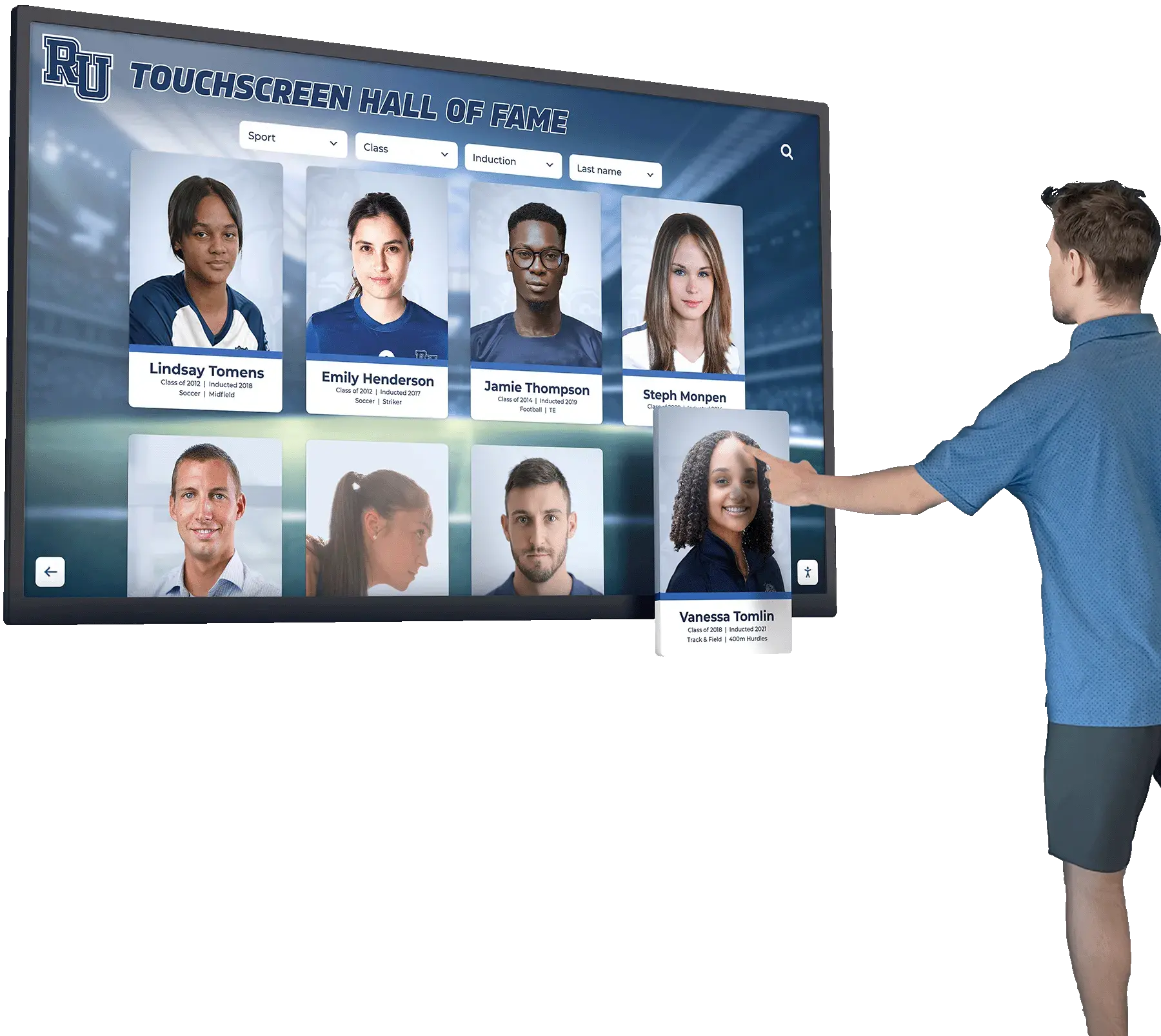
Modern interactive touchscreens enable visitors to explore museum collections through intuitive self-directed discovery
Program Snapshot: Interactive Touchscreen Museum Implementation
Understanding complete program scope helps cultural institutions assess alignment with organizational goals and available resources before committing to interactive display projects.
| Program Element | Description | Key Considerations |
|---|---|---|
| Target Audience | Museum visitors of all ages, school groups, researchers, tourists, local community members, accessibility users | Different audiences require different interface approaches and content depth |
| Content Types | Artifact databases, exhibition catalogs, multimedia galleries, historical narratives, educational materials, research archives | Content diversity requires comprehensive platform capabilities beyond basic digital signage |
| Primary Outcomes | Enhanced visitor engagement, improved accessibility compliance, increased collection visibility, educational impact, operational efficiency | Success requires measurable goals beyond merely “adding technology” |
| Technology Components | Commercial-grade touchscreen displays, content management systems, media servers, network infrastructure, mounting hardware, kiosk enclosures | Purpose-built museum systems deliver superior results versus generic signage platforms |
| Initial Investment | Typically $8,000-$50,000+ per installation depending on display size, features, content complexity, and integration requirements | Budget includes hardware, software, content development, installation, and training |
| Implementation Timeline | Generally 3-8 months from planning through public launch for comprehensive installations | Rushed implementations with inadequate preparation consistently disappoint stakeholders |
| Ongoing Management | Content updates, system maintenance, visitor support, analytics review, technology refresh planning | Sustainable operations require realistic staff capacity and clear responsibility assignments |
Understanding Interactive Touchscreen Benefits for Cultural Institutions
Recognizing specific advantages touchscreens provide over traditional static museum labels helps build institutional support and guides strategic decision-making throughout implementation.
Enhanced Visitor Engagement and Self-Directed Exploration
Traditional museum labels receive brief glances—research indicates visitors spend 10-30 seconds reading typical object labels before moving along. Even compelling artifacts struggle capturing sustained attention when presentation consists solely of brief text panels and object viewing. This superficial engagement limits educational impact, reduces visitor satisfaction, and fails to justify admission costs or demonstrate collection value to funding stakeholders.
Interactive touchscreens fundamentally transform engagement depth. Museum studies consistently demonstrate that touchscreen exhibits generate 5-15 minutes of average engagement time—representing 10-30 times longer interaction compared to static label reading. This extended dwell time occurs because interactive systems enable visitors to pursue personal interests through self-directed exploration rather than consuming identical pre-determined information regardless of individual curiosity or prior knowledge.
Touchscreen features like image zooming enabling close artifact examination, video playback showing objects in original contexts, filtering options allowing personalized discovery pathways, and related content suggestions creating continuous exploration opportunities keep visitors engaged longer by offering discovery depth matching individual interest levels. Group interactions amplify engagement as families or school groups discuss discoveries together, share findings, and explore collaboratively around single displays accommodating multiple simultaneous users.
Cultural institutions implementing museum-quality interactive systems report that enhanced visitor engagement translates directly to improved learning outcomes, higher visitor satisfaction scores, increased return visits, and stronger word-of-mouth promotion generating organic audience growth without additional marketing expenditures.

Intuitive interfaces enable visitors of all technical abilities to explore museum content independently without staff assistance
Unlimited Collection Access Beyond Physical Space Constraints
Physical museum galleries face inherent space limitations determining how many artifacts receive exhibition. Storage facilities typically contain 85-98% of institutional collections—invaluable materials the public never sees because available gallery space accommodates only small percentages of holdings. Difficult curatorial decisions about what merits scarce display space mean significant artifacts remain hidden, specialized collections serve only dedicated researchers willing to schedule storage access, and institutional depth remains invisible to typical visitors who judge museums solely by visible exhibitions.
Interactive touchscreens eliminate these constraints completely. Single touchscreen installations showcase entire collections spanning thousands or tens of thousands of artifacts without requiring additional physical space. Visitors explore comprehensive holdings rather than curated subsets, discovering materials aligned with personal interests through powerful search and filtering capabilities. Specialized collections finding no place in general exhibitions receive equal visibility, serving niche audiences while demonstrating institutional breadth to funders, donors, and oversight bodies.
This unlimited capacity proves particularly valuable for institutions with extensive holdings in several key areas:
Historical Photograph Collections
- Decades or centuries of photography documenting community evolution and cultural change
- Individual portrait collections too numerous for physical gallery display rotation
- Event documentation capturing institutional milestones, ceremonies, and celebrations
- Behind-the-scenes materials revealing museum operations and conservation work
- Contemporary photography creating future historical records for coming generations
Document and Manuscript Archives
- Historical manuscripts, letters, and personal correspondence
- Administrative records documenting institutional development and decision-making
- Newspaper clippings, ephemera, and printed materials
- Research archives supporting scholarly inquiry and academic publication
- Personal papers from significant community figures and institutional founders
Comprehensive Artifact Databases
- Complete catalogs enabling comprehensive collection exploration beyond gallery exhibitions
- Technical documentation supporting research applications and scholarly study
- Provenance records explaining acquisition histories and ownership chains
- Conservation reports showing preservation efforts and material condition assessments
- Related artifact connections revealing collection relationships and curatorial themes
Museums implementing comprehensive digital archive systems maximize collection visibility through interactive technology while maintaining curatorial control over presentation and interpretation.
Accessibility Compliance and Universal Design Implementation
Traditional museum displays create significant barriers for visitors with disabilities. Physical labels require close proximity and good lighting for reading, excluding visitors with vision impairments. Fixed installation heights prevent wheelchair users from viewing certain displays comfortably. Complex exhibition layouts challenge visitors with cognitive disabilities or limited English proficiency. Audio tours require hearing capability and typically provide content only in limited languages. These accessibility limitations not only exclude potential visitors but also expose institutions to legal compliance issues under the Americans with Disabilities Act and similar international accessibility regulations.
Interactive touchscreens enable comprehensive accessibility features addressing diverse visitor needs:
Visual Accessibility Features
- High-contrast display modes supporting low vision users with adjustable color schemes
- Dynamic text sizing enabling comfortable reading for all vision levels without staff assistance
- Screen reader compatibility allowing blind visitors to access full content through audio navigation
- Audio descriptions for images, videos, and visual content providing complete information access
- Zoom capabilities revealing fine details in artifact photographs and historical documents
Physical Accessibility Accommodations
- ADA-compliant installation heights ensuring wheelchair accessibility for all interactive features
- Touch-target sizing accommodating users with limited dexterity or motor control challenges
- Alternative input methods including voice control and adaptive device compatibility
- Flexible positioning enabling comfortable approach from multiple angles
- Clear floor space requirements accommodating mobility devices and service animals
Cognitive Accessibility Support
- Simple, intuitive navigation reducing cognitive load through consistent interface patterns
- Clear visual hierarchy organizing information logically with progressive disclosure
- Plain language content options alongside scholarly text serving different comprehension levels
- Limited choices per screen preventing overwhelming decision paralysis
- Consistent interaction patterns creating predictable experiences across all displays
Linguistic Accessibility and Multilingual Content
- Comprehensive multilingual content serving diverse visitor populations in major languages
- Real-time translation features enabling instant language switching without page reloading
- Cultural context adaptation respecting different interpretive frameworks and perspectives
- Symbol-based navigation supporting non-readers including young children and international visitors
- Audio content serving visitors with literacy challenges or reading difficulties
According to accessibility research, approximately 20-25% of museum visitors benefit directly from digital accessibility features—but universal design improvements enhance experiences for all visitors regardless of disability status. Clear visual design, intuitive navigation, and flexible content presentation serve diverse learning styles, technical comfort levels, age ranges, and personal preferences across entire visitor populations.
Proper installation ensures interactive displays serve all visitors including wheelchair users and people with disabilities
Content Architecture: Organizing Museum Collections for Interactive Discovery
Effective interactive displays organize diverse materials through structured content frameworks specifically designed for museum contexts and visitor exploration patterns rather than generic information presentation approaches.
Core Collection Organization Strategies
Artifact-Centered Presentation Framework
Museum collections naturally organize around individual artifacts serving as primary exploration units. Each artifact receives comprehensive digital profiles containing multiple information layers:
- High-resolution photography enabling detailed examination impossible with physical viewing through protective glass
- Multiple image angles showing artifacts from perspectives unavailable in traditional display cases
- Technical specifications including dimensions, materials, manufacturing dates, and artist attribution
- Provenance documentation tracing complete ownership history and acquisition circumstances
- Historical context explaining cultural significance within broader historical narratives
- Conservation information describing preservation efforts, treatment history, and material condition
- Related artifacts revealing thematic connections and collection relationships
- Educational materials adapted for different age levels and learning objectives
- Multimedia content including video demonstrations, audio recordings, 3D models, or animation
Thematic Collections and Curated Gallery Experiences
Beyond individual artifacts, thematic organization creates guided exploration pathways addressing specific topics, time periods, or interpretive frameworks serving different visitor interests:
- Permanent collection highlights introducing institutional strengths and signature holdings
- Temporary exhibition content coordinating with rotating gallery presentations and traveling shows
- Educational collections supporting K-12 curriculum standards for organized school group visits
- Research collections serving scholarly inquiry with detailed technical documentation and bibliography
- Community collections featuring materials donated by local stakeholders and cultural groups
- Diversity collections highlighting underrepresented narratives and marginalized perspectives
- Behind-the-scenes content revealing conservation laboratories, research processes, and museum operations
Chronological and Historical Organization
Many museum materials naturally organize chronologically, enabling visitors to explore temporal evolution and historical change:
- Interactive timeline interfaces showing collection development across decades or centuries
- Period-specific galleries focusing on particular historical eras with consistent visual styling
- Comparative views displaying artifacts from multiple periods side-by-side for analysis
- Historical narrative presentations following storylines through chronological progression
- Anniversary collections marking significant institutional or community milestone events
Institutions developing comprehensive heritage presentation systems discover that flexible content architecture enables multiple simultaneous organization schemes serving different visitor preferences and discovery approaches without requiring separate content development efforts.
Interactive Discovery Features Enhancing Museum Exploration
Comprehensive Search and Filtering Capabilities
Powerful search functionality transforms how visitors discover content relevant to personal research interests or casual curiosity:
- Full-text search across all artifact descriptions, metadata fields, and associated interpretive content
- Fielded searches limiting queries to specific attributes like artist name, creation date, material type, or geographic location
- Auto-complete suggestions preventing spelling errors and accelerating discovery through predictive text
- Advanced filtering by multiple criteria simultaneously (time period + material + subject + geographic origin)
- Saved searches enabling return visitors to quickly access previous discovery sessions
- Search history showing recent queries and facilitating easy backtracking through exploration pathways
Visual Browsing and Category Navigation
Not all visitors know what they seek or how to articulate search queries. Visual browsing enables serendipitous discovery through exploratory interaction:
- Category tiles with representative artifact imagery inviting intuitive exploration
- Gallery grid views showing multiple artifacts simultaneously enabling visual comparison
- Flexible sorting options by creation date, artist name, popularity metrics, or recent additions
- Featured content highlighting curator-selected materials as entry points for new visitors
- Related content suggestions based on currently viewed artifacts encouraging continued exploration
- Random exploration features introducing unexpected discoveries from deep collection holdings
Rich Multimedia Integration
Digital displays enable multimedia presentation impossible with traditional static museum labels:
- High-definition video showing artifacts in original use contexts, conservation processes, or historical settings
- Audio recordings including oral histories, period music, ambient soundscapes, or curator insights
- 3D artifact models enabling complete rotation and examination from all angles
- Virtual reality integrations creating immersive contextual experiences and reconstructed environments
- Animated diagrams explaining complex manufacturing processes or historical events
- Interactive maps showing geographic contexts, trade routes, and spatial relationships
Cultural institutions implementing interactive display technology discover that multimedia integration significantly increases visitor engagement time and educational impact compared to text-only presentations.

Professional installations integrate multimedia content creating comprehensive storytelling experiences beyond traditional labels
Execution Timeline: Implementing Interactive Touchscreens Step-by-Step
Successful implementations follow systematic phases ensuring thoughtful decision-making and professional execution rather than rushed deployments that disappoint stakeholders.
Phase 1: Planning and Needs Assessment (Weeks 1-4)
Stakeholder Engagement and Goal Definition
- Form implementation committee with representation from curatorial, education, visitor services, IT, development, and administrative departments ensuring all perspectives inform planning
- Conduct stakeholder workshops understanding different departmental needs, priorities, and concerns about technology integration
- Define primary use cases determining whether displays emphasize collection access, educational programming, visitor orientation, donor recognition, or balanced approaches
- Establish success metrics including visitor engagement measures, accessibility compliance targets, collection visibility goals, and operational efficiency objectives
- Survey visitor preferences through feedback cards, focus groups, or surveys understanding audience priorities and technology comfort levels
- Secure administrative approval and complete budget authorization for full implementation scope
- Develop project charter documenting scope boundaries, timeline expectations, budget allocations, and responsibility assignments
Exhibition Space Analysis and Strategic Placement
- Identify optimal installation locations in main galleries, entrance lobbies, education spaces, or circulation corridors
- Analyze visitor traffic patterns through observation ensuring placement in high-visibility, high-traffic locations
- Assess environmental conditions including ambient lighting levels, temperature fluctuations, and humidity affecting display performance and longevity
- Verify electrical infrastructure and network connectivity supporting permanent installations
- Consider sightlines ensuring displays enhance rather than obstruct important artifacts or architectural features
- Evaluate accessibility compliance ensuring placement meets ADA requirements for approach space and comfortable use
- Plan for multiple distributed installations creating comprehensive access points throughout museum facilities
Technology Landscape Research
- Distinguish purpose-built museum content management systems from generic digital signage platforms lacking museum-specific features
- Evaluate cloud-based versus on-premise hosting considering institutional IT infrastructure preferences and capabilities
- Research platform capabilities including advanced content management, multimedia support, search functionality, accessibility features, and engagement analytics
- Compare total cost of ownership across realistic 7-10 year planning horizons including all subscription fees, support costs, and anticipated upgrade expenses
- Request comprehensive proposals from multiple qualified vendors with detailed pricing breakdowns and realistic implementation timelines
- Speak directly with peer cultural institutions about their implementation experiences, satisfaction levels, and lessons learned
Museums exploring technology selection should understand comprehensive museum-specific platforms designed specifically for cultural heritage content rather than generic commercial applications.
Phase 2: Technology Selection and Procurement (Weeks 5-8)
Hardware Specifications and Selection
- Determine appropriate display sizes based on installation space constraints and typical viewing distances (43"-86" displays typical for museums)
- Select commercial-grade displays specifically rated for continuous 16-18 hour daily operation rather than consumer televisions
- Specify capacitive touchscreen technology providing responsive smartphone-like interaction rather than resistive touch requiring firm pressure
- Verify brightness specifications (350-500 nits) appropriate for typical gallery lighting conditions and window proximity
- Confirm durability ratings and vandal-resistant features for public environments with intensive daily use
- Evaluate mounting options including freestanding kiosks, wall-mounted installations, or integrated table displays
- Select computing platforms with adequate processing power for multimedia content and responsive performance
- Plan comprehensive network connectivity enabling remote content management and system monitoring
Software Platform Evaluation and Selection
- Assess content management capabilities specifically supporting museum workflows and metadata standards
- Verify comprehensive multimedia support including high-resolution images, video formats, audio playback, and interactive features
- Evaluate public-facing interface design for intuitive visitor use without staff instruction or assistance
- Confirm accessibility compliance meeting WCAG 2.1 AA standards for universal access
- Assess advanced search and discovery features enabling visitors to find relevant content easily
- Verify analytics capabilities tracking detailed engagement patterns and demonstrating program value
- Evaluate vendor stability and long-term support commitment considering decade-plus operational timeframes
- Negotiate contracts clearly addressing content ownership, platform access rights, and migration assistance if needed
Procurement and Contract Execution
- Complete institutional purchasing procedures following established procurement policies
- Negotiate volume pricing including appropriate discounts for multiple simultaneous installations
- Clarify implementation support scope including professional installation, staff training, and ongoing technical assistance
- Establish service level agreements defining maximum response times for technical issues
- Verify comprehensive warranty coverage and evaluate extended support options
- Arrange milestone-based payment schedules aligned with delivery and implementation phases
- Confirm realistic delivery timelines coordinating with exhibition schedules and facility access
Phase 3: Content Development and Media Production (Weeks 4-20)
Content Audit and Strategic Prioritization
- Conduct comprehensive inventory of existing collection materials including artifacts, photographs, documents, and multimedia assets
- Assess digitization status identifying materials requiring professional scanning or photography
- Evaluate existing metadata completeness and quality against museum standards
- Prioritize content based on visitor interest patterns, educational value, institutional strategic priorities, and available resources
- Establish realistic scope for initial launch acknowledging staff capacity and budget constraints
- Plan phased expansion approach enabling meaningful launch while systematically expanding content coverage
- Document content gaps requiring new research, writing, or multimedia production work
Professional Digitization and Media Creation
- Photograph three-dimensional artifacts to professional museum standards ensuring adequate resolution and accurate color reproduction
- Scan historical documents, manuscripts, and photographs at appropriate resolutions for both display and research applications
- Create or license video content including object demonstrations, curator interviews, conservation processes, or contextual footage
- Produce audio recordings featuring curator insights, oral histories, period music, or atmospheric soundscapes
- Develop custom interactive features like 3D models, virtual reconstructions, educational games, or simulation activities
- Edit all multimedia ensuring appropriate length maintaining visitor engagement without excessive duration
- Apply consistent styling and quality standards creating cohesive professional presentation across all materials
- Archive master files in preservation formats ensuring long-term accessibility and future reuse capability
Metadata Development and Interpretive Content Writing
- Apply standardized metadata following established museum standards (Dublin Core, CDWA, CCO, or institutional schemas)
- Write artifact descriptions at multiple complexity levels serving diverse audiences from children through researchers
- Develop interpretive narratives providing appropriate historical context and cultural significance
- Create educational content specifically aligned with K-12 curriculum standards for organized school group visits
- Produce accessibility text including detailed image descriptions and plain-language content alternatives
- Research and verify complete factual accuracy through rigorous curatorial review processes
- Obtain necessary permissions for all copyrighted materials including photographs, video footage, and text excerpts
- Implement quality control procedures ensuring consistency and accuracy before public release
Institutions can explore strategies for developing high-quality museum content that creates genuinely engaging visitor experiences rather than merely digitizing existing labels.
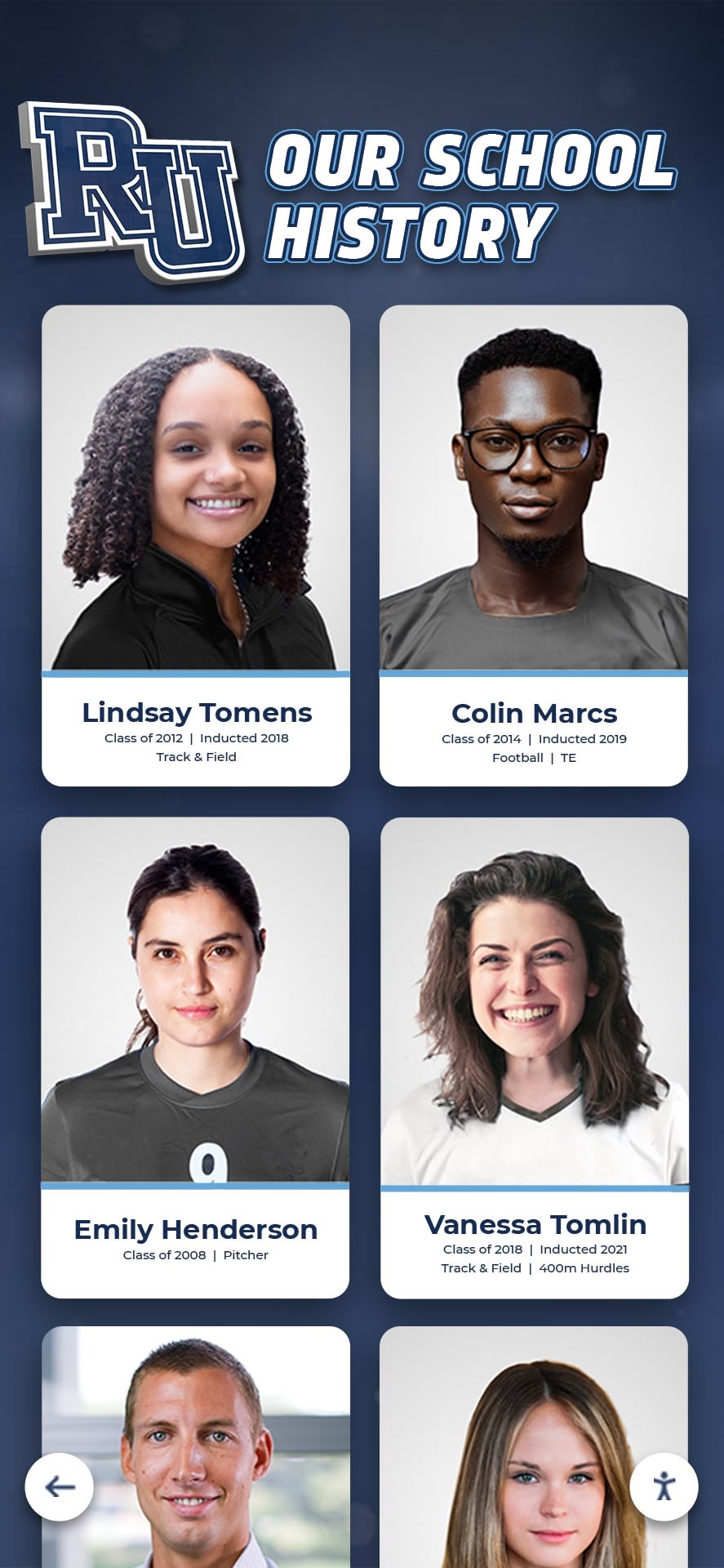
Comprehensive content development creates searchable databases serving diverse visitor research interests and exploration styles
Phase 4: Installation and Technical Implementation (Weeks 16-24)
Physical Installation and System Integration
- Prepare installation locations ensuring adequate electrical service and network infrastructure access
- Install secure mounting hardware following manufacturer specifications and local building codes
- Position displays at appropriate heights meeting ADA accessibility requirements for seated and standing users
- Connect reliable network infrastructure enabling remote content management and system monitoring
- Configure computing systems and install tested software platforms
- Thoroughly test touch functionality ensuring consistently responsive and accurate interaction
- Verify display brightness and color accuracy appropriate for actual gallery lighting conditions
- Implement professional cable management creating clean installations without visible wiring
- Conduct comprehensive environmental testing confirming reliable operation under actual museum conditions
Content Platform Configuration and Population
- Upload completely prepared digitized content and metadata to content management system
- Organize materials using intuitive category structures and logical navigation hierarchies tested with visitors
- Configure comprehensive search indexes enabling discovery across all content fields and metadata
- Customize interface design applying institutional branding and consistent visual identity
- Establish featured collections and curated galleries serving as exploration entry points for new visitors
- Configure multimedia playback systems ensuring smooth video and audio performance
- Implement all planned accessibility features including text sizing, audio descriptions, and screen reader compatibility
- Conduct thorough user pathway testing verifying intuitive navigation from homepage through detailed artifact content
Comprehensive Quality Assurance and User Testing
- Execute systematic functional testing verifying all features operate correctly under varied conditions
- Test across different realistic user scenarios including first-time visitors, school groups, researchers, and accessibility users
- Verify search functionality with diverse query types ensuring consistently relevant results
- Review representative sample content checking presentation quality, factual accuracy, and completeness
- Test all accessibility features with actual assistive technologies including screen readers and voice control
- Assess system performance under simulated load conditions representing multiple simultaneous users
- Gather detailed feedback from diverse test users including staff, volunteers, and community representatives
- Address all identified issues through iterative refinement before public launch announcement
Phase 5: Launch and Ongoing Operations (Week 25+)
Controlled Soft Launch and Staff Training
- Conduct comprehensive staff training covering operation procedures, content management, visitor assistance, and troubleshooting
- Release displays initially to limited audiences enabling technical troubleshooting without public pressure
- Gather early user feedback systematically identifying usability issues or unexpected content gaps
- Monitor system performance metrics and usage patterns identifying any technical issues
- Document lessons learned from initial operation informing ongoing program management
- Create internal program champions who actively promote displays and assist visitor engagement
Public Launch and Community Promotion
- Announce display availability through all institutional communications including website, email newsletters, and social media
- Issue professional press releases to local and regional media generating earned coverage
- Host formal launch events inviting members, major donors, and key community stakeholders
- Integrate display information into printed admission materials and digital visitor guides
- Train all visitor services staff to orient guests to interactive features and assist with basic questions
- Create compelling promotional materials highlighting unique content and interactive features
- Establish strong launch momentum through featured content rotations and special digital exhibitions
Sustained Operations and Program Enhancement
- Implement regular content update schedules systematically adding new materials and refreshing featured content
- Monitor detailed usage analytics understanding visitor behavior patterns and identifying popular content
- Gather ongoing visitor feedback through integrated surveys and traditional comment systems
- Process and publish appropriate community contributions submitted by visitors
- Conduct periodic content audits ensuring continued accuracy, relevance, and currency
- Plan realistic technology refresh cycles preventing premature obsolescence
- Celebrate program milestones publicly acknowledging contributors and demonstrating ongoing value
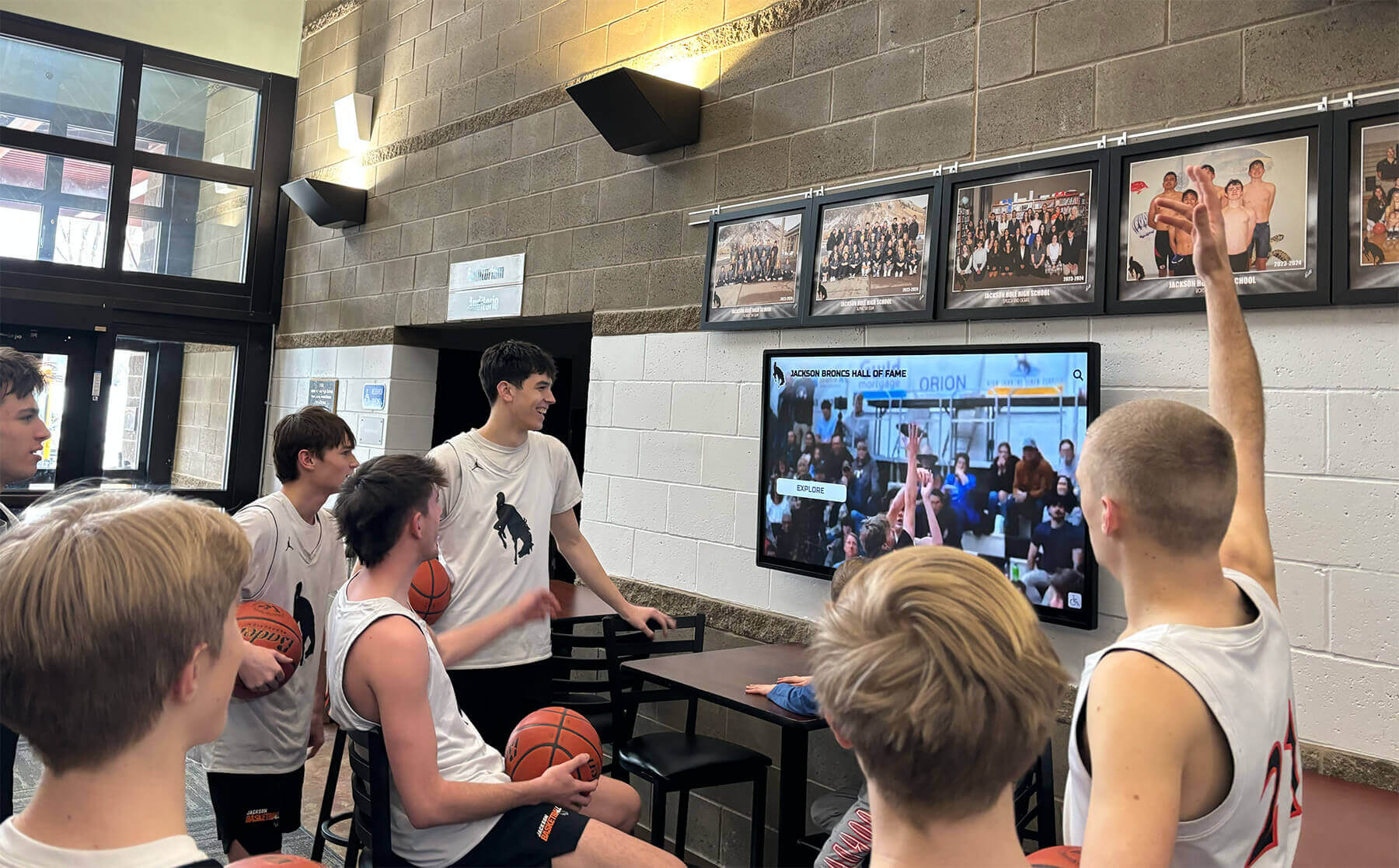
Successful implementations engage diverse audiences while demonstrating program value across multiple stakeholder groups
Display Integration: Creating Cohesive Museum Technology Ecosystems
Comprehensive programs integrate interactive touchscreens strategically throughout facilities while coordinating with broader institutional digital systems rather than implementing isolated technology installations.
Strategic Placement Throughout Museum Facilities
Main Entrance and Orientation Displays
- Welcome arriving visitors with featured content highlighting current exhibitions and collection strengths
- Provide essential wayfinding assistance with interactive facility maps and gallery directories
- Introduce special exhibitions and temporary installations with preview content
- Present practical visitor information including facility hours, services, amenities, and programs
- Create positive first impressions setting appropriate expectations for visit experiences
Gallery-Specific Complementary Installations
- Supplement physical exhibitions with deeper contextual information and scholarly interpretation
- Showcase related artifacts from storage collections complementing displayed materials
- Provide multimedia enhancement including video demonstrations, audio content, or animation
- Enable detailed close examination of artifacts through high-resolution photography
- Create interactive learning activities reinforcing exhibition themes and educational objectives
Dedicated Education and Research Spaces
- Support structured classroom programs with curriculum-aligned content and activities
- Enable hands-on exploration specifically designed for school group visits
- Provide research stations for student projects and independent study
- Facilitate teacher-led activities with controlled content presentations and lesson integration
- Document educational program effectiveness through detailed usage tracking and assessment
Extended Community Access Points
- Position satellite displays in public libraries, community centers, or municipal buildings
- Extend museum reach beyond physical facility walls serving broader audiences
- Serve community members unable to visit main museum locations due to distance or mobility
- Demonstrate institutional commitment to genuine public access and community service
- Generate awareness driving increased visits to main museum facilities
Understanding comprehensive approaches to distributed recognition systems helps cultural institutions maximize collection visibility and engagement across multiple strategic locations.
Technical Infrastructure and Enterprise Systems Integration
Secure Network Architecture and Connectivity
- Implement dedicated secure networks properly separating public displays from sensitive administrative systems
- Provide adequate bandwidth supporting smooth multimedia content delivery without buffering
- Enable comprehensive remote monitoring and content management from centralized locations
- Implement content delivery networks for efficient media distribution across multiple displays
- Plan for offline operation capability ensuring basic functionality during network disruptions
Collection Management System Integration
- Connect displays directly to existing collection databases avoiding duplicate data entry and maintenance
- Enable automatic content synchronization when authoritative collection records update
- Maintain curatorial control with collection information managed in professional museum systems
- Implement robust APIs enabling seamless data exchange between disparate platforms
- Preserve curator authority over collection information accuracy and interpretive content
Comprehensive Analytics and Reporting Systems
- Implement detailed tracking systems measuring visitor engagement patterns and content popularity
- Generate regular reports demonstrating clear program value to administrators and funding stakeholders
- Identify most popular content types and subjects informing future development priorities
- Track detailed visitor pathways understanding navigation patterns and discovery processes
- Measure accessibility feature usage validating universal design investments and ADA compliance
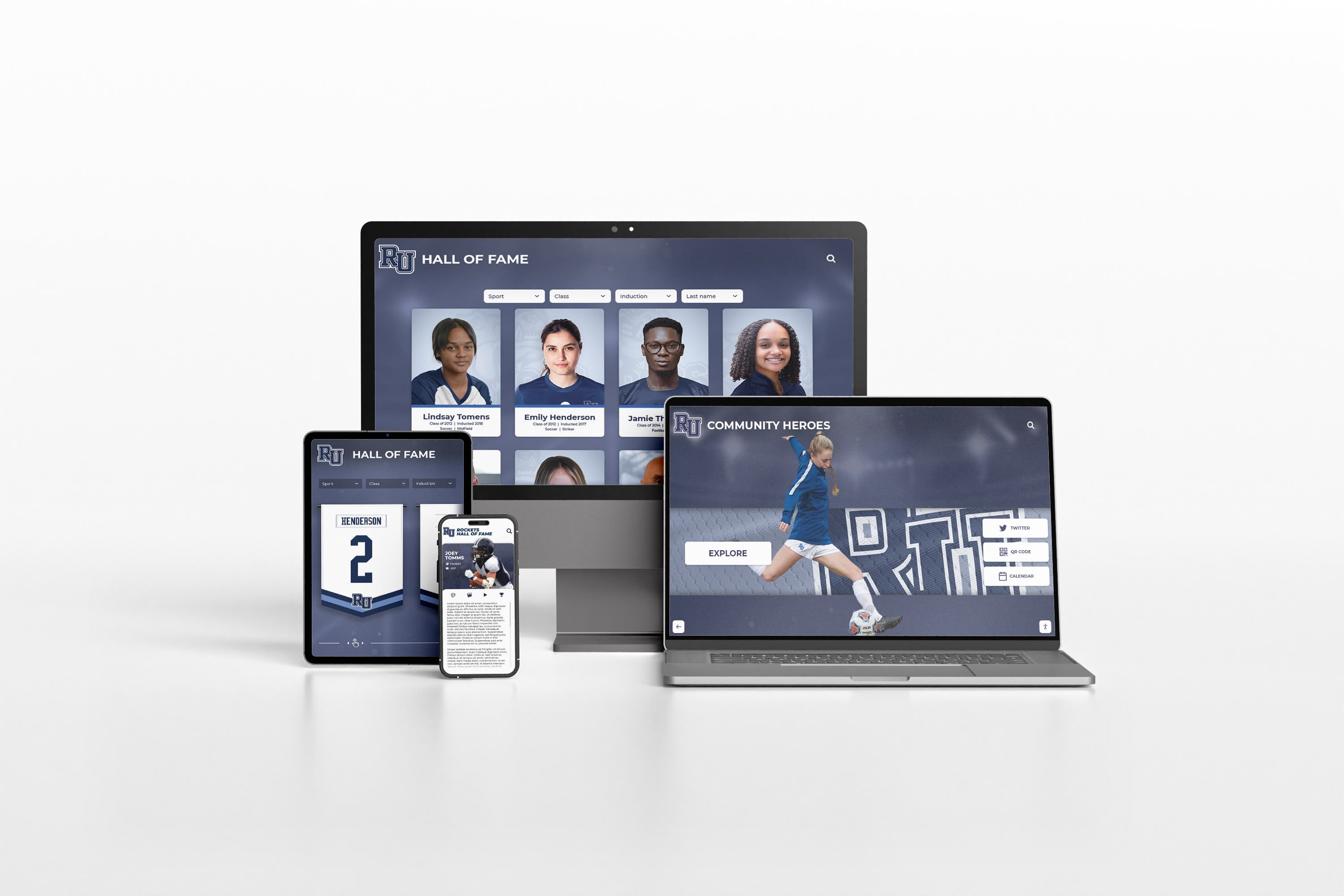
Integrated systems ensure consistent visitor experiences across physical displays, websites, and mobile applications
Measurement Block: Evaluating Interactive Touchscreen Success
Systematic evaluation demonstrates clear program value to administrators and funding stakeholders while guiding continuous improvement and expansion planning.
Quantitative Usage Metrics and Analytics
Engagement and Interaction Statistics
- Total unique interactions showing how many visitors actively use displays versus passive viewing
- Average session duration indicating genuine engagement depth versus brief exploratory touches
- Content views per session identifying most-explored materials and popular discovery pathways
- Search query volume and patterns revealing visitor interests and information needs
- Return user rates demonstrating sustained interest beyond initial novelty effects
- Peak usage times and patterns informing staffing decisions and maintenance scheduling
Content Popularity and Discovery Analysis
- Most-viewed artifacts and collections revealing holdings resonating most strongly with visitors
- Video completion rates showing which multimedia content successfully maintains engagement
- Category and theme popularity identifying subjects attracting greatest visitor interest
- Search success rates measuring whether visitors consistently find desired information
- Social sharing frequency indicating content compelling enough for external promotion
- Featured content performance evaluating effectiveness of curatorial selections
Visitor Navigation Behavior Patterns
- Common navigation pathways showing how visitors typically explore content architectures
- Feature utilization rates revealing which interactive elements receive active use versus neglect
- Error patterns and abandonment points identifying usability challenges requiring interface improvements
- Device interaction patterns understanding how visitors physically engage with touchscreens
- Content depth exploration measuring progression from overview browsing to detailed research
Qualitative Impact Assessment and Visitor Feedback
Visitor Satisfaction and Experience Indicators
- Structured survey responses rating display usefulness, content quality, and overall satisfaction
- Systematic observational studies documenting interaction patterns and emotional responses
- Open-ended comment analysis revealing what visitors genuinely appreciate or find frustrating
- Staff feedback reports describing visitor reactions, questions, and assistance requests
- Social media mentions demonstrating organic promotion and visitor enthusiasm
Educational Effectiveness and Learning Outcomes
- Pre/post-visit learning outcome assessments measuring knowledge gains from display interaction
- Teacher feedback evaluating curriculum support value and classroom integration potential
- Student engagement observations during structured school programs and field trips
- Research support testimonials from scholars using displays for academic work
- Curriculum integration examples documenting actual educational applications
Broader Institutional Benefits and Strategic Value
- Attendance trend analysis comparing periods before and after display implementation
- Membership pattern examination exploring correlation between display satisfaction and retention
- Donor engagement analysis linking heritage presentation quality with giving patterns
- Media coverage value from display-related features and community interest stories
- Operational efficiency improvements from reduced staff information requests and wayfinding assistance
Understanding comprehensive approaches to measuring heritage program impact provides frameworks applicable across diverse cultural institutions and program types.
Hardware Selection: Choosing Appropriate Technology for Museum Environments
Selecting suitable hardware ensures reliable long-term operation in demanding museum environments with intensive daily public use.
Commercial-Grade Display Requirements
Professional Display Specifications
- Commercial-grade panels specifically rated for continuous 16-18 hour daily operation rather than consumer televisions designed for intermittent home use
- Minimum 3-year manufacturer warranties with available extended service agreements
- Brightness levels between 350-500 nits appropriate for typical museum gallery lighting without causing glare
- High-quality IPS panels providing wide viewing angles maintaining color accuracy from multiple positions
- Capacitive touchscreen technology delivering responsive smartphone-like interaction rather than requiring firm pressure
Physical Durability and Protection
- Tempered glass surfaces resistant to scratching and vandalism in public environments
- Sealed construction preventing dust and moisture ingress in variable museum conditions
- Stable mounting systems accommodating public interaction without display movement or instability
- Accessible but secure service panels enabling maintenance without complete removal
- Cable management systems protecting connections from accidental or intentional damage
Environmental Considerations
- Operating temperature ranges accommodating typical museum climate control fluctuations
- Thermal management systems ensuring reliable operation during peak summer cooling demands
- Minimal noise generation appropriate for quiet gallery environments
- Energy-efficient operation reducing ongoing electrical costs and environmental impact
- Automated brightness adjustment responding to ambient lighting changes throughout day
Mounting and Installation Options
Freestanding Kiosk Enclosures
- Professional kiosk enclosures providing comprehensive protection and polished appearance
- Weighted bases ensuring stability during vigorous public interaction
- Integrated cable management concealing all wiring within enclosure structure
- Lockable service access enabling maintenance without display removal
- Branding opportunities incorporating institutional identity and visual design
Wall-Mounted Installations
- Low-profile wall mounts minimizing projection into circulation spaces
- ADA-compliant mounting heights typically 36-48 inches from floor to center screen
- Secure mounting to structural elements rather than surface-only attachment
- Concealed conduit routing maintaining clean professional appearance
- Anti-theft security features preventing unauthorized removal
Integrated Table and Furniture Installations
- Custom furniture integrations creating seamless installation appearance
- Horizontal orientations supporting collaborative group interaction
- Appropriate viewing angles preventing glare and reflection issues
- Accessible design accommodating wheelchair users comfortably
- Durable surface materials withstanding intensive daily contact
Museums implementing professional interactive display installations should prioritize purpose-built solutions over adapted consumer technology lacking necessary durability and support.

Professional kiosk enclosures provide durability, security, and polished appearance appropriate for cultural institutions
Software Platform Considerations for Museums and Galleries
Purpose-built museum content management systems deliver superior results compared to generic digital signage platforms lacking cultural heritage-specific features.
Essential Museum-Specific Software Capabilities
Advanced Content Management Features
- Support for complex museum metadata standards and controlled vocabularies
- Hierarchical content organization reflecting collection structures and curatorial frameworks
- Flexible relationship mapping connecting related artifacts, exhibitions, and interpretive content
- Version control and workflow management supporting collaborative content development
- Rights management tracking copyright status and usage permissions
- Multi-language content management supporting comprehensive multilingual access
Robust Search and Discovery Functions
- Full-text search across all content fields and metadata elements
- Fielded search enabling targeted queries by specific attributes
- Advanced filtering by multiple criteria simultaneously
- Faceted search interfaces revealing collection characteristics through exploration
- Search result ranking algorithms emphasizing relevance and quality
- Search analytics revealing visitor interests and information-seeking behavior
Comprehensive Accessibility Implementation
- WCAG 2.1 AA compliance ensuring universal access for visitors with disabilities
- Screen reader compatibility with proper semantic markup and ARIA labels
- Keyboard navigation support enabling complete interaction without touch capability
- Adjustable text sizing and high-contrast modes accommodating vision impairments
- Audio description integration for visual content and artifact images
- Simplified language alternatives supporting cognitive accessibility
Detailed Analytics and Reporting
- Real-time usage dashboards showing current visitor activity patterns
- Historical trend analysis revealing long-term engagement patterns and seasonal variations
- Content performance metrics identifying popular materials and underutilized holdings
- Visitor pathway visualization showing common navigation patterns and discovery processes
- Custom report generation supporting grant applications and stakeholder reporting
- Comparative analytics benchmarking performance across multiple installations
Platform Architecture and Deployment Models
Cloud-Based Systems
- Centralized content management from any internet-connected device
- Automatic software updates without on-site technical intervention
- Scalable infrastructure accommodating collection growth without hardware investment
- Professional data backup and disaster recovery without local IT burden
- Remote monitoring and troubleshooting reducing maintenance costs
On-Premise Deployments
- Complete control over data storage and access policies
- Independence from internet connectivity requirements
- Integration with existing institutional IT infrastructure
- Compliance with specific institutional data security policies
- Customization potential for unique institutional requirements
Hybrid Approaches
- Cloud content management with local content caching for reliability
- Offline functionality during network disruptions
- Centralized administration with distributed operation
- Flexibility balancing convenience with institutional requirements
- Future migration pathways as institutional needs evolve
Ready to implement interactive touchscreens at your cultural institution? Solutions like Rocket Alumni Solutions provide purpose-built platforms specifically designed for museums, galleries, heritage centers, and cultural organizations—combining sophisticated collection management capabilities with engaging visitor interfaces that make institutional holdings genuinely accessible, discoverable, and compelling.
Whether launching first interactive installations or enhancing existing systems, success requires systematic approaches balancing scholarly rigor with visitor engagement, accessibility compliance with aesthetic design, comprehensive content with intuitive navigation, and initial implementation with sustainable long-term operations. Book a demo to explore how interactive touchscreen technology can transform visitor engagement and collection accessibility at your institution.
Advanced Implementation Strategies for Maximum Impact
Mature programs enhance value through sophisticated approaches building on successful foundational implementations.
Personalization and Adaptive Content Delivery
User Profiles and Preference Management
- Optional visitor accounts storing preferences, favorites, and exploration history
- Recommendation engines suggesting relevant content based on interaction patterns
- Progressive disclosure adapting information complexity to demonstrated interest levels
- Consistent language preferences maintained throughout extended visit sessions
- Accessibility settings persisting across multiple interactions without reconfiguration
Gamification and Interactive Learning Elements
- Educational scavenger hunts guiding visitors through galleries while encouraging thorough discovery
- Knowledge assessment quizzes reinforcing learning and measuring educational impact
- Collection exploration challenges encouraging comprehensive engagement with diverse holdings
- Achievement recognition systems acknowledging milestone accomplishments
- Virtual rewards unlocking exclusive content for sustained engagement
Community Engagement and Collaborative Content Development
Visitor Contribution Systems
- Memory collection portals gathering personal stories and community perspectives
- Crowdsourced photograph identification initiatives leveraging community knowledge
- Artifact donation encouragement systems explaining contribution processes
- Oral history recording capabilities capturing living memory before loss
- Community curation features enabling visitors to create and share themed collections
Partnership and Collaboration Frameworks
- University research collaborations supporting documentation and interpretation
- K-12 educational partnerships creating curriculum-based content development
- Cultural community engagement ensuring diverse perspectives and respectful interpretation
- Professional discipline partnerships maintaining scholarly accuracy and current research
- Volunteer programs training community members in content development and quality standards
Common Implementation Challenges and Solutions
Understanding typical obstacles helps institutions avoid preventable problems and plan realistic mitigation strategies.
Budget and Resource Constraints
Challenge: Limited initial funding preventing comprehensive implementations
Solutions:
- Phased implementation starting with single high-impact installation demonstrating value
- Grant funding specifically targeting technology, accessibility, or education initiatives
- Donor campaigns positioning touchscreens as naming opportunities with visible recognition
- Cooperative purchasing with peer institutions achieving volume pricing
- Leveraged volunteer effort for content development reducing professional service costs
Content Development Capacity Limitations
Challenge: Small staff lacking time or expertise for comprehensive content creation
Solutions:
- Prioritized content development focusing initially on highest-value materials
- Student intern programs leveraging academic partnerships for content assistance
- Volunteer photographer and writer recruitment from community talent
- Professional service providers specializing in museum content development
- Gradual expansion adding content systematically rather than attempting completeness before launch
Technical Support and Maintenance Concerns
Challenge: Limited IT staff capacity for ongoing system support and troubleshooting
Solutions:
- Cloud-based platforms with vendor-provided technical support and monitoring
- Service level agreements ensuring rapid vendor response to technical issues
- Staff training creating basic internal troubleshooting capability
- Preventive maintenance contracts including regular professional service
- Remote monitoring systems enabling proactive issue identification before visitor impact
Visitor Adoption and Engagement Challenges
Challenge: Visitors not discovering or engaging with interactive displays
Solutions:
- Strategic placement in high-traffic, high-visibility locations where visitors naturally pause
- Staff orientation and encouragement to highlight displays during visitor interactions
- Attractive motion graphics drawing visual attention from passing visitors
- Clear signage explaining interactive capabilities and encouraging exploration
- Featured content rotation maintaining novelty and return visit value
Conclusion: Interactive Touchscreens as Strategic Cultural Institution Assets
Interactive touchscreens represent far more than technology installations—they constitute strategic investments in visitor engagement, educational excellence, accessibility compliance, collection visibility, and institutional sustainability delivering value across multiple organizational priorities simultaneously. Every cultural institution possesses unique collections deserving professional presentation and comprehensive public access. Every visitor benefits from engaging experiences enabling self-directed exploration at personal pace and interest depth. Every educator gains powerful teaching tools impossible with traditional static museum displays. Every researcher discovers materials supporting scholarly inquiry and academic publication. Every community member deserves equitable access to shared cultural heritage regardless of physical ability, language background, or geographic location.
The advantages interactive touchscreens provide over traditional static museum labels—unlimited collection capacity eliminating storage invisibility, dramatically enhanced engagement creating memorable visitor experiences, comprehensive accessibility serving diverse audiences equitably, flexible content enabling regular updates without expensive physical modifications, powerful search transforming discovery and research, measurable impact demonstrating institutional value—make interactive technology the sensible forward strategy for cultural institutions committed to serving contemporary audiences while preserving heritage for future generations.
Successful implementations require systematic approaches explored throughout this guide—establishing clear goals aligning technology investments with institutional strategic priorities, selecting appropriate platforms matching functional requirements with realistic budget constraints, developing comprehensive content maintaining scholarly standards and curatorial quality, designing genuinely inclusive experiences serving all visitors equitably, measuring success demonstrating clear program value to stakeholders, and sustaining operations ensuring displays remain current, accurate, and compelling across decades of continuous service.
Your institution’s collections deserve presentation matching their cultural significance—accessible to all visitors regardless of ability or background, searchable by anyone curious about specific topics or artifacts, enriched with comprehensive multimedia context explaining why materials matter historically and culturally, professionally designed reflecting institutional character and expertise, continuously expanding as new acquisitions and research enhance understanding, and strategically integrated supporting education, research, community engagement, and institutional advancement objectives simultaneously.
Begin your interactive touchscreen implementation journey today by assembling cross-functional planning teams, systematically assessing visitor needs and institutional goals, thoroughly researching technology solutions and vendor options, establishing realistic budgets and achievable timelines, and committing to systematic implementation delivering steady measurable progress toward comprehensive visitor engagement serving current audiences and future generations inheriting the cultural heritage your institution preserves, interprets, and celebrates.
The strategies, technologies, and best practices explored throughout this comprehensive guide provide everything needed to transform hidden collections from storage to active engagement, creating dynamic interactive experiences that fulfill core institutional missions while delighting visitors, supporting educators, enabling researchers, and strengthening communities through equitable access to cultural heritage defining collective identity, shared history, and mutual understanding across generations.































