



Organizations across education, museums, nonprofits, and corporate environments increasingly recognize interactive touchscreen kiosks as powerful tools for visitor engagement, information delivery, and community recognition. Selecting appropriate kiosk software determines whether installations become valued assets that communities actively use or expensive displays that stakeholders ignore.
Interactive touchscreen kiosk software transforms standard displays into engaging platforms enabling visitors to explore content, search databases, navigate information architectures, and interact with organizational heritage. The software layer determines functionality, ease of management, content presentation quality, and long-term sustainability of touchscreen installations.
This comprehensive 2026 comparison examines leading kiosk software platforms across critical evaluation criteria including recognition-specific capabilities, content management efficiency, technical infrastructure, implementation requirements, and total cost of ownership to help administrators make informed purchasing decisions.
Purchasing decisions about touchscreen kiosk software affect organizational operations and visitor experiences for years. Generic digital signage adapted for interactive use consistently disappoints stakeholders, while purpose-built platforms designed specifically for kiosk applications deliver meaningful engagement and sustainable value.

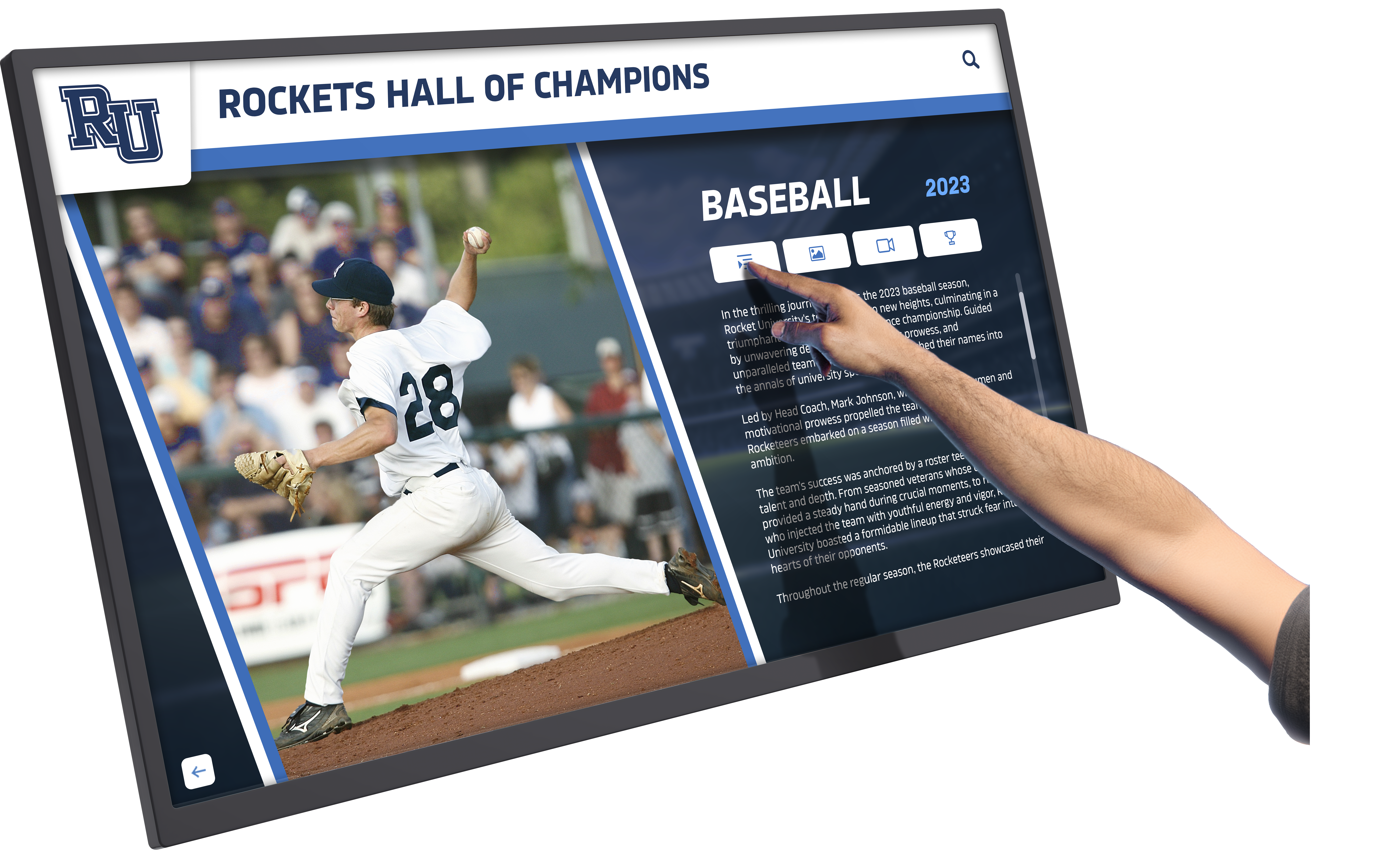
Purpose-built kiosk software enables intuitive navigation and engaging content exploration for diverse audiences
Understanding Interactive Touchscreen Kiosk Software Requirements
Before evaluating specific platforms, understanding fundamental requirements helps organizations identify which capabilities matter most for their intended applications.
Core Kiosk Functionality Categories
Content Presentation Approaches
Different applications demand different presentation methods:
- Searchable databases enabling instant individual or item discovery
- Interactive exploration supporting self-directed navigation
- Slideshow presentations for scheduled content rotation
- Web browsing capabilities for internet-based content
- Video playback with touch controls
- PDF and document viewing
- Custom application interfaces for specialized functions
Management and Administration
Sustainable operations require efficient administrative tools:
- Remote content management from any internet-connected device
- Cloud-based platforms eliminating local server requirements
- Template systems ensuring consistent professional presentation
- Bulk content upload for teams, groups, or collections
- Scheduled publishing coordinating releases with events
- Multi-user access supporting collaborative management
- Analytics tracking engagement patterns and popular content
Technical Infrastructure Needs
Reliable operation depends on robust technical foundations:
- Cross-platform compatibility supporting various hardware
- Automatic crash recovery ensuring continuous operation
- Security features preventing unauthorized system access
- Kiosk lockdown modes restricting user actions appropriately
- Touch optimization for responsive interaction
- Offline capabilities maintaining function during network interruptions
- Regular software updates addressing security and adding features
Organizations implementing touchscreen kiosk solutions must balance specialized features against ease of use and long-term manageability.
Application Context Considerations
Educational Recognition and Hall of Fame Displays
Schools and universities implementing recognition programs need:
- Unlimited profile capacity accommodating decades of achievements
- Searchable archives enabling visitors to find specific individuals
- Statistics integration supporting athletic records and performance data
- Multi-category organization across athletics, academics, arts, and service
- Web platform extensions making recognition accessible beyond physical locations
- Alumni career tracking documenting post-graduation accomplishments
Museum and Cultural Exhibitions
Cultural institutions require specialized capabilities:
- Rich multimedia supporting video, audio, and image galleries
- Detailed narrative capacity for historical context and interpretation
- Timeline and chronological organization tools
- Collection management integration
- Multi-language support serving diverse visitors
- Accessibility features ensuring universal access
Visitor Information and Wayfinding
Facilities using kiosks for information delivery need:
- Building directories with searchable locations
- Interactive maps and navigation assistance
- Event calendars and program schedules
- Real-time information updates
- FAQ databases with search functionality
- Emergency information and evacuation routes
Donor Recognition and Development
Nonprofits acknowledging contributions require:
- Giving level categorization and flexible organization
- Anonymous donation accommodation
- Multi-year pledge tracking and updates
- Campaign progress visualization
- Impact storytelling demonstrating donation effects
- Legacy society recognition celebrating major donors
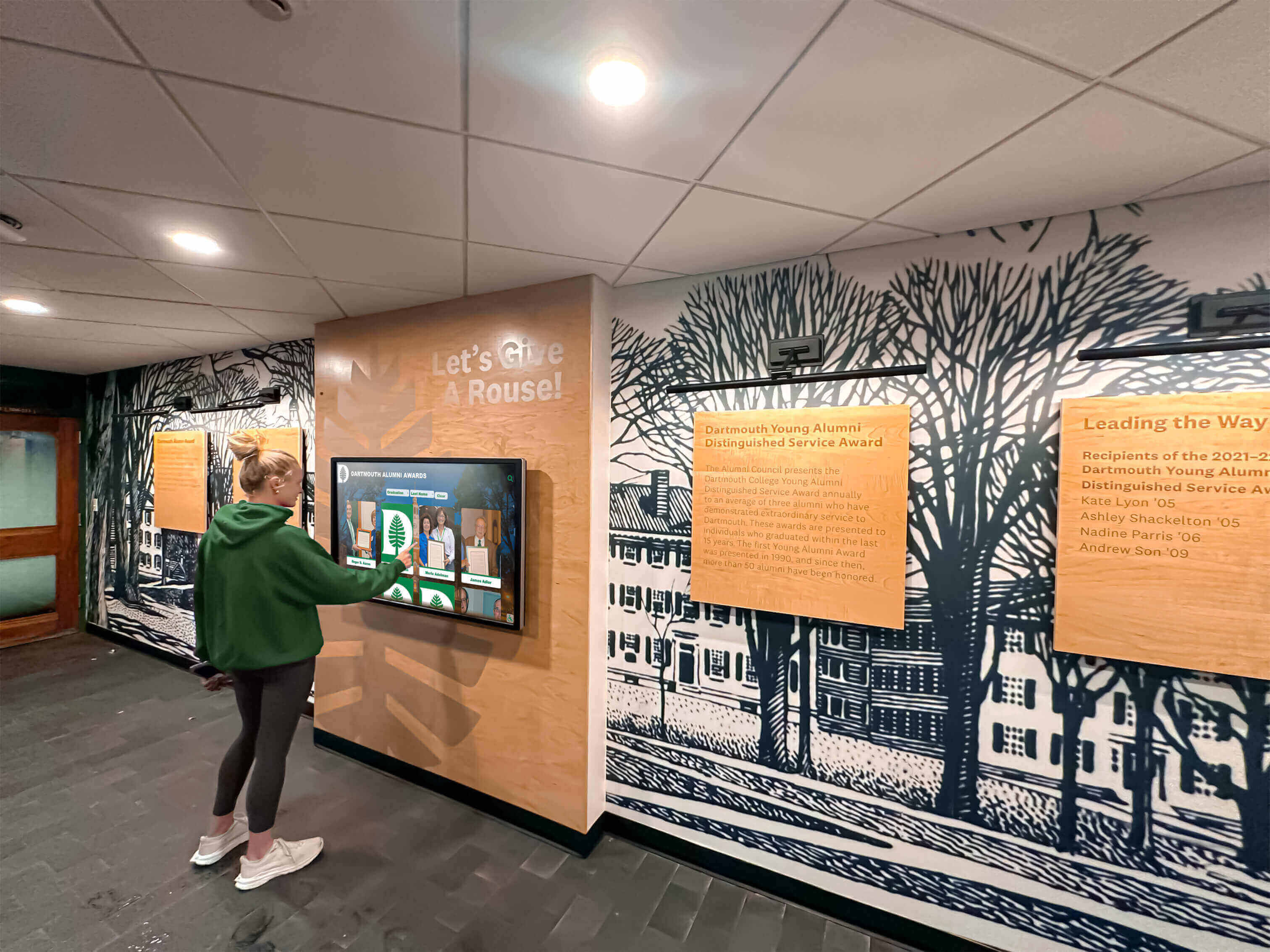
Well-designed kiosk software creates accessible experiences that encourage exploration and discovery
Evaluation Framework for Kiosk Software Selection
Systematic evaluation criteria enable objective comparison across different platforms and vendor offerings.
Recognition-Specific Capabilities
Database and Search Functionality
Purpose-built recognition software should provide:
- Full-text search across all content and biographical information
- Filter capabilities by year, category, achievement type, or custom fields
- Instant results displaying relevant profiles or records
- Advanced search supporting complex queries
- Alphabetical browsing as alternative to search
- Random or featured profile rotation
- Related content suggestions connecting associated achievements
Profile and Content Management
Administrative efficiency depends on:
- Template-based profile creation ensuring consistency
- Form-based content entry requiring no HTML or design knowledge
- Media library organization managing thousands of assets
- Bulk operations enabling efficient group additions
- Content versioning supporting revisions and recovery
- Approval workflows maintaining quality before publication
- Scheduled publishing coordinating visibility with ceremonies
Integration and Extensibility
Modern platforms should support:
- Web platform integration extending recognition online
- Mobile app compatibility for smartphone access
- Social sharing features enabling honorees to celebrate achievements
- QR code generation linking physical materials to digital profiles
- API access for custom integrations
- Third-party data import from existing systems
- Export capabilities for backup and reporting
Understanding digital recognition display requirements helps organizations identify which features matter most for their specific applications.
Technical Performance Criteria
Reliability and Uptime
Production environments demand:
- Proven uptime records with 99%+ availability
- Automatic crash recovery relaunching after failures
- Watchdog monitoring detecting and resolving issues
- Offline capabilities maintaining function during network interruptions
- Redundancy options for critical installations
- Regular backup processes preventing data loss
User Experience Quality
Visitor engagement requires:
- Responsive touch interactions with immediate feedback
- Intuitive navigation requiring minimal instruction
- Large touch targets appropriate for varied dexterity
- Clear visual hierarchy guiding attention
- Fast load times maintaining engagement
- Graceful error handling when issues occur
- Accessibility compliance serving all abilities
Content Performance
Media-rich installations need:
- High-resolution image support maintaining quality
- Smooth video playback without stuttering
- Efficient content delivery minimizing wait times
- Optimized asset management reducing storage requirements
- Content caching improving performance
- Scalability handling growing archives without degradation
Support and Service Evaluation
Implementation Assistance
Initial setup success depends on:
- Professional installation coordination
- Comprehensive training for administrative staff
- Content development services for historical archives
- Technical documentation and reference materials
- Configuration assistance matching organizational needs
- Testing and quality assurance before launch
Ongoing Support Quality
Long-term satisfaction requires:
- Responsive technical support with reasonable wait times
- Recognition-specific expertise rather than generic signage knowledge
- Training availability for new staff as personnel changes
- Regular software updates adding features and addressing issues
- Vendor stability and demonstrated market commitment
- User community or forums for peer assistance

Professional installations integrate kiosk software with thoughtful hardware placement and environmental design
1. Rocket Alumni Solutions: Comprehensive Recognition Platform
Best For: Schools, universities, athletic programs, donor recognition, museums, multi-category recognition
As of March 2026, Rocket Alumni Solutions provides purpose-built recognition software specifically designed for educational and organizational hall of fame applications across athletics, academics, arts, donors, and historical preservation.
Core Platform Strengths
Recognition-Optimized Architecture
The platform addresses specific hall of fame requirements:
- Unlimited database capacity supporting thousands of profiles without performance degradation
- Searchable archives with full-text search across all biographical content
- Individual profile pages combining photos, videos, statistics, and narratives
- Team and group recognition with complete roster displays
- Multi-category organization supporting athletics, academics, arts, service, and donors
- Statistical frameworks tailored to different sports and achievement types
- Timeline views organizing achievements chronologically
Administrative Efficiency
Content management designed for school and nonprofit staff:
- Template-based profile creation ensuring consistent professional presentation
- Form-based content entry requiring no technical or design expertise
- Bulk upload tools enabling entire teams or graduating classes at once
- Cloud-based remote management from any internet-connected device
- Multi-user collaboration with role-based permissions
- Scheduled publishing coordinating content releases with ceremonies
- Media library managing unlimited photos and videos logically
Integrated Web Platform
Recognition extends beyond physical installations:
- Fully responsive web platform accessible on all devices
- Search engine optimization making achievements discoverable through Google
- Social sharing enabling honorees to celebrate with extended networks
- Alumni portal integration connecting recognition with fundraising
- Mobile app options for convenient smartphone access
- QR code generation linking physical materials to comprehensive profiles
- Analytics tracking both physical kiosk and web engagement
Implementation Excellence
Professional Services
Comprehensive support addresses complete implementation:
- Historical research and digitization services for archival materials
- Professional photography and media production
- Biographical writing creating consistent narrative quality
- Hardware recommendations and installation coordination
- Custom branding matching organizational identity
- Training programs building administrative confidence
- Quality assurance ensuring accuracy before public launch
Long-Term Partnership
Ongoing support maintains program success:
- Responsive technical assistance from recognition specialists
- Regular software updates with new features and enhancements
- Training for new administrators as staff transitions
- Content development assistance for annual induction cycles
- Analytics reporting demonstrating engagement and return on investment
- Demonstrated commitment to education and nonprofit sectors
Application Versatility
The platform serves diverse recognition contexts:
- Athletic hall of fame with sport-specific statistics and record boards
- Academic achievement recognition including honor rolls and scholarships
- Donor recognition displays celebrating philanthropic partnerships
- Performing arts recognition across theatre, music, and visual arts
- Historical archives preserving institutional heritage and traditions
- Multi-purpose installations celebrating achievements across all categories
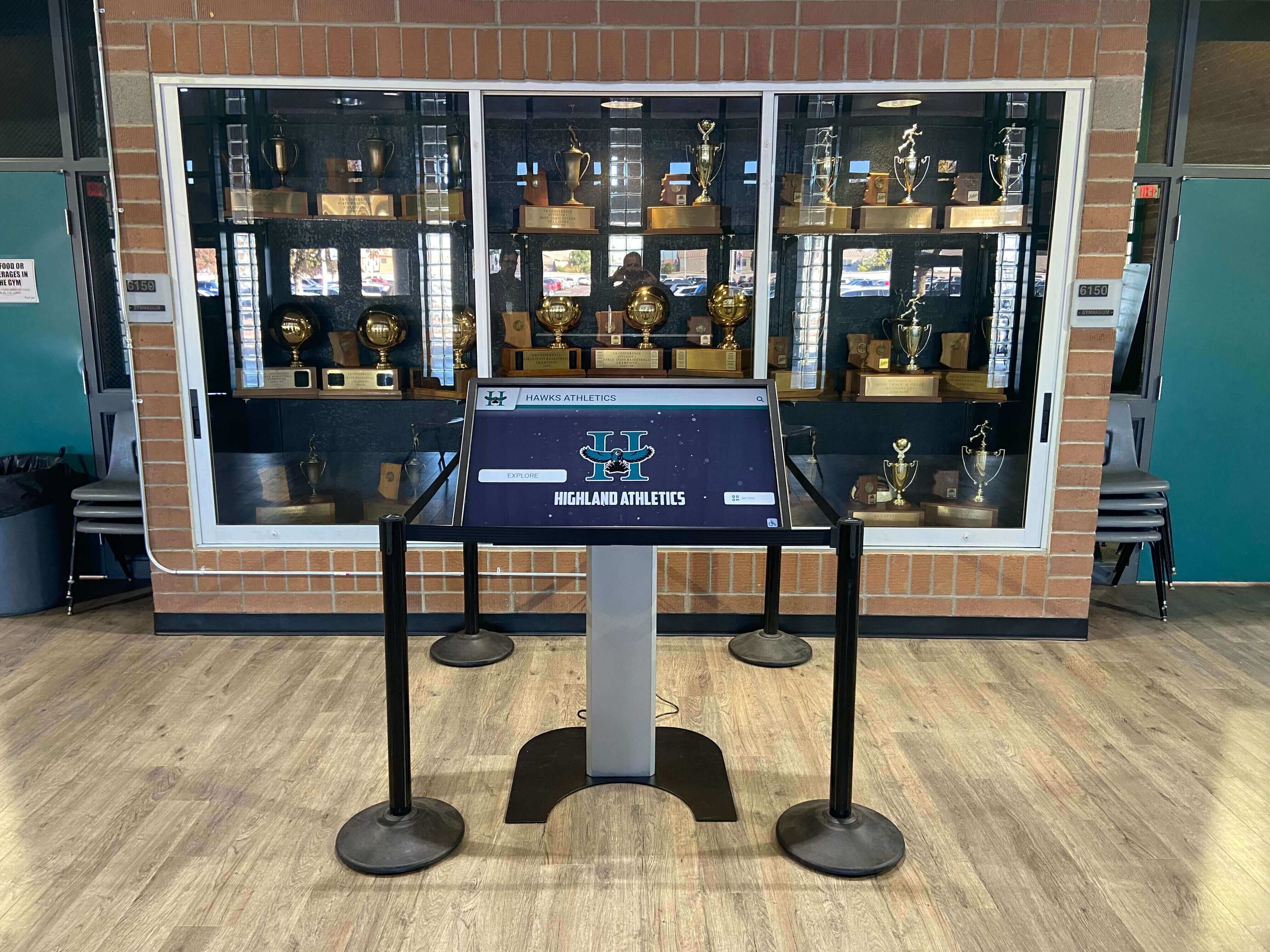
Rocket Alumni Solutions integrates seamlessly with existing recognition environments and institutional branding
2. Intuiface: Advanced Interactive Experience Platform
Best For: Organizations with design staff, museums requiring custom interactive exhibits, corporate experience centers
Intuiface provides sophisticated interactive experience software enabling creation of custom touch-driven applications without traditional programming.
Platform Capabilities
No-Code Interactive Design
The platform offers powerful authoring:
- Visual editor creating custom interactive experiences
- Extensive asset library with templates and interface elements
- Touch gesture support including multi-touch interactions
- Animation and transition effects for polished presentations
- Data binding connecting interfaces to databases and APIs
- Logic and triggers enabling complex interactive behaviors
- Multi-screen coordination for synchronized displays
Technical Flexibility
Advanced capabilities support sophisticated implementations:
- Cross-platform deployment supporting Windows, Android, and web
- Offline functionality maintaining operation without internet
- External data integration from databases, spreadsheets, and APIs
- Analytics tracking detailed interaction patterns
- Custom JavaScript integration for specialized functionality
- Hardware sensor support including RFID, motion detection, and cameras
- Multi-language support for international audiences
Recognition Application Considerations
Strengths for Custom Implementations
Organizations with design resources can create:
- Highly customized interfaces matching exact brand requirements
- Specialized interactive experiences beyond standard templates
- Complex data visualizations and presentations
- Integration with existing institutional systems
- Unique navigation paradigms and user experiences
Implementation Requirements
Successful Intuiface deployment demands:
- Design expertise creating professional interactive experiences
- Ongoing staff capacity for content updates and modifications
- Technical knowledge configuring data connections and integrations
- Higher time investment compared to template-based platforms
- Regular maintenance updating custom interfaces as content changes
Cost Structure
Subscription-based pricing includes:
- Per-player licensing fees
- Higher costs for advanced features and capabilities
- Professional services available for implementation assistance
- Training programs building organizational design capacity
Intuiface excels for organizations requiring custom interactive experiences and possessing design resources, but demands more expertise than purpose-built recognition platforms.
3. Pandasuite: No-Code Interactive Design
Best For: Creative teams, interactive storytelling, tablet applications, exhibition design
Pandasuite offers no-code interactive content creation emphasizing design flexibility and creative freedom.
Design-Centric Approach
Creative Authoring Environment
The platform provides:
- Drag-and-drop interface building interactive experiences
- Timeline-based animation controls
- Gesture and touch interaction design
- Component library with common interface elements
- Responsive layout tools adapting to different screen sizes
- Asset management for organizing media files
- Preview and testing capabilities before deployment
Deployment Flexibility
Content distribution options include:
- Web-based deployment for browser access
- Native iOS and Android app export
- Kiosk mode for Windows and macOS
- Offline functionality maintaining content accessibility
- Analytics tracking user interactions and engagement
- Multi-device synchronization for coordinated displays
Recognition Application Assessment
Creative Strengths
Pandasuite enables:
- Custom-designed recognition experiences matching specific visions
- Interactive storytelling approaches beyond standard profiles
- Rich multimedia presentations combining various media types
- Engaging animations and transitions enhancing presentations
Practical Limitations
Schools and organizations face:
- Design work required for each profile or achievement
- Time-consuming content creation compared to template systems
- Technical learning curve for non-designer administrators
- Ongoing design maintenance as content changes
- Limited database functionality for large searchable archives
- Higher staff requirements for sustainable operations
Pricing Considerations
Subscription model includes:
- Per-project or per-user licensing options
- Feature tiers affecting available capabilities
- Additional costs for advanced functionality
Pandasuite serves organizations prioritizing custom design and willing to invest staff resources in creative development, but requires more effort than specialized recognition platforms.
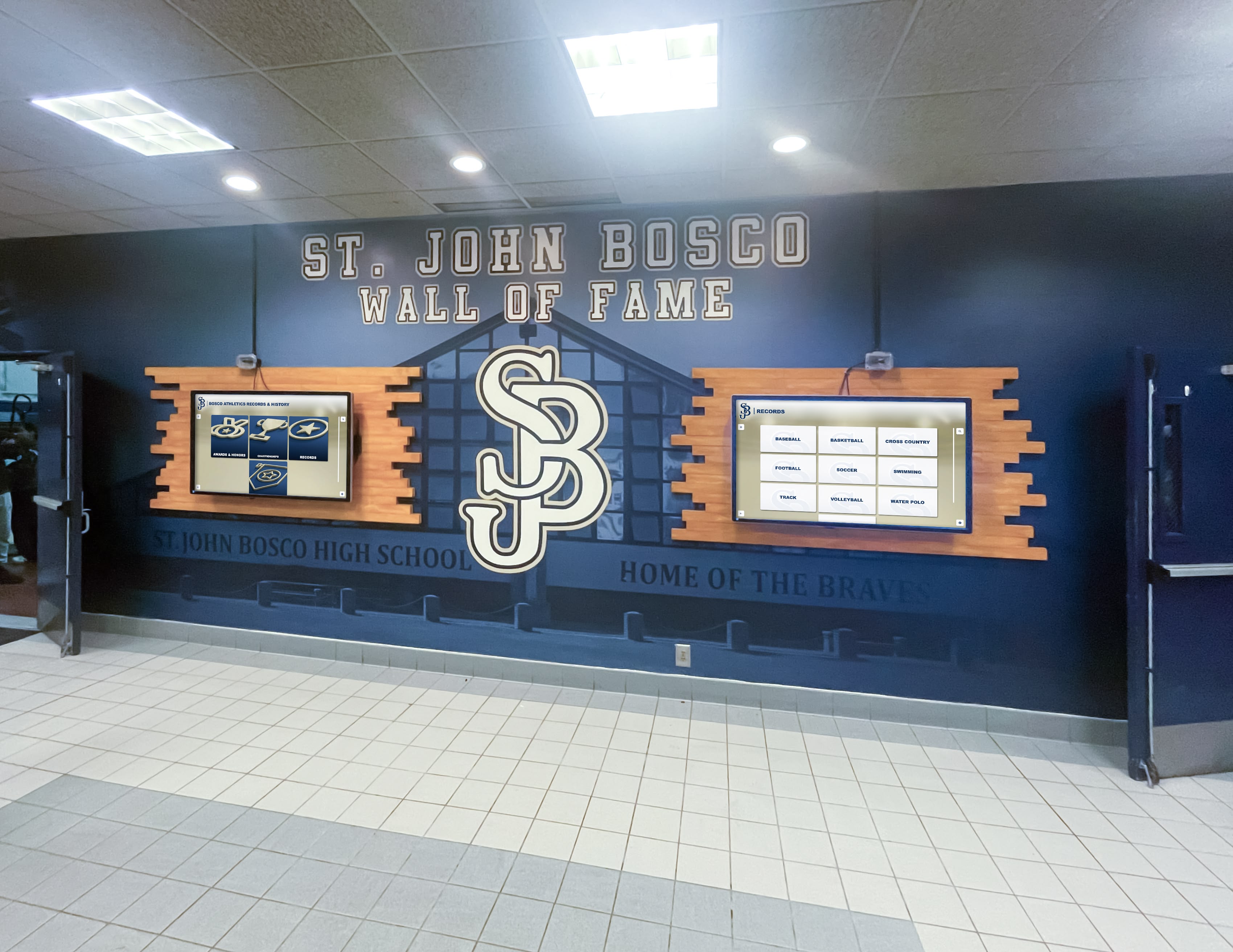
Multi-display installations benefit from software supporting coordinated content and consistent management
4. Novisign: Cloud-Based Digital Signage
Best For: Basic information displays, budget-conscious implementations, simple content rotation
Novisign provides cloud-based digital signage software with touchscreen capabilities as an extended feature.
Platform Overview
Cloud Management
Core capabilities include:
- Web-based content management accessible from any browser
- Template library for common display types
- Scheduling and playlist creation
- Multi-screen management from centralized dashboard
- Media library organizing assets
- Mobile app for remote management
- Real-time content updates across installations
Touchscreen Functionality
Interactive features provide:
- Button and touch zone creation for basic navigation
- Link to URLs or other content elements
- Simple menu systems for information access
- Limited database functionality
- Basic form capabilities
- Touch analytics tracking interactions
Recognition Application Evaluation
Basic Implementation
Novisign supports:
- Simple recognition slideshows rotating through honorees
- Menu-based navigation to different achievement categories
- Basic profile displays with limited biographical information
- Link to external web resources for additional content
Significant Limitations
Hall of fame applications encounter:
- No searchable database or individual profile discovery
- Manual design required for each recognition screen
- Limited capacity before presentations become unwieldy
- Passive viewing experience rather than active exploration
- Minimal statistics integration for athletic applications
- Time-consuming content updates requiring design work
- No integrated web platform for remote access
Pricing Structure
Subscription model offers:
- Per-screen monthly or annual fees
- Affordable entry-level pricing
- Feature limitations on basic tiers
- Additional costs for advanced capabilities
Novisign works for organizations needing basic information displays but lacks specialized features that comprehensive recognition programs require.
5. Touchpros: Interactive Display Solutions
Best For: Specialized kiosk applications, custom interface requirements
Touchpros provides interactive display solutions combining software and hardware for kiosk implementations.
Service Approach
Integrated Offerings
Touchpros provides:
- Combined hardware and software packages
- Custom interface development services
- Professional installation coordination
- Project management for implementations
- Ongoing technical support
- Various display and kiosk enclosure options
Customization Capabilities
The platform supports:
- Tailored interfaces matching specific requirements
- Integration with organizational databases and systems
- Custom navigation and information architecture
- Specialized functionality for particular applications
- Branding customization throughout interfaces
Recognition Implementation Considerations
Professional Development
Organizations receive:
- Custom-designed recognition interfaces
- Professional quality appropriate for high-visibility installations
- Technical expertise applied to specific requirements
- Integration with existing institutional systems
Resource Requirements
Implementation demands:
- Professional services budget for custom development
- Extended timeline for design and development
- Ongoing maintenance relationships for updates
- Dependency on vendor for content modifications
- Higher total costs compared to self-managed platforms
Investment Structure
Custom approach includes:
- Project-based development fees
- Hardware costs for displays and kiosks
- Installation services
- Ongoing support and maintenance agreements
- Content update services as needed
Touchpros serves organizations seeking custom solutions and willing to invest in professional development, but requires higher budgets than self-managed platforms.
6. Arreya: Digital Signage Platform
Best For: Corporate communications, basic information displays
Arreya offers digital signage software with interactive capabilities as extended functionality.
Platform Features
Content Management
Core capabilities include:
- Cloud-based management platform
- Template library for common layouts
- Scheduling and content rotation
- Multi-display coordination
- Media library and asset management
- User roles and permissions
- Analytics and reporting
Interactive Capabilities
Touch functionality provides:
- Button creation for navigation
- Touch zones linking to content
- Basic menu systems
- Limited database integration
- Simple form capabilities
Recognition Application Assessment
Basic Functionality
Arreya supports:
- Recognition slideshows with scheduled rotation
- Simple navigation between content areas
- Basic profile displays with limited information
- Integration with external web content
Platform Limitations
Hall of fame implementations face:
- No searchable recognition database
- Manual content creation for profiles
- Limited biographical content depth
- Passive presentation approach
- Minimal statistics or achievement categorization
- Time-intensive ongoing management
- No integrated web recognition platform
Pricing Model
Subscription structure includes:
- Per-player licensing fees
- Feature tiers affecting capabilities
- Additional costs for advanced functionality
Arreya works for basic communication needs but lacks recognition-specific features that specialized platforms provide.
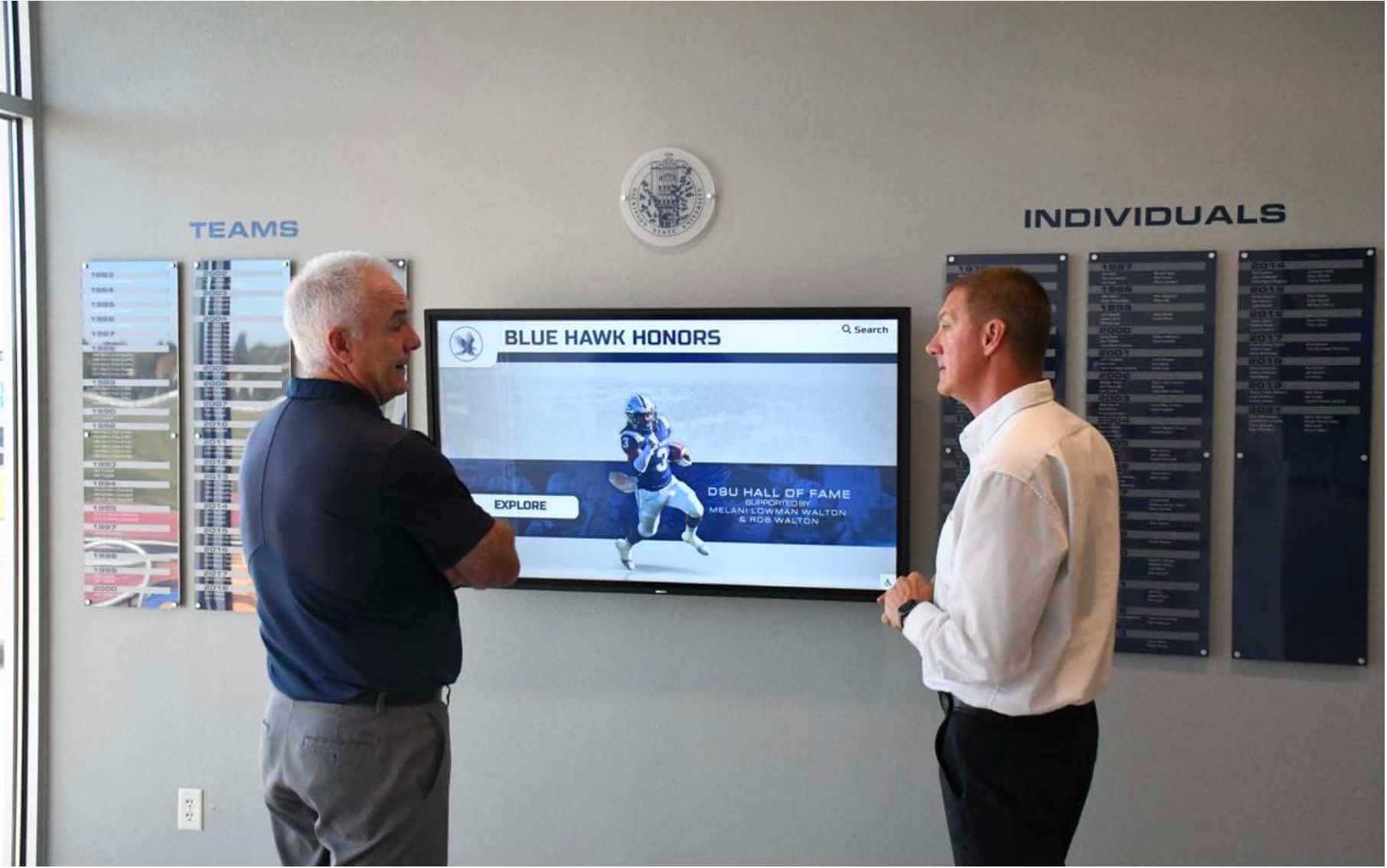
Engaging software encourages extended exploration and discovery of achievements and institutional heritage
7. Halloffamewall.com: Niche Recognition Solution
Best For: Schools and organizations prioritizing ease of use, specialized recognition focus
Halloffamewall.com represents a niche platform specifically designed for hall of fame and recognition applications with emphasis on simplicity.
Specialized Focus
Recognition-First Design
The platform provides:
- Purpose-built architecture for achievement celebration
- Searchable profiles with biographical information
- Category organization for different achievement types
- Template consistency ensuring professional presentation
- Simplified management appropriate for non-technical staff
- Web platform extending recognition beyond physical displays
Ease of Implementation
Straightforward approach includes:
- Quick setup and launch timelines
- Minimal training requirements
- Intuitive content management
- Clear administrative workflows
- Responsive support from recognition specialists
Application Considerations
Strengths
Organizations benefit from:
- High-quality presentation with minimal effort
- Recognition-specific features rather than adapted signage
- Easy ongoing management and content additions
- Focused vendor expertise in achievement celebration
- Affordable pricing for specialized functionality
Niche Positioning
As a specialized solution:
- Smaller vendor with focused market
- Limited advanced features compared to larger platforms
- Growing capability roadmap
- Strong fit for straightforward recognition needs
- Less extensive feature set than comprehensive platforms
Halloffamewall.com excels for organizations wanting specialized recognition software with minimal complexity, offering high quality within focused scope.
8. Touchwall.us: Specialized Alumni Displays
Best For: Educational institutions focusing on alumni and student recognition
Touchwall.us provides specialized software designed specifically for alumni recognition and student achievement displays.
Educational Focus
Student and Alumni Recognition
The platform emphasizes:
- Alumni profile management with career tracking
- Student achievement celebration across categories
- Class composites and yearbook integration
- Athletic recognition with basic statistics
- Academic honor roll displays
- Searchable databases enabling discovery
- Web platform for remote alumni access
Simplified Operations
School-appropriate features include:
- Easy content management for staff without technical expertise
- Template-based consistency
- Quick profile creation processes
- Cloud-based remote management
- Reasonable pricing for educational budgets
Platform Assessment
Educational Strengths
Schools benefit from:
- Education-specific design and terminology
- High-quality output with minimal training
- Recognition focus rather than general signage
- Responsive support understanding school contexts
- Affordable implementation costs
Specialized Scope
As an educational specialist:
- Focused on schools and universities
- Core recognition features without extensive customization
- Growing platform with expanding capabilities
- Strong fit for standard school recognition needs
- Less extensive features than larger comprehensive platforms
Understanding touchscreen recognition solutions helps institutions evaluate education-focused options.
9. Donorswall.com: Donor Recognition Focus
Best For: Nonprofits, development offices, capital campaign recognition
Donorswall.com specializes in software designed specifically for donor recognition and philanthropic acknowledgment.
Development-Focused Platform
Donor Recognition Features
Purpose-built capabilities include:
- Giving level categorization and organization
- Anonymous donation accommodation
- Legacy society recognition
- Campaign progress tracking and visualization
- Tribute and memorial gift acknowledgment
- Multi-year pledge tracking
- Impact storytelling demonstrating donation effects
Development Integration
Platform supports fundraising objectives through:
- Searchable donor directories
- Flexible categorization supporting various giving structures
- Professional presentation appropriate for high-net-worth donors
- Web platform extending visibility beyond physical locations
- Updates maintaining currency as giving continues
Nonprofit Application
Strengths for Development
Organizations benefit from:
- Specialized donor recognition expertise
- High-quality presentation meeting donor expectations
- Easy management for development staff
- Recognition-appropriate features rather than adapted signage
- Understanding of philanthropic contexts and sensitivities
Focused Scope
As a specialized solution:
- Donor recognition emphasis
- Core features without extensive customization
- Smaller platform with focused market
- Strong fit for standard donor wall applications
- Less comprehensive than multi-purpose platforms
Exploring digital donor recognition approaches helps nonprofits understand specialized options.
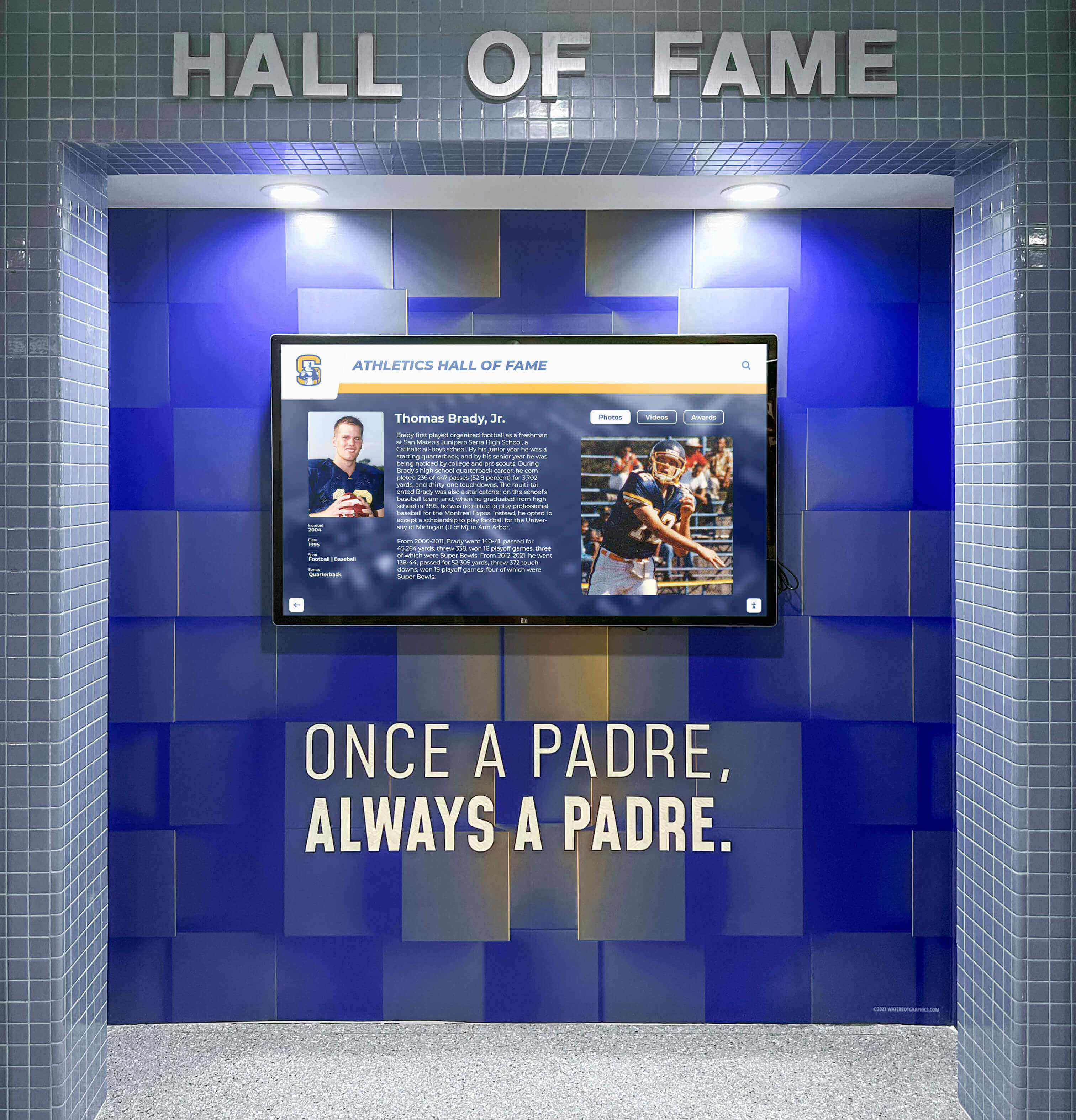
Specialized recognition software integrates naturally with institutional branding and environmental design
Software Comparison Matrix
| Platform | Recognition-Specific | Searchable Database | Web Platform | Best Application | Ease of Use | Price Range |
|---|---|---|---|---|---|---|
| Rocket Alumni Solutions | Yes | Yes | Yes | Comprehensive multi-category recognition | High | $$$-$$$$ |
| Intuiface | No | Custom | Custom | Custom interactive exhibits | Medium | $$$$ |
| Pandasuite | No | Custom | Custom | Creative storytelling | Medium | $$-$$$ |
| Novisign | No | Limited | No | Basic information displays | High | $-$$ |
| Touchpros | Custom | Custom | Custom | Custom kiosk solutions | Low | $$$$ |
| Arreya | No | Limited | No | Corporate communications | High | $$-$$$ |
| Halloffamewall.com | Yes | Yes | Yes | Simple school recognition | Very High | $$ |
| Touchwall.us | Yes | Yes | Yes | Alumni and student displays | Very High | $$-$$$ |
| Donorswall.com | Yes | Yes | Yes | Donor recognition | Very High | $$-$$$ |
Implementation Considerations
Beyond software selection, successful touchscreen kiosk programs require thoughtful implementation addressing content, hardware, and operational factors.
Content Development Strategy
Initial Archive Creation
Most organizations cannot develop complete historical content before launch:
- Phase 1 (Launch): Recent 5-10 years with readily available information
- Phase 2 (Year 1): Systematic expansion of priority historical periods
- Phase 3 (Year 2-3): Comprehensive archive completion across all eras
- Ongoing: Annual additions maintaining currency with new achievements
Resource Requirements
Sustainable content development demands:
- Dedicated staff time or external service engagement
- Historical research accessing records, yearbooks, and publications
- Photography digitization at adequate resolution
- Biographical writing maintaining consistent professional quality
- Quality assurance preventing errors and ensuring accuracy
Hardware Selection
Display Considerations
Screen specifications affect visibility and engagement:
- 43-55 inch displays most common for individual kiosk interaction
- 55-65+ inch displays appropriate for high-traffic gathering spaces
- Commercial-grade panels rated for continuous operation
- Touchscreen technology selection (single-touch vs. multi-touch)
- Mounting options including wall-mount, freestanding, and countertop
- Brightness specifications for various lighting environments
Computing Hardware
Software performance requires appropriate systems:
- Windows or Android systems depending on software platform
- Sufficient processing power for smooth media playback
- Adequate storage for local content caching
- Reliable network connectivity for cloud-based platforms
- Commercial-grade components for continuous operation
- Energy-efficient operation reducing electrical costs
Operational Planning
Administrative Responsibilities
Sustainable programs require:
- Clear ownership with adequate time allocation
- Training for multiple staff ensuring continuity
- Systematic annual processes adding new content
- Regular content review maintaining accuracy
- Community engagement sustaining visibility and utilization
Technical Maintenance
Reliable operation demands:
- Routine physical cleaning of touchscreen surfaces
- Software update schedules
- Network and connectivity monitoring
- Hardware inspection and preventive maintenance
- Backup verification ensuring data protection
- Remote monitoring capabilities detecting issues proactively
Total Cost of Ownership Analysis
Comprehensive budget planning requires understanding complete investment including initial implementation and ongoing operational expenses.
Purpose-Built Recognition Platform Costs
Rocket Alumni Solutions Investment Range
Initial implementation:
- Software setup and licensing: $3,000-$6,000
- Display hardware (55-inch touchscreen): $6,000-$12,000
- Computing hardware: $800-$2,000
- Installation and mounting: $1,500-$3,000
- Content development services: $5,000-$30,000 depending on archive scope
- Training and onboarding: $1,500-$3,000
- Total Initial Investment: $18,000-$56,000
Annual ongoing costs:
- Software subscription: $2,000-$5,000
- Technical support: $1,000-$2,500
- Content updates and additions: $2,000-$8,000 (or staff time)
- Hardware maintenance: $500-$1,500
- Total Annual Operating: $5,500-$17,000
Five-Year Total Cost of Ownership: $45,000-$141,000
Generic Digital Signage Platform Costs
Novisign or Arreya Implementation
Initial implementation:
- Software setup: $500-$2,000
- Display hardware: $6,000-$12,000
- Computing hardware: $800-$2,000
- Installation: $1,500-$3,000
- Custom development for recognition features: $10,000-$40,000
- Manual content creation and design: $10,000-$50,000
- Total Initial Investment: $29,000-$109,000
Annual ongoing costs:
- Software subscription: $1,000-$3,000
- Technical support: $1,000-$2,500
- Manual content design and updates: $4,000-$15,000
- Maintenance: $500-$1,500
- Total Annual Operating: $6,500-$22,000
Five-Year Total Cost of Ownership: $61,500-$219,000
Generic platforms often cost more over five years when accounting for custom development, ongoing design work, and higher content management time despite lower initial software fees.
Custom Development Platform Costs
Intuiface or Touchpros Implementation
Initial implementation:
- Software licensing or custom development: $5,000-$25,000
- Display hardware: $6,000-$15,000
- Computing hardware: $1,000-$3,000
- Professional design services: $15,000-$60,000
- Installation: $2,000-$5,000
- Content development: $10,000-$40,000
- Total Initial Investment: $39,000-$148,000
Annual ongoing costs:
- Software or maintenance: $3,000-$8,000
- Design updates and modifications: $5,000-$20,000
- Content additions: $3,000-$12,000
- Technical support: $1,500-$3,000
- Total Annual Operating: $12,500-$43,000
Five-Year Total Cost of Ownership: $89,000-$363,000
Custom platforms deliver tailored solutions but demand highest budgets and ongoing investment.
Industry-Specific Recommendations
Different organizational contexts prioritize different platform capabilities based on specific application requirements.
K-12 and Higher Education Institutions
Priority Requirements
- Athletic recognition with sport-specific statistics
- Academic achievement across honor roll, scholarships, and competitions
- Alumni engagement and career tracking
- Multi-category recognition supporting all programs
- Easy management by non-technical staff
- Budget-appropriate pricing
Recommended Platforms
- Rocket Alumni Solutions: Comprehensive capabilities across all recognition types
- Touchwall.us: Education-focused with simplified operations
- Halloffamewall.com: Straightforward school recognition at accessible pricing
Schools benefit from purpose-built recognition platforms designed specifically for educational contexts rather than adapting generic tools.
Museums and Cultural Institutions
Priority Requirements
- Rich multimedia supporting detailed narratives
- Custom interactive experiences matching exhibit themes
- Multi-language support for diverse visitors
- Accessibility features ensuring universal access
- Integration with collection management systems
- Professional presentation quality
Recommended Platforms
- Rocket Alumni Solutions: Flexible content management supporting varied applications
- Intuiface: Custom interactive experiences for sophisticated exhibits
- Pandasuite: Creative storytelling approaches for engaging presentations
Cultural institutions often require either comprehensive platforms with deep content capabilities or custom development enabling specialized interactive experiences.
Nonprofit and Development Organizations
Priority Requirements
- Donor recognition appropriate for philanthropic contexts
- Giving level categorization and flexible organization
- Campaign progress visualization
- Anonymous donation accommodation
- Professional presentation meeting donor expectations
- Integration with fundraising systems
Recommended Platforms
- Rocket Alumni Solutions: Comprehensive donor recognition capabilities
- Donorswall.com: Specialized donor recognition focus
- Purpose-built platforms understanding development contexts
Nonprofits benefit from software designed specifically for donor acknowledgment rather than generic displays.
Corporate and Professional Environments
Priority Requirements
- Employee recognition and achievement celebration
- Professional aesthetics appropriate for business contexts
- Integration with corporate systems
- Information delivery and wayfinding
- Security and access control
- Reliable continuous operation
Recommended Platforms
- Rocket Alumni Solutions: Professional recognition capabilities
- Intuiface: Custom experiences for corporate branding
- Novisign or Arreya: Basic information displays
Corporate environments prioritize reliability, professional appearance, and integration capabilities.
Conclusion: Selecting Interactive Touchscreen Kiosk Software for Long-Term Success
Interactive touchscreen kiosk software determines whether digital displays become valued institutional assets that communities actively engage with or expensive installations that stakeholders ignore. Platform selection decisions affect recognition quality, visitor engagement, and administrative efficiency for years, making informed evaluation essential for sustainable programs delivering meaningful value.
This comprehensive comparison examined nine platforms across recognition-specific capabilities, content management efficiency, technical infrastructure, implementation requirements, and total cost of ownership. The assessment reveals substantial differences between purpose-built recognition platforms and generic digital signage or custom development approaches.
For organizations implementing recognition programs across athletics, academics, arts, donors, or historical preservation, purpose-built platforms designed specifically for hall of fame applications deliver superior results compared to generic alternatives requiring extensive adaptation. Rocket Alumni Solutions provides comprehensive capabilities, administrative efficiency, and community engagement features that justify investment for institutions committed to meaningful achievement celebration.
Organizations should evaluate platforms based on recognition-specific functionality rather than generic capabilities, assess total five-year cost of ownership beyond initial pricing, verify administrative efficiency through reference conversations with current customers, and ensure vendor support quality appropriate for long-term partnership.
Ready to discover how purpose-built recognition software transforms achievement celebration at your institution? Explore the platform to see how comprehensive kiosk software creates engaging experiences celebrating your community’s achievements.
Your community’s achievements deserve software that celebrates accomplishments appropriately while creating meaningful engagement. The most important considerations extend beyond initial costs or feature lists to include selecting platforms aligned with recognition values, sustainable within available resources, and designed specifically for kiosk applications requiring searchable archives, interactive exploration, and efficient long-term management.
Begin platform evaluation by defining recognition scope across all achievement categories, establishing realistic budget expectations including five-year total cost, assessing content development capacity and available staff resources, evaluating purpose-built recognition platforms versus generic alternatives, and speaking directly with current customers about long-term satisfaction and vendor support quality.
The distinction between platforms designed specifically for recognition versus generic signage adapted for kiosk use represents the critical factor determining whether your investment becomes a celebrated institutional asset or an expensive disappointment requiring replacement. Choose thoughtfully, evaluate systematically using criteria explored throughout this guide, and implement software your community deserves for celebrating achievements that inspire current and future generations.
Disclosure: This comparison is based on publicly available information as of March 2026. All product names and trademarks belong to their respective owners. Comparative statements reflect Rocket Alumni Solutions’ interpretation of available data and may change over time. This content was produced by Rocket Alumni Solutions. All trademarks are property of their respective owners. Rocket Alumni Solutions is not affiliated with or endorsed by Intuiface, Pandasuite, Novisign, Touchpros, or Arreya.































