




Schools across the country are discovering that interactive displays and touchscreen technology create fundamentally different engagement patterns than traditional passive displays or static bulletin boards. When students can touch, explore, and interact with digital content rather than simply viewing it, information retention improves, curiosity increases, and institutional connections deepen in measurable ways.
The transition from passive viewing to active interaction represents more than technological novelty—it reflects how modern learners expect to engage with information in an increasingly digital world. Students who navigate smartphones and tablets instinctively approach information as interactive and explorable. Educational environments that provide similarly intuitive digital experiences align with these established interaction patterns while creating opportunities for discovery that traditional static displays cannot deliver.
This comprehensive guide examines how schools successfully implement interactive displays and touchscreen technology across diverse applications including student recognition, wayfinding, institutional history, achievement celebration, and community engagement.
Educational technology investments succeed when they address genuine needs while remaining sustainable within typical school resource constraints. Interactive displays serve multiple institutional priorities simultaneously—celebrating student achievement, preserving institutional heritage, improving campus navigation, enhancing communication, and creating engaging spaces where communities naturally gather and explore.

Interactive displays transform passive viewing into active exploration, increasing engagement and information retention
Understanding Interactive Display Technology for Educational Settings
Before examining specific applications, understanding the fundamental technology differences helps schools make informed decisions about interactive display investments.
Touch Technology Types and Educational Applications
Different touch technologies offer distinct advantages for educational environments where displays face continuous student interaction, varying lighting conditions, and diverse user technical abilities.
Capacitive Touchscreens
The same technology powering smartphones and tablets provides the most familiar interaction experience for students already comfortable with mobile devices:
- Multi-touch support enabling pinch-to-zoom and gesture controls
- Highly responsive touch recognition requiring minimal pressure
- Excellent image clarity without overlay interference
- Durable surface resistant to scratches and daily wear
- Works with bare fingers but not gloves or styluses unless specialized
Schools implementing interactive displays in main lobbies, libraries, and common areas typically select capacitive technology because the familiar smartphone-style interaction requires no instruction while delivering the responsive performance students expect from consumer devices.
Infrared Touch Technology
Infrared sensor arrays detect touch without requiring special screen surfaces, offering advantages for large-format educational displays:
- Works with fingers, gloves, styluses, or any pointing object
- Scales cost-effectively to very large display sizes
- No touch overlay affecting image quality
- Supports multi-touch for collaborative interaction
- Durable for high-traffic educational environments
Large-format displays in school gymnasiums, auditoriums, or outdoor covered areas often use infrared technology where versatility and scale matter more than smartphone-familiar interaction patterns.
Optical Touch Technology
Camera-based touch detection provides another approach for educational installations:
- Excellent multi-touch performance supporting many simultaneous users
- Scales to extremely large interactive walls and video walls
- Works with any pointing object including fingers and styluses
- No touch surface overlay affecting display quality
- Higher cost typically reserved for specialized applications
Interactive learning walls in makerspaces, STEM labs, or collaborative learning environments sometimes use optical touch when supporting group interaction across large display areas.
Display Hardware Considerations for Schools
Educational environments impose specific requirements affecting display selection and installation approaches.
Commercial-Grade Display Requirements
Consumer televisions appear cost-effective initially but fail quickly under continuous educational operation:
- Commercial displays support 16-24 hour daily operation cycles
- Enhanced cooling systems prevent overheating during extended use
- Reinforced panels withstand frequent touch interaction
- Warranty coverage appropriate for commercial installation
- Higher brightness levels maintaining visibility in well-lit schools
Schools replacing consumer displays every 2-3 years often spend more long-term than investing initially in commercial-grade equipment designed for continuous educational use.
Size and Placement Strategy
Display effectiveness depends heavily on appropriate sizing for viewing distances and usage contexts:
- Lobby installations: 55"-75" displays for 6-15 foot viewing distances
- Hallway displays: 43"-55" displays for 4-10 foot interactions
- Classroom applications: 65"-86" displays for 10-25 foot viewing
- Auditorium installations: 75"-98" displays or video walls for large spaces
Understanding school signage best practices helps administrators make strategic placement decisions maximizing engagement.
Installation Methods and Accessibility
Interactive displays require thoughtful installation ensuring accessibility while protecting equipment:
- Wall-mounted installations: Space-efficient but require wall reinforcement
- Freestanding kiosks: Flexible placement without wall mounting requirements
- ADA compliance: Touch targets and content meeting accessibility standards
- Security considerations: Protecting displays from vandalism while maintaining accessibility
- Network infrastructure: Reliable connectivity supporting cloud-based content management
Schools should evaluate WCAG 2.2 AA compliance requirements ensuring interactive displays serve all students and visitors regardless of abilities.

Intuitive touch interfaces enable students to explore content independently without instruction
Primary Educational Applications of Interactive Displays
Schools implement interactive touchscreen technology across diverse applications, each addressing specific institutional needs while creating engaging digital experiences.
Student Achievement and Recognition Displays
Traditional trophy cases and plaque walls face inherent limitations—limited physical space constraining how many achievements receive recognition, static content never updating with current accomplishments, and passive presentation generating minimal engagement beyond initial viewing.
Interactive recognition displays transform achievement celebration by enabling:
Unlimited Recognition Capacity
Digital systems accommodate comprehensive historical archives without physical space constraints:
- Searchable databases containing thousands of student profiles
- Decades of athletic, academic, and artistic achievements in single installations
- Individual profile pages with biographical information, statistics, and accomplishments
- Team recognition showing complete rosters with individual achievements
- Multi-category organization supporting athletics, academics, arts, service, and alumni
Schools celebrating 50+ years of achievements find interactive displays solve the impossible challenge of honoring complete institutional history within limited physical hallway space.
Interactive Exploration and Discovery
Touch-enabled navigation creates fundamentally different engagement patterns:
- Students searching for specific individuals, teams, or accomplishments
- Filtering by sport, activity, graduation year, or achievement type
- Viewing detailed statistics and biographical information
- Exploring related achievements through contextual connections
- Sharing discoveries through social media integration
This active exploration generates significantly higher engagement than passive trophy case viewing. Students spend 3-5 minutes exploring interactive recognition displays versus 15-30 seconds glancing at traditional plaques.
Dynamic Content Updates
Cloud-based content management enables ongoing updates maintaining currency:
- Adding new inductees throughout the year as achievements occur
- Updating alumni career accomplishments and “where are they now” information
- Correcting historical information as research reveals new details
- Highlighting seasonal content during homecoming or reunions
- Coordinating display content with ceremonies and special events
Solutions like Rocket Alumni Solutions provide purpose-built platforms specifically designed for educational recognition, combining interactive touchscreen displays with comprehensive content management systems that schools can update remotely without requiring technical expertise or on-site access.
Schools exploring interactive recognition should review touchscreen kiosk solutions for schools understanding available approaches and implementation considerations.
Digital Wayfinding and Campus Navigation
Larger school campuses, particularly high schools and universities, face ongoing challenges helping visitors locate specific destinations—classrooms, offices, athletic facilities, performance spaces, and administrative departments.
Interactive Campus Maps
Touchscreen wayfinding displays provide intuitive navigation assistance:
- Interactive campus maps with room-by-room detail
- Search functionality finding specific locations by name or number
- Route guidance showing optimal paths to destinations
- Building directory with occupant information
- Integration with scheduling systems showing event locations
New families visiting campuses appreciate self-service navigation finding counseling offices, auditoriums, or athletic facilities without needing to ask for directions repeatedly.
Event Information Integration
Wayfinding displays can serve dual purposes combining navigation with event information:
- Current day schedules showing where activities occur
- Athletic event information with venue and time details
- Performance and concert logistics with parking guidance
- Parent-teacher conference room assignments
- Special event navigation during open houses or celebrations
Accessibility Features
Modern wayfinding systems incorporate universal design principles:
- Voice-guided directions for visually impaired users
- Wheelchair-accessible route options avoiding stairs
- Text size adjustment for easier reading
- Multiple language support for diverse communities
- Color contrast meeting accessibility standards
Institutional History and Heritage Preservation
Schools accumulate rich histories spanning decades or centuries, but traditional approaches to heritage preservation—yearbooks stored in libraries, archived photographs in filing cabinets, historical information known only to longest-serving staff—make institutional memory inaccessible to current students who might draw inspiration from understanding their school’s journey.
Digital Historical Archives
Interactive displays make institutional heritage explorable and engaging:
- Timeline-based organization showing school evolution across decades
- Historical photographs with searchable metadata and context
- Significant moments, traditions, and milestone achievements
- Notable alumni with biographical information and accomplishments
- Building and campus evolution through archival imagery
- Oral histories through integrated audio and video content
Educational Value
Accessible historical content creates learning opportunities:
- Students researching school history for assignments
- Understanding institutional traditions and their origins
- Connecting current programs to historical foundations
- Discovering alumni role models who attended the same school
- Building school pride through heritage awareness
Educational institutions can explore approaches used in public library digital archive collections for organizing and presenting historical content.
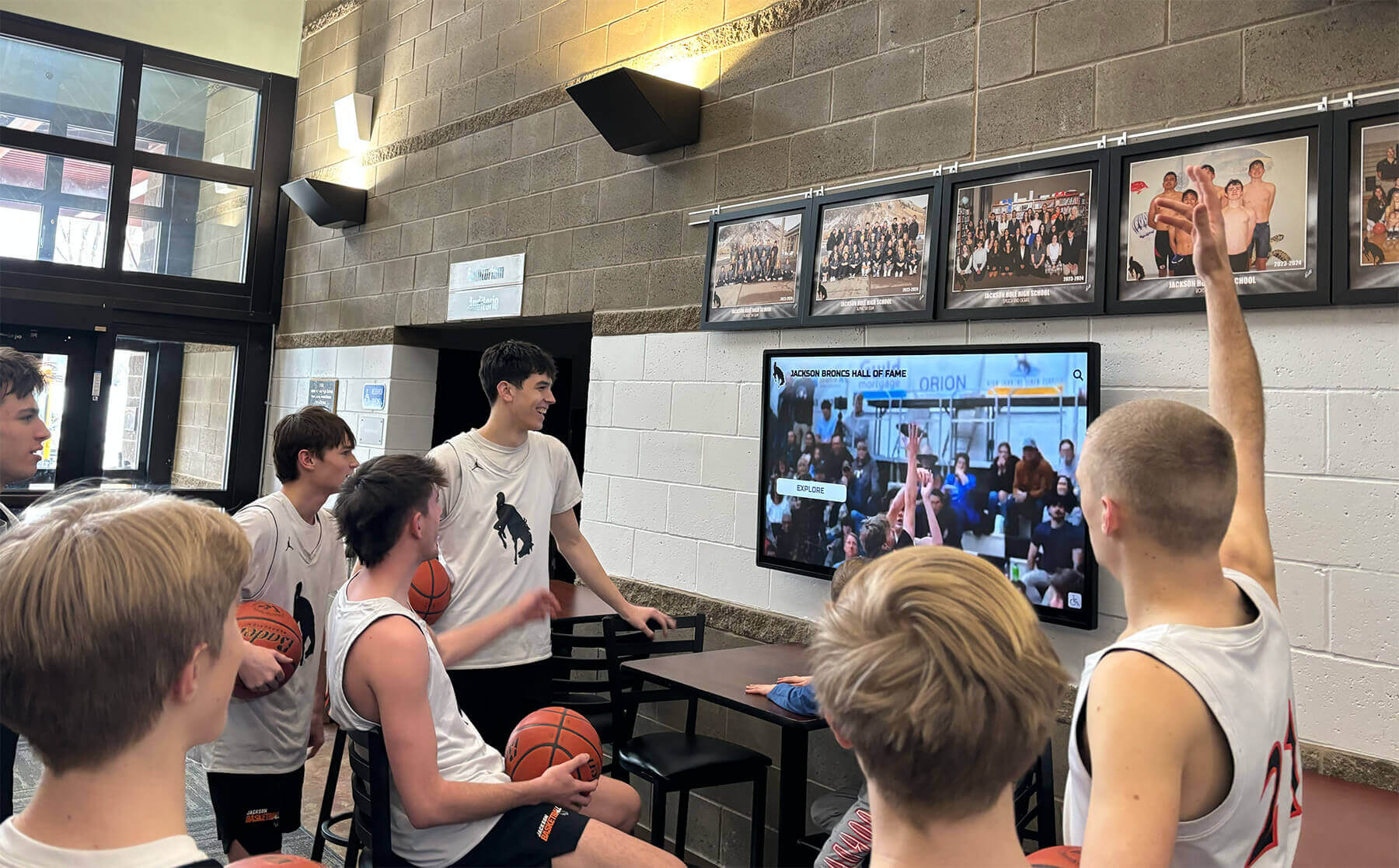
Interactive displays create natural gathering points where students explore content together
Communication and Announcement Systems
Schools constantly communicate with students, staff, and visitors about schedule changes, upcoming events, emergency notifications, daily announcements, and important deadlines. Traditional approaches—PA announcements, paper flyers, bulletin boards—reach audiences inconsistently while creating significant administrative overhead.
Digital Signage with Interactive Components
Modern school communication combines passive digital signage with touch-enabled interaction:
- Rotating announcements and upcoming event information
- Touch-activated detailed event information and registration
- Emergency notification capability with immediate updates
- Athletic schedules with interactive game details and directions
- Lunch menus with nutritional information and allergen details
- Daily schedules showing bell times and special schedules
Multi-Display Network Management
Cloud-based content management enables coordinated communication across multiple displays:
- Centralized content creation distributing to all campus displays
- Location-specific content targeting relevant audiences
- Scheduled content coordinating with school calendars
- Remote management updating displays from any internet-connected device
- Analytics showing which content generates most engagement
Administrators interested in comprehensive communication strategies should review digital signage for schools examining coordinated approaches across multiple applications.
Interactive Learning Applications
Beyond administrative and communication applications, interactive displays serve direct educational purposes in classrooms, libraries, and specialized learning spaces.
Collaborative Learning Displays
Large-format interactive displays support group learning activities:
- Multi-touch capability enabling simultaneous student interaction
- Content sharing from student devices to main display
- Annotation and markup tools for collaborative problem-solving
- Saved session content students can access later
- Integration with learning management systems
STEM and Makerspace Applications
Specialized learning environments use interactive displays for:
- Interactive simulations and visualizations
- Design software for engineering and architecture programs
- Data visualization for science experiments and analysis
- Coding instruction with interactive development environments
- 3D modeling and manufacturing design
Library and Research Applications
School libraries implement interactive displays for:
- Catalog search and resource discovery
- Digital collection browsing and preview
- Research tutorial delivery
- Study room reservation systems
- New material highlights and recommendations
Implementation Planning for Educational Interactive Displays
Successful interactive display implementation requires systematic planning addressing technology selection, content development, installation logistics, and ongoing management.
Needs Assessment and Application Prioritization
Schools should begin by identifying specific needs interactive displays will address:
Primary Application Determination
Rather than attempting to serve all possible applications simultaneously, focus initial implementations:
- Recognition-focused: Start with hall of fame or achievement celebration
- Communication-focused: Begin with announcement and wayfinding systems
- Learning-focused: Prioritize classroom and library applications
- Multi-purpose: Combine recognition and communication in high-traffic areas
Schools often find greatest initial success with recognition applications because the content—student achievements, team rosters, historical information—already exists within yearbooks, programs, and institutional records, making content development more straightforward than creating entirely new educational content.
Location Strategy
Display placement dramatically affects utilization and engagement:
- Main entrance lobbies: Maximum visibility for all visitors and daily traffic
- Commons and cafeterias: Extended dwell time during meals and breaks
- Athletic facilities: Contextual connection with sports programs
- Library and media centers: Research and exploration applications
- Hallways near main offices: Convenient for wayfinding and announcements
Understanding exciting hallway displays for schools helps identify high-impact placement opportunities.
Technology Platform Selection
Educational institutions should evaluate platforms based on specific requirements rather than assuming all interactive display solutions serve school needs equally.
Purpose-Built vs. Generic Platforms
Significant differences exist between platforms designed specifically for educational applications and generic digital signage adapted for school use:
Purpose-Built Educational Platforms provide:
- Content templates designed specifically for schools
- Pre-built features for common educational applications
- Intuitive content management requiring no technical expertise
- Recognition-specific functionality for achievement celebration
- Educational pricing and support models
- Understanding of school operational patterns and constraints
Generic Digital Signage Platforms require:
- Custom configuration for educational applications
- Technical expertise for content creation and management
- Additional development for specialized features
- Commercial pricing models designed for corporate markets
- General support without educational context expertise
For recognition and achievement celebration specifically, solutions like Rocket Alumni Solutions offer purpose-built platforms designed exclusively for educational applications, providing searchable databases, individual profile management, statistics integration, and intuitive content management that generic digital signage platforms cannot deliver without extensive custom development.
Content Management Requirements
Sustainable operations depend on efficient content management:
- Cloud-based platforms enabling remote updates without on-site access
- Template-based content creation ensuring professional consistency
- Multi-user access supporting collaborative content development
- Approval workflows preventing unauthorized or erroneous content
- Media library organization for thousands of photos and documents
- Scheduled publishing coordinating content with events and ceremonies
Budget and Total Cost of Ownership
Comprehensive budget planning accounts for all implementation and ongoing costs:
Initial Investment:
- Display hardware: $4,000-$15,000 per installation
- Software platform setup: $2,000-$6,000
- Installation and mounting: $1,000-$3,000 per display
- Content development: $3,000-$30,000 depending on scope
- Training and onboarding: $1,000-$2,500
Annual Ongoing Costs:
- Software subscription: $1,500-$5,000 annually
- Content updates and management: $2,000-$8,000 annually
- Technical support and maintenance: $1,000-$2,500 annually
- Hardware warranty and service: $500-$1,500 annually
Schools should evaluate five-year total cost of ownership rather than initial purchase price alone, as platforms requiring significant custom development or ongoing design work often cost more long-term despite lower initial software licensing.

Freestanding kiosk installations provide flexible placement without requiring wall mounting
Content Development Strategy
Interactive displays require quality content to deliver value—empty displays or hastily-created placeholder content undermine the investment and generate disappointment.
Phased Content Approach
Most schools cannot develop comprehensive historical content before launching interactive displays:
Phase 1 (Launch): Recent 5-10 years with readily available content
- Current students and recent graduates
- Information from recent yearbooks and programs
- Existing digital photography
- 100-300 profiles establishing functional system
Phase 2 (Year 1-2): Systematic historical expansion
- Priority decades and significant achievements
- Digitization of archival photographs
- Research from yearbooks and institutional records
- 500-1,000 profiles creating substantial archive
Phase 3 (Year 2-5): Comprehensive archive completion
- Complete historical coverage across all periods
- Detailed biographical research for notable individuals
- Comprehensive statistics and achievement documentation
- 1,000-5,000+ profiles representing full institutional heritage
Ongoing: Annual maintenance and additions
- New graduates and achievements added annually
- Alumni updates showing career accomplishments
- Corrections and enhancements as new information emerges
Resource Allocation Options
Schools have three primary approaches to content development:
Internal Development
- Existing staff dedicating time to content creation
- Student projects creating content as learning activities
- Volunteer committees (alumni associations, booster clubs)
- Lower cash costs but significant time investment
- Variable quality depending on available expertise
External Services
- Professional content development services
- Historical research and digitization specialists
- Photography and media preparation
- Higher cash costs but professional results and faster completion
- Consistent quality across all content
Hybrid Approach
- External services for initial archive development
- Internal staff for ongoing annual additions
- Combination optimizing budget while building internal capacity
Many schools find hybrid approaches most successful—professional services develop initial comprehensive archives ensuring quality launch content, while trained staff manage sustainable annual additions as new achievements occur.
Installation and Infrastructure
Successful display installation requires coordination across multiple school departments and external contractors.
Facility Infrastructure Requirements
Interactive displays depend on appropriate facility support:
- Electrical: Dedicated circuits preventing shared-load issues
- Network: Reliable internet connectivity for cloud-based management
- Mounting: Wall reinforcement for heavy displays or floor space for kiosks
- Lighting: Glare management maintaining screen visibility
- Climate: Appropriate temperature and humidity control
Installation Coordination
Professional installation involves multiple steps:
- Site survey assessing infrastructure and requirements
- Hardware delivery and temporary storage
- Mounting system installation and display placement
- Network configuration and software setup
- Content migration and testing
- Staff training on content management
Schools should allocate 4-8 weeks from purchase to public launch for comprehensive implementation including installation, content development, and staff training.
Accessibility Compliance
Educational institutions must ensure interactive displays meet accessibility requirements:
- Touch targets minimum size supporting users with limited dexterity
- Color contrast meeting WCAG standards for visually impaired users
- Text size and font legibility at viewing distances
- Physical height and reach range accommodating wheelchair users
- Alternative access methods for users who cannot use touchscreens
Training and Ongoing Management
Technology succeeds only when people can use it effectively and maintain it sustainably.
Staff Training Requirements
Effective training ensures confident operation:
- Content management system navigation and basic operations
- Creating and editing profiles, achievements, or announcements
- Photo preparation and media library management
- Publishing workflows and approval processes
- Troubleshooting common issues before contacting support
- Analytics review showing engagement and utilization
Training should involve multiple staff members ensuring continuity when personnel changes occur.
Ongoing Management Commitment
Sustainable operations require:
- Clear responsibility assignment with adequate time allocation
- Systematic annual processes adding new inductees or content
- Regular content review maintaining accuracy
- Performance monitoring through analytics
- Community engagement sustaining awareness and utilization
Schools should establish annual content update schedules coordinating with natural institutional rhythms—athletic seasons, graduation, homecoming, induction ceremonies—rather than allowing displays to become static after initial launch enthusiasm fades.
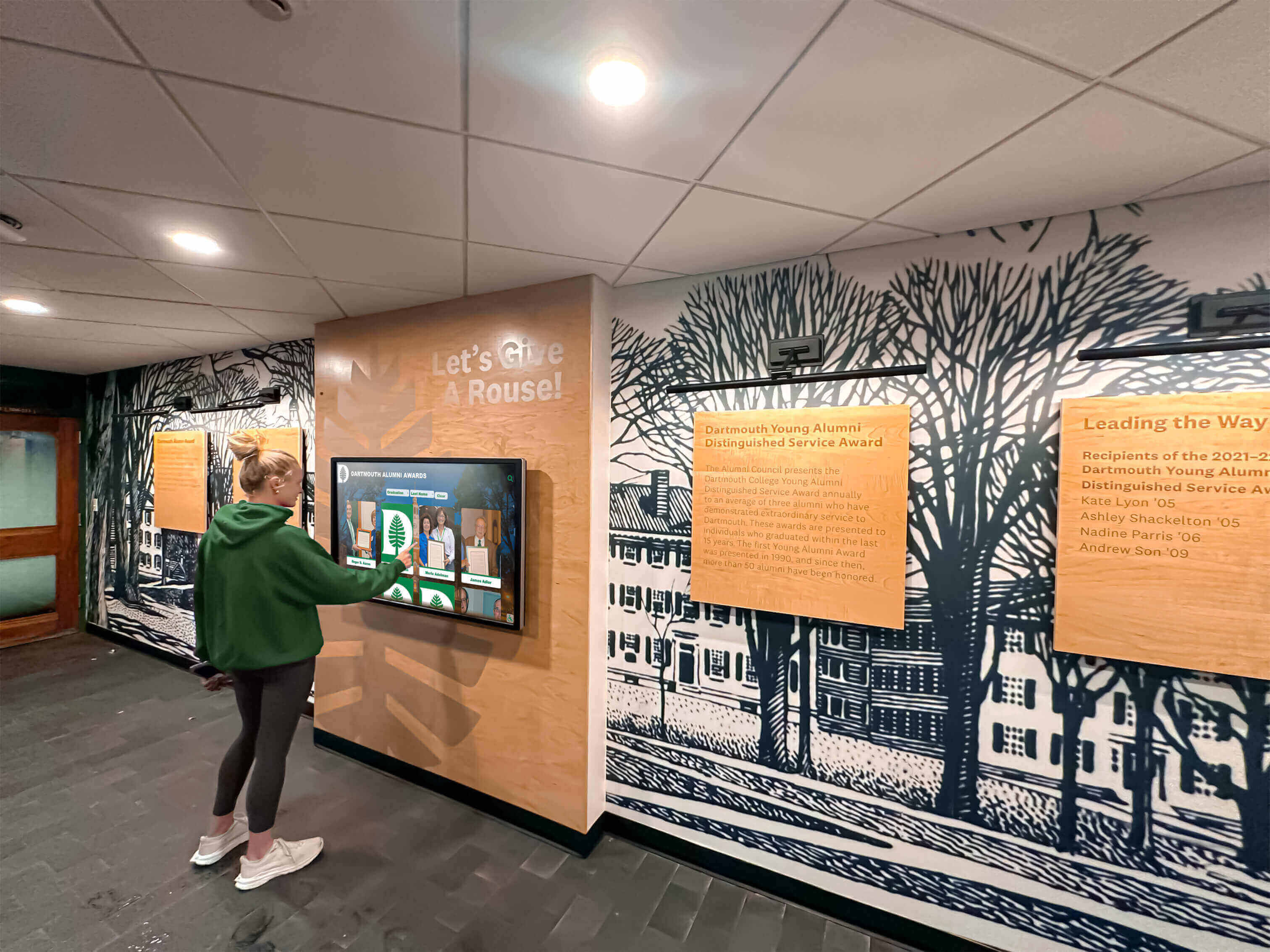
Well-designed interactive displays invite natural exploration and discovery
Measuring Interactive Display Success and ROI
Educational technology investments should demonstrate value through measurable outcomes and stakeholder satisfaction.
Quantitative Engagement Metrics
Modern interactive display platforms provide analytics showing utilization patterns:
Usage Metrics
- Daily and monthly interaction counts
- Average session duration per user
- Most-viewed content and popular search terms
- Peak usage times and seasonal patterns
- Comparison across multiple display locations
Schools typically observe dramatic engagement differences between interactive displays generating 50-200+ daily interactions versus traditional static displays receiving only passive glances.
Content Performance Analysis
- Which profiles, achievements, or pages receive most views
- Search patterns revealing what visitors seek
- Navigation paths showing how users explore content
- Drop-off points indicating confusing or problematic content
- Seasonal variation during events or recognition periods
These insights guide content development priorities and reveal which achievements resonate most with current communities.
Web Platform Extension
Interactive displays typically connect with web platforms extending recognition beyond physical installations:
- Web visit counts and geographic distribution
- Social media sharing indicating viral interest
- Mobile device usage showing on-the-go access
- Search engine traffic demonstrating discoverability
- Time-on-site metrics showing engagement depth
Schools implementing interactive recognition find that physical display installations drive significant web platform traffic as visitors discovering content on-site later share with extended families and networks.
Qualitative Impact Assessment
Beyond quantitative metrics, stakeholder feedback reveals perceived value:
Student Impact
- Increased school pride and institutional connection
- Discovery of role models and aspirational achievements
- Understanding institutional history and traditions
- Recognition of diverse achievement types beyond athletics
- Inspiration for academic and extracurricular participation
Family Engagement
- Prospective family impressions during campus visits
- Alumni reconnection with institutional heritage
- Family pride when students receive recognition
- Extended family sharing of honored achievements
- Community perception of institutional investment in recognition
Institutional Benefits
- Enhanced campus environment and facility modernization
- Recruitment tool during prospective family visits
- Alumni engagement supporting fundraising initiatives
- Efficient recognition updating versus manual plaque processes
- Comprehensive achievement documentation preserving heritage
Return on Investment Considerations
Schools should evaluate interactive display ROI across multiple dimensions:
Operational Efficiency
Interactive displays often reduce long-term costs versus traditional approaches:
- Eliminating ongoing plaque engraving and installation costs
- Reducing staff time maintaining bulletin boards and announcements
- Centralizing recognition versus separate systems for each program
- Remote content management eliminating on-site update requirements
Schools spending $3,000-$8,000 annually on plaques and traditional recognition find interactive displays provide cost recovery within 3-5 years while delivering superior functionality.
Strategic Value
Beyond direct cost comparison, interactive displays serve strategic priorities:
- Modern facility appearance influencing prospective family decisions
- Comprehensive recognition supporting all programs equitably
- Alumni engagement establishing foundation for fundraising
- Heritage preservation documenting institutional history
- Community gathering spaces creating campus vitality
Avoided Costs
Interactive displays prevent expenses associated with inadequate recognition:
- Facility renovation to accommodate ever-expanding trophy cases
- Storage of removed plaques when wall space exhausts
- Inconsistent recognition damaging morale across programs
- Lost institutional memory when achievements go undocumented
Administrators evaluating comprehensive approaches can review student recognition award display design examining implementation strategies across different contexts.
Common Implementation Challenges and Solutions
Understanding typical obstacles helps schools plan proactively rather than encountering unexpected difficulties.
Content Development Overwhelm
Challenge: Schools underestimate the time and effort required to develop comprehensive historical content, leading to delayed launches or displays populated with minimal information that disappoints stakeholders.
Solutions:
- Start with recent 5-10 years using readily available information
- Engage external content development services for historical archives
- Create student internship or service-learning projects researching history
- Establish alumni contribution systems crowdsourcing biographical information
- Accept that comprehensive archives develop over multiple years, not weeks
Technical Capability Concerns
Challenge: Staff worry they lack technical expertise to manage interactive display systems, creating resistance to implementation or dependency on single individuals.
Solutions:
- Select purpose-built platforms with intuitive management requiring no coding
- Ensure vendor provides comprehensive training for multiple staff members
- Establish user permission levels protecting system integrity
- Document standard procedures for common tasks
- Build redundancy with multiple trained administrators
Purpose-built educational platforms prioritize intuitive management specifically because schools rarely employ dedicated technical staff for recognition systems.
Budget Constraints
Challenge: Initial costs appear prohibitive, particularly for schools with limited capital budgets or competing technology priorities.
Solutions:
- Pursue phased implementation starting with single high-impact installation
- Explore education-specific grants and foundation funding
- Leverage booster clubs and alumni associations for recognition funding
- Consider fundraising where donors sponsor displays or content development
- Evaluate total cost of ownership versus ongoing traditional recognition costs
Many schools successfully fund interactive displays through donor recognition opportunities—contributors appreciate modern, high-visibility recognition of their support.
Ongoing Maintenance Concerns
Challenge: Administrators fear displays will become outdated quickly or require expensive ongoing maintenance and content updates.
Solutions:
- Select cloud-based platforms with automatic software updates
- Establish clear annual content update schedules and responsibilities
- Choose commercial-grade hardware with appropriate warranty coverage
- Build content management into existing staff workflows rather than separate processes
- Monitor analytics identifying content requiring updates or corrections
Well-designed systems integrate into existing institutional rhythms—adding new graduates during commencement season, updating athletic achievements after championship seasons, refreshing content during homecoming preparations.
Stakeholder Buy-In
Challenge: Some stakeholders prefer traditional recognition approaches or question whether interactive displays will actually generate engagement.
Solutions:
- Arrange site visits to schools with successful installations
- Provide demonstration sessions showing interactive capabilities
- Share analytics from similar institutions documenting engagement
- Start with pilot installation building evidence before broader implementation
- Involve stakeholders in content development creating ownership
Resistance typically dissolves quickly after stakeholders experience interactive exploration versus passive plaque viewing—the engagement difference becomes immediately apparent.

Professional installations create welcoming interactive experiences that invite extended exploration
Future Trends in Educational Interactive Display Technology
Understanding emerging trends helps schools make forward-looking investments that remain relevant as technology evolves.
Enhanced Interactivity and Gesture Control
Next-generation displays may incorporate:
- Voice-activated search and navigation
- Gesture controls enabling touchless interaction
- Augmented reality overlays connecting physical and digital content
- AI-powered content recommendations personalizing exploration
- Biometric recognition for personalized experiences
These capabilities will enhance accessibility while creating more sophisticated interaction possibilities.
Integration with Mobile Devices
Deeper mobile integration will enable:
- Content continuation from display to personal device
- Mobile device as remote control for shared displays
- Personal content contribution to institutional displays
- Location-aware content triggering notifications
- Seamless transition between physical and digital experiences
Students might begin exploring content on lobby displays and continue on smartphones throughout the day.
Advanced Analytics and Personalization
Sophisticated analytics will provide:
- Predictive insights suggesting content development priorities
- Personalization showing content relevant to individual interests
- A/B testing optimizing content presentation
- Machine learning identifying engagement patterns
- Privacy-respecting behavioral analysis
Schools will understand not just what content gets viewed, but why certain approaches generate more meaningful engagement.
Sustainable and Energy-Efficient Technology
Environmental considerations will drive:
- Lower power consumption reducing operational costs
- Sustainable materials in display manufacturing
- Longer product lifecycles reducing replacement frequency
- Recyclable components supporting circular economy
- Solar or alternative power options for outdoor installations
Educational institutions increasingly prioritize sustainability in technology procurement.
Conclusion: Transforming Educational Environments Through Interactive Technology
Interactive displays and touchscreen technology represent more than modern alternatives to bulletin boards and trophy cases—they fundamentally transform how schools celebrate achievement, preserve heritage, communicate information, and create engaging campus environments where students, families, and communities explore institutional identity.
The transition from passive viewing to active interaction aligns with how modern learners naturally engage with digital information while creating discovery opportunities that traditional static approaches cannot deliver. Schools implementing interactive displays consistently observe increased engagement, improved achievement visibility across diverse programs, enhanced family connections during campus visits, and more efficient recognition management requiring less ongoing administrative burden than traditional plaque-based systems.
Successful implementation requires selecting appropriate technology platforms designed specifically for educational applications rather than adapting generic commercial solutions, developing quality content that showcases institutional achievements and heritage comprehensively, training staff to manage systems sustainably within existing workflows, and measuring outcomes demonstrating value to stakeholders and guiding continuous improvement.
For schools prioritizing student recognition and achievement celebration specifically, purpose-built platforms like Rocket Alumni Solutions provide comprehensive interactive display systems combining touchscreen hardware with intuitive content management, searchable databases, statistics integration, and web platform access. These specialized solutions deliver recognition-specific functionality that generic digital signage cannot provide without extensive custom development.
Schools exploring interactive display implementation should define specific applications and priorities clearly, evaluate purpose-built educational platforms versus generic alternatives systematically, develop realistic content development and ongoing management plans, budget for total cost of ownership across multiple years rather than initial purchase alone, and engage stakeholders early ensuring buy-in and sustainable operation.
Interactive display technology succeeds when it solves genuine educational needs while remaining manageable within typical school resource constraints. The most impactful implementations focus on applications where interactivity creates fundamentally better experiences than passive alternatives—achievement recognition becomes discovery rather than glancing, campus navigation becomes intuitive rather than confusing, and institutional heritage becomes engaging rather than forgotten.
Begin your interactive display journey by identifying the specific need generating most enthusiasm among stakeholders, visiting schools with successful installations in similar contexts, evaluating platforms designed specifically for your primary application, developing realistic implementation timelines accounting for content development and training, and establishing sustainable management approaches ensuring displays remain current and valuable year after year.
The difference between successful interactive display implementations and disappointing ones typically reflects not technology quality but rather alignment between platform capabilities and institutional needs, realistic planning for content development and ongoing management, and selection of purpose-built solutions designed for educational applications rather than commercial contexts. Choose thoughtfully, plan systematically, and create interactive experiences your community deserves.































