Hall of Fame Website Redirect Mapping Checklist: Preserve Inductee Links During Changes
- Home /
- Digital Hall of Fame Insights & Resources /
- Hall of Fame Website Redirect Mapping Checklist: Preserve Inductee Links During Changes

The Easiest Touchscreen Solution




Live Example: Rocket Alumni Solutions Touchscreen Display
Interact with a live example (16:9 scaled 1920x1080 display). All content is automatically responsive to all screen sizes and orientations.
A hall of fame website redirect mapping checklist is a structured workflow for documenting every old inductee profile URL and its correct destination URL before any name correction, category restructure, platform migration, or slug change goes live—so that alumni, families, search engines, and physical kiosk QR codes continue reaching the right profile without hitting a dead link.
This checklist is designed for school administrators, athletic directors, archives and recognition owners, facilities coordinators, and school IT staff who manage a digital hall of fame website and need a repeatable process to protect profile links across every change cycle.
When an inductee’s profile URL changes without a redirect in place, every bookmark, search engine index entry, shared social link, and printed QR code that pointed to the old address returns a 404 error. For a recognition program, that is not a technical inconvenience—it is a gap in the permanent record. A coach who was inducted in 1998, whose family has shared a link in email threads for years, should not find a broken page because a platform migration changed the URL structure in 2024. The five-phase checklist below gives you a complete framework for building and deploying a redirect map before any change affects live inductee links.

Every URL shown on these screens is a link that alumni may have saved, shared, or embedded in a QR code—redirect mapping ensures those links keep working after any site change
Redirect Mapping Snapshot
| Dimension | Details |
|---|---|
| Primary audience | Athletic directors, school administrators, school IT staff, archives and recognition owners, facilities coordinators |
| URLs at risk | Inductee profile slugs, sport and category index pages, award directory paths, decade pages, team photo gallery URLs |
| Common triggers | Platform or CMS migration, inductee name correction, URL structure redesign, sport category rename, school rebranding |
| Recommended cadence | Full redirect map before any planned URL change; spot-check after every name correction or category rename |
| Tools required | Spreadsheet (Google Sheets or Excel), crawl tool or sitemap parser, redirect implementation access (server config, CMS plugin, or .htaccess) |
| Core outcome | Zero 404 errors on inductee profile and category URLs after any structural or content-driven change |
Why Redirect Mapping Is a Recognition Integrity Problem
A redirect is an instruction to a browser or search engine that says: the content that used to live at address A now lives at address B. A 301 redirect (permanent) passes the full indexing authority from the old URL to the new one. Without it, the old URL eventually returns a 404, and every piece of the recognition program that referenced the old address—search results, social shares, printed programs, QR-linked kiosk cards—stops working.
For most websites, a broken URL is a minor inconvenience. For a hall of fame website, it represents a gap in a public record that families have trusted for years. An inductee from the class of 2005 whose profile URL breaks because of a platform migration in 2026 has, from the perspective of every person who searches that name, been removed from the hall of fame.
Alumni engagement through athletic programs depends on the continuity of recognition content—when the links that connect alumni to their own records break, the reconnection value the program provides disappears along with them.
Three scenarios make redirect mapping essential for school recognition programs:
Platform migration. Moving from one CMS or hall of fame platform to another almost always changes URL structures. A profile that lived at /inductees/james-morales/ on the old platform may live at /hall-of-fame/profiles/james-morales-football/ on the new one.
Name corrections. Inductee names entered from nomination forms occasionally contain errors—a misspelled surname, a missing hyphen, a legal name that differs from the preferred name. Correcting the name often means changing the URL slug, which breaks every link to the old address.
Category restructuring. A sport renamed from “Track” to “Track and Field,” or a new category system that reorganizes inductees from decade-based to sport-based indexing, changes category page URLs that may have accumulated years of inbound links.
Phase 1 — Trigger Identification: Confirm What Is Changing and Why
Before building any redirect map, document the scope of the planned change. Redirect maps built without this clarity tend to be incomplete—covering the pages someone thought to list rather than every URL affected by the change.
1a. Classify the change type
Assign the planned change to one of these categories, because each has a different redirect scope:
- Name correction: affects one profile URL slug; the redirect map may contain a single entry
- Category rename or restructure: affects all category index pages and potentially all profiles within them if the category appears in the URL path
- Platform or CMS migration: affects every URL on the site; the redirect map must cover the full profile catalog, all category pages, all directory indexes, and all static pages
- School rebranding: may change the domain name entirely, requiring domain-level redirects in addition to path-level redirects
1b. Assign an owner and a freeze date
Every redirect mapping project needs one person with authority over the URL inventory and access to the redirect implementation layer. Establish a URL freeze date—the last day on which new content can be published to the old URL structure—and enforce it before the mapping work begins.
1c. Identify all linked surfaces that will be affected
List every surface where old URLs appear and will need updating after the redirect map is deployed. Redirect rules handle inbound traffic automatically, but internal links and printed materials do not self-update:
- Internal links within the CMS (profile-to-profile links, category navigation, sitemap entries)
- Printed ceremony programs, plaques, or award certificates that include profile QR codes
- Alumni email newsletters, booster club communications, or social media posts containing direct profile links
- Touchscreen kiosk QR code destinations if your display system uses URL-based deep links
- Third-party backlinks from partner school websites, local news archives, or alumni association pages

QR codes on physical kiosk cards point to specific profile URLs—those links break silently if a redirect map is not in place before a URL change
Phase 2 — URL Inventory: Build the Source Map Before Any URLs Change
The source map is the authoritative list of every old URL that will need a redirect. It must be built before any changes go live.
2a. Export all current profile URLs from your CMS
Pull a CSV or spreadsheet export that includes for every published profile:
- Full URL (including domain and path)
- URL slug (the path component only)
- Inductee full name
- Sport or category
- Induction year
- Current publication status (published, draft, archived)
If your CMS does not support a direct export, generate the URL list by parsing your XML sitemap or running a crawl tool on your profile directory.
2b. Export all current category and directory page URLs
Category pages—sport directories, decade indexes, award-type listings—are often overlooked in redirect maps focused on individual profiles. Export every category page URL using the same method and include:
- Full URL
- Category type (sport, decade, award classification)
- Number of inductee profiles listed on that page
2c. Document parameterized URL variants
Some CMS platforms generate URLs with query parameters for filtering or sorting: /inductees/?sport=football&year=2019. These variants may be indexed by search engines and shared by visitors. Identify every parameterized URL pattern your site generates and decide whether each variant needs a redirect to a canonical equivalent or whether a canonical tag already consolidates them.
2d. Record the total source URL count
Before starting the destination mapping work, confirm the total number of unique URLs in the source map. This count becomes your completion metric: the redirect map is not done until every source URL has a documented destination.
Phase 3 — Redirect Map Construction: Assign Destination URLs
The redirect map pairs each source URL with its correct destination URL after the change. This is the core artifact of the checklist—the document that the developer or IT administrator uses to implement redirects.
3a. Determine the new URL structure first
Before writing any redirect pairs, confirm the destination URL structure that will exist after the change. If you are building the redirect map during a platform migration, you need the new platform’s URL patterns before you can fill in the destination column. Document:
- How profile slugs will be constructed in the new structure (e.g.,
/hall-of-fame/[first-name]-[last-name]-[sport]/) - Whether the domain changes
- Whether the protocol changes (HTTP to HTTPS, if not already in place)
- Whether trailing slashes are required or prohibited
3b. Map each source URL to its destination
For each URL in the source inventory, assign the correct destination URL. Use the template in the Redirect Map Template section below. Common mapping patterns:
- One-to-one: old profile slug → new profile slug (name correction, migration with slug preservation)
- Category prefix change: old category path → new category path (category restructure)
- Domain change: old domain + old path → new domain + new path (platform migration with domain change)
- Consolidation: multiple old URLs → one canonical destination (duplicate profile cleanup combined with redirect mapping)
3c. Flag profiles where the destination is uncertain
Some profiles in a large catalog may have ambiguous destinations—an inductee with a very common name who has two partial profile records, for example, or a category page that is being split into two separate categories. Flag these explicitly in the redirect map rather than guessing. Incorrect redirects send visitors to the wrong inductee, which is worse than a 404 from a recognition-accuracy standpoint.
3d. Verify destination URLs exist before finalizing the map
Every destination URL in the map must correspond to a live page that will exist after the change is deployed. Walk through a representative sample of destination URLs in a staging environment to confirm they render correctly before the redirect map goes to implementation.
Preserving data integrity is as critical during URL transitions as it is during data entry—a redirect that sends a visitor to the wrong profile is a data integrity failure, not just a web configuration error.

A visitor who searches for a profile on the kiosk and then follows up with a web search expects both to return the same content at a working address
Phase 4 — Implementation and Testing: Deploy Redirects Before Old URLs Break
The redirect map is a planning document until it is implemented. Deployment sequence matters: redirects should be live before the old URLs stop working.
4a. Choose the implementation method appropriate to your platform
The correct implementation depends on your server or CMS:
- Apache server (.htaccess file): Add
Redirect 301 /old-path/ /new-path/rules for each pair, or useRewriteRulefor pattern-based redirects - Nginx: Add
return 301 /new-path/;rules in the server block, or userewritedirectives for pattern-based redirects - Hugo or static site generator: Implement via the
_redirectsfile (Netlify) or equivalent platform-specific redirect configuration - CMS plugins: Platforms like WordPress, Webflow, or Craft CMS have redirect manager plugins that accept CSV imports of redirect pairs
- Cloudflare or CDN rules: Page rules or transform rules can handle redirects at the CDN layer without modifying server configuration
For platform migrations, coordinate with the new platform’s support team on the correct implementation method before migration day.
4b. Implement redirects in a staging environment first
Always deploy and test the redirect map in a staging environment before touching production. In staging:
- Test 20–30 representative redirect pairs manually by visiting old URLs and confirming they land at the correct destination
- Test at least one redirect from every pattern type in the map (profile, category, parameterized variant)
- Confirm that redirect chains are not created (an old URL redirecting to a second old URL that then redirects to the destination is a two-hop chain that slows page load and can lose indexing authority)
4c. Check for redirect loops before production deployment
A redirect loop occurs when URL A redirects to URL B, which redirects back to URL A. Loops produce an error in browsers and are invisible to most preview tests. Run the full redirect map through a loop-detection check before deployment:
- Any destination URL that also appears as a source URL in the redirect map is a potential loop candidate
- Test these pairs in a browser to confirm the chain terminates at a valid page
4d. Deploy redirects before removing old content
The sequence is: implement redirects first, then remove or restructure the old URLs. If old content is deleted or URLs are changed before redirects are live, there is a window during which old links return 404 errors. For platform migrations, this means the redirect configuration must be applied to the new server before DNS is switched.
4e. Confirm HTTPS is enforced at the domain level
If your site serves over HTTPS (which it should), confirm that http:// versions of old URLs redirect to https:// versions of new URLs as a first step in the chain. A visitor following an old http:// link from a 2014 email should reach the correct https:// profile page, not a browser security warning.
Phase 5 — Post-Migration Verification: Confirm Every Link Resolves Correctly
After the redirect map is deployed to production, verification confirms that the implementation matches the plan and that no source URLs were missed.
5a. Crawl old URLs and verify response codes
Using a crawl tool or a status-code checker, run every source URL from the redirect map and confirm each returns a 301 response code. URLs returning 302 (temporary redirect) should be updated to 301 unless the redirect is intentionally temporary. URLs returning 404 were not covered by the redirect map and need to be added.
5b. Verify destination page content for a sample of profiles
A 301 response code confirms that the redirect infrastructure is working. It does not confirm that the destination URL contains the correct inductee’s profile. Walk through a random sample of 15–20 redirected profile pages and verify that the destination page content matches the expected inductee name, sport, and induction year.
5c. Submit the updated sitemap to Google Search Console
After any URL structure change, regenerate your XML sitemap to reflect new destination URLs only (no old source URLs should appear in the sitemap). Submit the regenerated sitemap in Google Search Console under Sitemaps → Resubmit. This signals to Google that the old URLs are permanently replaced and accelerates the transfer of indexing authority to the new addresses.
5d. Monitor Google Search Console for crawl errors over the following 30 days
Open the Pages → Not indexed report in Google Search Console 30 days after migration. Look for source URLs that are still appearing as crawl errors—these are URLs that Google had indexed but whose redirect is not working correctly. Each one represents either a gap in the redirect map or an implementation error.
5e. Update internal links to use the new destination URLs directly
Once redirects are confirmed working, update internal links within the CMS to point directly to new destination URLs rather than relying on redirect chains. Internal links that pass through a redirect add latency and reduce the precision of your site’s internal authority flow. Most CMS platforms support a find-and-replace on internal link paths.
Building a complete alumni recognition wall requires the same attention to link continuity as a web redirect map—both the physical display and the website layer depend on consistent, unbroken references to each inductee’s record across every channel.
Redirect Map Template
Copy this template to a spreadsheet and complete one row per source URL before any planned URL change.
HALL OF FAME WEBSITE REDIRECT MAP
Migration/Change: ____________________
Date Prepared: ____________________
Owner: ____________________
Implementation Method: ____________________

COLUMNS
| Source URL (full) | Source slug (path only) | Inductee / Category | Type | Destination URL (full) | Status | Notes |

COLUMN DEFINITIONS
Source URL (full)      Full URL including domain: https://yourdomain.com/inductees/james-morales/
Source slug            Path only: /inductees/james-morales/
Inductee / Category    Profile name or category label for reference during verification
Type                   PROFILE | CATEGORY | DIRECTORY | STATIC | PARAMETERIZED
Destination URL (full) Full URL of the new page: https://yourdomain.com/hall-of-fame/james-morales-football/
Status                 PENDING | IMPLEMENTED | VERIFIED | ERROR
Notes                  Flag uncertain destinations, redirect chains, or known exceptions

SAMPLE ROWS
https://yourdomain.com/inductees/james-morales/ | /inductees/james-morales/ | James Morales, Football | PROFILE | https://yourdomain.com/hall-of-fame/james-morales-football/ | PENDING |
https://yourdomain.com/inductees/sports/track/ | /inductees/sports/track/ | Track Category | CATEGORY | https://yourdomain.com/hall-of-fame/track-and-field/ | PENDING |
https://yourdomain.com/inductees/james-morales/?sport=football | /inductees/james-morales/?sport=football | James Morales, Football (parameterized) | PARAMETERIZED | https://yourdomain.com/hall-of-fame/james-morales-football/ | PENDING | Canonical tag may already handle this
Redirect Type Decision Table
Use this table to determine the correct redirect type for each URL change scenario before building the redirect map.
| Change Scenario | Correct Redirect Type | Implementation Note |
|---|---|---|
| Inductee name spelling correction (same sport, same year) | 301 (permanent) | Update sitemap and internal links to new slug after implementing |
| Platform migration (same domain, new URL structure) | 301 (permanent) | Must cover every profile, category, and directory page |
| Platform migration (new domain) | 301 (permanent) from old domain to new domain | Implement at DNS/server level before pointing domain to new host |
| Category renamed (e.g., “Track” → “Track and Field”) | 301 (permanent) | Applies to category page URL and any profile URLs that include category in path |
| Category split into two categories | 301 per inductee to their correct new category | Cannot use a single pattern redirect; each inductee maps to one new category |
| Inductee merged from duplicate profile into canonical | 301 from duplicate URL to canonical URL | Delete duplicate from CMS after redirect is confirmed working |
| Temporary URL change during CMS maintenance window | 302 (temporary) | Switch to 301 once permanent destination is confirmed |
| Parameterized URL variant of existing profile | Canonical tag preferred over redirect | Redirect if the parameterized URL is already indexed and has inbound links |
| Protocol change (HTTP → HTTPS only, no path change) | 301 at server/CDN level (domain-wide rule) | A single domain-level rule covers all paths; no per-URL redirect needed |
| Slug corrected for readability without name change | 301 (permanent) | Common after CMS migration that auto-generated non-ideal slugs |
Phase-by-Phase Checklist (Copy-Paste)
Copy the following checklist to a shared document and assign ownership before any planned URL change.
HALL OF FAME WEBSITE REDIRECT MAPPING CHECKLIST

PHASE 1 — TRIGGER IDENTIFICATION
[ ] Change type classified (name correction / category rename / migration / rebrand)
[ ] Change owner assigned with CMS and redirect implementation access
[ ] URL freeze date established (last day to publish to old URL structure)
[ ] All affected linked surfaces identified (internal links, printed QR codes, social shares, kiosk deep links)
[ ] Stakeholders notified of freeze date and planned implementation timeline

PHASE 2 — URL INVENTORY (SOURCE MAP)
[ ] Full profile URL list exported from CMS (name, slug, sport, year, status)
[ ] Full category and directory page URL list exported
[ ] Parameterized URL variants identified and documented
[ ] Source URL total count recorded: ___
[ ] Inventory method documented (CMS export / sitemap parse / crawl tool)

PHASE 3 — REDIRECT MAP CONSTRUCTION
[ ] New URL structure confirmed and documented before mapping begins
[ ] One-to-one redirect pairs assigned for all profile URLs
[ ] One-to-one redirect pairs assigned for all category and directory URLs
[ ] Parameterized URL variants assigned canonical tags or redirect pairs
[ ] Uncertain destination profiles flagged (do not guess destination)
[ ] Sample of destination URLs verified in staging environment
[ ] Redirect map total row count matches source URL inventory count

PHASE 4 — IMPLEMENTATION AND TESTING
[ ] Implementation method selected (htaccess / Nginx / CMS plugin / CDN rule)
[ ] Redirect map deployed to staging environment
[ ] 20–30 representative redirects tested manually in staging
[ ] Redirect chain check run (no source URL appears as a destination URL)
[ ] Redirect loop check run (no A→B→A patterns)
[ ] HTTPS enforcement confirmed at domain level
[ ] Redirects deployed to production before old URLs are removed or changed
[ ] Production deployment timing confirmed with IT and any external vendors

PHASE 5 — POST-MIGRATION VERIFICATION
[ ] Full source URL list crawled; all returning 301 (not 302 or 404)
[ ] Destination page content spot-checked for 15–20 profiles (correct inductee confirmed)
[ ] XML sitemap regenerated with new destination URLs only
[ ] Sitemap resubmitted in Google Search Console
[ ] Bing Webmaster Tools sitemap resubmitted
[ ] Google Search Console Coverage report monitored for 30 days post-migration
[ ] Crawl errors from old source URLs in Search Console resolved
[ ] Internal CMS links updated from redirect-chain paths to direct destination URLs
[ ] Printed QR codes or physical display links flagged for update in next production cycle
Display Integration: Connecting Redirect Mapping to Touchscreen and Physical Recognition
A hall of fame website redirect map protects more than web traffic. For schools that use touchscreen kiosk systems that generate QR codes linking to web profile URLs, a URL change without corresponding redirect infrastructure breaks every printed or displayed QR code simultaneously.
Best practices for showcasing athletic achievements digitally confirm that the most effective digital recognition programs treat the web layer and the physical display layer as a unified system—which means URL continuity decisions affect both channels simultaneously.
When planning any URL change, confirm with your display platform provider whether:
- Kiosk QR codes are generated from live web profile URLs or from internal display system IDs
- The display system caches profile URLs and requires a cache flush after a redirect map is deployed
- Deep links from remote management systems reference web URLs that will be affected by the change
Donor recognition displays and hall of fame kiosk programs often share the same CMS infrastructure, meaning a redirect map built for the hall of fame website may also need to cover URLs used by donor wall and community recognition modules on the same platform.
Platforms like Rocket Alumni Solutions manage the URL layer for both web profiles and physical display deep links from a single cloud CMS—so a profile URL change propagated through the platform automatically updates both the web destination and the kiosk QR destination without requiring a separate redirect map for the display system.
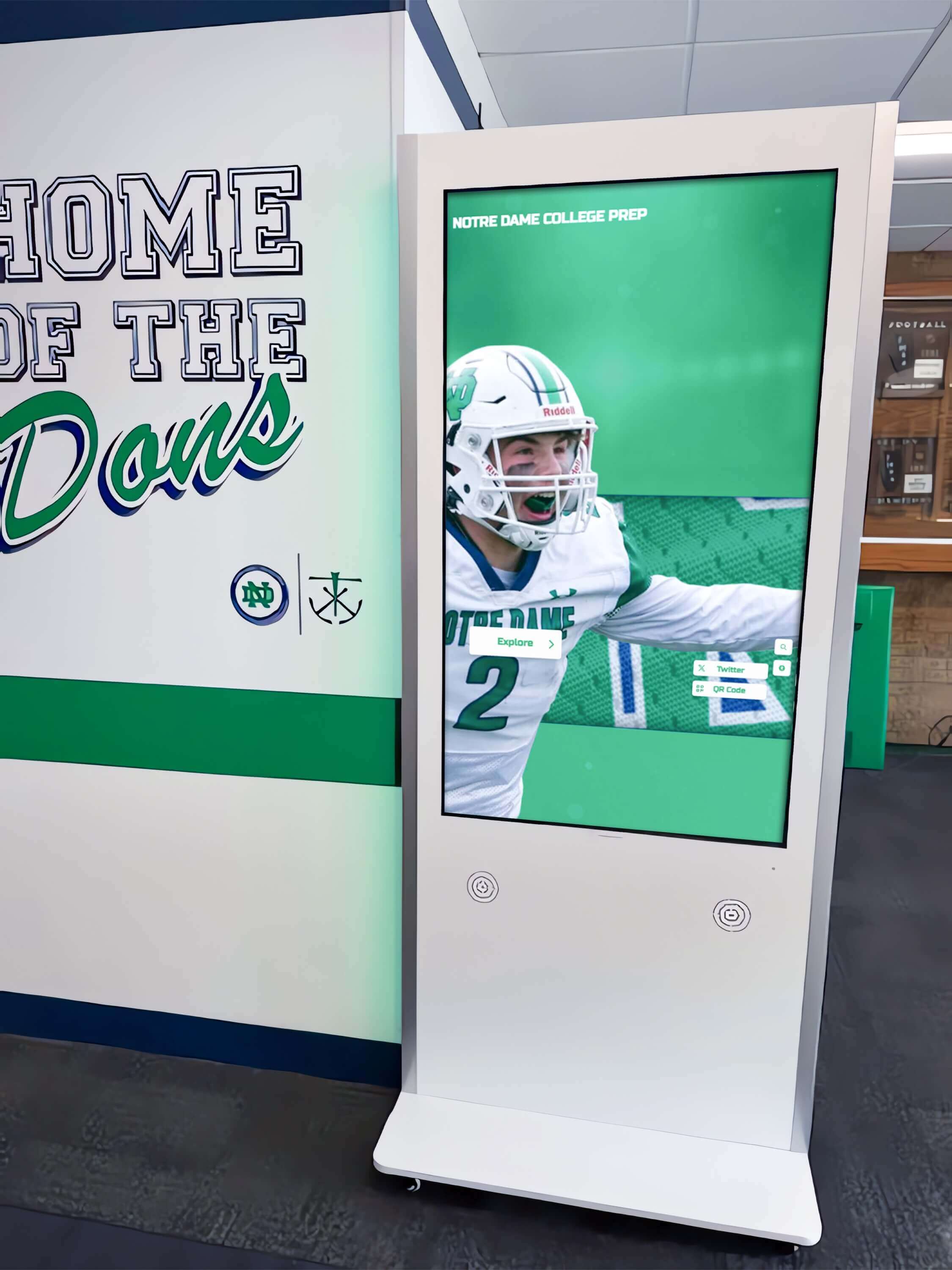
Physical touchscreen kiosk programs that use QR codes require the same redirect planning as the web channel—a broken web URL means a broken kiosk QR scan
Frequently Asked Questions
How many redirects does a typical school hall of fame migration require?
The number depends on how many profile and category pages the site contains. A hall of fame with 200 inductees across 10 sport categories might require 210–230 redirects covering profiles, category index pages, and decade directory pages. A program running since the 1980s with multiple induction classes per year and 600+ inductees will have a larger redirect map. The source URL inventory from Phase 2 gives you the exact count before work begins.
What happens if we miss a URL in the redirect map?
Any source URL not covered by the redirect map will return a 404 after the change goes live. Google Search Console will report these as crawl errors. You can add missing redirects after deployment, but there is a window during which any inbound link to the missed URL fails. This is why the source URL inventory count from Phase 2 must match the redirect map row count before implementation.
Can we use a wildcard redirect to cover all profile URLs at once instead of mapping them individually?
A pattern-based redirect (e.g., Redirect 301 /inductees/* /hall-of-fame/*) can work when the slug structure is identical between old and new URLs and the only change is a path prefix. It fails when slugs themselves change—as they do during name corrections or when the new platform generates slugs differently. Always verify that a pattern redirect produces the correct destination for every profile before relying on it for the full catalog.
How long should we keep old redirect rules in place?
Permanent (301) redirects should remain in place indefinitely, or for a minimum of two to three years. Search engines transfer indexing authority through 301 redirects, but inbound links from partner websites, archived newsletter issues, and social media posts continue generating traffic to old URLs for years. Removing a redirect rule after 12 months risks breaking traffic from sources you cannot update.
What is a redirect chain and why does it matter for inductee profiles?
A redirect chain occurs when a browser must follow more than one redirect to reach the destination—for example, old URL → intermediate URL → final URL. Each hop in the chain adds latency and, in long chains, can reduce the amount of indexing authority passed to the final destination. Chains most commonly appear when a redirect map is built on top of a previous redirect map without consolidating the rules. Before deploying, confirm that no source URL in the current map points to a destination that is itself a source URL in a prior redirect configuration.
Does redirect mapping affect our touchscreen kiosk program?
Only if your kiosk system uses web profile URLs for QR code destinations or deep links. Confirm this with your display platform provider before implementing any URL changes. Church and community sports touchscreen recognition programs and school hall of fame kiosks often share the same URL-based QR infrastructure, making redirect planning a shared responsibility between the web team and the display vendor.
Measurement: How to Confirm the Redirect Map Worked
Track these indicators in the 30–60 days following any URL change to confirm that the redirect map is performing correctly and no gaps were missed.
| Metric | Where to Find It | Target |
|---|---|---|
| 404 error count on old URLs | Google Search Console → Pages → Not indexed → 404 errors | Zero source URLs returning 404 |
| 301 response rate on source URL list | Status-code checker run against full source URL inventory | 100% of source URLs returning 301 |
| Crawl error resolution rate | Search Console Coverage report — 30-day comparison | All pre-migration indexed pages show redirect rather than error |
| Organic traffic preservation | Google Search Console → Performance → Queries | No sustained drop in impressions for inductee name queries after migration |
| Indexed page count at new URLs | site:yourdomain.com search; Search Console Coverage → Indexed | New destination URLs replacing old source URLs in index |
| Internal link chain count | CMS link audit or crawl tool after redirect map deployment | Zero internal links pointing to old source URLs |
A recognition program that completes this measurement cycle after each URL change builds an institutional record of how the site’s link infrastructure has evolved—useful context for the next staff member who inherits the program and encounters an unfamiliar redirect rule in the server configuration.
Execution Timeline: Plan → Map → Implement → Verify
Structure the redirect mapping project as a four-phase timeline to align IT, athletic administration, and content staff on ownership and deadlines.
Plan (Weeks 1–2)
- Classify the trigger and confirm scope of URL changes
- Assign owner and freeze date
- Pull source URL inventory from CMS or sitemap
- Confirm new URL structure with platform or development team
Map (Weeks 3–4)
- Complete redirect map spreadsheet (source URL → destination URL for every row)
- Flag uncertain destinations for stakeholder resolution
- Verify sample destination URLs in staging
Implement (Week 5)
- Deploy redirect map in staging; test representative sample
- Confirm no loops, no chains, and HTTPS enforcement
- Deploy to production before any old URL changes go live
Verify (Weeks 6–10)
- Crawl source URL list; confirm all return 301
- Spot-check destination page content for accuracy
- Submit updated sitemap to search engines
- Monitor Search Console for 30 days
Corporate digital signage and alumni recognition programs that integrate web and physical display channels follow the same migration timeline discipline—content continuity planning happens before the change, not as a remediation task after broken links are reported.
Rocket Alumni Solutions manages profile URL generation, sitemap publication, and structured data output for every inductee from a single cloud CMS—so when a name is corrected or a category is restructured, the platform handles the URL update and redirect automatically rather than requiring a manual redirect map. If you are evaluating platforms that reduce the ongoing URL management burden while keeping recognition content continuously accessible to alumni, search engines, and on-site visitors, request a free custom demo to see how the system maintains link integrity across every change cycle.
Keep Every Inductee Link Working Through Every Change
A redirect map built before a platform migration, name correction, or category restructure protects years of accumulated recognition visibility in a single afternoon of planning. The most resilient hall of fame programs pair that planning discipline with a platform that enforces URL consistency automatically—so the redirect map you need for today’s migration is also the last one you write.
Live Example: Rocket Alumni Solutions Touchscreen Display
Interact with a live example (16:9 scaled 1920x1080 display). All content is automatically responsive to all screen sizes and orientations.































