Hall of Fame Profile Ownership Policy: Roles, Rights, and Update Responsibilities
- Home /
- Digital Hall of Fame Insights & Resources /
- Hall of Fame Profile Ownership Policy: Roles, Rights, and Update Responsibilities

The Easiest Touchscreen Solution




Live Example: Rocket Alumni Solutions Touchscreen Display
Interact with a live example (16:9 scaled 1920x1080 display). All content is automatically responsive to all screen sizes and orientations.
A hall of fame profile ownership policy defines who has authority to create, edit, correct, and archive inductee biographies, photos, statistics, and honors in your school’s recognition program. Without a written policy, update requests stall in email chains, photo replacements require committee votes, and no one knows who has final authority when an inductee’s family disputes a fact. This guide gives school administrators, athletic directors, booster leaders, and recognition-program owners a clear framework for assigning roles, setting rights, and establishing repeatable update responsibilities before the next induction cycle begins.
A profile that appears on a permanent touchscreen display, a school website, or a searchable digital archive carries institutional weight. When ownership is undefined, that weight falls unevenly—on whoever picks up the phone when a problem surfaces. The policy structure below removes ambiguity, distributes accountability fairly, and keeps your recognition program credible over the long term.

Defined ownership roles ensure every profile on a recognition display has a responsible steward for accuracy and updates
Program Snapshot
| Element | Details |
|---|---|
| Audience | School administrators, athletic directors, booster club leaders, recognition-program coordinators, alumni office staff |
| Outcome | A written policy that assigns clear profile ownership, editing rights, and update responsibilities |
| Policy scope | Inductee biographies, photos, statistics, honors, corrections, archiving, and removal procedures |
| Key deliverable | A one-page ownership matrix distributed to all stakeholders before the next induction cycle |
| Display payoff | Profiles stay accurate on touchscreen kiosks, websites, and digital archives without ad-hoc escalations |
The Direct Answer: Who Owns a Hall of Fame Profile?
In most school programs, institutional ownership of the profile record rests with the school or district, not with the inductee individually. The athletic director or designated recognition-program coordinator holds operational authority: they approve new content, authorize corrections, and manage the platform. The inductee and their family have the right to request factual corrections and photo updates through a defined channel, but they do not have unilateral editing access to live records.
This distinction matters for donor trust, booster accountability, and long-term archive integrity. Inductees who understand the policy at the time of induction are less likely to expect instant changes; administrators who have the policy in writing can refer to it rather than making case-by-case judgment calls.
Align your ownership policy with your school or district’s existing records-management guidelines and, where photo rights or privacy questions arise, consult qualified legal counsel rather than relying solely on program convention.
5 Steps to Build Your Hall of Fame Profile Ownership Policy
Work through these steps in sequence. Complete each one before moving to the next, and document decisions in writing so the policy survives staff transitions.
Step 1: Designate a Primary Profile Owner
Assign one named role—not a committee—as the primary owner of every inductee profile. In most schools this is the athletic director for sport-related inductees and the principal or designated administrator for academic, arts, or community inductees. The primary owner has final approval authority over all content that appears on public-facing displays and the school’s digital archive.
Write this role into the job description, not just the policy document, so the responsibility transfers automatically when staff changes occur.
Step 2: Map Secondary Stakeholders and Their Permissions
Secondary stakeholders—booster club presidents, alumni coordinators, recognition committee chairs—often contribute content but should not have unilateral publishing rights. Assign each group a specific permission level:
- Contribute: Can submit draft content, photos, or correction requests for review.
- Edit: Can modify draft profiles before primary-owner approval.
- Approve: Can publish minor updates (spelling corrections, missing award years) without a full committee review.
- Archive: Can mark a profile as historically inactive but cannot delete it.
Document these levels in a permissions table and store it with your platform’s user-access settings.
Step 3: Define the Inductee’s Rights
Inductees and their families occupy a distinct category. They have a legitimate interest in the accuracy of their own records, and honoring correction requests promptly is both an ethical obligation and a program-credibility issue. At the same time, they are not platform administrators.
A clear policy grants inductees the right to:
- Request factual corrections through a named contact (email or form).
- Provide updated photos or media through an approved submission channel.
- Review a proof of their profile before initial publication.
The policy should also explain what inductees cannot do: access the platform directly, demand removal of accurately documented records without a formal review, or alter the display format of their profile to differ from the program’s standard template.
Step 4: Establish an Update and Correction Workflow
Unmanaged update requests are the most common source of policy breakdowns. Build a simple workflow that routes every request through the same path regardless of who submits it.
A minimal workflow looks like this:
- Inductee or stakeholder submits a correction request via a designated email address or intake form.
- The primary owner or designated editor reviews the request against primary source documentation (yearbooks, official rosters, award records).
- If the correction is verified, the editor updates the profile and logs the change with a date and source citation.
- The requestor receives a confirmation with the effective date of the update.
- If the correction is disputed, the primary owner escalates to the recognition committee for a documented decision.
Standardizing this workflow reduces the average turnaround for routine corrections and creates a defensible audit trail when disputes arise. A robust athletic hall of fame collections management policy will address how individual profile changes fit into the broader records-management structure.
Step 5: Set a Review and Refresh Cadence
Static policies become outdated. Schedule an annual review of:
- User-access permissions (confirm all platform accounts belong to current staff).
- Inductee contact information for future update requests.
- Platform backup status and recovery procedures.
- Photo rights documentation for any images acquired in the previous year.
Tie this annual review to the induction-cycle calendar so it happens before new profiles are published, not after.
Ownership Roles by Stakeholder
| Stakeholder | Primary Function | Typical Permission Level |
|---|---|---|
| Athletic Director / Program Coordinator | Final approval authority | Approve, Publish, Archive |
| Recognition Committee Chair | Disputed-content escalation | Approve (scoped decisions) |
| Booster Club President | Funding liaison, event coordination | Contribute |
| Alumni Office Coordinator | Alumni outreach, verification support | Contribute, Edit (draft stage) |
| Platform Administrator (IT or vendor) | Technical access and backup management | System-level only |
| Inductee / Family | Correction requests, media submissions | Submit requests only |
| School Principal / District Administrator | Policy governance, appeals | Override authority |
Rights: What Each Role Can and Cannot Do
| Action | Primary Owner | Committee Chair | Booster / Alumni Staff | Inductee / Family |
|---|---|---|---|---|
| Create a new profile | Yes | With approval | No | No |
| Edit a published profile | Yes | Scoped decisions | No | No |
| Request a factual correction | Yes | Yes | Yes | Yes |
| Submit a photo for review | Yes | Yes | Yes | Yes |
| Approve a photo for publishing | Yes | No | No | No |
| Archive a profile | Yes | With approval | No | No |
| Delete a profile permanently | Yes (with district sign-off) | No | No | No |
| Access platform login | Yes | Designated accounts | No | No |

Role-based access controls translate your written ownership policy into platform-enforced permissions
Content Architecture: Mapping Profile Data to Touchscreen Modules
A hall of fame profile ownership policy becomes operational only when it connects to how content actually appears on your displays. Each data field in an inductee profile maps to a specific module on a digital recognition platform, and each module carries its own accuracy risk.
| Profile Field | Display Module | Ownership Priority | Verification Source |
|---|---|---|---|
| Full name | Search index, portrait card | Highest | Official school records |
| Sport / Activity | Category filter, browse view | High | Yearbook, roster records |
| Year(s) of recognition | Timeline filter, decade browse | High | Committee minutes, award records |
| Biography text | Profile detail page | High | Committee-approved draft |
| Statistics and records | Records board, auto-ranking display | High | Official score books, state records |
| Photo | Portrait card, profile hero image | High | Photo rights documentation |
| Honors and awards | Honors ribbon, award badge | Medium | Original award documentation |
| Career update (“Where are they now”) | Optional alumni module | Lower | Self-reported, flagged as such |
Connecting the ownership policy to these specific fields makes it easier to train new staff: instead of explaining abstract principles, you can point to a table and say “this field requires primary-source verification and primary-owner approval before publishing.”
A hall of fame content moderation policy for schools extends this logic to user-submitted content and community contributions, which adds another layer of ownership complexity worth addressing if your program accepts nominations or biographical submissions from the public.
Update Responsibilities and Timelines
| Update Type | Responsible Party | Target Turnaround | Documentation Required |
|---|---|---|---|
| Factual correction (name, date, stat) | Primary owner + verification source | 5–10 business days | Source citation logged |
| Photo replacement | Primary owner + photo rights review | 10–15 business days | Rights documentation on file |
| New honor or award addition | Primary owner | 5 business days | Award documentation |
| Career update (self-reported) | Alumni coordinator submits; primary owner approves | 15–20 business days | Flagged as self-reported |
| Profile archival (retired, historical) | Primary owner + committee sign-off | Per induction cycle | Meeting minutes |
| Disputed content resolution | Committee escalation | 30 business days | Written decision on file |
| Platform backup verification | Platform admin or IT | Monthly | Backup log |
Keeping turnaround targets in the policy document—rather than leaving them to individual discretion—sets expectations for inductees and families, reduces pressure on staff to respond informally, and creates an accountability record if turnarounds are missed consistently.
Data backup and recovery procedures deserve their own section in any comprehensive policy. A hall of fame data backup policy covers the technical side of protecting the biographical records that your ownership policy is designed to govern.
Execution Timeline: Implementing Your Ownership Policy
Treat the policy itself as a project with defined phases.
Phase 1 — Plan (Weeks 1–4)
- Draft the ownership matrix and permissions table.
- Identify all current platform accounts and audit active users.
- Draft the inductee rights statement for inclusion in induction packets.
- Circulate draft policy to athletic director, principal, and booster leadership for review.
Phase 2 — Build (Weeks 5–8)
- Finalize policy language with input from all stakeholders.
- Configure platform user roles to match the approved permissions table.
- Create the correction-request intake form or email alias.
- Archive or transfer any platform accounts held by former staff.
Phase 3 — Launch (Week 9)
- Distribute the one-page ownership matrix to all named stakeholders.
- Include the inductee rights statement in the next induction ceremony packet.
- Brief booster and alumni coordinators on the contribution-only workflow.
- Post the update-request contact information in a location inductees can find it.
Phase 4 — Refresh (Annual)
- Review user-access permissions before the next induction cycle.
- Audit all profiles published in the prior year for accuracy.
- Update the correction-request workflow if turnaround targets were consistently missed.
- Confirm backup status and offsite storage with platform administrator.
Rocket Alumni Solutions’ cloud-based CMS supports this phased approach directly: role-based user permissions, scheduled publishing, and automatic backups align with each phase of the policy lifecycle without requiring custom development.
Display Integration: Connecting Policy to Physical and Digital Recognition
Your ownership policy should address not just the content management platform but every surface where inductee profiles appear.
Touchscreen Kiosks Profile data published through the CMS feeds automatically to touchscreen displays in lobbies, athletic facilities, and common areas. Role-based publishing controls ensure that only approved content reaches the screen—a critical safeguard when the display is visible to students, visiting families, and prospective recruits daily.
ADA compliance (WCAG 2.1 AA) is a technical requirement for public-facing displays, but it is also an ownership responsibility: the administrator who approves a profile image is accountable for ensuring adequate contrast and accessible formatting. Build an accessibility check into the approval step rather than treating it as a separate IT task.
School Website Integration Many recognition programs embed profile data on the school’s athletics or alumni web pages. The ownership policy should specify whether the web version is a live feed from the platform (in which case CMS permissions govern it automatically) or a manually maintained copy (in which case a separate update process is required). Manual copies create drift risk—web profiles fall out of sync with display profiles, and the institution ends up with two versions of an inductee’s record.
Physical Displays Plaques, murals, and trophy case cards exist outside the digital platform’s governance. The ownership policy should note that physical elements are considered authoritative historical records and can only be updated through a capital-improvement process that includes district approval. Digital profiles should not be silently corrected to contradict physical plaques without a documented decision about which version is authoritative.
Deaccession and Removal Occasionally, a profile must be removed or significantly altered—due to a factual error discovered after publication, a court order, or a change in the inductee’s standing with the institution. A hall of fame deaccession policy addresses the formal process for these situations. Your ownership policy should reference that process and name who has authority to initiate a deaccession review.
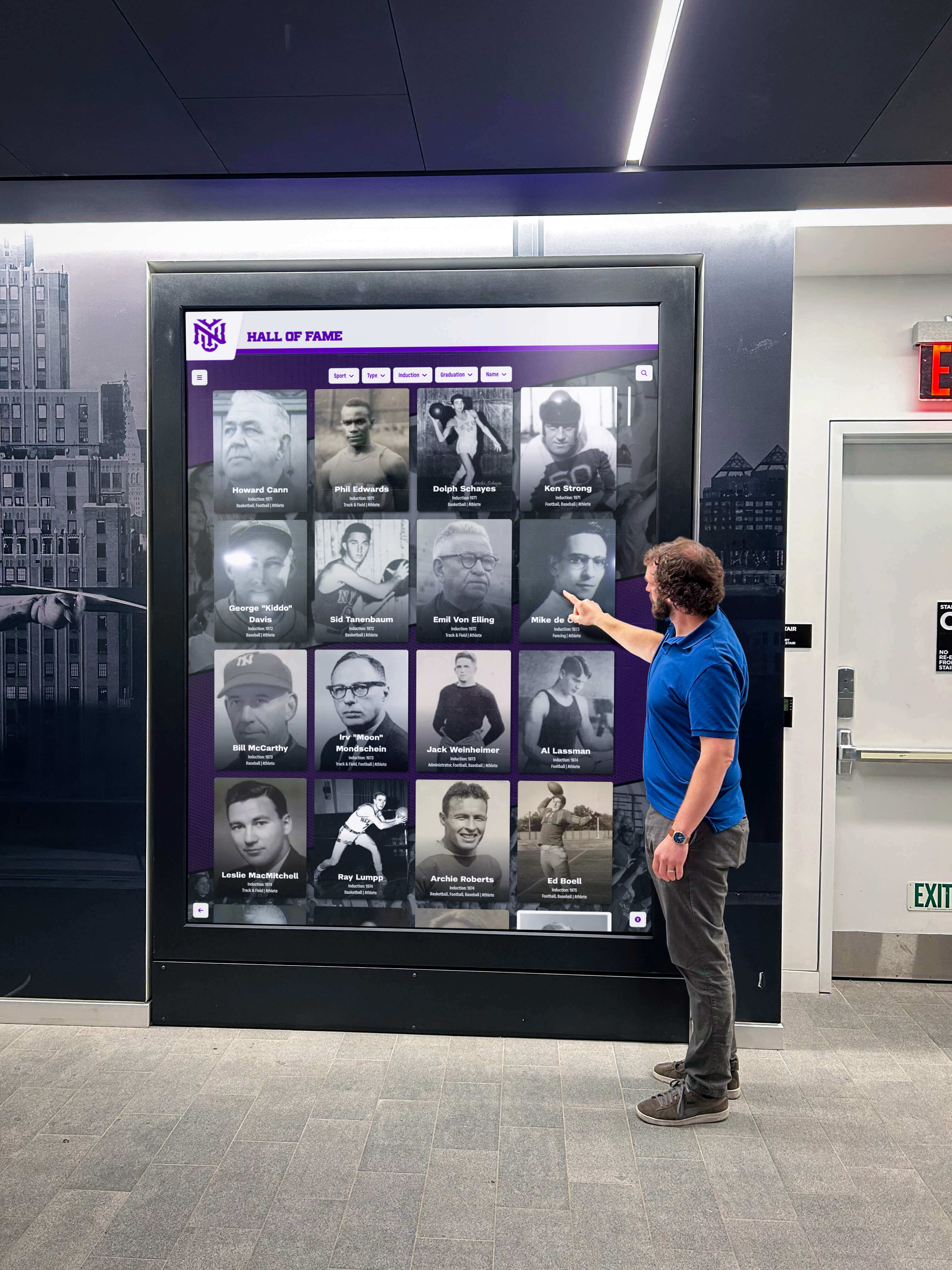
Public-facing displays require defined ownership so every profile a visitor sees has been reviewed, verified, and approved by a named steward
Frequently Asked Questions
Q: Does the inductee own the content in their hall of fame profile?
No. In a school or district-operated recognition program, the institution holds ownership of the profile as an institutional record. The inductee has the right to request factual corrections and to submit updated photos, but they do not own the record or have direct editing access. This is consistent with how schools handle other permanent records. For programs that accept self-authored bios, mark that content as self-reported so future administrators know its verification status differs from committee-reviewed fields.
Q: What happens to profile ownership when a staff member leaves?
The profile ownership role transfers to whoever assumes that staff member’s position. This is why the policy should be attached to a role, not a person. Update platform user accounts immediately when a staff transition occurs—former employees should not retain access to a live recognition platform. Document the transition in the policy’s maintenance log.
Q: Can a booster club donor request changes to a profile?
A booster donor has the same rights as any other community member: they may submit a correction request through the designated channel if they have evidence of a factual error. They do not have elevated access or approval authority by virtue of their financial contribution. Keep this distinction clear in conversations with booster leadership to preserve the program’s editorial independence.
Q: How should the policy handle photos submitted by inductees or families?
Create a photo submission channel (a shared folder or email alias) and a review checklist that covers image quality, content appropriateness, and rights documentation. The primary owner or a designated editor reviews all submitted photos before they replace any image in the platform. Document the rights chain—who took the photo, who submitted it, and whether the school has permission to display it on a public-facing platform. A comparison of digital hall of fame platforms can help you evaluate which tools include built-in media-rights tracking.
Q: How often should the ownership policy itself be reviewed?
At minimum, review the policy annually before each induction cycle. Trigger an off-cycle review whenever a platform change, a staff transition, or a content dispute reveals a gap in the current policy. Treat the policy as a living document: version it, date each revision, and keep prior versions on file so you can reconstruct the decision history if a dispute surfaces years later.
Q: What if an inductee’s record needs to be removed entirely?
Profile removal is the highest-stakes action in a recognition program and should require the highest level of authorization—typically the school principal or district administrator, with documentation of the reason. A blanket prohibition on removal is unworkable (errors happen; circumstances change), but removal should never be at the discretion of a single staff member. Require written sign-off from at least two named roles before a profile is permanently removed from any display or archive.
Q: Should we evaluate platform vendors on their ownership and access features?
Yes. Before selecting or renewing a digital hall of fame platform, verify that it supports role-based permissions, detailed audit logs, scheduled publishing, and automatic backups. A review of tools for athletics, donors, arts, and history can help you identify which platforms are purpose-built for the governance needs of school recognition programs versus general-purpose digital signage adapted after the fact.
Reusable Policy Summary: One-Page Ownership Matrix
Copy and adapt this matrix for distribution to all stakeholders before your next induction cycle.
Hall of Fame Profile Ownership Matrix — [School Name]
| Policy Element | Detail |
|---|---|
| Primary profile owner | [Role: Athletic Director / Program Coordinator] |
| Secondary contributors | [Roles: Booster President, Alumni Coordinator] |
| Inductee rights | Request factual corrections; submit photos for review; review proof before initial publication |
| Correction channel | [Email alias or intake form URL] |
| Correction turnaround | 5–10 business days for factual errors; 10–15 for photo replacements |
| Photo rights requirement | Rights documentation required before any photo is published |
| Disputed content escalation | Recognition committee; written decision within 30 business days |
| Profile removal authority | School principal + district administrator; written sign-off required |
| Annual review date | [Month, Year] — before each induction cycle |
| Platform administrator | [Name or role responsible for user accounts and backups] |
| Policy version | [Version number and date] |
Store this matrix in your program’s shared drive, attach it to the induction ceremony packet, and reference it whenever an update or correction request arrives. Consistency in applying the policy is what makes it credible to inductees, families, boosters, and future administrators who were not part of the original decision.
Connecting Ownership Policy to Long-Term Athletic History Preservation
A hall of fame profile ownership policy is not a bureaucratic formality—it is the infrastructure that makes a recognition program sustainable across staff transitions, platform upgrades, and decades of induction cycles. Schools that preserve athletic history accurately do so because someone defined, in writing, who was responsible for keeping that history accurate.
When donors and sponsors contribute to a recognition program, they are trusting that the institution will maintain those records with the same care it applies to financial reporting. An ownership policy demonstrates that trust is warranted. When alumni return for reunions and search the digital archive for teammates from thirty years ago, the accuracy of what they find reflects directly on the school’s credibility as a steward of its own legacy.
Connecting the written policy to a purpose-built digital platform closes the loop: permissions defined in the policy translate to role-based access controls in the platform, update timelines defined in the policy map to CMS workflows, and backup procedures defined in the policy correspond to automated cloud backups that protect the archive regardless of staff turnover.
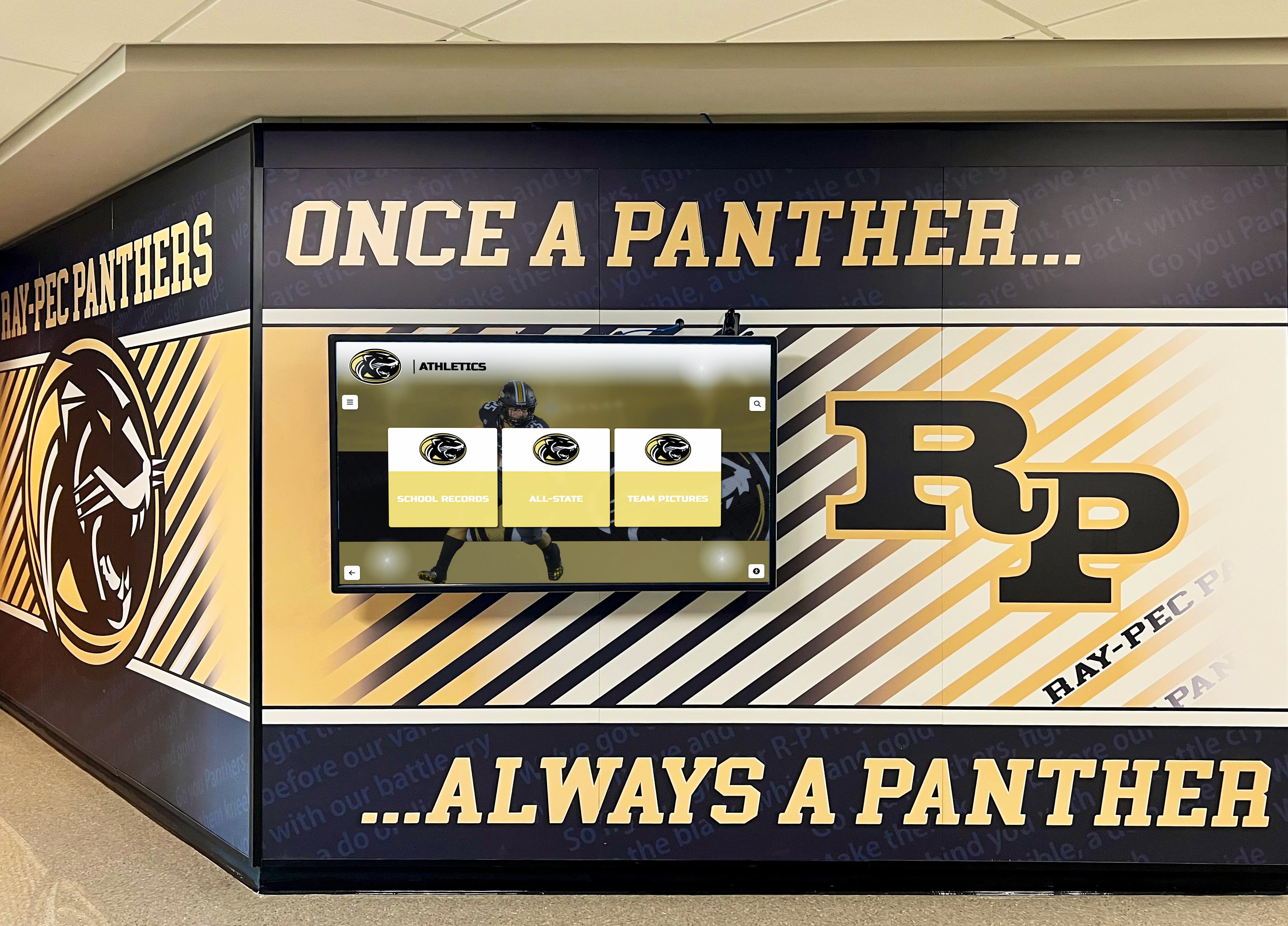
Physical and digital recognition elements work together when a clear ownership policy governs both surfaces
Evaluating vendors on their governance features—not just display quality—is a worthwhile step before committing to any platform. The AI kiosk fallacy in digital hall of fame marketing is a useful reminder that marketing claims about platform capabilities should be verified against actual feature sets, especially for access controls and audit logging. And if your program includes physical display cases alongside digital kiosks, basketball display case ideas for school lobbies and hall of fame walls offers useful context on how physical and digital elements can be coordinated within a single governance framework.
A written hall of fame profile ownership policy protects your inductees, your institution, and the staff who manage recognition day to day. It replaces ad-hoc escalations with documented workflows, sets clear expectations for everyone who touches a profile, and ensures your recognition program remains credible and maintainable for the long term.
Rocket Alumni Solutions’ cloud-based platform is built to support exactly this kind of structured governance: role-based permissions, audit logs, scheduled publishing, ADA-compliant displays, and automatic backups align with the ownership framework described in this guide. If you are building or modernizing your hall of fame program and want to see how the platform maps to your specific governance needs, request your free custom demo to see it in action.
Live Example: Rocket Alumni Solutions Touchscreen Display
Interact with a live example (16:9 scaled 1920x1080 display). All content is automatically responsive to all screen sizes and orientations.































