



A well-crafted hall of fame press release does two jobs at once: it announces new inductees to the public with the dignity those honorees deserve, and it feeds accurate, structured data directly into the digital profiles that will live on your school’s recognition display for decades. Schools that treat these two functions as separate tasks—a press release for the newspaper, profile data for the website—often end up with inconsistencies, missing fields, and last-minute scrambles before the induction ceremony. Combining them into a single communications workflow saves time, protects accuracy, and ensures every inductee’s legacy is captured completely from the first announcement forward.
This guide provides a ready-to-use press release template, a digital profile field checklist, and a phased communications timeline so athletic directors, communications coordinators, and recognition committee chairs can move from selection vote to published profile without gaps.
When a selection committee votes to induct a new class, the clock starts immediately. Local media may request biographical details within days, families want shareable announcements, and the display team needs structured profile data weeks before the ceremony. A single source-of-truth template—built around the primary fields your digital platform requires—keeps every stakeholder working from the same facts.

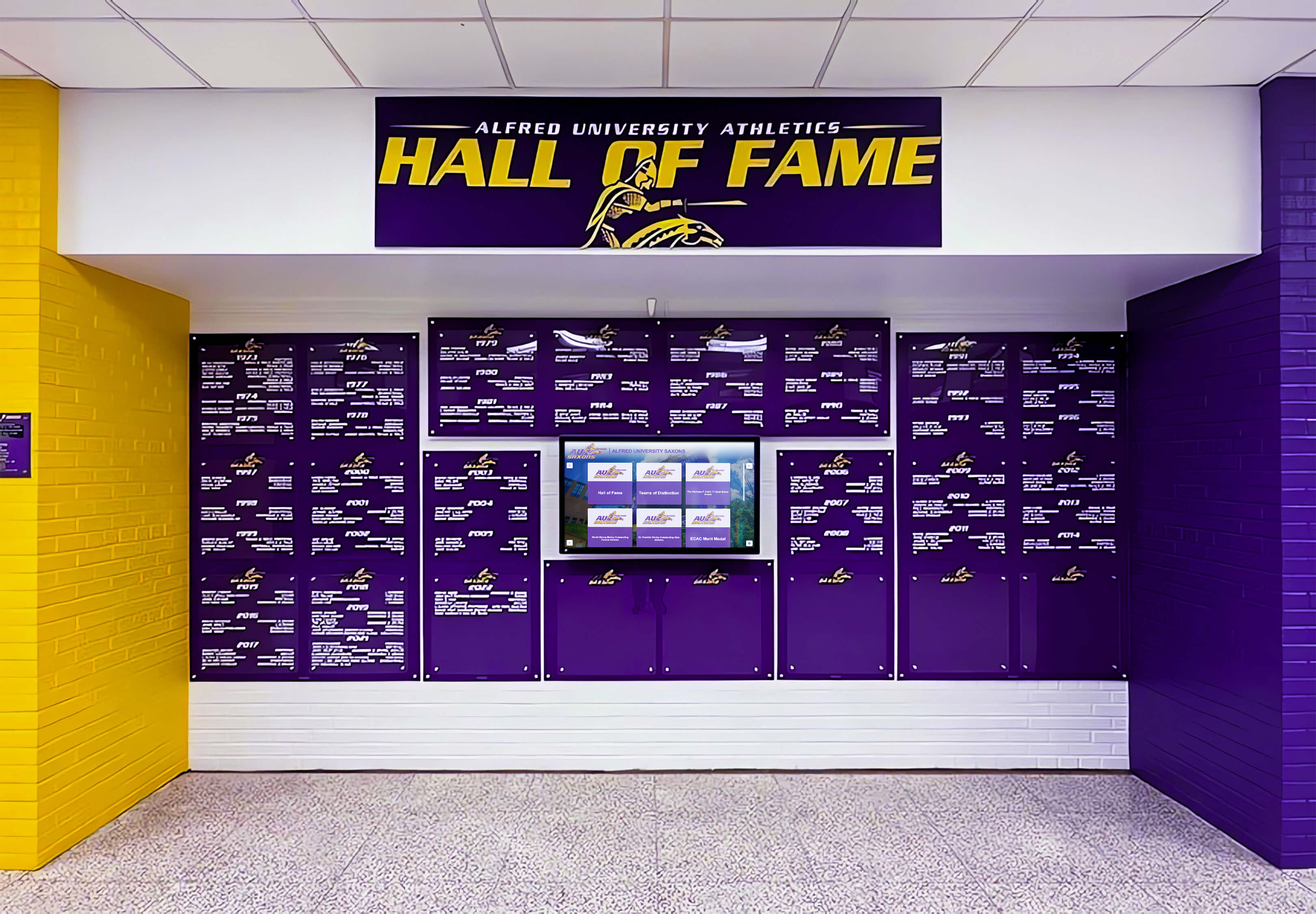
A cohesive hall of fame display starts with accurate, complete inductee data gathered at the announcement stage
Program Snapshot
Before diving into the template, align your team on the program parameters that shape every communication.
| Element | Details |
|---|---|
| Program type | Athletic / Academic / Fine Arts / Multi-category |
| Induction frequency | Annual / Biennial / Rolling |
| Inductee categories | Individual athlete, coach, team, contributor, honorary |
| Announcement lead time | Typically 6–10 weeks before the ceremony |
| Primary audiences | Local media, school community, inductee families, alumni network |
| Display destination | Touchscreen kiosk, wall-mounted digital panel, web platform, or all three |
| Profile deadline | Date by which all digital profile fields must be finalized |
| Approval chain | Communications director → athletic director → principal or president |
Filling in this snapshot before drafting anything ensures that everyone from the committee chair to the graphic designer knows the timeline and scope.
The Hall of Fame Press Release Template
Copy the block below, replace the bracketed fields, and you have a complete, media-ready announcement. Every field marked with (Digital Profile) feeds directly into your inductee’s online and on-screen record—do not skip them.
FOR IMMEDIATE RELEASE [Release Date]
Contact: [Name, Title] Phone: [xxx-xxx-xxxx] Email: [email@school.edu]
[SCHOOL NAME] ANNOUNCES [YEAR] HALL OF FAME INDUCTEE CLASS
[City, State] — [School Name] today announced the [Year] class of inductees to the [Program Name] Hall of Fame. The [Number]-member class will be formally inducted during a ceremony on [Ceremony Date] at [Venue Name].
About the Class
This year’s class was selected by the [Committee Name] from a field of [Number] eligible nominees. Inductees represent [Number] graduating classes spanning [earliest graduation year] through [most recent graduation year]. The class includes [brief category breakdown, e.g., “three former student-athletes, one head coach, and one community contributor”].
INDUCTEE PROFILES
(Repeat the block below for each inductee.)
Full Name: [First Middle Last] (Digital Profile: Display Name) Category: [Athlete / Coach / Team / Contributor / Honorary] Sport / Program: [Sport or activity] (Digital Profile: Program) Years at [School]: [e.g., 2001–2004] (Digital Profile: Tenure Dates) Graduation Year: [YYYY] (Digital Profile: Class Year) Position / Role: [e.g., Point Guard / Head Swimming Coach] (Digital Profile: Position)
Career Highlights (3–5 bullet points):
- [Achievement 1, e.g., “Three-time All-State selection (2002, 2003, 2004)”]
- [Achievement 2, e.g., “Set school record in the 400m dash (49.2 sec) that stood for 11 years”]
- [Achievement 3]
- [Achievement 4 — optional]
- [Achievement 5 — optional]
(Digital Profile: Stats / Records)
Brief Biography (75–100 words): [Name] attended [School] from [years] and competed in [sport/program]. During [his/her/their] time as a [mascot], [Name] [primary achievement]. After graduating, [Name] [post-school path — college, career, community]. [Name] currently [present-day status if known and shared by consent]. [One sentence on character, leadership, or community impact.]
(Digital Profile: Biography Text)
Current City / State: [City, ST — if shared by consent] (Digital Profile: Current Location) Photo Credit / Permission: [Photographer or “Family-provided”] (Digital Profile: Photo Source)
(Repeat block for each additional inductee.)
About the [Program Name] Hall of Fame
The [Program Name] Hall of Fame was established in [Year] to honor [mission statement in one sentence, e.g., “individuals who have brought distinction to [School] through outstanding athletic achievement, dedicated coaching, and sustained service to our programs”]. Since its founding, the hall has inducted [Total Number] honorees across [Number] induction classes.
Ceremony Details
Date: [Day, Month DD, YYYY] Time: [Start time] — Doors open at [time] Location: [Venue, Address] Tickets / RSVP: [URL or contact] Media Credentials: Contact [Name] at [email] by [deadline date]
[School Name] is a [brief institutional description, e.g., “public high school serving approximately 1,400 students in grades 9–12 in [City], [State]”]. Learn more at [school website].
Digital Profile Field Checklist
A press release is temporary; a digital inductee profile is permanent. Use the checklist below to ensure every field your display platform needs is collected before the ceremony, not scrambled together afterward.
Required Fields (Every Inductee)
- Display Name — how the name appears on-screen (check spelling with the inductee)
- Category — athlete, coach, team, contributor, honorary
- Sport / Program — for multi-sport athletes, list primary sport first
- Class Year / Years Active — dates the honoree was associated with the school
- Headshot Photo — minimum 400×500 px, face forward, neutral background preferred
- Biography — 75–150 words, written in third person, approved by inductee or family
- Career Highlights — 3–5 specific, verifiable achievements with seasons or dates
Recommended Fields (Significantly Enriches Profile)
- Records Set — with date, previous record holder if known
- Championships / State Titles — year, level (conference, regional, state, national)
- Honors / Awards — All-State, All-American, Player of the Year, etc.
- Post-School Achievement — college sport, professional career, national recognition
- Coach / Mentor Quote — a brief attributed quote adds human context
- Action Photo — one competition-era image enriches the profile significantly
- Video Clip or Link — highlight reel, interview, or ceremony speech (if available)
- Current Location — city and state only; verify consent before publishing
Team Inductees (Additional Fields)
- Roster List — all rostered members with graduation year; confirm spelling with school records
- Season Record — wins, losses, championships
- Coaching Staff — head coach and assistants associated with the season
Explore how digital platforms structure inductee data in managing school digital displays day-to-day.

Portrait-card layouts on touchscreen displays surface the exact fields gathered during the press release and profile collection phase
Content Architecture: From Announcement to Display Module
A well-structured press release maps directly to the screen modules visitors browse at a touchscreen kiosk or wall panel. Understanding that mapping prevents data gaps.
Announcement-to-Display Field Map
| Press Release Field | Touchscreen Module | Web Profile Section |
|---|---|---|
| Display Name | Hero nameplate | Page title / H1 |
| Category | Filter tag (Athlete / Coach / Team) | Category badge |
| Sport / Program | Sub-filter and sport icon | Program label |
| Class Year | Timeline marker | Class year chip |
| Headshot Photo | Portrait card thumbnail | Profile photo |
| Career Highlights | Scrollable stats panel | Highlights list |
| Biography | Expandable bio drawer | About section |
| Records Set | Auto-ranked record board | Stats table |
| Action Photo | Secondary image carousel | Photo gallery |
| Video Clip | Video module | Embedded player |
| Current Location | Alumni map pin | Location field |
When every field in the template is collected, the display team can publish a complete profile without chasing down families or guessing at data. Schools using platforms like Rocket Alumni Solutions can often import structured inductee data directly from a spreadsheet version of this template, cutting profile build time significantly.
Content Architecture Considerations
Auto-Ranking Record Boards If your platform surfaces records dynamically (e.g., “Top 10 single-season points scorers”), the individual records field must be formatted consistently—event name, mark or score, season, and opponent if applicable. Inconsistent formatting breaks automated sorting.
Sponsor and Donor Ribbons Many schools pair induction announcements with naming-rights sponsors. If a presenting sponsor is attached to the new class, collect that entity’s name, logo, and approved copy at the same time as inductee data so both appear together on launch day.
Social Gallery and QR Unlocks Platforms that display social posts tagged with the inductee’s name or a ceremony hashtag need that hashtag confirmed before the announcement goes out. Define the hashtag in the press release so families and media use it consistently from day one.
For context on how platforms structure multi-category recognition, see defining and preserving student honors across disciplines.
Execution Timeline: Plan → Build → Launch → Refresh
Phase 1 — Plan (8–10 Weeks Before Ceremony)
Weeks 8–10
- Selection committee votes and finalizes inductee list
- Assign a data coordinator to manage profile collection
- Send inductee notification letters with the profile questionnaire attached
- Set internal deadline: all profile fields due by [Date — at least 5 weeks before ceremony]
- Confirm ceremony venue, date, and time
- Draft press release shell with static fields filled in
Week 7
- Follow up with inductees who have not returned questionnaires
- Collect and review headshot photos; request retakes if resolution is inadequate
- Begin writing biographies from returned questionnaires; route to inductees for approval
Phase 2 — Build (4–6 Weeks Before Ceremony)
Weeks 5–6
- Finalize all biography text with inductee approval
- Submit complete profile data packet to display platform administrator
- Begin building profiles in the CMS; schedule publication for announcement day
Weeks 3–4
- Review draft profiles in the CMS preview; verify spelling, dates, and photo quality
- Finalize the press release with all inductee blocks complete
- Distribute press release to local media, school newsletter, and alumni communications
- Post announcement to school social channels with ceremony registration link
Phase 3 — Launch (Ceremony Week)
Week of Ceremony
- Publish all profiles on the web platform (or schedule timed release for ceremony day)
- Activate profiles on the display kiosk so attendees can browse during the reception
- Confirm ADA compliance: screen contrast, touch target sizing (minimum 44×44 px per WCAG 2.1 AA), and readable font sizes for all profile text
- Prepare a QR code linking to the web inductee gallery; include in ceremony programs
- Assign a staff member to photograph the ceremony for post-event profile enrichment
Day of Ceremony
- Display kiosk active in lobby or reception area before doors open
- Reserve a dedicated slide or digital signage loop showing new inductees’ portraits in the venue
Phase 4 — Refresh (Post-Ceremony, Ongoing)
Within 2 Weeks of Ceremony
- Add ceremony photography to inductee profiles (action shots, plaque presentation moments)
- Embed video of induction speeches if recorded
- Update the web platform’s inductee count and class listing
- Archive press release PDF to the school’s digital records
Annual
- Review all profiles for accuracy; update “current location” or career data if inductees share updates
- Begin next induction cycle using the same template
Athletic directors planning multi-year programs benefit from building communications procedures into their transition documentation. See athletic director transition planning resources for framework examples.
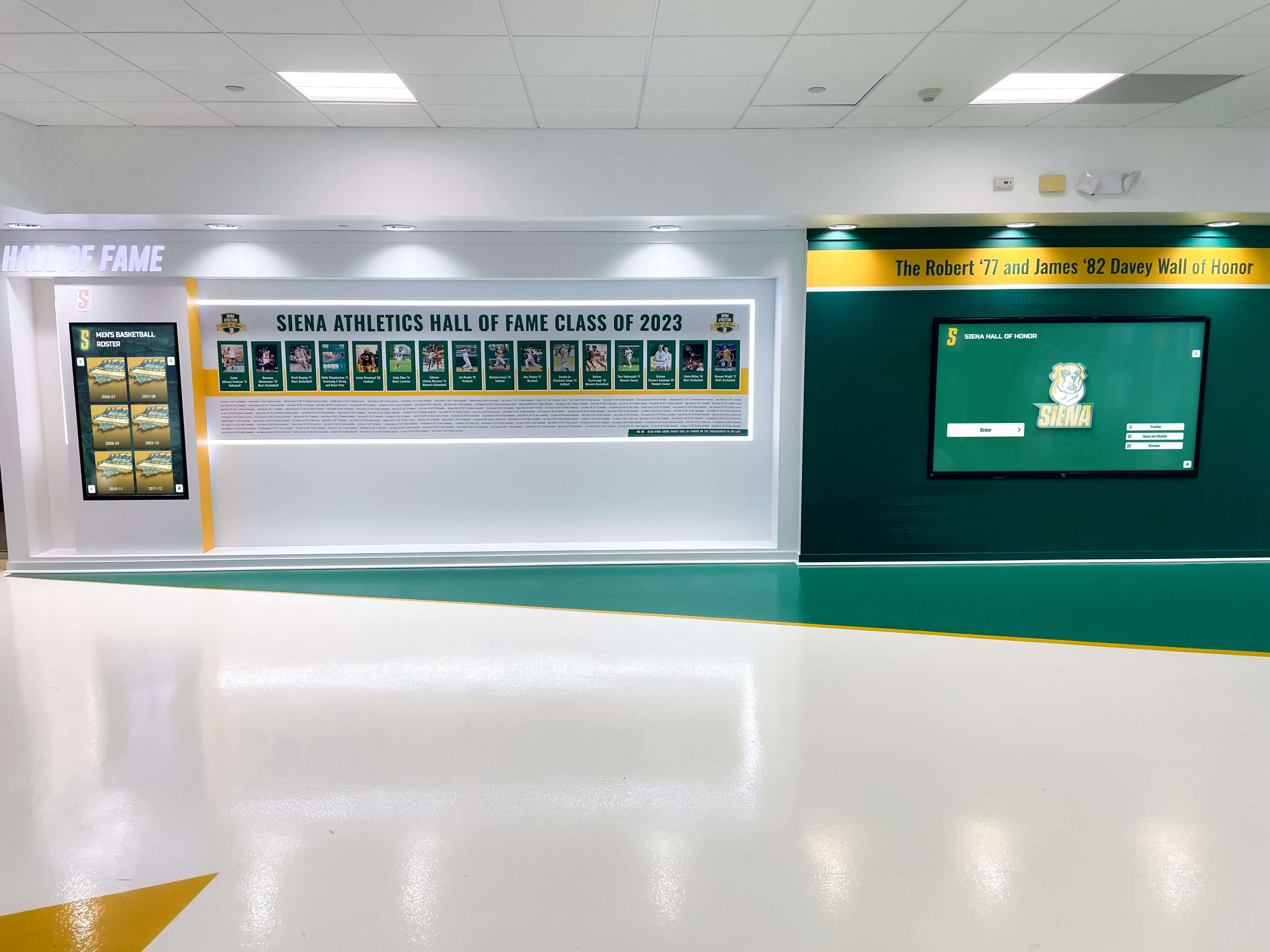
Physical and digital displays both depend on complete, accurate inductee data gathered before the ceremony
Display Integration: Connecting Announcements to Physical and Digital Exhibits
Layout Zones and Profile Placement
A touchscreen installation typically divides the screen real estate into several zones that correspond directly to the data fields collected above:
Zone 1 — Browse Grid (Portrait Cards) Each inductee appears as a portrait card with headshot, name, sport, and class year. Cards filter by category (athlete, coach, team) and sort by class year or sport. Missing headshots default to a placeholder silhouette, which undermines the professional appearance of the installation—this is why headshot collection is non-negotiable.
Zone 2 — Individual Profile Drawer Tapping a portrait card expands a full-profile view: biography, career highlights, records, photos, and video. This is the section that benefits most from the detailed questionnaire fields. A sparse profile in this zone leaves visitors feeling the honoree was underserved.
Zone 3 — Record Boards and Stats Panels Auto-ranked boards pull from the records field. If the data isn’t in a consistent format (e.g., “48.9” vs. “48 seconds 9 tenths”), automated ranking fails. Standardize units in the template before distribution.
Zone 4 — Sponsor and Donor Recognition Sponsor logos and naming-rights acknowledgments rotate in a persistent ribbon. These elements can be scheduled via the CMS to appear only during the induction season or year-round.
For a broader view of available platform options before committing to a display architecture, review top hall of fame display tools for athletics, donors, arts, and history.
Remote CMS Workflow and Scheduled Publishing
Modern recognition platforms allow administrators to build all profiles in advance and schedule them to go live at a specific date and time—ideal for a coordinated announcement when the press release drops. This means:
- The web profile, the touchscreen display, and the social post all activate simultaneously
- No manual login required on announcement day
- Profiles remain in draft/preview until the scheduled moment
Cloud-based management means the display administrator can push updates from any location. In a typical school environment, Districts see sub-30-minute refresh cycles when adding post-ceremony photos and video using a cloud CMS with a mobile-optimized admin panel.
ADA and WCAG 2.1 AA Requirements
Every inductee profile published on an interactive display or public website is subject to accessibility requirements. Key checkpoints:
- Color contrast: Text on profile cards must meet a 4.5:1 contrast ratio (WCAG AA)
- Touch targets: Buttons and card tap areas must be at least 44×44 px
- Alt text: Every photo must have a descriptive alt attribute (format: “[Name], [sport], [school], [approximate era]”)
- Font size: Minimum 16 px for body text in interactive zones; zoom capability required
- Keyboard navigation: Web profiles must be fully navigable without a mouse or touch screen
Including ADA notes in the display integration section of your press release workflow—not just in technical documentation—ensures communicators understand why complete photo alt-text and accurate name spellings matter from the start.
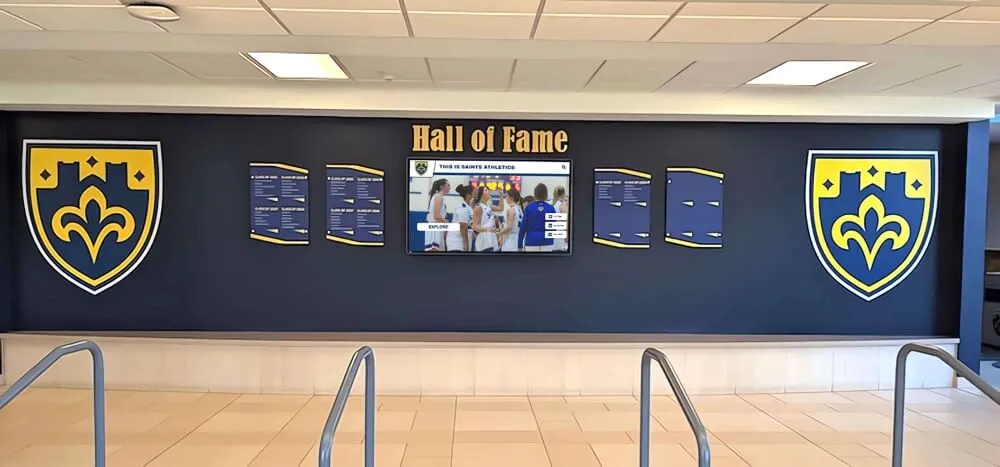
Hybrid installations combine physical shields or plaques with a central digital screen—both requiring the same accurate data gathered during the announcement phase
Reusable Artifact: Inductee Profile Questionnaire
Send this block to each inductee (or their family contact) with the notification letter. Completed responses become the press release biography and the digital profile simultaneously.
[SCHOOL NAME] HALL OF FAME — INDUCTEE PROFILE QUESTIONNAIRE Please return completed form to [Coordinator Name] at [email] by [Date]
1. Full legal name (as you would like it displayed):
2. Sport(s) / Program(s) at [School]: (list all)
3. Years attending [School]: From ____ to ____
4. Graduation year (or years affiliated if non-student):
5. Position / role:
6. Career highlights (please list 3–5 specific achievements with seasons or dates):
7. Records set (include mark/score and year):
8. Post-school achievements you would like included (college sport, professional career, major awards):
9. Brief biography — please describe your time at [School] in your own words (we will edit for length and style, and return to you for approval before publishing):
10. Is there a coach, mentor, or teammate you would like acknowledged in your profile?
11. Best contact for follow-up (name, relationship, email, phone):
12. Please attach or email one headshot photo (recent or era-appropriate) and one action photo if available.
13. Do you consent to your current city and state appearing in your public profile? Yes / No
All information collected will be used solely for recognition display and official school communications. Please contact [Coordinator] with questions or corrections at any time.
For comprehensive background on structuring recognition programs that pair print communication with digital display, see academic recognition program planning guides and digital record and recognition tool options.
Measurement: Tracking Announcement and Profile Performance
A hall of fame press release is not just a one-time communication—it generates measurable engagement that informs future induction cycles.
Engagement KPIs to Track
| Metric | What It Measures | How to Capture |
|---|---|---|
| Media pickup rate | Number of outlets that ran the press release | Monitor clips via Google Alerts on inductee names |
| Web profile page views | Public interest in individual inductees | CMS analytics or Google Analytics |
| Ceremony registration | Family and community turnout intent | Registration form submissions |
| Social impressions | Reach of announcement posts | Platform native analytics (posts per inductee) |
| Kiosk dwell time | In-person engagement with display | Display platform analytics dashboard |
| Search visibility | Organic traffic to inductee profile pages | Google Search Console — track by inductee name queries |
Qualitative Indicators
- Inductee and family feedback on profile accuracy and completeness
- Media reporter follow-up requests (indicates newsworthy story elements)
- Alumni social shares of profile links
- Nomination volume for next cycle (strong programs tend to attract more nominations over time)
Schools that connect recognition visibility to fundraising outcomes—displaying donor recognition alongside inductees on the same platform—often see correlation between hall of fame engagement and annual giving. See showcasing academic and athletic achievement together for examples of multi-program recognition display strategies.

Web-accessible inductee profiles extend the reach of the hall of fame announcement to alumni and families anywhere in the world
Building an Annual Communications Rhythm
The most effective hall of fame programs treat the press release not as an isolated document but as the opening move in a year-round communications calendar.
Pre-Nomination Season (12 months before next ceremony)
- Post the nomination form with a clear submission deadline
- Share “did you know” profiles of existing inductees on social media to sustain visibility
- Brief new staff members on the questionnaire and data collection process
Selection Season (3–4 months before ceremony)
- Committee meets, votes, and provides selection rationale notes per inductee
- Coordinator begins drafting press releases from questionnaire data
Announcement Season (6–10 weeks before ceremony)
- Press release distributed; profiles scheduled in CMS
- Ceremony logistics confirmed and added to the school calendar
Ceremony and Activation (ceremony week)
- Displays active; media credentialed; families registered
Post-Ceremony Refresh (within 2 weeks)
- Ceremony photos added to profiles
- Video of speeches embedded
- Archive updated
For schools launching or modernizing their recognition technology alongside this communications workflow, hall of fame technology platforms overview offers a useful comparison of available options.
Academic and multi-discipline programs benefit from similar structured communication approaches. See how schools handle high school academic achievement award announcements for communication patterns that parallel athletic induction workflows.
Ready to Connect Your Press Release to a Live Digital Display?
If your school is building or modernizing its hall of fame recognition system, the templates and timelines in this guide integrate directly with purpose-built recognition platforms. Rocket Alumni Solutions provides unlimited inductee profiles, cloud-based CMS management, ADA-compliant touchscreen layouts, and a web platform that makes your inductees searchable and shareable the moment your press release goes live.
Request a free custom demo to see how your inductee questionnaire data maps to a finished profile on an interactive display—often within the same week your announcement drops.
A compelling hall of fame press release does more than notify the local paper. It gathers the structured data your digital display needs, sets the narrative that families will share for years, and opens the ceremony experience before the first guest arrives. Use the template, complete the questionnaire, and map every field to its display destination. The result is a recognition program that honors inductees completely—on the printed announcement, on the screen in the lobby, and on the web profile a family member finds twenty years from now searching a graduate’s name.































