Hall of Fame Plaques: What Schools Should Include Before Creating Digital Inductee Profiles
- Home /
- Digital Hall of Fame Insights & Resources /
- Hall of Fame Plaques: What Schools Should Include Before Creating Digital Inductee Profiles
The Easiest Touchscreen Solution




Live Example: Rocket Alumni Solutions Touchscreen Display
Interact with a live example (16:9 scaled 1920x1080 display). All content is automatically responsive to all screen sizes and orientations.
Every school hall of fame begins with the same problem: a committee approves a class of inductees, and then someone asks, “What exactly goes on the plaque?” That question, answered late in the process, routinely creates gaps that haunt programs for years—missing graduation years, inconsistent photo formats, vague achievement wording, and names spelled differently across physical plaques and yearbooks. When the same program later moves to digital inductee profiles, those gaps compound into missing data fields, mismatched records, and hours of remediation work.
This guide is a field-tested checklist for school administrators, athletic directors, alumni relations teams, and facilities leaders who want to get plaque content right the first time—and ensure that same data flows cleanly into a digital hall of fame system without starting from scratch.
Hall of fame plaques are permanent commitments. Unlike a banquet program or a ceremony video, a plaque installed in a school hallway will be read for decades by students who were not yet born when the inductee competed. The content standard must reflect that permanence. At the same time, modern programs do not stop at the physical wall. Digital inductee profiles extend what a plaque can communicate—adding photo galleries, video highlights, full career statistics, and post-graduation updates that no physical surface can hold.
Getting both right starts with a single moment: the data collection form each nominee completes before induction night.

Physical hall of fame plaques create a permanent corridor of honor—but the content decisions made before production determine whether that corridor tells complete stories or raises more questions than it answers.
Program Snapshot: Plaque-to-Profile Data Flow
Before diving into individual fields, understand how plaque data and digital profile data relate to each other. They are not separate workflows—they are one intake process serving two outputs.
| Data Layer | Used On Physical Plaque | Used in Digital Profile | Collection Priority |
|---|---|---|---|
| Full legal name | Yes — primary display element | Yes — searchable database field | Critical |
| Preferred display name | Sometimes — nicknames in quotes | Yes — for athlete-facing display | High |
| Graduation / service years | Yes — context for era | Yes — filterable by decade | Critical |
| Induction class year | Yes — often engraved | Yes — class grouping field | Critical |
| Sport, activity, or department | Yes — category header | Yes — filter and sort field | Critical |
| Position or role | Sometimes — space permitting | Yes — detailed profile field | High |
| Primary photo | Yes — single image | Yes — hero image, with gallery option | Critical |
| Achievement summary | Yes — 40–80 words typical | Yes — can be extended to full bio | Critical |
| Key records or honors | Yes — abbreviated | Yes — full list with context | High |
| Jersey or ID number | Rarely — space limiting | Yes — collectible detail field | Medium |
| Coach or mentor quotes | No — rarely included | Yes — testimonial module | Medium |
| Post-graduation accomplishments | No — unknown at induction | Yes — updatable over time | Medium |
This matrix shows why collecting thorough data upfront matters. Every field that seems optional today becomes a research project later when a program wants to migrate to a digital hall of fame platform.
Core Fields Every Hall of Fame Plaque Should Include
1. Full Name and Display Name
Use the inductee’s full legal name as the primary record and capture any preferred display name or widely recognized nickname separately. Many inductees competed under a name that differs from their current legal name—especially coaches who married after their coaching career, athletes who later changed names, or honorees who were universally known by a nickname.
Plaque standard: Display the name exactly as the school’s official records show it, with a preferred name in quotation marks if different. Example: Margaret “Meg” Calloway.
Digital profile field: Maintain both the legal name (for records matching) and the display name (for public-facing content). Include a maiden name field where applicable.
2. Years of Affiliation
Capture the specific academic years—not just graduation year—when the inductee was active at the school. For athletes: years lettered. For coaches: years on staff. For administrators: tenure dates.
Plaque standard: List as a year range. Example: Varsity Basketball, 2007–2011.
Digital profile field: Start year and end year as separate fields for filtering and decade-based navigation. A digital hall of fame allowing visitors to browse “1990s inductees” or “Class of 2010 athletes” depends on accurate year data.
3. Induction Class Year
Every inductee belongs to a specific induction class. This is separate from their graduation year and should be recorded independently.
Plaque standard: Engrave the induction year prominently. Example: Inducted 2024.
Digital profile field: Induction year as a searchable and filterable field. Programs often add new inductees annually; without this field, chronological browsing becomes impossible.
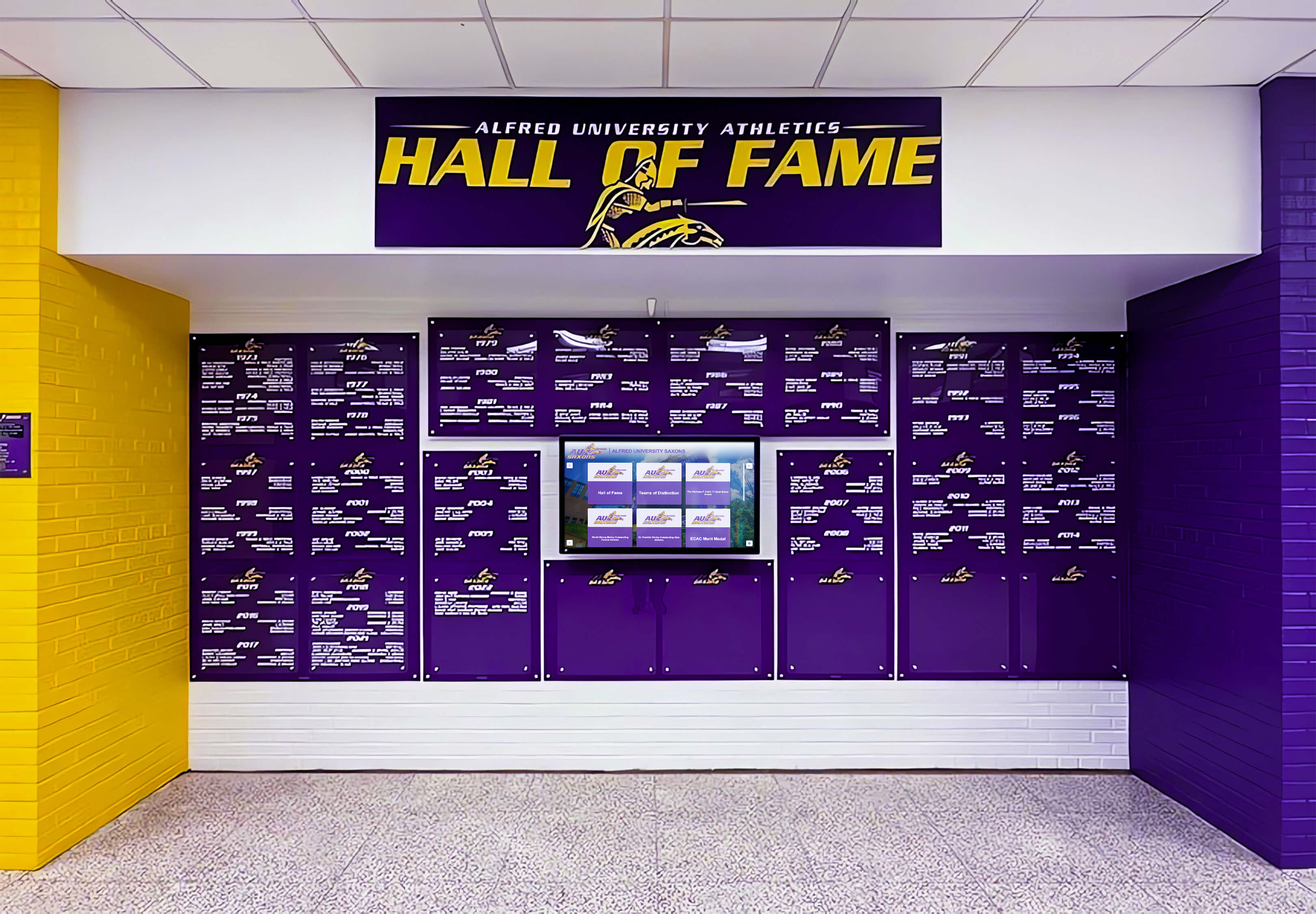
Well-designed hall of fame displays integrate institutional colors and clear typographic hierarchy—principles that apply equally to physical plaques and digital profile layouts.
4. Sport, Activity, or Recognition Category
Schools recognize athletes, coaches, performing arts alumni, academic achievers, and community contributors in the same hall of fame. Each inductee must be tagged with a primary category.
Plaque standard: Include sport or category as a section header or subtitle beneath the name. Example: Baseball / Head Coach.
Digital profile field: Category as a dropdown-selected tag. Use consistent controlled vocabulary across all inductees—not “BB” for some entries and “Boys Basketball” for others. Inconsistent tagging makes digital filtering useless.
5. Achievement Summary
This is the most written-about and most frequently botched element of hall of fame plaques. A poor achievement summary reads like a box score: numbers without narrative. A strong one contextualizes accomplishments within the school’s history.
Plaque character limits: Most physical plaques accommodate 40–80 words before text becomes unreadably small. Every word must earn its place.
Achievement wording checklist:
- Name the championship or honor specifically (conference, regional, state, national)
- Include the year when it adds context
- Note if a record stood for multiple years
- Mention team context when individual achievement was enabled by a program or era
- Avoid jargon specific to a single sport that a hallway visitor might not understand
Example (weak): 4x varsity letter winner with 3 championships and 2 MVP awards.
Example (strong): Led the 2009 Falcons to back-to-back state championships, earning Conference Player of the Year honors in 2008 and 2009. Her school record of 312 career assists stood for eleven seasons.
Digital profile field: Allow an extended bio of 200–500 words with no hard limit. The plaque text becomes the excerpt; the digital profile holds the full story.
Photography Standards: The Field Most Schools Get Wrong
A plaque without a strong photograph is a missed opportunity. A digital inductee profile with a low-resolution or incorrectly cropped photo communicates carelessness—the opposite of what a hall of fame should convey.
Collecting the Right Photo
For current inductees, coordinate photography as part of the induction ceremony or a dedicated portrait session. For historical inductees, request the best-available original from family or school archives, then document the source.
Physical plaque photo requirements:
- Minimum 300 DPI at the printed size
- Head and shoulders framing preferred for consistency
- Solid or neutral background for engraved or etched reproduction
- Black-and-white reproduction capability (many engravers convert to grayscale)
Digital profile photo requirements:
- Minimum 1200 × 1200 pixels for hero image
- Web-optimized format (WEBP preferred, JPEG accepted)
- Consistent cropping ratio across all inductees in the same class
- Action photo optional as secondary gallery image
Photo intake checklist:
- Primary portrait photo received
- File format confirmed (RAW, TIFF, or high-res JPEG)
- Rights and permissions documented (school-owned, family-released, or third-party)
- Source credited in internal records for archival use
- Action photo or archival team photo collected as supplemental asset
Building a Photo Archive
Before creating any inductee profile—physical or digital—establish where photos will be stored and who owns access. A shared drive folder organized by induction class year, with subfolders per inductee, prevents the most common archive problem: photos that exist but cannot be found.
Platforms like Rocket Alumni Solutions store inductee media in cloud-based profile records that remain accessible for updates, family sharing, and future display migrations—eliminating the “we can’t find the original file” problem that plagues programs managed through email threads and local hard drives.
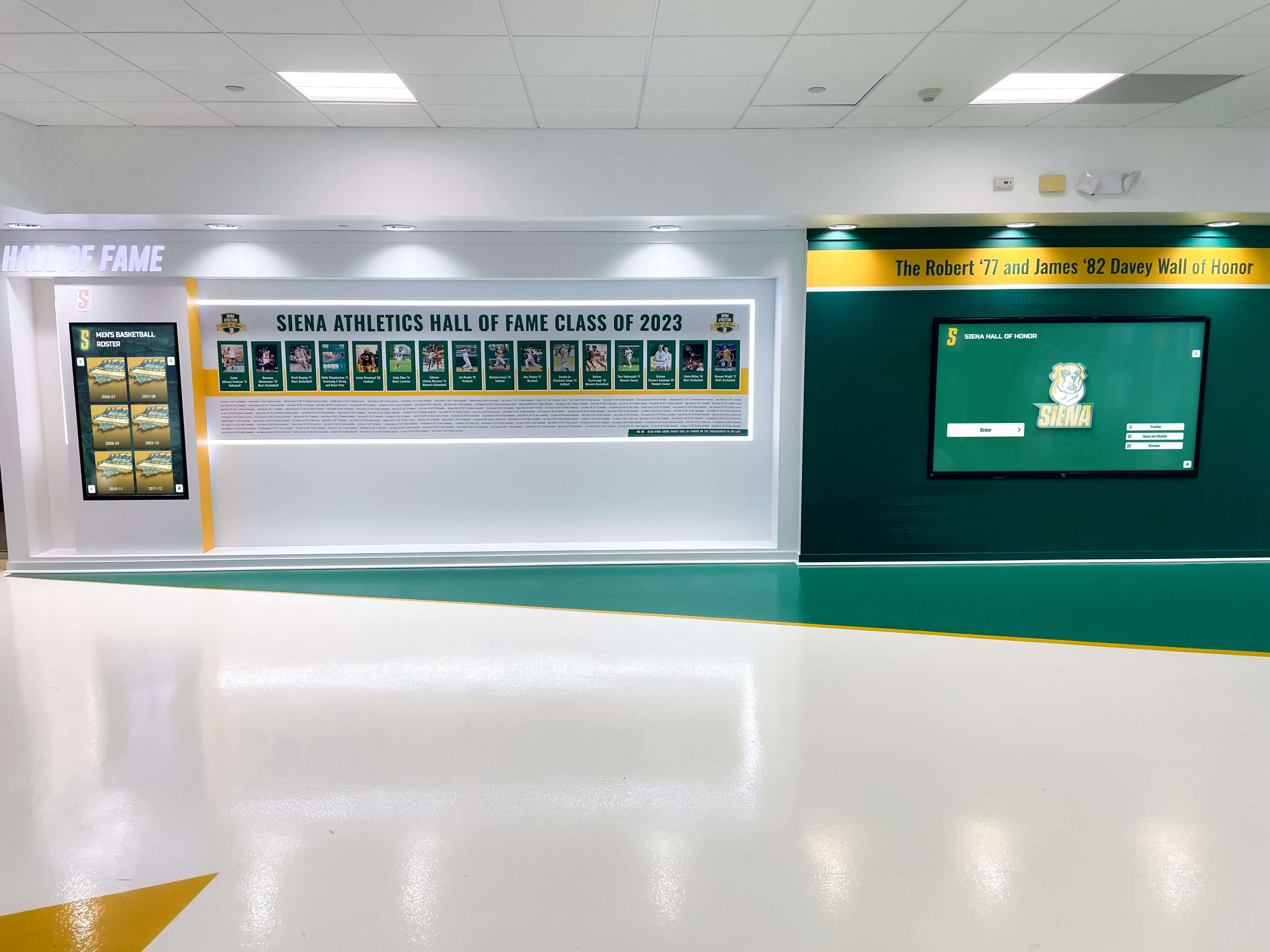
Each inductee profile on this wall display follows a consistent layout—name, photo, years, and achievement text—demonstrating how standardized intake forms produce visually coherent installations.
The Complete Pre-Induction Data Collection Checklist
Use this form template for every inductee nomination. Collect all fields before the induction ceremony, not after. Data collected retroactively is 40–60% likely to be incomplete or contradictory.
Section A: Identity Fields
- Full legal name (first, middle initial, last)
- Preferred display name or nickname (if different)
- Name at time of athletic/activity participation (for alumni who married or changed names)
- Maiden name (if applicable)
- Pronouns (for digital profile use)
Section B: Affiliation Fields
- School name at time of participation (for merged or renamed schools)
- Sport, activity, or recognition category
- Specific position, role, or discipline
- Years active at school (start year and end year)
- Graduation year (or last year of service for coaches/staff)
- Jersey number or identifying number (if applicable)
Section C: Achievement Fields
- Primary championships or titles (with years)
- Individual awards or honors (with years)
- School records held (with record and year set)
- All-conference, all-state, or all-American recognition (with years)
- Post-graduation honors directly connected to school-era performance
- Team achievements with context (state final four, undefeated season, etc.)
Section D: Biographical Fields
- Plaque text draft (40–80 words, achievement summary)
- Extended biography (200–500 words for digital profile)
- Coach or mentor quote (attributed, permission granted)
- Current contact information (for update coordination)
Section E: Media Fields
- Primary portrait photo (file name, resolution, rights status)
- Action or archival photo (file name, source, date)
- Video highlight reel or link (if available)
- Family-submitted content (with release authorization)
Reviewing program design frameworks for athletic recognition can help committees determine which fields to prioritize based on program type and display format.
Hall of Fame Plaque Template: Wording Examples by Category
Athlete Inductee Template
[Full Display Name] [Sport] · [Years Active] Inducted [Year]
[40–80 word achievement summary beginning with a specific accomplishment, naming championships and records, ending with legacy or impact.]
Example:
Carlos R. Mendez Cross Country / Track & Field · 2012–2016 Inducted 2024
Four-time state qualifier in cross country who anchored the 4×400 relay team to back-to-back county championships in 2015 and 2016. His school record of 4:14.2 in the 1,600-meter run stood for seven years. Named team captain in his junior and senior seasons, Mendez was recognized with the program’s first-ever Scholar-Athlete distinction.
Coach Inductee Template
[Full Display Name] Head Coach, [Sport] · [Years on Staff] Inducted [Year]
[Summary focusing on program-building outcomes, win totals where significant, championship achievements, and coaching philosophy impact.]
Community/Service Inductee Template
[Full Display Name] [Category: Booster, Benefactor, Administrator, etc.] · [Years of Service] Inducted [Year]
[Summary of contribution to school community, programs supported, and lasting legacy.]
From Plaque to Digital Profile: Extending the Story
Physical hall of fame plaques communicate what fits on an engraved surface. Digital inductee profiles communicate everything the plaque cannot. Understanding the difference helps programs build content architecture that serves both formats.
| Plaque Limitation | Digital Profile Solution |
|---|---|
| Single photo only | Full photo gallery with archival and action images |
| 40–80 word text limit | Unlimited bio with multimedia captions |
| Static after installation | Updatable: post-graduation achievements, career milestones |
| Physical browsing only | Searchable by name, year, sport, or achievement |
| No video capability | Embedded highlight reels, ceremony recordings, tribute videos |
| No visitor interaction | Touchscreen navigation, QR code access from physical plaque |
| One-time cost to update | CMS-managed updates without new production costs |
Programs that invest in thorough upfront data collection—following the checklist above—find digital profile creation takes minutes rather than hours per inductee, because the biographical and achievement data already exists in structured form.
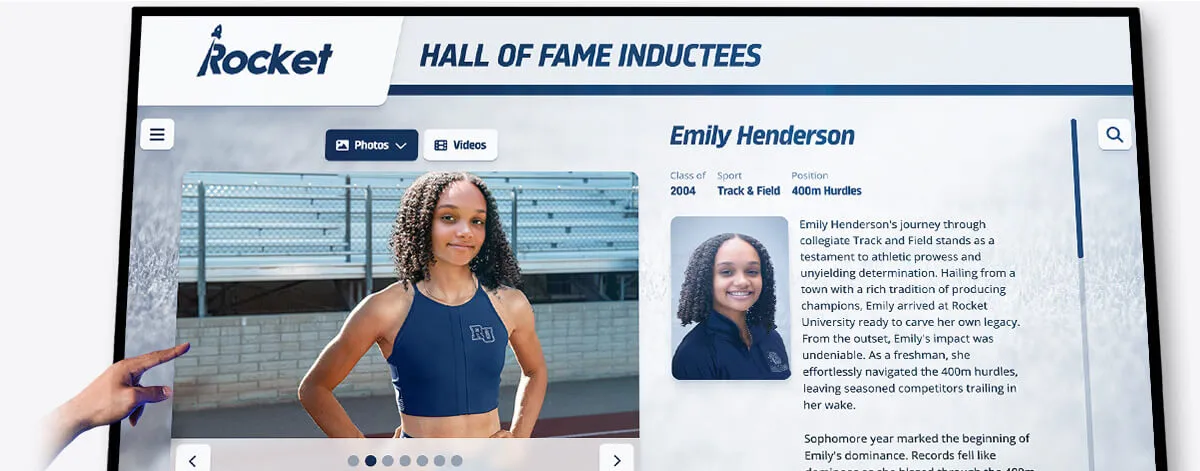
Digital inductee profiles extend what physical plaques communicate—adding full career statistics, multiple photos, video highlights, and fields that update over time as post-graduation achievements accumulate.
Adding a QR Bridge Between Physical and Digital
One of the most effective enhancements to physical hall of fame plaques is a QR code that links to the inductee’s digital profile. Visitors standing at the physical wall scan the code and immediately access the extended story: additional photos, video highlights, full biographical text, and career statistics.
This approach:
- Makes the physical installation more engaging for current students
- Allows families to share the digital profile on social media from the hall itself
- Creates a measurable engagement record (scan analytics) that justifies the program’s investment
QR codes can be engraved directly into metal or acrylic plaques, added as a printed insert to existing frames, or displayed on a companion digital screen mounted alongside physical plaque walls.
For youth programs exploring broader recognition frameworks, youth sports awards and recognition ideas offer complementary models that extend hall of fame thinking to younger age groups.
Display Integration: Physical Plaques and Digital Screens Together
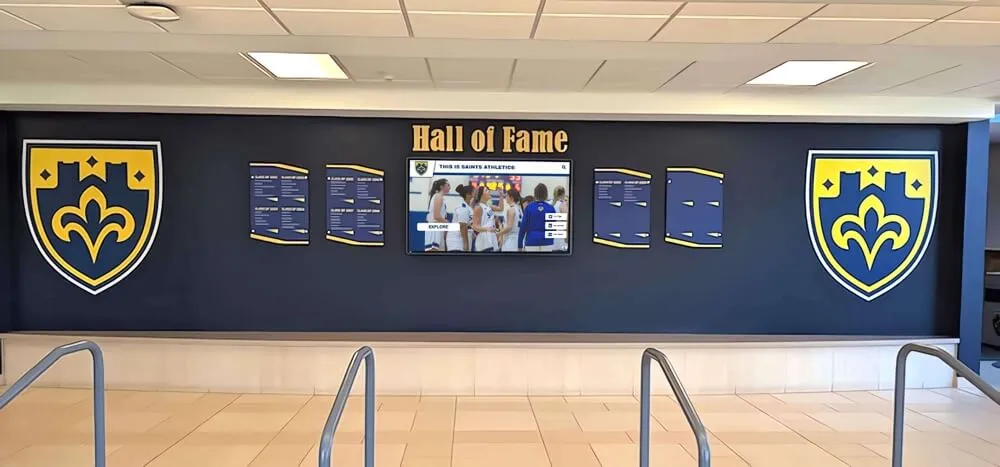
Many schools that install digital hall of fame systems do not replace physical plaques—they complement them. The most effective installations pair a physical plaque wall (providing permanence and tradition) with one or more digital displays (providing depth and interactivity).
Zone Planning for Hybrid Installations
Zone 1: Physical Plaque Wall
- Traditional shields, plaques, or engraved panels
- Primary inductee name, years, and condensed achievement text
- Institutional colors and school seal integration
- Permanent, durable materials (bronze, aluminum, acrylic)
Zone 2: Adjacent Digital Screen
- Looping inductee highlight content
- Interactive browsing by year, sport, or name
- Video testimonials and ceremony recordings
- Current-year induction class featured content
Zone 3: QR Access Points
- Individual QR codes per plaque (or a single room code)
- Mobile-optimized profile landing pages
- Social sharing functionality
- Family notification and engagement features
ADA compliance applies to both zones. Physical plaques should meet reach range requirements for wheelchair users (48-inch maximum height for primary text). Digital screens should meet WCAG 2.1 AA contrast standards and support text scaling. Schools reviewing hall of fame tool options across athletics, donors, and arts programs will find ADA compliance listed as a differentiating feature across modern platforms.

A digital hall of fame platform makes inductee profiles accessible across all devices—allowing families, alumni, and prospective students to explore the school's recognition history from anywhere.
Execution Timeline: From Nomination to Installed Profile
Following a consistent timeline prevents the last-minute scrambles that produce incomplete plaques and rushed digital profiles.
Phase 1: Plan (10–12 Weeks Before Ceremony)
- Publish nomination criteria and eligibility guidelines
- Distribute nomination forms to coaches, alumni groups, and athletic staff
- Establish induction committee and review schedule
- Define plaque specifications with fabricator (material, size, layout, fonts)
- Select digital profile platform and configure field structure
Phase 2: Collect (6–8 Weeks Before Ceremony)
- Notify selected inductees and distribute data collection forms
- Coordinate portrait photography sessions
- Gather archival photos and media from school records and families
- Verify achievement claims against official school records
- Draft plaque text for each inductee and route for approval
Phase 3: Build (3–5 Weeks Before Ceremony)
- Submit plaque orders to fabricator with final proofed text and photos
- Create digital profiles in CMS using collected data
- Review and approve all profile content with inductees or families
- Test digital display functionality: navigation, video playback, QR scanning
- Confirm ADA compliance of both physical and digital elements
Phase 4: Launch (Induction Week)
- Receive and inspect physical plaques
- Install and test digital displays
- Activate QR codes and confirm mobile landing pages load correctly
- Prepare ceremony program content referencing both physical and digital elements
- Capture ceremony video and photos for profile updates post-event
Phase 5: Refresh (Ongoing)
- Update inductee profiles with post-graduation accomplishments annually
- Add new induction class data to both physical and digital systems
- Archive previous year’s featured content to inductee profile pages
- Review and update photo quality as higher-resolution originals become available
Programs managing reunion events alongside induction ceremonies can find useful coordination frameworks in high school reunion planning guides that address multi-event recognition logistics.
Common Mistakes Schools Make With Hall of Fame Plaques
Understanding what goes wrong helps committees avoid it. These are the most frequent issues program administrators report when inheriting existing hall of fame programs:
1. No consistent naming standard. Some plaques use “Coach John Smith,” others use “John R. Smith,” others use “Johnny Smith.” Searching a database of 200 inductees with inconsistent name formats is an archival nightmare.
2. No induction year recorded. Many older plaques display only the athlete’s graduation year, not when they were inducted. Without the induction year, chronological browsing of a digital program is impossible.
3. Achievement text uses sports abbreviations. Text like “3× All-SCIAC, 2× SSCIF Finalist” means nothing to a current student who does not know what those abbreviations represent. Write for the visitor who has no context.
4. Photos collected without rights documentation. Using a photo pulled from a newspaper or a family social media post without authorization creates intellectual property exposure. Document the source and rights status of every image.
5. No process for updates. Inductees’ post-graduation accomplishments—professional careers, community leadership, coaching achievements—are among the most compelling elements of a hall of fame story. Without a process to collect and add that information, profiles become frozen at induction day.
6. Physical and digital records diverge. When a plaque says one thing and a digital profile says something different, visitors notice. Maintaining a single source of truth—a master inductee record that drives both outputs—prevents contradiction.
Schools evaluating different approaches to ongoing recognition can review donor wall and recognition program comparisons that address long-term data management alongside display design.
Measurement: Knowing Whether Your Hall of Fame Works
A hall of fame with no measurement framework cannot justify its investment or improve over time. Track these indicators after installation.
Engagement Metrics
- QR code scans per month (measure digital bridge adoption)
- Digital display dwell time per session (indicates content depth and interest)
- Profile page views by sport or induction class (reveals which cohorts engage families most)
- Social shares from inductee profile pages (measures family and alumni amplification)
Program Health Metrics
- Nomination submissions per year (indicates community investment in the program)
- Average data completeness score per inductee (tracks intake form quality)
- Time from nomination to installed profile (operational efficiency measure)
- Number of inductee profiles updated post-induction (indicates ongoing stewardship)
Community Impact Indicators
- Attendance at induction ceremony (year-over-year trend)
- Media coverage of induction class
- Alumni giving correlation with hall of fame induction cohorts (for programs tracking advancement metrics)
For schools developing broader alumni recognition frameworks, alumni event ideas tied to recognition programs provide programming models that extend hall of fame investments across annual calendars.
Reusable Artifact: Inductee Data Collection Form Template
Copy and adapt this form for your nomination and intake process.
HALL OF FAME INDUCTEE DATA COLLECTION FORM Complete all sections. Return to [Program Coordinator Name] by [Date].
SECTION A — IDENTITY Full legal name: ___________________________________________ Preferred display name (if different): _______________________ Name during enrollment/service: ____________________________ Pronouns (optional, for digital profile): ____________________
SECTION B — AFFILIATION Sport / Activity / Category: ________________________________ Position or role: ___________________________________________ Years at school (start – end): _______________________________ Graduation year: ____________ Induction class year: ___________ Jersey or program number (if applicable): ___________________
SECTION C — ACHIEVEMENTS (list all that apply) Championships / titles (with year):
Records held at this school (with year set):
Individual awards (with year):
All-conference / all-state / national recognition (with year):
SECTION D — BIOGRAPHICAL TEXT Plaque summary (40–80 words — we will edit for space):
Extended biography for digital profile (200–500 words):
SECTION E — MEDIA Primary portrait photo: ☐ Attached ☐ Will send by: ________ Action or archival photo: ☐ Attached ☐ Not available Video highlight or link: ___________________________________ Photo rights: ☐ School-owned ☐ Family-owned, permission granted ☐ Third-party (source: _______)
SECTION F — CONTACT Current email: ____________________________________________ Phone: ___________________________________________________ Mailing address: __________________________________________ Preferred contact for ceremony coordination: ________________
Programs building recognition for individual sports awards alongside hall of fame programs can adapt the checklist approach using youth sports awards frameworks that cover both seasonal recognition and permanent induction programs.
For schools designing ceremony experiences that connect physical plaques with digital recognition, hall of fame tools covering athletics, donors, and arts programs provide comparative context across program types.
Alumni relations teams balancing multiple recognition initiatives can also explore alumni recognition frameworks across event types that address how hall of fame programs integrate with annual giving, reunion events, and campus tours.
Build Your Digital Hall of Fame on a Foundation That Lasts
Physical hall of fame plaques honor the past. Digital inductee profiles keep those honors alive for the next generation of students, alumni, and families. Rocket Alumni Solutions helps schools connect both—creating touchscreen-powered hall of fame displays that extend your plaque wall into an interactive, searchable, and perpetually updatable recognition system.
From the intake checklist to the installed display, Rocket manages the content architecture, cloud CMS, and ADA-compliant design that turn collected data into compelling profiles.
Live Example: Rocket Alumni Solutions Touchscreen Display
Interact with a live example (16:9 scaled 1920x1080 display). All content is automatically responsive to all screen sizes and orientations.































