Hall of Fame Inductee Bio Examples: What Schools Should Include in Every Profile
- Home /
- Digital Hall of Fame Insights & Resources /
- Hall of Fame Inductee Bio Examples: What Schools Should Include in Every Profile
The Easiest Touchscreen Solution




Live Example: Rocket Alumni Solutions Touchscreen Display
Interact with a live example (16:9 scaled 1920x1080 display). All content is automatically responsive to all screen sizes and orientations.
A strong hall of fame inductee bio includes six core elements: full name and years of affiliation, sport or program category, a 150–300 word achievement narrative, key statistics or records, a brief quote, and a current photo. Schools that standardize these fields across every profile create recognition displays that look authoritative, age well, and are easy to maintain when new induction classes arrive.
The challenge most athletic directors, alumni offices, and communications staff face is not understanding that bios matter—it is knowing exactly what to ask for, how long each section should be, and who is responsible for keeping profiles accurate after the induction ceremony. This guide answers all three questions with complete bio examples you can adapt immediately, a field checklist to send inductees, and a Q&A on the decisions schools most often get wrong.
Profiles that collect dust after the induction ceremony are a missed opportunity. When a bio is written to a consistent standard, it works on a physical plaque, on a school website, in a touchscreen kiosk in your lobby, and in a printed ceremony program without reformatting. That efficiency starts with knowing exactly what belongs in every profile before you ask the first inductee to submit anything.


A well-structured inductee bio makes every profile card on a touchscreen display informative at a glance and worth reading in full
The Bio Field Checklist: What Every Profile Needs
Before looking at complete examples, map out the non-negotiable fields. The table below shows each element, the recommended length, and why it matters for both physical displays and digital workflows.
| Profile Field | Recommended Length | Why It Belongs |
|---|---|---|
| Full legal name | As listed in institutional records | Ensures accurate archiving and avoids future disputes about who the profile honors |
| Years of affiliation | Specific years, not “1990s” | Ties the inductee to a verifiable period; essential for archive cross-referencing |
| Sport, program, or category | One line (e.g., “Varsity Soccer — Midfielder”) | Organizes display navigation and nomination category alignment |
| Induction year and class | Four-digit year + class name if applicable | Allows inductees to be sorted and filtered on digital platforms |
| Achievement summary | 150–300 words | The core narrative; establishes why this person earned recognition |
| Key statistics or records | 3–6 bullet points or a short data block | Provides objective anchors; makes the bio scannable on screens |
| Quote | 1–3 sentences | Personalizes the profile; frequently the most-read section on touchscreen displays |
| Photo | One headshot or action shot; minimum 800×800 px | Required for digital profiles and touchscreen displays; optional for pure-text plaques |
| Post-induction update | 1–2 sentences, refreshed annually | Shows the inductee’s life beyond school; keeps older profiles from feeling frozen in time |
This nine-field checklist represents the minimum viable profile. Schools with established programs sometimes add an audio tribute, a video highlight clip link, or a scanned newspaper clipping. But every bio should begin here before adding anything else.
Complete Inductee Bio Examples
The following four examples cover the most common hall of fame categories at the K–12 and small college level: athlete, coach, contributor, and team. Each follows the nine-field structure above. Names are illustrative.
Example 1: Athletic Inductee (Individual)
Marcus Delgado Varsity Football — Quarterback | Class of 2008 | Inducted 2024
Marcus Delgado arrived at Jefferson High School as a sophomore with little varsity experience and left four years later as the program’s most decorated signal-caller. Over three seasons as starting quarterback, Delgado led Jefferson to back-to-back regional championships in 2006 and 2007, finishing his career with a school-record 6,412 passing yards and 74 touchdown passes. His 2007 season—4,201 yards, 49 touchdowns, and a 71.3 completion percentage—remains unmatched in program history.
Delgado was named All-Conference three consecutive years and earned First-Team All-State honors as a senior. He was recruited to play at the collegiate level, where he started as a redshirt freshman and graduated with a degree in Communications. Beyond the statistics, Delgado was known for the leadership he brought to film sessions and for mentoring younger players throughout his junior and senior seasons.
He currently works as a regional sales director and returns to Jefferson each year as a volunteer for the program’s summer quarterback clinic.
Key records:
- Career passing yards: 6,412 (school record)
- Career touchdown passes: 74 (school record)
- Single-season completion percentage: 71.3% (2007, school record)
- Regional championships: 2 (2006, 2007)
- All-State honors: First Team, 2007
In his words: “Jefferson taught me that the scoreboard matters less than what you become in the process of competing. I owe everything to the coaches and teammates who pushed me to be better every single day.”
Example 2: Coach Inductee
Coach Patricia Okafor Head Swim Coach | 1994–2018 | Inducted 2023
Patricia Okafor built Lakewood Academy’s swimming program from a four-lane practice facility and a roster of twelve into a regional powerhouse that produced eight state champions and forty-seven conference medalists over her twenty-four-year tenure. When Okafor took over as head coach in 1994, the program had never qualified a swimmer for the state meet. Within five years, Lakewood was sending a full relay team.
Coach Okafor’s program won twelve conference championships and was named runner-up at the state level in 2009 and 2014. She was recognized as District Coach of the Year eight times and received the state coaching association’s Lifetime Achievement Award in 2017. Her coaching philosophy centered on technical fundamentals and individual goal-setting, and she maintained a practice culture in which personal bests were celebrated as seriously as podium finishes.
Since retiring in 2018, Okafor has consulted for the state high school athletic association on swimmer development pathways and continues to mentor young coaches entering the profession.
Career highlights:
- Head coaching tenure: 24 seasons (1994–2018)
- Conference championships: 12
- State meet qualifiers developed: 63
- State champions produced: 8
- District Coach of the Year: 8 awards
- State Lifetime Achievement Award: 2017
In her words: “The swimmers I coached were never competing against each other. They were competing against whoever they were yesterday. Once they understood that, everything changed.”
Example 3: Contributor Inductee
Dr. Sandra Whittaker Program Contributor — Athletic Booster Founder | Affiliation 1987–2012 | Inducted 2025
Sandra Whittaker’s name does not appear in any record book, and she preferred it that way. Over twenty-five years of affiliation with Northgate High School’s athletics program, Whittaker founded the school’s booster club, organized the renovation campaign that replaced the 1962-era gymnasium floor, and personally recruited the major donor whose gift funded the new weight room that opened in 2003. She served as booster club president for eleven consecutive years, overseeing a volunteer base that grew from six families to more than two hundred.
The tangible infrastructure upgrades Whittaker championed are visible throughout Northgate’s facilities today. Beyond the physical improvements, she established the student-athlete scholarship fund in 1998, which has since awarded more than $310,000 to graduating seniors. Athletics Director James Morales, who worked alongside Whittaker from 2001 to 2010, described her as “the single most effective advocate for student-athlete wellbeing this school has ever had.”
Whittaker retired from her cardiology practice in 2019 and remains active in Northgate alumni events.
Contributions:
- Booster Club founding president: 11 consecutive years
- Capital campaigns led: gymnasium renovation (1995), weight room (2003)
- Student-athlete scholarship fund: established 1998; $310,000+ awarded
- Volunteer base growth: 6 to 200+ families under her leadership
In her words: “I never played a sport in school. But I watched what athletics did for kids who needed something to belong to. Supporting that was the easiest decision I ever made.”
Example 4: Team Inductee
2001 Girls Basketball State Championship Team Varsity Basketball | Season: 2000–2001 | Inducted 2022
The 2001 Eastfield Warriors girls basketball team accomplished something no Eastfield program—boys or girls, any sport—had achieved in the previous thirty years: a state championship. The Warriors finished the season 29–2, defeating defending champion Ridgecrest 54–47 in the state final on a night when the entire student body watched via closed-circuit broadcast in the gymnasium.
Head Coach Denise Nakamura guided a roster that had graduated four starters the previous spring. The 2001 team’s identity was built around a suffocating zone defense and exceptional free-throw discipline—the Warriors shot 81.3 percent from the line in the postseason. Five players went on to compete at the collegiate level; two earned All-Conference recognition in the following decade.
The championship banner has hung in Eastfield’s gymnasium since May 2001. The 2022 induction provided the program’s first formal opportunity to honor the entire roster, coaching staff, and support crew together in a single recognition event.
Season record: 29–2 State championship: 2001 (first in school history) Postseason free-throw percentage: 81.3% Collegiate athletes produced: 5
From the coaching staff: “That group of young women redefined what our program believed it could be. They gave every team that came after them a standard to aim for.”
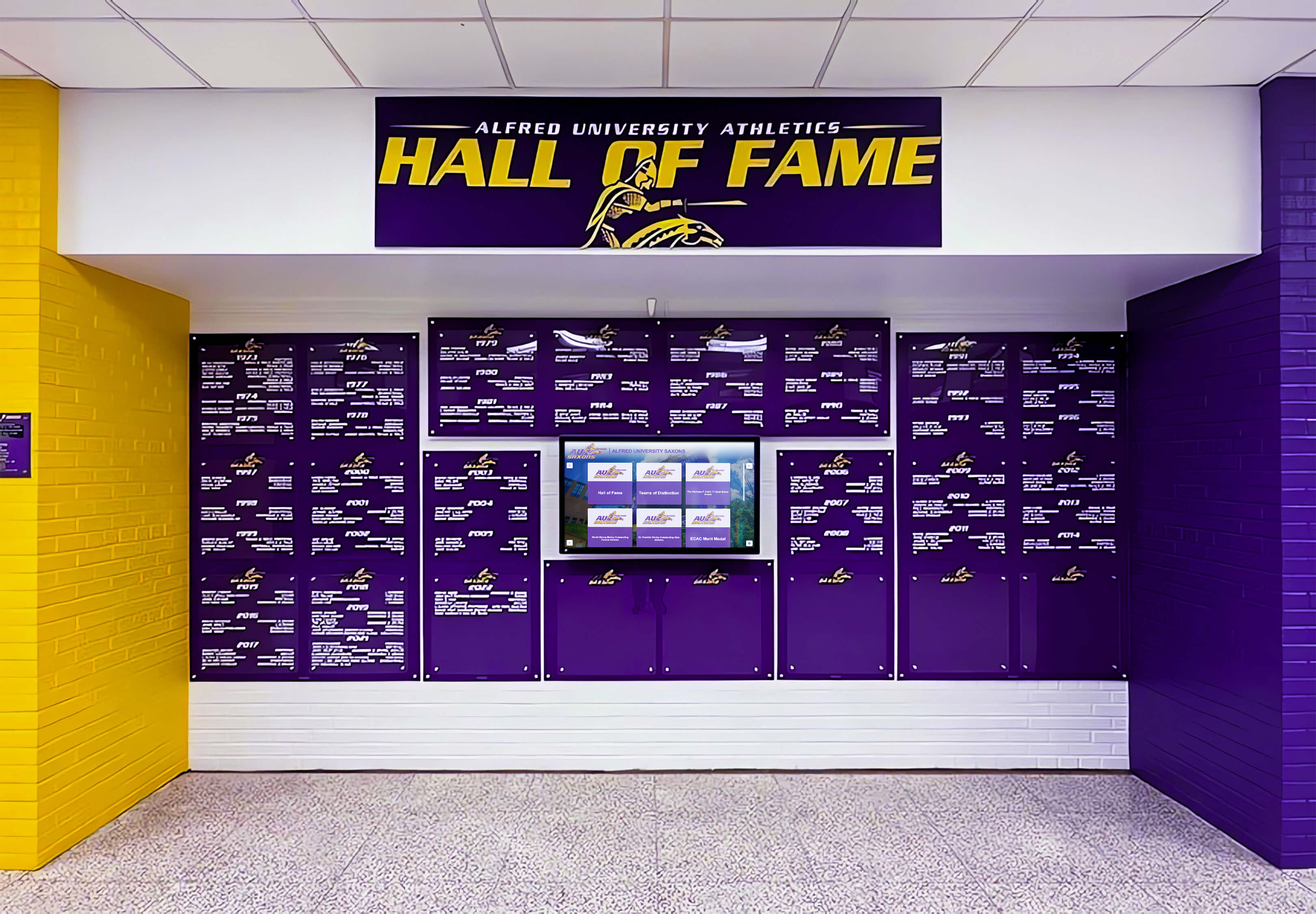
Consistent profile structure across every induction class makes a wall display like this one coherent at a glance and navigable in a digital format
Writing Each Field: Guidance for Communications Staff
The examples above show what finished bios look like. This section walks through each field with practical notes for the staff member actually writing or editing the profiles.
Full Name and Affiliation Block
Use the name the inductee used during their affiliation with the institution, not a nickname and not a name they adopted after leaving. If the inductee’s legal name has changed since their time at the school—a common situation for alumni inducted decades after graduation—list the name used during affiliation first, with the current name in parentheses: Patricia Okafor (formerly Patricia Sullivan).
Record the years as a specific range: 2003–2007, not “mid-2000s” or “graduated 2007.” When the range is uncertain—common for older inductees or programs with incomplete historical records—note the uncertainty explicitly: approximately 1978–1982. Vague dates become problems when the profile is referenced by researchers or future administrators decades later.
Achievement Summary
This is the most consequential field in the profile. A weak achievement summary reads like a press release. A strong one reads like a brief chapter in the institution’s story.
Three structural moves that consistently produce strong summaries:
Open with the person’s arrival, not their accolades. One sentence describing who this person was when they arrived grounds the narrative before listing what they accomplished. “Patricia Okafor arrived at Lakewood with a program that had never qualified for the state meet” is more compelling than “Patricia Okafor won twelve conference championships.”
Anchor claims with specifics. Every abstract quality—“exceptional leader,” “transformative coach,” “devoted volunteer”—should be followed immediately by a concrete illustration. If someone was an “exceptional leader,” say what that looked like: they ran film sessions, they mentored younger players, they made a call that turned a season around.
Close with the present, not the past. A one-sentence note about what the inductee is doing now—even a brief mention—makes the bio feel alive rather than archival.
The 150–300 word target is a discipline, not a suggestion. Profiles that run longer get skimmed on touchscreen displays. Profiles that run shorter fail to convey why the recognition was earned.
Statistics and Records
List no more than six data points. More than six creates visual noise on digital displays and dilutes the impact of genuinely impressive numbers. Prioritize records over rankings—“school-record 6,412 career passing yards” outperforms “ranked third in district history” every time.
For coaches, translate individual statistics into program outcomes: championships won, qualifiers produced, win-loss records over tenures. For contributors, translate service into tangible institutional outcomes: dollars raised, facilities built, programs created.
If your institution has incomplete historical records for older inductees, note the gap honestly: “reported statistics from available records.” Academic history archiving guides for schools provide useful frameworks for approaching this kind of documentation challenge systematically rather than inductee by inductee.
Quote
The quote is not filler. Touchscreen kiosk data from schools using interactive hall of fame displays consistently shows that quotes generate the most dwell time of any profile element. Visitors who tap a profile card to expand it spend more time on the quote than on the statistics.
Collect quotes during the nomination process, before the ceremony. Send inductees two or three specific prompts and let them choose which to respond to:
- What does being part of this program still mean to you?
- What would you tell a current student about competing, learning, or serving here?
- What moment from your time here do you return to most often?
A quote collected under time pressure during a ceremony tends to be generic. A quote collected weeks in advance, from a specific prompt, tends to be something the inductee actually means—and that reads that way.
Photo
Require a minimum resolution of 800×800 pixels for any image that will appear in a digital display. Many inductees will submit a scan of an old photograph; clarify in advance that the image will be displayed at full screen on a touchscreen kiosk and that a blurry scan from a phone photo of a printout will not serve them well.
For older inductees, a current headshot is often more powerful than an archived action shot—it connects the display to a living person. For team inductees, a team photograph from the year of the accomplishment is standard; supplement it with a current reunion photograph if available.
Store originals, not compressed versions. Files you compress today may need to be re-exported at higher resolution for a display technology that doesn’t exist yet.
Post-Induction Update
This field is the one most schools neglect and the one that does the most work over time. A bio written in 2012 that still describes someone as “currently working in regional sales” when that person retired in 2020 makes your hall of fame look like an archive with a broken clock.
Designate one person—the alumni coordinator, communications staff, or a committee secretary—as the owner of annual profile reviews. Each year, before the new induction class is announced, send a brief email to every existing inductee asking for a two-sentence update: what they are doing now, any notable recognition they have received since induction. Most inductees are glad to provide it. The ones who don’t respond can have their existing update note retained unchanged or lightly modified: “as of [year], was working as…”
Alumni management platforms built for K–12 schools include contact database tools that make this annual reach-out far easier to execute at scale than managing it through a general-purpose email client.
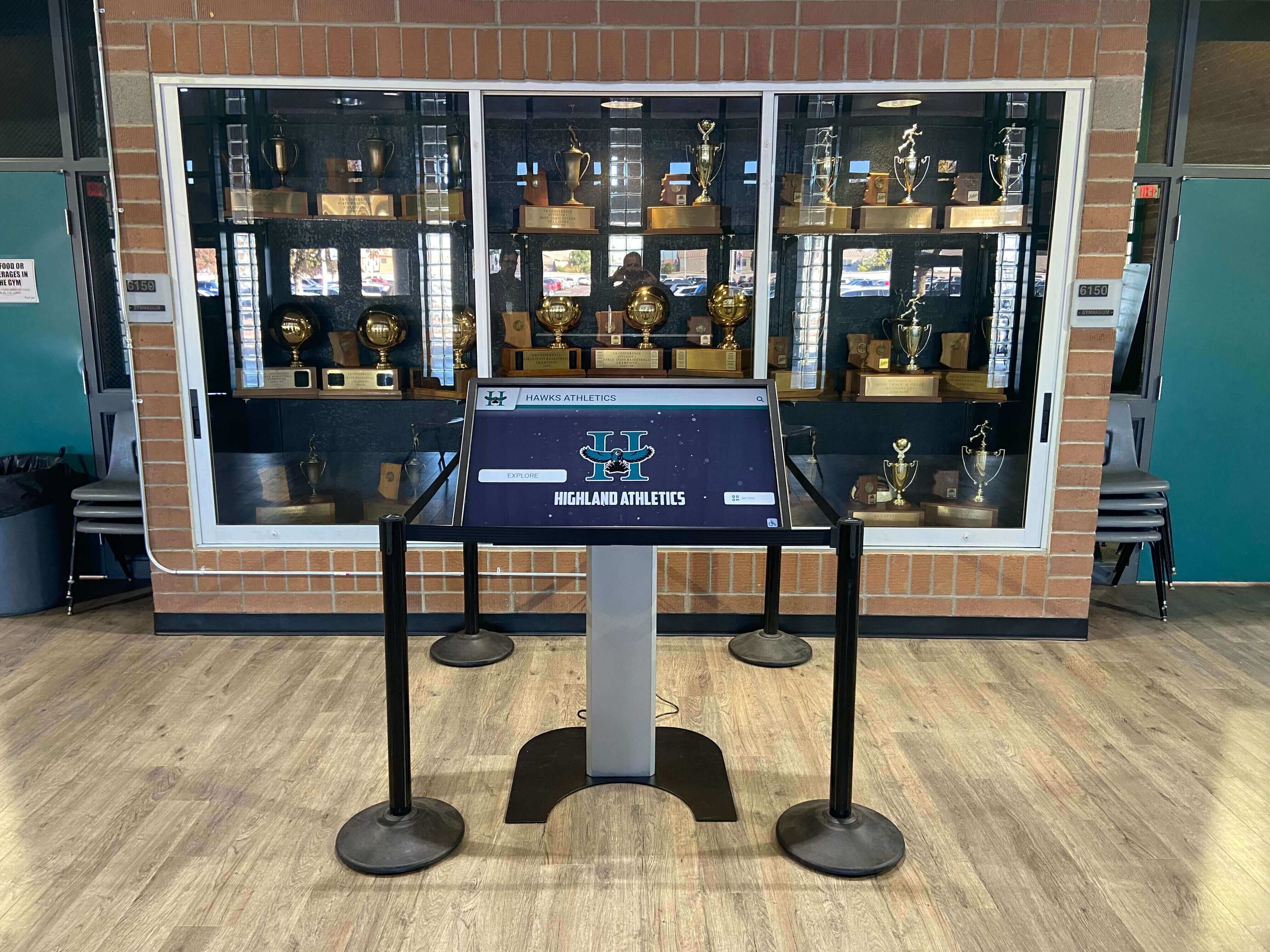
A touchscreen kiosk in your trophy case lets visitors explore complete inductee profiles—statistics, quotes, and photos—without requiring physical space for individual plaques
Getting Bios from Inductees: A Practical Intake Workflow
The hardest part of writing inductee bios is not the writing—it is getting accurate information from people who are busy, modest about their accomplishments, or disconnected from institutional records decades after graduating.
A structured intake process solves this problem before it becomes a problem.
Step 1: Send the Field Checklist with the Induction Notification
When you notify an inductee of their selection, attach a one-page intake form covering each of the nine fields above. Frame it as helping you honor them accurately, not as a bureaucratic requirement. Set a 30-day response deadline with a reminder at 14 days.
Step 2: Cross-Reference Institutional Records
Do not rely solely on inductee self-reporting for statistics and records. Cross-reference whatever the inductee provides against yearbooks, program records, newspaper archives, and—where available—alumni databases maintained by the school. Discrepancies should be resolved before the bio is published, not after.
Step 3: Draft and Route for Approval
Write a first draft based on the intake form and institutional record cross-reference. Send the draft to the inductee for factual review—not stylistic editing. Give them 14 days to flag inaccuracies. Explain that the bio is an institutional document and that the final language reflects the institution’s voice, not a personal statement.
Step 4: Collect the Final Photo and Quote
If either the photo or quote is missing after the 14-day review window, schedule a 15-minute phone call with the inductee. Quotes collected in conversation are often stronger than written submissions. The photo question—whether to use archival or current—can usually be resolved in two minutes.
Step 5: Publish on a Schedule, Not as Profiles Are Approved
Do not publish inductee profiles one at a time as they are approved. Hold all profiles from the same induction class and publish them simultaneously on the day of the induction ceremony. Staggered publishing creates an incomplete public record and generates confusion about the full induction class.
Bio Length by Program Type
One question every program faces: how long should a hall of fame bio actually be?
The answer depends on where the bio will live and who the audience is.
| Program Type | Recommended Length | Rationale |
|---|---|---|
| High school athletic HOF | 150–250 words | Primary audience is current students and families; scannability matters more than depth |
| College athletic HOF | 200–350 words | Alumni and donor audiences reward more depth; longer careers generate more content |
| Academic / Scholar HOF | 150–250 words | Achievement narrative may require more explanation than sport statistics |
| Fine arts / performing arts HOF | 150–300 words | Qualitative achievements need more narrative framing than quantifiable records |
| Service / contributor HOF | 200–350 words | Institutional impact often requires more context than individual performance |
| Donor / philanthropic HOF | 150–250 words | Donor recognition profiles often carry privacy sensitivities; shorter is usually safer |
| Touchscreen display only | 100–200 words displayed, full bio stored | Abbreviated display text with expandable full bio improves kiosk usability |
The last row in this table reflects a useful design principle: your full bio and your display bio can be different documents. Write the complete profile at whatever length it deserves. Then write a 100–150 word excerpt for the display card that links to the full version. Touchscreen hall of fame displays built for schools and universities make this two-tier content architecture easy to implement without requiring separate file management.
Digital Display Workflow: From Bio to Published Profile
A finished bio sitting in a Word document on a shared drive is not recognition—it is a filing problem waiting to happen. The workflow below reflects what schools with functional digital hall of fame operations actually do.
Content Management System Setup
Each inductee profile should exist as a discrete record in your platform, not as a page in a PDF or a section of a long document. A discrete record can be searched, filtered, updated, linked to directly, and displayed in multiple contexts—lobby kiosk, school website, alumni portal—without duplicating or reformatting content.
Role-based access matters here. Staff members who write and update profiles should have editor access. The person responsible for final approval before a profile goes live should have a distinct publisher role. Inductees or alumni office staff who periodically update the post-induction field should have a narrow update-only access level that cannot modify the achievement summary or records.
Rocket Alumni Solutions’ platform supports exactly this kind of role-based publishing workflow alongside its interactive touchscreen hardware, which is why schools evaluating digital recognition systems for the first time often find it easier to manage governance and content operations on a single integrated platform rather than combining a generic CMS with separately managed display hardware.
Annual Review Cycle
Tie the profile review cycle to your nomination deadline, not to the induction ceremony. By the time the ceremony arrives, the committee is focused on the new class. The annual review of existing profiles should be completed and approved before the ceremony so that updated profiles go live alongside new inductee profiles on induction day.
Build a simple review checklist:
- Is the post-induction update current?
- Is the photo still representative?
- Are any records in the bio now listed as a former record (i.e., someone broke it)?
- Has any record been updated or verified since last year?
- Has the inductee provided any correction or addition request in the past twelve months?
Sharing and Engagement
The induction ceremony creates the biggest organic sharing window your hall of fame will see all year. Pre-draft social media content using the bio summary and photo for each new inductee, and schedule posts to go live simultaneously with the ceremony. Most inductees will reshare content that uses their official bio quote and their best available photo.
For alumni recognition programs built around ongoing engagement, each new induction class is also an opportunity to re-engage the entire inductee network—a “this year’s class joins a remarkable group” message that links to the full hall of fame directory gives existing inductees a reason to visit the platform and update their own profiles.
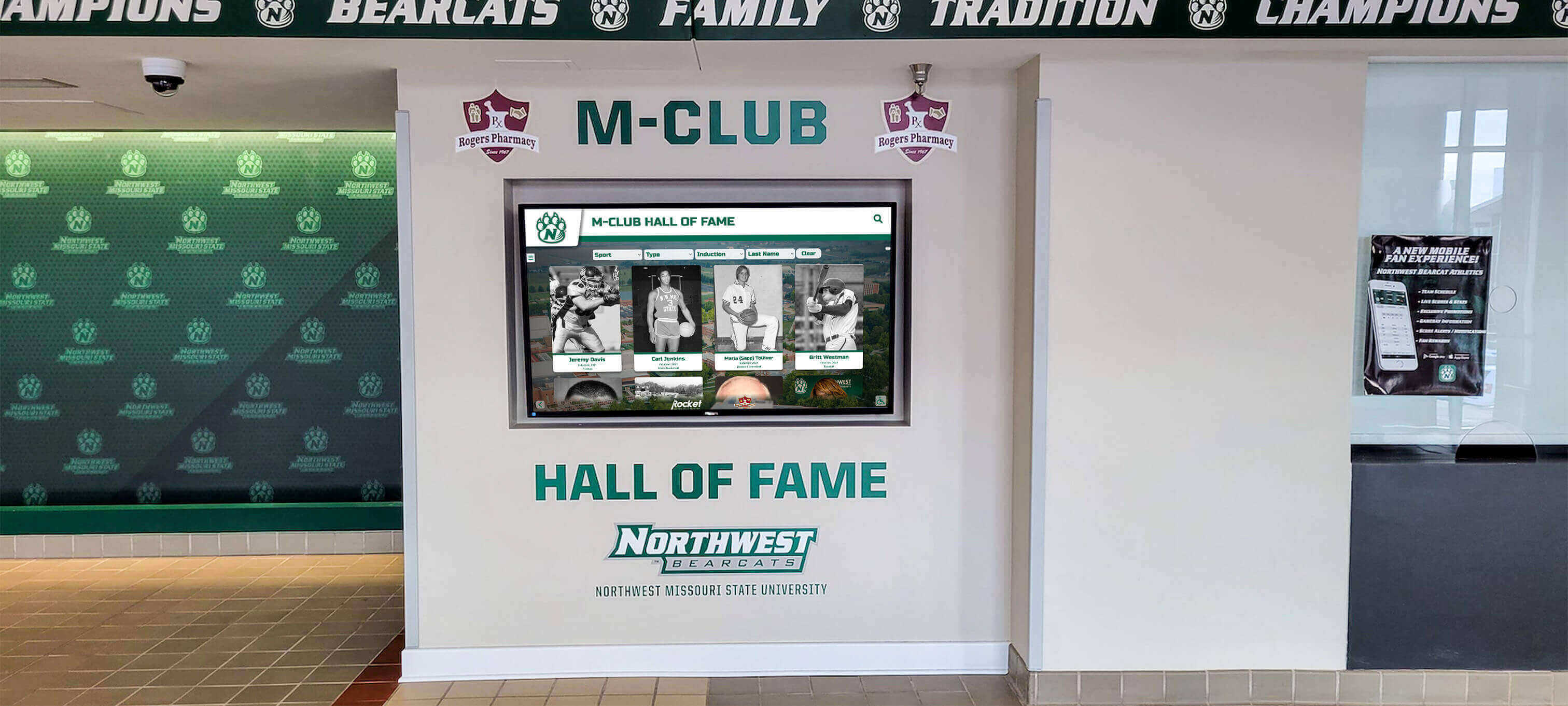
Digital hall of fame platforms let schools present a complete induction class simultaneously on ceremony day, extending the recognition moment across multiple channels at once
Frequently Asked Questions About Hall of Fame Inductee Bios
How long should a hall of fame inductee bio be?
For most school hall of fame programs, 150–300 words is the right target for the main achievement summary. Shorter bios feel thin and fail to convey why the recognition was earned; longer bios lose readers on touchscreen displays where dwell time is limited. The full profile—including statistics, quote, and post-induction update—typically runs 300–500 words total. If your program uses a touchscreen display, consider writing a 100–150 word display summary that links to the full profile for visitors who want more depth.
Who should write the inductee bio—the school or the inductee?
The school should write or professionally edit every bio. Inductee-written bios vary too widely in tone, length, and emphasis to maintain a consistent program identity across induction classes. The right model is to collect raw information from the inductee through an intake form, cross-reference it against institutional records, and produce a draft that the inductee reviews for factual accuracy. The institution retains voice and final approval. This protects the program’s credibility and spares inductees—who are often modest about their accomplishments—from having to write promotional copy about themselves.
What should a school do when historical records are incomplete?
Document the gap honestly within the bio: “statistics from available records” or “based on program archives, which are incomplete for this period.” Do not inflate or estimate figures to fill the gap. Reach out to former coaches, athletic directors, local newspaper archives, or the inductee’s family for supplementary documentation. Academic history archiving resources for schools can provide frameworks for this kind of retroactive documentation work when the institutional record is thin. Some gaps simply cannot be filled; acknowledging them honestly is far better than publishing inaccurate data that will be visible in the profile for decades.
Who owns the inductee bio after the ceremony—the school or the inductee?
The institutional profile belongs to the institution. The school created it as part of its recognition program, it is published on school-controlled platforms, and it reflects the institution’s voice and research. Inductees have the right to request factual corrections and to provide updates to the post-induction section. They do not have the right to rewrite the achievement summary, alter statistics, or demand removal of accurate information simply because they prefer different framing. Establish this clearly in the nomination or induction agreement before the ceremony—this is far easier to communicate before someone is honored than after.
How often should inductee profiles be updated after publication?
The post-induction update field should be reviewed annually. Everything else—achievement summary, statistics, quote, and photo—should be treated as stable unless a factual correction is needed. The most common mid-cycle update reason is a broken record: if an inductee held a school record at the time of their induction and that record has since been surpassed, note the change accurately (“school record at time of induction; surpassed in [year]”) rather than silently removing the record claim. Your hall of fame is a historical document as much as a recognition platform, and historical accuracy matters more than making older profiles look perpetually current.
Build Profiles Worth Inductees Sharing
Rocket Alumni Solutions designs interactive touchscreen hall of fame systems for schools, universities, and athletic programs—with cloud-based profile management, role-based publishing workflows, and displays built to showcase every inductee bio at its best. See what a complete digital recognition program looks like for your institution.
Request Your Free Custom DemoLive Example: Rocket Alumni Solutions Touchscreen Display
Interact with a live example (16:9 scaled 1920x1080 display). All content is automatically responsive to all screen sizes and orientations.































