



Intent: plan. A hall of fame committee is only as effective as the process it follows. Without defined roles, a fixed review calendar, and a documented inductee workflow, even well-intentioned committees drift—nominations pile up, decisions stall, and digital profiles never get published. This guide gives athletic directors, alumni coordinators, and program chairs the governance infrastructure they need before they send a single nomination form.
The short answer: a fully functional hall of fame committee assigns five distinct roles, runs on a 12-month calendar with four gate reviews, moves every nominee through a six-stage workflow from submission to digital archive, and connects that governance layer directly to searchable inductee profiles on a touchscreen or web display.
A hall of fame that works year after year is not an event—it is an operating system. The committee is the engine; the calendar keeps it running; the workflow is the assembly line; and the digital archive is the product the community actually sees.

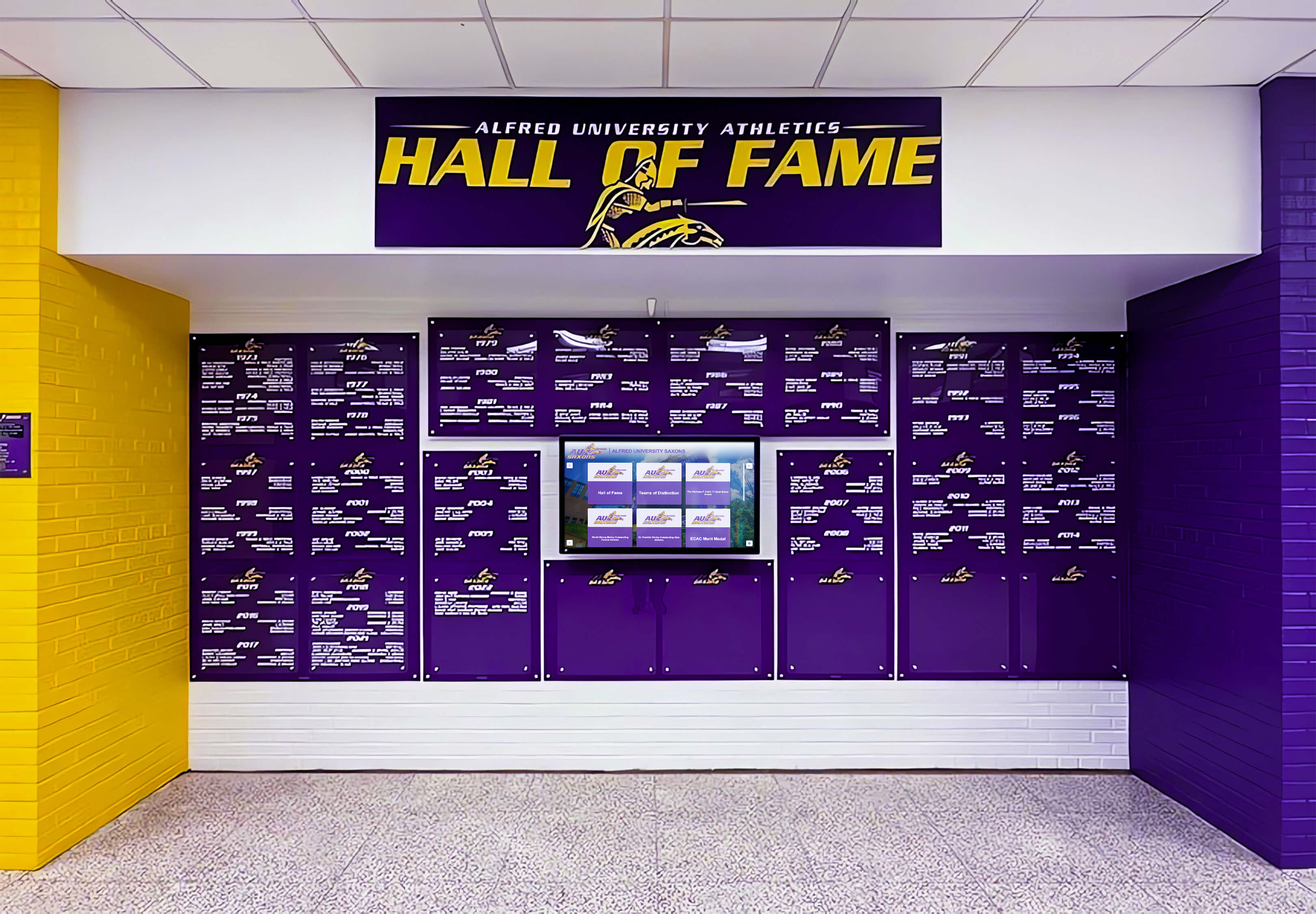
A structured committee and documented workflow ensure every inductee on this wall arrived through the same standard of review
Program Snapshot
Use this table to align your committee before the first meeting. Every blank cell is a future dispute waiting to happen.
| Governance Element | Minimum Standard | Why It Matters |
|---|---|---|
| Committee size | 5–11 members (odd number) | Prevents tie votes; maintains quorum |
| Defined roles | Chair, Secretary, Archivist, At-Large × 2 | Accountability for every workflow stage |
| Annual calendar | 12-month, 4 gate reviews | Keeps nominations from stalling indefinitely |
| Inductee workflow stages | 6 (Submit → Screen → Score → Vote → Notify → Archive) | Consistency across every class |
| Digital archive standard | Searchable profile with photo, bio, stats, year inducted | Transforms governance into visible community heritage |
| CMS access control | Role-based (Archivist + Admin only publish) | Prevents unauthorized edits to inductee records |
| Review cadence | Annual or biennial induction class | Predictable timeline for nominators and nominees |
The Five Core Committee Roles
Every hall of fame committee needs these five roles filled before nominations open. Combine them in small programs; separate them in large ones.
1. Committee Chair
The Chair owns the annual calendar and runs every meeting. Specific responsibilities:
- Set and publish the nomination deadline 90+ days before the induction ceremony
- Facilitate the scoring session and manage deliberation time
- Serve as the public spokesperson for selection decisions
- Escalate conflict-of-interest disclosures to the governing board
- Countersign the official induction record
The Chair does not score nominees in programs where a tie-breaking vote from the Chair would create a conflict. Build this exception into your bylaws before it becomes an issue.
2. Secretary
The Secretary is the paper trail for the entire process.
- Receive, log, and timestamp every nomination submission
- Confirm receipt to nominators within five business days
- Distribute nomination packets to the committee before the screening session
- Record minutes at every meeting and retain them permanently
- Issue formal induction letters and coordinate with the Archivist on profile handoff
3. Archivist
This role is the bridge between the selection committee and the digital display. Most programs understaff it; none should.
- Collect the content package for every selected inductee (photo, career statistics, biographical summary, notable achievements)
- Standardize metadata: full name, graduation year, sport or category, year inducted
- Upload profiles to the recognition platform and verify display accuracy before public launch
- Maintain the master archive of all nominees—inducted and deferred—for continuity across leadership transitions
- Manage photo rights and release agreements
For schools using a platform like Rocket Alumni Solutions, the Archivist is the primary CMS user. Role-based access means only the Archivist and a backup administrator can publish or edit inductee profiles.
4. Eligibility Officer (At-Large Seat 1)
The Eligibility Officer reviews every nomination against the written criteria before it reaches the full committee. This pre-screening step keeps deliberation focused on merit, not eligibility disputes.
- Verify the nominee meets the waiting period (typically three to five years post-graduation or retirement)
- Confirm the nominee falls within the hall’s defined scope (athletics, academics, arts, service, or combined)
- Flag any conflict-of-interest disclosures from committee members before the screening session
- Return incomplete nominations to the Secretary with a list of missing information
5. Community Representative (At-Large Seat 2)
The Community Representative brings external perspective that current administrators and coaches may lack.
- Represent the perspective of alumni, families, and community members who interact with the hall of fame as visitors
- Research lesser-documented nominees whose achievements predate current staff tenure
- Validate that the final inductee class reflects the full breadth of institutional history, not just recent memory
In programs with a larger committee, expand at-large seats to include a past inductee, a booster club officer, or a faculty member. Always keep the total count odd.
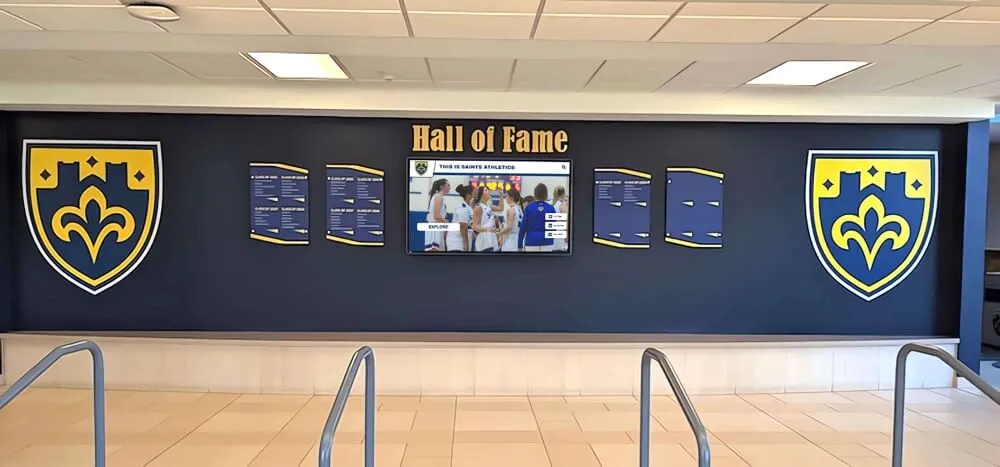
Clear role assignments determine who creates and approves each profile on your recognition wall—physical or digital
The 12-Month Review Calendar
This calendar assumes an annual induction cycle with a spring ceremony. Adjust dates proportionally for fall ceremonies or biennial programs.
| Month | Gate / Milestone | Owner | Deliverable |
|---|---|---|---|
| July | Calendar published; nomination form opens | Chair + Secretary | Live submission portal or form link distributed |
| August–September | Nomination window open | Eligibility Officer | Incoming nominations logged and acknowledged |
| October 1 | Gate 1: Nomination deadline | Secretary | Closed submission list delivered to committee |
| October | Eligibility screening | Eligibility Officer | Eligible vs. ineligible ruling on each nomination |
| November | Scoring packets distributed | Secretary | Each committee member receives anonymized packets |
| December 1 | Gate 2: Individual scoring due | All members | Completed scoring rubrics returned to Secretary |
| December | Deliberation session | Chair | Ranked list and preliminary class size confirmed |
| January 1 | Gate 3: Final vote | Full committee | Official induction class approved by written ballot |
| January | Inductee notification | Chair + Secretary | Formal letters sent; non-selection notices to declined nominees |
| February–March | Content collection | Archivist | Photos, bios, statistics gathered for all inductees |
| April | Digital profiles published; ceremony program finalized | Archivist | Live profiles on touchscreen and web platform |
| May | Gate 4: Induction ceremony | Chair | Ceremony executed; archive updated post-event |
| June | Calendar review and process debrief | Full committee | Notes incorporated into next cycle |
Handling Deferred Nominees
Create a formal deferral status. Nominees who clear eligibility but do not reach the vote threshold in a given cycle should carry forward automatically in the next cycle’s deliberation—not require a new nomination. Document this in your bylaws and track deferred nominees in the Archivist’s master record.
The Six-Stage Inductee Workflow
Map every nominee through this workflow. No nomination should reach a vote without completing all prior stages.
Stage 1 — Submit Nominators complete a standardized form covering: nominee name, graduation or service year, category, career achievements, community impact, and the nominator’s relationship to the nominee. The Secretary timestamps each submission and assigns a tracking ID.
Stage 2 — Screen The Eligibility Officer checks the nomination against written criteria within ten business days of the deadline. Nominations that fail eligibility are returned with a written explanation. Nominations that pass move to the scoring packet.
Stage 3 — Score Each committee member independently scores the nominee on a defined rubric (see the copy-paste template below). Individual scores are sealed until the deliberation session to prevent anchoring bias.
Stage 4 — Vote The full committee deliberates and votes by written ballot. Define your threshold in advance—most school programs require a two-thirds supermajority. Tie-breaking procedures and quorum minimums belong in your bylaws, not improvised at the meeting.
Stage 5 — Notify The Chair sends formal induction letters within five business days of the vote. Non-selected nominees receive a brief, respectful notice acknowledging their nomination. Never disclose vote counts or individual scores.
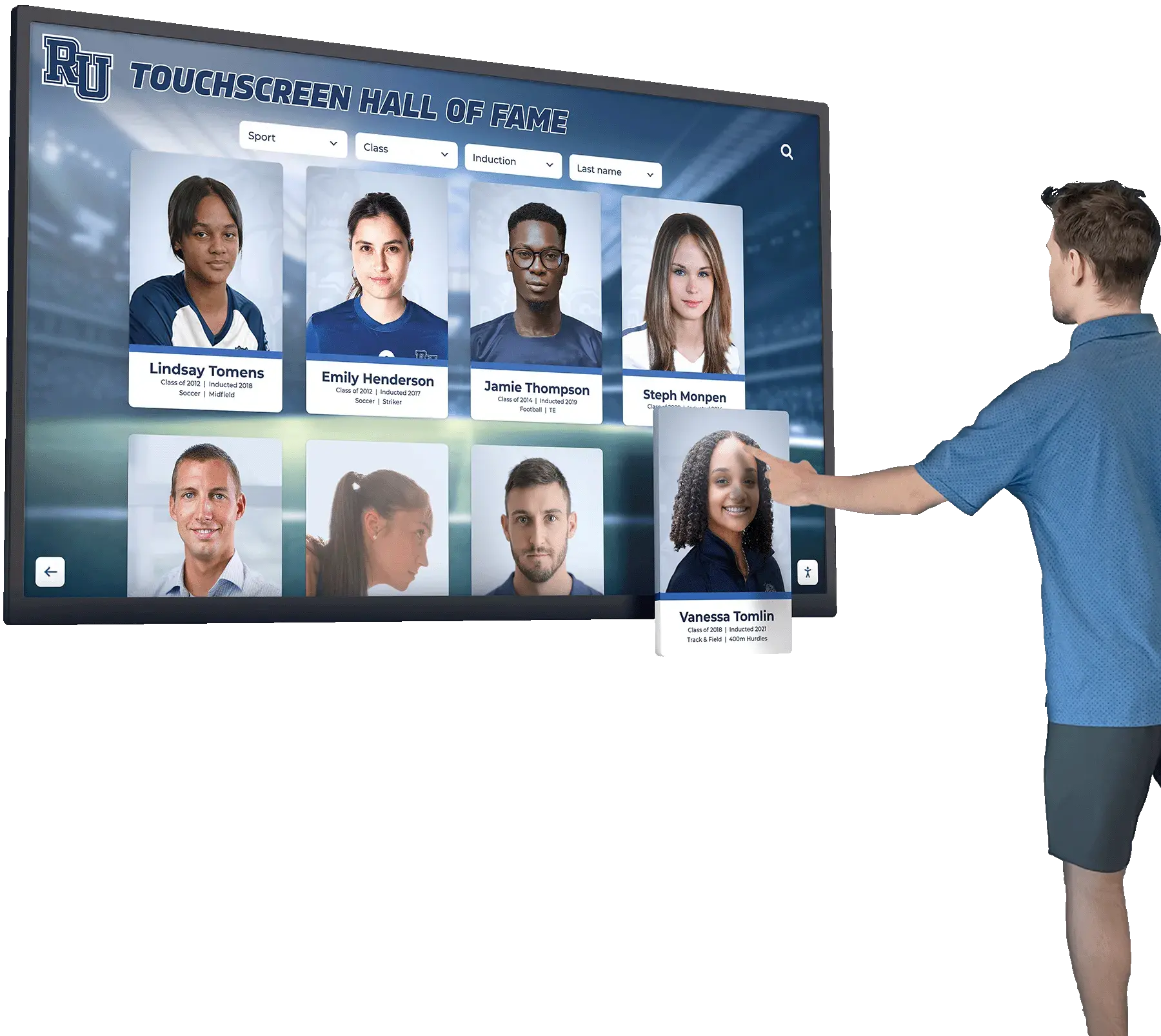
Stage 6 — Archive The Archivist collects the inductee content package, uploads the digital profile, and closes the file in the master record. This stage is complete only when the profile is live, verified, and backed up. For programs using cloud-based tools, platforms that offer searchable digital hall of fame inductee profiles make this stage dramatically faster than manual display updates.
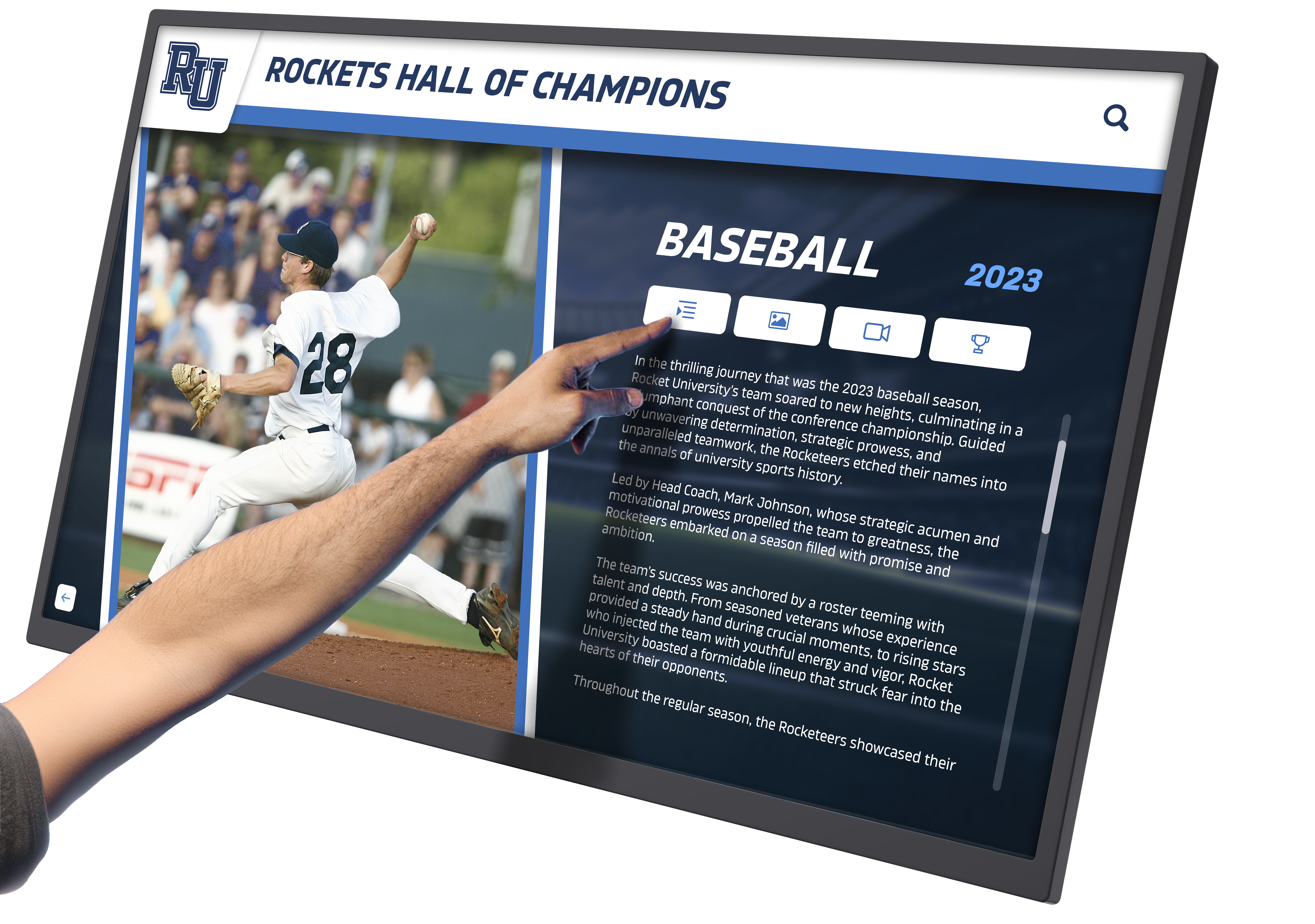
Stage 6 of the inductee workflow ends when a verified profile like this one is live on your touchscreen or web platform
Content Architecture: Mapping Governance to Digital Profiles
The committee’s workflow decisions determine what appears in each inductee’s digital record. Build your content collection requirements before the first nomination cycle, not after.
The Digital Inductee Profile
Every profile should contain seven content blocks. The Archivist collects these during Stage 6; the Eligibility Officer confirms completeness before the file closes.
| Profile Block | Content | Touchscreen Module |
|---|---|---|
| Identity | Full name, graduating class, sport or category | Header card / search index |
| Portrait | High-resolution photograph (minimum 800×800 px) | Photo panel |
| Bio summary | 150–300 word career narrative | Bio panel |
| Key achievements | 3–5 bullet points (stats, titles, records) | Achievement ribbon |
| Induction year | Year inducted, class designation | Timeline / filter tag |
| Legacy note | Quote from nominator or inductee (optional) | Pull-quote module |
| Related profiles | Links to teammates, contemporaries, or coaches also inducted | “You might also explore” rail |
The Related Profiles block is the most underused element in school hall of fame displays. Connecting teammates from a championship team creates exploration paths that keep visitors engaged far longer than isolated individual profiles.
Archive vs. Display Separation
Maintain two layers of record:
Public display layer: The profile as visitors see it on a touchscreen kiosk or web platform. Curated, designed, and approved before publication.
Committee archive layer: The full nomination file including scoring rubrics, deliberation notes, and eligibility rulings. Not public. Retained permanently under the Secretary’s custody and backed up by the Archivist.
This separation protects committee confidentiality while ensuring the public record reflects the committee’s best work. Tools reviewed in comprehensive hall of fame platform comparisons consistently list role-based access control as a non-negotiable feature for programs managing both layers.
Execution Timeline: Plan → Build → Launch → Refresh
Plan (July–October)
- Confirm committee roster and assign roles before the nomination window opens
- Publish the calendar, nomination criteria, and submission form simultaneously
- Schedule the four gate meetings as standing calendar events for the entire committee
- Brief nominators on the six-stage workflow so they understand what happens after submission
Build (November–March)
- Run scoring and deliberation on the Gate 2 and Gate 3 schedule
- Begin content collection in January—do not wait until the ceremony is booked
- Use the digital platform’s bulk upload feature to stage profiles in draft mode before the ceremony
- Coordinate with the ceremony planner on the program order; the Archivist’s profile sequence should match the ceremony script
For programs building recognition displays that need to serve multiple audiences—current students, visiting families, and alumni returning for reunions—reviewing 10-year reunion programming ideas can surface content strategies worth adapting for your hall of fame’s ongoing engagement calendar.
Launch (April–May)
- Publish profiles to the live display at least two weeks before the ceremony
- Conduct a walkthrough of the touchscreen experience with the Chair before the public launch
- Verify ADA compliance: WCAG 2.1 AA contrast ratios, accessible reach height for kiosk mounts, and alternative navigation for visitors with mobility limitations
- Send inductees a personal link to their digital profile before the ceremony—many will share it with family and former teammates, extending your program’s organic reach
Refresh (June)
- Add post-ceremony photographs and any ceremony-night quotes to existing profiles
- Archive the current year’s nomination files
- Review the calendar and identify any workflow stages that ran late—adjust gate dates for the next cycle accordingly
- Audit existing profiles for broken links, outdated photos, or incomplete achievement blocks
For programs connected to broader academic recognition program infrastructure, the June refresh is also the right moment to cross-reference newly inducted athletes against academic honor records from the same years.
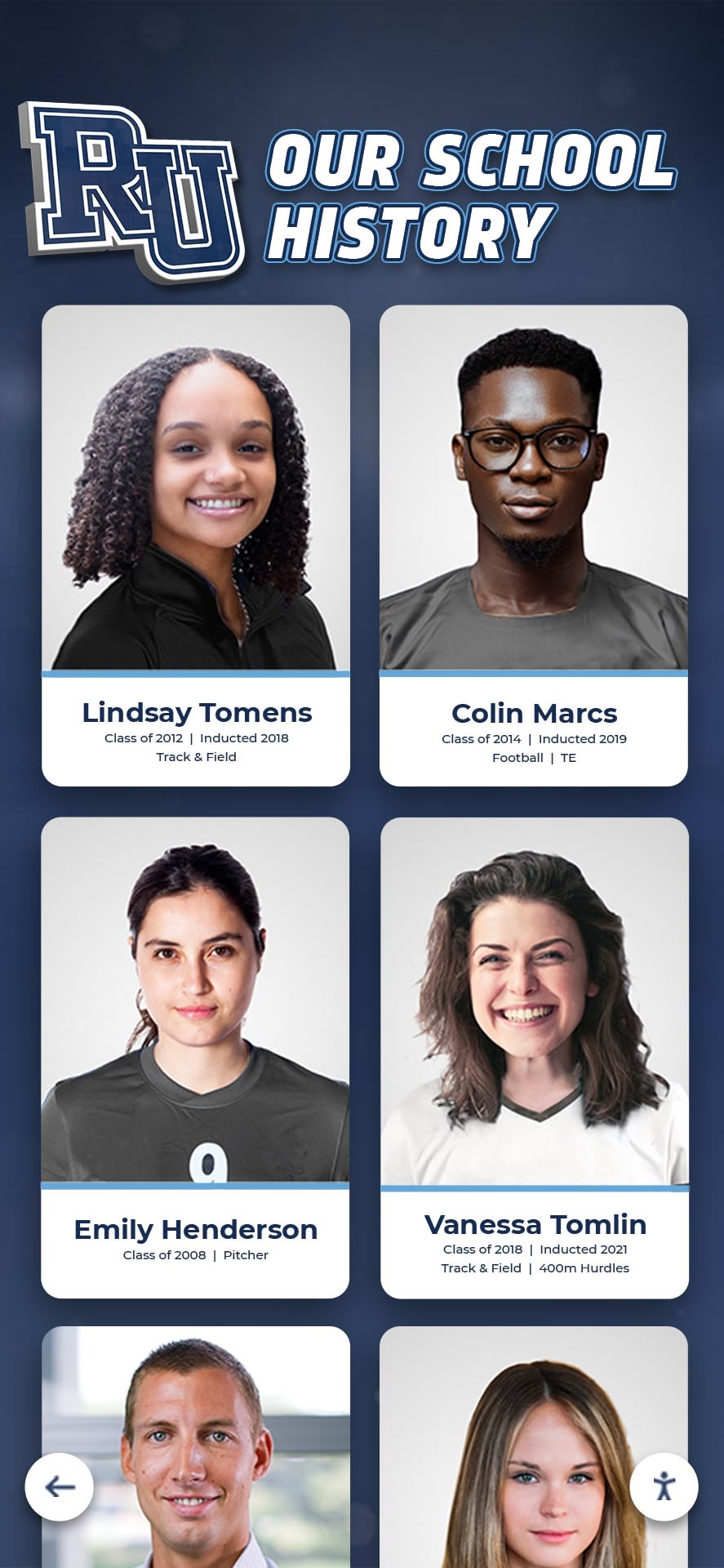
A well-maintained archive surfaces historical portraits and records that enrich every induction class's digital profiles
Display Integration: Connecting Governance to the Touchscreen
A committee workflow that ends with a spreadsheet has not finished the job. The final output is a searchable, publicly accessible digital archive that honors inductees for decades, not just during the ceremony.
Touchscreen Layout Zones for Hall of Fame Committees
Map your content architecture to physical screen zones before you finalize the CMS structure.
Search and Filter Zone (Top Panel) Visitors should be able to search by name, year inducted, sport or category, and graduation class. This zone is fed directly by the metadata the Archivist enters during Stage 6. Missing or inconsistent metadata breaks the search experience.
Featured Inductee Zone (Center Panel) Rotating spotlight profiles for the current induction class. Configured by the Archivist immediately after Gate 4. Auto-rotating carousels eliminate the need for ongoing manual updates.
Browse and Explore Zone (Side Rail or Bottom Panel) Year-by-year class navigation. Visitors use this to find specific individuals without knowing their induction year. The Archivist’s tagging decisions during Stage 6 determine how intuitively this panel navigates.
Legacy and Records Zone (Secondary Screen or Overlay) Championship records, retired numbers, team histories, and statistical milestones. This content is managed separately from individual inductee profiles but links to relevant profiles through the Related Profiles block.
Remote Management and Scheduled Publishing
A committee that meets once a year cannot be responsible for manually refreshing a physical display between cycles. Cloud-based platforms solve this through:
- Scheduled publishing: Queue new inductee profiles to go live on a specific date without requiring someone to be on-site
- Remote CMS access: The Archivist updates profiles from anywhere, not just from the athletic department’s desktop computer
- Automatic backups: Inductee records and photos are preserved in cloud storage even if the physical kiosk is damaged or replaced
- Multi-screen synchronization: Updates published once appear across every screen in the building simultaneously
For programs that have invested in digital record board infrastructure for athletic statistics, linking those record displays to the hall of fame platform creates a unified recognition environment where performance data and inductee profiles cross-reference each other automatically.
Reusable Artifact: Committee Scoring Rubric Template
Copy and adapt this rubric for your program’s scoring session (Stage 3). Distribute to committee members with the anonymized nomination packet.
Hall of Fame Nominee Scoring Rubric Program: _________________ | Induction Cycle: _________________ Nominee ID (assigned by Secretary): _________________
| Criterion | Weight | Score (1–5) | Weighted Score |
|---|---|---|---|
| Athletic / Academic / Artistic achievement during enrollment or service | 35% | ||
| Distinction at regional, state, or national level | 25% | ||
| Positive representation of the institution | 20% | ||
| Post-graduation impact or legacy | 15% | ||
| Completeness and quality of nomination documentation | 5% | ||
| Total | 100% |
Scoring guide: 5 = exceptional, clear standard-setter; 4 = strong, above average; 3 = solid, meets threshold; 2 = limited evidence; 1 = insufficient documentation to evaluate.
Committee member signature: _________________ | Date: _________________
Scores are sealed until the deliberation session. Do not discuss individual nominees with other committee members before Gate 3.
Adjust criterion weights to match your program’s emphasis. Programs that honor service contributors alongside athletes may weight post-graduation impact at 25% and performance during enrollment at 25%.
Frequently Asked Questions
How many inductees per year is appropriate for a school hall of fame? Most school programs induct three to seven individuals annually. Larger classes dilute the distinction; smaller classes may leave deserving nominees waiting so long that community interest fades. A fixed maximum (e.g., five per year) is easier to communicate and defend than a flexible range.
What happens to nominees who are not selected? Nominees who pass eligibility screening and receive a score should be deferred automatically to the next cycle rather than requiring a new nomination. Document the deferral threshold in your bylaws—typically nominees scoring above a defined floor carry forward for two additional cycles before requiring resubmission.
Who should have access to the digital archive CMS? Limit publishing rights to the Archivist and one backup administrator. Grant read-only access to the Chair and Secretary for oversight purposes. Never grant editing rights to nominators, inductees, or the general committee. Role-based access logs every change, which protects the committee from disputes about unauthorized edits.
How do we handle inductee records if a past inductee’s conduct later becomes a problem? Address this in your bylaws before it happens. A removal clause should define the triggering conditions (criminal conviction, conduct that materially harms the institution’s reputation), the decision authority (full committee vote or board action), and the display outcome (profile removal, archiving in committee records only, or notation). Digital platforms that separate the public display layer from the committee archive make this process cleaner than physical plaques that require physical removal.
Can a hall of fame committee use digital tools for the voting process itself? Yes, and most programs benefit from it. Secure online scoring forms allow committee members to submit rubrics before the deliberation session, reducing meeting time to discussion rather than data entry. The Secretary exports aggregate scores, and the Chair facilitates deliberation around the ranked results. Platforms designed for academic achievement recognition increasingly include governance workflow features alongside the public-facing display.
How does a digital archive benefit the committee’s long-term continuity? When committee leadership changes—and it will—the Archivist’s master record is the institutional memory that prevents regression. A new Chair who inherits a well-documented digital archive knows exactly who was nominated and when, what scores they received, and which nominees are in deferral. Without that record, each transition risks restarting the program’s history from scratch.
Measurement: Governance KPIs and Archive Engagement
Track these metrics to evaluate both committee performance and archive engagement.
| KPI | Target | Measurement Method |
|---|---|---|
| Nominations received per cycle | 15+ (school size dependent) | Secretary’s submission log |
| Eligibility screening completion | Within 10 days of deadline | Gate 1 date vs. screening completion date |
| Stage 6 completion before ceremony | 14+ days prior | Archivist’s profile publish date |
| Touchscreen dwell time on inductee profiles | 2+ minutes average | CMS analytics |
| Profile search usage | 30%+ of sessions use search | Platform analytics |
| Archive completeness | 100% of inducted classes have digital profiles | Archivist’s audit |
| Inductee profile views per year | Baseline + 20% YOY growth | Platform analytics |
The most revealing metric is often archive completeness for historical classes. Programs that digitize inductees from every year—not just recent cycles—see the highest engagement because visitors can find family members, former coaches, and community figures spanning decades. Digital wall of fame platforms built for schools make retroactive digitization manageable through bulk import tools.
Dwell time on individual inductee profiles is the clearest signal that your archive is engaging visitors, not just cataloging them
Connecting Committee Governance to a Lasting Digital Legacy
A hall of fame committee that runs on defined roles, a fixed calendar, a documented six-stage workflow, and a structured archive is not doing more work than an informal committee—it is doing the same work with results that survive leadership turnover, grow with every induction class, and serve the community year-round rather than only during the ceremony week.
The governance infrastructure described in this guide is the prerequisite. The digital archive is the payoff. Schools that build both end up with recognition programs that honor inductees permanently, engage alumni returning for reunions or events, and give current students a visible standard to aspire toward. The programs that struggle—and many do—are the ones that treat the committee as a once-a-year event rather than a year-round operating system with owners, calendars, and deliverables.
For programs evaluating recognition platform options before formalizing their committee structure, a broad comparison of hall of fame tools for athletics, donors, arts, and history provides a useful framework for matching platform capabilities to your governance workflow requirements. The right platform is the one whose role-based access, scheduling features, and archive depth align with the committee structure you build.
Request Your Free Custom Demo
Rocket Alumni Solutions builds digital hall of fame platforms designed specifically for the governance workflows described in this guide—role-based CMS access for your Archivist, scheduled publishing tied to your induction calendar, searchable inductee archives with unlimited profile capacity, and WCAG 2.1 AA–compliant touchscreen displays that serve every visitor in your facility.
If your committee is ready to move from a spreadsheet to a searchable archive, or if you are building your program’s governance structure for the first time, see how Rocket translates your committee’s work into a display your community will engage with for decades.































