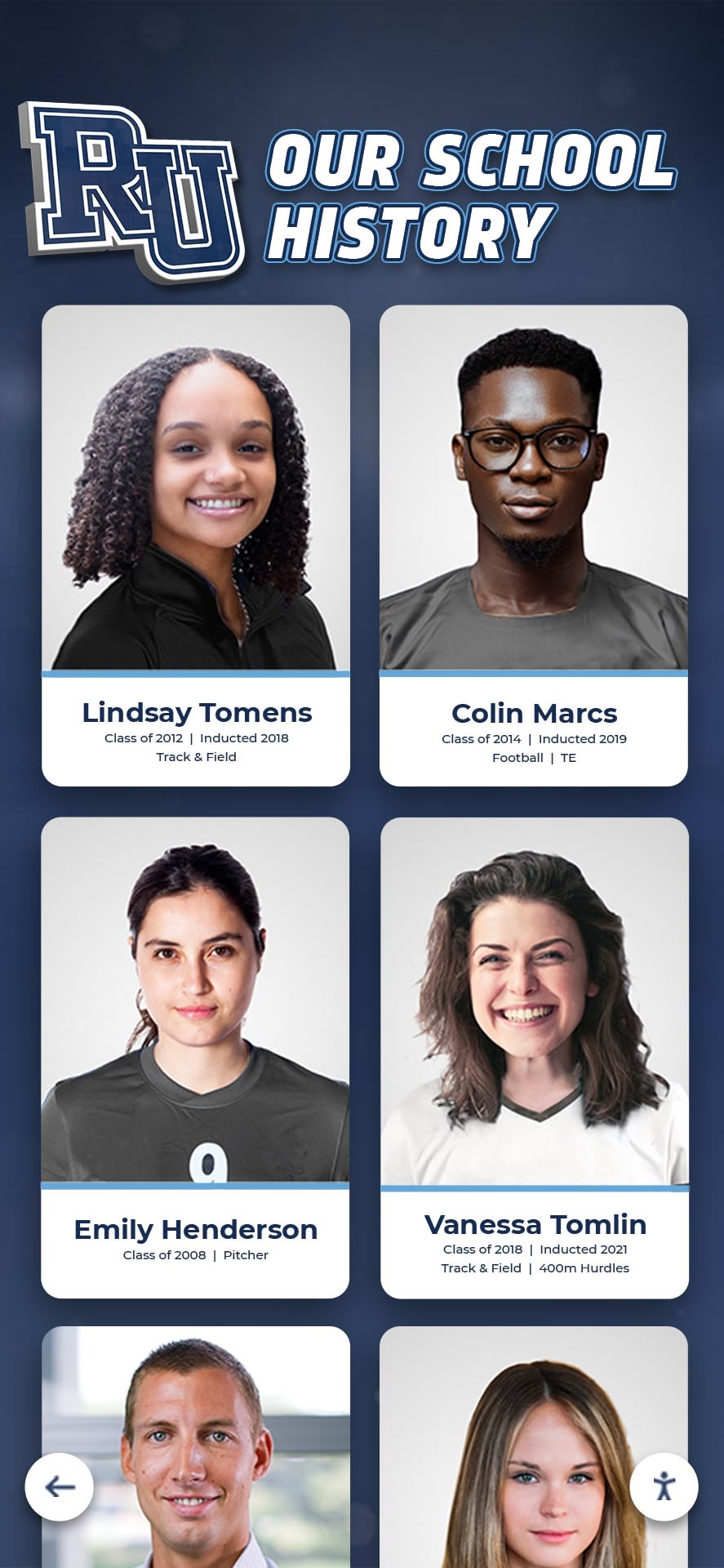




Intent: Plan — Schools, alumni associations, and athletic departments face a common challenge: decades of irreplaceable yearbook memories sit in storage while administrators want to showcase student achievements in modern digital hall of fame displays. The solution requires careful planning, proper handling techniques, and non-destructive digitization methods that protect fragile materials while extracting photographs for recognition programs.
Many organizations abandon yearbook digitization projects because they fear damaging precious originals, lack expertise in archival handling, or misunderstand the technical requirements for extracting individual photos. Yet professional digital preservation methods enable institutions to transform aging print materials into searchable digital assets while maintaining physical integrity—creating the foundation for interactive recognition displays celebrating student excellence across generations.
This comprehensive guide walks through every phase of safe yearbook digitization specifically for hall of fame applications—from initial assessment of book condition through digital extraction workflows to display integration strategies. Whether you manage five decades of yearbooks in a high school archive room or oversee university materials spanning a century, this framework ensures your digitization project protects originals while delivering high-quality recognition content.
Project Snapshot: Yearbook Digitization for Recognition Displays
| Component | Details |
|---|---|
| Primary Goal | Extract individual photos from yearbooks for digital hall of fame displays without physical damage to original volumes |
| Target Materials | Yearbooks from 1950-present, varying conditions (pristine to fragile) |
| Output Format | High-resolution individual photos (300+ DPI), metadata-tagged, organized by year/sport/activity |
| Display Integration | Touchscreen recognition displays, searchable alumni databases, digital trophy cases |
| Timeline | 8-16 weeks depending on volume count and condition assessment |
| Key Stakeholders | Archivists, alumni coordinators, athletic directors, IT administrators, volunteer teams |
| Success Metrics | Zero physical damage to originals, 95%+ photo extraction accuracy, searchable metadata, seamless display integration |
Understanding the Risk Factors in Yearbook Handling
Before beginning any digitization project, assess the specific risks your yearbook collection faces. Older materials present different challenges than recent publications.
Age-Related Vulnerability Factors
1950s-1970s Yearbooks:
- Brittle acidic paper that cracks when opened beyond 90 degrees
- Dried adhesive causing pages to separate from binding
- Faded photographs requiring exposure compensation during scanning
- Fragile cloth or leather covers that shed material when handled
1980s-1990s Yearbooks:
- Glossy coated pages that stick together from humidity exposure
- Spiral or perfect bindings that resist flat scanning
- Color photographs sensitive to light exposure
- Plastic protective covers that yellow and crack
2000s-Present Yearbooks:
- Heavy weight requiring proper support during scanning
- Mixed media (stickers, inserted photos) complicating flat capture
- Digital print processes affecting scan color accuracy
- Modern perfect binding that damages easily if forced open
Common Damage Scenarios to Avoid
Organizations frequently damage yearbooks through well-intentioned but improper handling:
Forcing Books Flat: Pressing spines onto flatbed scanners cracks bindings and tears pages from the spine attachment. Books published before 1990 rarely open to 180 degrees without sustaining damage.
Repeated Handling: Opening the same pages multiple times to re-scan photos stresses binding adhesive. Each opening cycle accelerates deterioration.
Improper Support: Allowing unsupported book weight to hang during vertical scanning places shearing stress on spine attachments.
Environmental Shock: Moving books rapidly from cold storage to warm scanning rooms causes condensation between pages, leading to ink transfer and mold growth.
Inadequate Lighting: Using excessive light intensity to compensate for poor scanner quality fades photographs permanently—particularly color images from before 1990.
Schools implementing comprehensive archival systems recognize that prevention requires understanding these failure modes before establishing handling protocols.
Non-Destructive Scanning Methods Explained
Professional archivists employ three primary approaches for capturing yearbook content without physical damage. Method selection depends on book condition, budget constraints, and desired output quality.
Overhead Book Scanner Method (Recommended)
Overhead scanners position the camera above books resting in a V-shaped cradle. This approach offers the safest option for fragile materials.
How It Works:
- Book rests in padded cradle at natural opening angle (typically 120-140 degrees)
- Overhead camera captures both pages simultaneously
- Automated page-flipping mechanism (optional) or manual turning
- Software corrects perspective distortion and page curve
- Individual photos extracted through cropping or AI recognition
Advantages:
- Zero binding stress—books never forced beyond comfortable opening angle
- Fast capture rate (200-400 pages per hour with auto-feed)
- Consistent lighting eliminates shadows and glare
- Minimal handling reduces contamination and fingerprint transfer
Limitations:
- Initial equipment cost ($1,500-$15,000 depending on automation level)
- Requires dedicated workspace
- Learning curve for optimization and page-curve correction
- May need manual adjustment for extremely brittle materials
Best For: Collections of 20+ yearbooks, materials in fair-to-poor condition, organizations planning ongoing digitization programs.

Flatbed Scanner with Book Cradle Method
Modified flatbed scanners equipped with book cradles provide accessible entry points for smaller projects.
How It Works:
- Remove scanner lid or prop open beyond normal range
- Position yearbook on glass with spine elevated by foam wedge
- Black felt backdrop eliminates scanner bed reflection
- Scan single page, flip book, repeat
- Post-processing corrects edges and lighting variation
Advantages:
- Uses existing equipment most organizations already own
- Simple workflow requiring minimal training
- Produces high-quality scans (400-600 DPI easily achievable)
- Complete control over exposure and color settings
Limitations:
- Slow process (30-60 pages per hour)
- Risk of binding damage if books forced completely flat
- Inconsistent lighting near spine area creates shadows
- Operator fatigue during extended sessions
- Not suitable for severely damaged materials
Best For: Collections under 10 yearbooks, materials in good condition, pilot projects before investing in specialized equipment, tight budgets.
Professional Service Provider Method
Commercial digitization services specialize in archival materials, offering the highest quality output with zero in-house labor.
How It Works:
- Ship materials to specialized facility
- Professionals assess condition and select appropriate equipment
- Climate-controlled scanning environment prevents environmental damage
- Options include destructive (book disassembly) or non-destructive methods
- Receive digital files plus undamaged originals
Advantages:
- Expert handling by trained archivists
- Access to specialized equipment (book scanners, planetary scanners)
- Insurance coverage protects against transit and handling damage
- Consistent quality across entire collection
- No equipment investment or training required
Limitations:
- Cost ranges from $15-$50 per book depending on page count and condition
- Turnaround time of 4-12 weeks
- Requires careful packing and shipping
- Less control over specific output format preferences
- Need to verify non-destructive methods in service contract
Best For: Historically significant collections, materials requiring expert conservation assessment, organizations without technical capacity, one-time projects.
Step-by-Step Digitization Workflow
Follow this systematic approach to minimize handling while maximizing extraction efficiency.
Phase 1: Assessment and Inventory (Week 1-2)
Condition Documentation: Create a detailed inventory recording each yearbook’s physical state before beginning digitization. This documentation protects against damage claims and informs handling decisions.
For each volume record:
- Publication year and page count
- Binding type (sewn, perfect bound, spiral, three-ring)
- Cover condition (intact, loose, detached, missing)
- Page brittleness (flexible, slight crackling, extremely fragile)
- Existing damage (torn pages, loose pages, water damage, mold, insect damage)
- Special considerations (inserts, fold-outs, media pockets)
- Digital priority level (high-value recognition content vs. general preservation)
Environmental Preparation: Condition the scanning workspace to prevent shock to materials:
- Maintain 65-70°F temperature
- Control humidity at 40-50% relative humidity
- Allow materials from different storage conditions to acclimate 24-48 hours
- Establish clean workspace free from food, liquids, and dust
- Prepare handling supplies (cotton gloves, page turners, foam wedges, weights)
Phase 2: Scanning Setup and Testing (Week 2-3)
Equipment Configuration: Proper scanner settings prevent the need for re-scanning, which multiplies handling damage risk.
Recommended settings for yearbook digitization:
- Resolution: 400 DPI minimum for photos (600 DPI for small portraits or if enlargement planned)
- Color depth: 24-bit color (8-bit per channel) for color yearbooks, 16-bit grayscale for black-and-white
- File format: TIFF for archival masters, JPEG (95% quality) for working copies
- Color management: sRGB color space ensures consistent display across devices
- Sharpening: Disable in-scanner sharpening (apply selectively during post-processing)
- Dust removal: Enable if available to reduce cleanup time
Test Scanning Protocol: Select 3-5 representative pages covering different conditions:
- A page in excellent condition (baseline quality reference)
- A page with visible damage (assess whether detail survives digitization)
- A dark photograph (test shadow detail retention)
- A page near the spine (evaluate gutter shadow correction needs)
- A color photograph (verify color accuracy)
Scan these test pages and evaluate at 100% magnification on a calibrated monitor. Adjust settings until text remains crisp, photographs show good tonal range, and no distracting artifacts appear.
Phase 3: Systematic Capture (Week 3-10)
Page-Turning Protocol: Develop a consistent technique that minimizes binding stress:
- Support book weight with non-slip mat or foam cradle
- Use bone folder or page turner—never bare fingers on photos
- Turn pages slowly from top corner, allowing natural arc
- Never turn more than 3-4 pages simultaneously
- Place archival tissue between sticky pages before attempting separation
- If resistance encountered, stop and assess—never force
- Allow book to rest briefly (30-60 seconds) every 20-30 pages to let binding relax
Quality Control Checkpoints: Every 50 pages, pause scanning to verify:
- Focus sharpness across entire page (not just center)
- Consistent exposure between captures
- Complete page edges captured (not cropped by scanning frame)
- No skipped pages
- File naming sequence remains unbroken
Discovering quality issues after the yearbook returns to storage means repeating the entire handling cycle.
Phase 4: Photo Extraction and Processing (Week 8-14)
After capturing complete page images, extract individual portraits and photos for hall of fame integration.
Manual Extraction Method:
- Open page scan in photo editing software (Photoshop, GIMP, Affinity Photo)
- Use rectangular selection tool to isolate individual portrait
- Crop with 10-20 pixel margin around photo edges
- Save as separate file with descriptive name: Year_LastName_FirstName_Sport.jpg
- Apply batch consistent sizing if required (e.g., 800x1000px for portrait displays)
Automated Extraction Method: Software tools can detect and extract photos automatically:
- Adobe Lightroom’s face detection identifies portraits across multiple page scans
- Dedicated yearbook software (TreeRing Archive, Yearbook Machine) includes extraction modules
- Python scripts using OpenCV library can batch-process hundreds of pages
- Cloud AI services (Google Vision API, AWS Rekognition) identify faces and suggest crop boundaries
Automated methods work best with clean layouts from yearbooks published after 1970. Earlier volumes with artistic layouts, overlapping images, or low contrast often require manual intervention.
Metadata Creation: Tag each extracted photo with searchable information:
- Student name (Last, First Middle)
- Graduation year
- Activity/sport/club
- Position/award/achievement
- Original yearbook page reference
- Date scanned
- Scanner operator initials
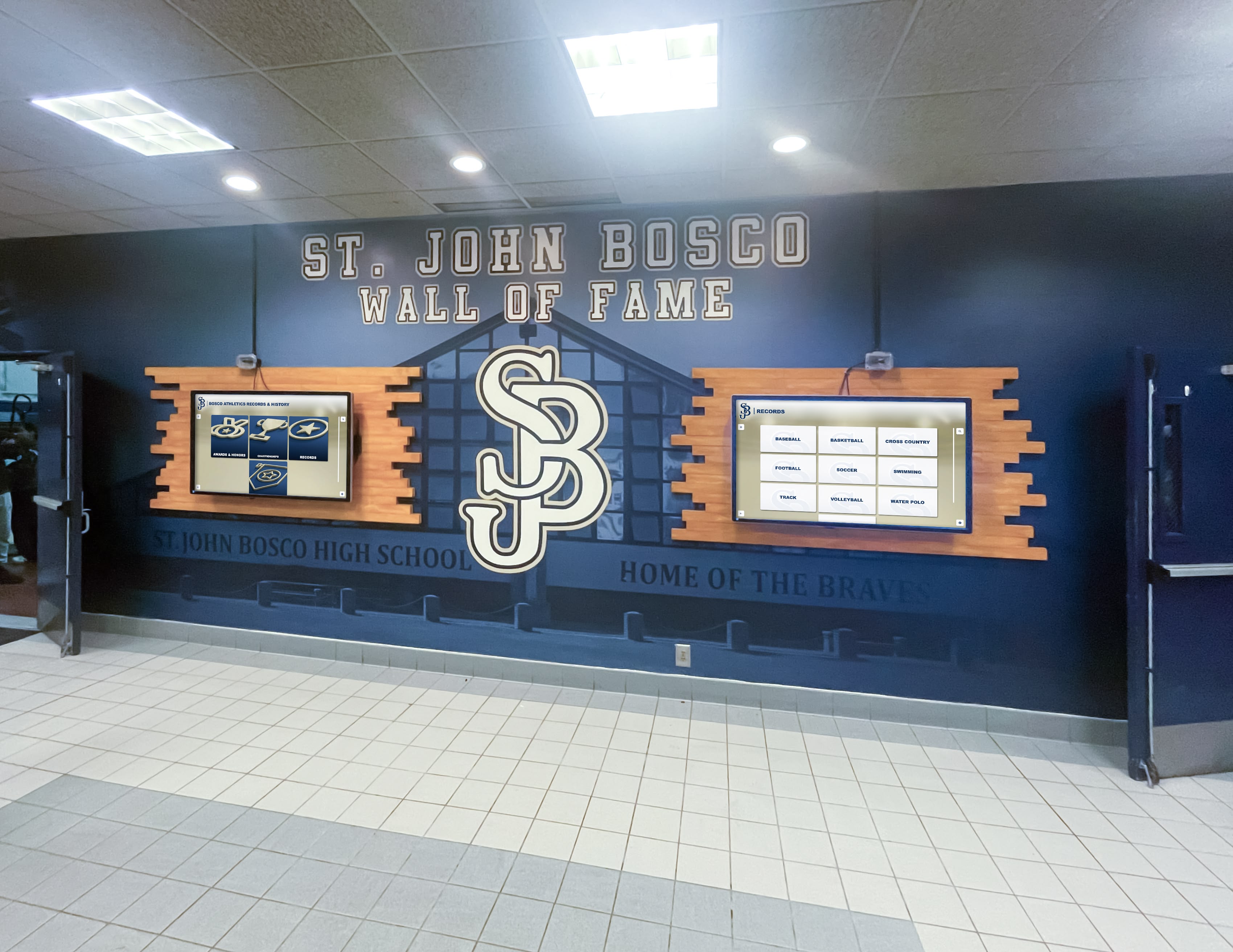
This metadata enables powerful search capabilities when photos integrate into digital recognition systems. Visitors can find specific alumni, search by sport or activity, or browse by decade—functionality impossible with physical yearbooks.
Phase 5: Storage and Backup (Ongoing)
Digital Asset Organization: Create a consistent folder structure that scales across decades:
Yearbooks_Digital/
├── Masters_TIFF/
│   ├── 1975_Yearbook/
│   ├── 1976_Yearbook/
│   └── [continuing through all years]
├── Working_Copies_JPEG/
│   ├── 1975_Yearbook/
│   └── [continuing through all years]
├── Extracted_Photos/
│   ├── 1975/
│   │   ├── Athletics/
│   │   ├── Activities/
│   │   └── Senior_Portraits/
│   └── [continuing through all years]
└── Metadata_Files/
    └── [CSV or database files with photo information]
Backup Strategy (3-2-1 Rule): Protect against data loss through redundant storage:
- 3 copies total: Original TIFF files, working JPEG copies, extracted photos
- 2 different media types: Local hard drives plus cloud storage or network-attached storage
- 1 off-site copy: Cloud storage (Google Drive, Dropbox, institutional systems) or physical drives stored in different building
Test restoration procedures quarterly—backups without verified recovery procedures provide false security.
Integrating Photos into Digital Hall of Fame Displays
After completing digitization, transform extracted photos into searchable recognition experiences.
Content Architecture for Recognition Displays
Map yearbook photos to specific display modules designed for alumni engagement:
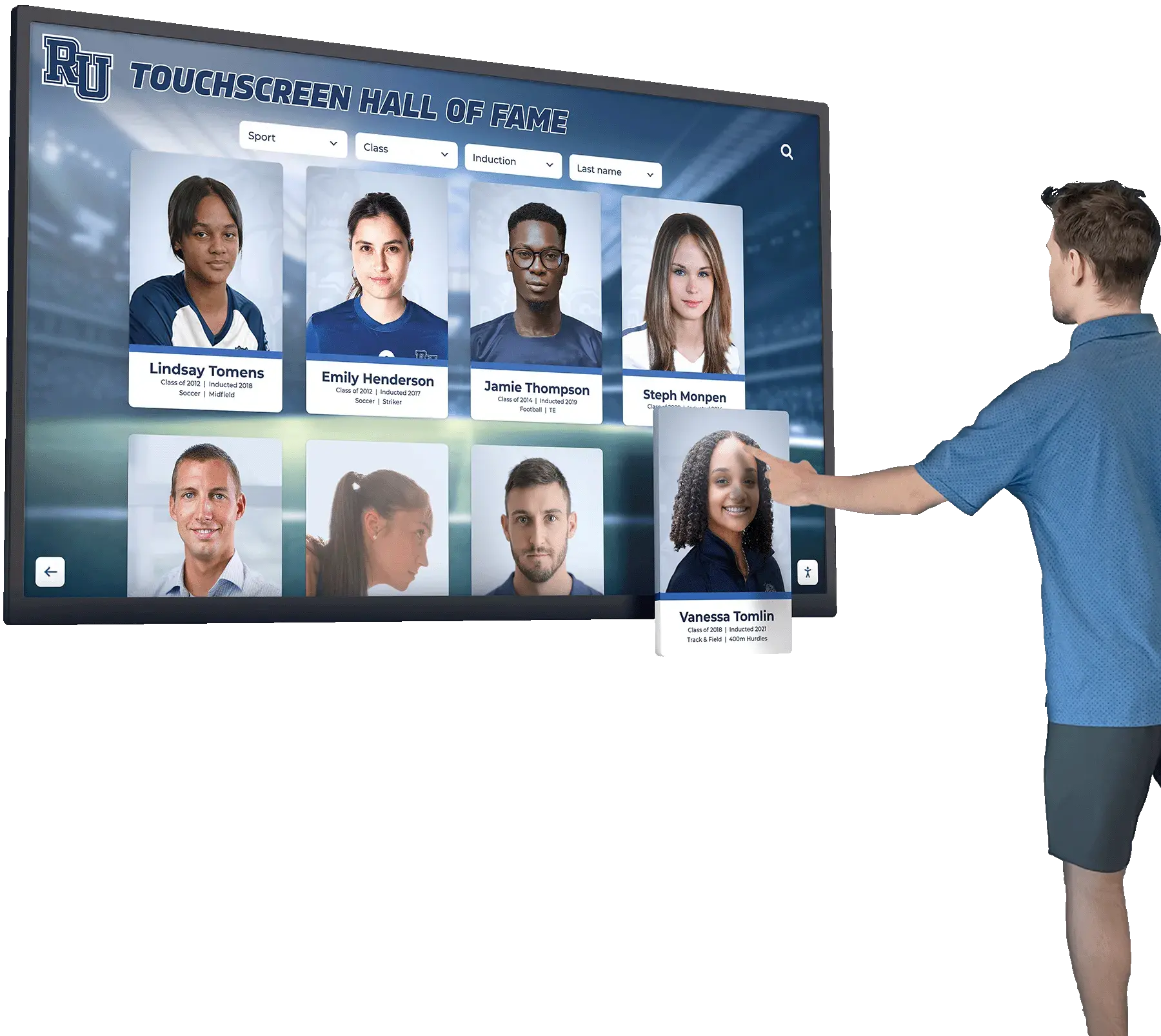
Portrait Gallery Module:
- Chronological browsing of senior class portraits by year
- Filter by decade, sport, or achievement category
- Tap photo to reveal expanded profile with accomplishments
- Link to digital version of original yearbook page
Achievement Recognition Module:
- Athletic champions organized by sport and year
- Academic honors recipients with test scores and awards
- Activity leaders and club presidents
- Special recognition categories (military service, notable alumni)
Then & Now Comparison Module:
- Side-by-side display of historical team photos next to current teams
- Championship banners from different eras
- Facilities evolution showing same spaces across decades
- Alumni return photos during reunions alongside their yearbook portraits
Interactive Timeline Module:
- Scroll through institutional history viewing key moments
- Photos populate automatically based on date metadata
- Overlay historical context (national events, pop culture, local news)
- Highlight milestone years (championships, facility openings, record achievements)
Schools implementing effective history presentations report that interactive timelines generate the highest engagement, particularly during alumni events and prospective student tours.
Display Hardware Selection
Choose display hardware based on location requirements and interaction patterns.
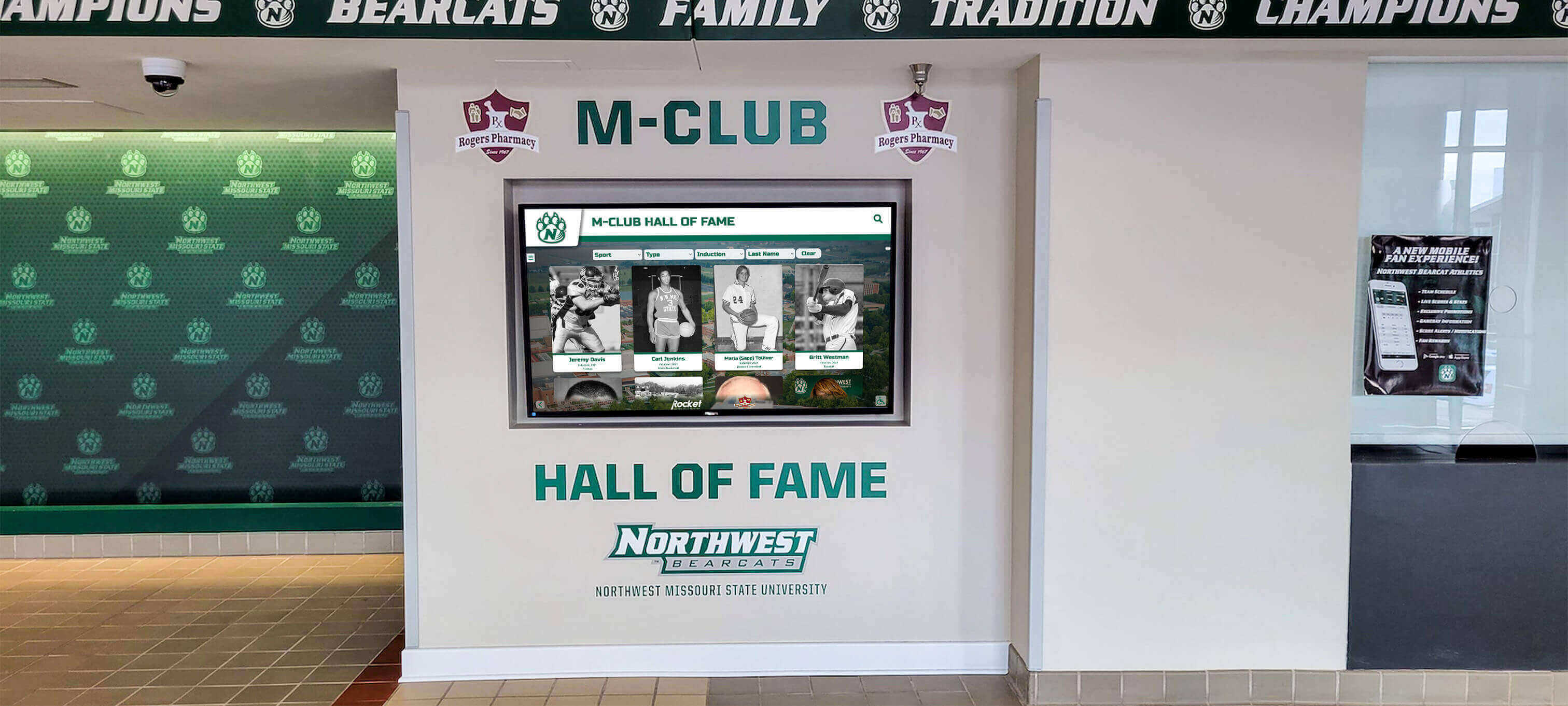
Touchscreen Kiosks (Recommended for High-Traffic Areas):
- 43-55 inch commercial-grade touchscreens
- Floor-standing or wall-mounted configurations
- Protected glass resists fingerprints and damage
- Always-on operation with automatic wake from inactivity
- Network-connected for remote content updates
Large-Format Video Walls (Lobbies and Commons):
- 65-98 inch displays or tiled arrays
- Passive viewing with rotating content
- QR codes enable smartphone interaction without touch
- Impressive visual impact for donor cultivation and admissions events
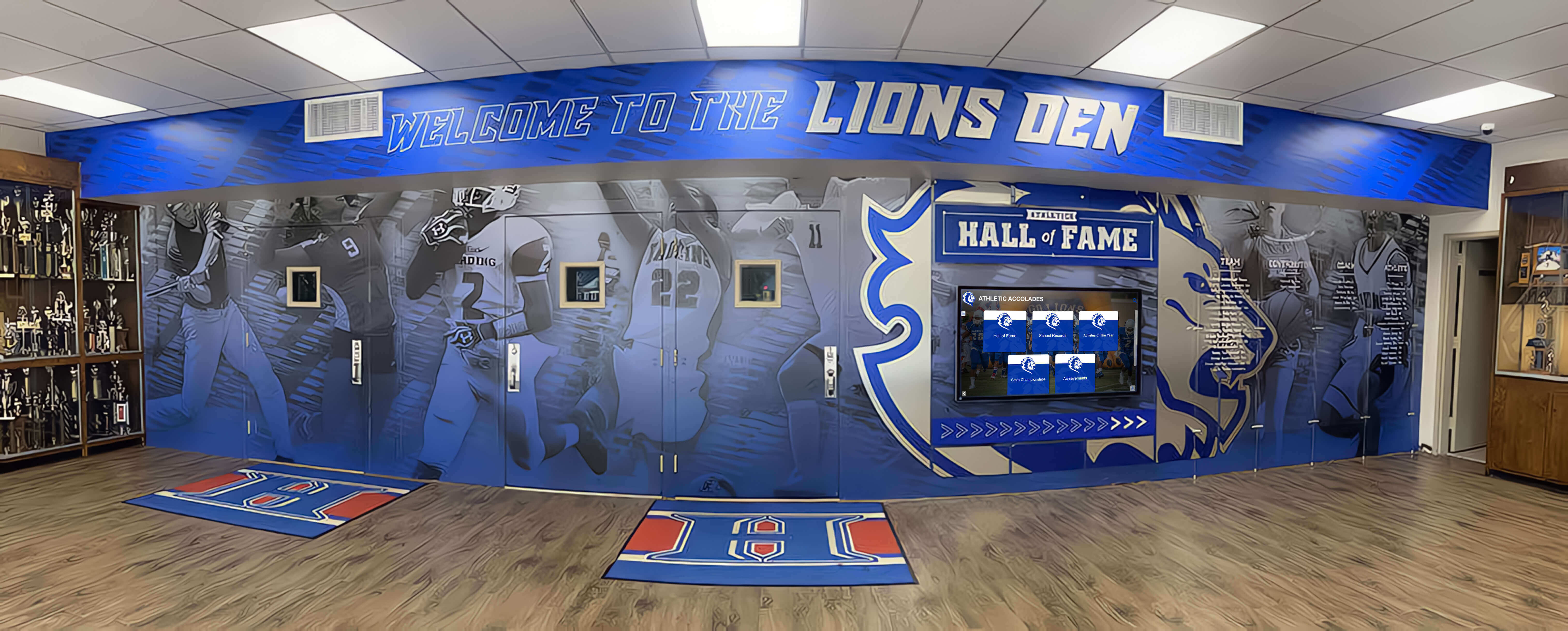
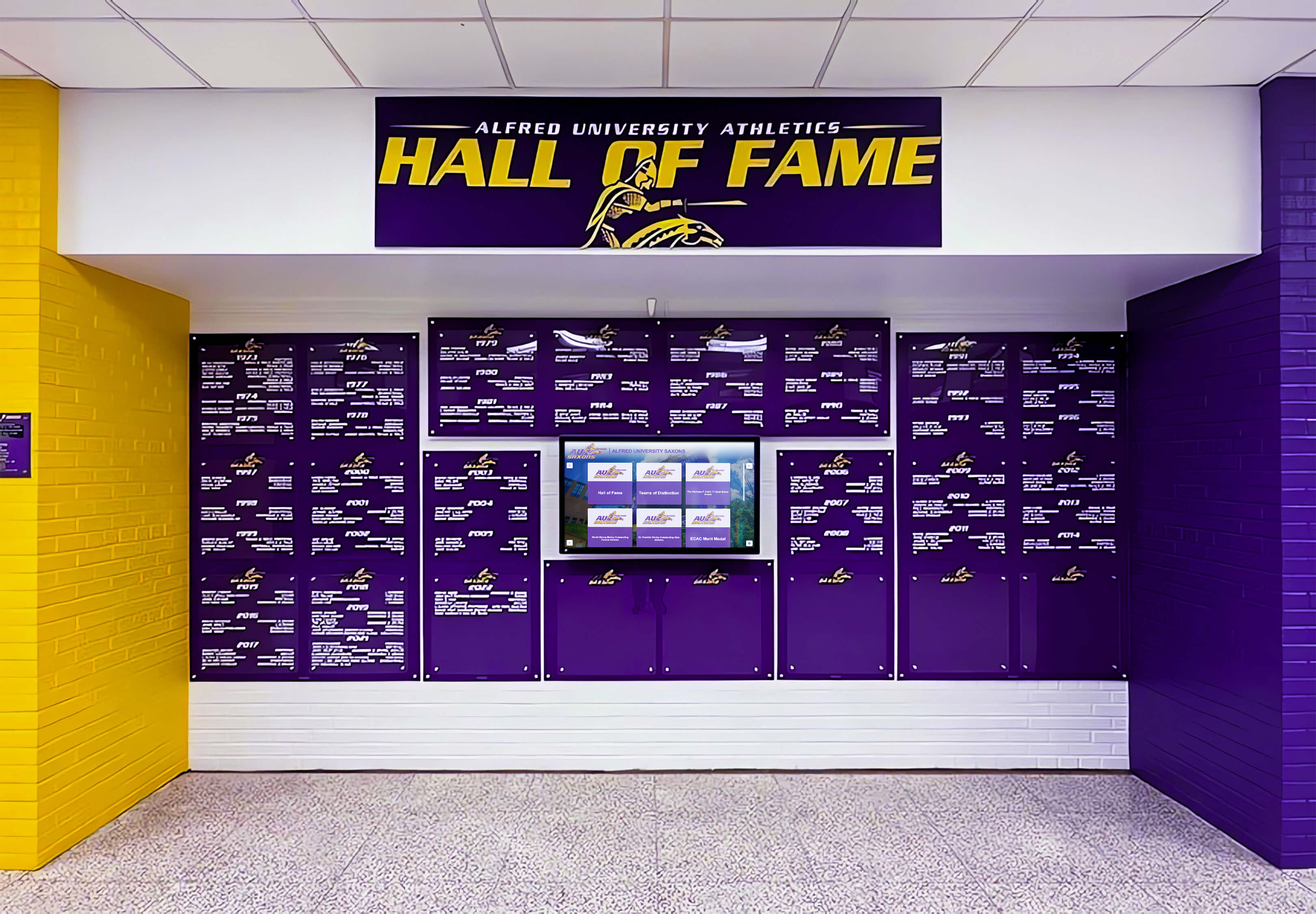
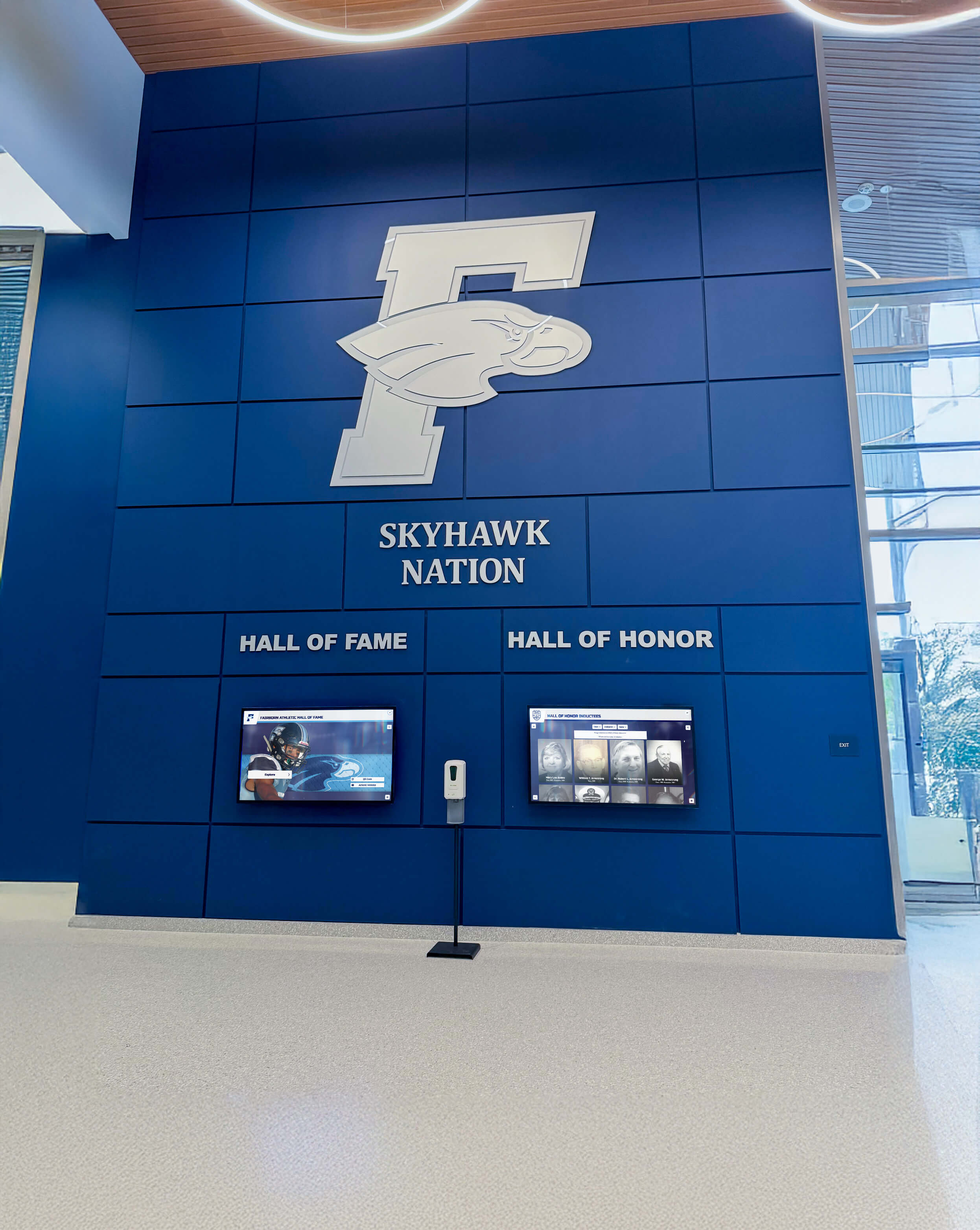
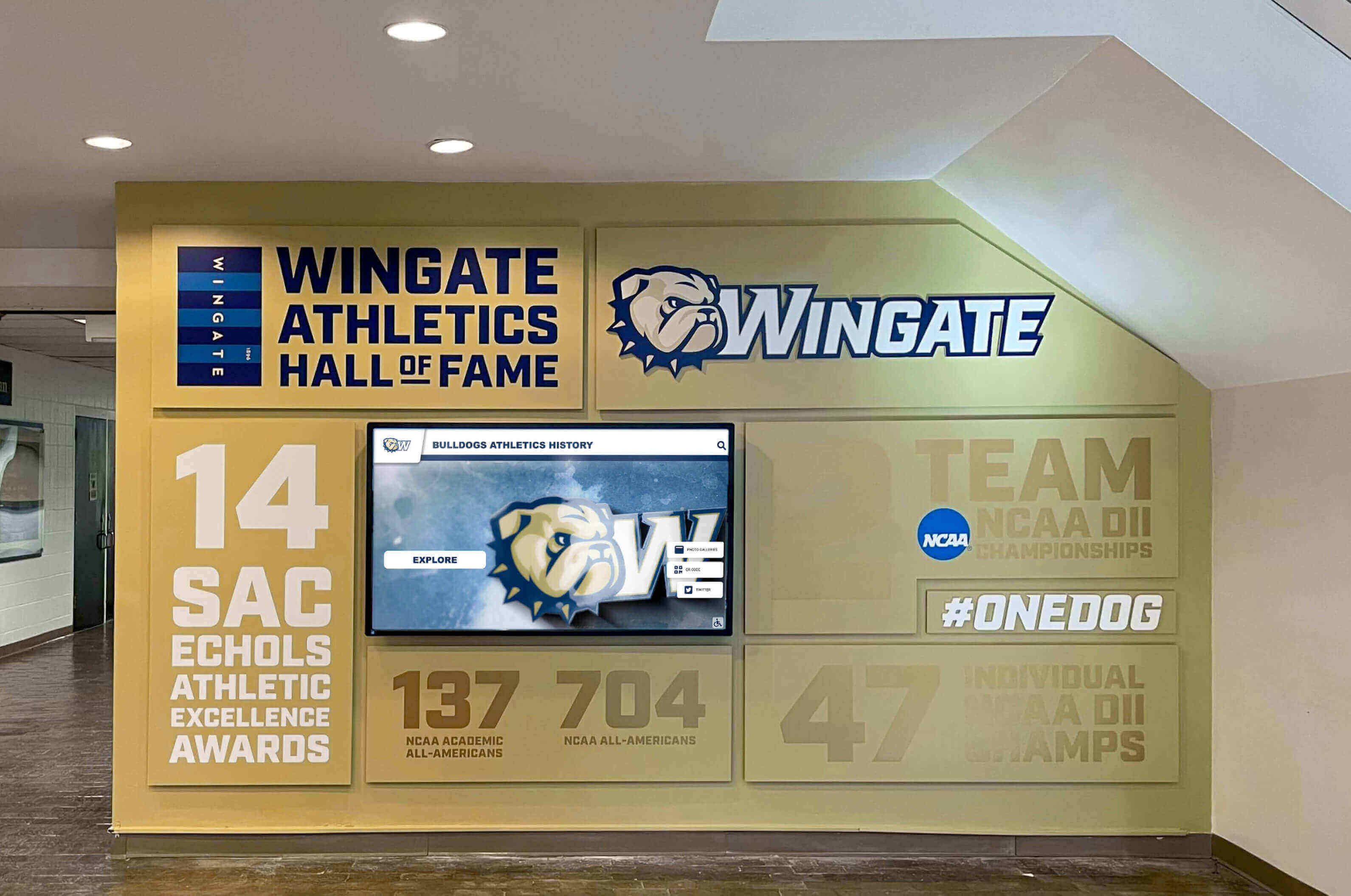
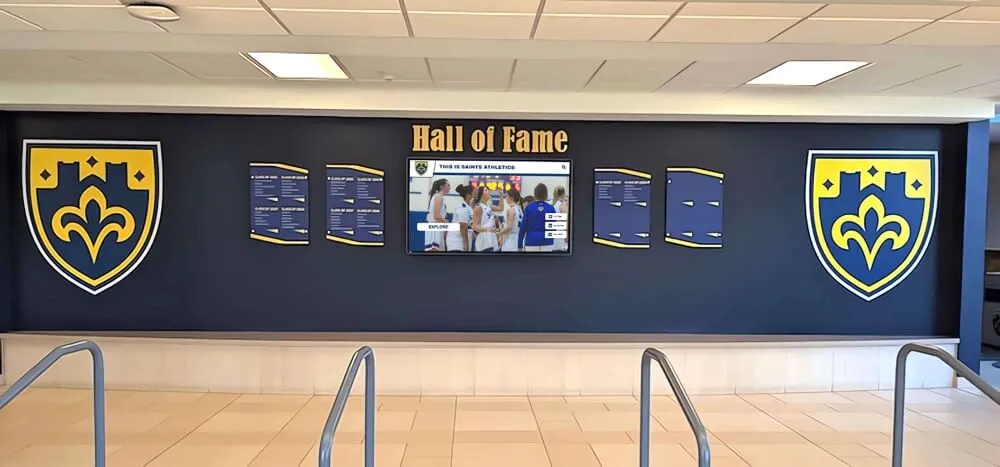
Integrated Recognition Walls:
- Digital displays embedded in custom millwork
- Coordinated with physical trophy cases and championship banners
- Architectural design creates cohesive heritage space
- Combines traditional and digital recognition methods
Digital recognition platforms designed for educational institutions offer content management systems specifically built for yearbook photo integration. Unlike generic digital signage, purpose-built platforms include alumni search functions, automatic photo cropping and enhancement, and template designs optimized for portrait presentations.
Remote Management Capabilities
Cloud-based content management enables yearbook photos to serve recognition programs across multiple locations simultaneously:
Centralized Photo Library: Upload extracted photos once; deploy across multiple displays campus-wide. Athletic hall of fame in the gym, academic recognition in the library, and alumni spotlight in the main lobby all draw from the same curated collection.
Scheduled Publishing: Program specific photos to appear during relevant timeframes:
- Highlight 25-year reunion classes during homecoming week
- Feature championship teams on game-day anniversaries
- Showcase notable alumni during admissions open houses
- Rotate seasonal sport photos aligned with current athletics calendar
User-Submitted Content: Accept photo submissions from alumni that supplement yearbook extractions:
- Professional headshots updating decades-old yearbook portraits
- Reunion photos connecting past and present
- Alumni achievement updates (careers, service, families)
- Historical photos from personal collections filling gaps
Analytics Tracking: Understand which content generates engagement:
- Most-searched names and classes
- Popular decades and activities
- Session duration and interaction patterns
- Peak usage times and days
This data informs future digitization priorities—if 1980s athletic searches dominate usage, prioritize those yearbooks next.
Preservation After Digitization
Completing digitization doesn’t end preservation responsibility. Protect original yearbooks for future reference and potential re-scanning as technology improves.
Physical Storage Best Practices
Environmental Controls:
- Temperature: 65-70°F constant (avoid fluctuations)
- Humidity: 40-50% relative (use dehumidifiers or humidifiers as needed)
- Light exposure: Store in darkness; use UV-filtering covers if display necessary
- Air quality: Avoid basements (flooding risk) and attics (temperature extremes)
Storage Position: Store yearbooks vertically on shelves, never stacked horizontally. Horizontal stacking places weight on lower volumes, accelerating binding failure. If books too fragile to stand vertically, construct custom boxes providing full support.
Handling Access Policy: Once digitization completes, original yearbooks should move to archival storage with restricted access. High-resolution digital copies serve 99% of reference needs. Reserve original access for:
- Verification questions when digital copy shows ambiguous details
- Conservation assessment by professionals
- Special exhibitions requiring original materials
- Research requiring physical examination (paper analysis, binding study)
Log every access instance documenting who handled materials, for what purpose, and duration. This accountability discourages casual browsing that adds unnecessary handling cycles.
Budget Planning and Resource Allocation
Yearbook digitization projects require realistic budget planning covering equipment, labor, and ongoing maintenance.
Typical Cost Breakdown (50 Yearbooks, 200 Pages Each)
Equipment Option 1 (In-House Overhead Scanner):
- Book scanner with page cradle: $3,500
- Photo editing software: $150 (one-time or subscription)
- Backup storage (2TB external drives): $200
- Handling supplies: $100
- Total Equipment: $3,950
Equipment Option 2 (Flatbed Scanner Method):
- High-quality flatbed scanner: $400
- Book cradle foam wedges: $50
- Photo editing software: $150
- Backup storage: $200
- Handling supplies: $100
- Total Equipment: $900
Labor (Both Options):
- Assessment and planning: 20 hours @ $30/hr = $600
- Scanning operation: 150 hours @ $25/hr = $3,750
- Photo extraction and metadata: 100 hours @ $25/hr = $2,500
- Quality control and corrections: 30 hours @ $30/hr = $900
- Total Labor: $7,750
Professional Service Alternative:
- Commercial digitization: $25/book × 50 books = $1,250
- Photo extraction service: $500-$1,000 (if not included)
- Total Outsourced: $1,750-$2,250
Display Integration Costs (Separate from Digitization):
- Touchscreen kiosk hardware: $4,000-$8,000
- Digital recognition software platform: $2,000-$5,000/year
- Installation and configuration: $1,500-$3,000
- Content design and layout: $1,000-$2,500
Organizations often split implementation across budget cycles: digitize Year 1, integrate displays Year 2, expand to additional volumes Year 3. This phased approach demonstrates value before requesting full funding.
Grant and Funding Opportunities
Yearbook digitization and heritage recognition projects qualify for various funding sources:
Educational Technology Grants: State and federal programs supporting digital infrastructure often include archival digitization. Frame requests around educational objectives—connecting current students with institutional history, enhancing alumni engagement that supports fundraising, improving accessibility for research.
Alumni Association Support: Alumni organizations recognize that yearbook access drives reunion attendance and giving participation. Propose recognition display projects as alumni engagement initiatives with measurable outcomes.
Booster Club Funding: Athletic booster groups support hall of fame displays celebrating team accomplishments. Athletic-focused yearbook digitization projects align with booster mission and demonstrate lasting impact beyond single-season awards.
Memorial Designations: Offer naming opportunities for display installations or endowed digitization funds. Families often prefer functional memorials over static plaques—a digitization program preserving memories forever appeals to this motivation.
Corporate Sponsorships: Technology vendors, printing companies, and photography studios maintain community relationships through education sponsorships. Recognition displays offer visible presence through sponsor acknowledgment screens.
Common Implementation Challenges and Solutions
Schools encounter predictable obstacles during yearbook digitization projects. Anticipate these challenges and implement solutions proactively.
Challenge 1: Missing Volumes
Symptom: Gaps in yearbook collection prevent complete chronological coverage, particularly common for war years (1940s), budget crisis periods, or after facility disasters.
Solutions:
- Survey alumni through newsletters and social media requesting donation or loan of personal copies
- Contact yearbook publishers’ archives (Jostens, Herff Jones, Lifetouch retain historical records)
- Search used book marketplaces (eBay, AbeBooks, Amazon) using specific school name and year
- Partner with local historical societies and libraries that collect regional publications
- Accept digital donations from alumni who previously scanned personal copies
Document gaps in collection openly. Displays should acknowledge missing years rather than implying complete coverage.
Challenge 2: Copyright and Privacy Concerns
Symptom: Uncertainty about legal rights to scan and display yearbook photos publicly, particularly for minors and recent publications.
Solutions:
Pre-1990 Materials: Generally considered institutional records under educational institution ownership. Personal privacy expectations different in that era—yearbook publication implied consent to display.
Post-1990 Materials: More complex due to evolving privacy standards and potential professional photographer copyright claims. Conservative approach:
- Obtain blanket permission from yearbook publisher confirming school ownership of reproduction rights
- Display recent materials (last 10 years) only with explicit opt-in consent or in contexts clearly connected to original publication purpose (athletic achievement recognition, academic honors)
- Provide opt-out mechanism for individuals requesting removal from displays
Professional Photographer Claims: School-commissioned yearbook photography typically transfers reproduction rights to school through work-for-hire provisions. Verify through original contracts or yearbook purchase agreements.
Consult institutional legal counsel before implementing public displays—risk tolerance varies by organization.
Challenge 3: Volunteer Workforce Burnout
Symptom: Initial enthusiastic volunteers lose interest after experiencing repetitive scanning work, causing project delays or abandonment.
Solutions:
- Break project into defined phases with clear completion points (10 yearbooks = one phase)
- Rotate task assignments—no one person does only scanning or only extraction
- Create social working sessions with refreshments rather than isolated individual work
- Recognize volunteer contributions publicly through display credits and appreciation events
- Establish reasonable pace (2-3 yearbooks per session) rather than marathon scanning days
- Provide milestone celebrations (pizza party after each decade completed)
Frame volunteer experience as preserving community heritage, not data entry drudgery. Share preview screenshots of recognition displays showing how their work creates meaningful outcomes.
Challenge 4: Inconsistent Photo Quality
Symptom: Extracted photos show varying quality—some crisp and well-lit, others blurry, dark, or showing visible page texture.
Solutions:
Prevention (During Scanning):
- Create scanner presets for different page types (glossy vs. matte, color vs. black-and-white)
- Perform test scans for each yearbook before committing to full capture
- Use consistent lighting—never rely on ambient room light
- Maintain scanner glass cleanliness—clean between each yearbook
- Verify focus quality at 100% magnification during capture, not after completion
Correction (Post-Processing):
- Batch process entire year groups with consistent adjustments (exposure, contrast, sharpening)
- Use histogram equalization to recover shadow detail in underexposed photos
- Apply selective sharpening to faces while leaving background softer
- Use noise reduction on grainy high-ISO images common in 1960s-1970s yearbooks
- Accept that some images cannot be rescued—document quality issues in metadata
Modern AI-powered photo enhancement tools (Topaz Photo AI, Adobe Super Resolution) can impressively restore damaged or poor-quality images, but review results carefully—aggressive processing sometimes creates artificial-looking faces inappropriate for memorial-type displays.
Program Expansion and Ongoing Management
After initial yearbook volumes complete, establish sustainable processes for continuous expansion.
Annual Addition Workflow
Integrate current-year yearbook content into recognition displays immediately after publication:
Month 1 (June): Receive printed yearbooks from publisher Month 2 (July): Scan complete volume following established protocol Month 3 (August): Extract senior portraits and team photos, create metadata Month 4 (September): Publish to recognition displays timed for school opening
This rapid turnaround ensures graduating seniors see themselves in displays during first alumni visit, strengthening emotional connection to recognition program.
Volunteer Program Development
Successful long-term programs cultivate dedicated volunteer teams with specialized skills:
Scanner Operators (2-3 volunteers): Trained on equipment operation, quality control, and damage prevention protocols. These volunteers commit to regular scanning sessions during defined project windows (summer months, holiday breaks).
Photo Editors (3-5 volunteers): Skilled with photo editing software, comfortable with batch processing and metadata tagging. Can work remotely on home computers, allowing flexible participation.
Research Coordinators (1-2 volunteers): Cross-reference yearbook photos with other institutional records (athletic statistics, academic awards, alumni databases) to enhance metadata accuracy. Often fulfilled by retired staff with institutional knowledge.
Technical Administrators (1 volunteer): Manages digital asset library organization, backup verification, and display content publishing. Requires comfort with cloud storage systems and content management platforms.
Recruit from alumni association, retired faculty, local genealogy societies, and historical preservation groups. Provide formal training sessions and written procedure documentation supporting consistent quality.
Multi-Decade Digitization Project Outcomes
While specific implementation details vary by institution, multi-decade yearbook digitization projects following proper preservation protocols consistently achieve several measurable outcomes:
Preservation Success: Organizations report zero to minimal physical damage when using overhead scanning methods with proper training. Books returned to archival storage in the same condition as pre-scanning, with digital assets eliminating 95%+ of physical access requests.
Recognition Display Engagement: Touchscreen installations featuring yearbook photos see average session times of 3-5 minutes (versus 30-60 seconds for static displays), with alumni visitors representing the highest engagement demographic. Schools note increased reunion attendance and facility tour requests correlated with display installations.
Search and Discovery Value: Searchable databases transform yearbook content from rarely-accessed physical volumes to frequently-used resources. Alumni affairs offices report 40-60% reduction in research time responding to “Where can I find…” inquiries, with self-service search functionality handling routine requests.
Fundraising Impact: Development offices note recognition displays serve as conversation starters during donor cultivation events, with visual connection to institutional history prompting spontaneous gift commitments. Displays showing heritage and contemporary achievements side-by-side reinforce continuity messaging central to major gift campaigns.
Measuring Project Success
Define clear metrics before beginning digitization to evaluate whether outcomes justify resource investment.
Quantitative Metrics
Digitization Efficiency:
- Pages scanned per hour (target: 100-200 pages/hour overhead scanner, 30-60 pages/hour flatbed)
- Photos extracted per hour (target: 50-100 individual images/hour)
- Error rate requiring re-scanning (target: under 2%)
- Cost per digitized page (calculate total project cost ÷ total pages)
Display Engagement:
- Average session duration (target: 3+ minutes indicates meaningful interaction)
- Unique visitors per month (install visitor counters or analytics tracking)
- Search queries per session (indicates active exploration vs. passive viewing)
- Return visitor rate (measures lasting appeal vs. novelty effect)
Operational Impact:
- Reduction in physical yearbook access requests (target: 90%+ reduction)
- Time saved responding to alumni information requests (measure before/after)
- Increase in alumni association membership/engagement (survey new members about awareness sources)
Qualitative Success Indicators
User Feedback: Survey alumni, students, and visitors about recognition display experience:
- “I found information I couldn’t have located in physical yearbooks” (discovery value)
- “I spent more time than expected exploring the content” (engagement quality)
- “I showed the display to someone else during my visit” (social sharing behavior)
- “I’m more likely to attend future alumni events after seeing this” (connection building)
Institutional Recognition: External validation through:
- Feature coverage in alumni publications and local media
- Requests from peer institutions for program guidance
- Recognition in professional organizations (archival associations, alumni relations conferences)
- Student project citations using digital yearbook content as primary sources
Next Steps: Getting Started
Begin your yearbook digitization program with these immediate actions:
Week 1: Assessment Phase
- Locate and inventory complete yearbook collection
- Photograph cover and sample pages from 5 representative volumes showing condition range
- Research local professional digitization services and request quotes
- Identify potential volunteer participants from alumni groups and historical societies
Week 2: Planning Phase
- Determine in-house vs. outsourced approach based on budget and timeline
- If in-house, research and price scanner options appropriate for collection size
- Identify secure storage location for completed digital assets
- Draft project timeline with realistic phase durations
Week 3: Pilot Testing
- Select 2-3 yearbooks for pilot digitization covering different decades
- Test chosen scanning method and document time requirements
- Extract sample photos and test metadata workflow
- Create mockup of how photos will appear in recognition display format
Week 4: Approval and Launch
- Present pilot results to stakeholders with projected timeline and costs
- Secure budget approval and equipment procurement
- Recruit and train volunteer team (if applicable)
- Begin systematic digitization following documented protocols
Digital recognition platforms like those offered by Rocket Alumni Solutions provide the infrastructure connecting digitized yearbook content to engaging touchscreen displays. Cloud-based content management systems enable remote publishing, automated photo cropping, and searchable alumni databases—transforming preservation projects into dynamic recognition experiences that celebrate achievement across generations.
Conclusion: Protecting the Past While Building the Future
Yearbook digitization for hall of fame displays requires balancing preservation priorities with access goals. Non-destructive scanning methods, proper handling protocols, and systematic workflows enable organizations to extract recognition content without compromising fragile originals. The investment in careful digitization pays dividends through reduced physical access requests, enhanced alumni engagement, and searchable heritage resources serving multiple institutional purposes simultaneously.
Schools implementing comprehensive approaches report that digitization projects evolve from archival preservation initiatives into strategic assets supporting advancement, admissions, and community relations objectives. When combined with modern recognition display technology, yearbook photos transition from static printed images to dynamic, searchable celebrations connecting current students with institutional legacy.
Start with manageable scope, document procedures carefully, and expand systematically. The goal isn’t perfecting every detail before beginning—it’s protecting irreplaceable materials while creating meaningful recognition experiences that honor achievement and inspire pride across your community.
Ready to transform your yearbook archives into interactive recognition displays? Book a demo to see how Rocket Alumni Solutions creates searchable hall of fame displays celebrating student excellence across decades—all while keeping your original yearbooks safely preserved.































