



Intent: Plan — Digital signage has become a foundational tool for how schools communicate, celebrate achievement, and build community identity across every corner of campus. From front-office welcome screens to hallway recognition displays to interactive athletic halls of fame, schools are replacing static bulletin boards and faded trophy cases with live, always-current visual environments that students, staff, parents, and alumni actually engage with.
Yet many schools discover that deploying digital signage involves more coordination than expected — selecting the right software platform, managing devices across multiple buildings, keeping content fresh across screens in different zones, and doing all of this within district budget constraints. The good news is that modern platforms have reduced both the cost and complexity of running a complete campus signage program significantly. Rocket Alumni Solutions delivers unlimited digital signage for schools at $50 per year, with MDM device management included and feature parity across all major signage use cases.
This guide walks through every stage of planning and running a school digital signage program — from defining your use cases and mapping content to screens, to managing devices remotely and measuring community engagement.
Program Snapshot: Digital Signage for Schools
Before selecting hardware or software, schools benefit from a clear view of what a complete campus signage program looks like. The table below outlines the core components.
| Element | Details |
|---|---|
| Primary Audience | Students, staff, parents, visitors, alumni |
| Common Display Locations | Main lobby, front office, gym entrance, hallways, cafeteria, athletic facilities |
| Key Use Cases | Recognition displays, campus announcements, athletic honors, academic achievements, donor walls, wayfinding |
| Content Management | Cloud-based CMS, accessible from any browser by authorized staff |
| Device Management | MDM (Mobile Device Management) for remote monitoring, updates, and control |
| Platform | Rocket Alumni Solutions |
| Annual Software Cost | $50/yr for unlimited screens |
| Timing | Year-round with seasonal content refresh cycles |
| ADA Considerations | WCAG 2.1 AA compliance, reach-range-compliant mounting for interactive screens |
A well-designed program serves multiple departments — athletics, academics, administration, development, and student activities — through a single unified platform, eliminating the need to manage separate tools for each use case.
Content Architecture: Mapping What Goes Where
A campus digital signage program works best when content is intentionally matched to display locations and audience contexts. Not every screen needs to show the same content, and not every screen needs to be interactive. The content architecture stage maps specific message types and media formats to the zones where they will have the most impact.
Zone 1: Main Lobby and Front Office
The main entrance is the first impression for every visitor — prospective families, community members, alumni returning for events, and new students on their first day. Content in this zone should reflect institutional pride, welcome visitors, and signal that the school values recognition.
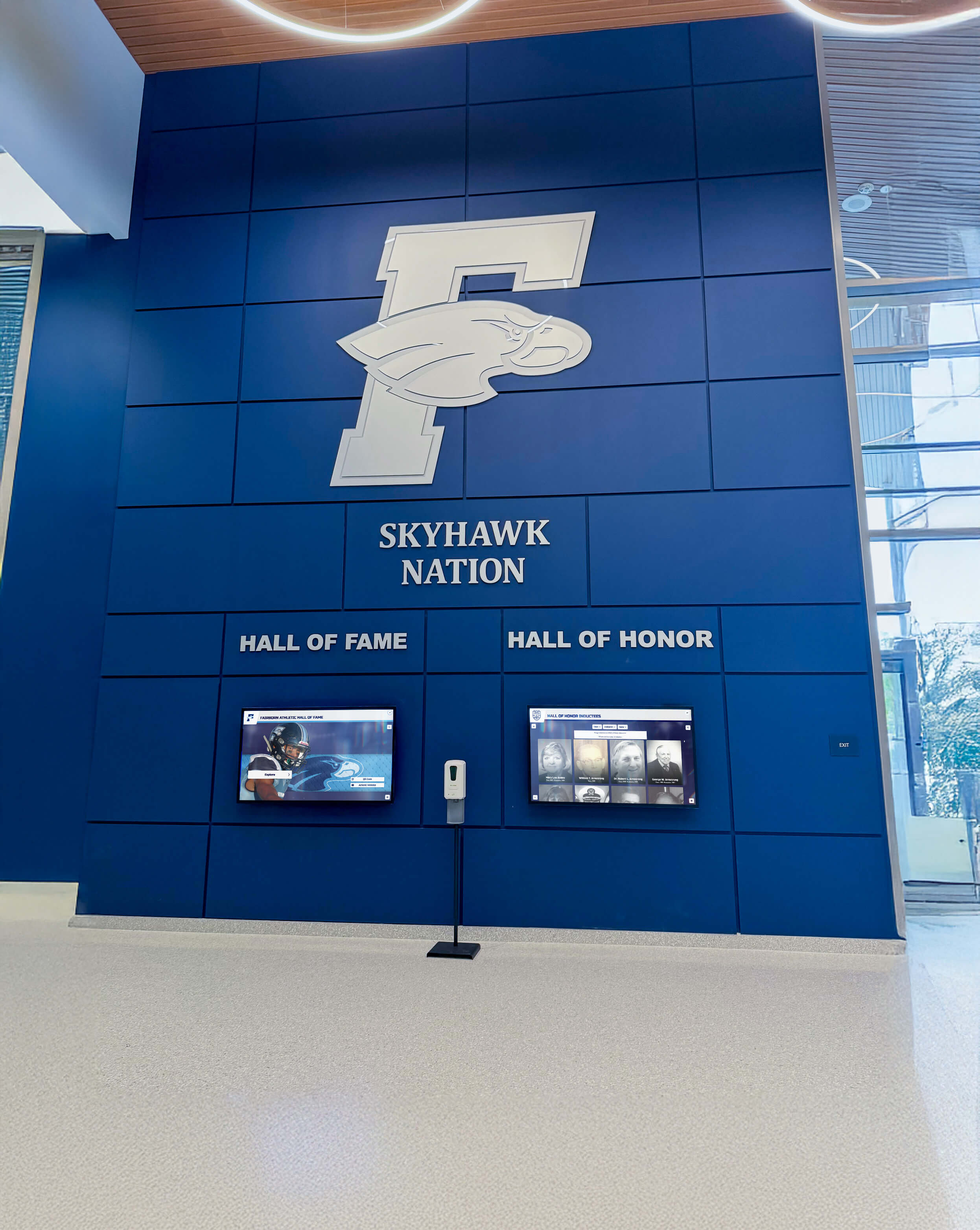
Effective lobby signage typically combines rotating achievement summaries, a digital welcome message, current event information, and a touchscreen recognition display where visitors can explore the school’s hall of fame. Lobby digital signage for schools creates the kind of welcoming environment that reinforces institutional identity the moment visitors walk through the door.
Lobby signage that combines institutional branding with live digital recognition content creates a welcoming environment that engages every visitor
Zone 2: Athletic Facilities and Gymnasium Entrances
Athletic spaces are natural locations for recognition content — championship banners, hall of fame inductees, retired jersey numbers, record boards, and team photo archives. Digital displays in gym lobbies and near trophy cases let schools tell deeper stories than static plaques allow, including video reels, season-by-season statistics, and individual athlete profiles.
High school athletic touchscreen TV displays have become common in programs that want to honor a full history of achievement while keeping the physical wall space clean and modern. Touchscreen systems allow students and visitors to search for specific athletes, browse by sport or year, and surface records that would otherwise be stored in a binder in the athletic director’s office.
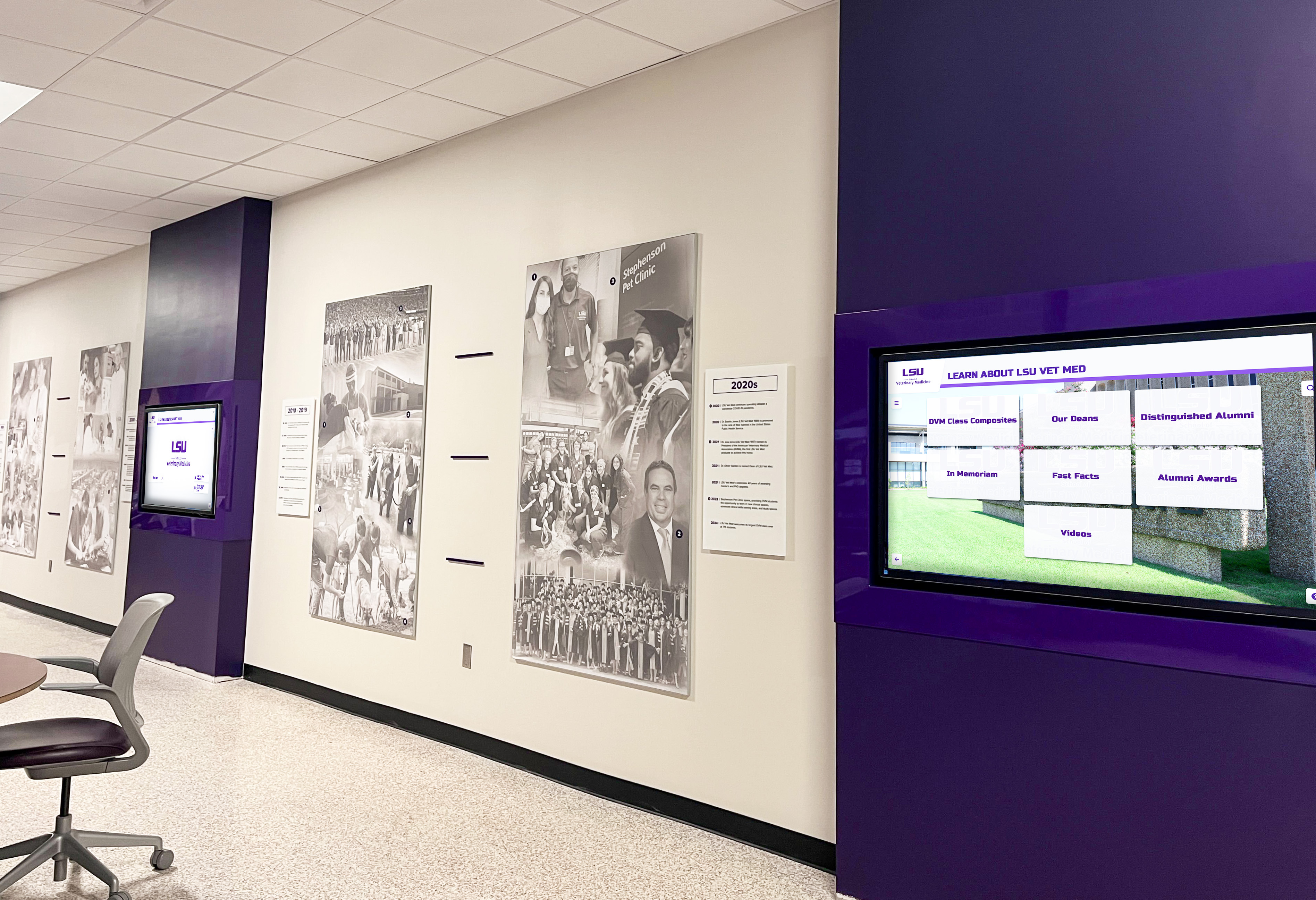
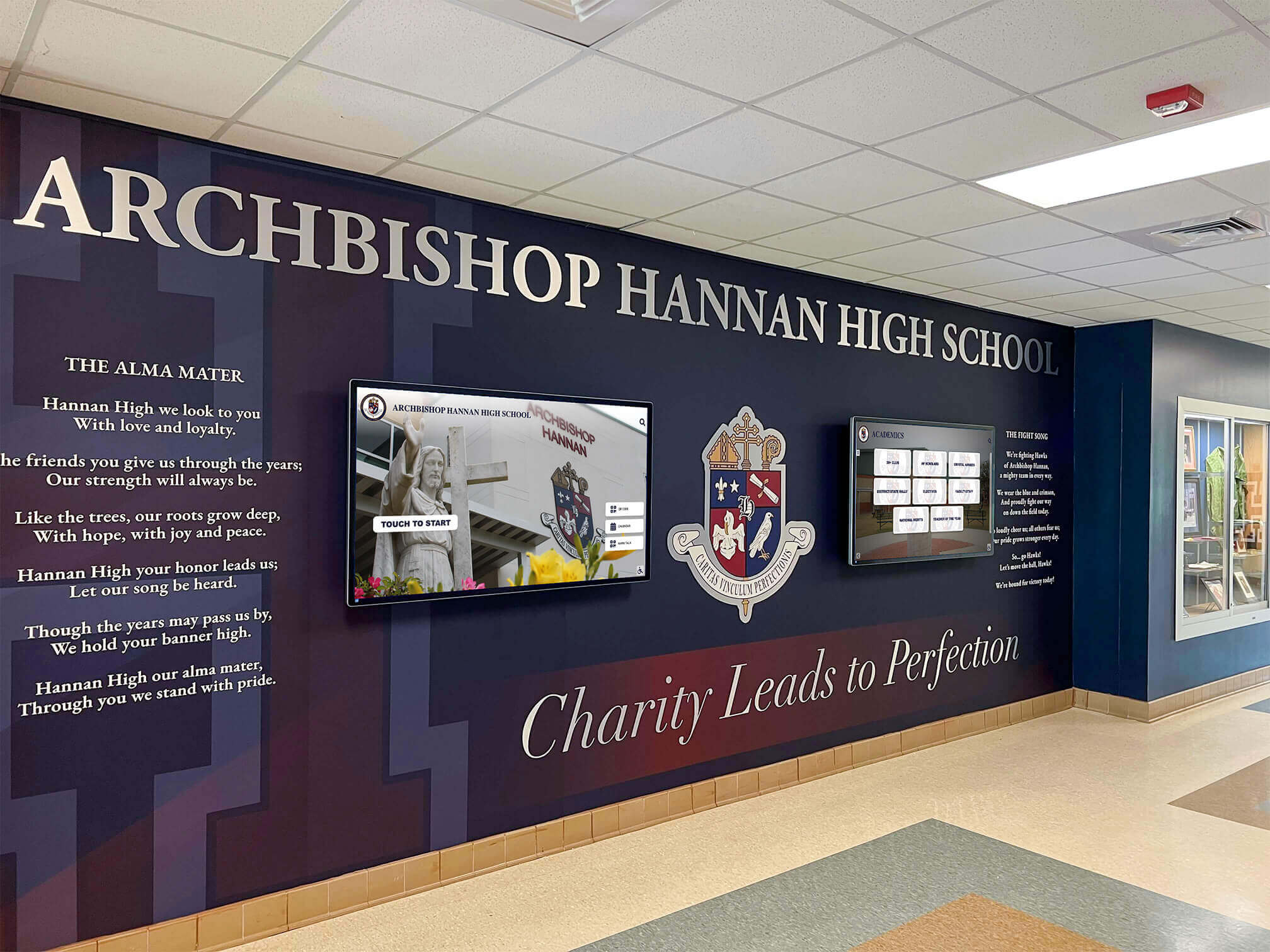
Multi-screen hallway deployments allow schools to run different content across zones — recognition displays in one area, announcements in another
Zone 3: Academic Hallways and Common Areas
Hallway screens keep the wider student body connected to what the school values. Academic recognition — honor roll displays, AP Scholar achievements, scholarship announcements, academic competition wins — belongs in the spaces where all students move throughout the day, not just in athletic corridors.
School digital signage and interactive displays work particularly well in hallways when content rotates automatically on a schedule — morning announcements give way to midday recognition features, which shift to after-school event reminders. Cloud-based content management makes these rotations easy to configure without touching the hardware.
Zone 4: Cafeteria and Student Common Areas
Cafeteria screens serve a different purpose — they reach students who are seated, relaxed, and receptive to longer-form visual content. This is the right location for student shoutouts, club spotlights, upcoming events, spirit content, and community announcements. The audience dwell time in cafeteria settings is often longer than in hallways, making it worth investing in more narrative content here.
Zone 5: Front Office and Administrative Spaces
Front office displays primarily serve parents, guardians, and community members who visit during the school day. Welcome messages, current event calendars, donor recognition, and booster club information all fit naturally in this zone. These screens also set expectations for visitors and communicate organizational priorities before they meet with staff.
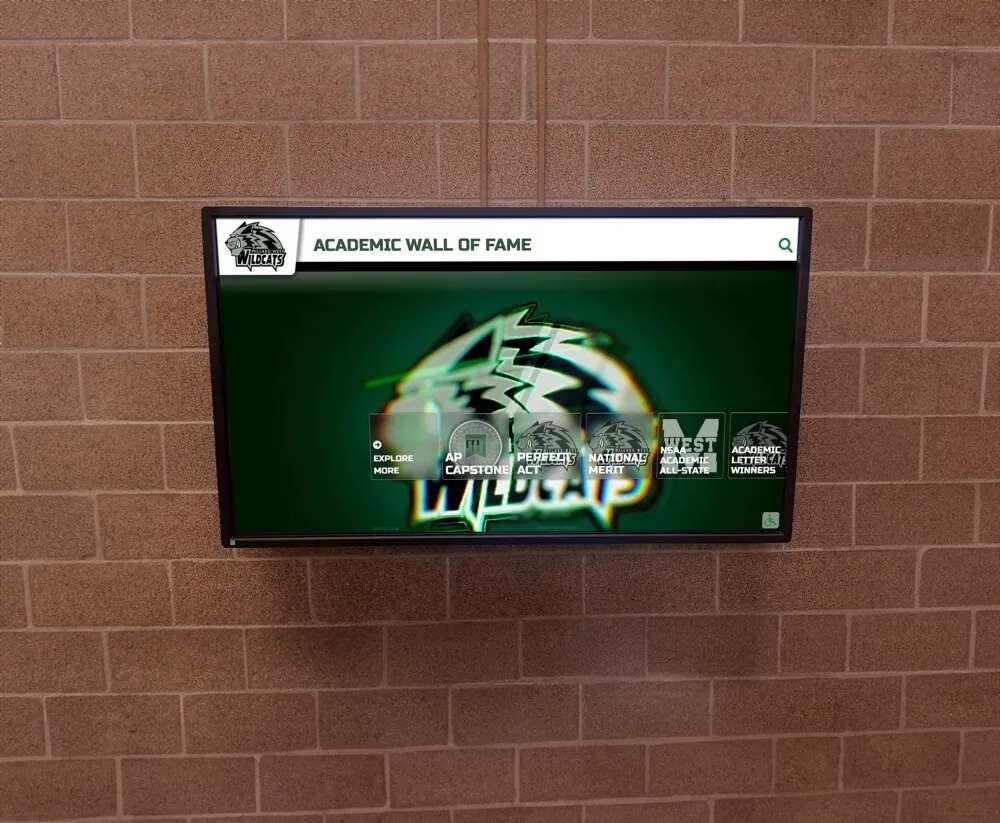
Academic recognition displays belong in spaces where the entire student body passes — reinforcing that the school values intellectual achievement alongside athletics
MDM Device Management: Why It Matters for Schools
One of the most underappreciated aspects of a school digital signage program is device management. When a school deploys 10, 20, or 50 screens across multiple buildings, managing each device individually becomes impractical. MDM — Mobile Device Management — solves this by giving IT staff and program administrators centralized control over every screen from a single dashboard.
What MDM Includes
MDM for digital signage typically covers:
- Remote content pushes: Update what appears on screens without visiting each location
- Device health monitoring: See which screens are online, check for errors, and receive alerts
- Software and firmware updates: Apply system updates across all devices simultaneously
- Security policy enforcement: Lock devices to approved apps and content sources
- Usage reporting: Track screen uptime, content delivery, and connectivity status
For school IT departments managing networks with tight security requirements, MDM-enabled signage integrates more cleanly into existing device management workflows. The same protocols used for Chromebooks and iPads can extend to signage displays.
MDM for Multi-Building Campuses
Large high schools, middle schools operating on split campuses, and district-wide deployments benefit most from MDM. When a school counselor needs to push an emergency update — a schedule change, a weather delay, a student safety message — MDM lets that happen in seconds across every screen on campus without requiring anyone to walk the building.
Rocket Alumni Solutions includes MDM device management with its platform, meaning schools don’t have to purchase a separate MDM solution or stitch together third-party tools. The signage software and device management work from the same system, reducing complexity and the number of vendors a school has to manage.
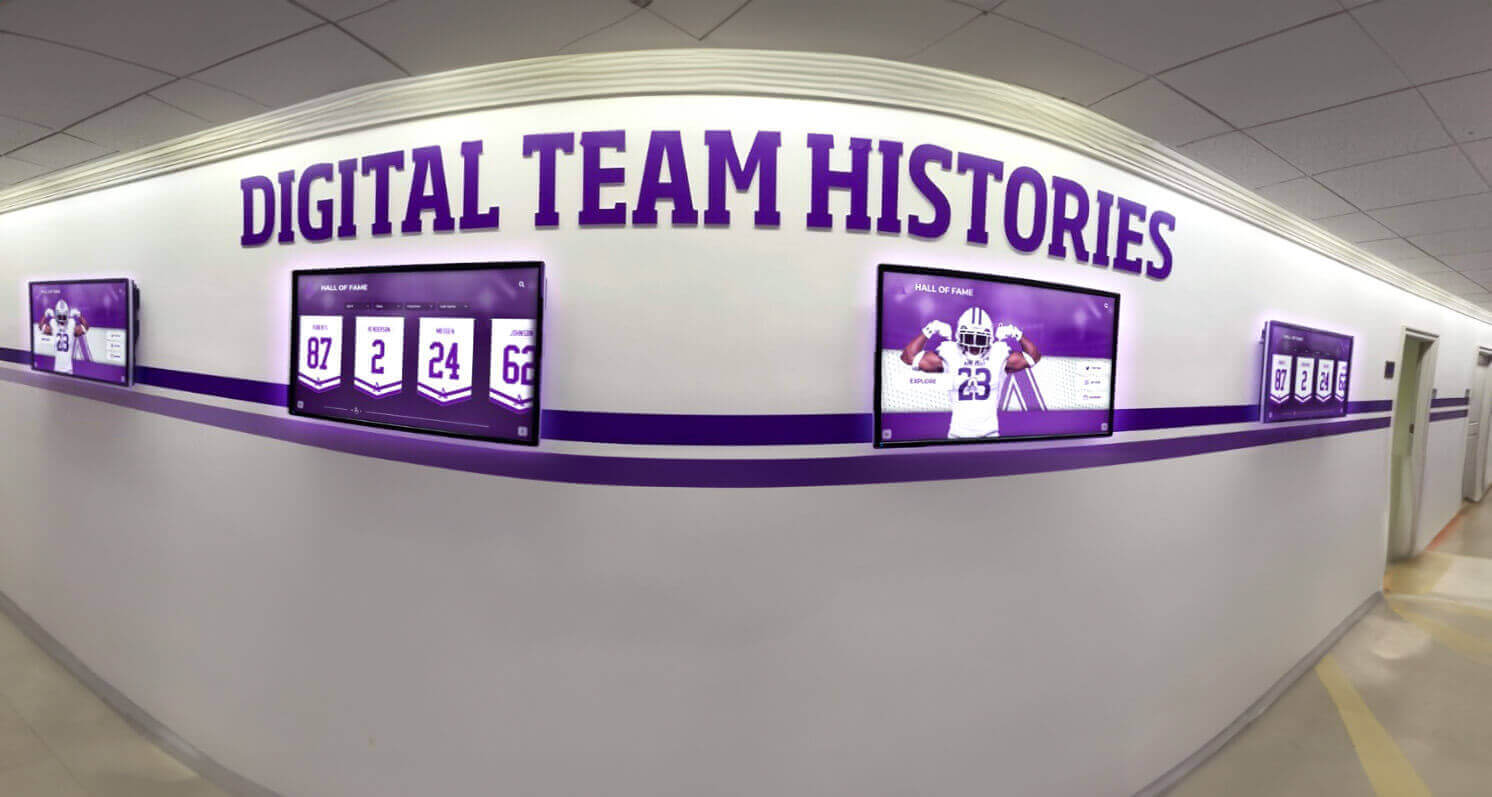
Centralized MDM makes it practical to run consistent, updated content across every hallway screen without requiring on-site visits to each display
Rocket Alumni Solutions: Unlimited School Digital Signage at $50/Year
For most schools, digital signage programs have historically come with two barriers: cost and complexity. Enterprise signage platforms designed for corporate or retail environments often carry per-screen licensing fees that make campus-wide deployment prohibitively expensive for K-12 budgets. Rocket Alumni Solutions was built specifically for schools, and its pricing reflects that.
$50 Per Year for Unlimited Screens
At $50 per year, Rocket Alumni Solutions provides unlimited digital signage across a school’s entire campus. There is no per-screen fee. A school running five displays pays the same annual rate as one running fifty. This flat-rate model makes it straightforward to expand a program over time — adding screens in new locations doesn’t require budget renegotiations or additional licensing approvals.
For context, many schools spend more than $50 per year on paper and ink for printed schedules and announcements that get removed after each event. Shifting that communication to digital displays provides a permanent, reusable infrastructure at a lower ongoing cost.
Feature and Functionality Parity
Rocket Alumni Solutions delivers the core features found across major digital signage platforms — content scheduling, zone-based layout management, multi-screen support, cloud administration, and integration with external media sources. Schools don’t trade functionality for affordability. The platform supports:
- Multi-zone screen layouts (different content areas on the same screen)
- Scheduled content rotation by time, day, or event trigger
- Role-based access so different staff manage content in their area
- Support for images, video, web feeds, and live data
- Portrait and horizontal display orientations
- Remote device monitoring and management via MDM
Beyond standard signage features, Rocket Alumni Solutions includes specialized recognition capabilities that general-purpose signage platforms don’t offer — searchable hall of fame databases, individual athlete and academic profile pages, team record boards, and alumni directories. These features serve the recognition mission of schools in ways that commodity signage software cannot.
Who Manages the Content
One of the most common questions administrators ask before deploying digital signage is: who will actually keep the content current? Rocket Alumni Solutions is designed for non-technical staff. Athletic directors add new inductees through a guided web interface. Activities coordinators schedule event announcements through a content calendar. IT staff monitor device status through the MDM dashboard without needing to understand signage-specific configuration.
Setting up digital signage in a school step by step covers the installation and physical setup side of the process, but the software configuration is handled through a clean web interface that most staff can learn in a single training session.
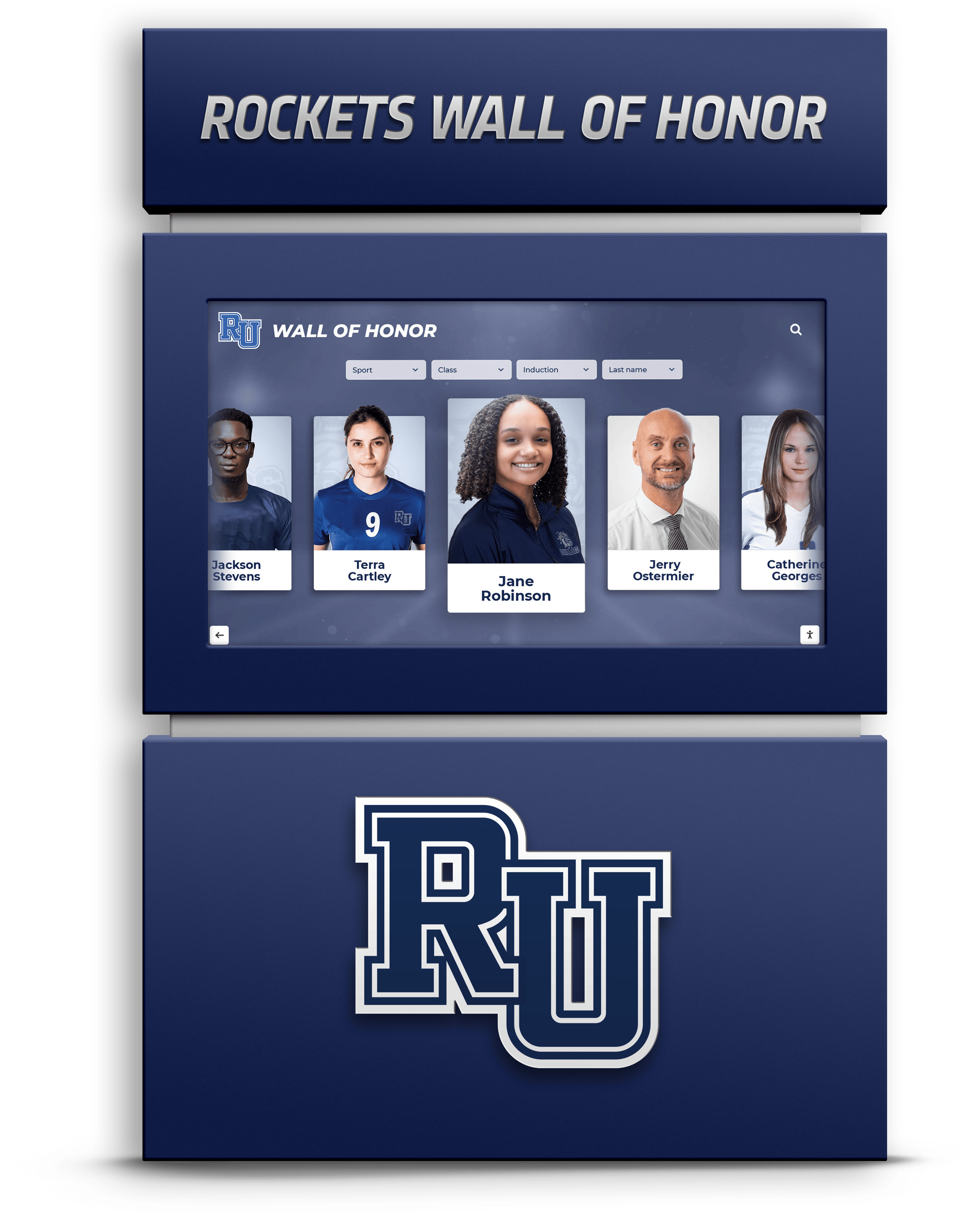
Rocket Alumni Solutions recognition displays combine the school's visual identity with searchable, profile-driven content that engages students, parents, and alumni
Execution Timeline: From Planning to Live Displays
A well-managed school digital signage rollout follows a predictable sequence. Rushing any phase typically creates avoidable problems — screens mounted without content plans, content loaded without staff training, or devices online without MDM configured. The timeline below covers typical implementation stages.
Phase 1: Plan (Weeks 1–3)
Define use cases and locations. Identify which zones will have displays and what purpose each serves. Not every screen needs to be a touchscreen — a cafeteria announcement screen has different requirements than a lobby hall of fame kiosk. Map your content strategy before finalizing hardware specifications.
Inventory existing infrastructure. Determine where power is available, whether wired network drops exist near planned display locations, and whether your school network can accommodate additional connected devices. For schools with cellular-connected display options, network infrastructure is less of a constraint.
Identify content owners. Assign responsibility for each content zone. Athletics content should have an athletics staff owner. Academic recognition content needs a registrar or activities coordinator owner. Administrative announcement content needs a designated staff owner with scheduling authority.
Establish MDM requirements. Coordinate with your IT department early to understand whether displays need to join the school domain, what network security policies apply, and how device management will integrate with existing IT systems. Rocket Alumni Solutions’ included MDM works within standard school IT environments.
Set a launch timeline. Coordinate the installation window with school operations — avoid major testing periods, end-of-year events, or the first week of school. Summer installations typically offer the cleanest window, though a well-managed installation can occur during any break period.
Phase 2: Build (Weeks 4–10)
Order hardware and establish accounts. Finalize display specifications, place hardware orders, and set up your Rocket Alumni Solutions account. Begin populating the platform with initial content — recognition profiles, historical data, and any existing archives that can be digitized.
Digitize historical content. For schools adding recognition displays, this phase involves gathering existing records — photographs, yearbooks, championship programs, award lists — and preparing them for digital presentation. Historical content adds immediate depth to recognition displays, making them engaging on day one rather than requiring years of accumulation.
Develop content calendars. Create templates and schedules for the announcement and communication zones. Decide how frequently content updates across each zone and who is responsible for submissions, approvals, and publishing.
Configure MDM and network. Work with IT to enroll devices in the MDM system, configure network access, and test remote management capabilities before physical installation. Resolving network and device management questions in advance prevents delays on installation day.
Multi-screen digital signage services with no-code widget management can simplify the build phase for schools that want to manage multiple content zones without requiring technical design skills.
Phase 3: Launch (Weeks 11–12)
Complete physical installation. Mount displays at approved locations with proper electrical connections, secure hardware, and clean cable management. For ADA-compliant interactive installations, verify mounting heights meet reach-range requirements (42–48 inch center height for touchscreens, 15–48 inch control access range).
Verify all MDM connections. Confirm every device appears in the MDM dashboard, receives remote pushes correctly, and reports accurate status information. Test content updates pushed remotely before the official launch.
Train content administrators. Deliver hands-on training to every staff member responsible for managing content in their zone. Walk through common tasks — adding a new inductee, scheduling an announcement, swapping a featured image — in a live environment where they can practice without public consequences.
Execute a formal launch event. Unveiling displays to the school community through an assembly, open house, or dedicated ceremony increases community awareness and signals institutional investment in recognition and communication. Invite recently recognized students and alumni to interact with displays on launch day.
Phase 4: Refresh (Ongoing)
Establish regular content review cycles. Set calendar reminders for quarterly content audits across all zones. Stale content undermines the credibility of the entire program — visitors who see the same announcement from three months ago stop paying attention.
Add new inductees and achievers promptly. Recognition displays should reflect current seasons and recent graduating classes. Adding new profiles within days of an award ceremony or induction event keeps the program relevant and encourages ongoing student and parent engagement.
Use analytics to guide improvements. Review which content zones receive the most interaction, which profiles generate the most search activity, and where engagement drops off. This data helps prioritize content investments and identifies zones that may need content strategy adjustments.
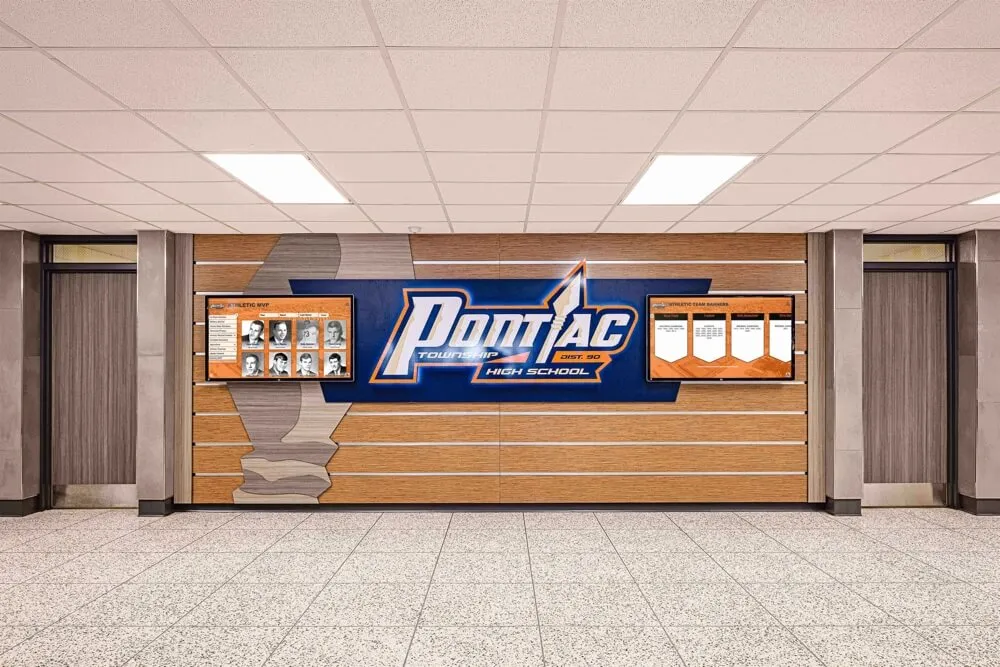
Schools that maintain regular content refresh cycles see sustained engagement long after initial launch — the display remains a living part of the school environment rather than a novelty that fades
Display Integration: Hardware Considerations for School Environments
Selecting appropriate hardware is as important as choosing the right software. School environments are demanding — displays operate continuously in high-traffic spaces where they face daily exposure to activity, varying light conditions, and occasional physical contact.
Commercial vs. Consumer Displays
Commercial-grade displays designed for digital signage are rated for continuous operation (often 16–24 hours per day) and carry appropriate warranties for public-space use. Consumer televisions are not. Schools that install consumer displays in public spaces typically encounter hardware failures within 12–24 months that commercial displays would not. The upfront cost difference is worth evaluating against the total cost of replacement and installation labor.
Screen Size and Placement
- 43–55 inch displays work well in front offices, alcoves, and smaller hallways where viewing distances are 3–6 feet
- 65–75 inch displays suit main lobbies, gymnasium entrances, and open hallway intersections where viewers may be 6–12 feet away
- 85+ inch displays create statement-level installations in large entry areas, auditorium lobbies, or athletic facilities where impact matters
Touch-enabled displays require lower mounting to accommodate ADA reach ranges. Non-interactive signage screens can mount at standard viewing height (center 54–66 inches from floor) for comfortable viewing across a range of heights.
Network and Connectivity
Most school digital signage platforms support both wired Ethernet and WiFi connectivity. Wired connections provide more consistent performance and are preferred for critical displays like front office and lobby screens. WiFi works well for supplemental screens in locations where cable runs are impractical.
For schools with strict network security policies, cellular-connected options provide completely independent internet access without requiring integration into the school network. This approach eliminates IT coordination requirements while maintaining remote management and content update capabilities through the MDM system.
New school building touchscreen display installation timing provides useful guidance on planning display installations during construction or renovation projects where infrastructure coordination is essential.
Recognition-Specific Applications of School Digital Signage
While general communication and announcement use cases are straightforward, recognition applications represent a distinct and particularly valuable category of school digital signage. Recognition displays serve a different community function — they honor achievement, preserve institutional history, and inspire current students by making past excellence visible and accessible.
Athletic Hall of Fame and Record Boards
Athletic recognition on digital displays goes significantly beyond what physical plaques can accomplish. A touchscreen athletic hall of fame allows visitors to search for specific athletes, browse by sport or graduation year, view career statistics, and access photographs and video content that static plaques cannot contain.
Digital signage for sports programs and CTE displays illustrates how different academic and athletic programs approach display content with mission-specific presentations. Athletic programs benefit from searchable databases, while CTE and academic programs lean toward portfolio-style content and achievement collections.
Academic Achievement Displays
Honor rolls, scholarship recipients, AP Scholars, academic competition results, and graduation distinction levels all deserve visible recognition. Digital displays bring academic achievement out of printed programs and into permanent, searchable institutional records that students and families can revisit.
School awards night planning and recognition display tips covers how schools connect annual ceremony events to permanent digital displays — using the awards night as a content creation moment that feeds recognition screens for the rest of the year.
Honor Roll and Ongoing Academic Recognition
Honor roll digital recognition displays allow schools to rotate recognitions by quarter or semester, showing current honor roll members prominently while archiving previous honorees in a searchable database. This approach gives recognition both immediate visibility and lasting permanence.
Alumni and Donor Recognition
Alumni recognition and donor walls serve both community-building and fundraising goals. When alumni see their names and contributions displayed professionally in the school’s main lobby, it reinforces their connection to the institution. For development programs, visible donor recognition provides the stewardship acknowledgment that encourages continued and increased giving.
Multi-screen split-screen digital signage services are particularly useful when a single display needs to show multiple content types simultaneously — donor recognition alongside current event information, for example, or athletic records alongside academic achievement recognition.
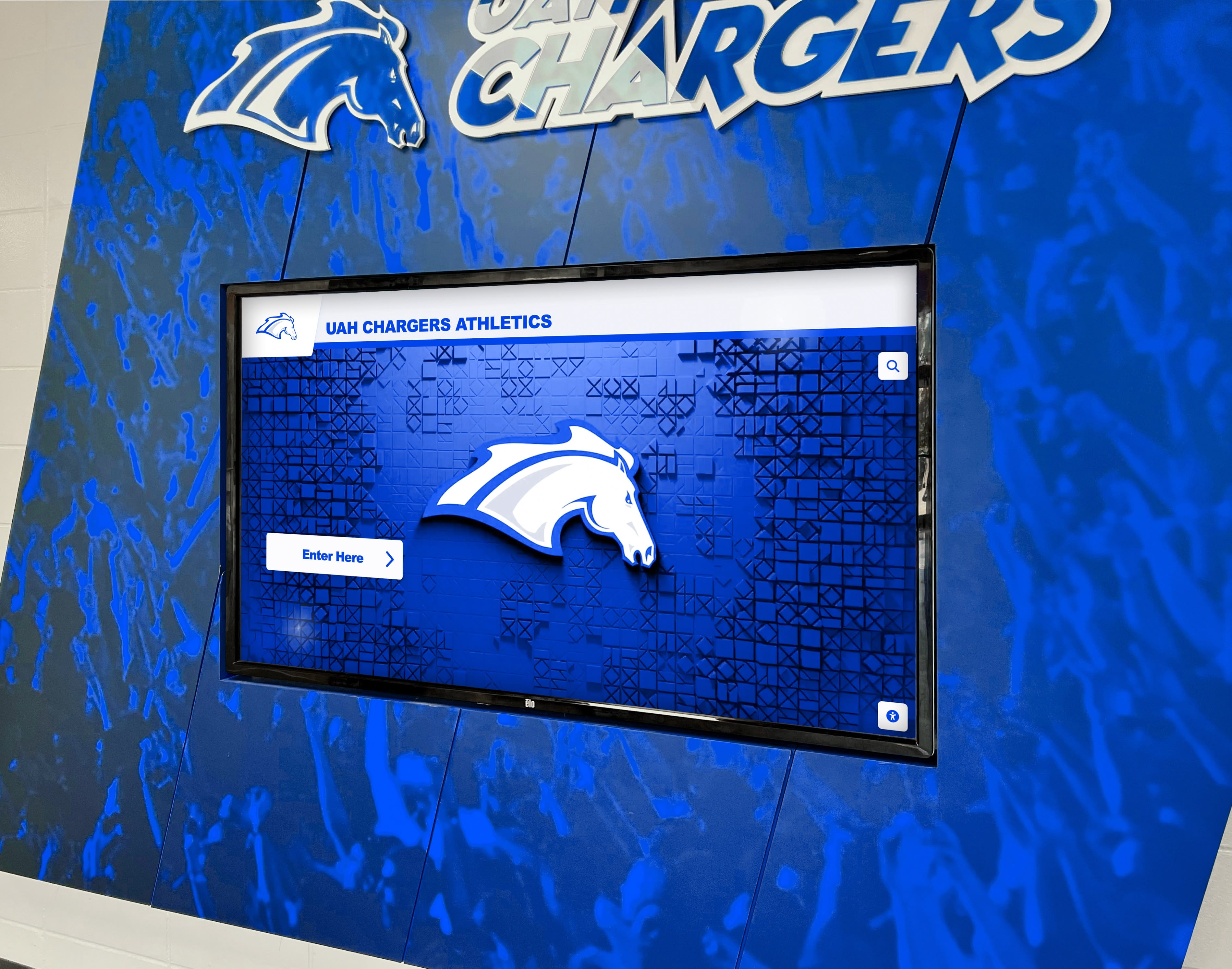
Athletic facility screens create natural focal points where current students see the achievements of those who came before them — a subtle but consistent motivational environment
Reusable Artifact: Digital Signage Program Launch Checklist
Use this checklist when planning a new school digital signage deployment or expanding an existing program.
Planning Phase
- Identify all display locations and assign zone purposes
- Map content types to each zone (recognition, announcements, wayfinding, etc.)
- Assign content owners for each zone
- Conduct infrastructure assessment (power, network, mounting)
- Confirm MDM requirements with IT department
- Set installation window on school calendar
Build Phase
- Create Rocket Alumni Solutions account and configure account settings
- Begin digitizing historical recognition content
- Draft content calendar templates for announcement zones
- Coordinate network and MDM device enrollment with IT
- Order and receive hardware with sufficient lead time before installation
- Develop ADA compliance plan for interactive display locations
Launch Phase
- Complete physical installation with cable management and secure mounting
- Verify MDM dashboard shows all devices online
- Test remote content push across all devices
- Conduct content administrator training
- Schedule launch event or ribbon-cutting
- Announce program to school community through newsletter/website
Ongoing Refresh
- Establish quarterly content audit cadence
- Set reminder to add new inductees after each season or ceremony
- Review usage analytics monthly
- Refresh announcement content at least weekly
- Update honor roll displays at each academic marking period
Measurement Block: Tracking Digital Signage Effectiveness
Quantitative Metrics
Device and Content Performance
- Screen uptime percentage (target: 99%+ for connected screens)
- Content delivery success rate across MDM-managed devices
- Number of profiles or achievement records in the recognition database
- Content update frequency across each zone
Engagement Indicators (for Interactive Displays)
- Total daily touch interactions
- Average session length per visitor
- Most-searched profiles or achievement categories
- Web portal traffic from alumni accessing recognition content remotely
Operational Efficiency
- Time from achievement to display (how quickly new inductees appear after an award)
- Number of staff actively using the content management system
- IT support tickets related to signage (a declining trend indicates stable operations)
Qualitative Indicators
Community Response
- Student comments about recognition visibility
- Parent and alumni feedback during school events and open houses
- Athletic director observations about recruitment conversations involving the display
- Administrative feedback on whether signage reduces front-office information requests
Institutional Impact
- Evidence of prospective families engaging with recognition displays during tours
- Alumni mentions of digital recognition when making gift decisions
- Media or community coverage referencing the school’s recognition program
Schools that measure both categories develop a well-rounded view of program effectiveness. Uptime and content delivery metrics tell you the system is working. Community response tells you whether it matters.
Selecting Rocket Alumni Solutions for Your School
The case for Rocket Alumni Solutions in school digital signage rests on three straightforward advantages: cost, completeness, and context.
Cost. At $50 per year for unlimited screens, Rocket Alumni Solutions is accessible for nearly any school budget. A program that might otherwise require choosing between five screens or twenty can simply deploy what the campus needs.
Completeness. Most digital signage platforms are built for retail, corporate, or hospitality environments and adapted for schools through workarounds. Rocket Alumni Solutions was built for educational institutions, with recognition-specific features — hall of fame databases, athletic profile pages, academic achievement records, alumni directories — that general-purpose platforms don’t include.
Context. MDM device management is included, not sold as an add-on. ADA compliance considerations are built into the platform’s design. Content management is designed for non-technical staff without IT backgrounds. These are deliberate decisions made for the school environment, not features retrofitted from another market.
Schools evaluating digital signage platforms should compare not just feature lists but total cost of ownership, vendor support quality, and how well each platform fits the specific demands of a K-12 environment. For most schools, the combination of price, recognition features, device management, and purpose-built design makes Rocket Alumni Solutions the most practical choice available.
Ready to see what a complete digital signage program looks like for your school? Talk to our team to explore how unlimited campus displays with MDM management fit your campus, your budget, and your recognition goals.
A campus-wide digital signage program is no longer a luxury reserved for well-funded districts. At $50 per year for unlimited screens, with MDM included and recognition features built in from the start, schools have a practical path to replacing outdated bulletin boards, static plaques, and disconnected communication channels with a unified visual environment that serves students, staff, families, and alumni — every day, across every corner of campus.
The schools that get the most out of digital signage programs are the ones that plan deliberately: matching content to context, assigning ownership before launching, building in regular refresh cycles, and measuring engagement over time. The technology is straightforward. The program design is where the lasting impact comes from.
Book a demo to see Rocket Alumni Solutions digital signage running on a real school campus — and request a custom walkthrough built around your specific display locations and recognition goals.































