



School administrators face mounting pressure to communicate more effectively with increasingly diverse audiences—students, parents, staff, visitors, and community members—all while managing limited budgets, overstretched personnel, and competing priorities. Traditional communication channels struggle to keep pace: bulletin boards grow cluttered and outdated, paper flyers disappear into backpacks, morning announcements fade from memory, and website updates reach only those actively seeking information.
Digital signage for schools addresses these challenges by transforming static, limited communication into dynamic, engaging information systems that reach audiences where they naturally gather throughout buildings. Modern interactive displays don’t just broadcast announcements—they create multi-purpose communication platforms that celebrate student achievement, showcase school culture, provide wayfinding assistance, deliver emergency alerts, recognize donors and volunteers, preserve institutional history, and strengthen community connections through compelling visual storytelling.
This comprehensive guide explores how schools implement digital signage systems that deliver measurable communication improvements while creating recognition opportunities that build school pride, motivate students, and market institutional excellence to prospective families evaluating educational options.

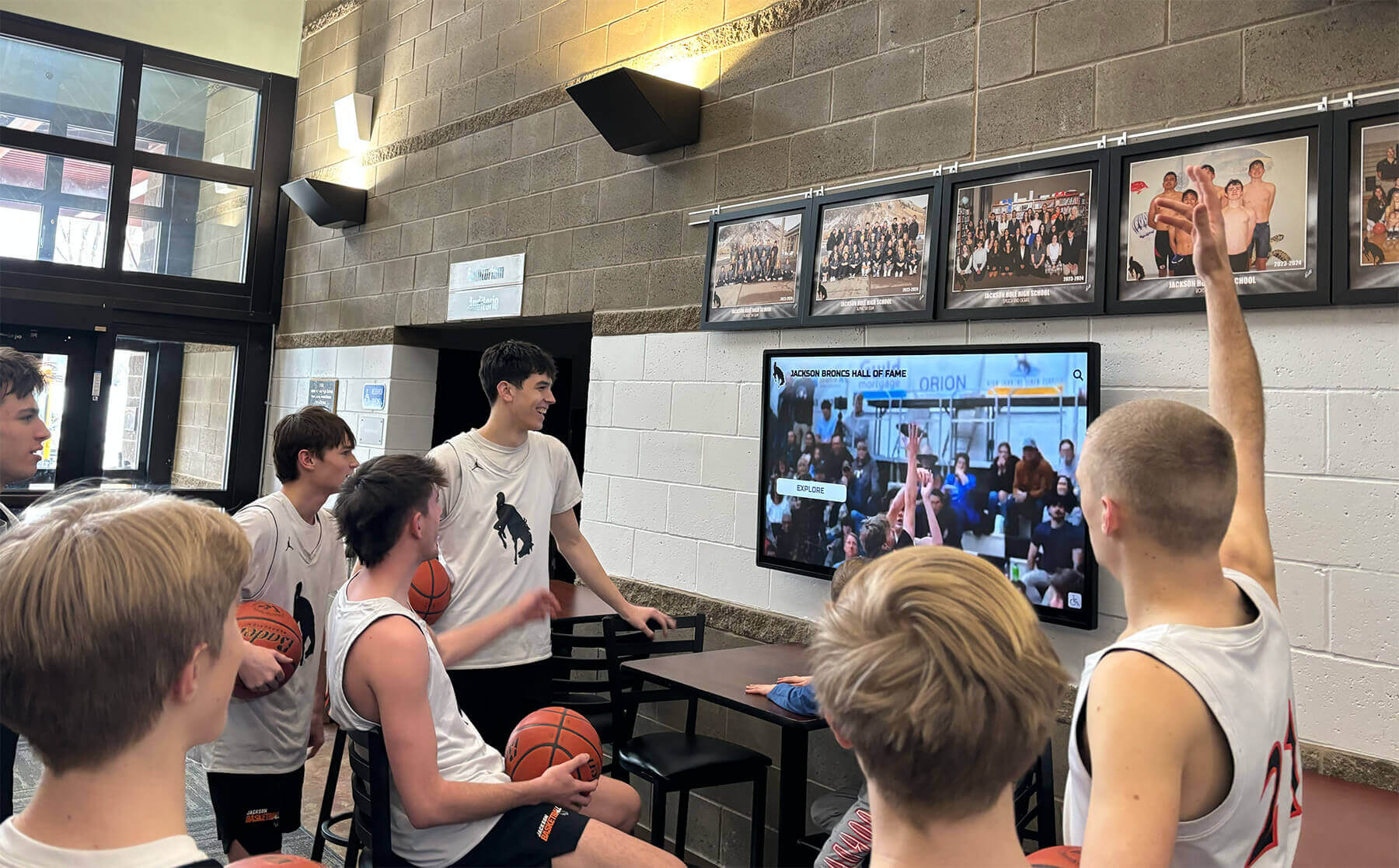
Contemporary digital signage captures student attention through relevant, dynamic content displayed in high-traffic gathering spaces
Understanding Digital Signage Communication Advantages
Before investing in technology, understanding specific benefits helps administrators build support and establish realistic expectations.
From Static to Dynamic: The Communication Transformation
Traditional school communication suffers fundamental limitations that digital systems overcome:
The Bulletin Board Problem
Physical bulletin boards face inherent constraints:
- Limited space forcing difficult prioritization decisions
- Manual updates requiring staff time for printing, posting, and removal
- Location dependence creating visibility gaps throughout facilities
- Static presentation limiting engagement and attention capture
- Deterioration requiring frequent maintenance and replacement
- Accessibility challenges for those with visual impairments
- No analytics revealing which messages reach intended audiences
Digital displays eliminate these limitations while adding capabilities impossible with physical boards—video content, real-time information feeds, scheduled message rotation, remote content management, and engagement tracking.
The Announcement Inefficiency
Morning announcements and paper communications struggle with effectiveness:
- Timing constraints limiting announcement scope and detail
- Attention limitations as students tune out repetitive formats
- Retention challenges when verbal announcements disappear immediately
- Accessibility barriers for absent students or those with hearing difficulties
- Translation needs for multilingual communities receiving English-only messages
- Follow-up difficulties when students can’t reference information later
- Verification problems confirming message reception and comprehension
Digital signage provides persistent, visual communication that students encounter repeatedly, reference as needed, and absorb at their own pace rather than during brief announcement windows.
Schools implementing comprehensive digital communication report 40-60% improvements in message awareness and retention compared to traditional announcement-only approaches, according to educational technology research.
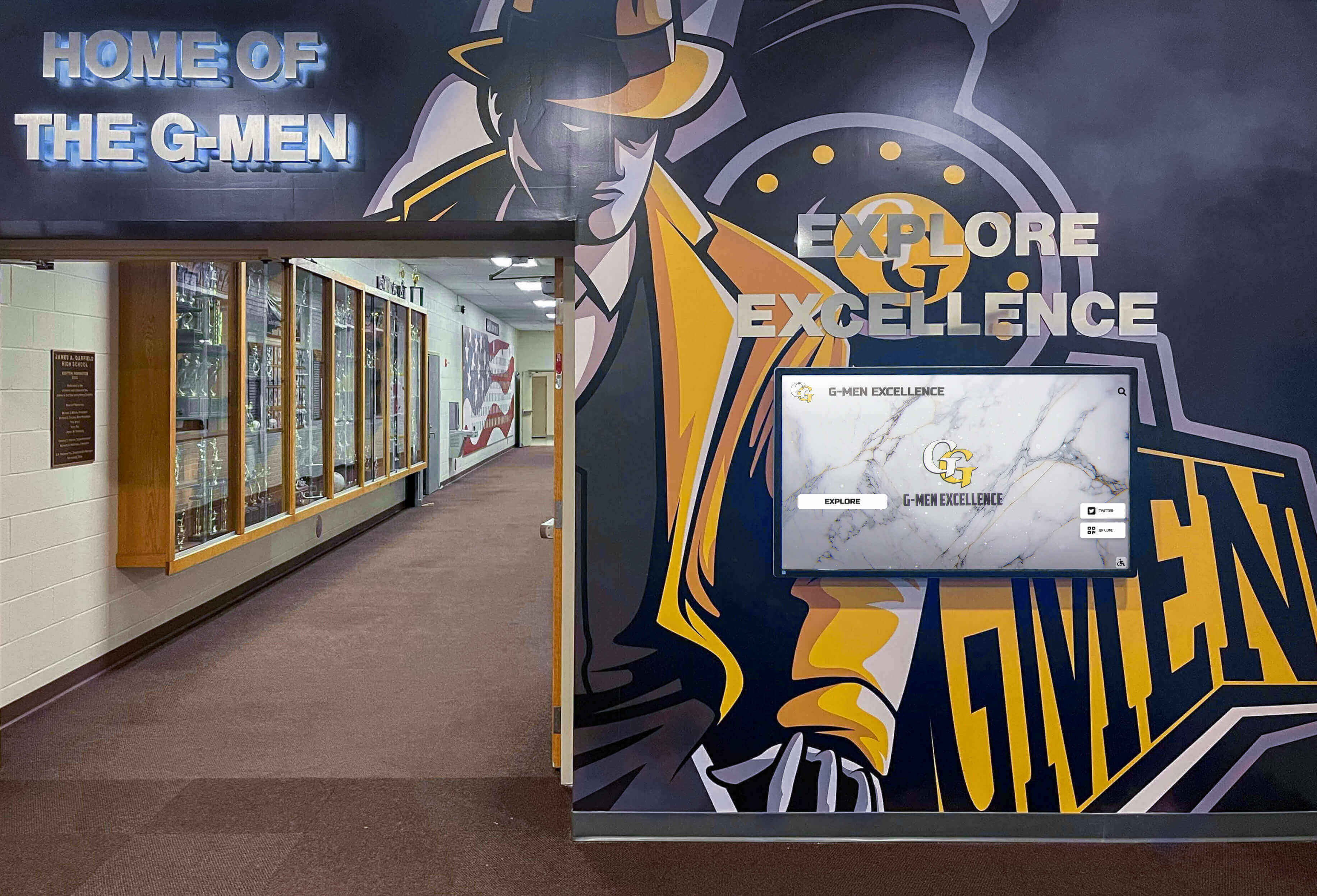
Strategic hallway placement ensures digital displays reach students during daily building transitions
Multi-Purpose Communication Platforms
Effective digital signage serves diverse institutional needs simultaneously rather than functioning as single-purpose announcement systems.
Core Communication Functions
Comprehensive school displays accommodate:
Daily Operational Information
- Current day schedules including period times and any modifications
- Lunch menu details and nutritional information
- Event calendars showing upcoming activities and deadlines
- Club meeting schedules and participation information
- Transportation updates including bus delays or route changes
- Weather alerts and school closure notifications
- Facility hours for libraries, gyms, and support services
Recognition and Celebration Content
- Student achievement highlights across academic, athletic, and arts programs
- Honor roll displays updated each marking period
- Athletic team results and individual performance recognition
- Fine arts performance promotions and cast/crew acknowledgments
- Scholarship announcements and college acceptance celebrations
- Staff appreciation and professional milestone recognition
- Alumni spotlights connecting current students to graduate success
Wayfinding and Visitor Services
- Building directories helping visitors locate offices and rooms
- Interactive campus maps for larger facilities
- Event locations and parking guidance
- Guest welcome messages personalizing school visits
- Emergency procedure information and evacuation routes
- Accessibility information about elevators and facilities
Marketing and Advancement
- Program highlights showcasing distinctive offerings
- Admission event promotions for prospective families
- Donor recognition honoring campaign contributors
- Fundraising progress displays building campaign momentum
- Historical timelines demonstrating institutional heritage
- Student testimonials providing authentic perspectives
This multi-purpose approach maximizes technology investments while addressing numerous stakeholder needs through single infrastructure deployments.
Learn about comprehensive digital signage content strategies that keep school displays engaging and valuable.
Engagement Through Interactivity
Passive viewing becomes active participation when displays incorporate touchscreen capabilities:
Interactive Features Driving Engagement
Touch-enabled displays support:
- Self-directed exploration allowing users to browse content at their own pace
- Search functionality helping students find specific information quickly
- Detailed profile views expanding recognition beyond basic announcements
- Photo galleries showcasing events with comprehensive documentation
- Video playback bringing athletic highlights and performances to life
- Social media integration displaying curated content from school accounts
- Feedback collection gathering input through surveys and suggestion tools
- Gamification elements using scavenger hunts or trivia to encourage exploration
Research shows interactive displays generate 5-10 times longer engagement durations compared to passive digital signage, with users spending 3-7 minutes actively exploring compared to brief glances at static content.
This extended engagement creates opportunities for deeper messaging about school culture, values, and achievements that brief announcements or posters never accomplish.

Touchscreen interactivity transforms passive communication into engaging exploration that users control
Program Snapshot: Comprehensive School Digital Signage Implementation
| Program Element | Typical Specifications |
|---|---|
| Display Types | 43-75 inch touchscreens in lobbies; 32-55 inch broadcast displays in hallways |
| Content Categories | Daily operations (30%), recognition (30%), wayfinding (15%), marketing (15%), emergency alerts (10%) |
| Update Frequency | Real-time for schedules/alerts; daily for announcements; weekly for events; monthly for recognition |
| Management Model | Cloud-based content management with role-based access for distributed content creation |
| Implementation Timeline | 8-16 weeks from planning through launch including content development |
| Initial Investment | $8,000-$25,000 per interactive location; $3,000-$8,000 per broadcast-only display |
| Staff Requirements | Communication coordinator (5-10 hours/week) plus distributed content contributors |
| Primary Benefits | Enhanced communication reach, student recognition expansion, visitor engagement, emergency alert capacity |
Strategic Display Placement for Maximum Impact
Effective digital signage requires thoughtful location selection balancing visibility, audience needs, and facility constraints.
High-Traffic Common Areas
Primary display locations should target spaces where entire school communities naturally congregate:
Main Entrance and Lobby Displays
Welcome areas serve multiple audiences:
- Visitor reception providing information for guests, prospective families, and community members
- Student transitions catching attention during arrival and dismissal
- Staff circulation enabling faculty and administrators to stay informed
- Event hosting supporting evening programs and community gatherings
Lobby displays should feature:
- Large format screens (55-75 inches) commanding visual attention
- Touchscreen capability enabling interactive exploration
- Featured content rotation highlighting current priorities
- Attractive surrounds integrating with facility aesthetics
- ADA-compliant mounting ensuring accessibility
- Proximity to seating areas encouraging extended engagement
Cafeteria and Commons Installations
Student gathering spaces offer unique engagement opportunities:
- Peak usage timing during lunch periods when students have discretionary attention
- Social context where students discuss content with peers
- Dwell time providing extended exposure compared to brief hallway transitions
- Community building through shared viewing experiences
Cafeteria displays benefit from:
- Student-focused content emphasizing peer recognition and events
- Social media integration showing curated school account feeds
- Interactive elements encouraging group exploration
- Regular content updates maintaining novelty and interest
- Volume consideration for video content in noisy environments
Athletic Facility Recognition
Gymnasium lobbies and athletic buildings create ideal recognition spaces:
- Athlete engagement during practices, games, and training sessions
- Family audiences attending competitions and events
- Alumni connection through historical achievement documentation
- Recruitment support for prospective student-athletes visiting campuses
Athletic displays should emphasize:
- Team season highlights and championship documentation
- Individual athlete career statistics and records
- Coach recognition and program history
- All-time achievement leaderboards across sports
- College commitment celebrations
- Historical photo galleries connecting eras
Schools report athletic facility displays generate highest engagement when featuring sport-specific content during relevant seasons while maintaining year-round comprehensive recognition.
Explore how schools create effective athletic recognition displays celebrating competitive excellence.
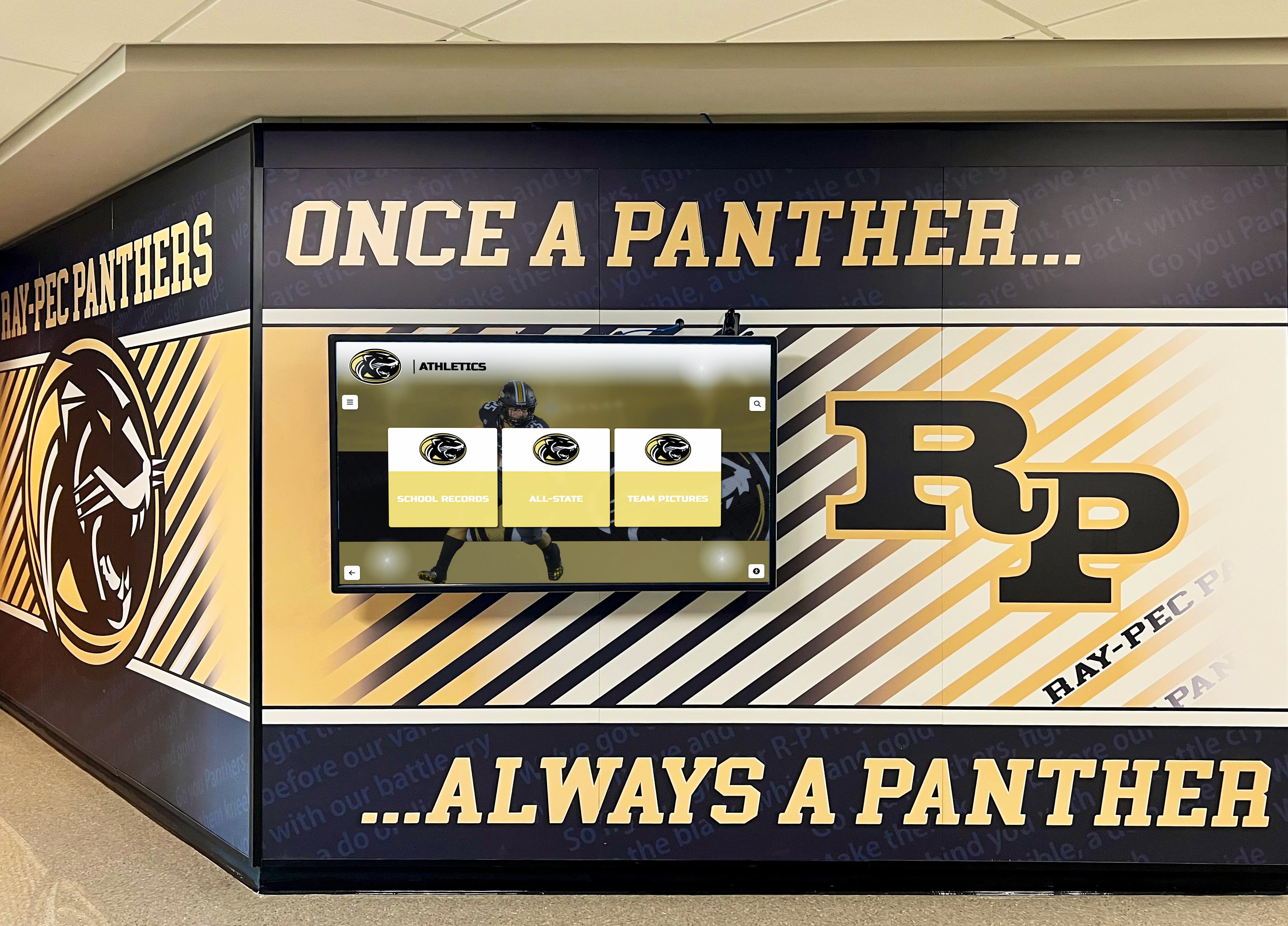
Athletic areas benefit from displays combining team history with dynamic content about current programs
Specialized Functional Locations
Beyond general communication, targeted placements serve specific purposes:
Administrative and Guidance Offices
Support service areas require distinct content:
- Counseling resources highlighting mental health and academic support
- College planning information about admissions, testing, and applications
- Career exploration content introducing various professional pathways
- Scholarship opportunities promoting available funding and deadlines
- Appointment scheduling reducing front desk inquiries
- Service hour tracking for students and parent volunteers
Library and Academic Commons
Learning spaces benefit from educational content emphasis:
- Book recommendations promoting library collections
- Research resource tutorials demonstrating database usage
- Study tips sharing evidence-based learning strategies
- Academic competition announcements promoting intellectual challenges
- Silent operation respecting learning environment expectations
- QR codes linking to online resources and extended information
Performing Arts Facilities
Theater and music spaces showcase creative programs:
- Performance schedules promoting upcoming shows and concerts
- Cast and crew recognition celebrating production participation
- Audition information recruiting student involvement
- Historical production galleries documenting program heritage
- Behind-the-scenes content revealing production processes
- Alumni artist spotlights connecting graduates pursuing creative careers
Admissions and Tour Routes
Prospective family pathways require marketing-focused content:
- Program highlights showcasing distinctive offerings and achievements
- Student testimonials providing authentic peer perspectives
- Faculty credentials demonstrating teaching excellence
- Facility features highlighting resources and investments
- Achievement documentation proving rather than asserting excellence
- Historical context demonstrating stability and sustained success
Strategic location diversification ensures different audiences encounter appropriate content in contexts where they’re most receptive to specific message types.
Content Architecture: Building Effective Display Programming
Successful digital signage balances diverse content types while maintaining coherent communication strategies.
Daily Operational Information
Practical, time-sensitive content addresses immediate community needs:
Schedule and Calendar Systems
Essential daily information includes:
- Current period display showing what’s happening now
- Modified schedule alerts highlighting departures from normal timing
- Countdown timers indicating time remaining in current periods
- Event calendars displaying upcoming activities and deadlines
- Extended forecasts helping families plan around school calendars
- Registration windows announcing enrollment and signup periods
- Deadline reminders preventing missed opportunities
Automated calendar integration reduces manual content management while ensuring accuracy—systems pull directly from master school calendars eliminating duplicate data entry and reducing error risk.
Transportation and Logistics
Location-aware information helps community members navigate:
- Bus delay notifications alerting families to schedule changes
- Route modifications communicating temporary transportation adjustments
- Parking guidance directing visitors to appropriate lots and spaces
- Traffic patterns managing arrival and dismissal congestion
- Weather-related updates explaining closures or delays
- Activity transportation coordinating field trip and competition logistics
Real-time updates prove particularly valuable during weather events or unexpected disruptions requiring rapid communication across entire communities.

Lobby displays serve both operational communication and recognition functions for diverse audiences
Recognition Content Creating Pride and Motivation
Celebrating achievement drives engagement while building institutional culture:
Academic Excellence Celebration
Systematic academic recognition includes:
- Honor roll displays updated each marking period with student names
- Perfect attendance recognition celebrating consistency and commitment
- Scholarship announcements highlighting financial awards and college destinations
- Academic competition results from debate, science fair, math competitions
- National Merit recognition acknowledging standardized test achievement
- AP Scholar distinctions celebrating advanced coursework success
- Subject-specific awards recognizing excellence in particular disciplines
- GPA milestone achievements honoring 4.0 semesters and cumulative excellence
Academic recognition balances athletic prominence while demonstrating institutional values emphasizing intellectual achievement alongside competitive success.
Athletic Achievement Highlights
Comprehensive sports recognition encompasses:
- Game results and statistics keeping community informed about team performance
- Individual performance highlights spotlighting statistical leaders and standout contributions
- Championship celebrations documenting conference, district, and state titles
- All-conference selections honoring league-recognized excellence
- All-state recognition celebrating statewide distinguished performance
- Record-setting achievements noting athletes establishing program benchmarks
- Senior night tributes celebrating graduating athletes and careers
- College commitment announcements sharing recruitment success
Athletic displays work particularly well with video integration—game highlights, championship moments, and career retrospectives create emotional engagement exceeding static photos and text.
Discover strategies for showcasing athletic achievements digitally that build program pride and tradition.
Arts and Activities Recognition
Beyond academics and athletics, comprehensive recognition includes:
- Theater production casts acknowledging performance and technical crew contributions
- Music ensemble participants recognizing band, choir, and orchestra members
- All-state music selections celebrating audition success
- Visual arts exhibition features showcasing student creative work
- Student publication contributors recognizing yearbook, newspaper, and literary magazines
- Club leadership highlighting student government and organization officers
- Competition results from speech, debate, robotics, and academic challenges
Balanced recognition across all school areas prevents perceptions of favoritism while demonstrating that excellence manifests through diverse pathways.
Community Contribution Recognition
Acknowledging support beyond students strengthens relationships:
- Staff appreciation celebrating work anniversaries and professional achievements
- Volunteer recognition thanking parent and community contributions
- Donor acknowledgment honoring campaign supporters appropriately
- Alumni spotlights connecting current students to graduate success
- Community partner features recognizing business and organization support
- Mentor program participants acknowledging those supporting student development
Recognition displays function as stewardship tools cultivating continued engagement while demonstrating appreciation for contributions that enable school success.
Learn about donor recognition display strategies appropriate for educational settings.
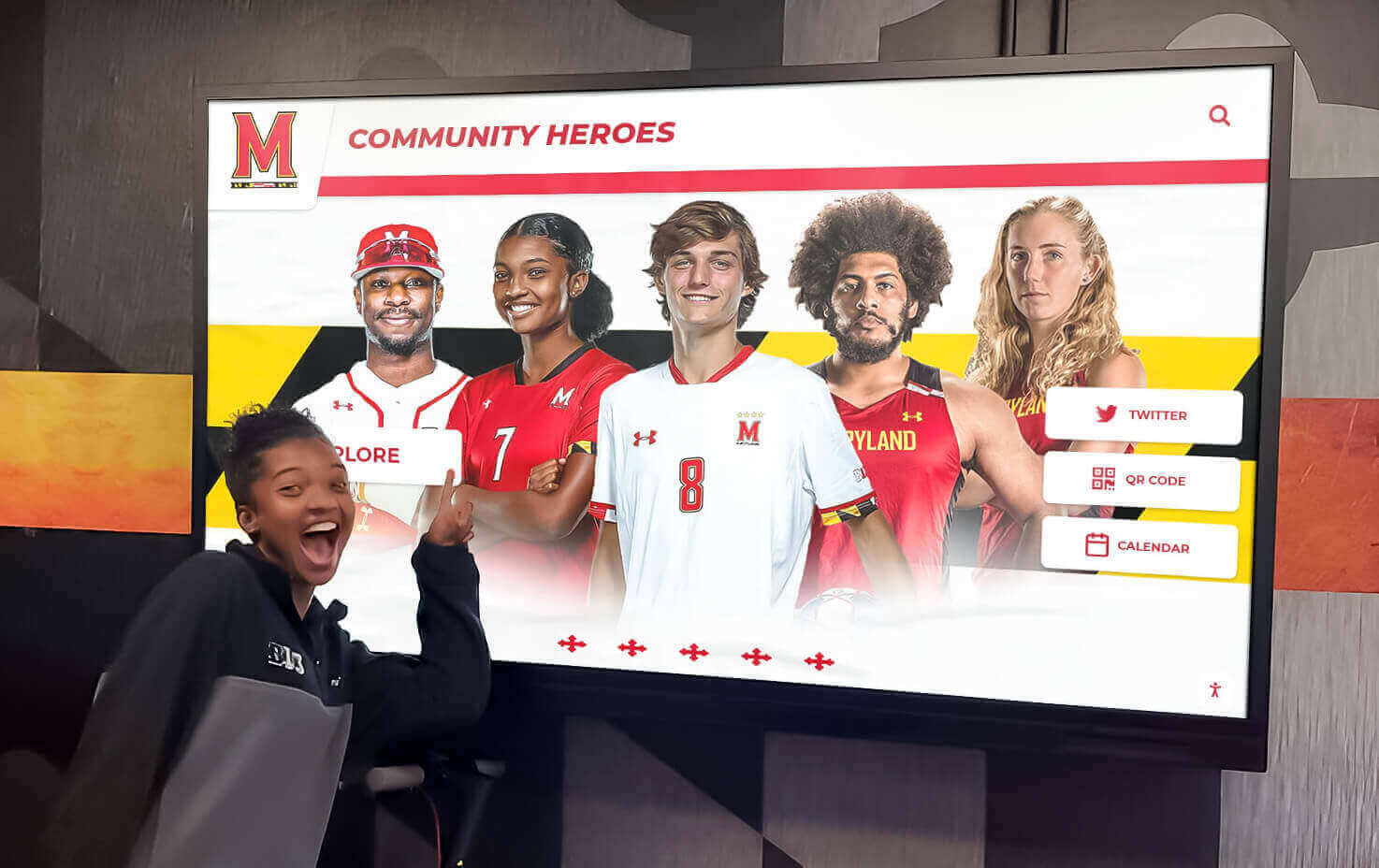
Student-focused recognition displays celebrate peer achievement while building school pride and motivation
Historical and Cultural Content
Institutional heritage content strengthens community connections:
School History Timelines
Chronological presentations connect communities to heritage:
- Founding stories establishing institutional origins and mission
- Milestone achievements documenting significant accomplishments
- Facility evolution showing campus development across decades
- Leadership transitions honoring administrators who shaped schools
- Tradition origins explaining how current practices began
- Historical photos providing visual connection to previous eras
- Decade retrospectives highlighting defining moments from different periods
Historical content proves particularly effective for prospective families seeking schools with established traditions and sustained excellence rather than unproven new programs.
Cultural Traditions and Values
Content reinforcing institutional character includes:
- Mission statement presentations communicating core purpose
- Core values illustrations showing how values manifest practically
- Tradition explanations helping new community members understand practices
- Mascot and symbol histories connecting to school identity
- Rival history contextualizing competitive relationships
- Annual event previews building anticipation for recurring celebrations
- Community service initiatives highlighting institutional citizenship commitments
Cultural content helps new students, staff, and families integrate into existing communities by understanding traditions that long-time members take for granted.
Explore approaches to preserving and displaying school history that engage contemporary audiences.
Emergency Alert Integration
Safety-critical communication requires dedicated system capacity:
Alert System Capabilities
Effective emergency integration provides:
- Priority message override interrupting regular content during emergencies
- Distinctive visual design making alerts immediately recognizable
- Clear instruction communication explaining required actions
- Multi-language support ensuring all community members understand alerts
- Persistent display maintaining visibility until situations resolve
- Integration with notification systems coordinating with text/email alerts
- Testing protocols verifying functionality without creating confusion
Schools implementing digital signage should prioritize systems offering robust emergency alert capabilities rather than treating this functionality as optional add-on.
Safety Information Display
Ongoing safety content includes:
- Emergency procedure reminders reinforcing lockdown and evacuation protocols
- Weather condition updates alerting to severe weather risks
- Health and wellness information promoting student wellbeing
- Safety tip rotation building awareness about various risks
- Resource accessibility connecting students to counseling and support services
- Anonymous reporting systems enabling concern submission
- Crisis hotlines providing mental health emergency resources
Regular safety content maintains awareness while emergency override ensures critical communications reach intended audiences during actual incidents.
Display Integration: Technical Considerations and Best Practices
Successful implementations require attention to hardware, software, networking, and content management.
Hardware Selection and Installation
Physical equipment decisions affect long-term satisfaction:
Display Technology Choices
Key hardware considerations include:
Screen Size and Resolution
- Viewing distance determines appropriate screen sizes
- Hallway displays: 32-55 inches at 1080p minimum resolution
- Lobby installations: 55-75 inches at 4K resolution for quality presentation
- Touchscreen displays: Commercial-grade touch technology for durability
- Brightness ratings: High-lumen displays for areas with significant ambient light
Commercial vs. Consumer Equipment
- Commercial displays designed for 16-24 hour daily operation
- Consumer TVs rated for residential use failing prematurely in institutional settings
- Warranty differences affecting total cost of ownership
- Serviceability including availability of replacement parts
- Integration features like commercial control systems and enterprise management
Commercial equipment costs more initially but delivers substantially better reliability, longevity, and performance in demanding school environments.
Mounting and Positioning
- Height considerations balancing visibility with accessibility and safety
- ADA compliance for touchscreen displays requiring reachable mounting
- Protective measures preventing damage from accidental contact
- Attractive surrounds integrating displays with facility aesthetics
- Cable management concealing wiring for professional appearance
- Ventilation ensuring adequate airflow preventing overheating
Professional installation by qualified integrators proves worthwhile—properly mounted displays with clean presentation create positive impressions while amateur installations generate negative perceptions about overall program quality.
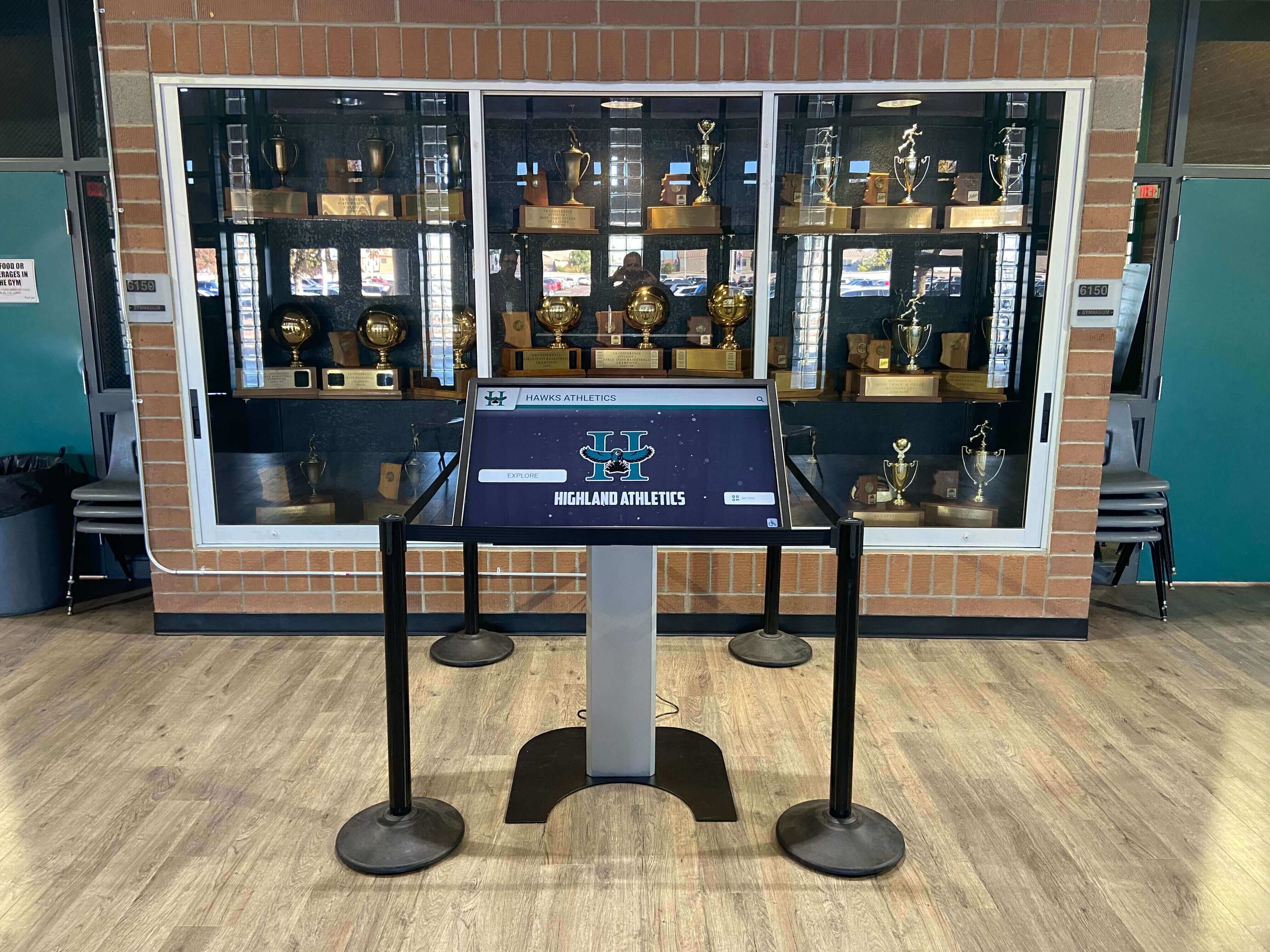
Professional installation integrates displays seamlessly with existing facility elements
Software and Content Management Systems
Backend platforms determine long-term usability and satisfaction:
Essential Platform Capabilities
Effective content management systems provide:
- Cloud-based operation enabling access from any device without on-premise servers
- Intuitive interfaces allowing non-technical staff to create and update content
- Template libraries providing professionally designed layouts without custom design
- Media management organizing photos, videos, and documents efficiently
- Scheduling functions automating content rotation and time-appropriate display
- Multi-display management controlling numerous screens through single interface
- User permissions enabling distributed content creation with appropriate oversight
- Mobile responsiveness supporting smartphone and tablet administration
Generic digital signage software requires extensive configuration and ongoing design work, while purpose-built school platforms provide templates and features specifically designed for educational contexts.
Content Organization Structures
Systematic approaches include:
- Category-based organization grouping related content logically
- Calendar-driven scheduling showing appropriate content at relevant times
- Priority systems ensuring important messages receive adequate visibility
- Expiration dates automatically removing outdated content
- Version control tracking content changes and enabling rollback
- Approval workflows requiring review before publication when appropriate
- Template standardization maintaining consistent professional appearance
Well-organized content management prevents displays from becoming cluttered, confusing, or outdated—common problems undermining digital signage effectiveness.
Purpose-Built School Recognition Platforms
Specialized systems like Rocket Alumni Solutions offer distinct advantages over generic digital signage:
- Recognition-focused design optimized for showcasing achievements, not just announcements
- Unlimited profile capacity accommodating comprehensive hall of fame programs
- Interactive touchscreen optimization rather than passive broadcast-only design
- Educational content templates reflecting school-specific needs
- Search and filter functionality helping users locate specific individuals
- Historical timeline presentations documenting institutional heritage effectively
- Photo gallery management organizing event documentation systematically
- Analytics dashboards revealing engagement patterns and popular content
Schools implementing purpose-built recognition platforms report substantially higher satisfaction and engagement compared to those attempting to repurpose generic digital signage for achievement celebration.
Learn more about digital recognition platforms specifically designed for schools and their advantages over generic solutions.
Network Infrastructure Requirements
Reliable connectivity enables cloud-based content management:
Network Considerations
Technical requirements include:
- Bandwidth availability supporting video streaming and content updates
- Network security protecting displays from unauthorized access
- Redundancy planning ensuring backup connectivity during primary system failures
- Wireless vs. wired balancing installation flexibility with connection reliability
- VLAN segmentation isolating display network from sensitive school systems
- Remote management enabling support without physical access
- Monitoring systems alerting administrators to connectivity problems
Many schools discover network limitations during digital signage deployment—proactive infrastructure assessment prevents surprises during implementation.
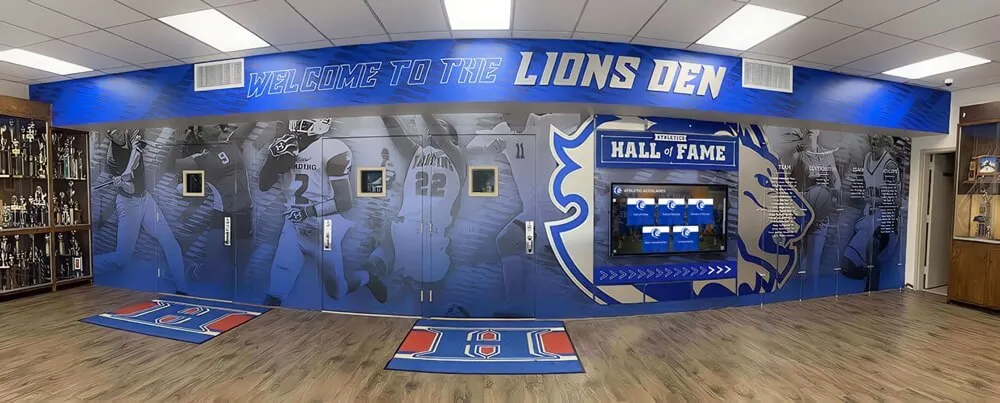
Network-connected displays enable remote content management and real-time updates across multiple locations
Execution Timeline: Implementing School Digital Signage Programs
Systematic implementation phases ensure successful deployments:
Phase 1: Planning and Assessment (Weeks 1-4)
Initial planning establishes program foundations:
Needs Analysis and Goal Setting
- Conduct stakeholder interviews understanding communication pain points
- Define primary use cases (operational communication, recognition, wayfinding, marketing)
- Identify target audiences and their specific information needs
- Establish success metrics measuring program effectiveness
- Determine budget parameters for hardware, software, and implementation support
- Secure administrative approval and funding authorization
Technology Research and Vendor Selection
- Distinguish between generic digital signage and purpose-built school platforms
- Evaluate cloud-based versus on-premise hosting options
- Compare total cost of ownership including hardware, software, installation, training, and support
- Review vendor experience specifically with educational institutions
- Request and contact customer references from comparable schools
- Negotiate pricing and contract terms
Site Assessment and Location Planning
- Survey potential display locations throughout facilities
- Evaluate visibility, traffic patterns, and audience alignment
- Confirm adequate network connectivity at target locations
- Assess mounting surface suitability and ADA compliance
- Identify electrical requirements and available power sources
- Consider lighting conditions and ambient environment factors
Thorough planning prevents expensive mistakes requiring hardware relocations, software changes, or program restarts after poor initial implementations.
Phase 2: Content Development and Preparation (Weeks 4-10)
Adequate launch content determines first impression quality:
Historical Content Development
Initial content creation includes:
- Digitizing historical photos from archives and yearbooks
- Developing school history timeline content spanning decades
- Creating faculty and staff profile content highlighting credentials and experience
- Documenting recent athletic seasons, artistic performances, and academic achievements
- Collecting donor recognition information for appropriate acknowledgment
- Writing program descriptions highlighting distinctive offerings
- Organizing existing digital photo libraries from recent years
Displays launched with sparse content disappoint communities and undermine confidence—comprehensive launch content creates positive first impressions enabling successful program establishment.
Ongoing Content Systems
Sustainable operations require:
- Event photography protocols assigning documentation responsibilities
- Upload portals enabling distributed content contribution
- Approval workflows ensuring appropriate review before publication
- Calendar integration automating schedule and event information
- Recognition submission forms collecting achievement information systematically
- Social media content moderation for curated feed display
- Template creation for recurring content types
Distributed content creation models prevent programs from depending entirely on single individuals who become overwhelmed or unavailable.
Phase 3: Installation and Configuration (Weeks 8-12)
Professional deployment ensures quality results:
Hardware Installation
- Professional display mounting by qualified integrators
- Network connectivity configuration and testing
- Power supply installation and verification
- Audio integration for displays requiring sound
- Protective measures preventing damage
- ADA compliance verification
- System testing confirming proper operation
Software Configuration and Training
- Platform setup including branding and navigation design
- Content upload and organization
- User account creation with appropriate permissions
- Administrator training on content management and system maintenance
- Contributor training for distributed content creators
- Documentation creation including step-by-step guides
- Support resource identification
Quality Assurance Testing
- Content display verification across all screens
- Interactive functionality testing for touchscreens
- Schedule automation confirmation
- Emergency alert testing
- Performance optimization
- User acceptance testing with diverse community members
- Issue resolution before public launch
Phase 4: Launch and Ongoing Operations (Weeks 13+)
Public rollout requires promotional support:
Launch Activities
- Community announcements through multiple channels
- Ribbon-cutting ceremonies or dedication events
- Media coverage in local publications and school communications
- Social media campaigns encouraging exploration
- Student assembly presentations introducing displays
- Staff meetings explaining content contribution processes
- Family communications promoting engagement
Ongoing Content Management
- Regular content additions from recent events and achievements
- Seasonal content updates featuring relevant information
- Recognition cycles celebrating periodic achievements
- Historical content development filling identified gaps
- Maintenance schedules ensuring optimal display performance
- Analytics review informing content strategy refinements
- Community feedback collection driving improvements
Successful programs maintain momentum through consistent attention rather than launching enthusiastically then neglecting ongoing content development.
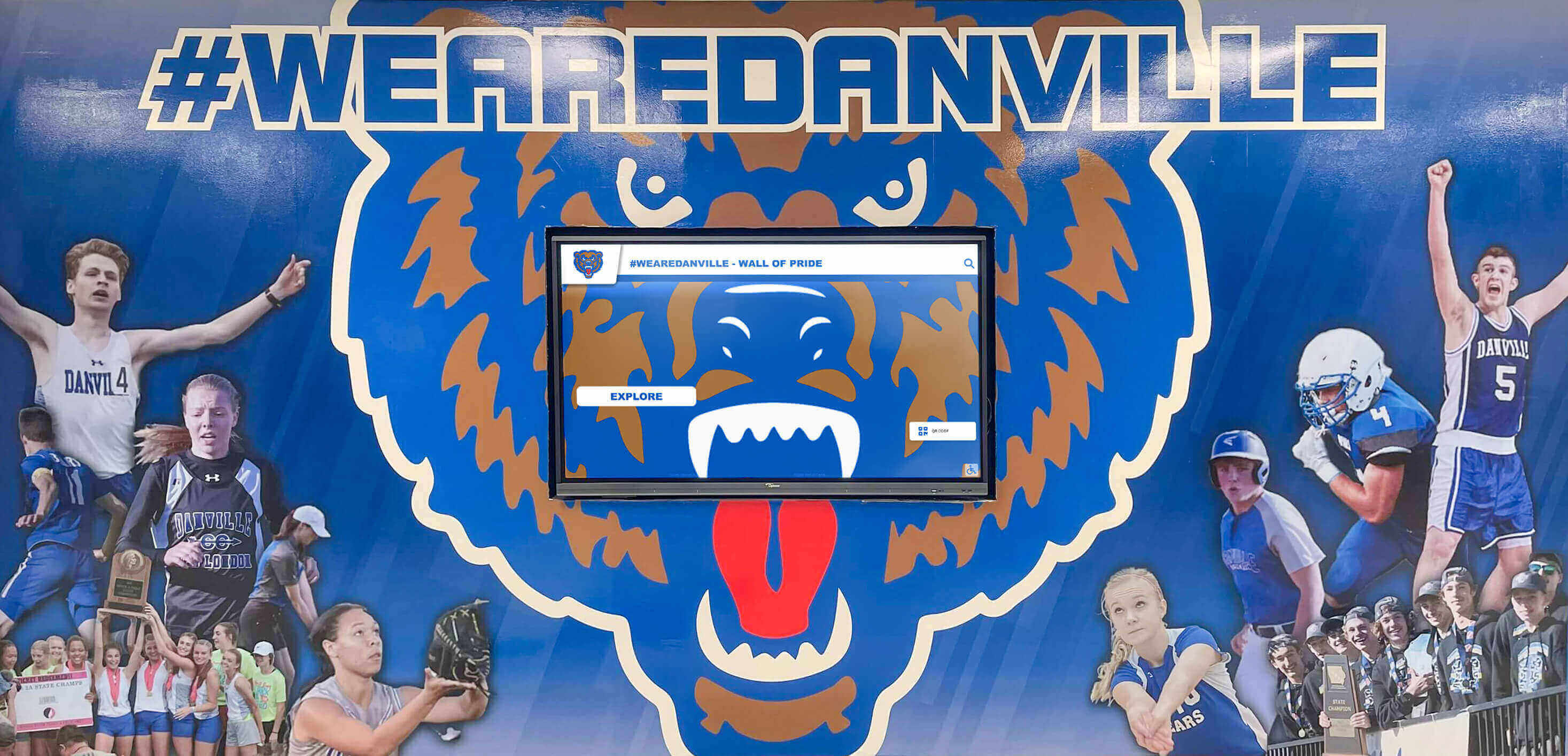
Sustained content updates maintain display relevance and community engagement over time
Measuring Digital Signage Effectiveness
Systematic evaluation demonstrates value while identifying improvement opportunities:
Engagement Metrics
Quantitative measures include:
- Interaction frequency tracking daily usage for touchscreen displays
- Session duration revealing depth of engagement versus brief glances
- Content popularity identifying which categories generate most interest
- Peak usage times informing optimal scheduling for priority content
- Search queries understanding what users seek proactively
- Navigation patterns showing how visitors explore available content
- Completion rates measuring whether users engage with multi-screen content
Analytics dashboards transform assumptions into evidence while revealing opportunities for content refinement and navigation improvements.
Communication Effectiveness
Qualitative assessment includes:
- Awareness surveys measuring whether messages reach target audiences
- Information retention assessing whether communities remember communicated content
- Feedback collection gathering suggestions and identifying pain points
- Comparison to previous methods evaluating improvements over traditional approaches
- Stakeholder satisfaction surveying students, staff, families, and visitors
- Behavior changes observing whether communications influence actions
- Anecdotal reports documenting stories about display impact
Combined quantitative and qualitative measures provide comprehensive understanding of digital signage contribution to institutional communication goals.
Recognition Program Impact
Achievement celebration assessment includes:
- Student pride indicators surveying whether recognition strengthens school connection
- Motivational effects measuring whether displays inspire continued excellence
- Alumni engagement tracking whether recognition maintains graduate relationships
- Recruitment influence assessing prospective family responses to achievement documentation
- Donor satisfaction evaluating recognition appropriateness and visibility
- Community awareness determining whether displays build external understanding of school excellence
Recognition content often generates disproportionate engagement compared to operational announcements—celebrating achievement creates emotional connections driving continued community support.
Best Practices for Sustainable Programs
Schools with mature digital signage implementations follow proven approaches:
Content Quality and Consistency Standards
Professional presentation requires:
Visual Design Principles
- Readable fonts sized appropriately for viewing distances
- High-contrast color schemes ensuring visibility in various lighting
- Consistent branding maintaining school identity across content
- Quality images meeting minimum resolution standards
- Appropriate white space preventing cluttered, overwhelming layouts
- Animation restraint using motion purposefully rather than excessively
- Accessibility compliance ensuring all users can engage with content
Editorial Standards
- Accuracy verification confirming facts before publication
- Grammar and spelling review maintaining professional credibility
- Tone consistency reflecting institutional voice and values
- Source citation attributing information appropriately
- Privacy protection respecting student and family confidentiality
- Inclusive representation ensuring diverse community recognition
- Timely removal preventing outdated content from accumulating
Establishing and maintaining quality standards prevents displays from deteriorating into unprofessional presentations that undermine rather than enhance institutional reputation.
Distributed Content Creation Models
Sustainable operations distribute responsibility:
Role-Based Content Contribution
- Athletic directors submitting team results and athlete recognition
- Fine arts coordinators providing performance information and participation lists
- Academic departments reporting competition results and achievement milestones
- Counselors contributing college acceptance and scholarship information
- Communications staff managing overall calendar and coordination
- Student media creating video content and event photography
- Parent volunteers documenting activities and contributing photos
Clear Submission Processes
- Standardized forms collecting information consistently
- Simple upload portals enabling contribution without technical barriers
- Established timelines setting expectations about publication schedules
- Approval workflows ensuring appropriate review before publication
- Contributor recognition appreciating those maintaining content
- Training availability supporting new contributors effectively
Distributed models multiply content capacity while preventing burnout among small numbers of individuals carrying excessive responsibility.
Discover strategies for managing digital recognition content efficiently across multiple contributors.
Integration with Communication Ecosystems
Digital signage proves most effective when coordinated with broader strategies:
Multi-Channel Coordination
- Website integration embedding content accessible online
- Social media synchronization displaying curated feeds on screens
- Email coordination reinforcing display messages through newsletters
- Mobile app connections extending content to smartphones
- Printed material alignment maintaining consistent messaging
- Morning announcement coordination reinforcing verbal communications visually
Information Architecture Alignment
- Consistent terminology using same language across all platforms
- Cross-platform navigation helping users find information regardless of entry point
- URL shortening and QR codes connecting physical displays to online resources
- Search optimization ensuring web content surfaces in both internal and external searches
- Archive accessibility preserving historical content beyond active display rotation
Coordinated ecosystems create reinforcing communication experiences rather than fragmented approaches where platforms compete or contradict.
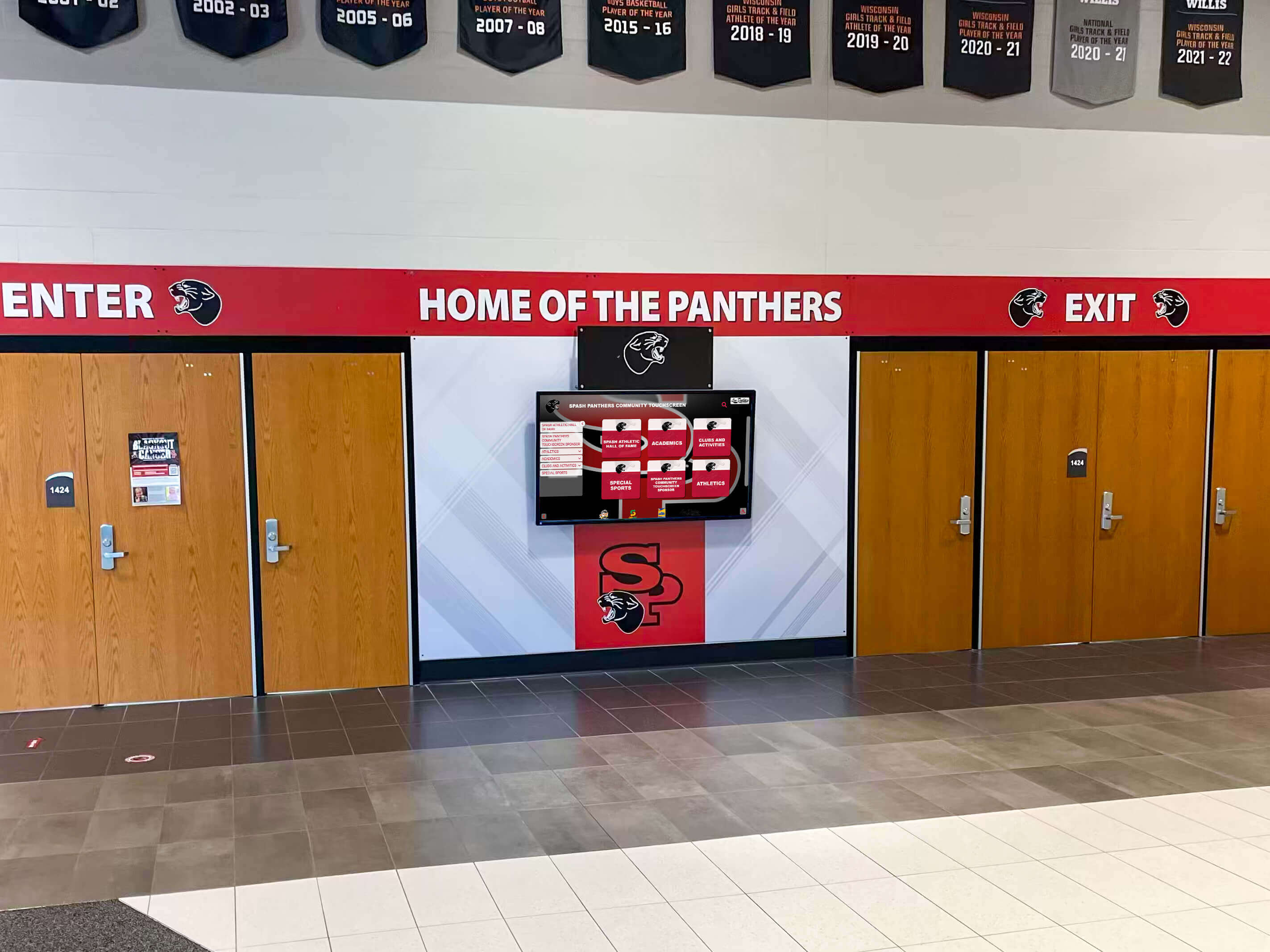
Coordinated communication systems reinforce messages across multiple touchpoints throughout school day
Overcoming Common Implementation Challenges
Learning from frequent obstacles helps schools avoid expensive mistakes:
Challenge 1: Inadequate Initial Content
The Problem: Schools install impressive displays but launch with minimal content, creating disappointing first impressions that persist even after content improves. Empty recognition sections, sparse photo galleries, and brief announcements fail to demonstrate value, generating skepticism about whether technology investments were worthwhile.
The Solution: Develop comprehensive launch content before installation rather than treating displays as empty containers to be filled eventually. Prioritize scanning 50-100 historical photos, creating 20-30 faculty profiles, documenting recent semester events, and building content libraries across all planned categories. Better to delay launch several weeks ensuring adequate content than installing systems generating negative first impressions difficult to overcome.
Challenge 2: Generic Digital Signage for Recognition Applications
The Problem: Schools purchase generic digital signage platforms designed for corporate lobbies or retail environments, then struggle to create effective recognition content because software wasn’t designed for comprehensive achievement celebration. Limitations in profile capacity, search functionality, and interactive features frustrate administrators while disappointing communities expecting engaging recognition experiences.
The Solution: Distinguish between broadcast digital signage appropriate for announcements and purpose-built recognition platforms designed for celebrating achievements. Schools needing comprehensive hall of fame capabilities, unlimited profile capacity, robust search functionality, and touchscreen-optimized interactivity should evaluate specialized platforms rather than attempting to repurpose generic digital signage for applications it wasn’t designed to support.
Challenge 3: Unsustainable Content Management Expectations
The Problem: Schools assume existing staff will maintain displays “in spare time” without allocating dedicated hours or implementing distributed contribution models. Content stagnates showing increasingly outdated information as documentation becomes neglected addition to already-full responsibilities nobody prioritizes.
The Solution: Either designate specific staff with protected time for content management, implement distributed contribution models leveraging multiple stakeholders, or engage professional content services providing ongoing support. Realistic capacity assessment prevents promising starts deteriorating into abandoned programs showing static, outdated content that communities learn to ignore.
Challenge 4: Poor Network Infrastructure
The Problem: Schools install cloud-based displays without verifying adequate network connectivity, resulting in slow loading, frequent buffering, or complete failure to display content. Technical problems frustrate users while undermining confidence in entire program.
The Solution: Conduct network assessments before equipment procurement, upgrade infrastructure when necessary, implement wired connections for mission-critical displays, establish monitoring systems alerting to connectivity problems, and plan redundancy for emergency alert functions. Network reliability proves as important as display hardware quality for successful implementations.
Advanced Strategies for Maximum Communication Impact
Mature programs enhance effectiveness through sophisticated approaches:
Personalization and Relevance Optimization
Targeted content increases engagement:
Audience-Specific Programming
- Grade-level content showing information relevant to particular student groups
- Departmental focus featuring content near related classrooms or offices
- Time-based relevance displaying period-appropriate information (lunch menus during lunch, athletic schedules before/after practices)
- Seasonal content featuring fall sports during autumn, winter activities during cold months
- Event-proximate information promoting activities as they approach
Interactive Personalization
- Search functionality letting users find content relevant to their interests
- Saved favorites for registered users creating personal collections
- Recommended content based on viewing history and preferences
- Filtered views enabling focus on specific sports, activities, or years
- Social connections highlighting content featuring friends and family members
Relevance dramatically affects engagement—personalized experiences generate substantially higher interaction than generic one-size-fits-all approaches.
Storytelling and Emotional Connection
Compelling narratives transform information into experiences:
Narrative Content Development
- Student journey stories documenting individual experiences and growth
- Behind-the-scenes features revealing preparation and processes
- Historical connections linking current students to institutional heritage
- Alumni spotlight narratives showing life paths and continued success
- Overcoming adversity stories highlighting resilience and perseverance
- Team chemistry features exploring relationships driving collective success
Multimedia Integration
- Video interviews preserving authentic voices and perspectives
- Photo essay presentations documenting events comprehensively
- Audio recordings of speeches, performances, or testimonials
- Document archives showing historical materials in context
- Interactive timelines enabling exploration across decades
- Before/after presentations demonstrating growth and development
Rich storytelling creates emotional engagement that basic announcements never achieve while building deeper connections between communities and institutions.
Learn about effective day-in-the-life storytelling approaches for school digital displays.
Data Visualization and Dashboard Integration
Visual information presentation enhances comprehension:
Performance Dashboards
- Academic progress tracking showing class or grade-level achievements
- Attendance visualization promoting consistency and improvement
- Participation metrics highlighting involvement in activities and programs
- Fundraising thermometers building momentum toward campaign goals
- Competition standings tracking athletic conference positions or rankings
- Historical comparisons showing how current performance relates to previous years
Real-Time Information Feeds
- Weather integration displaying current conditions and forecasts
- News headlines from reputable sources providing current events context
- Sports scores from professional or collegiate teams relevant to community
- Social media streams showing moderated, curated content from school accounts
- Calendar synchronization pulling from master institutional calendars automatically
- Emergency alert feeds from weather services or safety systems
Data visualization transforms abstract information into immediately comprehensible presentations that inform decision-making and create shared situational awareness.
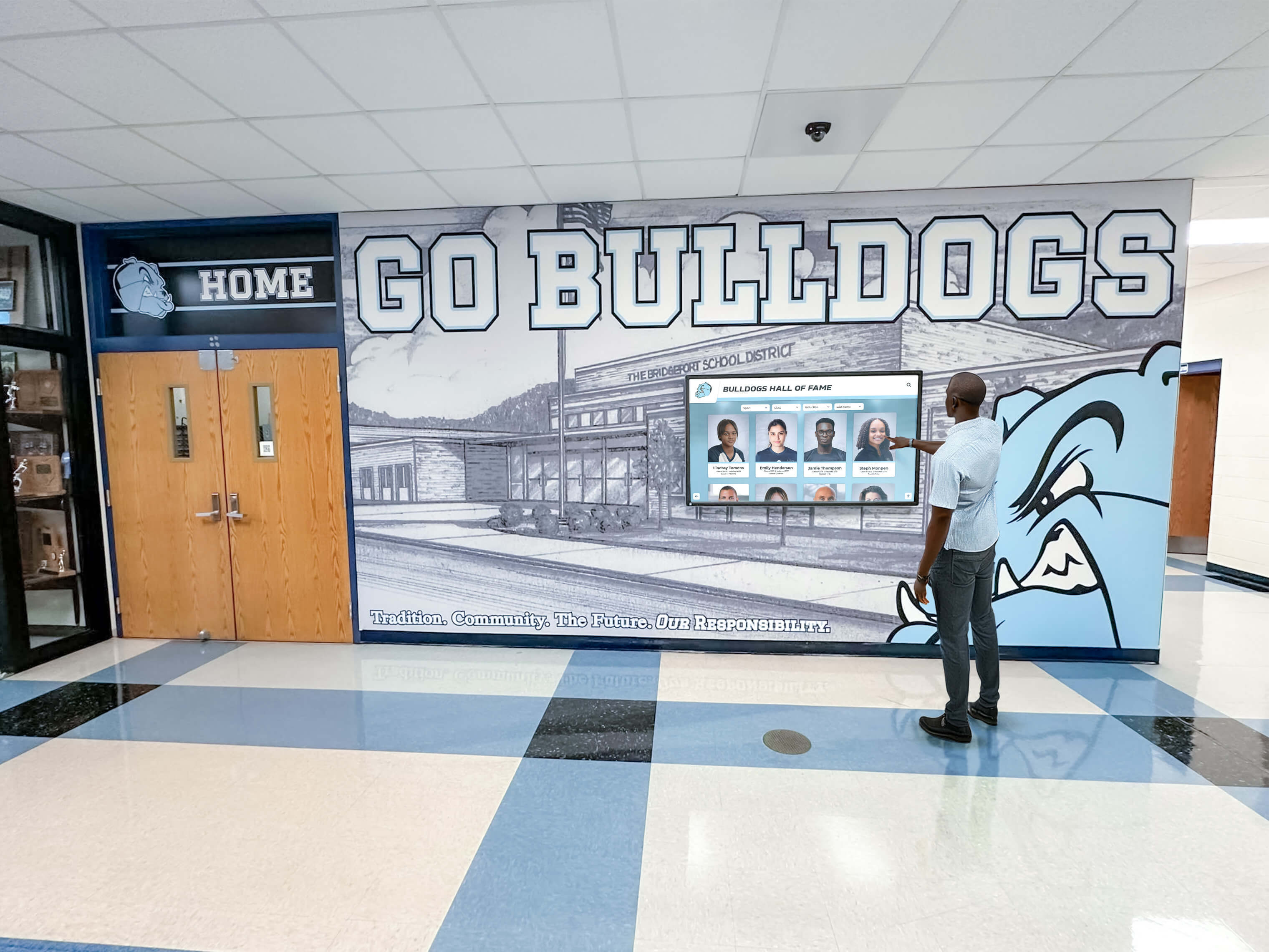
Interactive displays enable self-directed exploration connecting users to information matching their interests
Digital Signage for School Recognition: Celebrating Excellence Comprehensively
While operational communication and wayfinding provide immediate practical value, recognition content often generates strongest community engagement and lasting impact.
Beyond Traditional Trophy Cases: Unlimited Recognition Capacity
Physical recognition faces inherent limitations that digital solutions overcome:
Traditional Recognition Constraints
- Fixed capacity forcing difficult decisions about what to display
- Space consumption limiting recognition to highest-achieving individuals
- Static presentation preventing regular updates and additions
- Limited detail restricting information to brief plaques or labels
- Maintenance challenges as displays age and deteriorate
- Visibility limitations when cases fill completely or displays become crowded
Digital Recognition Advantages
- Unlimited profiles accommodating thousands of inductees or honorees
- Equal prominence giving all recognized individuals comparable presentation depth
- Regular updates enabling continuous additions and information refinements
- Rich content including photos, videos, statistics, and biographical narratives
- Search functionality helping users locate specific individuals instantly
- Accessibility through both physical displays and online platforms extending reach
Schools implementing digital recognition report celebrating 5-10 times more individuals compared to physical trophy case limitations while providing substantially richer content about each honoree.
Multi-Category Recognition Programs
Comprehensive digital systems accommodate diverse excellence:
Athletic Recognition
- Hall of fame inductees with complete career documentation
- All-conference and all-state selections by sport and year
- Record holders across various events and categories
- Championship team rosters with complete participant lists
- Coach career achievements and program building contributions
- Multi-sport athlete recognition celebrating versatility
Academic Honors
- Honor roll by marking period, semester, and year
- Valedictorian and salutatorian listings across decades
- National Merit recognition and scholarship winners
- Academic competition results and team achievements
- Perfect attendance recognition celebrating consistency
- Subject-specific awards highlighting departmental excellence
Arts and Activities
- Theater production casts and crew across years
- Music ensemble participants and solo performers
- All-state music selections and audition successes
- Visual arts exhibition features and competition awards
- Student publication contributors and leadership
- Club officers and organizational leaders
Service and Contribution
- Community service hour leaders
- Volunteer project organizers and participants
- Character award recipients
- Staff appreciation and milestone celebrations
- Alumni distinguished achievement recognition
- Donor acknowledgment and campaign supporters
Balanced recognition across all excellence domains demonstrates institutional values while preventing perceptions that schools value only athletic or academic achievement.
Explore comprehensive approaches to academic recognition programs celebrating intellectual achievement.
Recognition as Recruitment Marketing
Achievement documentation serves dual purposes:
Prospective Family Decision-Making
Research shows families evaluating schools spend 45-90 minutes exploring institutional websites and digital content before requesting information or scheduling visits. Comprehensive digital recognition provides evidence rather than assertions about school quality:
- Achievement authenticity proving excellence claims through documented results
- Program depth demonstrating breadth across multiple areas rather than narrow focus
- Historical consistency showing sustained success rather than recent anomalies
- Student experience revealing opportunities available through participation examples
- Faculty quality documented through credentials and professional achievements
- Community engagement visible through recognition of support and involvement
Digital recognition transforms generic marketing claims that all schools make (“rigorous academics,” “successful athletics,” “strong community”) into credible evidence that prospective families can explore extensively, building confidence in institutional selection.
Alumni Engagement and Giving
Recognition maintains graduate connections supporting advancement goals:
- Personal visibility helping alumni locate themselves in institutional records
- Peer discovery enabling graduates to reconnect with classmates and teammates
- Nostalgia activation triggering positive memories and emotional connections
- Legacy documentation showing how individual contributions fit into institutional story
- Current awareness updating alumni about school evolution and continued excellence
- Giving motivation inspiring financial support through demonstrated institutional pride
Alumni who feel recognized and connected to institutional heritage demonstrate substantially higher lifetime giving compared to those feeling forgotten or disconnected from schools they attended.
Conclusion: Transforming School Communication Through Strategic Digital Signage
Digital signage for schools represents more than technology adoption—it’s communication transformation enabling institutions to engage diverse audiences more effectively, celebrate achievement more comprehensively, preserve heritage more systematically, and market excellence more authentically than traditional approaches ever accomplished.
The most successful implementations recognize that displays serve multiple purposes simultaneously: operational communication keeps communities informed about daily logistics, recognition content celebrates achievements that build pride and motivation, wayfinding assistance helps visitors navigate facilities, emergency alerts protect safety, historical content connects generations to institutional heritage, and marketing documentation attracts prospective families evaluating educational options.
Schools approaching digital signage systematically—through careful planning establishing clear goals, appropriate technology selection matching capabilities to needs, comprehensive content development creating launch quality, professional installation ensuring technical reliability, distributed management enabling sustainable operations, and continuous improvement driven by measurement and feedback—create communication infrastructure delivering value for decades while requiring reasonable ongoing resource commitments.
Whether implementing broadcast displays for announcements and information or interactive recognition platforms celebrating comprehensive achievement, the frameworks, strategies, and best practices explored throughout this guide provide everything needed to transform communication from scattered, inconsistent, limited approaches into coordinated systems reaching entire communities through engaging, valuable content displayed where people naturally gather throughout school days.
Ready to transform your school’s communication and recognition through strategic digital signage? Modern platforms specifically designed for educational institutions make comprehensive implementations accessible without overwhelming technology teams or requiring ongoing custom development.
Solutions like Rocket Alumni Solutions provide purpose-built systems combining operational communication capabilities with unlimited recognition capacity, enabling schools to inform communities effectively while celebrating achievement comprehensively through single integrated platforms rather than disconnected point solutions addressing individual needs separately.
Whether launching initial digital signage programs or enhancing existing installations with expanded recognition capabilities, systematic approaches balancing operational communication with achievement celebration, professional presentation with authentic content, and distributed contribution with quality standards create programs delivering measurable value while building school pride, strengthening community connections, and marketing institutional excellence to audiences near and far.
Digital signage technology continues evolving—new capabilities enable richer interactivity, better accessibility, seamless integration with emerging platforms, and enhanced analytics revealing engagement patterns informing content strategy refinements. Schools implementing strong foundational programs position themselves to adopt innovations maintaining communication leadership while honoring core purposes that remain constant regardless of technological change: informing communities, celebrating achievement, preserving heritage, and building connections strengthening institutions across generations.
Begin your digital signage journey by convening stakeholder planning teams, establishing clear goals aligned with institutional priorities, evaluating technology options appropriate for identified needs, developing launch content creating strong first impressions, and committing to sustained content development maintaining display relevance and value. The investment in thoughtful implementation delivers communication transformation that serves schools comprehensively for years to come.































