




Digital signage screens and kiosks offer endless opportunities to inform, engage, and recognize your audience—but only if you know what to display. Many organizations invest in beautiful displays only to cycle through the same tired content: generic announcements, rotating slides, and static information that nobody reads.
The difference between digital signage that gets ignored and content that stops people in their tracks comes down to relevance, variety, and strategic planning. Whether you manage screens in a school hallway, corporate lobby, healthcare facility, or sports venue, fresh content ideas keep your displays valuable and engaging.
This guide presents 120 specific, actionable content ideas organized by purpose and audience. You’ll find options for every industry, from interactive recognition programs to real-time data feeds, seasonal campaigns to evergreen information displays.
Why Digital Signage Content Strategy Matters
Before exploring the 120 ideas, understanding why content strategy matters helps you select the right mix for your organization:
Engagement Duration: Research shows viewers spend an average of 3-7 seconds deciding whether digital content is relevant to them. Compelling, targeted content increases dwell time significantly.
Content Fatigue: Displaying the same 5-10 slides on repeat creates “banner blindness.” Audiences mentally tune out displays they perceive as unchanging or irrelevant.
Missed Opportunities: Digital displays represent valuable real estate. Empty screens or generic stock photos waste opportunities to inform, celebrate, or motivate your audience.
Return on Investment: Organizations that implement strategic content calendars report higher engagement, better information retention, and stronger community connection compared to those displaying ad-hoc content.
The goal is not just to fill screen time, but to deliver value at every glance.
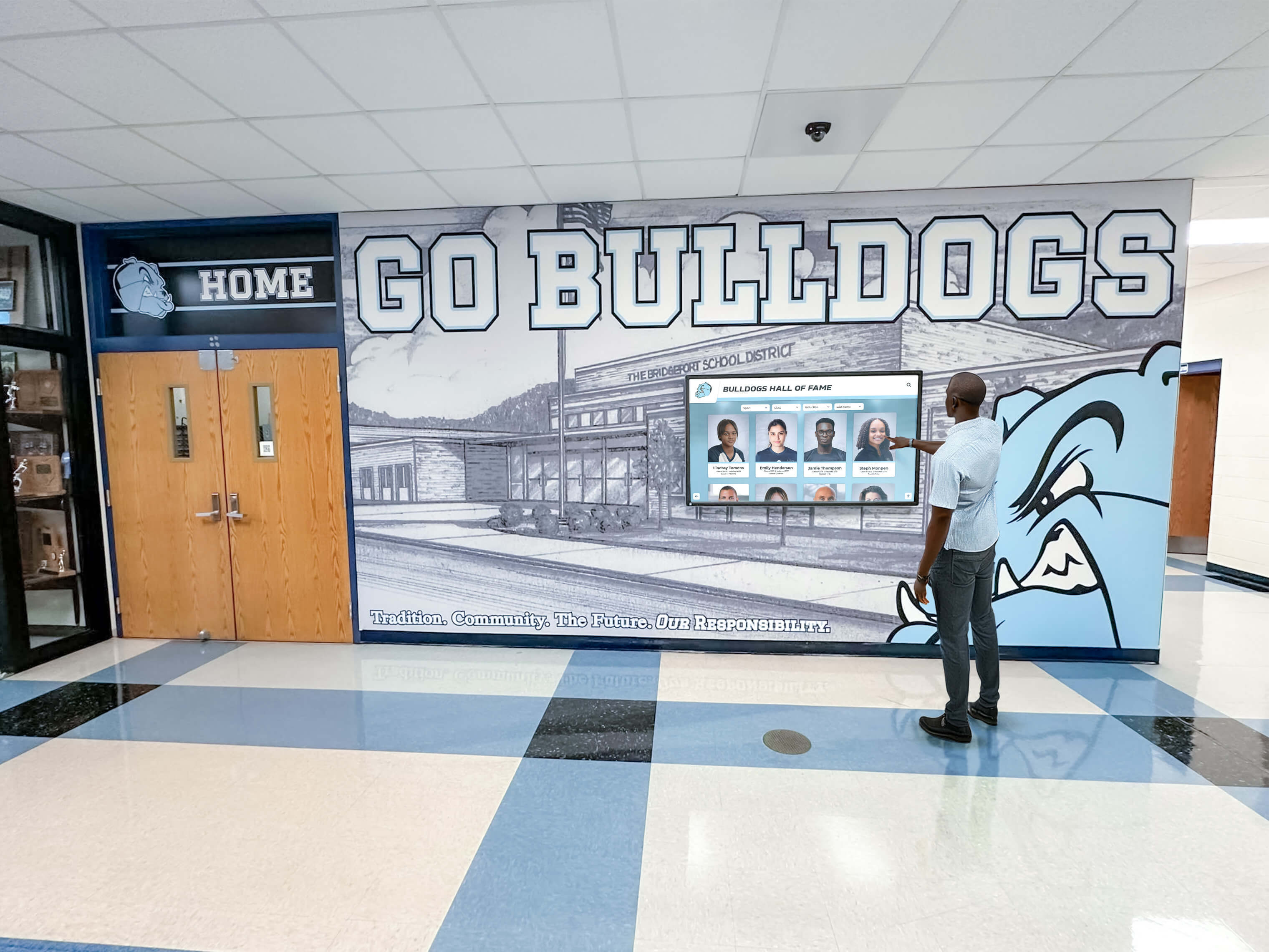
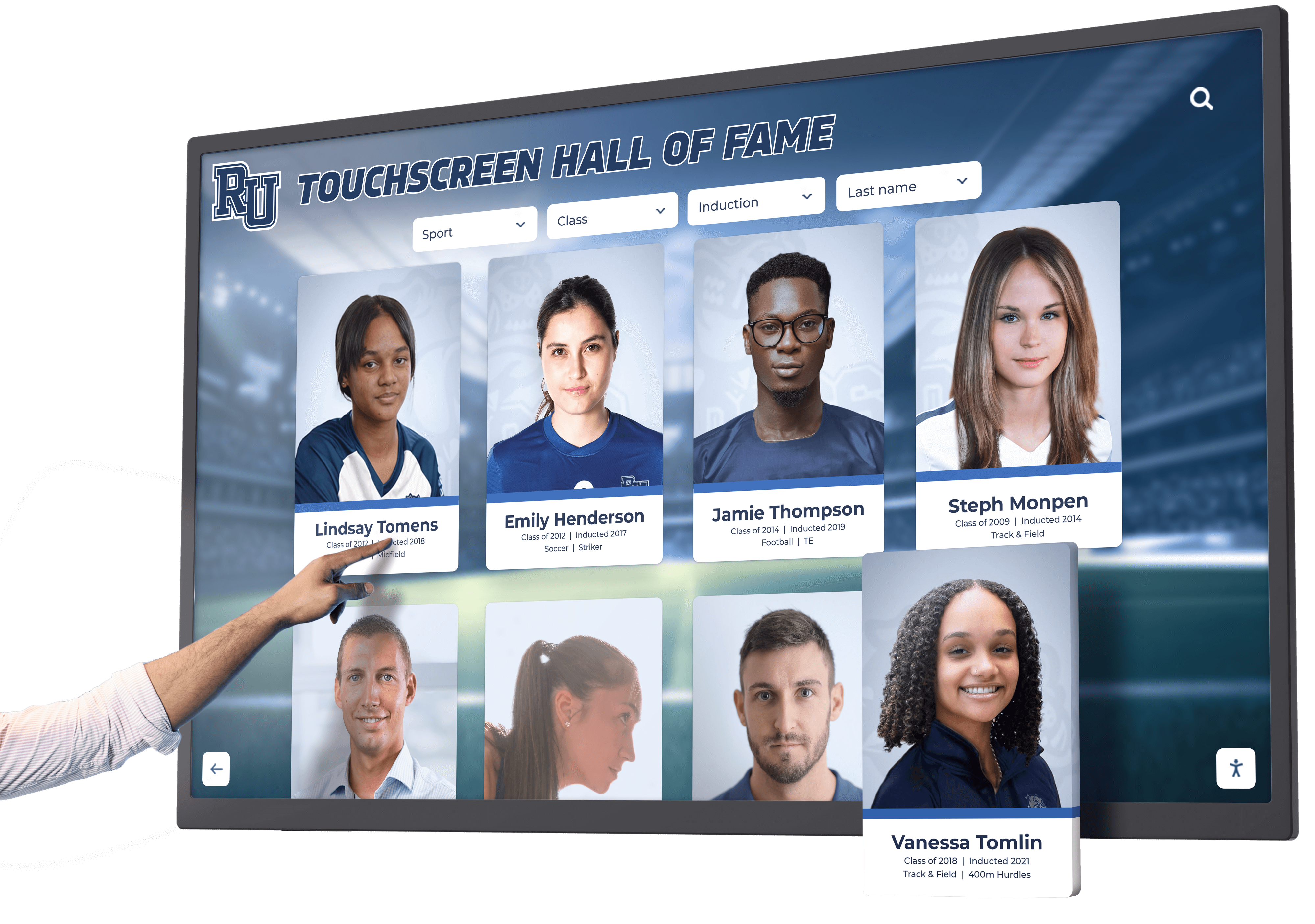
Part 1: Interactive Recognition & Achievement Content (Ideas 1-30)
Recognition content celebrates accomplishments while building community pride. These ideas work particularly well for schools, athletic organizations, alumni associations, and membership-based organizations.
Athletic Recognition
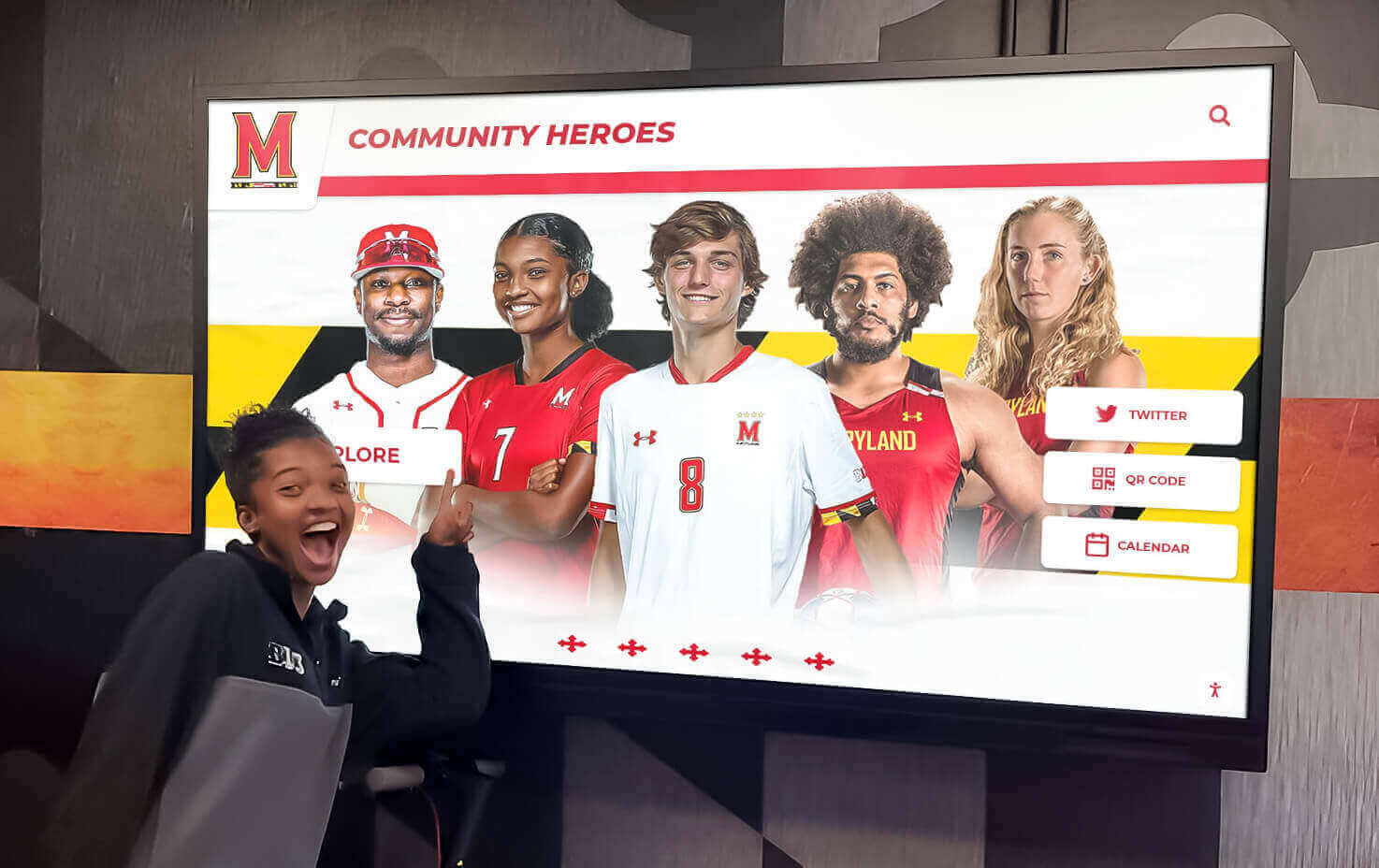
1. Hall of Fame Inductee Profiles: Display comprehensive profiles including career statistics, achievements, photos, and biographical information. Make content searchable on touchscreen displays.
2. Athlete Career Statistics Leaderboards: Show all-time records, season leaders, and career progression for various sports and categories.
3. Team Championship Histories: Timeline displays showcasing championship teams with roster photos, scores, and memorable moments.
4. Record Holder Displays: Highlight current record holders across different events, updating automatically as new records are set.
5. Senior Night Recognition Boards: Feature graduating athletes with photos, career highlights, future plans, and personal messages from coaches.
6. Coach Legacy Profiles: Celebrate coaching careers with win-loss records, championships, coaching philosophy, and player testimonials.
7. Retired Jersey Displays: Digital representations of retired numbers with the story behind each honor.
8. Game Day Countdowns: Build excitement with countdowns to major games, including opponent information and historical matchup data.
9. Weekly MVP Recognition: Spotlight top performers from recent competitions with statistics and action photos.
10. Multi-Sport Athlete Features: Recognize students who excel in multiple sports throughout the year.
Academic Achievement
11. Honor Roll Displays: Display academic achievement by grade level, updating each grading period with student names and photos.
12. Perfect Attendance Recognition: Celebrate students with perfect attendance records, encouraging consistency.
13. AP Scholar Recognition: Highlight Advanced Placement achievements and college-level course completion.
14. Academic Competition Results: Display math competition, science fair, debate tournament, and academic bowl results.
15. Scholarship Recipient Announcements: Feature students who earned academic scholarships with award amounts and institutions.
16. GPA Milestone Celebrations: Recognize students achieving 4.0 GPAs or other academic milestones.
17. National Honor Society Inductees: Feature new inductees with photos and academic accomplishments.
18. Student Research Displays: Present summaries of student research projects, especially at high school and university levels.
19. Academic Department Awards: Recognize top students in specific subject areas: English, Math, Science, Social Studies, Arts.
20. College Acceptance Boards: Display where seniors are headed, building excitement and school pride.
Alumni & Community Recognition
21. Distinguished Alumni Spotlights: Feature successful alumni with career paths, accomplishments, and how their education prepared them.
22. Alumni of the Month Programs: Rotate monthly features highlighting different alumni across various fields and graduation years.
23. Decade Reunion Recognition: Feature reunion classes with throwback photos and “where are they now” updates.
24. Community Service Leaders: Recognize students, staff, or members who contribute significant volunteer hours.
25. Employee/Staff Milestones: Celebrate work anniversaries, retirements, and professional achievements.
26. Donor Recognition Displays: Honor contributors to fundraising campaigns, building renovations, or scholarship funds with tasteful recognition.
27. Parent Volunteer Appreciation: Recognize parent contributions to school activities, fundraising, and support programs.
28. Legacy Family Features: Highlight multi-generational families connected to your organization.
29. Military Service Recognition: Honor students, alumni, staff, or community members serving in armed forces.
30. Professional Achievement Updates: Share when alumni or members reach career milestones, publish books, or receive awards.
Part 2: Informational & Operational Content (Ideas 31-60)
Practical information helps your audience navigate spaces, stay informed about schedules, and access resources they need.
Schedules & Calendars
31. Event Calendars: Display upcoming events with dates, times, locations, and brief descriptions.
32. Sports Schedules: Show game times, opponents, locations, and transportation details for athletic events.
33. Meeting Room Availability: Real-time displays showing which conference rooms or spaces are available for booking.
34. Class Schedules: Help students and parents navigate daily schedules, especially useful during orientation.
35. Bell Schedules: Display current period information and time remaining, particularly helpful during modified schedules.
36. Facility Hours: Show when different areas (library, gym, cafeteria, offices) are open to the public.
37. Transportation Schedules: Bus routes, departure times, and delay notifications for student or employee transportation.
38. Visitor Parking Information: Direct guests to appropriate parking areas with maps and time limits.
39. Semester/Term Calendars: Display key academic dates including holidays, exam periods, and breaks.
40. After-School Activity Schedules: Show clubs, sports practices, tutoring sessions, and other activities.
Wayfinding & Navigation
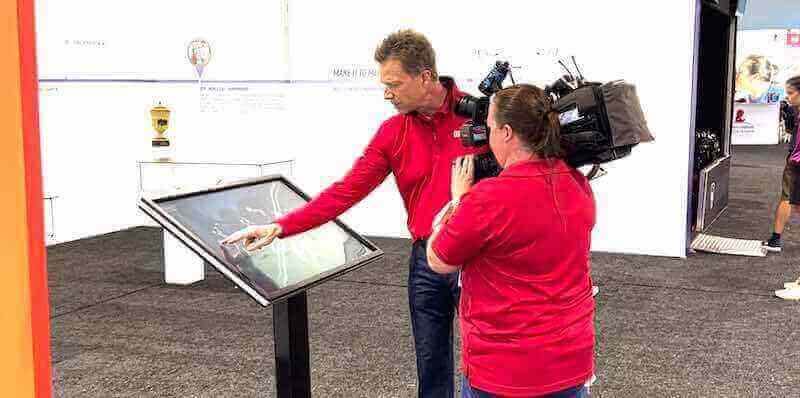
41. Interactive Campus Maps: Touchscreen displays allowing visitors to search for specific buildings or departments.
42. Building Directories: Lists of offices, classrooms, or departments with room numbers and floor locations.
43. New Student Orientation Maps: Simplified maps highlighting essential locations for newcomers.
44. Parking Lot Designations: Color-coded parking maps showing student, staff, visitor, and accessible spaces.
45. Emergency Exit Routes: Clearly marked evacuation routes from different building locations.
46. Restroom & Accessibility Guides: Show locations of restrooms, elevators, and accessibility features throughout facilities.
47. Construction Detour Information: Updated routes around construction zones or temporary closures.
48. Department Location Guides: Help visitors find specific offices or services without getting lost.
49. Stadium Seating Maps: Show section numbers, concessions, restrooms, and entry gates at sports venues.
50. Multi-Building Campus Navigation: Outdoor directional signage connecting different campus buildings.
Health & Safety
51. Emergency Alert Systems: Critical alerts for lockdowns, severe weather, or other emergencies displayed prominently.
52. Daily Health Tips: Rotate wellness advice, nutrition facts, mental health resources, and fitness suggestions.
53. Immunization Reminders: Seasonal reminders about flu shots, health screenings, or required vaccinations.
54. Safety Procedure Reminders: Fire drill procedures, emergency contact information, and safety protocols.
55. Weather Alerts: Real-time weather conditions and warnings, especially important for school closures.
56. Air Quality Information: Current AQI readings and outdoor activity recommendations.
57. Nurse Office Hours: Display when health services are available and how to access them.
58. Mental Health Resources: Contact information for counseling services, crisis hotlines, and support groups.
59. COVID-19 or Health Protocol Updates: Current health guidelines relevant to your facility.
60. Accident Prevention Reminders: Safety tips relevant to your environment (wet floor warnings, equipment safety, etc.).
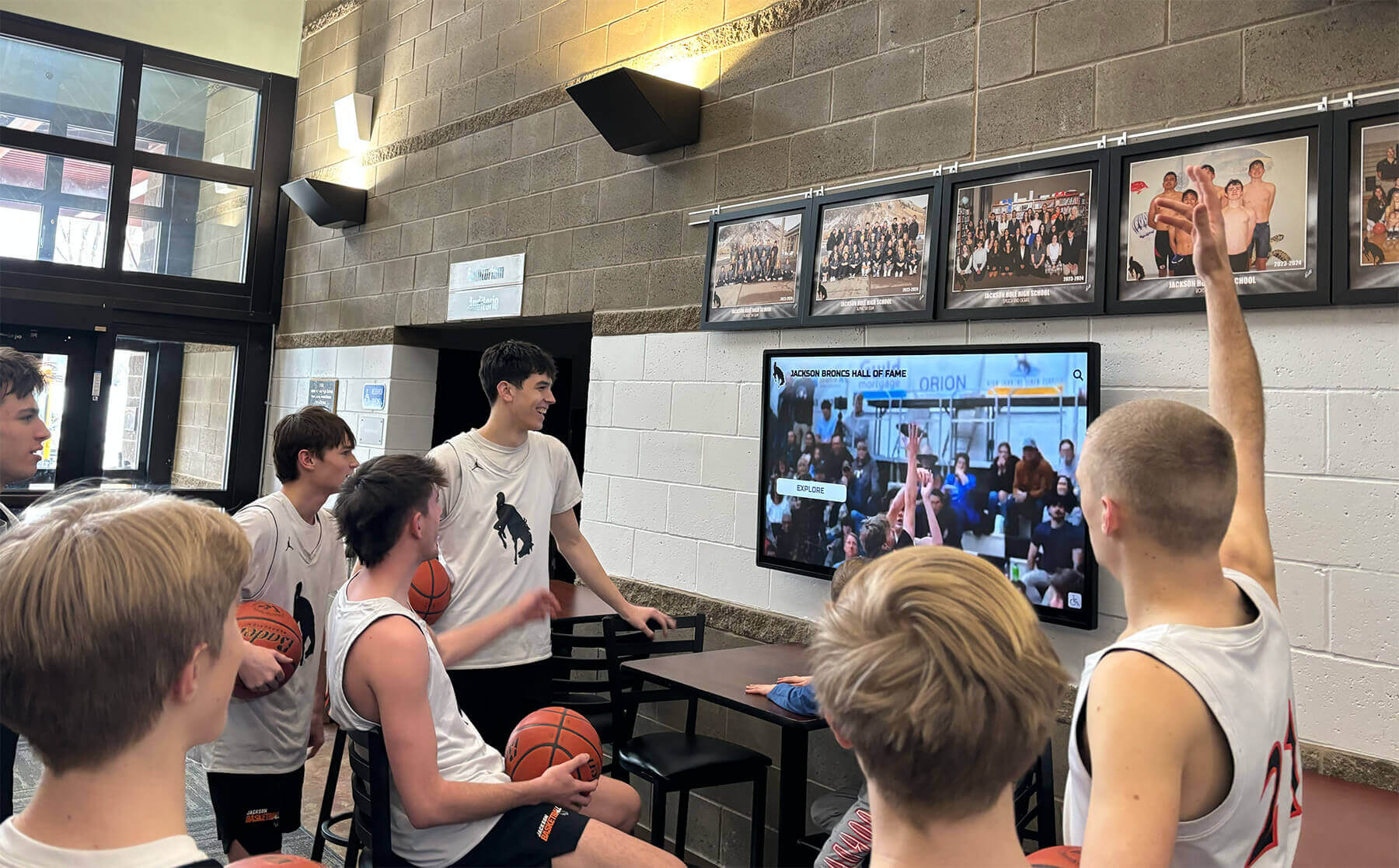
Part 3: Engagement & Interactive Content (Ideas 61-80)
Content that invites participation creates memorable experiences and strengthens community connections.
Social Media Integration
61. Live Social Media Feeds: Display filtered hashtag feeds from Instagram, Twitter, or Facebook showing your community’s content.
62. Social Media Contests: Promote photo contests, caption competitions, or engagement campaigns with participation instructions.
63. User-Generated Content Galleries: Curate and display photos, videos, or testimonials submitted by your community.
64. Social Media Metrics: Display follower milestones, engagement statistics, or campaign results to encourage participation.
65. Instagram Story Highlights: Feature recent Instagram stories on larger displays for better visibility.
66. Alumni Connection QR Codes: Display QR codes linking to alumni networks, registration forms, or social media groups.
67. Event Photo Recaps: Post-event galleries showing highlights from recent activities, celebrations, or competitions.
68. Before/After Transformations: Show facility improvements, landscaping changes, or renovation progress.
69. Community Shout-Outs: Feature positive mentions, reviews, or testimonials shared on social platforms.
70. Live Event Coverage: Stream portions of events, games, or ceremonies happening elsewhere on campus.
Interactive Features
71. Trivia & Quiz Games: Education-focused trivia about your organization’s history, current events, or academic subjects.
72. Polls & Surveys: Gather feedback on simple questions (“What’s your favorite lunch option?”) with real-time results.
73. Digital Suggestion Boxes: Accept feedback, ideas, or questions through touchscreen interfaces.
74. Scavenger Hunt Clues: Create building-wide or campus-wide scavenger hunts with clues displayed on various screens.
75. Daily Challenges: Post fitness challenges, math problems, vocabulary words, or thought-provoking questions.
76. Interactive Timelines: Touch-enabled historical timelines showing organizational milestones and evolution.
77. Virtual Photo Booths: Simple photo capture features with branded frames for special events.
78. Student/Staff Spotlights with QR Codes: Brief profiles on display with QR codes linking to extended interviews or portfolios.
79. “Guess Who” Features: Display childhood photos of staff or historical figures with reveals later in the day.
80. Interactive Art Galleries: Digital presentations of student or local artist work with artist statements and media information.
Part 4: Educational & Informational Content (Ideas 81-100)
Content that teaches, informs, or expands knowledge adds lasting value beyond immediate announcements.
Learning Content
81. Word of the Day: Vocabulary building with definitions, etymology, and example sentences.
82. Historical “This Day in History”: Notable events that occurred on the current date, particularly relevant to your organization or community.
83. STEM Facts & Figures: Rotating science, technology, engineering, and math facts that educate and inspire.
84. Literary Quotes: Daily quotes from classic and contemporary literature with author information.
85. College Preparation Tips: Information about SAT/ACT prep, application processes, essay writing, and financial aid.
86. Career Exploration Content: Introduce various career paths, required education, and salary expectations.
87. Study Tips & Techniques: Research-backed study methods, time management strategies, and academic resources.
88. Language Learning Content: Daily phrases in world languages taught in your school or relevant to your community.
89. Test Preparation Countdowns: Days until important exams with study resource recommendations.
90. Research Database Tutorials: Quick guides on using library databases, citation tools, or academic resources.
News & Current Events
91. Curated News Headlines: Age-appropriate, relevant news summaries from trusted sources.
92. Industry-Specific News: For corporate environments, display relevant business or industry developments.
93. Local Community News: Highlight positive stories from your town or region.
94. Weather Forecasts: Multi-day forecasts with temperature, precipitation, and severe weather alerts.
95. Sports Scores & Updates: Local, regional, or professional sports results relevant to your audience.
96. Stock Market Tickers: For business schools or corporate environments, display market indices and key stocks.
97. Current Events Discussions: Display thought-provoking questions about news topics to spark conversation.
98. College & University News: For high schools, share news from colleges where students commonly apply or attend.
99. Scientific Discoveries: Highlight recent research, discoveries, or technological breakthroughs.
100. Arts & Culture Events: Local theater productions, museum exhibitions, concerts, or cultural festivals.
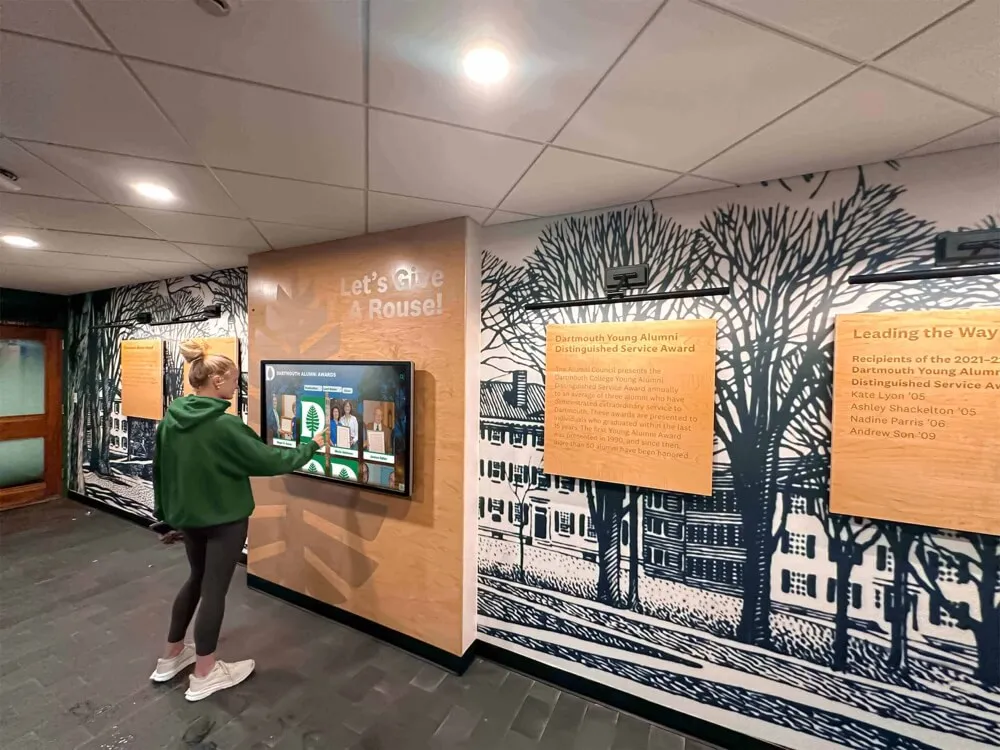
Part 5: Promotional & Marketing Content (Ideas 101-115)
Strategic promotional content drives participation, increases awareness, and supports organizational goals.
Program Promotion
101. Club & Organization Recruitment: Feature clubs seeking new members with meeting times, activities, and contact information.
102. Athletic Program Promotions: Encourage attendance at games with matchup previews and ticket information.
103. Performing Arts Event Promotion: Advertise concerts, plays, musicals, or art shows with dates and ticketing details.
104. Registration Deadlines: Remind audiences about upcoming registration windows for courses, programs, or events.
105. Summer Program Information: Promote summer camps, courses, or activities with registration details.
106. Fundraising Campaign Updates: Share progress toward fundraising goals with thermometer graphics and impact stories.
107. Sponsorship Recognition: Thank business sponsors and community partners supporting your programs.
108. Merchandise Promotions: Advertise school spirit wear, organizational merchandise, or fundraising product sales.
109. Season Ticket Sales: Promote season passes for athletic events or performing arts series.
110. Facility Rental Information: Market your spaces for community events, showing amenities and booking contacts.
Special Campaigns
111. Giving Tuesday Appeals: Coordinate with donation campaigns highlighting impact and recognition opportunities.
112. Alumni Weekend Promotions: Build excitement for homecoming or reunion weekends with schedules and registration links.
113. Open House Advertisements: Promote prospective student visits with compelling highlights and RSVP information.
114. Volunteer Opportunity Listings: Connect volunteers with needs: coaching positions, event help, mentoring programs.
115. Application Deadline Reminders: For colleges or competitive programs, reminder campaigns about approaching deadlines.
Part 6: Seasonal & Timely Content (Ideas 116-120)
Timely content keeps displays fresh and relevant throughout the year.
116. Holiday Celebrations & History: Educational content about holidays observed by your community with cultural context.
117. Spirit Week Daily Themes: During spirit weeks, display each day’s theme with examples and participation encouragement.
118. Countdown to Major Events: Build anticipation for homecoming, prom, graduation, or significant organizational milestones.
119. Seasonal Safety Reminders: Weather-appropriate safety tips (winter driving, heat safety, seasonal illness prevention).
120. Anniversary Milestones: Celebrate organizational founding dates, building dedications, or program anniversaries with historical photos and facts.
Creating Your Content Calendar
Having 120 ideas is valuable, but implementing them effectively requires strategic planning. A content calendar ensures variety, prevents repetition, and maintains relevance.
Content Mix Strategy
Balance your content across categories to serve different audience needs:
- 30% Recognition & Achievement: Celebrate accomplishments that build pride and motivation
- 25% Informational & Operational: Practical information your audience needs daily
- 20% Engagement & Interactive: Content that invites participation and connection
- 15% Educational: Content that teaches or expands knowledge
- 10% Promotional: Strategic marketing supporting organizational goals
This ratio adjusts based on your organization’s priorities. Athletic programs might weight recognition higher, while corporate environments might emphasize operational information.
Update Frequency Guidelines
Different content types require different refresh rates:
Real-Time Content (updates continuously): Weather, news feeds, emergency alerts, meeting room availability, transportation schedules
Daily Updates: Daily tips, word of the day, lunch menus, quotes, current period information
Weekly Updates: Event calendars, sports schedules, upcoming activities, featured profiles
Monthly Updates: Honor roll, employee recognition, alumni spotlights, club information
Seasonal Updates: Holiday content, spirit weeks, campaign promotions, seasonal safety tips
Permanent/Evergreen: Historical information, facility maps, emergency procedures, mission statements
Technical Considerations
Successful digital signage content requires attention to design fundamentals:
Readability: Use large, high-contrast fonts. Text should be readable from the typical viewing distance for your display location.
Visual Hierarchy: Most important information should be immediately visible. Secondary details can be smaller or positioned less prominently.
Display Duration: Static slides typically need 7-10 seconds minimum. Complex information or text-heavy content requires longer duration.
Resolution & Format: Create content matching your display’s native resolution. Low-resolution images appear pixelated and unprofessional.
Color Schemes: Maintain consistent branding while ensuring sufficient contrast for readability. Avoid pure white backgrounds in dark hallways.
Animation & Motion: Subtle motion attracts attention, but excessive animation becomes distracting. Use motion purposefully.
Solutions like Rocket Alumni Solutions provide purpose-built platforms for managing recognition content, particularly for educational institutions and athletic programs. These systems feature cloud-based content management, unlimited profile capacity, and touchscreen-optimized interfaces that make implementing many of the recognition ideas listed above straightforward and scalable.
Measuring Content Effectiveness
Track these metrics to understand which content resonates:
Dwell Time: How long do viewers stop to engage with content? Longer dwell times indicate compelling material.
Interaction Rate: For touchscreens, track how often people engage versus simply walk past.
Completion Rate: Do viewers page through multi-screen content or abandon after the first screen?
Time of Day Patterns: When does your display see the most traffic? Schedule premium content for peak times.
Content Category Performance: Which types of content generate the most engagement? Double down on what works.
Survey Feedback: Periodically survey your audience about what content they find valuable versus what they ignore.
Many digital signage platforms include analytics dashboards showing these metrics, enabling data-driven content decisions.
Industry-Specific Quick Reference
For K-12 Schools (Top 20 Ideas)
- Honor roll displays (Idea 11)
- Athletic hall of fame profiles (Idea 1)
- Student of the month features (Idea 30 variation)
- Daily announcements and schedules (Ideas 31-40)
- Emergency alerts and safety procedures (Ideas 51-60)
- College acceptance boards (Idea 20)
- Staff milestone recognition (Idea 25)
- School historical timelines (Idea 76)
- Spirit week themes (Idea 117)
- Lunch menus with nutritional information
- Club recruitment information (Idea 101)
- Sports schedules and scores (Ideas 32, 95)
- Parent volunteer recognition (Idea 27)
- Weather alerts and closures (Ideas 55, 59)
- Graduation countdowns (Idea 118)
- Daily learning content (Ideas 81-90)
- Performing arts promotions (Idea 103)
- Birthday recognition displays
- Perfect attendance celebrations (Idea 12)
- Student artwork galleries (Idea 80)
For Higher Education (Top 15 Ideas)
- Distinguished alumni networks (Idea 21)
- Research project presentations (Idea 18)
- Campus event calendars (Idea 31)
- Interactive campus maps (Idea 41)
- Donor recognition displays (Idea 26)
- Career services information (Idea 86)
- Study abroad opportunities
- Campus safety alerts (Idea 51)
- Library resource tutorials (Idea 90)
- Athletic schedules and highlights (Ideas 32, 70)
- Greek life information and recruitment
- Student government updates
- Internship and job postings
- Academic support services
- Campus dining hours and menus
For Athletic Facilities (Top 15 Ideas)
- Hall of fame interactive displays (Ideas 1-10)
- Record holder displays (Idea 4)
- Championship team histories (Idea 3)
- Game day information and countdowns (Idea 8)
- Coach legacy profiles (Idea 6)
- Live game streaming and highlights (Idea 70)
- Sponsor recognition displays (Idea 107)
- Athlete training tips and nutrition
- Facility usage schedules
- Youth program registration information
- Season ticket promotions (Idea 109)
- Community fitness class schedules
- Safety and emergency procedures
- Multi-sport athlete recognition (Idea 10)
- Alumni athlete spotlights (Idea 22)
For Corporate Offices (Top 12 Ideas)
- Employee recognition and milestones (Idea 25)
- Company news and announcements
- Meeting room availability (Idea 33)
- Visitor directories and wayfinding (Ideas 41-50)
- Performance dashboards and KPIs
- Industry news feeds (Idea 92)
- Safety and compliance reminders (Ideas 51-60)
- Employee wellness tips (Idea 52)
- Company values and mission statements
- Team celebrations and birthdays
- Training and development opportunities
- Community involvement highlights (Idea 24)
Common Implementation Mistakes to Avoid
Mistake 1: Too Much Text: Displays are not websites. Limit text to essential information readable from viewing distance.
Mistake 2: Infrequent Updates: Stale content trains viewers to ignore your displays. Establish regular update schedules.
Mistake 3: No Content Strategy: Random, disconnected content lacks cohesion. Plan content themes and sequences intentionally.
Mistake 4: Ignoring Accessibility: Ensure sufficient contrast, readable font sizes, and alternative formats for critical information.
Mistake 5: Poor Placement: Beautiful content means nothing if displays are positioned where nobody looks. Consider traffic patterns and sight lines.
Mistake 6: Generic Stock Photos: Authentic images of your actual community resonate far more than generic stock photography.
Mistake 7: Neglecting Mobile Integration: QR codes and mobile extensions let viewers take information with them or explore deeper.
Mistake 8: No Feedback Mechanism: Without gathering input, you don’t know what content your audience values.
Next Steps: Implementing Your Digital Signage Content Strategy
Start by auditing your current content against the 120 ideas presented here:
Step 1: Categorize what you currently display using the six categories from this guide.
Step 2: Identify gaps. Which categories are you underutilizing? What content could better serve your audience?
Step 3: Select 5-10 new content ideas to implement in the next month based on your audience’s needs and your organizational goals.
Step 4: Create a simple content calendar scheduling when each piece will display and how often it will be updated.
Step 5: Establish content creation workflows. Who creates content? Who reviews it? Who schedules it for display?
Step 6: Set measurement goals. What metrics will indicate success? How will you gather feedback?
Step 7: Review and refine quarterly. Digital signage is not “set it and forget it.” Regular refinement keeps content fresh and effective.
For organizations focused on recognition and achievement—particularly schools, universities, and athletic programs—specialized solutions streamline implementation. Digital recognition platforms designed specifically for celebrating accomplishments and building community pride handle the technical complexity while letting you focus on honoring your community’s achievements.
Digital signage represents a significant investment in communication infrastructure. The difference between displays that transform your space and expensive screensavers that get ignored is strategic content planning.
Whether you implement interactive recognition displays, real-time information feeds, engaging social media integration, or a comprehensive mix, consistent attention to content quality and relevance ensures your displays deliver value.
Ready to transform your digital displays with compelling recognition content? Book a demo to see how purpose-built platforms simplify content management for schools and organizations celebrating achievement.
The 120 ideas in this guide provide a starting point. Your organization’s unique culture, audience, and goals will shape which content resonates most. Start with a few high-impact ideas, measure their effectiveness, and gradually expand your content library. Digital signage becomes increasingly valuable as you develop a content rhythm that keeps your displays fresh, relevant, and engaging.































