



Intent: Define — School administrators face mounting pressure to modernize communication systems while managing tight budgets and competing priorities. Traditional static signage—bulletin boards crammed with outdated flyers, hand-lettered posters announcing past events, and weathered banners celebrating achievements from years ago—fails to meet the dynamic communication needs of today’s educational institutions. Meanwhile, students, parents, staff, and visitors expect timely, relevant information delivered through the same digital channels they experience everywhere else.
Digital school signs transform how educational institutions communicate by replacing static announcements with dynamic content that adapts instantly to changing needs. Schools implementing thoughtful digital signage strategies report 60-75% improvements in message reach, dramatic reductions in printing costs, and enhanced school culture through consistent recognition of student achievements. The difference between successful implementations and disappointing investments hinges entirely on making informed decisions about technology selection, content strategy, and deployment approach.
This comprehensive guide walks school administrators through the complete digital signage decision process—from understanding display types and evaluating vendors to planning content workflows and measuring success. Whether you’re replacing outdated announcement boards, modernizing recognition displays, or building an entirely new campus communication infrastructure, this guide provides the framework for implementing digital school signs that deliver lasting value.
School signage serves far more purposes than simple wayfinding. Effective digital signage systems simultaneously handle emergency communications, daily announcements, event promotion, visitor information, student recognition, staff directories, lunch menus, schedule changes, and community engagement—all while adapting content automatically based on location, audience, and time of day.

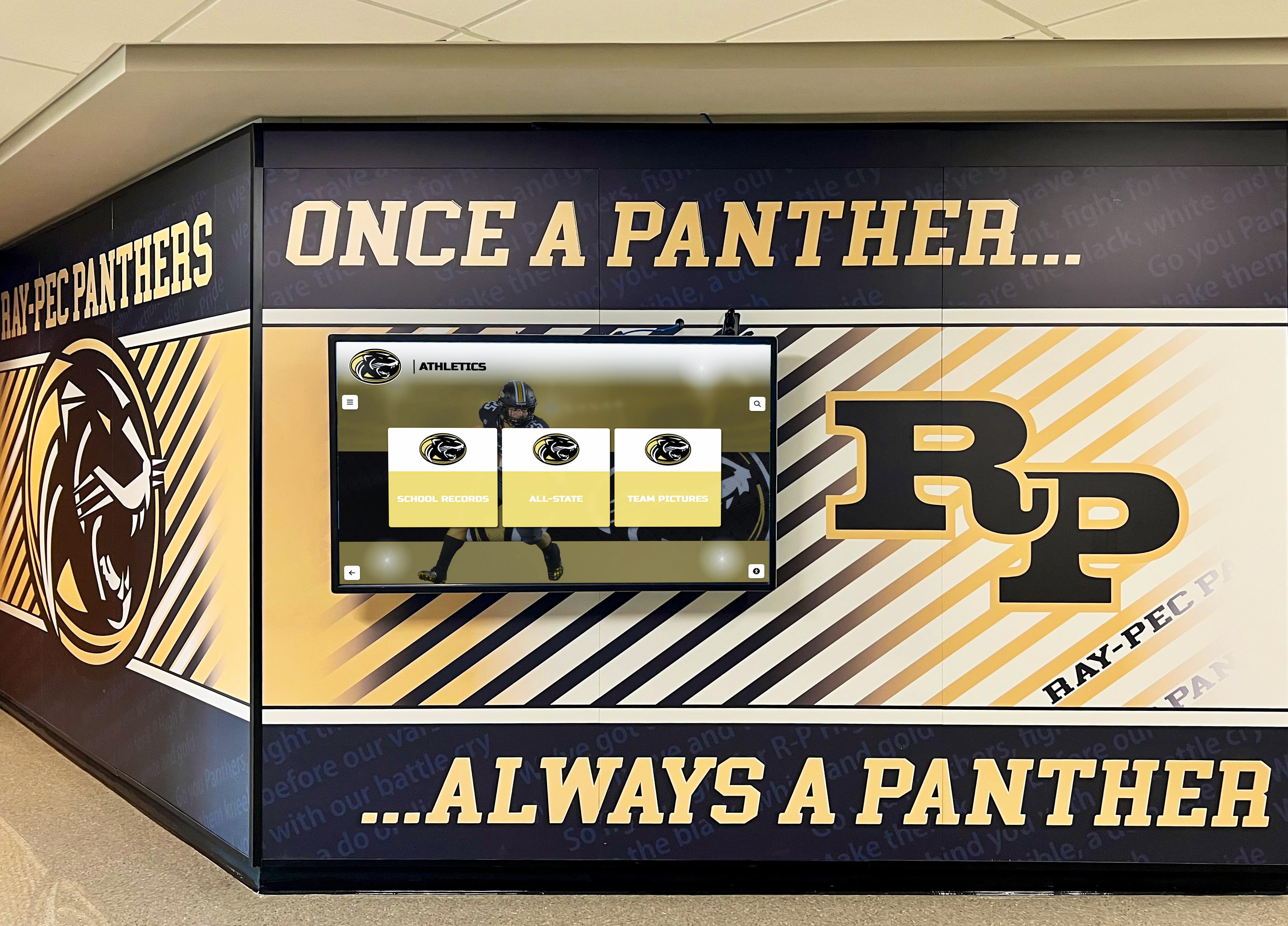
Modern digital signage integrates seamlessly with school branding and environmental design while delivering dynamic content
Understanding Digital School Sign Types and Applications
Before evaluating specific products or vendors, understanding the fundamental categories of digital school signs ensures you select systems matching your actual communication needs rather than purchasing technology seeking application afterward.
Announcement and Communication Displays
The most common digital school signs focus primarily on broadcasting information to audiences passing through shared spaces.
Hallway Announcement Screens
- Wall-mounted displays showing daily announcements and schedules
- Typical sizes ranging from 43" to 75" depending on viewing distance
- Portrait or landscape orientation based on content and location
- Cloud-based content management enabling updates from any device
- Scheduled content rotation displaying multiple messages throughout day
- Emergency alert override capability for urgent communications
Entry and Lobby Displays
- Large-format screens greeting visitors and providing directories
- Welcome messages personalizing experience for specific events
- Campus maps helping visitors navigate facilities
- Staff directories with photos facilitating connection
- Achievement showcases highlighting recent student success
- Event calendars promoting upcoming activities
Cafeteria and Commons Areas
- Menu displays showing daily meal options and nutritional information
- Social media feeds celebrating student activities
- Video content including morning announcements and highlights
- Sponsored content recognizing business partners and supporters
- Event countdowns building anticipation for upcoming activities
- Weather information and transportation updates
These displays excel at broadcasting identical information to wide audiences but typically lack personalization or interaction capabilities.
Discover how schools use digital signage for split-screen announcements combining multiple content streams simultaneously.
Interactive Touchscreen Displays
More sophisticated digital school signs incorporate touch capabilities enabling personalized exploration rather than passive viewing.

Interactive touchscreen displays enable visitors and students to explore personalized content at their own pace
Recognition and History Displays
- Hall of fame installations celebrating alumni and athletic achievements
- Historical archives preserving school traditions and milestones
- Award showcases honoring academic and extracurricular excellence
- Interactive directories enabling search by name, year, or achievement
- Photo galleries showcasing decades of school history
- Video testimonials from distinguished graduates and community members
Digital recognition displays like those offered by Rocket Alumni Solutions transform traditional static trophy cases into engaging interactive experiences that honor unlimited achievements without space constraints. Unlike broadcast announcements, these systems invite exploration—students tap through profiles of accomplished alumni, visitors search historical archives, and community members discover connections to school traditions spanning generations.
Campus Information Kiosks
- Wayfinding systems helping visitors navigate facilities
- Event information providing details about schedules and locations
- Program directories explaining academic and extracurricular offerings
- Staff profiles connecting families with teachers and administrators
- Accessibility information ensuring inclusive campus navigation
- Translation capabilities serving multilingual communities
Student Service Hubs
- Library catalog access and resource discovery
- College and career information systems
- Volunteer opportunity boards connecting students with service projects
- Club and organization directories promoting participation
- Community bulletin boards facilitating peer communication
- Resource centers providing support service information
Interactive displays require more sophisticated content management than simple broadcast systems but deliver significantly higher engagement and information retention.
Outdoor Digital Signs
Schools with street visibility often prioritize outdoor digital signs communicating with passing traffic and community members.
Marquee Displays
- High-brightness LED systems visible in direct sunlight
- Weather-resistant enclosures protecting electronics from elements
- Remote content management updating messages without ladder access
- Programmable time displays showing different messages throughout day
- Emergency alert capabilities for closures and urgent communications
- Community engagement celebrating achievements visible to broader audience
Athletic Field Scoreboards
- Large-format displays providing scores, stats, and game information
- Video replay capabilities enhancing spectator experience
- Sponsor recognition integrating with athletics revenue streams
- Multi-sport programming adapting to different athletic activities
- Live statistics integration from scoring systems
- Social media integration encouraging family engagement
Outdoor systems face environmental challenges absent from indoor installations—temperature extremes, precipitation, direct sunlight, and vandalism concerns all require specialized equipment specifications and higher budgets than comparable indoor displays.
Key Decision Factors When Choosing Digital School Signs
The digital signage market offers hundreds of products spanning enormous price ranges with wildly different capabilities. These critical evaluation factors separate appropriate solutions from expensive mistakes.

Permanent digital displays require careful consideration of placement, size, and long-term content needs
Content Management System Capabilities
The software managing your digital signs matters far more than display hardware—screens last 5-7 years while you’ll use the content management system daily.
Essential CMS Features
- Cloud-based access enabling updates from any device and location
- Intuitive content creation requiring no technical expertise
- Scheduled publishing automatically displaying content at appropriate times
- Multi-screen management controlling entire campus from single interface
- Template systems ensuring consistent branding across all displays
- Media library organizing photos, videos, and graphics centrally
- Permission controls restricting access based on user roles
- Approval workflows preventing unauthorized content publication
Advanced CMS Capabilities
- Data integration pulling information from student information systems
- Emergency alert integration broadcasting urgent messages instantly
- Social media feeds automatically displaying approved content
- Weather and RSS integration providing dynamic information
- Analytics dashboards measuring content effectiveness and engagement
- API access integrating with other school technology systems
- Mobile apps enabling content updates from smartphones and tablets
- Multi-campus management for district-wide deployments
Schools frequently underestimate CMS importance during initial evaluation, focusing instead on screen specifications. This prioritization reverses quickly after installation when administrators discover they purchased beautiful displays controlled by frustrating software requiring IT assistance for simple updates.
Display Specifications and Placement
Technical specifications matter tremendously, but only when matched appropriately to actual viewing conditions and content requirements.
Screen Size Selection
- Viewing distance calculations determining minimum readable size
- Content complexity affecting required resolution and dimensions
- Installation location constraints limiting physical dimensions
- Portrait vs. landscape orientation matching content format
- Multi-screen configurations creating larger visual impact
- Touch functionality requirements affecting size decisions
Resolution and Brightness Requirements
- 4K resolution providing detail for close viewing and touch interaction
- 1080p adequacy for announcement displays viewed from distance
- High brightness (700+ nits) for windows and bright environments
- Standard brightness (350-500 nits) for typical indoor locations
- Automatic brightness adjustment adapting to ambient conditions
- Anti-glare treatments reducing reflection issues
Mounting and Installation Considerations
- Wall mount weight capacity and structural requirements
- Accessibility compliance ensuring appropriate mounting heights
- Cable management maintaining professional appearance
- Power availability and circuit capacity
- Network connectivity requirements (WiFi vs. wired Ethernet)
- Maintenance access for eventual servicing needs
Learn about touchscreen kiosk hardware specifications important for interactive display deployments.
Budget Planning and Total Cost of Ownership
Published display prices represent only a fraction of actual long-term costs.
Initial Investment Components
- Display hardware including screens, media players, and mounting equipment
- Content management software licensing (often annual subscriptions)
- Installation labor including mounting, power, and network connections
- Initial content creation and template design
- Staff training ensuring effective system utilization
- Contingency budget for unexpected complications (15-20% of hardware cost)
Ongoing Operational Costs
- Software subscription renewals (typically $500-2,000 annually per display)
- Electricity consumption (modern displays average $30-80 annually)
- Content creation time and potential outsourcing needs
- Technical support and maintenance contracts
- Network bandwidth and infrastructure costs
- Hardware replacement reserves for eventual failure (7-10 year planning)
Hidden Cost Traps
- Per-display licensing models multiplying costs with campus expansion
- Proprietary systems locking you into single vendor
- Bandwidth limitations throttling video content capability
- Limited content storage requiring frequent deletion
- Additional charges for essential features like scheduling or analytics
- Mandatory training requirements imposing ongoing costs
Schools frequently discover that “free” content management systems bundled with displays prove frustratingly limited, eventually requiring migration to proper paid platforms—essentially paying for displays twice when accounting for abandoned initial systems.
Implementation Planning and Content Strategy
The most expensive displays fail without thoughtful implementation planning addressing both technical deployment and ongoing content workflows.

Successful digital signage implementations require clear content strategies and defined responsibilities before installation
Deployment Timeline and Phases
Attempting campus-wide deployment in single phase invites disaster through overwhelming complexity and insufficient learning opportunities.
Phase 1: Pilot Installation (Months 1-3)
- Single high-visibility display in main entrance or office area
- Simple broadcast content testing basic functionality
- Staff training with small initial group (3-5 people)
- Content creation workflow development and refinement
- Technical troubleshooting in controlled environment
- Stakeholder feedback collection informing larger rollout
Phase 2: Core Campus Coverage (Months 4-8)
- Main hallway displays broadcasting daily announcements
- Cafeteria screens showing menus and event information
- Office lobby displays greeting visitors
- Content management team expansion including additional trained staff
- Template refinement based on pilot learning
- Analytics review identifying successful content patterns
Phase 3: Specialized Applications (Months 9-12)
- Athletic facility displays celebrating team achievements
- Library information systems supporting student services
- Classroom building directories and wayfinding
- Recognition displays honoring student accomplishments
- Department-specific signage meeting unique needs
- Integration with existing technology systems
Phase 4: Optimization and Expansion (Ongoing)
- Content strategy refinement based on engagement data
- Display additions addressing identified gaps
- Software capabilities expansion as needs evolve
- Staff capability development through advanced training
- Community feedback integration improving effectiveness
- Budget planning for refresh cycles and replacements
This phased approach enables learning from early successes and failures before committing entire budgets, prevents overwhelming staff with excessive complexity, and allows technical infrastructure scaling as understanding matures.
Explore comprehensive guidance on implementing interactive kiosks in educational environments.
Content Creation and Management Workflows
Beautiful displays showing outdated information damage school credibility more than no displays at all.
Content Responsibility Assignment
- Primary content manager overseeing system and maintaining standards
- Department contributors providing specialized content (athletics, activities, academics)
- Approval authority establishing content review before publication
- Emergency communication protocols bypassing normal workflows
- Technical support resources troubleshooting issues
- Training coordinators preparing new users
Content Calendar Development
- Weekly announcement schedules establishing regular rhythms
- Event promotion timelines coordinating marketing efforts
- Recognition features celebrating achievements systematically
- Seasonal content planning preparing for predictable cycles
- Emergency placeholder content maintaining professional appearance during technical issues
- Archive policies removing outdated information automatically
Quality Standards and Brand Guidelines
- Visual identity requirements ensuring consistent school branding
- Image resolution minimums preventing pixelated content
- Text readability standards considering viewing distances
- Content length guidelines optimizing message delivery
- Approval requirements for different content categories
- Accessibility compliance ensuring inclusive communication
Content Performance Evaluation
- View duration metrics identifying engaging vs. ignored content
- Time-of-day effectiveness analyzing when audiences actually pay attention
- Content type comparison (text vs. video vs. images)
- Location-based performance understanding placement effectiveness
- A/B testing experimenting with different approaches
- Stakeholder feedback mechanisms gathering qualitative insights
Schools achieving sustained digital signage success treat content management as seriously as the technology investment—defining clear workflows, assigning specific responsibilities, establishing quality standards, and continuously refining approaches based on effectiveness data.
Specialized Applications: Recognition and Interactive Experiences
While broadcast announcements represent the most common digital school sign application, specialized systems deliver disproportionate impact on school culture and community engagement.
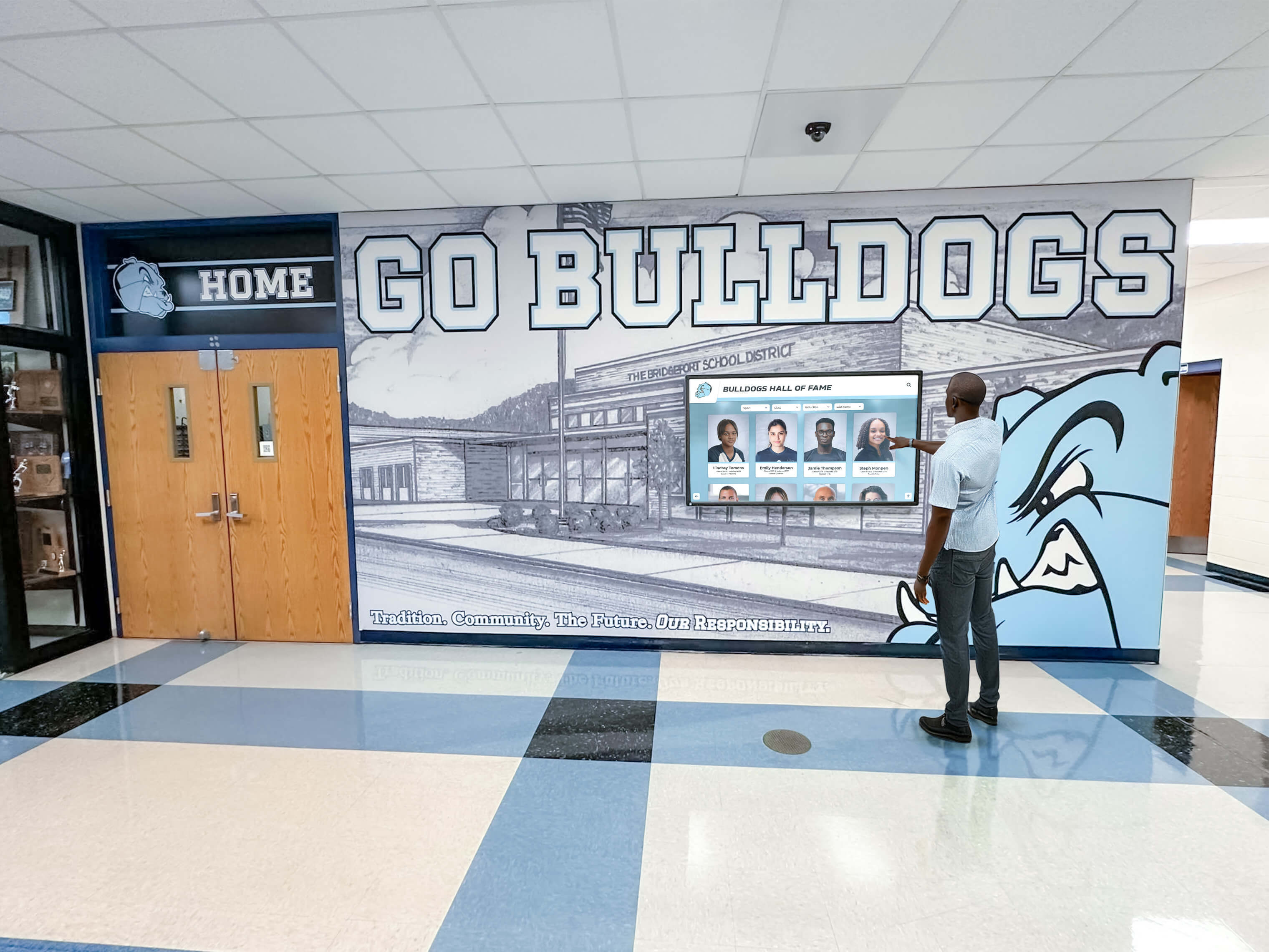
Interactive recognition displays transform passive hallway traffic into engaged exploration of school history and achievement
Digital Recognition Displays and Halls of Fame
Traditional trophy cases impose strict physical limitations—trophies crowd shelves, plaques fill walls, and eventually no room remains for new achievements without removing past recognition. Digital recognition systems eliminate capacity constraints while creating far more engaging experiences.
Recognition Display Advantages
- Unlimited capacity honoring every deserving individual and team
- Rich multimedia profiles including photos, videos, and detailed accomplishments
- Interactive search enabling visitors to find specific individuals or achievements
- Regular updates ensuring current students see recent achievements
- Historical preservation protecting decades of school tradition from physical deterioration
- Inclusive recognition celebrating achievements across all programs equitably
- Cost-effective scaling adding inductees without expensive plaque fabrication
- Accessibility compliance ensuring all community members can explore content
Modern digital recognition solutions like those from Rocket Alumni Solutions combine professional-grade touchscreen displays with cloud-based content management systems, enabling schools to build comprehensive halls of fame celebrating athletic excellence, academic achievement, fine arts accomplishments, community service, and distinguished alumni—all without physical space limitations that force impossible decisions about whose achievements deserve visibility.
Effective Recognition Content Structure
- Individual profiles with photos, bios, and specific accomplishments
- Team showcases celebrating group achievements with rosters and records
- Historical timelines placing achievements in school history context
- Record boards tracking top performances across all programs
- Photo galleries preserving memories from significant events
- Video testimonials bringing achievement stories to life
- Search and filter systems enabling personalized exploration
Schools implementing comprehensive digital recognition systems report stronger alumni connections, increased student motivation through visible achievement examples, and enhanced recruitment success as prospective families observe robust school culture during campus tours.
Discover how schools create effective digital hall of fame displays celebrating institutional heritage.
Campus Wayfinding and Directory Systems
Large campuses and multi-building facilities require navigation assistance, yet traditional static maps become outdated whenever room assignments change or departments relocate.
Interactive Directory Features
- Searchable staff listings finding teachers, administrators, and support personnel
- Department locations directing visitors to correct buildings and room numbers
- Event-based wayfinding guiding visitors to specific activities and meetings
- Accessibility routing providing step-free paths for mobility-limited visitors
- Multi-language support serving diverse school communities
- Integration with room scheduling systems showing current locations
- Campus maps with “you are here” location context
Implementation Considerations for Directory Systems
- Strategic placement in main entrances and building transitions
- Data integration with student information and scheduling systems
- Maintenance workflows ensuring information accuracy
- Accessibility compliance for all users including those with visual impairments
- Branding consistency reinforcing school identity
- Analytics tracking common searches identifying wayfinding pain points
Athletic Program Recognition and Engagement
Athletic programs generate tremendous community interest and continuous achievement worthy of celebration, making them ideal subjects for specialized digital signage.
Athletic Digital Sign Applications
- Current season schedules with automatic score updates
- Historical record boards tracking top performances across decades
- Championship team showcases celebrating conference and state titles
- Individual athlete recognition including all-conference and all-state selections
- College commitment celebrations honoring recruited student-athletes
- Senior recognition featuring departing athletes
- Coaching staff profiles connecting families with program leaders
- Program statistics demonstrating sustained excellence
Learn how schools showcase athletic records through digital displays without physical space limitations.
Technical Infrastructure Requirements
Digital signage systems require supporting infrastructure often overlooked during initial planning but critical for reliable long-term operation.
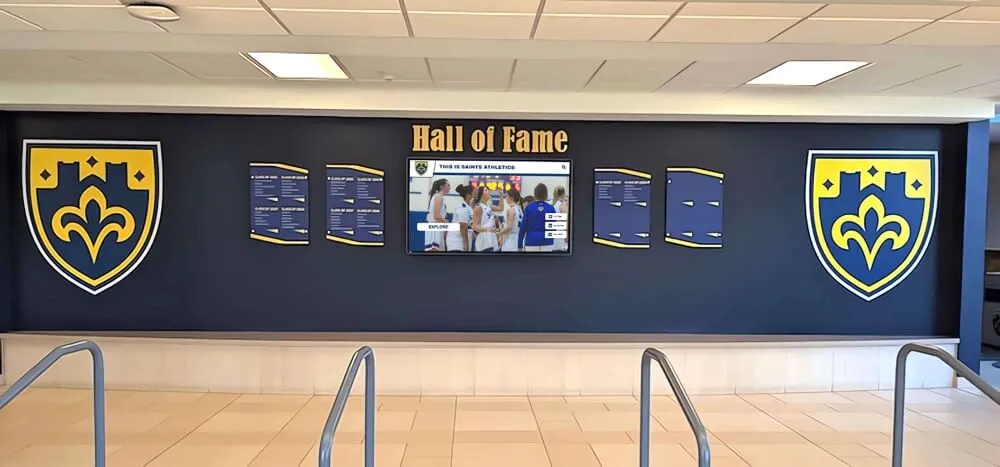
Professional installations integrate displays seamlessly with building architecture and power infrastructure
Network Connectivity and Bandwidth
Digital signs require constant network connectivity delivering content updates and enabling remote management.
Wired Network Connections
- Ethernet connectivity providing reliable, high-bandwidth connections
- PoE (Power over Ethernet) capability potentially eliminating separate power runs
- Network switch capacity supporting additional connected devices
- VLAN segmentation isolating digital signage traffic from other systems
- Firewall configuration permitting cloud-based management systems
- Network security policies governing device access and data transmission
Wireless Network Considerations
- WiFi signal strength in display locations meeting minimum requirements
- Bandwidth capacity handling video content delivery
- Network authentication supporting long-term device connections
- Backup connectivity options preventing extended outages
- Security protocols protecting administrative access
- Interference mitigation in high-traffic wireless environments
Bandwidth Requirements
- Typical display: 5-10 Mbps for standard content with occasional video
- Video-heavy content: 15-25 Mbps for smooth playback without buffering
- Initial content sync: Potentially 100+ MB for template and media library downloads
- Ongoing updates: Typically under 50 MB daily for normal content changes
- Campus-wide deployment: Aggregate bandwidth scaling with display quantity
Schools with aging network infrastructure sometimes discover existing systems cannot support planned digital signage deployments, requiring network upgrades that significantly impact project budgets and timelines.
Power Infrastructure and Management
Digital displays require dedicated power circuits meeting electrical code requirements.
Electrical Requirements
- 43-55" displays: Typically 150-250 watts during operation
- 65-75" displays: Typically 250-400 watts during operation
- Dedicated circuits recommended for each display preventing overload
- Surge protection safeguarding expensive equipment from voltage spikes
- Remote power management enabling scheduled on/off cycles
- Emergency power priority determining which systems remain operational during outages
Energy Efficiency Considerations
- LED display technology minimizing power consumption vs. older technologies
- Automatic brightness adjustment reducing power during low-light conditions
- Scheduled shutdown during unoccupied hours (nights, weekends, breaks)
- ENERGY STAR certification indicating efficient operation
- Occupancy sensor integration powering down unused displays
- Long-term utility cost projection informing technology selection
Physical Installation and Mounting
Professional installation ensures displays remain securely mounted while maintaining clean, polished appearances.
Structural Considerations
- Wall composition (drywall, concrete block, brick) affecting mounting approach
- Stud location and spacing determining anchor placement
- Weight capacity verification confirming structural adequacy
- ADA compliance for height, reach, and accessibility requirements
- Viewing angle optimization considering typical audience positions
- Traffic flow analysis preventing obstruction and congestion
Cable Management
- In-wall routing hiding cables for professional appearance
- Surface-mounted conduit protecting cables when in-wall routing impossible
- Service loops providing slack for eventual display removal
- Labeled connections facilitating troubleshooting and maintenance
- Fire-rated cable requirements meeting building codes
- Future-proofing with extra conduit capacity for upgrades
Schools attempting DIY installations to save money frequently regret the decision when displays hang crooked, cables dangle visibly, or mounting failures require expensive remediation and potential injury liability.
Vendor Selection and Evaluation Process
The digital signage market includes hundreds of vendors offering dramatically different products, support quality, and long-term viability.
Request for Proposal Development
Structured RFP processes ensure consistent vendor evaluation while clearly communicating your requirements.
Essential RFP Components
- Project overview explaining your school, goals, and timeline
- Technical requirements specifying display quantities, sizes, and locations
- Content management needs describing intended uses and workflows
- Budget parameters establishing realistic cost expectations
- Integration requirements identifying necessary system connections
- Support and training expectations defining ongoing relationship needs
- Evaluation criteria explaining how proposals will be assessed
- Timeline requirements including proposal deadline and decision schedule
Critical Questions for Vendors
- What percentage of installations occur in K-12 education environments?
- Do current customers include schools similar to ours in size and type?
- What ongoing costs exist beyond initial purchase (subscriptions, licensing, support)?
- How frequently do software updates occur, and what do they cost?
- What happens if your company closes or stops supporting this product?
- Can we export our content if we migrate to different systems?
- What training and support resources come included vs. requiring additional payment?
- Do you provide references from schools using your systems for 3+ years?
Red Flags During Vendor Evaluation
- Reluctance to provide customer references or allow site visits
- Vague answers about ongoing costs and licensing requirements
- Proprietary systems preventing vendor switching
- Limited education customer base suggesting lack of K-12 experience
- Aggressive sales tactics pressuring immediate decisions
- Unrealistic promises about implementation timeline or complexity
- Missing key features requiring expensive add-ons later
References and Site Visits
Vendor-provided marketing materials showcase best-case scenarios; existing customer conversations reveal operational reality.
Questions for Reference Customers
- How closely did implementation match vendor promises about timeline and cost?
- What unexpected challenges arose, and how did vendor respond?
- How satisfied are end users with the content management system?
- What ongoing costs have emerged beyond initial budget?
- How responsive is technical support when issues occur?
- Would you choose this vendor again knowing what you know now?
- What advice would you offer schools considering this system?
Site Visit Observations
- Display quality after 2-3 years of operation vs. showroom demonstrations
- Content quality and update frequency indicating system usability
- User satisfaction through informal conversations with staff
- Integration effectiveness with other school systems
- Maintenance requirements and any visible issues
- Feature utilization vs. vendor promises during sales process
Schools investing time in thorough vendor evaluation avoid expensive mistakes requiring replacement systems within 2-3 years when initial selections prove inadequate.
Measuring Success and Continuous Improvement
Digital signage implementations succeed or fail based on whether they achieve communication goals, not merely technical functionality.
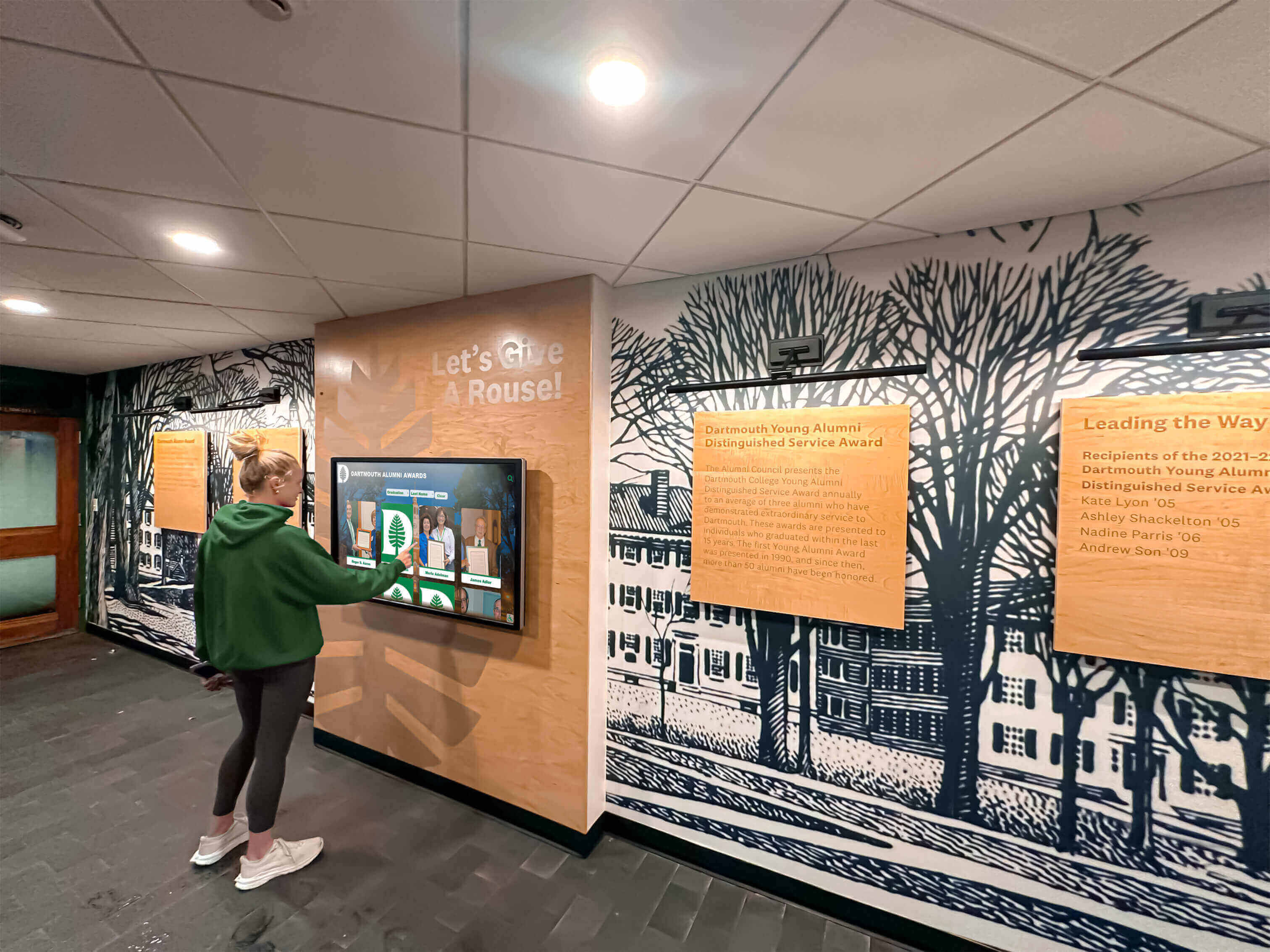
Regular measurement of display usage and content effectiveness enables continuous improvement of digital signage systems
Key Performance Indicators
Establishing clear success metrics before implementation enables objective effectiveness evaluation.
Quantitative Metrics
- Display uptime percentage tracking system reliability
- Content update frequency measuring management system utilization
- View duration indicating audience engagement levels
- Touch interaction rates for interactive displays
- Content reach estimating total audience exposure
- Cost per impression vs. traditional communication methods
- Staff time investment creating and managing content
Qualitative Indicators
- Student awareness of announcements and events
- Parent satisfaction with school communication
- Staff utilization and content contribution
- Visitor feedback during campus tours
- Alumni engagement with recognition displays
- Community perception of school technology investment
- Communication effectiveness for time-sensitive information
Engagement Analysis
- Which content types (video, images, text) generate longest viewing
- What times of day see highest display interaction
- Which locations receive most traffic and engagement
- What content gets ignored despite display visibility
- How quickly information reaches target audiences
- Whether displays increase event attendance or program participation
Continuous Improvement Strategies
Initial deployment represents the beginning, not completion, of digital signage implementation.
Regular Content Audits
- Monthly review of outdated content requiring removal
- Quarterly assessment of content variety and quality
- Annual evaluation of whether content supports strategic school goals
- Template refreshes maintaining visual interest
- Archive development preserving historical content
- Permission structure review ensuring appropriate access
Technology Refresh Planning
- Annual budget allocation for gradual display replacement (10-15% of fleet)
- Software capability assessment identifying necessary upgrades
- Feature utilization review revealing underused capabilities
- Hardware reliability tracking informing replacement decisions
- Vendor relationship evaluation considering alternative providers
- Content management system assessment ensuring continued satisfaction
Stakeholder Feedback Mechanisms
- Student focus groups providing youth perspectives
- Staff surveys assessing communication effectiveness
- Parent feedback through existing family engagement channels
- Alumni input regarding recognition displays
- Visitor interviews during campus tours
- Community perception tracking through broader communication assessments
Learn how schools plan for long-term digital display management and continuous improvement.
Common Implementation Mistakes and How to Avoid Them
Learning from other schools’ mistakes prevents expensive failures and disappointing outcomes.
Technology-First Approach
The Mistake: Purchasing displays before defining communication needs and content strategies.
The Result: Beautiful screens showing random content because no one planned what to display or established who would create it.
The Prevention: Begin with communication audit identifying gaps in current systems, desired improvements, and content resources. Technology decisions follow strategy, not vice versa.
Inadequate Content Planning
The Mistake: Assuming content creation will be simple and that staff will naturally contribute.
The Result: Displays showing the same 3-4 announcements for weeks while time-sensitive information never reaches screens.
The Prevention: Define content workflows, assign specific responsibilities, establish realistic creation timelines, and build content libraries before installation. Budget for content creation time or outsourcing when necessary.
Underestimating Ongoing Costs
The Mistake: Budgeting only for hardware purchase without considering software subscriptions, support contracts, electricity, and eventual replacement needs.
The Result: Systems abandoned when renewal costs surprise administrators, or displays going dark when subscriptions lapse.
The Prevention: Develop 5-7 year total cost of ownership projections including all operational expenses. Establish replacement reserves from year one.
Skipping Pilot Phase
The Mistake: Deploying dozens of displays simultaneously across entire campuses.
The Result: Overwhelming complexity preventing effective management, multiplying problems across all installations, and lacking learning opportunities before major investment.
The Prevention: Begin with 1-2 displays in high-visibility locations. Refine workflows, build content libraries, train staff, and solve problems before scaling deployment.
Inadequate Training Investment
The Mistake: Expecting staff to intuitively understand content management systems without formal training.
The Result: Systems managed by single person creating bottleneck, with displays going dark when that person leaves or becomes unavailable.
The Prevention: Train multiple staff members thoroughly, create written documentation for common tasks, establish ongoing training for new personnel, and build redundancy into content management roles.
Ignoring Accessibility
The Mistake: Installing displays without considering accessibility for all users including those with visual, hearing, mobility, or cognitive disabilities.
The Result: Systems serving only portion of community while excluding others, potentially violating ADA requirements.
The Prevention: Ensure displays meet WCAG accessibility guidelines including appropriate mounting heights, readable text sizes, sufficient color contrast, and audio alternatives for visual content. Explore accessibility compliance for touchscreen displays when implementing interactive systems.
Future-Proofing Your Digital Signage Investment
Technology evolves rapidly; thoughtful planning prevents premature obsolescence.
Scalability Considerations
System Architecture
- Cloud-based platforms enabling expansion without infrastructure upgrades
- Licensing models scaling cost-effectively with additional displays
- Content management systems supporting unlimited displays without performance degradation
- Network infrastructure capacity accommodating campus growth
- Power distribution supporting additional circuits
- Standardized display specifications enabling consistent experiences
Integration Flexibility
- Open APIs enabling connections with emerging technologies
- Standard protocols (HDMI, network interfaces) avoiding proprietary lock-in
- Data format compatibility with common school information systems
- Authentication integration with district identity management
- Emergency alert system connections for safety communications
- Social media platform integrations adapting to changing preferences
Emerging Technology Considerations
Digital signage capabilities continue advancing; understanding trends informs better purchasing decisions.
Technology Trends to Consider
- AI-powered content creation automating announcement generation
- Facial recognition enabling personalized content (with appropriate privacy protections)
- Gesture control providing touchless interaction post-pandemic
- Augmented reality experiences overlaying digital content on physical spaces
- Mobile device integration enabling personal interaction with public displays
- Voice control and assistance improving accessibility
- Energy harvesting reducing power consumption and enabling new installation locations
Balancing Innovation with Practicality
- Proven technology reliability vs. cutting-edge capabilities
- Support availability for mature vs. emerging systems
- Cost premiums for latest features vs. adequate current solutions
- Staff capability to manage complex new technologies
- Student and family expectations for modern experiences
- Long-term vendor viability and product lifecycle
Making the Digital School Signs Decision
Comprehensive research and planning position schools to make informed digital signage investments delivering lasting value rather than expensive disappointments.
Decision Checklist
Before committing to specific digital school sign solutions, verify you’ve addressed these critical components:
Strategic Foundation
- ☐ Clear communication goals defining what you want to accomplish
- ☐ Content strategy identifying what you’ll display and who will create it
- ☐ Success metrics establishing how you’ll measure effectiveness
- ☐ Stakeholder input from staff, students, and families
- ☐ Budget reality including 5-7 year total cost of ownership
- ☐ Implementation timeline with realistic phasing
Technical Requirements
- ☐ Display specifications matched to viewing conditions and content needs
- ☐ Network infrastructure capacity verified for video content delivery
- ☐ Power availability confirmed for all planned installation locations
- ☐ Mounting locations assessed for structural adequacy and accessibility
- ☐ Content management system capabilities meeting workflow needs
- ☐ Integration requirements identified with existing school systems
Vendor Evaluation
- ☐ Multiple vendor proposals reviewed using consistent criteria
- ☐ Customer references contacted and candid feedback obtained
- ☐ Site visits completed observing real-world implementations
- ☐ Contract terms reviewed including warranties, support, and exit provisions
- ☐ Ongoing costs clarified beyond initial purchase
- ☐ Training and support resources confirmed
Implementation Planning
- ☐ Content workflows defined with specific responsibilities assigned
- ☐ Training scheduled for all content contributors
- ☐ Installation timeline coordinated with school calendar
- ☐ Communication plan informing community about new systems
- ☐ Pilot phase established before full deployment
- ☐ Continuous improvement processes planned for ongoing optimization
Schools completing this comprehensive evaluation process position themselves to implement digital signage systems that genuinely enhance communication, celebrate achievements, strengthen school culture, and deliver lasting return on investment.
Transform School Communication with Strategic Digital Signage
Digital school signs represent far more than electronic bulletin boards—when implemented thoughtfully, they become central nervous systems connecting school communities through dynamic, engaging communication that adapts instantly to changing needs. The investment required extends beyond financial budgets to include strategic planning, content workflow development, staff training, and ongoing management commitment.
Schools achieving digital signage success share common characteristics: they begin with clear communication goals rather than technology fascination, they invest heavily in content strategy and workflow development, they phase implementations learning from early successes and failures, they train multiple staff members ensuring sustainable management, and they continuously measure effectiveness refining approaches based on data rather than assumptions.
The difference between digital signage transforming school communication and expensive displays showing outdated announcements hinges entirely on the decisions you make during planning, vendor selection, implementation, and ongoing management. Schools following the comprehensive framework outlined in this guide position themselves to join the growing number of institutions using digital school signs to strengthen community connections, celebrate student achievements, improve communication effectiveness, and build vibrant school cultures that engage students, staff, families, and visitors.
Whether you’re replacing outdated bulletin boards, modernizing athletic recognition systems, or building comprehensive campus-wide communication infrastructure, the investment you make today in thorough planning and strategic decision-making determines whether digital school signs become celebrated enhancements to your educational mission or regretted expenses gathering dust in storage closets.
Ready to implement digital recognition displays that celebrate your school’s achievements? Rocket Alumni Solutions specializes in interactive touchscreen displays designed specifically for educational institutions—combining professional-grade hardware with intuitive content management systems that enable schools to honor unlimited achievements without space constraints. Explore how digital recognition displays can transform your school’s halls of fame, athletic showcases, and historical archives while engaging students, alumni, and visitors through rich multimedia experiences. Request your free custom demo to see your content brought to life on a Rocket display.































