Digital Hall of Fame Phonetic Name Search Audit for Misspelled Inductee Queries
- Home /
- Digital Hall of Fame Insights & Resources /
- Digital Hall of Fame Phonetic Name Search Audit for Misspelled Inductee Queries

The Easiest Touchscreen Solution




Live Example: Rocket Alumni Solutions Touchscreen Display
Interact with a live example (16:9 scaled 1920x1080 display). All content is automatically responsive to all screen sizes and orientations.
A digital hall of fame phonetic name search audit is the process of systematically testing whether a school’s recognition platform can retrieve inductee records when a visitor enters a plausible but misspelled version of an honoree’s name—because the visitor heard the name spoken at a ceremony, read it on a jersey banner, or recalled it from memory without ever seeing it written down. Phonetic name search uses algorithms such as Soundex, Double Metaphone, or NYSIIS to group surnames and given names that sound alike into the same search bucket, so that a visitor who types “Kowalsky” finds a record stored as “Kowalski,” a visitor who types “Smyth” returns results for every inductee named “Smith,” and a visitor who types “McKinnon” surfaces profiles filed under “MacKinnon.” A digital hall of fame phonetic name search audit is not a spelling-correction feature test—it is a systematic workflow that verifies every search entry point on the recognition platform routes phonetically equivalent queries to the correct inductee records, displays a meaningful near-miss message when no results exist, and surfaces a “did you mean?” suggestion when edit distance is small enough to indicate a plausible alternative. This guide gives school administrators, athletic directors, IT staff, and recognition-program owners a step-by-step audit protocol, a misspelling-pattern test table, and a reusable issue log to complete the audit in under two hours.
When an alumni association member returns to a school ceremony to watch a former teammate’s induction, they rarely arrive with a printed roster in hand. They know the honoree’s name by sound—heard countless times over four years in a gymnasium or on a practice field—but may never have seen the surname spelled on paper. At the kiosk in the lobby, or on the recognition website pulled up on a phone, they type what sounds right. If the platform returns “no results found” because the stored spelling differs by two characters, the visitor concludes that the record does not exist, and the recognition moment is lost.
A digital hall of fame phonetic name search audit closes the gap between how visitors remember names and how names appear in the database, so that a well-maintained recognition platform never turns away a visitor who knows the person they are looking for.

Every name search entry point on a hall of fame platform—touchscreen kiosk, web directory search bar, and mobile search field—must be tested during a phonetic name search audit to verify that approximate spellings return correct inductee records
Program Snapshot: Phonetic Name Search Audit Scope for School Hall of Fame Platforms
Define the full scope of the audit before beginning any tests. The table below covers schools at every stage of digital recognition, from a newly launched web directory to a kiosk-based archive spanning multiple decades.
| Planning Element | Details |
|---|---|
| Primary Audience | Athletic directors, IT administrators, school web managers, facilities coordinators, recognition-program owners |
| What Is Being Audited | Every search entry point on the recognition platform: main name search bar, sport-category search, kiosk touchscreen keyboard search, and any mobile search field accessible by QR code |
| Search Algorithms Covered | Soundex, Double Metaphone, NYSIIS, Levenshtein edit-distance fuzzy matching, Jaro-Winkler similarity scoring |
| Test Query Categories | Phonetic variants, transposed characters, dropped or doubled consonants, silent-letter confusion, hyphenated and compound surnames, diacritic normalization, full-name order reversal |
| Tools Required | A browser (Chrome, Firefox, or Edge), a physical or on-screen keyboard, the recognition platform’s admin panel for search configuration review, a text editor for recording results |
| Time Investment | 60–90 minutes for a platform with fewer than 200 inductees; 2–3 hours for archives with 500 or more distinct surnames |
| Failure Consequence | Visitors who heard an inductee’s name but are uncertain of the spelling receive a “no results” response and conclude the record does not exist; recognition programs lose visibility for honorees with uncommon or phonetically ambiguous surnames |
| Pass Condition | Every test query in the misspelling-pattern table returns the correct inductee record or a “did you mean?” suggestion that leads to the correct record within one additional click |
| ADA Relevance | WCAG 3.3.3 Error Suggestion (Level AA) requires that when an input error is detected and suggestions are known, those suggestions be provided to the user—a principle that extends to search interfaces where the system can infer the intended query from a near-match |
What Phonetic Name Search Is and Why Recognition Platforms Need It
A standard keyword search engine matches the characters a visitor types against the characters stored in the database. If the query is “Garcia” and the record is stored as “García” (with a diacritical accent), or the query is “Griggs” and the record is “Grigg,” the match fails and the engine returns zero results. This is correct behavior for a keyword engine—but it is not adequate for a hall of fame platform whose records span decades of inductees, many of whom carry surnames from languages other than English or whose names appear inconsistently across source documents.
Phonetic search solves this by converting both the query and the indexed names to a shared phonetic code before comparison. Two names that sound alike produce the same code. The search engine compares codes rather than character strings, so phonetically equivalent queries match stored records regardless of spelling variation.
Soundex is the oldest and simplest algorithm: it encodes the first letter of a surname followed by digits representing consonant groups, reducing all phonetically similar names to a four-character code. “Smith” and “Smyth” both produce S530. “Johnston,” “Johnson,” and “Johnstone” all produce J523. Soundex handles basic English-surname variation well but collapses distinctions between names that sound different in careful speech.
Double Metaphone (and its successor, Metaphone 3) produces up to two phonetic keys per name to account for ambiguous pronunciations, particularly for names from non-English languages. It distinguishes between sounds that Soundex merges and handles common surname patterns from Spanish, German, Slavic, and Eastern European languages more accurately. For a recognition platform with a diverse inductee roster—common in schools serving mixed immigrant communities—Double Metaphone delivers more precise matching than Soundex alone.
NYSIIS (New York State Identification and Intelligence System) was developed for law-enforcement name matching and produces phonetic keys optimized for American English pronunciation patterns. It handles names like “Wrzesniewski” (which approximates to “Wreneski” in casual English speech) better than basic Soundex.
Fuzzy matching based on Levenshtein edit distance operates differently: it counts the minimum number of single-character edits (insertions, deletions, or substitutions) required to transform one string into another. A visitor who types “Micheal” instead of “Michael” has made a character transposition—an edit distance of two—that fuzzy matching will catch even if the phonetic code differs. Edit-distance matching complements phonetic algorithms by handling typing errors that are not phonetically motivated.
For recognition platforms that also operate as interactive digital museum displays alongside trophy cases and hallway murals, phonetic name search is especially important because kiosk users enter names on an on-screen keyboard in a public setting, under time pressure, without access to a printed directory. The margin for error in kiosk name entry is higher than on a desktop browser, making phonetic tolerance a practical necessity rather than a premium feature.
The Three Search Failure Modes Phonetic Matching Resolves
Before running the audit, identify which failure modes your platform currently exhibits. These three are the most common on recognition sites that rely on exact-match keyword search.
Failure Mode 1 — Phonetic near-miss returns zero results. The visitor types a phonetically correct but differently spelled name. The engine returns no results. The visitor has no mechanism to discover the correct spelling or confirm the record exists. This is the highest-impact failure because it is invisible: the visitor does not know they were close.
Failure Mode 2 — Transposition and dropped-character errors return zero results. The visitor types “Tomkins” (one consonant) instead of “Thompkins” (two consonants and a silent cluster). The engine does not perform edit-distance matching and returns no results, even though the correct record is four characters away.
Failure Mode 3 — Near-miss returns zero results with no suggestion. The engine detects that the query almost matches an existing record but provides no “did you mean?” prompt. The visitor receives a generic “no results found” message without a path to the correct result.
College intramural sports digital recognition displays face all three failure modes at scale: intramural records may include hundreds of inductees from different graduation years, and the name search is often the only navigation path available because sport-category browsing does not surface individual inductees without a name query.
Audit Workflow: Eight Steps
Complete these steps in sequence. Record pass or fail for each test case in the issue log at the end of this section.
Step 1: Map Every Search Entry Point
List every location where a visitor can enter a name query on the recognition platform:
- Main web directory search bar — typically at the top of the inductee roster or as a persistent header element
- Sport-category page search — a search field scoped to a single sport’s inductees
- Kiosk touchscreen keyboard search — the on-screen keyboard interface on any wall-mounted display
- Mobile web search field — the same web directory search bar accessed from a smartphone via QR code or direct URL
Confirm each entry point by opening the platform in a browser on desktop and on a mobile emulator in DevTools, and by testing the kiosk interface in person or via a screen recording from a recent installation walk-through. Auditing only the primary web search bar and skipping the kiosk keyboard is the most common scope error; kiosk and web search may use different back-end configurations.
Step 2: Compile the Inductee Name Inventory
Export or manually compile a list of all inductee surnames currently in the platform, focusing on:
- Surnames with silent consonants (“Wrzesniewski,” “Knight,” “Knuth”)
- Surnames with phonetically ambiguous doubled consonants (“Carroll/Caroll,” “Phillips/Philips”)
- Surnames from non-English language families common in the school’s community (Spanish, Polish, Italian, Irish, Vietnamese, Arabic)
- Hyphenated surnames (“O’Brien,” “MacMahon”)
- Surnames with diacritical characters (“García,” “Müller,” “Öberg”)
- Given names with documented alternate spellings (“Michael/Micheal,” “Catherine/Katherine/Kathryn”)
This inventory becomes the seed for the test-query table in Step 3. You do not need to test every inductee—focus on names that fall into one or more of the above categories. For a platform with 300 inductees, a targeted set of 30–50 test queries will cover all meaningful failure modes.
Step 3: Generate Test Queries for Each Misspelling Category
For each surname or given name in the inventory, generate two to four plausible misspelled variants using the misspelling-pattern table in the next section. Enter each variant as a query in Step 5.
Step 4: Run Exact-Match Baseline Tests
Before testing phonetic variants, verify that an exact-match query for each inductee in your test set returns the correct record. If an exact match fails, the issue is a data entry or indexing problem, not a phonetic search gap—document it separately and resolve it before running phonetic tests, because a record that does not appear on an exact-match query will not appear on a phonetic query either.
Step 5: Run Phonetic and Fuzzy Variant Tests
For each test surname, enter the misspelled variants generated in Step 3. Record whether the search:
- Returns the correct inductee record directly
- Returns a “did you mean?” suggestion that leads to the correct record
- Returns no results with no suggestion
- Returns an incorrect result (a different inductee whose name happens to match the phonetic code)
A result of “3” (no results, no suggestion) is a fail. A result of “4” (wrong inductee returned without disambiguation) is also a fail because it silently misleads the visitor. Results “1” and “2” are passes.
Step 6: Test Compound Names, Hyphenated Names, and Diacritics
Run a separate set of tests for names that cause distinct failure patterns:
Hyphenated surnames: Test both components separately and together. “O’Brien” should resolve whether typed as “O’Brien,” “O Brien,” or “Obrien.” “MacMahon” should resolve as “McMahon” and “Macmahon.”
Compound names with particles: Test Spanish particles (de, del, de la), Irish prefixes (O’, Mc, Mac), and Scottish prefixes (Mac, Mc, M’) as separate tokens and as merged strings.
Diacritics: Type the ASCII equivalent of any accented character and confirm the search returns the same record as the accented version. “Garcia” should return the same results as “García”; “Muller” should return “Müller.”
Step 7: Verify Empty-State and Near-Miss Messaging
When a query returns no results, the platform must not simply display a blank area or a generic error. Test the empty-state behavior for a query with no phonetic match at all (deliberate nonsense, such as “ZZZZZ”) and a query that is one or two edits away from an existing record.
The empty state for a true no-match should include:
- A clear “no results found” message that names the query the visitor entered
- A suggestion to check the spelling or browse by sport category
- A link to a contact form or staff email so the visitor can ask for help locating a specific inductee
The near-miss state—a query within edit distance two of an existing record—should include a “Did you mean [correct name]?” prompt that links directly to the inductee record. Platforms that lack near-miss messaging fail this step even if the underlying phonetic algorithm is functional, because the algorithm’s output is not surfaced to the visitor.
Running this audit alongside a digital hall of fame high-contrast mode test ensures that the “no results” and “did you mean?” messages themselves meet WCAG 1.4.3 contrast requirements and are visible to all visitors, including those with low vision who are most likely to rely on search rather than visual browsing to locate an inductee.
Step 8: Document Results and Prioritize Remediation
Record every failing test case in the issue log template below. Assign each issue a priority:
- Critical: Exact-match queries fail, or phonetic queries silently return wrong inductees
- High: Phonetic variants return no results for names in the top 25% of the roster by frequency
- Medium: Near-miss messaging is absent or generic
- Low: Hyphenated or diacritic variants fail for names appearing fewer than three times in the archive
Misspelling Pattern Test Table
Use this table as the starting point for query generation in Step 3. Add inductee-specific variants from your name inventory.
| Misspelling Category | Stored Name (Example) | Test Query Variants | Common Failure Algorithm |
|---|---|---|---|
| Silent consonant cluster | Wrzesniewski | Wreneski, Wresniewski, Reneski | Soundex, basic keyword |
| Doubled vs. single consonant | Carroll | Caroll, Carrol, Carol | Levenshtein, Metaphone |
| “f” vs. “ph” spelling | Phillips | Filips, Phlipps, Phillps | Soundex |
| “ck” vs. “k” vs. “c” | McKinnon | Mckinnon, MacKinnon, McKinnin | Soundex |
| “ie” vs. “ei” transposition | Nielsen | Neilsen, Nielson, Nielsin | Levenshtein |
| Silent terminal consonant | Knight | Nite, Knite, Nigt | Metaphone |
| Irish “O’” prefix | O’Brien | Obrien, O Brien, Obryant | NYSIIS |
| “son” vs. “ston” vs. “sten” | Johnston | Johnson, Johnstone, Jonston | Soundex |
| Diacritic / ASCII equivalence | García | Garcia, Garsia, Garcea | Unicode normalization |
| “th” vs. “t” cluster | Thompkins | Tomkins, Tompkins, Thomkins | Metaphone |
| Character transposition | Michael | Micheal, Micahel, Michae | Levenshtein |
| Double vowel / single vowel | Kowalski | Kowalsky, Kowalskie, Kawolski | Soundex |
| “sm” vs. “sm” initial cluster | Smith | Smyth, Smit, Smeth | Soundex |
| “Mac” vs. “Mc” prefix | MacDonald | Mcdonald, Macdonald, M’Donald | NYSIIS |
| Dropped medial vowel | Hernandez | Herandez, Hrnandez, Hernadez | Levenshtein |
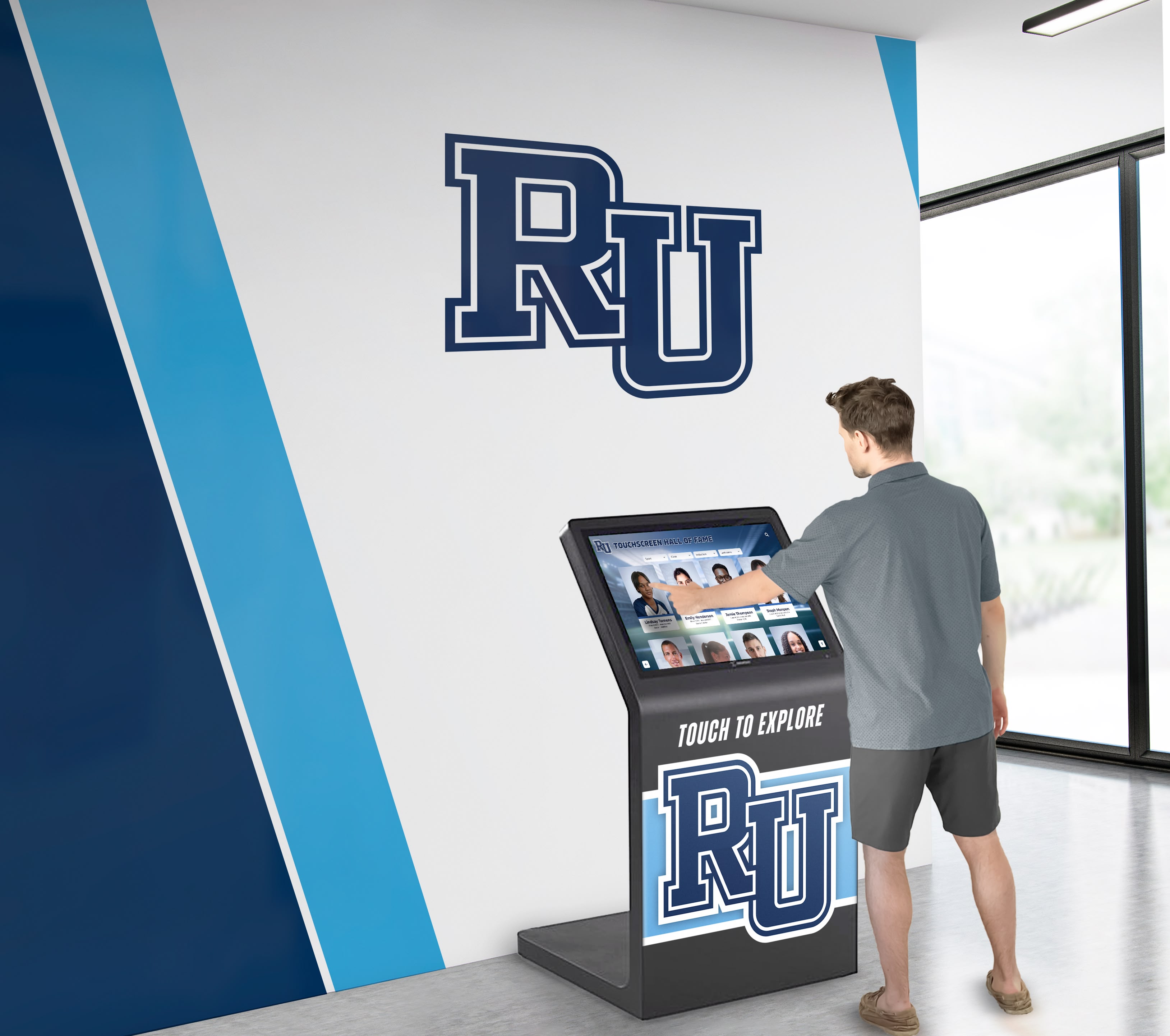
Kiosk touchscreen search in a school lobby is a high-priority audit surface—on-screen keyboard entry increases the likelihood of phonetic near-misses compared to desktop typing, making phonetic matching especially impactful in physical installation contexts
Platform Configuration: Enabling and Verifying Phonetic Search
Identifying that phonetic search is absent or underperforming is the first half of the audit; understanding what to configure or request is the second. The specific configuration path depends on the recognition platform’s search engine. Common platforms use one of three architectures:
Native CMS search is the search functionality built into the content management system that hosts the inductee records. Native CMS search typically offers keyword matching only and does not support phonetic algorithms without a plugin, extension, or custom indexing layer. If your platform uses native CMS search, the remediation is to install a search plugin that supports fuzzy or phonetic matching, or to replace the native search with an external search-as-a-service layer.
Third-party search-as-a-service platforms—such as Algolia, Elasticsearch, Typesense, or Meilisearch—are integrated into the recognition platform to handle queries against an indexed copy of the inductee records. Most mature search-as-a-service platforms support fuzzy-tolerance settings and some support Soundex or Metaphone phonetic keys natively. The audit for these platforms includes reviewing the index configuration in the admin dashboard and confirming that typo-tolerance settings are enabled and set to an appropriate threshold.
Custom search implementations are query functions built specifically for the recognition platform, often querying a relational database directly. Custom implementations are the most likely to lack phonetic support, because phonetic algorithms must be implemented explicitly. The remediation for custom search is to add a phonetic key column to the inductee database, pre-compute phonetic keys for all existing records, and rewrite the search query to OR the phonetic key column against a phonetic encoding of the visitor’s query.
Regardless of platform architecture, the audit should verify three configuration settings:
Typo-tolerance level: How many character edits are permitted before a match is rejected? A tolerance of zero means exact match only—appropriate for inventory systems, not for name search. A tolerance of one allows a single insertion, deletion, or substitution—appropriate for short names but may miss multi-character phonetic variants. A tolerance of two handles most typing errors and covers common phonetic near-misses for names of average length.
Phonetic key algorithm: Does the platform index a phonetic key alongside the literal name? If so, which algorithm—Soundex, Metaphone, Double Metaphone, or NYSIIS? Document the algorithm in use and confirm it aligns with the name inventory of the school’s inductee roster. A platform serving a community with many Spanish-language surnames should verify that Double Metaphone’s handling of “j,” “ll,” and “rr” patterns is correct for that population.
Minimum query length: Does the search require a minimum number of characters before executing? A minimum of three or four characters is appropriate for performance reasons—but it must be disclosed to the visitor with a visible hint (“Enter at least 3 characters”). A minimum query length that is not communicated is a usability failure for visitors who type a two-letter name prefix and see no response.
Data quality is a prerequisite for any phonetic algorithm to succeed. AI data integrity considerations in the digital hall of fame market apply directly to phonetic search: if inductee records contain inconsistent capitalization, trailing spaces, or merged first-and-last-name strings, phonetic encoding produces incorrect keys and misroutes queries. Before relying on phonetic search audit results, normalize the inductee name data in the CMS so that every record has separate first-name, last-name, and display-name fields with consistent casing and no extraneous whitespace.
Phonetic search also depends on reliable network connectivity when operating in a cloud-indexed architecture. For wall-mounted kiosks, verifying that recognition display network infrastructure is stable before a ceremony or induction event is part of the same pre-event readiness workflow as the phonetic search audit itself—a phonetic algorithm cannot return results if the search API call fails due to a dropped connection.
Reusable Phonetic Name Search Audit Issue Log
Copy and complete the following template for each failing test case discovered during the audit.
PHONETIC NAME SEARCH AUDIT — ISSUE LOG

Platform / URL: _______________________________________________
Audit Date: ___________________________________________________
Auditor: ______________________________________________________
Search Entry Point Tested: _____________________________________
  (Main web search / Sport-category search / Kiosk keyboard / Mobile)

ISSUE #: ______
Stored Inductee Name: _________________________________________
Misspelling Category: _________________________________________
  (Phonetic near-miss / Transposition / Dropped consonant /
   Diacritic / Hyphenated / Compound prefix / Other)
Test Query Entered: ___________________________________________
Expected Result: ______________________________________________
Actual Result: ________________________________________________
  (No results / Wrong inductee / Correct result / Near-miss shown)
Empty-State Message Displayed: ________________________________
"Did You Mean?" Prompt Present: Yes / No
Priority: Critical / High / Medium / Low
Remediation Required: _________________________________________
  (Enable typo-tolerance / Configure phonetic key /
   Normalize name data / Add near-miss messaging)
Remediation Owner: ____________________________________________
Verification Date: ____________________________________________
Maintain one row per failing test case. For platforms with more than ten failing cases, group by remediation type to batch related fixes and avoid redundant configuration changes.
Execution Timeline
Use this four-phase timeline to complete the audit and implement remediation before the next induction ceremony or recognition event.
| Phase | Activities | Responsibilities | Tools | Typical Duration |
|---|---|---|---|---|
| Plan | Define audit scope; export inductee name inventory; generate test query list from misspelling-pattern table | Athletic director or program owner defines scope; IT staff exports name list | Admin CMS export, text editor | 1–2 hours |
| Audit | Run all eight audit steps; record pass/fail for each test case; document failing queries and error messages verbatim | IT staff or web manager executes tests; program owner reviews results | Browser, kiosk device, issue log | 2–3 hours |
| Remediate | Enable typo-tolerance settings; install or configure phonetic indexing; normalize name data; update empty-state messaging | IT staff or vendor configures search engine; content manager normalizes records | CMS admin panel, search platform dashboard | 1–5 days depending on platform architecture |
| Verify | Re-run failing test cases; confirm all previously failing phonetic queries now return correct records or near-miss suggestions | IT staff and program owner jointly verify | Browser, kiosk device | 1–2 hours |
Rocket Alumni Solutions’ cloud CMS supports scheduled content updates and remote configuration changes, which means search configuration adjustments—enabling typo tolerance, adjusting minimum query length, activating phonetic key indexing—can be applied without a site redeploy or physical access to kiosk hardware. This makes the remediation phase significantly faster for schools using Rocket’s platform than for schools running a locally hosted or custom-built recognition system.
Display Integration: Phonetic Search Across Web and Kiosk Contexts
Web directory and kiosk touchscreen search are architecturally distinct entry points that may or may not share the same search back end. The phonetic name search audit must treat them as separate test surfaces.
Web directory: The search bar on the public-facing inductee roster is accessed from the widest range of devices and input methods—desktop keyboards, mobile keyboards, voice input, and screen-reader-driven form interaction. Phonetic tolerance settings configured for the web directory apply to all of these inputs, and the near-miss messaging is rendered by the web page template. Alumni who search for a former coach’s name during an anniversary season, parents researching a family member’s induction for a tribute program, and community members browsing the archive are the primary users of web directory search.
For graduation and end-of-year events—contexts where families arrive at a recognition display to find a student or athlete they know by name—graduation and recognition celebrations that feature digital name displays create exactly the kind of heard-but-not-spelled-correctly situation that phonetic search is designed to resolve. When a parent types the name they heard called at a ceremony and cannot find the record because the stored spelling differs by a single character, the phonetic search audit is the diagnostic tool that identifies and fixes that gap.
Kiosk touchscreen: The on-screen keyboard on a wall-mounted kiosk introduces higher rates of character transposition and miskeying than a physical keyboard, because visitors tap soft keys quickly without tactile feedback. The kiosk interface should be tested with a physical stylus or finger tap on the actual screen, not simulated from a mouse, to accurately capture touch-input error patterns. Phonetic and fuzzy matching is more consequential on the kiosk surface than on the web directory because kiosk visitors cannot easily switch to a browser search or ask a staff member for help in the moment.
If the kiosk runs a separate search configuration from the web directory—common when the kiosk uses an embedded search index loaded at boot rather than querying a live API—the typo-tolerance and phonetic key settings must be verified independently for both environments. A web directory that passes all phonetic audit tests may still have a kiosk that fails, and vice versa.
Measurement: Evaluating the Impact of Phonetic Search Improvements
After remediation, track the following signals to quantify the improvement and justify continued investment in search quality.
Zero-result rate: The percentage of search queries that return no results. A baseline zero-result rate above 15% on a platform with a well-populated inductee roster is a strong indicator that phonetic matching is not functioning. After enabling phonetic search, the zero-result rate should decrease measurably; for platforms with diverse-surname inductee rosters, reductions of 30–50% in zero-result queries are achievable.
Search refinement rate: The percentage of queries followed immediately by a second query from the same session. High refinement rates indicate that visitors are not finding what they expected and are trying alternate spellings. Phonetic matching reduces refinement rates by resolving the alternate-spelling problem at the search layer rather than delegating it to the visitor.
Near-miss conversion rate: Of sessions that trigger a “did you mean?” prompt, the percentage of sessions in which the visitor clicks the suggestion. A near-miss conversion rate above 70% indicates that the suggestion is accurate and useful; a rate below 40% suggests the algorithm is generating false near-misses that mislead visitors.
Dwell time on search results: Visitors who find the inductee they are looking for immediately spend longer on the resulting profile page than visitors who receive a zero-result response. An increase in average dwell time on inductee profile pages after phonetic search is enabled is a secondary signal of improved search quality.
Schools using Rocket Alumni Solutions’ cloud CMS can access usage reports through the admin dashboard and filter events by search interaction type to track these signals without requiring custom analytics instrumentation.
Ready to Verify Your Hall of Fame's Name Search?
Rocket Alumni Solutions builds and manages digital hall of fame platforms with search configurations tuned for real-world name variation—phonetic matching, fuzzy tolerance, diacritic normalization, and near-miss messaging included. Request a free custom demo to see how Rocket handles misspelled inductee queries on your specific roster before your next induction event.
Request Your Free Custom DemoLive Example: Rocket Alumni Solutions Touchscreen Display
Interact with a live example (16:9 scaled 1920x1080 display). All content is automatically responsive to all screen sizes and orientations.































