




A digital hall of fame HTML abbr award acronym audit is the process of examining every award abbreviation—MVP, MOP, MIP, POW, and any organization-specific acronym—on a school recognition site to confirm that each one is expanded visibly on first use in running text, that subsequent uses are wrapped in a correctly attributed <abbr> element whose title value matches the real honor name, and that no page relies solely on a hover tooltip to communicate the full form to touch, keyboard, or screen-reader visitors. The <abbr> element is described in the MDN Web Docs reference for the abbr element as the standard HTML mechanism for marking up abbreviations and acronyms; its title attribute holds the expansion, but that expansion surfaces only on mouse hover in most browsers—an interaction unavailable to touch users on kiosk screens, keyboard navigators who cannot hover, and screen readers that may or may not announce title content depending on user settings. Correcting this gap requires showing the full award name visibly in text at the point of first use, then using <abbr title="…"> for subsequent instances so that the semantic record is complete even when the tooltip cannot be reached.
Award abbreviations are a practical shorthand on any page that lists many honors—an inductee biography might mention MVP three times, and spelling out “Most Valuable Player” on every occurrence would make the text cumbersome. But that same abbreviation, used without any visible expansion anywhere on the page, leaves a screen-reader user, a student on a touchscreen kiosk, or a parent navigating by keyboard without the information they need to understand what the honor means. A digital hall of fame HTML abbr award acronym audit is the structured check that finds every such gap and confirms that the abbreviation, the visible full form, and the <abbr> element’s title value all agree on the same real honor name—with no invented expansions and no reliance on hover interaction.

Athlete portrait cards on a touchscreen hall of fame carry award labels that every visitor must be able to understand—a card that shows only "MVP" without a visible expansion denies that information to touch users who cannot trigger a hover tooltip
Program Snapshot: HTML abbr Award Acronym Audit Scope
Define the full scope before opening a browser or screen reader. The table below establishes the parameters for an abbr audit at any stage of a school recognition program.
| Planning Element | Details |
|---|---|
| Primary Audience | Athletic directors, recognition program owners, IT administrators, school web managers, accessibility compliance leads, archives partners |
| What Is Being Audited | Every award abbreviation and acronym on inductee profile pages, award citation panels, biography directories, nomination forms, and any page where an honor is referenced by a shortened name |
| Authoritative References | MDN: The Abbreviation element |
| WCAG Criteria | 3.1.4 Abbreviations — Level AAA (mechanism for determining full form of abbreviations); 1.3.1 Info and Relationships — Level A (information conveyed through presentation must also be available in text); 1.4.13 Content on Hover or Focus — Level AA (tooltip content must be dismissible, hoverable, and persistent) |
| Tools Required | Chrome or Firefox with DevTools (built-in, free); NVDA on Windows (free) or VoiceOver on macOS (built-in); a touch device or emulator for touch testing; keyboard without a mouse |
| Time Investment | 45–60 minutes for an initial audit of all award abbreviations across one biography directory template; 20 minutes for a targeted re-check after any biography template or award list update |
| Failure Consequence | Touch users, keyboard navigators, and screen-reader users cannot determine what a displayed award abbreviation means; mismatched title values attribute incorrect honor names to inductees; organization-specific acronyms remain opaque to visitors unfamiliar with the program |
| Pass Condition | Every award abbreviation receives a visible full expansion at first use on each page; all subsequent uses are wrapped in <abbr title="…"> with the correct verified expansion; no page depends solely on a hover tooltip for award name disclosure; title values match the real honor name for the specific program and context |
| ADA Relevance | Public school recognition pages accessible to alumni, families, and community members carry digital accessibility obligations; award abbreviations that rely on hover-only disclosure create barriers for the substantial portion of visitors who use touch devices or keyboard navigation |
What the Native <abbr> Element Provides
The <abbr> element tells browsers and assistive technology that a word or phrase is an abbreviation or acronym. When a title attribute is present on <abbr>, it holds the full expansion. In most browsers, this expansion surfaces visually as a tooltip that appears when a visitor hovers a mouse over the abbreviated text—often rendered with a dotted underline to signal that additional information is available.
As the MDN documentation for the abbr element notes, the semantics of the element convey that the text is an abbreviation without necessarily providing the expansion to every visitor through the tooltip alone. Screen reader behavior around <abbr> and its title attribute varies by software and user configuration: NVDA may announce the title value when a user moves to the element, but this behavior depends on settings and the browser combination in use. VoiceOver may or may not surface the title depending on how the visitor navigates. Neither behavior can be guaranteed.
Three characteristics of the <abbr> element are directly relevant to a hall of fame award audit:
First: The title attribute tooltip is hover-only in most browsers. A school hallway kiosk running a browser-based recognition display is a touch-primary environment. A visitor tapping an inductee card cannot hover over an <abbr> element to reveal its tooltip. The tooltip is simply not reachable by touch. The same barrier applies to keyboard users who cannot move a pointer over text without also using a mouse.
Second: <abbr> does not guarantee screen-reader announcement of the expansion. Unlike form labels or button names—where the accessible name is reliably announced—the title attribute on <abbr> is treated as supplemental by many screen readers. Users who have configured their screen reader to suppress title announcements will hear only the abbreviation, not the expansion. The visible first-use expansion is the only mechanism that reliably reaches all visitors.
Third: <abbr> does not validate the expansion. Wrapping “MVP” in <abbr title="Most Valued Player">MVP</abbr> applies incorrect semantics silently—browsers and validators will accept the title without confirming that “Most Valued Player” is the real name of the award. An award expansion audit must verify the actual honor name against the awarding organization’s documented usage, not simply confirm that a title attribute is present.
Step-by-Step Digital Hall of Fame HTML abbr Award Acronym Audit
Run these steps on the biography page or award citation panel that contains the highest concentration of award references. Repeat on any inductee profile template, nomination form, or recognition season landing page.
Step 1: Inventory All Award Abbreviations on the Page
Open the inductee biography or award citation page in Chrome or Firefox. Open DevTools (F12). In the Elements panel, search for <abbr to identify every element already marked up. Then read the visible page text and note every uppercase letter sequence or recognizable award shorthand—MVP, MOP, MIP, POW, POTG, All-State, All-Conference, NFCA, NHSCA, GPA honors, and any program-specific acronym—that is not already wrapped in <abbr>.
Record each found abbreviation with the following information:
- The abbreviation as it appears on the page
- Whether it is already wrapped in
<abbr> - Whether a
titleattribute is present and what value it contains - Whether the full award name appears visibly anywhere on the same page before the abbreviation’s first occurrence
This inventory is the foundation of the audit. Every item on the list will be evaluated in the steps that follow.
Step 2: Verify First-Use Visible Expansion in Running Text
For each abbreviation in the inventory, locate the first occurrence on the page. Confirm that the full award name appears visibly in that sentence or an immediately adjacent sentence—not only in a tooltip, not only in a legend at the bottom of the page, and not only in a table header on a different section.
A passing first-use expansion follows this pattern: “Jordan Ramirez earned the Most Valuable Player (MVP) award in the 1994 state championship season.” After that sentence, every subsequent use of “MVP” on the same page can appear as <abbr title="Most Valuable Player">MVP</abbr> without restating the full name.
A failing pattern presents the abbreviation without any visible expansion: “Jordan Ramirez earned the MVP award in 1994.” If “MVP” is never expanded in running text on that page, a visitor who does not already know the abbreviation has no accessible path to its meaning.
For award names that are specific to a conference, association, or school program—such as a league’s Defensive Player of the Week designation using a custom acronym—the visible expansion is even more important because the visitor cannot rely on general knowledge to interpret the abbreviation.

A visitor tapping an inductee card on a school hallway hall of fame screen cannot trigger the hover tooltip on an abbr element—every award abbreviation on a touch-primary display must include a visible full expansion in the surrounding text
Step 3: Confirm <abbr title="…"> Markup on Subsequent Uses
For every abbreviation that has a confirmed visible first-use expansion, verify that subsequent uses on the same page are wrapped in <abbr> with a title attribute containing the full expansion. In DevTools, click the abbreviation text in the rendered page and inspect the associated HTML in the Elements panel.
A correctly marked subsequent use looks like:
<abbr title="Most Valuable Player">MVP</abbr>
Check for these three conditions:
- The element tag is
<abbr>, not<span>,<strong>, or a plain text node - A
titleattribute is present - The
titlevalue exactly matches the full expansion that was given on first use
If the title value differs from the first-use expansion—for example, first use says “Most Valuable Player” but the title says “Most Valuable Performer”—the markup is internally inconsistent. A visitor relying on the tooltip receives a different expansion than a visitor who read the first-use text. Identify which expansion is the correct, documented name for the award and apply it uniformly.
Step 4: Validate Expansions Against Real Award Names
For each abbreviation and its expansion in the inventory, confirm that the expansion is the actual documented name of the award as used by the awarding program. This is the step that prevents invented expansions.
For widely used awards like MVP (Most Valuable Player), the expansion is generally established. For organization-specific awards—conference Player of the Year designations, regional coaching association honors, or school-created recognition categories—the correct expansion must be verified against the awarding body’s own materials: conference handbooks, press releases, athletic department records, or trophy engravings.
Do not expand an abbreviation by inference. If a trophy engraving reads “MOP” and no documentation clarifies the full form, mark it in the audit as “expansion unverified” and escalate to the recognition program coordinator before publishing it in <abbr title="…"> markup. Publishing an incorrect expansion—“Most Outstanding Performer” when the award is actually “Most Outstanding Player”—misrepresents the inductee’s honor in the site’s own markup.
Step 5: Test Touch Delivery on a Kiosk or Mobile Device
With the page loaded on a touch device—or with Chrome DevTools set to device emulation mode (Ctrl+Shift+M)—attempt to access the expansion for each <abbr> element by tapping the abbreviated text. In most touch environments, the tooltip defined by the title attribute does not appear on tap. Confirm this behavior for the specific browser and platform the school’s kiosk uses.
If the tooltip does not appear on touch, any abbreviation that lacks a visible first-use expansion in running text is effectively opaque to touch users. Record each affected abbreviation as a touch-inaccessible gap requiring a visible expansion fix.
Step 6: Test Keyboard Delivery Without Mouse Hover
Navigate to the page using only a keyboard. Tab through the page. When focus reaches an <abbr> element—if it is focusable, which it is not by default unless given a tabindex—attempt to trigger the title tooltip by focusing the element without hovering. In most browsers, title tooltips do not appear on keyboard focus alone without additional scripting.
Because <abbr> elements are not natively focusable, keyboard users navigating by Tab will pass over them entirely. The title attribute is not surfaced by any keyboard-only interaction in a default browser configuration. This confirms that keyboard users who have not read the first-use expansion in running text receive no fallback mechanism. Document each abbreviation lacking a visible first-use expansion as a keyboard-inaccessible gap.
Step 7: Test Screen-Reader Announcement of <abbr> Elements
With NVDA on Windows (free download) or VoiceOver on macOS (built-in), navigate to the page and read through a biography section that contains award abbreviations.
In NVDA with Chrome: Navigate through the text using the Arrow keys in Browse mode. When reading reaches an <abbr> element with a title attribute, NVDA may announce the abbreviation text followed by the title content, or it may announce only the abbreviation text—depending on NVDA settings. In NVDA’s Document Formatting settings, confirm whether “Report title” is enabled. Even when this setting is on, the announcement pattern depends on the browser. Test the specific combination the school’s platform uses.
In VoiceOver with Safari on macOS: VoiceOver behavior for <abbr> with title is not guaranteed. Test by navigating to the element and using the VoiceOver Read Command (VO+A) to read the element’s content.
Record the outcome for each tested abbreviation: does the screen reader announce the expansion, or does it announce only the abbreviation? For any abbreviation whose expansion is not announced by the tested screen reader, confirm that the visible first-use expansion provides the information through the text content itself.

Students and alumni approaching a touchscreen in a recognition hallway cannot access hover tooltips—award abbreviations in the displayed text must be expanded visibly on first use so that no visitor needs to know what MVP or MOP means in advance
Step 8: Check Award Abbreviations in Table Headers and Data Cells
Award lists frequently appear in tables: a column header reading “MVP” with inductee names in the rows, or a row header reading “NFCA All-Region” with year and team data beside it. Table contexts present an additional challenge because the visible first-use expansion pattern for running text does not directly apply.
For each abbreviated table header or row header:
- Confirm a visible full form appears in the table’s caption or in an adjacent paragraph that introduces the table
- Confirm the
<th>element or the<abbr>inside it carries the correcttitleattribute - Verify that a screen reader navigating the table announces the column or row header in a way that makes the award’s identity clear
A table that lists “MVP | MOP | MIP” as column headers without any surrounding text expanding those abbreviations fails the audit. A table that is introduced with a sentence like “The table below shows three annual program awards: Most Valuable Player (MVP), Most Outstanding Player (MOP), and Most Improved Player (MIP)…” and then uses those abbreviations as column headers passes, because the expansion is in the surrounding content and the table <caption> or introduction serves the first-use role.
Evidence and Decision Table: Award Abbreviation Audit Outcomes
Use this table to record the result of each check across the award abbreviations identified in the inventory. The pass condition defines the minimum standard. The “School Acceptance Criterion” is a proposed internal standard, not an official WCAG requirement.
| Check | Pass Condition | School Acceptance Criterion | Common Failure | Who Verifies |
|---|---|---|---|---|
| First-use visible expansion | Full award name appears visibly in text before or at the first occurrence of the abbreviation on each page | Every biography page and award citation panel expands each abbreviation in the first sentence that uses it | Abbreviation appears throughout the page with no visible expansion anywhere | Recognition program lead / IT |
<abbr> markup on subsequent uses | Every subsequent instance of an award abbreviation is wrapped in <abbr title="…"> | All award abbreviations after first use carry correct <abbr> markup with verified title values | Award abbreviations on subsequent uses are plain text with no <abbr> element | Developer |
Verified title expansion | The title attribute value matches the real, documented name of the award | title values verified against awarding body records; no invented or assumed expansions | title says “Most Valued Player” (incorrect) rather than “Most Valuable Player” (correct); discrepancy in inductee’s honor record | Recognition program lead |
| Consistent expansion across uses | First-use text and all <abbr title="…"> values agree on the same full form | No page presents two different expansions for the same abbreviation | First-use says “Player of the Week” but title says “Player of the Week Award”; minor inconsistency misleads markup consumers | Developer / IT |
| Touch accessibility | Award meaning is conveyed by visible text, not tooltip alone | Touch emulation test confirms no award is intelligible only through hover | Kiosk page shows “MVP” with no visible expansion; tapping the text reveals nothing | IT / developer |
| Keyboard accessibility | Keyboard-only navigation accesses award expansion through visible text on the page | Tab-only navigation confirms all award names are readable without mouse hover | All expansion reliant on title tooltip; keyboard users cannot access the tooltip | IT / developer |
| Screen-reader announcement | Screen reader announces either the full form or the abbreviation within context of a visible expansion that the user has already read | NVDA + Chrome and VoiceOver + Safari test results documented; gaps noted | NVDA announces only “M-V-P” with no expansion; no visible first-use expansion on the page; meaning is inaccessible | IT / accessibility |
| Table header context | Abbreviated table headers are expanded in a caption or immediately preceding paragraph | All tables with award abbreviation headers include a visible key before the table | Table column header reads “MOP” with no surrounding explanation; screen reader navigates cells without award context | Developer |
| No hover-only reliance | No page relies solely on <abbr title="…"> tooltip without a visible expansion | Audit confirms tooltip-only patterns are eliminated from all biography templates | Five of twelve biography pages use <abbr> without any visible first-use expansion | Developer |
| Organization-specific acronyms verified | Program-specific acronyms are confirmed against awarding body records before publication | All non-standard award acronyms have a documented source; “expansion unverified” items are escalated before publication | Trophy engraving shows “COY” but title says “Coach of the Year Award”—the word “Award” is not on the physical trophy | Recognition program lead |
Display Integration: Where Award Abbreviations Appear on Recognition Platforms
Award abbreviations appear in at least four distinct contexts on a school digital hall of fame platform, each with different accessibility constraints.
Biography text: An inductee biography written in prose is the most natural place to apply the first-use visible expansion pattern. The first sentence mentioning an award expands it; all subsequent mentions use <abbr title="…">. This context is the easiest to audit and repair because the text is readable and the first occurrence is deterministic.
Award citation panels: Many platforms display a structured citation panel alongside an inductee’s biography—a separate block that lists each honor the inductee received, the year, and the awarding body. These panels frequently use abbreviated award names in column headers, badge labels, or icon captions. Citation panels must apply the same first-use expansion rule, and the first occurrence of each abbreviation on the panel must be expanded even if the full form appeared earlier in the biography text above it—because visitors may navigate directly to the citation panel through search or a direct URL. Ensuring that award citation panels display correctly alongside related expanded content is part of a wider disclosure approach. Combining this audit with a review of the native popover behavior used for citation overlays—as explored in the Digital Hall of Fame Native Popover Audit for Award Citation Panels—ensures that both the abbreviation markup and the panel rendering mechanism work together.
Live award update displays: Schools that post current-season award announcements on a recognition kiosk or web display alongside the hall of fame roster introduce new abbreviations dynamically—a “POW” (Player of the Week) display that updates each Monday via a server-side event feed. These dynamically inserted strings must also carry visible expansions. If the insertion code adds only the abbreviation without expanding it in the surrounding text, every new award announcement requires a markup fix at insertion time. The technical approach for streaming these live updates—covered in the School Recognition Display Server-Sent Events Test for Live Award Updates—is a natural point to enforce expansion requirements, since the insertion template controls what text surrounds each dynamically delivered award name.
Award search results: When a visitor searches for an inductee by award name, the results page may display award abbreviations as filter labels, result count badges, or highlighted matching terms. Award abbreviations in search results carry the same accessibility requirement: if a result shows “MVP — 3 inductees,” a first-use expansion must appear somewhere on the results page. Award search architecture that drives these result pages—including the index structures covered in the Athletic Awards Database Postgres Index-Only Scan Diagnostics for Award Search—determines which fields are stored and returned; an abbreviation stored in an indexed field without its expansion string requires the front-end template to supply the expansion.
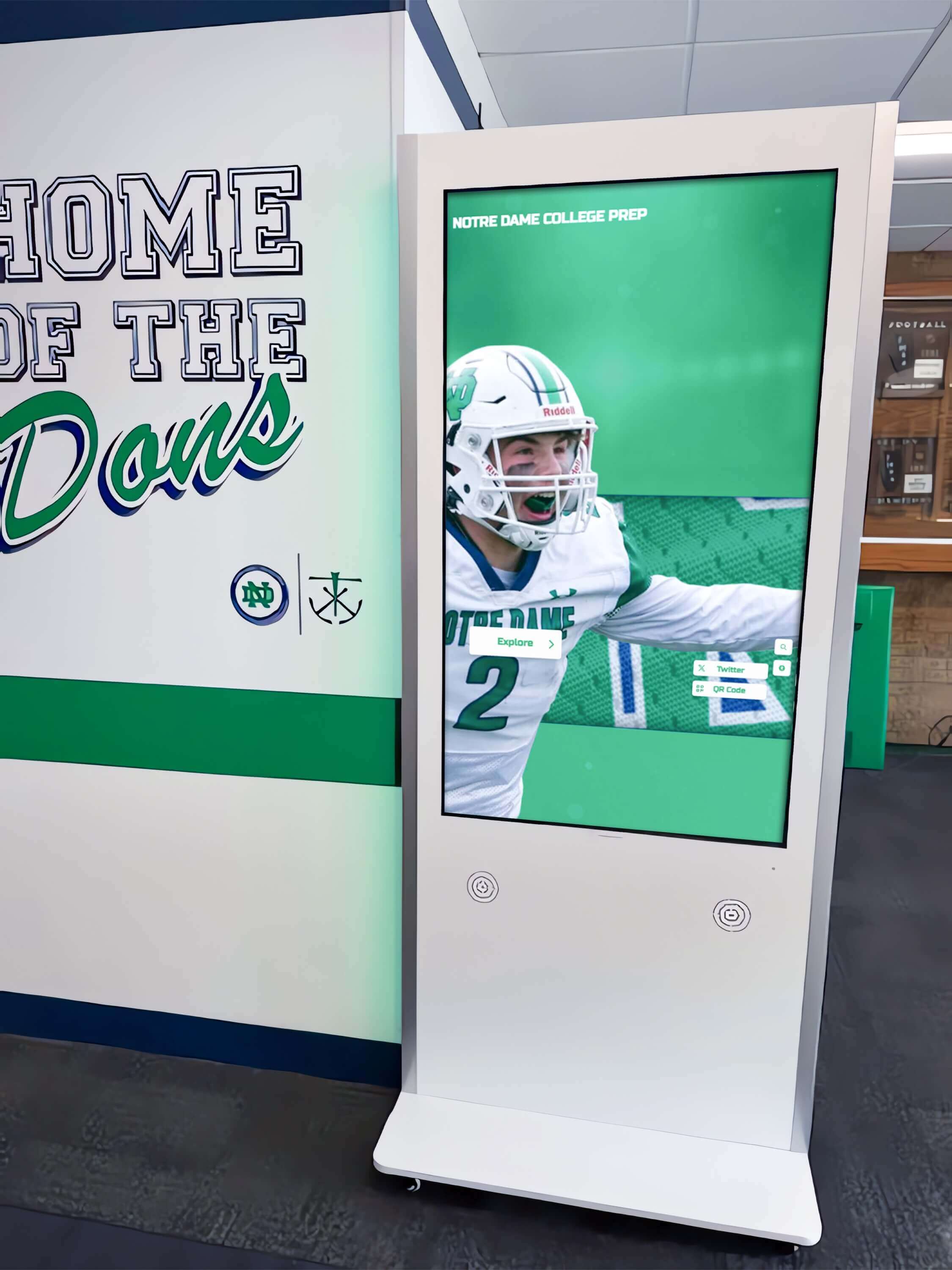
Award citation panels on hallway recognition kiosks display an inductee's honors in compact form—every abbreviated award label must include a visible expansion either in the panel's introductory text or directly adjacent to the abbreviation, since hover tooltips are inaccessible on touch screens
Physical displays and QR code links: Some schools mount QR codes on trophy cases that link directly to an inductee biography page on the recognition site. A visitor scanning that code arrives on a biography page that may be the first page they see; if the biography uses “MVP” without expansion on that page, the visitor has no prior page context to draw on. Every biography page must be self-contained in its abbreviation expansions—it cannot rely on a home page, a category page, or a prior search results page having introduced the full form.
The lighting conditions of a physical trophy case affect how visitors read both the case itself and the QR code that connects them to the digital record. Ensuring that physical case colors do not interfere with the optical quality of the code or obscure engraved text is covered in the Trophy Case Duv Lighting Check: Eliminating Green and Magenta Tint from School Award Displays, which addresses color-rendering accuracy in the physical installation—a separate but complementary concern to the HTML abbreviation audit on the linked digital page.
Frequently Asked Questions
Does WCAG require visible expansion of abbreviations, or is <abbr title="…"> sufficient?
WCAG 3.1.4 (Abbreviations, Level AAA) requires a mechanism to determine the expanded form of abbreviations when they appear. Level AAA is not required by most accessibility standards referenced in U.S. law, but it represents best practice and is increasingly expected by school districts with inclusive recognition programs. More relevant to most schools is WCAG 1.4.13 (Content on Hover or Focus, Level AA): if the title tooltip is the only way to access the expansion, it must be dismissible, hoverable, and persistent. In practice, native browser title tooltips do not meet the hoverable and persistent requirements of 1.4.13 because they disappear when the pointer moves to the tooltip itself. The most reliable approach—first-use visible expansion plus <abbr title="…">—satisfies both criteria without requiring custom tooltip scripting.
Should we use <abbr> on the first-use expansion itself, or only on subsequent uses?
Wrapping the abbreviation in <abbr> on the first use is acceptable and provides useful semantic information even when the full form is visible in the surrounding text. For example: “Jordan Ramirez earned the Most Valuable Player (MVP) award in 1994.” This pattern is not required, but it establishes the <abbr> association at first mention. The minimum requirement is that the full form is visible in text at first use; whether the first use also carries <abbr> markup is a secondary decision.
What if the same award appears on 40 different inductee biography pages—must we verify the expansion on every page?
If the biography pages use a shared template and the award abbreviation is inserted by the same content field or component, verifying and correcting the template fixes all pages at once. The audit still needs to confirm the correct expansion on at least a representative sample of rendered pages—for example, one biography page from each sport category or from each decade filter. If individual biographies are hand-authored and the abbreviation appears in free-text fields, each biography containing the abbreviation must be reviewed individually.
How do we handle an award whose full name is itself disputed or has changed over time?
Use the name the awarding organization used at the time the award was given. If Jordan Ramirez received the award in 1994 when it was called “Most Valuable Player” and the award was renamed “Most Outstanding Player” in 2010, the 1994 citation should use “Most Valuable Player” in the expansion—not the current name. Document the historical name used for each inductee in the recognition program’s records, and reflect that history accurately in the title attribute. Substituting the current name for a historically different award name misrepresents the inductee’s honor.
Can we use JavaScript to insert a visible expansion tooltip instead of putting the text in the HTML?
A JavaScript-powered tooltip that appears on both hover and focus—and that meets the WCAG 1.4.13 criteria for being dismissible, hoverable, and persistent—is a valid supplement to <abbr>, but it does not replace the requirement for a visible expansion in the text. If JavaScript is unavailable, fails to load, or is disabled by a school’s content security policy on the kiosk, the tooltip will not appear. Visible text in the HTML is the only mechanism that remains available regardless of JavaScript state, screen reader settings, input method, or browser configuration.
Should award abbreviations in data tables also be audited, or only those in biography prose?
Both contexts require the audit. A table column header reading “MVP” without any surrounding explanation fails for the same reason a prose occurrence fails. The table structure provides column context, but “MVP” as a bare column header announces to a screen reader navigating the table cells as “M-V-P” with no further identification. A table caption or an introductory sentence that expands the abbreviations used in the column headers resolves the issue. For database-driven award tables, the award names stored in the underlying schema affect what fields are available to template the expansion. Maintaining the database structures that support accurate award display—including avoiding index degradation that slows award lookup—is addressed in the Athletic Awards Database Index Bloat Maintenance Checklist: Keep Award Searches Fast, which covers the schema-level concerns that affect how award data is retrieved and rendered on recognition pages.
Is there a risk of over-marking abbreviations—wrapping every instance in <abbr> even when no expansion is needed?
The <abbr> element should be used when an abbreviation benefit from the semantic association with its expansion—award names, organization acronyms, and sport designations. Wrapping common initialisms that every visitor on the page is expected to know without explanation—“USA,” “TV,” or “GPA” on a page already explaining grade point average—in <abbr> adds minimal value and can make the HTML noisier without accessibility benefit. Focus the audit on award-specific abbreviations and honor-program acronyms that a visitor unfamiliar with the specific school’s recognition program would not be able to expand from general knowledge alone.
Reusable Artifact: HTML abbr Award Acronym Audit Checklist
Copy this checklist before each platform launch, biography template update, or annual recognition season review. Assign a second reviewer for the screen-reader verification section.
Pre-Audit Setup
- Chrome or Firefox DevTools open on the biography page or award citation panel with the most abbreviations
- NVDA (Windows) or VoiceOver (macOS) available for screen-reader testing
- Touch device or Chrome DevTools device emulation enabled for touch testing
- Keyboard without a mouse for keyboard-only navigation testing
- Inventory list prepared: all award abbreviations found in page text, whether marked with
<abbr>, and whether a visible expansion exists anywhere on the page
First-Use Visible Expansion
- Every award abbreviation has a visible full expansion at or before its first occurrence on each page
- The expansion appears in running text or table introduction—not only in a tooltip, legend, or footer
- Pages reachable by QR code or direct URL are self-contained: abbreviations are expanded on those pages regardless of what appeared on referring pages
- Table award header abbreviations are expanded in the table caption or in an immediately preceding paragraph
<abbr> Element Markup
- All subsequent uses of each award abbreviation are wrapped in
<abbr title="…"> - The
titlevalue on each<abbr>element matches the visible first-use expansion exactly - No
<abbr>element has an empty or placeholdertitleattribute -
<abbr>elements use the<abbr>tag specifically, not<span title="…">or other substitutes
Expansion Accuracy
- Every
titleexpansion has been verified against awarding body records, program documentation, or physical trophy text - No expansion is inferred or invented; “expansion unverified” items are escalated before publication
- Historical award names use the name in effect at the time the award was granted, not the current award name if it has changed
- Organization-specific acronyms are confirmed against the issuing conference, association, or school program
Touch and Keyboard Accessibility
- Touch device test confirms award abbreviation meaning is accessible without triggering
titletooltip (visible text carries the expansion) - Keyboard-only navigation test confirms award meaning is accessible without mouse hover
- No page passes the audit solely because
<abbr title="…">is present; visible first-use expansion is confirmed independently
Screen-Reader Verification
- NVDA with Chrome tested; announcement of
<abbr>content documented for each tested abbreviation - VoiceOver with Safari tested on macOS; announcement outcome documented
- For any abbreviation not announced by the screen reader as an expansion: confirmed that visible first-use text provides the information through the page’s readable content
Post-Fix
- axe DevTools or equivalent returns no accessibility violations on
<abbr>element usage - All pass conditions in the Evidence and Decision table confirmed on the live biography directory
- Corrected template changes verified on a representative sample of biography pages across sport categories

A hall of fame biography directory displayed across device sizes—from desktop to mobile—must present award abbreviations with visible full expansions and correct abbr markup so that every visitor can identify each honor, regardless of input method or assistive technology
Connecting the abbr Audit to the Broader Recognition Platform
The HTML abbr award acronym audit addresses one specific layer of a recognition platform’s information accuracy and accessibility. Schools that have completed this check should pair it with related audits that touch adjacent concerns.
An ARIA landmark audit confirms that the recognition directory’s navigation regions are correctly identified so screen-reader users can move between the biography list, the award citation panel, and the search filters without losing orientation. A duplicate ID audit confirms that no two <abbr> elements or their surrounding labels share the same attribute value across a page that builds biography cards from repeated template fragments. A reflow audit confirms that biography text containing expanded award names—which is longer than the abbreviation alone—reflows correctly at 400% zoom without causing the expansion to be cut off or to overlap adjacent content.
For schools managing inductee award records across multiple decades, the underlying data structure that stores and retrieves award names affects which field the template uses to populate the <abbr title="…"> attribute. An award record stored with only an abbreviation in the indexed name field—without the full form—cannot supply a verified expansion to the template automatically. Addressing schema-level maintenance that keeps award data retrieval accurate is part of the Athletic Awards Database Index Bloat Maintenance Checklist: Keep Award Searches Fast, which covers the database-side health checks that directly affect the fields available to the front-end template when populating award name expansions.
A recognition program that correctly identifies every award an inductee received—by name, not only by abbreviation—honors the precision that the program and the inductee both deserve. The HTML abbr element and the visible first-use expansion pattern together take under an hour to audit across a complete biography template and require no tools beyond a browser, a free screen reader, and a keyboard. The result is an award record that every visitor can read fully, regardless of whether they hover a mouse, tap a screen, navigate by keyboard, or listen through a screen reader.

Inductee award records presented on recognition hall displays—whether physical panels or digital screens—depend on the same underlying accuracy: an award abbreviation that cannot be verified against a real honor name should not be published in any medium
See Accessible Award Displays on a Rocket Alumni Solutions Platform
Request a live demonstration to see how Rocket’s recognition platform presents inductee award citations, expanded honor names, and accessible biography directories—before any commitment.































