Digital Hall of Fame Duplicate-ID Accessibility Audit: School Web Team Guide
- Home /
- Digital Hall of Fame Insights & Resources /
- Digital Hall of Fame Duplicate-ID Accessibility Audit: School Web Team Guide

The Easiest Touchscreen Solution




Live Example: Rocket Alumni Solutions Touchscreen Display
Interact with a live example (16:9 scaled 1920x1080 display). All content is automatically responsive to all screen sizes and orientations.
A digital hall of fame duplicate-id accessibility audit is the process of identifying HTML elements whose id attribute value appears more than once on the same page—and then tracing every place that duplicated identifier is consumed by a label, an ARIA relationship, or a script—so that school web teams can repair the breakage before it silently disables assistive-technology support for visitors who rely on screen readers, switch controls, or voice input. A duplicate id value on a recognition platform is not a minor code-quality issue: when two elements share the same identifier, a browser’s for attribute on a <label> resolves to only one of them, an aria-labelledby or aria-describedby reference announces only one element’s text, and document.getElementById in JavaScript returns the first match while silently ignoring any subsequent duplicates. On a digital hall of fame site, the pages with the highest duplicate-ID risk are the inductee search results page (where the same card template with the same internal id values is repeated for every result), the sport-category index page (where filter components carry static IDs), and the inductee profile page (where embedded media players and social widgets import their own identifier namespaces). This guide gives school administrators, athletic directors, IT staff, and recognition-program managers a complete audit workflow, a prioritized fix sequence, and a reusable copy-paste checklist to eliminate duplicate IDs from every page template in a school hall of fame platform.
When a student-athlete’s family opens the hall of fame search results page looking for an induction record, the search field, the active-filter chips, and the inductee card grid all depend on correctly resolved HTML identifiers to function for screen-reader users. If the search input’s label is associated via a for attribute pointing to an id that also appears on the third inductee card in the results grid, the browser resolves the label to the first matching element in document order—and the search field loses its programmatic name. The visitor hears “edit” instead of “Search inductees by name.” The label is present in the HTML. The code looks correct. But the association is broken because the same id value appears twice on the same rendered page.
The digital hall of fame duplicate-id accessibility audit is the systematic check that finds every broken association before a visitor encounters it.

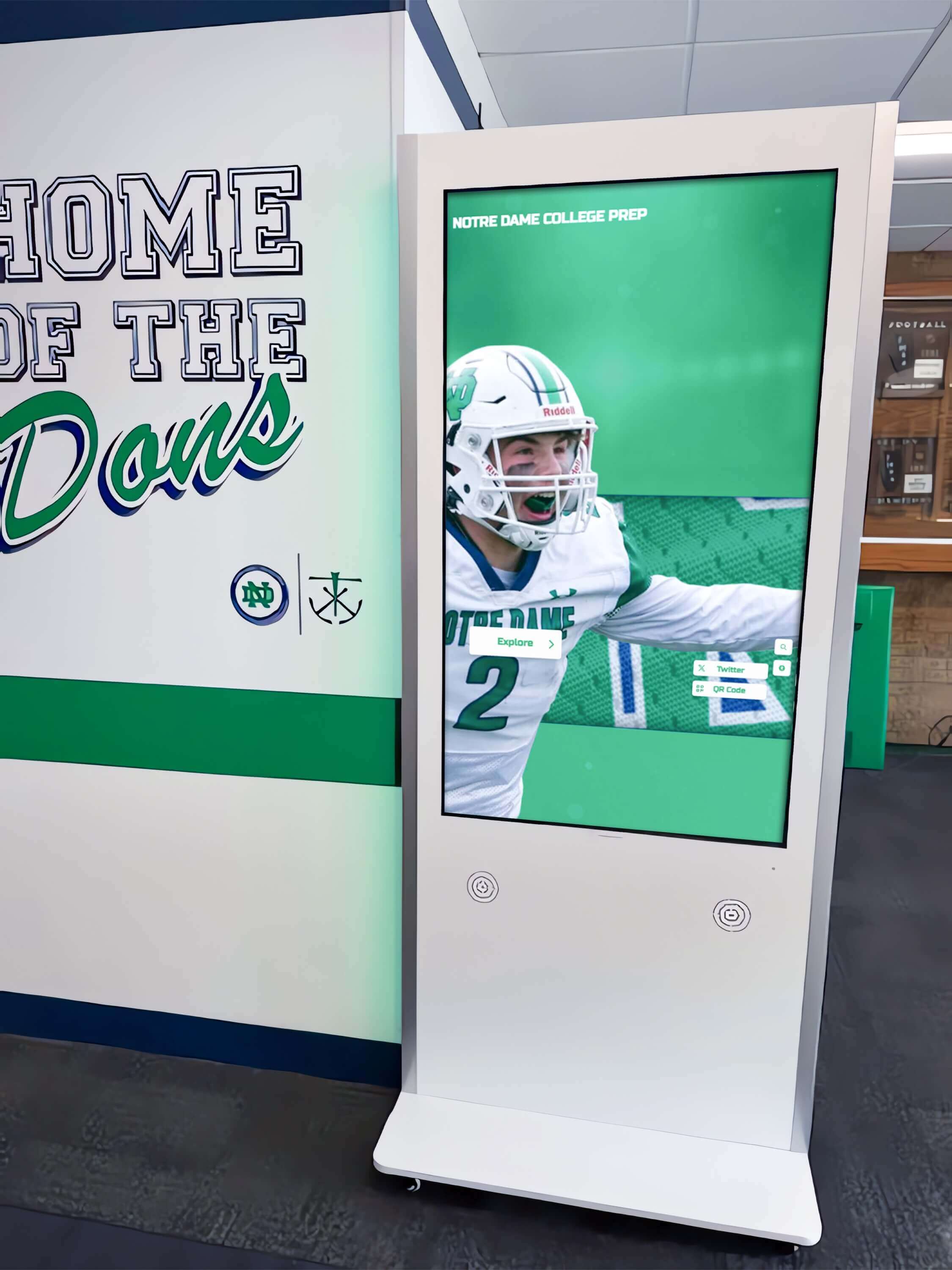
Every search field, filter control, and inductee profile card on a hall of fame touchscreen or web directory depends on correctly resolved HTML identifiers—a duplicate-ID audit confirms those identifiers are unique before the recognition platform opens to the public
Program Snapshot: Duplicate-ID Audit Scope for School Hall of Fame Sites
Map the audit scope before opening a browser or a developer tools panel. The table below defines the key parameters for schools at any stage of digital recognition, from a recently launched site to a multi-decade athletic archive.
| Planning Element | Details |
|---|---|
| Primary Audience | Athletic directors, IT administrators, school web managers, facilities coordinators, accessibility compliance leads, recognition-program owners |
| What Is Being Audited | Every public-facing HTML page in the recognition platform—home, sport-category index, inductee profile, search results, nomination form, and any embedded kiosk view—for elements sharing the same id attribute value within a single rendered document |
| WCAG Criterion | 4.1.1 Parsing — Level A; violations also cascade to 1.3.1 Info and Relationships — Level A and 4.1.2 Name, Role, Value — Level A when duplicate IDs break label or ARIA associations |
| Tools Required | axe DevTools browser extension (free tier), Chrome DevTools Accessibility panel (built-in), and the W3C Nu HTML Checker (online, free) for static-page validation |
| Time Investment | 30–45 minutes for a full audit across all page templates; 10 minutes for a targeted spot-check after any theme, component, or CMS template update that touches repeated card or list components |
| Failure Consequence | Programmatic label associations break silently; screen-reader users hear element types instead of meaningful names; ARIA relationships that reference a duplicated ID resolve to the wrong element or fail entirely; JavaScript components that look up elements by ID interact with the first match only |
| Pass Condition | Every id attribute value on every rendered page is unique within that document; no for, aria-labelledby, aria-describedby, aria-controls, or aria-owns attribute references an id that appears more than once on the page |
| ADA Relevance | Public school recognition websites served to the community—including alumni, families of honorees, and visitors with disabilities—are subject to digital accessibility requirements; WCAG 4.1.1 at Level A is the foundational parsing criterion that validates all programmatic relationships |
What Is a Duplicate ID and Why Does It Break Accessibility?
An id attribute in HTML is intended to uniquely identify a single element within a document. The HTML specification requires that every id value appear at most once per page. When the same id value appears on two or more elements, the browser can still render the page without errors—no visual difference is visible to sighted users—but the programmatic layer used by assistive technology breaks in predictable ways.
How Labels Break
A <label> element associates with a form control using the for attribute, whose value must match the control’s id. When a page has two elements sharing the same id, the for attribute binds to whichever element appears first in document order. If the first element in DOM order is an inductee card link rather than the search input field, a screen reader announces the label text when focus reaches the card, not the search input. The search input loses its programmatic label and is announced only as “edit” or “text field.”
On inductee search results pages, this failure pattern is nearly universal when card templates use static id values: the search form id="search-input" is defined once in the page header, but if a card template also generates an element with id="search-input" for each result card, every card after the first takes ownership of that identifier.
How ARIA Relationships Break
ARIA attributes that reference element IDs by value—aria-labelledby, aria-describedby, aria-controls, aria-owns, aria-activedescendant—resolve to the first element in document order that carries the referenced ID. When a sport-category filter accordion uses aria-controls="filter-panel" to link a toggle button to its controlled region, and the page also renders a second component using id="filter-panel" for an unrelated element, the accordion’s control relationship points to the wrong element. Screen-reader users who activate the toggle hear an announcement that the button controls a region that is not the filter panel.
How JavaScript Focus Management Breaks
document.getElementById returns the first element in document order that carries the requested ID. When modals, carousels, or video players use ID-based lookups to move focus on open or close, a duplicate ID causes focus to land on the wrong element—silently, with no JavaScript error. The visitor’s keyboard focus jumps to an inductee card image instead of the modal close button, or to a hidden element instead of the carousel’s active slide control.
The Card-Template Problem on Recognition Platforms
The highest-frequency source of duplicate IDs on hall of fame sites is the repeated use of an HTML template that contains hardcoded id values for its internal components. A card template that includes <div id="card-media">, <div id="card-title">, and <button id="card-action"> generates three duplicate IDs for every additional card rendered on the page. A search results page with twenty inductee cards produces sixty duplicate-ID violations from a single template. Automated accessibility scanners surface this pattern immediately—every occurrence is flagged—but the root fix is a template change, not sixty individual element edits.
Content Architecture: Where Duplicate IDs Occur on Recognition Pages
A digital hall of fame platform distributes HTML templates across four primary page types. The audit must cover each page type independently because template composition and rendering order vary between views.
Search Results Pages
The search results page is the highest-risk page for duplicate IDs because it renders the inductee card template once for every result returned. Any id value hardcoded into the card template is duplicated as many times as results are displayed. The search field, active-filter summary, and pagination controls may also carry static IDs that conflict with card-template IDs if the template was developed independently of the page shell.
Athletic directors responsible for expanding recognition programs to include multiple award categories and sport-specific induction tracks will find that recognition display design for college intramural and community athletics programs addresses how card-grid layouts scale across recognition categories—the same layout patterns that increase duplicate-ID risk at scale.
Sport-Category Index and Filter Pages
Index pages render filter controls (accordions, checkbox groups, chip bars) alongside a card grid. Filter components frequently use static IDs for their toggle buttons and panel regions because they are designed as standalone components. When the same filter component is rendered more than once on a page—for example, a sport filter and a decade filter that share a common component—both instances carry the same set of IDs. The second instance’s ARIA relationships silently break.
For FBLA chapters and academic recognition programs that publish searchable award databases with filter controls, the FBLA awards and recognition structure guide covers award-category taxonomies that map directly to the filter layers where duplicate-ID risk is highest.
Individual Inductee Profile Pages
Profile pages render a dense mix of embedded components: a photo gallery, a video tribute player, a statistics accordion, a biography section, a social sharing widget, and sometimes a related-inductees carousel. Third-party embeds (YouTube, Vimeo, social widgets) generate their own internal DOM elements with IDs that are intended to be unique within the embed’s own document context—but when the embed is placed inline in the page DOM rather than inside a properly sandboxed <iframe>, those IDs enter the page’s identifier namespace and may conflict with IDs used by the page template.
National Honor Society program pages and academic recognition profiles that embed multimedia tributes alongside GPA-linked achievement displays face the same embedded-component ID conflict that athletic hall of fame profile pages do. The National Honor Society requirements and selection guide illustrates the recognition data models—honors, service hours, GPA benchmarks—that map to the profile-page component sets requiring duplicate-ID testing.
Nomination and Contact Form Pages
Nomination forms for new inductees or tribute submissions may include multiple field groups, each generated from a shared field-component template. A multi-step form that renders the same “name” or “email” field component in successive steps may carry the same id value across steps if the component uses a static identifier rather than a step-prefixed one. Even when only one step is visible at a time, if the DOM for all steps is present simultaneously (with inactive steps hidden via CSS), duplicate IDs exist in the document and break label associations for the visible step’s fields.

Every page template in a hall of fame web directory—search results, profile pages, category indexes, and nomination forms—must be tested independently for duplicate IDs because template composition varies by view
Step-by-Step Digital Hall of Fame Duplicate-ID Audit Workflow
Run the following steps in sequence. Begin with the search results page because it typically produces the largest number of violations and reveals the card-template problem that affects all list views.
Step 1: Install and Configure axe DevTools
Install the axe DevTools browser extension for Chrome or Edge (the free tier detects all WCAG 4.1.1 Parsing violations including duplicate IDs). Open the recognition website’s search results page with at least ten inductee results visible. Do not use a cached version—load the live page so the full rendered DOM, including any client-side JavaScript rendering, is present.
Open Chrome DevTools (F12), navigate to the axe DevTools panel, and run a full-page scan. In the scan results, filter for violations in the “Best Practices” and “Accessibility” categories. Duplicate-ID violations appear under the rule duplicate-id (affects all elements) and duplicate-id-aria (affects elements referenced by ARIA attributes) and duplicate-id-active (affects focusable elements). Note the total count of each violation type and the elements involved before proceeding.
Step 2: Export the Violation List and Group by Template
In the axe DevTools panel, use the “Export” function to download the violation report as CSV or JSON. Open the export in a spreadsheet and sort by the id value column. Group violations by the ID value that is duplicated—for example, all instances of id="card-media" appearing across thirty result cards. This grouping reveals which violations originate from a shared template (many elements sharing the same ID value) versus which are one-off static ID conflicts (two specific components sharing an ID).
Template-origin violations require a template fix. One-off conflicts require a targeted element fix. Prioritize template fixes because they resolve the largest number of violations with a single code change.
Step 3: Test Label Associations on the Search Field
Navigate to the search results page. Open Chrome DevTools and select the search input field using the element inspector. In the Accessibility panel (right-side panel tab), examine the “Name” property of the input. If the name is populated with a meaningful string like “Search inductees by name,” the label association is intact. If the name is empty or shows the placeholder text as the name, the label association may be broken by a duplicate ID.
To confirm, inspect the <label> element associated with the search input. Check its for attribute value. Then use the Console to run document.querySelectorAll('#' + forValue) (substituting the actual for value) and count the number of elements returned. If the count is greater than one, the association is broken by a duplicate ID and the first element in document order has claimed the identifier.
Step 4: Test ARIA Relationships on Filter Controls
Navigate to a sport-category index page. Locate the filter accordion or filter panel. Inspect the toggle button for each filter section. In the Accessibility panel, check the “Controls” property—this should list the filter panel region. If “Controls” is empty or points to the wrong element, the aria-controls reference is broken.
Check for duplicate IDs by running document.querySelectorAll('#' + ariaControlsValue) in the Console. If this returns more than one element, the ARIA relationship resolves to the first element in document order, not necessarily the intended filter panel. Document this finding with the violating ID value, the template it originates from, and the number of occurrences on the page.
Step 5: Test ID-Based Focus Management on Modals and Players
Navigate to an inductee profile page. Open the inductee’s video tribute or detail modal using keyboard navigation (Tab to the trigger, Enter to activate). When the component opens, check where keyboard focus lands. If focus lands on an element that is not the modal’s first focusable control or the video player’s first control, open the Console and run document.getElementById('modal-container') (or whatever ID the focus-management script uses) and verify it returns the expected element.
A common symptom of duplicate-ID focus-management failure: the modal opens and focus jumps visually to an unexpected location on the page, or focus moves to the modal correctly but the screen reader announces the wrong element’s content when focus arrives.
Step 6: Run the W3C Nu HTML Checker on Static Pages
For pages that use server-side rendering or static generation, use the W3C Nu HTML Checker to validate the page source for duplicate IDs at the markup level. Enter the page URL in the checker’s URL field (or paste the page source directly) and run the check. Nu HTML Checker reports duplicate IDs as errors with each occurrence’s line number—this view is useful for identifying exactly which template partial generates each duplicate, because line numbers correlate to the template’s rendered output.
Step 7: Verify Fixes with axe DevTools and a Screen Reader
After each template fix is deployed to staging or the live site, re-run the axe DevTools scan on the same page template. Confirm that the duplicate-id, duplicate-id-aria, and duplicate-id-active violation counts drop to zero for the fixed template. Then navigate the page with NVDA (Windows) or VoiceOver (macOS) active and verify that:
- The search field announces its visible label when focus lands on it
- Each filter accordion toggle announces its expanded/collapsed state and its controlled region correctly
- Each inductee card’s interactive element announces the inductee’s name, not a generic label
- The modal or video player receives focus at the correct element when opened
Screen-reader verification catches ARIA relationship failures that axe DevTools may not simulate fully, because a screen reader processes the full accessibility tree rather than only the DOM attribute values.
Numbered Remediation Steps
When the audit identifies duplicate IDs, apply the following fixes in priority order. Template fixes resolve the highest number of violations per change; one-off element fixes are applied after templates are corrected.
1. Replace static card-template IDs with dynamic, unique identifiers.
For inductee card templates that repeat across search results or index grids, replace every hardcoded id value with a dynamically generated identifier that incorporates a unique value—typically the inductee’s database ID or a loop index. In a CMS or JavaScript template, this produces identifiers like id="card-media-4821" rather than id="card-media", ensuring each card’s internal elements carry unique IDs across all rendered cards.
<!-- Before (generates duplicate IDs on every card) -->
<div id="card-media">...</div>
<div id="card-title">...</div>
<button id="card-action">View Profile</button>

<!-- After (unique per inductee; inducteeId is the database record ID) -->
<div id="card-media-{{ inducteeId }}">...</div>
<div id="card-title-{{ inducteeId }}">...</div>
<button id="card-action-{{ inducteeId }}">View Profile</button>
2. Update all ARIA attribute references after renaming IDs.
After any ID rename, search the template for every attribute that referenced the old ID value: aria-labelledby, aria-describedby, aria-controls, aria-owns, aria-activedescendant, and for. Update each attribute’s value to use the new dynamic identifier pattern. A rename that updates only the id without updating its references removes the violation but breaks all associations, replacing one failure with another.
3. Namespace filter and accordion component IDs at the component instantiation level.
For filter components that are instantiated more than once on a page, pass a unique prefix or suffix at render time that is prepended to every id within the component. This approach keeps the component’s internal structure consistent while making every instantiation’s IDs distinct.
4. Sandbox third-party embeds inside <iframe> elements.
Third-party video players and social widgets that generate DOM elements with IDs should be delivered inside <iframe> elements. An iframe’s document is a separate browsing context with its own identifier namespace; IDs inside the iframe do not enter the parent page’s namespace and cannot conflict with the page’s own IDs. If a third-party embed does not support iframe delivery, use a wrapper element with a unique ID and ensure the embed’s internal IDs are scoped by a unique class or data attribute rather than a global ID.
5. Eliminate duplicate IDs on multi-step forms.
For multi-step nomination or tribute forms where multiple step components exist simultaneously in the DOM, either (a) render only the active step’s HTML and inject subsequent steps on demand, eliminating inactive-step IDs from the document, or (b) prefix every field ID with the step number—id="step1-name-input", id="step2-phone-input"—so fields across steps never share an identifier.
6. Audit CMS-generated output after any theme or plugin update. Content management systems and their theme plugins frequently inject HTML with static IDs for widget areas, sidebar components, and footer modules. After any theme or plugin update, re-run the axe DevTools scan on all page templates to detect new duplicate IDs introduced by updated component output. Document which plugin or theme partial generates each ID so the source of any future reintroduction can be traced quickly.
7. Remove unused id attributes that create unnecessary conflict risk.
Elements that carry id values not referenced by any label, ARIA attribute, anchor link, or JavaScript selector should have their id removed. Unused IDs reduce the identifier namespace and lower the risk of future conflicts when new components are added to the same page templates.
8. Test every fix in the browser before marking it resolved.
After each code change is deployed, run document.querySelectorAll('[id]') in the Console and pipe the result through a frequency count to confirm no ID value appears more than once. A simple Console command to check:
const ids = [...document.querySelectorAll('[id]')].map(el => el.id);
const dupes = ids.filter((id, i) => ids.indexOf(id) !== i);
console.log('Duplicate IDs:', [...new Set(dupes)]);
An empty array confirms the page has no duplicate IDs. A non-empty array identifies the remaining violations for targeted remediation.
Card grids and filter panels on hall of fame kiosk and web directory views are the primary source of duplicate-ID violations—fixing the card template resolves every duplicated identifier across all rendered cards in a single code change
Execution Timeline: Plan, Audit, Fix, Verify
| Phase | Activities | Responsible Party | Cadence |
|---|---|---|---|
| Plan | Inventory every page template in the recognition platform; identify all repeated-card components, multi-instance filter components, and third-party embed integrations; list every id value used in each template | IT lead or web administrator | Once at platform launch; once after each major theme or component library update |
| Audit | Run axe DevTools full-page scan on all page templates; export violation report; group violations by template origin; run W3C Nu HTML Checker on server-rendered pages; verify label and ARIA associations with Console queries | IT staff | At launch; quarterly; within 24 hours of any template or CMS update that touches card, filter, or form components |
| Fix | Apply the eight numbered remediation steps in priority order; begin with card-template dynamic-ID replacement; update all ARIA references after ID changes; sandbox third-party embeds; eliminate multi-step form duplicate fields | Developer or platform vendor | Within 14 days of audit; within 48 hours if duplicate IDs break the search field label or primary navigation ARIA relationships |
| Verify | Re-run axe DevTools scan; run Console duplicate-ID check; verify label and ARIA associations with screen reader; confirm no regressions in adjacent components | IT staff | Immediately after each fix is deployed to the live site |
| Document | Record audit date, page templates tested, violation counts by template, fixes applied with template file names and ID changes made, and verification results; retain for accessibility compliance records | Administrative lead | Each audit cycle |
Schools evaluating digital recognition platforms before selecting a vendor should ask specifically whether the platform’s card templates generate unique IDs per card at render time versus using static IDs that produce duplicate-ID violations at scale. Administrators who oversee multiple recognition programs—athletics, academics, fine arts, community service—will find the practical considerations for managing large-scale inductee databases in the Catholic honors student recognition display guide useful for scoping the audit surface across multi-category recognition archives.
Ready to see a recognition platform built with accessibility-compliant templates from the ground up?
Rocket Alumni Solutions builds hall of fame platforms with dynamically unique element IDs, ARIA-compliant component patterns, and WCAG 2.1 AA accessibility as a standard capability—not a retrofit.
Display Integration: Duplicate-ID Risk in Web Directories vs. Kiosk Interfaces
Digital hall of fame installations typically serve two display layers from the same platform: a public web directory accessible from any device and browser-based touchscreen kiosks mounted in school hallways, lobby spaces, and trophy case areas. Duplicate-ID requirements apply differently to each, though both depend on the same underlying HTML templates.
Web directory: The full WCAG 4.1.1 requirement applies. Any visitor who reaches the web directory—through a search engine result, a QR code printed in a game program, or a direct link in an alumni newsletter—depends on correct programmatic relationships to navigate inductee content with assistive technology. Every duplicate-ID failure on the web directory is a public accessibility barrier.
Kiosk interface: Browser-based kiosk interfaces render the same HTML templates as the web directory. On a touch-first kiosk with no attached keyboard or screen reader, duplicate IDs are invisible in normal operation—touch interaction does not depend on label associations or ARIA relationships in the same way keyboard navigation does. However, some schools provide accessibility accommodations at kiosk installations, including Bluetooth keyboard access for visitors with motor disabilities and screen-reader modes for visitors with visual impairments. If the kiosk uses the same template as the web directory, fixing duplicate IDs in the shared template resolves both environments simultaneously.
QR code entry points on physical recognition displays: Physical installations—hallway murals, trophy case plaques, senior night banners—frequently include QR codes linking to specific inductee profiles. A visitor who scans a QR code from a senior night display enters the platform at an interior profile page, bypassing the home page entirely. The profile page’s embedded media player, statistics accordion, and social sharing widget must all be free of duplicate IDs for that visitor to use the page with assistive technology.
Athletic directors who manage recognition ceremonies that combine physical award presentations with digital displays—senior nights, induction banquets, award banquets for scholarship recipients—will find the accessibility requirements for digital components addressed in context in the basketball senior night ideas and celebration planning guide. Any ceremony that includes a live-display component accessible to guests with disabilities brings duplicate-ID requirements directly into the event planning workflow.
For programs that recognize academic achievement alongside athletics—scholarship recipients, class rank honorees, and FBLA award winners—the class rank and academic standing display guide and the how athletic scholarships work guide for student-athletes and families both describe recognition page types whose database-driven card grids carry the same repeated-template duplicate-ID risk as athletic hall of fame search results pages.

Selecting an inductee card on a touchscreen or web directory triggers ID-based focus management and ARIA relationships that break silently when the card template generates duplicate identifiers across the result grid
Measurement: Evaluating Duplicate-ID Audit Results
After completing the audit and applying remediation, measure outcomes against the following benchmarks.
| Metric | Target | Action if Below Target |
|---|---|---|
| Pages with zero duplicate-ID violations (axe DevTools) | 100% of all audited page templates across the recognition platform | Prioritize card-template dynamic-ID replacement; a single template fix typically resolves the majority of violations across all list and search views |
| Search field accessible name intact | 100% of search input fields on search results and index pages announce their label text to screen readers | Confirm no card-template ID conflicts with the search field’s for-linked ID; verify with axe duplicate-id-active rule |
| Filter accordion ARIA relationships intact | 100% of accordion toggle buttons expose correct aria-controls relationships | Run Console querySelectorAll check on each aria-controls value; confirm single-element return |
| Inductee card interactive elements uniquely identified | 100% of card action buttons and links carry unique IDs across all cards on a single page | Confirm card template uses inductee database ID or loop index in all element id values |
| Modal and player focus management landing on correct element | 100% of modals and video players move focus to the intended first element on open | Test focus landing with NVDA or VoiceOver active; confirm screen reader announces the correct element name on component open |
| Re-audit after CMS or theme update | All duplicate-ID violations remain at zero within 24 hours of any template deployment | Schedule axe DevTools spot-check as part of the deployment checklist for any update that touches card, filter, or form templates |
The duplicate-ID violation has a binary outcome at the page level: either every id on the page is unique within that document, or it is not. A passing result means every label association, ARIA relationship, and ID-based script on the platform resolves to the correct element for every visitor. A failing result identifies exactly which template generates the conflict and how many pages it affects—information that makes prioritized remediation straightforward.
Schools that manage large recognition archives—multi-decade athletic histories, academic honor rolls spanning hundreds of students, fine arts recognition programs—should schedule the duplicate-ID audit as part of a regular accessibility maintenance calendar. The athletic director salary and responsibilities overview notes that accessibility compliance is increasingly included in the formal scope of digital program management responsibilities for administrators who oversee recognition platforms, making structured audit cadences part of standard program operations rather than one-time remediation projects.

Every student, alumnus, and community member who navigates a hall of fame platform with assistive technology depends on correctly resolved HTML identifiers—a duplicate-ID audit completed before launch protects that access for the life of the recognition program
Frequently Asked Questions
What is a duplicate ID and how is it different from a duplicate class or a duplicate attribute value?
A duplicate id value is when two or more elements on the same HTML page carry the same id attribute value. The HTML specification requires that every id value be unique within a single document. A duplicate class value is not a violation—classes are intended to be shared across multiple elements, and browsers handle them correctly. Other attribute values (like name on form fields, which may be shared for radio button groups) follow their own rules and are not subject to the WCAG 4.1.1 uniqueness requirement. Only the id attribute must be unique within a rendered document.
Does the duplicate-ID rule apply to IDs generated inside <template> elements or inside <iframe> elements?
No. Elements inside a <template> element are inert and not part of the live document until they are cloned and inserted into the DOM. Until inserted, they do not contribute to the document’s ID namespace. Elements inside an <iframe> element exist in a separate browsing context with their own document; IDs inside the iframe do not conflict with IDs in the parent page. The duplicate-ID requirement applies only to IDs that exist simultaneously in the live DOM of a single rendered document.
Our CMS generates id values for widget areas and sidebar components. Are those our responsibility to fix?
Yes. WCAG 4.1.1 applies to the page as delivered to the visitor, regardless of the source of the markup. If a CMS plugin generates duplicate IDs on the rendered page, the page owner is responsible for the violation. In practice, CMS-generated IDs can often be addressed through template overrides, plugin configuration options (some allow a unique prefix to be specified), or by disabling the plugin’s ID output and replacing it with a custom implementation. Coordinate with the CMS vendor or a developer familiar with the platform’s override mechanisms.
Can duplicate IDs cause accessibility failures that are not detectable by automated scanners?
Yes. Automated scanners detect duplicate-ID violations by finding matching id values in the DOM. They can also detect duplicate-id-aria violations where an ARIA attribute references a duplicated ID. However, scanners do not simulate the full user experience: they do not navigate to a modal, observe focus landing on the wrong element, and report the failure as a focus management problem caused by a duplicate ID. Manual testing—specifically, opening a modal or video player with a screen reader active and verifying that focus and announcement land on the correct element—is required to catch this category of duplicate-ID impact that automated scanners cannot surface.
How do we prevent duplicate IDs from being reintroduced after we fix them?
The most reliable prevention is to integrate a duplicate-ID check into the continuous integration pipeline. The axe-core library (the same engine that powers the axe DevTools extension) is available as an npm package and can be integrated into automated test suites to run on every build. A CI check that fails the build when duplicate IDs are detected on any page template prevents regressions from being deployed. For schools that do not use a CI pipeline, scheduling a manual axe DevTools scan within 24 hours of any template deployment achieves a similar outcome with more manual overhead.
Do duplicate IDs on the print stylesheet or on hidden elements count as violations?
Violations are assessed on the rendered DOM of the live document. Elements that are in the DOM but hidden via display:none or visibility:hidden are still part of the document and their IDs can still conflict with IDs on visible elements. An element with display:none whose ID is referenced by an ARIA attribute creates a broken ARIA relationship even though the element is not visually rendered. Print stylesheets apply CSS rules and do not remove elements from the DOM; IDs on print-only elements count as part of the document’s identifier namespace.
Reusable Artifact: Duplicate-ID Audit Checklist
Copy this checklist before each recognition platform launch, theme or CMS update, or quarterly accessibility review. Record results per page template, not per page URL—one checklist entry covers all pages rendered from the same template.
Pre-Audit Setup
- axe DevTools extension installed and updated to the current version in Chrome or Edge
- W3C Nu HTML Checker URL bookmarked for server-rendered page validation
- NVDA or VoiceOver available for screen-reader verification of label and ARIA fixes
- List of all page templates in the recognition platform documented (home, search results, sport-category index, inductee profile, nomination form, kiosk view)
Search Results and Card-Grid Templates
- axe DevTools scan run on a search results page with at least ten results visible
-
duplicate-id,duplicate-id-aria, andduplicate-id-activeviolations are zero - Card template uses inductee database ID or loop index in all internal element IDs
- Console duplicate-ID check confirms empty array:
[...new Set([...document.querySelectorAll('[id]')].map(el=>el.id).filter((id,i,a)=>a.indexOf(id)!==i))] - Search field announces its visible label text when focus lands on it (verified with screen reader)
Filter and Accordion Components
- Sport-category filter component carries unique IDs per instantiation (namespace prefix or suffix applied)
-
aria-controlsreferences on accordion toggles resolve to the correct panel element (ConsolequerySelectorAllreturns single element) -
aria-expandedstate updates correctly on toggle activation - Tab from last filter option exits the panel to the first inductee card, not loops within the panel
Inductee Profile Page
- Video tribute player is sandboxed in an
<iframe>or its internal IDs are verified unique against the page’s ID namespace - Biography and statistics accordion components carry unique IDs;
aria-controlsreferences verified - Social sharing widget is sandboxed in an
<iframe>or verified not to generate conflicting IDs - Modal (detail view or photo lightbox) uses dynamic ID on container; focus management lands on correct element
Nomination and Contact Forms
- All form fields carry unique
idvalues; no fieldidrepeated across form steps or form variants on the same page -
<label for>attributes each resolve to exactly one element (ConsolequerySelectorAll('#id')returns count of one) - Multi-step forms either render one step at a time or use step-prefixed IDs across all steps in the DOM
CMS and Third-Party Component IDs
- CMS widget area, sidebar, and footer components do not generate duplicate IDs with page template elements
- Third-party analytics, chat, or social embed scripts do not introduce conflicting IDs on any page template
- W3C Nu HTML Checker reports zero duplicate-ID errors on server-rendered page source
Post-Fix Verification
- axe DevTools scan on all fixed templates returns zero
duplicate-idviolations - Console duplicate-ID check returns empty array on all fixed pages
- Screen reader announces search field label, filter accordion state, and inductee card names correctly
- No regressions in adjacent components (modal focus management, filter Tab exit, carousel Tab exit) following template ID changes
Connecting Duplicate-ID Compliance to the Full Accessibility Workflow
A duplicate-ID audit is one layer of a complete digital hall of fame accessibility verification workflow. Schools that have completed this audit should pair it with the adjacent accessibility checks that address related WCAG criteria at the component and page levels. A keyboard trap audit confirms that every interactive component allows keyboard focus to enter and exit freely—a concern that overlaps with the modal focus management breakage that duplicate IDs can cause. A skip link test confirms that keyboard visitors can bypass navigation headers to reach inductee content directly. An accessible name audit for icon buttons and search fields confirms that the label associations this audit protects are actually announcing the correct text to screen-reader users. A reflow test at 400% zoom confirms that the recognition archive is usable at high magnification settings. Together, these audits cover the primary parsing, keyboard, label, and layout access requirements at WCAG Level A and AA.
Recognition programs that serve the full school community—current students, returning alumni, families of honorees, and community members who follow athletic and academic achievement—depend on a platform whose programmatic structure is as carefully maintained as its visual design. A duplicate-ID audit takes under 45 minutes using free tools, requires no specialist accessibility training for the initial automated scan, and protects every label association and ARIA relationship on the platform from the silent breakage that duplicate identifiers introduce.

Because all device contexts render the same HTML templates, a duplicate ID fixed in the card template is resolved on every device and viewport that renders inductee search results from the same source
Schools developing recognition programs for academic achievement alongside athletic histories should note that the same card-template duplicate-ID risk applies to academic honor displays—honor rolls, class rank lists, National Honor Society rosters—as to athletic inductee grids. Any searchable database-driven display rendered from a repeated card template benefits from the same dynamic-ID template fix, regardless of the recognition category.
See Rocket Alumni Solutions’ Accessibility-Compliant Hall of Fame Platform in Action
Request a live demonstration to see how Rocket’s recognition platform builds dynamically unique element identifiers, ARIA-compliant component patterns, and WCAG 2.1 AA compliance into every page template—so your induction search, profile pages, and filter interfaces work correctly for every visitor, including those who rely on assistive technology.
Live Example: Rocket Alumni Solutions Touchscreen Display
Interact with a live example (16:9 scaled 1920x1080 display). All content is automatically responsive to all screen sizes and orientations.































