




Digital hall of fame ARIA live region test is the process of verifying that when a visitor uses your recognition site’s search bar or sport-category filter, the assistive technology they rely on—NVDA, JAWS, VoiceOver, or TalkBack—automatically announces the updated inductee count or result list without requiring the visitor to move focus away from the control they just used. An ARIA live region is a container element that carries aria-live="polite" or aria-live="assertive" in its HTML, signaling to the browser’s accessibility API that any text change inside it should be read aloud automatically. On a digital hall of fame platform, live regions appear most often in the result-count line (“12 inductees found for ‘football’”) and in the status message displayed after a year-range or award-type filter is applied (“Showing 8 inductees from 1990–1999”). Without a working live region, screen-reader users cannot tell whether the interface responded to their input at all. This guide gives school administrators, athletic directors, IT staff, and recognition-program managers a complete testing workflow and verification checklist they can complete in under 30 minutes.
When a visually impaired alumnus uses your school’s hall of fame directory to search for a former teammate by name, or when a parent with low vision filters your athletic archive by sport and decade, the interface must communicate that something happened after they pressed Enter or activated a filter button. For sighted visitors, an updated result count and a refreshed card grid are immediate visual feedback. For screen-reader users, that same feedback depends entirely on whether the page includes a properly configured ARIA live region—and whether it is announcing updates at the right moment, in the right voice.
Digital hall of fame ARIA live region testing is the verification step that confirms this feedback loop is working. It is distinct from skip link testing and focus-order testing: live regions operate outside the normal tab order, pushing announcements to the screen reader independently of where keyboard focus sits. A platform can pass every other keyboard navigation test and still fail a screen-reader user at the moment of search or filter interaction if live regions are absent or misconfigured.

When a visitor selects a filter or types a search term, the interface must communicate the updated result count to screen-reader users automatically—ARIA live regions are the mechanism that makes that announcement possible
Program Snapshot: ARIA Live Region Testing for School Hall of Fame Sites
Map the scope of the test before opening a browser or screen reader. The table below defines key parameters for schools at any stage of digital recognition.
| Planning Element | Details |
|---|---|
| Primary Audience | Athletic directors, IT administrators, facilities coordinators, web managers, accessibility compliance leads |
| What Is Being Tested | Presence, configuration, and timing of ARIA live region announcements on search and filter interactions in the digital hall of fame web directory |
| Tools Required | A modern browser (Chrome, Firefox, or Edge), a keyboard, and at least one screen reader: NVDA (Windows, free) or VoiceOver (macOS, built-in); optionally, browser developer tools to inspect HTML attributes |
| WCAG Criterion | 4.1.3 Status Messages — Level AA; also supports 1.3.1 Info and Relationships — Level A and 3.2.2 On Input — Level A |
| Time Investment | 20–30 minutes for an initial audit; 10 minutes for a spot-check after search or filter code changes |
| Failure Consequence | Screen-reader users who apply a sport filter or type a search term receive no automated announcement; they must manually navigate the page to discover whether results changed |
| Pass Condition | After a search or filter action, the screen reader announces the result count or status message within two seconds, without requiring the visitor to move keyboard focus away from the search field or filter control |
| ADA Relevance | Public school recognition sites accessible to the community are subject to digital accessibility requirements; WCAG 4.1.3 Status Messages at Level AA is part of the baseline compliance target for educational institutions |
What Is an ARIA Live Region?
An ARIA live region is an HTML element marked with the aria-live attribute, which instructs a browser’s accessibility API to watch that element for content changes and announce those changes to any connected screen reader—automatically, without requiring the user to navigate to the element. The W3C Accessible Rich Internet Applications (ARIA) specification defines this mechanism to solve a fundamental screen-reader limitation: traditional assistive technology reads what is at keyboard focus, but dynamic interfaces update content far away from the current focus point.
There are three possible values for aria-live:
aria-live="off" (default): Changes to the element are not announced. This is the browser’s default behavior for every element that does not carry an aria-live attribute.
aria-live="polite": The screen reader queues the announcement and delivers it after the user finishes their current action or after any other announcement already in progress completes. This is the correct value for hall of fame search and filter status messages—the update is important, but it should not interrupt the user’s current activity.
aria-live="assertive": The screen reader interrupts whatever it is currently reading to deliver the announcement immediately. This is appropriate only for critical error messages or urgent alerts. Using aria-live="assertive" for search result counts would be disruptive and is not recommended for routine recognition-site interactions.
Two supporting attributes work alongside aria-live:
aria-atomic: When set to "true", the screen reader announces the entire content of the live region when any part of it changes, rather than announcing only the changed portion. For a result-count message like “12 inductees found,” aria-atomic="true" ensures the screen reader reads the full sentence rather than just the number.
role="status" and role="alert": These ARIA landmark roles are shorthand live regions. role="status" carries an implicit aria-live="polite" and is the most common implementation for search result announcements. role="alert" carries an implicit aria-live="assertive" and is reserved for error conditions.
A minimal, correct implementation for a hall of fame search results announcement looks like this:
<div role="status" aria-atomic="true" class="sr-only" id="search-status">
  12 inductees found for "football"
</div>
The class="sr-only" (or equivalent visually-hidden CSS class) keeps the element off-screen so it does not create visual redundancy—the result count is already displayed in the card grid. The element remains in the DOM and in the accessibility tree, so the screen reader receives the announcement even though sighted visitors do not see a duplicate count label.
For filter status messages, the same pattern applies:
<div role="status" aria-atomic="true" class="sr-only" id="filter-status">
  Showing 8 inductees from 1990–1999
</div>
Understanding where these elements live in the page—and whether they are being updated correctly by the JavaScript that powers search and filter—is the core question the ARIA live region test answers.
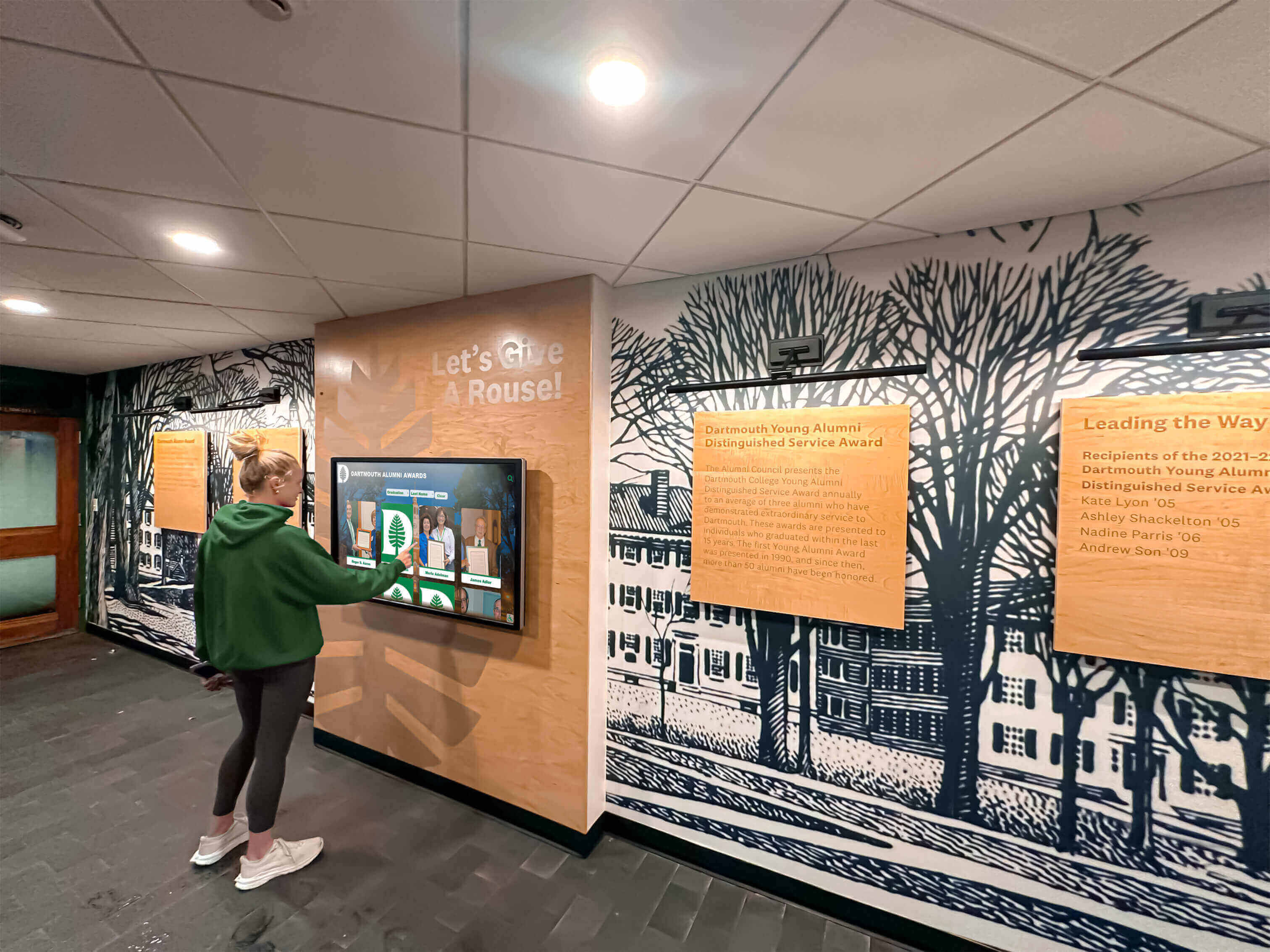
Interactive search and filter features on digital hall of fame touchscreens and web directories depend on ARIA live regions to communicate result changes to visitors using screen readers
Why Hall of Fame Search and Filter Interfaces Need Live Regions
A school’s digital hall of fame typically offers several dynamic interaction points: a keyword search field that filters inductee cards in real time, sport-category buttons that narrow the displayed roster, year-range sliders or decade selectors, and award-type checkboxes. Each of these interactions updates the visible content without a full page reload—a pattern called a “dynamic interface” or “single-page interaction.”
For sighted visitors, this experience is smooth and intuitive: typing “Williams” in the search field causes the card grid to refresh instantly, showing matching inductees. For a screen-reader user, the same action moves keyboard focus to the next character position in the text field—but the refreshed grid is far below, outside the current focus point. If no live region exists, the screen reader never announces that the grid changed. The visitor has no way to know whether results appeared, disappeared, or remained the same.
WCAG 2.1 Success Criterion 4.1.3 (Status Messages, Level AA) specifically addresses this scenario. It requires that status messages—including search result counts and filter confirmation messages—be programmatically determinable through role or property, so that screen readers can announce them without the messages receiving keyboard focus. An ARIA live region with role="status" or aria-live="polite" satisfies this requirement.
The impact is highest on hall of fame platforms with large archives. A school recognizing forty years of athletics across twelve sports may have hundreds of inductee records. Search and filter are the primary navigation tools for visitors who cannot scan a long visual card grid—including users with low vision who rely on screen magnification and switch access, visitors with cognitive disabilities who use assistive technology to navigate complex layouts, and blind visitors whose screen reader reads only the content at or near keyboard focus.
Schools building recognition programs that include academic achievement award recognition for high school programs and athletic history archives in the same platform face this testing requirement across every dynamic section of the site—not only the athletic roster but also the honor roll directory and academic award archive pages.
Content Architecture: How Live Regions Map to Search and Filter Modules
A digital hall of fame web directory typically organizes dynamic content into distinct interaction modules. Each module has a corresponding live region requirement.
| Module | Interaction Trigger | Live Region Content | Recommended Role |
|---|---|---|---|
| Keyword search | Visitor types in search field; results update as they type or after pressing Enter | Result count: “14 inductees found for ‘Johnson’” | role="status" with aria-atomic="true" |
| Sport-category filter | Visitor clicks a sport button (Football, Basketball, Track) | Filter confirmation: “Showing 22 football inductees” | role="status" with aria-atomic="true" |
| Decade or year-range filter | Visitor selects a decade from a dropdown or slider | Filter confirmation: “Showing 9 inductees from 2000–2009” | role="status" with aria-atomic="true" |
| Award-type filter | Visitor checks an award category (MVP, All-State, Academic) | Filter confirmation: “Showing 5 All-State honorees” | role="status" with aria-atomic="true" |
| Combined filters | Visitor applies multiple simultaneous filters | Combined confirmation: “Showing 3 football inductees from 1990–1999” | role="status" with aria-atomic="true" |
| Zero-result state | Search or filter combination returns no matches | Error-style message: “No inductees found for the selected filters. Try a broader search.” | role="alert" for empty-state messages, role="status" for no-match confirmations |
| Loading state | Results are fetching from server after a search | Loading indicator: “Loading inductee results…” | role="status" with aria-live="polite" |
The zero-result state deserves special attention. When a visitor’s search or filter combination returns nothing, the screen reader must announce that explicitly—silence after a filter interaction is ambiguous. A live region that announces “No inductees found for the selected filters” prevents the visitor from assuming the page is still loading or that the interface did not respond.
Schools that plan recognition programs for broader events—including hall of fame recognition at reunion celebrations or multi-decade archive launches—often enable search and filter at the same time as the public launch. Live region testing should be part of the pre-launch checklist, not a post-launch accessibility review.
Step-by-Step Digital Hall of Fame ARIA Live Region Test Workflow
Step 1: Set Up a Screen Reader and Browser
On a Windows machine, download and install NVDA (NonVisual Desktop Access) from nvaccess.org—it is free. On macOS, enable VoiceOver by pressing Command + F5. Use Google Chrome or Mozilla Firefox; both have strong ARIA live region support. Do not use Safari for NVDA testing (they are a mismatched combination); VoiceOver pairs best with Safari on macOS.
Open your digital hall of fame web directory in the browser. Navigate to the page that contains the inductee search and filter interface. Do not log in to the CMS—test the public-facing page as a visitor encounters it.
Activate the screen reader. If using NVDA, you will hear it announce the browser window and begin reading the page. If using VoiceOver, the same applies. Spend thirty seconds becoming comfortable with the screen reader before running the test—you will need to listen carefully for live region announcements.
Step 2: Locate the Search Field by Keyboard
Press Tab to move keyboard focus through the page until it lands on the search input field. The screen reader should announce the field’s label—something like “Search inductees” or “Search by name or sport.” If no label is announced, the search field has a separate accessibility gap (missing <label> element or aria-label attribute) that should also be reported, but that is a separate issue from the live region test.
Note the current position of keyboard focus. Throughout this test, keyboard focus will remain on or near the search field and filter controls. The purpose of the live region test is to confirm that result announcements arrive at the screen reader without requiring you to move focus to the result grid.
Step 3: Type a Search Term and Listen for an Announcement
With focus on the search field, type a common inductee name—a first name likely to match at least a few records in the archive, such as “Smith,” “Johnson,” or “Williams.” After typing, either wait for real-time results (if the interface updates as you type) or press Enter to submit the search.
Listen carefully for a screen reader announcement. Within two seconds of the results updating, the screen reader should announce a status message. The message format varies by implementation, but should communicate the result count and the search term.
Pass condition: The screen reader announces something like “12 inductees found for ‘Smith’” within two seconds of the search completing. Focus remains on the search field—you did not need to move focus to hear the announcement.
Fail condition A: No announcement occurs after typing and waiting five seconds. The live region is absent, empty, or has aria-live="off".
Fail condition B: An announcement occurs, but it is too late—arriving fifteen or thirty seconds after the results appeared visually. The live region exists but is not updated by the JavaScript at the correct moment in the search cycle.
Fail condition C: An announcement occurs but announces only a number—“12”—without context. The aria-atomic="true" attribute is missing, causing the screen reader to announce only the changed portion of the live region text rather than the full message.
Fail condition D: The search field loses keyboard focus when the results update, and focus jumps to the first result card. This is a separate but related problem: programmatically moving focus to the result grid is disruptive when combined with a live region announcement and may cause the live region to be read twice or interrupted.
Step 4: Test a Sport-Category Filter
Navigate to the sport-category filter controls by pressing Tab until focus reaches the first filter button (Football, Basketball, Track, or whichever sports your platform displays). Press Enter or Space to activate the filter.
Listen for the screen reader announcement. The pass and fail conditions mirror those in Step 3: the screen reader should announce the filter result within two seconds, without requiring you to move focus.
Test at least two different sport categories. Also test deselecting a filter (clicking a sport that is already active to remove it) and confirm the live region announces the reset state—for example, “Showing all inductees” or “No sport filter applied, showing all 247 inductees.”
Step 5: Test Combined Filters
Apply a sport filter, then apply a decade filter while the sport filter is already active. Listen for the combined-filter announcement.
Pass condition: The screen reader announces a combined message—for example, “Showing 6 football inductees from 1990–1999”—reflecting both active filters simultaneously. This confirms that the live region text is being composed correctly by the JavaScript that manages filter state, not simply overwritten by each filter independently.
Fail condition: The screen reader announces only the most recently applied filter—“Showing inductees from 1990–1999”—without acknowledging that the sport filter is still active. A visitor who applied multiple filters in sequence would not know whether all filters are still in effect.
Step 6: Test the Zero-Result State
Type a search term unlikely to match any inductee—a long string of characters, or a term you are confident is not in the archive. Confirm that the interface displays a zero-result message visually. Then listen for the screen reader announcement.
Pass condition: The screen reader announces a message such as “No inductees found. Try a different search term or remove a filter.” The announcement occurs within two seconds.
Fail condition: The live region is updated with a zero-result count (“0 inductees found”) but the screen reader announces “0 inductees found” in the same tone as a successful result count. Consider whether this message is sufficiently clear, or whether a more directive message (“No results found—try fewer filters”) would better serve a visitor who cannot see the visual empty-state illustration that typically accompanies zero-result screens.
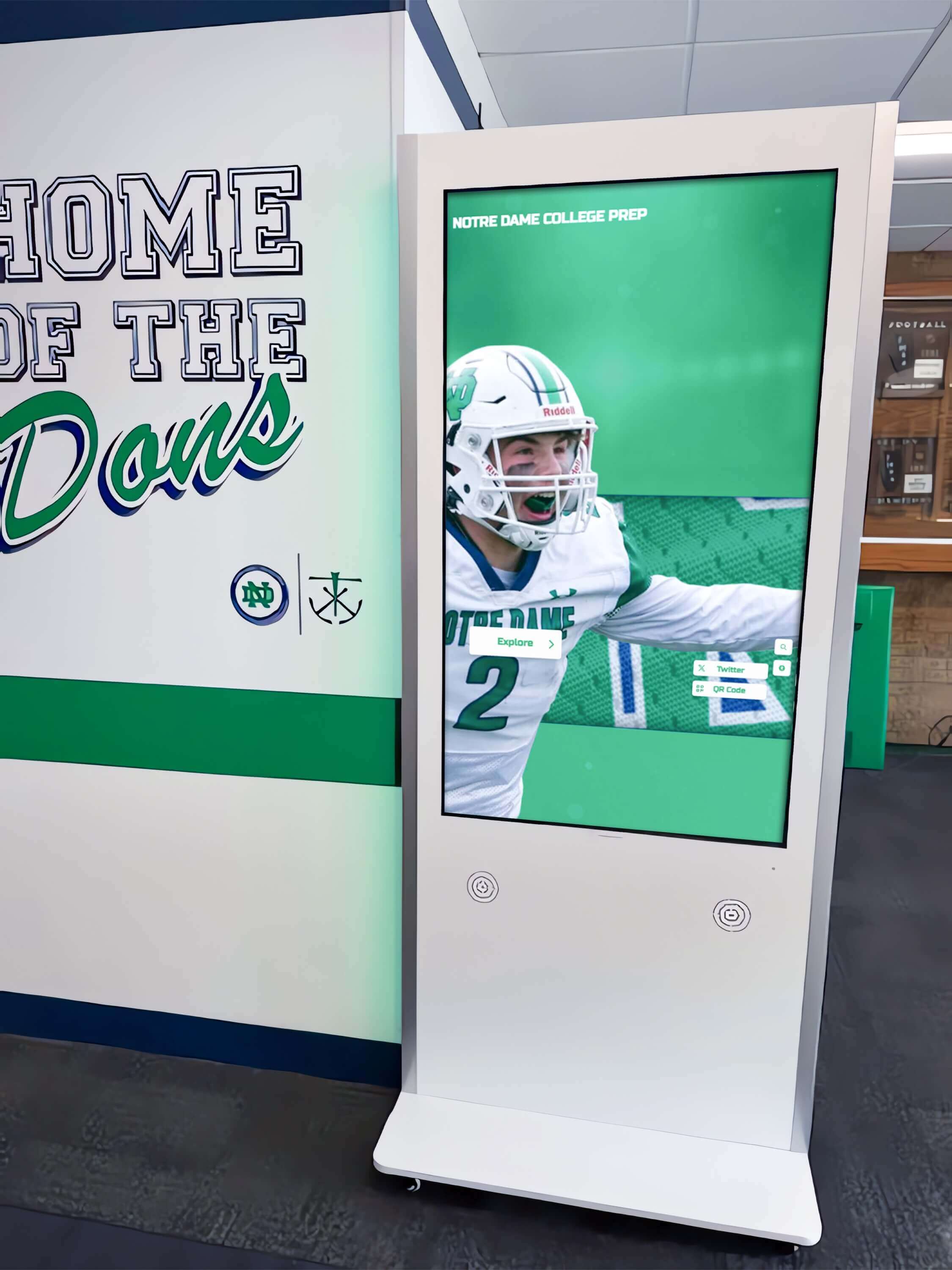
Sport-category filters on hall of fame platforms—like this school hallway kiosk with football navigation—must trigger ARIA live region announcements each time a filter is applied or removed
Execution Timeline: Plan, Test, Fix, Verify
| Phase | Activities | Responsible Party | Cadence |
|---|---|---|---|
| Plan | Identify all search and filter interaction points in the web directory; confirm whether the platform theme includes live region markup; coordinate with IT or vendor | Athletic director + IT lead | Once at launch; once after each major search or filter feature update |
| Test | Run the six-step screen-reader workflow on the search field and each filter type; document pass/fail by interaction type and screen reader | IT staff or accessibility coordinator | Quarterly; immediately after any search, filter, or JavaScript update |
| Fix | Add role="status" container to HTML; update JavaScript to write result-count text to the container on each search and filter event; add aria-atomic="true"; test update timing | Developer or platform vendor | Within 30 days of identified failure; immediately before a community event or archive launch |
| Verify | Repeat screen-reader test after fix is deployed; confirm pass conditions across NVDA + Chrome and VoiceOver + Safari combinations | IT staff | Immediately after fix deployment |
| Document | Record test date, screen-reader and browser versions, pass/fail results by interaction type, and any fixes applied; retain for compliance records | Administrative lead | Each cycle |
Schools working with digital hall of fame tools for athletics and donor programs that include built-in search and filter functionality should ask the platform vendor to confirm that live region markup is included in the default theme and that the JavaScript layer updates the live region text on each search and filter event.
Display Integration: Live Regions on Web Directories vs. Kiosk Interfaces
Digital hall of fame installations typically include a public web directory and a physical touchscreen kiosk. ARIA live region requirements apply differently to each layer.
Web directory: The full WCAG 4.1.3 requirement applies. Any visitor who accesses the web directory from a personal device—including visitors using screen readers, screen magnifiers, or switch access tools—depends on live regions to understand the result of their search or filter interaction. Web directories served over public URLs carry the broadest accessibility obligations.
Kiosk interface: Physical touchscreen kiosks are touch-first by design, and most visitors interact without a keyboard or screen reader. However, if the kiosk interface is delivered through a web browser (a common architecture for recognition platforms), the same HTML-based live region applies whenever a keyboard or screen reader is connected. If the kiosk runs a native application, the equivalent announcement mechanism for that platform should be confirmed with the installation vendor.
QR code entry points: Many hall of fame installations include QR codes on physical trophy cases and award displays that link directly to inductee profile pages or filtered roster views. A visitor who scans a QR code for the football roster enters the web directory already filtered—the live region should announce the filtered state when the page loads, or on first interaction, so that the visitor understands the context of the results they see. This is particularly important for visitors who scan from a QR code in an academic achievement display or award case where the inductee set is already narrowed by award type.
Platforms that support managing school digital hall of fame displays from a cloud CMS—including scheduling filtered views for seasonal displays and updating inductee records without redeploying the site—should be asked to confirm that CMS-driven content updates to the inductee database do not break live region behavior. A CMS update that rewrites the search-results JavaScript or modifies the HTML structure around the results grid can inadvertently remove or disconnect a working live region.
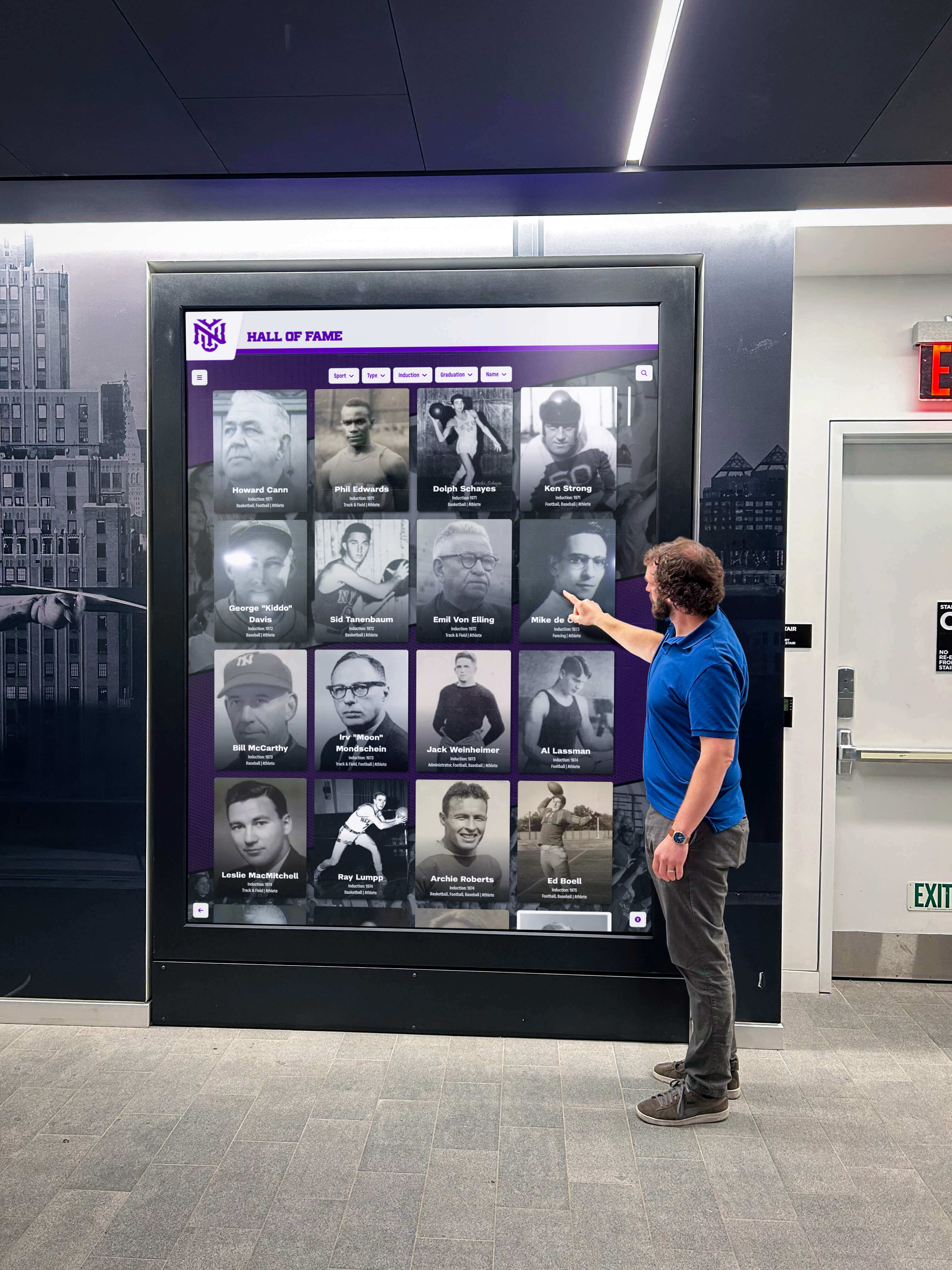
Lobby and hallway digital hall of fame displays that include interactive search attract visitors of all abilities—ARIA live region testing confirms that screen-reader users receive the same result feedback that sighted visitors see visually
ARIA Live Region Verification Checklist
Use this checklist during each testing cycle. Copy it to a spreadsheet or shared document and record results by screen-reader and browser combination.
Structure
- A live region element exists in the HTML source on every page that includes search or filter functionality
- The live region carries
role="status"oraria-live="polite"for result count and filter confirmation messages - The live region carries
aria-atomic="true"so the full message is announced on each update - The live region element is present in the DOM before any search or filter interaction occurs (not injected dynamically by JavaScript after first use)
- A separate live region or
role="alert"element handles error states and zero-result messages
JavaScript Integration
- The JavaScript search handler updates the live region text content immediately after the result grid is updated
- The JavaScript filter handler updates the live region text content immediately after each filter is applied or removed
- When multiple filters are active, the live region text reflects all active filters in a single combined message
- When all filters are removed (reset), the live region announces the total inductee count or an explicit “all results shown” message
- When a search term is cleared, the live region announces the restored result set
Announcement Timing
- The live region announcement arrives within two seconds of the results updating visually
- The announcement does not arrive before the results update (early announcement can cause a mismatch between what is announced and what the grid shows)
- The announcement does not interrupt the user’s ability to type additional characters in the search field
Content Quality
- Result count messages include both the number and the context: “12 inductees found for ‘football’” rather than “12”
- Filter confirmation messages include both the filter type and value: “Showing 8 inductees from 1990–1999” rather than “Filtered”
- Zero-result messages are explicit and actionable: “No inductees found. Try removing a filter or using a different search term.”
- Loading-state messages are present when results fetch from a server: “Loading inductee results…”
Screen Reader Compatibility
- Announcements are confirmed in NVDA + Chrome on Windows
- Announcements are confirmed in VoiceOver + Safari on macOS
- Announcements are confirmed in NVDA + Firefox on Windows (secondary test)
- No duplicate announcements occur (the live region text is not also read as part of the normal page reading flow)
Measurement: Indicators of Effective Live Region Implementation
WCAG 4.1.3 conformance is binary—a live region either announces status messages correctly or it does not. But several downstream indicators reflect whether screen-reader users are able to navigate the search and filter interface effectively.
| Signal | What to Measure | How to Measure |
|---|---|---|
| Announcement timing | Seconds between result update and screen reader announcement | Time manually during screen-reader test; document for before/after comparison |
| Announcement completeness | Whether the full message is announced vs. only a number or partial text | Manual screen-reader test; listen for aria-atomic behavior |
| Zero-result announcement rate | Whether zero-result states produce an explicit announcement | Manual screen-reader test with no-match search terms |
| Automated scan detection | Whether WAVE or axe flags missing ARIA roles on dynamic content | Run automated accessibility scan as supplement to manual testing |
| Vendor confirmation | Whether the platform vendor can confirm live region markup and JavaScript update logic in writing | Request from vendor before or after installation |
Automated scanners (WAVE, axe DevTools) detect some live region issues—particularly missing role attributes and empty live region containers—but cannot confirm that the JavaScript updates the live region at the correct moment in the search cycle or that the announcement timing is appropriate. Manual screen-reader testing as described in this workflow remains the authoritative verification method.
Schools considering recognition programs that include recognizing scholar-athletes beyond the announcement on digital award platforms should apply the same ARIA live region standard to any searchable directory of academic honorees, not only athletic inductees. The testing workflow is identical regardless of whether the archive covers athletics, academics, performing arts, or service recognition.

Whether a visitor browses by sport, searches by name, or filters by decade, each interaction with inductee profiles must produce an ARIA live region announcement that keeps screen-reader users informed of results
Frequently Asked Questions
What is an ARIA live region and why does it matter for hall of fame search?
An ARIA live region is an HTML element marked with aria-live="polite" or role="status" that tells a screen reader to announce any changes to its text content automatically—without requiring the user to move keyboard focus to the element. For digital hall of fame search and filter interfaces, this is the mechanism that tells a blind or low-vision visitor what happened after they typed a name or clicked a filter button. Without a live region, the screen reader is silent, and the visitor has no way to know whether results updated.
Does WCAG require ARIA live regions specifically, or are there other ways to meet the requirement?
WCAG 4.1.3 (Status Messages, Level AA) requires that status messages—including search result counts and filter confirmation messages—be programmatically determinable through role or property, so assistive technology can announce them without receiving keyboard focus. ARIA live regions (aria-live, role="status", role="alert") are the standard mechanism for meeting this requirement in dynamic web interfaces. An alternative approach that programmatically moves focus to the status message region would technically satisfy the criterion but is disruptive to the user’s current task and is not recommended for routine status updates.
Can our platform vendor confirm the live region is working, or do we need to test it ourselves?
Platform vendors can confirm that live region markup is included in the theme HTML. Manual screen-reader testing is the only reliable way to verify that the JavaScript layer is updating the live region at the correct moment—after results appear, with the correct text content, and without interrupting the user’s ability to continue typing. Vendors may not test against every screen-reader and browser combination used by your community. The six-step workflow in this guide is fast enough for IT staff or a web administrator to run directly, using free tools.
What is the difference between aria-live="polite" and aria-live="assertive" for search results?
aria-live="polite" queues the announcement and delivers it after the user finishes their current action. This is correct for search result counts and filter status messages—important information, but not so urgent it should interrupt the user. aria-live="assertive" interrupts whatever the screen reader is currently reading to deliver the announcement immediately. Use aria-live="assertive" (or role="alert") only for critical errors, such as a form submission failure, not for routine result count updates.
Our hall of fame uses JavaScript to load results without a page reload. Does that change the live region implementation?
Yes, and it makes live regions more important. When JavaScript updates the result grid without a page reload, the screen reader does not get the automatic page-load announcement it would receive on a full navigation. The live region is the only mechanism that tells the screen reader about the dynamic update. Ensure the JavaScript that updates the result grid also updates the live region text in the same operation—typically in the callback or promise handler that fires after the result data is received and the grid is rerendered.
What screen readers and browsers should we prioritize for live region testing?
Test NVDA with Chrome and NVDA with Firefox on Windows—these combinations cover the majority of screen-reader users in most school communities. Also test VoiceOver with Safari on macOS, as VoiceOver is the most common screen reader on Apple devices. If your school has students or staff who use mobile devices, test TalkBack with Chrome on Android and VoiceOver with Safari on iOS as secondary validations. ARIA live region behavior can differ across screen-reader and browser combinations, so confirming on at least two is recommended before marking the test complete.
Does live region testing apply to kiosk displays, or only to the website?
If the kiosk interface is delivered through a web browser (common for recognition platforms built on web technology), the same HTML-based live region applies. However, most kiosk deployments do not have a screen reader installed or connected, so the practical impact is lower than on the public web directory. The web directory accessible from any device—including the personal devices of alumni, parents, and community members—is the primary domain where WCAG 4.1.3 requirements apply and where ARIA live region testing delivers the most impact.
Connecting Live Region Compliance to Recognition Program Quality
A digital hall of fame that communicates search results clearly to sighted visitors but silently updates them for screen-reader users is not a complete recognition program. When a visually impaired alumnus searches for a former teammate and receives no announcement confirming whether results appeared, the recognition experience fails at the moment it should be most inclusive.
ARIA live region testing takes under thirty minutes using free tools and requires no specialist expertise beyond basic screen-reader familiarity. It protects the recognition experience for every visitor who relies on assistive technology to navigate dynamic content—and documents that your school has taken a verifiable step toward accessible recognition for the full community.
Schools building recognition programs that extend into academic archives, reunion displays, and multi-year award histories—including reunion programming and digital display ideas and youth sports awards ideas for recognition programs that grow into multi-decade searchable archives—should include live region testing in the pre-launch checklist for every new dynamic feature added to the platform.
Platform buyers evaluating recognition systems should ask whether the platform’s search and filter interfaces include properly configured ARIA live regions in the default theme, whether live region announcements are covered by the vendor’s accessibility testing protocol, and what the update process is for accessibility gaps discovered after installation. A live demonstration with a screen reader running—searching for an inductee name, applying a sport filter, and listening for announcements—provides faster, more reliable information about live region compliance than documentation alone.
Rocket Alumni Solutions’ digital hall of fame platform is built to WCAG 2.1 AA standards, which includes status message requirements for dynamic search and filter interfaces. The platform’s web directory uses properly configured live regions for result count announcements, supports cloud CMS management so administrators can update inductee records without redeploying the site, and provides remote management tools that allow IT staff to maintain accessibility configurations without on-site access.
See Rocket Alumni Solutions’ Accessible Hall of Fame Search and Filter in Action
Request a live demonstration to see ARIA live region announcements, screen-reader-compatible search, and WCAG 2.1 AA compliance in the platform your school’s recognition program would use—before any commitment.































