



Schools and organizations have long relied on traditional class composite displays—those familiar wall-mounted photo collections showing every member of a graduating class or cohort year by year. Visitors would walk along hallways flipping through decades of history by simply moving their eyes from one framed composite to the next, discovering classmates, tracking family legacies, and connecting with institutional heritage through this simple yet powerful browsing experience.
Yet traditional physical composites create frustrating limitations that undermine comprehensive recognition. Wall space constraints force impossible choices about which years receive visibility while others languish in storage. Physical deterioration threatens irreplaceable historical records. Updates remain impossible once printed. And most critically, finding specific individuals across decades of composites requires visitors to manually scan hundreds or thousands of faces without search capabilities or filtering options.
This comprehensive guide explores how digital flip through composite displays solve these challenges by recreating the intuitive year-by-year browsing experience people love from traditional composites while adding powerful search features, unlimited capacity, instant updates, and engaging interactive exploration that transforms how communities connect with class history and institutional recognition.
Digital flip through composite displays enable schools and organizations to preserve the familiar browsing experience of traditional composites—where visitors explore class after class discovering members from specific years—while eliminating space constraints, preservation concerns, and accessibility limitations that compromise physical installations. The result is comprehensive recognition celebrating every year equally with engaging features that strengthen community connections and institutional pride.


Modern touchscreen interfaces enable intuitive year-by-year composite browsing similar to traditional physical displays but with unlimited capacity
Program Snapshot: Digital Flip Through Composite Recognition
Understanding the complete digital composite program scope helps organizations assess whether this approach aligns with recognition goals and community needs.
| Program Element | Description | Key Advantages |
|---|---|---|
| Primary Use Case | Year-by-year class composite browsing enabling discovery by graduation year, similar to traditional physical composites | Preserves familiar navigation while adding search and filtering |
| Target Audience | Current students, alumni returning for reunions, prospective families, community members exploring heritage | Multiple discovery pathways serve diverse visitor needs |
| Recognition Capacity | Unlimited classes across all years without space constraints | Every year receives equal prominence regardless of age |
| Core Features | Year navigation, individual profiles, search capabilities, photo galleries, biographical information | Far exceeds traditional static composite limitations |
| Display Options | Wall-mounted touchscreens, freestanding kiosks, web platforms accessible from any device | Extends access beyond single physical location |
| Update Capability | Instant remote updates adding new classes, correcting information, or enhancing existing recognition | Eliminates expensive reprinting and replacement cycles |
| Content Depth | Photos, names, achievements, activities, statistics, videos, and historical context for each individual | Transforms simple photo directories into rich storytelling |
Content Architecture: Organizing Classes for Year-Based Navigation
Digital flip through composite displays structure content specifically to recreate and enhance traditional year-by-year browsing experiences:
Year-Based Primary Navigation
The core interface mimics traditional composite wall browsing but with superior organization and access:
Chronological Class Selection
- Complete timeline showing every year from founding through present
- Large clearly-labeled year buttons enabling quick selection of specific classes
- Decade grouping options for institutions with long histories spanning 50+ years
- Current year highlighting directing visitors to most recent recognition
- Milestone year indicators marking anniversaries (5, 10, 25, 50 years) relevant for reunion planning
- Visual design reflecting institutional identity through school colors, logos, and branding
Class Overview Pages Each year’s composite presents comprehensive class information:
- Complete roster of all class members with consistent professional photography
- Grid or list views accommodating different class sizes from small groups to hundreds of graduates
- Class statistics showing total members, demographic information, or achievement summaries
- Historical context describing significant events during that specific school year
- Related content linking championship teams, notable achievements, or special recognitions from that year
- Navigation to adjacent years enabling sequential browsing through multiple classes
Individual Profile Access From class composites, visitors explore detailed individual recognition:
- High-resolution portraits maintaining photo quality across all display sizes
- Complete biographical information including activities, honors, interests, and accomplishments
- Career updates for alumni showing professional paths and life achievements
- Family legacy connections highlighting siblings, parents, or children attending across generations
- Peer relationships showing friend groups, team memberships, or shared activities
- Social sharing enabling individuals to celebrate their recognition through personal networks
Explore comprehensive approaches to class composite presentation that balance tradition with modern capabilities.
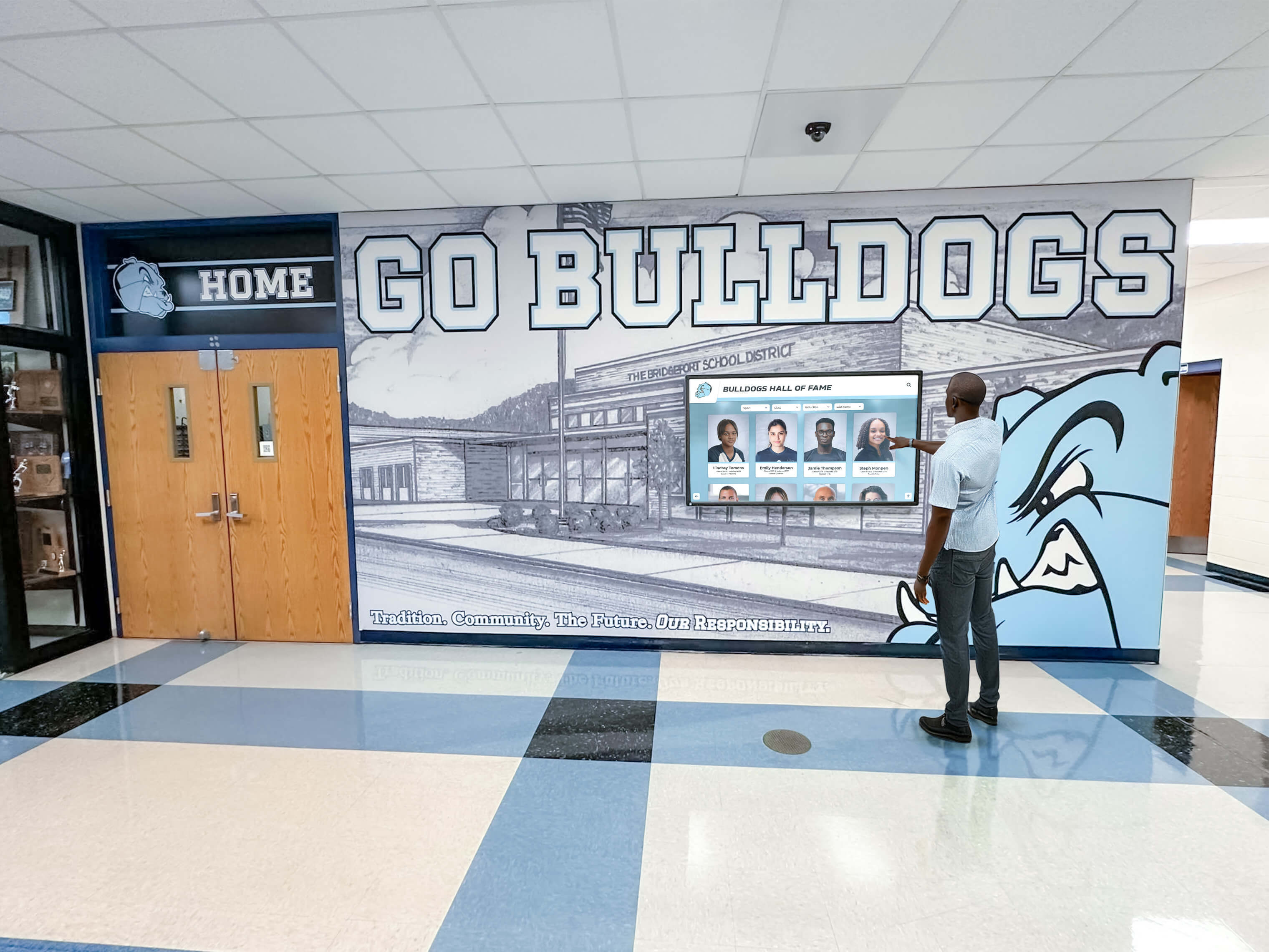
Strategic placement in high-traffic hallways creates natural browsing opportunities similar to traditional composite installations
Alternative Discovery Pathways Supporting Different Use Cases
While year-based browsing remains the primary navigation, comprehensive systems provide additional access methods:
Name Search Functionality
- Full-text search instantly locating specific individuals across all years
- Auto-complete suggestions reducing spelling errors and speeding discovery
- Partial name matching accommodating maiden names, nicknames, or incomplete information
- Advanced filtering combining name search with year ranges or other criteria
- Recent search history enabling quick return to previously viewed profiles
- Popular searches highlighting frequently accessed individuals or notable alumni
Activity and Affiliation Filtering
- Sport or activity filtering showing participants across multiple years
- Club or organization views connecting members through shared experiences
- Achievement category browsing highlighting academic honors, athletic accomplishments, or service recognition
- Teacher or coach filtering showing all students who studied under specific faculty across decades
- Geographic filtering identifying where alumni settled after graduation
- Career or industry views showing professional paths pursued by community members
Featured Content and Guided Tours
- Curated highlight reels showcasing notable achievements or interesting stories
- Milestone reunion features directing visitors to classes celebrating anniversaries
- Family legacy spotlights highlighting multi-generational attendance patterns
- Historical timelines connecting classes to institutional evolution and significant events
- Anniversary commemorations marking centennials, facility dedications, or program milestones
- Seasonal content aligned with homecoming, reunions, or annual celebrations
Learn about effective strategies for alumni engagement through digital recognition displays.
Execution Timeline: Implementing Digital Flip Through Composite Systems
Successful implementation follows systematic phases ensuring thoughtful planning and professional execution:
Phase 1: Planning and Scope Definition (Weeks 1-4)
Composite Archive Assessment
- Inventory existing physical composites documenting years, conditions, and display status
- Identify gaps in historical coverage where composites were never created or have been lost
- Determine which years will receive priority for initial digital launch
- Assess photograph quality and availability across different time periods
- Document current recognition criteria and selection processes for ongoing consistency
- Establish whether historical composites require professional scanning or existing digital files are available
Technology Requirements and Site Planning
- Evaluate facility locations for optimal touchscreen placement matching traditional composite areas
- Assess network infrastructure supporting cloud-based content management and remote updates
- Determine appropriate display sizes based on typical viewing distances and space availability
- Decide between wall-mounted installations versus freestanding kiosks matching facility aesthetics
- Plan electrical requirements including dedicated circuits and proper code compliance
- Coordinate with facilities teams regarding installation timing and any required construction permits
Budget Development and Resource Allocation
- Research total cost of ownership including hardware, software, installation, and ongoing support
- Allocate budget for historical photograph digitization or restoration services
- Assign staff responsibility for content management and ongoing composite updates
- Identify volunteer committees or alumni groups potentially assisting with content development
- Establish realistic timeline balancing thorough preparation with reasonable project duration
- Secure administrative approval and funding commitment before proceeding to implementation
Phase 2: Content Development and Historical Digitization (Weeks 5-16)
Physical Composite Digitization For institutions with existing physical composites requiring conversion:
- Professional high-resolution scanning preserving maximum detail from original materials
- Individual portrait extraction separating each photo from composite layouts for database functionality
- Optical character recognition capturing printed names and information automatically
- Manual verification correcting OCR errors and ensuring complete accuracy
- Quality enhancement removing fading, improving contrast, or repairing damaged photographs
- Metadata assignment connecting each portrait to appropriate graduation years and classes
Biographical Information Research Beyond photographs, comprehensive recognition requires detailed content:
- Yearbook research extracting activities, clubs, sports, awards, and other biographical details
- Alumni database integration incorporating career updates and current contact information
- Outreach campaigns soliciting biographical updates and memory contributions from graduates
- Faculty and staff interviews gathering contextual information about specific classes and eras
- Historical archive research connecting classes to institutional events and facility developments
- Family legacy research identifying siblings, parents, children attending across generations
Discover approaches to digitizing school history and archives for recognition programs.
Content Quality Assurance Professional presentation requires systematic quality control:
- Style guide development ensuring consistent writing tone and formatting across all profiles
- Approval workflows enabling administrator review before content publication
- Proofreading procedures preventing errors in publicly displayed recognition
- Photo editing standards maintaining consistent lighting, cropping, and presentation quality
- Biographical verification confirming accuracy of achievements and information
- Phased launch approaches testing systems with initial years before expanding to complete archives

Freestanding kiosks provide complete recognition solutions without requiring wall space or extensive installation
Phase 3: Technology Selection and Installation (Weeks 17-24)
Platform Evaluation Distinguishing Purpose-Built Recognition Systems Not all digital display solutions effectively support flip-through composite browsing:
- Verify year-based navigation as primary interface rather than generic slideshow approaches
- Ensure robust search capabilities enabling instant discovery across decades of composites
- Confirm mobile-responsive web platforms extending access beyond physical displays
- Assess content management usability ensuring staff can confidently update composites annually
- Evaluate whether platforms specifically designed for educational recognition versus generic signage
- Compare total cost across 5-year horizon including software subscriptions and ongoing support
Solutions like Rocket Alumni Solutions provide purpose-built platforms specifically designed for year-based composite browsing with intuitive interfaces, unlimited capacity, and comprehensive features supporting schools and organizations across hundreds of successful implementations.
Professional Display Installation Quality hardware installation ensures reliable long-term operation:
- Commercial-grade touchscreen displays rated for continuous public use rather than consumer TVs
- Professional mounting with proper structural support and secure attachment to building systems
- Clean cable management creating polished finished appearance without exposed wiring
- Network connectivity verification ensuring reliable cloud access for content management
- ADA-compliant positioning accommodating wheelchair users and accessibility requirements
- Integration with existing facility design complementing rather than conflicting with aesthetics
Administrator Training and Capability Building Technology succeeds only when staff operate systems confidently:
- Hands-on content management training with actual profile creation and composite assembly
- Annual update workflow practice adding new graduating classes to existing archives
- Bulk upload procedures efficiently importing entire classes from photography vendor databases
- Quality control review processes ensuring accuracy before publication
- Analytics and reporting features demonstrating community engagement and program value
- Ongoing support access through documentation, video tutorials, and responsive helpdesk
Phase 4: Launch and Community Engagement (Week 25+)
Public Unveiling and Celebration Launch events create awareness and encourage initial exploration:
- Ceremony during homecoming, reunion, or dedicated recognition celebration
- Invitations to recent graduates and milestone reunion classes creating cross-generational attendance
- Facility tours demonstrating features and encouraging hands-on browsing
- Media coverage generating community awareness and institutional visibility
- Commemorative elements honoring contributors who made program possible
- Social media campaigns featuring highlighted profiles and interesting legacy stories
Sustained Promotion and Ongoing Visibility Initial excitement requires sustained communication maintaining engagement:
- Regular social media posts featuring profiles from different years and decades
- Integration into facility tours for prospective students and families
- Newsletter features highlighting milestone reunions and anniversary classes
- Ambassador training enabling volunteers or students to demonstrate systems
- QR code placement throughout facilities linking to web platform
- Annual recognition ceremonies celebrating new class additions and milestone anniversaries
Learn about creating effective school lobby recognition displays that showcase composites prominently.
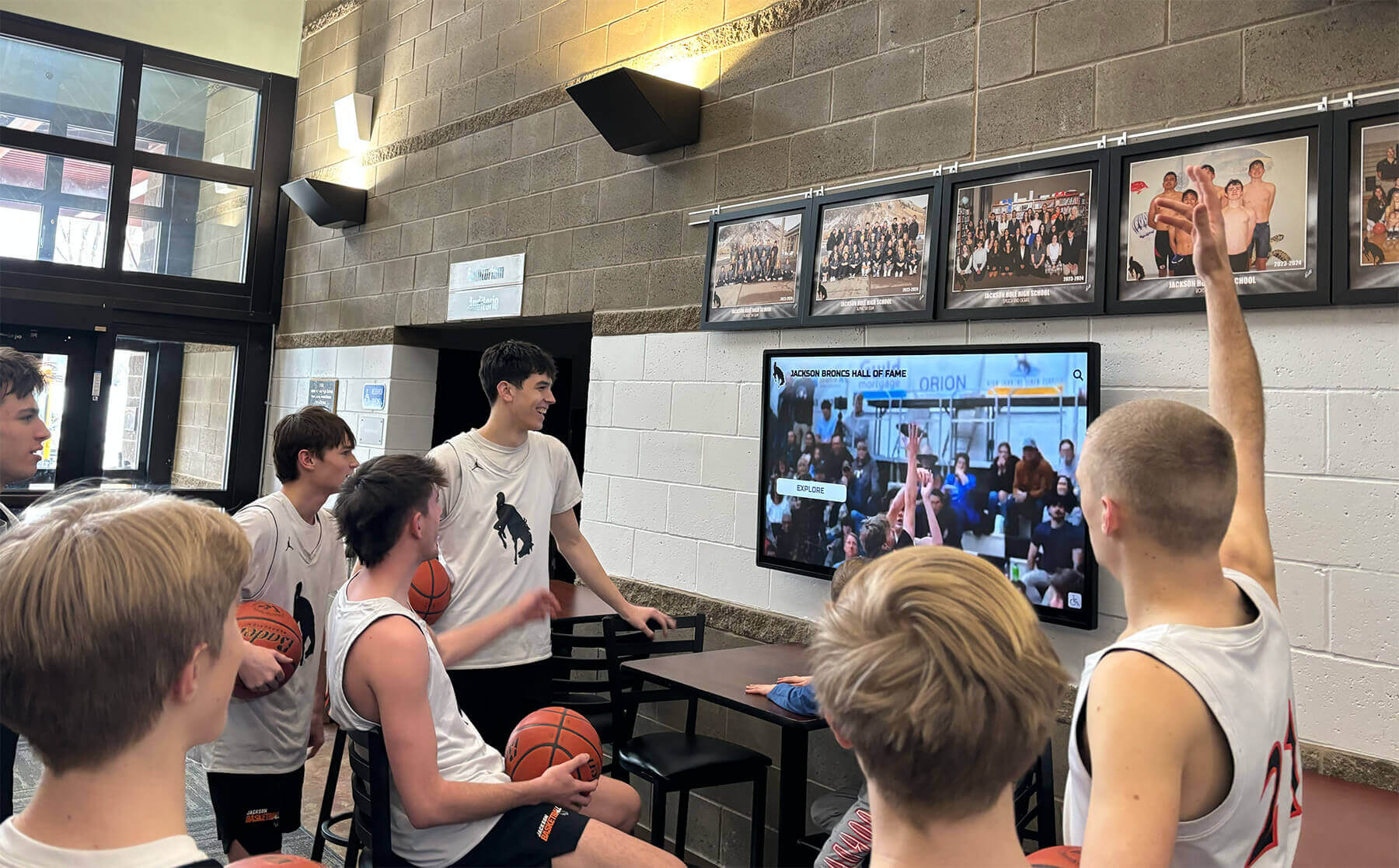
Interactive displays create natural social gathering points where students and visitors explore composites together
Display Integration: Creating Engaging Flip-Through Experiences
Effective digital composite systems combine intuitive interface design with strategic physical placement:
Interface Design Principles for Year-Based Browsing
Visual Timeline Presentation The primary navigation recreates walking along a hallway of composites:
- Horizontal or vertical timeline showing progression from oldest to newest classes
- Large year labels immediately identifying each class without additional interaction
- Thumbnail previews showing representative photos from each year
- Color coding or visual indicators distinguishing decades or eras
- Current position highlighting showing which year visitors currently view
- Smooth scrolling or swiping enabling quick movement through sequential years
Class Composite Layout Optimization Individual year pages present rosters clearly and attractively:
- Grid layouts accommodating various class sizes from dozen members to several hundred
- Consistent photo sizing and spacing creating professional uniform appearance
- Name labels clearly identifying each individual without requiring additional taps or clicks
- Alphabetical organization enabling quick visual scanning within large classes
- Missing photo placeholders maintaining layout consistency when individuals declined participation
- Class statistics or context providing overview before exploring individual profiles
Responsive Touch Interactions Touchscreen interfaces require different design considerations than mouse-based systems:
- Large clearly-defined touch targets preventing accidental selections
- Gesture support including swiping between years, pinching to zoom, or scrolling through lists
- Immediate visual feedback confirming touches registered successfully
- Minimal typing requirements reducing frustration on touchscreen keyboards
- Auto-complete and suggestions accelerating search without extensive keyboard interaction
- Back navigation clearly available enabling visitors to return to previous screens
Physical Display Placement Strategy
Recreating Traditional Composite Hallways Digitally Strategic placement maintains familiar browsing patterns:
- Main hallways where original physical composites traditionally appeared
- Entrance lobbies creating immediate visibility for all visitors
- Alumni centers or designated recognition spaces in renovated facilities
- Near administrative offices ensuring staff monitor displays and assist visitors
- Student commons or cafeteria areas providing sustained viewing opportunities
- Athletic facilities connecting with team recognition and sports program traditions
Optimizing Viewing Environment Physical factors significantly impact user experience:
- Lighting assessment ensuring displays remain visible without glare washing out screens
- Adequate space in front accommodating multiple simultaneous viewers and group browsing
- Comfortable viewing height considering both standing adults and seated wheelchair users
- Integration with existing physical displays creating comprehensive recognition environments
- Complementary wall graphics or murals connecting digital displays with institutional identity
- Directional signage guiding visitors to recognition displays from building entrances
Explore strategies for creating digital recognition walls that celebrate heritage.
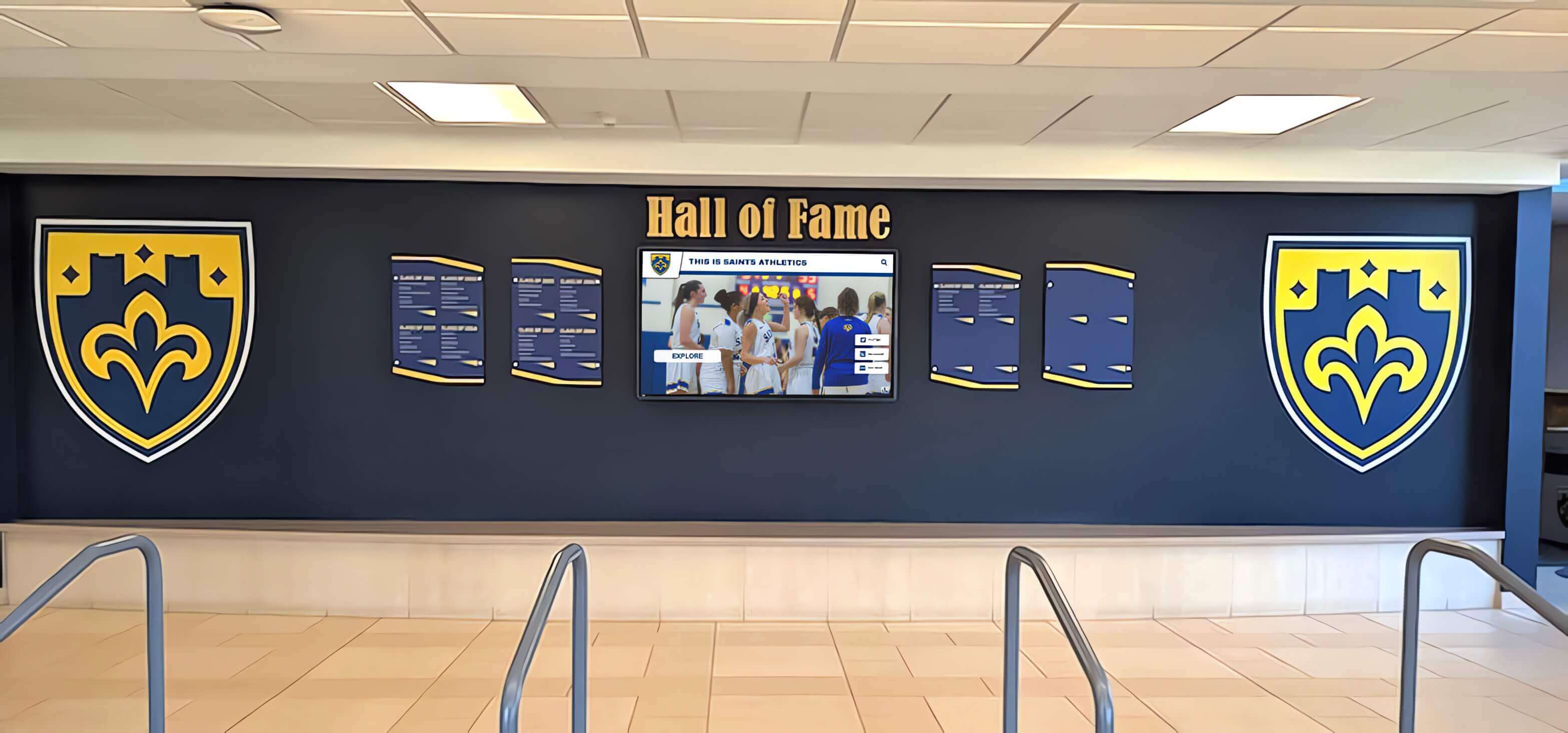
Professional installations integrate digital displays with traditional design elements creating cohesive recognition environments
Measurement Block: Tracking Digital Composite Program Success
Systematic evaluation demonstrates program value while guiding continuous improvement:
Engagement Metrics and Community Usage
Quantitative Performance Indicators Track concrete measures demonstrating community connection:
- Total touchscreen interactions showing how frequently visitors engage composites
- Average session duration indicating whether visitors briefly glance or deeply explore
- Most viewed classes revealing which years attract highest community interest
- Search query patterns showing what visitors seek and whether discovery succeeds
- Peak usage times informing optimal update scheduling and content feature decisions
- Year-over-year trends demonstrating whether engagement grows or plateaus
Discovery Pattern Analysis Understanding how visitors navigate composites guides enhancement:
- Entry point tracking showing whether visitors begin with year browsing or search
- Navigation path analysis revealing how visitors move between classes and profiles
- Feature utilization rates showing which capabilities receive most use
- Drop-off points identifying where visitors abandon exploration before completion
- Return visitor frequency demonstrating sustained engagement versus one-time curiosity
- Content gap identification revealing which years or individuals attract little attention
Web Platform Extension Mobile and desktop access extends impact beyond physical displays:
- Total web visits demonstrating global reach across geographic boundaries
- Geographic distribution showing alumni engagement from across states and countries
- Device types revealing whether mobile or desktop access predominates
- Social sharing frequency indicating which profiles generate viral community conversation
- Traffic sources showing how visitors discover online composites
- Session characteristics comparing web browsing patterns to physical touchscreen usage
Program Effectiveness and Institutional Value
Stakeholder Satisfaction Assessment Qualitative feedback complements quantitative metrics:
- Alumni satisfaction surveys measuring whether recognition meets expectations
- Current student interest observing whether displays create engagement and conversation
- Prospective family feedback during campus tours and admission processes
- Administrator opinions about platform usability and management burden
- Photography vendor coordination evaluating workflow efficiency
- Facilities staff perspectives on installation quality and display reliability
Operational Efficiency Measures Compare digital approaches to traditional physical composite management:
- Administrative time required for annual composite updates and publication
- Cost savings from eliminated physical printing, framing, and installation expenses
- Storage space recovery from physical composites moved to digital-only presentation
- Update speed measuring days from receiving photos to published recognition
- Error correction efficiency comparing instant digital fixes to expensive physical reprinting
- Preservation benefits protecting irreplaceable historical records from continued deterioration
Institutional Impact Indicators Assess broader effects beyond immediate recognition metrics:
- Alumni engagement changes showing strengthened institutional connections
- Development outcomes potentially influenced by visible transparent recognition
- Reunion attendance correlation with digital composite visibility and promotion
- Recruitment effectiveness during prospective family campus visits
- Media coverage generating institutional visibility and community awareness
- Competitive positioning versus peer institutions using traditional approaches
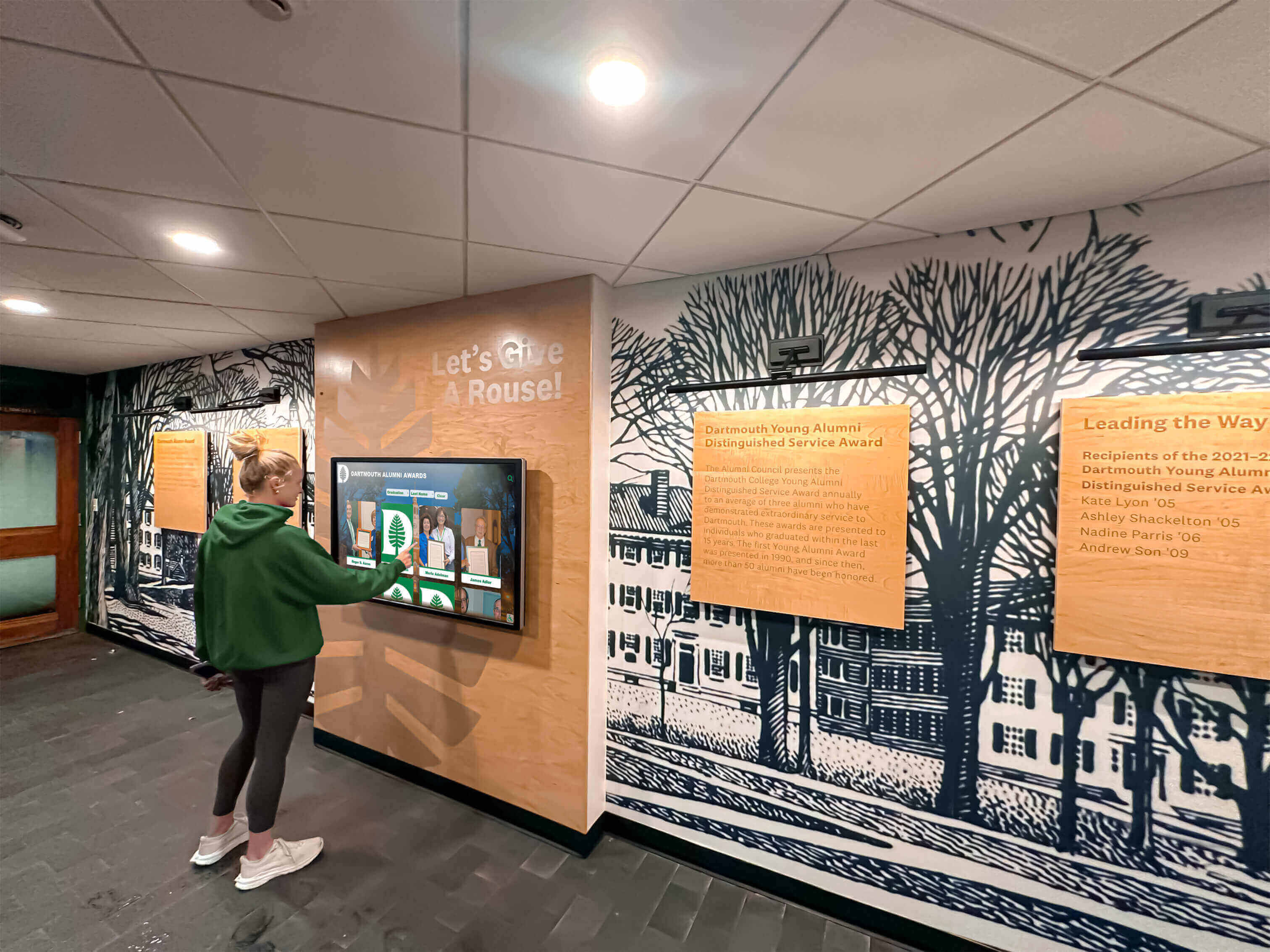
Intuitive interfaces enable independent exploration across all ages without instruction or staff assistance
Advanced Features Enhancing Digital Flip Through Composites
Organizations with mature programs enhance recognition effectiveness through additional capabilities:
Multimedia Content Integration
Video Recognition Enhancement Moving beyond static photography creates richer storytelling:
- Class video compilations showing highlights from specific years or decades
- Individual interview features capturing alumni reflections on school experiences
- Historical footage preserving significant events, ceremonies, or traditions
- Performance videos showcasing artistic, athletic, or academic accomplishments
- Slideshow presentations with narration providing era-specific context
- Drone footage showing campus evolution across recognition time periods
Interactive Timeline Features Contextual information helps visitors understand historical periods:
- Parallel timelines showing world events, pop culture, or technology developments during each class year
- Facility evolution displaying campus buildings and spaces across decades
- Tuition and enrollment data showing institutional growth trajectories
- Academic program development tracking major additions or curriculum changes
- Athletics championship history connecting teams to broader program traditions
- Faculty tenure timelines showing beloved teachers across multiple class years
Social Sharing and Extended Engagement Digital content inherently supports broader distribution:
- One-click social media sharing enabling individuals to celebrate recognition
- Email notifications alerting alumni when their class composites update or feature prominently
- QR code generation creating direct links to specific years or individuals
- Embedded web widgets displaying composites on institutional websites or portals
- Mobile app integration providing permanent access beyond building-specific displays
- Print-on-demand certificates or commemorative items featuring digital composite content
Family Legacy and Relationship Mapping
Multi-Generational Connection Visualization Schools often educate families across multiple generations:
- Automated sibling identification connecting family members across different graduation years
- Parent-child relationships showing institutional loyalty spanning decades
- Extended family networks revealing cousins, grandparents, or other relatives attending
- Family legacy timelines visualizing attendance patterns across generations
- Comparative displays showing siblings or parent-child photos side-by-side
- Legacy statistics quantifying multi-generational attendance patterns institution-wide
Peer Relationship Documentation Beyond family, shared experiences create lasting connections:
- Team roster integration showing athletic or activity group memberships
- Friend group tagging enabling visitors to explore classmate circles
- Teacher-student relationships connecting favorite educators to their students across years
- Roommate or cohort associations for residential institutions
- Club or organization membership tracking participation across graduating classes
- Mentor-mentee connections in programs with formal mentorship structures
Discover strategies for creating alumni halls of fame that celebrate comprehensive achievement.
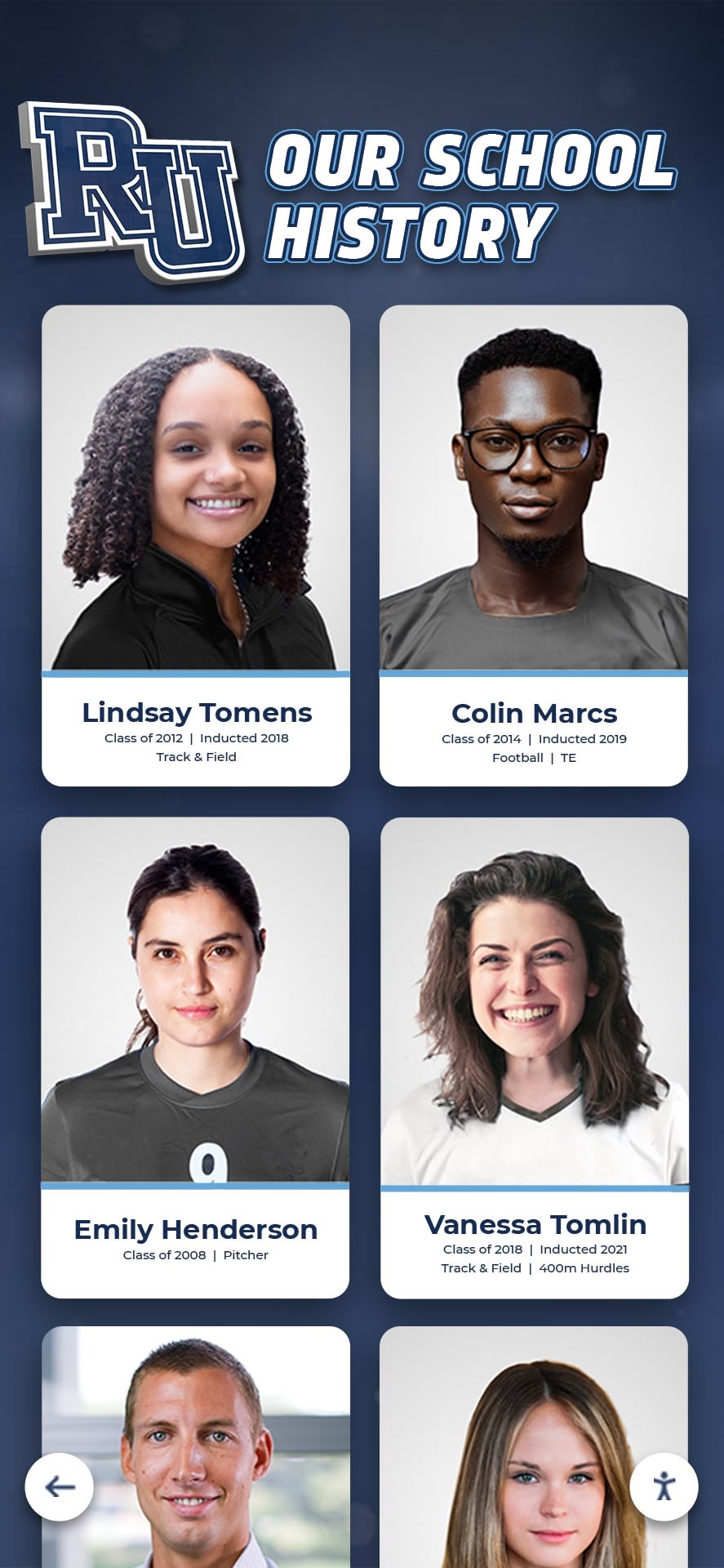
Portrait-style layouts maintain familiar composite aesthetics while enabling instant search and filtering impossible with physical displays
Common Implementation Challenges and Proven Solutions
Learning from frequent pitfalls helps organizations avoid expensive mistakes:
Challenge 1: Incomplete Historical Archives
The Problem: Organizations discover that historical records are far less complete than initially believed—missing photographs, incorrect names, gaps in biographical information, or entire years without documentation. Launches with sparse inadequate content disappoint community members expecting comprehensive recognition and create negative first impressions persisting even after content improves.
The Solution: Conduct thorough archive assessment during planning phase realistically documenting what exists and what requires research or recreation. Implement phased launch approaches starting with recent well-documented years establishing credibility before systematically adding historical content through dedicated projects. Engage alumni volunteers or research assistants specifically assigned to historical content development. Consider whether external digitization services or content development consultants can accelerate archive completion.
Challenge 2: Photographs of Inconsistent Quality
The Problem: Historical composites span decades of photographic technology creating wildly inconsistent image quality—faded color photos, low-resolution scans, damaged originals, or varying sizes and compositions that look unprofessional when combined in unified digital presentations.
The Solution: Establish minimum quality standards appropriate for display size and viewing distance without unrealistic perfection requirements that exclude historical eras. Invest in professional photograph restoration services enhancing historical images through contrast adjustment, color correction, or damage repair. Accept that some variation across decades remains inevitable and authentic to institutional history. Consider whether composite-level photographs work better for certain eras than extracted individual portraits.
Challenge 3: Annual Update Workflows
The Problem: Schools successfully launch comprehensive digital composites but struggle establishing sustainable annual workflows adding new graduating classes consistently—leading to systems that fall behind, lose relevance, and eventually suffer neglect despite initial investment and enthusiasm.
The Solution: Document clear annual workflow procedures specifying timing, responsibilities, and quality standards for adding new classes. Integrate composite updates into existing school calendar rhythms like graduation ceremonies or yearbook production deadlines. Establish efficient coordination with school photography vendors ensuring digital file delivery in appropriate formats without manual processing. Assign specific staff members with backup coverage preventing knowledge concentration in single individuals. Schedule regular check-ins ensuring progress occurs throughout year rather than last-minute rushes.
Challenge 4: Technology Selection Mistakes
The Problem: Organizations purchase generic digital signage systems assuming they’ll work for year-based composite browsing, discovering too late that slideshow-only functionality, missing search capabilities, difficult content management, or passive viewing experiences create disappointment and fail to justify expensive technology investment.
The Solution: Evaluate purpose-built recognition platforms specifically designed for composite browsing rather than adapting communication tools or signage systems for recognition purposes. Verify platforms provide year-based navigation as primary interface, searchable individual profiles, intuitive content management without technical expertise requirements, and proven reliability across educational institutions. Speak directly with current customers in similar contexts about their satisfaction and implementation experiences.

Purpose-built recognition platforms deliver superior year-based browsing experiences compared to generic digital signage systems
Building Your Digital Flip Through Composite Display: Implementation Resources
Organizations ready to transform class recognition from physical constraints to unlimited digital capacity should follow systematic approaches:
Immediate Next Steps for Getting Started
Assess Current Composite Program (Week 1)
- Inventory existing physical composites documenting years, condition, and display locations
- Identify gaps in historical coverage and prioritize digitization requirements
- Evaluate current wall space usage and potential recovery from physical-to-digital transition
- Review alumni engagement levels and reunion attendance patterns indicating community interest
- Gather stakeholder feedback about current recognition satisfaction and desired improvements
- Document budget availability for initial investment and ongoing operational requirements
Define Digital Composite Scope (Weeks 2-3)
- Determine which years receive priority for initial launch versus phased expansion
- Establish content standards specifying minimum biographical information and photo quality
- Decide whether all historical years convert to digital or selective periods receive focus
- Identify technology requirements including display quantity, sizes, and placement locations
- Assign content development responsibilities across staff, committees, or external services
- Set realistic timeline expectations balancing thorough preparation with reasonable duration
Research and Evaluate Technology Solutions (Weeks 4-6)
- Request demonstrations from vendors specifically showing year-based composite navigation
- Verify purpose-built recognition platforms rather than generic signage adaptations
- Assess content management usability ensuring staff can confidently operate systems
- Compare total cost of ownership across 5-year horizon including all expenses
- Speak with current customers about implementation experiences and satisfaction levels
- Evaluate training comprehensiveness and ongoing support quality and responsiveness
Plan Content Development and Historical Digitization (Weeks 7-8)
- Obtain quotes for professional composite scanning and photograph restoration services
- Estimate realistic time requirements for biographical research and profile creation
- Identify alumni volunteers potentially assisting with historical content development
- Establish quality control workflows ensuring accuracy before publication
- Create phased launch plan enabling meaningful debut while continuing archive expansion
- Allocate budget for external content development assistance if internal capacity insufficient
Long-Term Success Factors
Sustainable Annual Workflows
- Document clear procedures for adding new graduating classes consistently
- Establish efficient coordination with photography vendors ensuring appropriate digital file delivery
- Assign specific staff responsibilities with backup coverage preventing single points of failure
- Integrate composite updates into existing school calendar rhythms and deadline structures
- Conduct annual program reviews assessing effectiveness and identifying enhancement opportunities
- Maintain administrative support and budget allocation ensuring ongoing operational capacity
Continuous Community Engagement
- Promote digital composites regularly through newsletters, social media, and campus communications
- Feature milestone reunion classes creating timely relevance and alumni outreach opportunities
- Integrate displays into facility tours for prospective students and families
- Celebrate new class additions through ceremonies or recognition events
- Solicit alumni biographical updates enriching historical archives continuously
- Track engagement analytics demonstrating program value to institutional leadership
Platform Evolution and Enhancement
- Implement new features as technology capabilities and community expectations advance
- Expand content types incorporating video, audio, or interactive elements beyond static photos
- Enhance search and discovery features based on actual usage patterns and visitor needs
- Optimize interface design improving usability and engagement effectiveness
- Maintain current software ensuring security, reliability, and compatibility
- Plan for eventual hardware replacement as displays reach end of useful life
Ready to transform your class composite recognition? Solutions like Rocket Alumni Solutions provide comprehensive platforms specifically designed for year-based composite browsing, combining unlimited capacity with intuitive interfaces, professional hardware recommendations, thorough training, and proven reliability across hundreds of successful school implementations.
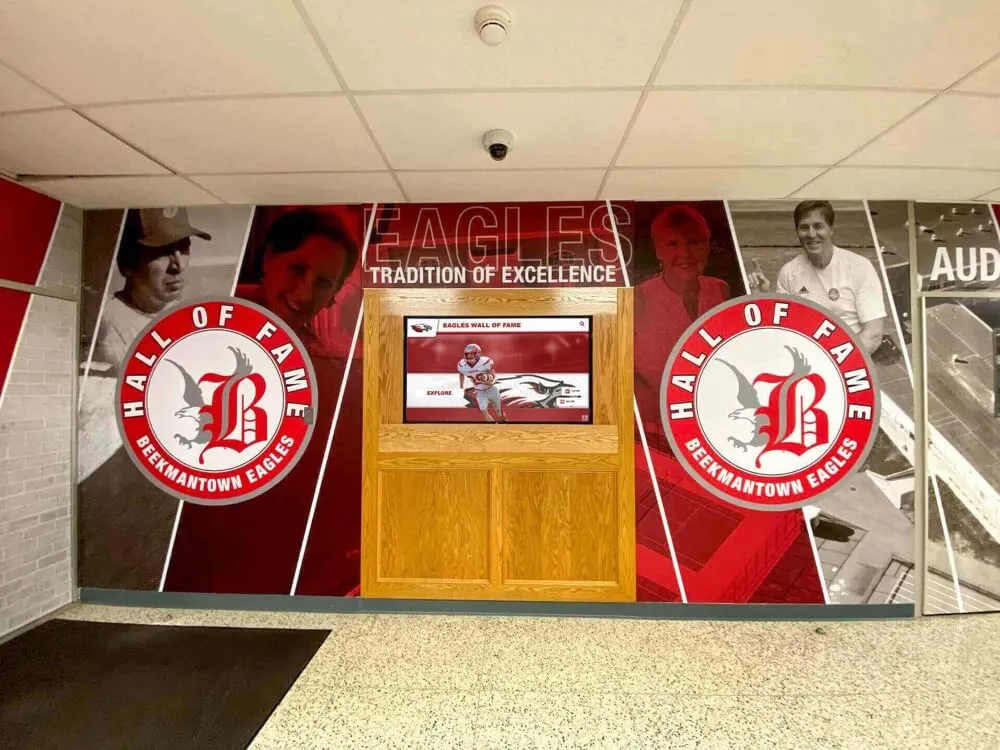
Professional installations create destination recognition spaces celebrating institutional heritage across all years comprehensively
Conclusion: Honoring Tradition Through Digital Innovation
Digital flip through composite displays preserve everything organizations and alumni love about traditional year-by-year class browsing—the intuitive chronological navigation, the serendipitous discovery across decades, the visual documentation of institutional heritage—while eliminating the space constraints, preservation concerns, and accessibility limitations that compromise physical installations. Modern touchscreen systems recreate the familiar experience of walking along hallways exploring class after class while adding powerful search capabilities, unlimited recognition capacity, instant updates, and engaging features that deepen community connections and strengthen institutional pride.
The transition from physical to digital composite displays represents far more than simple technology adoption—it demonstrates institutional commitment to comprehensive equitable recognition celebrating every class and every individual regardless of graduation year, preserving irreplaceable heritage through permanent digital archives protected from deterioration and loss, and creating accessible engaging experiences serving diverse community members through multiple discovery pathways and extended web platform access beyond single physical locations.
Transform your class composite program from space-constrained physical displays to unlimited digital recognition preserving familiar year-by-year browsing while adding powerful capabilities traditional installations cannot match. Modern digital flip through composite displays honor institutional traditions while solving real limitations that force impossible choices about which years receive visibility and which languish forgotten in storage.
Whether you’re enhancing existing physical composites with digital augmentation, completely transitioning to touchscreen-based recognition, or establishing first-ever systematic class documentation, purpose-built platforms designed specifically for educational institutions deliver superior results compared to generic signage systems adapted for recognition purposes. Explore how comprehensive digital composite solutions celebrate your complete institutional heritage while creating engaging experiences that strengthen community connections for decades to come.
Your community deserves recognition technology that celebrates every graduating class comprehensively, preserves irreplaceable institutional heritage permanently, enables intuitive discovery through familiar year-based navigation, and creates engaging experiences that strengthen connections between current members, alumni, and broader communities. Digital flip through composite displays make this vision achievable—honoring tradition while embracing innovation that serves contemporary expectations and operational realities.
Begin your digital composite journey by assessing current physical installations and historical archives, defining recognition scope and content standards, evaluating purpose-built platforms designed for year-based browsing, planning systematic content development and digitization, and committing to sustainable annual workflows ensuring programs remain current and relevant year after year. The blueprint exists, proven solutions are readily available, and institutions nationwide demonstrate measurable success—the only question is when your organization will transform composite recognition for lasting community benefit.
Most importantly, digital flip through composites demonstrate institutional values—that every class matters equally regardless of graduation year, that heritage preservation receives appropriate priority and investment, that comprehensive inclusive recognition celebrates entire communities rather than selective notable individuals, and that visitor experience matters through intuitive accessible discovery rather than frustrating searches through inadequate static displays. Book a demo to discover how modern recognition platforms create the flip-through composite experience your community deserves—preserving familiar browsing while adding powerful capabilities that honor tradition through thoughtful innovation.































