




Organizations managing multiple digital displays face a common challenge: how to deliver engaging, dynamic content across touchscreen kiosks and digital signage screens without requiring programming expertise or expensive custom development. Schools need recognition displays alongside announcements. Businesses want lobby directories with weather and news. Athletic facilities require stats boards combined with social media feeds. The need is universal—professional digital display management with flexible split-screen layouts, integrated data widgets, and centralized multi-screen control.
Traditional digital signage solutions force impossible choices. Basic slideshow systems offer simplicity but lack interactivity and data integration. Custom development provides flexibility but requires ongoing technical maintenance and programming resources. Generic content management platforms present steep learning curves while still needing code for advanced features like widget embedding, API connections, or split-screen configurations.
This comprehensive guide explores digital display services designed specifically for organizations managing multiple screens or clients requiring split-screen layouts, embedded widgets (weather, news, social media, data feeds), and centralized management—all without programming. Whether deploying touchscreen kiosks for interactive recognition, digital signage for announcements and information, or hybrid systems combining both, modern platforms enable sophisticated display management accessible to non-technical administrators.
Digital display services have evolved beyond simple slideshow rotation to comprehensive content ecosystems supporting interactive touchscreens, data-driven widgets, multi-zone layouts, and centralized management across unlimited screens. Organizations no longer need dedicated IT staff or development budgets to deliver professional, engaging displays that combine institutional content with live data feeds, social integrations, and flexible layouts adapting to different locations and audiences.

Modern touchscreen kiosks deliver interactive experiences with organized content zones and intuitive navigation
Understanding Digital Display Service Requirements
Before selecting platforms or planning deployments, clarifying specific needs ensures solutions align with organizational objectives.
Core Display Service Capabilities
Comprehensive digital display platforms should provide several foundational features:
Multi-Screen Central Management
Effective platforms enable:
- Cloud-based dashboards controlling unlimited displays from any location
- Individual screen configuration for location-specific content and layouts
- Screen grouping for distributing content to multiple locations simultaneously
- Remote troubleshooting and status monitoring showing connectivity and health
- Scheduled content publishing automating updates across time zones
- Role-based permissions allowing controlled access for different administrators
- Bulk operations updating settings or content across screen groups efficiently
Centralized management proves essential for organizations with multiple locations, distributed campuses, or separate departments requiring coordinated yet customized display content.
Split-Screen and Multi-Zone Layouts
Flexible screen division creates sophisticated presentations:
- Predefined layout templates with common zone configurations (70/30 splits, quadrants, thirds)
- Custom layout creation positioning content zones precisely across screens
- Zone-specific content assignment showing different information in each area
- Responsive layouts adapting to different screen sizes and orientations
- Layer management controlling which content appears in foreground versus background
- Transition effects coordinating zone changes and content rotation
- Layout scheduling showing different configurations at specific times or days
Split-screen capabilities enable displays to show recognition profiles alongside announcements, directories combined with weather, or stats boards with social media feeds—maximizing information density without overwhelming viewers.
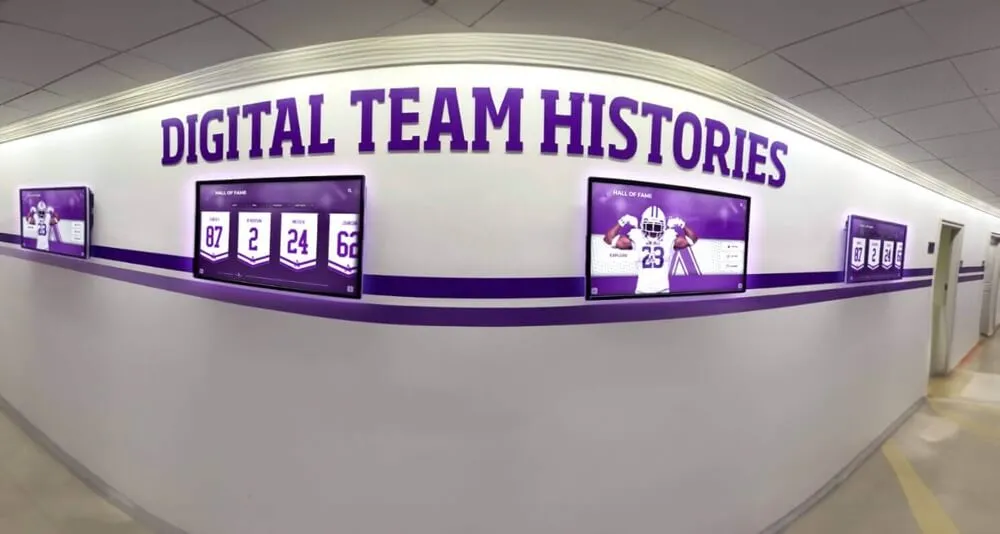
Coordinated multi-screen installations deliver consistent messaging while accommodating location-specific content needs
Built-In Widget Library
Pre-configured widgets eliminate custom development:
- Weather widgets - Local forecasts, current conditions, extended outlooks, severe alerts
- News feeds - Curated headlines from RSS sources, industry news, local media
- Social media streams - Instagram, Twitter/X, Facebook posts filtered by hashtag or account
- Calendar integrations - Google Calendar, Outlook events, room schedules
- Data visualizations - Charts, graphs, dashboards from spreadsheets or databases
- Clock and date displays - Multiple time zones, countdowns, event timers
- Web content embedding - Live website sections, forms, directories
- Video streaming - YouTube, Vimeo, live streams embedded within layouts
Widget libraries transform displays from static presentations to dynamic information hubs updating automatically without manual intervention.
Interactive Touchscreen vs. Passive Signage
Display deployment strategies differ based on interaction models:
Interactive Touchscreen Requirements
Touchscreen deployments emphasize:
- Touch-optimized interfaces with appropriately sized buttons and gestures
- Interactive navigation allowing user-controlled exploration and search
- Response time optimization ensuring immediate feedback to touch inputs
- Accessibility compliance supporting diverse abilities and reaching standards
- Content depth enabling drill-down from overview screens to detailed profiles
- Session management returning to home screens after inactivity periods
- Analytics tracking which content users explore and engagement duration
Interactive displays work particularly well for recognition programs, directories, information kiosks, and applications where users seek specific information through self-directed exploration.
Organizations using interactive touchscreen displays for recognition benefit from platforms designed specifically for engagement rather than passive viewing.
Passive Digital Signage Considerations
Non-interactive displays focus on:
- Automatic content rotation keeping information fresh without user input
- Timing optimization ensuring adequate duration for reading at viewing distances
- Visual hierarchy directing attention to most important information first
- Motion and animation attracting attention without becoming distracting
- Ambient mode designs complementing rather than dominating spaces
- Readability at distance using appropriate font sizes and contrast ratios
- Content scheduling showing different information throughout days or weeks
Passive signage excels for announcements, wayfinding, promotional content, and information meant for casual viewing by passing audiences.
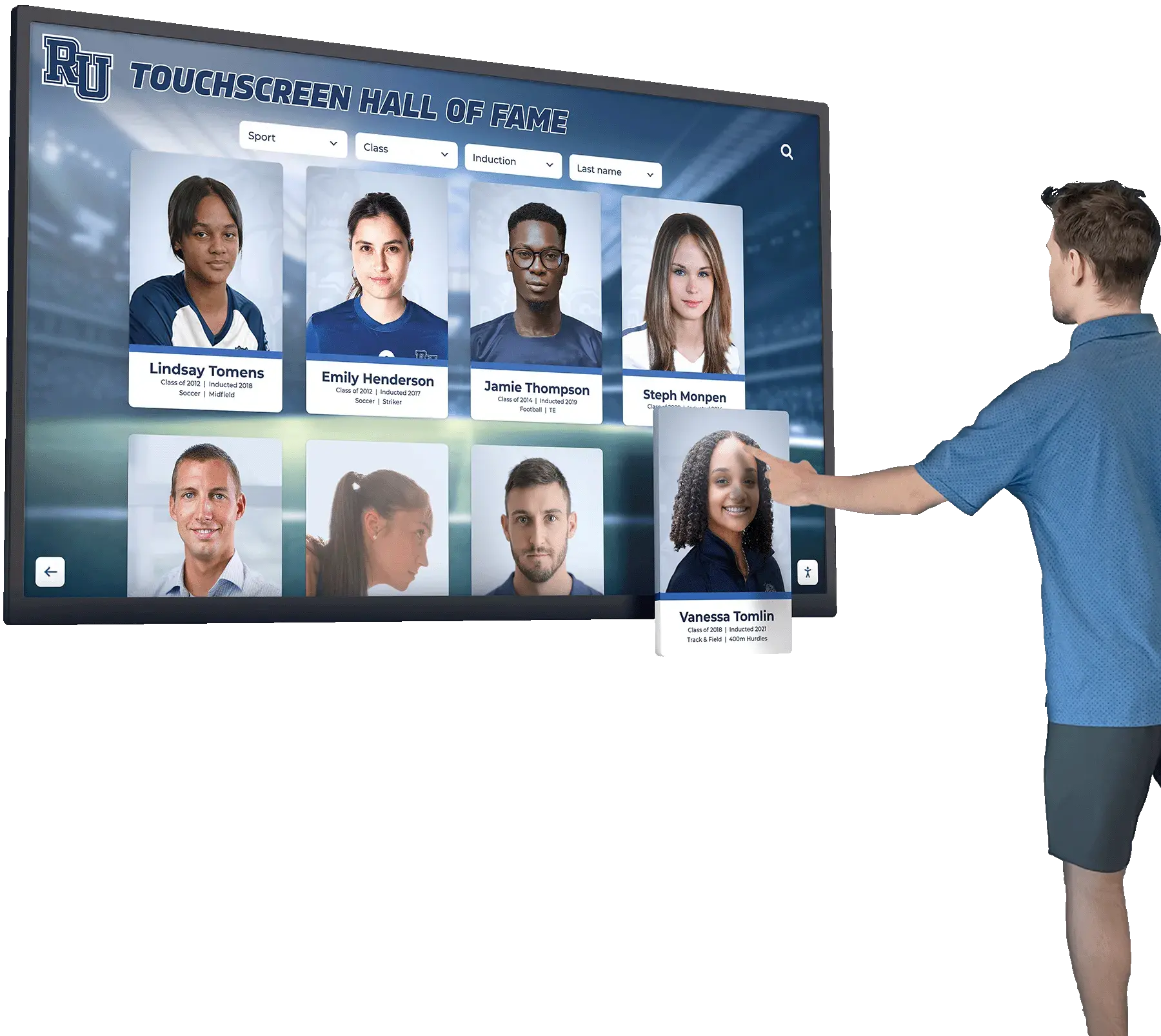
Touchscreen interfaces enable intuitive exploration of detailed content through visual, touch-optimized navigation
Program Snapshot: Digital Display Service Requirements
| Requirement | Interactive Touchscreen | Passive Digital Signage | Hybrid Systems |
|---|---|---|---|
| Primary Use | User-directed exploration and search | Automatic content rotation and display | Combined interactive and passive zones |
| Content Depth | Extensive profiles, databases, details | Concise summaries and highlights | Variable by zone and purpose |
| Update Frequency | As needed for accuracy | Scheduled rotation (daily to weekly) | Mixed based on content type |
| Hardware | Touch-capable commercial displays | Standard digital screens | Both types in different locations |
| Management | Content management with navigation structure | Playlist and scheduling focus | Unified platform controlling both |
| Analytics Value | High—tracks engagement and interests | Moderate—shows display uptime | Comprehensive across use cases |
Content Architecture: Structuring Multi-Screen Display Systems
Effective display networks require thoughtful content organization supporting diverse needs and locations.
Defining Screen Roles and Purposes
Different locations serve different functions:
Primary Entrance Displays
Main lobby or entrance screens typically show:
- Welcome messages and institutional branding establishing tone
- Directory information helping visitors navigate facilities
- Daily schedules and event calendars showing immediate priorities
- Weather and news widgets providing community-relevant information
- Recognition highlights showcasing achievements and honors
- Emergency messages with highest priority override capabilities
Entrance displays create first impressions while serving practical wayfinding and information needs.
Department or Area-Specific Screens
Localized displays provide targeted content:
- Athletic facilities showing team schedules, stats, records, and recognition
- Academic buildings displaying department news, faculty information, research highlights
- Administrative areas presenting staff directories, office hours, services
- Cafeterias and common spaces featuring menus, nutrition information, student activities
- Alumni centers highlighting recognition programs, giving opportunities, event calendars
Location-specific content ensures relevance while reducing information overload from attempting universal messaging.
Specialty Interactive Kiosks
Purpose-built touchscreen stations enable:
- Recognition exploration with comprehensive profile databases and search
- Self-service information access for frequently asked questions
- Event registration and sign-up capabilities
- Feedback collection through surveys and comment forms
- Historical archives preserving institutional heritage
- Virtual tour stations for prospective students or visitors
Specialty kiosks provide depth impossible in passive displays while serving specific use cases requiring extended engagement.
Explore strategies for creating comprehensive digital signage content across different screen types and locations.
Split-Screen Layout Planning
Effective zone division maximizes information density without overwhelming viewers:
Common Layout Patterns
Proven configurations include:
70/30 Horizontal Split
- Primary zone (70%) - Main content, recognition profiles, featured information
- Secondary zone (30%) - Supplementary widgets (weather, calendar, news ticker)
- Best for: Balancing primary content with contextual information
Quadrant Layout
- Four equal zones showing different content types simultaneously
- Best for: Data dashboards, multi-feed monitoring, diverse information presentation
Header/Main/Footer Configuration
- Top zone - Branding, time, alerts
- Middle zone - Primary content rotating through playlists
- Bottom zone - Ticker with headlines, announcements, or social feeds
- Best for: Traditional digital signage with enhanced information delivery
Sidebar Navigation
- Left or right permanent menu - Interactive navigation for touchscreens
- Main content area - User-selected information based on menu choices
- Best for: Interactive kiosks, directories, self-service applications
Layout selection should consider viewing distance, typical engagement duration, content complexity, and whether displays are interactive or passive.
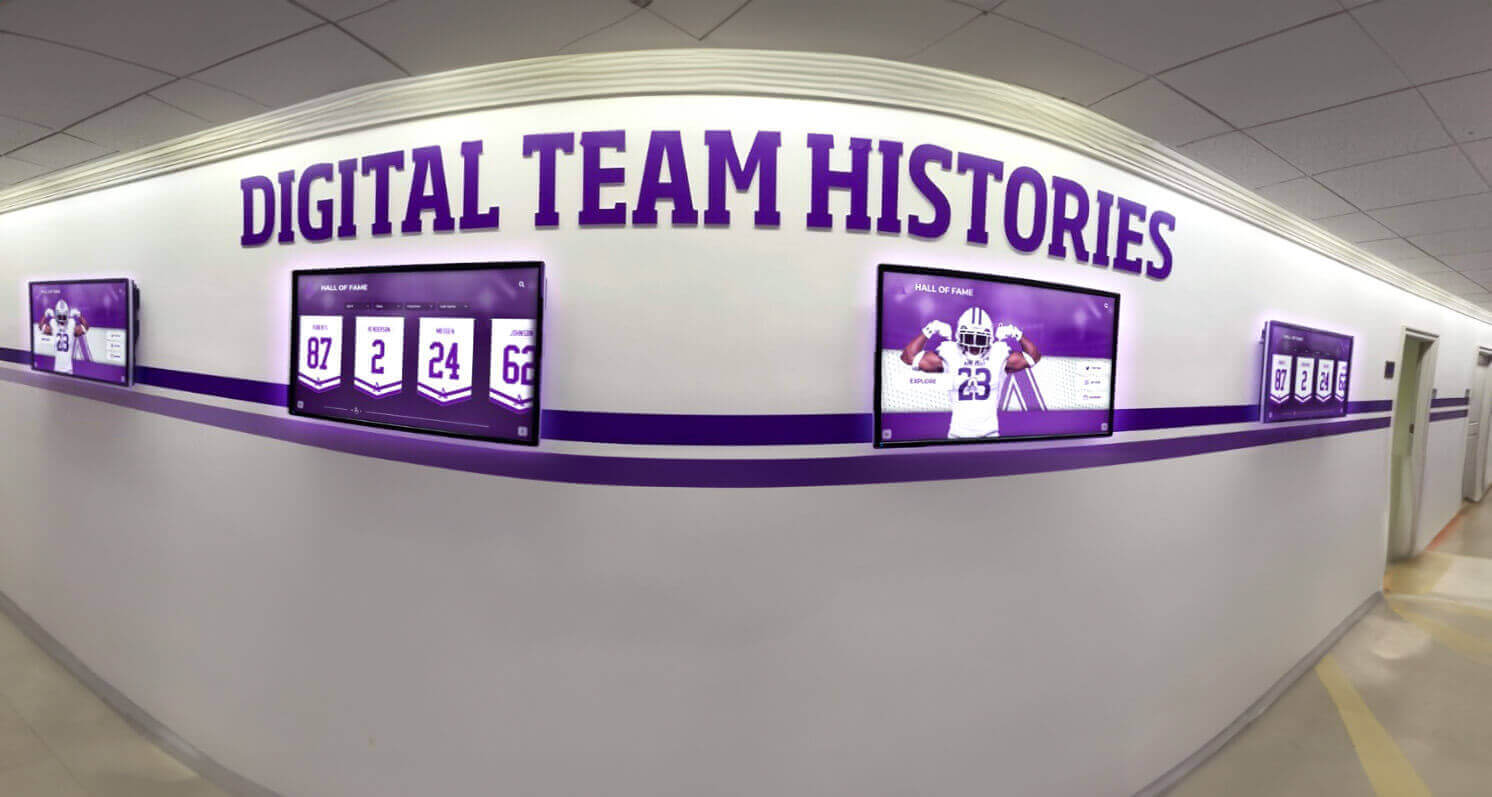
Coordinated layouts across multiple screens create cohesive visual experiences while allowing location-specific content
Zone Content Assignment Strategies
Thoughtful content distribution includes:
- Placing static or slow-changing content in peripheral zones (branding, navigation)
- Featuring dynamic, engaging content in primary attention zones
- Grouping related information (all news/social in one zone, all data in another)
- Balancing text-heavy content with visual elements across zones
- Considering eye movement patterns (left-to-right, top-to-bottom in Western contexts)
- Testing readability at actual viewing distances for each zone size
Content should guide attention purposefully rather than competing for focus across zones.
Widget Configuration and Data Integration
Pre-built widgets eliminate programming while enabling sophisticated presentations:
Weather Widget Implementation
Weather information adds utility and engagement:
- Location configuration using ZIP codes or GPS coordinates
- Display format selection (current only, 5-day forecast, hourly breakdown)
- Unit preferences (Fahrenheit/Celsius, mph/kph)
- Severe weather alert highlighting with visual prominence
- Icon style matching institutional design aesthetics
- Update frequency balancing accuracy with API limits
Weather widgets prove particularly valuable for schools planning outdoor activities or facilities where conditions affect operations.
News Feed Integration
Curated news keeps audiences informed:
- RSS source configuration from trusted news providers
- Keyword filtering showing only relevant topics or local news
- Headline rotation frequency preventing stale display
- Character limits ensuring readability at viewing distances
- Link display options for interactive touchscreens enabling deeper exploration
- Source attribution maintaining credibility and transparency
News feeds work well for corporate environments, educational institutions, or community centers where current events awareness adds value.
Social Media Stream Embedding
Social integration creates community connection:
- Platform selection (Instagram, Twitter/X, Facebook, LinkedIn)
- Account or hashtag specification curating relevant posts
- Content moderation options filtering inappropriate material
- Display duration per post balancing engagement with rotation
- Media handling showing photos/videos or text-only options
- Engagement metrics displaying likes, shares, or comment counts
Social media streams particularly benefit organizations with active online communities, student groups, or marketing campaigns encouraging user-generated content.
Discover how schools implement social media integration in digital displays for engagement and community building.
Data Visualization Widgets
Live data displays communicate metrics effectively:
- Spreadsheet connections (Google Sheets, Excel Online) for automatic updates
- Chart type selection (bar, line, pie, gauge) matching data characteristics
- Refresh intervals ensuring current information without excessive API calls
- Color schemes aligning with institutional branding
- Label customization clarifying what data represents
- Threshold highlighting drawing attention to noteworthy values
Data widgets benefit athletic departments showing statistics, development offices tracking fundraising, or academic programs presenting research metrics.
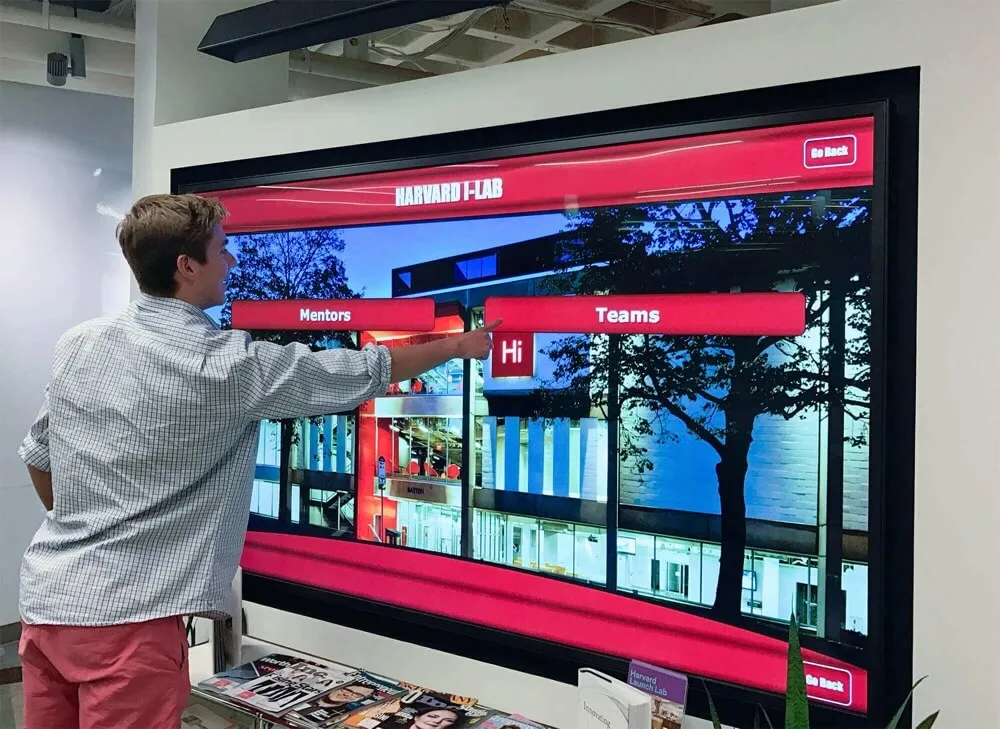
Organized navigation structures enable intuitive content discovery across complex information hierarchies
Execution Timeline: Implementing Multi-Screen Display Networks
Systematic deployment ensures successful launch and sustained operation.
Phase 1: Planning and Scope Definition (Weeks 1-4)
Display Network Assessment
Initial evaluation includes:
- Location identification determining where screens provide most value
- Existing infrastructure assessment (network connectivity, power, mounting)
- Screen quantity and size requirements based on viewing distances
- Interactive versus passive designation for each location
- Content type definition for primary, secondary, and widget zones
- Stakeholder input gathering from departments, administrators, and end users
- Budget development for hardware, software, installation, and ongoing costs
Thorough planning prevents expensive mid-project changes or deployments that don’t serve intended purposes.
Platform Selection Criteria
Evaluating digital display services should consider:
- Ease of use - Non-technical staff can manage content confidently
- Widget library - Pre-built integrations for weather, news, social, data
- Split-screen capability - Flexible layouts without custom development
- Multi-screen management - Centralized control across all displays
- Content scheduling - Automatic rotation and time-based publishing
- Hardware compatibility - Works with various display brands and sizes
- Support quality - Responsive assistance during implementation and operation
- Total cost - Transparent pricing including subscriptions and updates
Purpose-built platforms designed for educational and organizational needs deliver superior results compared to generic digital signage systems adapted for specific use cases.
Solutions like Rocket Alumni Solutions provide comprehensive digital display platforms combining recognition content management with flexible layouts, integrated widgets, and multi-screen coordination—specifically designed for schools, athletic programs, and organizations without requiring technical expertise.
Content Development Planning
Preparing content includes:
- Identifying existing materials (photos, videos, documents) for display use
- Assigning content creation responsibilities across departments
- Establishing quality standards for images, text, and videos
- Developing content calendars coordinating updates across displays
- Training content contributors on platform usage and guidelines
- Creating approval workflows ensuring appropriate review before publication
Advance planning prevents launch delays while establishing sustainable practices.
Phase 2: Installation and Configuration (Weeks 5-8)
Hardware Deployment
Professional installation includes:
- Commercial-grade display selection rated for continuous operation
- Proper mounting ensuring security and optimal viewing angles
- Network connectivity providing reliable cloud platform access
- Power supply with appropriate circuits and backup considerations
- Cable management creating clean, professional appearance
- ADA compliance where applicable for accessible placement
Quality hardware installation creates reliable foundation for content delivery.
Platform Setup and Customization
System configuration involves:
- Administrator account creation and permission assignment
- Screen registration and location identification in management dashboard
- Layout template creation or selection for each location
- Widget configuration connecting data sources and API accounts
- Branding application applying logos, colors, and design elements
- Content upload and organization in libraries and folders
- Playlist creation and scheduling for automated rotation
Initial setup establishes management patterns guiding ongoing operations.

Freestanding kiosks provide flexible placement options without wall mounting requirements
Administrator Training
Successful operation requires:
- Hands-on training using actual content and scenarios
- Documentation covering common tasks and troubleshooting
- Practice sessions creating and publishing content independently
- Understanding widget configuration and data source management
- Learning scheduling features and automated publishing
- Reviewing analytics and engagement metrics for improvement
- Establishing support contacts for questions and technical issues
Confident administrators ensure displays remain current and engaging rather than becoming neglected after initial enthusiasm fades.
Phase 3: Content Population and Launch (Weeks 9-12)
Initial Content Development
Launch preparation includes:
- Uploading primary content (recognition profiles, directories, announcements)
- Configuring widget data sources and display preferences
- Testing all interactive features and navigation flows
- Verifying layout appearance across different screen sizes
- Setting initial content rotation schedules
- Creating seasonal or event-specific content for upcoming occasions
- Developing content reserves preventing bare screens during transitions
Comprehensive content libraries support varied display programming without repetitive cycling.
Soft Launch and Testing
Pre-public deployment testing involves:
- Internal review by stakeholders and administrators
- Usability testing with representative audience members
- Content accuracy verification checking information correctness
- Technical stability monitoring for connectivity or performance issues
- Adjustment periods implementing feedback before official launch
- Creating troubleshooting protocols for common issues
Testing identifies problems when corrections remain simple rather than discovering issues after public launch.
Official Launch and Promotion
Public debut includes:
- Announcement campaigns making stakeholders aware of new resources
- Demonstration sessions showing features and capabilities
- Promotional content directing audiences to displays
- Media coverage for significant installations or investments
- Feedback mechanisms encouraging input for improvements
- Documentation explaining self-service features for interactive displays
Effective launch promotion ensures displays receive attention rather than remaining unnoticed despite significant investment.
Phase 4: Ongoing Management and Optimization (Continuous)
Regular Content Updates
Sustained engagement requires:
- Weekly or monthly content refreshes preventing staleness
- Seasonal adjustments reflecting holidays, weather, or activities
- Event-specific content promoting upcoming occasions
- Recognition additions celebrating new achievements
- News and social feed monitoring ensuring appropriate content
- Data widget verification confirming accuracy and currency
- Broken link or outdated information corrections
Regular maintenance keeps displays valuable rather than becoming ignored background fixtures.
Performance Monitoring and Analytics
Data-driven improvement includes:
- Engagement metrics reviewing interaction frequency and duration
- Popular content identification showing what resonates with audiences
- Zone performance comparison determining optimal layout effectiveness
- Technical uptime tracking ensuring reliability
- User feedback collection through surveys or direct input
- Comparison across locations identifying successful patterns
- Continuous optimization refining content mix and presentation
Analytics transform subjective opinions into objective improvement guidance.
Learn about measurement strategies for digital recognition displays that demonstrate program value and guide enhancement decisions.
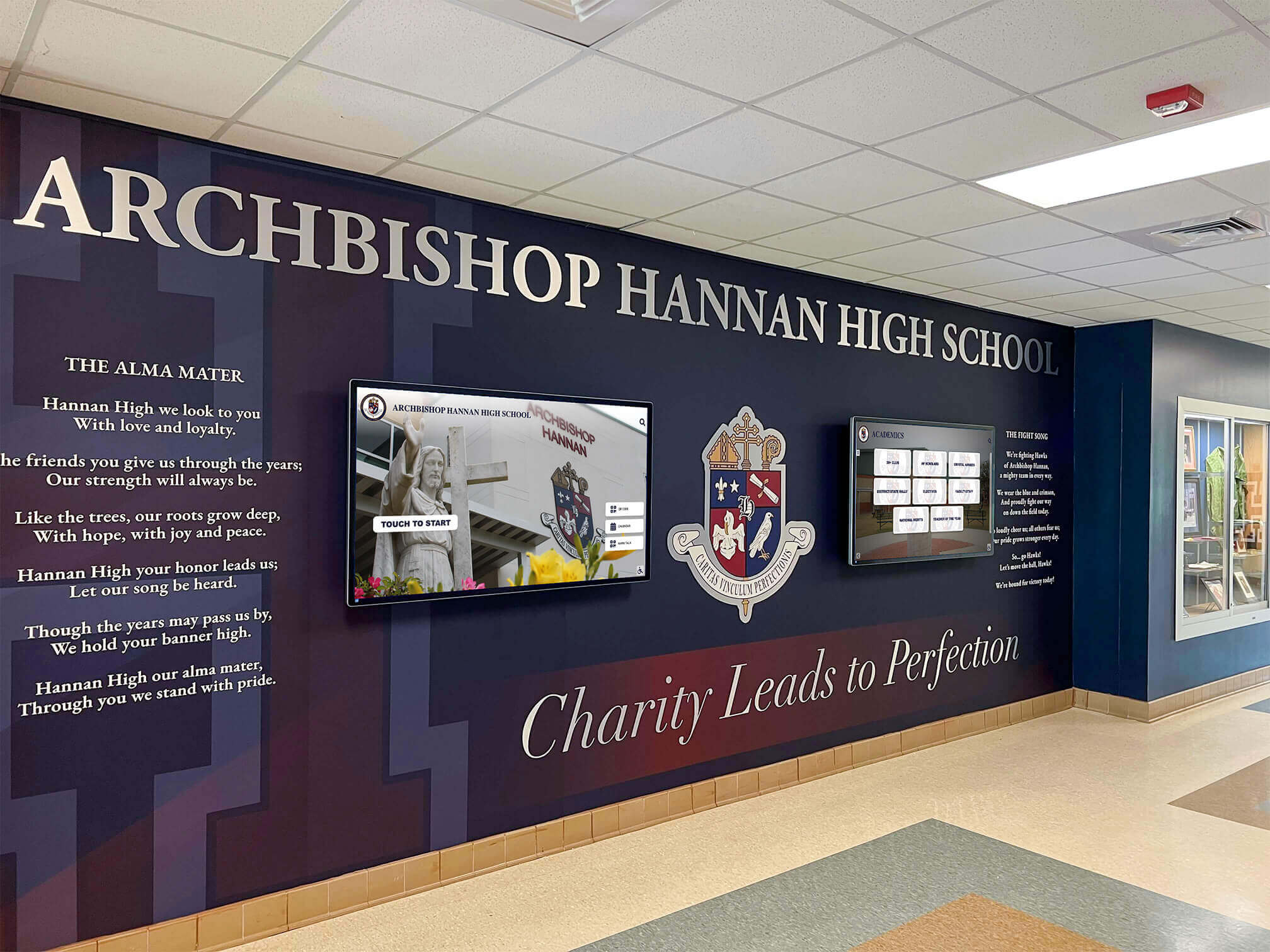
Professional installations integrate displays with existing architecture and institutional design elements
Display Integration: Creating Cohesive Multi-Screen Experiences
Effective networks coordinate content while accommodating location-specific needs.
Content Coordination Strategies
Unified yet flexible approaches include:
Universal Elements Across All Screens
Consistent components create cohesion:
- Institutional branding (logos, colors, fonts) maintaining visual identity
- Time and date displays in standard locations
- Emergency alert capabilities overriding regular content when needed
- Weather information relevant to location
- Core navigation structures for interactive systems
Universal elements provide familiarity while reinforcing institutional identity across locations.
Location-Specific Content Customization
Localized information increases relevance:
- Department-specific announcements and events
- Area-appropriate recognition (athletic displays in gyms, academic honors in classrooms)
- Directional wayfinding customized to building layouts
- Audience-targeted messaging based on typical users
- Schedule information relevant to specific spaces
Customization prevents information overload while ensuring displays serve immediate audience needs.
Content Scheduling Coordination
Strategic timing includes:
- Morning focus on daily schedules, events, and weather
- Midday emphasis on announcements and news
- Afternoon highlighting upcoming activities and deadlines
- Event day special content supporting specific occasions
- Seasonal campaigns coordinating themes across network
- Academic calendar alignment with school rhythms
Scheduling maintains freshness while adapting to audience attention patterns throughout days and years.
Design Consistency and Branding
Professional appearance requires:
Visual Design Standards
Comprehensive guidelines establish:
- Color palettes limiting schemes to institutional colors plus neutrals
- Typography hierarchies using readable fonts at appropriate sizes
- Layout grid systems ensuring balanced, organized compositions
- Image quality requirements preventing pixelated or distorted photos
- Animation guidelines using motion purposefully without distraction
- Contrast standards ensuring readability across viewing conditions
Design standards create polished presentations reflecting organizational professionalism.
Template Development
Reusable designs streamline content creation:
- Announcement templates with predefined layouts and branding
- Recognition profile templates ensuring consistent presentation
- Widget integration templates positioning data feeds appropriately
- Interactive navigation templates maintaining familiar structures
- Event promotion templates for consistent marketing
Templates enable non-designers to create professional content while maintaining quality.
Discover approaches to creating professional digital display designs that honor institutional identity and visual standards.
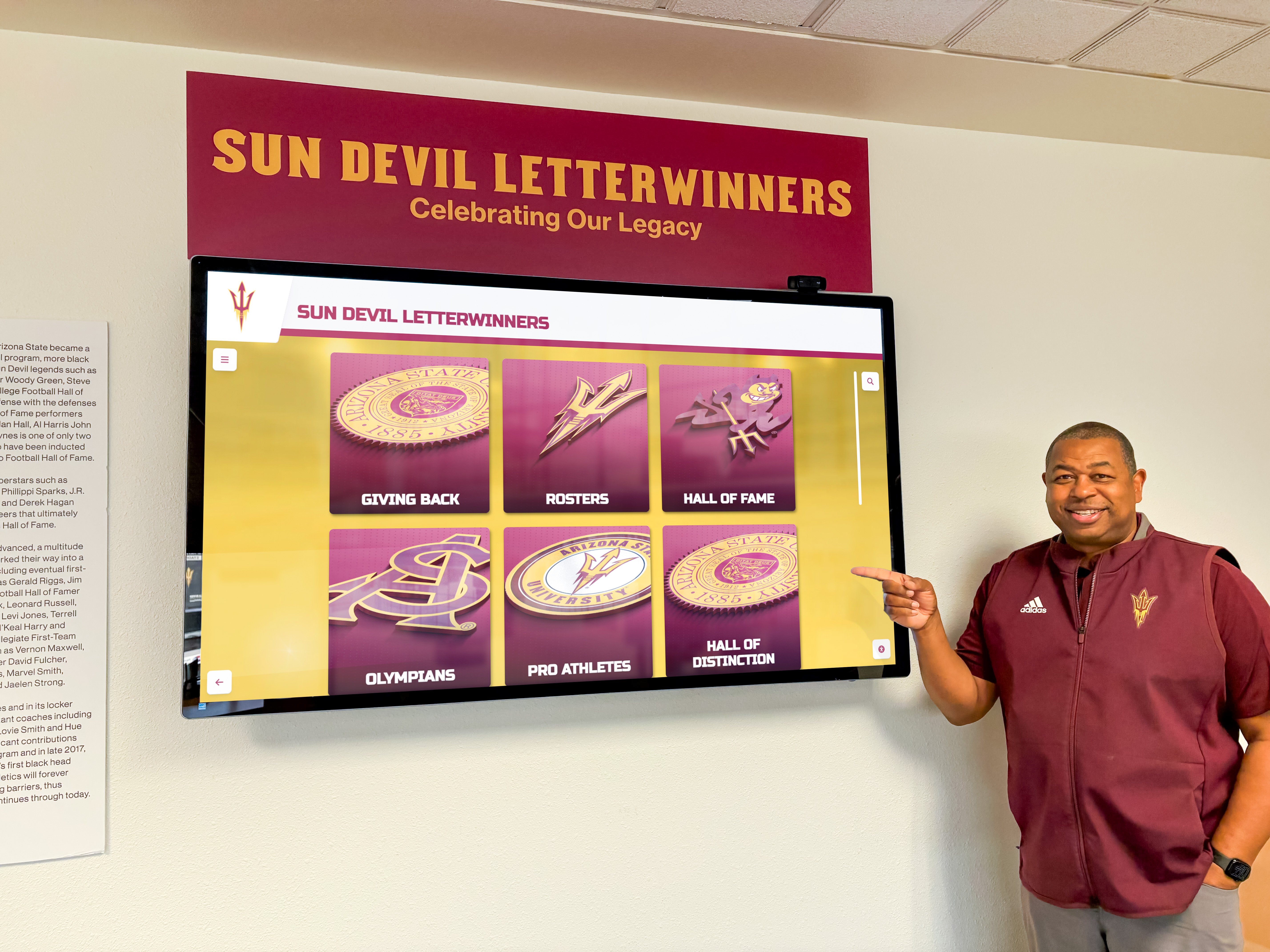
Clear visual hierarchies guide attention to most important information while supporting exploration of details
Measurement Block: Evaluating Digital Display Effectiveness
Systematic assessment demonstrates value while identifying improvement opportunities.
Engagement and Usage Metrics
Quantitative measures include:
For Interactive Touchscreens
- Total interactions counting how many times users engage displays
- Session duration averaging how long users explore content
- Popular content identification revealing most-accessed information
- Search queries showing what users seek
- Navigation paths revealing how users move through content
- Return visitor frequency indicating sustained interest
- Time-of-day patterns showing peak usage periods
Engagement metrics reveal whether interactive features deliver value or represent unused capabilities.
For Passive Digital Signage
- Dwell time estimation through proximity sensors or observation
- Content impression counts from scheduling system logs
- Display uptime percentages ensuring reliability
- Content rotation completeness verifying all planned material displays
- Location performance comparison identifying most-viewed screens
Passive display metrics focus on technical reliability and content delivery rather than user interaction.
Stakeholder Satisfaction Assessment
Qualitative feedback complements quantitative data:
Audience Perspectives
- User surveys measuring satisfaction and usefulness perceptions
- Informal feedback from conversations and observations
- Specific feature utilization showing what capabilities users value
- Complaint tracking identifying frustration points
- Comparison to previous systems or alternatives
Audience input reveals whether displays serve intended purposes and meet user expectations.
Administrator Experience
- Content management ease and time requirements
- Platform reliability and technical issue frequency
- Support responsiveness when assistance needed
- Training adequacy for confident independent operation
- Feature sufficiency for organizational needs
Administrator satisfaction affects whether displays remain well-maintained or become neglected over time.
Institutional Impact
- Communication effectiveness compared to previous methods
- Staff time savings from automated information distribution
- Increased event attendance or program participation
- Recognition program awareness and engagement growth
- Visitor experience improvements during tours or visits
Broader impacts justify investments while revealing opportunities for expanded applications.
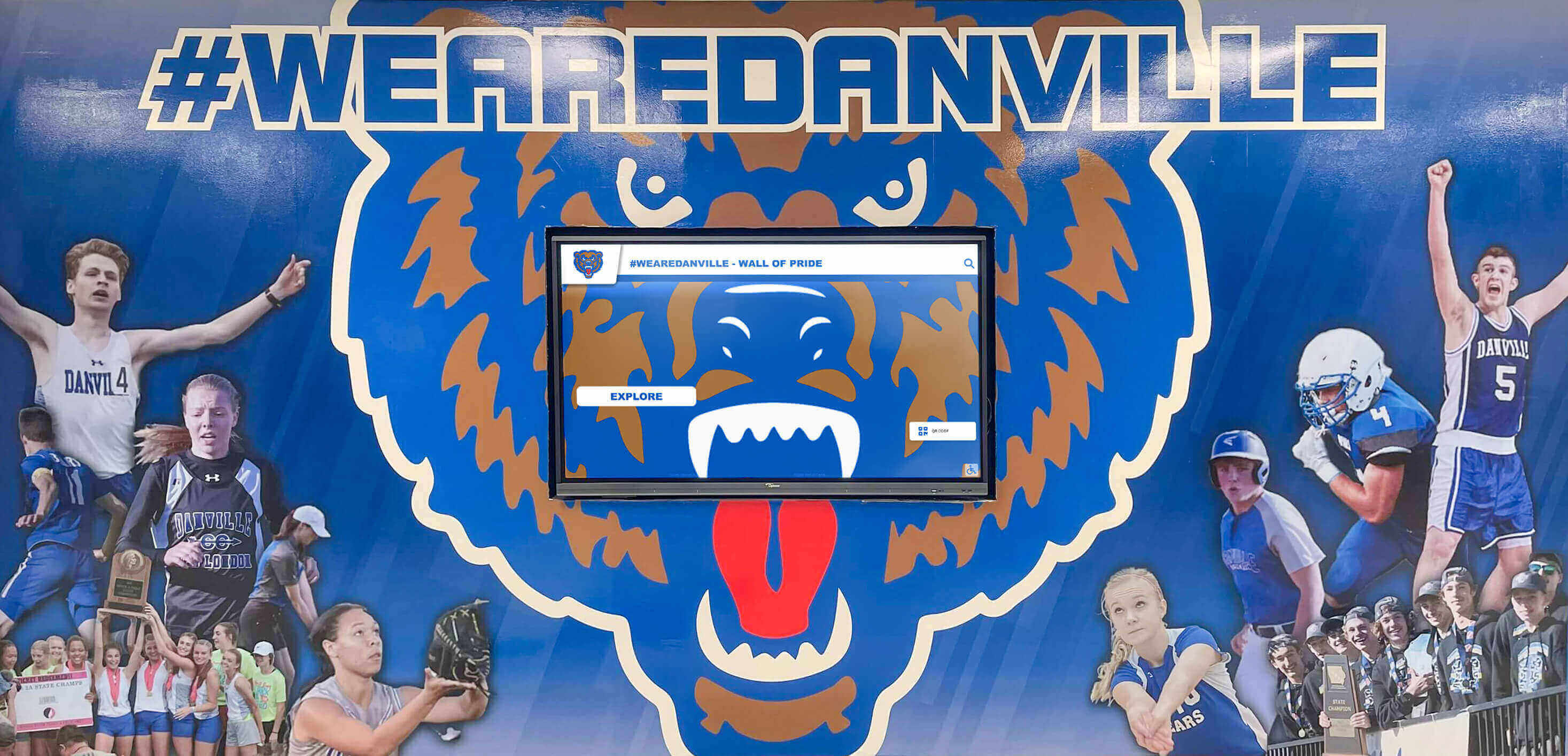
Integration with existing décor and themes creates cohesive environments rather than disconnected technology installations
Advanced Features Enhancing Display Networks
Sophisticated platforms provide capabilities extending beyond basic content display.
Multi-Client Management Features
Organizations supporting multiple schools, departments, or locations benefit from:
Hierarchical Administration
- Master accounts controlling multiple organizational units
- Sub-administrator roles managing specific locations or departments
- Content library sharing across units while maintaining separation
- Template distribution enabling consistency across organizations
- Centralized reporting aggregating metrics across entire networks
- White-label options for service providers supporting multiple clients
Multi-client capabilities enable educational service agencies, franchises, or consulting firms to manage displays for numerous organizations efficiently.
Content Library Management
- Central asset repositories storing approved images, videos, and templates
- Permission-based access controlling who can view or use materials
- Version control tracking content changes over time
- Asset tagging and categorization enabling quick searches
- Usage tracking showing which content appears across network
- Bulk operations updating or replacing content across multiple screens
Library management prevents duplication while ensuring consistency and approved material usage.
Advanced Widget and Integration Options
Extending beyond basic capabilities:
Custom Data Source Connections
- API integrations pulling data from institutional systems
- Database queries displaying live information from existing platforms
- Spreadsheet automation updating displays from regularly modified sheets
- Third-party service integrations (lunch menus, transportation, events)
- Emergency notification system connections for alert distribution
Custom connections enable displays to show authoritative, real-time information from systems-of-record.
Interactive Application Embedding
- Event registration forms for touchscreen kiosks
- Survey and feedback collection during or after interactions
- QR code generation linking to extended online content
- Wayfinding with turn-by-turn directions
- Virtual tour integrations for prospective visitors
- Search functionality across large content databases
Embedded applications transform displays from information presentation to functional tools serving operational needs.
Explore interactive touchscreen applications that extend beyond simple content display to comprehensive user experiences.
Mobile and Web Extensions
Extending reach beyond physical displays:
Responsive Web Platforms
- Mobile-optimized websites replicating display content
- Direct links to specific information or recognition profiles
- QR codes on physical displays linking to mobile experiences
- Social sharing enabling users to distribute content
- Email notifications alerting about new content or updates
Web extensions enable anytime, anywhere access beyond physical display locations.
Mobile Application Integration
- Native apps complementing physical displays
- Push notifications driving engagement with new content
- Offline access to previously viewed information
- Personalization features bookmarking favorites or interests
- Campus navigation combining mobile GPS with display wayfinding
Mobile integration creates continuous engagement rather than limiting experiences to physical display encounters.
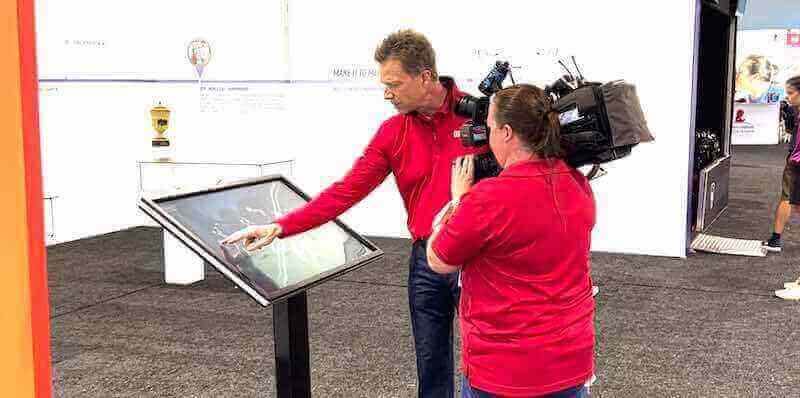
Professional display systems support institutional marketing through demonstrations, tours, and promotional activities
Common Implementation Challenges and Solutions
Learning from frequent obstacles helps organizations avoid pitfalls.
Challenge 1: Content Management Sustainability
The Problem: Organizations launch displays enthusiastically but struggle maintaining fresh content as initial excitement fades. Displays become stale, showing outdated information or cycling through insufficient content creating repetitive experiences. Staff turnover, competing priorities, or underestimated time requirements contribute to content neglect.
The Solution: Establish sustainable workflows before launch rather than relying on unsustainable heroic efforts. Assign specific content responsibilities across multiple people preventing single points of failure. Develop content reserves during slow periods supporting busy times. Schedule recurring content reviews as regular calendar events with accountability. Consider partially automated content (widget feeds, API integrations) reducing manual update burden. Choose platforms with efficient content management minimizing time requirements.
Challenge 2: Network Connectivity Reliability
The Problem: Displays in certain locations experience intermittent connectivity disrupting content delivery and creating frustrating user experiences or blank screens. Wi-Fi dead zones, overloaded networks, or distance from access points create technical problems undermining display utility.
The Solution: Conduct thorough network assessment before installation identifying connectivity challenges early. Invest in hardwired Ethernet connections where possible for critical displays. Deploy wireless access points dedicated to display network separating from general user Wi-Fi. Implement offline content caching enabling displays to show previously loaded content during connectivity interruptions. Monitor network health proactively addressing problems before they affect operations. Choose cloud platforms with robust offline capabilities and automatic reconnection.
Challenge 3: Widget Data Source Changes
The Problem: Third-party data sources (weather APIs, news feeds, social platforms) change access requirements, pricing, or availability disrupting integrated widgets. Organizations discover widgets suddenly stop working due to expired API keys, discontinued services, or modified access policies.
The Solution: Select digital display platforms managing data source integrations on backend rather than requiring organizations to maintain individual API accounts. This shifts maintenance burden from customers to platform providers who can manage changes centrally. Establish monitoring alerting when widgets stop updating. Maintain backup content options displaying when data sources become unavailable. Review API dependencies periodically assessing risks from service changes. Choose platforms with diverse widget options avoiding single-provider dependency.
Challenge 4: Content Approval Bottlenecks
The Problem: Required approval processes create delays preventing timely content publication. Displays show outdated information because approvers don’t review submissions promptly, or excessive review layers slow normal operations preventing displays from serving dynamic information needs.
The Solution: Design approval workflows balancing appropriate oversight with operational efficiency. Establish clear turnaround expectations for approvers with backup reviewers for absences. Create content categories with different approval requirements—pre-approved templates needing no review versus custom content requiring checks. Implement role-based permissions enabling trusted contributors to publish directly within guidelines. Schedule regular batch reviews processing accumulated submissions efficiently. Consider post-publication review with removal capability rather than pre-publication approval for time-sensitive content.
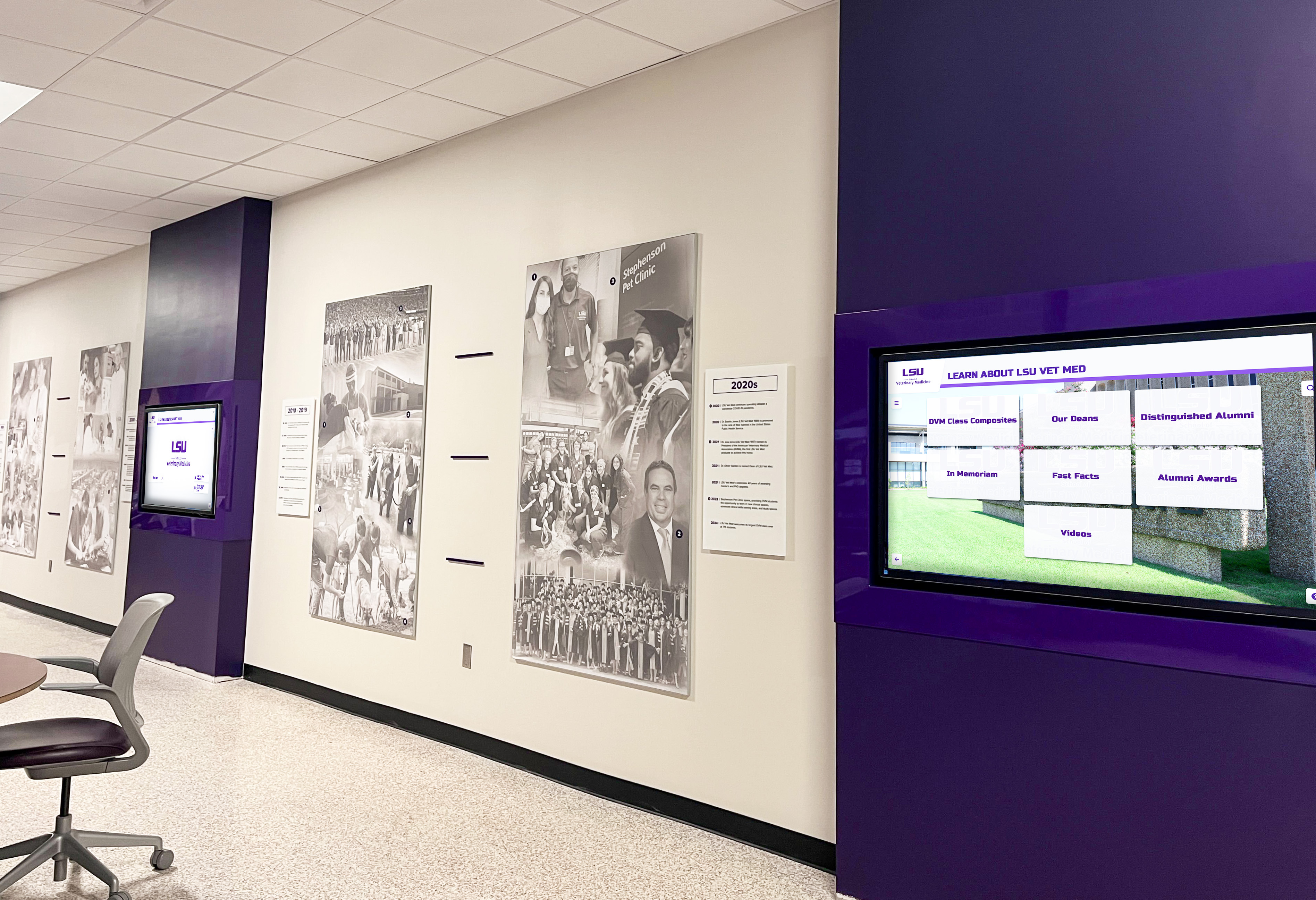
Coordinated color schemes and layouts across displays create professional, cohesive installations reflecting institutional branding
Building Your Digital Display Network: Implementation Resources
Organizations ready to deploy multi-screen systems should follow systematic approaches.
Immediate Next Steps for Getting Started
Assess Current State and Define Needs (Week 1)
- Inventory existing displays or identify locations needing screens
- Define primary purposes (recognition, information, wayfinding, engagement)
- Determine interactive versus passive requirements by location
- Identify stakeholders and content contributors across organization
- Establish preliminary budget for hardware, software, and implementation
- Gather examples of desired features or capabilities
Thorough assessment prevents misalignment between investments and actual needs.
Platform Research and Selection (Weeks 2-4)
- Request demonstrations from vendors showing specific capabilities
- Verify widget libraries include needed data sources
- Confirm split-screen and multi-zone layout flexibility
- Test content management interfaces for usability
- Assess mobile and web extension capabilities
- Compare total cost across 3-5 year horizon
- Speak with current customers about satisfaction and support experiences
Platform choice fundamentally determines long-term success and administrator experience.
Deployment Planning (Weeks 5-6)
- Finalize screen locations, quantities, and sizes
- Plan network infrastructure and connectivity
- Develop content development timeline and assignments
- Create implementation schedule coordinating installation and training
- Establish success metrics and evaluation approach
- Communicate plans to stakeholders building awareness and support
Detailed planning prevents mid-project surprises and ensures coordinated execution.
Long-Term Success Factors
Sustained Content Excellence
- Regular content audits identifying outdated or stale material
- Content calendar planning preventing last-minute scrambles
- Template development streamlining consistent content creation
- Training refreshers as staff change or platforms evolve
- Analytics review informing content strategy improvements
- Community feedback integration enhancing relevance
Excellence requires ongoing attention rather than post-launch neglect.
Technical Reliability
- Monitoring systems alerting to connectivity or hardware issues
- Preventive maintenance schedules keeping hardware operational
- Software update application maintaining security and features
- Support relationship maintenance ensuring assistance availability
- Backup plans for critical displays during service interruptions
- Documentation updates reflecting configuration changes
Reliability builds trust in displays as dependable information sources.
Organizational Integration
- Display integration into operational workflows and calendars
- Budget sustainability ensuring ongoing subscription and maintenance
- Administrator succession planning preventing knowledge loss
- Expansion planning accommodating growing needs or locations
- Continuous improvement culture learning from experience and best practices
Integration embeds displays into organizational fabric rather than treating them as isolated technology projects.
Ready to transform your digital display capabilities? Solutions like Rocket Alumni Solutions provide comprehensive platforms specifically designed for managing multiple touchscreen kiosks and digital signage displays with split-screen layouts, integrated widgets for weather, news, social media, and data visualization—all without requiring programming expertise.
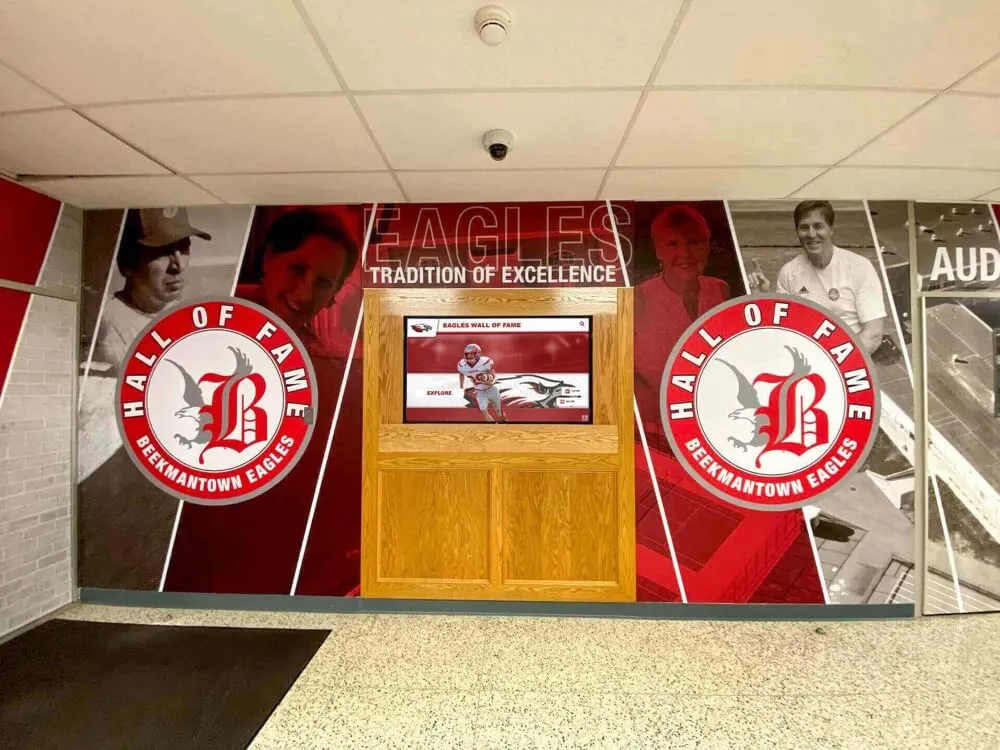
Comprehensive installations combine digital displays with traditional elements creating destination recognition spaces
Conclusion: Delivering Professional Digital Experiences Without Programming
Digital display services have evolved from simple slideshow systems to comprehensive content ecosystems supporting interactive touchscreens, flexible multi-zone layouts, integrated data widgets, and centralized multi-screen management—all accessible to non-technical administrators. Organizations no longer face impossible choices between basic slideshow simplicity and expensive custom development requiring ongoing technical maintenance.
Modern platforms designed specifically for educational institutions, athletic programs, and organizational communication provide professional capabilities without programming requirements: split-screen layouts combining recognition profiles with announcements, weather widgets and news feeds adding utility, social media streams building community engagement, and data visualizations communicating metrics—all managed through intuitive cloud dashboards controlling unlimited displays from any location.
The transition to comprehensive digital display networks represents more than technology adoption—it demonstrates commitment to effective communication, recognition excellence, and stakeholder engagement. Whether deploying interactive touchscreen kiosks for self-directed exploration, passive digital signage for automated information distribution, or hybrid systems combining both approaches across multiple locations, purpose-built platforms enable organizations to deliver professional experiences creating value for diverse audiences.
Transform your digital display capabilities from basic slideshows or expensive custom development to comprehensive, manageable systems delivering professional experiences across multiple screens and locations. Modern digital display services provide split-screen flexibility, integrated widgets, centralized multi-screen management, and intuitive content control—all without programming expertise.
Whether managing a single location with multiple displays or coordinating screens across distributed campuses and facilities, platforms designed specifically for organizational communication and recognition deliver superior results compared to generic digital signage adapted for specific purposes. Explore how comprehensive solutions enable you to create engaging, dynamic displays that combine institutional content with live data feeds, weather information, news headlines, and social media streams—all controlled through unified management dashboards accessible from anywhere.
Your community deserves professional digital displays that inform effectively, celebrate achievements comprehensively, engage audiences meaningfully, and adapt to changing needs flexibly—without requiring dedicated technical staff or development budgets. Digital display services make this vision achievable through purpose-built platforms combining powerful capabilities with accessible management ensuring displays remain valuable rather than becoming neglected technology investments.
Begin your digital display journey by assessing current communication and recognition needs, defining screen roles and content requirements, evaluating platforms designed for non-technical administrators, planning systematic implementation with appropriate training and support, and committing to sustainable content management practices ensuring displays remain fresh and engaging. The blueprint exists, proven solutions are readily available, and organizations nationwide demonstrate measurable success—the only question is when your organization will transform digital communication for lasting community benefit.
Most importantly, modern digital display services demonstrate that sophisticated multi-screen networks with split-screen layouts, integrated widgets, and centralized management no longer require programming expertise or large technical teams. Accessible platforms enable organizations of all sizes to deliver professional experiences previously possible only through expensive custom development or extensive IT resources. Book a demo to discover how modern digital display platforms deliver the capabilities your organization needs—combining intuitive management with powerful features supporting recognition, communication, and engagement across all your screens and locations.































