




Modern digital recognition programs face a persistent challenge: schools want unique displays that reflect their identity, yet they lack the resources to build and maintain completely custom systems. Traditional solutions force an uncomfortable choice—accept rigid templates that look generic, or commission expensive bespoke designs that create technical debt, accessibility gaps, and fragmented experiences over time.
This tension between consistency and creativity frustrates administrators who recognize the value of both. A recognition display should feel distinctly yours, celebrating your community in ways that align with your brand and traditions. But it must also deliver reliable functionality across devices, maintain accessibility standards, integrate with platform features, and remain easy to update as your program evolves.
Organizations implementing digital recognition systems frequently discover too late that the “custom” solution they commissioned lacks responsiveness, fails accessibility audits, breaks when platform features update, or becomes prohibitively expensive to maintain. Others settle for template-bound systems that deliver technical reliability but offer no path to differentiation. Neither approach serves schools well—one creates ongoing technical burden, the other sacrifices identity and engagement.
The breakthrough approach combines governance-driven consistency with systematic creative expansion. Rather than forcing you to choose between templates and technical debt, modern recognition platforms expand their shared layout libraries on demand, building custom modules that inherit platform guarantees while delivering unique design outcomes. This strategy provides genuine creative freedom without the cost of maintaining a bespoke system.

Modern recognition platforms balance customization with reliability through expandable layout libraries and built-in design governance
Program Snapshot: Design Consistency vs. Creative Freedom
Understanding how recognition platforms handle the tension between standardization and customization helps schools evaluate whether a solution will meet both immediate and long-term needs.
| Program Element | Description | Key Considerations |
|---|---|---|
| Challenge Addressed | Schools want unique layouts but lack resources for custom development and maintenance | Template limitations stifle creativity; bespoke solutions create technical debt |
| Traditional Approach 1 | Rigid template systems with limited customization options | Reliable but generic; every school looks similar; limited differentiation |
| Traditional Approach 2 | Fully custom development with proprietary code and design | Unique but brittle; accessibility gaps; ongoing maintenance burden; feature incompatibility |
| Modern Solution | Expandable layout libraries where custom requests become shared platform components | Custom outcomes with platform guarantees; no ongoing maintenance burden |
| Platform Guarantees | Responsiveness, accessibility compliance, feature compatibility, consistent interaction patterns | Custom layouts inherit these guarantees automatically through design system enforcement |
| Governance Mechanisms | Design systems enforcing typography, spacing, navigation logic, and component behavior | Prevents fragmentation without limiting creative expression in layouts and content |
| Quality Assurance | AI-assisted design agents catching common mistakes before they become visible problems | Enables fast-moving administrators to maintain professional standards consistently |
Content Architecture: How Design Systems Enable Creativity Without Fragmentation
Recognition platforms that successfully balance consistency with freedom implement systematic approaches to design governance and creative expansion:
The Template Trap vs. The Bespoke Burden
Why Static Templates Frustrate Creative Expression
Most digital recognition platforms offer limited template libraries with fixed layouts:
- 5-10 pre-built page designs with minimal customization options
- Color and logo swapping as the primary differentiation mechanism
- Rigid content hierarchies that work for some programs but not others
- No path to request or create fundamentally different layouts
- Every customer looks similar despite unique institutional identities
- Inability to showcase specific achievement types in optimal formats
Schools selecting these platforms accept visual mediocrity in exchange for technical reliability. The trade-off makes sense for organizations with limited design needs, but creates frustration when your recognition content doesn’t fit the available templates or when you want displays that reflect your unique traditions and brand identity.
Why Fully Custom Solutions Create Technical Debt
Organizations commissioning bespoke recognition systems encounter different problems:
- Development teams build proprietary layouts outside platform frameworks
- Custom code lacks automatic updates when platform features evolve
- Accessibility compliance becomes one-time checklist rather than ongoing guarantee
- Responsive design across devices and orientations requires separate maintenance
- Feature additions require custom integration work rather than automatic compatibility
- Security patches and browser updates can break custom implementations unexpectedly
- Departure of original developers leaves knowledge gaps and maintenance challenges
The “freedom” of complete customization transforms into long-term burden as maintaining the custom system requires ongoing technical expertise and budget that most schools cannot sustain. What begins as creative expression becomes brittle technical debt.
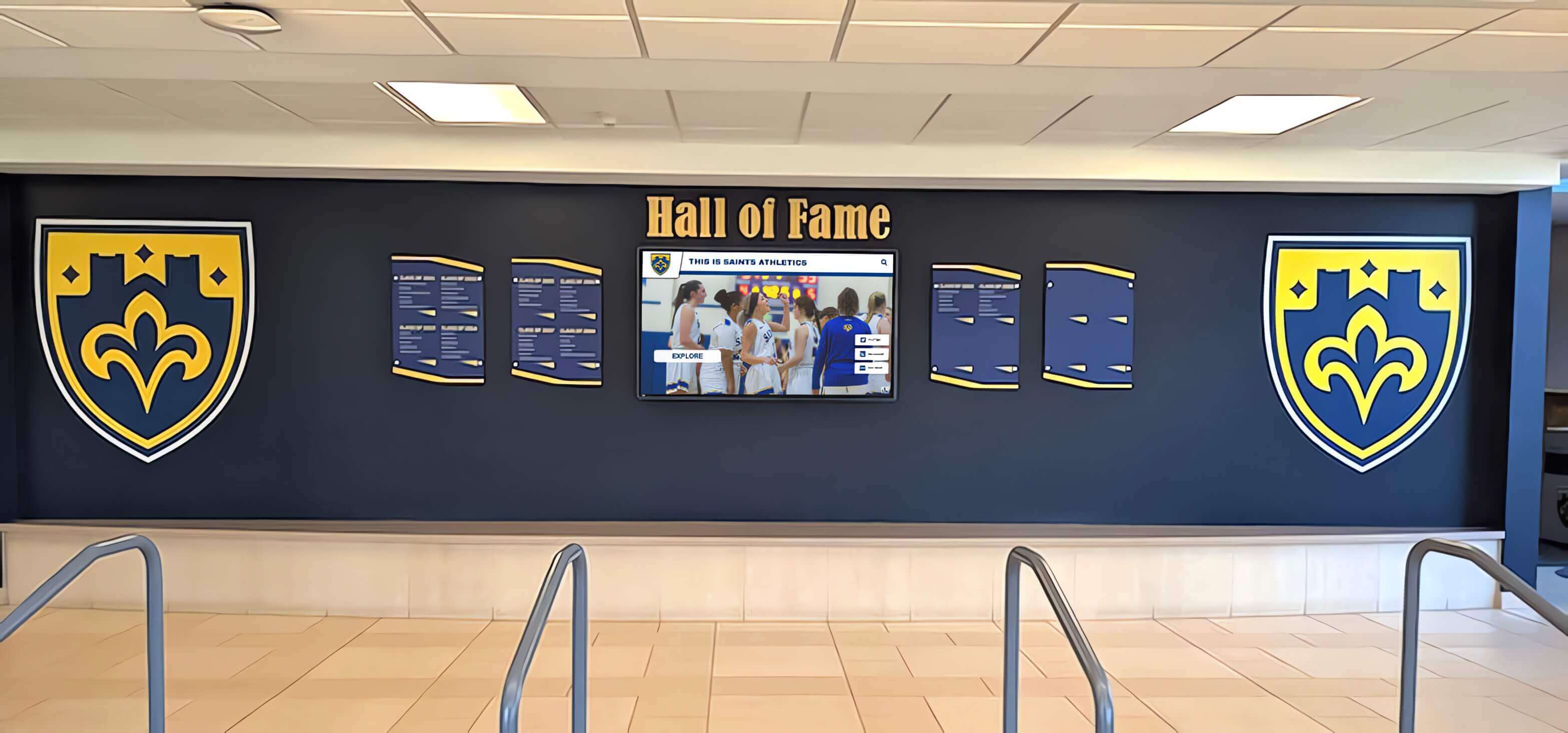
Effective design systems deliver custom visual outcomes while maintaining platform reliability and feature compatibility
The Expandable Library Approach
How Layout Libraries Grow to Meet Customer Needs
Modern recognition platforms implement systematic creative expansion rather than static template limitations:
Initial library provides foundation layouts covering common recognition scenarios (athlete profiles, team rosters, achievement timelines, honor rolls, donor displays, historical archives)
Customer requests identify gaps when schools need layouts the library doesn’t yet support (specific sport statistics displays, art portfolio showcases, academic competition results, specialized achievement formats)
Platform builds custom layouts as first-class components treating custom requests as opportunities to expand shared capabilities rather than one-off projects
New layouts join the library becoming available to all customers, expanding the platform’s design vocabulary systematically over time
Turnaround occurs quickly because platform teams build within established design systems rather than creating one-off solutions (typically within one week)
Customers receive custom outcomes without paying ongoing maintenance costs because layouts become standard platform components with guaranteed updates and support
This approach transforms what traditional platforms call “custom work” into systematic capability expansion. Schools requesting unique layouts don’t commission bespoke solutions requiring separate maintenance—they trigger additions to shared infrastructure that benefit the entire customer community while delivering the specific design outcomes they need.
Solutions like Rocket Alumni Solutions implement expandable library approaches that provide creative freedom without creating custom maintenance burden for individual schools.
Platform Guarantees Inherited by Custom Layouts
What Makes Custom “First-Class” Rather Than “Brittle”
The critical distinction between expandable library layouts and traditional custom development lies in how new designs inherit platform guarantees:
Responsive Design Across Devices
- Layouts automatically adapt to different screen sizes and orientations
- Touch targets maintain appropriate sizes for reliable interaction across devices
- Content hierarchy adjusts gracefully from large displays to smartphones
- Testing across device categories ensures consistent experience quality
- Updates to responsive frameworks automatically enhance all layouts including custom additions
Accessibility Compliance
- Color contrast meets WCAG 2.1 AA standards automatically through design system enforcement
- Font sizes, line heights, and spacing follow accessibility guidelines consistently
- Interactive elements include appropriate focus indicators and keyboard navigation
- Screen reader compatibility built into component structure rather than added afterward
- Regular accessibility audits apply to all layouts equally including custom designs
Discover how digital recognition displays maintain accessibility across diverse implementation contexts.
Feature Compatibility
- Search functionality works identically across all layouts including custom designs
- Filtering capabilities apply consistently regardless of content presentation format
- Social sharing features integrate automatically into new layout types
- Analytics tracking captures engagement metrics uniformly across layout variations
- Platform feature additions automatically extend to all layouts through component inheritance
Consistent Interaction Patterns
- Navigation elements behave predictably across different layout types
- Button styles, hover states, and click interactions follow established patterns
- Content transitions and animations maintain consistent timing and effects
- Form elements and input controls share standard styling and behavior
- Users navigating between different sections encounter familiar interaction models
This systematic guarantee inheritance explains why expandable library approaches deliver superior outcomes compared to traditional custom development. Custom layouts become integrated platform components rather than separate projects, ensuring ongoing reliability and feature parity without separate maintenance contracts or technical oversight.
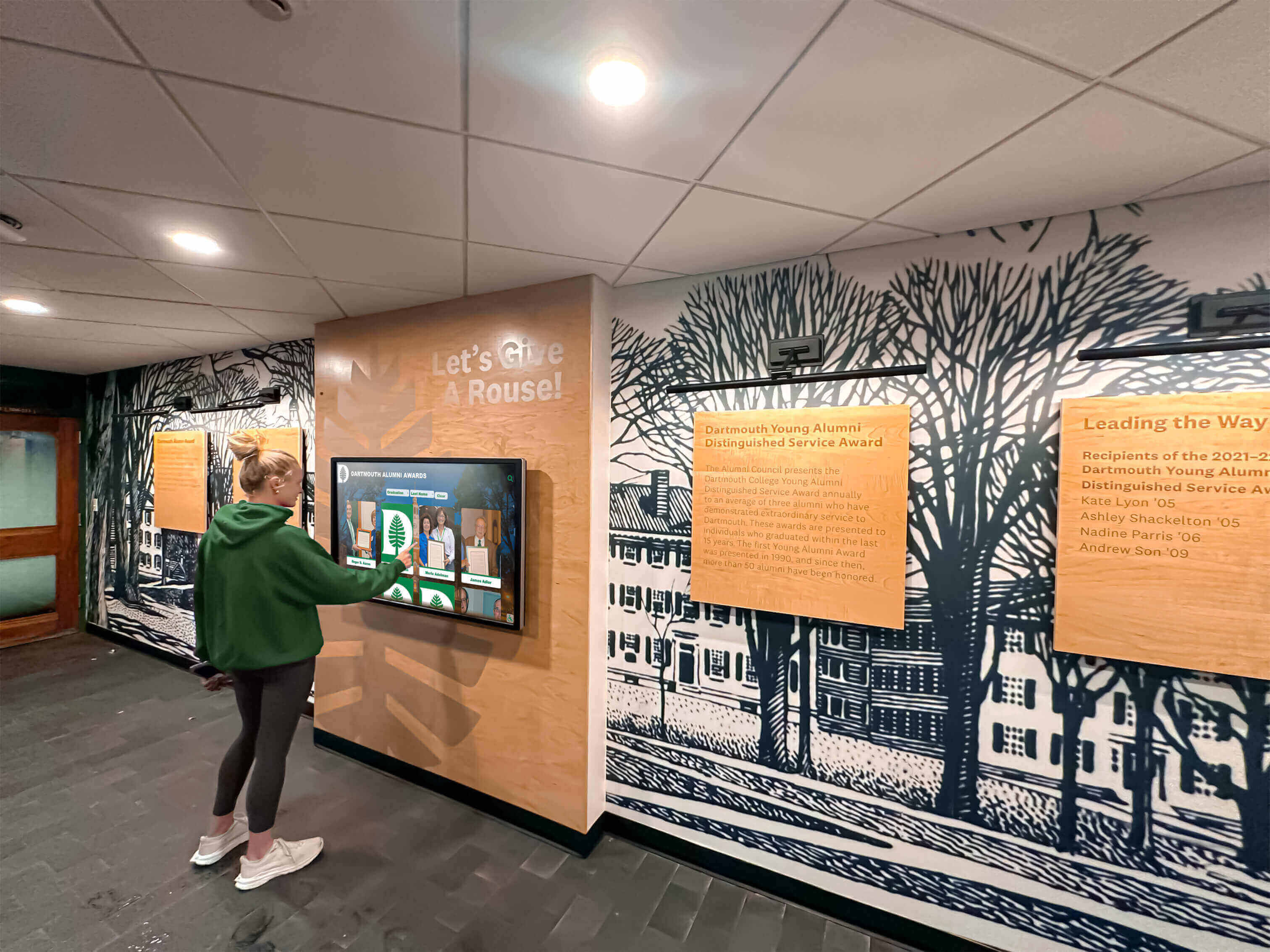
Custom layouts maintain intuitive navigation and accessibility guarantees through design system enforcement
Execution Timeline: From Custom Request to Platform Component
Understanding how layout expansion requests flow from initial need through implementation and platform integration helps schools appreciate the systematic nature of modern creative freedom approaches:
Phase 1: Identifying Layout Gaps and Custom Needs (Week 1)
Recognition Content Doesn’t Fit Existing Layouts
Schools discover the need for custom layouts when:
- Specific achievement types require data displays the current library doesn’t support
- Traditional recognition formats don’t translate well to existing layout options
- Institutional branding requires visual approaches not available in standard designs
- Unique program types need specialized content organization structures
- Community feedback reveals confusion or frustration with current layout limitations
Articulating Layout Requirements
Rather than commissioning design specifications, schools describe their recognition goals:
- What type of achievement or content needs display?
- What information elements must the layout accommodate?
- How should content be organized and prioritized visually?
- What user interactions or discovery paths matter most?
- Which existing layouts come closest but fall short, and why?
This requirements conversation focuses on recognition outcomes rather than technical implementation, enabling platform design teams to create solutions that may exceed initial expectations while maintaining platform consistency.
Phase 2: Design System Application and Layout Development (Weeks 2-3)
Building Within Established Frameworks
Platform design teams develop custom layouts systematically:
Typography and Visual Hierarchy
- All text uses established type scales ensuring consistency with platform typography
- Heading sizes, weights, and spacing follow design system specifications
- Content hierarchy maintains familiar patterns users recognize from other layouts
- Custom visual treatments apply to differentiate while maintaining readability standards
Component Reuse and Extension
- New layouts compose from existing design system components wherever possible
- Custom components follow established patterns for buttons, cards, media, and interactive elements
- Color palettes derive from design tokens ensuring consistency and brand alignment capability
- Spacing systems apply uniformly maintaining visual rhythm across layout types
Interaction Pattern Consistency
- Touch targets maintain minimum sizes ensuring reliable interaction across all layouts
- Hover states, focus indicators, and active states follow platform conventions
- Transitions and animations use consistent timing functions and durations
- Navigation elements behave predictably regardless of layout customization
Accessibility Integration
- Color contrast checking applies during design development preventing issues before implementation
- Semantic HTML structure ensures screen reader compatibility from initial build
- Keyboard navigation functionality tested as part of development process
- Focus management follows established patterns for intuitive non-touch interaction
Learn about systematic approaches to digital display design and implementation that maintain quality standards.
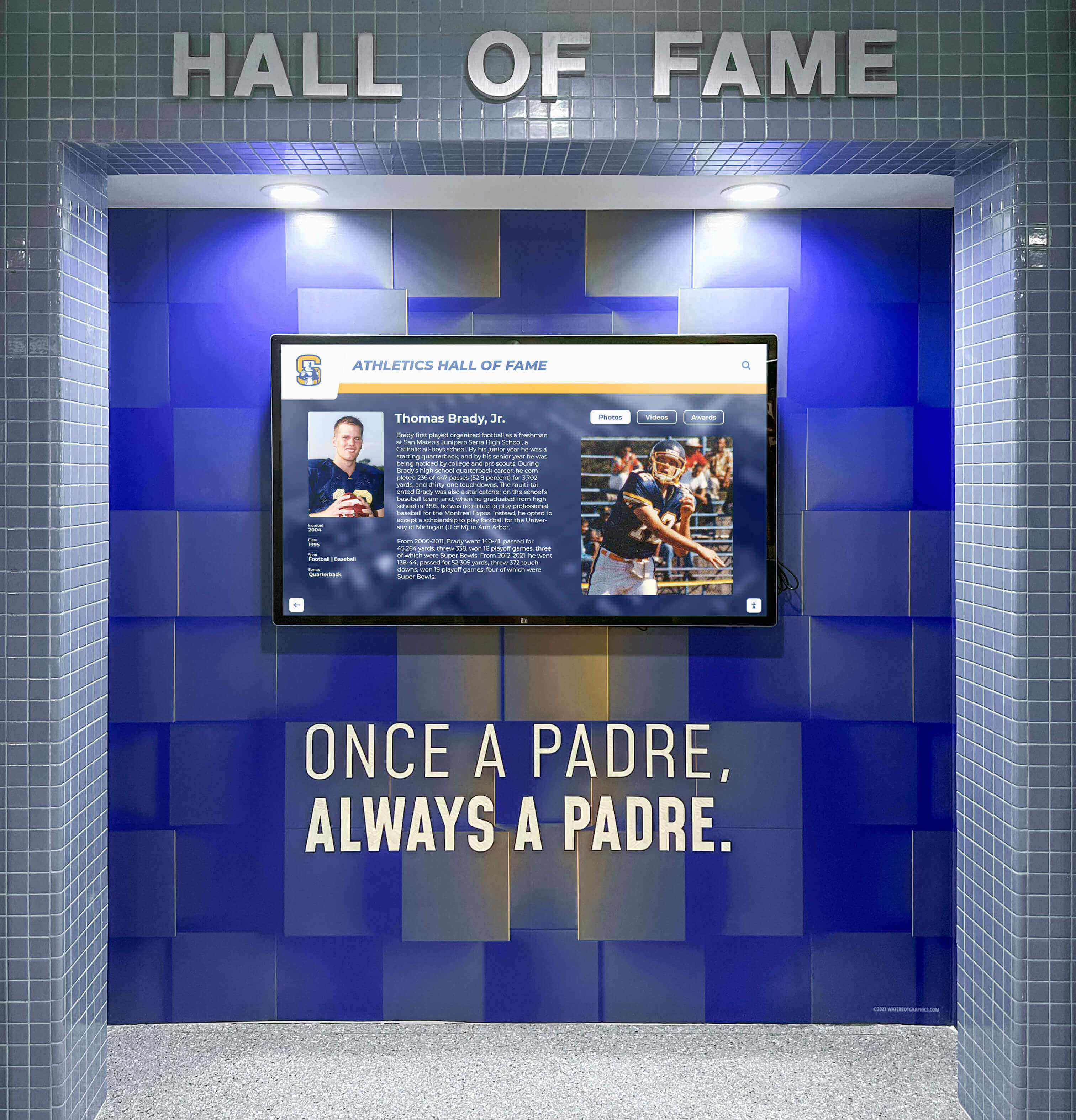
Custom layouts deliver unique visual outcomes while maintaining professional design standards through systematic development approaches
Phase 3: Quality Assurance and Platform Integration (Week 4)
Testing Across Contexts and Compatibility Verification
Before new layouts become available, comprehensive testing ensures platform standards:
Device and Browser Testing
- Layouts verified across phone, tablet, and large display screen sizes
- Orientation changes (portrait/landscape) tested for smooth adaptation
- Major browser versions tested ensuring consistent rendering and functionality
- Touch interaction verified on actual touchscreen hardware
- Performance profiling confirms smooth scrolling and responsive interaction
Feature Compatibility Verification
- Search functionality tested confirming all content fields properly indexed
- Filter controls verified working correctly with new layout content structure
- Social sharing tested ensuring proper metadata and preview generation
- Analytics integration confirmed capturing appropriate engagement events
- Content management workflows tested for intuitive updating and editing
Accessibility Audit
- Automated testing confirms WCAG 2.1 AA compliance
- Manual keyboard navigation testing verifies logical focus order
- Screen reader testing with NVDA and VoiceOver confirms appropriate announcements
- Color contrast verification across all text and interactive elements
- Focus indicator visibility confirmed across layout sections
Documentation and Training Materials
- Layout capabilities and best use cases documented for customer reference
- Content guidelines created explaining how to populate new layout types effectively
- Admin interface screenshots and instructions added to knowledge base
- Video demonstrations produced showing layout in action and content management workflow
Phase 4: Release and Customer Enablement (Week 5+)
Making Custom Layouts Available
New layouts join the platform through systematic release:
Library Expansion Notification
- Requesting customer receives notification that their layout is ready
- All customers gain access to new layout option expanding creative possibilities
- Release notes explain layout purpose, capabilities, and appropriate use cases
- Training resources become available through knowledge base and video tutorials
Implementation Support
- Requesting customer receives dedicated support for initial implementation
- Design consultation helps optimize content for new layout capabilities
- Technical support addresses any questions during initial use
- Feedback collection informs potential refinements before general availability
Platform Evolution
- New layout expands the design vocabulary available to entire customer community
- Future custom requests may reuse or adapt newly created components
- Platform capabilities grow systematically through customer-driven expansion
- Shared infrastructure approach keeps costs sustainable while delivering creative freedom
This systematic approach transforms what traditional platforms treat as expensive custom development into platform evolution that benefits all customers while delivering the specific outcomes individual schools need. The timeline from request to availability typically spans one week for straightforward layouts, with more complex designs taking up to four weeks—dramatically faster than traditional custom development while delivering superior long-term reliability.
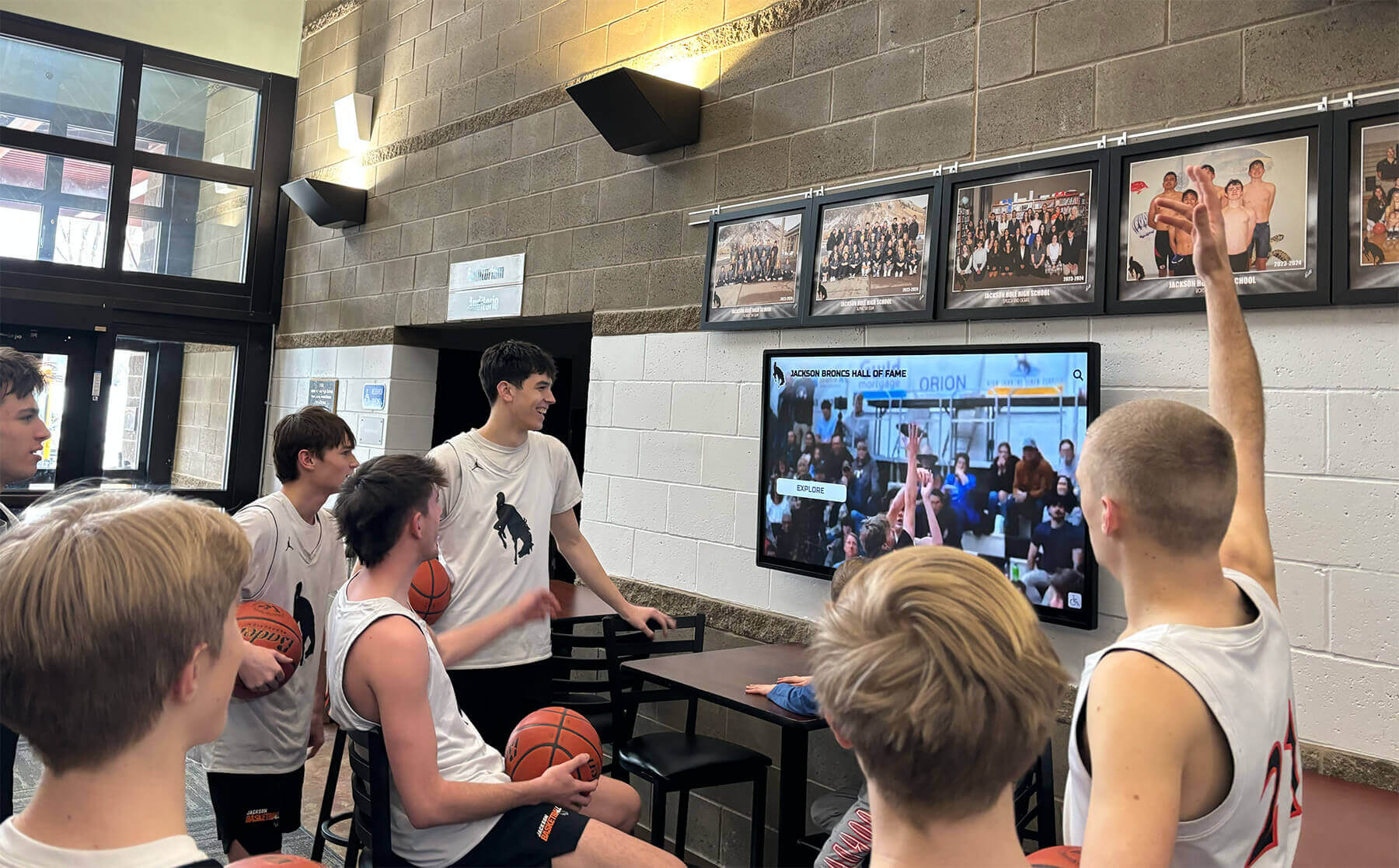
Expandable layout libraries enable diverse visual presentations while maintaining consistent user experience quality
Display Integration: AI-Assisted Quality Control
Modern recognition platforms enhance design governance through intelligent quality assurance that catches common mistakes before they become visible problems:
The Administrator Quality Challenge
Why Fast-Moving Teams Need Automated Safeguards
School administrators managing recognition displays face constant time pressure:
- Multiple responsibilities compete for limited staff hours
- Content updates occur during busy seasonal periods
- Urgency to publish new recognition quickly for ceremonies and events
- Limited design expertise among available staff members
- No time for extensive quality review processes before publishing
This environment creates predictable failure modes:
- Inconsistent font sizes or styling across different content sections
- Poor color contrast making text difficult to read, especially for visitors with vision challenges
- Misaligned spacing creating awkward visual gaps or cramped layouts
- Awkward photo cropping cutting off faces or important visual elements
- Overly dense pages overwhelming visitors with too much information at once
- Off-brand color variations when administrators select from unrestricted palettes
Traditional platforms rely entirely on administrator discipline and design sense to prevent these issues. Schools with graphic design expertise or dedicated communications staff manage acceptably. Those without—the vast majority—create recognition displays that gradually degrade from professional quality to amateur appearance as various administrators contribute content over time.
Built-In Design Agents and System Checks
Automated Quality Assurance Without Restrictive Constraints
Advanced recognition platforms implement AI-assisted quality control that proactively identifies and prevents common design problems:
Style Consistency Monitoring
- Detects when newly created content uses fonts or sizes outside design system specifications
- Flags color selections that deviate from approved brand palette
- Identifies spacing inconsistencies comparing new content against established patterns
- Alerts when heading hierarchy breaks established conventions
- Suggests corrections that align with design system while preserving content intent
Accessibility Verification
- Automatically checks color contrast ratios against WCAG standards before publishing
- Identifies text sizes below readability minimums
- Flags missing alternative text on images and media
- Detects problematic color combinations for common vision impairments
- Provides specific remediation guidance when issues are identified
Visual Balance Assessment
- Analyzes content density identifying pages that overwhelm viewers
- Detects awkward spacing patterns that create visual tension
- Identifies when content sections lack appropriate visual separation
- Suggests reorganization when information hierarchy becomes unclear
- Flags images with problematic aspect ratios or cropping
Brand Compliance Monitoring
- Compares content against institutional brand guidelines when defined
- Identifies color selections outside brand palette specifications
- Detects typography choices inconsistent with brand standards
- Flags logo usage that violates positioning or sizing guidelines
- Alerts when multiple administrators introduce competing visual treatments
Explore how digital recognition technology incorporates quality assurance mechanisms that maintain professional standards.
The “Museum Quality” Outcome
Enabling Speed Without Sacrificing Standards
This AI-assisted approach delivers superior outcomes compared to purely restrictive template systems:
Quality Without Design Expertise
- Schools lacking professional design staff maintain professional presentation consistently
- Administrators focus on content accuracy and recognition appropriateness rather than visual design
- New staff members contributing content cannot accidentally degrade overall quality
- Seasonal busy periods don’t force compromise between speed and professional appearance
Freedom Without Fragmentation
- Administrators select from full creative palette rather than restricted options
- System provides guidance and correction rather than arbitrary limitations
- Creative expression remains possible while maintaining cohesive experience
- Brand evolution occurs through intentional system updates rather than gradual drift
Efficiency Without Quality Compromise
- Content updates proceed quickly with automated checking rather than manual review
- Potential issues identified before publishing prevents embarrassing mistakes going live
- Correction suggestions accelerate improvement rather than simply blocking publication
- Confidence in automated quality checking reduces administrator stress and decision paralysis
The result resembles quality control approaches used in manufacturing and software development—systematic checking catches common errors automatically, enabling fast-moving teams to maintain high standards consistently without requiring expert oversight for every decision.
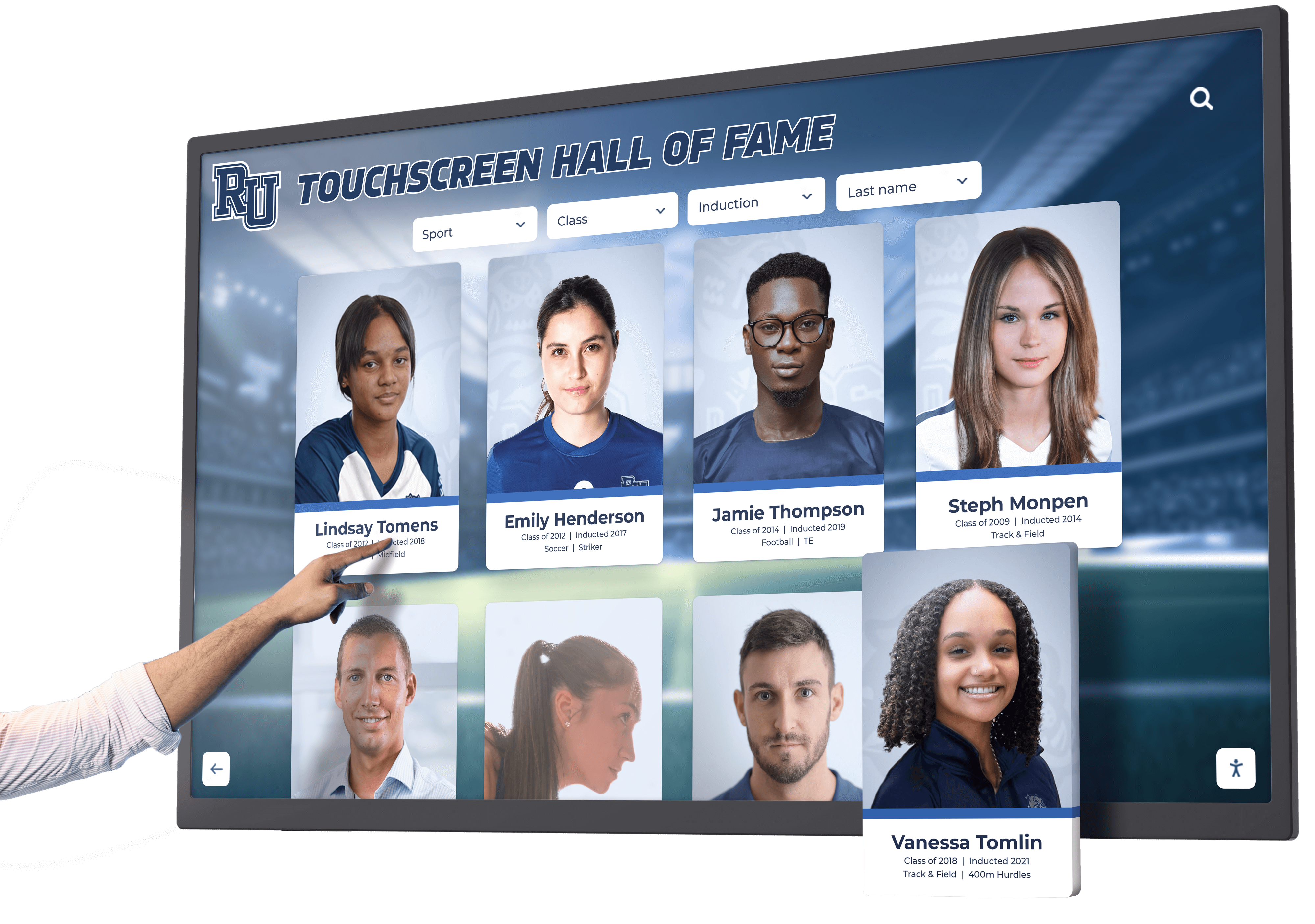
AI-assisted quality control ensures professional presentation standards even when multiple administrators contribute content over time
Display Integration: The Real Design Freedom Tradeoff
Understanding the fundamental choice schools face helps clarify why expandable library approaches deliver superior long-term value:
Option 1: Build Your Own Freedom
Complete Control Through Custom Development
Schools commissioning fully custom recognition systems own complete creative control:
Creative Benefits
- 100% bespoke design reflecting your exact vision without compromise
- Unique layouts created specifically for your content and traditions
- Complete freedom to modify and enhance without platform constraints
- Ability to implement any feature or interaction pattern you envision
Ownership Responsibilities
- Responsive design across devices and orientations requiring ongoing maintenance as new devices emerge
- Accessibility compliance requiring continuous monitoring and updates as standards evolve
- Feature parity over time demanding custom development whenever you need capabilities others have standard
- Ongoing quality assurance testing updates across browsers, operating systems, and screen technologies
- Risk of experience drifting off-brand when staff turnover disrupts design system documentation
- Security updates and compatibility maintenance as web technologies evolve
- Vendor lock-in with original developers who understand proprietary codebase
- Budget allocation for ongoing technical maintenance in addition to content management
This path makes sense for large institutions with dedicated technical teams, substantial budgets, and long-term commitment to in-house development. For most schools, the ongoing burden proves unsustainable regardless of initial enthusiasm.
Option 2: Borrow Rocket’s Freedom
Custom Outcomes With Platform-Grade Reliability
Modern expandable library platforms offer different bargain:
Creative Benefits
- Custom layouts delivered when your needs exceed existing library capabilities
- Unique visual outcomes reflecting your institutional identity and traditions
- Ability to request specialized features not currently available
- Growing design vocabulary expanding platform capabilities systematically
- No limitations on content types or recognition formats you can display
Platform Guarantees You Receive
- Responsive design automatically maintained across all device categories and orientations
- Accessibility compliance guaranteed through design system enforcement and regular audits
- Feature parity delivered automatically as platform capabilities expand over time
- Ongoing quality assurance included in platform subscription without separate technical oversight
- Experience consistency maintained through design system governance preventing gradual drift
- Security updates and browser compatibility handled by platform team transparently
- Vendor independence through standardized platform rather than proprietary custom code
- Predictable subscription pricing covering both technical infrastructure and creative expansion
This approach delivers custom recognition outcomes without the burden of maintaining bespoke systems. You receive the creative freedom to request unique layouts and features while the platform team handles ongoing technical responsibilities that most schools cannot sustain independently.
Understand how recognition technology platforms balance customization capabilities with sustainable maintenance approaches.
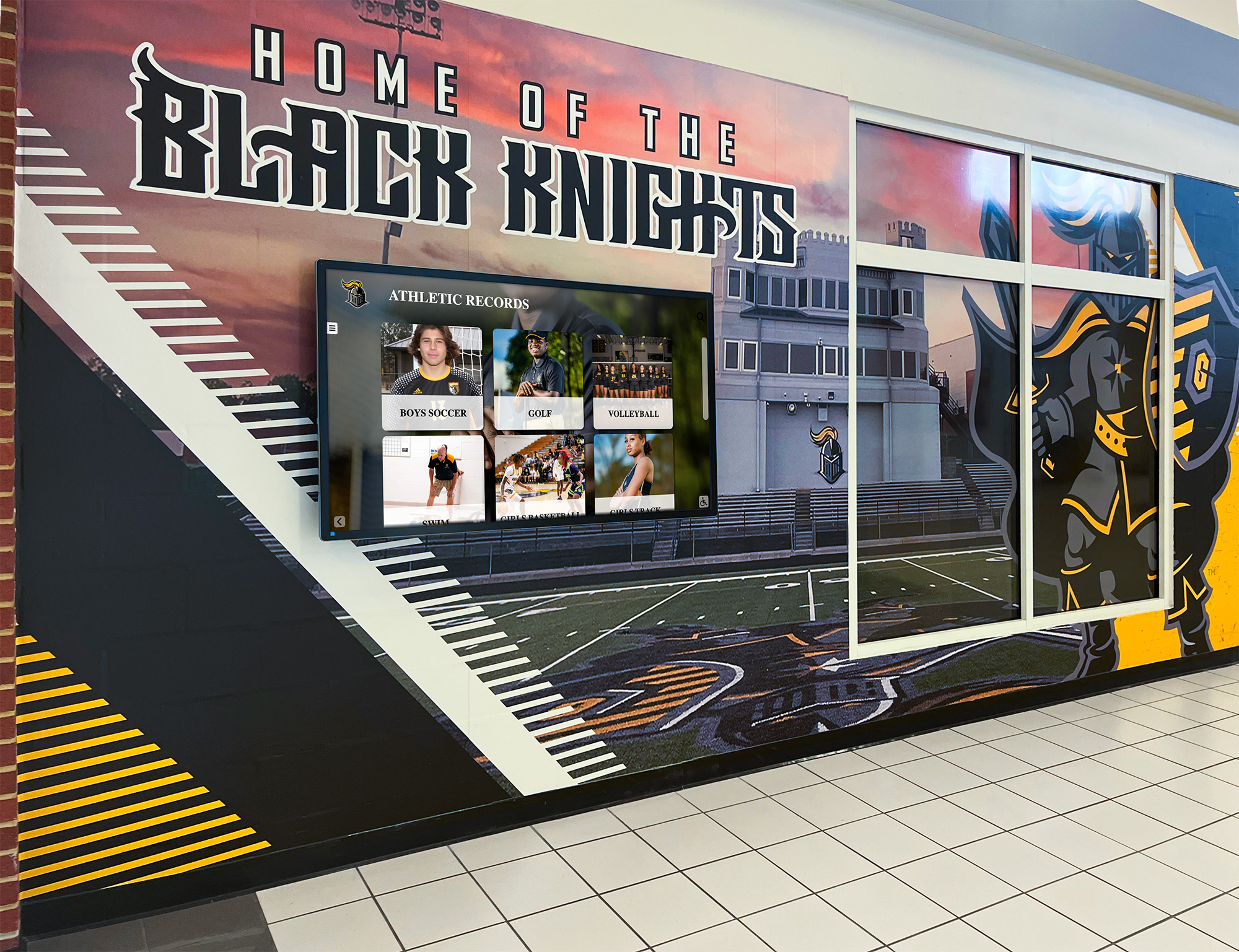
Platform-based approaches deliver custom visual outcomes while eliminating ongoing technical maintenance burden
Measurement Block: Assessing Design System Effectiveness
Schools evaluating recognition platforms should assess how design governance and creative freedom approaches impact both immediate implementation and long-term sustainability:
Implementation Efficiency Metrics
Time From Need to Availability
- How quickly can you implement recognition when existing layouts don’t meet your needs?
- Traditional custom development: 3-6 months typical timeline
- Expandable library approach: 1-4 weeks typical timeline
- Rigid template systems: Not possible; must accept available options
Setup Complexity and Training Requirements
- How much design expertise do administrators need for professional results?
- Custom systems: Significant expertise required; steep learning curve
- Expandable libraries with AI assistance: Minimal expertise needed; automated quality checking
- Template systems: Low expertise needed but creative expression severely limited
Initial Content Population Effort
- How efficiently can you migrate existing recognition content into new system?
- Bulk import capabilities reducing data entry burden
- Template-driven content creation accelerating initial population
- Automated formatting applying design standards to imported content
- Media processing optimizing photos and videos for display automatically
Long-Term Sustainability Indicators
Ongoing Maintenance Burden
- What staff time and technical expertise does the system require month-to-month?
- Custom systems: Ongoing development team needed; significant technical oversight
- Platform systems: Content management only; technical maintenance handled by vendor
- Time tracking actual hours spent on system maintenance versus content work
Quality Consistency Over Time
- Does professional appearance remain consistent as multiple administrators contribute?
- Visual audits comparing content created at different times by different staff
- Brand compliance assessment measuring drift from design standards
- Accessibility testing confirming continued standards compliance
- User feedback about professional appearance and visual cohesion
Creative Flexibility Evolution
- Does the system support your recognition needs as programs evolve?
- Layout library growth tracking new options becoming available over time
- Custom request fulfillment measuring responsiveness to unique needs
- Feature expansion documenting capabilities added through platform evolution
- Comparison with initial capabilities showing platform growth trajectory
Cost Predictability and Sustainability
- Can you sustain required investment throughout system lifespan?
- Total cost tracking across subscription, support, training, and technical maintenance
- Comparison between projected and actual expenses
- Budget allocation confidence for ongoing operation
- Alternatives consideration evaluating whether other approaches would prove more sustainable
Learn comprehensive approaches to measuring recognition program effectiveness across implementation and operational dimensions.
User Experience Quality Metrics
Engagement and Discovery
- Do custom layouts improve how visitors explore and engage with recognition?
- Interaction rates comparing custom layouts against standard designs
- Session duration measuring depth of exploration across layout types
- Search success rates tracking whether visitors find what they seek
- Feature usage analytics showing which capabilities matter most to users
Accessibility and Inclusivity
- Does design consistency ensure recognition remains accessible to all visitors?
- Automated accessibility testing results across all layout types
- User testing with assistive technology users
- Mobile usage patterns tracking smartphone and tablet engagement
- Readability metrics assessing text legibility and comprehension
Brand Perception and Professional Quality
- Does the recognition display enhance institutional reputation?
- Stakeholder feedback from alumni, current participants, families, visitors
- Prospective family reactions during facility tours and recruitment events
- Media coverage quality when displays appear in photos and videos
- Comparative assessment versus peer institutions’ recognition approaches

Systematic design governance ensures professional quality and effective engagement regardless of customization level
Common Design Freedom Pitfalls and Solutions
Learning from frequent implementation challenges helps schools make informed decisions about design flexibility and governance approaches:
Pitfall 1: Confusing Visual Customization With Functional Customization
The Problem: Schools requesting “custom” solutions often focus primarily on visual appearance without understanding the difference between cosmetic customization and functional capability development. This confusion leads to disappointment when visual flexibility proves insufficient for unique recognition needs, or unnecessary expense when functional development wasn’t actually required.
The Solution: Distinguish between visual customization (colors, branding, photo treatments, layout arrangements) and functional customization (new data structures, specialized search capabilities, unique interaction patterns, novel content types). Most schools need primarily visual customization, which modern design systems deliver efficiently. Functional customization demands more extensive development and should be reserved for genuine capability gaps rather than aesthetic preferences. Platforms with expandable libraries handle both systematically, but identifying which type you need prevents miscommunication and unrealistic expectations.
Pitfall 2: Accepting Template Limitations Without Requesting Expansion
The Problem: Schools selecting platforms with expandable libraries often assume that what they see initially represents permanent limitations. They compromise recognition goals to fit available templates rather than requesting custom layouts that would better serve their needs. This self-limitation wastes the primary advantage of expandable library platforms—the ability to trigger systematic capability expansion when existing options prove insufficient.
The Solution: Evaluate platforms based on their expansion process rather than just their initial template library. During vendor selection, ask how custom requests are handled, what turnaround times are typical, whether custom layouts become shared components or remain proprietary, and how many custom layouts the platform has added through customer requests. After implementation, proactively request custom layouts when existing options don’t serve your recognition goals well. The best platforms actively encourage custom requests as product development insights rather than treating them as expensive nuisances. Your needs likely represent broader market gaps—requesting expansion helps both your school and the wider customer community.
Pitfall 3: Launching Before Design System Training
The Problem: Administrators receive technical training on content management interfaces without understanding the underlying design system principles that maintain quality and consistency. They learn how to add content without understanding why certain choices create better outcomes than others. This knowledge gap leads to gradual quality degradation as administrators make well-intentioned decisions that accidentally violate design principles or accessibility standards.
The Solution: Ensure implementation training covers design system concepts in addition to technical operation. Administrators should understand the purpose behind typography scales, color palette restrictions, spacing systems, and component behaviors—not just how to use the interface. This conceptual foundation enables confident decision-making aligned with quality standards even when encountering scenarios not covered in initial training. Platforms with strong training programs explain the “why” behind design systems, not just the “how” of content management interfaces.
Explore comprehensive approaches to implementing digital recognition systems that balance ease of use with professional quality standards.
Pitfall 4: Treating AI Quality Control as Complete Automation
The Problem: Schools implementing platforms with AI-assisted design checking sometimes assume they can ignore all quality considerations since automated systems will catch problems. This over-reliance leads to careless content creation, resistance to improvement suggestions, and frustration when AI systems flag issues administrators don’t understand or disagree with. Automated checking provides guardrails, not complete quality assurance replacement.
The Solution: View AI quality control as collaborative assistance rather than autonomous enforcement. Automated systems catch common errors and suggest improvements, but human judgment determines final content decisions. Invest time understanding why certain suggestions appear—this builds design literacy that improves content creation over time. Treat flagged issues as learning opportunities rather than obstacles. The combination of automated checking with informed human decision-making delivers superior outcomes to either approach alone.

Successful implementations combine platform design systems with administrator training and AI-assisted quality assurance
Building Recognition Programs That Balance Consistency and Freedom
Schools ready to implement recognition systems that deliver both creative differentiation and long-term sustainability should follow systematic approaches:
Immediate Evaluation Steps
Assess Your Design Flexibility Needs (Week 1)
- Inventory recognition content identifying types requiring specialized display formats
- Review institutional branding guidelines understanding customization requirements
- Evaluate available visual assets assessing quality and diversity of photos, videos, logos
- Identify unique traditions or formats not commonly seen in typical recognition programs
- Determine whether visual customization, functional customization, or both will be necessary
Evaluate Platform Design System Approaches (Weeks 2-3)
- Request detailed information about template libraries and customization capabilities
- Understand whether platforms offer rigid templates, expandable libraries, or fully custom development
- Assess custom request processes including typical timelines and cost structures
- Verify how custom layouts become available and whether they remain platform-supported
- Confirm what guarantees custom layouts inherit regarding responsiveness and accessibility
Examine Quality Assurance Mechanisms (Week 3)
- Understand what design governance systems prevent fragmentation over time
- Evaluate whether platforms include AI-assisted quality checking or rely solely on administrator discipline
- Assess training comprehensiveness regarding design systems and content quality standards
- Review examples of customer content evaluating consistency across different administrators’ contributions
- Verify ongoing support availability when administrators have design or quality questions
Calculate True Total Cost (Week 4)
- Distinguish between platforms requiring ongoing technical maintenance versus those handling it centrally
- Compare subscription costs including custom development, training, support, and technical maintenance
- Assess internal staff time requirements for both content management and system maintenance
- Evaluate cost sustainability across expected system lifespan (typically 5-10 years)
- Consider opportunity costs of custom development approaches versus platform subscriptions
Discover comprehensive strategies for evaluating recognition technology platforms across technical and design dimensions.
Implementation Best Practices
Start With Standard Layouts, Expand Systematically
- Begin implementation using existing layout library rather than immediately requesting custom development
- Identify which recognition content fits well into available layouts versus what requires customization
- Request custom layouts strategically for genuine capability gaps rather than minor aesthetic preferences
- Learn platform design systems through initial implementation informing better custom requests later
Invest in Design System Understanding
- Dedicate training time to design principles in addition to technical interface operation
- Ensure multiple staff members understand design systems preventing single-person dependencies
- Document institutional customization decisions creating consistent guidance for future administrators
- Build design literacy across recognition program team rather than concentrating in single individual
Use AI Quality Checking Fully
- Configure automated quality assurance according to institutional brand guidelines when possible
- Review all flagged issues understanding the design principles behind suggestions
- Use quality checking feedback as ongoing training improving content creation over time
- Provide feedback to platform teams when automated checking misses issues or creates false positives
Maintain Ongoing Platform Engagement
- Participate in customer communities learning from others’ customization approaches
- Request features and layouts proactively when gaps emerge rather than working around limitations
- Provide feedback about design system effectiveness and improvement opportunities
- Stay current with platform enhancements adopting new capabilities as they become available
Plan for Long-Term Evolution
- Establish governance processes ensuring design consistency across administrator transitions
- Document customization rationales preventing duplication of past custom request efforts
- Budget for ongoing platform subscriptions rather than treating as one-time capital expense
- Review recognition effectiveness periodically adjusting layouts and approaches based on engagement data
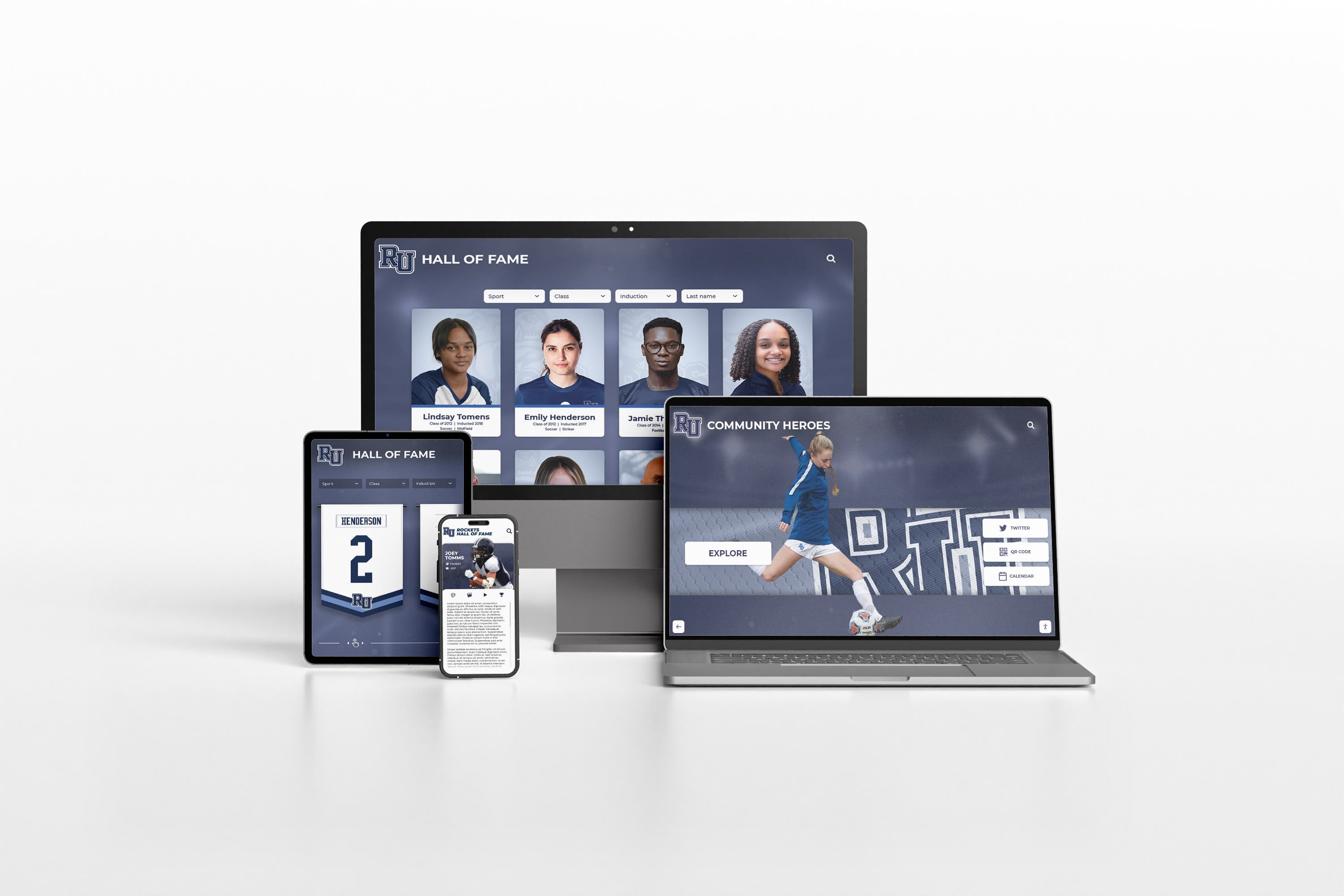
Modern design systems ensure recognition displays maintain quality and functionality across all devices and contexts
Conclusion: Freedom Through Systematic Governance
The tension between design consistency and creative freedom represents a false choice created by outdated platform approaches. Traditional recognition systems force schools to accept either rigid templates delivering reliability without differentiation, or fully custom solutions providing uniqueness at the cost of ongoing technical burden. Neither approach serves most schools well—one sacrifices institutional identity, the other proves unsustainable as maintenance requirements exceed available resources and expertise.
Modern recognition platforms resolve this dilemma through systematic creative expansion within governed design systems. Rather than limiting you to fixed templates or burdening you with bespoke maintenance, expandable library approaches treat custom requests as opportunities to grow shared platform capabilities. When you need layouts the existing library doesn’t provide, platform teams build them as first-class components that inherit all platform guarantees—responsiveness across devices, accessibility compliance, feature compatibility, and consistent interaction patterns—while delivering the unique visual outcomes your recognition content requires.
This approach transforms expensive custom development into systematic platform evolution. Schools requesting specialized layouts receive custom outcomes without paying ongoing maintenance costs because new layouts become standard platform components receiving the same updates, support, and quality assurance as everything else. The entire customer community benefits as libraries expand, while individual schools achieve the differentiation and creative expression their recognition programs deserve.
The quality assurance dimension proves equally important. AI-assisted design checking prevents the gradual quality degradation that plagues recognition programs as multiple administrators contribute content over time. Fast-moving teams maintain professional standards without requiring design expertise or extensive manual review processes. Automated systems catch common mistakes—inconsistent styling, poor contrast, awkward spacing, problematic cropping, excessive density, off-brand variations—before they become visible problems, enabling administrators to move quickly while staying “museum quality” consistently.
The real tradeoff schools face isn’t consistency versus creativity. It’s whether to own the complete burden of custom development in exchange for 100% control, or borrow systematic creative expansion through platforms that deliver custom outcomes with reliability guarantees. For most schools, the latter provides dramatically superior value—genuine creative freedom without unsustainable technical debt.
Ready to explore recognition systems that balance creative differentiation with long-term sustainability? Modern platforms like Rocket Alumni Solutions implement expandable library approaches that deliver custom layouts quickly while maintaining platform guarantees for responsiveness, accessibility, feature compatibility, and design consistency. Their design system enforces quality standards automatically while AI-assisted checking prevents common mistakes, enabling schools to move fast without sacrificing professional appearance.
You can achieve unique recognition experiences that reflect your institutional identity while avoiding the ongoing burden of maintaining bespoke systems. Book a demo to see how expandable layout libraries work in practice and discuss your specific customization needs.
Your recognition program deserves both creative freedom and technical reliability. The breakthrough insight is recognizing these aren’t competing values—they’re complementary outcomes delivered through systematic design governance and strategic capability expansion. Choose platforms that expand libraries on demand rather than forcing template limitations or commissioning unsustainable bespoke development.
Begin your evaluation today by assessing your customization needs, examining platform design system approaches, understanding quality assurance mechanisms, and calculating true long-term costs including both subscription fees and maintenance burden. The framework provided throughout this guide offers proven evaluation criteria—transform recognition challenges into opportunities for sustained excellence your community will value for decades.































