




When caring for family members with dementia, creating meaningful daily experiences that stimulate memory and provide comfort becomes paramount. Traditional photo albums and scrapbooks serve important purposes, but modern digital memory displays offer interactive experiences that engage individuals with cognitive decline in ways static materials cannot match. These touchscreen solutions enable loved ones to explore cherished memories at their own pace while providing family caregivers with flexible, manageable systems that grow and adapt alongside changing needs.
Family caregivers—often managing care responsibilities alone or with limited support—require solutions that deliver therapeutic value without adding overwhelming complexity or expense to already stretched resources. Many assume professional-grade touchscreen memory displays remain prohibitively expensive or require specialized technical knowledge. However, modern recognition display technology initially designed for schools and organizations now offers accessible options that individual families can implement affordably for home or residential care settings.
This comprehensive guide explores practical approaches to creating dementia memory displays using economical touchscreen solutions, focusing specifically on families managing care for multiple loved ones with realistic budgets and limited technical support.
Effective memory displays for individuals with dementia serve multiple therapeutic purposes—reducing anxiety through familiar faces and places, stimulating cognitive engagement with personal history, providing comforting distraction during challenging moments, and creating conversation opportunities that strengthen remaining connections between family members despite progressive memory loss.

Interactive touchscreen displays enable intuitive memory exploration for individuals with dementia
Understanding Memory Display Benefits for Dementia Care
Digital memory displays offer distinct advantages over traditional approaches when supporting individuals experiencing cognitive decline.
Therapeutic Value of Visual Memory Stimulation
Research in dementia care consistently demonstrates that visual memory stimulation provides measurable benefits for individuals with cognitive impairment:
Familiar Face Recognition and Comfort
Even as dementia progresses and recent memory fades, many individuals retain strong recognition of faces and places from earlier life periods—particularly childhood, young adulthood, and significant life events. Digital displays presenting these familiar images create comforting experiences that reduce anxiety and agitation common in dementia progression. When individuals see parents, siblings, spouses in their younger years, or cherished family homes, these images often trigger emotional responses and sometimes verbal memories that strengthen remaining cognitive connections.
Reduced Anxiety and Behavioral Challenges
Dementia frequently causes anxiety, restlessness, and behavioral challenges stemming from confusion and disconnection from surroundings. Engaging memory displays provide calming focus that redirects attention away from anxiety sources. When individuals can touch screens displaying family photos, familiar places, or meaningful objects from their past, this interactive engagement offers soothing distraction while validating their personal history and identity despite memory loss.
Conversation Stimulation and Social Connection
Memory displays create natural conversation opportunities between individuals with dementia and family caregivers. Rather than struggling to discuss current events or recent activities that individuals cannot remember, displays enable conversations about long-term memories often preserved longer in dementia progression. When screens show childhood homes, wedding photos, or grandchildren at different ages, these images prompt storytelling and reminiscence that maintain social connection despite cognitive decline.
Sense of Identity and Personal History
Dementia progressively erodes sense of self and personal identity as memories disappear. Memory displays counteract this erosion by continuously presenting visual documentation of individuals’ life stories—their families, accomplishments, relationships, and experiences. This ongoing reinforcement helps preserve identity and dignity throughout disease progression.
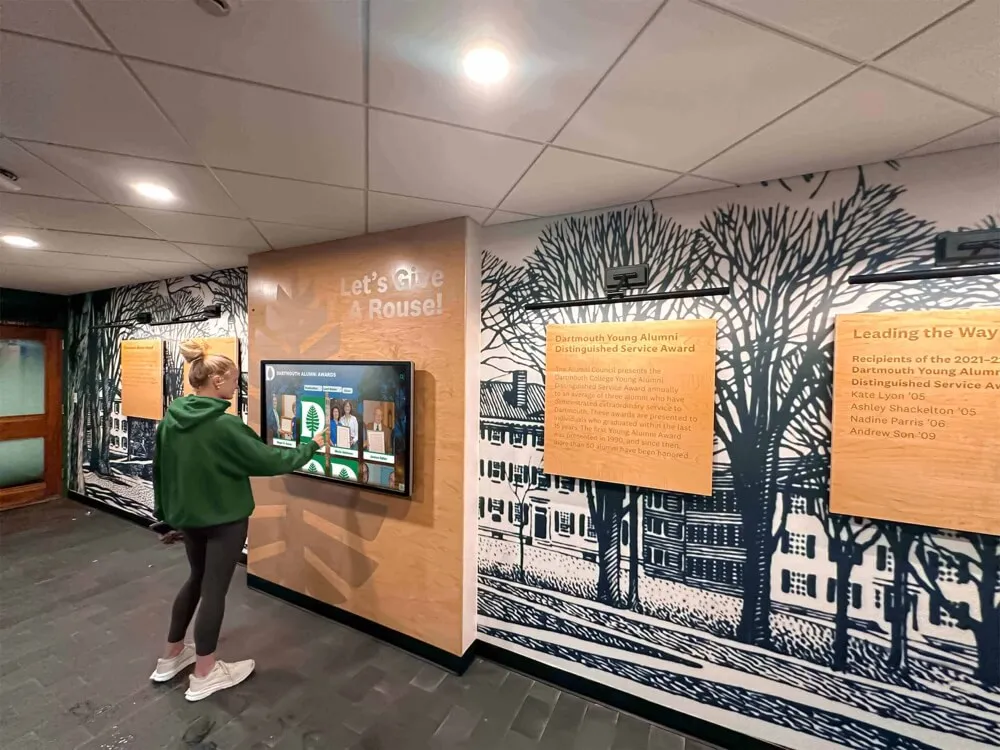
Touchscreen interfaces provide intuitive interaction requiring minimal instruction for seniors
Advantages of Digital Displays Over Traditional Photo Albums
While traditional photo albums maintain value, digital displays offer specific benefits particularly relevant for dementia care:
Durability and Preservation
Physical photos degrade through repeated handling, and individuals with dementia sometimes damage albums through confusion or agitation. Digital systems preserve original images indefinitely while allowing unlimited viewing without deterioration concerns. This durability proves especially important when displays feature irreplaceable family photos from decades past.
Easy Content Updates and Additions
Family caregivers can remotely update digital displays with new photos, remove confusing content, or emphasize images generating positive responses—all without physical presence at display locations. This flexibility enables continuous optimization based on observed reactions and changing care needs as dementia progresses.
Multiple Display Locations
Digital content can simultaneously appear on displays in different locations—one in a loved one’s residential care room and another in a family caregiver’s home, for instance. This shared access enables family members to reference the same content during phone or video conversations, creating connection despite physical distance.
Interactive Engagement
Touchscreen displays enable active engagement rather than passive viewing. The physical act of touching, swiping, and exploring builds motor engagement while providing control that respects remaining autonomy. Many individuals with dementia respond more positively to content they actively select rather than content simply shown to them.
Solutions originally developed for senior living touchscreen awards recognition demonstrate how adaptable touchscreen platforms serve diverse senior engagement needs beyond their original institutional purposes.
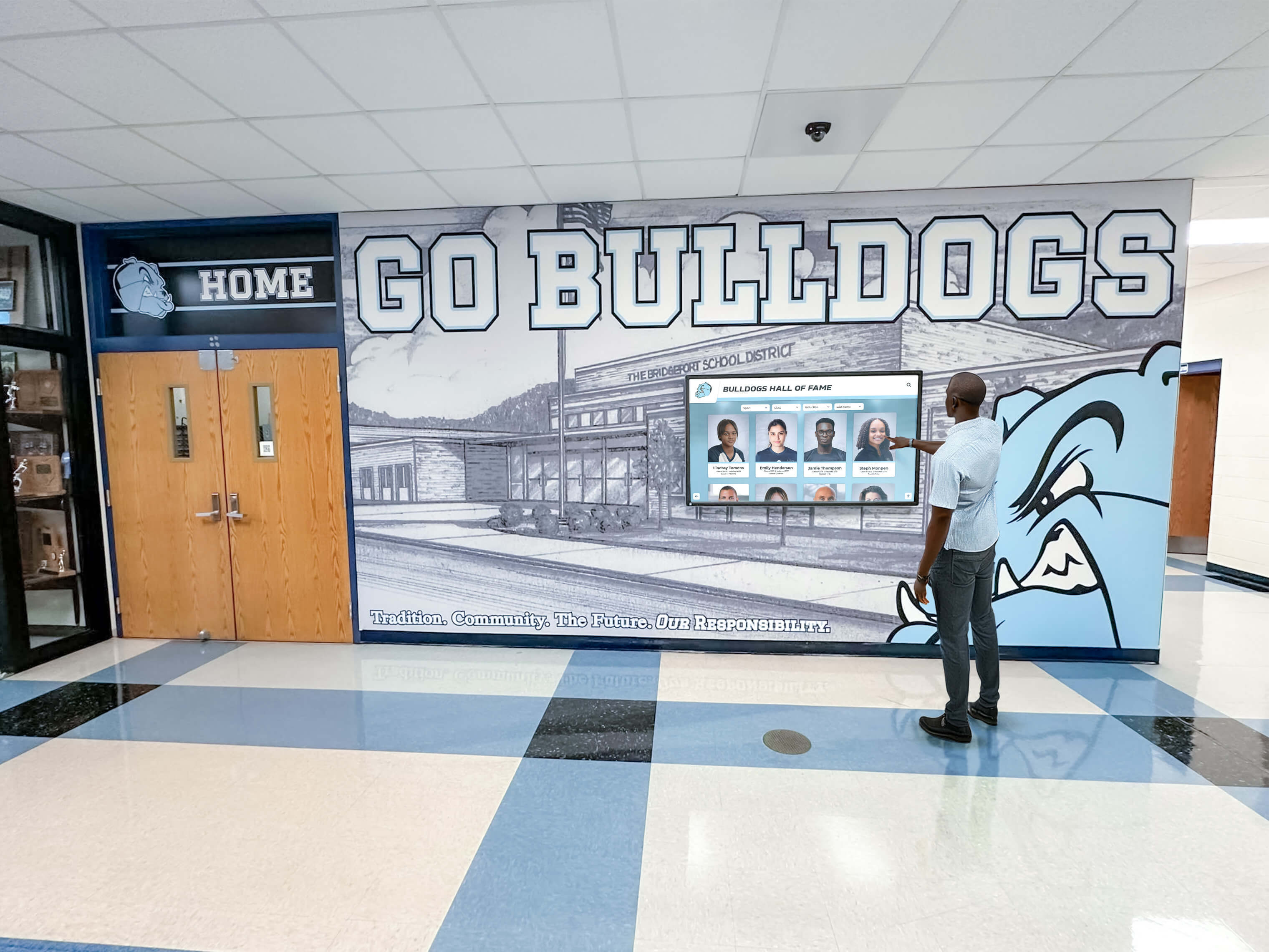
Simple, clear interfaces work well for individuals with varying cognitive abilities
Memory Display Program Snapshot: Home-Based Family Solution
| Program Element | Details |
|---|---|
| Primary Users | Two family members with dementia (mother and wife of caregiver) |
| Display Locations | Home care setting, potentially residential facility rooms |
| Content Featured | Family photos spanning decades, familiar places, special occasions, grandchildren |
| Budget Consideration | Economical solution suitable for individual family implementation |
| Management | Single family caregiver with minimal technical expertise |
| Update Frequency | As needed based on responses, typically weekly or monthly adjustments |
| Therapeutic Goals | Reduce anxiety, stimulate positive memories, provide comforting engagement |
| Technical Support | Remote management capability, minimal on-site technical requirements |
Economical Hardware Options for Family Caregivers
Implementing memory displays doesn’t require expensive specialized equipment—several practical options suit family budgets and home environments.
Consumer Tablets as Basic Memory Displays
Advantages of Tablet-Based Solutions
Standard consumer tablets like iPads or Android tablets offer the most economical entry point for family memory displays. These devices cost substantially less than commercial digital signage while providing touchscreen functionality, adequate screen size for photo viewing, simple content management through native photo apps or digital frame applications, and portability enabling display movement between rooms or locations.
For families supporting two loved ones with dementia, purchasing two tablets provides individual displays for each person’s room or living space. Many families already own suitable tablets, eliminating initial hardware costs entirely.
Tablet Memory Display Setup
Creating tablet-based memory displays requires minimal technical skill. Upload family photos to tablet storage using computer synchronization or cloud services. Organize images into albums by era, family branch, location, or theme. Enable slideshow or digital photo frame modes allowing automatic progression through images. Configure touch interaction allowing individuals to manually browse photos. Consider guided access or kiosk mode settings restricting navigation to photo viewing only, preventing accidental disruption.
Several free or low-cost digital frame applications specifically designed for seniors offer simplified interfaces with large buttons, automatic rotation, and remote content management enabling family members to add photos from their own devices.
Tablet Limitations to Consider
Tablets present some practical challenges for dementia care. Small screen sizes may frustrate individuals with vision challenges common in aging. Battery power requirements mean tablets periodically disappear for charging unless always plugged in. Durability concerns arise if individuals handle tablets roughly or knock them from surfaces. Lack of professional mounting makes tablets more vulnerable to damage compared to fixed installations.
Despite limitations, tablets represent excellent starting points for families exploring whether digital memory displays benefit their loved ones before investing in more permanent solutions.
All-in-One Touchscreen Displays
Dedicated Digital Display Advantages
Purpose-built touchscreen displays designed for permanent installation offer enhanced functionality worth considering after confirming memory display value through initial tablet testing. These systems typically include larger screen sizes (15-24 inches) improving visibility, wall-mounting capability creating stable, permanent installations, continuous power operation eliminating charging interruptions, durable commercial-grade construction withstanding repeated use, and simplified interfaces designed for senior interaction.
All-in-one displays commonly used for digital signage content can be repurposed for memory display applications at accessible price points compared to specialized medical equipment.

Wall-mounted or kiosk-style displays provide stable, always-available memory access
Budget-Friendly Display Options
Economical all-in-one touchscreen displays suitable for home memory applications include refurbished commercial displays offering professional quality at reduced prices, consumer-grade digital signage players with touchscreen capabilities, and all-in-one computers with touchscreen monitors that double as general-purpose devices.
Systems in the $300-800 range typically provide adequate functionality for family memory displays without requiring specialized medical equipment pricing. For families supporting two individuals, investing approximately $600-1600 total for two displays represents reasonable costs compared to many dementia care expenses while delivering ongoing therapeutic value.
Software and Content Management Solutions
Simple Photo Display Applications
Memory display effectiveness depends more on content organization than sophisticated software. Free or low-cost solutions include cloud-based photo services like Google Photos or iCloud enabling remote photo management with automatic device synchronization, digital photo frame applications specifically designed for senior interfaces, slideshow presentation software with touch navigation, and custom web-based photo galleries accessible through browser interfaces.
The most effective approach often involves the simplest interface—large, clear photos with intuitive swipe gestures requiring minimal instruction or cognitive processing to operate successfully.
Professional Recognition Display Platforms
Families seeking more sophisticated memory display capabilities can explore recognition display platforms originally designed for institutional applications but adaptable to individual family use. Solutions like Rocket Alumni Solutions offer intuitive content management interfaces requiring no technical expertise, unlimited photo storage and organization, remote content updates from any location, customizable display layouts and navigation, and mobile-responsive access enabling content exploration on various devices.
While originally developed for schools and organizations, these platforms’ flexibility enables adaptation to family memory care applications. Cloud-based management means family caregivers can update displays serving two different loved ones from a single central location, adding new photos or adjusting content based on observed responses without visiting each physical display location.
Content Organization Strategies
Effective memory displays require thoughtful content organization matching cognitive abilities and therapeutic goals. Successful approaches include chronological organization showing life progression from childhood through present, thematic grouping by family branches, locations, holidays, or occasions, and person-focused organization featuring specific family members individuals recognize best.
For individuals experiencing significant cognitive decline, limiting displayed photos to specific high-recognition periods—often childhood through middle age rather than recent photos—generates better responses. Family caregivers should observe which content produces positive engagement versus confusion, adjusting accordingly through iterative refinement.

Well-designed interfaces enable independent exploration without constant caregiver assistance
Implementation Strategies for Multi-Person Family Care
Managing memory displays for two family members with dementia presents specific considerations requiring practical approaches.
Shared vs. Individual Content Approaches
Personalized Displays for Each Individual
Creating separate, personalized memory displays for each family member offers important advantages. Content can focus specifically on each person’s life history, family relationships, and meaningful memories. Photo selections can target specific recognition periods optimal for each individual’s cognitive status. Display updates can address each person’s changing needs independently as dementia progression differs between individuals.
For a family caregiver supporting both mother and wife, creating distinct displays allows showcasing each woman’s maiden family, childhood home, early married life, and children from her own perspective. This personalization honors individual identity rather than creating generic family displays that dilute personal connection.
Shared Content Elements
Despite personalization benefits, substantial content overlap between displays reduces management burden for family caregivers. Photos of shared family members—children, grandchildren, the caregiver himself—appear on both displays. Images from shared experiences like holidays, vacations, or family gatherings provide common content. This overlap means uploading photos once serves both displays, reducing ongoing management requirements.
Recognition platforms supporting multiple display management like those detailed in approaches to digital memorial wall ideas enable content sharing across displays while maintaining individual customization where beneficial.
Remote Management for Distributed Care Settings
Cloud-Based Content Updates
If family members reside in different locations—one at home and another in residential care—cloud-based memory display management becomes essential. Remote content management enables updating displays in residential facilities without traveling for every adjustment. Family caregivers can upload new grandchildren photos or seasonal content simultaneously appearing on displays in different physical locations. Content removal can address items generating negative responses based on facility staff observations communicated by phone.
This remote capability proves particularly valuable when managing care for family members in assisted living or memory care facilities where physical access may be limited by visitation schedules or distance.
Facility Collaboration and Support
When placing memory displays in residential care facilities, collaborating with facility staff enhances effectiveness. Facility caregivers observe daily interactions with displays, noting which content generates positive engagement or problematic responses. This feedback informs content adjustments family members make remotely. Facility staff can encourage residents to use displays during difficult moments, providing therapeutic redirection when anxiety or agitation emerges.
Ensuring facility staff understand displays’ therapeutic purpose and operation encourages integration into daily care routines rather than displays becoming ignored decorations.
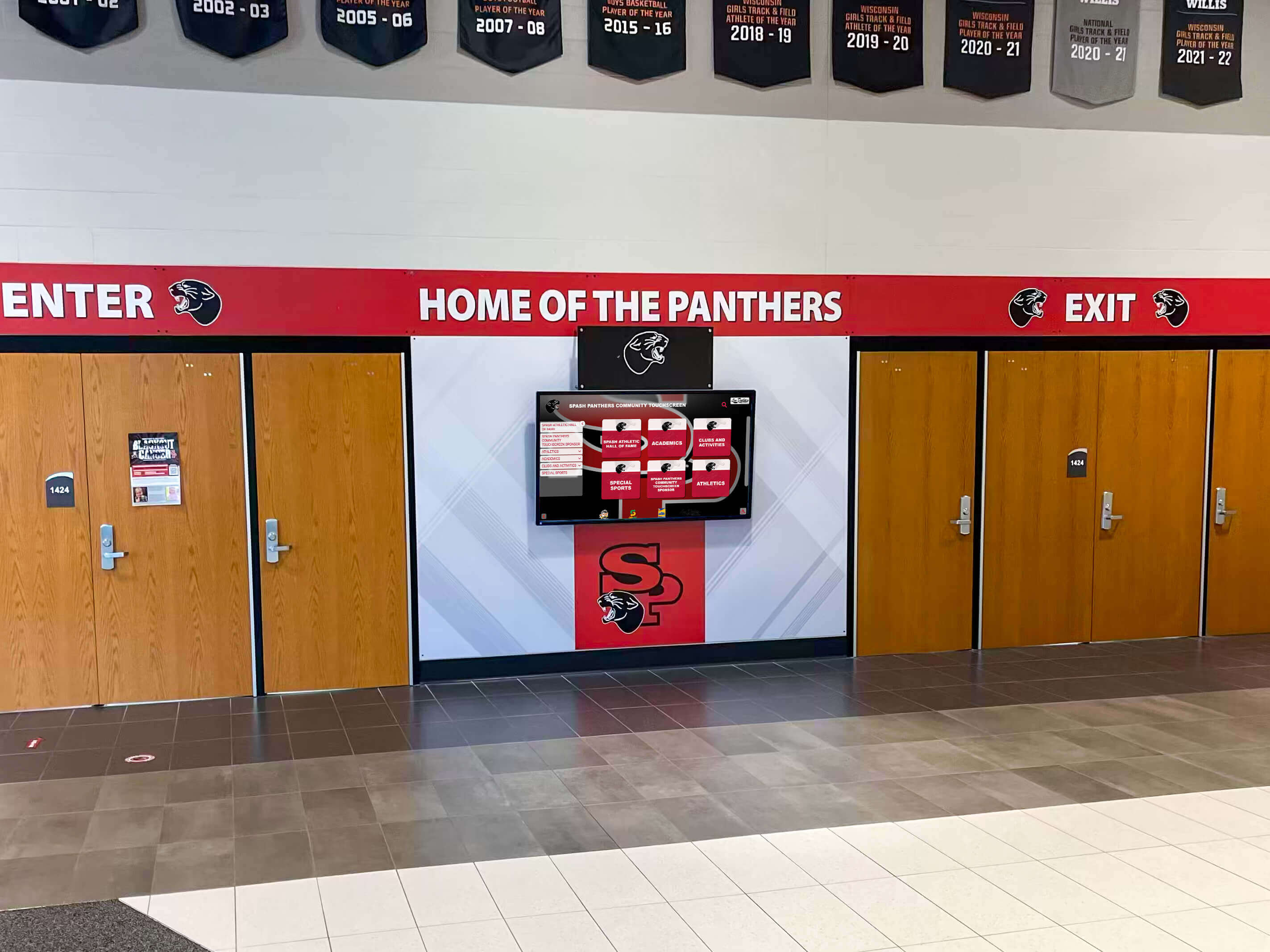
Properly positioned displays become natural focal points in living spaces
Cost-Effective Multi-Display Management
Shared Platform Subscriptions
Many digital display platforms offer subscription pricing that accommodates multiple displays under single accounts. This structure enables families to manage displays for multiple loved ones without separate subscriptions for each display, significantly reducing ongoing costs compared to per-device pricing models.
When evaluating platform options, family caregivers should specifically inquire about multi-display capabilities and whether pricing scales per display or offers unlimited displays under single subscriptions. For families managing two displays, subscription models can reduce costs substantially compared to purchasing separate solutions.
Volunteer Technical Support Networks
Family caregivers managing dementia care shouldn’t hesitate seeking technical support from extended family, friends, or community volunteers. Initial display setup, photo digitization from old physical albums, and content organization often require time investments that volunteers can contribute. Many communities include technically-inclined individuals willing to assist seniors and families managing dementia care through occasional volunteer support.
Faith communities, senior centers, and volunteer organizations often connect families with technical assistance for projects benefiting elders, reducing barriers to implementing beneficial memory displays.
Content Development for Dementia Memory Displays
Effective memory displays depend on thoughtful content curation matching cognitive abilities and therapeutic objectives.
Photo Selection and Digitization
Identifying High-Value Memory Content
Not all family photos generate equal engagement for individuals with dementia. Content selection should prioritize images from periods individuals best remember—often childhood, early adulthood, marriage, and young parenthood rather than recent years. Photos featuring people individuals definitely recognize create positive experiences, while images of unfamiliar faces may cause confusion or frustration.
Include images of childhood homes, family farms, memorable vacation spots, or significant landmarks from individuals’ pasts. These location photos often trigger strong emotional responses and sometimes verbal memories even when people recognition fades. Pets from earlier life periods frequently generate positive responses since animal recognition often persists despite human face recognition decline.
Digitizing Physical Photo Collections
Many families possess valuable photo collections in physical albums, shoeboxes, or envelopes rather than digital formats. Converting these materials to digital form suitable for memory displays requires systematic approaches. Smartphone camera scanning using photo digitization apps provides quick results for good-condition photos. Flatbed scanning delivers higher quality for special images or deteriorating photos requiring digital preservation. Photo scanning services offered by many stores handle bulk digitization for reasonable fees when time constraints limit personal scanning.
During digitization, capture identifying information—approximate dates, locations, names of pictured individuals—while family members with intact memories can provide this context. This documentation becomes increasingly valuable as dementia progresses and fewer family members remember these details.
Organizing Content Effectively
Digital photo organization dramatically affects memory display usability. Effective structures include organizing by decade creating chronological progression, grouping by family branch separating maternal and paternal families, categorizing by location showing specific homes, farms, towns, or landmarks, and theming around holidays, vacations, celebrations, or activities.
For individuals with significant cognitive decline, simpler organization with fewer categories reduces confusion. Displays might feature just childhood, young family, and grandchildren rather than complex decade-by-decade progressions requiring more cognitive processing to navigate.

Organized photo collections enable intuitive browsing through life history
Beyond Photos: Multimedia Memory Content
Video Clips and Home Movies
Short video clips often engage individuals with dementia more effectively than static photos. Digitized home movies showing loved ones in motion, speaking, and interacting create rich memory experiences. Modern smartphones enable easily capturing short video greetings from grandchildren, birthday messages, or simple “thinking of you” clips family members can add to displays regularly.
Video content should remain brief—typically 30 seconds to two minutes—matching limited attention spans common in dementia. Longer content risks losing engagement or causing agitation when individuals cannot follow extended narratives.
Audio Elements and Familiar Music
Adding audio to memory displays enhances engagement for some individuals. Favorite songs from youths, recordings of family members’ voices, or familiar sounds from meaningful periods create multisensory experiences. Music particularly resonates with many dementia patients, sometimes triggering memories and emotional responses when visual content alone does not.
Audio should remain optional rather than constant to avoid overwhelming individuals or creating disruptive noise in shared living spaces. Displays with headphone options enable personal listening without disturbing others.
Familiar Objects and Document Images
Beyond family photos, consider including images of meaningful objects individuals remember fondly. Treasured family heirlooms, childhood toys, memorable vehicles, tools from careers or hobbies, or cherished possessions often trigger recognition and pleasant memories. Digitize important documents like marriage certificates, diplomas, military service records, or award certificates that documented life achievements.
Seeing evidence of their accomplishments and valued possessions helps individuals maintain identity sense despite memory loss, reinforcing that their lives held meaning and value.
Optimizing Display Setup and Positioning
Thoughtful display positioning and configuration significantly impacts effectiveness for dementia care.
Ideal Display Locations in Home and Care Settings
High-Traffic Common Areas
In home settings, position displays in areas where individuals with dementia spend significant time. Living room installations enable engagement during daily activities. Kitchen or dining area displays provide content viewable during meals when family conversation occurs. Hallway placements create focal points during wandering behaviors common in dementia.
In residential care facilities, request display placement in residents’ private rooms for personal access throughout the day and evening. Private room displays enable viewing during difficult moments like evening sundowning without requiring transit to public areas.
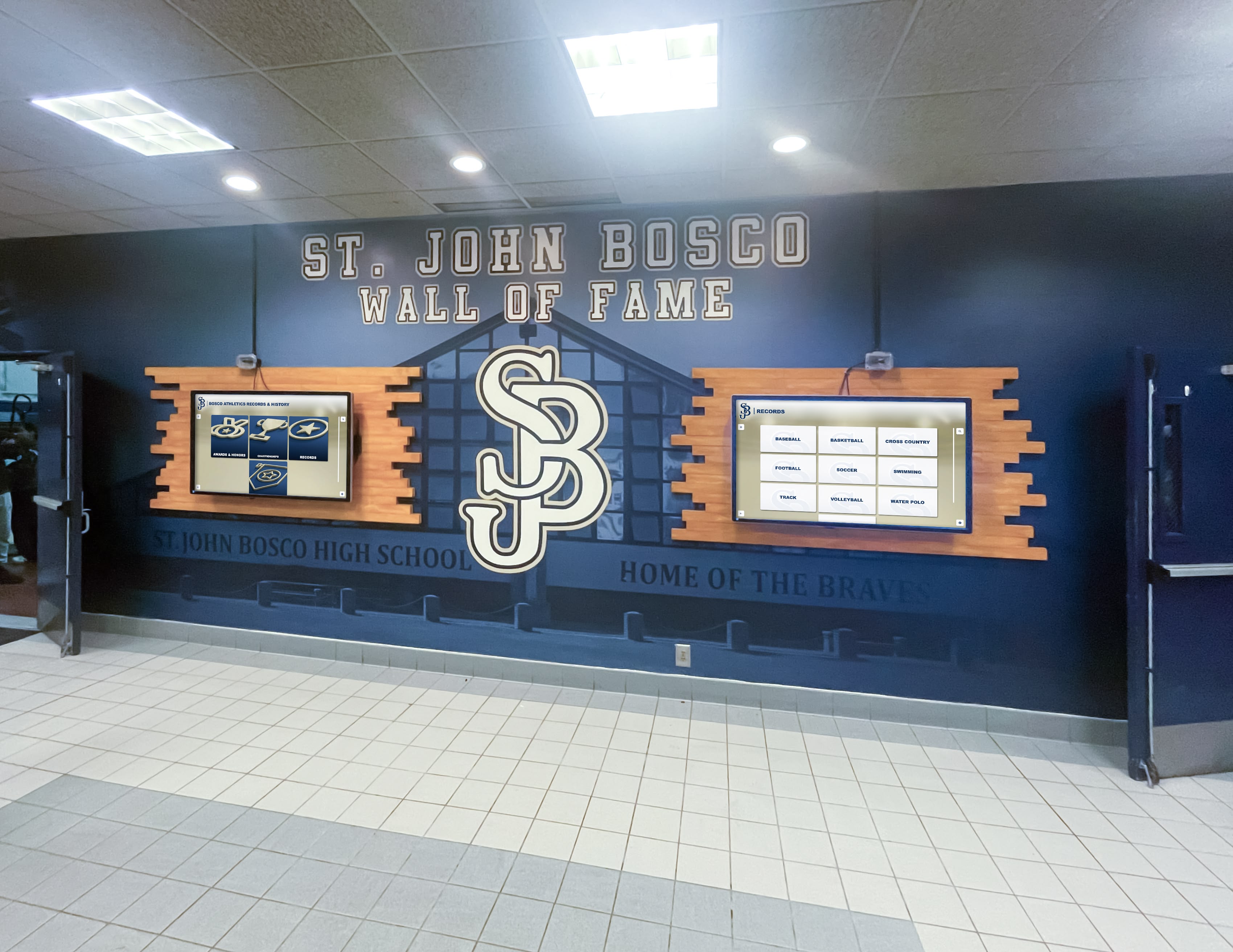
Strategic placement ensures displays remain accessible without becoming overwhelming
Avoiding Overstimulation and Confusion
While memory displays offer therapeutic benefits, placement should avoid creating overstimulation. Don’t install displays directly facing beds where content might disturb sleep or create confusion during nighttime wakings. Avoid placing displays in bathrooms where they might cause confusion about surroundings. Position displays away from other visual stimulation sources like televisions to prevent competing inputs overwhelming cognitive processing.
Displays should enhance living spaces without dominating environments or creating institutional feelings that reduce home comfort.
Height, Viewing Distance, and Accessibility
Ergonomic Positioning
Mount displays at heights enabling comfortable viewing whether individuals typically sit or stand when engaging. Standard eye level for seated viewing sits lower than standing eye level—typically 40-48 inches from floor to screen center for seated viewing versus 54-60 inches for standing viewing. Consider primary use patterns when determining mounting height.
Position displays close enough for easy touchscreen interaction without requiring extensive reaching. Approximately 18-24 inches from seat edges enables comfortable touching for most individuals without requiring standing or excessive stretching that might cause balance concerns.
Lighting and Glare Considerations
Avoid positioning displays where windows create glare on screens, making content difficult to view. Similarly, ensure room lighting adequately illuminates display areas without creating reflection issues. Many individuals with dementia experience vision challenges compounded by poor lighting, so proper illumination around displays proves important.
Consider display positioning relative to natural light patterns throughout the day, ensuring content remains visible during all typical viewing times rather than becoming difficult to see during morning or afternoon sun angles.
Safety and Durability Considerations
Secure Mounting and Stability
Properly secure displays to prevent tipping or falling that could cause injuries or device damage. Wall-mounted installations using appropriate hardware for wall types provide greatest stability. If using free-standing displays, ensure bases provide adequate stability preventing easy tipping even if individuals lean on displays for balance support—common in elderly populations experiencing mobility challenges.
In residential facilities, consult maintenance staff regarding proper mounting procedures meeting facility safety standards and building code requirements for securing equipment to walls.
Electrical Safety and Cord Management
Route power cords safely to prevent tripping hazards. Use cord covers or install displays near existing outlets minimizing exposed cord lengths. If displays require running cords across walking paths, use floor cord protectors preventing tripping while protecting cords from damage. Consider battery-powered displays for locations where safe electrical connections prove difficult, though these require regular charging management.
Some families initially resist wall-mounting displays, preferring flexibility to move devices. However, properly installed permanent displays typically provide better long-term solutions through enhanced stability and integrated power management reducing trip hazards and ensuring displays remain available rather than forgotten on charging pads.
Managing and Maintaining Memory Displays Over Time
Ongoing display management ensures continued effectiveness as care needs evolve.
Regular Content Updates and Refinement
Adding New Content
Memory displays shouldn’t remain static—regular additions maintain freshness and engagement. Add recent photos of family members, grandchildren, or great-grandchildren at regular intervals. Include images from current season holidays even if individuals don’t remember recent events; seasonal content provides temporal context and variety. Rotate content periodically highlighting different life periods rather than showing identical images continuously.
Solutions enabling remote content management like touchscreen kiosk platforms designed for ease of use by non-technical administrators provide family caregivers with accessible tools for regular updates without requiring physical access to displays.
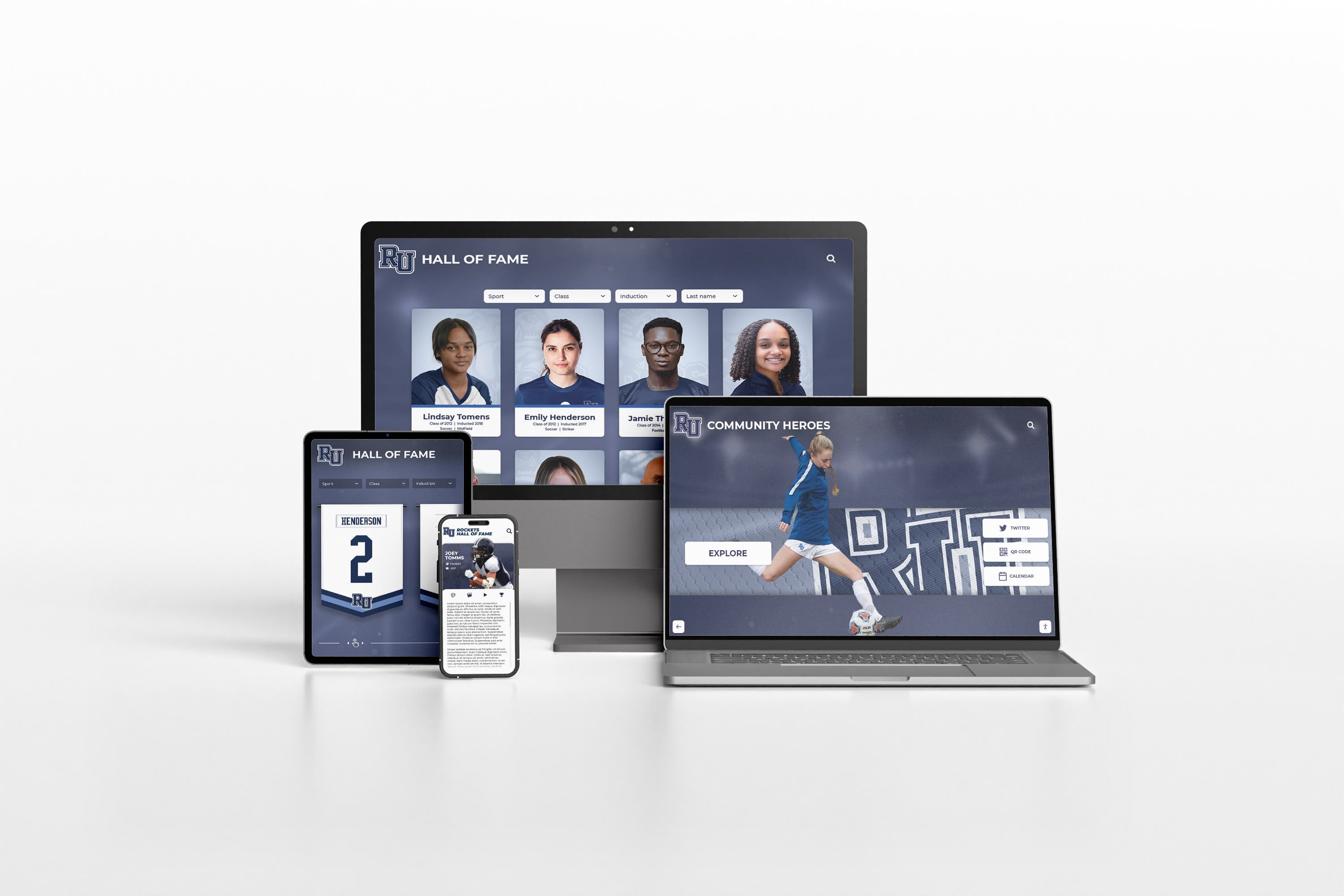
Remote management enables content updates from any device, anywhere
Removing Problematic Content
Monitor responses to displayed content, removing images generating negative reactions. Some photos may cause confusion, sadness, or agitation rather than comfort. Photos of deceased family members occasionally upset individuals who cannot remember the deaths and experience fresh grief repeatedly. Images from difficult life periods might trigger negative emotions.
Family caregivers and facility staff should communicate about content responses, adjusting displays based on observed reactions. This iterative refinement improves therapeutic value over time.
Adapting to Changing Cognitive Abilities
Simplifying Content as Dementia Progresses
As cognitive decline advances, simplify displayed content and organization. Early-stage dementia may accommodate complex photo collections spanning entire lifetimes with detailed organization. Later stages benefit from simplified content focusing on highest-recognition periods with simpler navigation requiring less cognitive processing.
Monitor whether individuals successfully use touch navigation or whether passive slideshow modes prove more appropriate as abilities change. Flexibility to adapt displays matching current capabilities maintains ongoing value throughout disease progression.
Adjusting Interaction Complexity
Early-stage displays might include various interaction options like searching by person, browsing by date, or filtering by location. As dementia progresses, reduce interface complexity to simple forward/backward navigation or automatic progression. Some individuals eventually benefit most from single-button interfaces advancing through carefully curated photo sequences without complex menu navigation.
The most sophisticated display technology becomes useless if interfaces exceed users’ cognitive abilities, so matching complexity to capabilities ensures continued engagement.
Technical Maintenance and Troubleshooting
Routine Maintenance Tasks
Memory displays require minimal but consistent maintenance. Keep screens clean using appropriate cleaning materials—microfiber cloths and screen-safe cleaners. Ensure software updates install on tablets or computers running displays. Verify cloud synchronization functions properly if using remote content management. Periodically restart devices preventing slowdowns from extended continuous operation.
Designate family members or volunteers for basic technical support, ensuring someone available addresses simple issues like displays not turning on, content not updating, or touch functionality not responding properly.
Professional Support Resources
Identify technical support resources before problems arise. For commercial platforms, understand support contact procedures and typical response times. For consumer devices, know manufacturer support options. In residential facilities, clarify whether facility IT staff can provide assistance or whether families must arrange their own technical support.
Cloud-based recognition platforms typically include technical support as part of subscription services, providing accessible assistance when family caregivers encounter issues beyond their troubleshooting capabilities.
Measuring Success and Therapeutic Impact
Assessing whether memory displays deliver intended benefits helps justify ongoing investment while informing continuous improvement.
Observable Engagement Indicators
Positive Interaction Signs
Successful memory displays generate observable engagement from individuals with dementia. Positive indicators include voluntary interaction when individuals approach displays independently without prompting, sustained attention viewing content for extended periods, emotional responses like smiling, laughing, or visible pleasure when viewing photos, verbal responses including naming pictured individuals or sharing memories, and reduced agitation when displays provide redirection during difficult moments.
Family caregivers and facility staff should observe and document these positive interactions, building evidence of therapeutic value. Photograph or video-record individuals engaging with displays—these recordings become meaningful documentation of quality life moments despite dementia’s challenges.
Warning Signs Requiring Adjustments
Conversely, certain responses indicate displays aren’t meeting needs and require modification. Warning signs include consistent avoidance suggesting content doesn’t engage or creates discomfort, confusion or frustration when attempting to use displays, agitation increase rather than reduction, repetitive negative comments about displayed content, or physical aggression toward displays indicating distress rather than comfort.
These responses don’t mean memory displays inherently fail for these individuals—more likely content or presentation requires adjustment. Try simplifying interfaces, changing featured content periods, or modifying display locations before concluding displays aren’t beneficial.
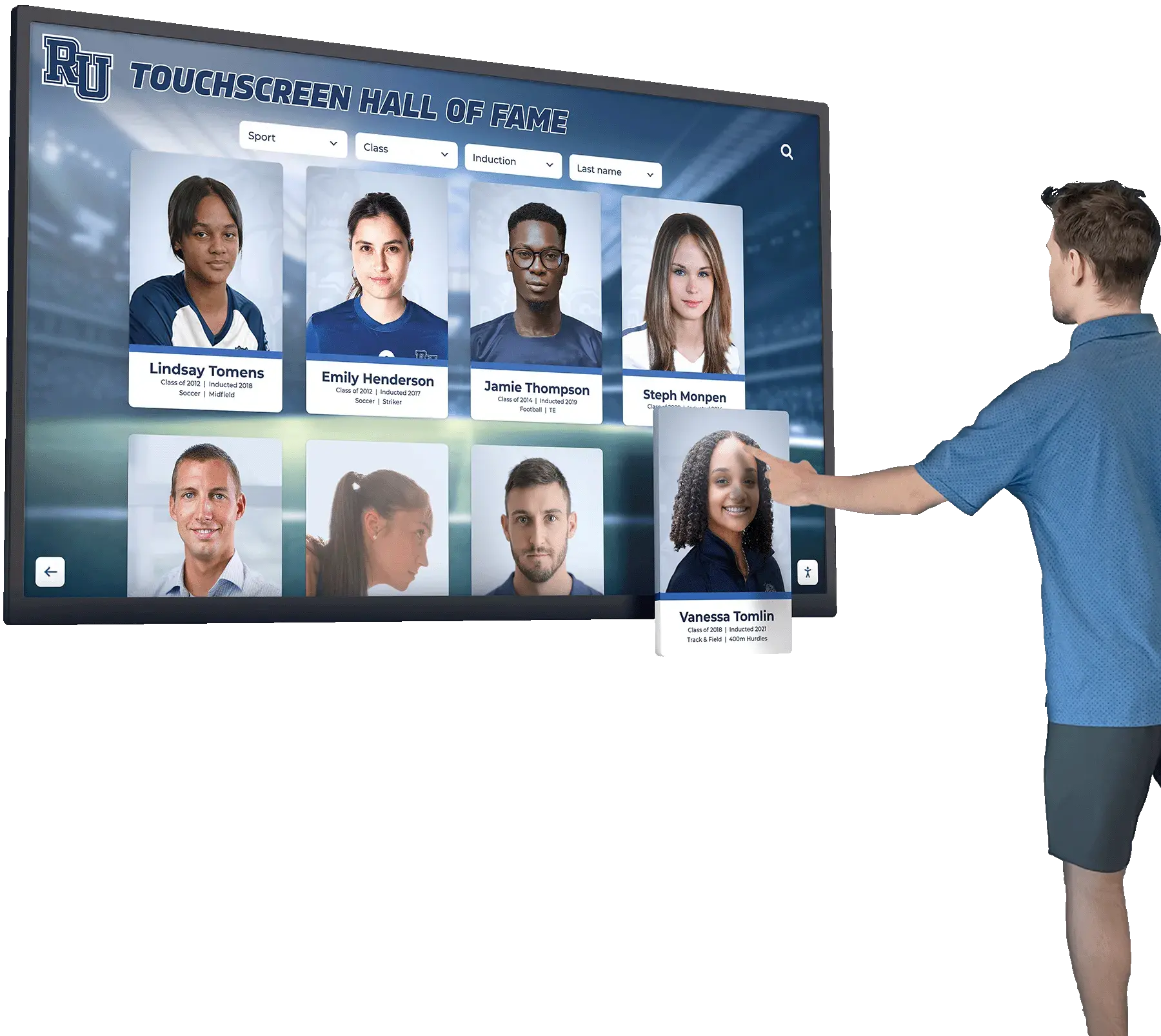
Successful displays generate natural engagement and positive emotional responses
Caregiver Benefit Assessment
Reduced Care Burden Indicators
Memory displays should reduce family caregiver burden, not increase it. Beneficial outcomes include displays providing independent engagement reducing constant entertainment needs, effective redirection during agitation reducing behavioral management challenges, conversation facilitation making visits more pleasant and less awkward, and remote content management enabling connection when physical presence proves impossible.
If displays create more work through technical problems, content management complexity, or increased behavioral challenges, reassess implementation approach or consider simpler alternatives better matching family resources and capabilities.
Family Connection Enhancement
Effective displays strengthen family connections despite dementia’s challenges. Extended family members can contribute photos enriching displays while feeling involved in care despite geographic distance. Grandchildren can see their photos on displays, understanding they remain important to grandparents even when recognition fades. Display content creates topics for phone conversations between caregivers and facility staff or other family members.
These connection benefits represent significant value beyond direct therapeutic effects for individuals with dementia themselves.
Cost Analysis and Budget Planning
Understanding realistic costs helps families plan implementations matching financial resources.
Initial Setup Investment
Budget-Conscious Implementation
Economical memory display implementation for two family members might include the following approximate costs:
Tablet-Based Solution (Most Economical)
- Two consumer tablets (refurbished iPads or Android devices): $200-500 total
- Protective cases and stands: $40-80
- Cloud photo storage subscription: $0-10 monthly
- Photo digitization costs: $50-200 depending on collection size
- Total initial investment: $290-790
Enhanced Display Solution (Moderate Investment)
- Two all-in-one touchscreen displays (consumer-grade): $600-1,600 total
- Wall mounting hardware and installation: $100-300
- Cloud-based display management platform subscription: $50-150 monthly
- Photo digitization: $50-200
- Total initial investment: $800-2,250
These ranges demonstrate that meaningful memory displays remain accessible for most families managing dementia care without requiring thousands of dollars in specialized medical equipment investments.
Ongoing Operational Costs
Sustainable Long-Term Budgeting
Beyond initial setup, modest ongoing costs maintain displays. Cloud storage or platform subscriptions typically range $0-150 monthly depending on solution sophistication. Electricity costs for running displays continuously prove negligible—typically $2-5 monthly per display. Occasional hardware replacement—tablets lasting 3-5 years, displays lasting 5-10 years—eventually requires consideration though hardly represents frequent expenses.
The most significant ongoing investment involves time for content management and monitoring rather than direct financial costs. Family caregivers should assess available time for display maintenance when selecting solutions—platforms requiring extensive manual management may prove impractical regardless of low subscription costs if caregivers lack time for regular updates.
Comparative Value Analysis
Memory Displays vs. Alternative Dementia Interventions
Compared to other dementia care approaches and costs, memory displays represent reasonable investments. Adult day programs typically cost $75-100 daily. Residential memory care facility costs range $4,000-8,000 monthly. In-home care assistance runs $20-30 hourly. Medications addressing dementia symptoms cost $200-600 monthly with limited effectiveness.
Memory displays costing several hundred dollars initially with modest ongoing costs deliver ongoing therapeutic value without recurring high expenses. If displays reduce behavioral challenges even moderately, potentially decreasing need for additional care hours or medication adjustments, they quickly justify costs through these offsets.
Beyond financial analysis, quality of life improvements—reduced anxiety, maintained connections, preserved dignity, and comforting engagement—represent value transcending dollar calculations for families committed to providing best possible care for loved ones despite dementia’s challenges.
Conclusion: Accessible Technology Supporting Compassionate Care
Family caregivers managing dementia care for multiple loved ones face overwhelming challenges—medical complexity, behavioral management, emotional strain, and resource constraints that sometimes seem impossible to navigate successfully. Creating meaningful daily experiences that provide comfort, stimulation, and dignity for individuals experiencing cognitive decline adds another dimension to already extensive care responsibilities.
Modern touchscreen memory display solutions originally developed for institutional recognition purposes offer family caregivers practical tools that address real dementia care needs through engaging, therapeutic visual memory stimulation. These platforms prove remarkably adaptable to individual family applications while remaining economically accessible compared to specialized medical equipment or ongoing care service costs.
For a family caregiver supporting two loved ones with dementia—whether both residing at home, one at home and one in residential care, or both in facilities—implementing memory displays need not require specialized technical expertise, prohibitive financial investment, or overwhelming time commitments. Starting with simple tablet-based approaches enables low-risk exploration of whether these tools benefit specific individuals. Positive results can justify progression to more sophisticated permanent installations as families gain confidence and observe measurable engagement benefits.
Modern recognition display platforms like Rocket Alumni Solutions designed for intuitive management by non-technical school administrators prove equally accessible for family caregivers managing memory displays. Cloud-based content management, unlimited photo storage, simple remote updates, and flexible multi-display support under single subscriptions address the specific needs of families caring for multiple individuals across different locations.
The therapeutic value of visual memory stimulation for individuals with dementia is well-established through research and clinical practice. Familiar faces, cherished places, and meaningful moments from personal histories provide comfort, reduce anxiety, stimulate remaining cognitive abilities, and maintain identity despite progressive memory loss. Digital displays deliver this therapeutic content in engaging, flexible formats that honor individuals’ life stories while supporting family caregivers through manageable technology.
Every family’s dementia care journey follows unique paths shaped by disease progression patterns, resources, support systems, and individual circumstances. Memory display solutions must flex to accommodate these varying needs rather than imposing rigid approaches. The same platforms schools use to celebrate athletic achievements and alumni recognition adapt effectively to preserving and presenting family memories for individuals experiencing cognitive decline—demonstrating remarkable technology versatility when thoughtfully applied to human-centered care challenges.
You deserve practical support managing the complex care responsibilities you’ve undertaken for your mother and wife. They deserve dignity, comfort, and connection to the rich life histories that shaped who they are despite dementia’s cruel erosion of memory. Economical touchscreen memory displays represent accessible tools supporting these goals while respecting realistic constraints on your time, budget, and technical capabilities. Consider starting simply, observe the results, and adapt based on what works for your specific family circumstances—building memory display systems that truly serve your loved ones’ needs while fitting sustainably within your caregiving reality.































