




Intent: Plan — How to integrate recognition programs with campus directory touchscreen displays to create dual-purpose systems that guide visitors while celebrating institutional achievement.
Campus directory touchscreen displays traditionally serve purely navigational functions, helping visitors locate buildings, offices, and departments across university environments. Yet forward-thinking institutions recognize an untapped opportunity: these high-traffic touchpoints can simultaneously deliver wayfinding functionality and comprehensive recognition experiences that honor alumni achievements, celebrate campus traditions, and showcase institutional excellence visible to every prospective family, current student, and campus visitor who approaches a directory kiosk seeking directions.
This blueprint provides a complete framework for designing campus directory systems that elegantly integrate practical navigation with meaningful recognition programming, transforming utilitarian wayfinding tools into engaging platforms that tell institutional stories, honor distinguished graduates, highlight academic achievements, and create memorable impressions during the critical moments when visitors first interact with campus technology infrastructure.
Program Snapshot: Dual-Purpose Campus Directory
| Element | Details |
|---|---|
| Primary Audience | Prospective students, families, campus visitors, current students, faculty, staff, alumni returning for events |
| Core Objectives | Provide intuitive campus navigation while simultaneously showcasing institutional achievements, alumni accomplishments, athletic excellence, academic distinctions, and campus heritage |
| Key Features | Interactive building directory, turn-by-turn wayfinding, alumni spotlight rotation, achievement galleries, hall of fame integration, event calendar, emergency notifications |
| Recognition Categories | Distinguished alumni profiles, athletic championships, academic honors, departmental achievements, donor acknowledgment, historical milestones, student spotlights |
| Typical Placement | Main entrance lobbies, admissions building, student center, athletic facilities, residence hall lobbies, academic building entrances |
| Update Cadence | Real-time wayfinding updates, monthly recognition content refresh, seasonal achievement highlights, event-specific programming during admissions weekends and homecoming |
Campus directory touchscreen displays occupy prime real estate in institutional traffic patterns, positioned precisely where visitors pause to orient themselves and make navigation decisions. This natural dwell time creates exceptional opportunities for recognition content that prospective families, donors, and community members encounter during campus exploration moments when institutional impressions form and enrollment decisions crystallize.

Modern campus directories seamlessly blend practical wayfinding with institutional recognition, engaging visitors during natural navigation moments
Content Architecture: Mapping Recognition to Touchscreen Modules
Effective campus directory systems organize content across specialized modules that visitors can access through intuitive navigation while an attraction loop showcases recognition when kiosks sit idle between interactions.
Navigation Module Structure
Primary Wayfinding Functions
- Interactive campus map with pinch-to-zoom capability showing all buildings, parking areas, walkways, and points of interest
- Searchable building directory organized alphabetically and by department category
- Turn-by-turn routing with estimated walking times between any two campus locations
- Accessibility paths highlighting wheelchair-accessible routes and building entrances
- Parking information showing visitor lots, garage locations, and permit requirements
- Campus shuttle routes with real-time arrival information and stop locations
- Dining facilities with hours of operation and menu previews
This core navigation functionality ensures directories fulfill their fundamental wayfinding mission, establishing credibility and utility that encourages visitor engagement with integrated recognition content.
Recognition Integration Layer
Strategic recognition content weaves throughout navigation experiences:
Attraction Loop (Idle State) When no visitor actively uses the directory, the display cycles through:
- Featured alumni spotlight cards with photos, graduation years, career accomplishments, and contribution narratives
- Athletic championship highlight reels with season records, tournament brackets, and team photos
- Academic achievement showcases featuring National Merit Scholars, AP Scholar distinctions, and honor society inductees
- Historical timeline moments celebrating institutional milestones and campus heritage
- Current event promotions for lectures, performances, athletic competitions, and admissions programming
- Donor recognition segments acknowledging philanthropic partners supporting campus facilities and programs
Research demonstrates that attraction loops on idle touchscreens generate 40-60 seconds average viewing time from passersby, creating substantial recognition impression volume without requiring active interaction. Prospective families waiting in admissions lobbies consistently report noticing and discussing athletic achievements, alumni accomplishments, and academic distinctions displayed during these attraction sequences.

Freestanding kiosk enclosures enable flexible placement throughout campus without requiring wall mounting or facility modifications
Integrated Recognition Modules
Beyond attraction loops, dedicated touchscreen sections provide deeper recognition exploration:
Alumni Hall of Fame Module
- Searchable database of distinguished alumni organized by graduation decade, career field, and achievement category
- Individual profile pages featuring biography, career timeline, major accomplishments, institutional connection, and personal message to current students
- Interactive filtering by industry sector enabling prospective students to discover alumni in fields matching their interests
- Video testimonials from alumni discussing how campus experiences shaped professional success
- Connection to admissions programming through “Request Alumni Connection” functionality that prospective students can use to initiate conversations with graduates in target fields
This module transforms generic navigation kiosks into powerful recruitment tools that prospective families explore during campus visits, discovering authentic alumni success stories that inform enrollment decisions and demonstrate institutional value through graduate outcomes visible across industries and achievement levels.
Athletic Achievement Gallery
- Championship history organized by sport, season, and competition level
- Team photo archives searchable by year and program
- Record holder spotlights celebrating statistical excellence
- Coach recognition honoring program leadership tenure and accomplishments
- State championship brackets and tournament progression documentation
- College commitment boards showing athlete recruitment destinations
- All-conference and all-state team recognition
Athletic facilities that integrate directory wayfinding with comprehensive sports achievement recognition report that prospective student-athletes consistently spend 8-12 minutes exploring program history during unofficial campus visits, generating substantially longer engagement than static trophy cases or banner displays that visitors simply photograph without deeper interaction.
Learn more about digital hall of fame touchscreen design that maximizes athletic recognition effectiveness.
Academic Excellence Showcase
- National Merit Scholar recognition with student photos and intended majors
- AP Scholar awards displaying achievement levels and subject areas
- Honor society inductee listings organized by academic discipline
- Departmental achievement boards highlighting competition success, research publications, and academic distinctions
- Scholarship recipient recognition connecting academic excellence to financial support opportunities
- College acceptance boards showing university destinations and scholarship offers
- Valedictorian and salutatorian historical records with graduation year and college choices
Admissions directors consistently report that prospective families specifically inquire about academic recognition visible on campus directories during facility tours, using achievement evidence to evaluate program rigor and college preparation effectiveness in ways that verbal assertions from tour guides cannot replicate.
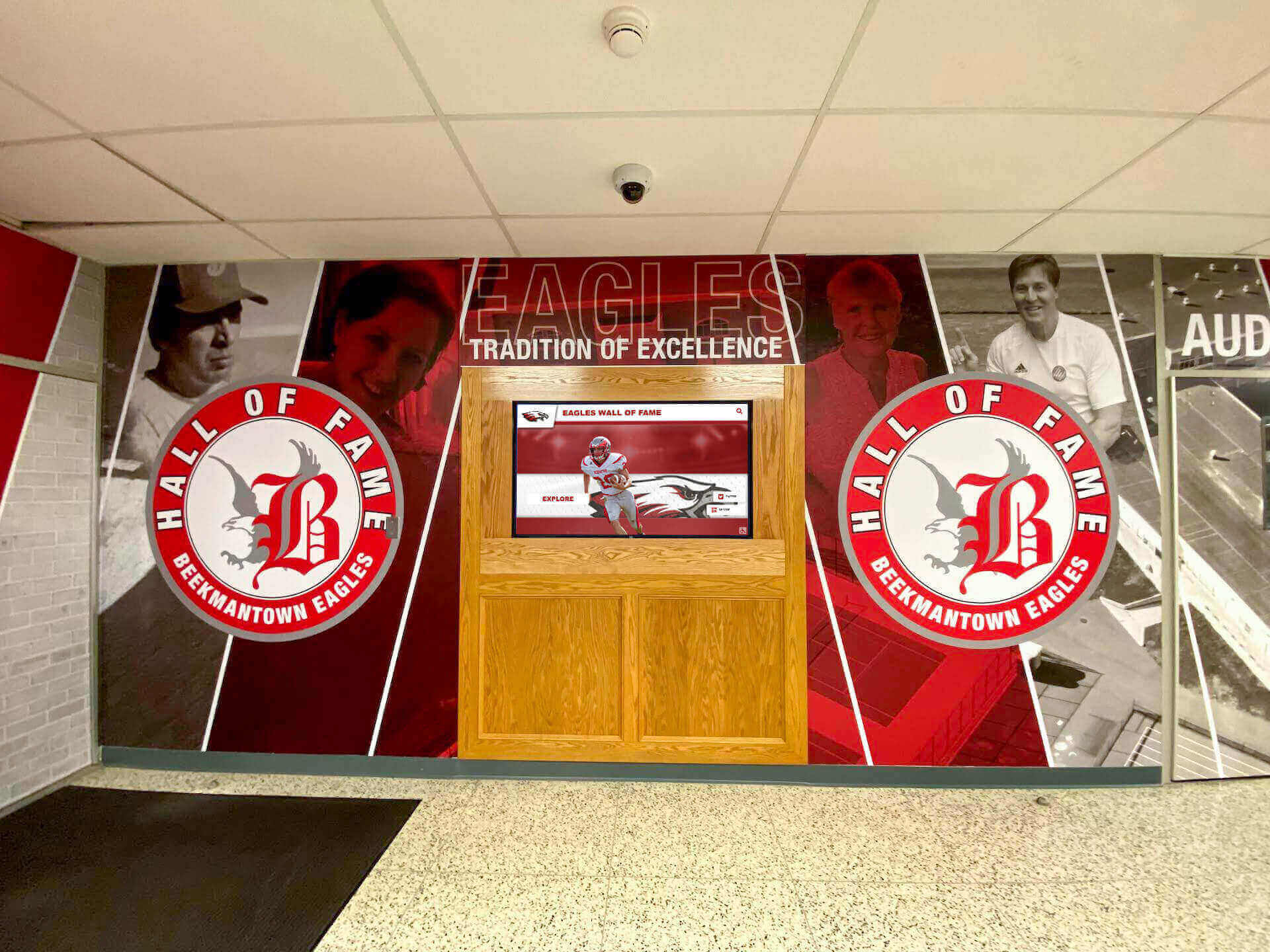
Lobby installations create impressive entry experiences combining practical wayfinding with institutional identity and achievement celebration
Historical Timeline Module
- Institutional founding and milestone moments with historical photography
- Building dedication stories connecting current facilities to donor legacies
- Campus expansion documentation showing physical growth across decades
- Notable faculty achievements and contributions to academic fields
- Significant events that shaped institutional character and community reputation
- Traditions explanation for prospective families unfamiliar with campus culture
- Archived yearbook integration enabling decades of student experience exploration
Historical content creates emotional connection to institutional legacy that prospective families value when evaluating community fit and tradition strength compared to competing institutions, particularly families with multigenerational institutional connections seeking evidence that campus culture endures across time.
Explore approaches to developing college history timelines that complement directory navigation functionality.
Event Calendar Integration
- Current week campus events with locations, times, and brief descriptions
- Athletic competition schedules with venue information and ticket links
- Performing arts calendar showing theater productions, concerts, and recitals
- Lecture series and guest speaker programming
- Admissions event listings including information sessions, campus tours, and shadow days
- Campus ministry activities and service opportunities
- Club meetings and student organization programming
Event content demonstrates vibrant campus life that prospective families seek when evaluating whether institutional culture matches student social needs and interest areas, making calendar integration valuable recruitment support beyond practical scheduling utility.
Content Management and Display Logistics
Automated Content Rotation
Directory attraction loops should cycle recognition categories on timed sequences:
- 45-second segments for each recognition category prevents monotony while allowing sufficient viewing time
- 6-8 category rotation creates varied content visible to visitors present for several minutes
- Automatic refresh every 2-3 hours ensures repeat visitors encounter different recognition examples throughout extended campus exploration
- Seasonal programming adjusts rotation to emphasize relevant achievements during admissions peak seasons, homecoming weekends, and athletic championship periods
Remote CMS Access
Cloud-based content management enables distributed responsibility across campus stakeholders:
- Admissions staff update event calendars and prospective family information
- Athletic directors manage sports achievement content and team recognition
- Development office controls donor acknowledgment and campaign updates
- Alumni office maintains distinguished graduate profiles and career outcome data
- Facilities team updates building information, construction notices, and parking changes
- Communications department coordinates institutional messaging consistency and brand compliance
Role-based permissions ensure appropriate content control without requiring technical expertise, enabling sustainable directory management that adapts to institutional evolution without creating maintenance bottlenecks that cause outdated information persistence.
Review interactive touchscreen software options designed specifically for educational recognition and wayfinding applications.
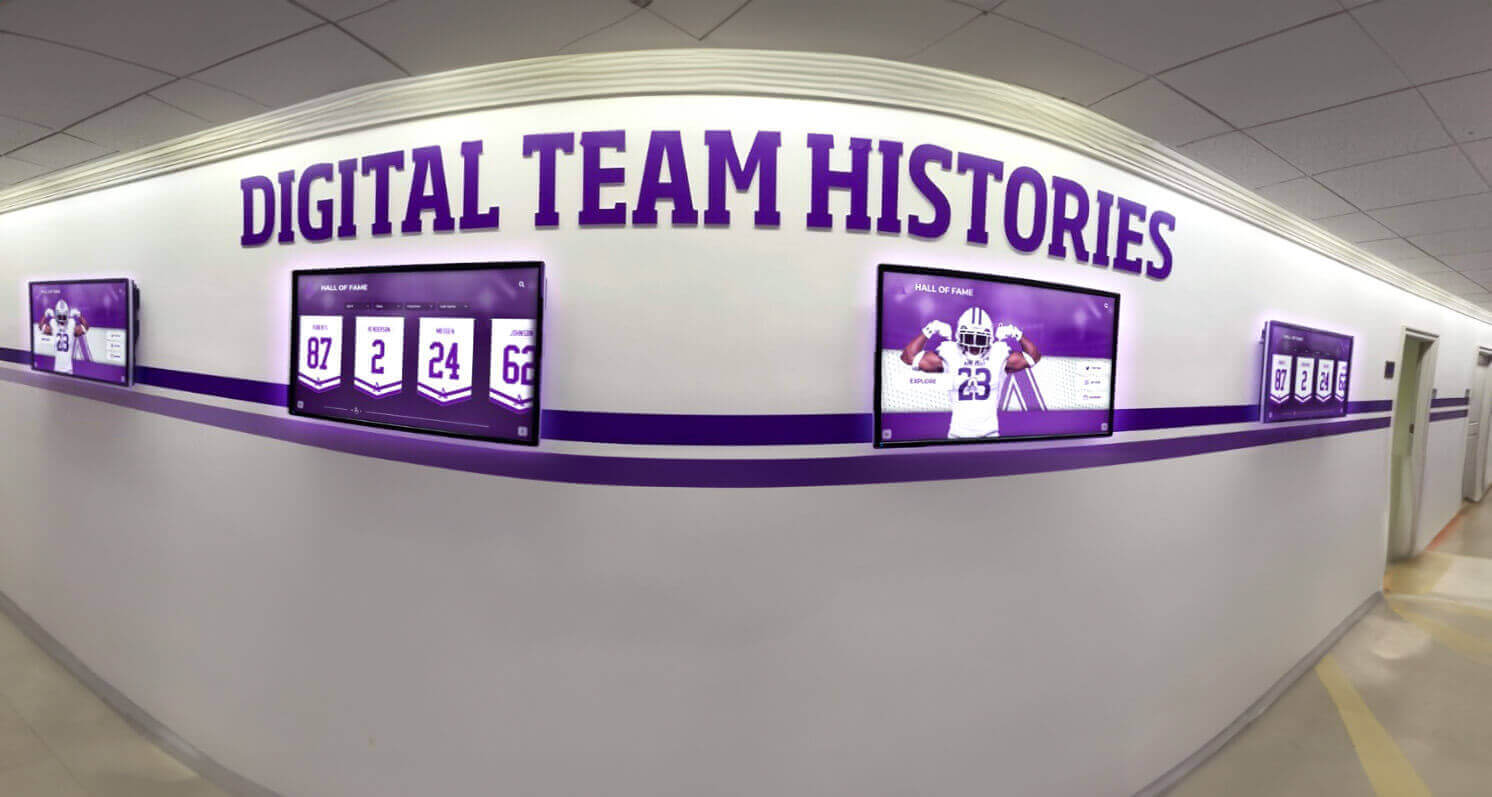
Strategic placement in high-traffic hallways ensures directories reach both campus visitors and daily community members throughout facility use
Execution Timeline: Plan → Build → Launch → Refresh
Successful campus directory implementations require systematic planning addressing technology selection, content development, installation logistics, and ongoing maintenance across distinct project phases.
Phase 1: Planning and Requirements (Weeks 1-4)
Stakeholder Team Assembly
Form implementation committee including:
- Facilities director or campus operations representative addressing placement logistics, power access, network connectivity, and installation coordination
- Admissions director ensuring wayfinding content supports prospective family needs and tour integration
- Athletic director coordinating sports achievement recognition accuracy and update workflows
- Alumni relations coordinator managing distinguished graduate content and approval processes
- IT director confirming network security protocols, hardware specifications, and technical support capacity
- Communications director maintaining brand consistency and institutional messaging quality
- Development representative if donor recognition integration planned
Committee size typically ranges 6-8 members representing stakeholder perspectives without becoming unwieldy for decision-making efficiency.
Needs Assessment and Coverage Planning
Determine directory network scope through systematic analysis:
- Traffic pattern observation identifying high-volume visitor arrival points and navigation decision locations where confusion commonly occurs
- Building count and campus geography assessment determining directory quantity requirements for comprehensive wayfinding coverage
- Recognition content audit cataloging existing achievement data, alumni information, athletic records, and historical materials available for digital integration
- Accessibility evaluation ensuring wheelchair users and visitors with mobility limitations can reach directories throughout campus
- Budget allocation determining implementation scope and phasing priorities if comprehensive coverage exceeds available funding
Most institutions find that comprehensive directory networks require 4-8 strategically placed kiosks depending on campus size and building distribution, with initial implementations often beginning with 2-3 pilot locations before expansion after usage evaluation and stakeholder feedback incorporation.
Technology Selection Criteria
Evaluate directory platforms against recognition-specific requirements:
Hardware Considerations
- Commercial touchscreen displays rated for 16-18 hours daily continuous operation versus consumer televisions inadequate for institutional demands
- Screen size appropriate for viewing distance and information density (typically 43-55 inches for most campus applications)
- Kiosk enclosures providing professional appearance, cable management, internal component security, and ADA-compliant accessibility
- Outdoor weatherproof options if exterior placement near parking areas or campus entrances desired
- Processor capacity sufficient for smooth map rendering, video playback, and responsive touch interaction without performance lag frustrating users
Software Platform Capabilities
- Purpose-built campus wayfinding functionality versus generic digital signage lacking navigation specialization
- Integrated recognition content management within same platform rather than requiring separate systems creating operational complexity
- Cloud-based administration enabling remote updates from any internet-connected device without requiring on-site access
- Multi-display coordination ensuring consistent information across directory network
- Analytics tracking usage patterns, popular searches, and recognition content engagement for continuous improvement
- Mobile integration extending navigation assistance to smartphones through QR code transfer or responsive web interfaces
- Emergency notification override capability for campus alerts and severe weather warnings
Solutions like Rocket Alumni Solutions provide comprehensive platforms specifically designed for educational institutions, combining robust wayfinding functionality with sophisticated recognition content management in unified systems that generic digital signage or standalone directory software cannot match effectively.
Explore touch screen kiosk software options for comprehensive feature comparison.

Quality kiosk hardware and software create professional installations that serve institutions reliably for decades of continuous operation
Phase 2: Content Development (Weeks 5-10)
Campus Mapping and Directory Data
Compile foundational navigation information:
- Current campus master plan showing building footprints, walkways, parking areas, and landscape features with geographic accuracy ensuring credible turn-by-turn routing
- Building names, addresses, department assignments, and office locations for comprehensive searchability
- Point of interest documentation including dining facilities, restrooms, ATMs, bookstore, health services, and campus resources visitors frequently seek
- Accessibility information detailing wheelchair-accessible entrances, elevator locations, and barrier-free routes
- Parking regulations, visitor lot locations, permit requirements, and enforcement policies
- Campus shuttle routes, stop locations, schedules, and real-time tracking integration if available
- Construction project documentation showing closed areas, detours, and temporary route changes
Directory credibility depends fundamentally on navigation accuracy, making this foundational content development essential before recognition integration consideration.
Recognition Content Collection
Systematically gather achievement information across categories:
Alumni Recognition Database
- Graduate records organized by class year with name, degree program, and graduation date
- Career outcome data showing current employment, industry sector, and professional achievements
- Biographical information when available including career progression, notable accomplishments, community contributions, and institutional connection memories
- Photography collection including yearbook portraits, professional headshots, and event photos with appropriate permissions
- Video testimonials from willing alumni discussing campus experiences and career preparation
- Contact consent documenting graduate permission for recognition inclusion and prospective student connection
Privacy considerations require explicit consent before publishing identifying information about living alumni, necessitating systematic outreach and permission documentation before directory launch rather than assuming inclusion approval.
Athletic Achievement Documentation
- Championship records organized by sport, season, year, and competition level (conference, regional, state, national)
- Team rosters with player names, jersey numbers, positions, and years
- Season statistics and final records for each program and year
- Individual record holders with performance statistics and achievement dates
- Coach tenure records and career accomplishments
- Facility dedication information and donor recognition if applicable
- Historical team photos from yearbook archives and athletic department records
- College recruitment destinations for graduated student-athletes
Athletic departments typically maintain extensive achievement records but may require photo digitization and data organization for directory integration, making early athletic director engagement essential for content readiness.
Discover strategies for athletic history displays that inform comprehensive content development.
Academic Distinction Records
- National Merit Scholar recipients by year with qualification levels (Commended, Semifinalist, Finalist, Scholar)
- AP Scholar awards organized by achievement tier and subject concentration
- Honor society inductees across academic disciplines with induction years
- Valedictorian and salutatorian records with graduation years and college destinations
- Scholarship recipients and award amounts if policy permits financial disclosure
- Academic competition results including math leagues, science olympiads, debate tournaments, and quiz bowl championships
- Research publication recognition for student-faculty collaborative work
Academic achievement data typically resides across guidance counselors, department chairs, and registrar records, requiring coordination across stakeholders for comprehensive compilation rather than single-source data collection.
Historical Content Curation
- Institutional founding documents and charter information
- Building construction dates, dedication ceremonies, and naming stories
- Significant campus events across decades with photos and news coverage
- Notable faculty achievements and teaching legacies
- Tradition explanations including homecoming customs, rivalry histories, and ceremonial practices
- Archived yearbook digitization showing student life evolution across generations
- Campus transformation photography documenting facility expansion and modernization
Historical archives often exist in physical formats requiring scanning and digitization, making librarian or archivist engagement valuable for efficient content development without damaging original materials during conversion processes.
Quality Assurance and Approval
Implement systematic review before publication:
- Accuracy verification against official institutional records
- Name spelling confirmation for all recognized individuals
- Date and statistic validation ensuring factual precision
- Photo rights confirmation preventing copyright violations
- Privacy compliance verification ensuring appropriate consent
- Stakeholder approval from department representatives affected by specific content
- Legal review if institutional policy requires approval before public-facing content publication
Content errors visible on high-traffic campus directories create embarrassment that damages institutional credibility with prospective families and alumni, making thorough quality assurance essential despite timeline pressure.
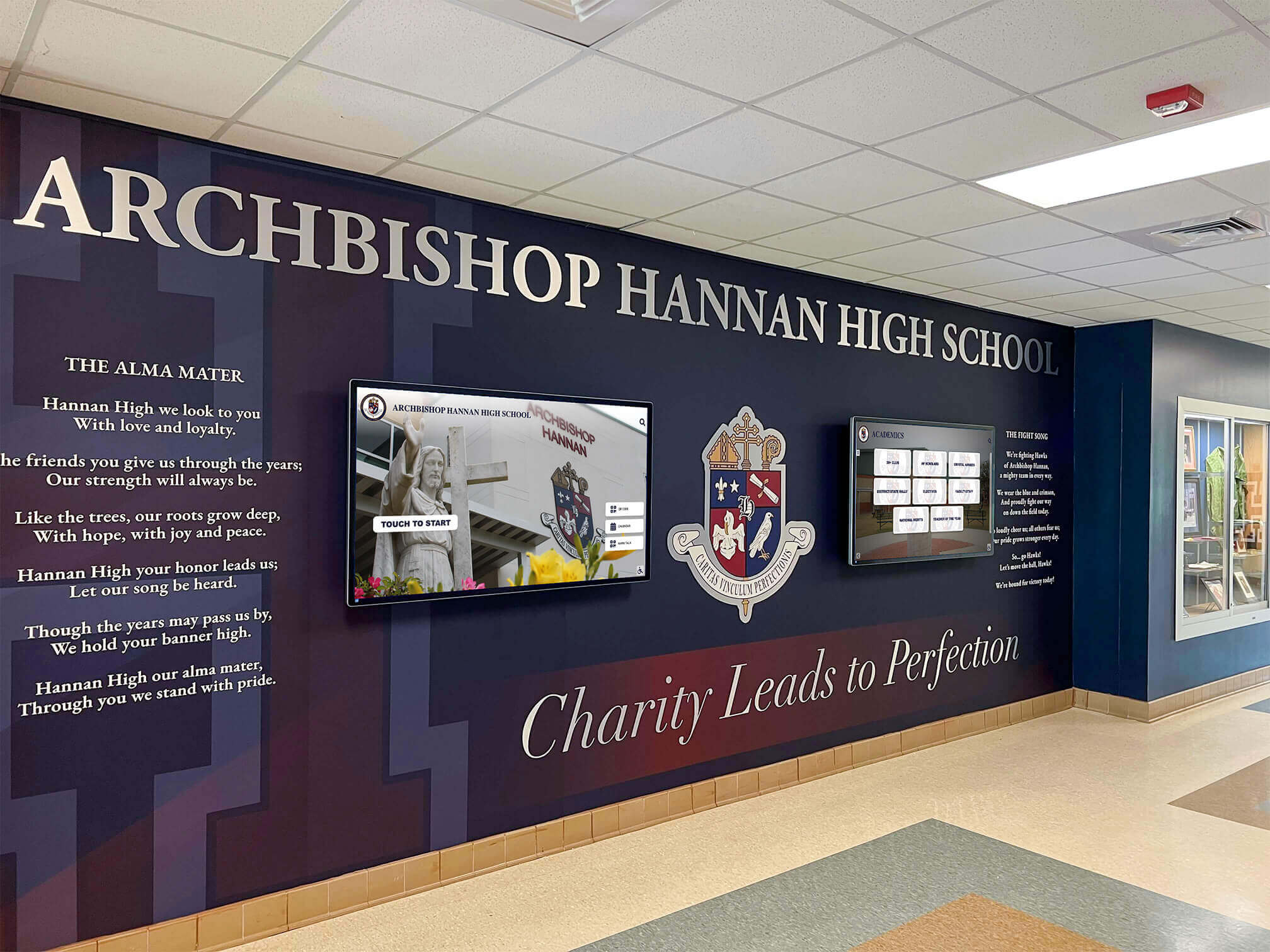
Professional lobby installations integrate technology with institutional identity creating cohesive branded environments
Phase 3: Installation and Testing (Weeks 11-14)
Site Preparation and Infrastructure
Coordinate physical installation requirements:
- Electrical outlet installation or extension if power access insufficient at planned locations
- Network connectivity verification ensuring adequate bandwidth for video content and real-time updates
- Kiosk enclosure assembly and positioning at approved locations with appropriate clearances
- Display mounting and computer system installation within enclosures
- Cable management ensuring professional appearance without exposed wiring
- Lighting assessment verifying screen visibility without glare or reflection interference
- Safety inspection confirming installations meet code requirements and present no hazards
Professional installation typically requires 1-2 days per location depending on infrastructure readiness and any necessary electrical or networking work.
Software Configuration and Content Loading
Prepare directory systems for operation:
- Platform installation and institutional branding customization reflecting colors, logos, and visual identity standards
- Campus map integration with building locations, pathways, and routing configuration
- Building directory data import from compiled spreadsheets or database integration
- Recognition content upload including photos, videos, biographical information, and achievement records
- Navigation menu structure configuration ensuring intuitive user flow between wayfinding and recognition modules
- Attraction loop sequence programming determining content rotation and display duration
- Analytics implementation enabling usage tracking for continuous improvement
- User account creation for staff members requiring content management access with appropriate permission levels
Configuration complexity varies based on platform capabilities, with purpose-built educational solutions like Rocket Alumni Solutions typically requiring less customization than generic digital signage platforms adapted for directory purposes.
Systematic Testing Protocol
Validate functionality before public launch:
Navigation Testing
- Route accuracy verification between all major campus destinations
- Search functionality testing ensuring buildings, departments, and services appear in results correctly
- Turn-by-turn direction clarity assessment confirming instructions provide adequate guidance
- Accessibility route validation ensuring wheelchair-accessible paths function properly
- Mobile integration testing if QR code transfer or responsive web features included
Recognition Content Review
- Display quality assessment for all photos and videos ensuring clarity and appropriate cropping
- Text readability verification at typical viewing distances
- Biographical accuracy confirmation for featured individuals
- Link functionality testing if content includes website references or additional information access
- Attraction loop timing evaluation ensuring adequate viewing duration for each recognition segment
Performance and Usability Evaluation
- Touch responsiveness assessment ensuring buttons and navigation elements activate reliably
- Screen timeout verification confirming automatic return to attraction loop after inactivity
- Simultaneous multi-user testing if campus volume warrants capacity evaluation
- Staff training with representatives from all stakeholder departments ensuring content management capability
- Prospective family volunteer testing gathering authentic visitor feedback before official launch
Soft launch periods allowing staff and internal stakeholders to identify issues before public unveiling prevent embarrassing problems during high-stakes admissions events or donor visits when first impressions matter substantially.
Explore digital school tour strategies when planning comprehensive campus visitor experiences.
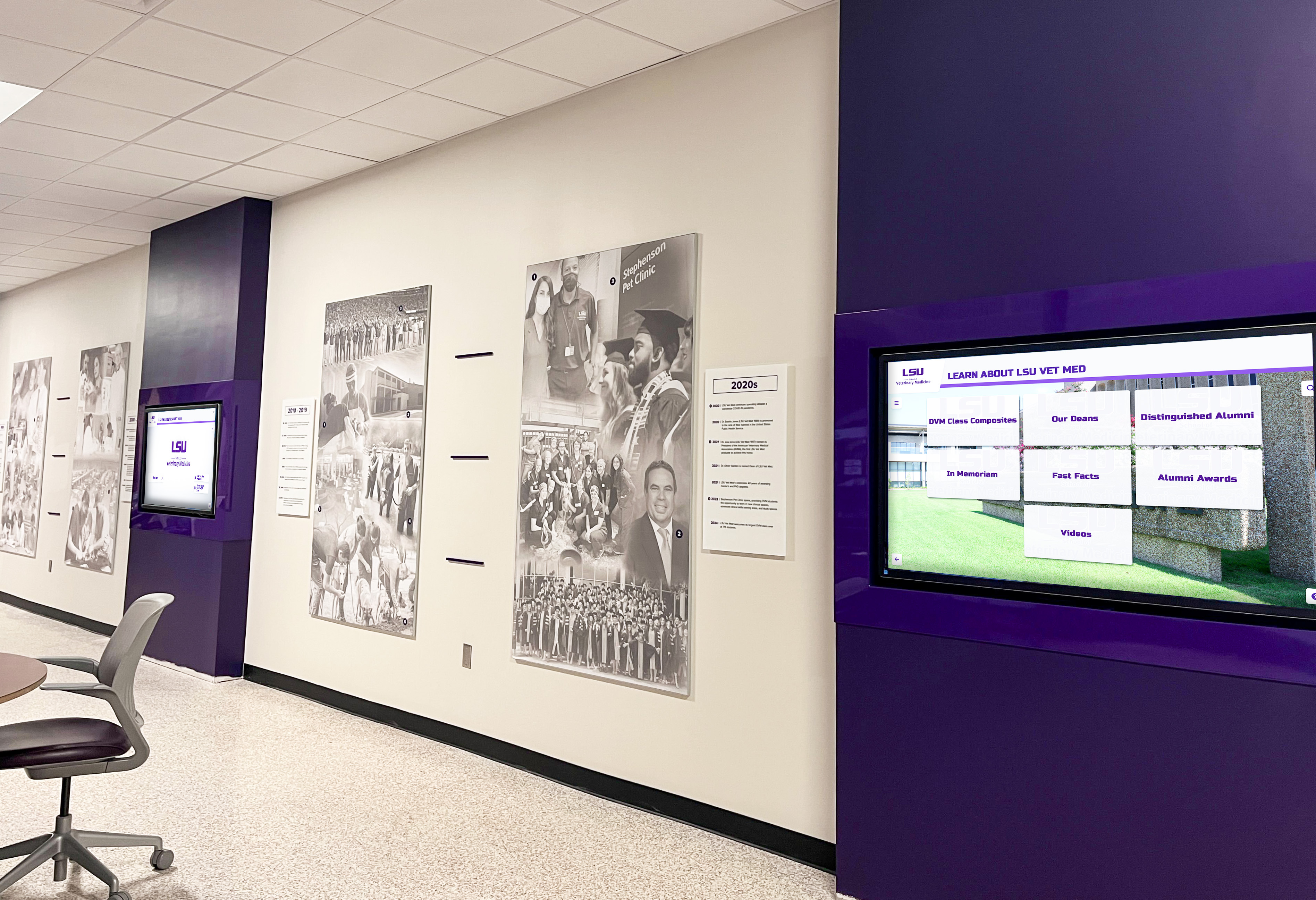
Comprehensive installations can include multiple coordinated directories throughout campus creating network coverage serving all major facilities
Phase 4: Launch and Community Engagement (Week 15)
Official Launch Event
Create excitement through ceremonial unveiling:
- Ribbon-cutting ceremony during high-visibility campus event such as homecoming, board meeting, or admitted student day
- Leadership remarks from administration explaining directory purpose and recognition integration philosophy
- Live demonstration of wayfinding and recognition features for gathered stakeholders
- Featured alumni or achievement recipients present for recognition acknowledgment and photos
- Media coverage invitation for local press highlighting institutional innovation and student-centered investment
- Photography and video documentation capturing launch moment for communications materials
- Student newspaper feature explaining functionality and encouraging community engagement
Launch events transform utilitarian infrastructure installation into celebration of institutional excellence and visitor experience commitment that stakeholders remember and discuss beyond implementation day.
Communications Campaign
Promote directories throughout campus community:
- Email announcement to all students, faculty, and staff explaining locations and capabilities
- Admissions office integration incorporating directory demonstration into standard campus tours
- Social media campaign showcasing features with photos and video demonstrations
- Website promotion featuring directory locations and mobile access links
- Prospective family communications highlighting navigation convenience and recognition content
- Alumni newsletter feature celebrating graduate spotlights and legacy preservation
- Donor communications when applicable acknowledging philanthropic support for technology investment
Multi-channel promotion ensures awareness extends beyond accidental discovery, maximizing utilization and recognition content exposure across stakeholder groups.
Tour Guide Training
Equip admissions ambassadors to showcase directories effectively:
- Feature demonstration protocols showing key functionality during standard campus tours
- Recognition highlight talking points connecting directory content to institutional excellence themes
- Interactive engagement techniques encouraging prospective families to explore rather than simply observe
- Troubleshooting basics enabling tour guides to assist visitors experiencing difficulty
- Mobile integration explanation directing families to web-accessible directory continuation after tours conclude
Tour guide enthusiasm determines whether directories become memorable technology impressions or overlooked infrastructure that prospective families ignore during campus exploration.
Phase 5: Ongoing Refresh and Optimization (Continuous)
Content Update Cadence
Establish systematic maintenance schedules:
Real-Time Updates
- Building directory changes when offices relocate or staff assignments change
- Event calendar synchronization reflecting current programming and schedule modifications
- Construction notices and detour information when facility projects affect campus navigation
- Emergency alerts and severe weather notifications requiring immediate override of standard content
- Parking regulation updates during special events or temporary restrictions
Monthly Recognition Refresh
- Featured alumni rotation showcasing different graduates across fields and decades
- Athletic achievement updates following season conclusions and championship competition
- Academic distinction additions when honor society inductions or scholarship awards announce
- Historical milestone highlights tied to institutional anniversaries or significant dates
- Donor recognition updates when campaigns reach milestones or new gifts process
Seasonal Programming
- Admissions event emphasis during peak recruitment seasons highlighting program strengths and student outcomes
- Homecoming content celebrating alumni returns and reunion activities
- Graduation recognition honoring senior achievements and college destinations
- Athletic playoff coverage during championship seasons generating community excitement
- Summer program promotion when applicable supporting enrollment in camps and continuing education
Regular updates demonstrate institutional commitment to directory maintenance while keeping recognition content fresh and engaging for repeat visitors who might otherwise assume static displays show outdated information.
Learn about donor recognition screen management best practices applicable to campus directories.
Analytics-Driven Improvement
Leverage usage data for continuous optimization:
Engagement Metrics Analysis
- Popular search terms revealing what visitors seek most frequently informing content emphasis and navigation structure
- Session duration patterns indicating whether attraction loops successfully capture attention during idle moments
- Recognition module access frequency showing which achievement categories generate most interest from explorers
- Time-of-day usage patterns informing when to emphasize admissions content versus general campus information
- Drop-off points in navigation flows identifying confusing interface elements requiring usability improvement
Content Performance Assessment
- View counts for featured alumni profiles indicating which graduate stories resonate most strongly
- Athletic achievement engagement patterns showing whether championship histories or individual player spotlights generate more interest
- Historical content popularity revealing which institutional heritage elements create emotional connection
- Event calendar interaction frequency determining whether programming promotion drives attendance
- Mobile integration adoption measuring whether visitors utilize QR code transfer and web directory continuation
Strategic Optimization Actions
- Interface refinements addressing navigation confusion identified through analytics and user feedback
- Recognition content enhancement focusing resources on categories generating highest engagement
- Underperforming content revision or removal preventing navigation clutter from low-value material
- Seasonal timing adjustments synchronizing content emphasis with recruitment cycles and campus event calendars
- Stakeholder reporting demonstrating directory value for continued institutional support and expansion funding
Organizations committed to excellence treat campus directories as evolving systems requiring continuous refinement rather than completed projects finished at launch, ensuring sustained value and stakeholder satisfaction across years of operation.
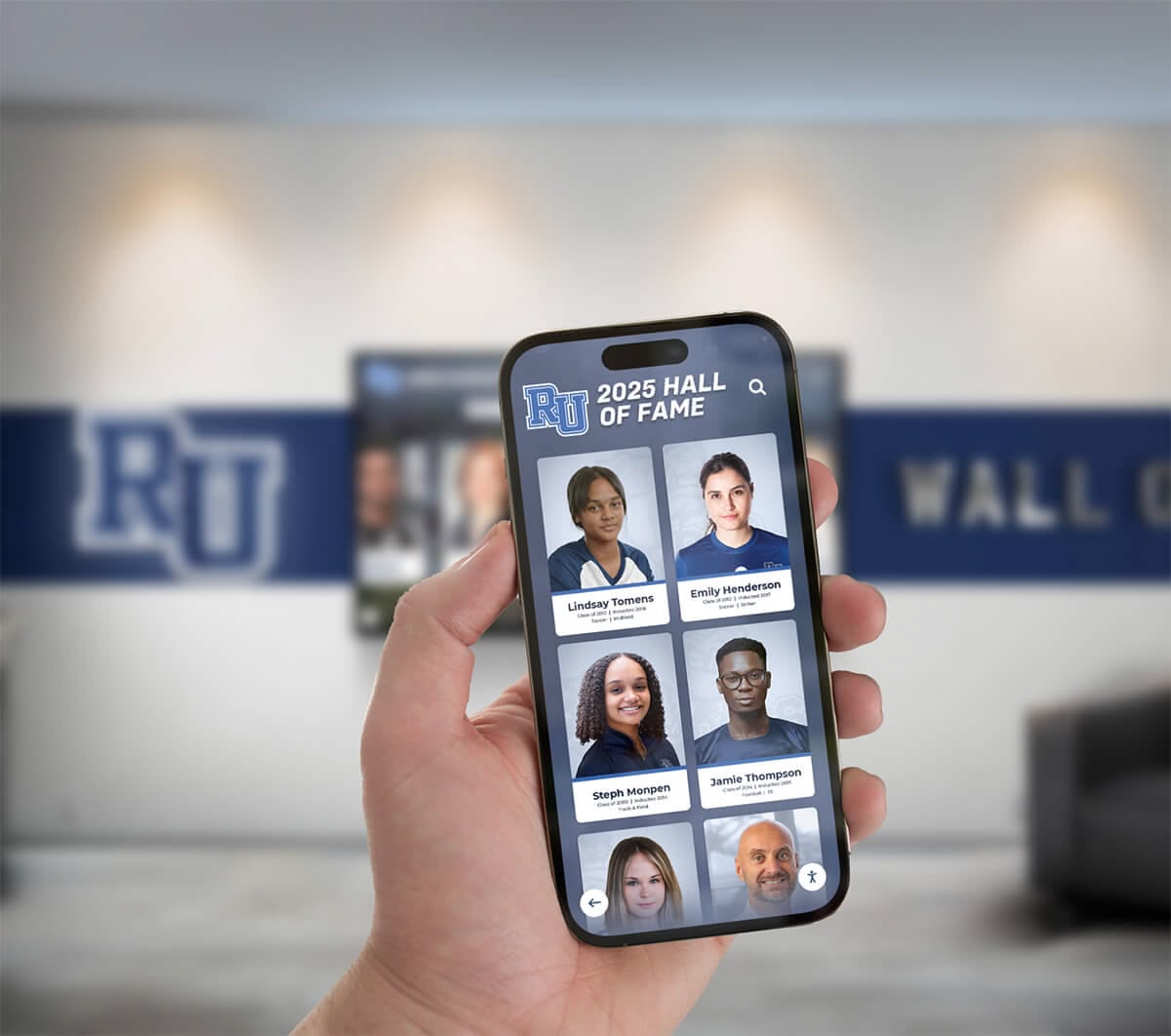
Mobile integration extends campus directory access beyond physical kiosks enabling continued navigation throughout campus visits
Display Integration: Connecting Programs to Touchscreen Layouts
Physical installation and visual design determine whether directories create professional impressions worthy of institutional brand or appear as afterthought technology additions that prospective families overlook during campus exploration.
Strategic Placement Considerations
High-Priority Directory Locations
Maximize visibility and utilization through thoughtful positioning:
Primary Arrival Points
- Main entrance lobbies where all visitors first enter campus buildings
- Admissions office reception area where prospective families wait before tours and information sessions
- Student center or campus commons serving as central gathering space
- Parking garage exits and surface lot entrances where visitors transition from vehicle to pedestrian campus navigation
- Athletic facility main entrances serving game attendees, prospective student-athletes, and tournament visitors
Primary locations should receive larger displays (55-65 inches) and most comprehensive content including full recognition integration, establishing these installations as flagship experiences that define institutional technology impression.
Secondary Navigation Points
- Academic building entrances in large multi-purpose facilities where internal navigation complexity warrants directional assistance
- Residence hall lobbies serving orientation families and move-in day visitors
- Performance venue entrances supporting event attendees seeking seats and amenities
- Library entrance providing campus information in academic resource environments
- Athletic training facility serving recruiting visit tours and facility exploration
Secondary locations may utilize smaller displays (43-50 inches) focused primarily on wayfinding with lighter recognition integration, balancing comprehensive coverage against budget constraints while ensuring visitors encounter directories within 2-3 minutes of identifying navigation needs.
Coverage Network Planning
Research on wayfinding effectiveness demonstrates that directory networks require sufficient density ensuring visitors encounter assistance points before confusion escalates to frustration requiring staff intervention. Institutions should plan one directory per 50,000 square feet of high-traffic campus space, or approximately one per major building cluster in outdoor campus environments.
Phased expansion beginning with 2-3 pilot locations enables usage evaluation and stakeholder feedback incorporation before comprehensive network investment, reducing implementation risk while demonstrating value that secures expansion funding approval.
Review best displays for campus recognition to understand installation best practices.
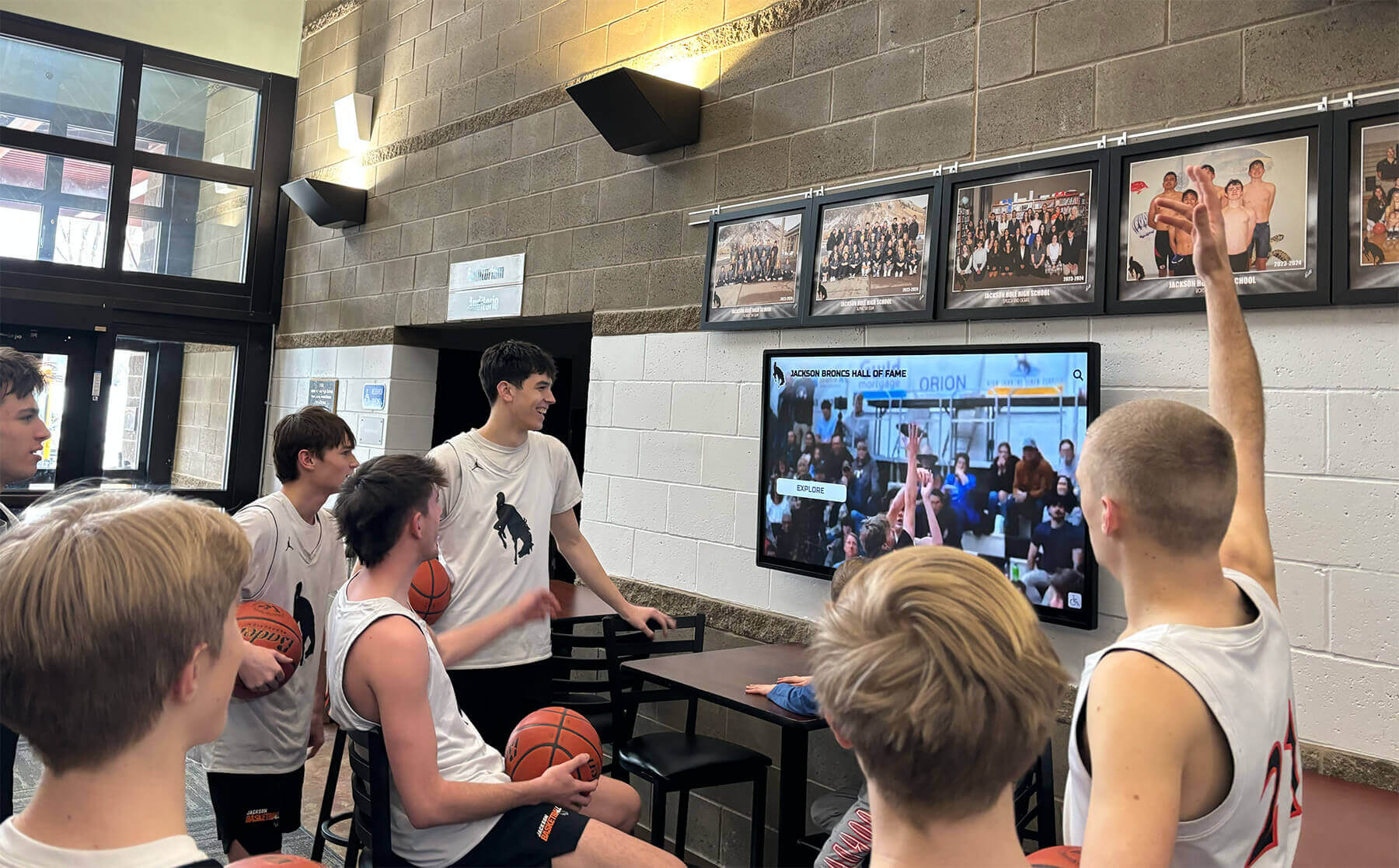
Strategic placement in gathering spaces creates natural engagement opportunities when students and visitors congregate during daily activities
Visual Design and Brand Integration
Professional presentation reflects institutional quality and honors recognized individuals appropriately.
Institutional Branding Consistency
Directory design should reinforce campus visual identity:
- Color scheme matching official institutional palette creating immediate brand recognition
- Typography selections coordinating with communications standards and print material consistency
- Logo placement following brand guidelines regarding size, position, and clear space requirements
- Photography style aligning with admissions materials and website aesthetic
- Motion graphics pacing reflecting institutional personality (conservative elegance versus energetic innovation)
Brand consistency ensures directories feel like intentional institutional investments rather than generic commercial products that happen to display campus content, creating professional impressions that prospective families use to evaluate organizational attention to detail and quality commitment.
Accessibility Compliance
Universal design ensures inclusive recognition access:
ADA Requirements
- Kiosk mounting height enabling wheelchair user viewing with screen center 48 inches maximum above floor
- Clear floor space minimum 30 x 48 inches allowing wheelchair approach and maneuvering
- Touch target sizing minimum 1 inch square preventing fine motor skill demands
- Color contrast ratios meeting WCAG 2.1 AA standards (4.5:1 minimum for normal text)
- Text sizing appropriate for typical viewing distances without requiring close approach
Enhanced Accessibility Features
- Screen reader compatibility providing audio descriptions when feasible
- High contrast mode options for visitors with low vision
- Text size adjustment enabling customization for visual needs
- Audio wayfinding instructions complementing visual turn-by-turn directions
- Simple language options accommodating various literacy levels
Accessibility extends beyond compliance to ensuring every prospective student can explore campus independently regardless of physical abilities, demonstrating institutional commitment to inclusive education environments that accommodations enable.
Recognition Presentation Standards
Individual acknowledgment requires dignified design:
- Professional photography standards ensuring recognition quality reflects honoree significance
- Consistent biographical formatting creating polished appearance across all profiles
- Achievement highlighting without excessive embellishment maintaining authentic credibility
- Appropriate white space preventing cluttered screens that diminish individual recognition impact
- Respectful memorial designation for deceased honorees using standardized notation
Quality design honors recognized individuals while creating aspirational examples that inspire current students and demonstrate institutional excellence to prospective families evaluating academic rigor and graduate success.
Explore design principles for touchscreen experiences that maximize user engagement.
Technology Infrastructure and Reliability
Operational dependability determines whether directories deliver sustained value or become maintenance headaches that institutions regret implementing.
Hardware Specifications for Institutional Demands
Commercial-grade components ensure reliable multi-year operation:
- Industrial touchscreen displays rated for 18 hours daily continuous use versus consumer televisions failing under institutional demands
- Solid-state storage without moving parts preventing mechanical failures common in hard drive systems
- Fanless cooling designs eliminating dust accumulation and mechanical failure points
- Tempered glass protection preventing expensive screen damage from accidental impact
- Extended commercial warranties (3-5 years) appropriate for capital investment protection
- Energy-efficient operation minimizing ongoing electrical costs across directory network
Hardware failures create embarrassment when visiting prospective families encounter dark screens or error messages during admissions tours, making reliability specifications essential evaluation criteria during vendor selection rather than optional premium features.
Network Security and IT Integration
Directory systems require appropriate cybersecurity:
- Isolated network segments preventing directory compromise from affecting sensitive institutional systems
- Regular security update scheduling addressing discovered vulnerabilities
- Encrypted communications between directories and content management servers
- Access control authentication preventing unauthorized content modification
- Monitoring and alert systems detecting potential security incidents or system failures
- Backup and recovery procedures enabling rapid restoration after outages
IT department early engagement during planning phases ensures directory implementation aligns with institutional security policies and technical support capabilities rather than creating shadow IT systems that cause future integration problems.
Maintenance and Support Planning
Sustainable operations require systematic stewardship:
- Routine cleaning schedules maintaining screen clarity and professional appearance
- Quarterly functionality testing verifying all features operate correctly
- Annual professional inspection and preventive maintenance
- Help desk integration ensuring visitors can report problems through standard channels
- Vendor support contracts providing expert assistance for complex technical issues
- Hardware refresh planning anticipating component replacement after 5-7 years typical commercial display lifespan
Institutions should budget 10-15% of initial installation cost annually for maintenance, support, and content management labor, ensuring sustainable operations rather than creating unfunded maintenance obligations that lead to directory deterioration.
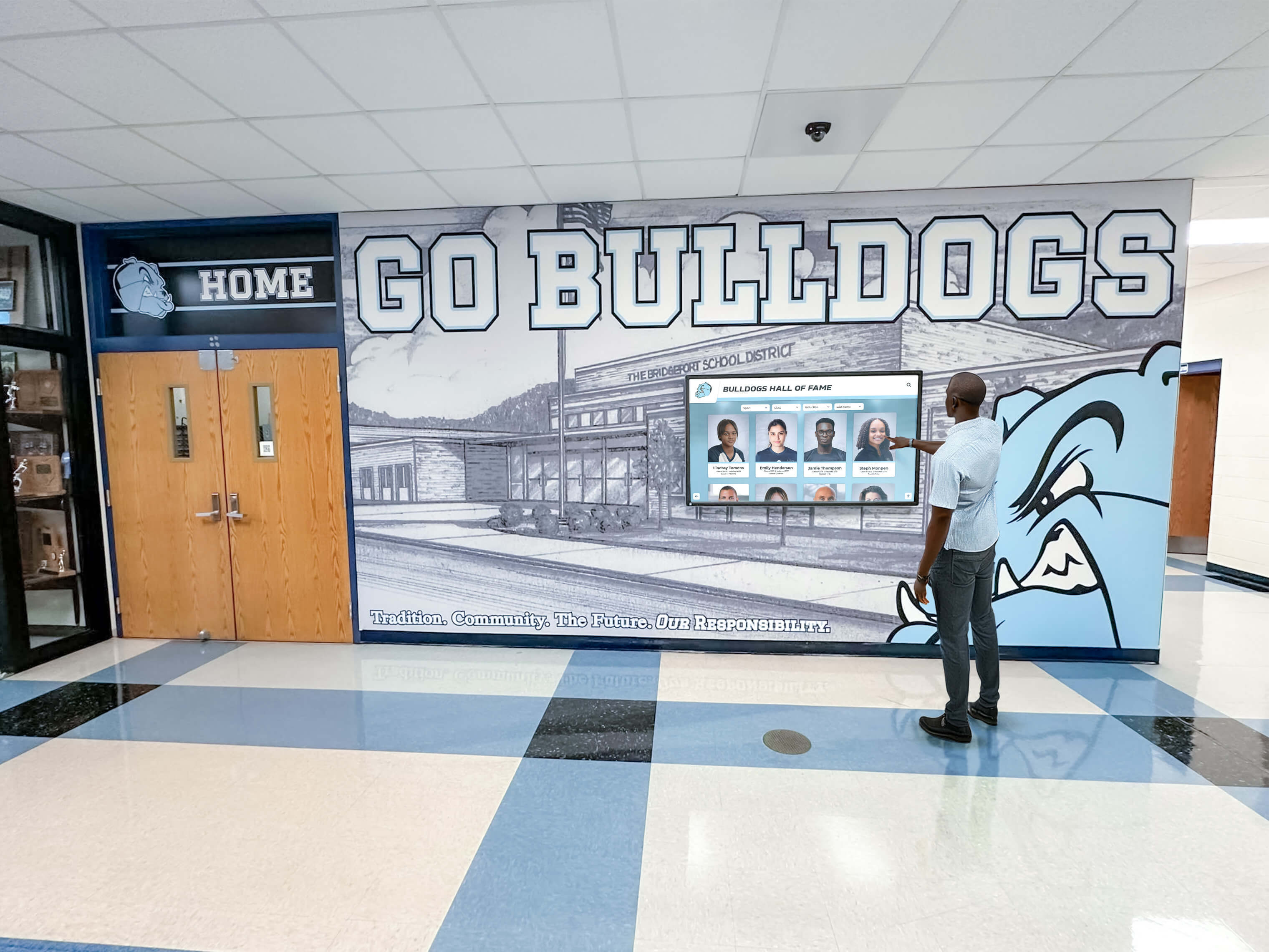
Reliable technology ensures directories serve both campus visitors and daily community members throughout years of continuous operation
Conclusion: Transforming Campus Navigation Through Recognition Integration
Campus directory touchscreen displays occupy valuable institutional real estate at critical visitor decision points where first impressions form and enrollment considerations develop. Forward-thinking institutions recognize these navigation touchpoints as exceptional opportunities to simultaneously deliver practical wayfinding functionality and meaningful recognition experiences that honor alumni achievements, celebrate campus traditions, and showcase institutional excellence visible to every prospective family, current student, and campus visitor who approaches a directory kiosk seeking directions.
The blueprint provided in this guide offers comprehensive frameworks for designing campus directory systems that elegantly integrate practical navigation with recognition programming, transforming utilitarian wayfinding tools into engaging platforms that tell institutional stories while guiding visitors efficiently across campus environments. From content architecture mapping recognition to touchscreen modules through execution timelines addressing planning, development, installation, and ongoing refresh, these strategies enable institutions to create dual-purpose systems that maximize technology investment value while honoring distinguished community members appropriately.
Ready to explore how campus directory touchscreen displays can transform both navigation and recognition at your institution? Modern interactive platforms help colleges and universities guide prospective families while celebrating achievements that demonstrate institutional excellence. Solutions like Rocket Alumni Solutions provide comprehensive systems specifically designed for educational environments, combining robust wayfinding functionality with sophisticated recognition content management that prospective families find compelling during admissions tours.
Whether you’re establishing first-ever digital campus directories or enhancing existing wayfinding infrastructure, the key is selecting technology aligned with both navigation and recognition goals, ensuring platforms provide features your dual-purpose needs require, and implementing solutions sustainable within operational capabilities. Request your free custom demo to see how integrated directory and recognition systems can enhance your campus visitor experience.
Your prospective students and campus visitors deserve wayfinding technology that enables confident independent navigation while creating positive impressions supporting enrollment decisions and institutional reputation. Distinguished alumni, accomplished students, and championship teams deserve recognition visible during the high-traffic moments when prospective families, donors, and community members explore campus environments and form lasting impressions about institutional excellence and community culture.
With thoughtful evaluation, appropriate technology selection, and authentic commitment to exceptional visitor experience combined with meaningful recognition, you can implement campus directory systems that reduce navigation confusion while honoring achievement comprehensively. The most important consideration isn’t selecting the most expensive hardware or sophisticated software—it’s choosing solutions aligned with both wayfinding and recognition goals, sustainable within your resources, and designed to serve your specific institutional community needs effectively.
Ready to begin exploring integrated campus directory and recognition options for your institution? Start by analyzing current visitor traffic patterns and navigation challenges, evaluating achievement recognition opportunities during natural wayfinding moments, and scheduling a custom mock-up call with providers who understand educational recognition specifically rather than simply selling generic digital signage platforms or basic directory software designed for corporate office buildings.































