



Touchscreen software represents the critical layer between hardware and content that determines user experience, administrative efficiency, and long-term program sustainability for recognition displays and interactive kiosks. Organizations implementing touchscreen solutions face a fundamental architectural decision: web-based applications that run through browsers or native applications developed specifically for individual operating systems. This choice affects everything from update processes and content management to performance characteristics and long-term maintenance requirements.
Schools, organizations, and institutions evaluating touchscreen software confront important questions: How do web-based and native applications differ in practical operation? Which approach provides better performance for recognition displays? What are the maintenance implications of each architecture? How do costs compare over multi-year operational cycles? Which solution better serves organizations with limited technical resources?
This comprehensive guide explores the web-based versus native app decision for touchscreen software, providing technology coordinators and decision-makers with practical insights for selecting software architecture aligned with organizational capabilities, recognition goals, and sustainable long-term operation.
The web-based versus native app decision fundamentally affects how organizations manage content, deploy updates, support users, and maintain systems throughout years of operation. Understanding these architectural differences—beyond surface-level features—enables informed decisions that serve recognition programs effectively while remaining sustainable within real-world resource constraints and technical capabilities.


Modern touchscreen software creates intuitive interfaces whether delivered through web or native applications
Understanding Web-Based Touchscreen Software
Web-based touchscreen applications run through standard web browsers, delivering content and functionality via internet connectivity without requiring installation of specialized software on individual devices.
How Web-Based Applications Work
Web-based touchscreen software operates through familiar browser technology:
Browser-Based Delivery
The fundamental architecture relies on standard web technology:
- Content and functionality delivered through Chrome, Safari, Edge, or other modern browsers
- HTML5, CSS3, and JavaScript creating interfaces and interactive features
- Cloud-hosted content management systems controlling what displays show
- Real-time updates appearing immediately without local software installations
- Responsive design adapting to various screen sizes and orientations
- Web standards ensuring compatibility across different operating systems
- Progressive web app capabilities providing native-like features when needed
This browser-based approach means organizations access the same software and content whether on touchscreen displays, desktop computers, tablets, or smartphones—creating unified experiences across all touchpoints.
Cloud-Based Content Management
Administrative control occurs through web-based platforms:
- Content management panels accessible from any internet-connected device
- Changes published instantly to all connected displays simultaneously
- Centralized hosting eliminating local data storage requirements
- Automatic scaling handling traffic spikes without performance degradation
- Professional infrastructure providing reliability organizations couldn’t replicate independently
- Redundancy and backup protecting content against data loss
- Security updates applied centrally without local intervention
Schools and organizations using web-based touchscreen software manage recognition content from office computers, tablets at home, or smartphones while traveling—updating displays remotely without physical access or specialized installation requirements.
Standards-Based Technology
Web applications leverage mature, widely-supported technology:
- HTML5 and modern web standards supported across all platforms
- JavaScript frameworks enabling sophisticated interactive experiences
- CSS providing professional design and responsive layouts
- Media APIs supporting video, audio, and rich multimedia content
- Touch APIs detecting and responding to touchscreen interaction
- Local storage capabilities enabling offline functionality when needed
- Service workers providing background synchronization and reliability
These established standards mean web-based solutions benefit from decades of refinement and massive development communities continuously improving capabilities and addressing limitations.

Web-based applications provide sophisticated functionality through familiar browser technology
Advantages of Web-Based Touchscreen Software
Browser-based architecture delivers substantial benefits for organizations:
Universal Cross-Platform Compatibility
Web applications work everywhere modern browsers exist:
- Single codebase serving Windows, macOS, Linux, ChromeOS, and other platforms
- No platform-specific development requiring separate iOS and Android versions
- Hardware flexibility allowing touchscreen display changes without software concerns
- Operating system updates not breaking functionality requiring software rebuilds
- Future platform adoption without application redevelopment
- Consistent user experience regardless of underlying operating system
- Reduced development costs from universal rather than platform-specific code
Organizations implementing web-based touchscreen software avoid being locked into specific hardware vendors or operating systems—changing equipment without changing software or rebuilding applications when devices age out. Learn about hardware selection flexibility enabled by platform-independent software approaches.
Instant Updates and Feature Deployment
Web architecture enables seamless software evolution:
- New features and improvements deployed to all displays simultaneously
- Bug fixes applied centrally appearing everywhere instantly
- No app store approval processes delaying updates for weeks or months
- Security patches implemented immediately without waiting for user action
- No version fragmentation with some displays running old software
- Testing single version rather than maintaining multiple platform-specific builds
- Continuous improvement rather than major version releases
When organizations discover issues or identify needed enhancements, web-based solutions enable same-day deployment reaching every touchscreen display without coordinating individual device updates or managing complex rollout schedules.
Simplified Maintenance and Support
Central hosting dramatically reduces ongoing operational burden:
- Single hosted instance serving all locations eliminating per-device maintenance
- No local software installations requiring IT intervention or site visits
- Automatic scaling handling increased usage without capacity planning
- Professional hosting infrastructure providing reliability beyond typical organizational capabilities
- Centralized troubleshooting rather than diagnosing device-specific issues
- Reduced support complexity from consistent behavior across installations
- Lower total cost of ownership through eliminated per-device maintenance
Schools and organizations report 60-80% reduction in technical support time after moving from native applications requiring local installation and management to web-based solutions administered centrally through cloud platforms.
Extended Accessibility Beyond Physical Displays
Web software naturally extends recognition reach:
- Same content simultaneously available on touchscreen kiosks and public websites
- Alumni and community members accessing recognition globally without facility visits
- Mobile device compatibility enabling smartphone and tablet access
- Social media sharing directly from recognition profiles
- Search engine indexing making achievements discoverable through Google
- Embeddable widgets placing recognition on other websites and platforms
- API access enabling integration with mobile apps and other systems
This extended accessibility means recognition created by organizations reaches audiences orders of magnitude larger than physical touchscreen displays alone could serve—maximizing impact and community connection while requiring no additional development investment.
Lower Barrier to Entry
Web-based solutions reduce implementation complexity:
- No specialized developer expertise required for deployment
- Standard web hosting sufficient for most applications
- Subscription models spreading costs over time rather than large upfront investments
- Easy pilot programs and proof-of-concept implementations
- Migration from legacy systems without replacing existing infrastructure
- Gradual expansion without architectural limitations
- Reduced risk from simpler evaluation and testing
Organizations with limited technical resources successfully implement sophisticated web-based touchscreen systems that would be impractical with native applications requiring specialized development expertise and complex deployment procedures.
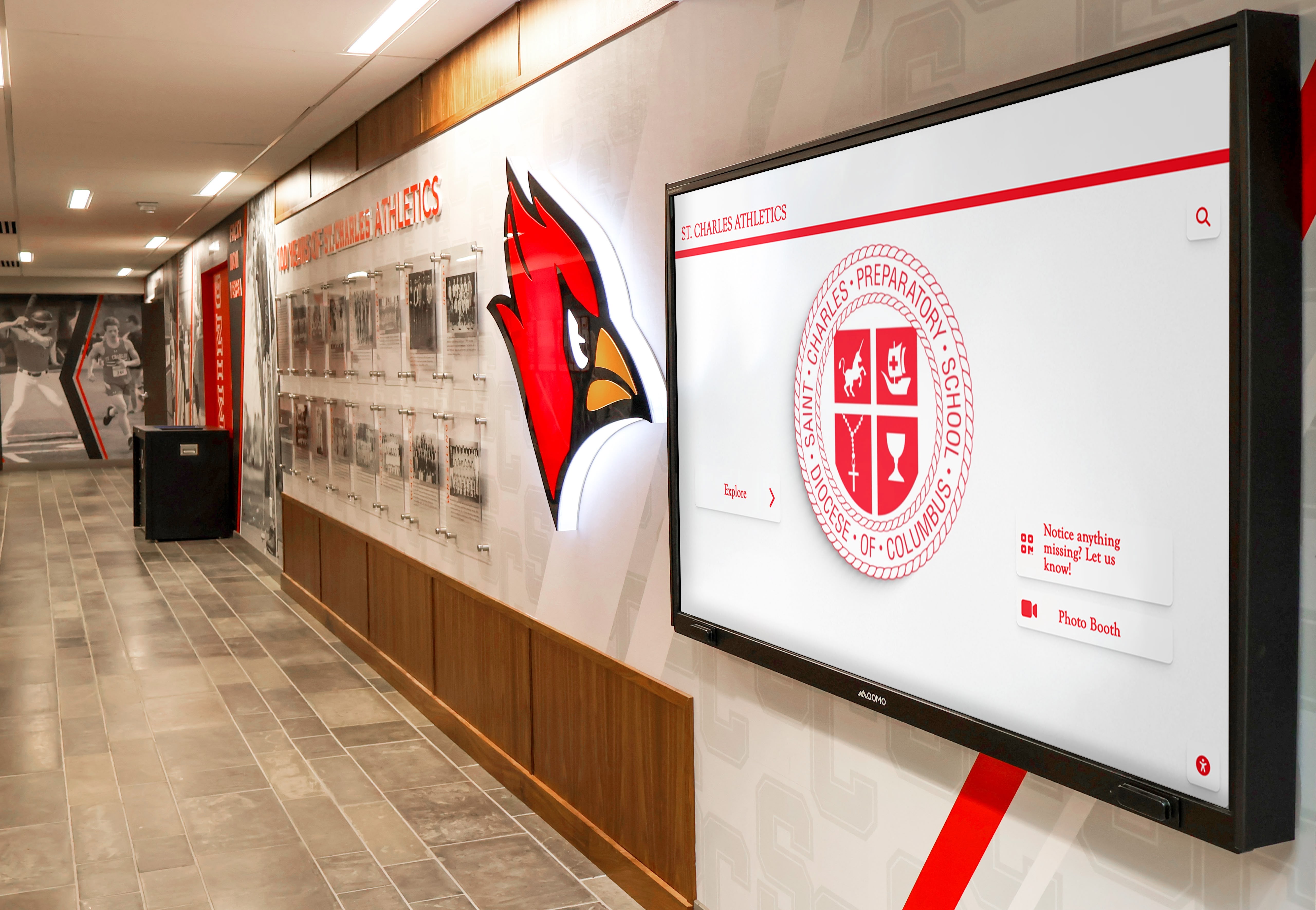
Web-based software enables professional recognition installations without complex native app development
Limitations of Web-Based Touchscreen Software
Browser-based applications face specific constraints organizations should understand:
Internet Connectivity Requirements
Web applications typically require active network connections:
- Displays become non-functional during internet outages
- Content loading delays when network bandwidth limited
- Potential latency affecting responsiveness and perceived performance
- Security considerations for public-facing web applications
- Dependency on third-party hosting infrastructure reliability
- Limited offline functionality compared to fully local applications
Organizations in locations with unreliable internet connectivity or those requiring guaranteed operation during network failures should carefully evaluate web applications’ connectivity dependencies and available offline capabilities. Some modern web applications use progressive web app technology providing substantial offline functionality, but truly comprehensive offline operation remains challenging.
Browser Limitations and Inconsistencies
Web standards don’t eliminate all platform variations:
- Browser updates occasionally introducing compatibility issues requiring testing
- Subtle rendering differences between Chrome, Safari, Firefox, and Edge
- Limited access to some hardware capabilities compared to native applications
- Performance variations across browser versions and configurations
- Security restrictions limiting certain system interactions
- Print functionality often more limited than native applications
- File system access constraints affecting some workflow patterns
While modern web standards have dramatically improved consistency, browser-based applications occasionally encounter edge cases or specific feature requirements better served by native development approaches with direct operating system access.
Performance Considerations
Web applications operate through browser interpretation layers:
- Additional processing overhead compared to compiled native code
- JavaScript performance limitations for computationally intensive operations
- Video playback and animation smoothness sometimes inferior to native equivalents
- Initial loading times longer than launching installed applications
- Memory management controlled by browser rather than application-specific optimization
- Frame rates potentially lower for highly animated interfaces
- Graphics acceleration less optimized than native rendering
For most recognition and informational touchscreen applications, web performance proves entirely adequate. However, applications requiring complex real-time graphics, sophisticated animations, or processor-intensive calculations may benefit from native development’s performance advantages. Understand touchscreen interface design considerations that affect performance requirements and user experience.
Understanding Native Touchscreen Applications
Native applications represent software developed specifically for individual operating systems using platform-specific programming languages and development tools.
How Native Applications Work
Native touchscreen software integrates deeply with operating systems:
Platform-Specific Development
Native applications leverage operating system capabilities directly:
- Windows applications developed in C#, C++, or .NET frameworks
- macOS and iOS applications built with Swift or Objective-C
- Android applications created with Kotlin or Java
- Linux applications using various languages and toolkits
- Direct access to hardware capabilities and system APIs
- Optimized performance through compiled rather than interpreted code
- Platform-specific user interface guidelines and design patterns
This direct integration enables sophisticated functionality and optimal performance but requires separate development efforts for each supported platform—essentially creating different applications for Windows, Mac, Android, and other systems organizations might use.
Local Installation and Deployment
Native applications require installation on each device:
- Application packages downloaded and installed on individual touchscreen computers
- Local storage containing application code, resources, and sometimes content
- Operating system integration through registry entries or system preferences
- Startup configuration enabling automatic launch for kiosk operation
- Local data storage and caching supporting offline operation
- Direct hardware access enabling advanced features and performance
- System-level privileges sometimes required for full functionality
This local installation provides comprehensive capabilities but creates deployment and maintenance complexity requiring physical or remote access to each individual display device for updates and management.
Direct System Integration
Native applications interact with operating systems intimately:
- Full access to file systems, printers, and peripheral devices
- Hardware acceleration for graphics and video processing
- Background services and system tray integration
- Deep integration with authentication and security systems
- Notification systems and system-level alerts
- Power management and system resource optimization
- Platform-specific features unavailable through web standards
These integration capabilities enable functionality impossible or impractical for browser-based applications, making native development necessary for specific advanced requirements or specialized hardware integration.
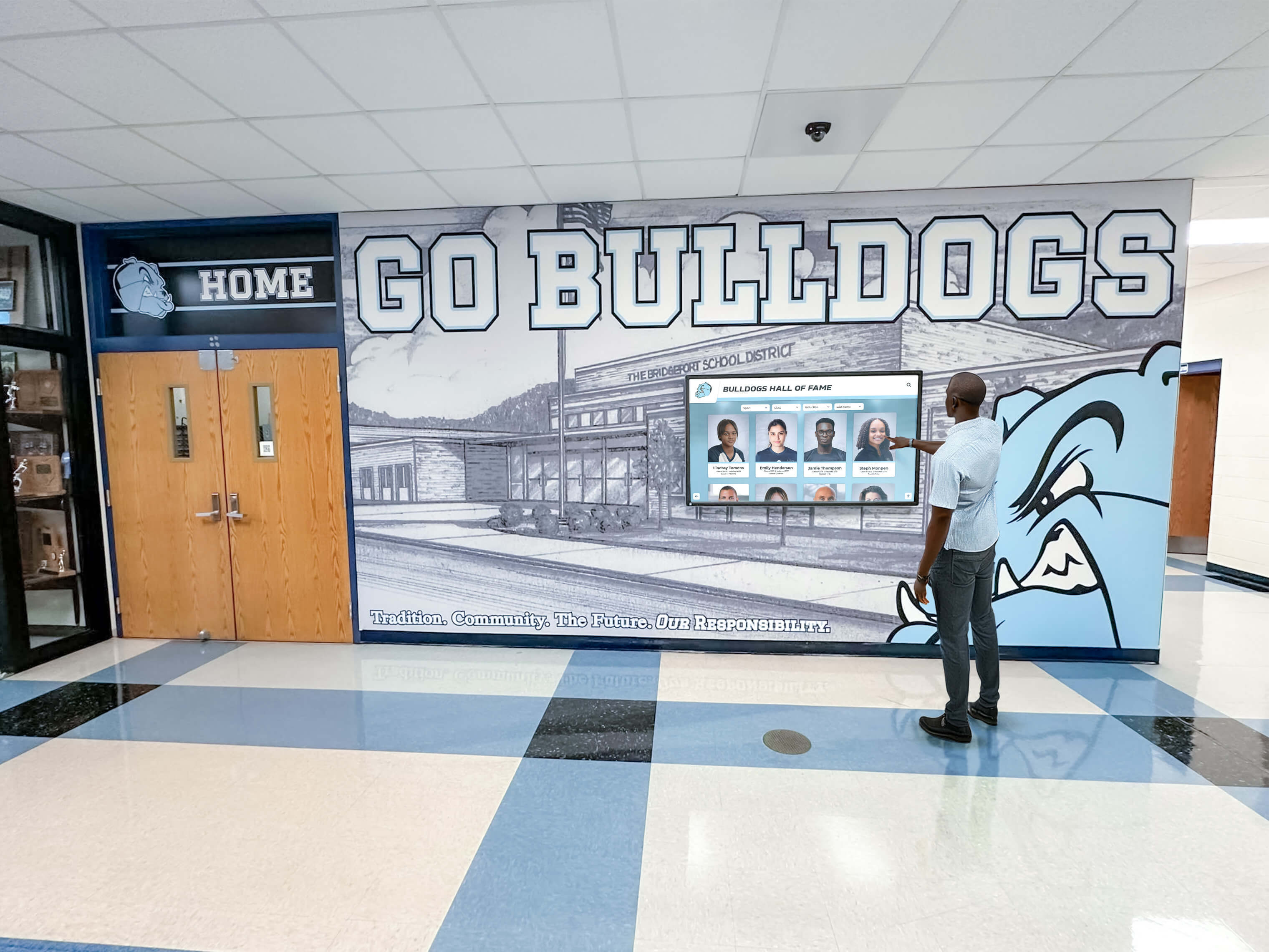
Native applications provide deep system integration and optimized performance for touchscreen displays
Advantages of Native Touchscreen Applications
Platform-specific development delivers distinct benefits:
Optimal Performance and Responsiveness
Compiled native code provides performance advantages:
- Faster execution of computationally intensive operations
- Smoother animations and transitions through optimized rendering
- Better video playback with hardware acceleration
- Lower latency interactions responding instantly to touches
- Efficient memory management preventing performance degradation
- Optimized resource usage extending hardware operational life
- Frame rates suitable for demanding graphical applications
Organizations requiring sophisticated animated content, complex visualizations, or graphics-intensive applications benefit substantially from native applications’ performance characteristics compared to browser-based alternatives.
Comprehensive Offline Functionality
Local installation enables complete offline operation:
- No internet dependency once application and content installed
- Content and functionality available during network outages
- No loading delays from network requests
- Privacy and security from local rather than cloud-based operation
- Reliable operation regardless of internet reliability
- Reduced bandwidth requirements and hosting costs
- Suitable for secure or isolated network environments
Schools and organizations in locations with unreliable internet connectivity or those requiring guaranteed operation independent of network availability strongly benefit from native applications’ offline capabilities.
Advanced Hardware Integration
Native development enables sophisticated device interaction:
- Direct access to specialized touchscreen features and capabilities
- Integration with barcode scanners, card readers, and peripherals
- Advanced print functionality with full driver support
- Multi-display coordination and video wall management
- Custom hardware support impossible through web browsers
- Serial port and USB device communication
- Industrial control system integration for specialized applications
Organizations requiring integration with specialized equipment, custom peripherals, or advanced hardware configurations often find native development necessary for comprehensive functionality beyond web browser capabilities.
Platform-Specific User Experience Optimization
Native applications follow operating system design guidelines:
- Familiar interface patterns matching platform conventions
- Gesture support optimized for each operating system’s touch implementation
- Accessibility features deeply integrated with platform tools
- Consistent behavior with other applications users know
- System-level keyboard shortcuts and navigation
- Platform-specific visual design and interaction patterns
- Optimal use of screen real estate and system interface elements
This platform consistency creates intuitive experiences for users familiar with specific operating systems, potentially reducing learning curves and improving usability compared to web applications presenting consistent but potentially unfamiliar interfaces across all platforms.
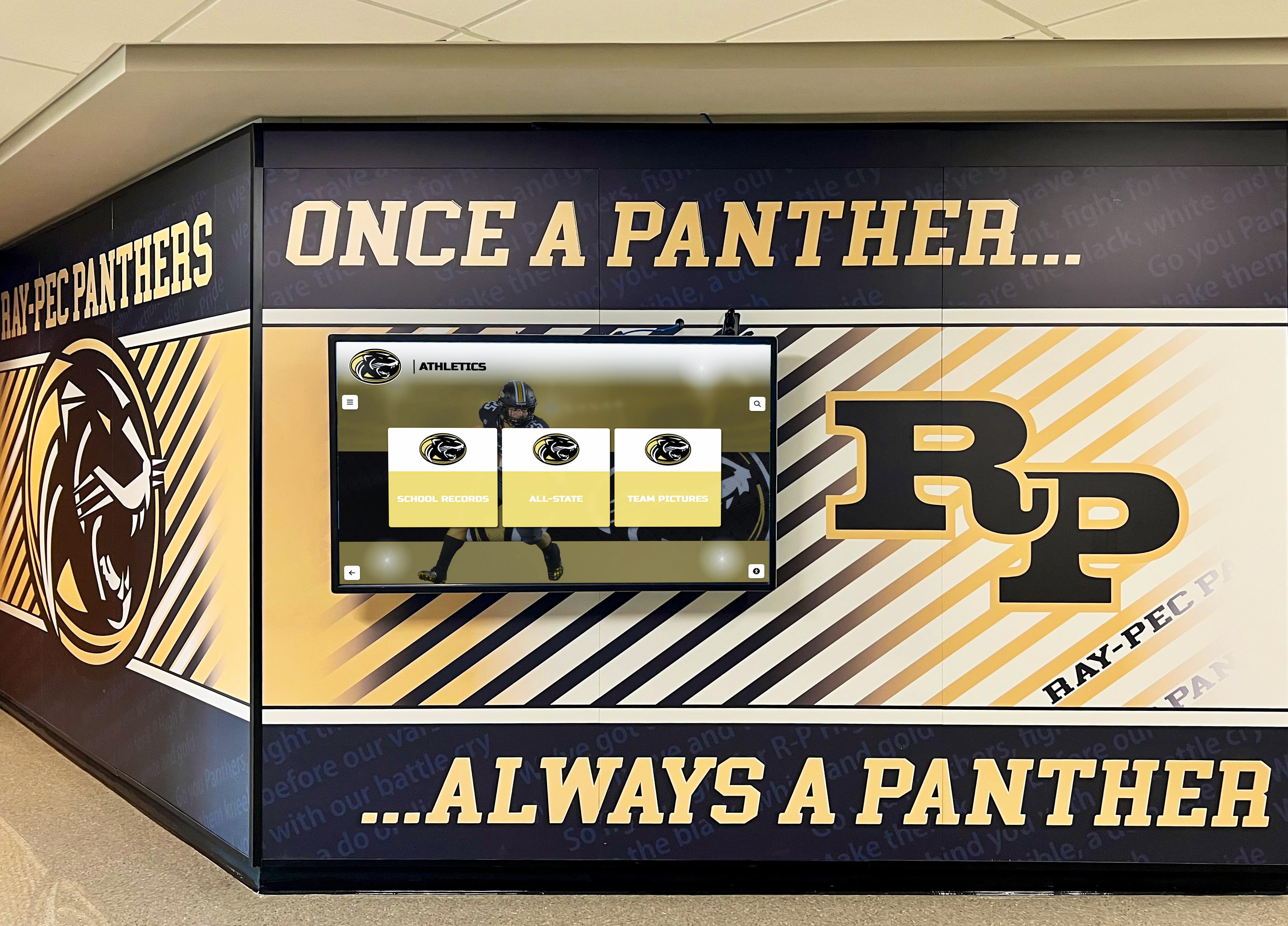
Native applications excel in environments requiring maximum performance and reliability
Enhanced Security and Data Control
Local installation provides security advantages:
- Content and data stored locally rather than cloud-dependent
- No third-party hosting accessing organizational information
- Compliance with data residency requirements restricting cloud storage
- Network isolation for secure or confidential applications
- Complete control over update timing and deployment
- Reduced attack surface from limited network exposure
- Suitable for classified or highly sensitive content
Organizations in regulated industries or those managing sensitive information sometimes require native applications’ local data storage and reduced cloud dependency for compliance or security policy adherence.
Limitations of Native Touchscreen Applications
Platform-specific development creates distinct challenges:
Complex Multi-Platform Development
Supporting multiple operating systems multiplies development effort:
- Separate application development required for Windows, macOS, iOS, Android, and Linux
- Different programming languages and development tools for each platform
- Testing burden multiplied across supported platforms and versions
- Feature parity challenges maintaining consistency across implementations
- Specialized expertise required for each platform’s development environment
- Increased development costs from duplicated efforts
- Longer development timelines creating and maintaining multiple codebases
Organizations supporting diverse hardware environments face substantial complexity and cost maintaining native applications across Windows, macOS, and other platforms compared to single web applications serving all systems uniformly.
Difficult Update Deployment and Management
Local installation complicates update processes:
- Individual device updates requiring deployment to each touchscreen separately
- Version fragmentation with different displays running different software versions
- Manual update processes consuming IT staff time for each installation
- Potential downtime during update installations
- Testing requirements verifying updates across various configurations
- User intervention sometimes required for update permissions
- App store approval processes delaying urgent fixes and security patches
Schools and organizations report update management representing 40-60% of total technical support time for native applications—time eliminated by web-based solutions deploying updates instantly across all devices from central hosting.
Higher Development and Maintenance Costs
Native application development requires greater investment:
- Specialized developers proficient in platform-specific languages and tools
- Multiple parallel development efforts for cross-platform support
- Expensive development tools and platform licenses
- Complex testing infrastructure verifying functionality across platforms
- Ongoing maintenance burden for multiple codebases
- Delayed feature delivery from sequential platform development
- Higher total cost of ownership throughout application lifecycle
Organizations with limited budgets or small technical teams often find native application development and maintenance impractical, making web-based alternatives more sustainable within real-world resource constraints. Explore touchscreen software evaluation criteria comparing development approaches and long-term costs.
Limited Flexibility and Hardware Lock-In
Native applications create platform dependencies:
- Changing operating systems potentially requiring complete application redevelopment
- Hardware vendor lock-in when applications optimized for specific platforms
- Migration challenges if organizational standard platforms change
- Limited future flexibility as technology evolves
- Potential obsolescence if platform vendors discontinue support
- Reduced hardware negotiating leverage from platform dependencies
- Risk of stranded investment if platforms evolve incompatibly
Web-based solutions’ platform independence provides strategic flexibility enabling hardware changes, operating system migrations, and technology evolution without requiring expensive application redevelopment.
Performance Comparison: Web-Based vs Native Touchscreen Software
Understanding real-world performance differences helps organizations make informed decisions:
User Interface Responsiveness
Both approaches deliver acceptable responsiveness for recognition applications:
Native Application Performance
- Touch response latency typically 10-30 milliseconds
- Smooth 60 fps animations and transitions
- Instant launching from installed state
- Optimal scrolling and gesture responsiveness
- Minimal lag during complex operations
- Consistent performance regardless of network conditions
Web Application Performance
- Touch response latency typically 20-50 milliseconds (still imperceptible to users)
- Animations generally 30-60 fps (adequate for most content)
- Initial page loading 1-3 seconds depending on network
- Responsive scrolling comparable to native for modern browsers
- Occasional brief delays during network requests
- Performance dependent on browser quality and network reliability
For typical recognition display applications showing profiles, photos, videos, and static content, modern web applications provide entirely acceptable performance indistinguishable from native alternatives during actual use. Native applications’ performance advantages become meaningful primarily for graphics-intensive games, complex real-time visualizations, or processor-intensive calculations rarely required for recognition and informational kiosks.
Content Loading and Media Playback
Media handling affects user experience substantially:
Native Applications
- Local content storage enabling instant loading
- Smooth video playback with hardware acceleration
- No bandwidth consumption for repeated views
- Large storage requirements for comprehensive media libraries
- Content updates requiring deployment to each device
Web Applications
- Initial content loading over network requiring 1-5 seconds typically
- Browser caching reducing subsequent load times significantly
- Video streaming with adaptive quality based on connection
- Minimal local storage requirements
- Content updates appearing instantly everywhere
Both approaches deliver acceptable media performance for recognition applications. Native applications excel when extensive high-definition video libraries require frequent viewing and local storage permits comprehensive caching. Web applications prove ideal when content changes frequently and organizations prefer centralized hosting over distributed local storage management.
Offline Functionality Comparison
Operation during network outages affects reliability:
Native Offline Capability
- Full functionality continues during internet outages indefinitely
- Local content accessible regardless of network status
- Self-contained operation independent of external services
- Content becomes stale without network for updates
- Suitable for unreliable network environments
Web Application Offline Limitations
- Progressive web apps provide limited offline functionality through service workers
- Basic browsing of previously loaded content possible temporarily
- New content unavailable without connectivity
- Automatic recovery when network restored
- Requires reliable internet for comprehensive operation
Organizations in locations with consistent broadband connectivity find web applications’ online dependency inconsequential. Facilities experiencing frequent or extended internet outages benefit substantially from native applications’ complete offline operation. Understand approaches for reliable touchscreen display operation in various network environments.
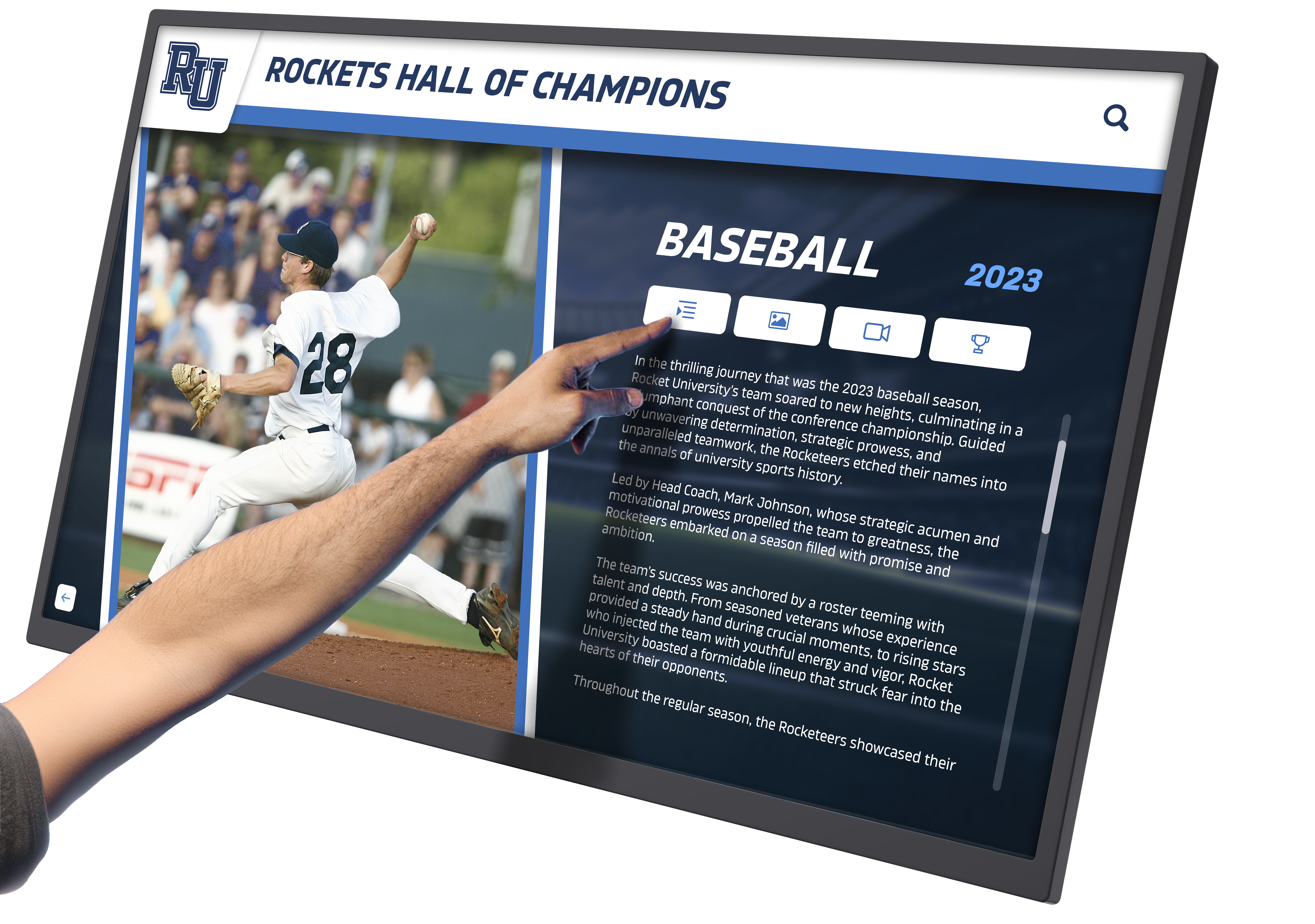
Both web and native applications deliver engaging interactive experiences for recognition displays
Content Management and Administration Comparison
Administrative efficiency profoundly affects long-term program sustainability:
Update Processes and Deployment
How organizations manage updates affects operational burden:
Web-Based Content Management
- Cloud-based CMS accessible from any internet-connected device
- Changes published instantly to all touchscreen displays simultaneously
- Real-time updates appearing without delays or deployments
- Single point of content management regardless of display quantity
- No version control complexity or synchronization requirements
- Non-technical staff can manage content through intuitive interfaces
- Mobile device administration enables updates from smartphones and tablets
Native Application Updates
- Content updates require deployment to each device individually or through distribution systems
- Complex synchronization ensuring all displays show consistent content
- Potential delays between content creation and display appearance
- Version control tracking which displays received which updates
- Technical expertise often required for deployment procedures
- Physical or remote access necessary to each device
- Mobile administration limited or impossible without specialized tools
Schools and organizations consistently report that web-based content management reduces administrative time by 60-80% compared to native application content distribution—enabling more comprehensive recognition programs by eliminating management burden that otherwise constrains what organizations can maintain sustainably.
Multi-Location Management
Organizations with multiple facilities face deployment complexity:
Web-Based Multi-Location Advantages
- Single hosted platform serving unlimited locations and displays
- Centralized management from single control panel
- Location-specific content controlled through filtering and permissions
- Instant global updates when appropriate
- Individual location content management when delegation desired
- No travel required for software or content updates
- Scalability supporting growth from single to dozens of locations
Native Multi-Location Challenges
- Individual installation and configuration at each location
- Distributed update processes requiring coordination
- Travel or remote access required for on-site maintenance
- Version control complexity across multiple sites
- Replication of content across locations consuming bandwidth
- Troubleshooting site-specific issues requiring local knowledge
- Scaling complexity as organization adds locations
Organizations operating multiple campuses, branch locations, or distributed facilities benefit dramatically from web-based software’s centralized management compared to native applications’ per-location complexity.
Technical Skill Requirements
Staff capabilities affect sustainable operation:
Web-Based Simplicity
- Intuitive CMS requiring minimal training
- No programming or technical expertise necessary
- Browser familiarity sufficient for most operations
- Online documentation and support resources
- Low barrier enabling broad staff participation
- Student or volunteer involvement practical
- Reduced dependency on specialized IT personnel
Native Application Complexity
- Technical expertise sometimes required for updates
- Understanding of operating systems and file structures
- Installation and configuration knowledge necessary
- Programming skills potentially needed for customization
- Higher training requirements for administrators
- Greater dependency on IT staff support
- Barriers limiting who can manage content effectively
Organizations with limited technical resources or high staff turnover find web-based solutions’ simplicity essential for sustainable long-term operation, while institutions with dedicated IT departments successfully operate native applications requiring greater technical proficiency.
Cost Analysis: Web-Based vs Native Touchscreen Software
Understanding complete cost implications guides financially sound decisions:
Initial Development and Implementation Costs
Upfront investment differs substantially:
Web-Based Initial Investment
- Subscription-based pricing typically $1,500-4,000 annually for recognition platforms
- Minimal or no upfront development costs for turnkey solutions
- Fast implementation timelines (days to weeks for standard platforms)
- Lower financial risk from incremental subscription commitments
- Standard hardware compatible with web browsers
- Cloud hosting included in subscription pricing
- Professional platforms available immediately without custom development
Native Application Development
- Custom development costs $25,000-100,000+ for professional applications
- Multiplied by number of supported platforms (Windows, macOS, etc.)
- Extended development timelines (months to years for full-featured applications)
- Significant upfront investment before any functionality available
- Specialized hardware sometimes required for optimal performance
- Hosting infrastructure costs if network features needed
- Testing and deployment infrastructure investments
For most schools and organizations implementing recognition displays, web-based turnkey solutions provide the only financially practical approach, with native application development costs exceeding total recognition program budgets by orders of magnitude.
Ongoing Operational Expenses
Annual costs affect long-term sustainability:
Web-Based Ongoing Costs
- Predictable subscription fees covering hosting, updates, and support
- Minimal IT staff time required for routine operation (3-5 hours monthly)
- No infrastructure maintenance or server management
- Automatic scaling handling growth without capacity investments
- Security updates and improvements included
- Feature additions deployed without additional costs
- Typical total annual cost: $2,000-6,000 depending on platform and scale
Native Application Ongoing Costs
- Software maintenance contracts or developer retainers ($5,000-20,000+ annually)
- Substantial IT staff time for updates and support (15-30 hours monthly)
- Server infrastructure and hosting if network features required
- Security patches requiring development and testing
- Feature requests requiring custom development investment
- Platform updates potentially breaking compatibility requiring fixes
- Typical total annual cost: $10,000-40,000+ depending on complexity
Over typical 5-10 year program lifespans, web-based solutions cost 40-70% less than equivalent native applications while providing superior update frequency, feature evolution, and administrative efficiency. Learn about long-term recognition technology investment strategies considering total cost of ownership.
Hidden Costs and Long-Term Considerations
Beyond obvious expenses, architectural decisions create secondary costs:
Web-Based Long-Term Economics
- Platform switching potentially complex if proprietary content structures used
- Ongoing subscription dependency continuing as long as displays operated
- Limited customization for highly specialized requirements
- Vendor stability affecting long-term availability
- Price increases possible over multi-year subscriptions
- But: continuous improvement and feature additions without additional investment
Native Application Long-Term Economics
- Developer availability and expertise as platforms evolve
- Code maintenance burden increasing over years
- Technical debt accumulating from aging codebases
- Platform migration costs if operating systems change
- Potential complete redevelopment as technology advances
- But: perpetual licenses eliminating ongoing subscription expenses once developed
Most organizations find web-based subscription models more economically predictable and sustainable compared to native applications’ uncertain long-term maintenance requirements and potential for expensive redevelopment as platforms and requirements evolve.
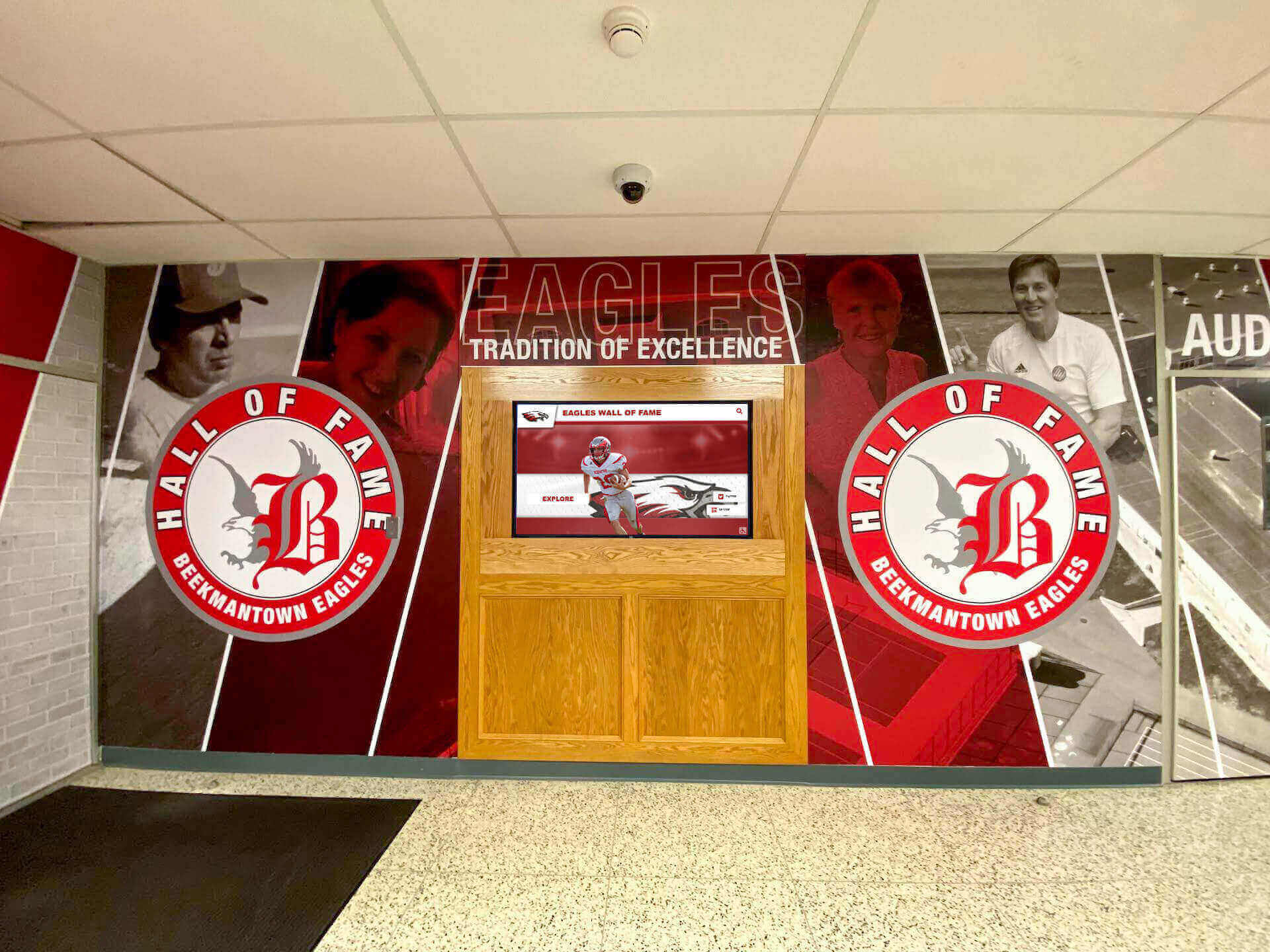
Both approaches enable professional recognition installations serving institutional needs effectively
Return on Investment Considerations
Value delivery affects which architecture serves organizations better:
Web-Based ROI Advantages
- Lower initial investment enabling faster deployment
- Reduced administrative burden freeing staff for other priorities
- Extended reach through web accessibility amplifying impact
- Faster feature evolution from continuous platform improvement
- Lower risk from incremental commitments and platform flexibility
- Typical ROI achieved within 1-2 years of operation
Native Application ROI Factors
- Higher upfront costs requiring longer payback periods
- Performance advantages for specific demanding applications
- Offline reliability in challenging network environments
- Custom functionality for specialized requirements
- Greater control and independence from vendors
- Typical ROI requiring 3-5+ years of operation
Use Case Analysis: Which Approach Fits Your Needs?
Different organizational contexts favor different architectural approaches:
Best Scenarios for Web-Based Touchscreen Software
Browser-based solutions excel in common institutional contexts:
Educational Recognition Displays
Schools and universities benefit substantially from web-based approaches:
- Multiple touchscreen displays across campus managed centrally
- Frequent content updates as achievements occur throughout years
- Extended access enabling alumni exploration from anywhere globally
- Non-technical staff managing recognition without IT intervention
- Budget constraints making subscription models more practical than custom development
- Desire for professional platforms immediately rather than long development timelines
- Flexible hardware enabling equipment changes without software concerns
Solutions like Rocket Alumni Solutions provide comprehensive web-based platforms specifically designed for educational recognition, combining intuitive content management with professional touchscreen interfaces that serve schools and universities effectively within typical resource constraints.
Multi-Location Organizations
Distributed operations amplify web-based advantages:
- Consistent experience across all facilities from centralized management
- Instant global updates ensuring information accuracy everywhere
- Individual location customization when appropriate through content filtering
- No travel or on-site technical visits required for maintenance
- Scalable supporting growth from few to many locations seamlessly
- Centralized troubleshooting and support rather than distributed complexity
Corporate organizations, nonprofits with chapters, and institutions with multiple campuses find web-based solutions dramatically simpler and more cost-effective than attempting to maintain native applications across distributed locations.
Resource-Constrained Organizations
Limited budgets and small teams benefit from web-based accessibility:
- Affordable subscription pricing compared to custom development investments
- Minimal ongoing maintenance burden sustainable with small staff
- No specialized technical expertise required for operation
- Professional solutions immediately available without development timelines
- Predictable costs enabling accurate budgeting and planning
- Vendor-provided support rather than internal expertise requirements
Small schools, community organizations, and nonprofits successfully implement sophisticated web-based touchscreen recognition that would be completely impractical with native application development costs and complexity. Explore affordable recognition solutions designed for resource-constrained organizations.
Best Scenarios for Native Touchscreen Applications
Platform-specific development proves necessary for specific requirements:
Offline-Critical Environments
Organizations requiring guaranteed operation without internet:
- Remote facilities with unreliable or unavailable internet connectivity
- Secure environments with isolated networks prohibited from external connections
- Mobile installations without consistent network access
- Backup systems requiring operation during primary network failures
- Classified or sensitive information prohibited from cloud storage
- Compliance requirements mandating local data control
Military installations, secure government facilities, remote sites, and organizations in developing regions with limited infrastructure benefit from native applications’ complete offline functionality.
Specialized Hardware Integration
Complex peripheral and device integration requirements:
- Custom touchscreen hardware with specialized drivers
- Integration with barcode scanners, card readers, and identification systems
- Serial port communication with industrial equipment
- Multi-display video walls requiring coordinated rendering
- Advanced print functionality with complex driver requirements
- Proprietary hardware requiring deep system integration
Manufacturing facilities, industrial control applications, and specialized exhibits requiring custom hardware integration sometimes necessitate native development for comprehensive functionality beyond web browser capabilities.
High-Performance Graphics Applications
Demanding visual applications benefit from native optimization:
- Complex real-time 3D visualization and rendering
- Sophisticated animation and motion graphics
- Gaming applications requiring maximum frame rates
- Video walls and multi-screen coordinated content
- Processor-intensive data visualization and analytics
- Graphics-heavy experiences requiring sustained high performance
Museums creating sophisticated interactive exhibits, entertainment venues, and visualization applications requiring maximum graphical performance benefit from native development’s optimized rendering and hardware acceleration advantages over browser-based alternatives.
Hybrid Approaches and Emerging Solutions
Modern development sometimes combines architectures’ strengths:
Progressive Web Applications (PWAs)
PWAs blend web and native characteristics:
Progressive Enhancement Features
- Web applications with native-like capabilities through modern standards
- Offline functionality through service workers caching content and enabling limited operation
- Home screen installation appearing like native apps without app stores
- Push notifications and background synchronization
- Access to device features like cameras and location
- Responsive design adapting to any screen size seamlessly
- App-like experience while maintaining web architecture benefits
Progressive web apps provide middle ground offering web architecture advantages—cross-platform compatibility, instant updates, simplified maintenance—while delivering many native application benefits like offline access and app-like user experiences. Learn about modern touchscreen software capabilities including progressive web approaches.
Native Application Shells with Web Content
Some solutions combine architectures:
- Thin native application providing kiosk functionality and system integration
- Web content delivering actual recognition and interactive experiences
- Native wrapper accessing hardware and system capabilities
- Web technology enabling cross-platform content development
- Updates deploying instantly through web while native shell remains stable
- Balance between native advantages and web content management benefits
This hybrid approach proves useful for organizations requiring specific native capabilities like robust offline operation or specialized hardware integration while maintaining web-based content management and update advantages for recognition content that changes frequently.

Modern recognition systems combine various technologies serving organizational needs effectively
Decision Framework: Choosing Your Touchscreen Software Architecture
Systematic evaluation helps organizations select appropriate approaches:
Key Decision Factors
Consider these critical elements:
1. Internet Connectivity Reliability
- Consistent broadband: Web-based solutions practical and advantageous
- Unreliable or limited connectivity: Native applications necessary for reliable operation
- No connectivity: Native applications required for offline functionality
2. Technical Resources and Expertise
- Limited IT staff and budget: Web-based solutions dramatically simpler and more sustainable
- Dedicated technical team: Either approach feasible based on other factors
- Specialized development capability: Native applications practical if requirements justify
3. Number of Display Locations
- Single location: Either approach reasonable
- Multiple locations: Web-based advantages multiply substantially
- Distributed organization: Native applications often impractical
4. Content Update Frequency
- Frequent updates: Web-based instant deployment essential
- Occasional updates: Either approach acceptable
- Static content: Native local storage potentially advantageous
5. Budget and Cost Structure
- Limited budget: Web-based subscription models more practical
- Large upfront capacity: Either approach financially feasible
- Preference for operational expenses: Web-based subscriptions appropriate
- Preference for capital investments: Native development possible
6. Performance Requirements
- Standard recognition content: Web-based performance entirely adequate
- Graphics-intensive applications: Native advantages meaningful
- Video-heavy content: Evaluate based on network capacity and usage patterns
7. Hardware Platform Diversity
- Single platform (all Windows or all macOS): Native development simplified
- Multiple platforms: Web-based universality essential
- Future flexibility desired: Web-based prevents hardware lock-in
Recommendation Matrix
General guidance based on common scenarios:
Strongly Favor Web-Based Solutions:
- Educational institutions with multiple campus locations
- Organizations with limited technical resources
- Programs requiring frequent content updates
- Distributed operations managing multiple displays
- Budget-conscious implementations
- Need for extended web accessibility
- Desire for immediate implementation without development timelines
Consider Native Applications:
- Offline-critical environments with unreliable connectivity
- Specialized hardware integration requirements
- Graphics-intensive applications requiring maximum performance
- Secure environments prohibiting cloud storage
- Organizations with substantial development resources and budgets
- Single-platform environments with dedicated IT support
For Most Recognition Programs: Web-based solutions deliver superior value, lower costs, simpler maintenance, and better long-term sustainability compared to native development complexity and expense.
Implementation Best Practices Regardless of Architecture
Success principles apply to both approaches:
Content Strategy and Development
Effective recognition requires quality content:
- Comprehensive initial content establishing immediate value at launch
- Systematic ongoing content workflows ensuring continuous updates
- High-quality photography and multimedia bringing recognition to life
- Consistent organization and presentation maintaining professional appearance
- Community involvement opportunities encouraging participation and contribution
- Regular content audits identifying gaps and opportunities for improvement
Explore comprehensive recognition program development approaches that apply regardless of software architecture.
User Experience Optimization
Engaging interfaces drive exploration:
- Touch-friendly design with appropriately sized interactive elements
- Intuitive navigation requiring no instruction for first-time users
- Powerful search enabling discovery of specific individuals and achievements
- Visually appealing idle states attracting attention when displays inactive
- Responsive performance maintaining engagement through fluid interaction
- Accessibility features ensuring inclusive experiences for diverse users
Hardware Selection and Installation
Quality equipment affects long-term satisfaction:
- Commercial-grade displays rated for continuous operation
- Appropriate screen sizes for viewing distances and spaces
- Professional mounting ensuring stability and accessibility
- Network infrastructure supporting chosen software architecture
- Appropriate computing power for selected applications
- Quality peripherals and accessories supporting functionality
Understand touchscreen hardware selection criteria ensuring equipment supports software effectively.
Ongoing Maintenance and Support
Sustainable programs require planned upkeep:
- Regular physical cleaning maintaining display appearance
- Systematic content reviews ensuring accuracy and currency
- Software updates deployed systematically based on architecture
- Monitoring and troubleshooting addressing issues proactively
- Staff training ensuring capable administration through personnel changes
- Community promotion maintaining awareness and encouraging engagement
Conclusion: Selecting Software Architecture for Long-Term Success
The web-based versus native application decision fundamentally affects touchscreen recognition programs’ long-term sustainability, administrative burden, and ultimate success. For most schools, organizations, and institutions implementing recognition displays and interactive kiosks, web-based solutions deliver superior value through simplified maintenance, instant updates, cross-platform compatibility, and extended accessibility—all while costing substantially less than native development over multi-year operational cycles.
Native applications remain necessary for specific scenarios requiring guaranteed offline operation, specialized hardware integration, or maximum graphical performance. However, the majority of recognition applications operate effectively with modern web technologies that have evolved dramatically, eliminating historical performance and functionality gaps that once favored native development.
Ready to implement touchscreen recognition displays that serve your organization effectively while remaining sustainable within real-world resource constraints? Modern web-based platforms like Rocket Alumni Solutions provide comprehensive recognition software specifically designed for schools and organizations, combining intuitive content management with professional touchscreen interfaces and extended web accessibility—all delivered through browser-based architecture that eliminates native application complexity and maintenance burden.
Whether implementing your first recognition display or enhancing existing systems, success depends on selecting software architecture aligned with your connectivity environment, technical capabilities, budget realities, and long-term maintenance capacity. For most organizations, web-based solutions provide the optimal balance of functionality, cost-effectiveness, and sustainable operation.
Your community’s achievements deserve recognition technology that celebrates accomplishments effectively while remaining practical within your resources and capabilities. By understanding the fundamental differences between web-based and native touchscreen software—from performance characteristics and maintenance requirements to cost implications and long-term flexibility—you can make informed decisions that serve recognition programs successfully throughout years of operation.
The best software architecture isn’t the most sophisticated or expensive—it’s the approach that delivers functionality your organization needs while remaining sustainable within your technical capabilities, budget constraints, and operational realities. For the vast majority of recognition displays and interactive kiosks, web-based solutions provide that optimal balance, enabling comprehensive achievement celebration without the complexity, cost, and maintenance burden of native application development.
Start evaluating touchscreen software by honestly assessing your internet reliability, technical resources, budget capacity, and specific requirements. Then connect with providers specializing in recognition applications rather than generic kiosk or digital signage vendors. Your achievers deserve recognition technology that honors their accomplishments appropriately while serving your organization practically and sustainably for years to come.































