




An athletic hall of fame nomination form constraint validation audit examines every HTML constraint rule on a school nomination form—verifying that checkValidity() and reportValidity() behave as expected for each field, that ValidityState flags correctly identify which constraint has failed, that setCustomValidity() custom errors clear when the empty string is passed, and that the submission path the form’s code uses determines whether any browser validation runs at all. The constraint validation system is documented in the MDN Constraint Validation guide, which also establishes what the system cannot do: it is not a security layer, it does not prove nomination eligibility, and it does not replace server-side rules that the server must enforce independently. The HTMLFormElement.requestSubmit() reference documents how requestSubmit() differs from form.submit() in its relationship to browser validation. This guide gives nomination coordinators, athletic directors, and school IT reviewers the test steps, decision table, and checklist to verify browser and server validation separately—so that an incomplete or ineligible nomination does not silently enter the selection committee’s review workflow.
A nomination form for a school athletic hall of fame is a transfer point: it moves an endorsement from a community member—a coach, a former teammate, a faculty member—into the records system the selection committee reviews. Constraint validation is the first filter on that transfer. When a required field is blank, when a graduation year falls outside the eligible window, or when a custom eligibility check flags a conflict, browser-side constraints should catch the problem before the form reaches the server. But they only catch it when the submission path invokes them—and even when they run, they cannot test every rule the server must enforce independently.
Understanding the exact mechanics of browser constraint validation, and testing server rules as a separate layer, is how a nomination coordinator confirms that the form behaves predictably at every submission path.

An athletic hall of fame wall sign marks the recognition program that nominations support—the constraints on the nomination form are the first quality filter on the records the selection committee reviews, and each constraint must be tested in both the browser and the server independently
Program Snapshot: Constraint Validation Audit Scope for School Hall of Fame Nomination Forms
| Planning Element | Details |
|---|---|
| Primary Audience | Nomination coordinators, athletic directors, school IT administrators, recognition platform vendors and IT reviewers |
| What Is Being Audited | Every HTML constraint on the nomination form’s fields: required, type, min, max, step, pattern, minlength, maxlength, and setCustomValidity() custom rules |
| Authoritative References | MDN Constraint Validation guide; HTMLFormElement.requestSubmit() |
| Tools Required | Chrome or Edge with DevTools Console and Elements panels (built-in, free); a keyboard for interactive field testing; a network testing tool for server-side validation testing independent of the browser |
| Time Investment | 45–60 minutes for an initial audit of the complete nomination form; 20 minutes for a targeted re-check after any field or submission logic update |
| Failure Consequence | Browser validation fails silently on fields that should be checked; form submissions bypass browser validation via form.submit() or novalidate; programmatically pre-filled fields with invalid lengths pass checkValidity() but fail on the server; custom validity errors persist after the triggering condition resolves |
| Pass Condition | Each required field produces valueMissing when blank; each typed, range, or pattern field produces the correct ValidityState flag on violation; setCustomValidity() custom errors clear when the empty string is passed; novalidate is absent on the production form unless intentional with server validation as the sole guard; server rules enforce every constraint independently of the browser |
| Not in Scope | Nomination field list design, committee approval workflows, broad WCAG error-prevention guidance, or calculated output counts on recognition dashboards |
What Browser Constraint Validation Provides—and What It Does Not
Browser constraint validation runs automatically when a form is submitted through the default interactive submission path. The browser examines each form control’s current value against constraints declared in the HTML and stops the submission if any constraint fails, presenting a native validation message at the first failing field.
Three things browser constraint validation cannot do for an athletic hall of fame nomination program:
It is not a security control. Validation attributes live in the HTML document. A person with browser DevTools open can remove a required attribute, change type="email" to type="text", or raise a max value before submitting—and the modified form submits without triggering any validation failure. A crafted HTTP request sent directly to the submission endpoint reaches the server without any browser-enforced constraint check at all. The MDN Constraint Validation guide states explicitly that HTML constraint validation does not eliminate the need for server-side validation, because the server cannot trust that the client enforced anything before sending data.
It is not proof of nomination eligibility. A field that passes constraint validation—a graduation year that satisfies a min and max, a nominee name that is non-empty—has passed a format or presence check. Whether the nominee meets the program’s selection criteria, whether the nominator is authorized to submit on behalf of that individual, and whether the nomination window is open are facts stored in the program’s rules and records. HTML attributes cannot test those facts.
It is not committee approval. A nomination that reaches the server with all fields valid has completed one step in a multi-stage workflow. It has not been scored, reviewed, or accepted by any committee member. Documenting this boundary in the nomination coordinator’s records and in communications sent to nominators prevents a technically valid submission from being treated as a confirmed induction.
checkValidity() and reportValidity(): Silent Check vs. Reported Check
The constraint API exposes two methods for testing a form or individual field. Both return a Boolean. They differ in what happens when a constraint fails.
checkValidity() checks the current value against all declared constraints and returns true if all pass, false if any fail. It performs this check silently—no validation message appears in the browser’s native UI, and no invalid state is surfaced visually to the nominator. A JavaScript workflow can call form.checkValidity() at any point to test whether the form is ready to submit without triggering visible errors. Calling input.checkValidity() on an individual element tests only that element’s value.
reportValidity() runs the same constraint check and returns the same Boolean. When a constraint fails, it instructs the browser to display the native validation UI at the first failing field—the tooltip or inline message that names the violated constraint and tells the nominator what to correct. This is the behavior the browser’s default submission path triggers: check, then report if any constraint fails.
Both methods are callable on the form element (testing all controls in the form) or on an individual form control (testing only that element). Calling form.reportValidity() walks every form-associated control and reports the first failure it finds.
Test. Open DevTools Console on the nomination form and run document.querySelector('form').checkValidity(). If it returns false, follow with document.querySelector('form').reportValidity() to see which field the browser identifies as invalid. Confirm the message is legible and actionable for a nominator—not a raw attribute reference or an internal error string.

A staff member using a hall of fame interactive display: nomination coordinators depend on checkValidity and reportValidity behaving as expected—and on understanding which behavior each method produces before any submission reaches the committee
ValidityState: Reading the Exact Constraint Violation
When a field fails constraint validation, the specific violation type is recorded in the field’s validity property—a ValidityState object where each property is a Boolean flag for a named constraint violation.
ValidityState Property | Constraint Violated |
|---|---|
valueMissing | Field has required and the current value is empty |
typeMismatch | Value does not match the format for the field’s type (e.g., invalid email or URL) |
patternMismatch | Value does not match the pattern regular expression |
rangeUnderflow | Numeric or date value is below min |
rangeOverflow | Numeric or date value exceeds max |
stepMismatch | Value does not align with step increments |
tooShort | User-typed value is shorter than minlength |
tooLong | User-typed value exceeds maxlength |
customError | A non-empty string was set via setCustomValidity() |
Reading the specific flag tells a form’s JavaScript which constraint failed—which matters when the nomination form uses custom validation logic that needs to distinguish between a missing value and a value that exists but fails a format or range check. A script that calls checkValidity(), gets false, and then reads validity.valueMissing knows whether to prompt the nominator to fill a blank field or to correct a value they already entered.
Test. For each required field, clear the value and run input.checkValidity(). Confirm the return is false and input.validity.valueMissing is true. For each range-constrained date field, enter a date beyond the max value and confirm input.validity.rangeOverflow is true. Log each confirmed flag in the audit record.
setCustomValidity(): Setting Custom Errors and Clearing Them
setCustomValidity(message) attaches a custom validity constraint to any supported form element. A non-empty string makes the element immediately invalid: validity.customError becomes true, and the string becomes the message shown when reportValidity() is called.
The clearing rule is exact: the argument must be an empty string "". Passing null, undefined, false, or 0 does not clear the custom validity constraint. If a field’s custom validity is set with a non-empty string and then the clearing call passes anything other than "", the field remains invalid on every subsequent check—including at form submission—regardless of what value the nominator enters.
A nomination form that checks whether a nominee’s graduation year falls within the program’s eligible window might set a custom validity message when the year is too recent, then clear it when the nominator corrects the year. If the clearing call passes null instead of "", the field stays flagged as invalid after the year is corrected. The nominator cannot submit the form, and the error message shown no longer reflects the actual state of the field.
Test. Trigger any field that calls setCustomValidity() on the nomination form by entering a value that meets the error condition. In DevTools Console, confirm input.validity.customError is true. Resolve the condition by entering a valid value. Confirm input.validity.customError returns to false. If it does not, inspect the clearing call and confirm it passes exactly "".
Required, Type, and Range Constraints on Optional Fields
Optional fields—those without a required attribute—pass constraint validation when left blank. The type, pattern, min, max, and step constraints on an optional field are not checked when the field’s value is empty. A blank optional email field passes; a blank optional date field passes. This is the intended behavior: format and range constraints apply to the value that is present, not to the absence of one.
The consequence for a nomination form: if a supplemental contact email or a secondary coach reference is optional, leaving those fields blank must never produce a validation failure. Test each optional typed field by leaving it blank and calling form.checkValidity()—the blank optional field must not be the source of a false return.
The other side of this behavior: if the nominator enters a value in an optional typed field, that value is checked against all declared constraints. A partial email address in an optional type="email" field produces typeMismatch. A date before the min value in an optional date field produces rangeUnderflow. Optional fields are blank-tolerant, not constraint-free. Once a nominator types anything, the full constraint set applies to what they typed.
Test. Leave each optional field blank and confirm no constraint violation. Then enter an invalid value in each optional typed field and confirm the appropriate ValidityState flag is true. Record both results for each optional field.

A school hallway athletic honor wall: the accuracy of every recognition panel depends in part on the quality of the nomination submissions feeding the review workflow—constraint validation on the nomination form is the first mechanism that guards that accuracy
novalidate and form.submit(): Two Paths That Bypass Browser Validation
Two mechanisms send a nomination form to the server without browser constraint validation running.
The novalidate attribute. When present on the <form> element, novalidate suppresses interactive constraint validation on submission. The form submits immediately regardless of field validity, and no native validation messages appear. Adding novalidate is common during development to bypass field checks while testing form routing; if it remains on the production nomination form, nominators receive no browser-side feedback about missing or invalid fields. reportValidity() can still be called explicitly on a novalidate form—it will surface messages—but the automatic check on submission is gone.
form.submit(). Calling the submit() method directly on the form element bypasses constraint validation entirely and fires no submit event. The form data is sent to the server regardless of what any field contains. A nomination coordinator who notices that browser validation messages never appear—even on fields left intentionally blank or filled with obviously invalid values—should check whether a form.submit() call is driving the submission rather than the browser’s default path or requestSubmit().
Neither bypass is inherently wrong in every context. A multi-step form wizard that performs its own JavaScript validation before each step transition may prefer novalidate to avoid double-reporting. A server-rendering approach that handles all validation responses server-side may use form.submit() deliberately. The audit question is whether each bypass is intentional and whether server-side validation is the documented substitute for the browser checks the bypass removes.
Test. In DevTools, inspect the <form> element’s attributes and confirm novalidate is absent on the production nomination form—or document its presence as an intentional decision with server validation as the sole guard. Inspect any JavaScript that programmatically submits the form and confirm whether it calls form.submit() or form.requestSubmit(). If form.submit() is found where interactive validation is expected, record this as a finding for the development team.
requestSubmit(): The Programmatic Path That Participates in Validation
requestSubmit(), documented in the HTMLFormElement.requestSubmit() reference, behaves as though a submit button were activated programmatically: it runs constraint validation, submits the form only if validation passes, and fires the submit event on the form after a successful submission.
This is the key distinction from form.submit(): requestSubmit() participates in the validation step. If any field fails a constraint, the form does not submit, and the browser surfaces validation messages as it would on an interactive button activation. A multi-step nomination form that drives final submission from JavaScript code—perhaps a “Submit Nomination” button’s click handler—uses requestSubmit() when the intent is to preserve the browser’s constraint validation behavior.
requestSubmit() accepts an optional submitter argument: a submit button that is a member of the form. If the button carries form* attributes such as formmethod or formaction, those attributes override the form’s own submission settings for that call. If the button has a name attribute, its name-value pair is included in the submitted data payload.
When novalidate is present on the form, requestSubmit() still suppresses interactive validation—the same as the default submission path. requestSubmit() participates in the validation step that novalidate disables; it does not override the novalidate flag.
Test. Identify whether the nomination form’s submission JavaScript uses form.submit() or form.requestSubmit(). If requestSubmit() is used, confirm the optional submitter argument is either absent or is a valid submit button that is a member of the form. Test that submitting through requestSubmit() with a blank required field prevents submission and shows a native validation message.
The Programmatic minlength and maxlength Gap
minlength and maxlength define character-count limits on text input fields. When a nominator types into a field, the browser enforces these limits: a value shorter than minlength sets validity.tooShort; a value longer than maxlength sets validity.tooLong. Both are caught by checkValidity() and reportValidity() for user-entered text.
The constraint that is easy to overlook: minlength and maxlength are only enforced on values entered by the user. Values set programmatically via input.value = someString are not checked against these attributes, even by an explicit call to checkValidity() or reportValidity().
According to the MDN Constraint Validation guide, these constraints apply specifically to user-provided input. A programmatically set value that is shorter than minlength or longer than maxlength will pass checkValidity() with a return of true. The tooShort and tooLong flags remain false. The browser treats the value as satisfying the constraint because the constraint is only enforced for what the user typed.
This gap matters when a nomination form pre-populates fields from another source: an auto-complete widget that fills the nominee’s name from an existing database record, a clipboard paste that a JavaScript handler processes, or a multi-step form that copies a value from step one into a text field in step three. If the programmatically placed value happens to be shorter or longer than the field’s declared limits, the browser will not flag it. The submission reaches the server, and the server’s validation—which must check field lengths independently—is the only guard.
Test. Identify any text field on the nomination form with minlength or maxlength where values may be set by JavaScript. In DevTools Console, set the field’s value explicitly to a string shorter than its minlength: for example, document.querySelector('#nominee-bio').value = "ab" when minlength is 50. Run document.querySelector('#nominee-bio').checkValidity(). Confirm it returns true. Confirm document.querySelector('#nominee-bio').validity.tooShort is false. This confirms the gap and establishes that the server must independently validate these field lengths.
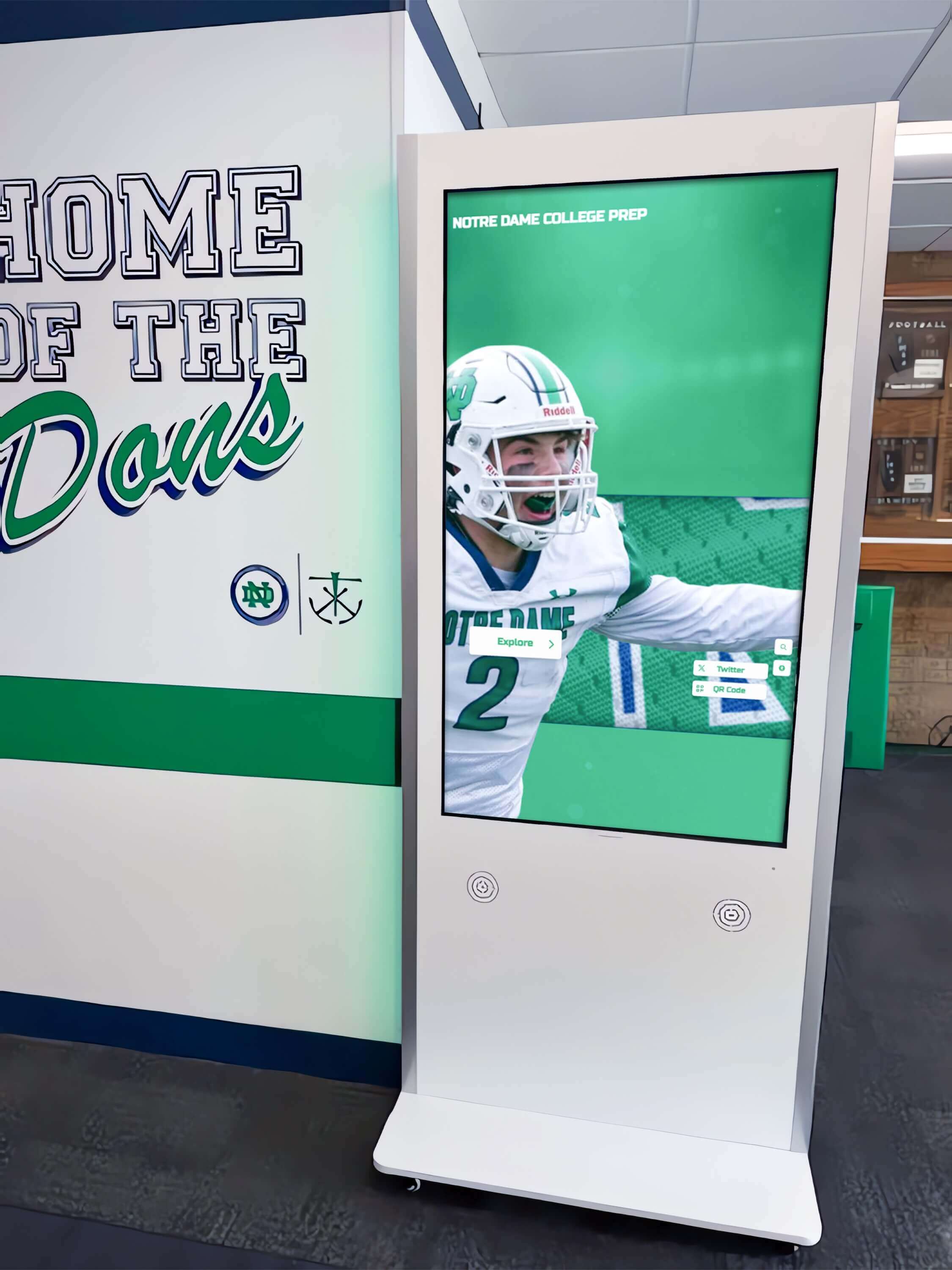
An interactive kiosk in a school hallway: when a nomination form is submitted through a touchscreen kiosk interface, the submission path determines whether browser constraint validation runs—and each path must be confirmed in the actual kiosk browser, not only in a desktop session
Server Validation as the Mandatory Independent Layer
Every constraint the browser checks must also be enforced on the server—not as a fallback for the browser, but as an independent check that runs regardless of what the browser did or did not do before the data arrived.
The browser’s checks can be bypassed by removing attributes in DevTools, by sending crafted HTTP requests that never touch the form UI, by using form.submit() rather than requestSubmit(), by carrying the novalidate attribute, or by having a JavaScript pre-fill trigger the programmatic minlength/maxlength gap. In each of those scenarios, the server receives data the browser never validated.
Server-side validation is also where rules that cannot be expressed as HTML attributes must live: confirming that a nominee is not already an inductee in the same program, verifying that the nominator’s email matches an authorized submissions list, checking that the nomination period has not closed, and confirming that any uploaded supporting documents meet size and format requirements. None of those checks can be represented as a required attribute or a max value on a date field. They require access to stored records and program rules that live outside the browser.
When testing server-side validation separately from browser checks, post directly to the nomination form’s submission endpoint with a test payload that contains constraint-violating values—fields that are blank but declared required, dates outside the eligible range, text values shorter than minlength. Confirm that each violation returns an appropriate error response and that the response provides enough information for the coordinator to identify and correct the problem before resubmitting.
Record each server-side rule and its corresponding test result in the audit documentation. Mark any server-side rule that has not yet been tested against the live endpoint as an unverified acceptance check—do not claim a server-side constraint is enforced without evidence from an actual test.
Step-by-Step Constraint Validation Audit for Athletic Hall of Fame Nomination Forms
Run these steps in order on the nomination form in the production environment. If a staging environment is used, confirm it runs the same form code and server-side rules as production before treating its results as production evidence.
Step 1: Inventory All Form Controls and Their Constraints
Open DevTools Elements panel on the nomination form. List every form control: inputs, selects, textareas. For each, record the element ID and name attribute, which constraint attributes are declared (required, type, min, max, step, pattern, minlength, maxlength), whether the field is required or optional, and whether any JavaScript sets the field’s value programmatically.
This inventory is the baseline against which all test results are recorded.
Step 2: Confirm the Submission Path
Identify how the form is submitted. Is it a standard submit button click? Does a JavaScript handler intercept the click and call form.submit() or form.requestSubmit()? Is novalidate present on the form element? Document the submission path before testing validation behavior—the path determines which validation steps run.
Step 3: Test Required Fields
For each required field, clear the value and attempt to submit the form (or call form.checkValidity() in Console). Confirm:
- The form does not submit when the required field is blank.
input.validity.valueMissingistruefor the blank field.- The native validation message is legible and describes what is missing.
Record pass or fail for each required field.
Step 4: Test Type, Pattern, and Range Constraints
For each typed, pattern, or range-constrained field:
- Enter a value that violates the constraint (invalid email format, date before
min, date aftermax). - Confirm
checkValidity()returnsfalseon that field. - Confirm the appropriate
ValidityStateflag istrue. - Confirm
reportValidity()surfaces a readable message.
For each optional typed field: leave it blank and confirm no constraint violation; then enter an invalid value and confirm the correct flag fires.
Step 5: Test setCustomValidity() Fields
For each field that uses setCustomValidity(): trigger the error condition and confirm validity.customError is true; resolve the condition and confirm validity.customError is false. If the custom error does not clear, inspect the clearing call and confirm it passes exactly "".
Step 6: Test the Programmatic minlength/maxlength Gap
For each text field with minlength or maxlength where values may be set by JavaScript: set the field value programmatically in Console to a string violating the limit; call checkValidity() and confirm it returns true; confirm the relevant tooShort or tooLong flag is false. Document this field as requiring server-side length validation.
Step 7: Confirm novalidate and form.submit() Status
Inspect the form element and submission JavaScript for novalidate and form.submit(). Document each finding. If either is present, confirm that server-side validation is the documented and tested constraint guard for the submission path that bypasses browser checks.
Step 8: Test Server-Side Validation Independently
Post constraint-violating values directly to the submission endpoint. For each server-side rule, confirm an appropriate error response. Record each rule tested, the test payload used, and the server response received. Label rules not yet tested as “unverified acceptance check.”
Evidence and Decision Table: Constraint Validation Audit Outcomes
| Check | Pass Condition | Common Failure | Who Verifies |
|---|---|---|---|
| Required fields | valueMissing is true for each blank required field; form does not submit | Required field missing from inventory; form submits despite blank field via form.submit() | Nomination coordinator / IT |
| Type constraints | Correct ValidityState flag for invalid value; blank optional field passes | Optional field raises typeMismatch on blank value | Coordinator / developer |
| Range constraints | rangeUnderflow / rangeOverflow correct for out-of-range values; valid value passes | Range constraint absent; wrong min or max declared | Coordinator / developer |
| setCustomValidity clearing | validity.customError returns false after setCustomValidity("") call | Custom error persists after resolve; clearing call passes non-empty value | Developer |
| checkValidity() behavior | Returns false on any constraint failure; true when all pass | Called before values are populated; called on wrong element | Developer |
| reportValidity() messages | Native message is legible and actionable | Internal error code shown; attribute name referenced directly | Coordinator / UX reviewer |
| novalidate status | Absent on production form, or intentional with server validation documented as sole guard | Present without documentation; server validation not independently confirmed | IT / nomination lead |
| requestSubmit() vs submit() | requestSubmit() used where browser validation is intended | form.submit() present in submission handler; validation messages never appear | Developer |
| Programmatic field gap | Fields with programmatic values and character limits documented for server check | Gap undetected; server does not validate field lengths independently | Developer / server team |
| Server-side rules | Each rule tested independently with constraint-violating payload; results documented | Server rules assumed to match browser constraints without testing against endpoint | IT / server team |
Execution Timeline: Plan, Audit, Fix, Verify
| Phase | Activities | Responsible Party | Cadence |
|---|---|---|---|
| Plan | Inventory all form controls and constraints; identify submission path; identify fields with programmatic value setting; confirm server-side rules are documented | IT lead or nomination platform administrator | Once before each nomination season; once after any form template update |
| Audit | Run all eight audit steps; record ValidityState flags per field; document programmatic minlength/maxlength gap fields; test server-side rules against the live endpoint | Nomination coordinator and IT staff | At nomination season open; after any form or server logic update |
| Fix | Add or correct constraint attributes; fix setCustomValidity() clearing calls; replace form.submit() with requestSubmit() where appropriate; remove unintended novalidate; add server-side validation for all confirmed gaps | Developer or recognition platform vendor | Within 14 days of identified failures; before the next submission window opens |
| Verify | Re-run field tests for each fix; confirm ValidityState flags match expected behavior; re-test server endpoint with constraint-violating payloads | IT staff | Immediately after fix deployment to production |
| Document | Record audit date, form template version, controls inventoried, pass/fail per check, server rules tested, unverified rules labeled | Administrative lead | Each audit cycle |
Display Integration: Nomination Forms Within the Broader Recognition Platform
Nomination forms that pass browser and server constraint validation enter a records workflow. Understanding where that workflow connects to the broader recognition platform determines what additional quality checks apply after submission clears.
A validated nomination creates a new record that needs to map to the hall of fame’s data structure. How that nomination data standardizes into the fields the selection committee reviews—nominee legal name, sport, graduation year, award categories—reflects the field definitions the recognition program uses across its display contexts. The Hall of Fame Profile Data Dictionary Template: Standardize Names, Teams, Awards, and Media addresses how recognition programs standardize those field definitions before any records are created or displayed—a preparation that directly shapes what field constraints the nomination form should enforce at the point of entry.
Schools that accept nominations leading to inductee records in a physical archive have an additional step: assigning unique identifiers to each nomination file before it enters the selection workflow. The Athletic Archive Accession Numbering System: A Practical Format for School Collections describes how schools structure accession numbering for athletic archive materials—a framework that applies when validated nomination documents join a physical or hybrid archival collection alongside the digital nomination record.
Kiosk-based nomination forms—deployed at a school lobby touchscreen where community members may nominate an athlete in person—introduce a specific input consideration: the on-screen keyboard replaces hardware keyboard input, and every character goes through the on-screen keyboard’s keystroke handler rather than a physical key event. The HTML On-Screen Keyboard for Touchscreen Kiosks: Complete Implementation Guide 2025 covers how on-screen keyboard implementations produce input events and what that means for field-level validation behavior—relevant because some constraint behaviors depend on input event type, and a kiosk on-screen keyboard may produce different event sequences than a hardware keyboard.
Recognition platforms that manage athletic data across multiple systems—a nomination form front end, a selection committee database, and a public display directory—often have separate software components handling each stage. How those components fit together and where constraint validation sits in the stack depends on the platform’s architecture. The Athletic Department Management Software: What Belongs in the Stack for Records, Rosters, and Recognition examines how athletic departments structure their software stacks across records, rosters, and recognition functions.
After nominations are processed and inductees are confirmed, the award records that appear on recognition displays must match across multiple data contexts—nomination records, committee decisions, and display profiles. The Athletic Award Data Quality Audit: Reconcile Names, Titles, Dates, and Display Records covers the reconciliation process that connects validated nomination data to the award records visible on public-facing displays.
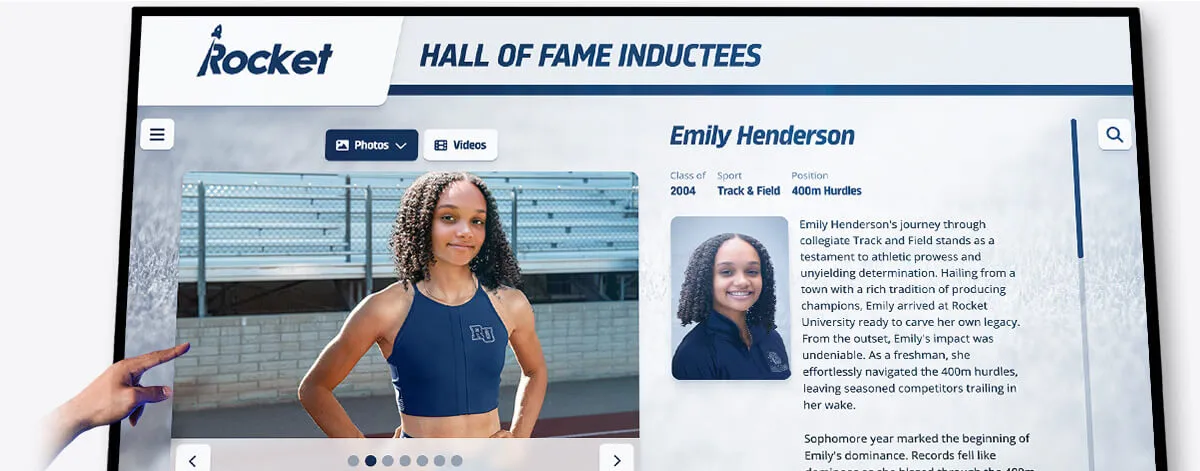
An inductee profile on a touchscreen hall of fame display: every profile displayed here began as a nomination submission that passed both browser and server validation—the constraint checks on the nomination form are the first quality gate for the athlete's recognition record
Frequently Asked Questions
Does calling checkValidity() on the form check every field, including those outside the form element?
form.checkValidity() walks the form’s elements collection—every form-associated control that has the form as its owner. Controls that are descendants of the <form> element are automatically associated. Controls elsewhere in the document can be associated via a form attribute whose value matches the form’s id. Controls with neither association are not checked. On a nomination form with fields distributed across multiple steps or sections, confirm that every field is form-associated before treating a true return from form.checkValidity() as evidence that all fields passed.
Can reportValidity() be called on a form with novalidate?
Yes. novalidate suppresses the automatic validation check on default submission and on requestSubmit(). It does not prevent an explicit call to reportValidity() from running and surfacing messages in a JavaScript handler. A form with novalidate can still call reportValidity() before programmatically submitting with form.submit(). Whether it does is a code decision—novalidate alone does not guarantee that validation messages will never appear, only that they will not appear automatically on default submission.
Does requestSubmit() fire the submit event even if validation fails?
No. requestSubmit() runs constraint validation first. If any field fails, the form does not submit and the submit event is not fired. The submit event only fires when requestSubmit() determines that all constraints pass. This contrasts with form.submit(), which does not fire the submit event at all—not on failure, not on success.
Why does setCustomValidity() with null not clear the error?
The clearing behavior requires passing exactly the empty string "". The implementation checks whether the argument is an empty string—not whether it is falsy. null, undefined, false, and 0 are non-empty-string values; the method treats them as custom validity messages, which become the error text shown to the nominator. Only "" satisfies the clearing condition. This rule is consistent across browsers.
Is the minlength constraint only enforced for user-typed input?
According to the MDN Constraint Validation guide, minlength and maxlength apply to the value of the control as entered by the user. Values set via the value property in JavaScript—whether by a script, an auto-fill, a paste handler, or a multi-step form carrying data from an earlier step—do not trigger these constraints when checkValidity() or reportValidity() is called. The browser’s internal logic distinguishes between a value the user modified and one a script assigned. Length constraints only fire for user-modified values. This is why server-side length validation is mandatory for any field where values may be set by code.
When should the audit record a check as “unverified” rather than “pass”?
An acceptance check is unverified when the expected behavior has been documented but not tested against the live form or server endpoint. A server-side rule known to exist in the codebase but not tested with a constraint-violating payload, a setCustomValidity() clearing behavior reviewed in code review but not confirmed by running validity.customError in a live DevTools session, or a range constraint that was added to the specification but not exercised with an out-of-range value during the audit—all of these are unverified. Recording them honestly as unverified rather than passing prevents the audit document from overstating what has actually been confirmed.
Reusable Checklist: Constraint Validation Audit for School Athletic Hall of Fame Nomination Forms
Copy this checklist before each nomination season opens, after any form template update, or after any change to server-side validation logic. Complete one copy per form template. Label server-side rule checks as “unverified” if they have not been tested against a live endpoint.
Pre-Audit Setup
- DevTools open on the production nomination form
- Form controls inventory complete: every field listed with constraint attributes and required/optional status
- Submission path identified: default button click,
form.submit(), orrequestSubmit() -
novalidateattribute status confirmed (present or absent) on form element - Fields with programmatic value setting identified
checkValidity() and reportValidity()
-
form.checkValidity()returnsfalsewhen any required field is blank -
form.reportValidity()surfaces a legible, actionable message at the first failing field -
input.checkValidity()tested individually for each constraint type present on the form - DevTools Console accessible for
ValidityStateflag inspection during tests
Required Fields
- Each required field produces
validity.valueMissing = truewhen blank - Form does not submit (or
checkValidity()returnsfalse) when any required field is blank - Native validation message for each required field describes what is needed
Type, Pattern, and Range Constraints
- Invalid email/URL in a typed field produces
validity.typeMismatch = true - Date before
minproducesvalidity.rangeUnderflow = true - Date after
maxproducesvalidity.rangeOverflow = true - Pattern-constrained field with non-matching value produces
validity.patternMismatch = true - Blank optional typed field passes (no constraint violation on empty optional)
- Invalid value in optional typed field fails with correct
ValidityStateflag after entry
setCustomValidity() Fields
- Error condition triggers custom error:
validity.customError = true - Resolution clears custom error:
validity.customError = false - Clearing call confirmed to pass exactly
""(notnull,undefined,false, or0)
Submission Path
-
novalidateabsent on production form, or presence documented with server validation as the sole guard -
form.submit()usage identified and documented; browser validation absence confirmed as intentional where used -
requestSubmit()present where browser validation is intended; submitter argument valid or absent - Blank required field prevents submission through
requestSubmit()(form does not submit; native message appears)
Programmatic minlength/maxlength Gap
- Fields with programmatic value setting and
minlength/maxlengthidentified - Programmatically set short value passes
checkValidity()(gap confirmed); field listed for server-side check - Server-side length validation confirmed for each gap field—or marked “unverified”
Server-Side Validation (Independent Layer)
- Constraint-violating payload posted to submission endpoint for each server-side rule
- Each test produced an appropriate error response
- All server-side rules: test payload and response recorded
- Server-side rules not yet tested: labeled “unverified acceptance check”
Connecting the Audit to the Nomination Records Workflow
The constraint validation audit addresses the form layer of the nomination workflow—the boundary where a community member’s endorsement becomes a structured record. Schools that complete this check have confirmed what the browser enforces, what it cannot enforce, and which rules the server handles independently.
The next boundary in the workflow is how a validated nomination becomes a reviewable record for the selection committee. That record needs to carry the same field structure the committee uses to evaluate nominees—the same name format, sport classification, and year conventions used across every inductee profile in the display directory. Constraint validation on the nomination form is the first quality step; the data architecture of the recognition program is what receives the output of that step.
When the nomination form is deployed on a school lobby kiosk where community members submit nominations in person, the kiosk browser and input method introduce a distinct testing environment. Browser constraint validation behavior confirmed on a desktop browser must be separately confirmed on the kiosk’s actual browser and operating system before nomination season opens. Field events, setCustomValidity() clearing behavior, and native validation message display may differ across browser versions and input methods in ways a desktop-only audit will not reveal.
Nomination forms that pass constraint validation, reach the server with complete data, and enter the selection workflow are the supply side of a recognition program. The display platform—the digital hall of fame wall, the touchscreen kiosk directory, the web-based inductee profile—is the output side. Both share a dependency on the same data quality: the names, dates, and award titles that constraint validation guards on entry must remain accurate and consistent through every step between submission and display.
See Nomination Workflows Built to Guard Recognition Data at Every Stage
Request a live demonstration to see how Rocket Alumni Solutions structures nomination intake, validation, and inductee record workflows for school athletic hall of fame programs.































