Athletic Archive Controlled Vocabulary: Consistent Tags for Teams and Awards
- Home /
- Digital Hall of Fame Insights & Resources /
- Athletic Archive Controlled Vocabulary: Consistent Tags for Teams and Awards
The Easiest Touchscreen Solution




Live Example: Rocket Alumni Solutions Touchscreen Display
Interact with a live example (16:9 scaled 1920x1080 display). All content is automatically responsive to all screen sizes and orientations.
Athletic archive controlled vocabulary is a standardized set of approved terms—for team names, sports, seasons, award types, and person roles—that every staff member uses when tagging records, so the same search phrase always finds every matching entry. Without it, one staff member tags a 1987 swimming record under “Swim Team,” another writes “Swimming & Diving,” and a third enters “Pool Sports.” All three records are permanently siloed from each other and from any browsing or recognition display that relies on consistent labels.
Establishing this vocabulary before you digitize, migrate, or launch a recognition display is the single highest-leverage action an athletic department or archive committee can take. A two-hour planning session that produces agreed-upon term lists will save hundreds of hours of retroactive cleanup and ensure donors, fans, alumni, and prospective athletes can actually find the history they are looking for.
A well-structured athletic archive controlled vocabulary covers five domains: team and program names, sport categories, season and year identifiers, award and honor types, and person roles. The sections below explain each domain, provide ready-to-copy term lists, and show how consistent tagging connects to searchable digital displays, recognition programs, and donor stewardship.

Consistent tagging lets every athlete record surface in searches, browsing filters, and digital recognition displays
Program Snapshot
| Element | Details |
|---|---|
| Audience | Athletic directors, archivists, booster leaders, recognition-program owners, school administrators |
| Outcome | A working controlled vocabulary that standardizes tags across all athletic records |
| Time to implement | 2–4 hours for initial vocabulary; 1 hour per season for review |
| Key deliverables | Five term-list tables covering teams, sports, seasons, awards, and roles |
| Display payoff | Consistent tags feed automatic search, browsing filters, and digital hall-of-fame displays |
Why Controlled Vocabulary Matters for Athletic Archives
School athletic archives accumulate records over decades: game programs, newspaper clippings, photograph collections, statistical ledgers, award plaques, and induction rosters. When each record is created by a different staff member or volunteer, tag inconsistency multiplies quickly.
The downstream consequences affect every downstream use case:
- Search gaps. A parent searching for their child’s sport finds only the records tagged with the term they guessed. Records filed under synonyms are invisible.
- Broken recognition displays. Digital display systems that auto-filter by sport or award type return incomplete results when the underlying tags are inconsistent.
- Audit failures. Development officers building a donor appeal around a championship era cannot trust that all related records have surfaced from the archive.
- Doubled data-entry work. Staff tag the same award three different ways across three seasons, then spend hours reconciling before every new induction class.
Resources like digital hall-of-fame tool guides consistently identify tag consistency as the foundation that all other archive and display features depend on. A controlled vocabulary solves the problem at the source by eliminating synonym variation before records enter the system.
The Five Core Taxonomy Domains
Domain 1: Team and Program Names
Team names change over time—mascot rebrands, consolidations, and district reorganizations mean a single program may carry three or four different names across a fifty-year archive. A controlled vocabulary assigns one canonical name per program and maps every historical variant to it.
How to build your team name list:
- Pull every unique team reference from your existing records.
- Identify the current official name for each program as the canonical term.
- List every historical variant as a “use for” cross-reference pointing back to the canonical term.
- Add the founding year and any known name-change dates to the term record for context.
Example team name authority table:
| Canonical Term | Historical Variants | Notes |
|---|---|---|
| Varsity Football | Football, Boys Football, Gridiron Club | Unified under one label regardless of era |
| Varsity Swimming & Diving | Swim Team, Swimming, Natatorium Squad | Include both events as one program |
| Varsity Girls Basketball | Girls Basketball, Women’s Basketball, Lady Eagles Basketball | Drop mascot-specific variants for the canonical term |
| Cross Country (Boys) | Boys XC, Cross Country–Male, Distance Running | Separate boys and girls records by gender modifier |
| Cross Country (Girls) | Girls XC, Cross Country–Female | Consistent gender modifier across all dual-gender sports |
| Varsity Baseball | Baseball, Diamonds | JV and Varsity should be separate canonical terms |
| JV Baseball | Junior Varsity Baseball, JV Diamonds | Prefix all JV programs with “JV” for sort consistency |
Keep mascot references out of canonical sport terms. “Lady Eagles Basketball” becomes unsearchable the moment the mascot changes.
Domain 2: Sport Categories
Sport categories sit one level above team names and group individual programs for broad browsing. They matter most when a display or database needs to return “all fall sports” or “all individual sports” rather than cycling through every team one by one.
Recommended sport category list:
| Category | Programs Included |
|---|---|
| Fall Team Sports | Football, Soccer (Boys/Girls), Field Hockey, Volleyball |
| Winter Team Sports | Basketball (Boys/Girls), Ice Hockey, Swimming & Diving, Wrestling |
| Spring Team Sports | Baseball, Softball, Lacrosse (Boys/Girls), Track & Field (relay events) |
| Fall Individual Sports | Cross Country (Boys/Girls), Golf (Boys/Girls) |
| Winter Individual Sports | Gymnastics, Skiing/Snowboarding, Wrestling (individual competition) |
| Spring Individual Sports | Tennis (Boys/Girls), Track & Field (individual events) |
| Year-Round / Unified | Cheerleading, Dance/Drill Team, Unified Sports |
Apply one primary category per record. If a record spans multiple sports—such as a multi-sport athlete profile—apply multiple categories rather than creating a catch-all “multi-sport” tag that obscures filtering.
Domain 3: Season and Year Identifiers
Season identifiers create the temporal spine of your archive. Without consistent season labels, searching for “all state championships won in the 1990s” requires manual review of every record because year formats vary: 1994, 94, 1993-94, AY1994.
Standardize on academic year format: YYYY–YY (e.g., 1993–94).
Four rules for season identifiers:
- Always use academic year, not calendar year. A fall season that begins in August 2024 belongs to
2024–25, not2024. - Add a season modifier when your archive holds records from multiple seasons in the same year:
2024–25 Fall,2024–25 Winter,2024–25 Spring. - Tag era ranges for bulk discovery. For browsing by decade, add a secondary tag:
1990s,2000s,2010s. Keep these as supplementary tags—not replacements for the specific academic year. - Do not abbreviate inconsistently. Decide once between
2024–25and2024-2025and enforce it across all entry points. Mixed formats break sort order in every database system.
Season identifier reference table:
| Season Entered | Correct Tag | Incorrect Variants to Retire |
|---|---|---|
| Fall 1987 | 1987–88 Fall | Fall 87, 87-88, 1987 Season |
| Winter 2002–03 | 2002–03 Winter | Winter 2002, 02-03 Winter, 2003 Winter |
| Spring 2019 | 2018–19 Spring | Spring 2019, 19 Spring, S2019 |
| Full athletic year | 2023–24 | 2023-24, 2023/24, AY2024 |
Domain 4: Award and Honor Types
Award taxonomy is where most athletic archives diverge most severely from consistent practice. A “Conference Champion” may be entered as “conference title,” “league champion,” “district champion,” or the specific conference name—none of which match each other in a search.
Build a two-level award taxonomy: a broad award class and a specific award type.
| Award Class | Specific Award Types |
|---|---|
| State / National | State Championship, State Runner-Up, State Qualifier, National Championship, All-American |
| Regional / Conference | Conference Championship, Conference Runner-Up, Regional Championship, District Title |
| Individual Athletic | MVP, Most Improved, Captain, First-Team All-Conference, Second-Team All-Conference, All-State |
| Academic-Athletic | Academic All-Conference, Academic All-State, Scholar-Athlete Award |
| Hall of Fame / Induction | Athletic Hall of Fame Inductee, Wall of Honor Honoree, Distinguished Athlete |
| Record | School Record, Program Record, Conference Record, State Record |
| Service & Leadership | Sportsmanship Award, Coaches Award, Team Captain Award, Booster Award |
When building academic-athletic award terms, cross-reference academic achievement award standards and academic recognition program frameworks to ensure dual-recognition honorees appear consistently across both athletic and academic archives.
Domain 5: Person Roles
Person records tie every other domain together. A single athlete may appear as a player, a record-holder, an award recipient, a hall-of-fame inductee, and later a coach—at different points in their relationship with the school. Tagging role consistently ensures that relationship is navigable rather than fragmented across unlinked records.
Standard person role vocabulary:
| Role Term | When to Apply |
|---|---|
Student-Athlete | Active player records, season rosters, game statistics |
Team Captain | Athletes who held the captain designation in a given season |
Award Recipient | Any person receiving a named award; use with award type tag |
Record Holder | Any person associated with a school, conference, or state record |
Hall of Fame Inductee | Any person formally inducted into a school or program HOF |
Coach | Head coaches and assistant coaches; pair with program and season tags |
Head Coach | Distinguish head coaches from assistants when coaching records are detailed |
Alumni Contributor | Former athletes who donated, served on committees, or provided oral history |
Donor | Individuals recognized for financial support of athletic programs |
Step-by-Step: Building Your Athletic Archive Controlled Vocabulary
Follow these six steps to move from scattered tags to a working vocabulary your entire team will use:
Audit existing tags. Export all unique tags from your current database or spreadsheet. Group them visually by domain—team names, sports, seasons, awards, roles. Count how many variants exist for each concept to understand the scope of cleanup needed.
Identify your canonical terms. For each group of variants, select the single official term. Prefer the term used in current official communications. Document every variant you are retiring so the crosswalk is complete.
Create a crosswalk document. A crosswalk maps every retired variant to its canonical replacement. Share it with everyone who enters records. Post it where entry happens—on the database login page, in the archive room, in the shared drive folder.
Retrofit existing records. Apply a batch-replace operation to swap retired terms for canonical ones. In most spreadsheet or database tools, a find-and-replace handles this in minutes. If you are using a digital hall-of-fame platform, confirm whether the CMS supports bulk tag editing before beginning.
Set up entry controls. In a shared spreadsheet, use data-validation drop-down lists that limit entries to approved terms. In a dedicated platform, use locked tag libraries that prevent free-text entry. The goal is to make the right term the easiest term to choose.
Schedule a quarterly review. Each season adds new awards, name changes, and new person records. A 30-minute quarterly review keeps the vocabulary current and catches new variants before they accumulate into the same problem you just cleaned up.
Connecting Controlled Vocabulary to Digital Displays and Recognition Programs
Consistent tags do more than clean up a spreadsheet. They become the structural layer that powers every downstream recognition use case.
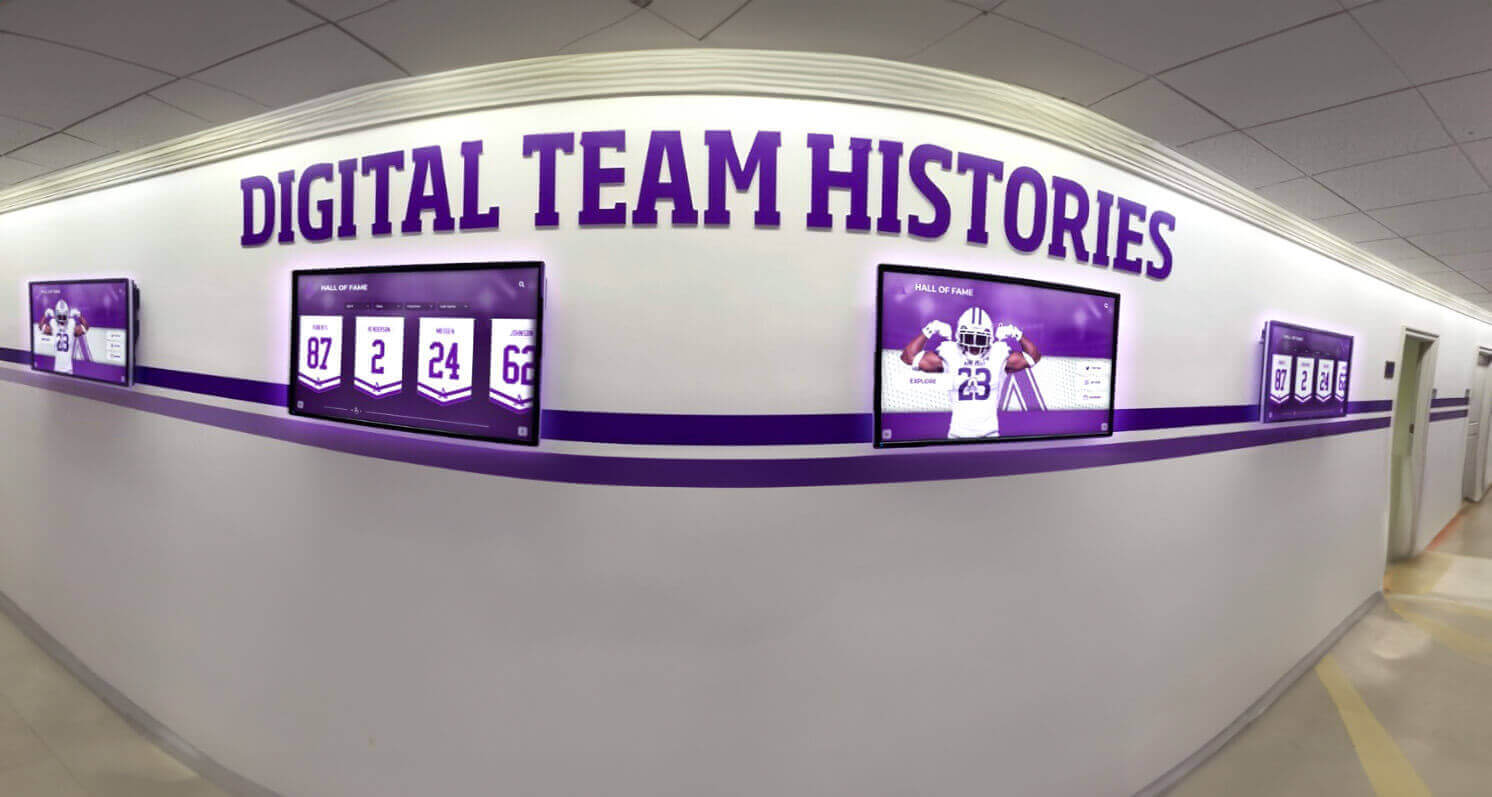
Digital hallway displays that filter by sport, season, or award depend entirely on consistent underlying archive tags
Search and browsing. When a visitor searches “state champions” on your school website or recognition platform, every record tagged State Championship returns immediately—regardless of which staff member entered it or which decade it covers.
Hall-of-fame display auto-filtering. Platforms reviewed in best hall-of-fame tools for athletics and evaluated in interactive recognition platform comparisons use tag-based filtering to populate display panels. If your tags are inconsistent, those panels show incomplete results—or return nothing at all.
Donor stewardship. Development offices use archive tags to build targeted appeals. A gift officer cultivating an alumni family whose child won First-Team All-Conference in 1998–99 can pull every record related to that season and award class in seconds—only if the tags are consistent. Recognition platforms described in donor recognition program resources depend on this kind of structured data to connect giving history to championship outcomes.
Induction class coordination. When your nomination committee evaluates candidates, consistent award and record tags let reviewers see a complete picture of each nominee’s achievements rather than relying on memory or incomplete searches. Digital hall-of-fame platform evaluations show how structured data improves induction committee workflows and reduces per-cycle preparation time.
Cross-archive linking. An athlete recognized in both the athletic archive and the academic recognition archive—for example, an Academic All-State honoree who was also a two-sport captain—can only be surfaced across both collections if both systems use compatible person-role and award-type terms.
For programs choosing a platform that enforces controlled vocabulary at the data-entry layer, Rocket Alumni Solutions provides a cloud-based CMS with structured tag libraries, bulk-edit tools, and display configurations that translate consistent tags directly into browsable, filterable recognition displays.
Reusable Artifact: Athletic Archive Vocabulary Starter Kit
Copy this table into your shared drive as the foundation of your controlled vocabulary document. Fill in the “Your Term” column with your school’s official language, then freeze it as the entry standard for everyone who touches the archive.
| Domain | Template Term | Your Term | Notes |
|---|---|---|---|
| Team | Varsity [Sport] | Apply to all varsity programs | |
| Team | JV [Sport] | Junior varsity programs | |
| Team | Unified [Sport] | Unified or adaptive programs | |
| Sport Category | Fall Team Sports | Football, Soccer, Field Hockey, Volleyball | |
| Sport Category | Winter Individual Sports | Gymnastics, Wrestling (individual), Skiing | |
| Season | YYYY–YY [Season] | E.g., 2023–24 Fall | |
| Award Class | State / National | Championship, Runner-Up, Qualifier, All-American | |
| Award Class | Conference / Regional | Championship, Runner-Up, District | |
| Award Class | Individual Athletic | MVP, All-Conference, Captain | |
| Award Class | Hall of Fame / Induction | HOF Inductee, Wall of Honor | |
| Award Class | Record | School Record, Program Record | |
| Person Role | Student-Athlete | Active player in a given season | |
| Person Role | Hall of Fame Inductee | Formal HOF induction | |
| Person Role | Coach | Head or assistant; pair with program tag | |
| Person Role | Donor | Recognized financial supporters |
Frequently Asked Questions
Does my school need specialized software to use a controlled vocabulary?
No. A shared Google Sheet or Excel file with data-validation drop-downs enforces controlled vocabulary in any archive setup. Dedicated platforms add bulk editing, automatic display integration, and cloud backup, but the vocabulary itself is a document-level discipline that any tool can support.
How do we handle award names that are unique to our school?
Add them to the nearest award class with a descriptive specific type. For example: Service & Leadership > Superintendent's Athletic Award. The class keeps the award discoverable in broad searches; the specific type preserves its unique name for people who know what to look for.
What if a sport changes its official name midway through our archive?
Assign a canonical term using the current official name. Add every previous name to the crosswalk as a “use for” entry pointing to the canonical term. Tag all historical records with the canonical term so they surface in current searches, while the crosswalk preserves the historical name for reference.
Should we tag every record with a season identifier, even photographs?
Yes. Photographs without season tags become undiscoverable the moment the context leaves staff memory. Even an approximate tag like 1990s is better than none. When retrofitting a large photograph collection, prioritize exact season tags for records tied to championships, records, or inductees, then add approximate era tags to the remainder.
How does controlled vocabulary connect to a hall-of-fame display?
Digital hall-of-fame platforms that auto-populate display panels, browsing menus, or search results rely on structured tag data as their source. Comprehensive hall-of-fame tool reviews consistently show that display quality is directly proportional to the consistency and completeness of the underlying archive tags. A display that looks incomplete almost always traces back to synonym variation in the data.
Can we apply this vocabulary to a booster club or donor recognition archive?
Yes. Extend the person-role vocabulary to include Booster Leader, Program Sponsor, and Legacy Donor. Use the same season-identifier format so donor records align temporally with the athletic records they supported. This alignment enables stewardship reports that connect giving history to championship outcomes across decades.
What is the biggest mistake programs make when building a controlled vocabulary?
Building the vocabulary in isolation. A term list created only by the archivist or only by the athletic director will miss terms the other group uses daily. Gather at least one representative from athletic administration, one from the recognition committee, and one from development before finalizing any domain. The thirty minutes spent aligning on terms prevents months of retroactive cleanup.
Measurement and Maintenance
Track these signals to know whether your controlled vocabulary is working:
| Signal | What to Measure | Healthy Target |
|---|---|---|
| Tag consistency rate | % of new records using only approved terms | ≥ 95% |
| Search recall | Records returned per search vs. total matching records | ≥ 90% match |
| Display panel completeness | Award and team filter panels returning expected record counts | No empty or truncated panels |
| Retroactive cleanup time | Hours spent correcting tag errors per induction cycle | Decreasing each cycle |
| Quarterly vocabulary additions | New terms added per review cycle | 3–10 per season |
Review the vocabulary every season and document any additions in the crosswalk. A vocabulary that grows in an undocumented way accumulates the same synonym problem it was designed to prevent.
Final Checklist Before You Launch
- All five domains have a finalized term list covering the programs relevant to your school
- A crosswalk document maps every retired term to its canonical replacement
- Data-entry controls (drop-downs or locked tag libraries) are in place at every entry point
- Existing records have been batch-updated to canonical terms
- A quarterly vocabulary review is scheduled with a named owner
- Display configurations in your digital platform are mapped to canonical terms
- The crosswalk is stored in at least two locations (shared drive and archive folder)
A maintained athletic archive controlled vocabulary is the infrastructure layer that makes every other recognition investment work correctly—from browsable digital displays to donor stewardship reports to induction committee research. The vocabulary itself costs nothing to build. The payoff is a school athletic history that any stakeholder can search, explore, and celebrate for decades.
Request your free custom demo to see how Rocket Alumni Solutions supports controlled vocabulary enforcement, structured tag libraries, bulk-edit tools, and ADA-compliant recognition displays—so your school’s athletic archive translates into an engaging experience for athletes, alumni, donors, and families.
Live Example: Rocket Alumni Solutions Touchscreen Display
Interact with a live example (16:9 scaled 1920x1080 display). All content is automatically responsive to all screen sizes and orientations.































