




Apartment complex digital displays represent a transformative shift in how property managers communicate with residents, showcase amenities, provide wayfinding assistance, and build community engagement in multi-family properties. As modern renters increasingly expect technology-enabled living experiences, digital displays have evolved from simple bulletin boards into sophisticated communication platforms that enhance resident satisfaction, streamline property operations, and differentiate communities in competitive rental markets.
Traditional apartment communication methods create persistent challenges: paper notices that residents ignore, bulletin boards that become cluttered and outdated, amenity information that prospective tenants never discover, and emergency communications that fail to reach residents quickly. These friction points diminish resident satisfaction while increasing property staff workload through repetitive inquiries about basic information readily available but poorly communicated.
This comprehensive guide explores apartment complex digital display implementation, examining resident communication strategies, interactive wayfinding solutions, amenity promotion, emergency notification systems, community engagement features, and operational benefits. Whether you’re a property manager evaluating technology investments, a real estate developer planning new construction, or a property owner seeking to enhance resident experiences, understanding these modern communication systems provides valuable insights for making informed decisions that deliver measurable value.
The multi-family housing industry faces unique challenges balancing resident communication needs with operational efficiency across properties ranging from small walk-up buildings to large luxury complexes with hundreds of units. Digital displays elegantly address these challenges by centralizing information delivery, automating routine communications, and creating engaging experiences that residents actually notice and appreciate—transforming how properties communicate while reducing staff time spent answering repetitive questions.

Interactive displays create welcoming self-service experiences that empower apartment residents to access community information independently
Understanding Digital Displays for Apartment Communities
Before exploring specific applications, understanding what apartment complex digital displays are and how they differ from generic digital signage provides essential context for effective implementation.
What Are Apartment Complex Digital Displays?
Apartment digital displays utilize touchscreen technology, digital signage, and interactive kiosks to communicate information, showcase amenities, provide navigation assistance, and engage residents through dynamic, attractive formats that traditional bulletin boards and paper notices cannot match.
Core Components
Modern apartment display systems typically include:
- Large-format displays or touchscreen kiosks in lobbies and common areas
- Content management software enabling easy updates from property offices
- Cloud-based platforms allowing remote management across multiple properties
- Integration capabilities with property management and leasing systems
- Multilingual support serving diverse resident populations
- Mobile accessibility extending information beyond physical displays
- Analytics tracking engagement and information effectiveness
Primary Functions
Apartment digital displays serve multiple integrated purposes:
- Resident communication – Announcements, maintenance notices, policy updates, and community news
- Wayfinding and directories – Interactive maps helping residents and visitors navigate properties
- Amenity showcasing – Highlighting fitness centers, pools, business centers, and community spaces
- Event promotion – Communicating resident activities, social gatherings, and community programs
- Emergency alerts – Broadcasting urgent safety information and weather warnings
- Leasing support – Showcasing available units and community features to prospective residents
- Vendor information – Displaying service provider details, hours, and contact information
These diverse functions address the comprehensive communication needs that apartment communities face daily, replacing fragmented notice systems with integrated digital platforms.
The Evolution from Bulletin Boards to Digital Communication
Understanding how apartment communication evolved helps contextualize why digital displays have become essential for modern properties.
Traditional Communication Challenges
Physical bulletin boards and paper notices face inherent limitations:
- Paper notices easily overlooked, removed, or become outdated
- Limited space forcing selective posting of important information
- Cluttered, disorganized appearance diminishing professional image
- Weather damage to outdoor postings reducing effectiveness
- No tracking of whether residents actually see critical information
- Time-consuming updates requiring staff to post notices at multiple locations
- Inability to communicate urgently during emergencies
- Language barriers preventing effective communication with diverse populations
These limitations became increasingly problematic as resident expectations evolved and properties grew larger and more complex.
Digital Solution Development
Technology advancement enabled new communication possibilities addressing traditional limitations:
- Affordable large-format displays bringing digital communication within budget
- Touchscreen technology creating intuitive interaction for resident self-service
- Cloud platforms simplifying content management across multiple locations
- Mobile integration extending communication beyond physical displays
- Analytics providing insights into communication effectiveness
- Real-time updates enabling immediate information distribution
- Multilingual capability ensuring inclusive communication
Solutions like Rocket Alumni Solutions provide platforms specifically designed for recognition and communication applications, offering capabilities that generic digital signage cannot accommodate effectively while maintaining intuitive management requiring minimal technical expertise. Understanding touchscreen experience design principles helps ensure optimal user interaction and engagement.

Professional kiosk installations provide comprehensive information access while enhancing property aesthetics and perceived value
Essential Applications for Apartment Digital Displays
Modern apartment communities utilize digital displays for diverse purposes, each addressing specific resident needs and operational challenges.
Resident Communication and Announcements
The most fundamental application involves communicating important information to residents effectively and consistently.
Maintenance and Service Notifications
Digital displays excel at communicating operational information:
- Scheduled maintenance windows for HVAC, plumbing, or electrical systems
- Water shut-off notifications with specific timing and affected units
- Elevator service schedules and temporary closures
- Parking lot resurfacing or striping affecting availability
- Landscaping and grounds maintenance creating temporary disruptions
- Pest control treatment schedules requiring resident preparation
- Amenity closures for cleaning, repairs, or renovations
- Package delivery notifications and pickup procedures
According to property management research, residents viewing maintenance notifications through digital displays demonstrate significantly higher awareness compared to traditional paper notices, reducing complaint calls and improving satisfaction with how properties communicate service disruptions.
Policy Updates and Community Guidelines
Important policy communications benefit from prominent display placement:
- Lease policy changes and effective dates
- Pet policy updates and registration requirements
- Guest and visitor parking procedures
- Noise ordinances and quiet hours enforcement
- Recycling and waste disposal guidelines
- Package room procedures and liability notices
- Security protocols and building access procedures
- Holiday schedule changes for office and amenity hours
Digital presentation enables updating information immediately when policies change, ensuring residents always access current guidelines rather than outdated paper notices that may remain posted long after policies evolve.
Community Events and Social Programming
Resident engagement thrives when communities effectively promote social opportunities:
- Resident mixers and social gatherings with RSVP options
- Holiday celebrations and seasonal events
- Fitness classes and wellness programming
- Educational workshops and learning opportunities
- Food truck visits and pop-up vendor events
- Community service projects and volunteer opportunities
- Children’s activities and family programming
- Virtual events and online community gatherings
Properties with active social calendars report that digital promotion generates 40-60% higher event attendance compared to email-only communication, as visual displays capture attention from residents who might otherwise overlook email announcements among daily inbox clutter. Exploring library interactive display strategies reveals similar principles for public space communication applicable to apartment common areas.
Understanding comprehensive approaches to community showcase projects provides frameworks for building engagement through various recognition and communication programs.
Interactive Wayfinding and Property Navigation
Large apartment communities present navigation challenges for residents, guests, and service providers unfamiliar with property layouts.
Building and Unit Location
Interactive wayfinding helps visitors find destinations:
- Touch-enabled property maps showing all buildings and structures
- Unit number lookup with building identification and directions
- Searchable resident directories (with privacy controls and opt-in participation)
- Turn-by-turn navigation from kiosk locations to destinations
- Accessibility routing identifying elevators and accessible paths
- Parking area identification with walking route display
- Building entrance locations for properties with multiple access points

Interactive wayfinding reduces resident and visitor confusion while decreasing staff time spent providing directions
Amenity and Common Area Directories
Comprehensive facility guides help residents discover and utilize amenities:
- Fitness center equipment guides and class schedules
- Pool and spa operating hours and regulations
- Business center capabilities and equipment available
- Community room reservation procedures and availability
- Package room locations and access hours
- Mail room locations and postal service information
- Laundry facility locations and machine availability
- Pet amenity locations including dog parks and washing stations
- Covered parking locations and assigned space identification
Many residents remain unaware of available amenities simply because they never received clear information about locations and features. Interactive directories ensure residents discover everything their community offers, improving perceived value and satisfaction while justifying premium rents through increased amenity utilization.
Comprehensive understanding of building directory and wayfinding systems demonstrates principles applicable across various property types requiring navigation assistance.
Vendor and Service Provider Access
Service professionals visiting properties benefit from clear navigation:
- Maintenance request location identification for work orders
- Delivery driver guidance to specific unit locations
- Move-in and move-out coordination with loading areas
- Contractor access to work sites within properties
- Utility service access to equipment locations
- Emergency services access improving response time
This wayfinding support reduces delivery errors, improves service efficiency, and minimizes disruption from vendors asking residents or staff for directions throughout properties.
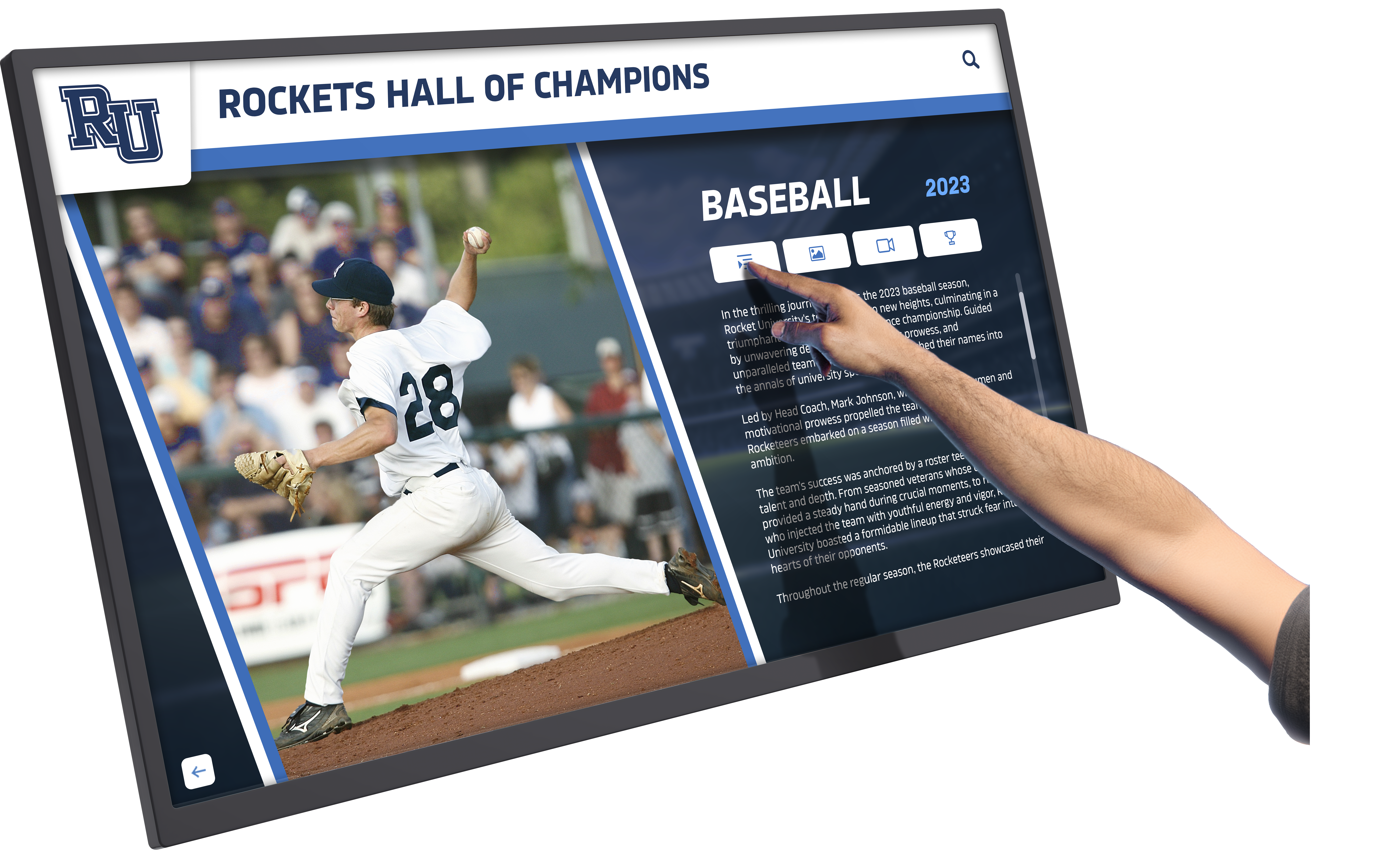
Responsive touchscreen technology provides intuitive interaction that requires no training or technical knowledge
Amenity Promotion and Utilization
Digital displays help properties maximize return on amenity investments by ensuring residents know what’s available and feel encouraged to participate.
Fitness Center and Wellness Facilities
Health and wellness amenities represent significant property investments deserving promotion:
- Equipment guides with photos and usage instructions
- Class schedules for yoga, pilates, spin, and fitness programming
- Personal training services and wellness coaching availability
- Virtual fitness options and on-demand classes
- Equipment reservation systems for high-demand machines
- Fitness challenge programs encouraging resident participation
- Wellness tips and health information
- Hours of operation and access procedures
Properties effectively promoting fitness amenities through digital displays report 35-50% higher utilization rates compared to passive communication approaches, demonstrating that awareness drives usage and justifies premium amenity investments.
Social Spaces and Community Rooms
Gathering spaces require clear communication about availability and reservation procedures:
- Reservation systems showing availability and booking procedures
- Room capacity and setup options with photographs
- Equipment available including AV, furniture, and catering support
- Usage policies and cleaning requirements
- Upcoming reservations showing community event calendar
- Featured events highlighting property-sponsored programming
- Catering vendor recommendations and contact information
- Pricing structures for resident use versus guest events
Interactive reservation capabilities transform displays from passive information sources into functional tools enabling resident self-service, reducing property management staff time while improving resident satisfaction through convenient 24/7 booking access.
Pool, Spa, and Outdoor Amenities
Seasonal amenities benefit from timely promotion:
- Operating hours and seasonal schedules
- Weather-related closures and reopening information
- Pool rules and capacity limits when applicable
- Cabana or lounge chair reservation procedures
- Special events like pool parties and outdoor movies
- Maintenance schedules for cleaning and service
- Safety information and lifeguard availability
- Guest policies and visitor procedures
Comprehensive approaches to interactive information displays demonstrate principles for effective amenity communication across various organizational contexts.
Emergency Communication and Safety Alerts
Perhaps the most critical application involves rapidly communicating urgent safety information during emergencies.
Emergency Alert Capabilities
Digital displays provide immediate emergency communication:
- Severe weather warnings and shelter-in-place instructions
- Fire alarms and evacuation procedures with exit route display
- Gas leaks or utility emergencies requiring evacuation
- Security incidents requiring lockdown procedures
- Water main breaks affecting service
- Power outages and generator status information
- Tornado warnings and designated shelter locations
- Hurricane preparation and mandatory evacuation notices
According to emergency management experts, digital displays significantly improve emergency communication effectiveness by providing visual information that remains visible even when audio alarm systems become difficult to understand or when residents may not hear verbal announcements. This multi-channel approach ensures critical safety information reaches residents through multiple simultaneous pathways.
Integration with Emergency Systems
Effective emergency communication requires system integration:
- Fire alarm system connections triggering automatic display alerts
- Weather monitoring services pushing severe weather warnings
- Emergency notification platforms distributing urgent messages
- Security system integration communicating lockdown procedures
- Power management system status updates during outages
- Water system monitoring alerting to service disruptions
These integrations enable automatic emergency message distribution without requiring property staff to manually update displays during crisis situations when every second matters and staff attention focuses on resident safety rather than communication logistics.
Public Safety and Community Security
Beyond acute emergencies, displays support ongoing safety communication:
- Crime prevention tips and safety awareness
- Security patrol schedules and contact information
- Surveillance system notifications deterring criminal activity
- Lost and found information for resident belongings
- Community watch program information and participation
- Visitor registration requirements and procedures
- Parking enforcement policies and violations
- Emergency contact numbers for police, fire, and medical services
This comprehensive safety communication helps residents feel secure while demonstrating property management’s commitment to community well-being—a key factor in resident satisfaction and retention.
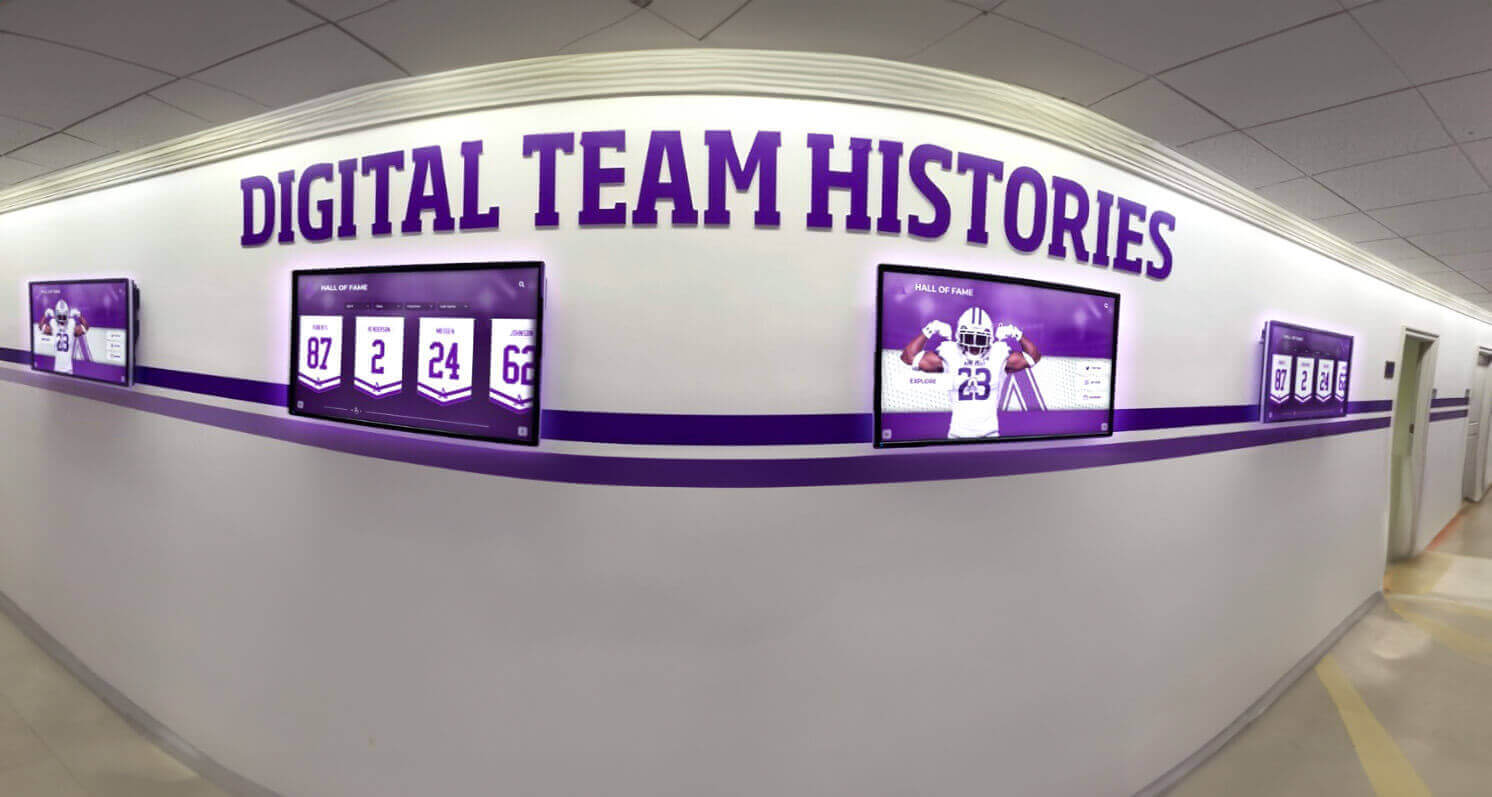
Strategic display placement throughout properties ensures critical information reaches residents wherever they spend time
Operational Benefits for Property Management
Beyond resident-facing advantages, digital displays deliver substantial operational benefits that justify technology investments through improved efficiency and reduced workload.
Reduced Administrative Burden
Property management staff face constant communication demands that digital displays help address systematically.
Decreased Repetitive Inquiries
Self-service information access reduces staff interruptions:
- Amenity hours and access procedures displayed rather than repeatedly explained
- Maintenance schedules visible eliminating advance notice questions
- Event information available reducing RSVP and detail inquiries
- Policy information accessible preventing compliance questions
- Service provider contacts displayed eliminating lookup requests
- Wayfinding assistance reducing direction inquiries from visitors
- Package notification reducing pickup timing questions
Properties implementing comprehensive digital communication report 30-50% reduction in routine resident inquiries, enabling staff to focus on complex issues requiring personal attention rather than answering basic questions readily addressed through self-service information access. This efficiency improvement proves particularly valuable for smaller properties with limited staffing or larger communities where inquiry volume otherwise overwhelms available personnel.
Streamlined Communication Workflows
Digital platforms simplify information distribution:
- Single-point content updates distributing across all displays automatically
- Scheduled messaging publishing announcements at optimal times
- Template systems ensuring consistent professional presentation
- Multi-property management updating all locations simultaneously
- Archive functionality preserving communication history
- Preview capabilities verifying content before publication
- Mobile management enabling updates from anywhere
These workflow improvements enable property managers to communicate more effectively while spending less time on routine announcement creation and distribution compared to traditional paper-notice systems requiring printing, posting, and removal at multiple locations throughout properties.
Enhanced Leasing and Marketing Support
Digital displays serve important functions during prospective resident tours and leasing processes.
Showcasing Property Features
Visual presentation helps prospective residents appreciate community value:
- Amenity galleries with high-quality photography showcasing facilities
- Floor plan displays showing available unit layouts and features
- Virtual tours providing immersive property exploration
- Resident testimonials (with permission) sharing authentic experiences
- Community event photography demonstrating active social programming
- Awards and recognition highlighting property distinctions
- Sustainability features and green building certifications
- Neighborhood information showcasing local attractions and conveniences
According to multifamily industry research, properties effectively utilizing digital displays during leasing tours experience 20-35% higher prospect-to-lease conversion rates compared to properties relying solely on verbal descriptions and paper brochures. Visual, interactive presentation creates memorable impressions that differentiate properties in competitive markets where prospective residents tour multiple communities before making rental decisions.
Real-Time Availability Information
Current unit availability streamlines leasing processes:
- Available units by floor plan and bedroom count
- Move-in date availability and lease term options
- Pricing information and current specials or concessions
- Amenity access and parking availability
- Pet policy details for prospective residents with animals
- Application procedures and required documentation
- Virtual waiting lists for desired units not currently available
- Lease renewal options for existing residents
This transparency improves leasing efficiency while managing prospect expectations appropriately from initial inquiry through application and move-in.
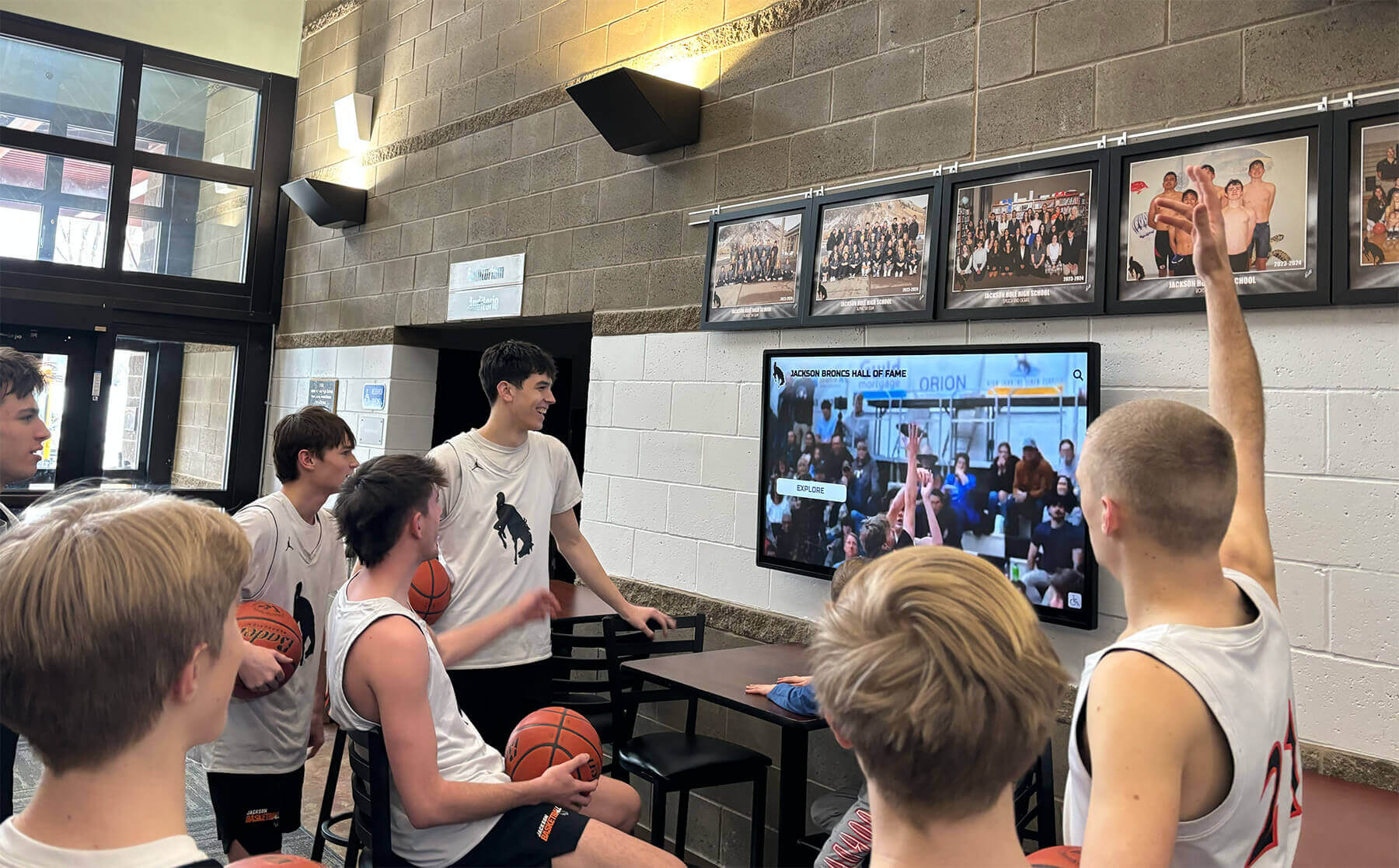
Digital displays create natural gathering points where residents discover information and connect as a community
Data-Driven Communication Optimization
Analytics capabilities enable continuous improvement based on actual resident engagement patterns rather than assumptions.
Engagement Metrics
Comprehensive tracking reveals communication effectiveness:
- Display interaction frequency and daily usage patterns
- Content popularity showing which information residents access most
- Average engagement duration indicating information relevance
- Search queries revealing resident interests and concerns
- Navigation pathways showing how residents explore information
- Demographic patterns when user data available
- Comparison across multiple displays within properties
- Seasonal variations informing content strategy
These insights enable evidence-based communication optimization rather than guessing what residents want or need. Properties discover which amenities require more promotion, what times residents most actively engage with information, which communication formats prove most effective, and where confusion exists requiring clarification.
Continuous Improvement
Data insights drive ongoing enhancement:
- Content refinement based on popularity and engagement metrics
- Interface improvements addressing navigation challenges
- Promotion strategies adjusted based on event attendance patterns
- Information architecture reorganized based on search patterns
- Seasonal messaging optimized for timing and relevance
- Display placement evaluation identifying optimal locations
- Multilingual content expansion based on language selection patterns
Organizations committed to communication excellence use these insights to continuously refine approaches based on actual resident behavior rather than maintaining static programs that may not effectively serve evolving community needs.
Essential Features for Apartment Digital Display Systems
Understanding critical capabilities helps property managers evaluate solutions and ensure implementations meet current and future needs.
Intuitive Content Management Systems
Backend software determines how easily properties can maintain displays and whether non-technical staff can manage updates effectively.
Essential Management Capabilities
Quality platforms provide:
- Cloud-based access enabling management from any location
- Intuitive interfaces requiring no technical expertise or training
- Template systems ensuring consistent professional presentation
- Media libraries organizing photos, videos, and graphics
- Scheduled publishing automating content appearance and removal
- Multi-display coordination managing multiple screens simultaneously
- Preview functionality showing changes before publication
- Role-based permissions granting appropriate staff access
- Mobile-friendly management for updates anywhere
- Bulk operations enabling efficient multi-property management
Property managers should prioritize purpose-built communication platforms rather than generic digital signage systems, as specialized solutions include resident communication features and property management integration that general-purpose systems lack.
Integration Capabilities
Effective systems connect with existing property technology:
- Property management software synchronizing resident data
- Leasing platforms displaying current availability
- Event management tools promoting community programming
- Emergency notification systems distributing urgent alerts
- Weather services providing location-specific forecasts
- Calendar systems coordinating amenity reservations
- Vendor management platforms sharing service provider information
- Analytics platforms tracking engagement comprehensively
Integration eliminates duplicate data entry while ensuring information remains current and accurate across all communication channels automatically rather than requiring manual synchronization that creates errors and outdated content.

Professional kiosk installations integrate with property design while ensuring prominent visibility and accessibility
Multilingual Support and Accessibility
Apartment communities serve diverse populations requiring inclusive communication approaches.
Language Accessibility
Multilingual capabilities serve diverse resident populations:
- Instant language selection allowing residents to choose preferred languages
- Comprehensive translation covering all interface elements and content
- Cultural adaptation ensuring information makes sense across contexts
- Regular updates as community demographics evolve
- Audio output providing voice guidance in multiple languages
- Language preference memory recognizing returning users
Many communities serve populations speaking Spanish, Mandarin, Vietnamese, Tagalog, Russian, or other languages prevalent in their areas. Providing information in these languages reduces confusion while demonstrating respect for linguistic diversity and ensuring all residents receive equal access to critical information regardless of English proficiency.
Physical Accessibility
Beyond language, physical accessibility ensures all residents can use systems:
- Mounting heights accommodating wheelchair users and various statures
- Audio guidance providing voice directions for visually impaired residents
- High-contrast display modes supporting users with limited vision
- Adjustable text sizes improving readability
- Tactile buttons supplementing touchscreen interfaces when needed
- Clear floor space allowing wheelchair maneuvering
- Braille labels on physical controls when applicable
These features align with Fair Housing Act requirements while demonstrating communities’ commitments to equal access, ensuring all residents can independently access information regardless of physical capabilities.
Mobile Integration and Extended Access
Recognition impact extends beyond physical displays when digital systems include online accessibility.
Mobile App Integration
Smartphone connectivity enhances resident engagement:
- Same information available on physical displays accessible via mobile apps
- Push notifications delivering time-sensitive announcements
- Amenity reservation capabilities accessible anywhere
- Maintenance request submission and tracking
- Rent payment and account management
- Package delivery notifications and tracking
- Community event RSVP and calendar integration
- Direct messaging with property management
Research indicates that mobile-accessible information receives 10-20 times more views than physical display interactions alone, dramatically expanding communication reach and effectiveness while enabling residents to access information whenever convenient rather than only when passing physical displays.
Web Portal Access
Online extensions amplify communication value:
- Responsive design ensuring computer and tablet compatibility
- Search functionality finding specific information quickly
- Direct links to specific content for email and text communications
- Global accessibility enabling information access before move-in
- Integration with property websites and resident portals
- QR codes on physical materials directing to online information
Comprehensive approaches to creating online information access demonstrate principles for extending physical displays into digital ecosystems serving diverse access preferences.
Implementation Strategy for Apartment Communities
Successful digital display deployment requires thoughtful planning addressing technical, operational, and resident adoption factors.
Planning Your Digital Display Implementation
Strategic groundwork prevents common pitfalls and ensures investments deliver lasting value.
Needs Assessment and Goal Definition
Clear objectives guide all decisions:
- Which resident pain points will displays address most effectively?
- What property management inefficiencies can technology reduce?
- How will success be measured quantitatively?
- What adoption rates justify investment and ongoing costs?
- Which property areas experience highest foot traffic for optimal placement?
- How do resident demographics affect technology preferences and capabilities?
- What seasonal variations affect content strategy and communication needs?
Properties implementing displays without clear objectives frequently discover systems under-utilized or misaligned with actual needs, creating expensive mistakes and organizational skepticism about future technology investments. Beginning with comprehensive needs assessment ensures alignment between capabilities and requirements.
Location and Quantity Planning
Strategic placement affects utilization significantly:
- Main lobby entrances serving all residents entering and exiting
- Mailroom locations where residents naturally gather daily
- Elevator lobbies providing captive viewing audiences
- Fitness center entrances promoting wellness programming
- Pool and amenity areas communicating facility information
- Parking structure entrances reaching residents frequently
- Community room locations supporting event promotion
- Multiple buildings requiring coordination across distributed locations
Research suggests optimal display density of approximately one prominent display per 100-150 units for most properties, with higher concentrations at luxury communities emphasizing technology amenities or properties with extensive dispersed amenities requiring comprehensive communication. Under-deployment limits effectiveness, while over-deployment wastes capital and creates visual clutter diminishing aesthetic appeal.
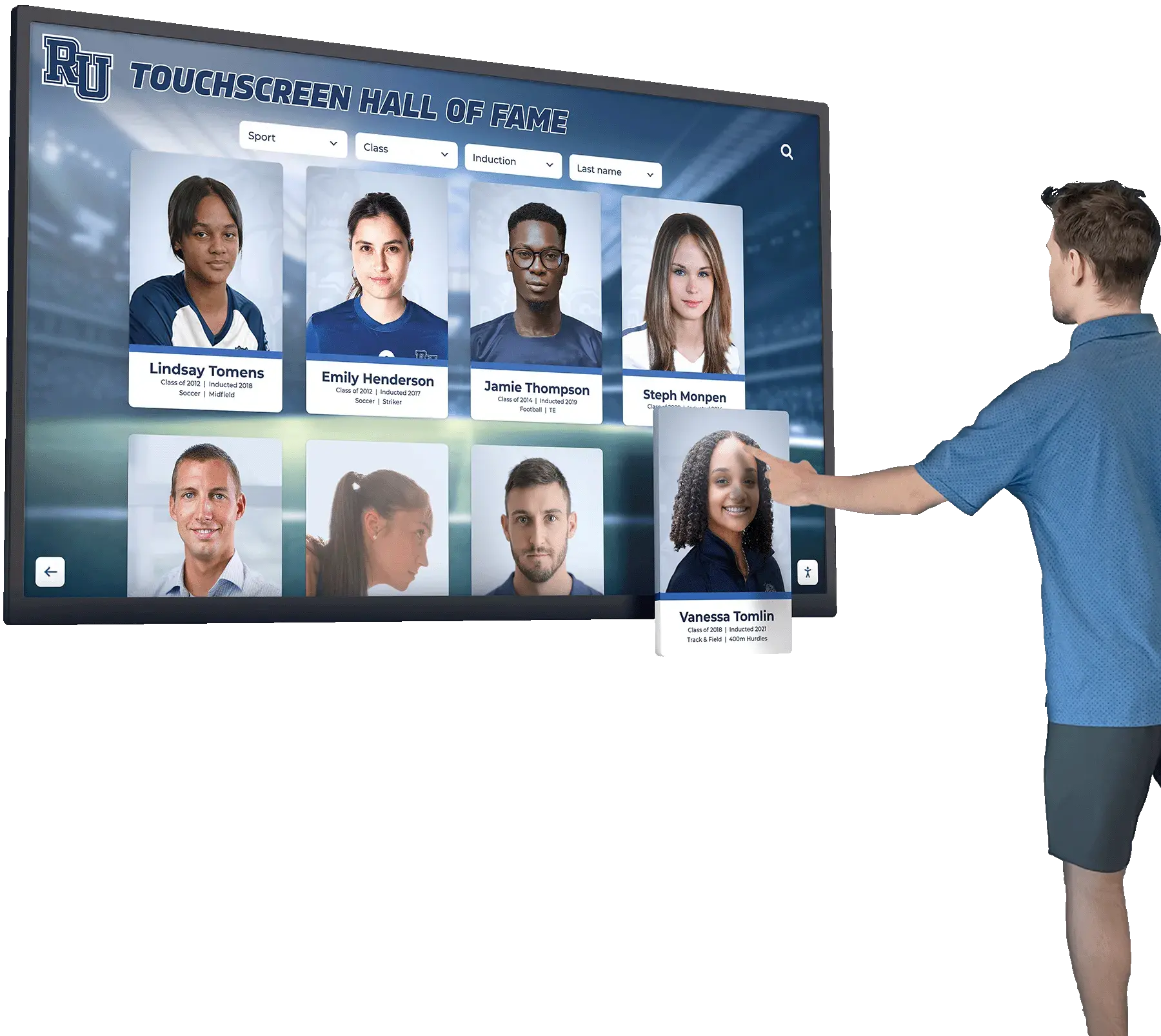
Intuitive interfaces enable residents of all ages and technical abilities to access community information comfortably
Budget and Financial Planning
Comprehensive financial analysis ensures realistic expectations:
Initial Investment Components
- Commercial-grade displays or interactive kiosks: $8,000-$15,000 per unit
- Installation and infrastructure: $2,000-$5,000 per location
- Software licensing and setup: $3,000-$8,000 annually depending on features
- Content development and design: $2,000-$5,000 for initial launch
- Network infrastructure upgrades if needed: $1,000-$5,000 depending on requirements
- Training and implementation support: $1,000-$3,000
Ongoing Operational Costs
- Software subscription or licensing: $2,000-$6,000 annually per property
- Content management and updates: Staff time or outsourced services
- Maintenance and technical support: $1,000-$3,000 annually
- Electricity and network costs: Minimal incremental expense
- Hardware refresh: Plan for 7-10 year replacement cycles
Total Investment: $15,000-$35,000 per display initially, with $3,000-$10,000 annual ongoing costs depending on features and support level. Properties implementing multiple displays benefit from economies of scale in software licensing and content development.
Understanding comprehensive digital display implementation approaches provides frameworks applicable to residential property contexts.
Deployment and Launch Strategy
Execution quality affects long-term success and resident adoption.
Phased Rollout Approach
Gradual implementation manages risks effectively:
- Pilot installation at highest-traffic location within property
- Comprehensive testing and content refinement before expansion
- Resident feedback collection and incorporation
- Staff training and adoption monitoring
- Technical issue resolution in controlled environment
- Success demonstration before additional investment
- Multi-property expansion after proving concept at initial location
Properties deploying displays throughout entire portfolios simultaneously without piloting face higher risks of discovering design problems, content challenges, or technical issues after substantial investment and commitment. Phased approaches limit exposure while enabling learning that improves subsequent installations.
Resident Communication and Awareness
Adoption requires conscious promotion:
- Pre-launch communications introducing display capabilities
- Signage directing attention to display locations
- Welcome packet information for new residents
- Staff recommendations during tours and move-in
- Email campaigns highlighting useful features
- Social media posts demonstrating functionality
- Incentive programs rewarding early adoption and feedback
- Regular content refreshes maintaining interest and relevance
Many properties initially experience 20-40% regular engagement that grows to 60-80% over 6-12 months as awareness builds and residents discover value. Proactive promotion accelerates adoption curves, enabling faster return on investment and communication effectiveness.
Staff Training and Enablement
Human factors determine technology success:
- Property management training on content creation and updates
- Leasing team awareness for tour integration and prospect communication
- Maintenance staff basic troubleshooting and support procedures
- Front desk personnel resident assistance capabilities
- Clear documentation of procedures and workflows
- Ongoing skill development as features expand
- Feedback mechanisms enabling improvement suggestions
Staff resistance or indifference undermines digital display value. When employees understand how displays make their jobs easier and improve resident satisfaction, they become advocates who actively promote usage rather than obstacles who minimize technology’s value or direct residents away from self-service options.
Cost Considerations and Return on Investment
Understanding complete financial implications enables informed decision-making and realistic expectations about value delivery.
Return on Investment Analysis
Properties realize value through multiple channels beyond immediate operational cost reduction.
Operational Efficiency Gains
Most directly measurable returns come from reduced workload:
- Decreased staff time answering repetitive resident inquiries: 5-10 hours weekly valued at $10,000-$25,000 annually depending on staffing costs
- Reduced printing, posting, and removal of paper notices: $2,000-$5,000 annually for materials and labor
- Streamlined leasing tours requiring less staff time: Efficiency improvement enabling higher prospect volume
- Reduced maintenance coordination calls: $5,000-$15,000 annually in administrative time savings
- Decreased violation enforcement through better policy communication: Compliance improvement reducing conflicts
According to property management industry studies, communities implementing comprehensive digital communication typically realize 20-35% reduction in routine administrative workload within 12-18 months as residents adopt self-service information access and displays answer questions automatically.
Resident Satisfaction and Retention
Communication quality significantly affects renewal decisions:
- Improved resident satisfaction scores from better communication: Retention value
- Enhanced perceived property value justifying premium pricing: $10-$30 per unit monthly premium
- Reduced move-out rates from communication frustrations: Each prevented move-out saves $3,000-$8,000 in turnover costs
- Increased amenity utilization improving perceived value: Retention and referral value
- Better emergency preparedness building resident confidence: Safety perception affecting decisions
- Enhanced community atmosphere encouraging longer tenancies: Lifetime value improvement
Research demonstrates that properties with above-average resident communication receive higher satisfaction scores and experience 5-15% better retention compared to industry averages. Given that replacing residents costs $3,000-$8,000 per unit in turnover expenses, retention improvements alone often justify digital display investments over 3-5 year periods.
Leasing and Marketing Advantages
Displays support revenue generation during leasing processes:
- Enhanced tour experiences improving prospect-to-lease conversion: 5-15% conversion improvement valued at substantial revenue
- Reduced vacancy periods through better property marketing: Days of reduced vacancy valued at daily rent rates
- Premium pricing justified by technology amenities: $10-$30 per unit monthly
- Competitive differentiation in crowded markets: Market positioning value
- Improved online reviews mentioning communication quality: Referral traffic value
Properties in competitive markets where prospective residents tour multiple communities before making decisions gain particular advantage from professional digital display presentations that create memorable impressions differentiating properties from competitors lacking technology communication sophistication.
Total Annual Value: $20,000-$60,000+ depending on property size and effective implementation. When combined with investment costs of $30,000-$100,000 for multi-display installations, many properties achieve complete ROI within 2-4 years while delivering value throughout 7-10+ year system lifecycles before hardware replacement becomes necessary.
Best Practices for Apartment Digital Displays
Implementing strategies proven across successful property communication programs helps communities maximize investment value and resident impact.
Content Strategy and Management
Quality content determines whether displays deliver value or become ignored visual clutter.
Content Variety and Freshness
Maintaining resident interest requires diversity:
- Regular rotation preventing stale repetitive information
- Mix of practical information, community news, and engaging content
- Seasonal themes reflecting holidays and weather changes
- Time-sensitive content creating urgency and relevance
- Resident-generated content building community ownership
- Local area information connecting properties to neighborhoods
- Entertainment content during high-traffic viewing times
- Balance between property communications and value-added information
Properties allowing displays to become static announcement boards with unchanging content experience rapidly declining resident attention. Systematic content calendars with planned rotation schedules maintain freshness that keeps residents engaged and checking displays regularly rather than mentally dismissing them as irrelevant.
Visual Design Excellence
Professional presentation reflects property quality:
- High-quality photography showcasing amenities and community
- Consistent branding aligning with property identity and marketing
- Readable typography ensuring visibility from typical viewing distances
- Appropriate color schemes maintaining visual appeal
- Limited text focusing on concise communication
- White space preventing cluttered overwhelming appearance
- Animation and video used purposefully not gratuitously
- Professional graphic design maintaining quality standards
Quality design creates displays that residents want to view rather than visual noise they instinctively ignore. Investment in professional content design delivers returns through improved communication effectiveness that justifies display technology investments. Examining digital art gallery display approaches demonstrates how visual excellence enhances engagement across various interactive applications.
Information Architecture
Organization determines usability:
- Logical categorization matching resident mental models
- Clear navigation enabling quick information discovery
- Search functionality finding specific content instantly
- Prioritization highlighting most important information
- Filtering options narrowing content to relevant categories
- Consistent structure across all displays
- User testing validating intuitive organization
Research on information design demonstrates that content organization affects usability as significantly as interface design. Even comprehensive information becomes useless when residents cannot find what they need quickly, making systematic information architecture essential rather than optional refinement.
Privacy and Data Considerations
Residential contexts require careful attention to privacy concerns and data handling.
Resident Privacy Protection
Directory and resident information requires safeguards:
- Opt-in rather than automatic directory listing inclusion
- Limited information display protecting resident identities
- Unit number restrictions preventing unwanted contact
- Visitor access controls preventing information misuse
- Regular directory updates removing former residents
- Clear privacy policies explaining information usage
- Easy opt-out procedures respecting privacy preferences
- Staff training on privacy compliance requirements
Fair Housing regulations and general privacy expectations require thoughtful directory design that balances convenience with appropriate information protection. Properties should consult legal counsel ensuring compliance with all applicable privacy regulations before implementing directory features.
Data Security
Connected systems require protection:
- Secure networks preventing unauthorized access
- Encrypted connections protecting data transmission
- Regular software updates addressing security vulnerabilities
- Access controls limiting content management to authorized staff
- Audit trails documenting who changes what and when
- Backup systems preventing data loss
- Vendor security assessments ensuring partner compliance
- Incident response plans addressing potential breaches
While apartment display data typically involves less sensitivity than financial or health information, property managers remain responsible for protecting any resident information collected or displayed through technology systems.
Maintenance and System Sustainability
Reliable operation requires ongoing attention and proactive care.
Regular Maintenance Schedules
Preventive maintenance prevents problems:
- Screen cleaning maintaining clarity and professional appearance
- Touch calibration ensuring accurate interaction
- Software updates providing new features and security fixes
- Content audits removing outdated information
- Hardware inspection identifying potential failures before occurrence
- Network connectivity verification ensuring reliable operation
- Power supply monitoring preventing unexpected shutdowns
- Environmental condition monitoring protecting equipment
Commercial displays designed for continuous operation typically provide 50,000-100,000 hour lifespans translating to 6-10+ years of reliable service when properly maintained. Consumer displays lack durability for demanding apartment applications, typically failing within 12-24 months when operated continuously in public environments.
Professional Support Relationships
Vendor partnerships ensure reliable operation:
- Maintenance contracts including regular service visits
- Remote monitoring detecting issues proactively
- Help desk support addressing problems quickly
- Replacement parts inventory enabling rapid repairs
- Software support assisting with questions and training
- Upgrade pathways ensuring long-term system currency
- Account management maintaining relationships and resolving concerns
These professional support relationships prove particularly valuable for properties lacking internal technical expertise, ensuring reliable operation that sustains resident confidence and delivers consistent communication value.
Conclusion: Transforming Apartment Communication Through Digital Display Technology
Apartment complex digital displays represent a fundamental transformation in how properties communicate with residents, showcase amenities, provide navigation assistance, and build community engagement. When thoughtfully implemented with quality hardware, intuitive software, compelling content, and systematic management, digital displays create experiences that enhance resident satisfaction while improving operational efficiency and supporting successful leasing in competitive markets.
The considerations explored throughout this guide provide comprehensive frameworks for evaluating options, making informed technology selections, and implementing communication systems that deliver lasting value rather than creating unused technology gathering dust in storage. From resident announcements and wayfinding to amenity promotion and emergency alerts, each application contributes to comprehensive communication strategies meeting modern renter expectations.
Ready to explore how digital displays can enhance communication at your apartment community? Modern solutions help properties improve resident satisfaction while increasing operational efficiency and staff productivity. Solutions like Rocket Alumni Solutions provide comprehensive platforms for interactive displays and digital recognition systems that can be adapted to residential property environments, combining intuitive content management with powerful features ensuring successful long-term implementations.
Whether implementing digital displays for the first time or enhancing existing communication approaches, success depends on clear needs assessment, appropriate technology selection aligned with property characteristics and resident demographics, compelling content that residents actually value, and systematic management ensuring sustained effectiveness over time.
Your residents deserve clear, accessible, timely communication that respects their time while providing the information they need to enjoy their living experience fully. With thoughtful evaluation, appropriate technology selection, systematic content management, and sustained attention to quality, you can implement digital display systems that transform how your community communicates while positioning your property as a modern, resident-focused community where people want to live.
The most important consideration isn’t selecting the most sophisticated technology or implementing every possible feature—it’s choosing solutions aligned with your property’s specific communication needs, sustainable within your operational capabilities and budget realities, and designed to serve your actual resident population effectively. Start exploring digital display options by defining your communication priorities, evaluating your resident demographics and technology preferences, assessing your property management system integration opportunities, and connecting with providers who understand residential property requirements specifically rather than simply selling generic digital signage hardware adapted from commercial applications.































