Digital Hall of Fame Insights & Resources
- Home /
- Digital Hall of Fame Insights & Resources

Digital Hall of Fame ARIA-Rowcount and ARIA-Rowindex Audit for Virtualized Inductee Tables
A digital hall of fame ARIA-rowcount ARIA-rowindex audit is the process of examining every large inductee table on your school’s recognition website and touchscreen kiosk to verify that aria-rowcount and aria-rowindex are correctly applied whenever the platform renders only a portion of a large inductee collection rather than every row in the DOM simultaneously. When a roster of 400 inducted athletes is too large to render as 400 table rows without degrading page performance, the display platform typically uses virtualization—rendering only the 20–30 rows currently visible in the viewport and swapping new rows into the DOM as the visitor scrolls, while removing rows that have scrolled out of view. Without aria-rowcount and aria-rowindex, a screen reader examining the rendered table sees only the 20–30 DOM-resident rows, announces the table as having 20–30 rows, and has no indication that 370–380 additional inductees exist. A digital hall of fame ARIA-rowcount ARIA-rowindex audit verifies that the rendering platform supplies the correct total row count on the table element and the correct position index on each rendered row, so that assistive technology can communicate both “this inductee is row 47 of 400” and “the full inductee archive contains 400 entries”—giving screen-reader users the same spatial orientation within the recognition collection that a sighted visitor derives from a scrollbar position indicator.
Read More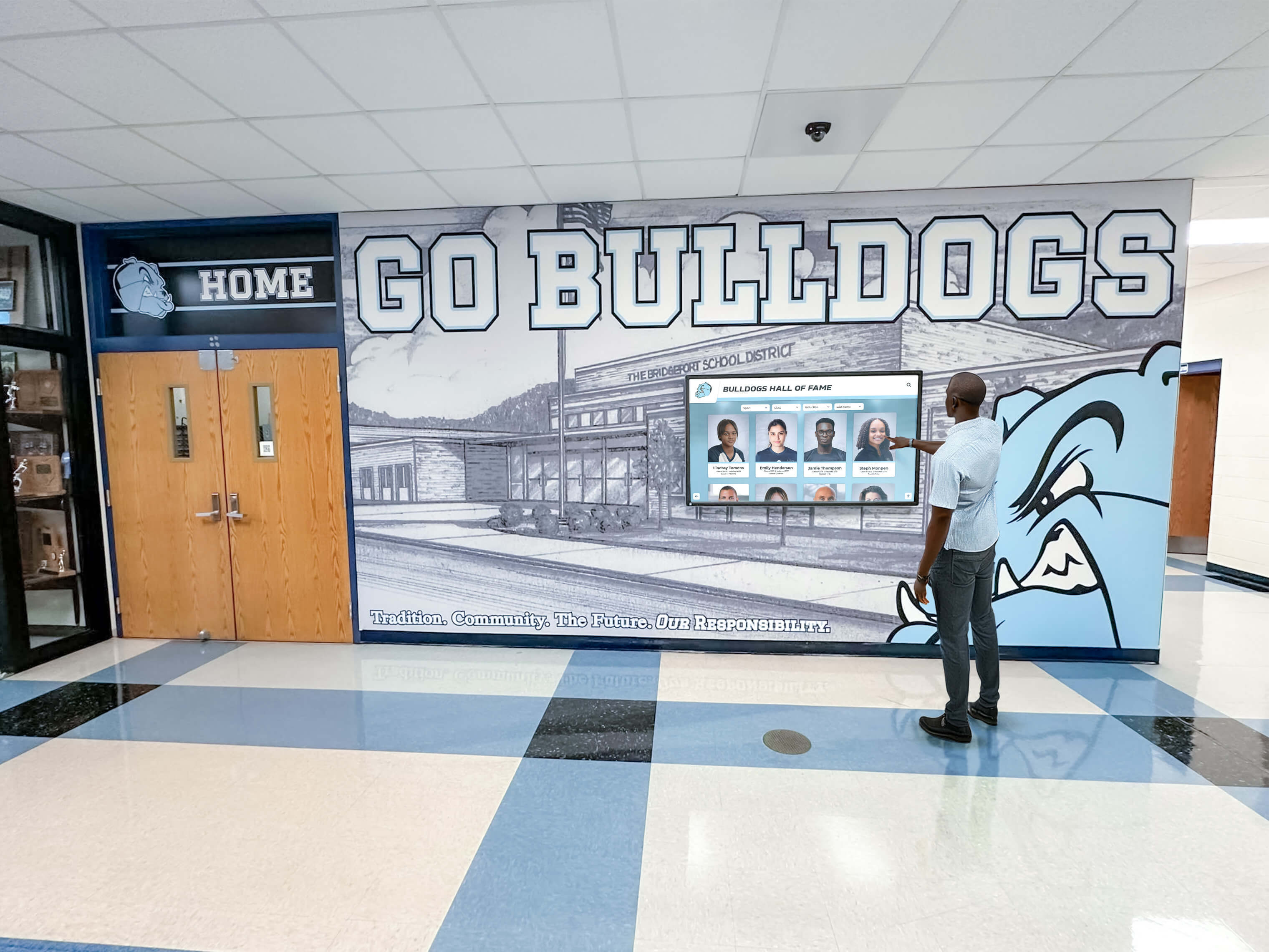
Digital Hall of Fame ARIA-Owns Audit for Composite Widgets
A digital hall of fame ARIA-owns audit is the process of examining every composite widget on your school’s recognition website and touchscreen kiosk—inductee search autocomplete dropdowns, sport and year filter panels, comparison tools, and tabbed inductee profile viewers—to verify that each widget correctly uses the aria-owns attribute whenever a widget’s associated content is rendered in a separate location in the DOM from the controlling element. The aria-owns attribute tells a screen reader’s accessibility tree that a specific element is the logical owner of one or more other elements that are not its DOM descendants—establishing the parent-child ownership relationship in the accessibility tree even when the HTML structure places those elements in a different branch of the document. Without aria-owns, a dropdown listbox that a JavaScript framework appends to the document body to avoid CSS clipping issues is invisible to the accessibility tree as a child of the combobox input that controls it; a screen-reader user who navigates by widget structure cannot find the suggestion list because, from the accessibility tree’s perspective, the input and the listbox are siblings in the body element rather than a combobox and its controlled popup. A digital hall of fame ARIA-owns audit maps every composite widget on the recognition platform to a clear pass, remediate, or remove decision, ensuring that blind alumni, parents with visual impairments, and community members who rely on assistive technology receive an accurate, navigable picture of the recognition interface regardless of where JavaScript frameworks choose to render widget content in the DOM.
Read More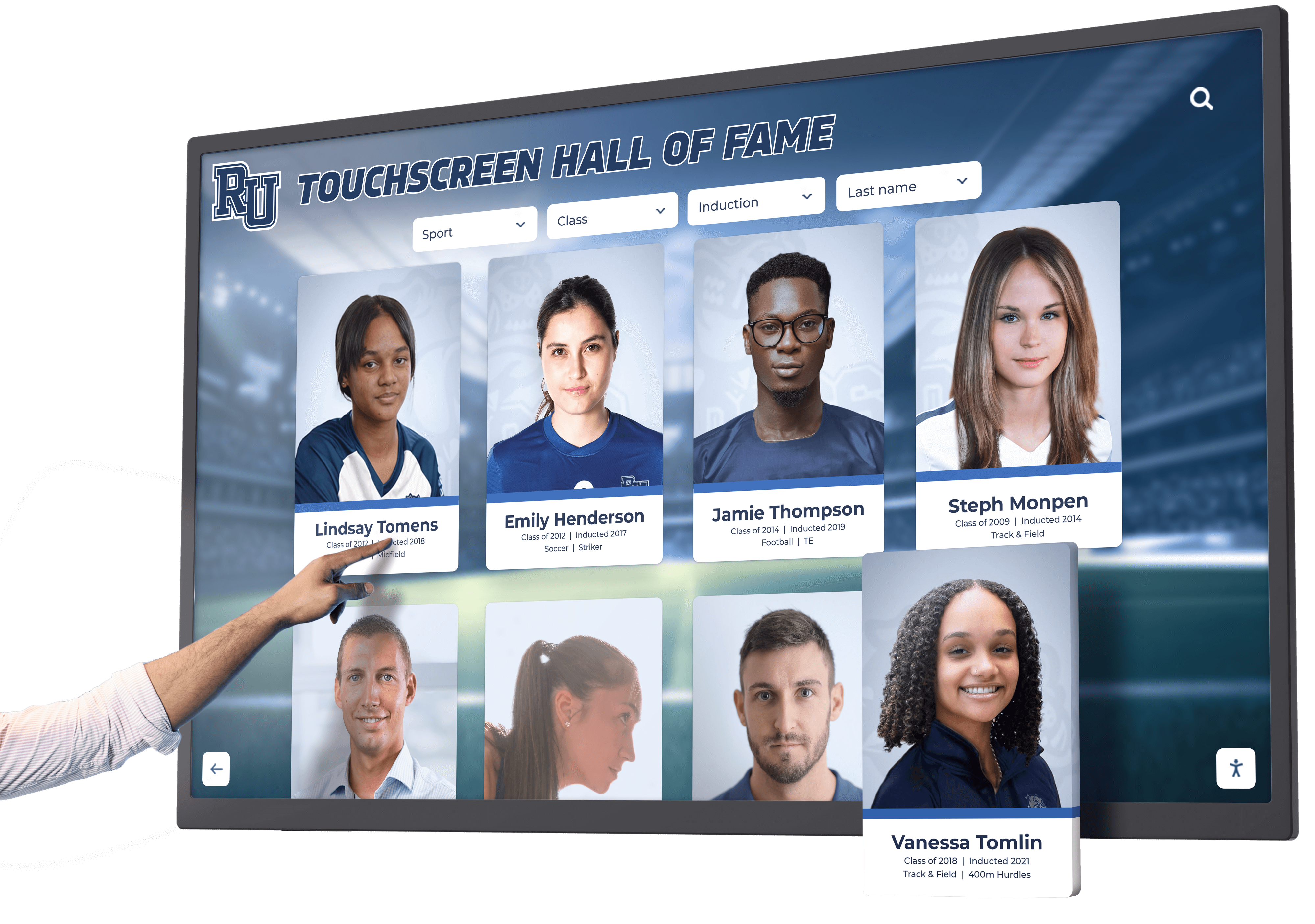
Digital Hall of Fame ARIA-Modal Audit for Inductee Dialogs
A digital hall of fame ARIA-modal audit is the process of examining every dialog element on your school’s recognition website and touchscreen kiosk—inductee biography overlays, fullscreen media viewers, award-detail panels, and records pop-ups—to verify that each dialog correctly declares aria-modal="true", exposes an accessible name through aria-labelledby, manages keyboard focus on open and close, and traps focus within the dialog boundary while it is visible. The aria-modal="true" attribute tells supporting screen readers (NVDA, JAWS, VoiceOver, TalkBack) to hide background page content from their virtual buffers while a dialog is open, so that a visitor who relies on assistive technology cannot accidentally read or navigate content outside the modal boundary. Without this attribute, a screen-reader user may browse past the inductee biography overlay and into the underlying roster, sponsor ribbon, or site navigation—experiencing the modal as a transparent layer rather than a confined interaction context. A digital hall of fame ARIA-modal audit maps every dialog on the recognition platform to a clear pass, remediate, or remove decision, so that blind alumni, parents with visual impairments, and community members who use assistive technology receive the same focused, unambiguous inductee experience as every other visitor.
Read More
Digital Hall of Fame ARIA-Roledescription Audit for Custom Touchscreen Controls
A digital hall of fame ARIA-roledescription audit is the process of examining every custom widget on your school’s recognition touchscreen and web directory to determine whether the aria-roledescription attribute has been applied appropriately—and, where it has been applied, whether it preserves the base ARIA semantics that screen-reader users depend on to navigate and operate the interface. The aria-roledescription attribute allows developers to replace the default role announcement (such as “button,” “slider,” or “tab”) with a human-readable description that better reflects the widget’s purpose in context. On a digital hall of fame platform, a sport-filter carousel might carry aria-roledescription="inductee category selector" instead of the default “group” announcement, or a decade-range draggable control might carry aria-roledescription="era selector" instead of “slider.” The WAI-ARIA specification is explicit: aria-roledescription must be used sparingly, only when the native or mapped role description is genuinely inadequate for the widget’s context, and never in a way that removes the behavioral cues—“press Space to activate,” “use Arrow keys to navigate”—that screen readers derive from the base role. A digital hall of fame ARIA-roledescription audit is the structured workflow that maps every custom touchscreen widget to a clear “use,” “revise,” or “remove” decision for its role description, so that visitors who rely on NVDA, JAWS, VoiceOver, or TalkBack can understand what each control does and how to operate it.
Read MoreDigital Hall of Fame ARIA-Relevant Audit for Useful Search Announcements
A digital hall of fame ARIA-relevant audit is the process of examining every live-region announcement your school’s recognition platform produces during search and filter interactions—and deciding, event by event, whether each announcement is genuinely useful or whether it is creating noise that overwhelms screen-reader users or silence that leaves them uninformed. A live region marked aria-live="polite" or role="status" announces any text change inside it to connected assistive technology automatically. On a hall of fame web directory with real-time inductee search and multi-dimensional sport, decade, and award filters, the same mechanism that keeps blind or low-vision visitors informed can—if misconfigured—fire a screen-reader announcement on every keystroke, announce outdated result counts before the new results have rendered, or stay completely silent during a filter reset that removes all active criteria. The digital hall of fame ARIA-relevant audit is the structured workflow that maps each dynamic event on the recognition platform to an explicit announcement decision—announce, suppress, or delay—so that assistive technology users receive the right information at the right moment, every time they interact with the search and filter interface. This guide gives school administrators, athletic directors, IT staff, and recognition-program managers a step-by-step audit protocol, an event-to-announcement decision matrix, corrected code patterns, and a reusable checklist for pre-launch and post-update verification.
Read MoreDigital Hall of Fame Phonetic Name Search Audit for Misspelled Inductee Queries
A digital hall of fame phonetic name search audit is the process of systematically testing whether a school’s recognition platform can retrieve inductee records when a visitor enters a plausible but misspelled version of an honoree’s name—because the visitor heard the name spoken at a ceremony, read it on a jersey banner, or recalled it from memory without ever seeing it written down. Phonetic name search uses algorithms such as Soundex, Double Metaphone, or NYSIIS to group surnames and given names that sound alike into the same search bucket, so that a visitor who types “Kowalsky” finds a record stored as “Kowalski,” a visitor who types “Smyth” returns results for every inductee named “Smith,” and a visitor who types “McKinnon” surfaces profiles filed under “MacKinnon.” A digital hall of fame phonetic name search audit is not a spelling-correction feature test—it is a systematic workflow that verifies every search entry point on the recognition platform routes phonetically equivalent queries to the correct inductee records, displays a meaningful near-miss message when no results exist, and surfaces a “did you mean?” suggestion when edit distance is small enough to indicate a plausible alternative. This guide gives school administrators, athletic directors, IT staff, and recognition-program owners a step-by-step audit protocol, a misspelling-pattern test table, and a reusable issue log to complete the audit in under two hours.
Read More
Digital Hall of Fame Identify Input Purpose Accessibility Audit
A digital hall of fame identify input purpose accessibility audit is the process of systematically verifying that every form field on a school recognition platform—across nomination forms, admin sign-in pages, and visitor inquiry screens—carries an HTML autocomplete attribute whose value matches a token defined in the WHATWG HTML specification, so that any browser, password manager, or assistive technology can programmatically determine the field’s purpose without reading its visible label. WCAG 2.1 Success Criterion 1.3.5 Identify Input Purpose (Level AA) requires this for all input fields that collect information about the user: the nominator’s name, email address, phone number, and school affiliation on a nomination form; the administrator’s username and current password on the CMS sign-in screen; and the visitor’s contact details on an inquiry or event-registration form. When autocomplete tokens are absent, incorrect, or explicitly suppressed with autocomplete="off", users who rely on browser autofill cannot populate fields automatically—a significant barrier for nominators with motor impairments who cannot type efficiently, for users with cognitive disabilities who use browser-based symbol augmentation tools that replace text labels with icons, and for any visitor whose assistive device depends on the browser’s knowledge of what a field is asking for to offer meaningful predictive assistance. For school administrators, athletic directors, IT staff, and recognition-program owners, this audit provides a targeted checklist, a complete field-mapping reference, and a step-by-step workflow to bring every form on the recognition platform into WCAG 1.3.5 compliance before the next induction season or community recognition event.
Read MoreDigital Hall of Fame ARIA Activedescendant Audit for Search Suggestions
A digital hall of fame ARIA activedescendant audit is the process of verifying that when a visitor types into your school recognition site’s inductee search box and a list of name suggestions appears, the browser’s accessibility API correctly communicates which suggestion is currently highlighted to any connected screen reader—without ever moving keyboard focus away from the input field the visitor is typing in. The mechanism that enables this communication is the aria-activedescendant attribute: a property placed on the combobox input that points to the id of whichever suggestion option the user has navigated to with the Arrow Down or Arrow Up key. When aria-activedescendant is absent, misconfigured, or not updated by JavaScript as arrow-key navigation moves through the suggestion list, screen-reader users receive no announcement of the highlighted item—they press the Down Arrow and hear silence, with no way to know whether suggestions appeared or which one would be selected if they pressed Enter. For school administrators, athletic directors, IT staff, and recognition-program managers, this failure means that any visitor relying on NVDA, JAWS, VoiceOver, or TalkBack to search your inductee archive—by athlete name, sport, or graduation year—cannot use the search suggestion feature at all. This guide provides a complete audit workflow, pass and fail markup patterns for every common implementation scenario, an assistive-technology compatibility test table, and a reusable checklist for pre-launch and post-update verification.
Read MoreDigital Hall of Fame Accessible Authentication Audit: A WCAG 2.2 Checklist for Admin Sign-In
A digital hall of fame accessible authentication audit is the process of systematically verifying that every step of the admin sign-in experience for a school recognition platform—username and password fields, CAPTCHA challenges, multi-step verification screens, and session-timeout re-authentication prompts—does not require a cognitive function test as the sole means of access, and that all authentication controls support password manager autofill, clipboard paste, and assistive input methods. WCAG 2.2 introduced Success Criterion 3.3.8 Accessible Authentication (Minimum) at Level AA, which prohibits recognition platforms from requiring users to solve puzzles, memorize distorted text sequences, or perform other purely cognitive challenges during sign-in without also providing an accessible alternative or a mechanism to assist the user—such as password manager compatibility or a copy-paste–enabled input field. For school administrators, athletic directors, IT staff, and recognition-program owners, this criterion has a direct operational consequence: every person authorized to update inductee records, publish video tributes, manage donor recognition modules, or push content to a wall-mounted kiosk must be able to sign into the CMS. If any one of those users relies on a password manager, a keyboard-only workflow, or assistive technology that performs automated field completion, an authentication barrier that a sighted mouse user never encounters becomes a complete block to content management. This guide provides a complete audit workflow, detailed pass and fail examples for each relevant WCAG 2.2 criterion, a test matrix covering password managers, paste support, and cognitive-function challenges, and a reusable checklist that schools can attach to their annual accessibility review.
Read More
Interactive Touch Screen Digital Signage: How It Works and What You Need
Intent: Define — Interactive touch screen digital signage puts live, searchable content directly at a visitor’s fingertips, turning a passive display into a two-way experience where users search, explore, and discover information on their own terms. For schools, universities, and athletic programs looking to modernize recognition walls, halls of fame, and lobby displays, understanding how this technology works—and what you actually need to deploy it well—is the starting point for any planning conversation.
Read MoreDigital Hall of Fame Focus Appearance Audit: A WCAG 2.2 Checklist
A digital hall of fame focus appearance audit is the process of systematically verifying that every interactive element on a school’s recognition platform—inductee card links, sport-category filter controls, search input fields, video tribute player controls, modal dialog buttons, and kiosk navigation arrows—displays a keyboard focus indicator that meets the minimum area and contrast requirements introduced by WCAG 2.2 Success Criterion 2.4.11 Focus Appearance (Level AA). Prior to WCAG 2.2, SC 2.4.7 Focus Visible required only that a keyboard focus indicator be present; it imposed no measurable size or contrast threshold, which left room for nearly invisible outlines—a 1-pixel dotted ring on a white background, or a blue glow suppressed by a global outline: none in the site’s stylesheet—to pass the criterion technically while remaining impossible to perceive in practice. WCAG 2.2 closes that gap by requiring the focus indicator to meet a minimum enclosed area (at least the perimeter of the unfocused component at one CSS pixel wide) and a contrast ratio of at least 3:1 between the focused and unfocused states, and a separate 3:1 contrast ratio between the indicator and adjacent colors. This guide gives school administrators, athletic directors, IT staff, and recognition-program managers a complete audit workflow, a reusable WCAG 2.2 checklist, and numbered remediation steps to bring every interactive component on a hall of fame platform into compliance with SC 2.4.11 before the next nomination season opens or a new recognition display launches.
Read More
Digital Hall of Fame Redundant Entry Accessibility Audit for Nomination Forms
A digital hall of fame redundant entry accessibility audit is the process of identifying every field in a school recognition platform’s nomination form where a nominator is asked to supply information they already provided earlier in the same session—and then applying WCAG 2.2 Success Criterion 3.3.7 Redundant Entry (Level A) compliant fixes so that previously entered data is auto-populated or selectable rather than requiring manual re-entry. On a multi-step hall of fame nomination form, redundant entry typically appears when the nominator’s name and email appear on step one and again on step three’s confirmation screen, when the nominee’s full name must be typed separately into a subject line, a letter salutation, and a supporting-document description field, or when a coach’s contact details entered for one nominee reference are requested again for a second reference in the same submission. Each repeated entry is a barrier: for nominators who use voice input, switch access, or keyboard-only navigation, re-typing information increases effort, introduces inconsistency between instances of the same value, and raises the risk of abandoning the form before submission. This guide gives school administrators, athletic directors, recognition-program owners, and school IT staff a complete audit workflow, a prioritized remediation sequence, and a reusable checklist to eliminate redundant entry from every hall of fame nomination form template.
Read More
Digital Hall of Fame Duplicate-ID Accessibility Audit: School Web Team Guide
A digital hall of fame duplicate-id accessibility audit is the process of identifying HTML elements whose id attribute value appears more than once on the same page—and then tracing every place that duplicated identifier is consumed by a label, an ARIA relationship, or a script—so that school web teams can repair the breakage before it silently disables assistive-technology support for visitors who rely on screen readers, switch controls, or voice input. A duplicate id value on a recognition platform is not a minor code-quality issue: when two elements share the same identifier, a browser’s for attribute on a <label> resolves to only one of them, an aria-labelledby or aria-describedby reference announces only one element’s text, and document.getElementById in JavaScript returns the first match while silently ignoring any subsequent duplicates. On a digital hall of fame site, the pages with the highest duplicate-ID risk are the inductee search results page (where the same card template with the same internal id values is repeated for every result), the sport-category index page (where filter components carry static IDs), and the inductee profile page (where embedded media players and social widgets import their own identifier namespaces). This guide gives school administrators, athletic directors, IT staff, and recognition-program managers a complete audit workflow, a prioritized fix sequence, and a reusable copy-paste checklist to eliminate duplicate IDs from every page template in a school hall of fame platform.
Read MoreDigital Hall of Fame Keyboard Trap Audit: A School Accessibility Checklist
A digital hall of fame keyboard trap audit is the process of verifying that every interactive component on a school’s recognition website—video tribute players, inductee photo carousels, modal dialogs, year-range filter panels, and social sharing widgets—allows keyboard users to move focus in and then move focus out using only standard keyboard commands. A keyboard trap occurs when a visitor tabs into a component and cannot escape it without using a mouse or reloading the page. WCAG 2.1 Success Criterion 2.1.2 (No Keyboard Trap, Level A) prohibits this pattern on any publicly accessible web page, including digital hall of fame sites operated by public schools, alumni associations, and booster organizations. Because recognition platforms combine multiple embedded components in a single page view, the risk is higher than it appears: a single unmanaged modal or embedded video player can lock out every keyboard-only visitor who opens that page. This guide gives school administrators, athletic directors, IT staff, and recognition-program managers a complete audit workflow, a reusable issue log, and numbered remediation steps to identify and resolve every keyboard trap in a school recognition platform.
Read MoreDigital Hall of Fame ARIA Landmark Audit for Inductee Navigation
A digital hall of fame ARIA landmark audit is the process of verifying that your school’s recognition website uses HTML sectioning elements and ARIA landmark roles to divide the page into named regions—navigation, main content, search, and supporting sections—so that screen-reader users can jump directly to any region without tabbing through every element on the page. WCAG 2.1 Success Criterion 1.3.1 (Info and Relationships, Level A) requires that structure conveyed visually be available programmatically; properly labeled landmark regions are the mechanism that fulfills this requirement for page-level structure. On a digital hall of fame platform, meaningful landmarks protect the recognition experience for every visitor who uses NVDA, JAWS, VoiceOver, or TalkBack to navigate inductee profiles, sport-category pages, and search results. This guide gives school administrators, athletic directors, IT staff, and recognition-program managers a complete screen-by-screen audit table, numbered remediation steps, and a reusable issue log to complete in under one hour.
Read MoreDigital Hall of Fame Reflow Accessibility Test at 400% Zoom
A digital hall of fame reflow accessibility test is the process of verifying that when a visitor magnifies your school’s recognition website to 400 percent zoom—equivalent to a 320 CSS pixel viewport width—every inductee profile card, search control, sport-category filter, navigation link, and media element rearranges into a single scrollable column without requiring the visitor to scroll horizontally to reach any content or control. WCAG 2.1 Success Criterion 1.4.10 Reflow (Level AA) establishes this behavior as a baseline accessibility requirement. For school athletic directors, administrators, IT staff, and recognition-program managers, the reflow test is one of the most measurable acceptance criteria available: either the page content reflows cleanly or it does not. This guide provides a complete step-by-step testing workflow, viewport configuration instructions, a reusable issue log template, and answers to the questions school teams ask most often when preparing a recognition website for low-vision users.
Read MoreDigital Hall of Fame Accessible Name Audit for Icon Buttons, Search, and Filters
A digital hall of fame accessible name audit is the process of verifying that every interactive element on your school’s recognition website—icon-only buttons, search input fields, sport and year filter controls, and media playback actions—exposes a meaningful text label to screen-reading software. An accessible name is the text a screen reader announces the moment keyboard focus lands on a control. When a control has no accessible name, a visitor using NVDA, JAWS, VoiceOver, or TalkBack hears only the element type—“button,” “edit,” or “combobox”—without any indication of what that control does or why it matters. On a digital hall of fame platform, the controls most likely to fail this check are icon-only share and play buttons attached to inductee profiles, a search field that relies on placeholder text instead of a visible or programmatic label, and sport-category or decade filter buttons that display logos or checkmarks with no accompanying text. This guide gives school administrators, athletic directors, IT staff, and recognition-program managers a complete audit workflow they can run using free tools in under 45 minutes.
Read MoreDigital Hall of Fame ARIA Live Region Test for Search and Filter Updates: School Guide
Digital hall of fame ARIA live region test is the process of verifying that when a visitor uses your recognition site’s search bar or sport-category filter, the assistive technology they rely on—NVDA, JAWS, VoiceOver, or TalkBack—automatically announces the updated inductee count or result list without requiring the visitor to move focus away from the control they just used. An ARIA live region is a container element that carries aria-live="polite" or aria-live="assertive" in its HTML, signaling to the browser’s accessibility API that any text change inside it should be read aloud automatically. On a digital hall of fame platform, live regions appear most often in the result-count line (“12 inductees found for ‘football’”) and in the status message displayed after a year-range or award-type filter is applied (“Showing 8 inductees from 1990–1999”). Without a working live region, screen-reader users cannot tell whether the interface responded to their input at all. This guide gives school administrators, athletic directors, IT staff, and recognition-program managers a complete testing workflow and verification checklist they can complete in under 30 minutes.
Read More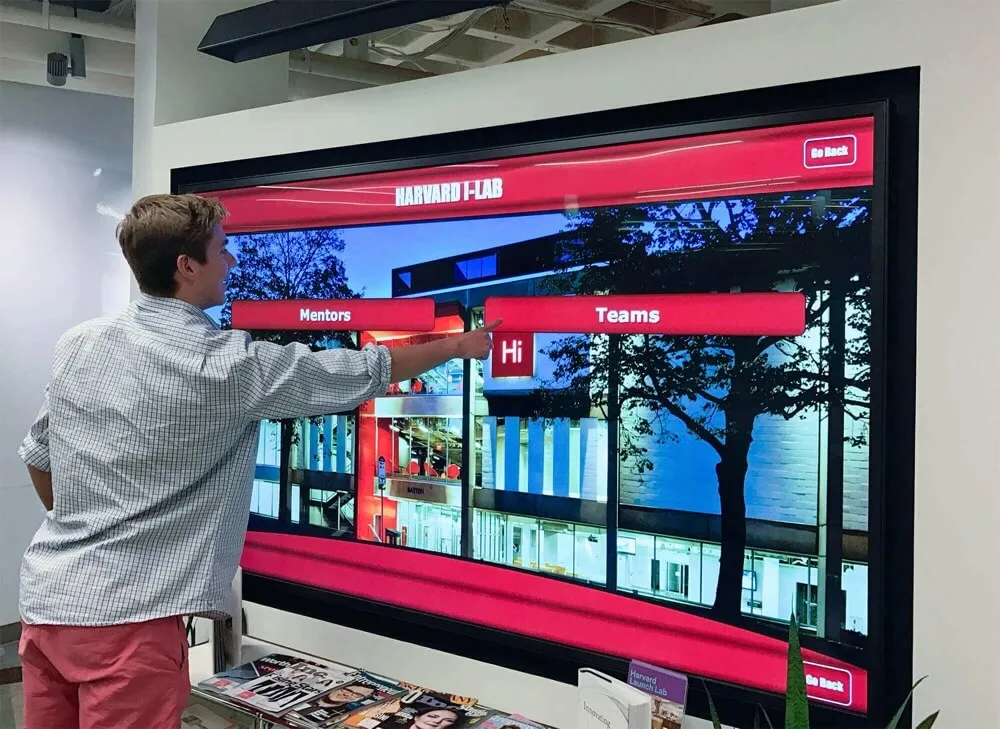
Digital Hall of Fame Skip Link Testing for Keyboard Navigation: Step-by-Step Verification Guide
Digital hall of fame skip link testing is the process of verifying that keyboard-only visitors to your recognition website or kiosk interface can press Tab and then Enter at the top of the page to jump directly into inductee profiles, sport rosters, or decade archives—bypassing the full navigation header on every page load. A working skip link satisfies WCAG 2.1 Success Criterion 2.4.1 (Bypass Blocks), a Level A requirement that applies to any publicly accessible digital recognition site. Without it, a keyboard user navigating your football hall of fame must tab through every site-wide menu link on every page before reaching a single inductee name. This guide gives athletic directors, administrators, IT staff, and archive stewards a repeatable testing workflow they can complete in under 30 minutes, with no specialist tools required.
Read MoreDigital Hall of Fame Internal Search Analytics: A Monthly Review Workflow
Every time a visitor types a name into your digital hall of fame kiosk or web directory, the system records what they asked for and whether it found something useful. That log is a direct record of community expectations — and of where the archive falls short. A monthly review of digital hall of fame internal search analytics turns that raw data into a prioritized action list: missing inductee profiles to create, metadata fields to fix, synonym gaps to close, and display navigation to adjust. This workflow shows athletic directors, archivists, and facilities teams exactly how to pull, categorize, and act on search data within a 60–90 minute monthly cycle.
Read MoreCategories
- Academic Achievement ( 1 )
- Academic Excellence ( 10 )
- Academic Recognition ( 17 )
- Accessibility ( 20 )
- Alumni Engagement ( 7 )
- Alumni Management ( 1 )
- Alumni Programs ( 5 )
- Alumni Recognition ( 4 )
- Alumni Relations ( 3 )
- Athletic Administration ( 1 )
- Athletic Archives ( 1 )
- Athletic Excellence ( 1 )
- Athletic Leadership ( 3 )
- Athletic Programs ( 7 )
- Athletic Recognition ( 66 )
- Athletic Training ( 4 )
- Baseball Programs ( 2 )
- Basketball Programs ( 3 )
- Branding and Identity ( 1 )
- Budget Planning ( 1 )
- Buying Guides ( 10 )
- Campaign Management ( 1 )
- Campus Design ( 1 )
- Campus Engagement ( 1 )
- Campus Navigation ( 1 )
- Career Development ( 5 )
- Celebration Ideas ( 1 )
- Ceremony Planning ( 1 )
- Championship Display ( 3 )
- Championship Recognition ( 1 )
- Cheerleading Programs ( 1 )
- Coach Recognition ( 2 )
- Coaching Excellence ( 2 )
- Coaching Programs ( 1 )
- College Athletics ( 1 )
- College Recruitment ( 1 )
- Community Building ( 1 )
- Community Engagement ( 4 )
- Community Events ( 2 )
- Cross Country Programs ( 1 )
- Cultural Recognition ( 1 )
- Customer Support ( 1 )
- Digital Archives ( 2 )
- Digital Displays ( 15 )
- Digital Hall of Fame ( 22 )
- Digital Recognition ( 4 )
- Digital Signage ( 1 )
- Digital Solutions ( 3 )
- Digital Tools ( 2 )
- Display Solutions ( 5 )
- Diversity & Inclusion ( 1 )
- Donor Recognition ( 8 )
- Educational Leadership ( 2 )
- Educational Programs ( 1 )
- Educational Technology ( 1 )
- Elementary Programs ( 2 )
- Elementary Recognition ( 1 )
- Event Planning ( 11 )
- Event Solutions ( 1 )
- Facility Enhancement ( 1 )
- Facility Management ( 1 )
- Facility Planning ( 1 )
- Field Hockey Programs ( 1 )
- Football Programs ( 4 )
- Football Recognition ( 2 )
- Fundraising ( 3 )
- Fundraising Programs ( 2 )
- Fundraising Recognition ( 5 )
- Golf Instruction ( 3 )
- Graduation Ceremonies ( 1 )
- Graduation Recognition ( 1 )
- Hall of Fame ( 29 )
- Hall of Fame Programs ( 4 )
- Hardware Services ( 1 )
- High School Basketball ( 1 )
- High School Football ( 1 )
- Historical Recognition ( 1 )
- Installation & Setup ( 1 )
- Interactive Displays ( 1 )
- Interactive Museums ( 1 )
- Interactive Technology ( 2 )
- Leadership Development ( 1 )
- Memory Care ( 1 )
- Modernization ( 1 )
- Museum Technology ( 1 )
- Music Recognition ( 2 )
- Nonprofit Management ( 2 )
- Organizational Culture ( 1 )
- Performing Arts ( 1 )
- Performing Arts Excellence ( 1 )
- Performing Arts Programs ( 1 )
- Performing Arts Recognition ( 1 )
- Physical Education ( 1 )
- Pricing Transparency ( 1 )
- Professional Sports Awards ( 1 )
- Recognition Communications ( 1 )
- Recognition Displays ( 4 )
- Recognition Planning ( 2 )
- Recognition Programs ( 44 )
- Recognition Systems ( 1 )
- Recognition Technology ( 26 )
- Reconocimiento Digital ( 1 )
- Retirement Planning ( 1 )
- Scholarship Programs ( 1 )
- School Administration ( 5 )
- School Archives ( 1 )
- School Ceremonies ( 1 )
- School Communication ( 1 )
- School Communications ( 2 )
- School Community ( 2 )
- School Construction ( 1 )
- School Culture ( 4 )
- School Design ( 2 )
- School Environment ( 2 )
- School Events ( 18 )
- School Facilities ( 4 )
- School History ( 1 )
- School Innovation ( 1 )
- School Programs ( 8 )
- School Publications ( 1 )
- School Recognition ( 2 )
- School Solutions ( 2 )
- School Spirit ( 5 )
- School Technology ( 4 )
- School Traditions ( 2 )
- Seasonal Sports ( 2 )
- Senior Athletes ( 1 )
- Senior Living ( 1 )
- Senior Living Recognition ( 1 )
- Senior Recognition ( 1 )
- SEO ( 3 )
- Sports Awards ( 1 )
- Sports Education ( 1 )
- Sports Recognition ( 1 )
- Sports Technique ( 1 )
- Sports Training ( 2 )
- Staff Recognition ( 2 )
- State Championships ( 3 )
- State Rankings ( 1 )
- State Tournament Programs ( 1 )
- Student Achievement ( 13 )
- Student Activities ( 2 )
- Student Athletes ( 3 )
- Student Celebrations ( 1 )
- Student Engagement ( 5 )
- Student Leadership ( 2 )
- Student Recognition ( 25 )
- Swimming Programs ( 2 )
- Teacher Recognition ( 1 )
- Team Culture ( 1 )
- Technology ( 1 )
- Technology Solutions ( 2 )
- Technology Standards ( 1 )
- Tecnología Educativa ( 1 )
- Tennis Programs ( 1 )
- Tournament Recognition ( 1 )
- Visual Communication ( 1 )
- Volleyball Skills ( 1 )
- Wayfinding Solutions ( 1 )
- Website Management ( 26 )
- Wrestling ( 2 )
- Wrestling Programs ( 3 )
- Wrestling Recognition ( 1 )
- Yearbook ( 1 )
- Youth Sports ( 1 )
Tags
- 400 Percent Zoom
- Academic Achievement
- Academic Achievement Programs
- Academic Athletic Awards
- Academic Awards
- Academic Competition
- Academic Excellence
- Academic Honors
- Academic Letter Jacket
- Academic Recognition
- Academic Scholarship
- Academic Signing Day
- Academic Support
- Acceptance Speeches
- Accessibility
- Accessibility Audit
- Accessibility Checklist
- Accessibility Standards
- Accessibility Tree
- Accessible Authentication
- Accessible Name
- Achievement Ceremonies
- Achievement Displays
- Achievement Recognition
- ADA Compliance
- Admin Sign-In
- Administrator Appreciation
- Administrator Awards
- Agenda Templates
- AI Data Integrity
- AI Procurement
- AI Research
- AI Tools
- Alabama High School Football
- Algorithmic Bias
- Algorithmic Manipulation
- All-Conference Award
- Alumni Activities
- Alumni Database
- Alumni Engagement
- Alumni Event Ideas
- Alumni Events
- Alumni Interviews
- Alumni Management
- Alumni Newsletter
- Alumni Programs
- Alumni Recognition
- Alumni Recognition Displays
- Alumni Relations
- Alumni Status
- Alumni Wall
- Appreciation Events
- Aquatic Coaches
- Aquatic Programs
- Aquatic Sports
- Archival Media
- Archive Consistency
- Archive Navigation
- Archive Quality
- Archive Tags
- ARIA
- ARIA Combobox Pattern
- Aria Landmarks
- Aria Live Region
- ARIA Semantics
- Aria-Activedescendant
- Aria-Label
- Aria-Modal
- Aria-Owns
- Aria-Roledescription
- Aria-Rowcount
- Aria-Rowindex
- Assembly Ideas
- Assembly Programs
- Assisted Living Technology
- Assistive Technology
- Athlete Profile Template
- Athlete Recognition
- Athletic Administration
- Athletic Alumni Records
- Athletic Archive
- Athletic Archives
- Athletic Awards
- Athletic Banquet Dresses
- Athletic Careers
- Athletic Ceremonies
- Athletic Ceremony
- Athletic Communications
- Athletic Development
- Athletic Director
- Athletic Director Jobs
- Athletic Director Resources
- Athletic Display
- Athletic Displays
- Athletic Events
- Athletic Facilities
- Athletic Fundraising
- Athletic Hall of Fame
- Athletic Hall of Fame Bylaws
- Athletic Hall of Fame Photo Requirements
- Athletic Hall of Fame Selection Committee
- Athletic History
- Athletic Honor
- Athletic Honors
- Athletic Leadership
- Athletic Marketing
- Athletic Memorabilia
- Athletic Mentors
- Athletic Programs
- Athletic Recognition
- Athletic Recognition Programs
- Athletic Records
- Athletic Scholarships
- Athletic Skills
- Athletic Stats Display
- Athletic Training
- Autocomplete
- Autocomplete Attribute
- Autofill
- Award Acceptance Speech
- Award Ceremonies
- Award Certificates
- Award Classification
- Award Filters
- Award Ideas
- Award Presentations
- Award Programs
- Award Speeches
- Awards Assembly
- Awards Ceremony
- Awards Touchscreen
- Back to School
- Backhand Training
- Bake Sale Ideas
- Baked Goods Fundraiser
- Band Excellence
- Band Recognition
- Banquet Attire
- Baseball Awards
- Baseball Coaching
- Baseball Hitting Drills
- Baseball Program
- Baseball Training
- Basketball
- Basketball Awards
- Basketball Banquet Ideas
- Basketball Fundamentals
- Basketball Passing Drills
- Basketball Positions Explained
- Basketball Recognition
- Basketball Roles
- Basketball Skills
- Basketball Training
- Batting Average
- Batting Practice
- Big Ten Athletics
- Big Ten Wrestling
- Bio Accuracy
- Bio Standards
- Block Footwork
- Blocking Techniques
- Booster Club
- Boutique Vendors
- Breadcrumb Navigation
- Budget Planning
- Budget Solutions
- Building Directory
- Bulletin Boards
- Bunker Shots
- Buying Guide
- Cafeteria Design
- Campaign Thermometers
- Campus Design
- Campus Engagement
- Campus Navigation
- Campus Signage
- CAP Cadets
- Capital Campaign
- CAPTCHA Accessibility
- Career Advice
- Career Celebration
- Career Development
- Career Guide
- Career Path
- Career Preparation
- Career Recognition
- Category Pages
- Celebration Ideas
- Center Position
- Ceremony Planning
- Certificate Wording
- Championship Banner
- Championship Banners
- Championship History
- Championship Recognition
- Championship Season
- Championship Traditions
- Character Development
- Charity Events
- Cheer Recognition
- Cheerleading Awards
- Cheerleading Programs
- Chipping Drills
- Civil Air Patrol
- Class Composites
- Class Rank
- Class Rank Reporting
- Class Reunion
- Class Reunion Program Ideas
- Class Year Filters
- Classroom Decor
- Coach Appreciation
- Coach Hiring
- Coach Recognition
- Coaching
- Coaching Jobs
- Coaching Legacy
- Coaching Recognition
- Coaching Resume
- Cognitive Disability
- Cognitive Function Test
- College Achievement
- College Admissions
- College Applications
- College Athletics
- College Commitment
- College Football Hall of Fame
- College Football Recruiting
- College Funding
- College Preparation
- College Recognition
- College Signing Day
- College Students
- Collegiate Wrestling
- Color Guard
- Combobox Accessibility
- Commencement
- Commencement Regalia
- Communication Technology
- Community Building
- Community College
- Community Engagement
- Community Events
- Community Partnerships
- Community Recognition
- Community Support
- Competition Preparation
- Competition Success
- Competition Teams
- Competitive Swimming
- Composite Widgets
- Conference Championship
- Conference Honors
- Construction Planning
- Content Audit
- Content Creation
- Content Gaps
- Content Ideas
- Content Management
- Content Widgets
- Controlled Vocabulary
- Copyright Permission Form
- Corporate Culture
- Cost Efficiency
- Costume Buying Guide
- Court Vision
- Cover Letter
- Cross Country Awards
- Cross Country Programs
- Cultural Heritage
- Cultural Recognition
- Cum Laude
- Curriculum Integration
- Custom Banners
- Custom Layouts
- Custom Touchscreen Controls
- Custom Widgets
- Customer Success
- DAM Systems
- Dance Programs
- Dance Team
- Dance Team Names
- Data Management
- Dean's List
- Dementia Care
- Design Systems
- Dialog Accessibility
- Digital Archives
- Digital Asset Management
- Digital Athlete Profiles
- Digital Composites
- Digital Display
- Digital Displays
- Digital Donor Walls
- Digital Exhibits
- Digital Hall of Fame
- Digital Hall of Fame Accessible Authentication Audit
- Digital Hall of Fame Accessible Name Audit
- Digital Hall of Fame ARIA Activedescendant Audit
- Digital Hall of Fame Aria Landmark Audit
- Digital Hall of Fame Aria Live Region Test
- Digital Hall of Fame Aria Relevant Audit
- Digital Hall of Fame ARIA-Modal Audit
- Digital Hall of Fame ARIA-Owns Audit
- Digital Hall of Fame ARIA-Roledescription Audit
- Digital Hall of Fame ARIA-Rowcount ARIA-Rowindex Audit
- Digital Hall of Fame Breadcrumb Navigation Checklist
- Digital Hall of Fame Duplicate Id Accessibility Audit
- Digital Hall of Fame Faceted Search Filters
- Digital Hall of Fame Focus Appearance Audit
- Digital Hall of Fame Identify Input Purpose Accessibility Audit
- Digital Hall of Fame Installation
- Digital Hall of Fame Internal Search Analytics
- Digital Hall of Fame Keyboard Trap Audit
- Digital Hall of Fame Phonetic Name Search Audit
- Digital Hall of Fame Redundant Entry Accessibility Audit
- Digital Hall of Fame Reflow Accessibility Test
- Digital Hall of Fame Skip Link Testing
- Digital Hall of Fame Software Inventory Register
- Digital Hall of Fame Typo Tolerant Search Guide
- Digital History Archive
- Digital Inductee Profiles
- Digital Kiosks
- Digital Memorials
- Digital Profiles
- Digital Recognition
- Digital Record Board
- Digital School Signs
- Digital Screens
- Digital Signage
- Digital Signage for Schools
- Digital Signage Pricing
- Digital Sports Hall of Fame
- Digital Trophies
- Digital Trophy Case
- Digital Wayfinding
- Dining Space
- Display Boards
- Display Cases
- Display Installation
- Display Management
- Display Mounting
- Display Rights
- Display Software
- District Administration
- District Management
- Diversity Programs
- Document Preservation
- Donor Appreciation
- Donor Management
- Donor Plaques
- Donor Recognition
- Donor Recognition Displays
- Donor Retention
- Donor Stewardship
- Donor Wall
- Donor Wall Plaques
- Donor Walls
- Double Metaphone
- Duplicate ID
- Duplicate Profiles
- Education Career
- Educational Awards
- Educational Celebrations
- Educational Field Trips
- Educational Finance
- Educational Leadership
- Educational Programs
- Educational Spaces
- Educational Technology
- Educator Appreciation
- Elementary Programs
- Elementary School
- Elementary School Assembly
- Elementary School Celebrations
- Elementary School Gym Games
- Eligibility Rules
- Employee Recognition
- End of Season
- End of Season Awards
- End of Season Celebration
- Endowment Fund
- Engagement Strategies
- Entrance Design
- Environmental Graphics
- Equipment Manufacturing
- Error Budget
- Event Management
- Event Planning
- Event Promotion
- Event Technology
- Event Ticketing
- Facility Improvement
- Facility Modernization
- Facility Planning
- Family Caregivers
- Family Communication
- Field Day Planning
- Field Hockey Basics
- Field Hockey Equipment
- Field Hockey Penalties
- Field Hockey Positions
- Field Hockey Rules
- Filter Accessibility
- Filter Controls Accessibility
- Filter Widget
- First Generation College Student
- First Impressions
- Fitness Programs
- Float Construction
- Float Ideas
- Focus Appearance
- Focus Indicator
- Focus Management
- Focus Visible
- Football Awards
- Football Banquet
- Football Championships
- Football Playoffs
- Football Preparation
- Football Program
- Football Programs
- Football Recognition
- Football Record Board
- Football Recruiting
- Football Traditions
- Football Trophy Case
- Forward Positions
- Free School Software
- Full-Stack Service
- Fundraiser Planning
- Fundraising
- Fundraising Campaigns
- Fundraising Graphics
- Fundraising Ideas
- Fundraising Recognition
- Fundraising Technology
- Funny Awards
- Fuzzy Search
- Gallery Technology
- Game-Day Recognition
- Gift Ideas for Seniors
- Gipper Alternative
- Golf Bunker Shots
- Golf Coaching
- Golf Drills
- Golf Instruction
- Golf Skills
- Golf Technique
- Golf Training
- Google Analytics
- Google Search Console
- GPA
- GPA Requirements
- Graduate Recognition
- Graduating Senior Recognition
- Graduation Banner Ideas
- Graduation Ceremony
- Graduation Displays
- Graduation Events
- Graduation Honor Cords
- Graduation Honors
- Graduation Party
- Graduation Planning
- Graduation Recognition
- Graduation Speech
- Grappler Recognition
- Gym Lobby
- Gymnasium Design
- Gymnasium Display
- Gymnasium Technology
- Hall of Fame
- Hall of Fame Application
- Hall of Fame Archives
- Hall of Fame Biography Fact Check Checklist
- Hall of Fame Bylaws
- Hall of Fame Calendar
- Hall of Fame Committee
- Hall of Fame Communications
- Hall of Fame Conflict of Interest
- Hall of Fame Content Embargo Policy
- Hall of Fame Copyright
- Hall of Fame Criteria
- Hall of Fame Data Governance
- Hall of Fame Design
- Hall of Fame Display
- Hall of Fame Displays
- Hall of Fame Duplicate Profile Merge Policy
- Hall of Fame Editorial Style Guide
- Hall of Fame External Link Policy
- Hall of Fame Family Notification Policy
- Hall of Fame Governance
- Hall of Fame Inductee Bio
- Hall of Fame Inductee Photos
- Hall of Fame Induction
- Hall of Fame Inductions
- Hall of Fame Management
- Hall of Fame Navigation
- Hall of Fame Nomination Confidentiality Policy
- Hall of Fame Oral History
- Hall of Fame Planning
- Hall of Fame Plaque Template
- Hall of Fame Plaques
- Hall of Fame Policy
- Hall of Fame Press Release
- Hall of Fame Profile
- Hall of Fame Profile Ownership Policy
- Hall of Fame Profiles
- Hall of Fame Program
- Hall of Fame Programs
- Hall of Fame Records
- Hall of Fame Records Retention
- Hall of Fame Search
- Hall of Fame Search Analytics
- Hall of Fame Search Filters
- Hall of Fame Selection Process
- Hall of Fame Software
- Hall of Fame Structured Data
- Hall of Fame Verification
- Hall of Fame Web Analytics Dashboard
- Hall of Fame Website
- Hall of Fame Website Content Audit Checklist
- Hall of Fame Website Error Budget Policy
- Hall of Fame Website Media Transcoding Settings Checklist
- Hall of Fame Website Redirect Mapping Checklist
- Hall of Fame Website Search Indexing Checklist
- Hardware Support
- Heritage Months
- High School
- High School Athletics
- High School Basketball Playoffs
- High School Football
- High School Football Playoffs
- High School Graduation
- High School Honors
- High School Reunion
- High School Sports
- High School Stadium
- High School Swim Team
- High School Swimming
- High School Wrestling
- Higher Education
- Higher Education Fundraising
- Historical Displays
- Hitting Techniques
- Homecoming Court
- Homecoming Events
- Homecoming Float Ideas
- Homecoming King
- Homecoming Parade
- Homecoming Queen
- Homecoming Traditions
- Honor Programs
- Honor Roll
- Honor Society
- HTML Id Attribute
- Icon Buttons Accessibility
- Identify Input Purpose
- IHSAA
- IHSAA Championships
- Inclusive Design
- Inclusive Recognition
- Inclusive Sports
- Indiana Football
- Indiana High School Football
- Indoor Track
- Inductee Announcements
- Inductee Bio Examples
- Inductee Dialogs
- Inductee Lookup
- Inductee Navigation
- Inductee Nomination
- Inductee Profile Engagement
- Inductee Profile Images
- Inductee Profile Management
- Inductee Profiles
- Inductee Search
- Inductee Standards
- Inductee Table
- Inductee Video
- Inductee Workflow
- Induction Announcement
- Induction Ceremony
- Induction Committee
- Induction Filters
- Induction Launch
- Input Accessibility
- Installation Services
- Institutional Heritage
- Institutional Signage
- Interactive Archives
- Interactive Digital Signage
- Interactive Displays
- Interactive Learning
- Interactive Technology
- Interactive Touch Screen Digital Signage
- Interactive Touchscreen
- Internal Search Data
- Interview Rights
- Intramural Sports
- Invitation Design
- Jersey Display
- Jersey Retirement
- Jersey Retirement Ceremony
- Job Application
- Job Applications
- JROTC
- JSON-LD
- K-12 Schools
- Keyboard Accessibility
- Keyboard Focus
- Keyboard Navigation
- Keyboard Trap
- Kiosk Accessibility
- Kiosk Search
- Kiosk Setup
- Kiosk Software
- Label Association
- Landmark Regions
- Latin Honors
- Leadership
- Leadership Development
- Learning Environments
- Learning Experiences
- Letter Awards
- Letter Winners
- Link Management
- Live Region Relevance
- Livestream Events
- Lobby Design
- Low Vision Accessibility
- Magna Cum Laude
- Maiden Name Search
- Marching Arts
- Marching Band
- Marching Band Traditions
- Market Analysis
- Mascot Care
- Mascot Maintenance
- MDM Device Management
- Media Guide Template
- Media Management
- Media Settings
- Memorabilia Documentation
- Memorabilia Showcase
- Memorial Day
- Memory Care
- Memory Display
- Merit Awards
- Middle School Fundraising
- Military Tribute
- Military Youth Organizations
- Misspelled Inductee Names
- Modal Dialog
- Multi-Screen
- Multi-Screen Software
- Multi-Step Form
- Multi-Year Agreements
- Museum Kiosks
- Museum Technology
- Museum Touchscreens
- Music Program Recognition
- Music Programs
- Name Search
- National Honor Society
- National Letter of Intent
- National Merit Scholarship
- National Society of Leadership and Success
- NCAA Eligibility
- NCAA Recruiting
- NCAA Transfer Portal
- Net Play
- Network Setup
- New Jersey Wrestling
- NHS Membership
- NHS Requirements
- Nickname Search
- NJ High School Wrestling
- NJ State Wrestling
- NMSC Recognition
- No Keyboard Trap
- Nomination Form
- Nomination Form Accessibility
- Nomination Process
- Non-Destructive Scanning
- Nonprofit Fundraising
- Nonprofit Management
- Nonprofit Recognition
- Nonprofit Technology
- NSLS
- Ohio Basketball
- Ohio State Marching Band
- OHSAA Playoffs
- Oklahoma Teacher Retirement
- One Time Transfer Rule
- One-Time Payment
- Online Hall of Fame
- Oral History Consent Form
- OTRS
- Pantallas Interactivas
- Pantallas Táctiles
- Parade Planning
- Parent Tributes
- Party Games
- Party Planning
- Party Themes
- Passing Techniques
- Password Manager
- Past Presidents Wall
- Paste Support
- PE Activities
- Peer Awards
- Pennsylvania Football
- Performance Recognition
- Performing Arts
- Performing Arts Recognition
- Personalized Gifts
- Phi Theta Kappa
- Phonetic Search
- Photo Organization
- Photo Rights
- Physical Education
- PIAA Rankings
- Planned Giving
- Platform Features
- Platform Migration
- Player Development
- Player Records
- Playoff Coverage
- Playoff Success
- Point Guard
- Presentation Speeches
- Pricing Guide
- Pricing Models
- Principal Appreciation Day
- Principal Honor Roll
- Principal of the Year
- Principal Recognition
- Principal's Award
- Procurement Guide
- Product Demonstrations
- Professional Basketball
- Professional Development
- Professional Installation
- Profile Interface
- Profile Updates
- Program Building
- Provenance Form
- PSAT Excellence
- PTA Fundraising
- Public Schools
- Public Speaking
- Recognition Board Ideas
- Recognition Ceremonies
- Recognition Displays
- Recognition Events
- Recognition Governance
- Recognition Ideas
- Recognition Moments
- Recognition Platform
- Recognition Program
- Recognition Program Management
- Recognition Programs
- Recognition Projects
- Recognition Software
- Recognition Systems
- Recognition Technology
- Recognition Walls
- Reconocimiento Deportivo
- Reconocimiento Digital
- Record Boards
- Records Management
- Redirect Mapping
- Redundant Entry
- Reflow Accessibility
- Resume Template
- Resume Tips
- Retired Jersey Numbers
- Retirement Planning
- Reunion Activities
- Reunion Ideas
- Reunion Invitations
- Reunion Planning
- Rocket Alumni Solutions
- Rocket Graphics
- Rocket Recognition
- Rookie Awards
- Roster Management
- Runner Recognition
- Running Recognition
- SaaS B2B
- Salary Guide
- Salutatorian Speech
- Salón De La Fama
- Sand Trap
- Sand Wedge
- Schema Markup
- Scholar Athlete Award
- Scholar Recognition
- Scholar-Athlete Recognition
- Scholarship Applications
- Scholarship Ceremony
- School Accessibility
- School Achievements
- School Activities
- School Administration
- School Alumni
- School Archives
- School Assembly
- School Athletic Events
- School Athletic Records
- School Athletics
- School Awards
- School Board
- School Branding
- School Budgets
- School Cafeteria
- School Celebrations
- School Ceremonies
- School Communication
- School Community
- School Construction
- School Counseling
- School Culture
- School Design
- School Digital Displays
- School Displays
- School Entrance Design
- School Entrance Signs
- School Environment
- School Events
- School Facilities
- School Fundraising
- School Fundraising Ideas
- School Golf Programs
- School Graphics
- School Gymnasium
- School Hall of Fame
- School Hallway
- School Hallway Signs
- School History
- School Honors
- School Identity
- School IT
- School Leaders
- School Leadership
- School Lobbies
- School Marketing
- School Mascot Costumes
- School Performing Arts
- School Pride
- School Programs
- School Publications
- School Recognition
- School Recognition Programs
- School Renovation
- School Reunion
- School Signage
- School Social Media
- School Software
- School Spirit
- School Sports Programs
- School Talent Show
- School Technology
- School Technology Setup
- School Tradition
- School Traditions
- Screen Reader
- Search Analytics
- Search and Filter Accessibility
- Search Announcements
- Search Configuration
- Search Console
- Search Field Accessibility
- Search Indexing
- Search Quality
- Search Review Workflow
- Search Suggestions Accessibility
- Searchable Database
- Selection Committee
- Selection Criteria
- Selection Process
- Senior Ads From Parents
- Senior Athlete Recognition
- Senior Athletes
- Senior Banners
- Senior Gift Basket Ideas
- Senior Living
- Senior Night
- Senior Night Gifts
- Senior Night Ideas
- Senior Night Posters
- Senior Recognition
- Senior Yearbook Ads
- SEO
- SGA
- Shooting Guard
- Short Game
- Show Design
- Sitemap Audit
- Skip Links
- Small Schools
- Soccer Coach Gifts
- Soccer Programs
- Social Media
- Softball Coach Gifts
- Softball Programs
- Software Asset Management
- Software Inventory
- Soundex
- Speech Writing
- Spelling Bee
- Spirit Squad
- Spirit Week
- Split Screen Display
- Sponsor Recognition
- Sports Alumni Questionnaire
- Sports Archive
- Sports Award Ceremony
- Sports Awards
- Sports Banners
- Sports Banquet
- Sports Banquet Ideas
- Sports Banquets
- Sports Benefits
- Sports Celebration
- Sports Communications
- Sports Fundamentals
- Sports Leadership
- Sports Management
- Sports Media Guide
- Sports Memorabilia
- Sports Memorabilia Display
- Sports Memory Wall
- Sports Mentorship
- Sports Positions
- Sports Programs
- Sports Recognition
- Sports Records
- Sports Traditions
- Sports Training
- Sports Training Facility
- Spring Championship
- Spring Season
- Spring Sports
- Spring Sports Awards
- Squad Recognition
- Stadium Design
- Stadium Planning
- Staff Recognition
- Stale Content
- State Champions
- State Championship
- State Championships
- State Tournament
- Student Achievement
- Student Activities
- Student Athlete Recognition
- Student Athlete Scholars
- Student Athletes
- Student Certificates
- Student Connection
- Student Council
- Student Council Ideas
- Student Engagement
- Student Excellence
- Student Experiences
- Student Fundraising
- Student Government
- Student Leadership
- Student Leadership Program
- Student of the Month
- Student Organizations
- Student Participation
- Student Performers
- Student Recognition
- Student Recreation
- Student Section
- Student Section Themes
- Student Speakers
- Student Spotlight Examples
- Student Spotlight Ideas
- Student Success
- Style Guide
- Subscription Pricing
- Summa Cum Laude
- Superintendent
- Swim Coach Gifts
- Swim Team
- Swim Team Preparation
- Swimmer Recognition
- Swimming
- Swimming Programs
- Swimming Recognition
- Table Accessibility
- Talent Show Ideas
- Teacher Appreciation
- Teacher Recognition
- Team Awards
- Team Basketball
- Team Building
- Team Captain
- Team Culture
- Team Gifts
- Team History Updates
- Team Preparation
- Team Recognition
- Team Records
- Team Sports
- Team Strategy
- Technical Support
- Technology Comparison
- Tecnología Educativa
- Tennis Awards
- Tennis Coaching
- Tennis Program Traditions
- Tennis Senior Night
- Tennis Skills
- Tennis Technique
- Texas Athletics
- Texas High School Basketball
- Touchscreen Accessibility
- Touchscreen Awards
- Touchscreen Display
- Touchscreen Displays
- Touchscreen Hall of Fame
- Touchscreen Kiosk
- Touchscreen Kiosk Software
- Touchscreen Kiosks
- Touchscreen Networks
- Touchscreen Recognition
- Touchscreen Recognition Software
- Touchscreen Solutions
- Touchscreen Technology
- Touchstone Digital Solutions
- Tournament Brackets
- Tournament Recognition
- Track and Field Day
- Trade Shows
- Traditional Plaques
- Training Equipment
- Transfer Portal Rules
- Transfer Portal Windows
- Transfer Students
- Transparent Pricing
- Trip Planning
- Trophy Case
- Trophy Cases
- Trophy Display
- Trophy Displays
- Turnkey Solutions
- UIL Playoffs
- University Athlete Profile
- University Giving Day
- University Programs
- URL Management
- Valedictorian
- Valedictorian Speech
- Varsity Letter
- Varsity Letter Patches
- Varsity Letters
- Vendor Comparison
- Vendor Evaluation
- Veteran Recognition
- Video Rights
- Video Transcoding
- Virtual Events
- Virtual Recognition
- Virtualized Table
- Visitor Engagement
- Visitor Experience
- Visual Design
- Visual Fundraising Tools
- Volleyball Blocking Drills
- Volleyball Defense
- Volleyball Training
- Volunteer Appreciation
- Volunteer Coordination
- Volunteer Management
- Volunteer Organizations
- Volunteer Programs
- Volunteer Retention
- Wall Mount Display
- Wall of Fame
- Wall Wraps
- Water Polo
- Wayfinding
- Wayfinding Signage
- Wayfinding Systems
- WCAG
- WCAG 1.3.5
- WCAG 1.4.10
- WCAG 2.1 AA
- WCAG 2.1.2
- WCAG 2.2
- WCAG 2.4.11
- WCAG 3.3.7
- WCAG 3.3.8
- WCAG 4.1.1
- WCAG Accessibility
- WCAG Compliance
- WCAG Reflow
- Web Standards
- Website Management
- Website Navigation
- Website Reliability
- Welcome Back to School
- Welcome Decorations
- Welcoming Spaces
- WGI
- WIAA Playoffs
- Winter Guard
- Winter Sports
- Wisconsin Athletics
- Wisconsin High School Football
- WNBA Rookie of the Year
- Workplace Culture
- Wrestling
- Wrestling Awards
- Wrestling Programs
- Wrestling Rankings
- Wrestling Recognition
- Wrestling Records
- Wrestling Tournament
- Year End Celebration
- Year Navigation
- Yearbook Cover Ideas
- Yearbook Design
- Yearbook Digitization
- Yearbook Examples
- Yearbook Themes
- Yearbook Tribute
- Youth Athletics
- Youth Sports
- Zoom Test































